Lunacy's versatile BEAM effect plugin received a major update to version 2.0. Effects previously available only inside BEAM can now be used directly in a DAW as individual plugins. The update adds the Haze spatial processing node, more than 80 impulse responses for Space, enhanced frequency shaping in Filter, an expanded modulation system with three LFOs and sidechain support, and new stereo controls. Existing users could update free, opening up more possibilities for creative and precise effect chains.
A major update for the visual signal-flow multi-effects plugin

Lunacy's versatile BEAM effect plugin has been updated to version 2.0, becoming a more powerful and flexible sound design tool.
Performance has also been substantially optimized, and the user interface improved.
Existing BEAM owners could update for free.
In this article, we introduce BEAM and the features added or improved in the update.
What is BEAM?

First, here's a brief introduction for those who have not used BEAM.
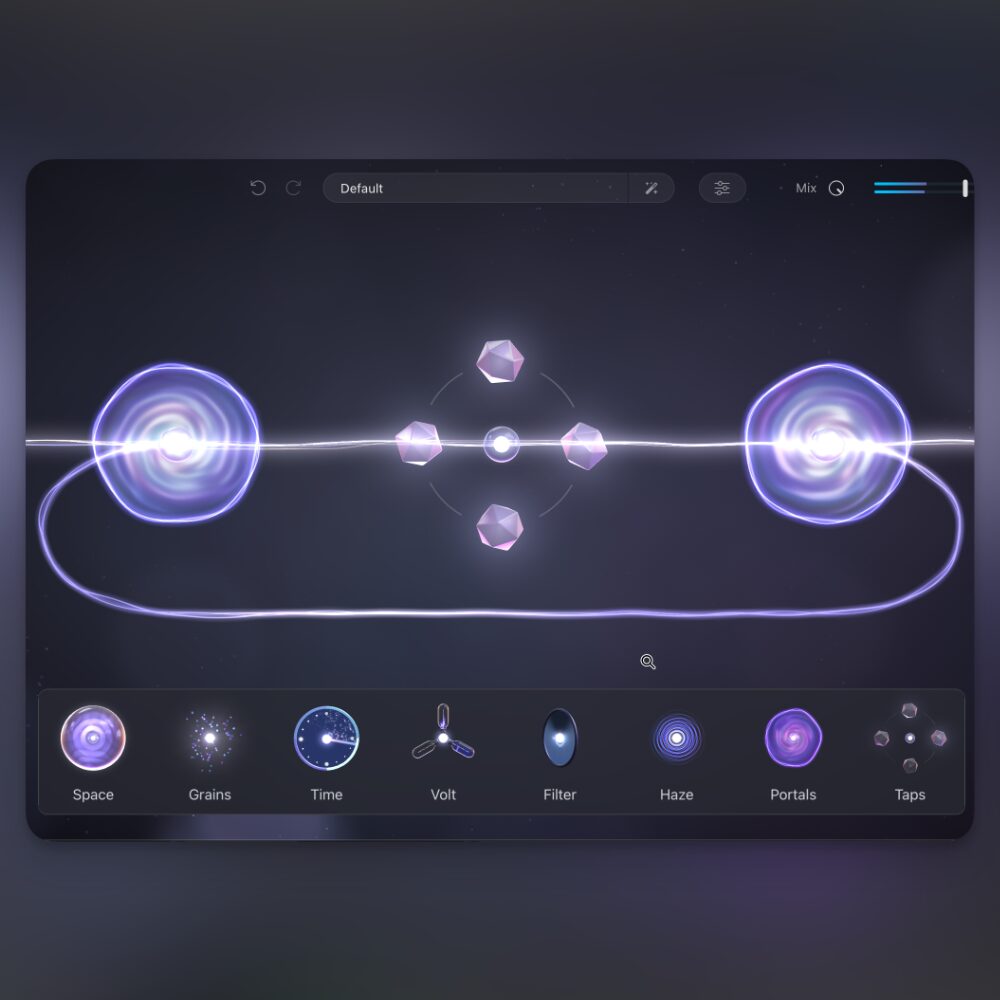
BEAM is a multi-effects plugin that displays audio signal flow visually, lets you split it freely, and allows you to place and edit effects along the paths. Its defining feature is the ability to intuitively build original effect chains.

- Streams (red): Paths for audio signals. Split into up to six paths and adjust gain, pan, and more.
- Nodes (blue): Effects used in BEAM. Drag and drop them onto streams and rearrange them to taste.
- Modulation (orange): LFOs, an envelope follower, and macro controls can dynamically change parameters.

Click at the top of the screen to access a range of ready-to-use presets.
For a closer look at BEAM's features, see the article below.

What's new in BEAM 2.0
Based on user feedback and technical advances, BEAM 2.0 adds and improves the following features to expand your sound design possibilities.
Effects as individual plugins

Effects, or nodes, previously available only inside BEAM can now be used directly in your DAW as individual plugins.
You can insert BEAM's effects separately like other plugins.
The feature is included in the BEAM 2.0 update, so existing owners could use it at no additional cost.
Those who do not own BEAM also have the option to purchase the effects individually.
See the end of this article for the prices reported at launch.
New Haze node and presets for individual nodes

A new node called Haze combines chorus, reverb, and dispersion.
It offers spatial processing and diffusion textures distinct from the Space and Grains nodes.
As with existing nodes, click the magnifying glass to open the preset browser, load Haze-specific presets, or save your own settings.
Presets range from effects that preserve the original sound to more inventive transformations, and can be applied easily.

Along with Haze, more than 60 new presets for various nodes were added, allowing you to quickly try different sound characters even with a single node.
More impulse responses for the Space node
An impulse response (IR) is recorded data describing how a particular space or piece of equipment responds to sound.
The Space node uses impulse responses to create a variety of spatial effects.

Open the impulse browser with the Space node's magnifying glass to find more than 80 new impulse responses across four categories: Cabinets, Tonal, Dispersion, and Noise Blur.
These additions expand the sound design options alongside the existing IR library.
Filter node improvements

The Filter node, which adjusts a sound's frequency spectrum, has been significantly updated to allow more precise and creative frequency shaping.

The changes are:
① (red): Added steepness control for the filter slope.
② (blue): Added filter types: Bell, Low Shelf, and High Shelf.
③ (orange): Enhanced stereo width control.
④ (purple): Pitch tuning; the note icon switches between pitch display when lit and frequency display when off.
Expanded modulation system

The modulation system has been enhanced, increasing the number of available LFOs from two to three.
Each LFO acts as an independent modulator that can be assigned to parameters and used simultaneously.

The LFO shape browser also adds 20 new LFO patterns for creating more complex, musical movement and rhythms.

The envelope follower now has sidechain support.
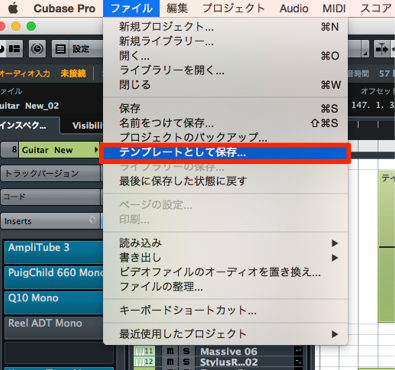
To use it, launch BEAM on the track you want to affect and enable Sidechain.
In Cubase, enable Side-Chain at the top of the plugin window and add the trigger track under Side-Chain input.

Then drag and drop the envelope follower onto the desired node parameter.
New stereo controls

A Mid/Side knob has been added to the Path Mixer, allowing stereo control for each path.
Turn it left to remove the Side component and leave only the Mid, or center, signal.
Turn it right to remove the Mid component and leave only the Side, or stereo width, signal.
Note that the remaining Side component is played from the center.
Usability and convenience improvements
You can now save a frequently used favorite preset or your own saved settings as the default patch.

Right-click the desired preset in the browser and select “Set [preset name] as default.” A star appears, and BEAM will open with the selected preset loaded next time.

You can also search the preset browser by author.

A new feature lets you lock the global Mix knob setting when changing presets.
Right-click Mix at the top of the screen to reveal the Lock option.
System requirements
Mac: macOS 10.15 or later; AU, VST3, AAX (M1/M2 recommended)
Windows: Windows 10 or later; VST3, AAX (i7 or better strongly recommended)
Memory: 8 GB RAM required (16 GB recommended)
Free storage: at least 250 MB
Supported in all major DAWs.
Pricing
Lunacy held its fourth anniversary sale from May 15 through June 8, 2025, during which all products were 40% off.
The BEAM sale prices reported in the article were:
| Product | Price |
|---|---|
| Individual effects (Grains, Space, Volt, Time) | $29 |
| BEAM (Includes Grains, Space, Filter, and Haze solo plugins; excludes Time and Volt) | $59 |
| BEAM Pro Bundle (Includes all effects, preset packs, and solo plugins) | $99 |
What did you think?
With its visual, easy-to-understand workflow and additional ready-to-use presets, BEAM can help even beginners transform familiar sounds into something new.
The ability to use effects as individual plugins also opens up further possibilities.
Try incorporating it into your music production and explore new sounds.
Frequently asked questions
Q1. Can existing users update to BEAM 2.0 for free?
Yes. Existing BEAM owners could update to version 2.0 for free, including Haze, additional presets, and the individual plugin feature at no extra cost.
Q2. Can I purchase individual BEAM effects without owning BEAM?
Yes. An option is available to purchase individual effect plugins separately. Check the official information for pricing.
Q3. Which DAWs support BEAM 2.0's sidechain feature?
This article explains how to use it in Cubase. Check the official site for DAW-specific compatibility.
Q4. How many new LFO shapes were added?
The LFO shape browser gained 20 new patterns for creating more complex, musical movement and rhythms.
NEW ARTICLES
Latest English Articles