
Nektar Bolt is a harmonics synthesizer that challenges conventional synth design: it dispenses with a filter section and builds sounds primarily by adding harmonics. With two main oscillators and two sub-oscillators, it offers intuitive sound design through parameters such as HARMONICS, ROLLOFF, and NOISE. The ODD, INV, and DEEP buttons change the harmonic characteristics, serving a role similar to a filter. SHIFT and DETUNE control pitch, Drive adds saturation, and FM and cross-modulation provide countless sound variations for leads, pads, sound effects, and more.
A Harmonics Synthesizer That Builds Sounds by Adding Harmonics
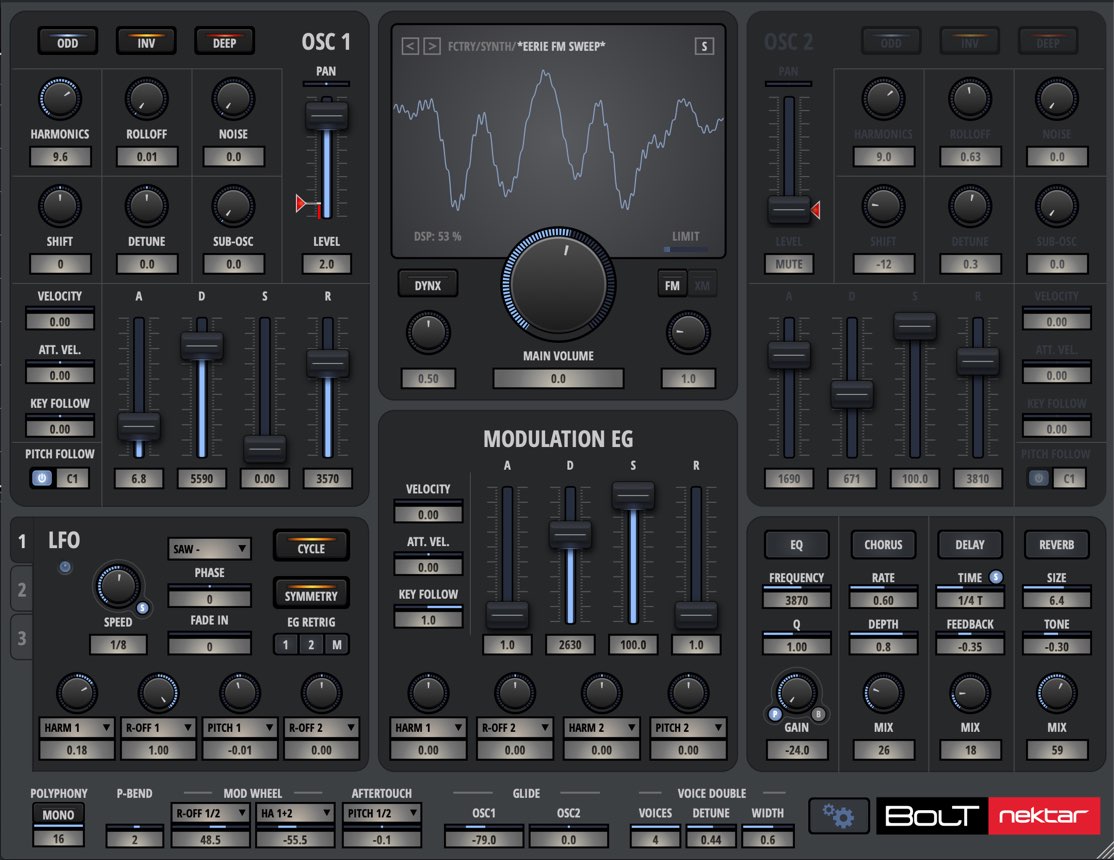
In this tutorial, we will explore Bolt from Nektar.
This instrument stands out as a harmonics synthesizer that generates sounds primarily by adding harmonics. It can create a wide range of sounds, including leads, pads, and sound effects.
First, let’s focus on the oscillator section, which is essential to working with Bolt.
Bolt Tutorial 1: Product Overview and Oscillator Section — Video
Product URL: https://beatcloud.jp/product/931?atag=007
Understanding Bolt’s Oscillators (OSC)
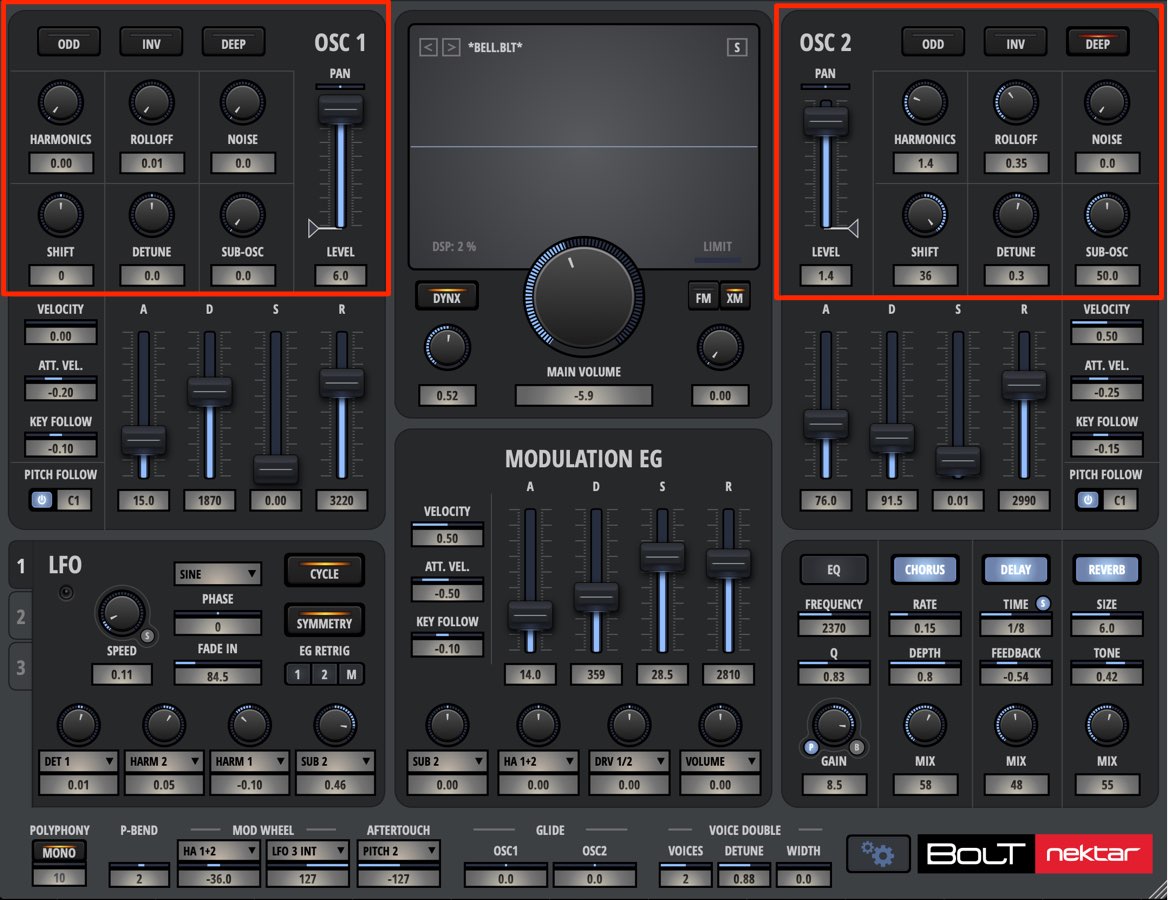
Bolt has two main oscillators and two sub-oscillators. You shape the sound’s characteristics with the two main oscillators.
It builds sounds by adding harmonics and does away with the filter section normally found in conventional synthesizers.
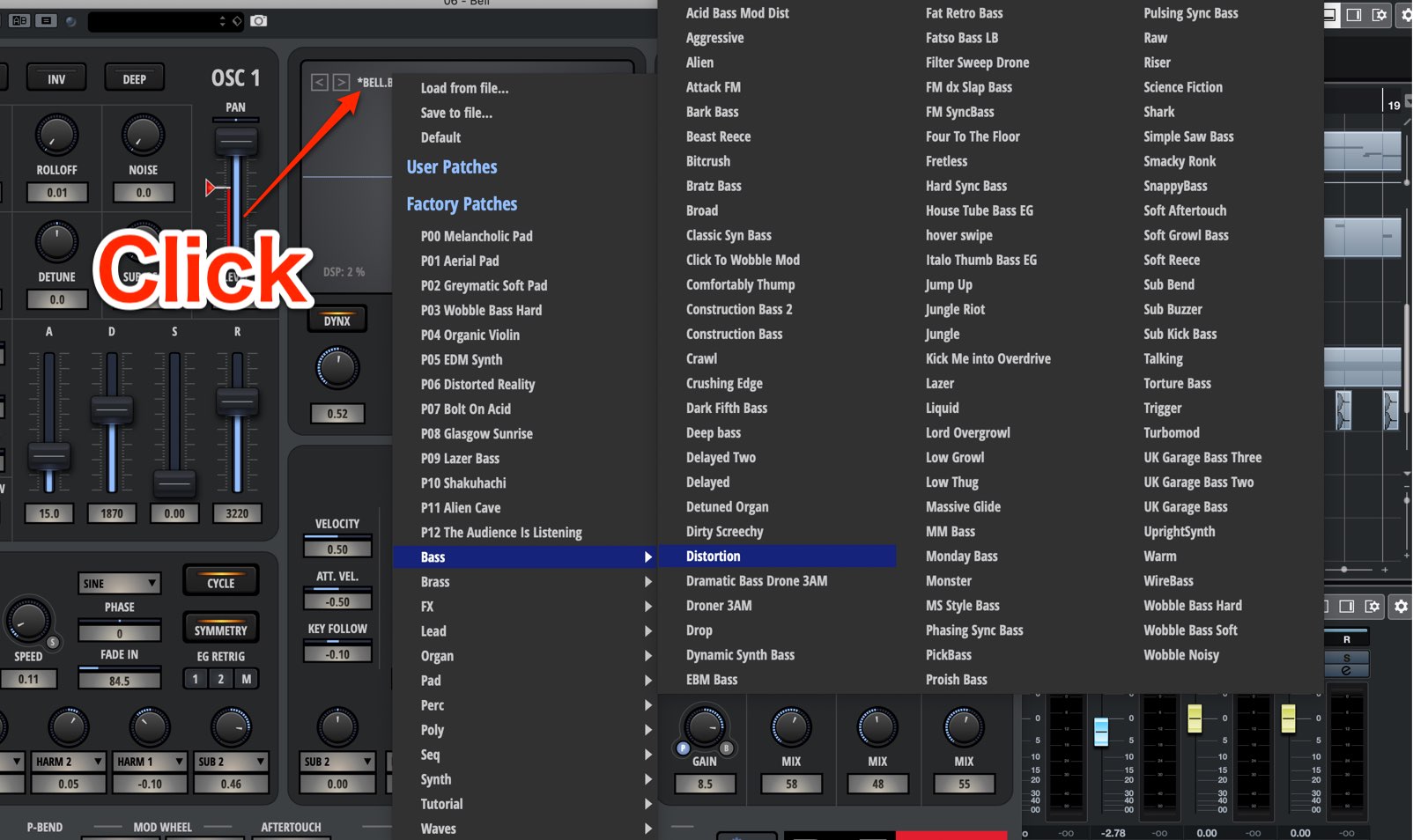
It also comes with a huge collection of presets (waveforms).
The workflow is to select a preset waveform, then use the oscillator parameters to shape the sound.
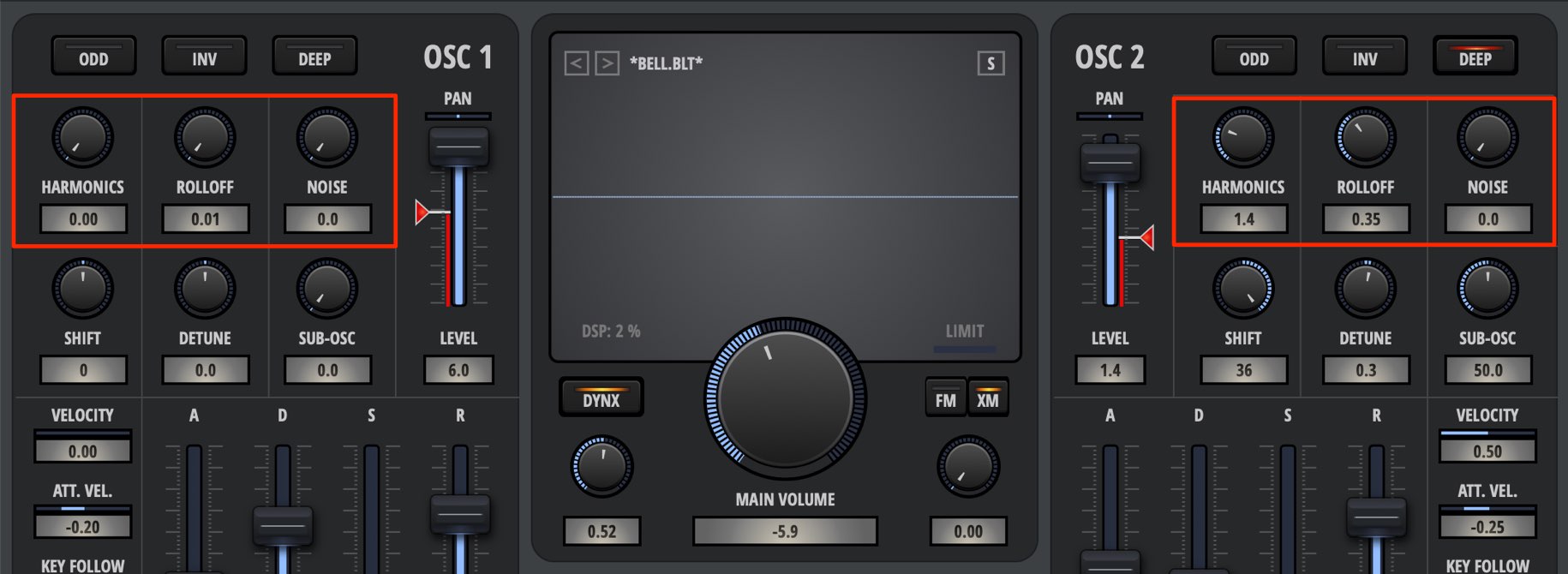
Use the following parameters to shape the selected waveform.
- HARMONICS: Adds harmonics to adjust the character of the sound.
- ROLLOFF: Emphasizes higher harmonics to adjust the high-frequency range.
- NOISE: Adds noise to reinforce the sound. It is also useful for creating sound effects.
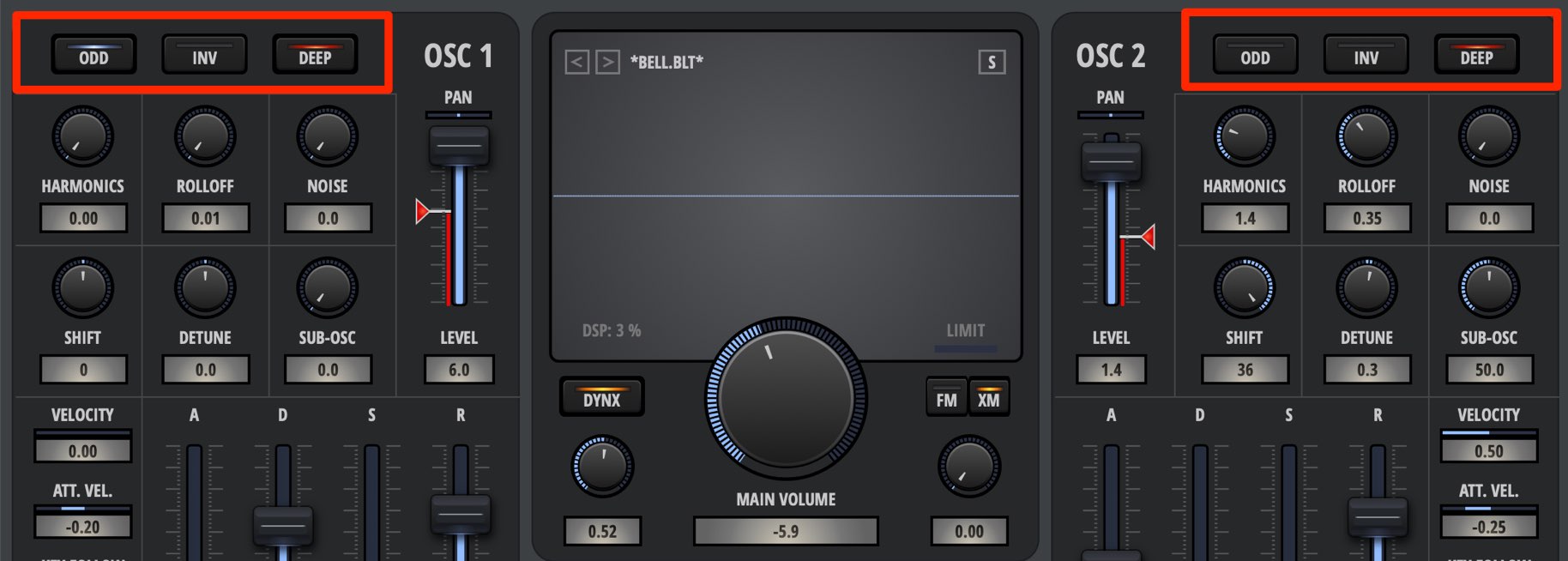
The buttons at the top of the oscillator section let you change its harmonic characteristics.
These controls serve a role similar to a synthesizer’s filter.
- ODD: Removes even harmonics, giving the sound the characteristics of a pulse or square wave.
- INV: Inverts the waveform’s phase. Use it with FM or to adjust how the oscillators’ sounds interact.
- DEEP: Makes the level decrease from the fundamental toward the higher harmonics, emphasizing the low end.
Because it reduces the high frequencies, it works somewhat like a low-pass filter.
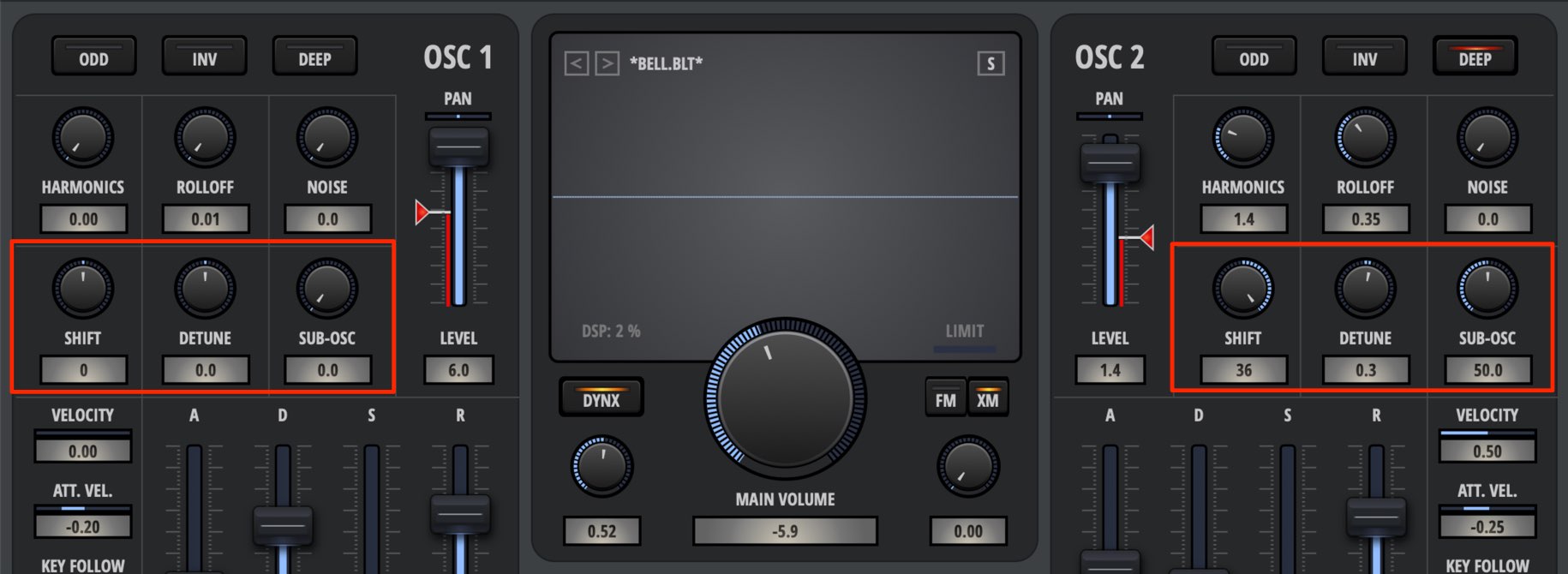
This section controls the oscillator’s pitch.
- SHIFT: Adjusts the oscillator’s pitch in semitones.
- DETUNE: Adjusts the oscillator’s pitch in cents.
- SUB-OSC: Layers a tone one octave below to reinforce and thicken the sound.
Volume and Pan Controls
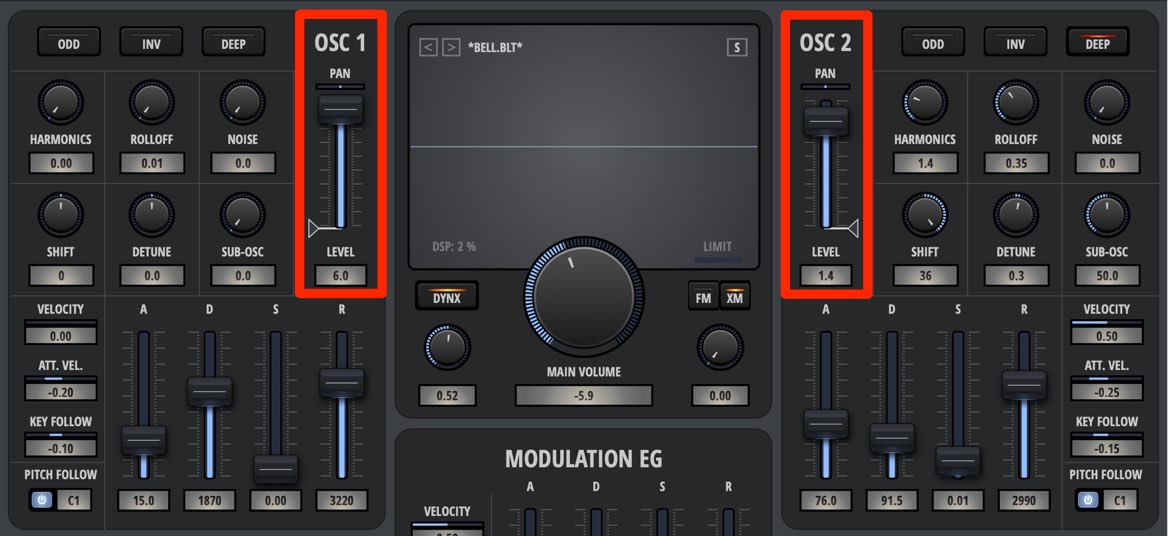
You can set the volume and pan of each oscillator independently, giving you fine control over the sound’s nuances.
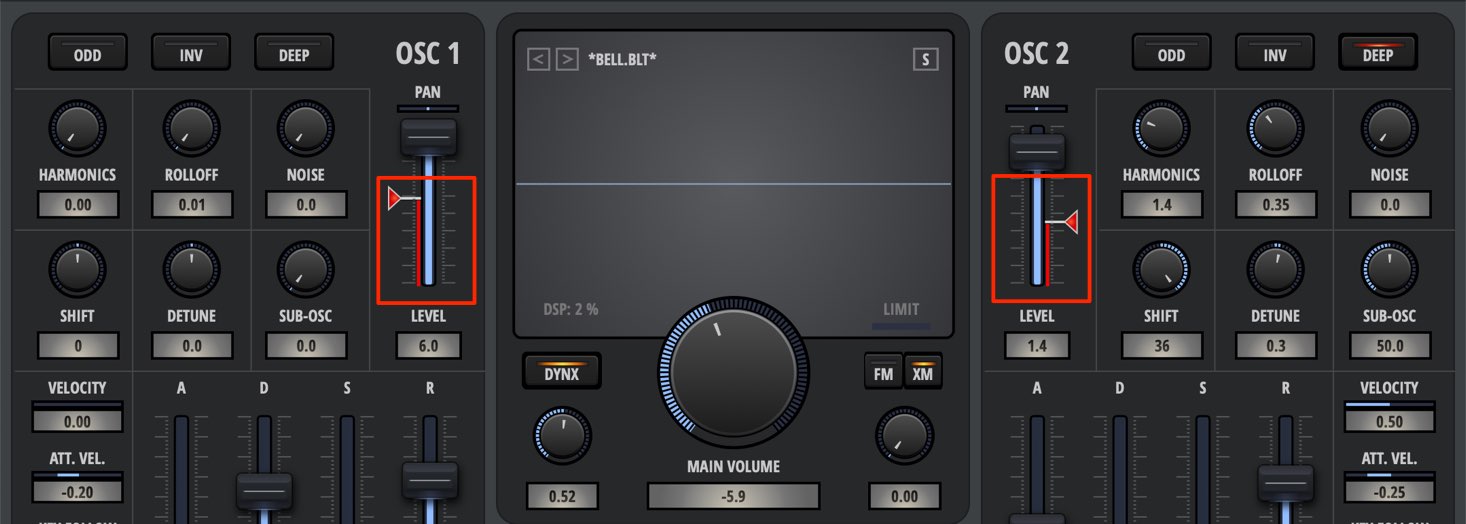
The red fader beside the volume fader is Drive, which adds saturation to the sound.
It is useful for making a sound thicker or helping it sit in a track.
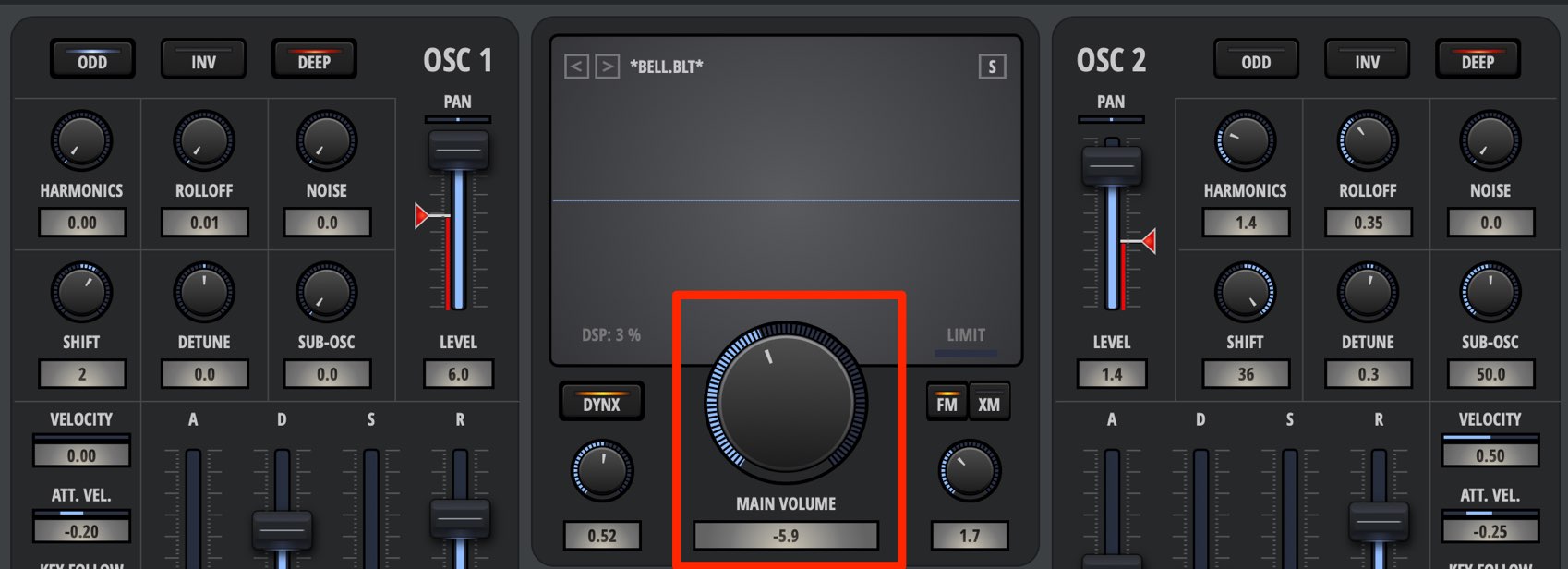
The MAIN VOLUME control in the center adjusts the overall master volume.
This is convenient for changing the overall level while maintaining the balance between the oscillators.
Modulating the Sound with FM
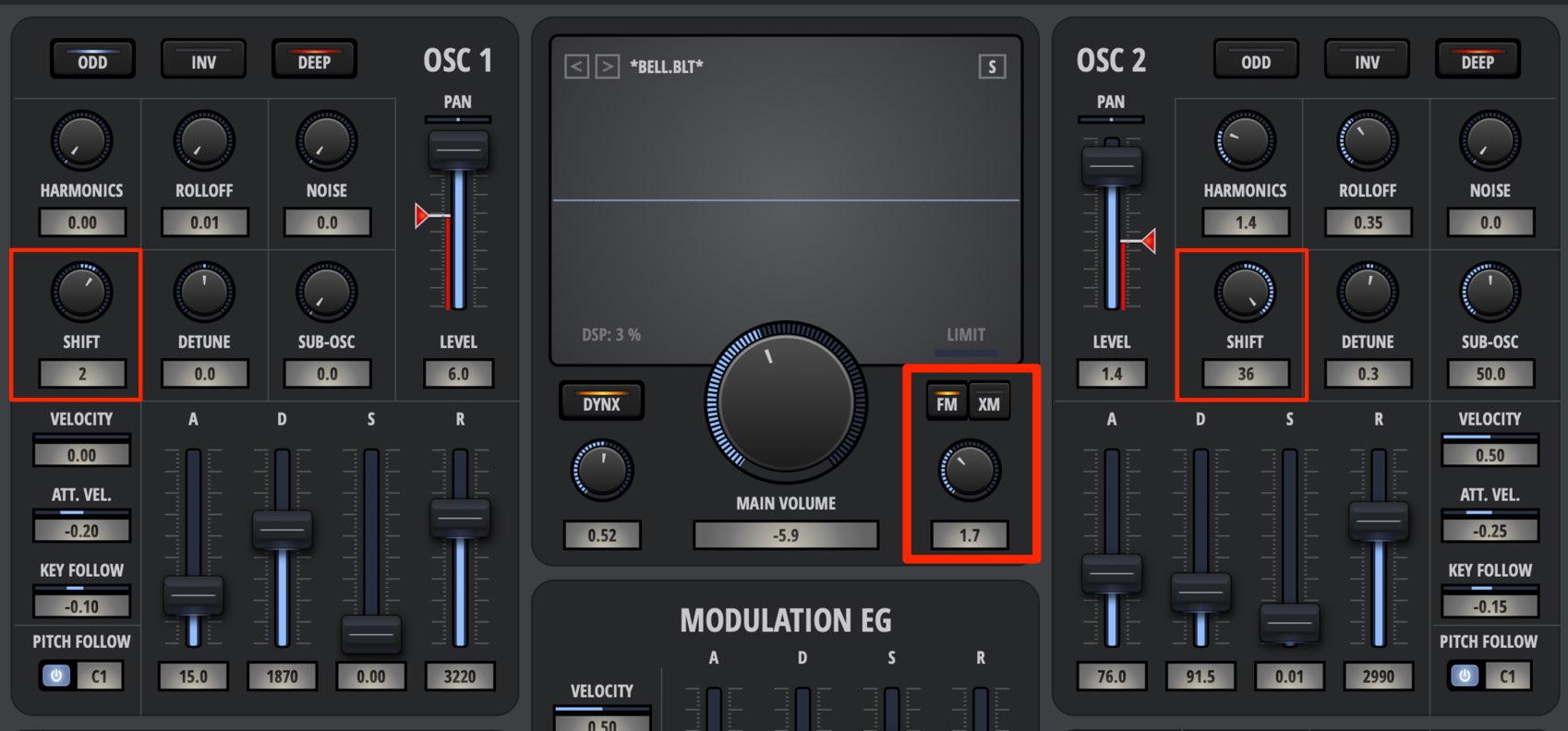
Bolt includes FM, which modulates the sound to create different tonal variations.
Activate the FM button in the center, then set the modulation amount using the control below the knob.
Next, adjust SHIFT for each oscillator to modulate it using its own oscillator.
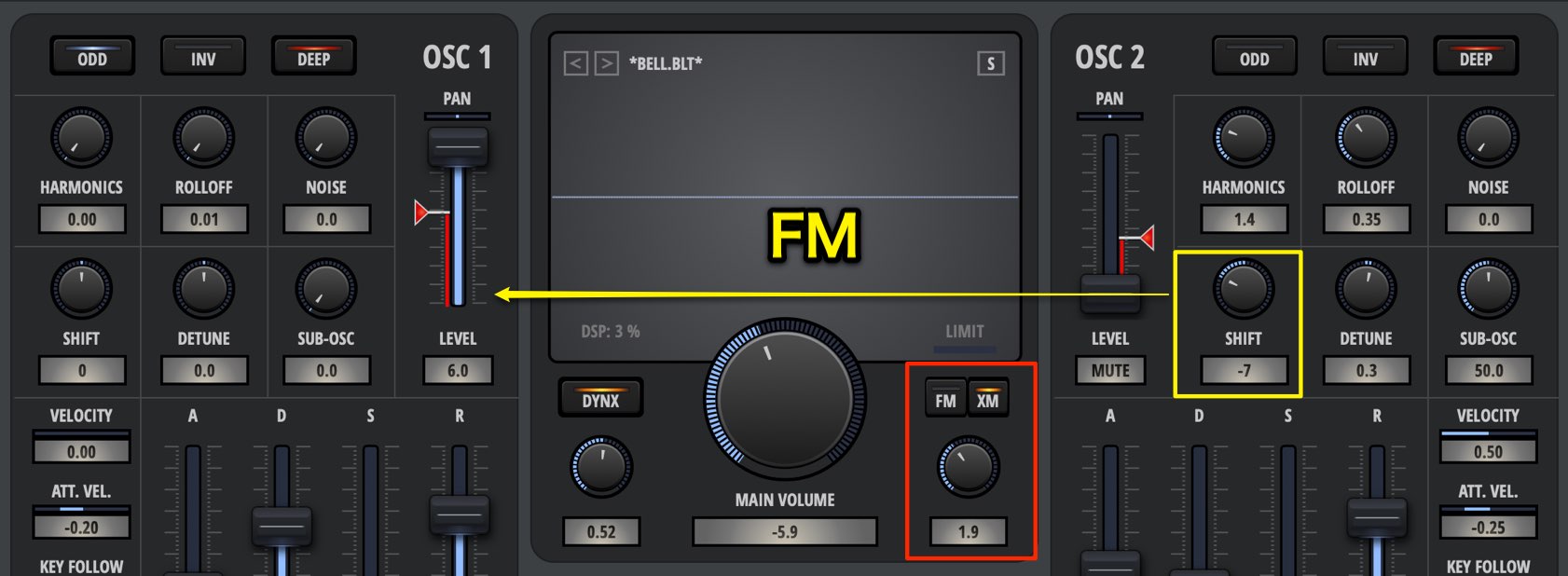
The XM button also lets OSC2 modulate OSC1, a process called cross-modulation.
In this case, OSC2’s volume can be set to 0.
What do you think?
Bolt is a unique instrument that lets you create sounds by controlling the harmonics of its wide range of waveforms.
Combining the parameters yields countless sound variations, making the process feel both fun and intuitive.
In the next installment, we will focus on two essential synthesizer tools: envelopes and LFOs.
Product URL: https://beatcloud.jp/product/931?atag=007
Bolt has no filter 🎛 like those found in conventional synthesizers. It is a unique instrument that offers intuitive sound design based primarily on adding harmonics 🎹
No Filter? Nektar Bolt Harmonics Synthesizer Tutorial 1: Product Overview and Oscillator Section
Details: https://t.co/M2jGiWAHUL @HookUp_Official pic.twitter.com/3hv9tS0sKz— SLEEP FREAKS (@SLEEPFREAKS_DTM) March 28, 2019
Frequently Asked Questions
Q1. Why doesn’t Nektar Bolt have a filter?
Bolt is designed primarily around adding harmonics. Instead of a filter, parameters such as HARMONICS, ROLLOFF, ODD, INV, and DEEP directly control the harmonic characteristics, enabling more intuitive and creative sound design.
Q2. What is Bolt’s oscillator configuration?
It has four oscillators in total: two main oscillators and two sub-oscillators. The main oscillators control the sound’s character, while the sub-oscillators reinforce the low end and add thickness. Volume, pan, and Drive can be adjusted individually for each oscillator.
Q3. What is the difference between FM and cross-modulation (XM)?
FM modulates an oscillator with itself to create tonal variations. XM, on the other hand, uses OSC2 to modulate OSC1. It works even when OSC2’s volume is set to 0 and allows more complex frequency modulation.
Q4. What kinds of music and sounds is Bolt suited to?
Its extensive preset waveforms and harmonic controls support a wide range of sounds, including leads, pads, synth basses, and sound effects. Its intuitive operation also makes it well suited to experimental and distinctive sound design.
NEW ARTICLES
Latest English Articles






































































































































































































































































