
Native Instruments MONARK is a monophonic analog synthesizer modeled on the legendary Minimoog. Its straightforward yet powerful sound-shaping features include three oscillators, a choice of waveforms, and low-pass and band-pass filters, making it well suited to EDM production. Controls such as LOAD, FEEDBACK and NOISE help create thick, sustained bass and lead sounds. Glide also provides smooth pitch changes, making the synth useful for beginners and advanced users alike.
Modeled on the Minimoog Sound
Native Instruments describes MONARK as a recreation of a universally recognized legendary monophonic analog synthesizer.
From that description, we think it is modeled on the Minimoog.
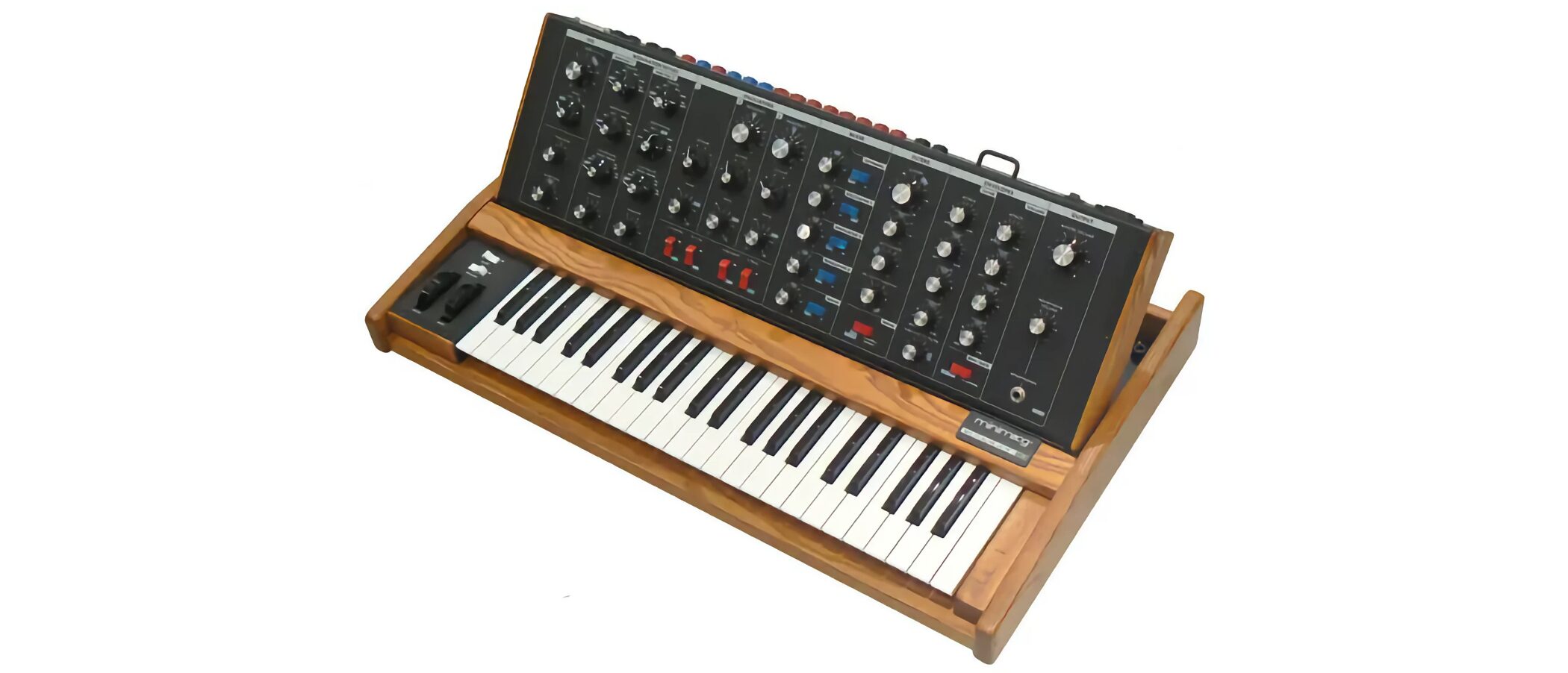
The Minimoog is known for its thick, sustained sound and excellent filter, and MONARK carries on that sonic character.
It is easy to create intense basses and leads, making it a product worth trying for anyone interested in EDM.
Video: Oscillator & Mixer
Oscillators
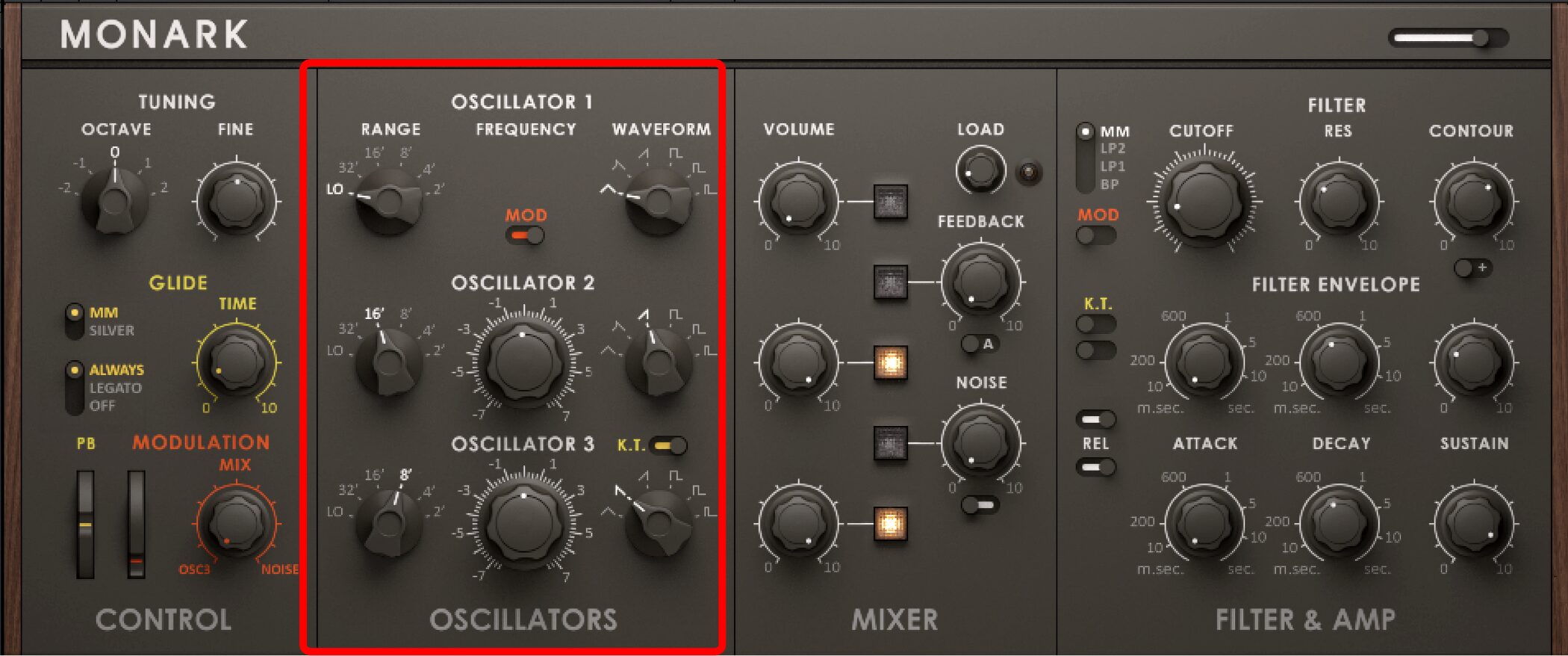
MONARK has three oscillators, each with selectable octave and waveform settings.
RANGE
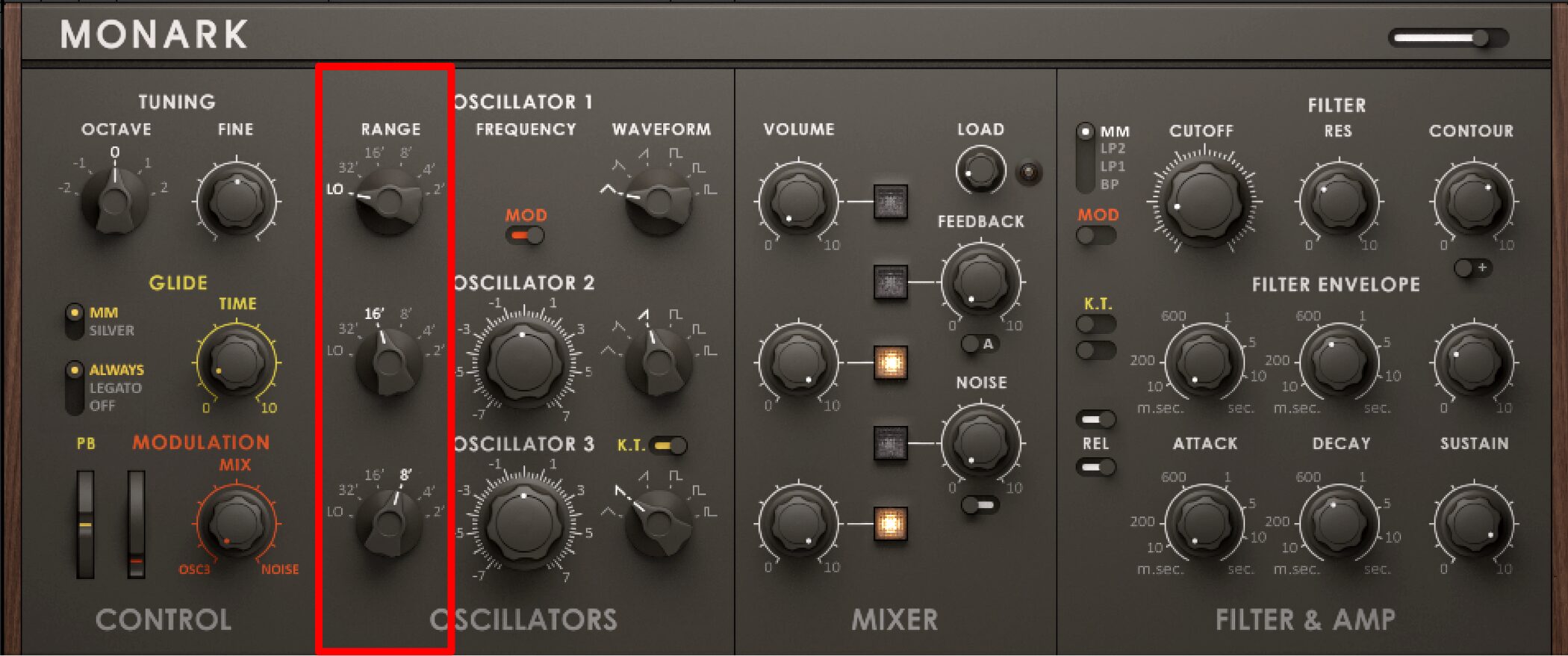
RANGE changes the octave.
Turn the knob left for lower pitches and right for higher pitches.
WAVEFORM
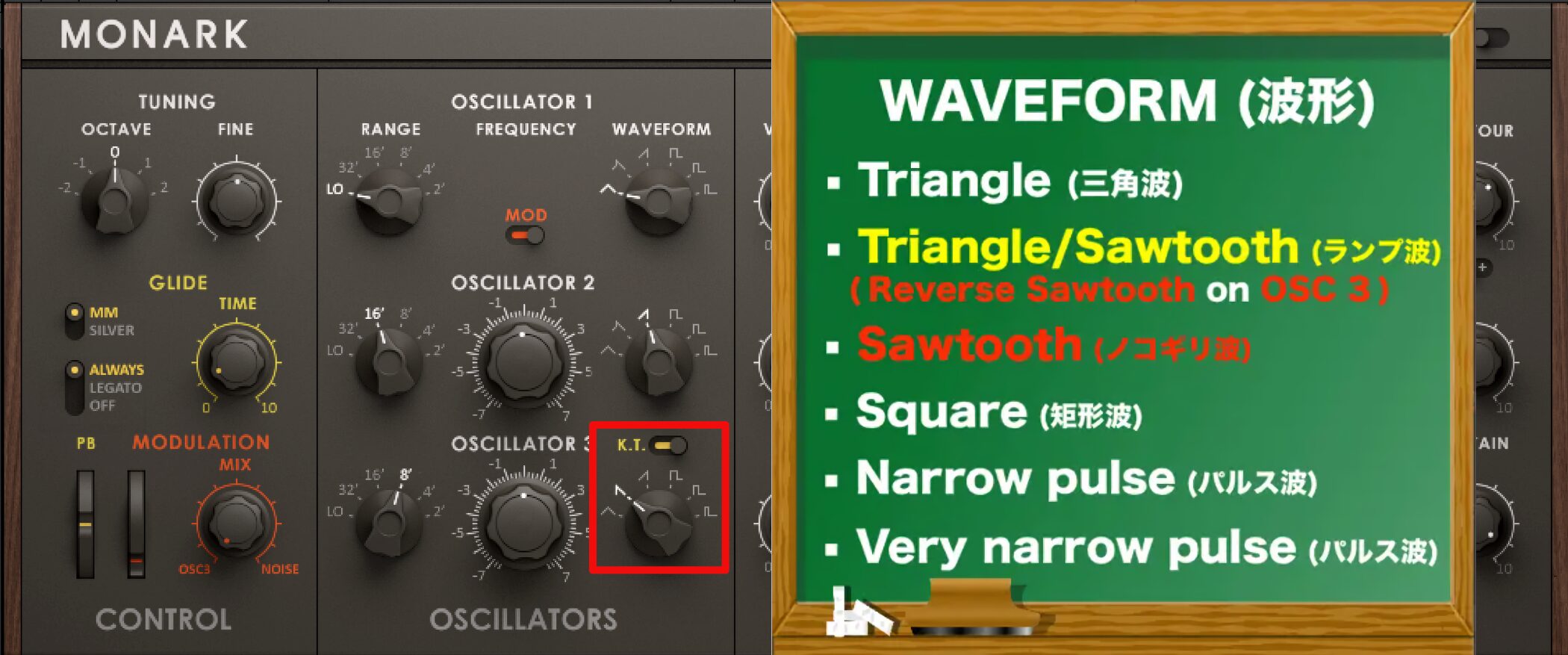
Each MONARK oscillator offers six waveform choices.
The second waveform from the left differs on OSC 3.
- Triangle
- Triangle/Sawtooth (ramp) → (reverse sawtooth on OSC 3)
- Sawtooth
- Square
- Narrow pulse
- Very narrow pulse
ON/OFF and Volume
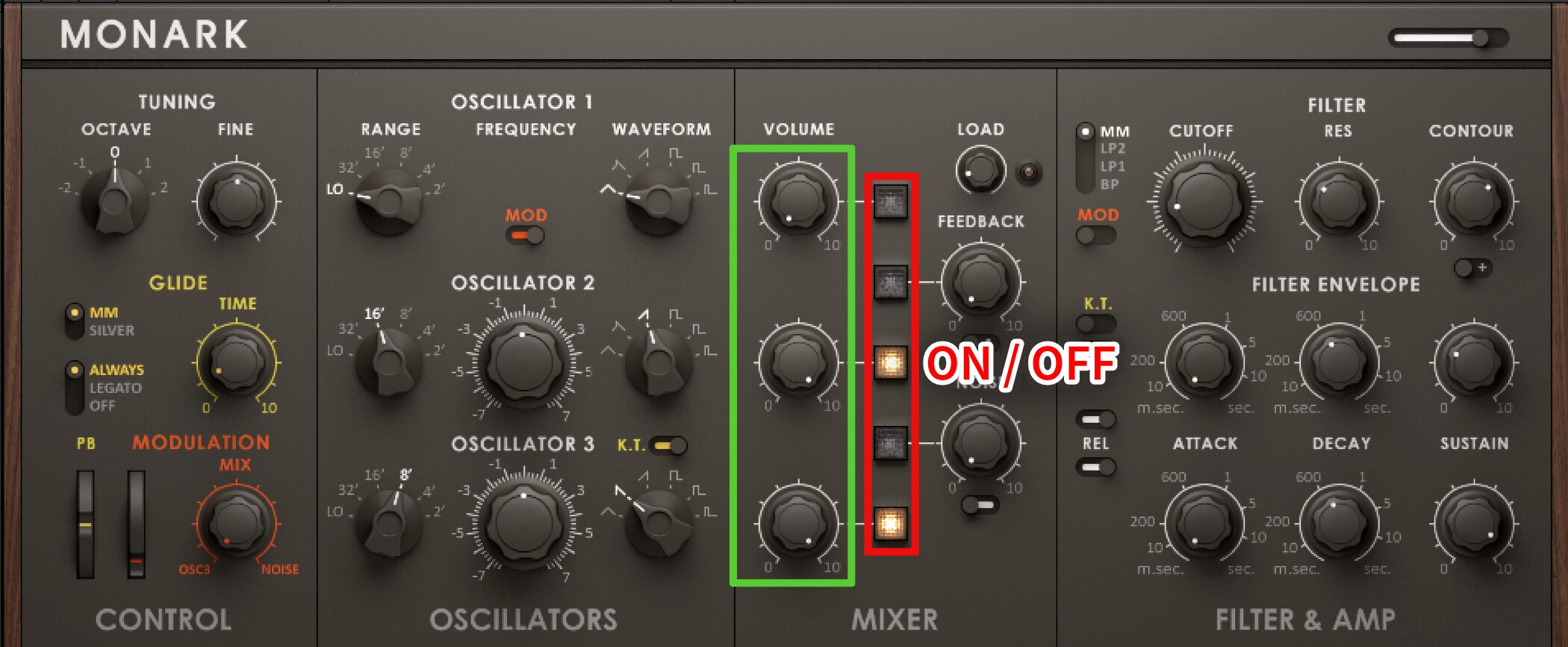
The oscillator ON/OFF switches and volume knobs are in the adjacent mixer section.
Mixer
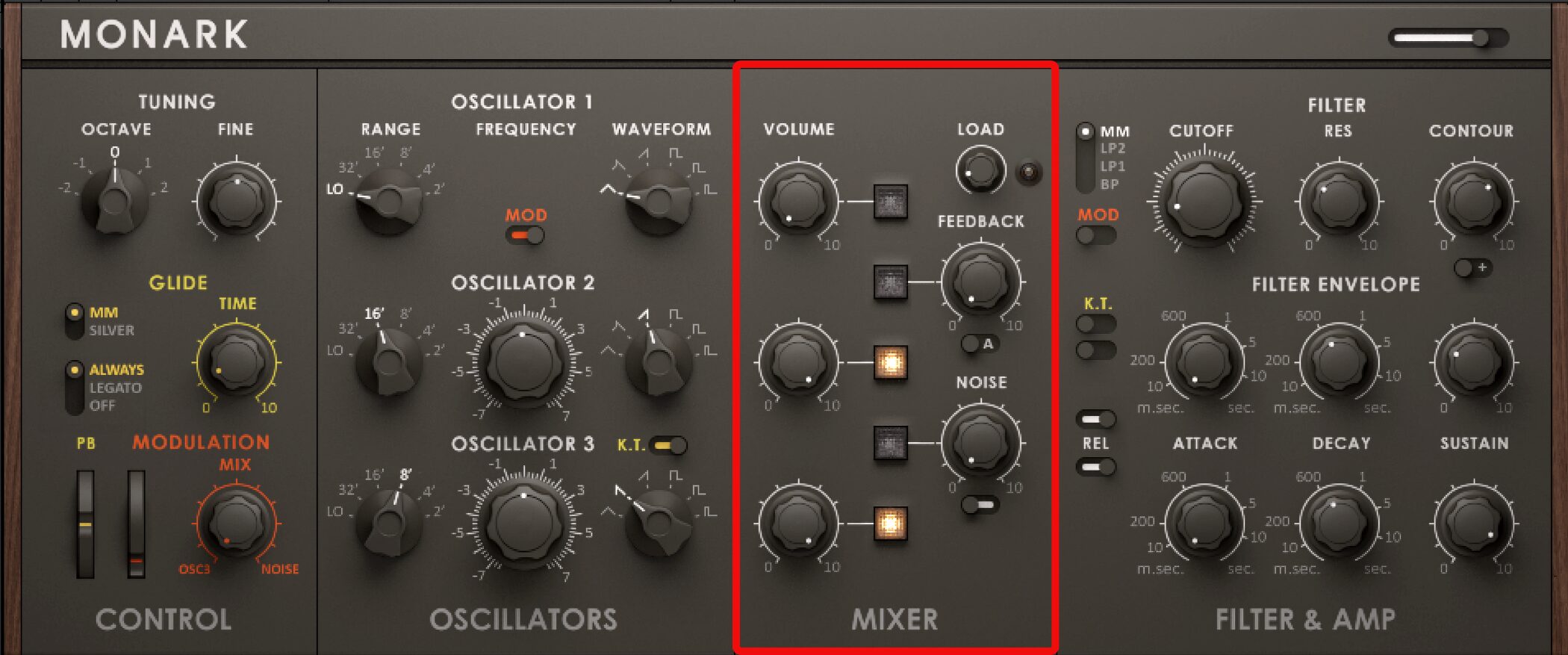
Besides the oscillator ON/OFF switches and volume knobs, the mixer section includes controls such as LOAD, FEEDBACK and NOISE.
LOAD
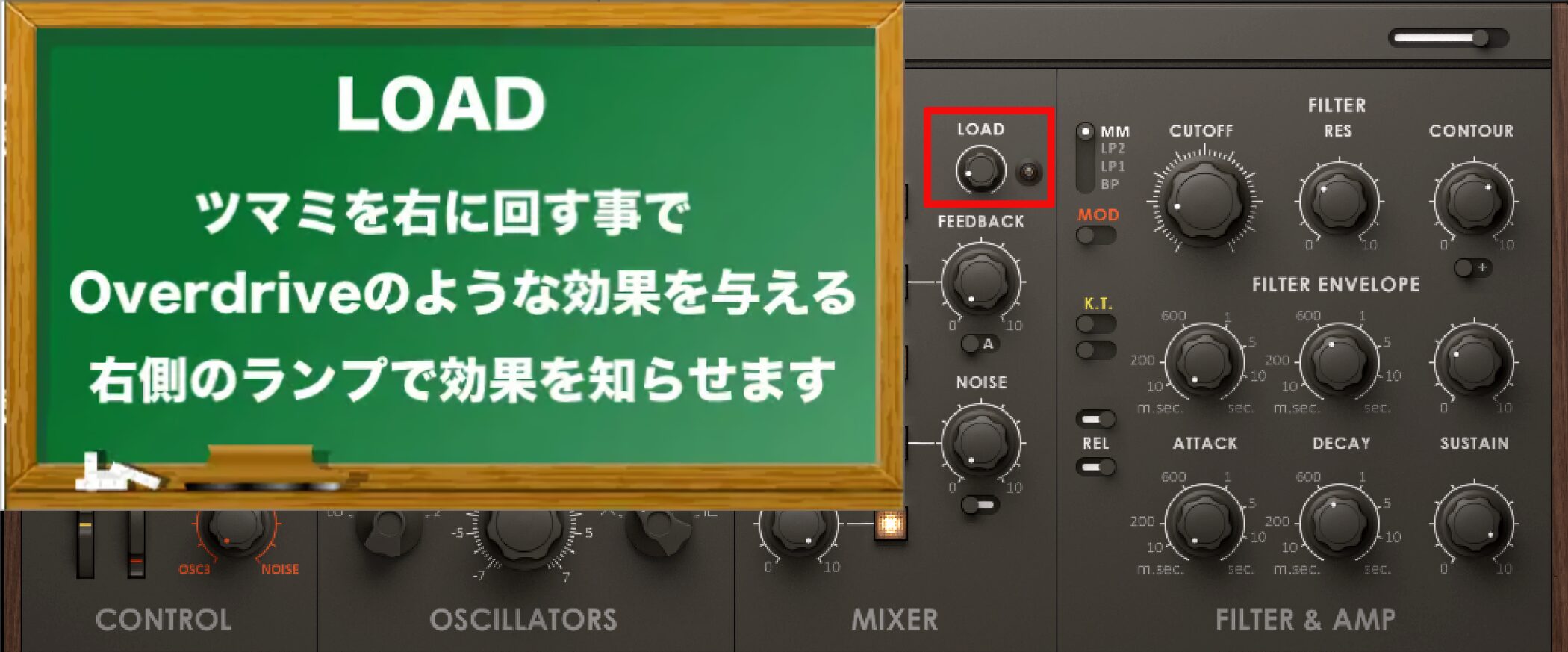
LOAD adds an overdrive-like effect to thicken the sound.
The adjacent lamp lights up to indicate the effect.
FEEDBACK
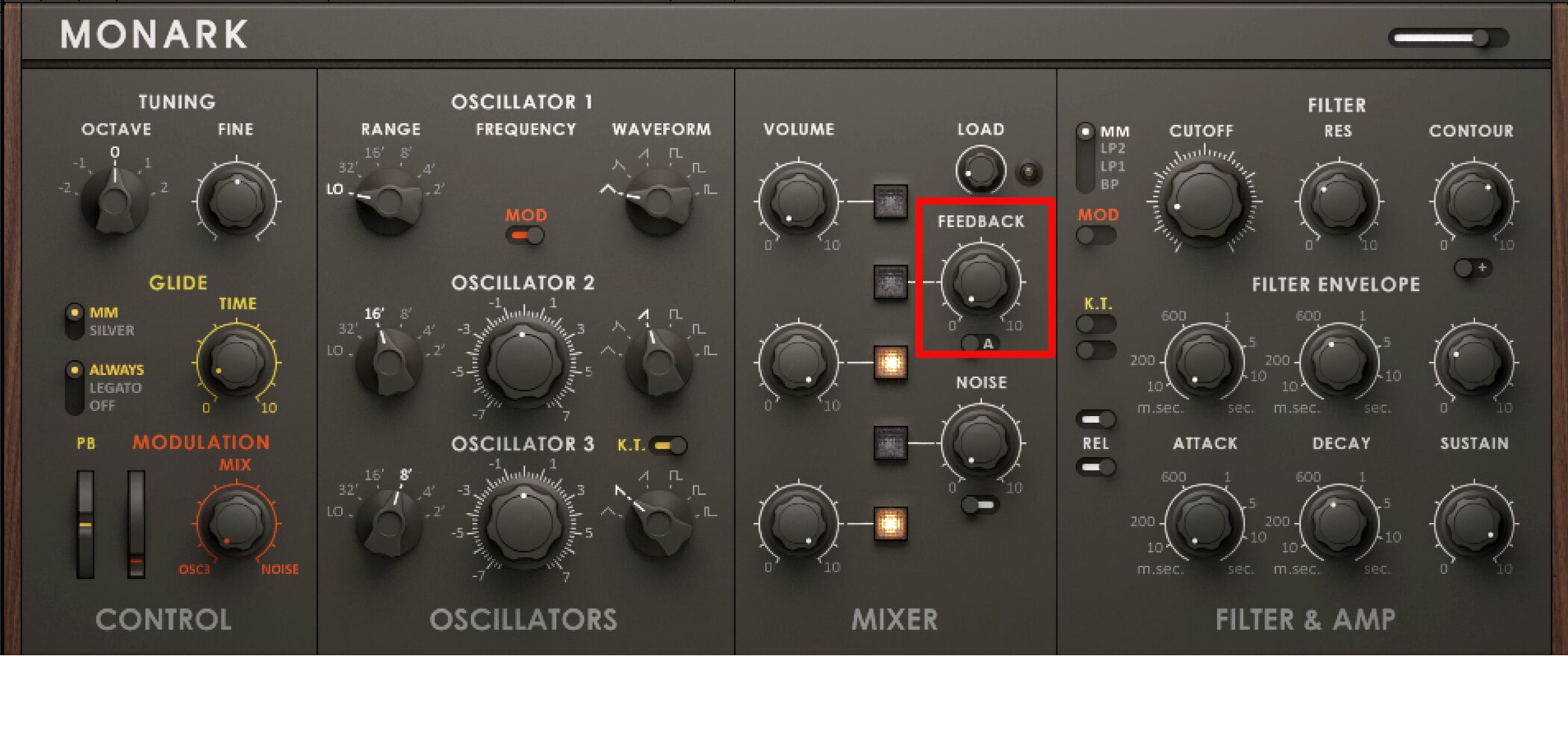
FEEDBACK sends the amplified output back into the circuit for further processing, repeatedly cycling it to produce a more complex effect.
FEEDBACK has A and B modes. B applies a stronger effect, producing a thick sound similar to distortion.
NOISE
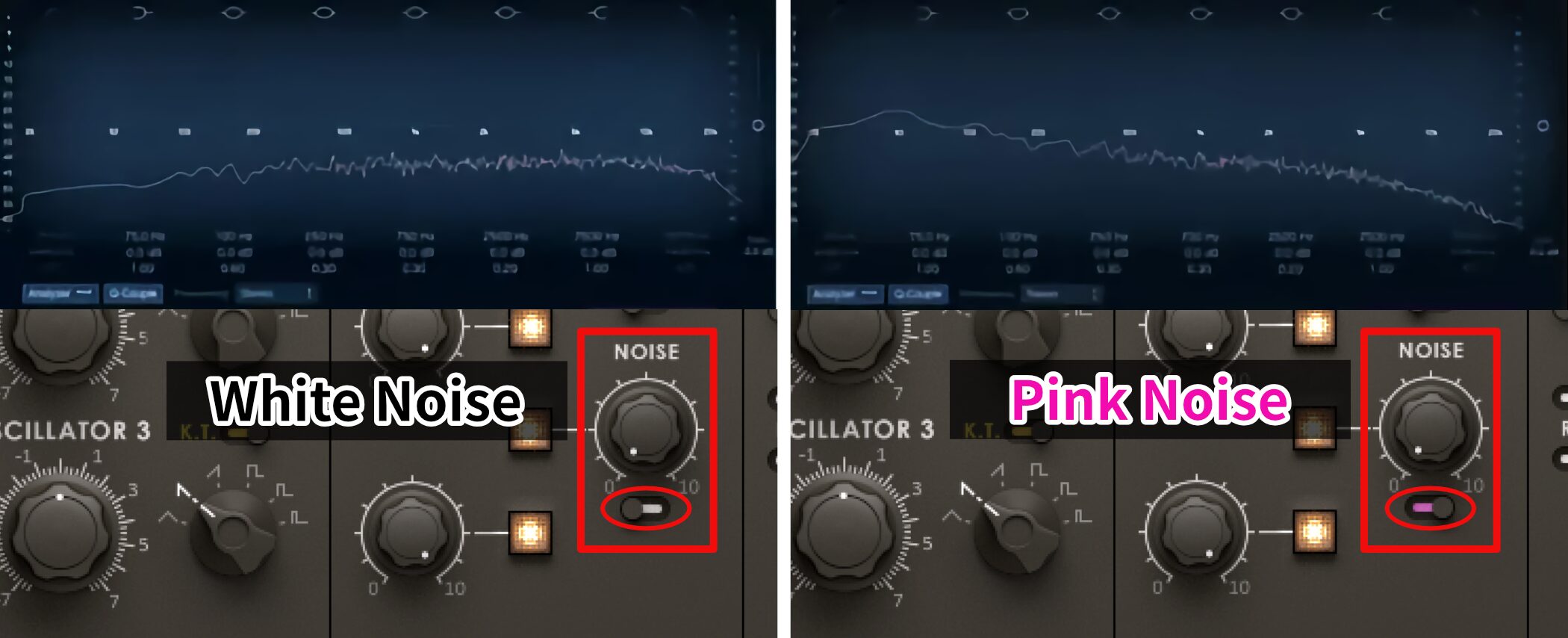
NOISE lets you switch between PINK NOISE and WHITE NOISE.
As shown above, white noise has stronger high frequencies.
Try blending in a subtle amount when shaping a sound.
Sound Design in MONARK: Filter, Amp and Glide
Continuing from the previous section, let’s explore MONARK further.
How can we use basic synthesizer controls such as volume and tone?
MONARK has a very simple structure, so learn these controls and use them to create great sounds!
Video: Filter, Amp and Glide
About Release
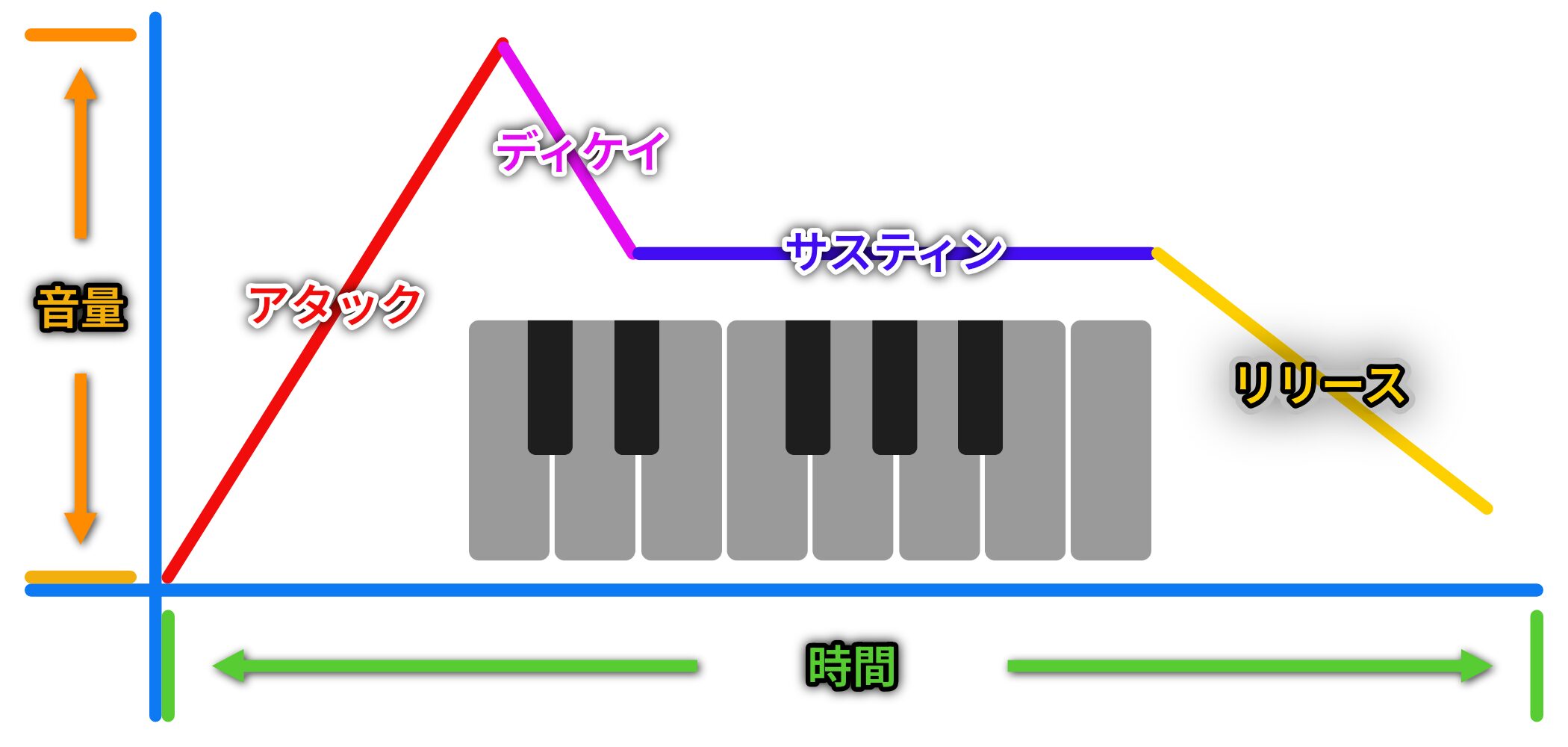
MONARK has no dedicated release knob.
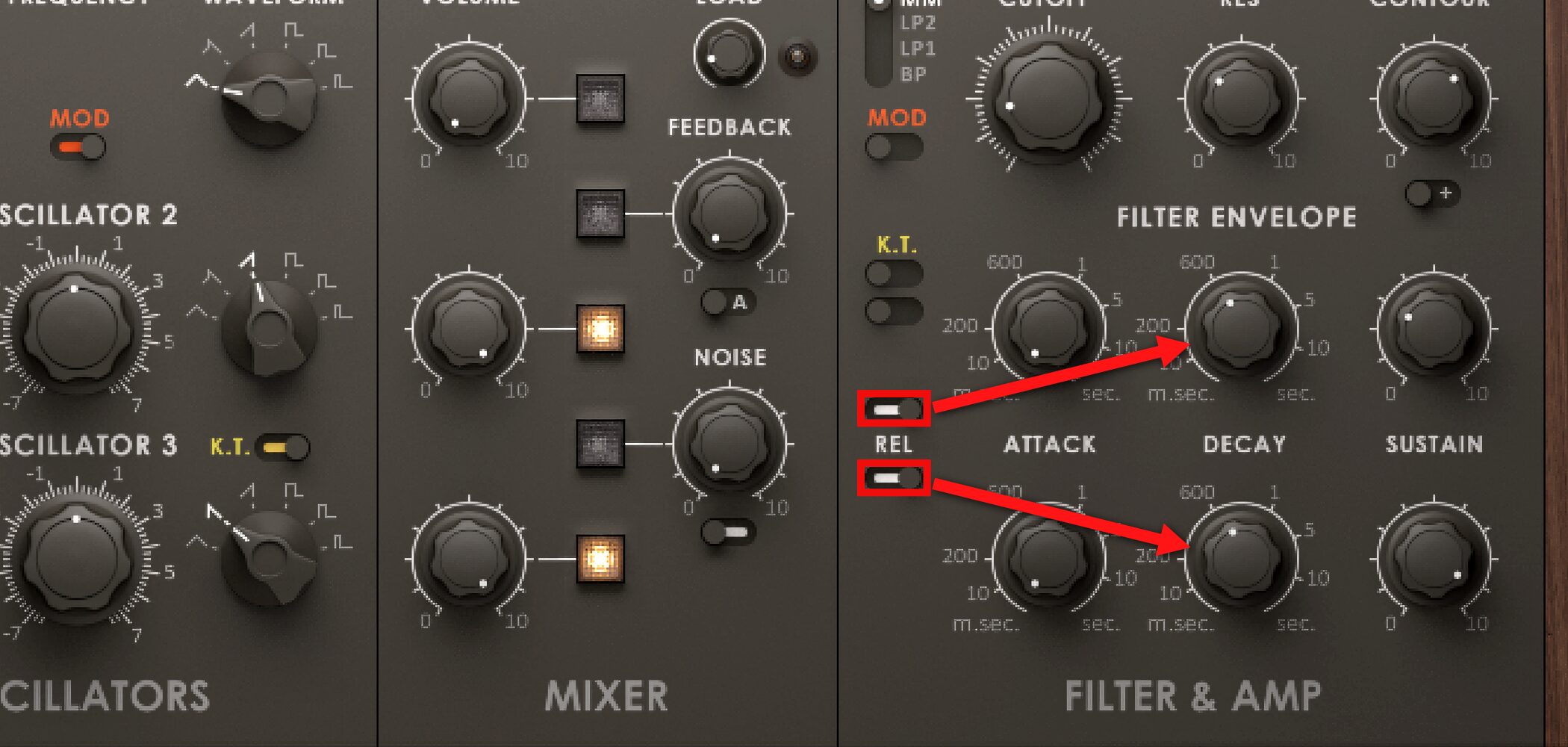
Set the control outlined in red to the right to use DECAY in place of release.
The upper control applies to the filter and the lower one to volume.
Filter Settings
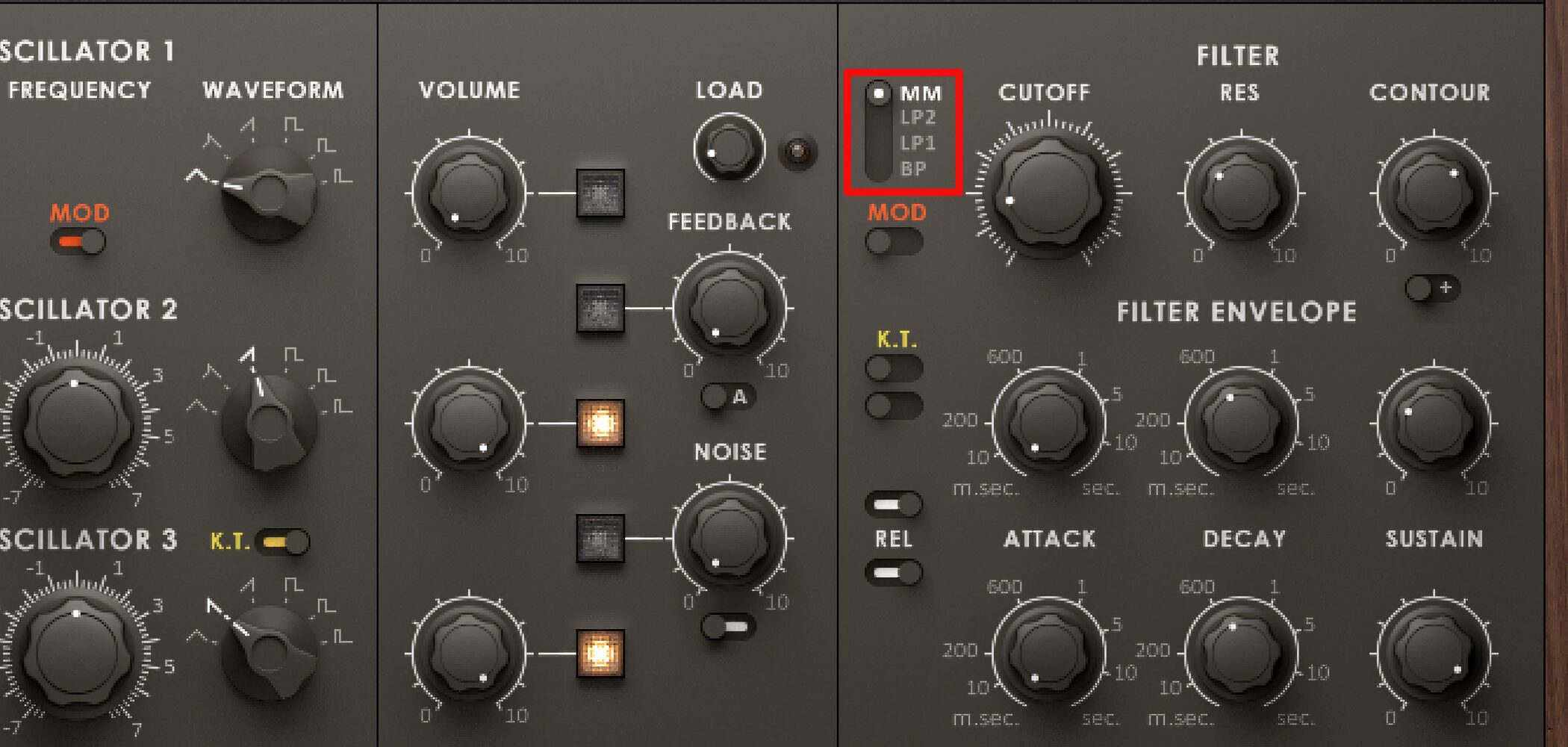
Choose the filter type here.
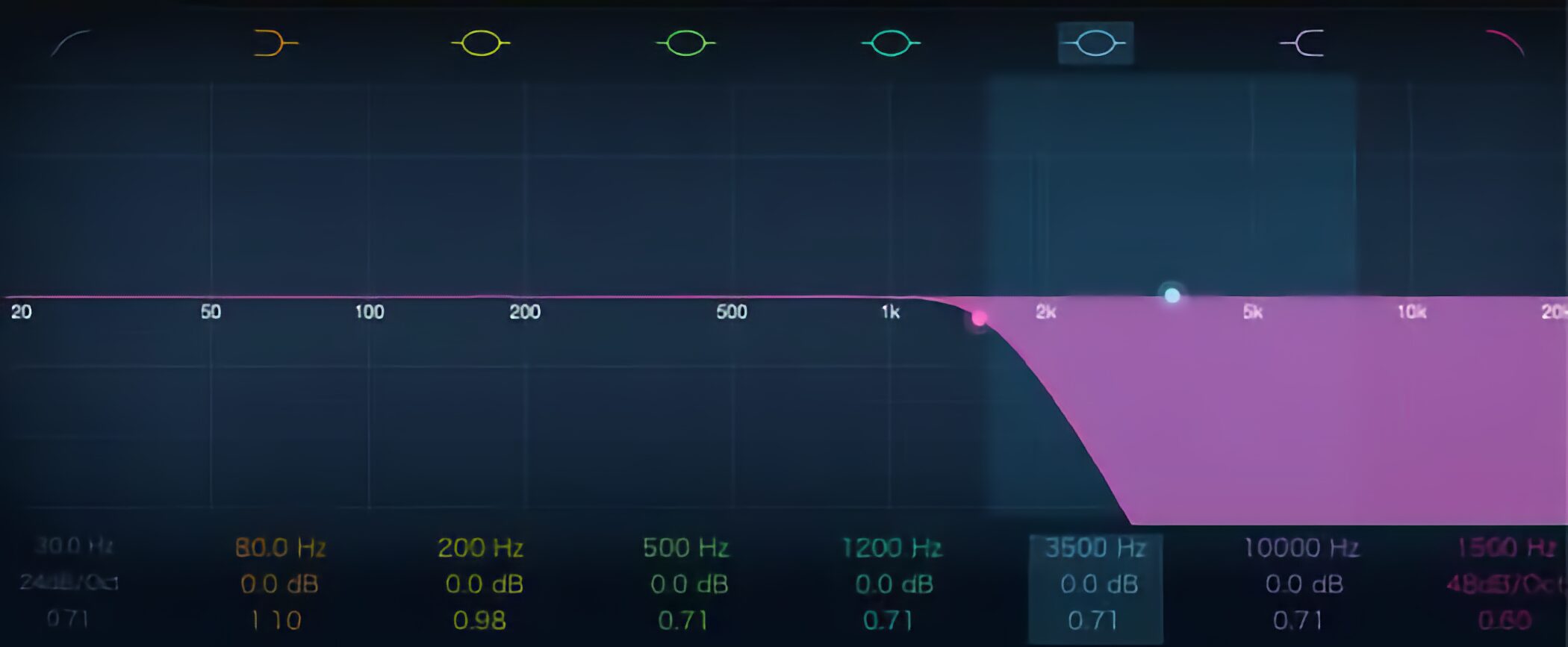
MM, LP2 and LP1 are low-pass filters. Their slopes are 24, 12 and 6 dB per octave, respectively; the slope becomes gentler in that order.
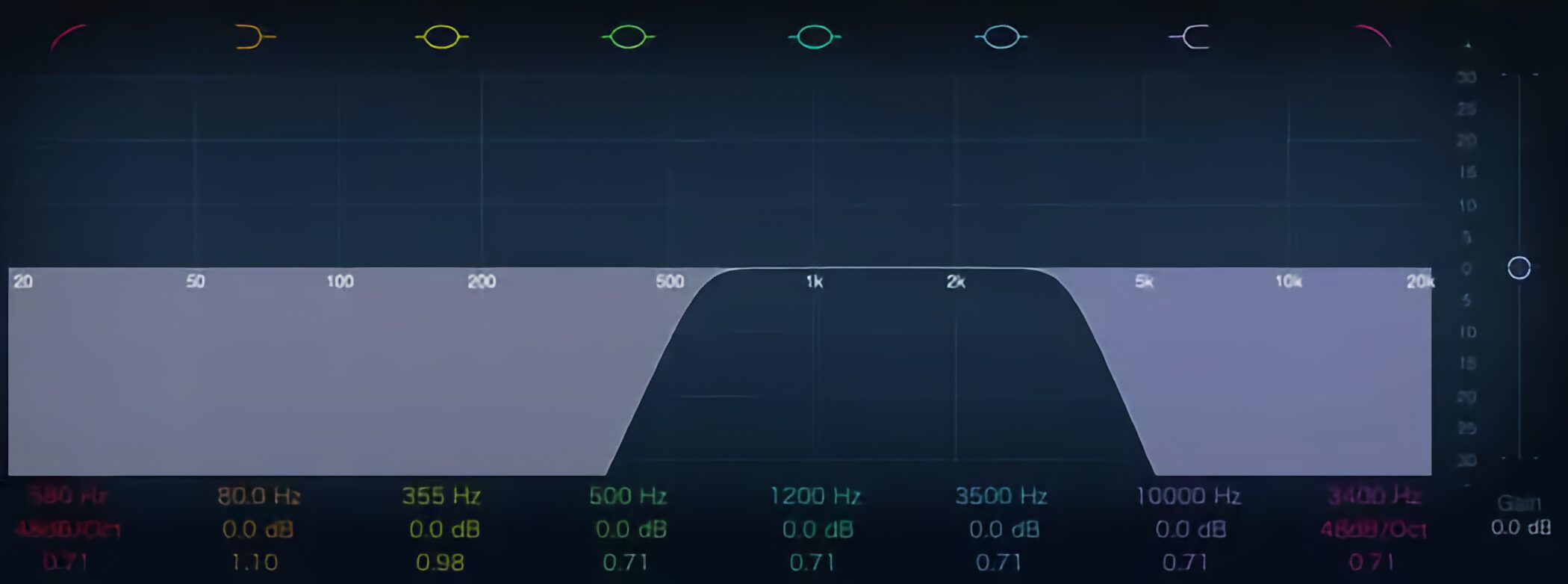
BP is a band-pass filter.
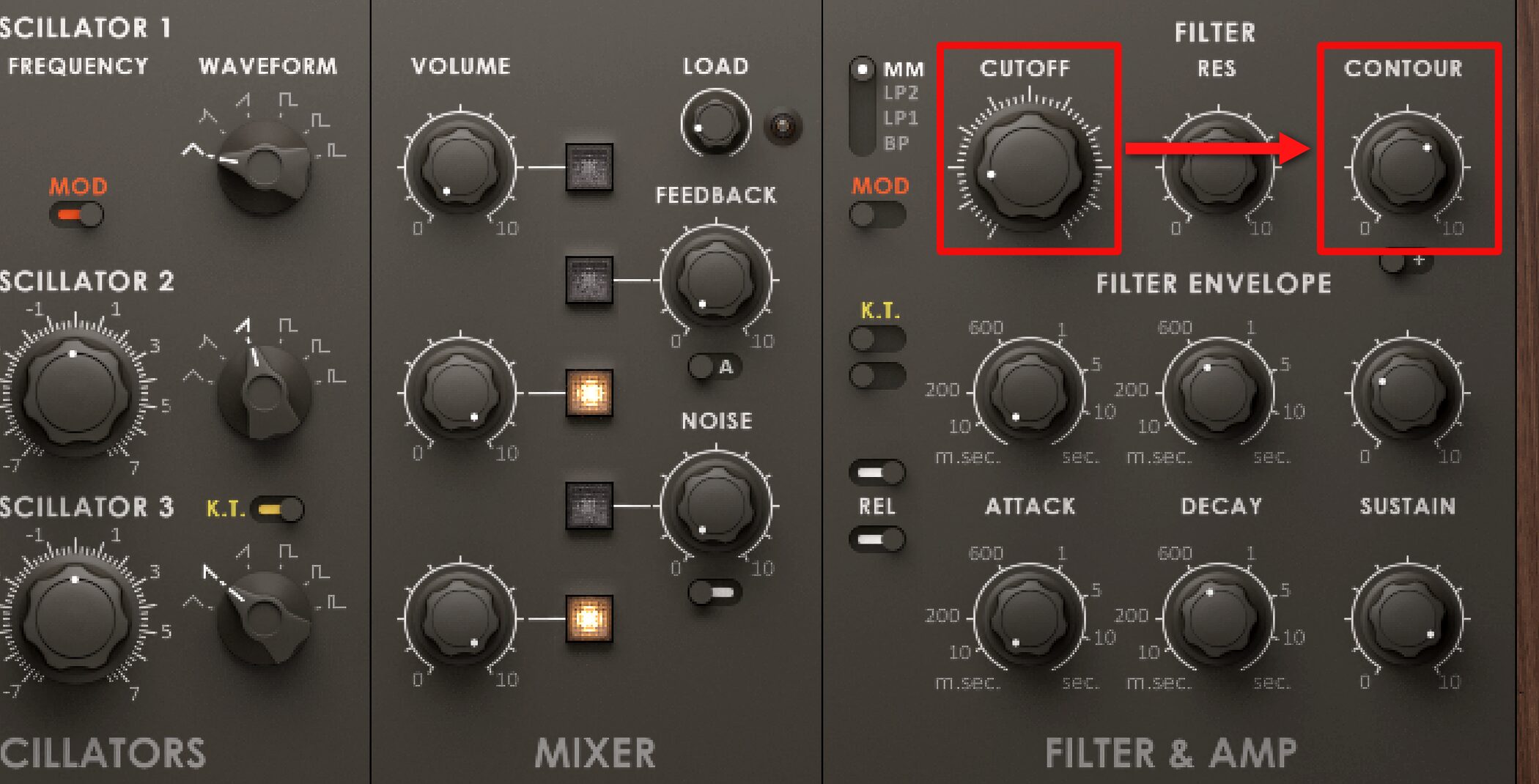
CUTOFF sets the cutoff frequency, while CONTOUR determines how that cutoff moves.
Glide Settings
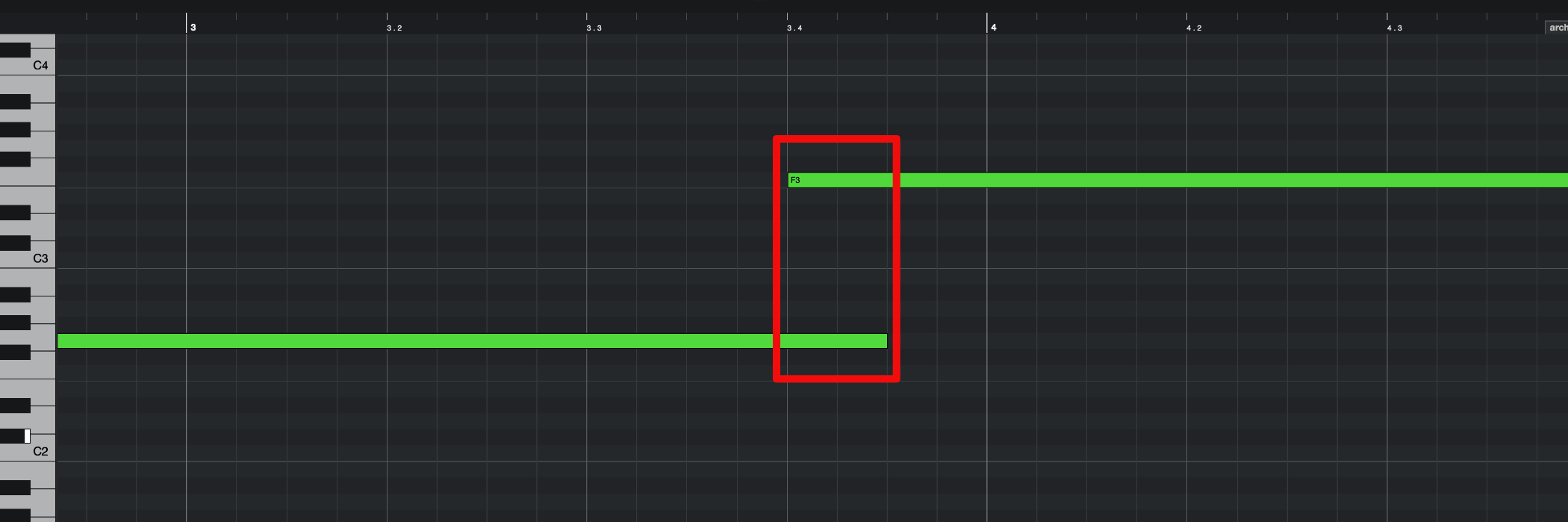
Glide smoothly connects two pitches when MIDI notes overlap.
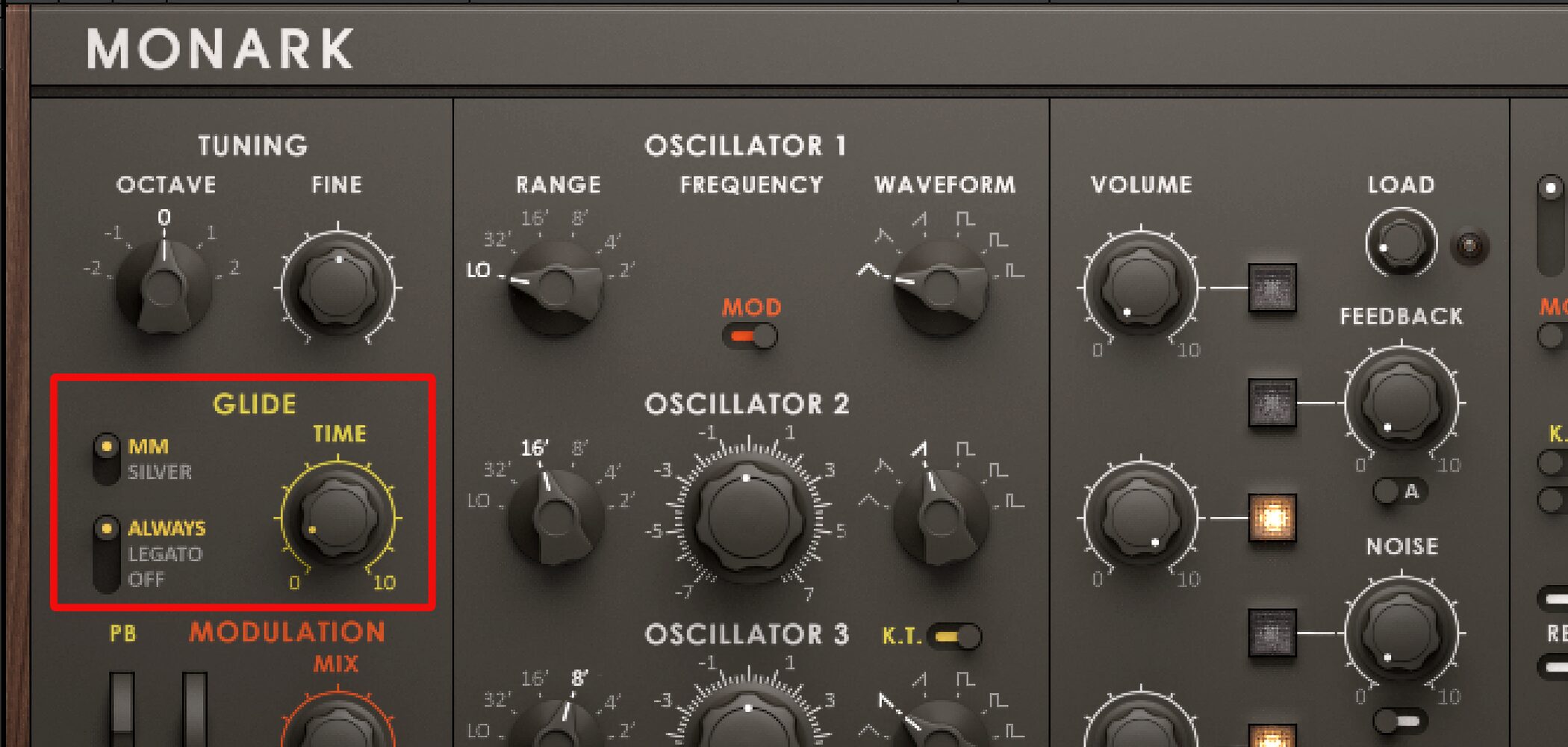
Use TIME to adjust the speed of the pitch transition.
Then choose one of the following modes.
- MM: The transition time changes with the distance between pitches.
- SILVER: The transition always takes the same amount of time, regardless of pitch distance.
Frequently Asked Questions
Q1. Which synthesizer is MONARK modeled on?
MONARK is modeled on the Minimoog, a legendary monophonic analog synthesizer known for its thick, sustained sound and excellent filter. It carries on the Minimoog’s sonic character and is well suited to EDM.
Q2. What waveforms are available in MONARK?
MONARK has three oscillators, each offering six waveform choices. These include triangle, ramp, sawtooth, square and pulse waves; OSC 3 has a different waveform option.
Q3. Does MONARK have a release function?
MONARK has no dedicated release knob, but setting the indicated control to the right lets DECAY act as release. This applies to both the filter and volume envelopes.
Q4. What is the difference between the MM and SILVER glide modes?
In MM mode, transition time varies with the distance between pitches. In SILVER mode, the transition takes the same amount of time regardless of pitch distance.
NEW ARTICLES
Latest English Articles

















































































































































































































































































































































































































































































































































































