
A cloud instrument library that moves with you between your browser and DAW
Lunacy, known for CUBE and BEAM, has released a new platform called NOVA.
NOVA is a library of instruments available in the cloud.
You can adjust sounds in your browser and bring those exact settings into your DAW.
Here are NOVA's three main features:
- Preview instruments and try their controls in your browser without installation or a license key.
- Install the free plugin to use the same instruments in your DAW.
- Move between your browser and DAW while continuing your production with the same sound.
This article introduces NOVA and the instruments you can try at the time of writing.
What is NOVA?
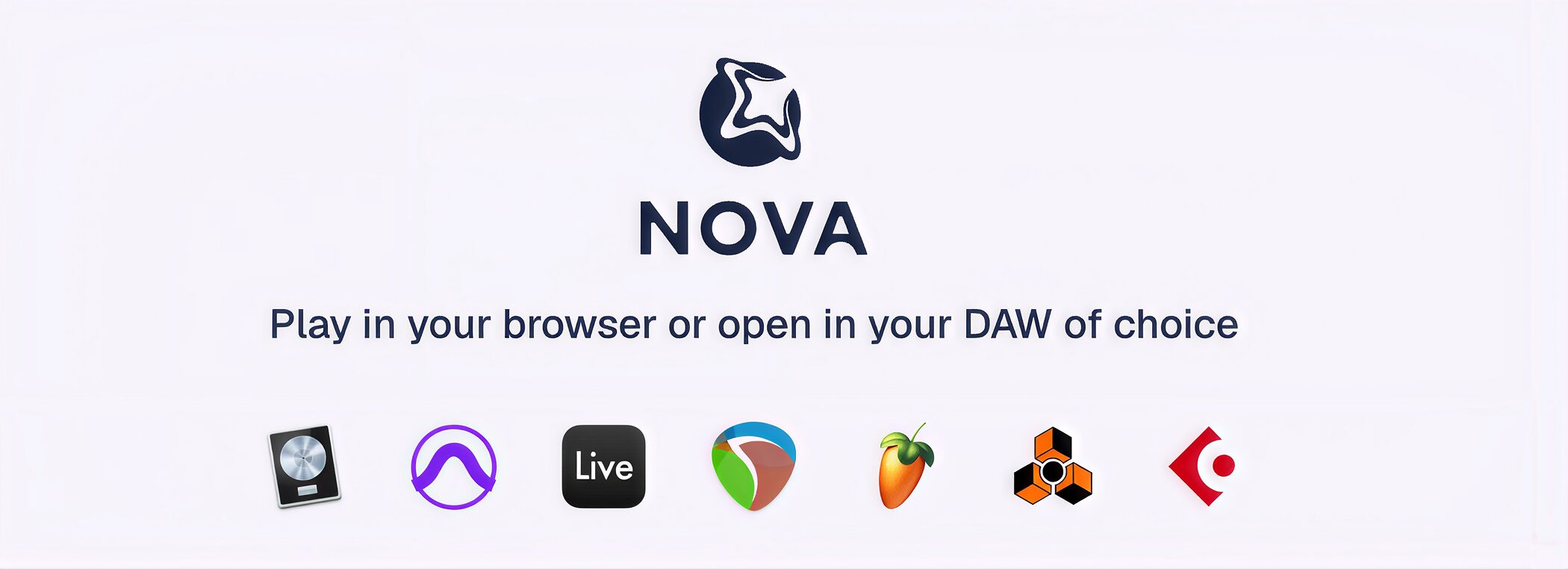
NOVA is an instrument library you can use directly in your browser or as a plugin inside your DAW.
The plugin has the same interface as the NOVA website, so you can shape sounds using the same library and controls in either environment.
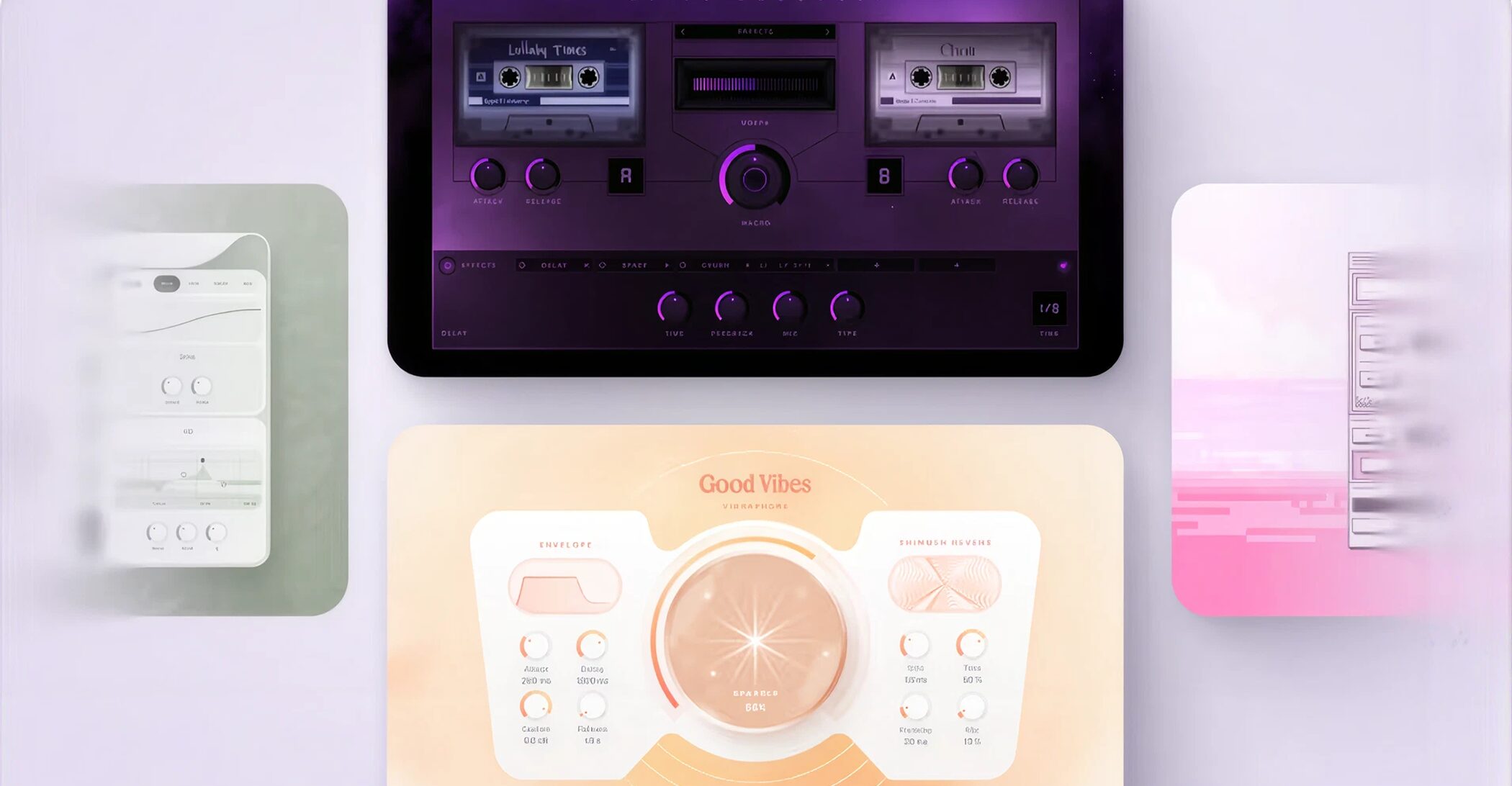
Alongside free instruments, NOVA offers paid instruments developed by Lunacy with collaborators including Rainbow Circuit and Virtual Riot.
NOVA is also designed to fit into your existing production setup.
You do not need to give up your usual plugins or instruments: it simply adds new sounds to your everyday workflow.
How to use NOVA
Let's walk through choosing and previewing an instrument in your browser, then using it in your DAW.
Sign in
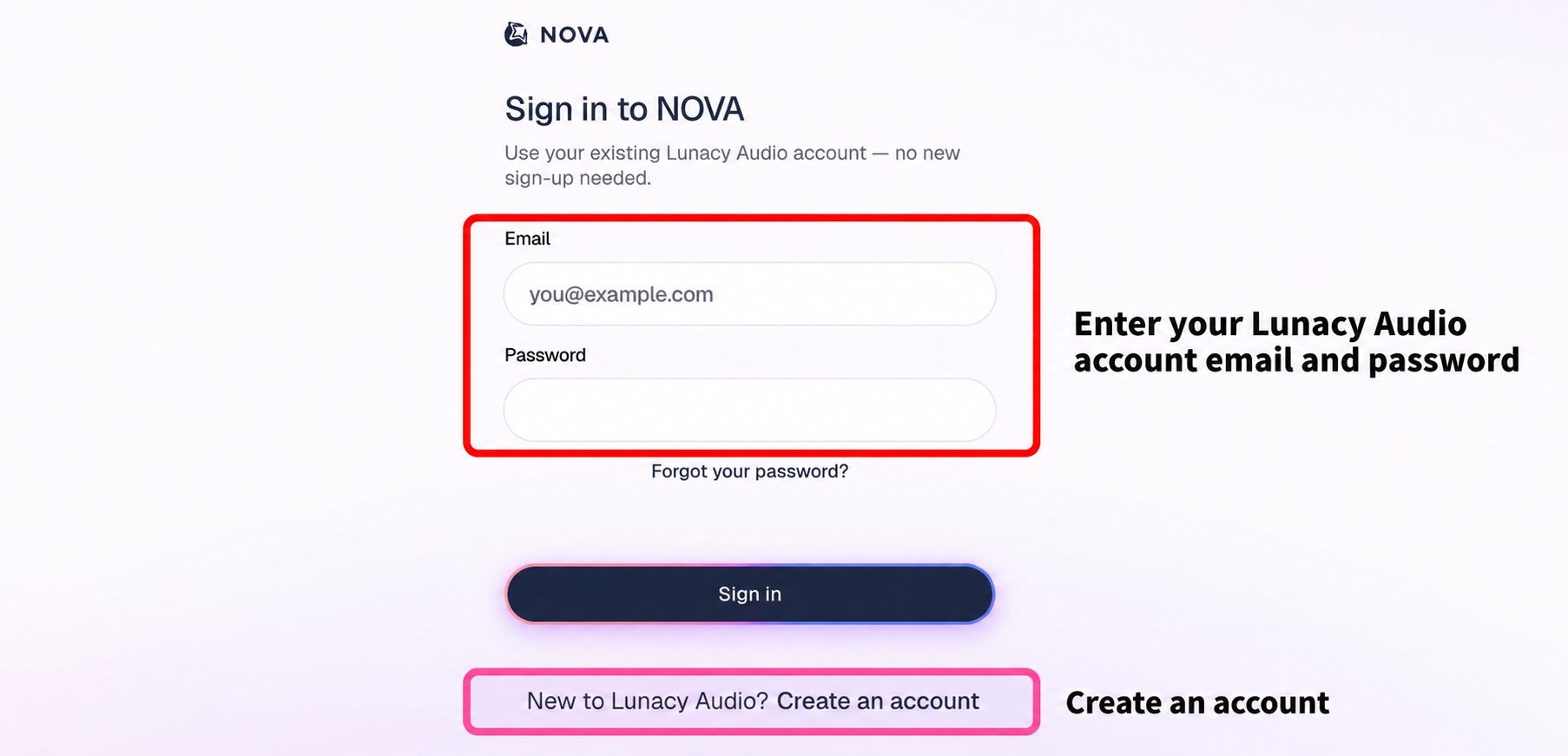
NOVA's website opens with a sign-in screen.
NOVA uses your Lunacy Audio account, so you can sign in with an account you already have.
If you do not have an account, create one using “Create an account” at the bottom of the screen.
Find an instrument
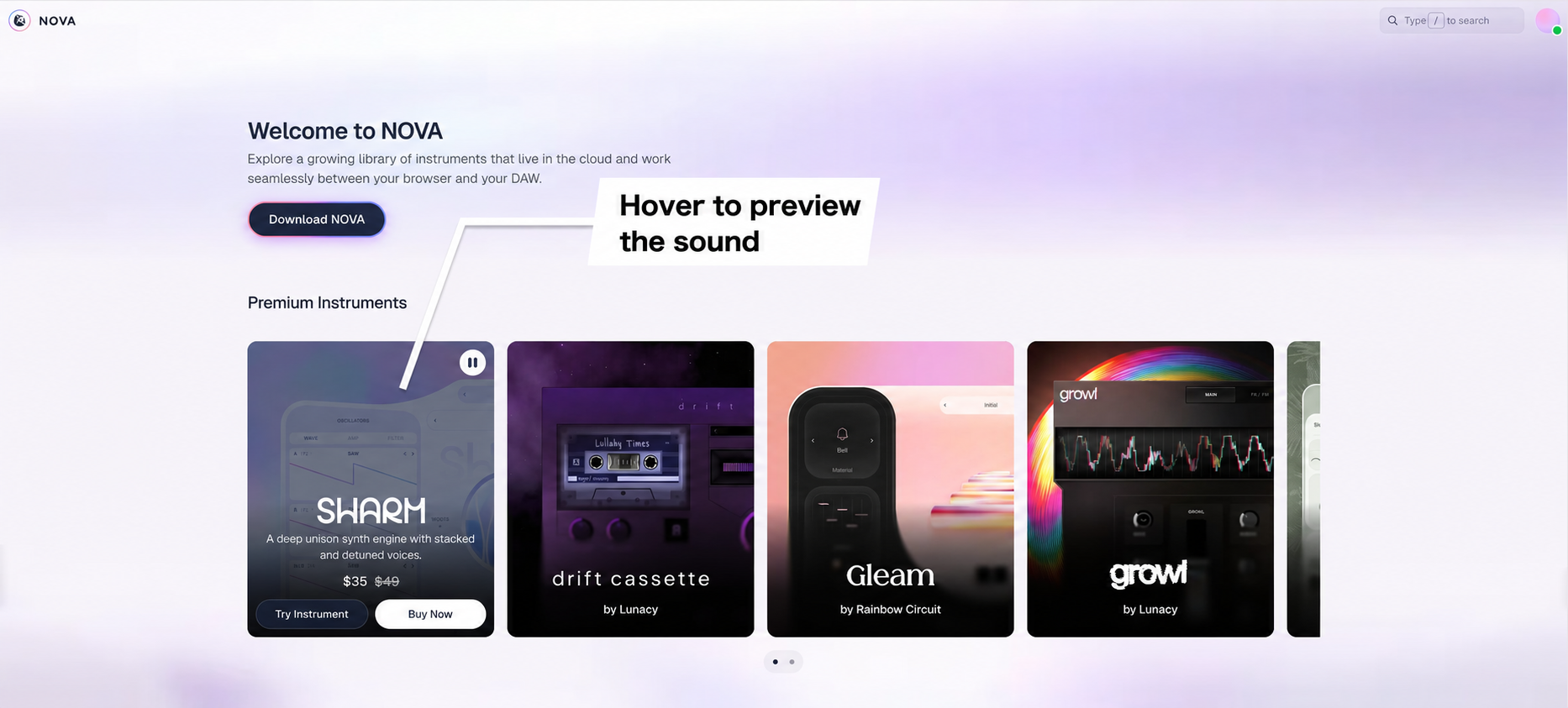
After signing in, the home screen displays a grid of instrument images.
Hover over an image to hear an audio demo of that instrument.
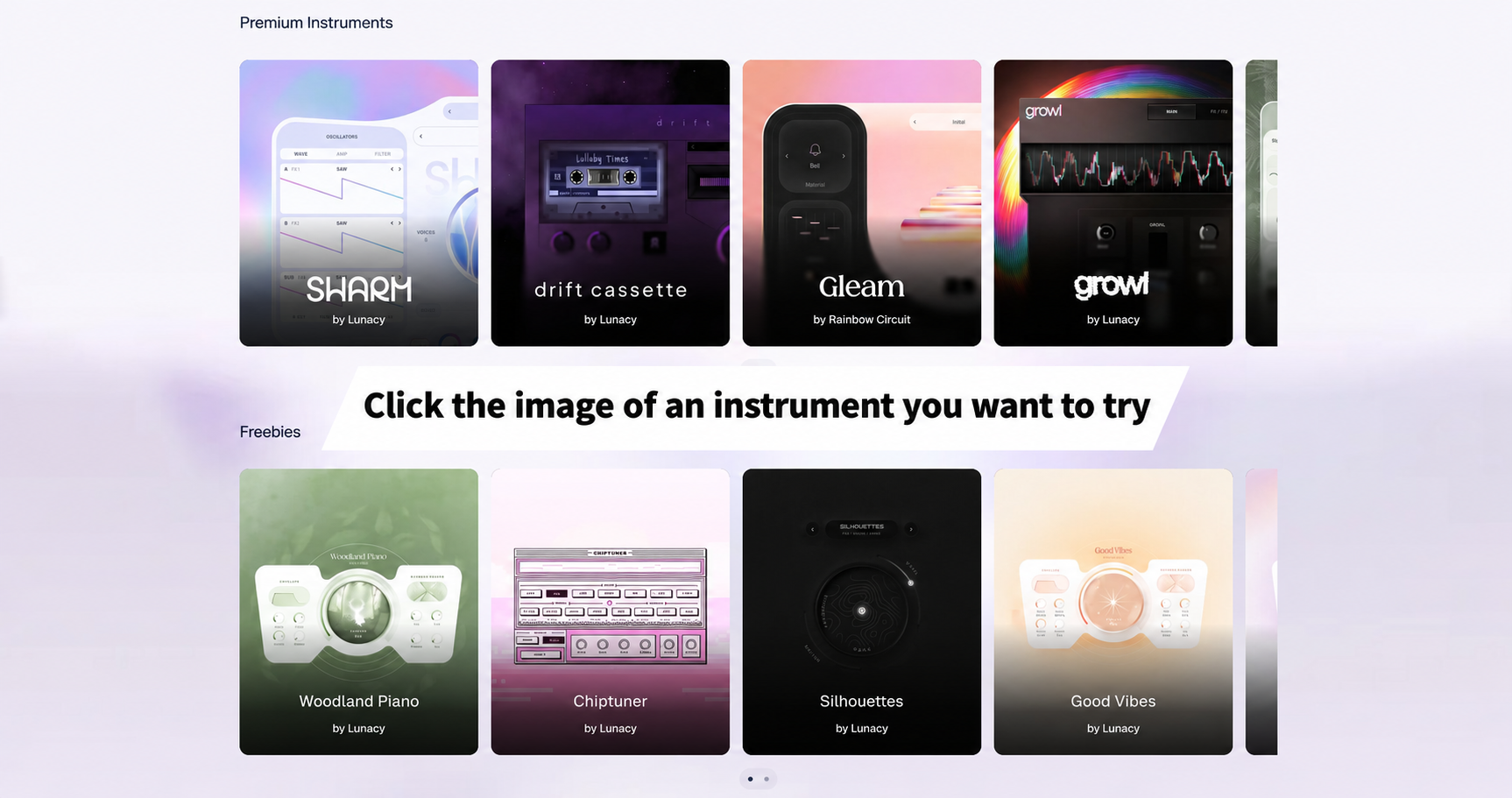
“Premium Instruments” are paid instruments; “Freebies” are free instruments.
When you find an instrument that interests you, click its image.
Clicking a paid instrument also opens it on the next screen, letting you try it hands-on before buying.
Play and adjust the sound
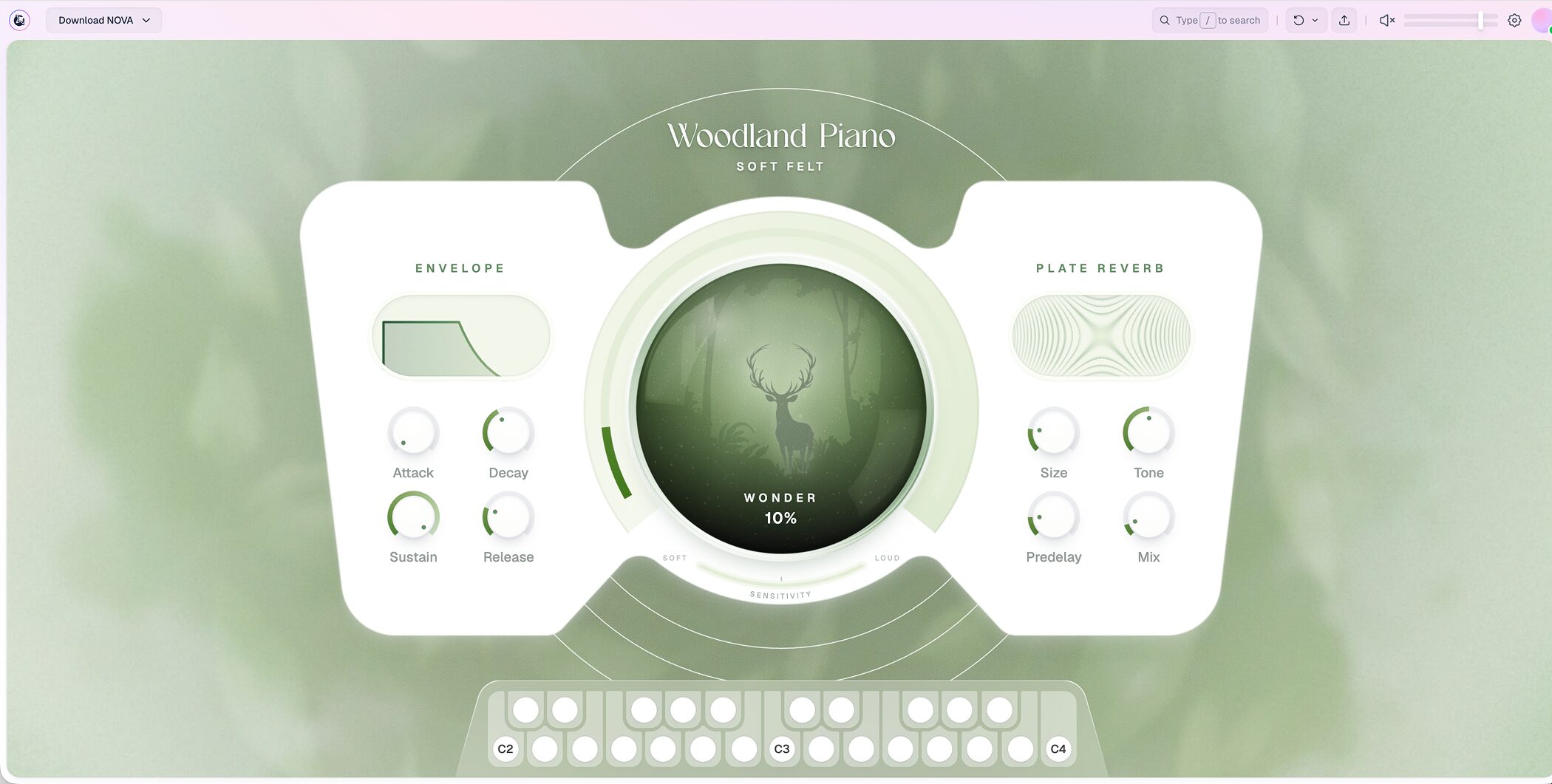
This is the screen that opens when you click the image of the free Woodland Piano instrument.
Click the keyboard at the bottom to play it.
Even without a MIDI keyboard, you can audition sounds with your mouse and turn the onscreen knobs to experiment with sound design immediately.
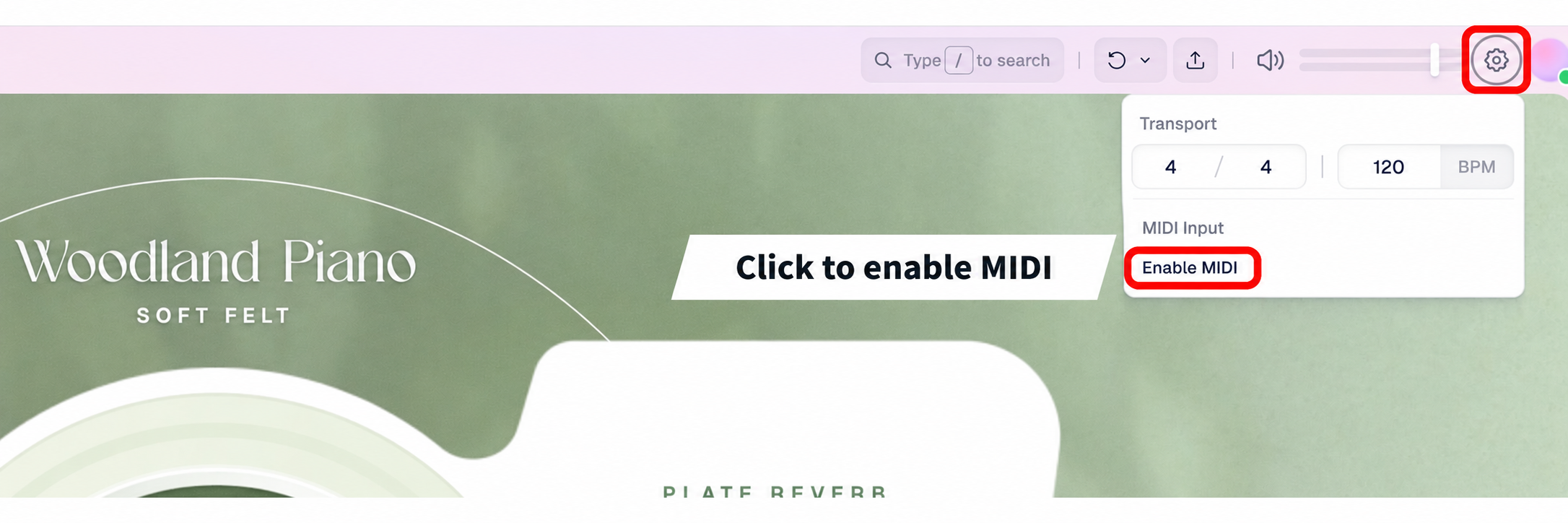
To use a MIDI keyboard, click the gear icon at the top right, then select “Enable MIDI”.
If your browser asks for permission, allow access to enable your MIDI keyboard.
The “Transport” section of the same menu lets you set the time signature and tempo.
At the time of writing, some browsers do not support MIDI keyboards, so check your browser's compatibility. We have confirmed support in Chrome.
Install the plugin
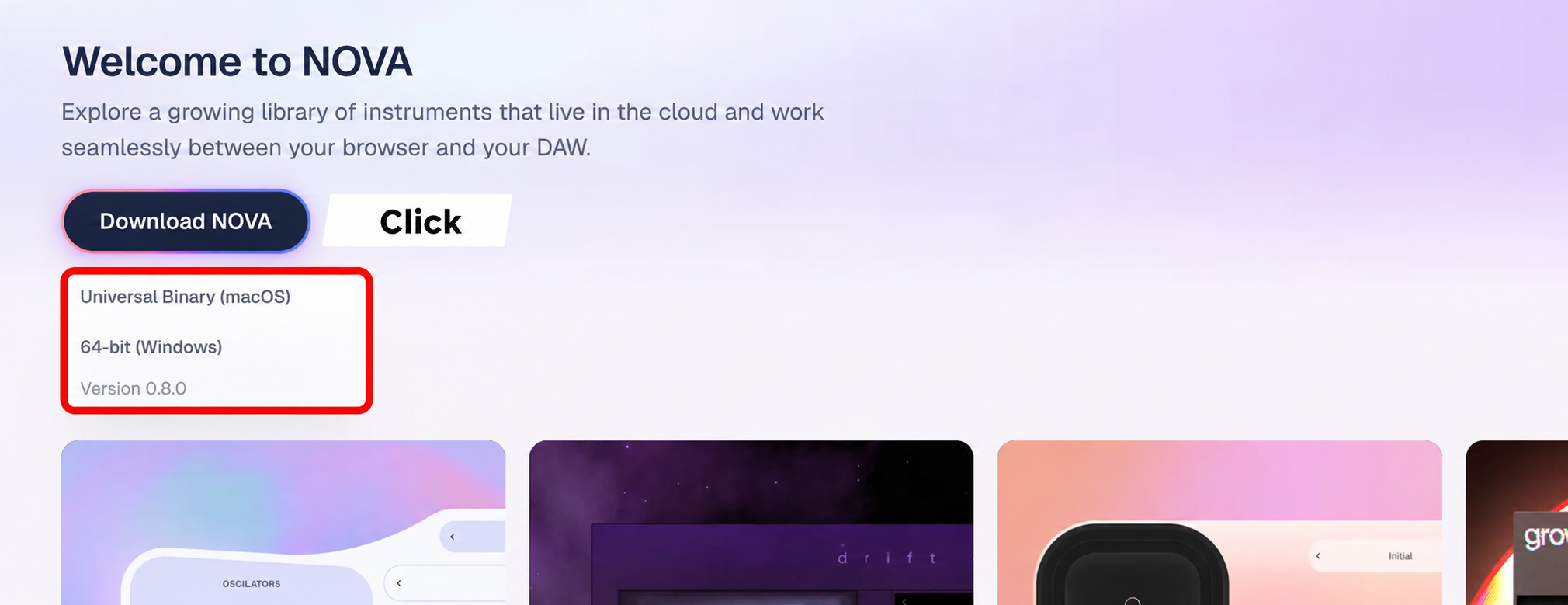
To use NOVA in your DAW, click “Download NOVA” at the top left.
Download the installer from “Universal Binary (macOS)” or “64-bit (Windows)”, then install the plugin.
The plugin itself is free.
Open NOVA in your DAW
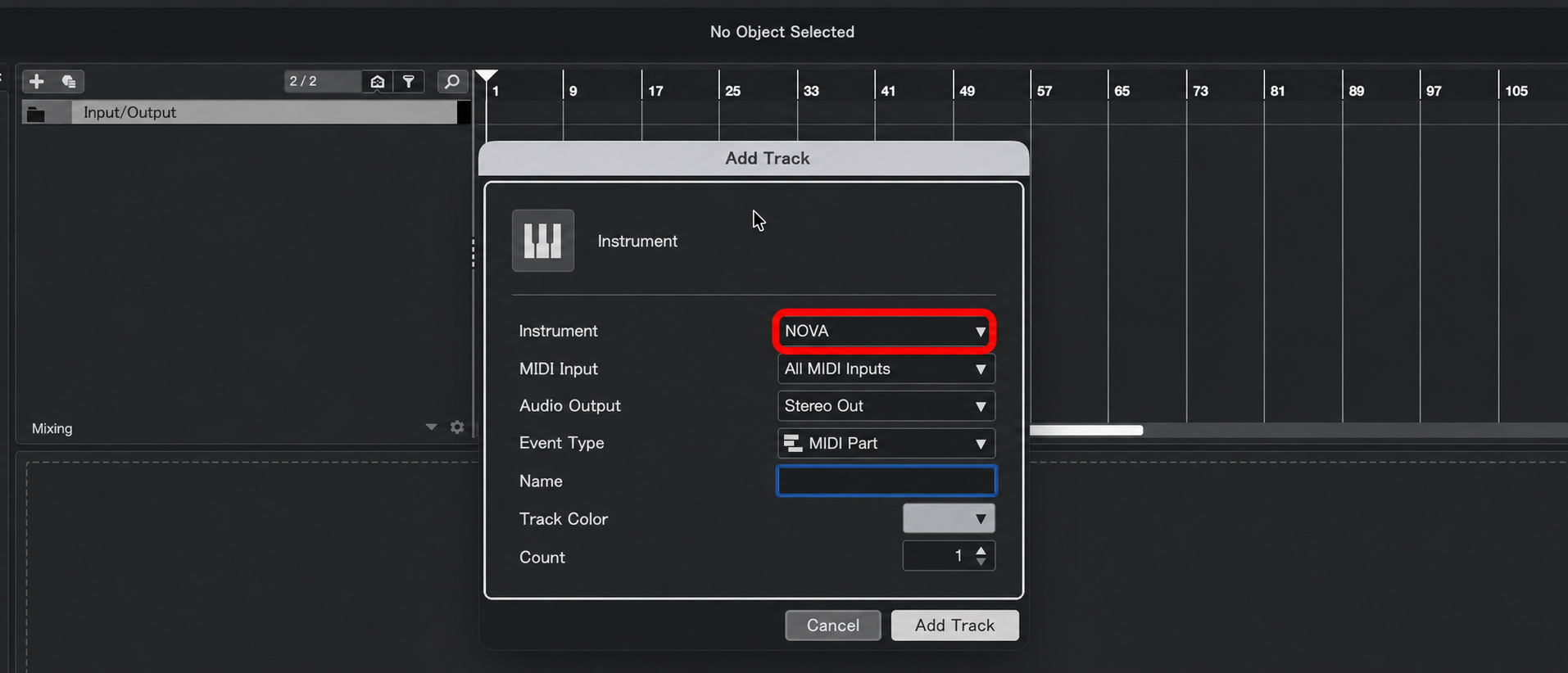
We will use Cubase as our example.
In the Add Instrument Track dialog, select NOVA and create the track.
NOVA asks you to sign in when it opens. Use your Lunacy Audio account.
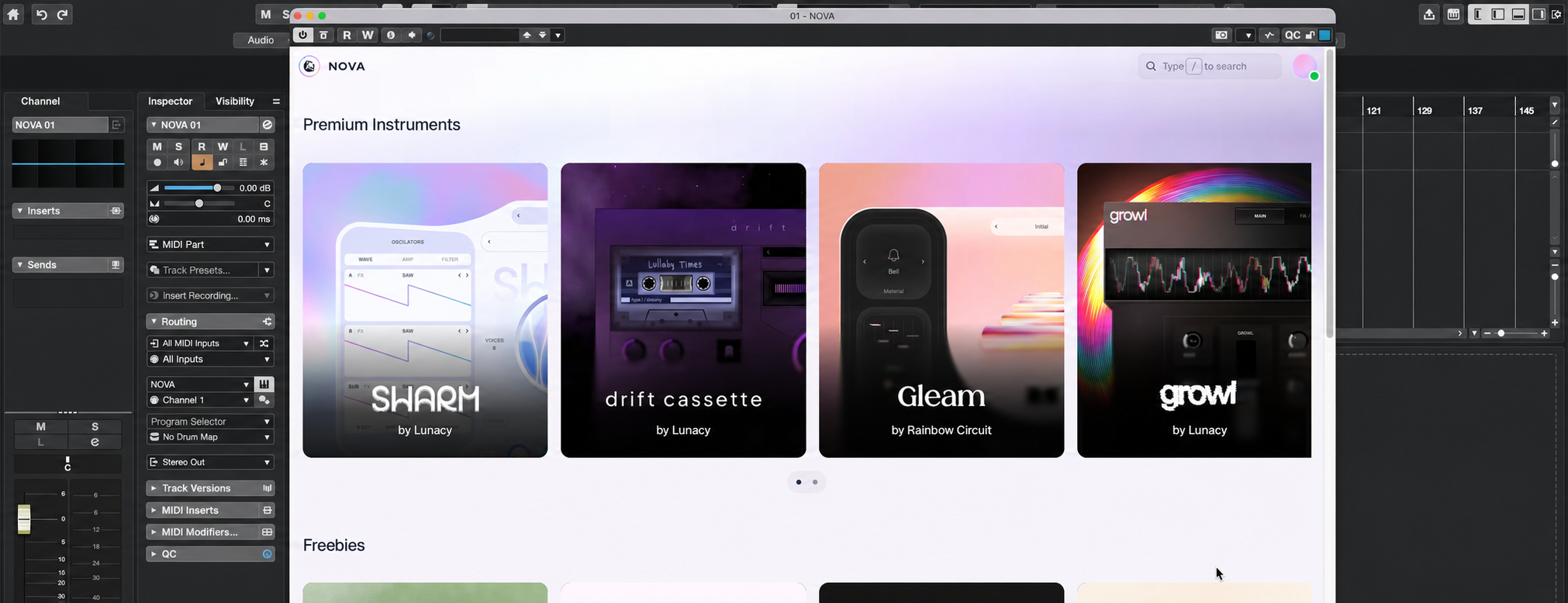
You will see the same home screen as in your browser. Hover over an instrument image to preview its audio demo.
Unlike conventional plugins that let you choose from a list of names, NOVA lets you hear a sound before loading it—a distinctive part of its workflow.
Click an image to load that instrument.
Paid instruments become available to load in your DAW after purchase.
Move sounds between your browser and DAW with a shared URL
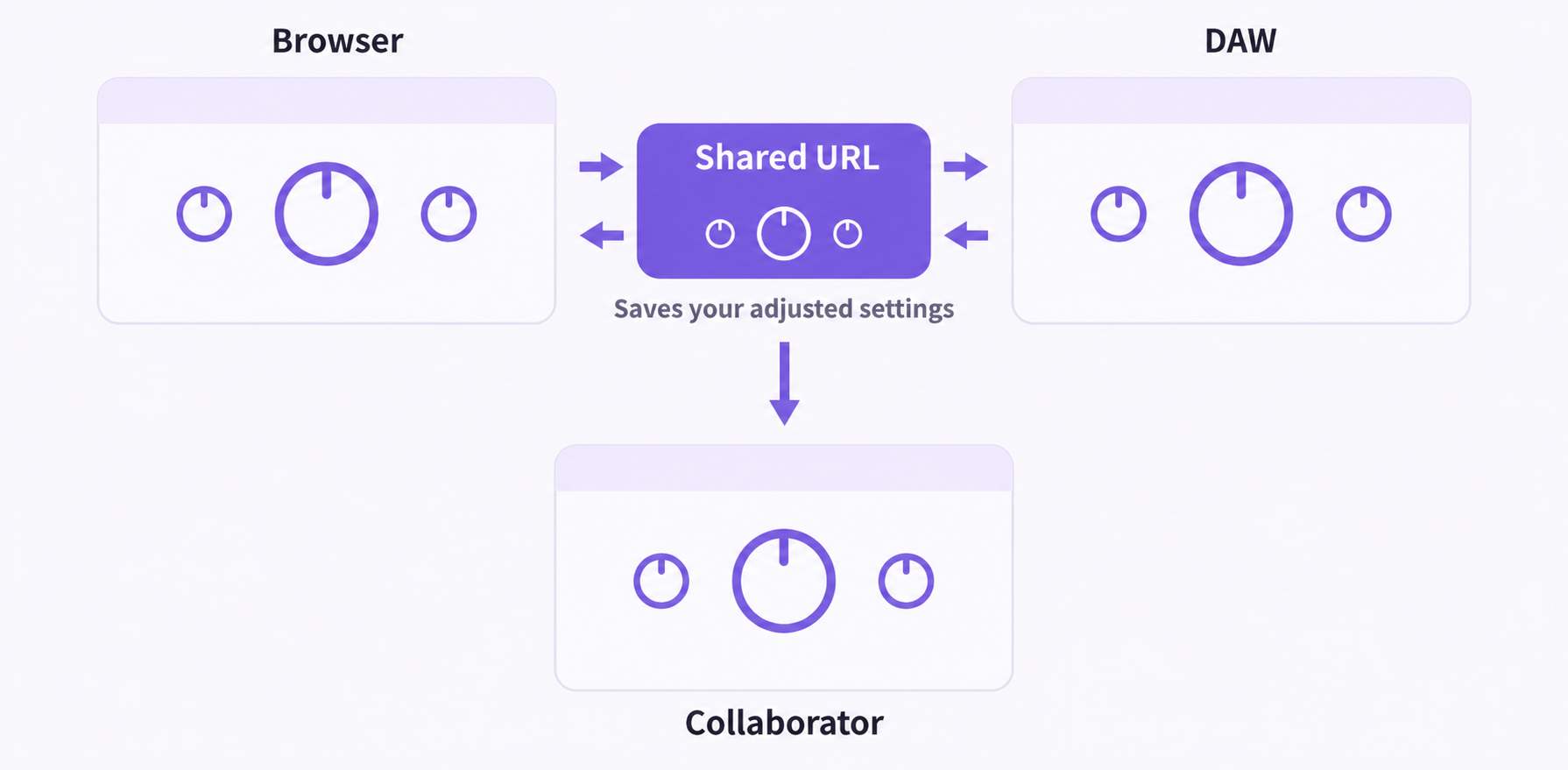
Shared URLs make it possible to move between your browser and DAW.
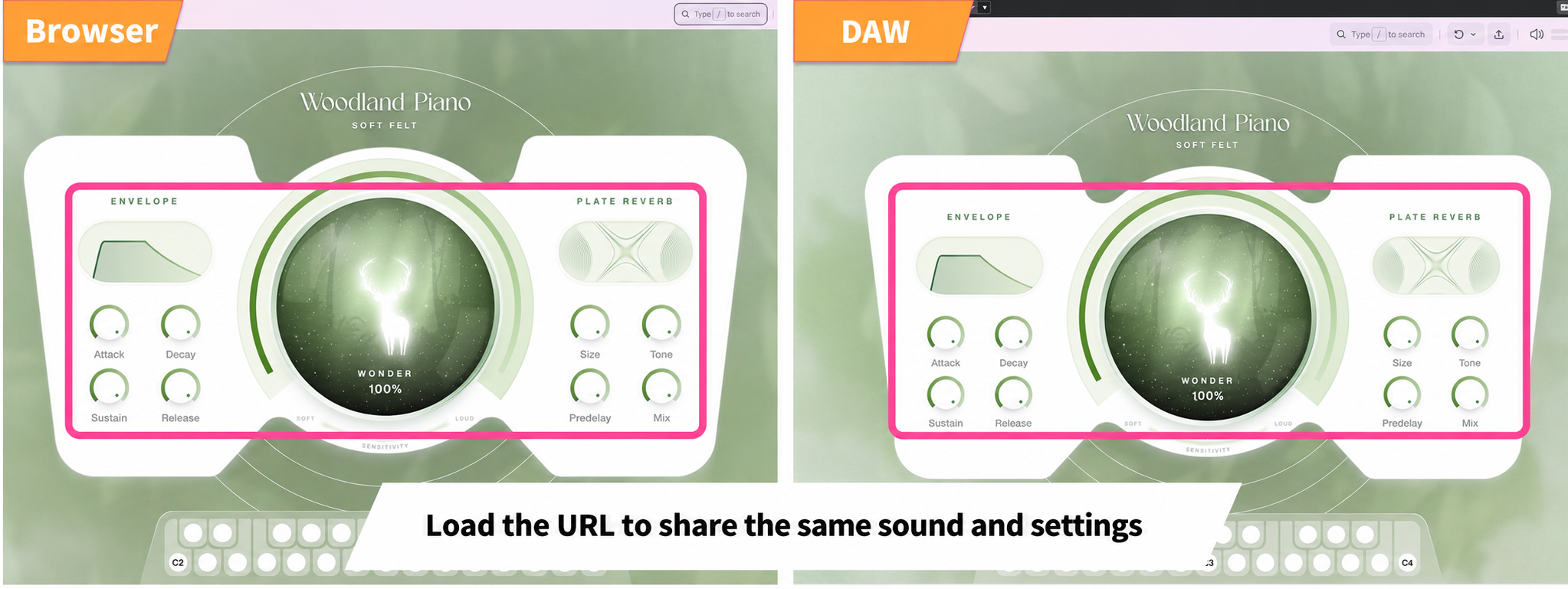
Loading the URL lets you recreate the same sound in your browser, DAW, or even a collaborator's setup.
Create a URL for your sound
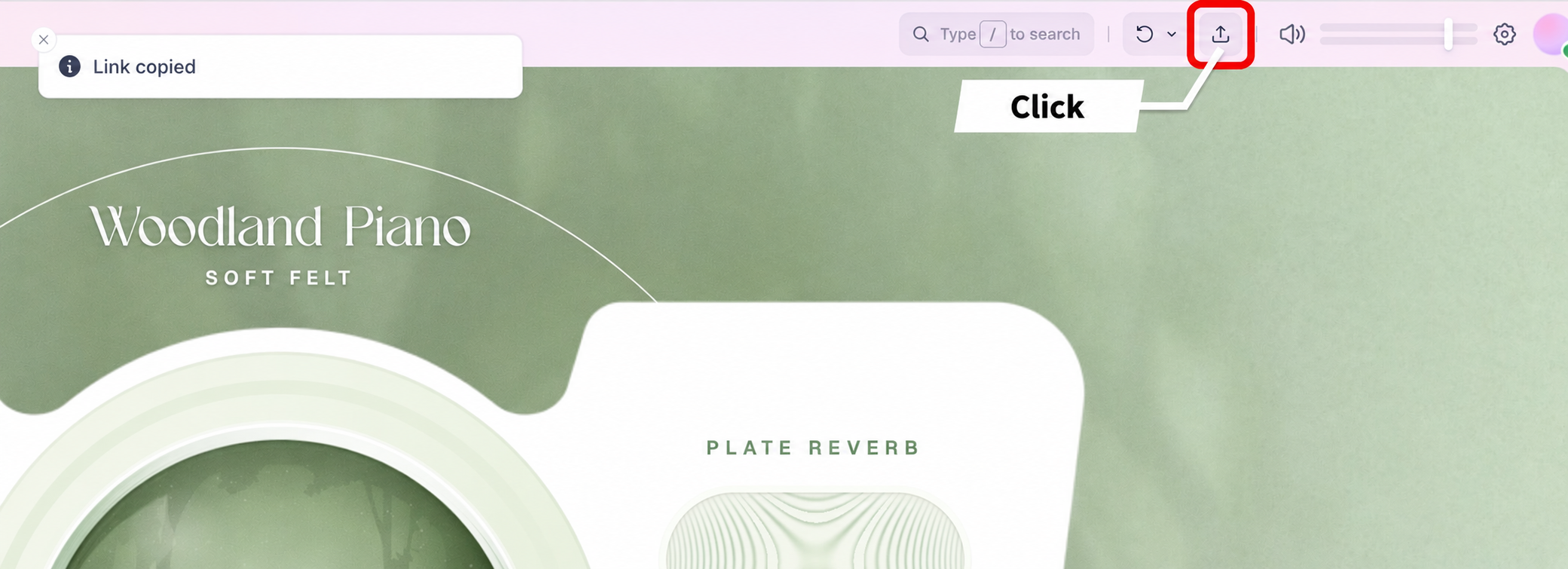
Click the share icon at the top right. “Link copied” appears, and the URL is copied.
The URL includes the exact settings you have adjusted.
Paste and load it using the steps below to open the instrument with those settings preserved, whether moving from browser to DAW or from DAW to browser.
You can also send the URL to a collaborator so they can open the same settings in their NOVA.
If you change the settings, click the share icon again to get an updated URL.
Load a URL
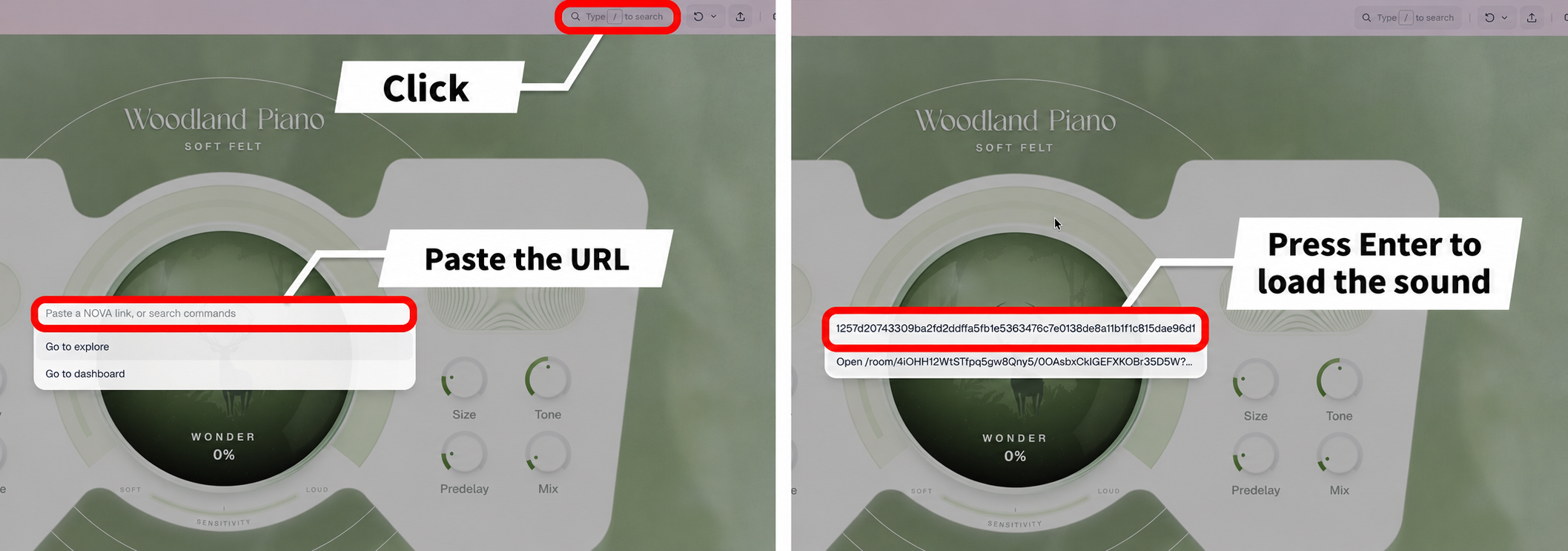
Click the search field labeled “Type / to search” at the top right to open a field labeled “Paste a NOVA link, or search commands”. You can also open it with the / key.
Paste the copied URL here and press Enter to load the sound with its settings intact.
In a browser, you can also paste the URL into the address bar instead of the search field to open it in the same way.
Free instruments
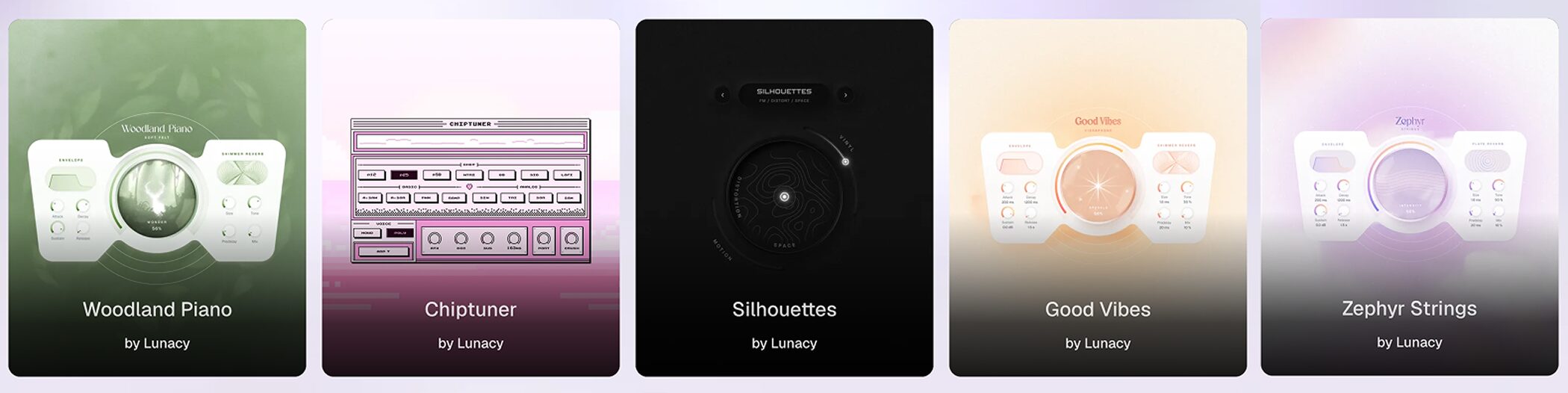
At the time of writing, five instruments are available for free.
They are ready to use in your browser or DAW, making them a good first step for trying NOVA.
Woodland Piano
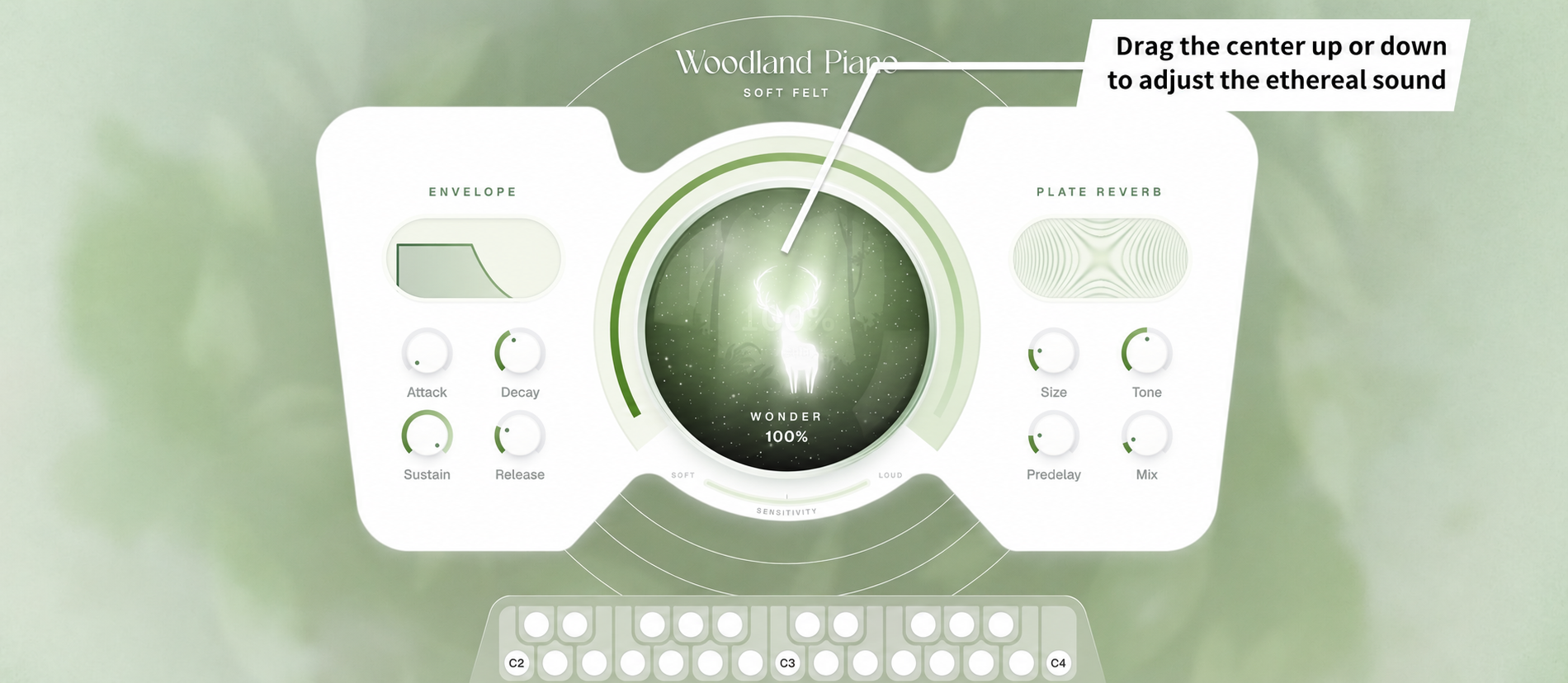
This close-miked upright piano captures the softness of felt and an airy character.
Drag the central WONDER control upward to layer an ethereal, particle-like texture over the simple piano sound.
The envelope on the left controls the attack and tail, while the plate reverb on the right adjusts the spaciousness and amount of reverb.
Chiptuner
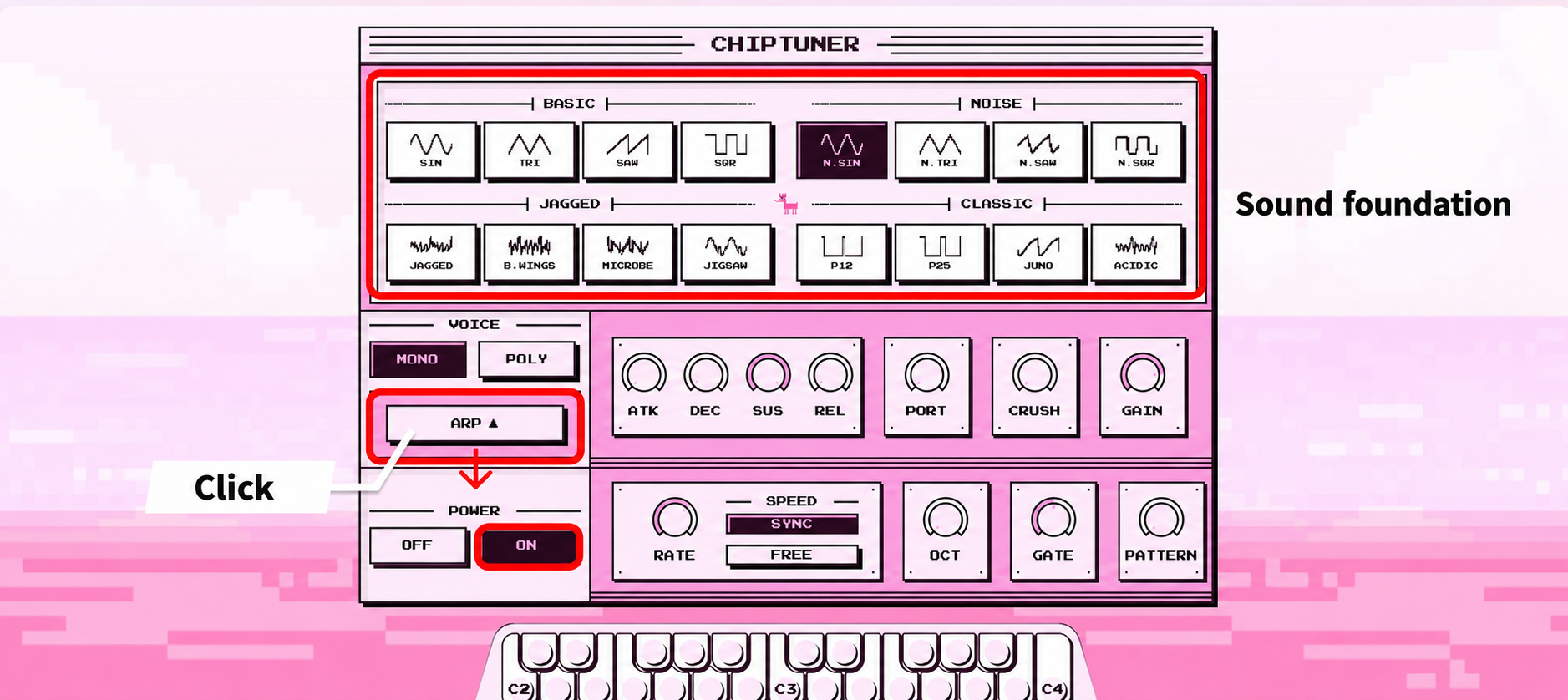
This instrument combines retro 8-bit pulse waves with a bitcrusher and a chord arpeggiator.
The 16 waveforms across the top form the foundation of its sound.
Choose from four groups: BASIC, NOISE, JAGGED, and CLASSIC.
Add CRUSH to make the sound coarser and introduce a gritty digital texture.
Open ARP and switch it ON to play a held chord as an arpeggio.
Silhouettes
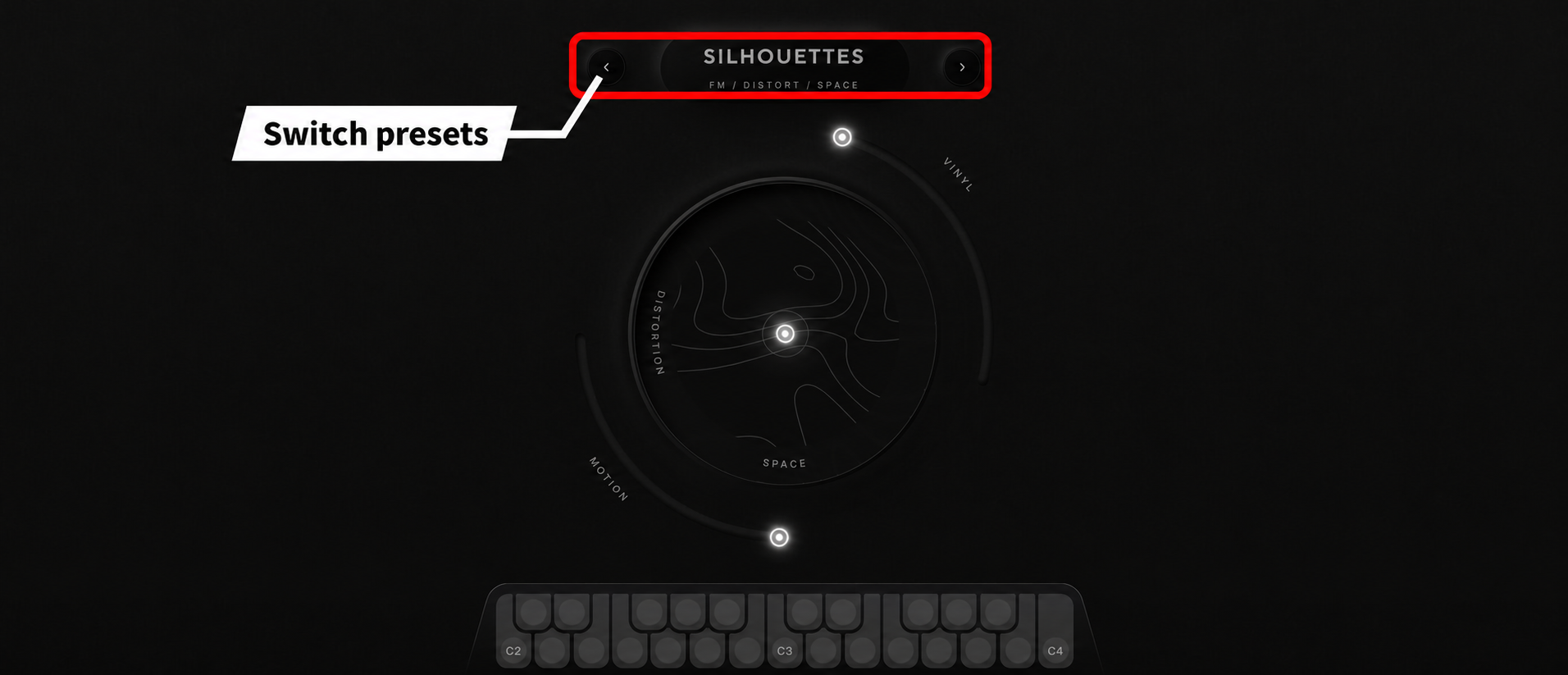
An ambient instrument combining FM synthesis and multisampled sounds.
Its interface is simple: a central circular controller surrounded by two rings.
Presets are available, and you can switch between them with the left and right arrows at the top.
They offer sustained pad sounds that seem well suited to creating a track's atmosphere.
Good Vibes
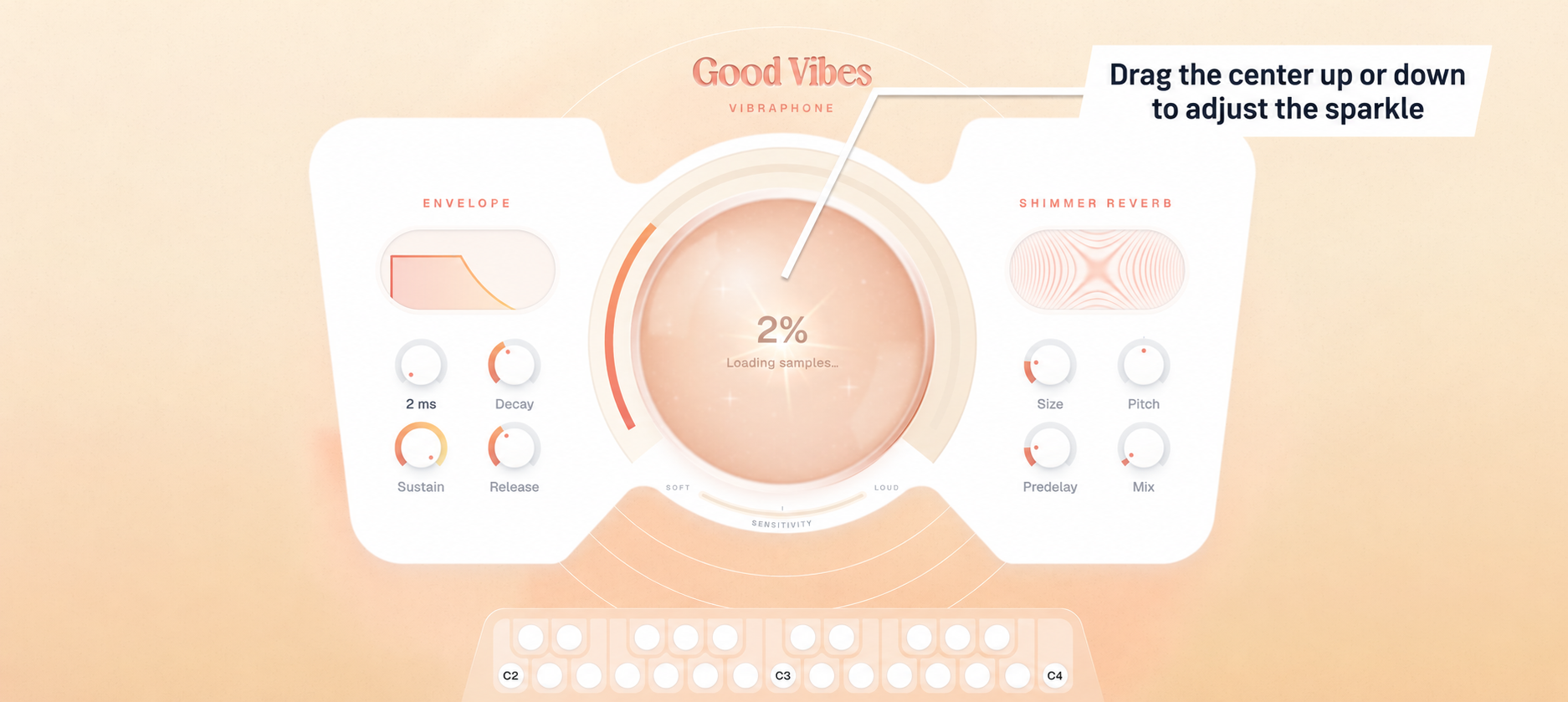
This instrument combines a detailed sampled vibraphone with a grain engine and shimmer reverb.
It shares Woodland Piano's layout. Raising the central SPARKLE control adds granular detail and sparkling overtones to the clear vibraphone sound.
Use the envelope and reverb to shape the attack and ambience.
Zephyr Strings
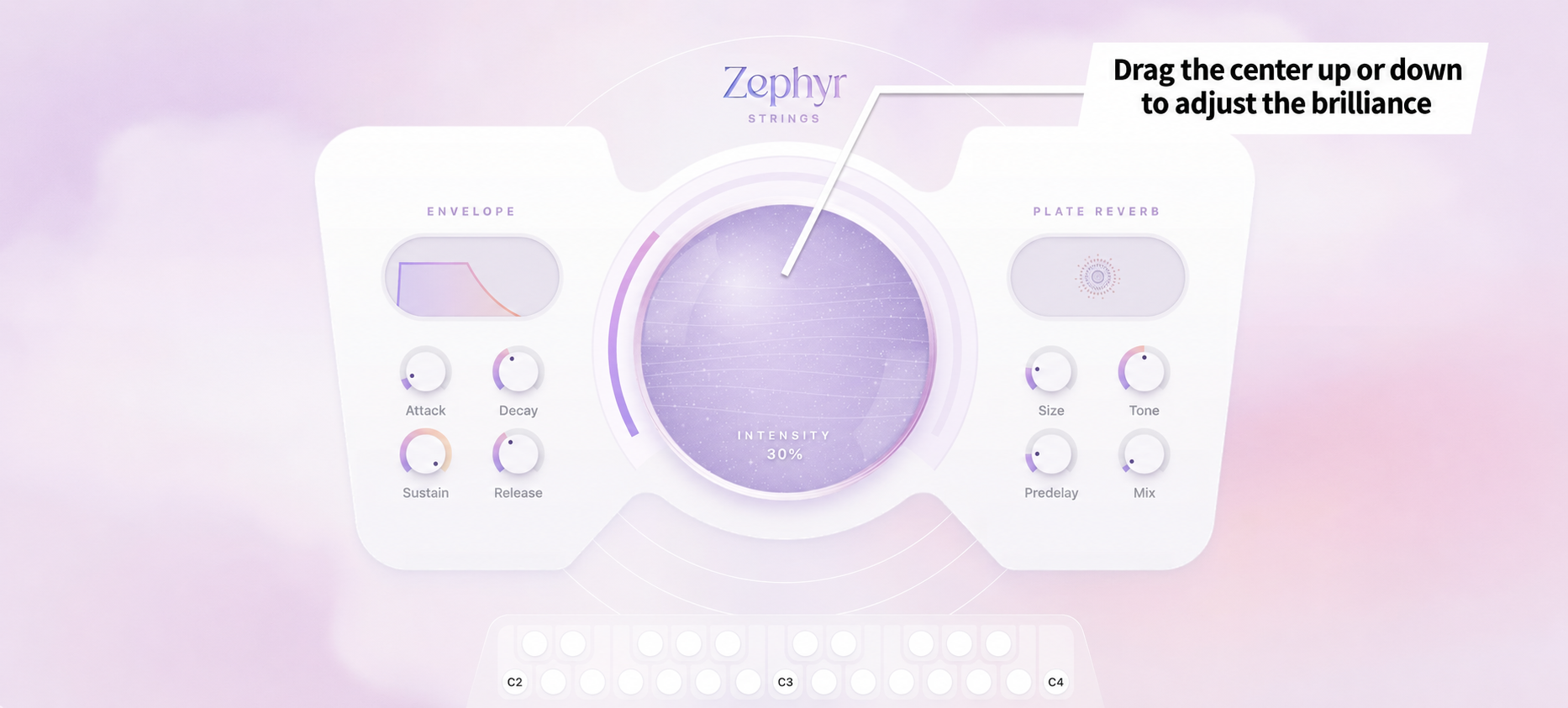
These strings produce continuously flowing arpeggios that move up and down.
The layout is shared here too, with the central INTENSITY control providing the main way to change the sound.
Raising it adds more brilliance to the sound.
Paid instruments
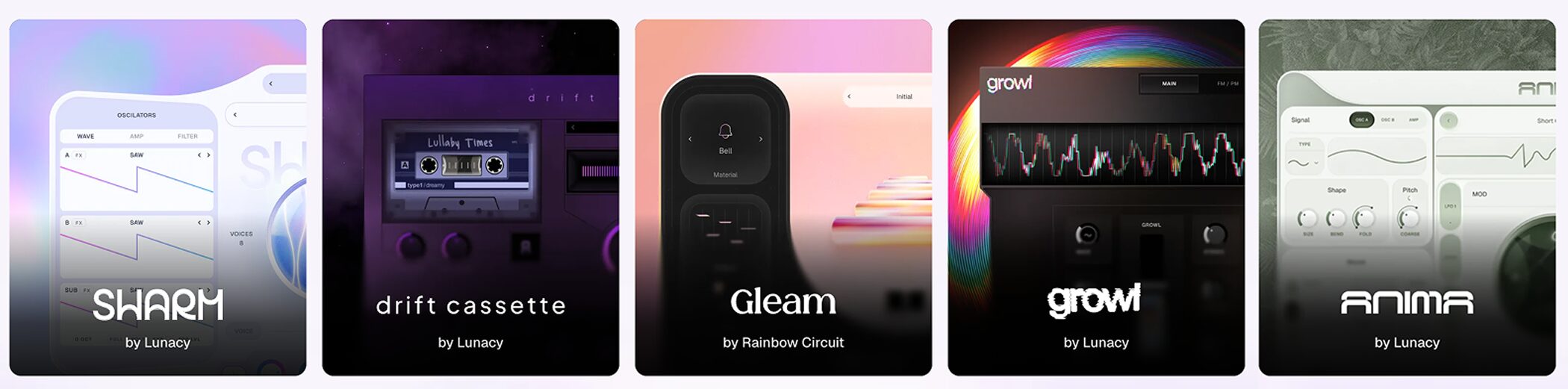
Five paid instruments are available, including instruments by Lunacy and Rainbow Circuit.
You can try every feature in your browser before buying, so you can play and listen before deciding.
Swarm
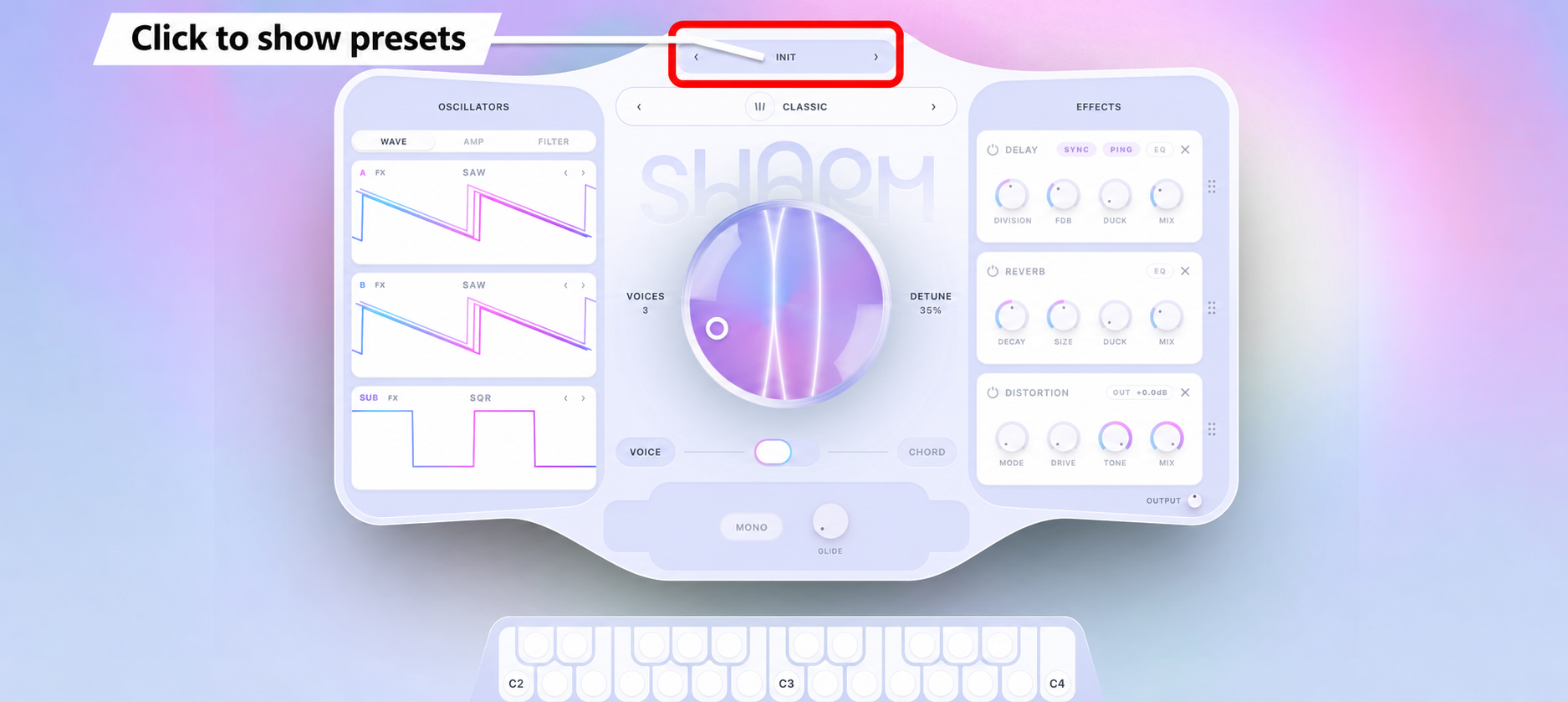
A thick unison synth built from multiple stacked, detuned voices.
The large central knob sets VOICES and DETUNE.
A VOICE/CHORD switch is provided below it.
With plenty of presets available, simply switching through them may reveal sounds you can use straight away in your music.
Drift Cassette
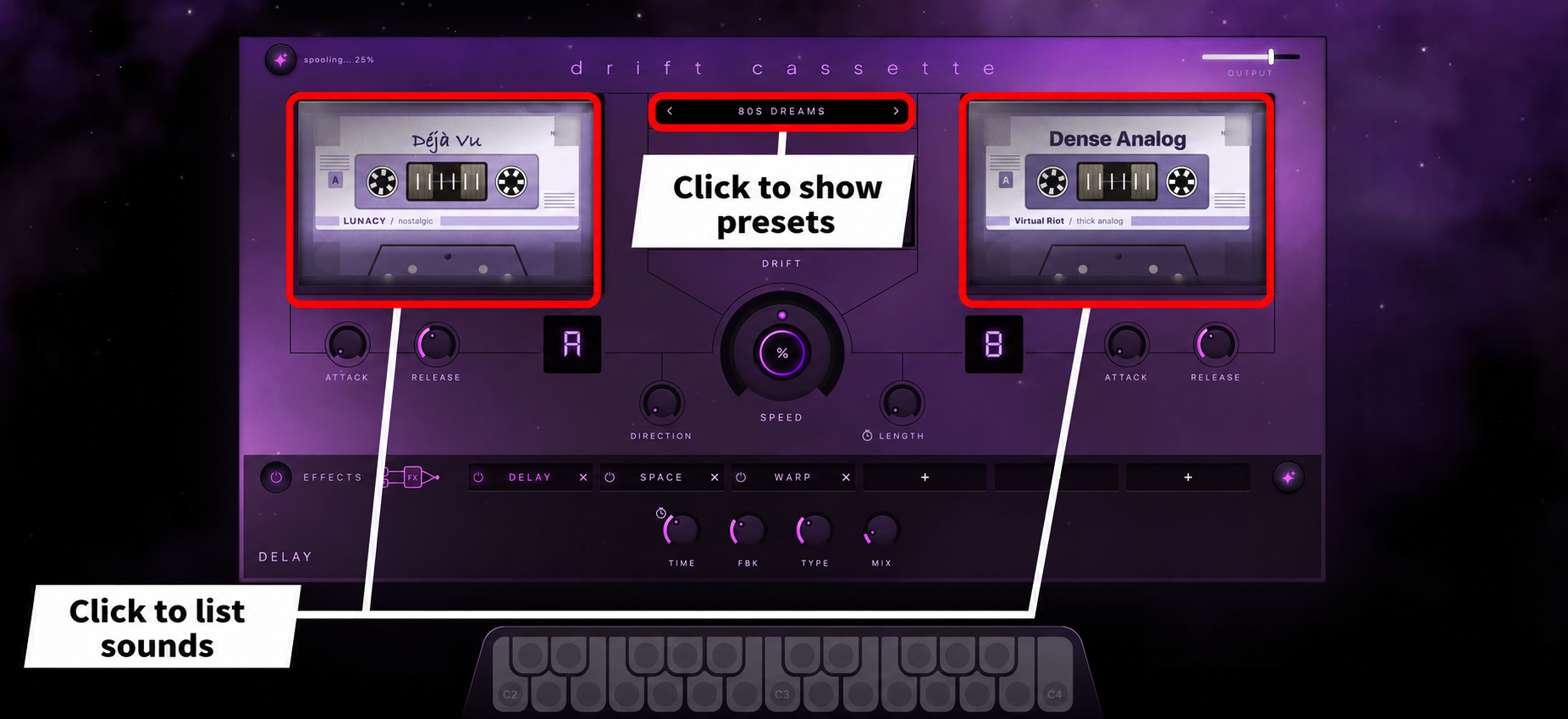
A sampler with two cassette decks, vintage samples, and lo-fi effects.
Click either tape display to choose a sound from a list.
Combine the two decks to create sounds, or use the provided presets.
The central SPEED control changes the tape speed, affecting pitch and duration together.
The adjacent DIRECTION control lets you choose forward, reverse, or back-and-forth playback.
Gleam
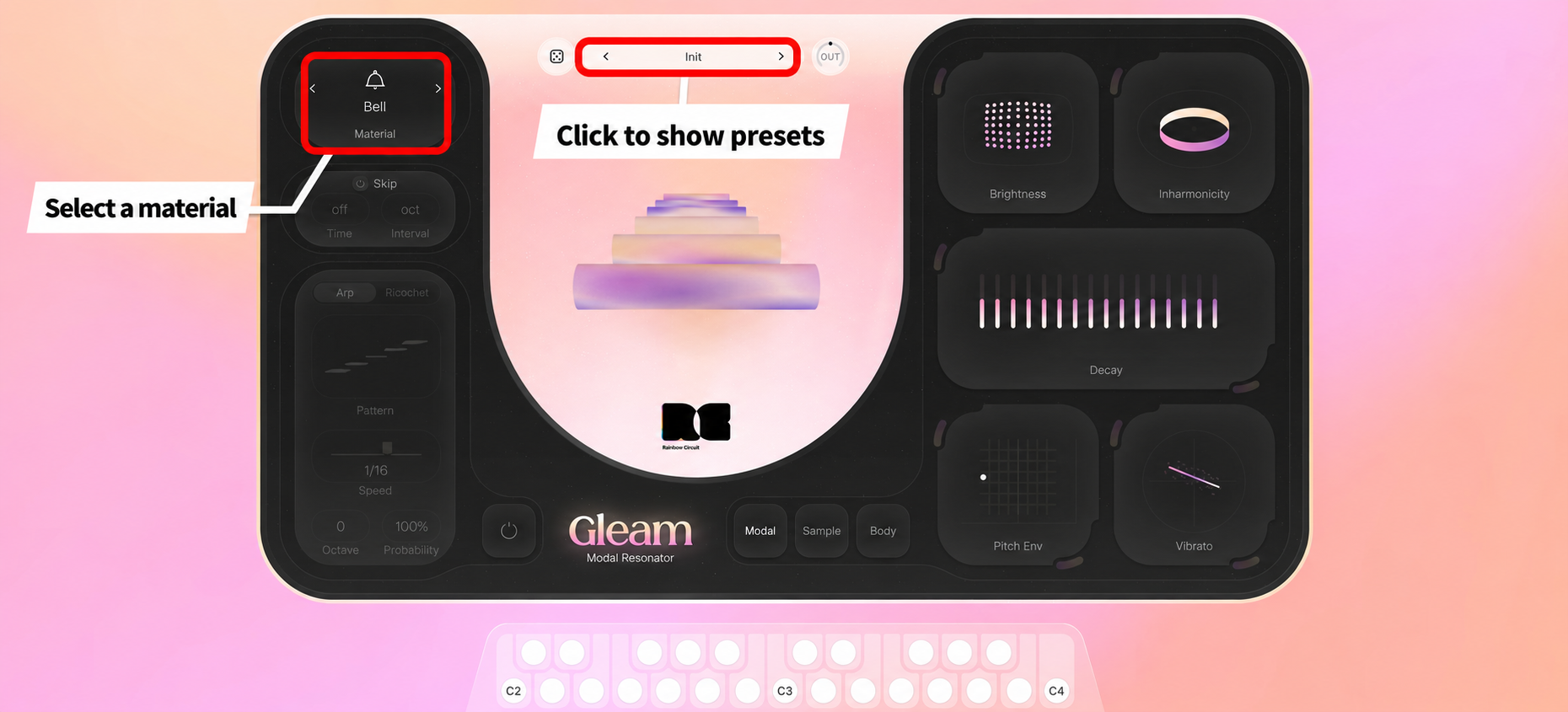
An instrument by Rainbow Circuit that combines a modal resonator with actual samples of wood, glass, and metal.
The Material control at the top left is the starting point for the sound, letting you choose the material to play, such as a bell.
Presets are available in the center. Select one, then change Material to explore a different sound.
Growl
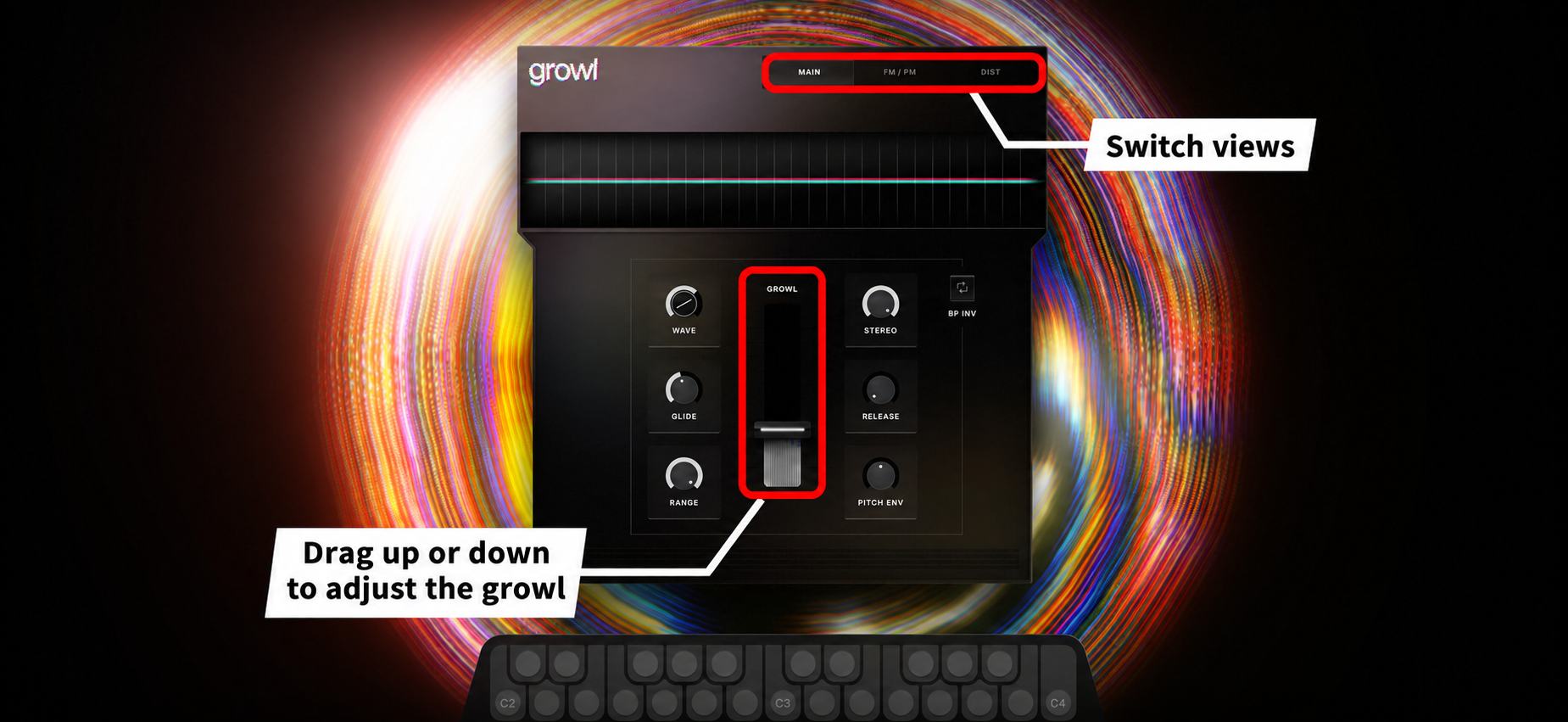
An aggressive synth for creating growling bass sounds.
The large central GROWL fader is the core sound-shaping control, setting the amount of growl.
Raising it changes the character of the deep bass sound.
The interface has three sections: MAIN, FM/PM, and DIST. Raising DRIVE in DIST adds further distortion.
Anima
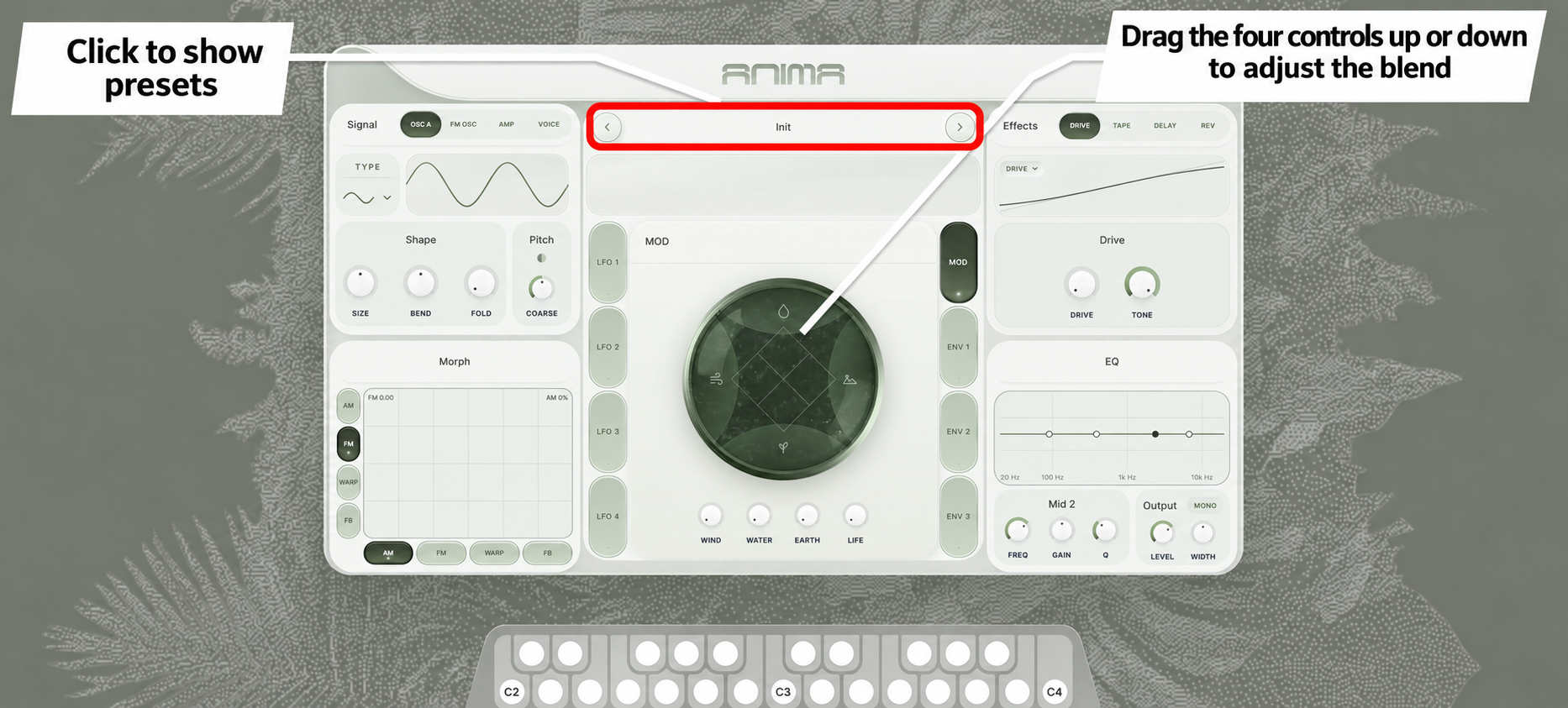
A phase-distortion synth that creates constantly moving sounds, as if they are breathing.
Dragging the central circular pad moves the four knobs below—WIND, WATER, EARTH, and LIFE—together, adjusting their blend.
With four LFOs and three envelopes, it also allows detailed sound design with expression that changes over time.
You can switch presets at the top of the screen, so we recommend starting by listening through them.
Upcoming updates
More free instruments and effects are planned, with new content scheduled to arrive every week.
The paid marketplace is also set to gain products from collaborators such as Audio Imperia and Virtual Riot.
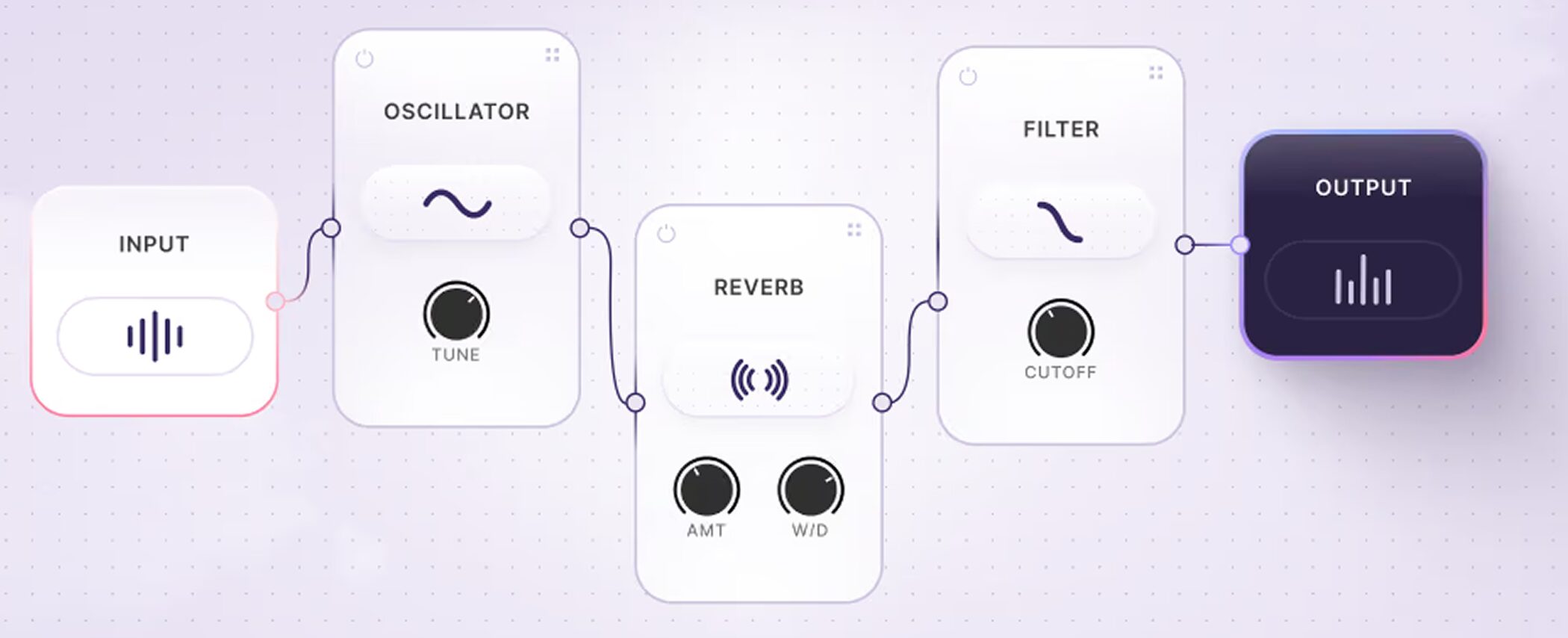
A future update is planned to add Plugin Builder, allowing users to create their own plugins and share them with others.
The official website describes it as a tool that will let you build without coding knowledge.
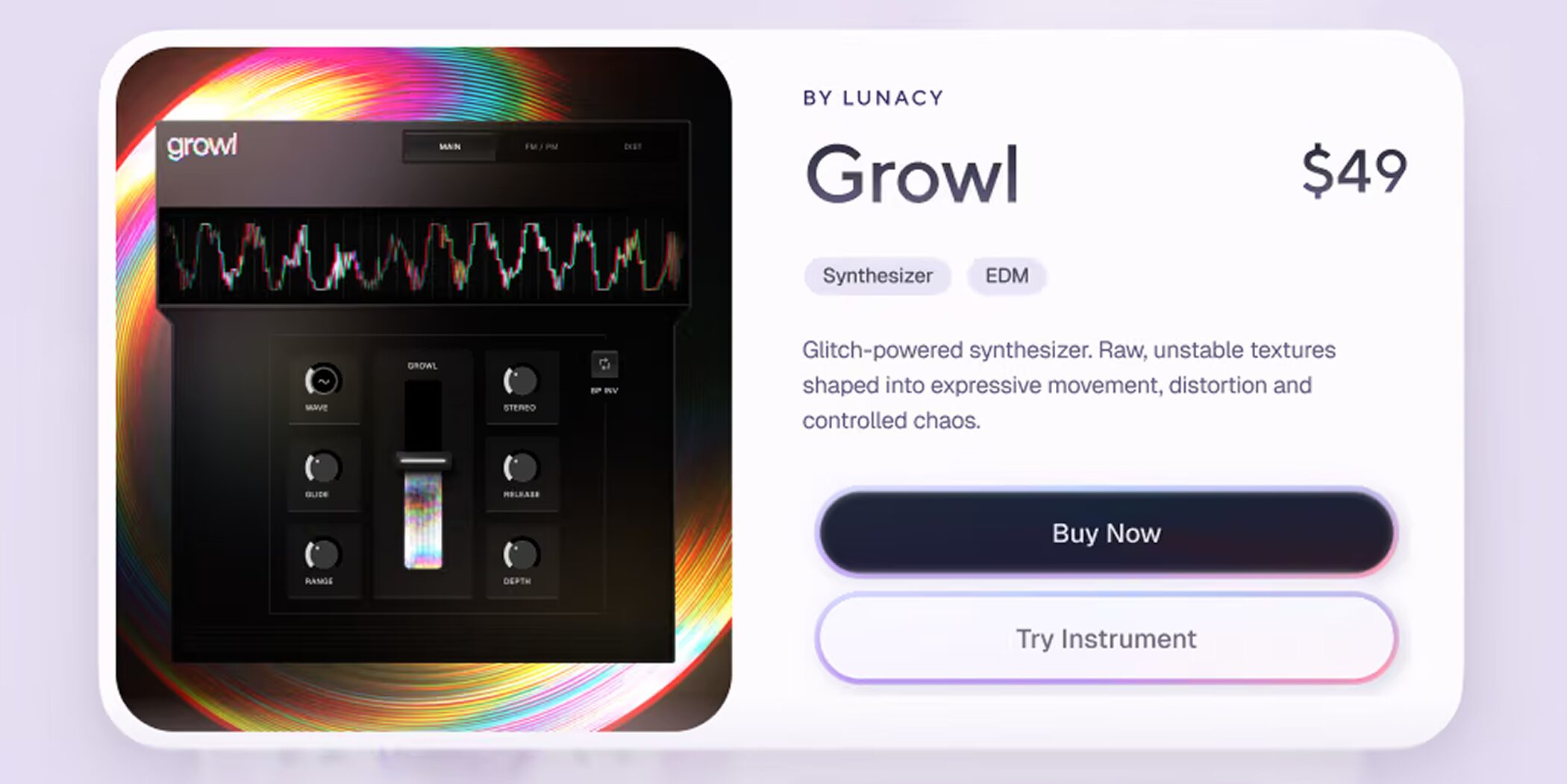
There are also plans to let users sell their creations on the marketplace.
Development is being shared publicly, with monthly livestreams and vlogs providing updates and opportunities to ask questions.
NOVA's future is worth watching as it expands from a place to find and use instruments into a place to create and share them.
System requirements
Windows
• OS: Windows 10 or later
• Supported formats: VST3 / AAX
Mac
• OS: macOS 11 or later (M1 / M2 or newer recommended)
• Supported formats: AU / VST3 / AAX
Both platforms
• Memory: 16 GB recommended
• Other: Internet connection required
Pricing
The NOVA plugin itself and the free instruments are available at no charge.
Prices for the paid instruments are listed below.
| Regular price | Sale price | |
|---|---|---|
| Swarm | $49 | $35 |
| Drift Cassette | $49 | $35 |
| Anima | $49 | $35 |
| Gleam | $29 | $19 |
| Growl | $29 | $19 |
Prices are as of September 2026. Check the seller's website for the latest pricing.
NOVA is still a new platform.
More instruments are planned, and eventually the library is expected to include plugins created by users themselves.
This article covers the key points, but every instrument introduced here can be played immediately by opening your browser.
Trying them hands-on is a quicker way to understand them than reading about them.
Start with whichever instrument catches your interest and give it a play!
NEW ARTICLES
Latest English Articles



