
Dynamic EQ adds level-dependent processing to conventional equalization, taking a different approach from a crossover-based multiband compressor. All six bands in Waves F6 are free-floating, giving you the flexibility to tame harsh vocal peaks only when they occur, make room for vocals in a stereo backing track, or bring out a buried kick drum. These techniques can reduce the need to draw automation while helping you achieve efficient, natural-sounding results.
Bring Dynamic EQ into Your Mix
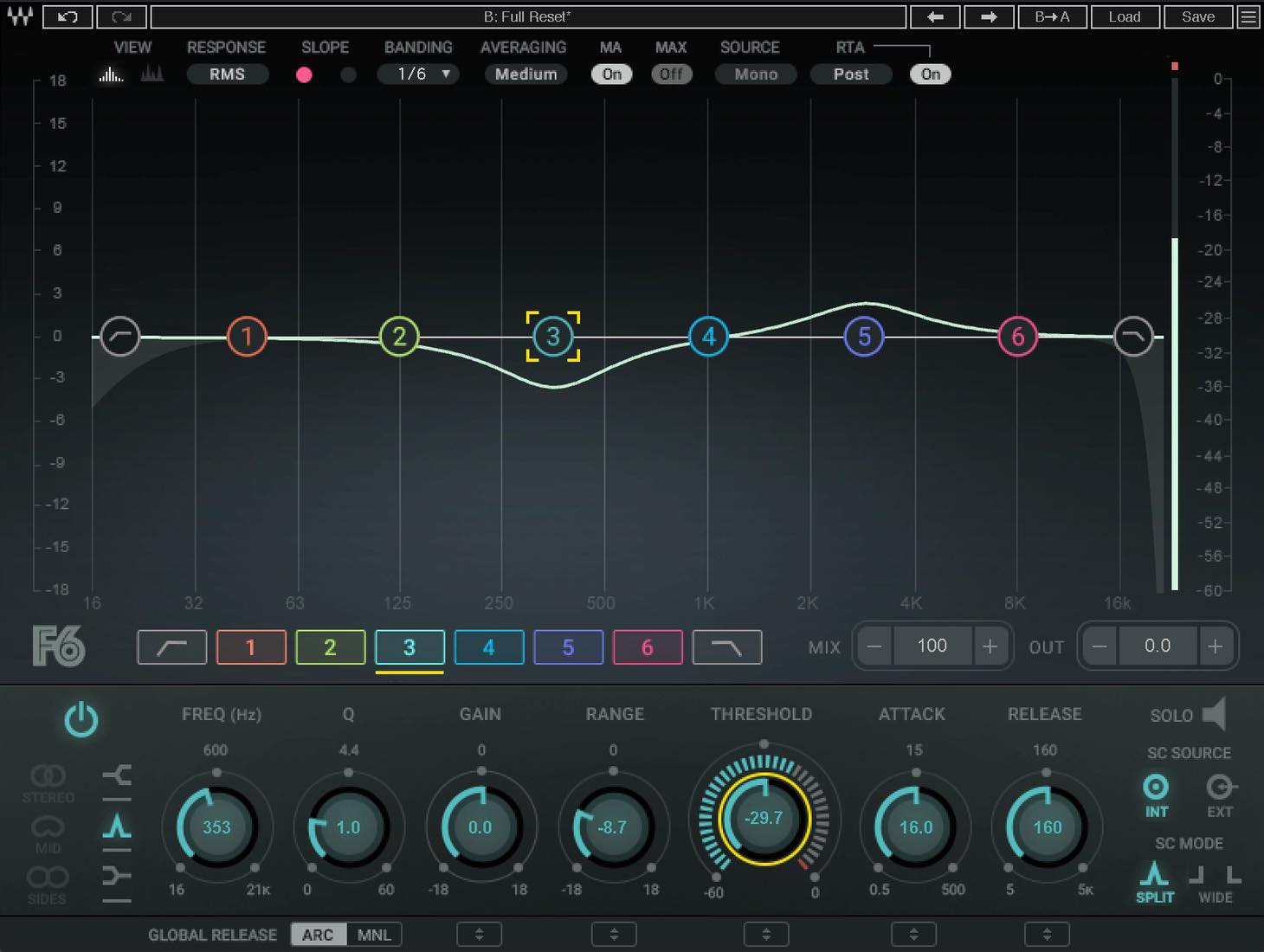
In this tutorial, we will use Waves F6 Floating-Band Dynamic EQ to explore what dynamic EQ actually does, how it differs from a multiband compressor, and what makes it useful.
Here is what we will cover:
- 1 What Is Dynamic EQ? How It Differs from a Multiband Compressor
- 2 Key F6 Parameters
- 3 Example 1: Taming Unwanted Vocal Peaks
- 4 Example 2: Making Room for Vocals in a Stereo Backing Track
- 5 Example 3: Bringing Out a Buried Kick in a Stereo Mix
Let’s go through these one by one.
Video: Practical Dynamic EQ Techniques
What Is Dynamic EQ? How It Differs from a Multiband Compressor
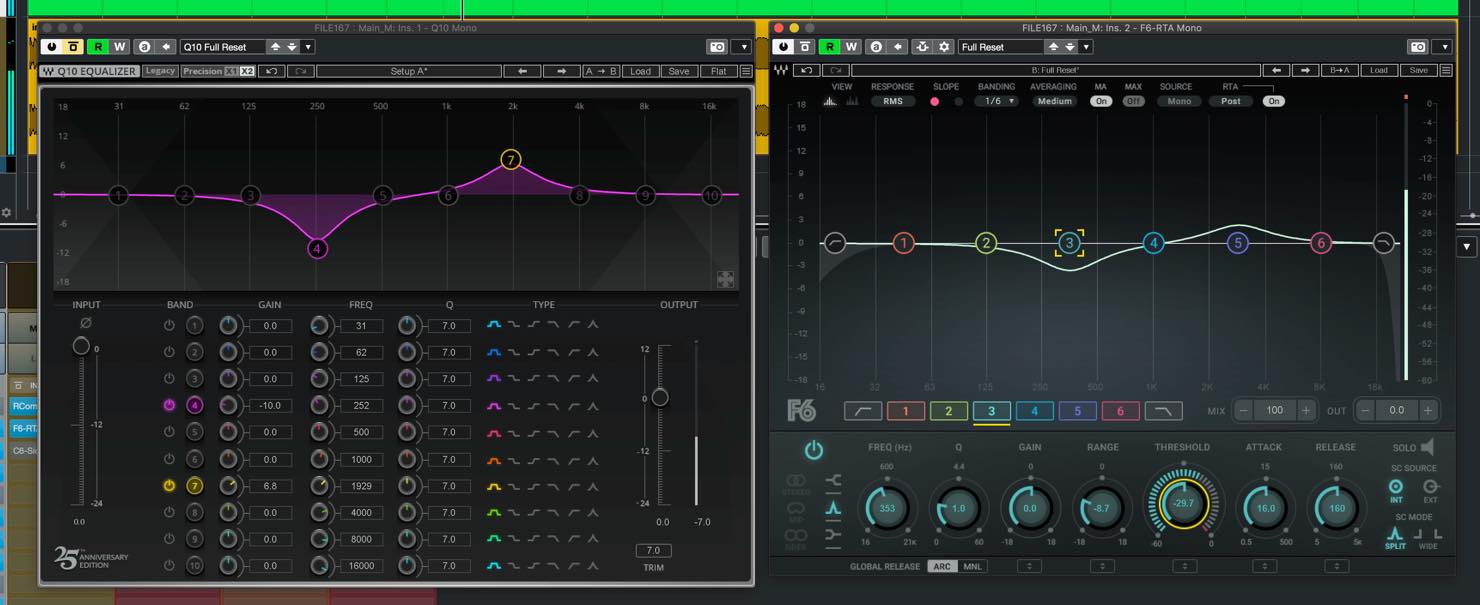
First, let’s clarify what dynamic EQ does.
With a conventional static EQ, boosting or cutting a frequency range continuously applies that EQ curve to the track. The sound itself, however, keeps changing rather than remaining in one fixed state.
You may want the EQ to act during one passage but leave another passage untouched.
You could use automation for this, but drawing automation for frequent changes is not always efficient.
Dynamic EQ lets you vary the amount of equalization according to the dynamics of individual frequency ranges.
One way to understand this design is to start with an EQ and add dynamics control to it.
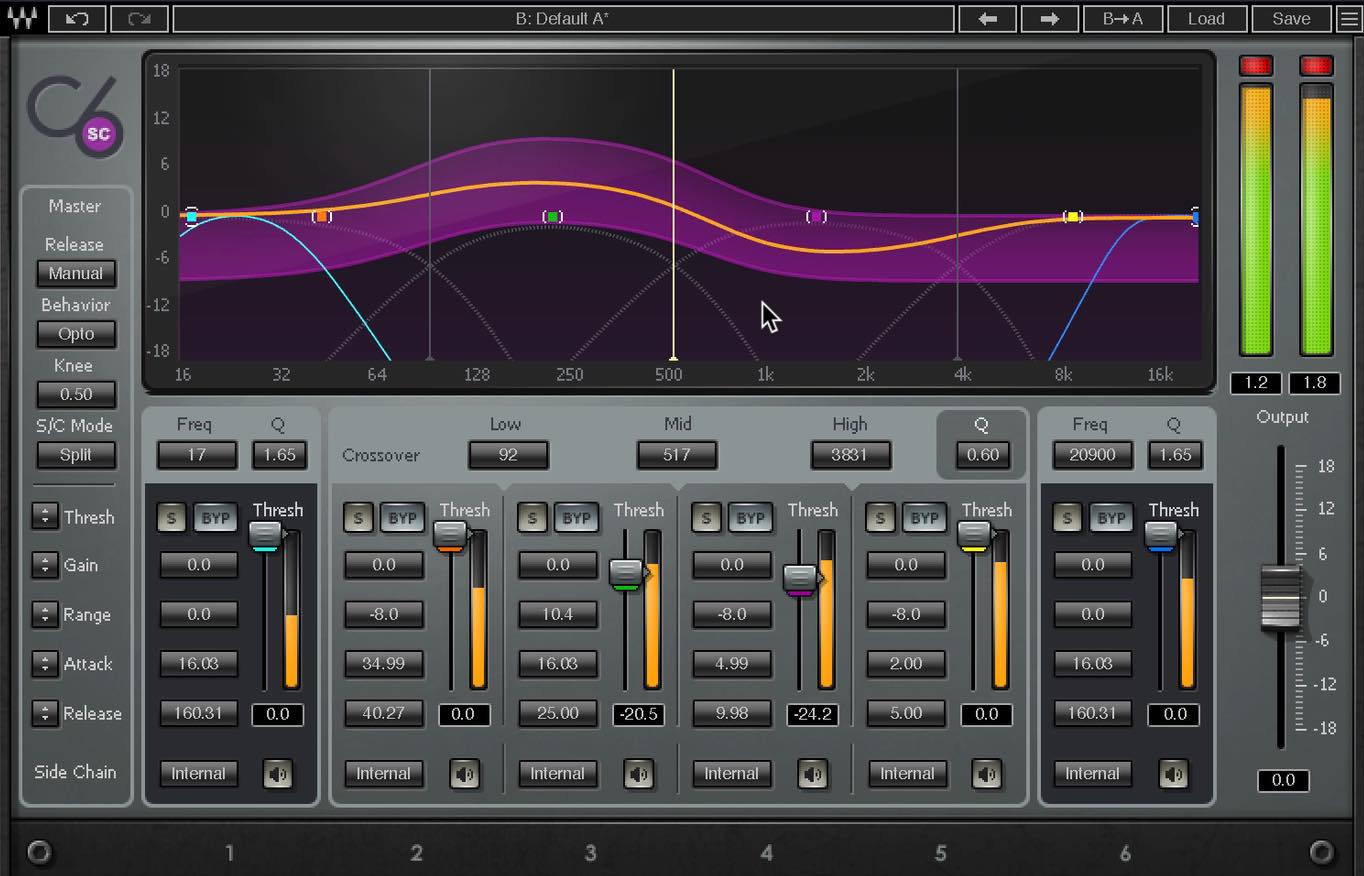
A multiband compressor can produce similar results, but its design starts from the compressor: dividing the signal into frequency ranges allows each range to be compressed separately.
This is particularly apparent in the crossovers between bands. A conventional crossover-based design aims for smooth multiband processing while maintaining the balance between adjacent bands. It is therefore generally less suited to very narrow, pinpoint corrections than a freely adjustable dynamic EQ band.
C6 has two floating bands, so it also offers some dynamic-EQ-like flexibility. F6 goes further by making all six bands free-floating.
That flexibility can also be a double-edged sword. Avoid unnecessarily extreme settings that damage the balance of the sound.
Key F6 Parameters
Next, we will look at several practical applications to help you get comfortable with F6. Before that, let’s briefly cover its distinctive controls.
Alongside familiar EQ parameters such as Frequency, Q, and Gain, you will find a parameter called Range.
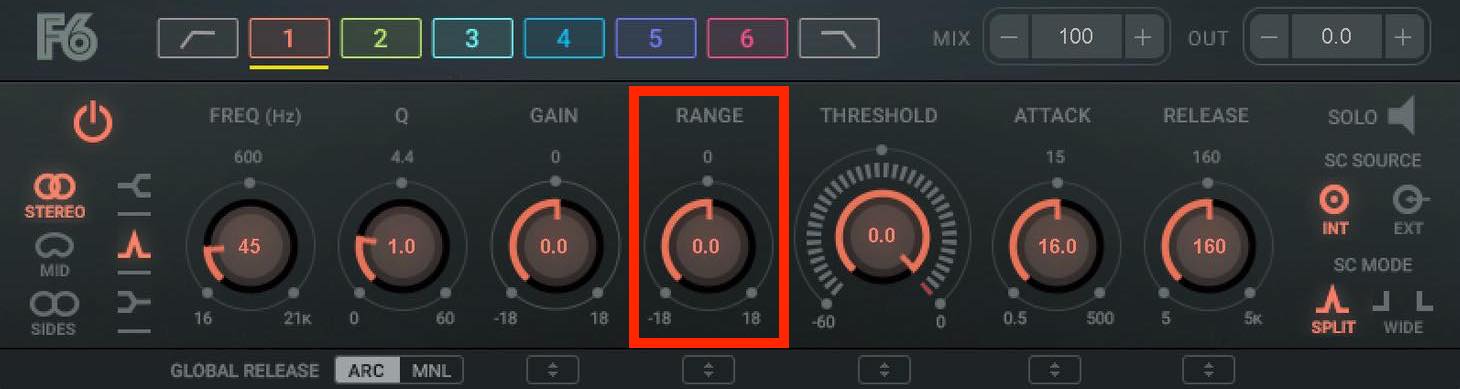
If you have used C4 or C6, this may be familiar: Range sets the direction and maximum amount of dynamic gain change. A setting of +6 dB allows dynamic boosting up to 6 dB, while a negative value produces dynamic cutting.
Then there are Threshold, Attack, and Release.
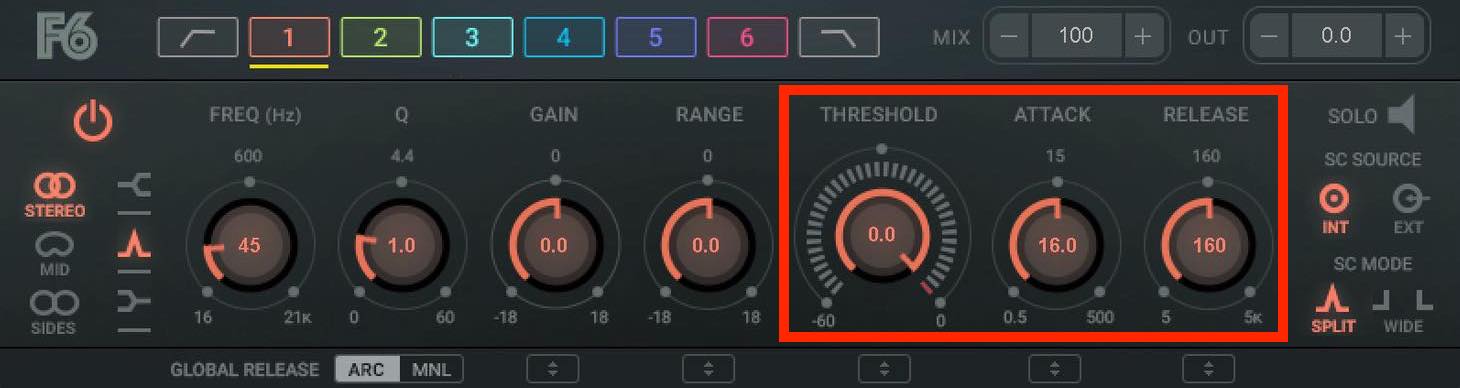
These controls will be familiar from compressors. Here too, they control the dynamics of the processing.
For stereo sources, the Band Mode control on the left lets you choose whether the EQ affects Stereo, Mid, or Side.
You can also use an external sidechain by setting SC Source to External.
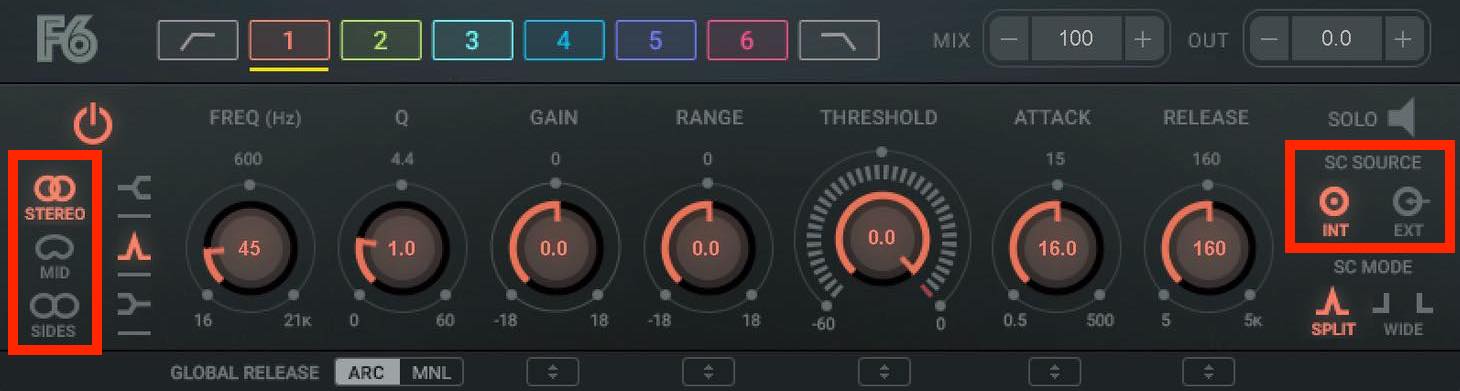
The interface may look complex at first, but if you have used an EQ and a compressor, its layout should feel fairly approachable.
Example 1: Taming Unwanted Vocal Peaks
Let’s move on to some practical examples.
First, we will reduce harsh peaks in the frequency ranges containing the vocal’s harmonics.
This is a familiar task for a conventional EQ. However, even a frequency that often sounds harsh is unlikely to be excessive throughout the entire performance.
For a more natural result, let’s try dynamic EQ.
Choose a band, set Q to around 21, and turn Gain all the way up. Play the vocal and sweep the frequency to locate the harsh resonance.
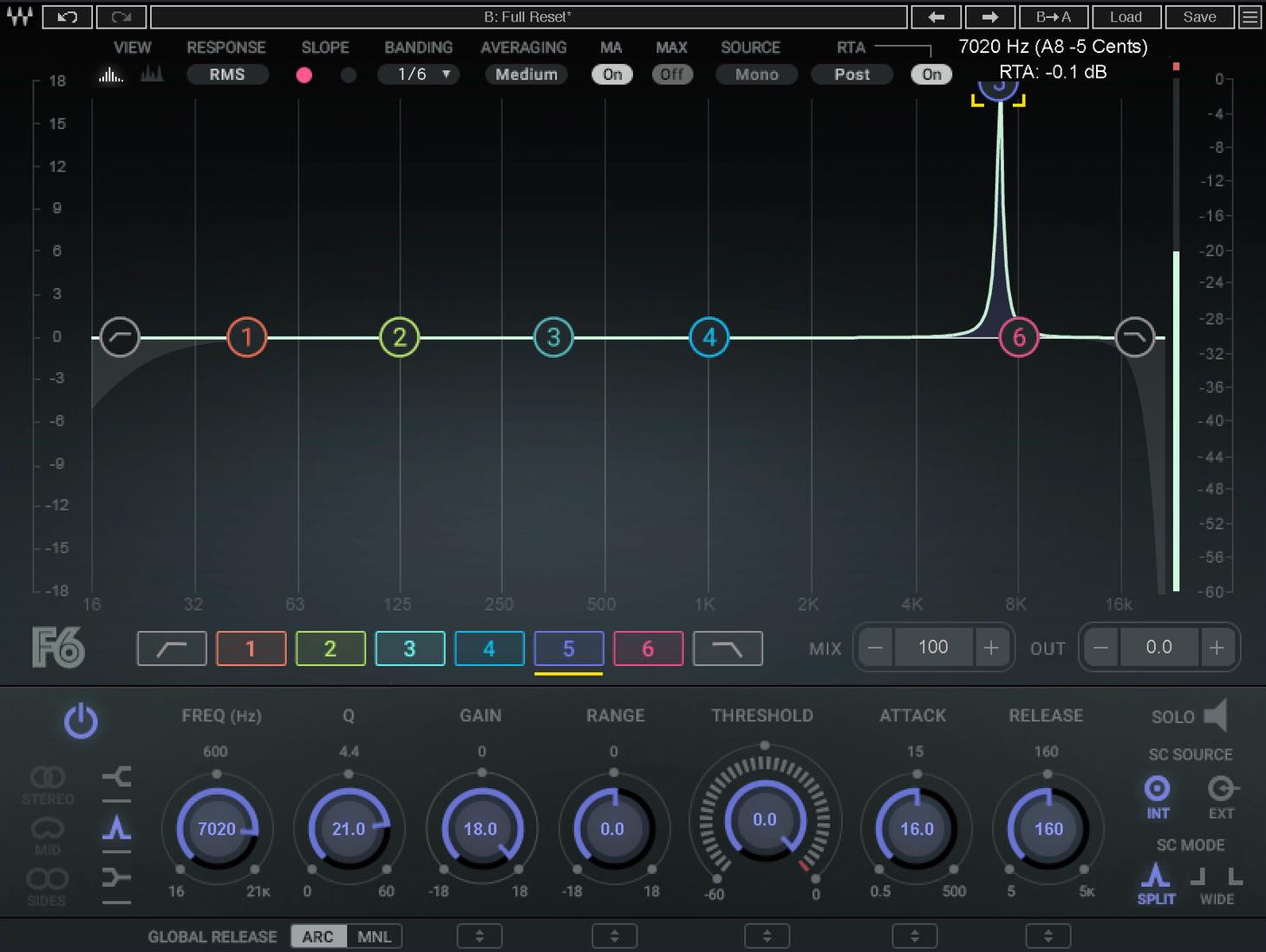
Once you find it, return Gain to 0 dB and lower Range to around −6 dB. Use a fast Attack. While playing the track, adjust Threshold so that the EQ cuts only when the resonance becomes unusually loud.
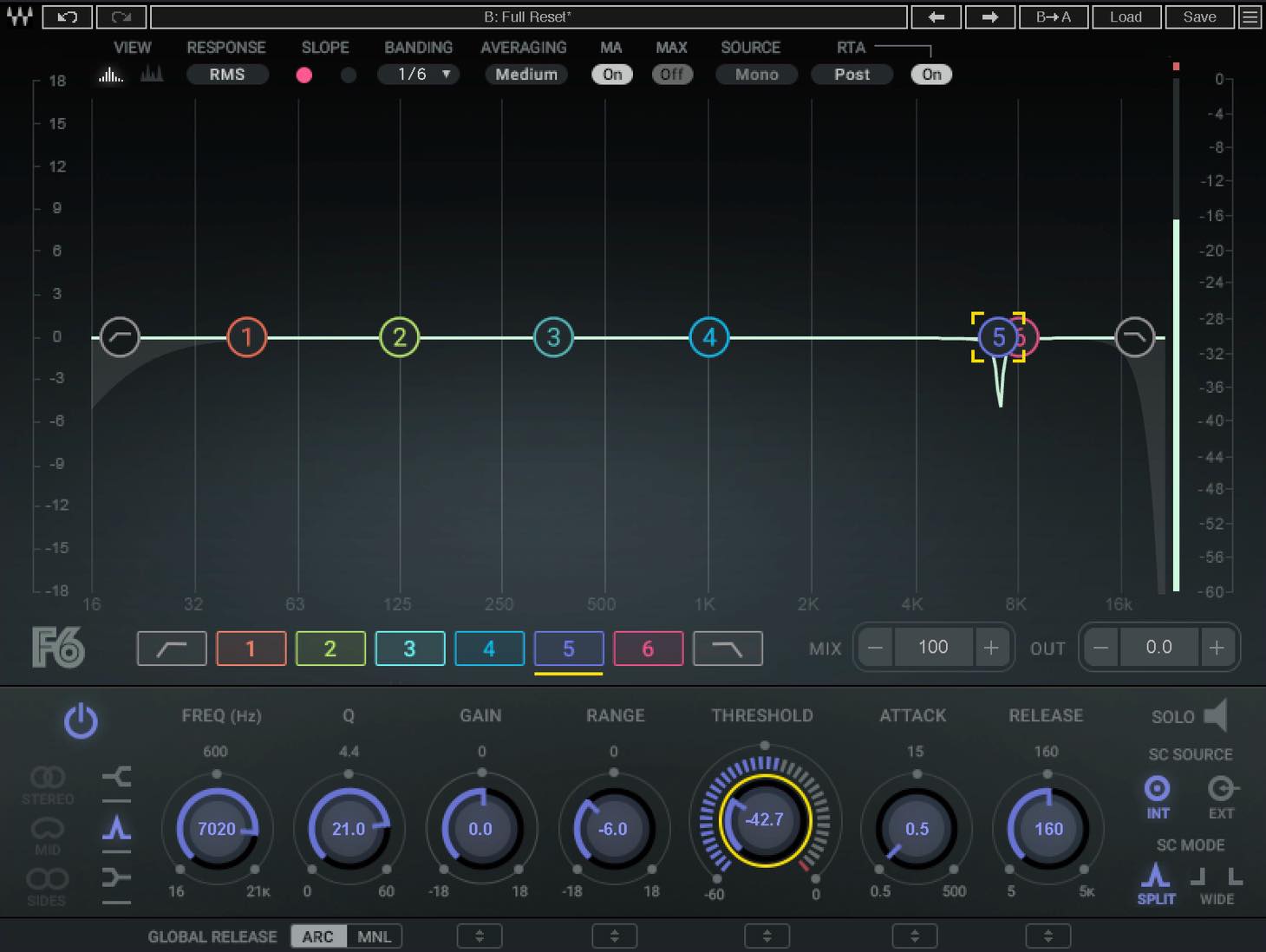
We repeated this at several frequencies and also applied a low cut.
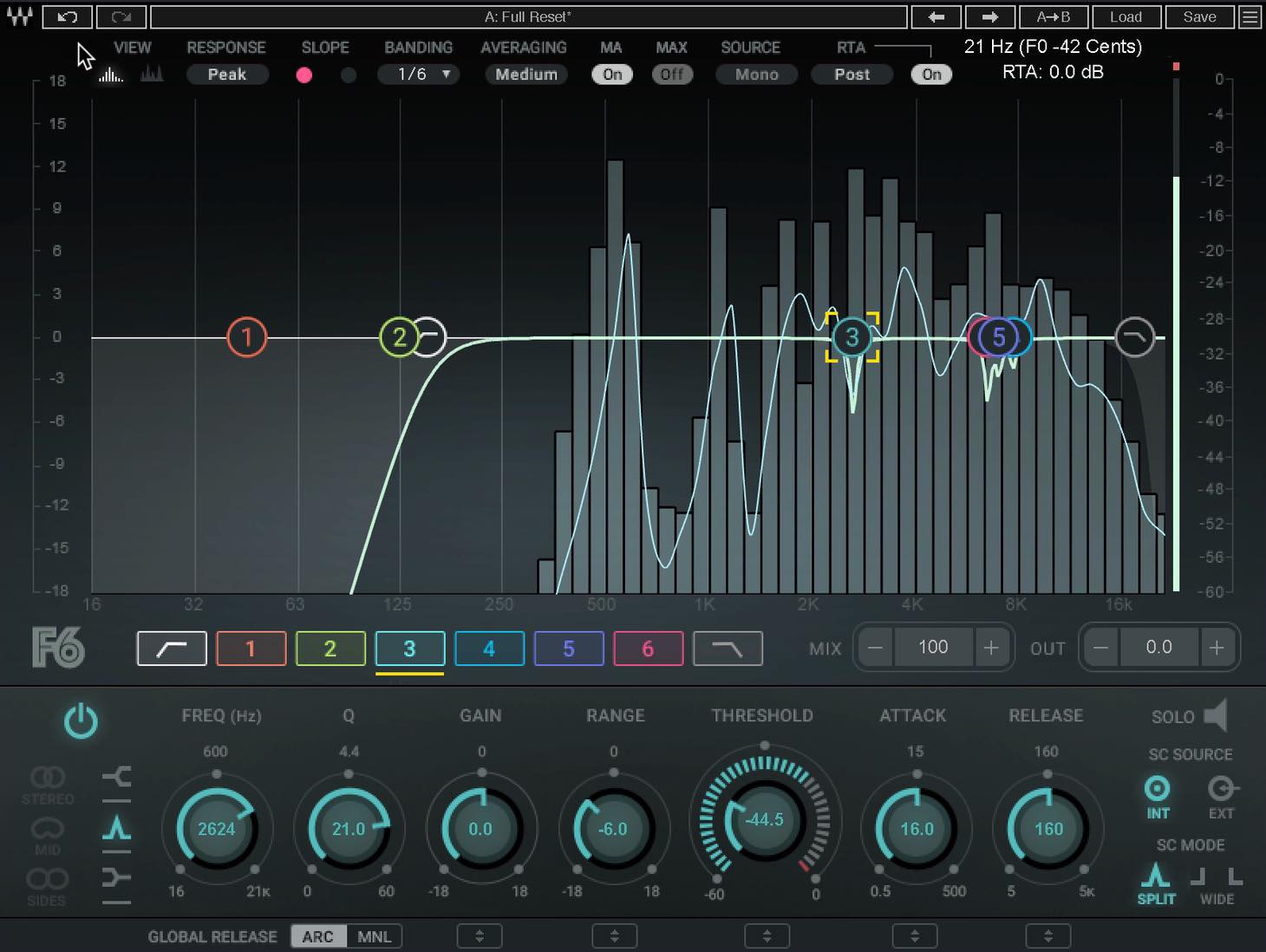
Because the dynamic cuts act only when needed, their effect on the vocal as a whole is kept small.
The harshness is controlled, giving a smoother sound.
Example 2: Making Room for Vocals in a Stereo Backing Track
Next, let’s look at a common challenge in vocal-cover productions: blending a vocal with an already mixed stereo backing track.
Insert F6 on the stereo backing track. Feed it a sidechain signal from the vocal track so that selected frequency ranges in the backing track are cut dynamically in response to the vocal level.
First, set up the sidechain routing with a send from the vocal track at 0 dB.
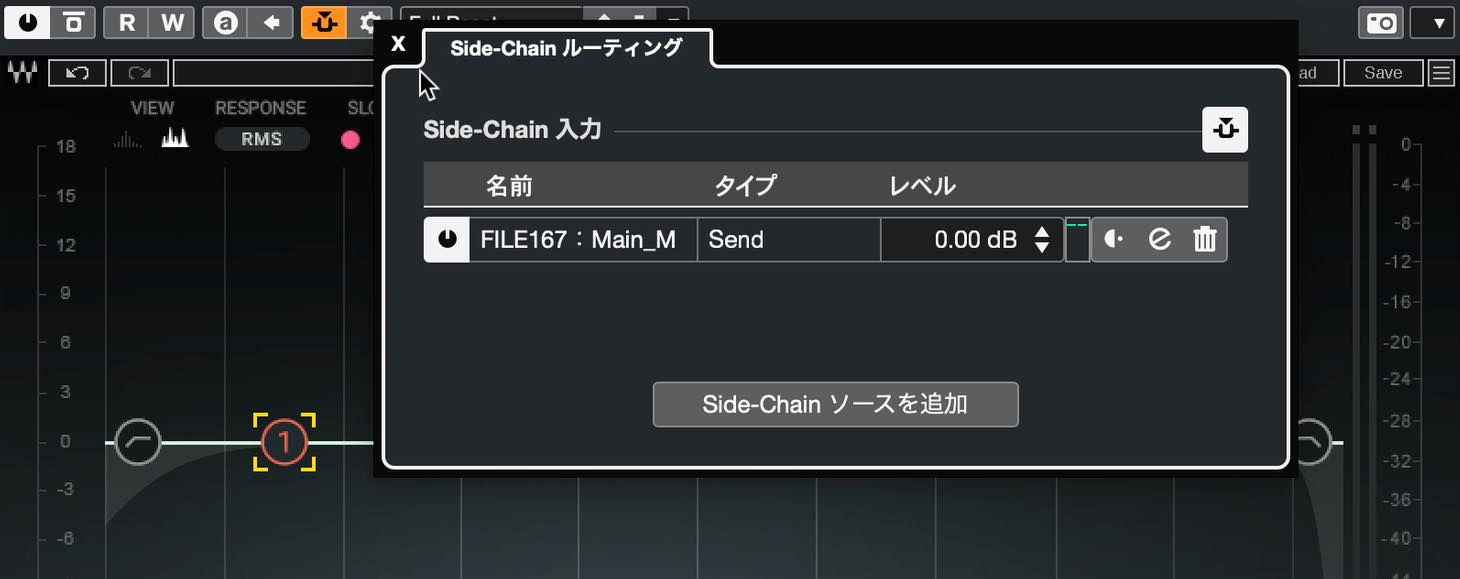
Then select the band you want to use and set the sidechain SOURCE to External.
For this example, set Band Mode to MID so the processing focuses on the center, where the lead vocal sits.
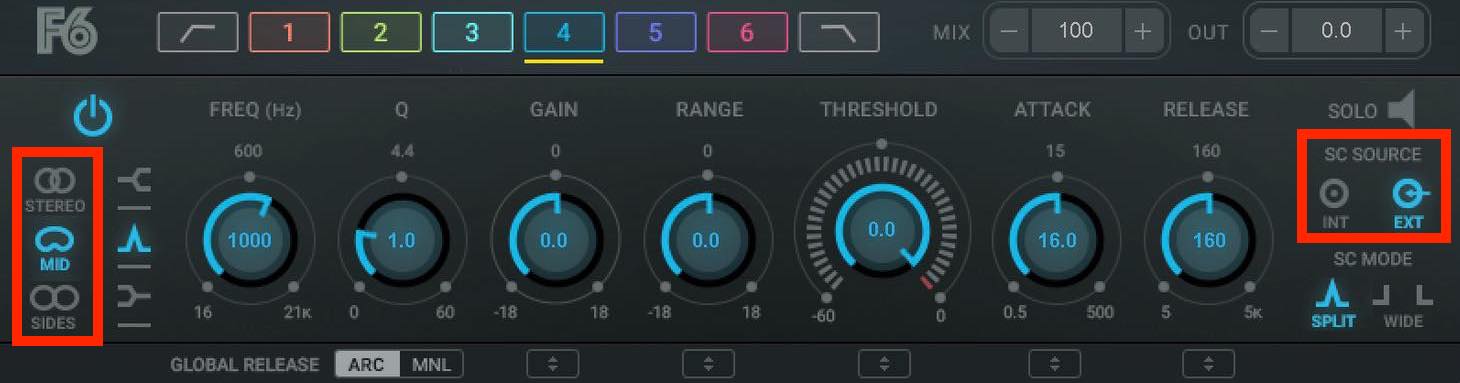
The area around this band’s default frequency contains vocal harmonics that help the voice cut through. Set Range to −2 dB and Attack to its fastest setting, then adjust Threshold and Frequency to suit the material.
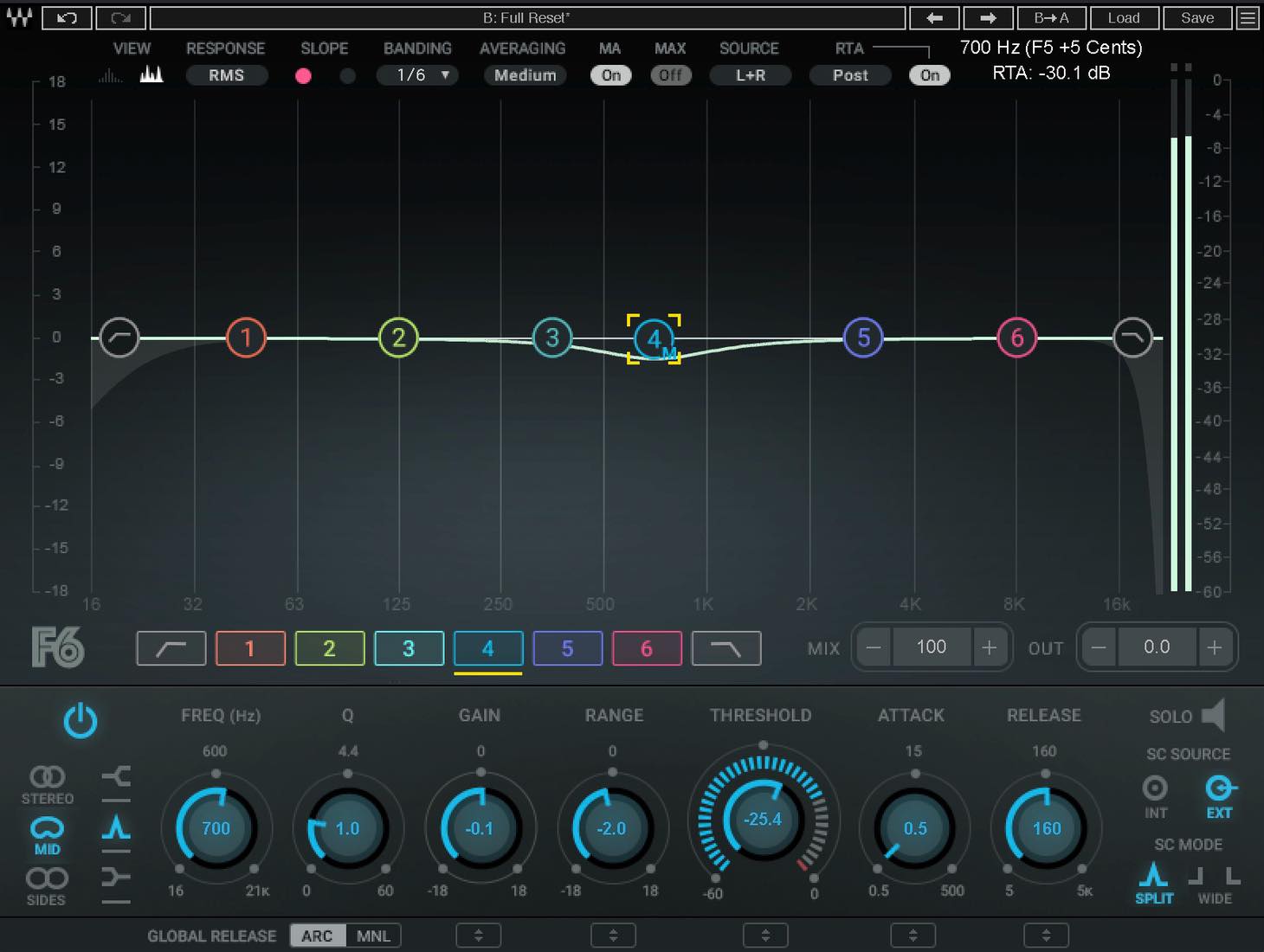
Set Threshold slightly below the incoming sidechain level, at a point where the band responds appropriately to the vocal’s dynamics. Listen carefully as you adjust Frequency to find the point that improves vocal clarity.
We also used the same approach around 200 Hz, in the region of the vocal’s fundamental for this example.
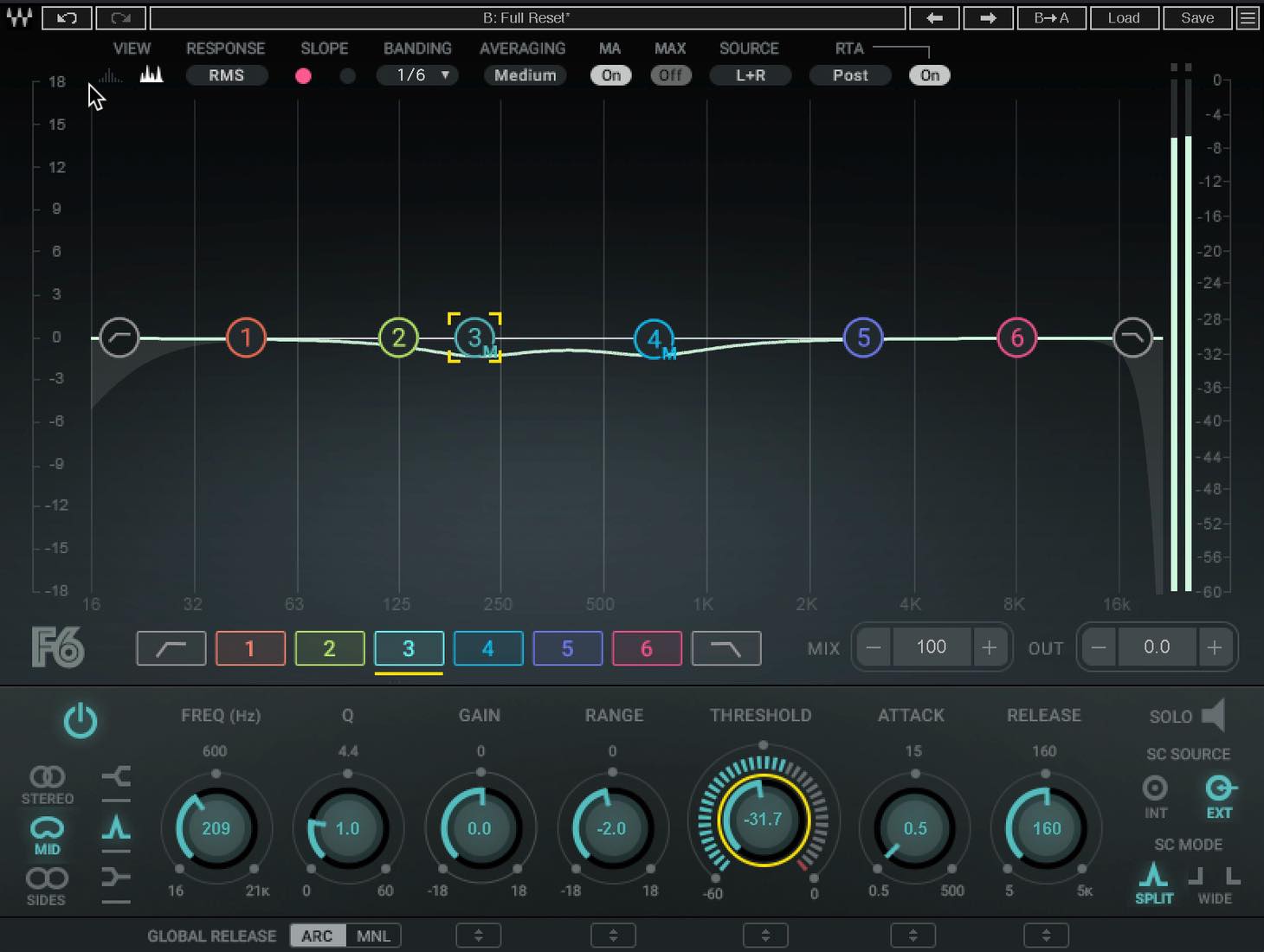
This makes the voice more clearly present while helping it sit within the backing track rather than sound detached from it.
The result differs from simply applying a constant cut to the vocal’s frequency ranges in the backing track, or boosting those ranges in the vocal itself.
Here, the backing track responds to the vocal’s dynamics, creating space for the voice while keeping the effect on the backing track to a minimum.
Example 3: Bringing Out a Buried Kick in a Stereo Mix
Now let’s look at upward processing: dynamically boosting a frequency range.
We will again use a stereo mix. Sometimes a backing track has been heavily limited, reducing the apparent impact of the kick and other transients.
That can also make it harder to blend the track with a separate vocal.
Try upward expansion in the Mid channel around 60 Hz, targeting the frequency range that carries the kick’s low-end weight in this example.
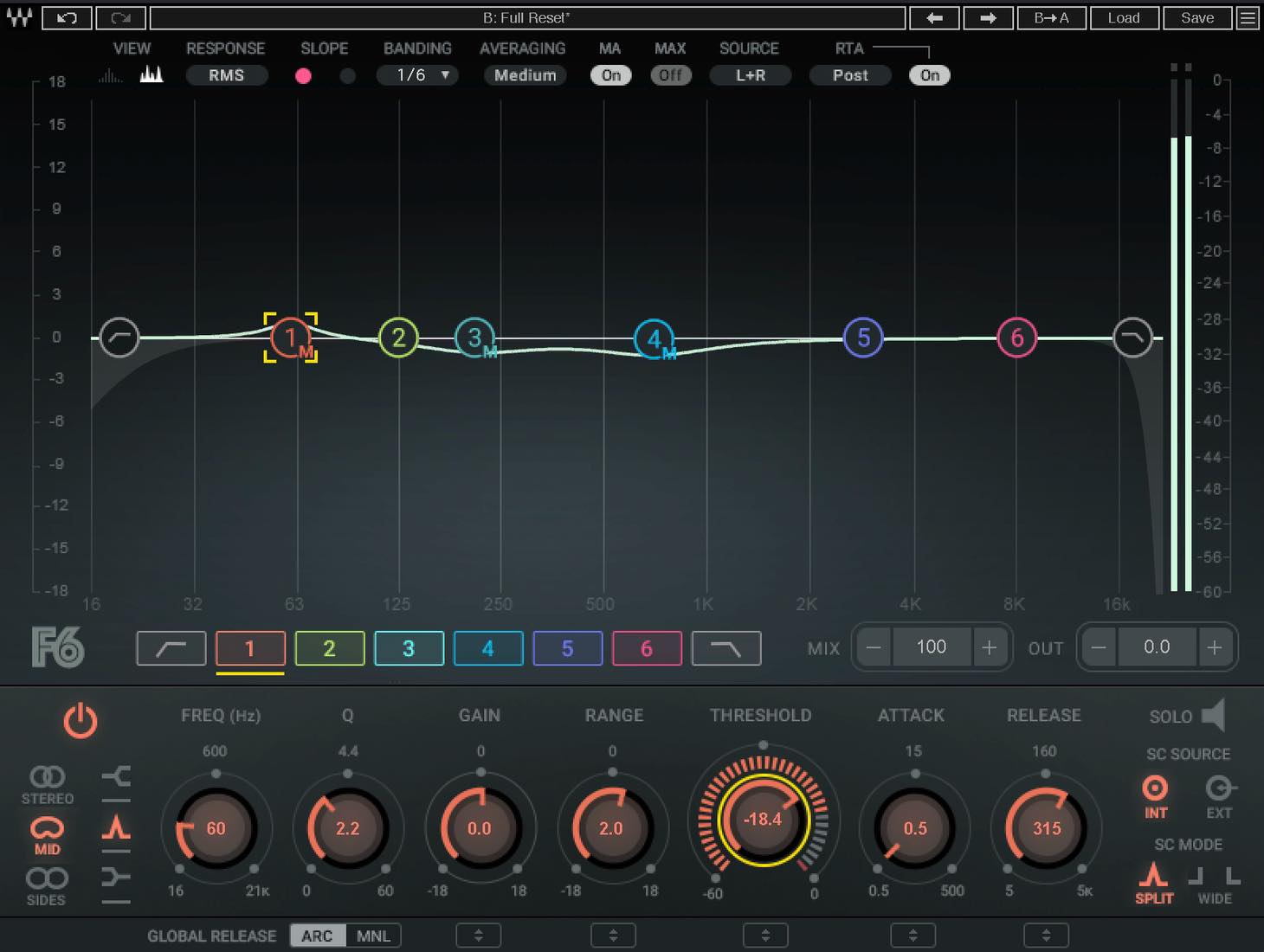
Use a fairly narrow Q, set Range to around +2 dB, and choose the fastest Attack. Adjust Threshold until the band responds in time with the kick in a controlled, rhythmic way.
Release affects the weight of the kick’s decay. Try a slower setting if you want a heavier feel. With Auto Release Control active in this example, the processing can still recover responsively even with a relatively slow Release setting.
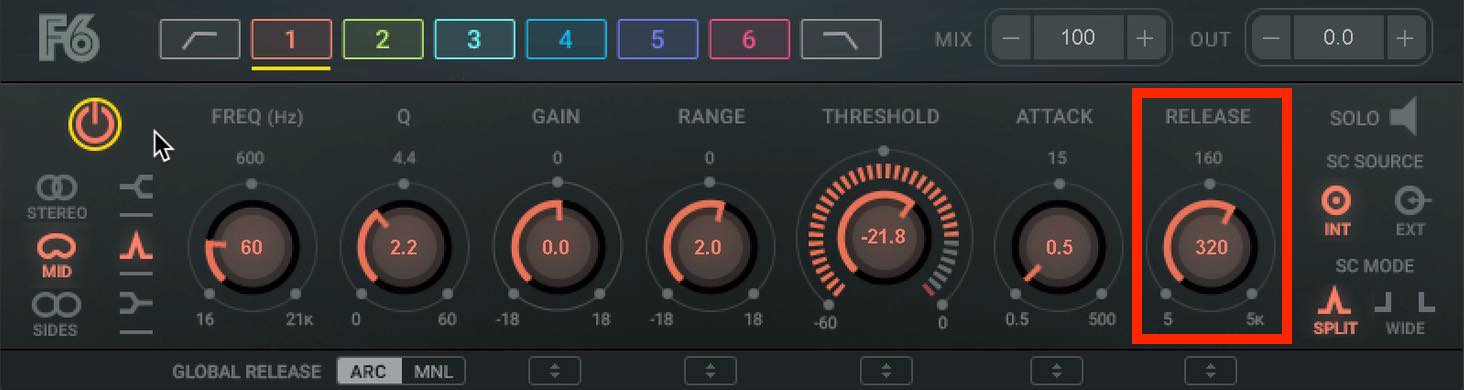
This can bring back some perceived kick impact and movement to the heavily limited backing track, making it feel more lively. It does not undo the original limiting.
With a less flat-sounding backing track, the vocal may also blend more naturally.
We have used Waves F6 to explain how dynamic EQ differs from conventional processors and where it can help in a mix.
At the time of this article’s original publication in 2020, dynamic EQ was a relatively newer category of mixing tool and was becoming increasingly common for more advanced or efficient EQ work.
If these techniques have caught your interest, try them in your own mixes.
Practical Dynamic EQ Techniques
Using Waves F6 Floating-Band Dynamic EQ, we explore what dynamic EQ does, how it differs from a multiband compressor, and why it is useful.
Read more: https://t.co/GB6qBdraVr #DTM pic.twitter.com/BEqlWmSXQZ
— SLEEP FREAKS (@SLEEPFREAKS_DTM) December 5, 2020
Frequently Asked Questions
Q1. What is the difference between dynamic EQ and a multiband compressor?
Dynamic EQ combines an EQ’s adjustable bands with dynamics control, making it well suited to pinpoint processing. A conventional multiband compressor divides the signal at crossover points and is often used for broader, smoothly balanced processing across those ranges.
Q2. How does F6’s Range parameter work?
Range sets the direction and maximum amount of dynamic gain change. Positive values allow dynamic boosting; negative values allow dynamic cutting. Use it with Threshold, Attack, and Release to shape the response.
Q3. What settings work for taming vocal peaks?
Set Q to around 21 and temporarily turn Gain up to find the harsh frequency. Then return Gain to 0 dB, set Range to about −6 dB, and use a fast Attack. Adjust Threshold so that the cut acts only when the resonance becomes excessive, helping the vocal sound smoother and more natural.
NEW ARTICLES
Latest English Articles







































































































































































