
Mixed In Key's Pilot is an AI-assisted phrase-generation suite comprising Arpeggio, Bass and Melody plug-ins. In this October 2023 review, we explore its genre-oriented controls, a Phase Plant-based synth engine and more than 240 sound presets in the version demonstrated. Linked chord progressions, keys and scales help the plug-ins work together, providing practical starting points for music production.
An approachable AI phrase generator for music producers
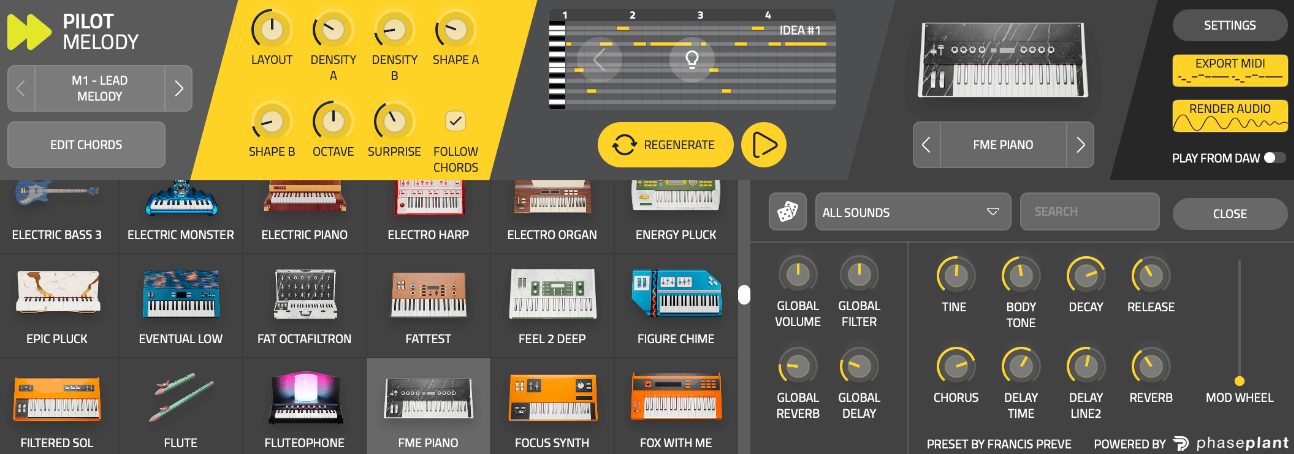
The Captain Plugins series is one of Mixed In Key's tools for assisting music production. Another release from the company is Pilot
, which suggests sounds and phrases suited to electronic music using AI-assisted generation.
There are many AI-assisted phrase generators, but Pilot's genre selection helps steer results toward the musical feel you want.
Its controls are also straightforward, making it approachable for beginners.
It can provide a way forward when you are stuck on a phrase. Let us explore the version reviewed in October 2023.
Pilot Plug-ins: Introduction Video
Pilot Sound Demo
To demonstrate the kinds of phrases and sounds Pilot can produce, we made this demo track.
Full demo: Pilot parts with an audio-loop drum track
Only the drums use an audio-loop sample; everything else in this demo uses Pilot.
Here are the individual tracks.
Pilot Arpeggio: Solo track
Pilot Bass: Solo track
Pilot Melody: Solo track
The reviewer found the generated phrases musically pleasing, as these examples illustrate.
The Three Plug-ins Included with Pilot
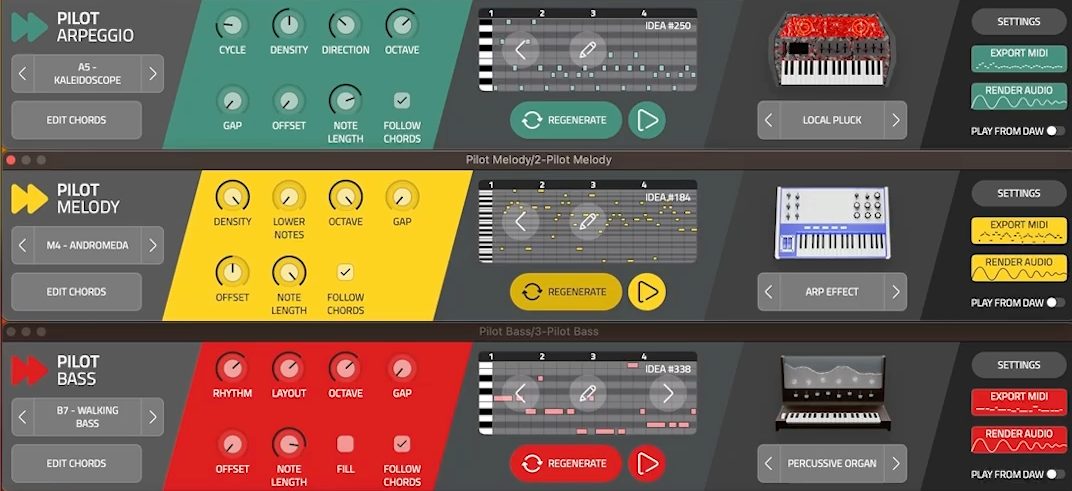
Pilot consists of Arpeggio, Bass and Melody. They can work together while each generates its own AI-assisted phrases.
Each plug-in includes sounds and effects, so you can shape the sound of a generated phrase within the plug-in.
You can also run more than three instances at once—for example, two Arpeggio instances with patterns that complement each other.
Generating a Phrase
Here is the phrase-generation workflow.
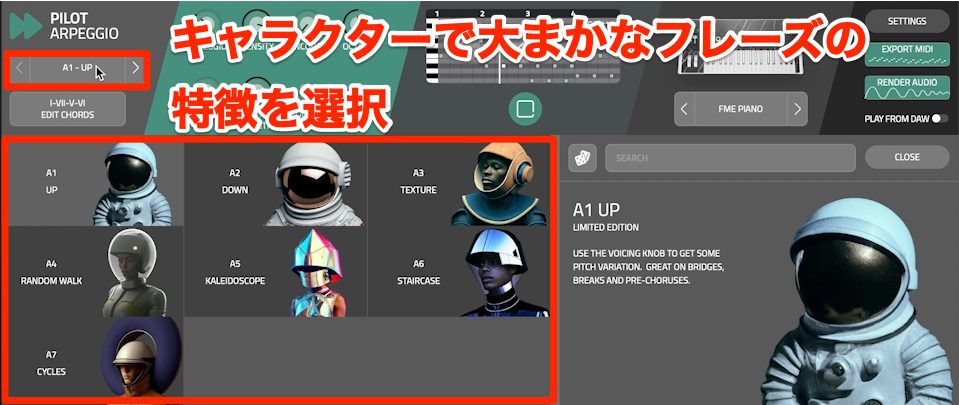
Select a character on the left to generate a new phrase together with a sound.
Different characters produce noticeably different musical feels, so explore them to find one you like.
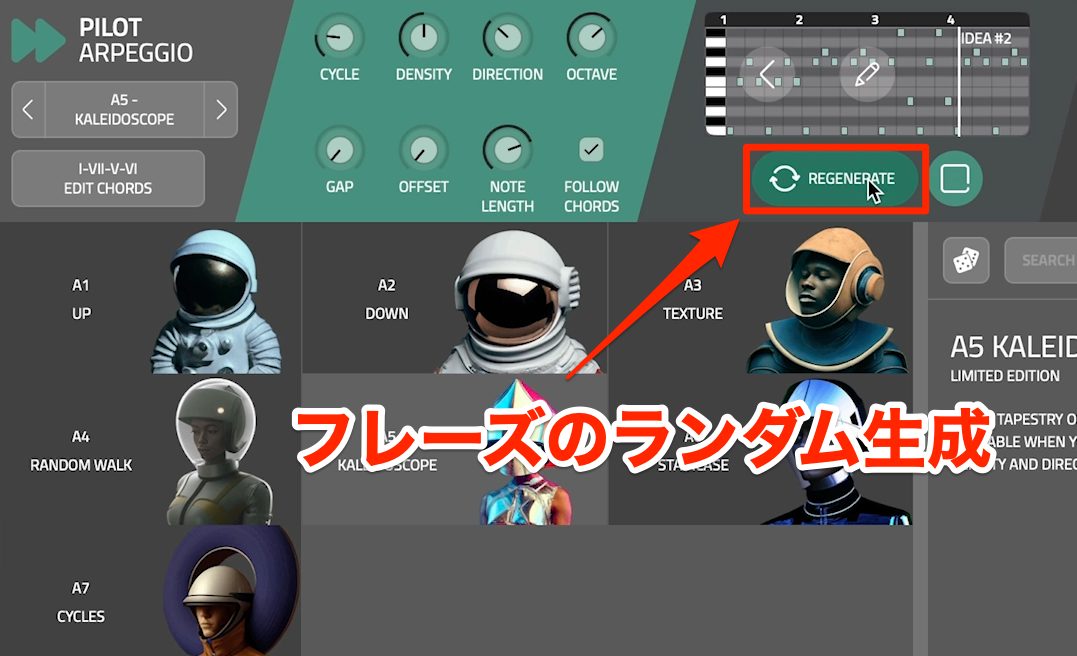
To change the generated phrase, click REGENERATE.
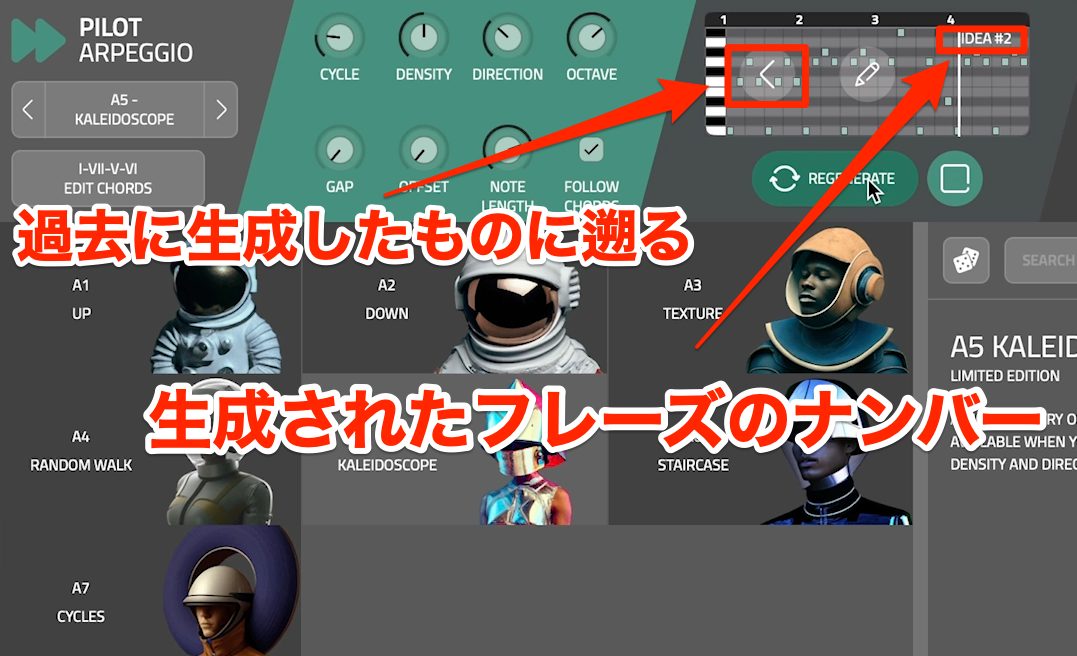
Each click creates another phrase and assigns it an IDEA number.
Use the arrows on either side of the piano roll to move backward and forward through previously generated ideas.
If you find one you like, note its number.
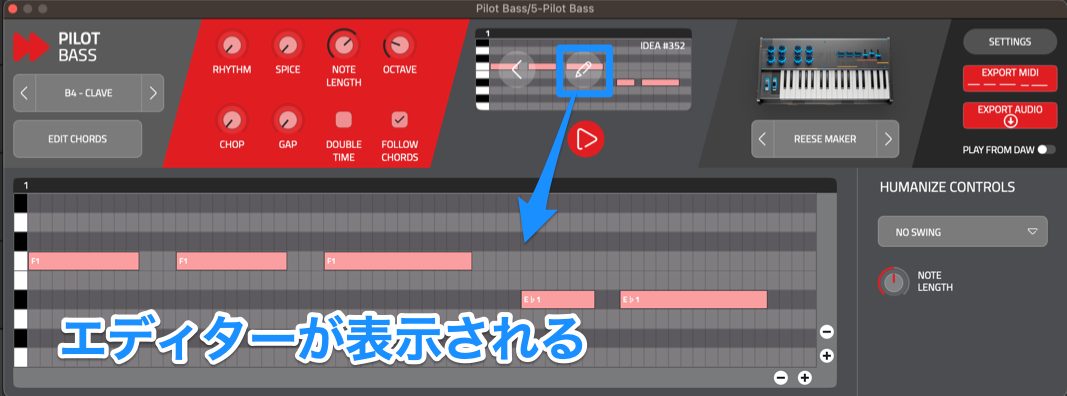
The central pencil icon opens a piano roll where you can edit the phrase to taste.
Refining the Generated Result
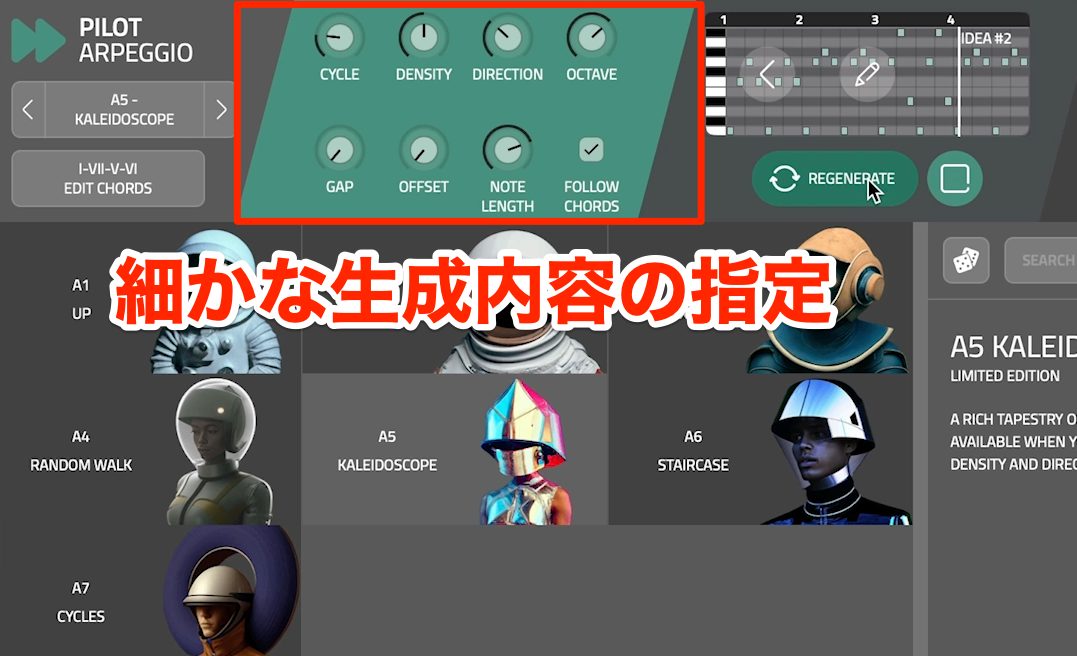
The knobs and switches toward the center-left let you give more detailed instructions for phrase generation.
The parameters shown depend on the plug-in and the selected character.
Some representative controls are:
- FOLLOW CHORDS: Generate pitches that follow the chords.
- DENSITY: Adjust the density of notes.
- OFFSET: Shift the phrase's starting position.
- OCTAVE: Change pitch in octave steps.
- GAP: Vary note lengths and the mixture of short and long notes.
- CYCLE: Set the period over which the motif repeats.
These controls let you guide the result toward your preferences instead of relying on completely random generation.
Changing Sounds
Pilot uses a synthesizer engine based on the popular Phase Plant synth.
The quality of the sound presets also makes it useful as an instrument in its own right.
Finding and Selecting Presets
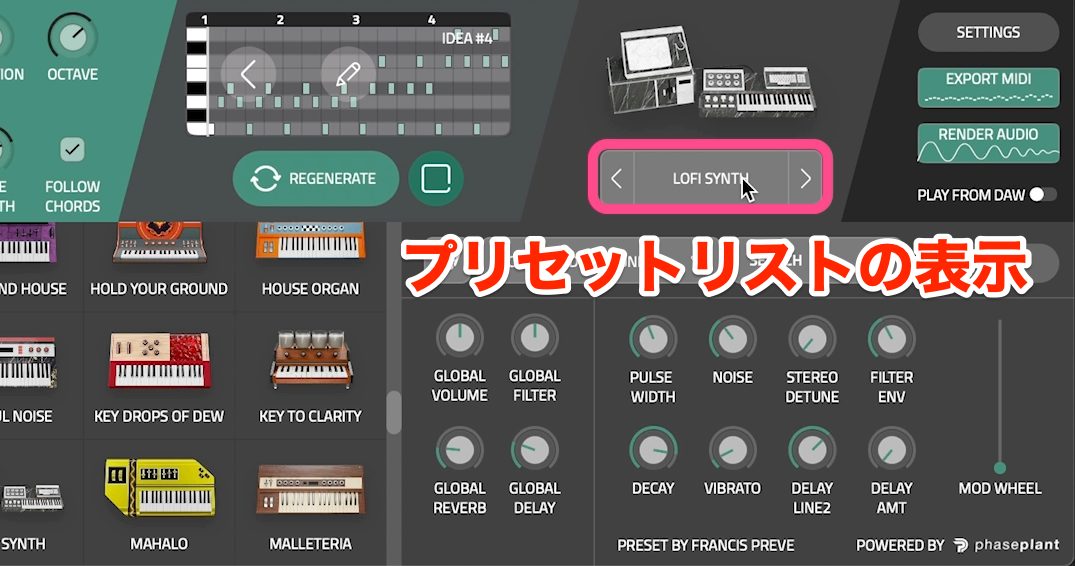
Click the sound-preset name to display the preset list at the bottom of the window.
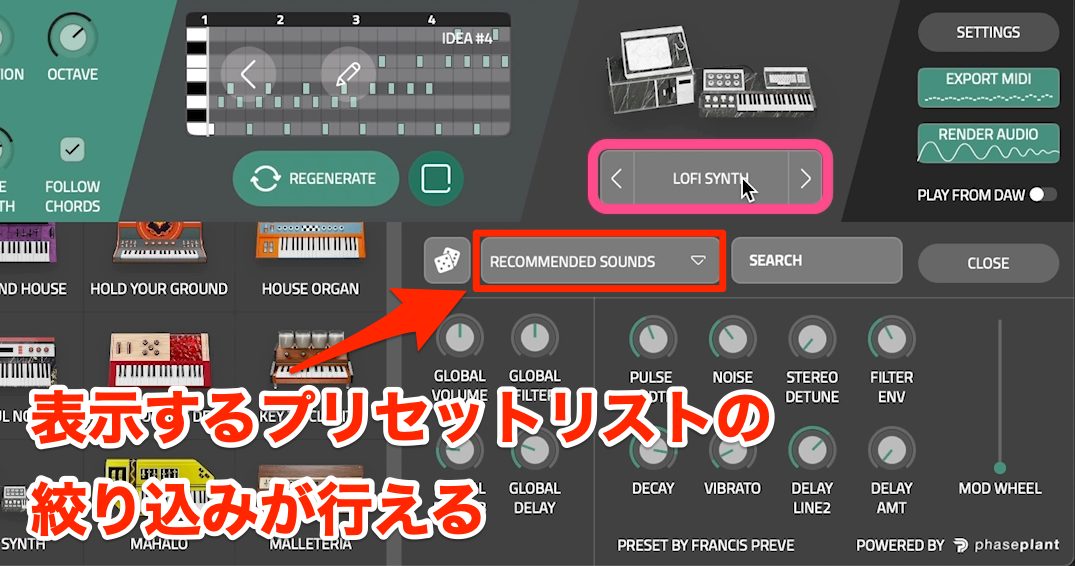
By default, only presets recommended for the phrase appear.
Click RECOMMENDED SOUNDS to choose a different sound category or show all presets.
You can select instrument categories, while ALL SOUNDS provides access to more than 240 presets in the version demonstrated.
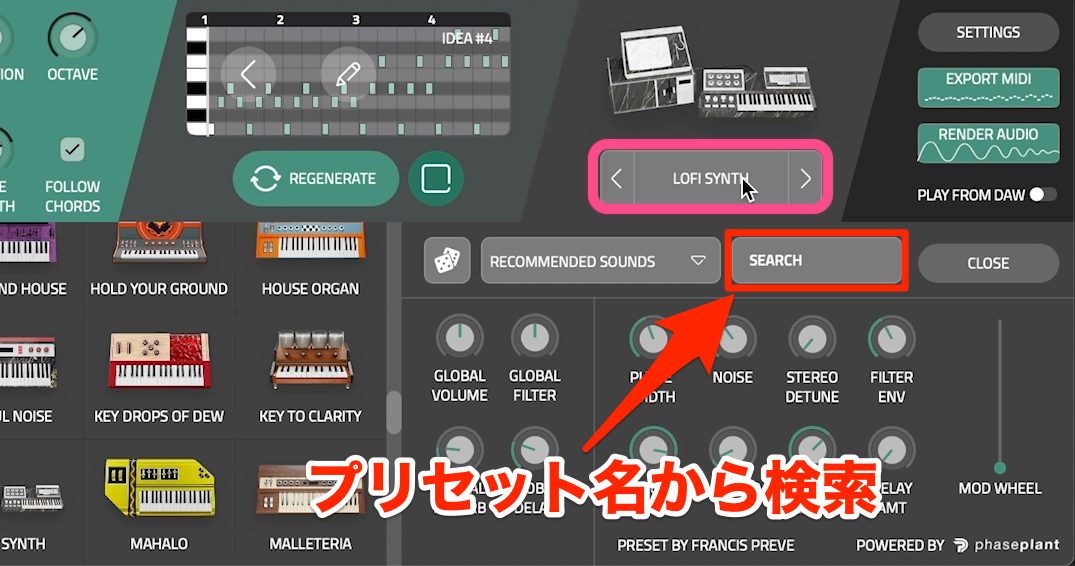
If you already know a preset's name, use the SEARCH box to find it.
Adjusting the Sound
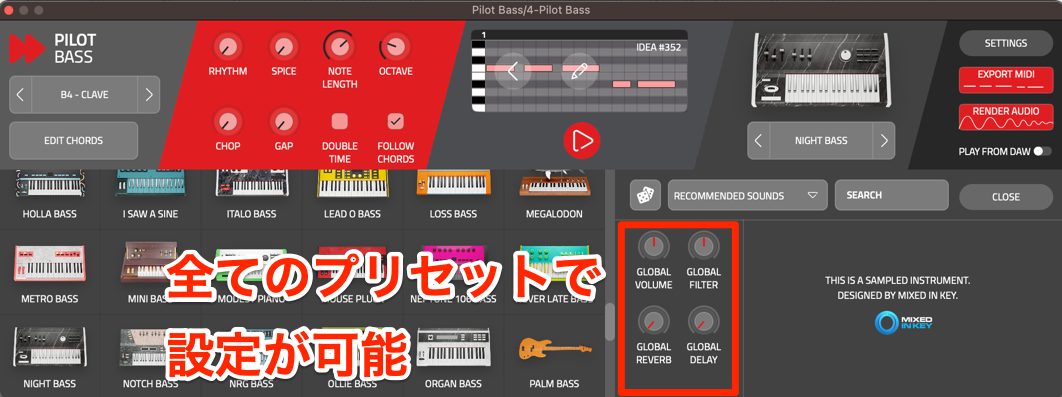
All presets provide volume, filter, reverb and delay controls.
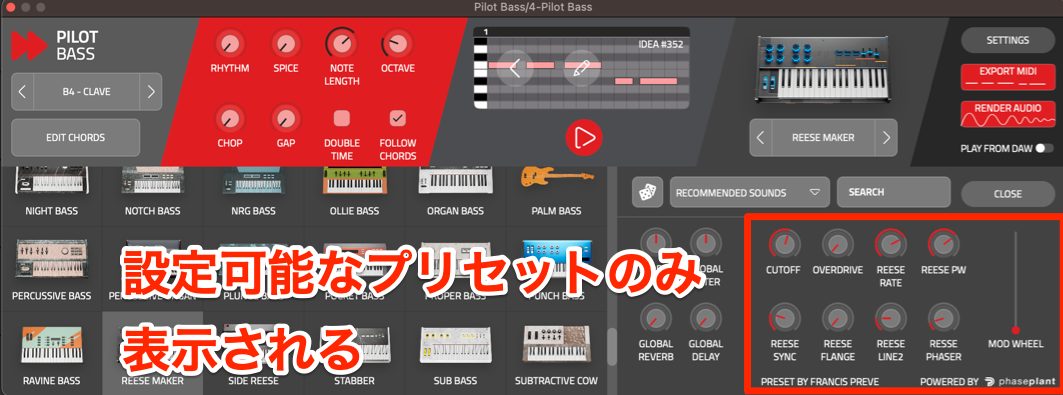
Some presets also expose more detailed sound parameters.
Being able to adjust these to taste is another useful feature.
Changing Loop Length, Key, Scale and Chord Progression
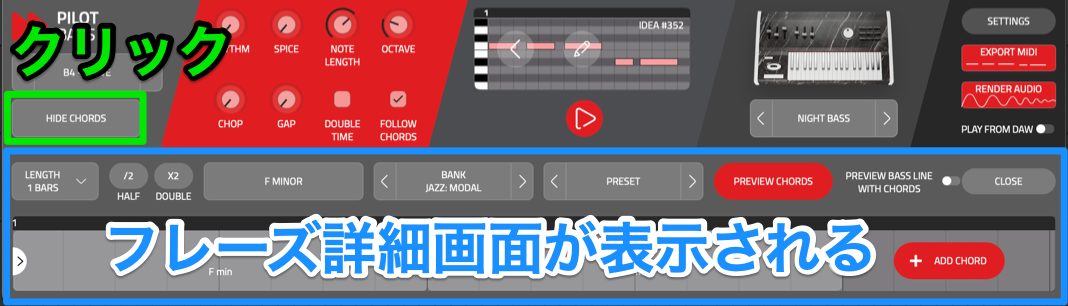
Use the chord-panel toggle at the far left to show or hide the phrase details along the bottom. Its label reads HIDE CHORDS when the panel is visible.
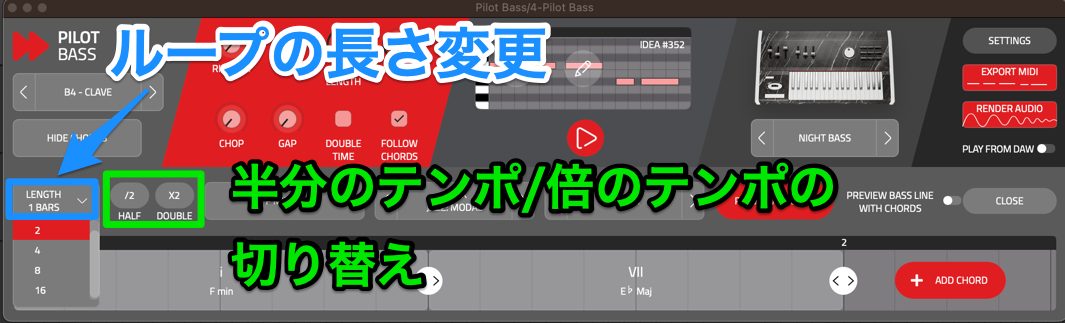
LENGTH changes the loop length. HALF runs the phrase at half time, while DOUBLE runs it at double time relative to the tempo.
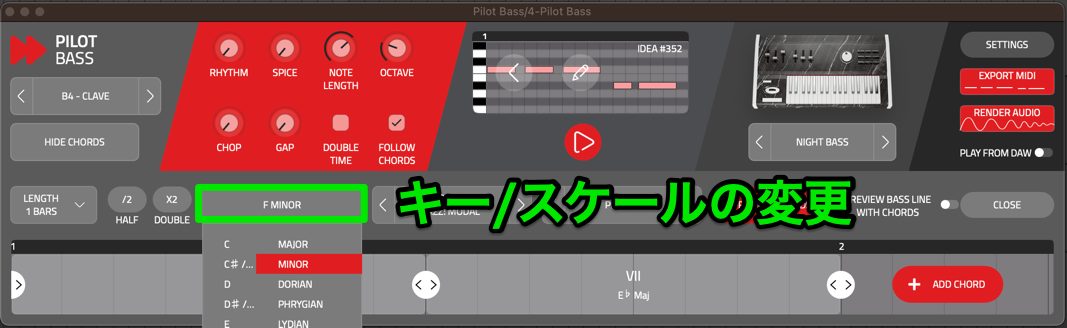
Click the current scale display to choose a different key or scale.
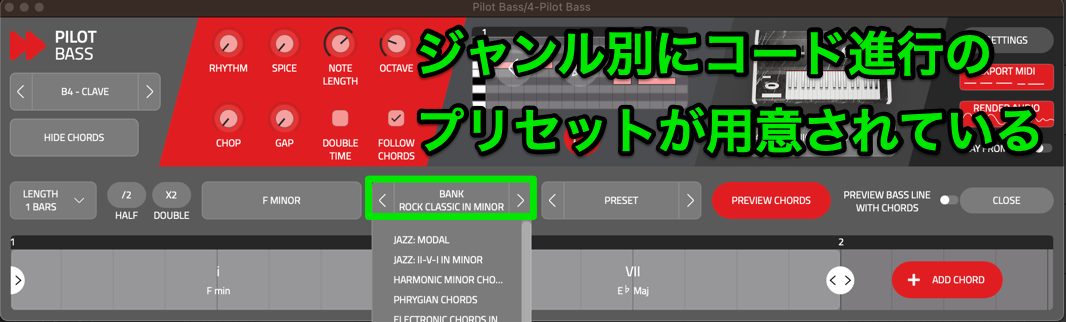
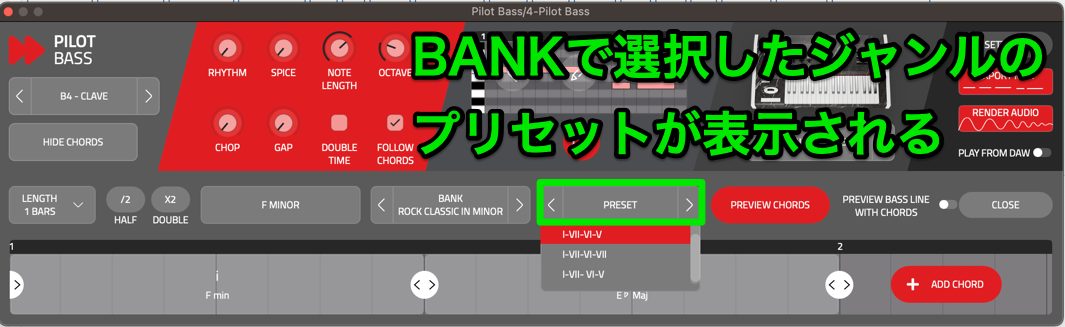
BANK and PRESET are used to choose chord progressions.
In BANK, choose a progression category by genre, then select the progression you want from the PRESET list.
Changing these shared settings in one Pilot plug-in also updates the other linked Pilot instances.
Exporting to Your DAW
You may want to edit a phrase generated by Pilot in greater detail in your DAW.
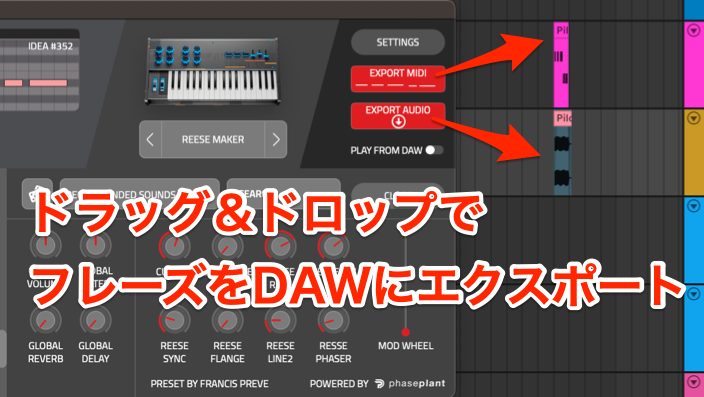
Drag EXPORT MIDI or EXPORT AUDIO from the right-hand side onto a DAW track to export it.
Using Pilot as an Instrument
Pilot's synth engine also lets it function as an instrument independently of its generated phrases.
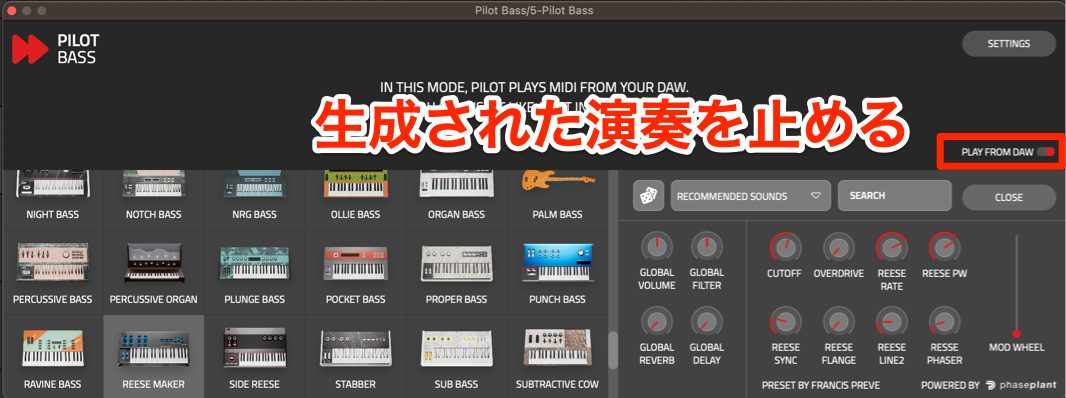
Enable PLAY FROM DAW to stop playback of the internally generated phrase and instead trigger the sound using MIDI from your DAW.
AI-assisted music tools were a particularly active product category at the time of this review. The reviewer considered Pilot one of the more practical examples.
It could be useful when a project stalls or when sketching initial ideas, so explore it if that workflow appeals to you.
Frequently Asked Questions
Q1. Which musical genres is Pilot suited to?
It focuses primarily on electronic music. Character selection steers the musical feel, and genre-oriented chord-progression banks provide further starting points for different electronic styles.
Q2. Is it easy for beginners to use?
Its basic controls are simple: choose a character and use REGENERATE to create phrases. The additional parameters let you refine the results without starting from an empty piano roll.
Q3. Can I edit generated phrases in my DAW?
Yes. Drag EXPORT MIDI into your DAW for note editing, or use EXPORT AUDIO to bring in the rendered audio. Both use drag and drop.
Q4. Can I use it as an instrument on its own?
Yes. Enable PLAY FROM DAW to play its internal synth using incoming MIDI from your DAW rather than the internally generated phrase.
Q5. Can I use several Pilot plug-ins at once?
Yes. You can run more than three instances—for example, two Arpeggio instances with different patterns. Shared chord-progression and key settings can stay linked between the plug-ins.
NEW ARTICLES
Latest English Articles


























































































