
This tutorial explains how to export a song made in FL Studio. After balancing the mix, select the export range in the Playlist and choose Export from the File menu to save the song in a format such as MP3 or WAV. You can import the exported song into iTunes or upload it to a website to share it. This guide covers a practical final step in the music production workflow for FL Studio beginners.
Export Your Song as an MP3 or Other Audio File
After balancing your mix in the Mixer window in the previous lesson, let’s export the song.
Once you export to a common format, you can import it into iTunes and listen on a portable player,
or upload it to a website for others to hear.
Video Tutorial
Exporting the Song

Hold Control and drag across the ruler at the top of the Playlist to select the range you want to export.
Leave a little extra time at the end so that the instruments’ reverb tails are not cut off.
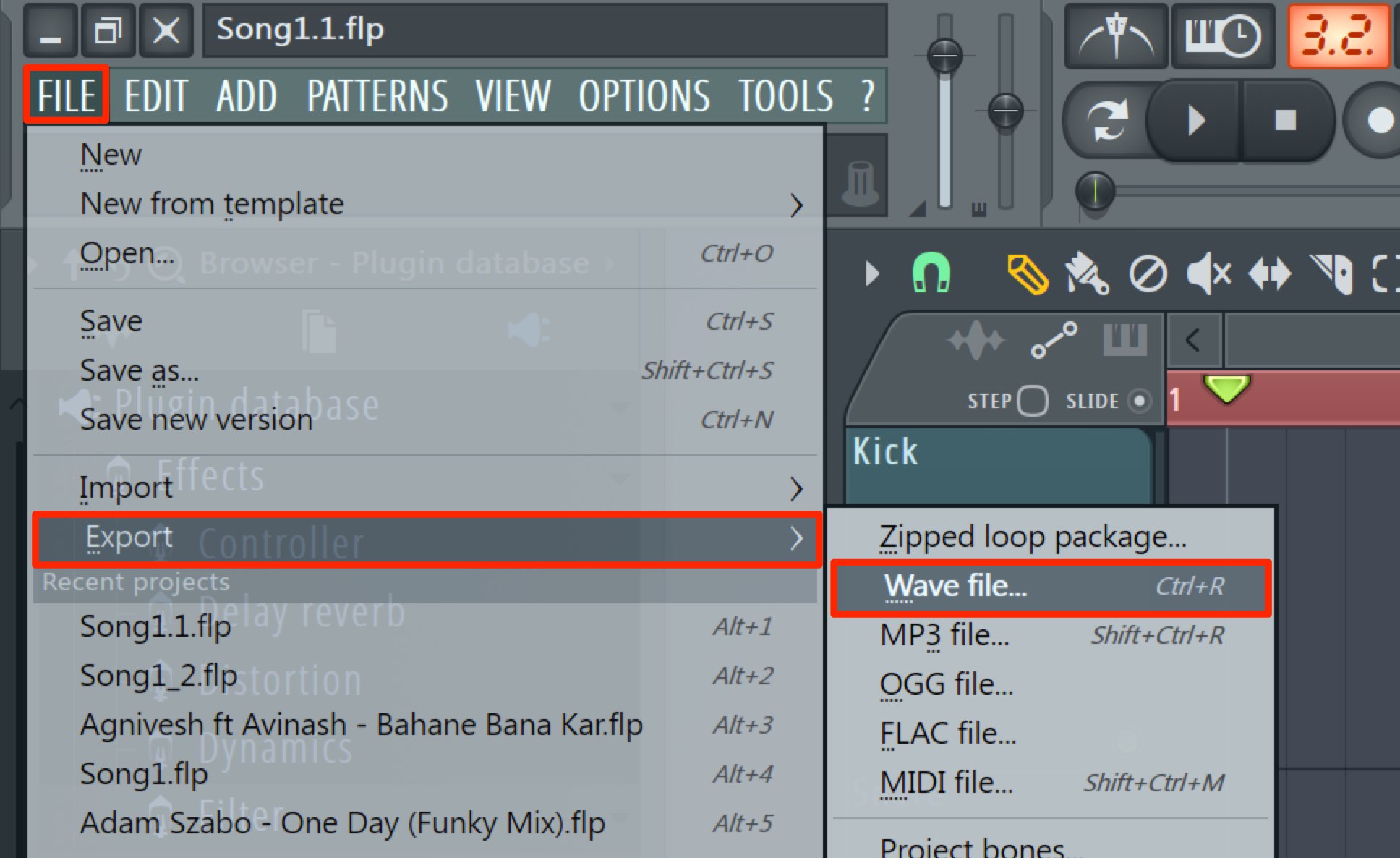
Choose File → Export → Wave File.
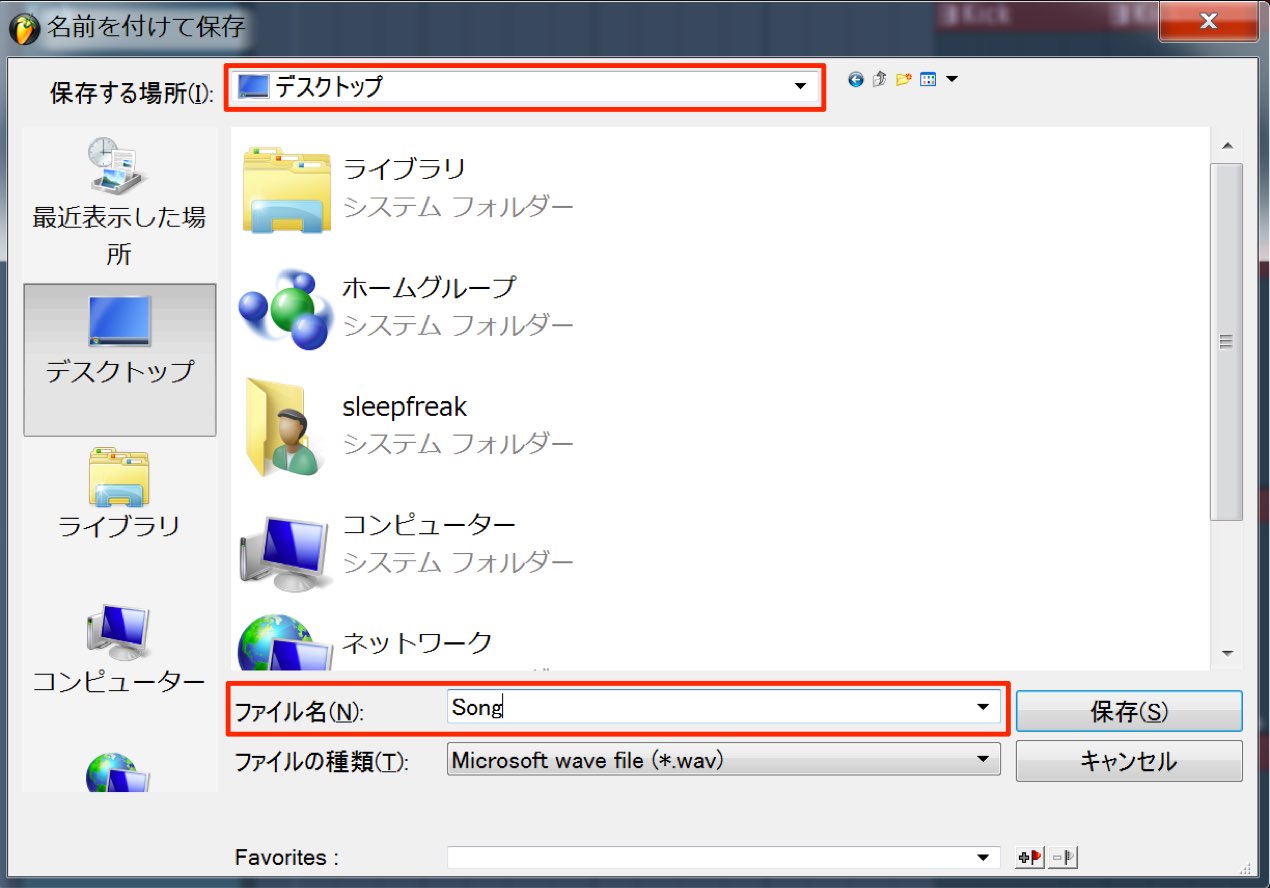
Choose a location and filename for the exported song.
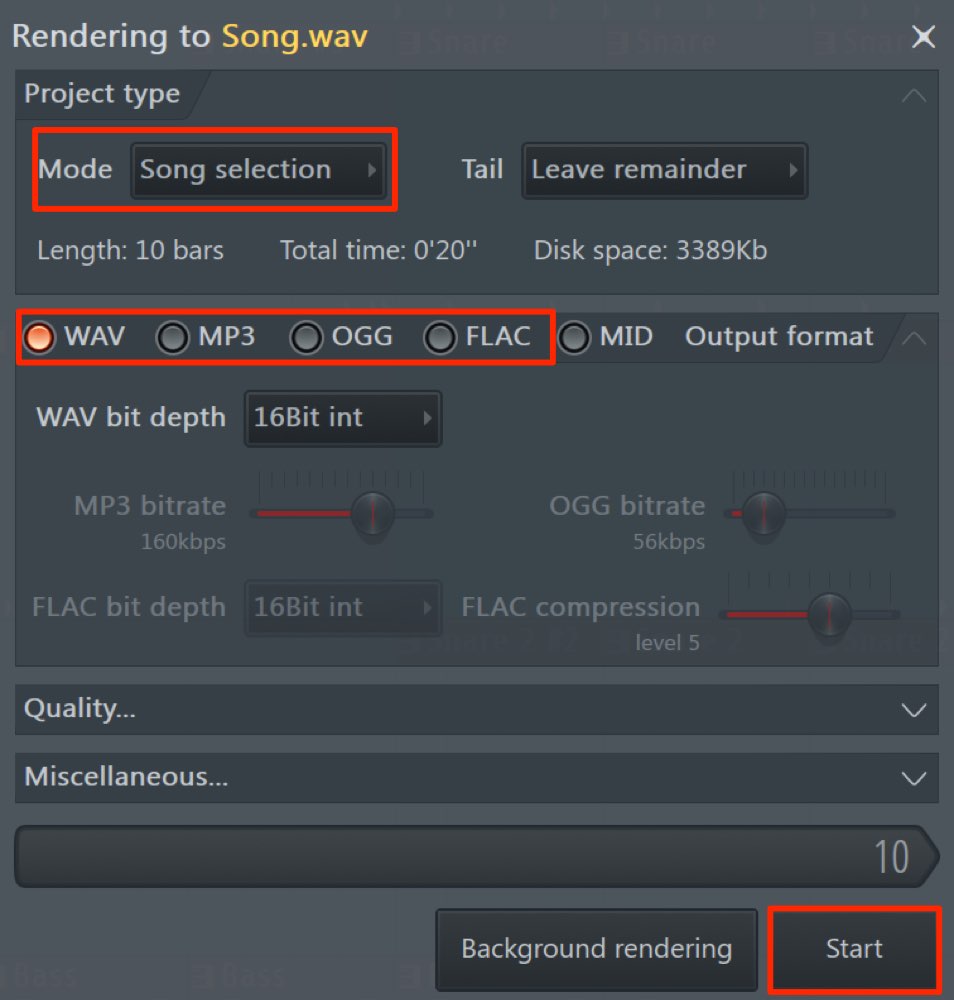
- Mode: Make sure “Song selection” is selected.
- Format: Choose the audio format you want to export, such as MP3 or WAV.
Finally, click “Start” to export the song.
Having Completed the Course
Congratulations on making it this far!
We have covered FL Studio operations for making music on a computer.
If you have worked through the course, you should now be comfortable with quite a few of its tools.
We hope you have also discovered that making music on a computer
does not have to be difficult.
Continue using the software as close to every day as you can so the workflow becomes second nature.
Before you know it, you may find yourself immersed in making music.
There are many more techniques to explore in FL Studio.
We introduce more advanced ways to use the features and operations covered so far in our advanced tutorials,
so please take a look.
Sleepfreaks wishes you a wonderful musical journey.
Frequently Asked Questions
Q1. Why does the sound get cut off when I export a song in FL Studio?
Reverb tails can be cut short if the export range ends too early. Control-drag on the Playlist ruler and leave a little extra space after the end of the song.
Q2. What is the difference between MP3 and WAV, and which should I choose?
WAV can preserve high-quality audio but produces larger files and is well suited to editing. MP3 uses lossy compression to produce smaller files, making it convenient for iTunes and web uploads. Choose according to your needs.
Q3. How do I import an exported song into iTunes?
Drag and drop the MP3 or WAV file exported from FL Studio into iTunes, or import it through the File menu. You can then sync it to a portable player.
NEW ARTICLES
Latest English Articles







































































































































































































































































































































































































































