
Pulsar Audio’s Mu, 1178, and Smasher compressor plug-ins offer sophisticated designs that go beyond analog modeling. Mu combines saturation-based coloration with cohesive master-bus compression, while 1178 pairs analog sound with detailed modern controls in a hybrid design. Understanding each plug-in’s sound, parameters, and sidechain functions helps music producers apply compression effectively and shape professional-sounding mixes.
High-performance compressors that go beyond analog modeling
In the years leading up to this April 2022 review, Pulsar Audio quickly established itself as a name to watch in analog-modeling plug-ins.
Many of you may already be using its products or considering them.
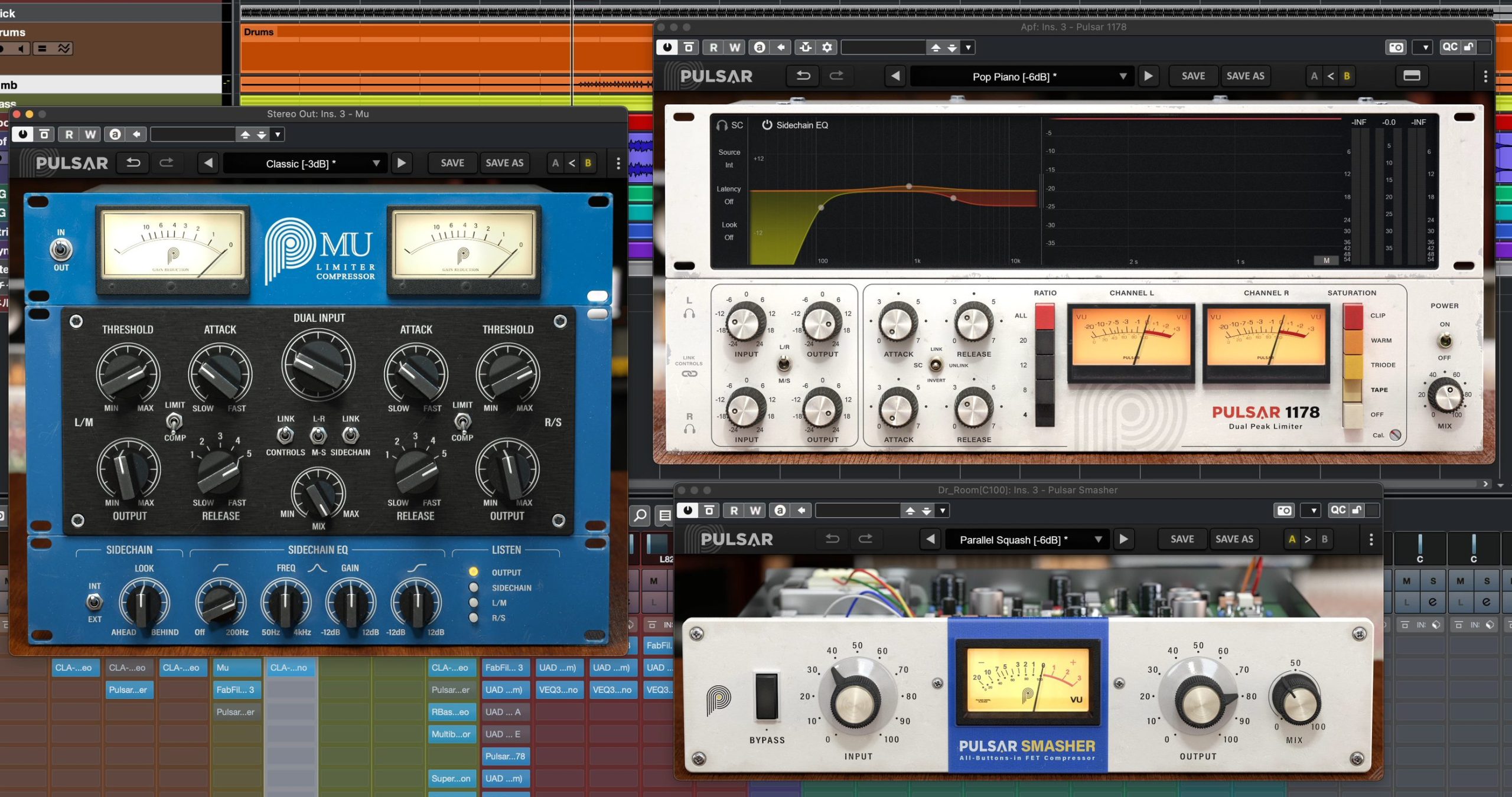
Although they have been covered by various music-production media outlets, we had not yet reviewed them here. In this article, we look at the sound, usability, and effective applications of three Pulsar compressors.
We will cover these three products:
- 1Mu: Models the Manley Stereo Variable Mu Limiter Compressor
- 21178: Models the Urei 1178, the stereo counterpart to the 1176
- 3Smasher: Models the 1176’s all-buttons-in ratio mode, also known as British compression
Watch the video to hear the compressors in action as well.
Pulsar Audio: Three compressors reviewed
Buy the products
Mu
Let’s start with Mu.
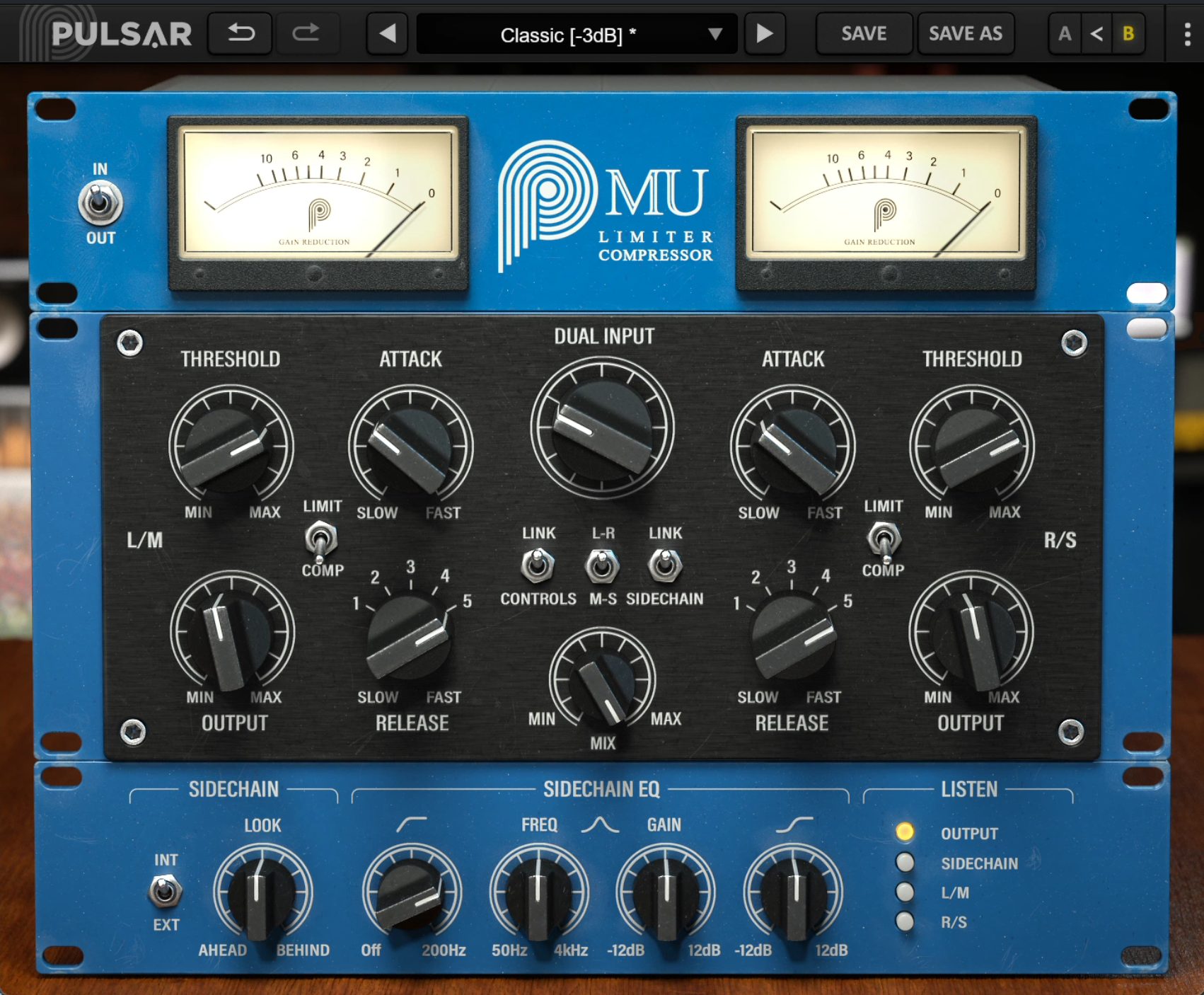
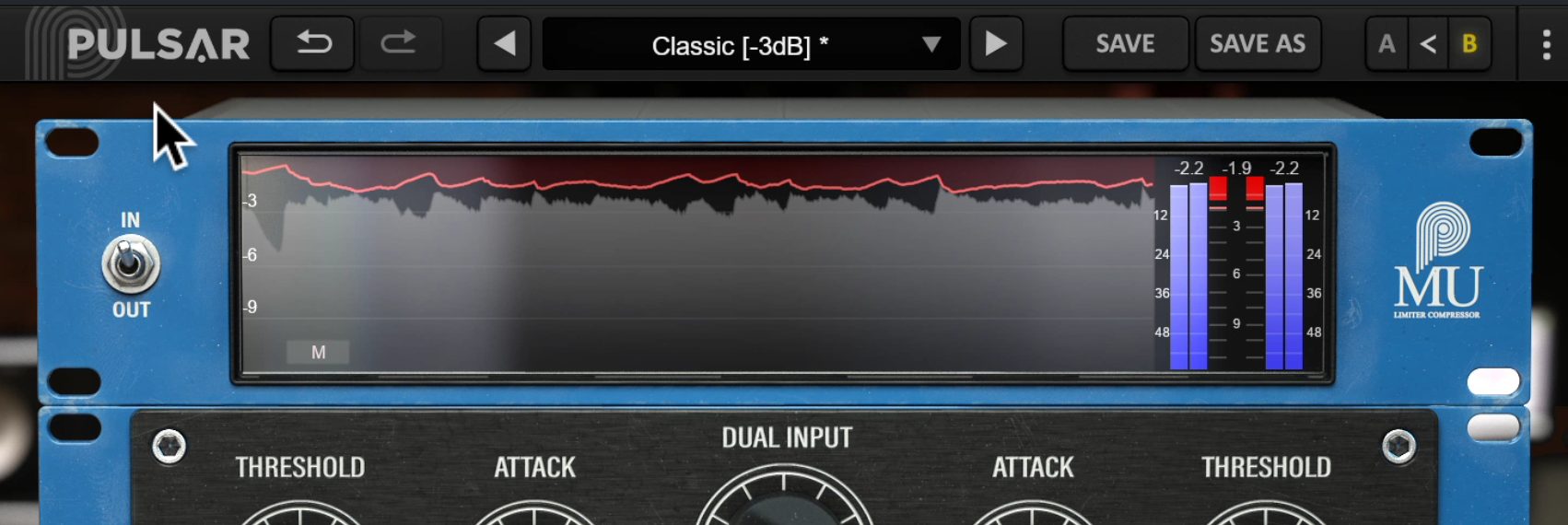
Its appearance is distinctly analog, but clicking the VU meter area switches to a modern gain-reduction display.
Sound characteristics
Before looking at the controls, let’s hear it.
We have applied gentle compression to the master track to bring the mix together and change its texture simply by passing the audio through Mu.
Mu: Bypass
Mu: Processed
Before processing, the vocal felt slightly isolated. Bringing up the surrounding instruments has increased the density and made the mix feel more cohesive.
At the same time, the saturation adds a glossy quality, so the vocal does not feel buried.
Mu’s appeal lies in this finely judged balance.
Main parameters
Let’s look at the control panel.
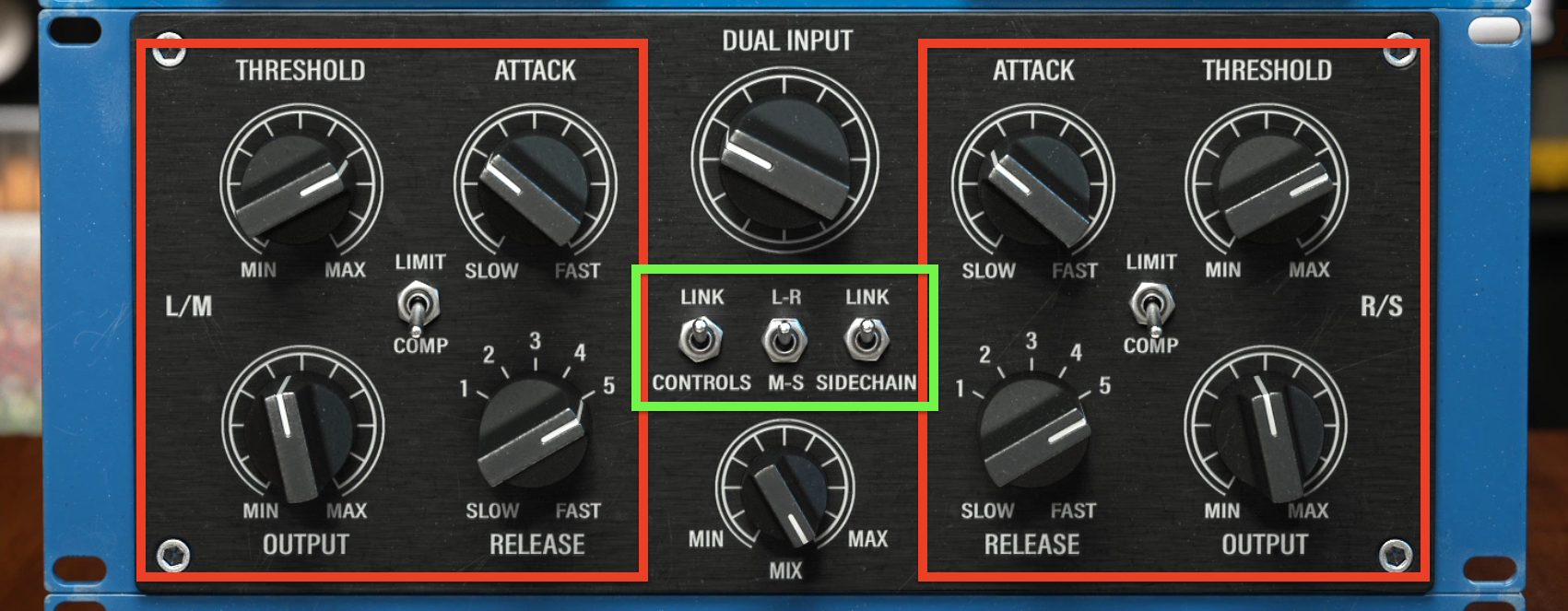
Mu is a stereo compressor, with the same four knobs on the left and right. When the central Link switch is on, adjusting either side moves the corresponding control on the other side in sync.
Turning off the Control and Sidechain links also allows independent compression of the left/right or mid/side channels.
Start by using Dual Input to set the amount of saturation, which is central to Mu’s character.
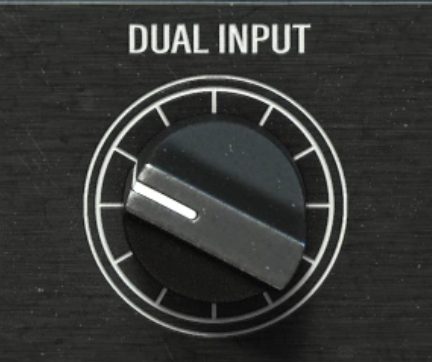
Increasing this control adds more simulated tube saturation and stronger Mu-style coloration.
If you push it too far, substantial compression can occur even without lowering the threshold, and heavy distortion begins. For bus compression, you will generally want to stay below that point.
The distortion also depends on the Output setting, so you need to lower Output as you raise Dual Input. Conveniently, holding Shift while raising Input automatically lowers Output in tandem.
Next, set Attack and Release. A slow attack and fast release are common starting points for master-bus processing.
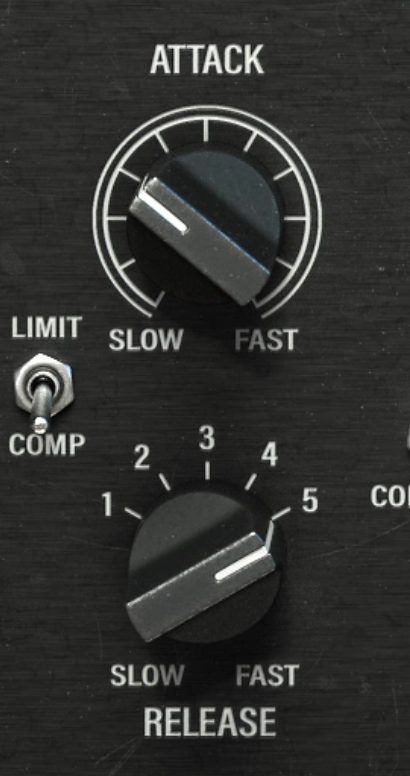
Although Release uses a stepped dial, holding Command on Mac or Ctrl on Windows while turning it allows finer adjustments.
Then lower Threshold to set the amount of compression.
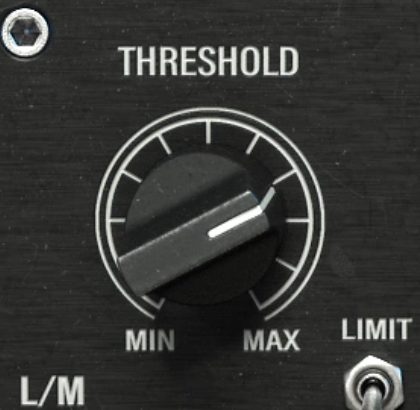
On a master track, around 2 dB of gain reduction at the strongest peaks is a useful starting point. Raise Output accordingly, and adjust Attack and Release as needed while listening and watching the reduction meter.
The key is to match the final level closely to the bypassed signal.
Next, look at the Sidechain section below. These controls are not found on the original hardware and allow quite detailed adjustment.
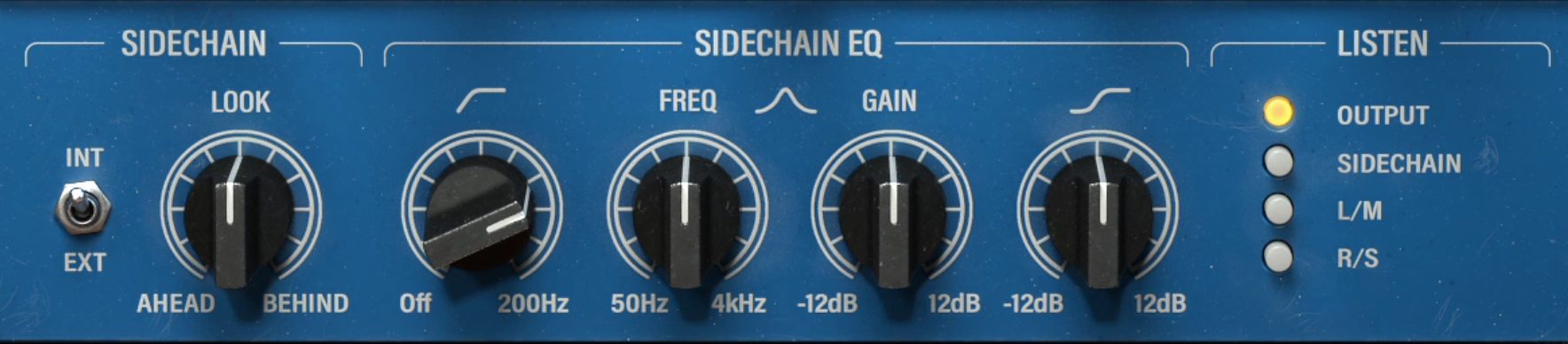
- INT/EXT switch: Selects whether compression is triggered by the track’s own input (INT) or an external signal (EXT).
- LOOK AHEAD/BEHIND: Adjusts compression to occur slightly before or after the input signal’s actual timing.
- SIDECHAIN EQ: Filters the signal that triggers compression, making the compressor more or less sensitive to particular frequency ranges.
- LISTEN: Switches the monitoring source.
A high-pass filter is standard in a sidechain, but the bell filter covering 50 Hz to 4 kHz and the high shelf are less common. These filters can also boost frequencies, allowing the compressor to react more strongly to a particular range.
Selecting SIDECHAIN under LISTEN lets you hear only the trigger signal, making it easier to judge what the EQ is doing.
Oversampling
A feature shared by Pulsar’s compressors is the oversampling setting, accessible from the upper-right menu.
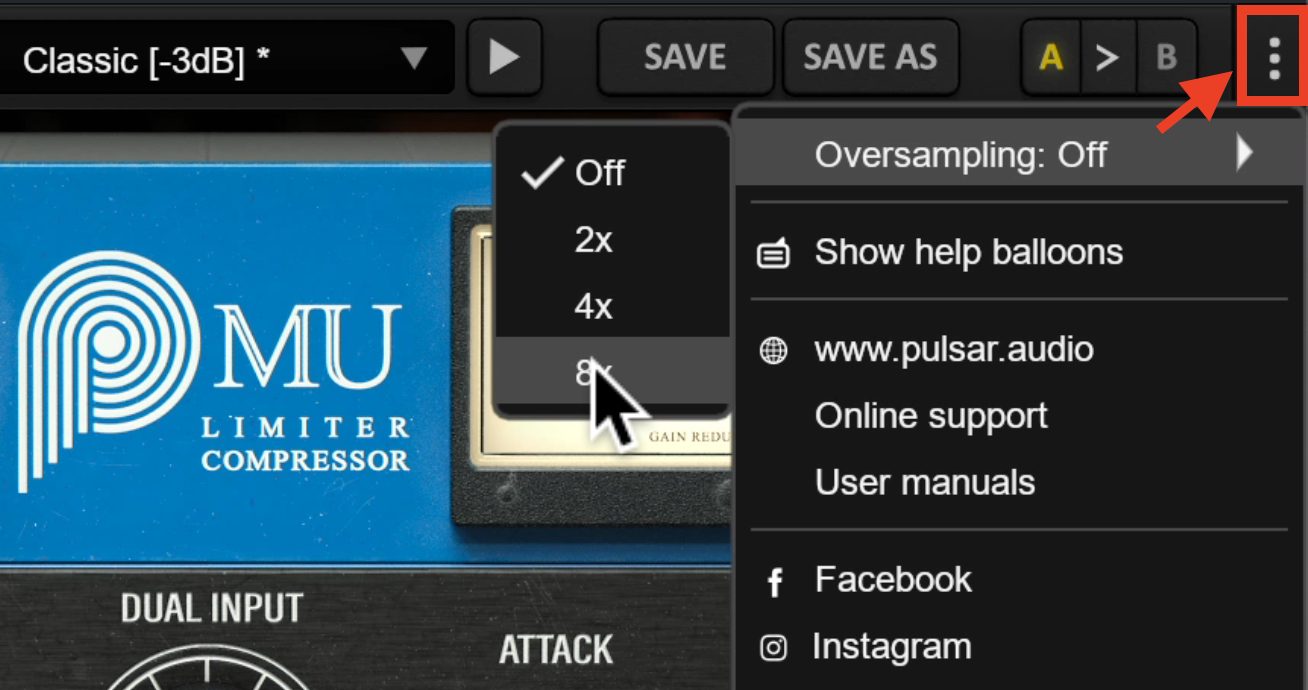
This processes audio at a higher sample rate inside the plug-in for more precise compression. Higher settings increase the processing precision but also increase CPU usage.
It will not radically transform the sound, but you can try higher settings while keeping an eye on CPU load.
1178
Next, let’s look at 1178.
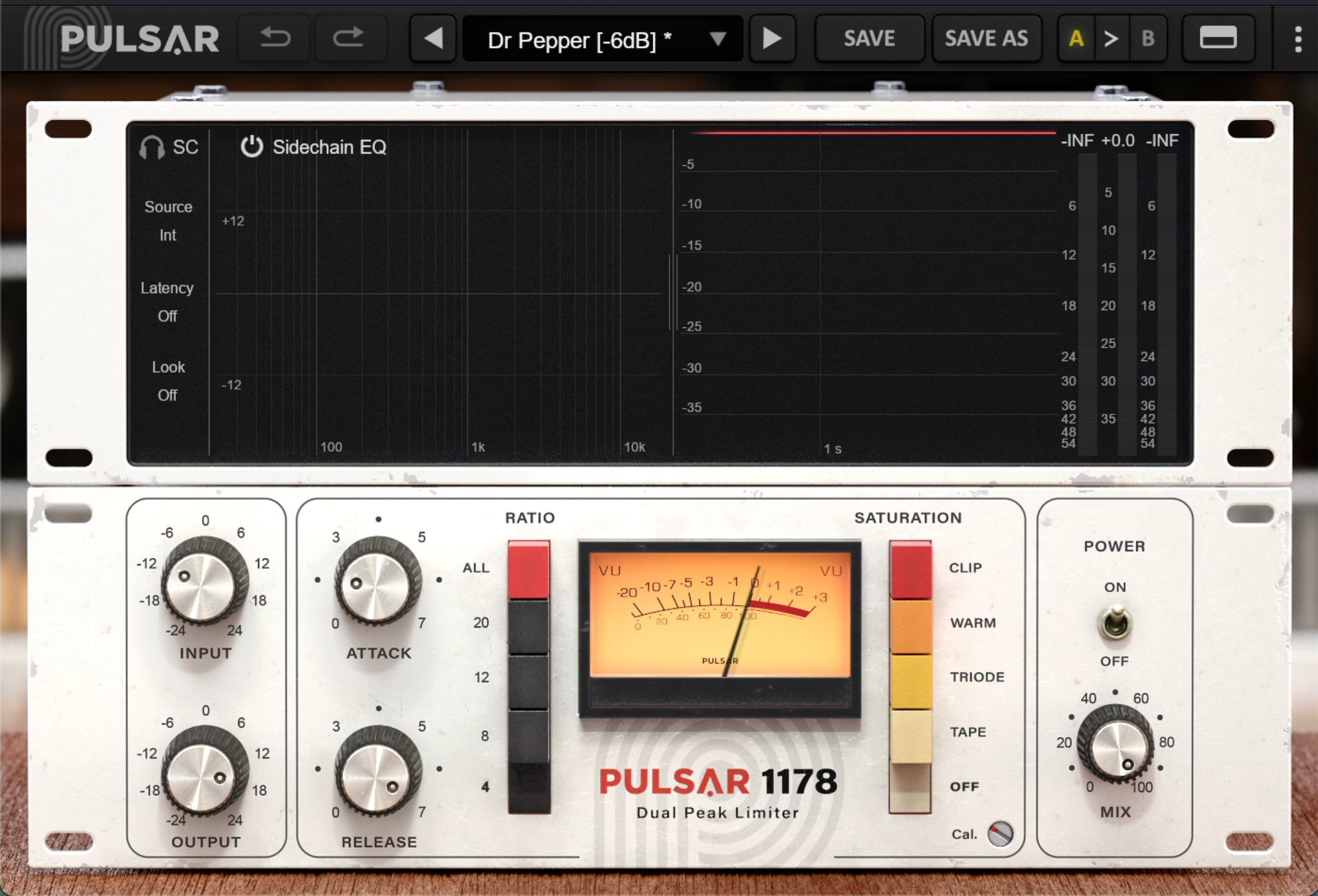
We have already covered several compressors modeled on the 1176, and the basic approach to using this one is similar.

Because this type has no threshold control, you set the amount of compression with Input. Here too, holding Shift while raising Input lowers Output automatically.
Other familiar features include four ratio choices, an all-buttons-in option, and Attack and Release controls that become faster as you turn them clockwise.
Beyond those features, Pulsar 1178 stands out for its comprehensive visual displays and sidechain functions. It is
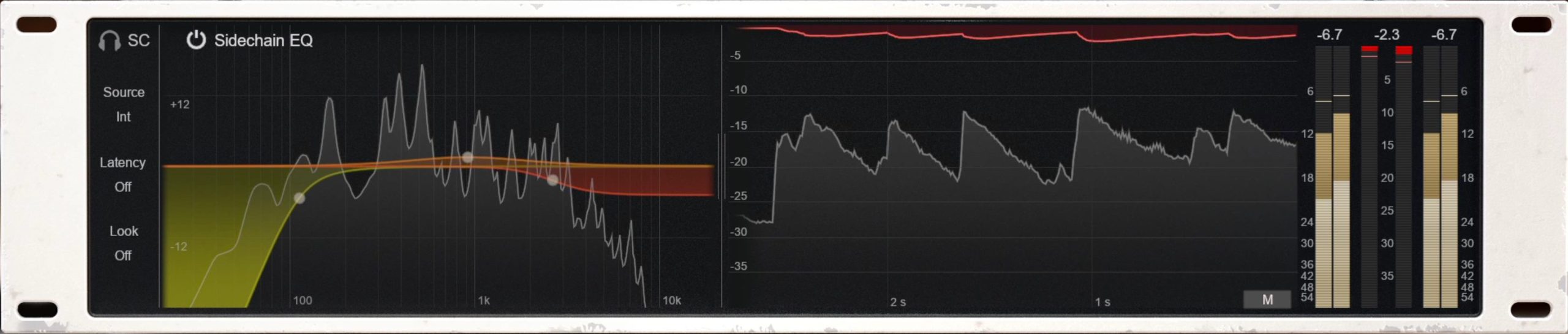
a hybrid compressor combining analog sound with modern features for detailed adjustment.
Sound characteristics: Switching SATURATION modes
Let’s hear it on a vocal track.
1178 vocal: Bypass
1178 vocal: Processed
It adds analog-style warmth and a slightly grainy sense of air, bringing the vocal image forward.
Pay particular attention to the SATURATION switch.
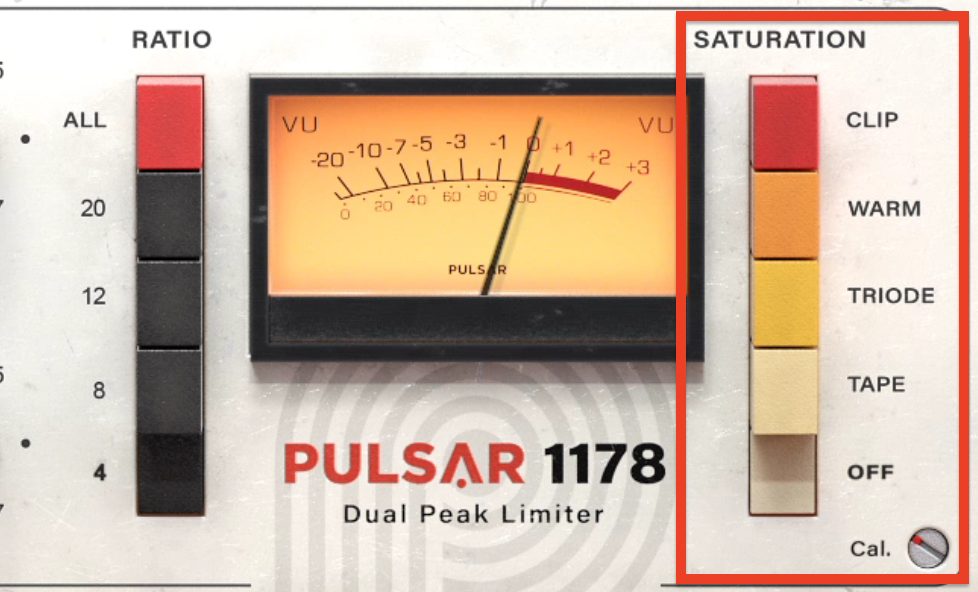
With this set to OFF, the original 1178-style saturation is still present. You can also choose from four additional saturation types.
Although it is easy to overlook, the screw-like Cal. control at the lower right adjusts the strength of the saturation.
Each mode has a different character, so try them all to find one that suits the song.
Switching SC LINK
Since 1178 is a stereo compressor, let’s also look at an example of using stereo linking.
Stereo linking is often left on to preserve the overall balance of a stereo source. Depending on the material, however, it can be better to unlink the channels and compress left/right—or mid/side—independently.
The piano used in this example is one such case.
First, listen to 1178 with the stereo channels linked.
Piano: Stereo-linked compression
We are applying gentle leveling with slow attack and release settings, but the compression sounds a little too obvious.
In this piano recording, the right channel emphasizes higher notes and the left emphasizes lower notes, with slightly different phrases on each side.
We therefore set SC to UNLINK so that compression responds independently to each channel’s level.
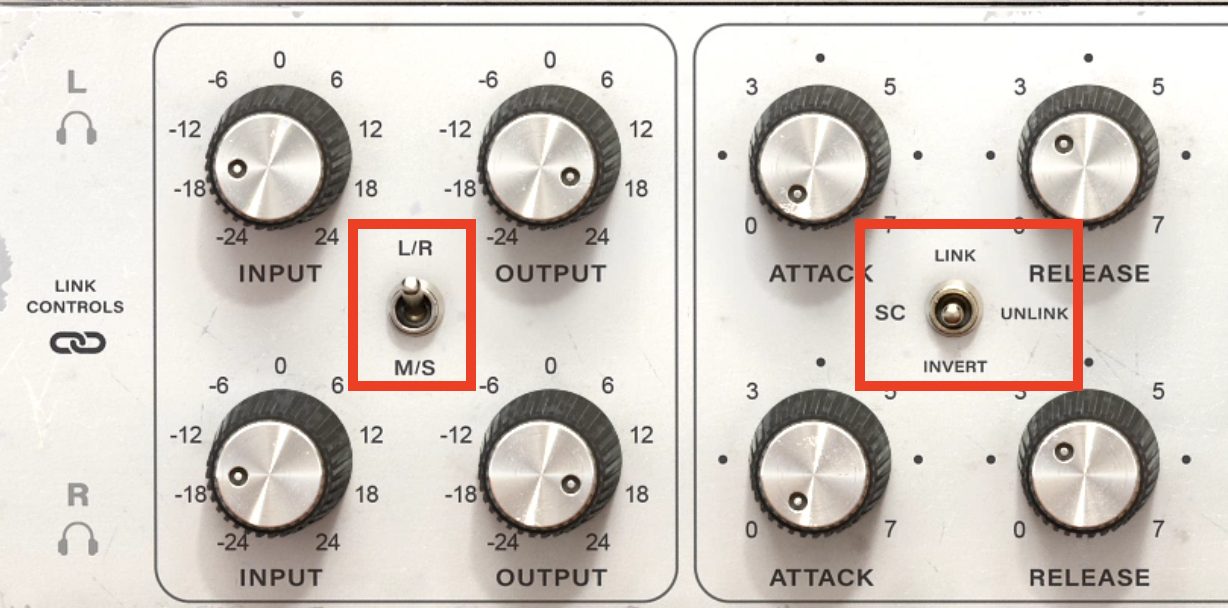
Piano: Independent L/R compression (SC UNLINK)
The channels are no longer pulled around by each other’s peaks, making the compression sound a little more natural.
You can go further by disabling LINK CONTROLS and adjusting each channel’s settings independently for finer control.
Using SIDECHAIN EQ
Let’s refine the result further with SIDECHAIN EQ.
1178’s visual display is more advanced than Mu’s, making adjustment particularly easy.
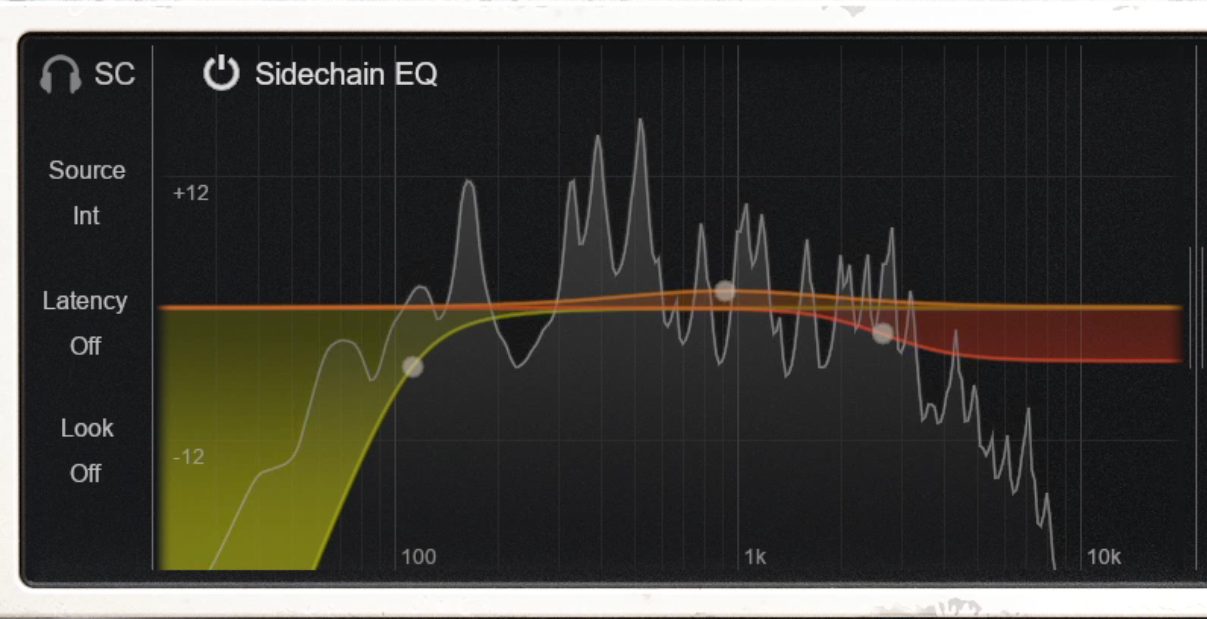
For this example, we have adjusted each band with the following goals:
- High-pass filter: Cut frequencies up to around 100 Hz so that the low end does not drive the compression too strongly.
- Mid band: Use a bell boost around 1 kHz to make the compressor more responsive to dynamics in that range.
- High shelf: Gently cut frequencies above 3 kHz in the sidechain so the compressor reacts less to them, preserving a little more sparkle.
Compare the sound with and without SIDECHAIN EQ.
Piano: Without sidechain EQ
Piano: With sidechain EQ
The version with sidechain EQ sounds slightly more natural.
From here, you can also blend in the dry, unprocessed signal with the MIX knob at the lower right to control how natural the compression feels.
Smasher
Finally, let’s look at Smasher.
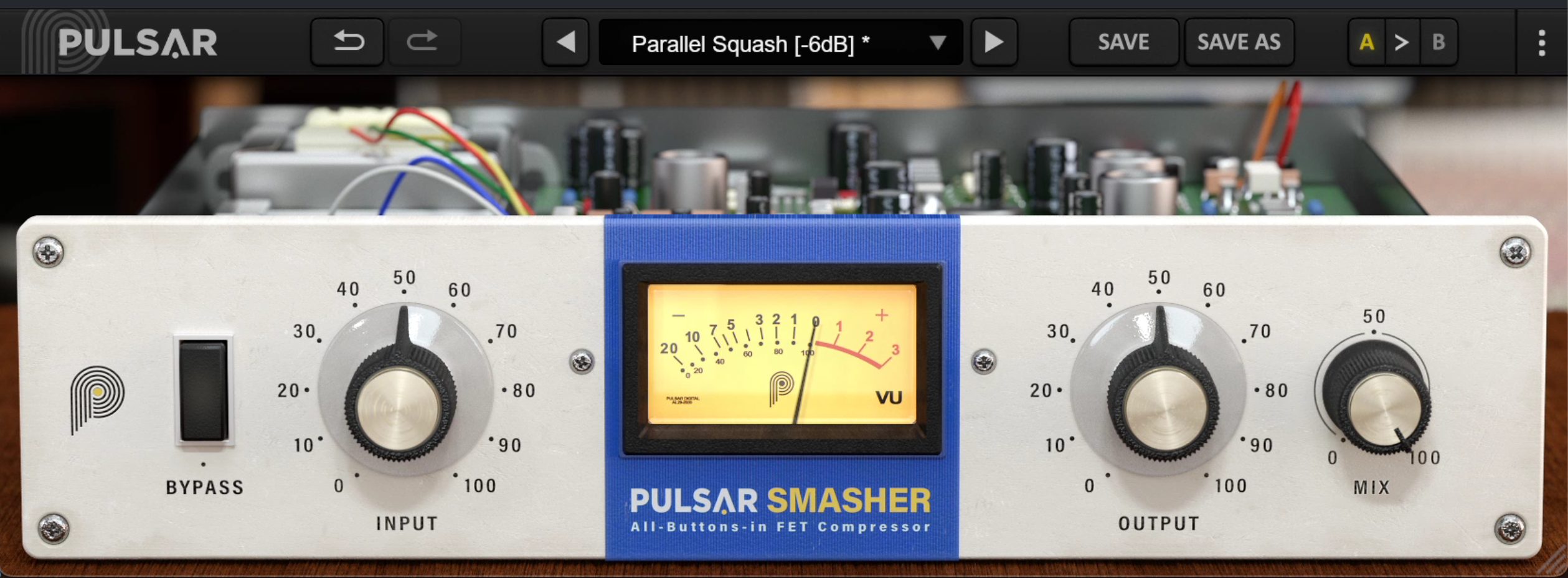
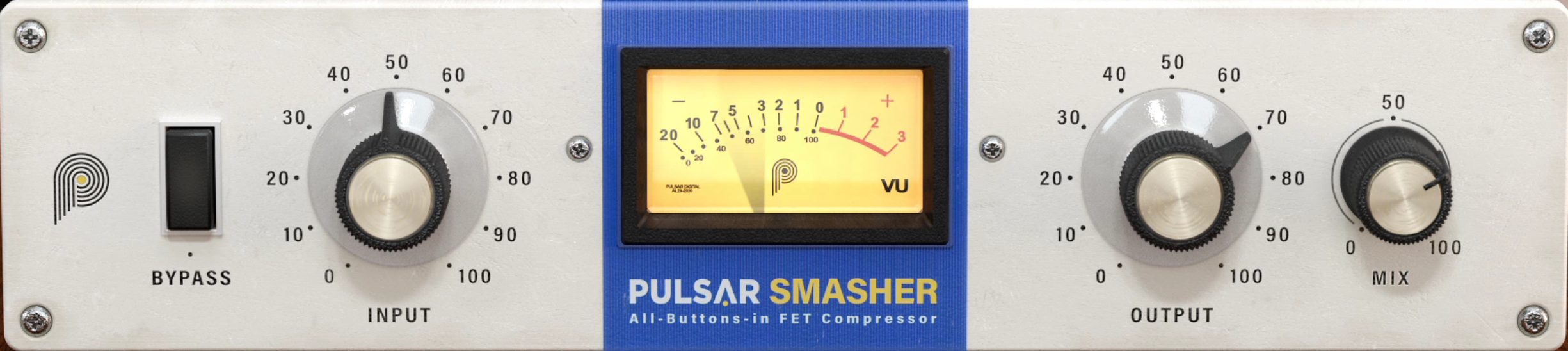
As mentioned at the start, this unusual compressor simulates only the 1176’s all-buttons-in ratio mode, often called British compression.
It excels at heavily crushing and distorting audio. The controls are extremely simple: apart from MIX, there are only INPUT and OUTPUT knobs.
At the time of this April 2022 review, it was also cheaper than the other two, at roughly one-third of their price.
We applied it to a drum bus to create the distorted drum sound often heard in alternative rock and punk.
Drum bus: Bypass
Drum bus: Smasher applied
It is very easy to create this sound: set the distortion and compression with INPUT, adjust the level with OUTPUT, and lower MIX slightly to finish.
That might seem to limit it to particular genres or applications, but using it more subtly can make it useful in many situations.
For example, applying a small amount to the room-mic track of these drums increases the overall density and adds a satisfying thickness.
Room mic: Before Smasher
Room mic: Smasher applied
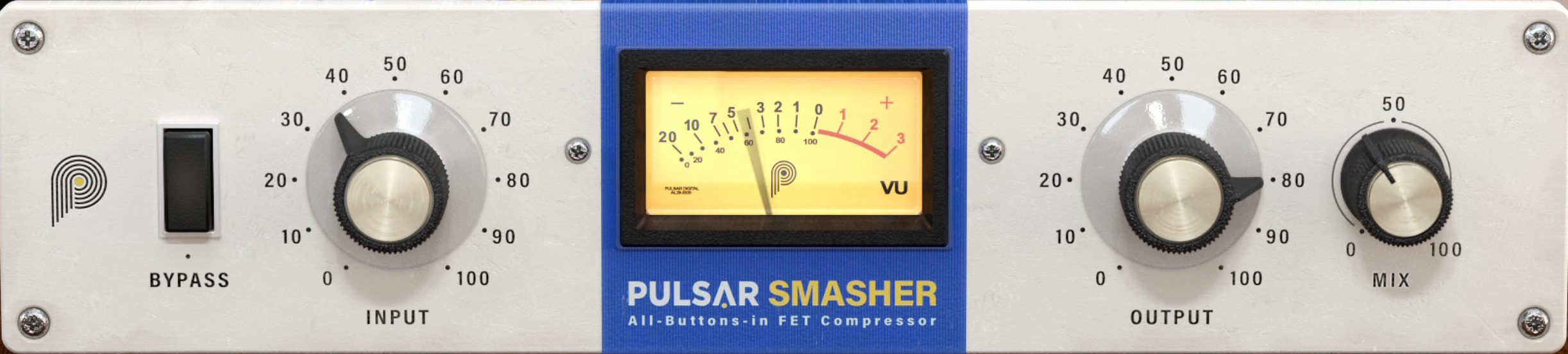
Here, the compression is gentler and MIX is lower than in the earlier drum-bus example. The snare in particular gains a stronger sense of space and presence.
A subtle amount on bass or vocals could also add character in a rock song.
That concludes our introduction to these three appealing Pulsar compressors.
There are many analog-modeled compressors available, but Pulsar’s are of very high quality, making their popularity easy to understand.
If they interest you, take a closer look.
Buy the products
• Pulsar Mu
• Pulsar 1178
• Pulsar Smasher
How to Use These Popular Compressors
Pulsar Audio 1178, Mu, and Smasher ReviewedWe explore the sound, usability, and effective applications of three Pulsar Audio compressor plug-ins.
Details: https://t.co/01gvj7w4H6 #DTM #DAW pic.twitter.com/wmaLDzXzTq— SLEEP FREAKS (@SLEEPFREAKS_DTM) April 9, 2022
Frequently asked questions
Q1. How should I choose between Pulsar Audio Mu and the 1176-family 1178?
Mu is well suited to gentle master-bus compression when you want cohesion and a glossy saturation character. 1178 works well on individual tracks, including vocals, when you want warmth and a more forward sound.
Q2. Can I use the compressor’s sidechain functions in real productions?
Yes. Sidechain EQ can make the compressor react more strongly to specific frequency ranges, while an external signal can control its triggering. These options allow more creative and detailed adjustments.
Q3. What oversampling setting should I use?
Balance processing precision against CPU usage. The sound will not change dramatically, but higher settings are worth trying if your computer has enough processing headroom.
NEW ARTICLES
Latest English Articles




















































































































