
Vocal pitch correction is a common part of music production. In this May 2021 comparison, we test five well-known tools: Auto-Tune, Melodyne, Waves Tune, Cubase's VariAudio, and Logic Pro's Flex Pitch. Using practical vocal examples, we compare sound quality, workflow, and correction features. For ordinary correction in our tests, the way the tools were used mattered more than the choice of software. Workflow efficiency and the range of editing tools therefore became key factors. Prices, versions, feature support, and opinions below refer to the original 2021 comparison, rather than current releases.
Examining popular pitch-correction tools from several angles
Pitch correction on vocal tracks has become commonplace and can greatly affect a song's overall quality. Many manufacturers offer pitch-correction plugins.
DAWs with built-in pitch correction are also popular.
For this comparison, we chose five particularly well-known pitch-correction tools:
- Antares: Auto-Tune
- Celemony: Melodyne
- Waves: Waves Tune
- Cubase (DAW): VariAudio
- Logic Pro (DAW): Flex Pitch
We compare them in three areas: sound, ease of use, and correction features.
Video comparison of five pitch-correction tools
Selected questions and answers from the original YouTube video

Can singers hear their voice with Auto-Tune applied in their headphones while they are singing?

This video mainly covers pitch correction of recorded audio. Real-time correction requires software designed for that purpose; the original reply points to Auto-Tune and the Waves Tune product family. The real-time Waves product is Waves Tune Real-Time, a separate plugin from the standard Waves Tune editor compared here.
Sorry to ask in the comments, but do you accept rap-mixing commissions?
Our reply at the time of the original 2021 discussion was: 'We are not accepting production commissions at the moment. Sorry we cannot help.' This is an archived reply, rather than a statement of our current service availability.
The sound of pitch correction and harmony parts
Using a vocal performance of the song Usseewa, we compare the sound quality of ordinary pitch correction and harmonies created with large pitch shifts.
First, listen to the unprocessed take.
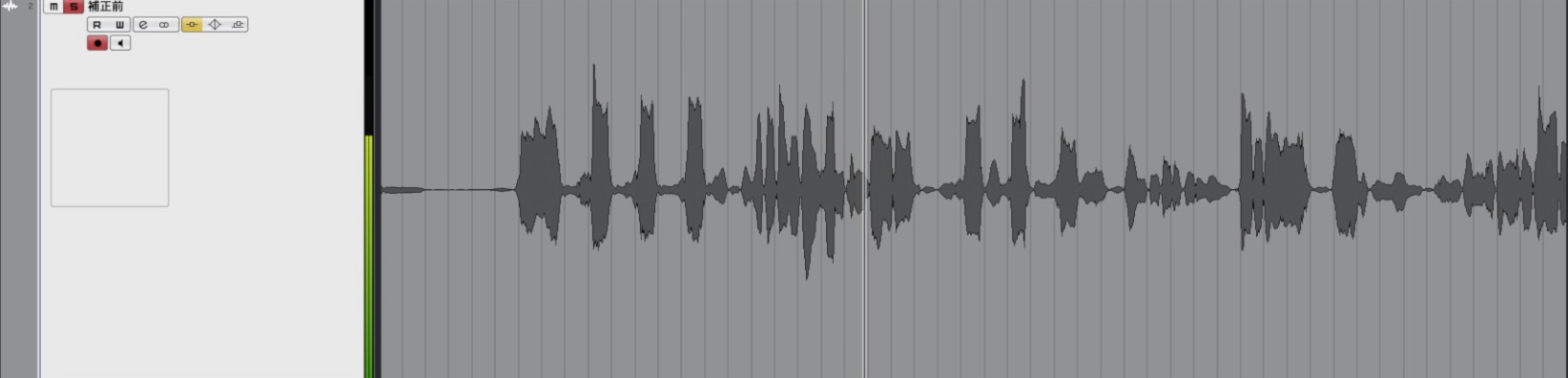
Original file (before correction)
Original vocal — before correction
Below are the versions processed with each tool.
The first four bars use light correction, while the last four bars use stronger correction.
We leave timing correction out of this test because many producers edit timing directly from waveforms in their DAW.
Auto-Tune Pro 9 — US$399 in 2021
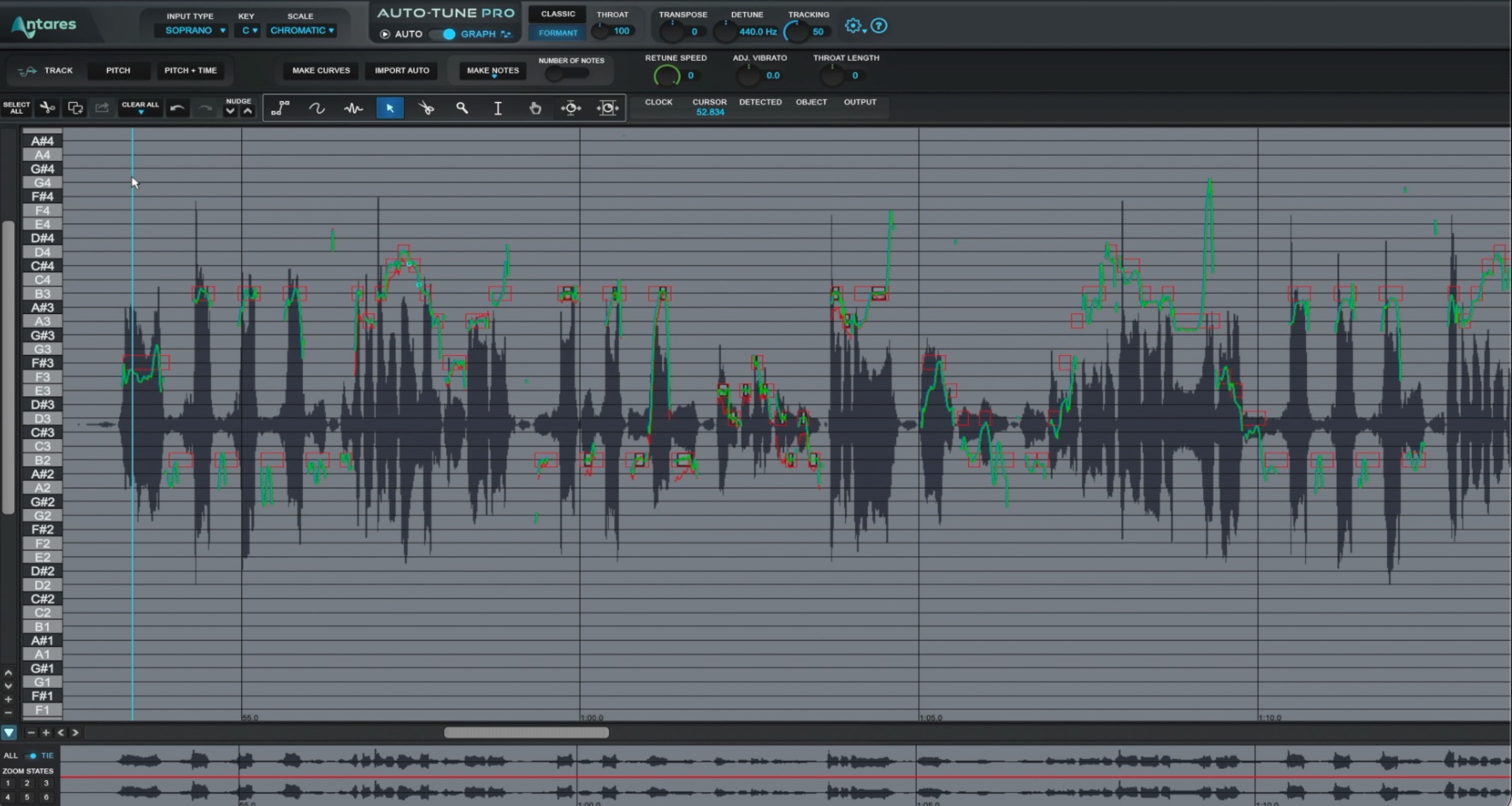
Auto-Tune Pro 9 — pitch correction
Auto-Tune helped establish pitch correction as a software category.
The deliberately hard-tuned, robotic vocal effect remains a distinctive part of popular music.
For that characteristic sound, Auto-Tune is our choice in this comparison.
Product URL: https://bit.ly/3aQwNmo
Melodyne Studio — US$849 in 2021
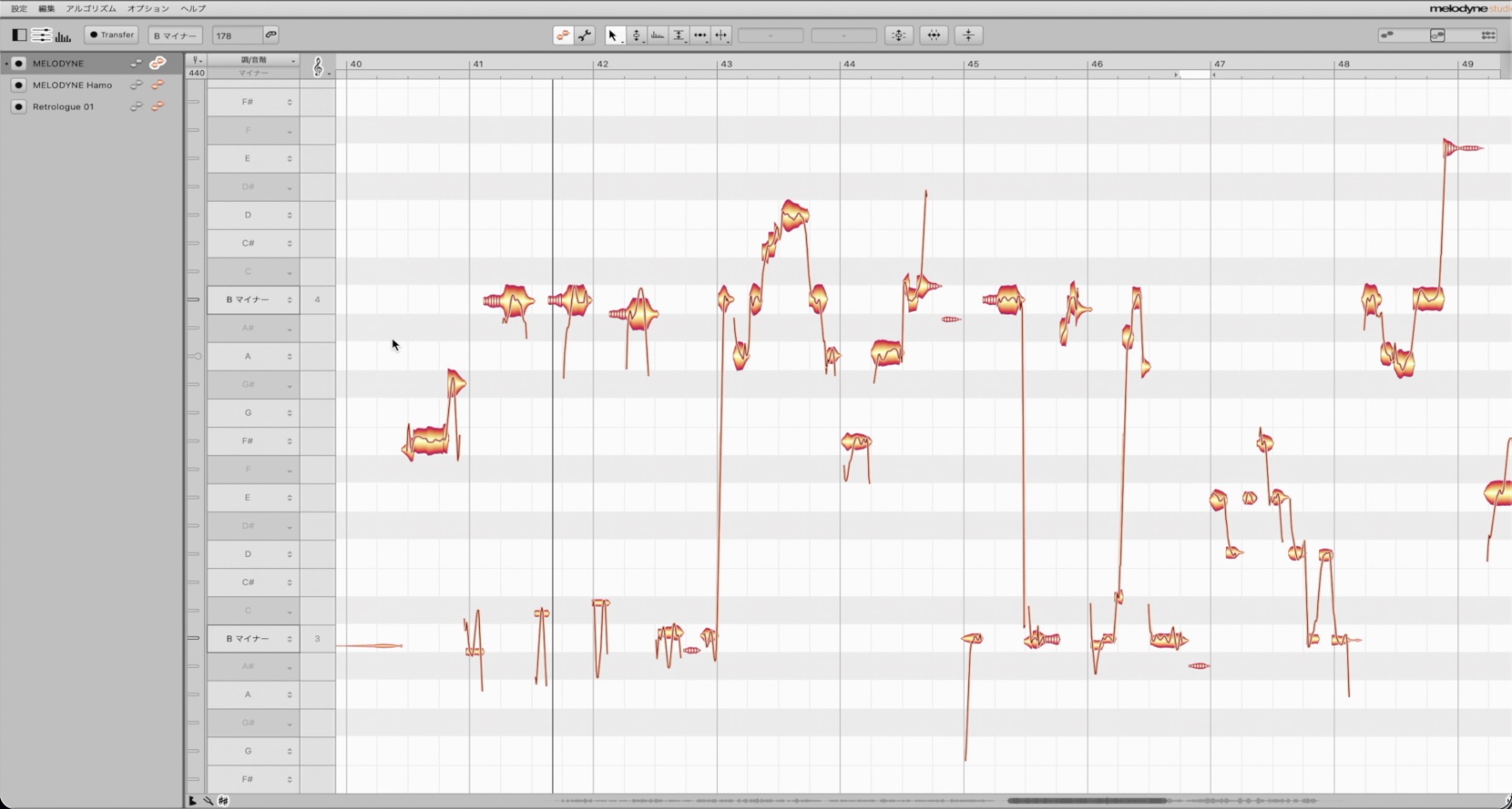
Melodyne Studio — pitch correction
This is the most expensive product in our comparison, but its extensive features help justify the price.
Beyond detailed pitch editing, it supports multitrack correction and polyphonic editing, making it useful for creative production as well.
For correcting a single track, the next edition down, Editor, can also provide substantial editing capabilities.
- 1Melodyne 4 essential: Overview and tutorial
- 2Melodyne 4 assistant: Overview and tutorial
- 3Melodyne 4 editor/studio: Overview and tutorial
- 4What's new in Melodyne 5
- Manufacturer website: http://urx.space/Rgab
- Buy here (affiliate link): http://urx.space/Rgab
Waves Tune — US$249 list price in 2021; frequently discounted
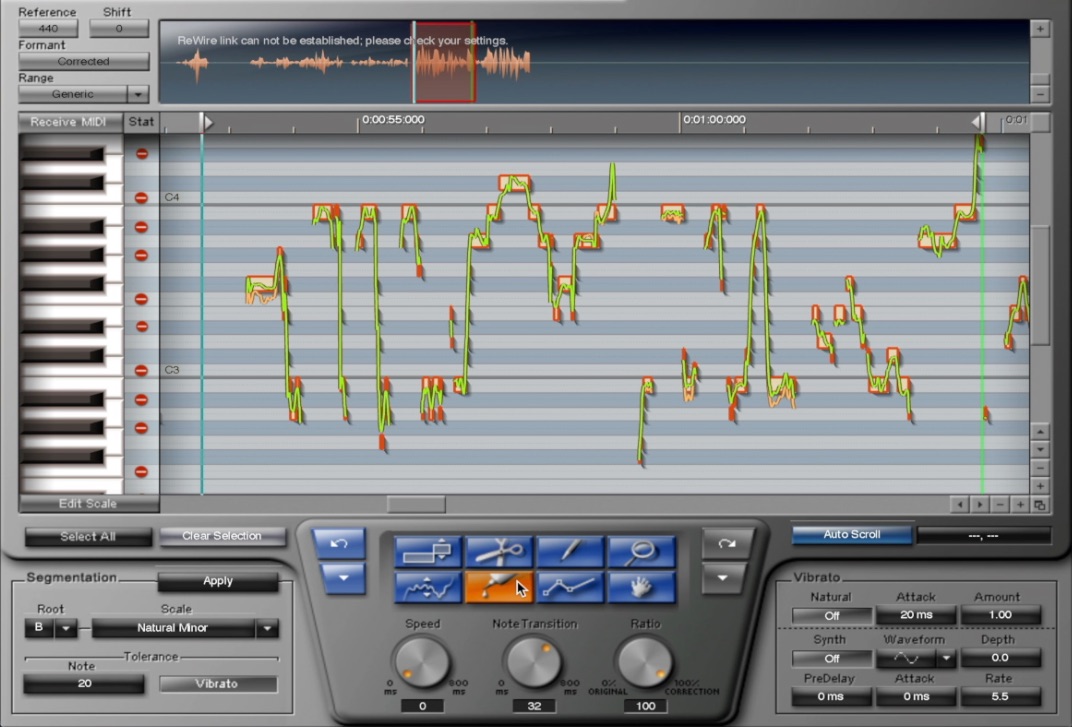
Waves Tune — pitch correction
Waves, also known for mixing plugins, developed this product with Auto-Tune in mind.
Its list price was US$249, but frequent sales brought it down to US$35.99 at the time the video was recorded.
The low entry price was an advantage among the third-party plugins tested. However, much of its core workflow had changed little since its original release, so we also examine the implications of that below.
Product URL: https://bit.ly/3nPwIox
VariAudio (included with Cubase 11 Artist/Pro)
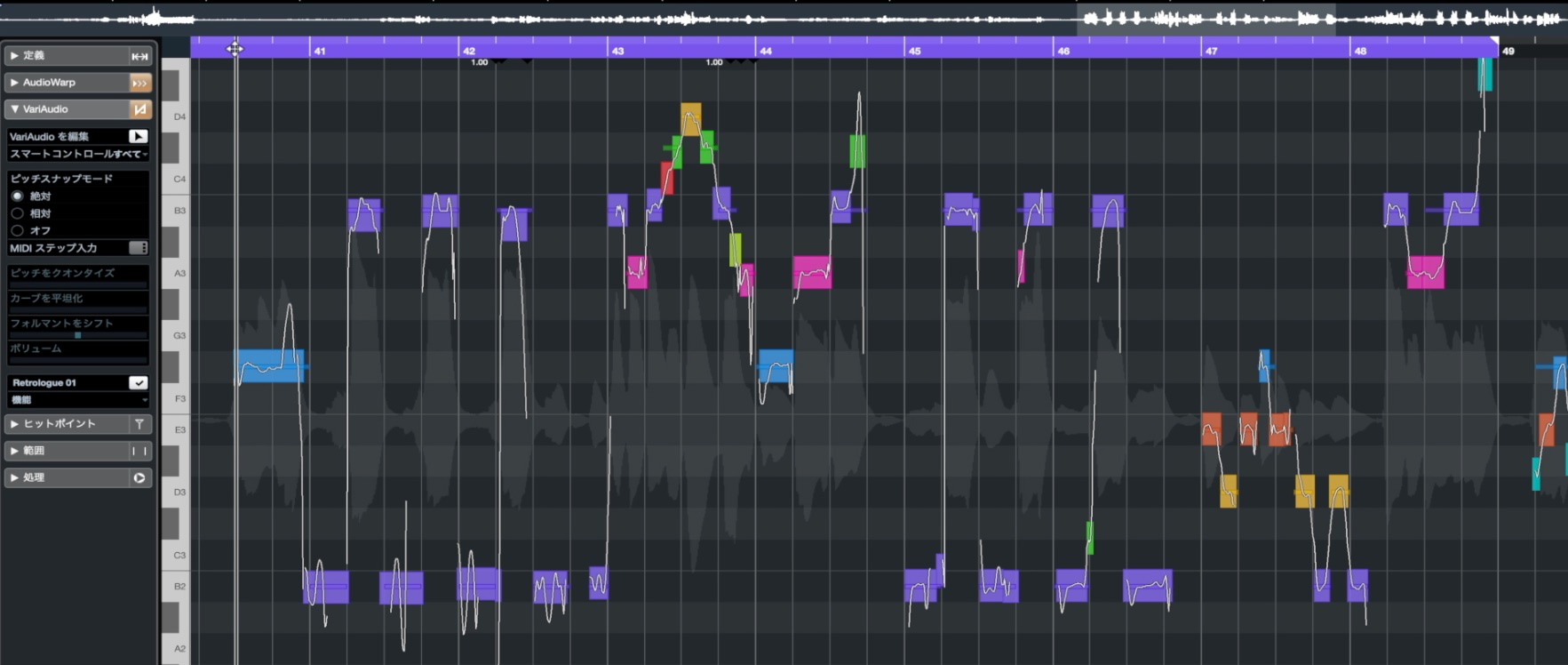
VariAudio — pitch correction
VariAudio is the pitch-correction feature included with the Pro and Artist editions of Cubase 11.
It evolved alongside Cubase updates, and in our 2021 comparison its capabilities could rival or surpass the third-party tools above.
Its close integration with DAW tracks enables a particularly smooth workflow.
Flex Pitch (included with Logic Pro X)
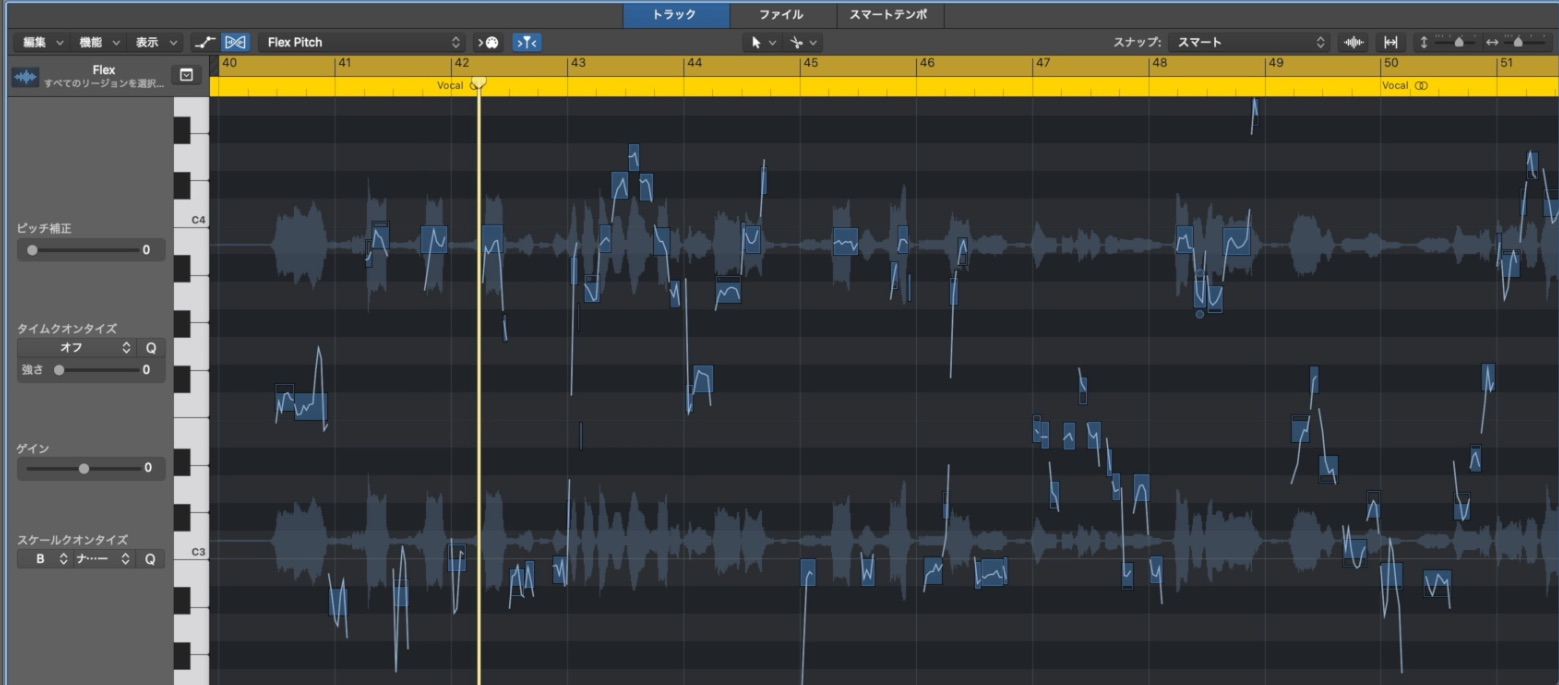
Flex Pitch — pitch correction
Flex Pitch is the pitch-correction feature built into Logic Pro X.
Logic Pro X's comparatively low price at the time made the package particularly good value.
Its capable correction tools and close track integration make it practical straight away.
Large pitch shifts: Creating harmony takes
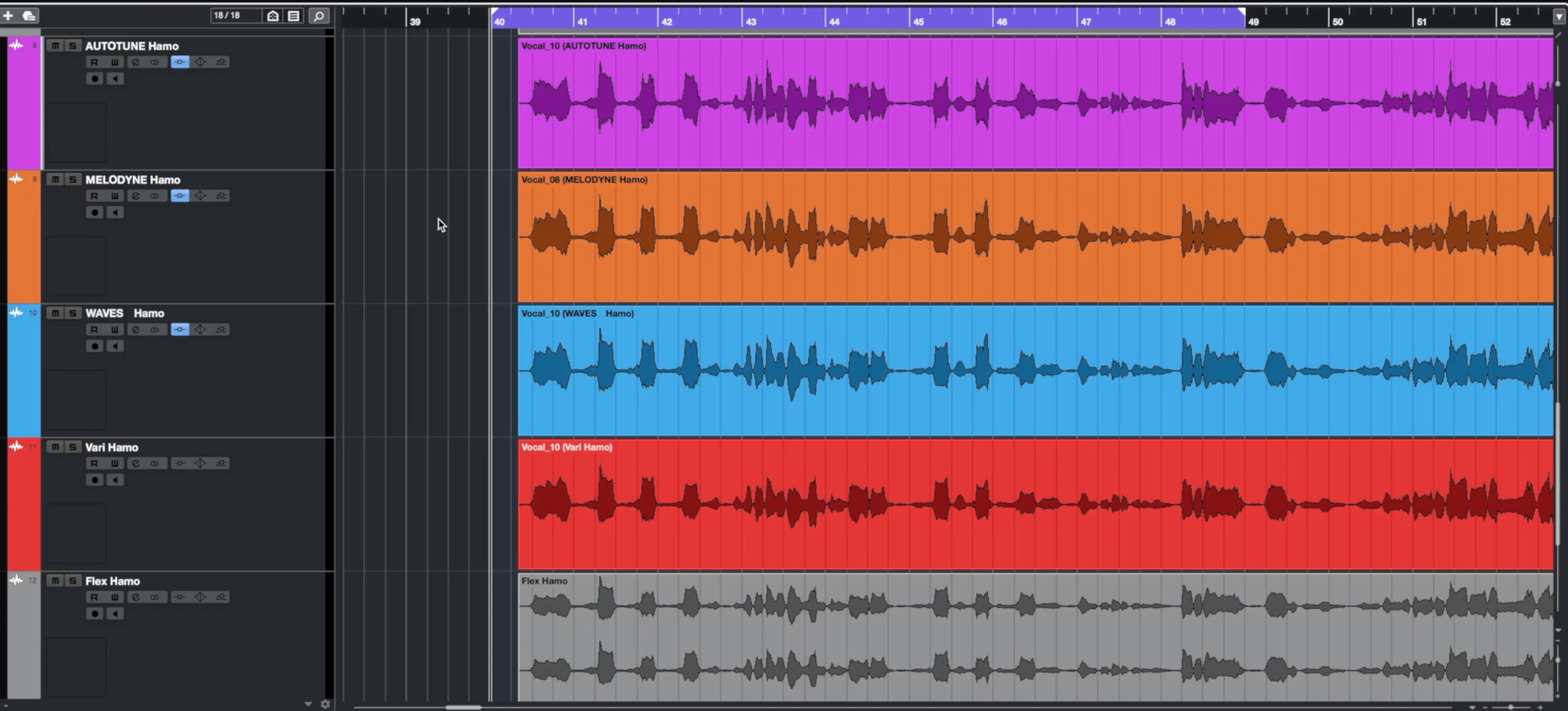
Time and budget constraints often lead producers to create harmonies by shifting the lead vocal.
Here, we create a harmony in the first half and an octave-shifted part in the second half, then compare how each tool changes the sound.
Auto-Tune Pro
Auto-Tune Pro — harmony and octave
Melodyne Studio
Melodyne Studio — harmony and octave
Waves Tune
Waves Tune — harmony and octave
VariAudio (Cubase)
VariAudio — harmony and octave
Flex Pitch (Logic Pro X)
Flex Pitch — harmony and octave
Our impressions of the sound
In these tests, when the pitch changes were modest, we did not hear a clear overall winner or loser in sound quality.
With larger changes, such as those used for harmonies, however, we often noticed audible breaks in the Auto-Tune output tested here.
For ordinary vocal correction, we therefore felt there was little reason to focus solely on which tool supposedly sounded best.
After correcting vocals with the different products, we felt that how you correct the performance matters more than which product you use.
With that in mind, ease of use and the range of correction tools become key factors, as discussed below.
Ease of use and workflow
Next, let's compare each plugin's workflow.
Pitch-correction workflows vary with the amount of correction and the person doing the editing. Here, we focus on functions that help you work quickly.
Resizing the editing workspace
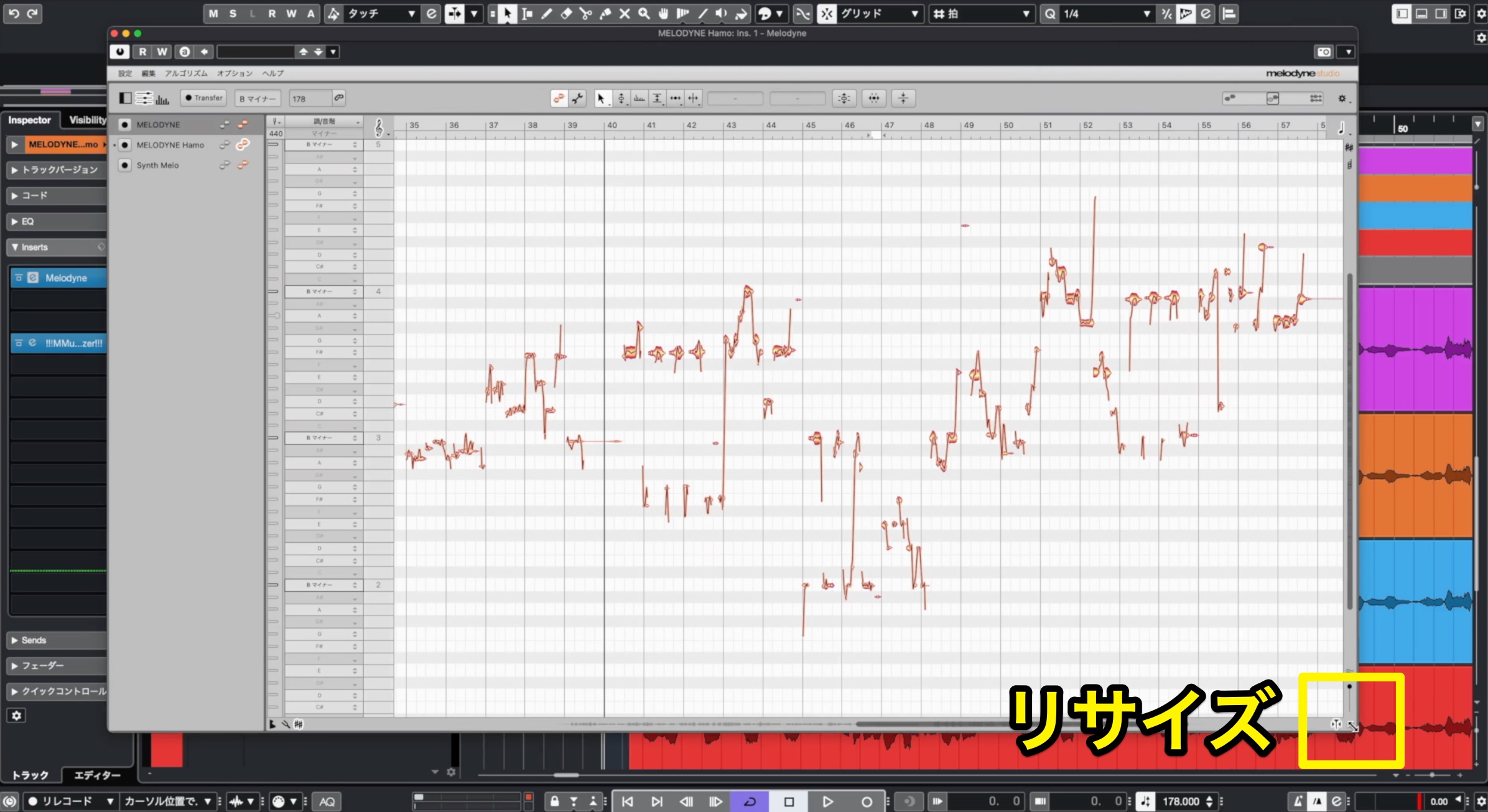
A small pitch-editing window means repeatedly zooming in and out as you work.
Being able to resize the workspace directly affects editing comfort.

Most products tested let you resize the editing window, but Waves Tune did not offer equivalent workspace resizing.
Waves V12 added interface scaling, but this enlarged the whole interface, including areas you might not need.
Can you skip real-time audio transfer?
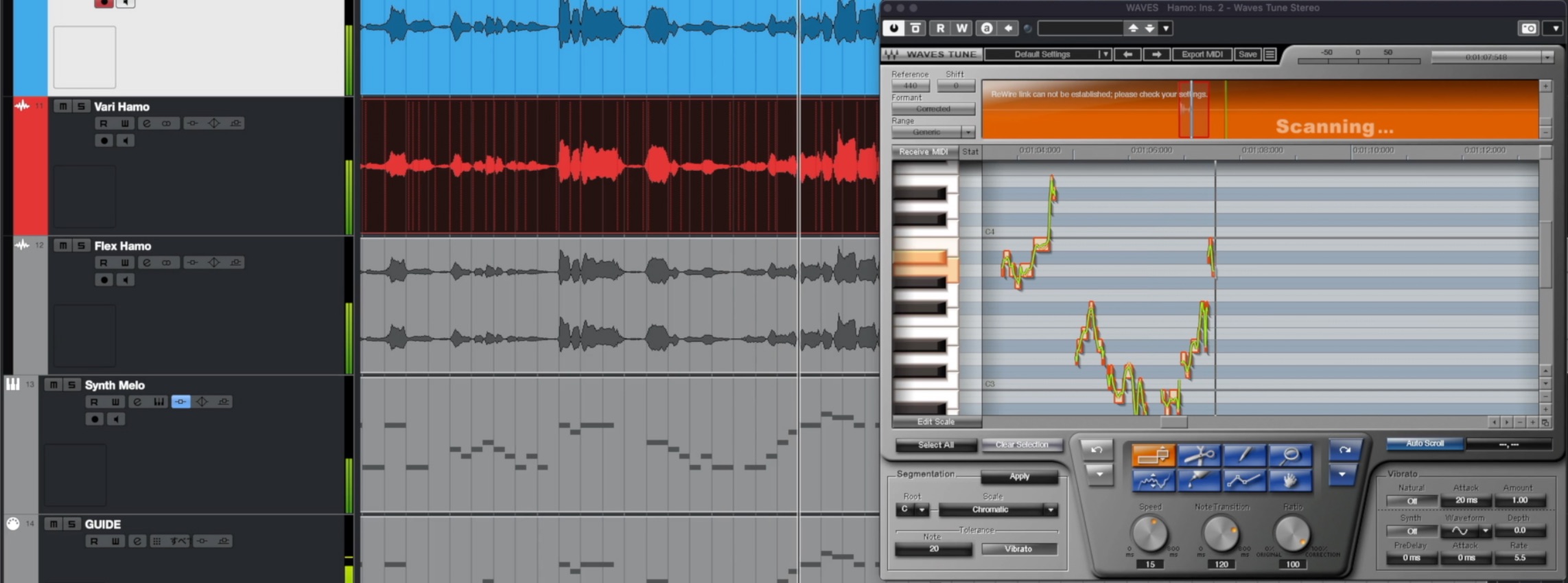
Before correcting pitch, the software needs access to the audio you want to edit.
Traditionally, you play the relevant passage into the plugin in real time, which can take considerable time.
By the time of this 2021 comparison, integration technologies such as ARA increasingly allowed that step to be skipped.

DAW-integrated pitch editors can access the track audio at the press of a button, without real-time transfer.
ARA support depends on the DAW and plugin combination, but compatible setups offer a much more convenient transfer workflow.
Pitch-reference guides
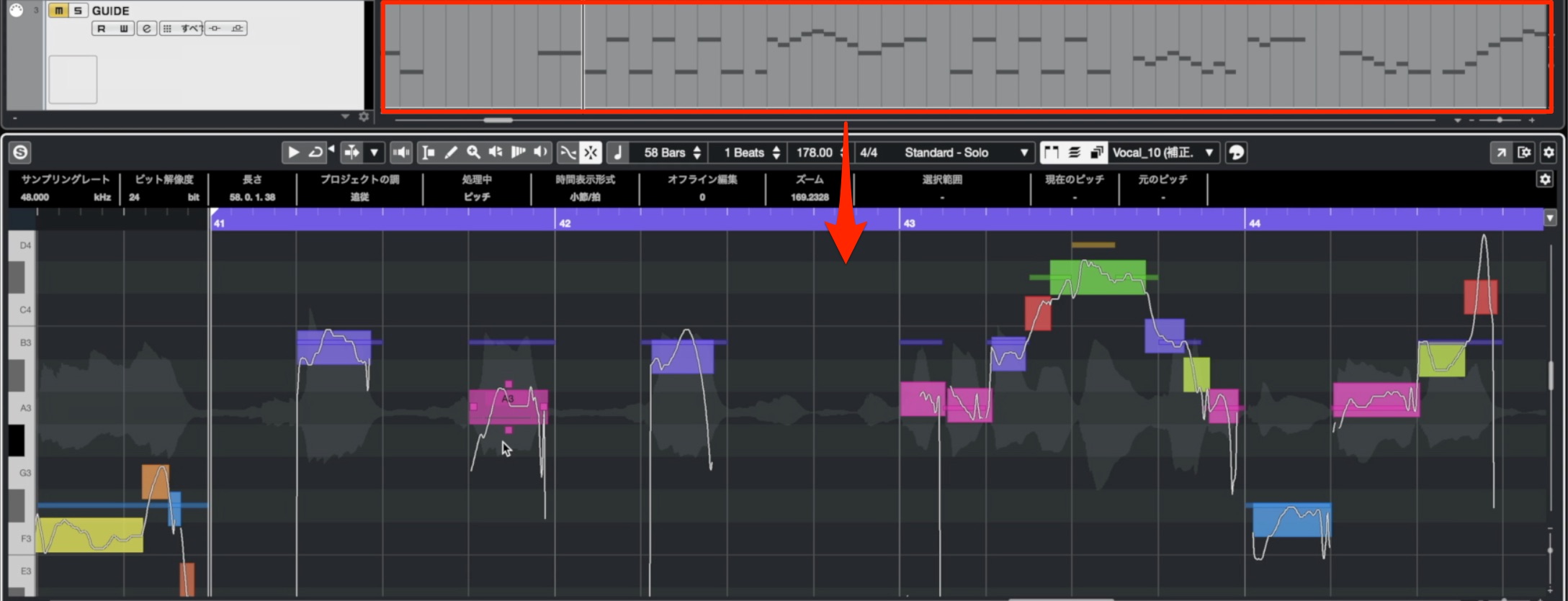
Displaying an accurate pitch reference beneath the performance makes correction much easier.

The versions of Waves Tune and Flex Pitch tested here did not offer this reference-guide function, leaving room for future improvement.
With Melodyne, this requires the multitrack functionality of the Studio edition.
Multitrack editing
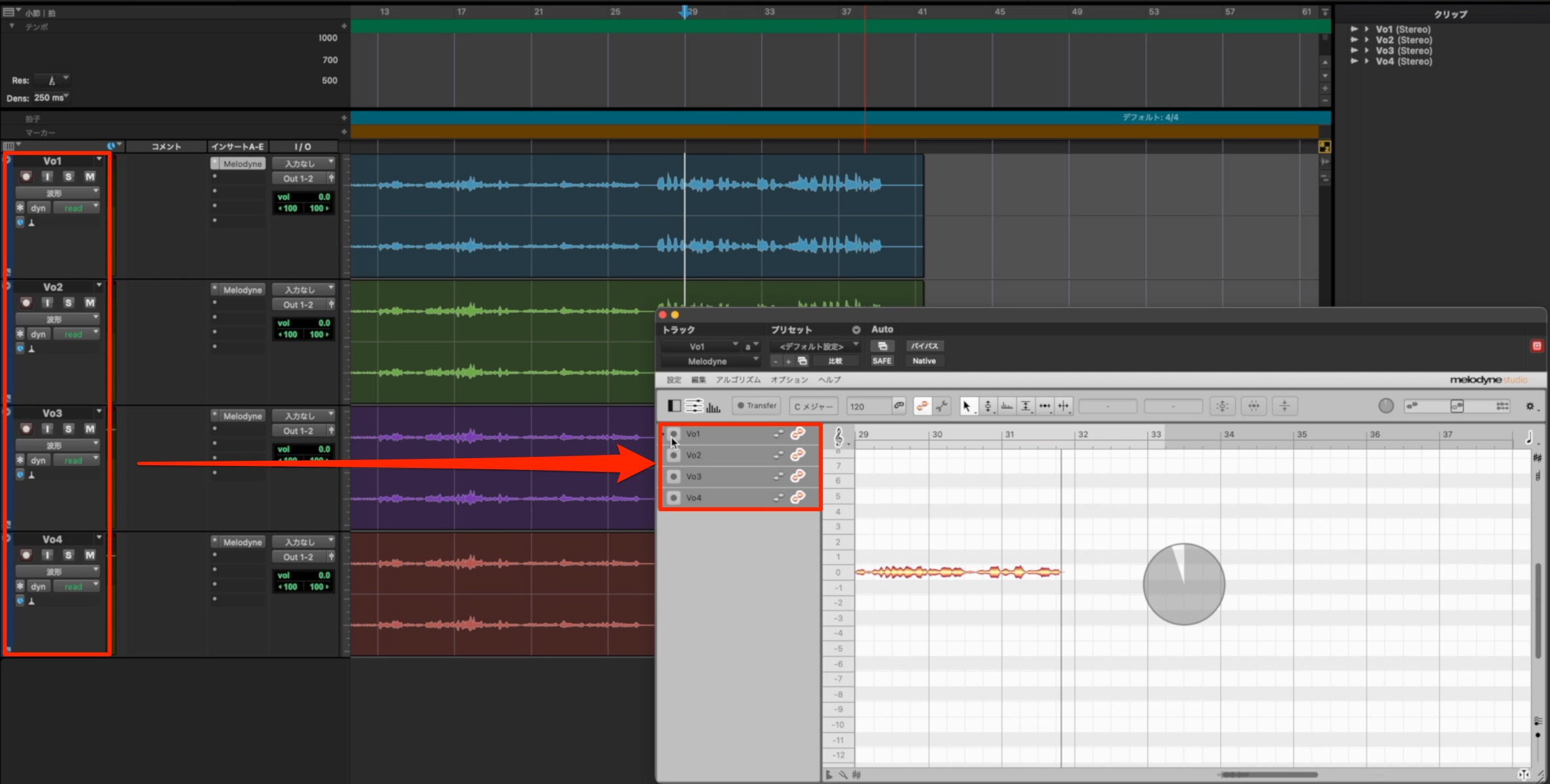

Within the Melodyne range, this is available only in Studio.
VariAudio also performed well in this area.
How easy is it to reset corrections?
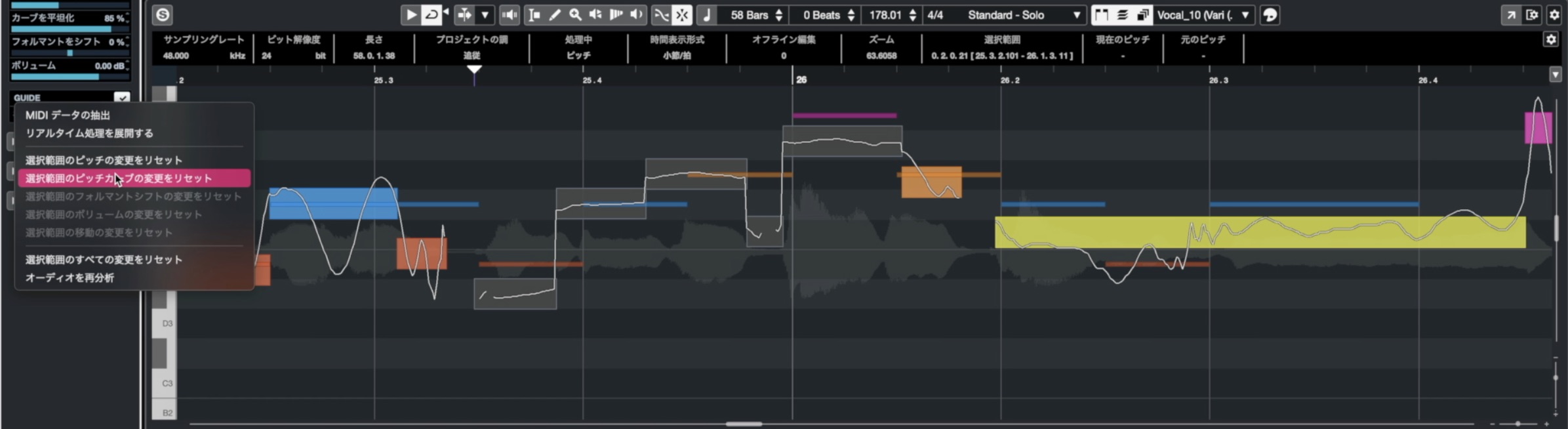
You may often want to undo or reset only part of your correction work.
This is another important workflow feature.

In our comparison, all the tools except Waves Tune handled this well.
Can you see which part of the waveform each note represents?
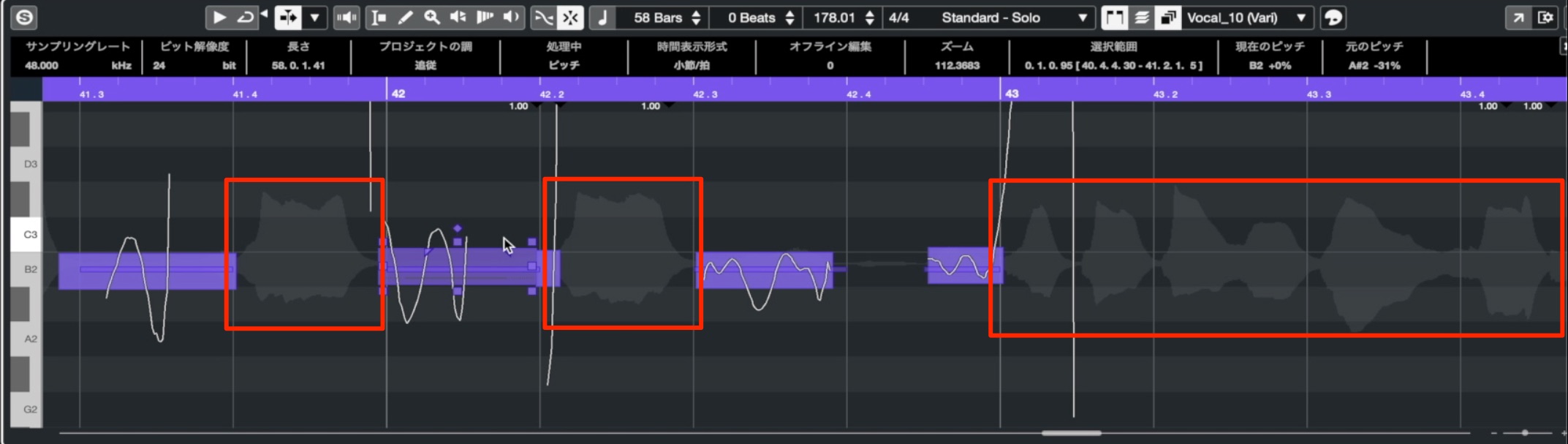
This feature displays the audio waveform behind the notes you are editing.
It is particularly useful for quickly judging where one note ends and the next begins.

Again, Waves Tune was the only tool in our comparison without this waveform display within the notes.
Assigning keyboard shortcuts
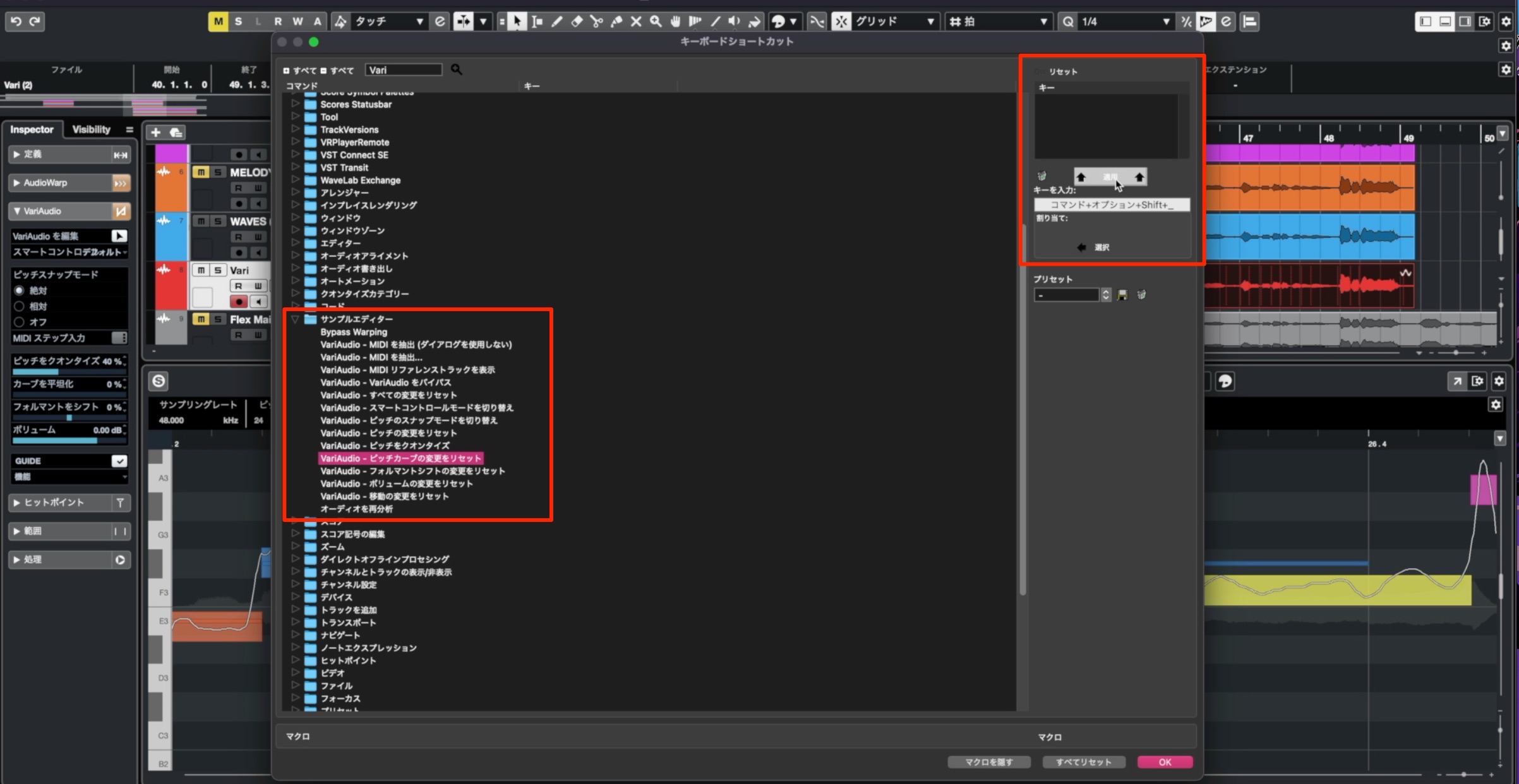
Custom shortcuts simplify frequently used operations.
They are important for tailoring the workflow to your own editing style.

All the tools tested except Waves Tune supported the shortcut customization we examined.
Our impressions of the workflow
As expected, the DAWs' built-in tools had an advantage in integration and ease of use.
Melodyne Studio offered the best overall balance in our workflow comparison and performed better than Auto-Tune here. However, its high price is an important part of that choice.
Waves Tune supported particularly few of the workflow features we checked, so we could not recommend it on that basis.
Range of correction features
Next, let's compare the tools for shaping pitch correction itself.
Every product can center a note's pitch, so we focus on tools for finer control over expression.
Pitch tilt
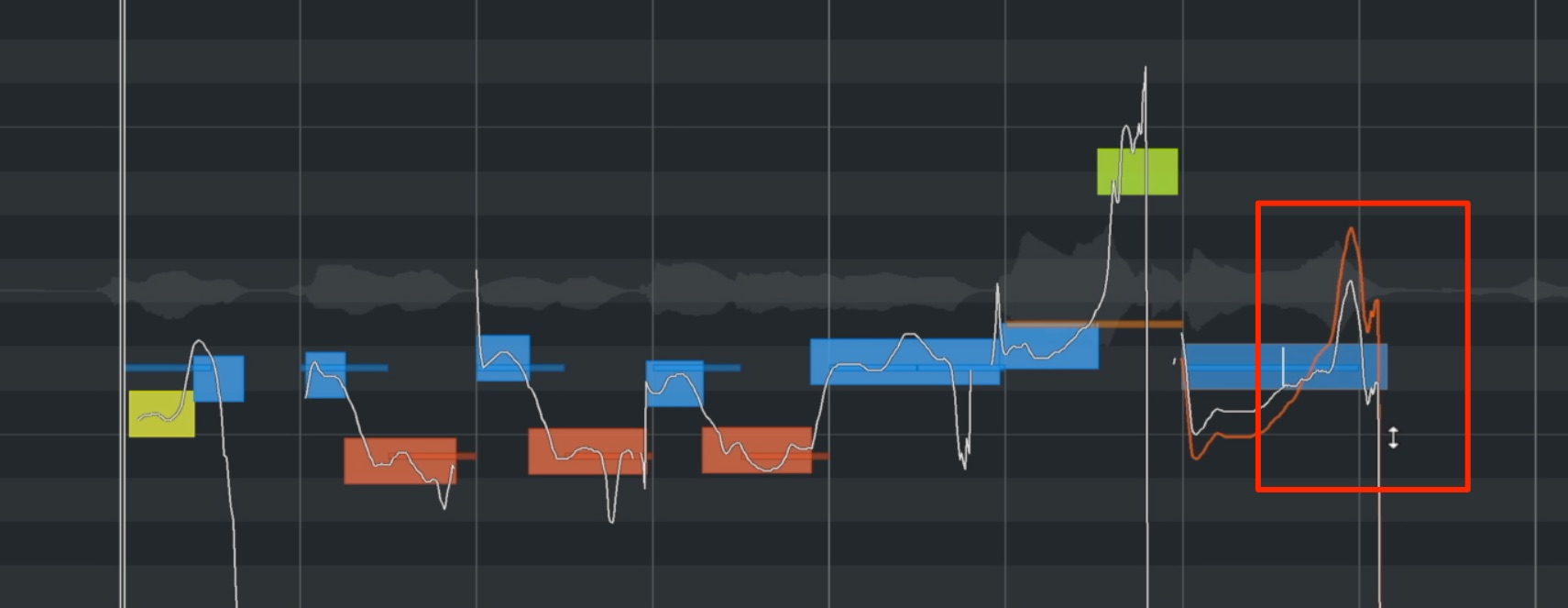
This adjusts pitch slopes and expressive scoops often found at the beginning or end of a note.
Careful adjustment can produce a more natural vocal sound.

All the tools tested could adjust pitch tilt, but VariAudio let us specify precisely which part of a note the adjustment affected.
That flexibility was particularly impressive.
Pitch-flattening tools
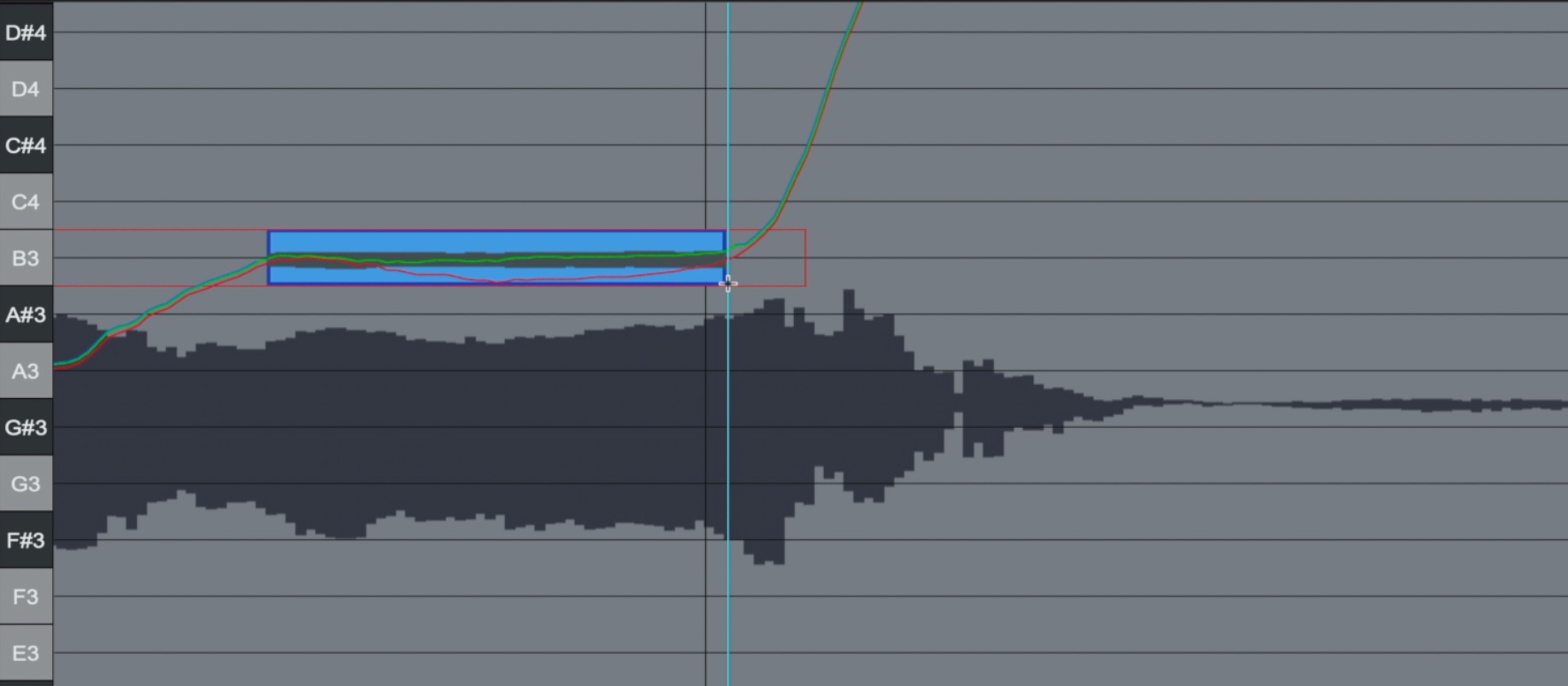
These are useful for reducing the depth of vibrato or stabilizing the pitch of a sustained note.
If pitch changes sharply near a note's start or end, flattening the whole note can produce an unnatural, robotic result. A common approach is to split the note before editing.

All the tools tested could adjust these nuances. As with pitch tilt, VariAudio let us define precisely which part of the note the flattening affected.
Redrawing pitch
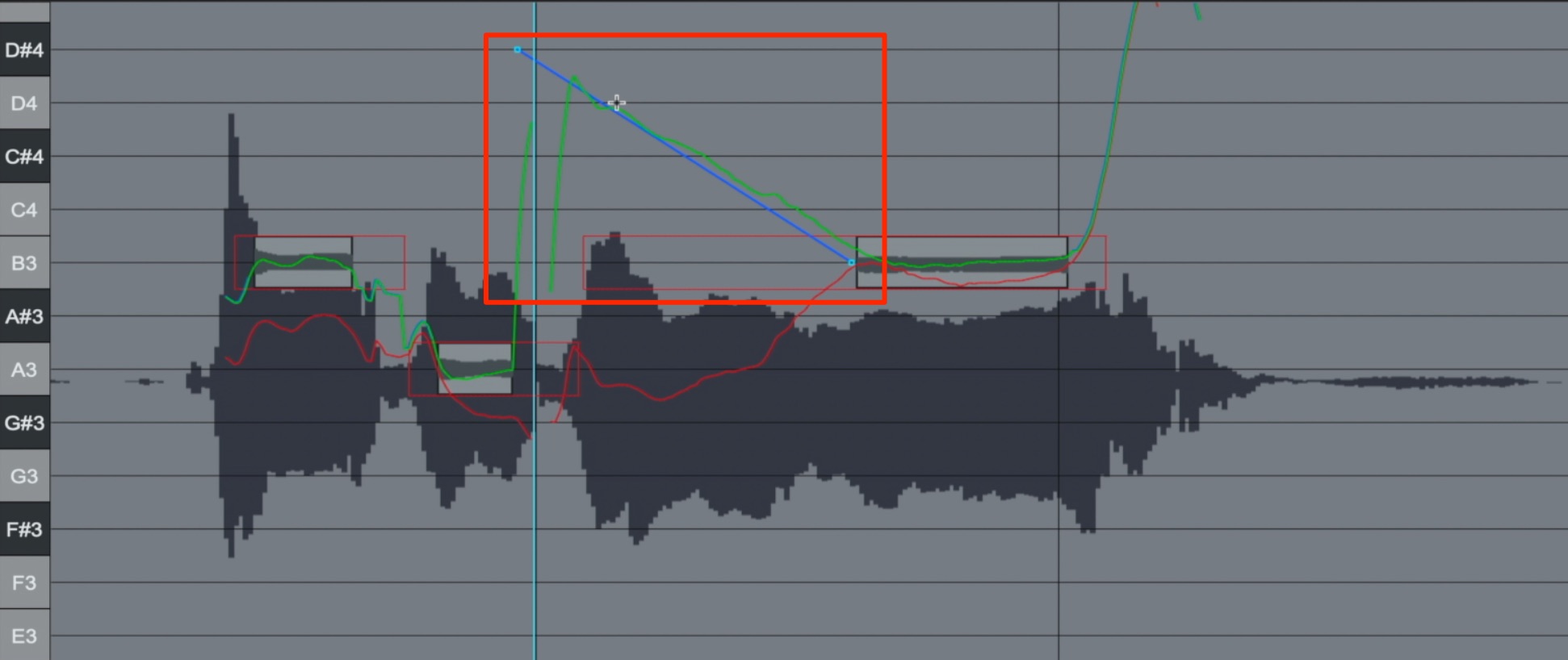
If pitch keeps moving up and down, the flattening tools above may not give the result you want.
Manually redrawing the pitch curve can provide another way to solve the problem.

Auto-Tune Pro and Waves Tune offer this function.
Auto-Tune Pro's pitch-curve editing is also associated with its famous hard-tuned vocal effect, which remains a defining part of its appeal.
Other features
Here are some additional features worth considering.
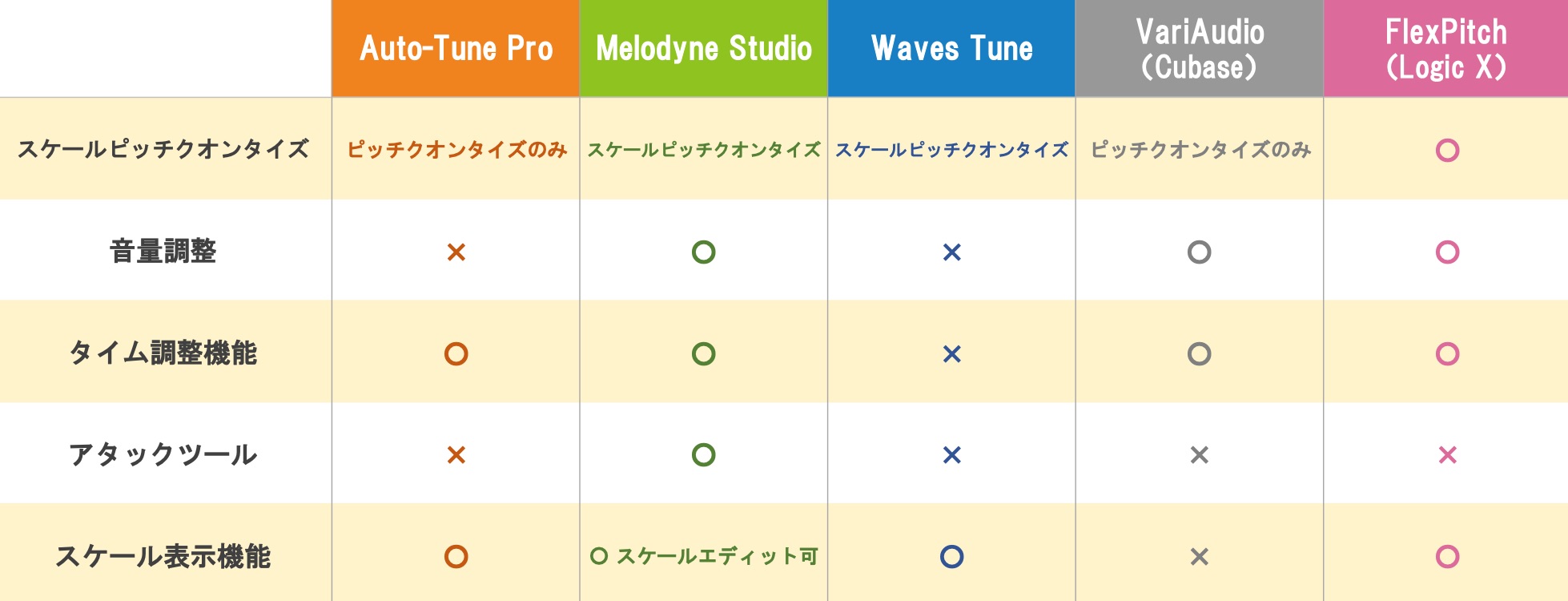
Note-by-note volume adjustment is particularly useful because it can feel more intuitive than conventional volume automation.
Although we do not test it here, timing adjustment alongside pitch correction can also broaden your editing options.
Moving slightly beyond vocal correction, Melodyne Studio and Editor include DNA functionality.
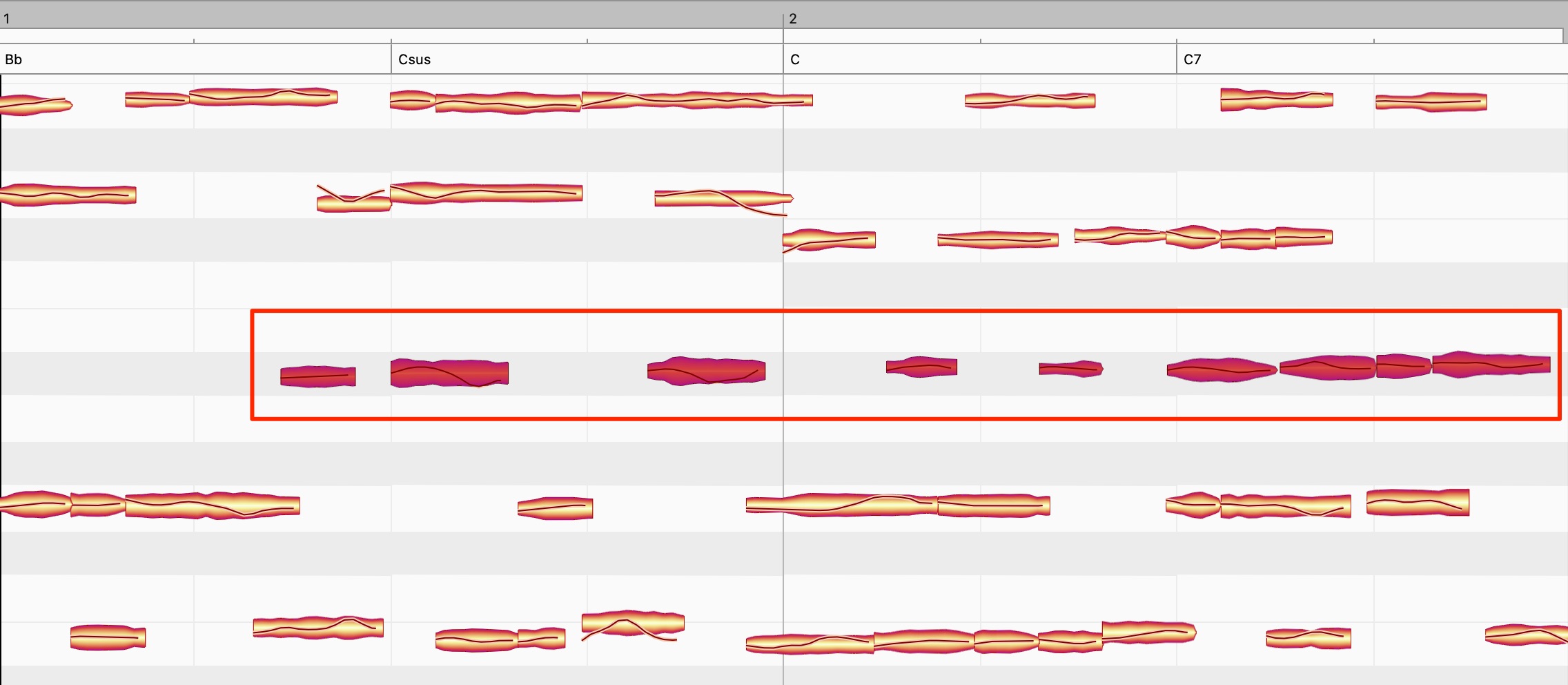
This lets you separate the notes within a recorded chord and change its constituent pitches.
It is useful when a sample you like does not match the chords of your song.
Final thoughts
What did you think of the comparison?
For routine correction in our tests, sound-quality differences were small. What mattered most was how the correction was applied and how carefully it was edited:
using tools such as pitch tilt and flattening effectively.
The range and quality of these tools therefore strongly influence a product's usefulness.
These are personal impressions from our 2021 comparison, but our choices were:
- For Cubase 11 Pro/Artist users, use the built-in VariAudio.
- For Logic Pro X users, keep using Flex Pitch for its usability and value, while looking forward to further improvements.
- For a new purchase, Melodyne Studio offers an appealing balance of workflow and features, despite its higher price.
- For the characteristic hard-tuned Auto-Tune sound, Auto-Tune is our first choice.
- For a low-cost introduction to pitch correction, try Waves Tune during a sale, while recognizing its more limited workflow features.
Those were the options we felt made the most sense after this comparison.
We hope this guide helps you evaluate pitch-correction software.
An in-depth comparison of five pitch-correction tools!
This time, we test five popular tools:
Auto-Tune
Melodyne
Waves Tune
VariAudio
Flex Pitch
We compare their sound, ease of use, and correction features.
Read more: https://t.co/z5NCbZBCaO#DTM #PitchEditing pic.twitter.com/Kgm4XuoQrC— SLEEP FREAKS (@SLEEPFREAKS_DTM) May 29, 2021
Frequently asked questions
Q1. Are there affordable pitch-correction options for beginners?
In the 2021 comparison, Logic Pro X and the relevant Cubase editions offered good value by including Flex Pitch and VariAudio. Among the third-party tools tested, Waves Tune was the least expensive during sales, although it had fewer workflow features.
Q2. Which tool works well for creating vocal harmonies?
For the large pitch shifts in our test, Melodyne and VariAudio produced fewer audible artifacts. We noticed more breaks with the Auto-Tune setup tested here. DAW-integrated features also offered a convenient workflow. These are observations from this particular comparison, not a verdict on every version or setting.
Q3. Which pitch-correction tools are commonly used professionally?
Auto-Tune and Melodyne are widely used professional tools. Auto-Tune is associated with the distinctive hard-tuned effect heard in pop, while Melodyne is valued for natural correction and detailed editing; multitrack editing requires the Studio edition.
NEW ARTICLES
Latest English Articles























































































































































