
This article explains how to create a piano track for electronic music in Cubase Pro. Using the Yamaha S90ES Piano included with HALion Sonic SE, you can enter chord progressions efficiently with the Chord Track. Explore common chord progressions in club-influenced pop, extended chords, and voicing techniques to add depth and character to your sound. Combining close and open voicings across multiple tracks helps balance the registers and create more polished original music.

In this installment of our electronic music production series, we will look at piano accompaniment and chord progressions.
We will explain chord progressions and note voicings commonly heard in club-influenced pop songs on the Billboard charts in the years leading up to this 2018 tutorial.
Piano Chord Progressions — Video Tutorial
Download the Cubase Song Project Here!
If the sampler tracks in the project do not play:
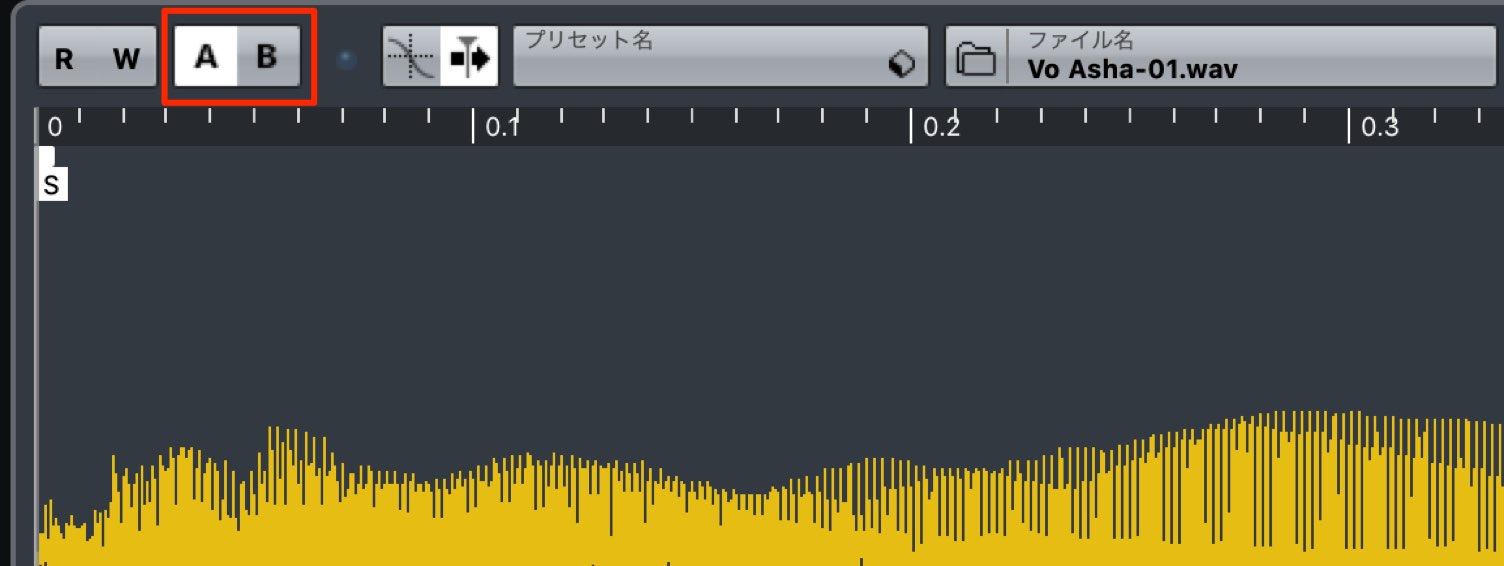
Switch the sampler track's A/B comparison button, then try playback again.
- 1Choosing Drum Sounds and Creating Patterns
- 2Piano Chord Progressions
- 3Bass Sound Design and Phrase Creation
- 4Using a Harmonizer with Vocal Samples
- 5Adding Weight and Impact to the Chorus with Backing Synths
- 6Creating Sound-Effect Tracks to Build Excitement
- 7Applying Effects to the Master Channel
Selected Questions and Answers from the YouTube Video

Around 3:31, when you enter chords from the Chord Pads into the Chord Track, I cannot place them where I want. They automatically snap to the beginning or middle of a beat. I cannot position them at the same timing as in the video. Could you explain how you do this?

Chord movement depends on the grid setting. Try setting a finer grid interval, then dragging the chord to the desired position on the timeline.
This is a very good video, but because you are using the default dark background, a light-blue note in the piano roll turns black when selected and becomes difficult to see against the background. I suppose that is unavoidable because Cubase's design changed, but it is a little inconvenient. I also took the liberty of downloading the project and have been learning a great deal from it. It is so detailed that I feel I could not do all of this myself, but I am studying the various parts to absorb at least the essential ideas. Thank you very much, and please excuse the unsolicited comment.
Thank you very much for making use of the project. You can change the colors in Preferences, in the section shown in this image: https://app.box.com/s/rqcdezdccjzmyrqz20n28l28gm8ce1o1 Try customizing it to make the software more comfortable to use.
What sound are you using for the pluck?
We created the sound ourselves. OSC1 uses "Downsampled Sine" and OSC2 uses "Come Saw 01." We added a section about the pluck sound at the end of the following article. You can also download the project, so please take a look. https://sleepfreaks-dtm.com/produce-recipe/electro-music-create-5/
Choosing a Piano Sound and Using the Chord Track
The piano sound we will use is "YAMAHA S90ES Piano," included with HALion Sonic SE 2/3.
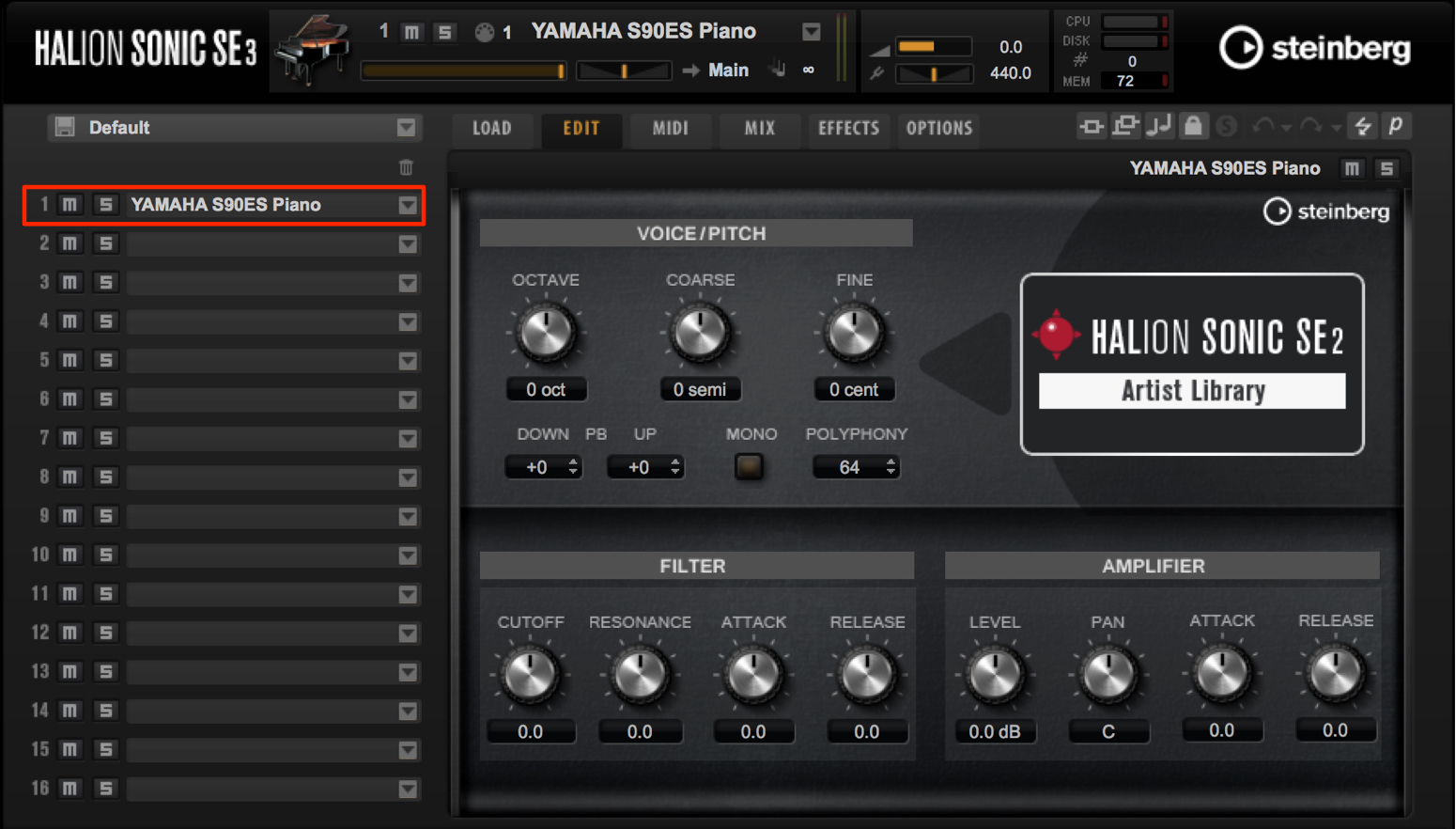
It has a well-balanced frequency response and provides a very realistic piano sound.
We have entered the chords into the Chord Track in advance so that the progression is easy to follow.
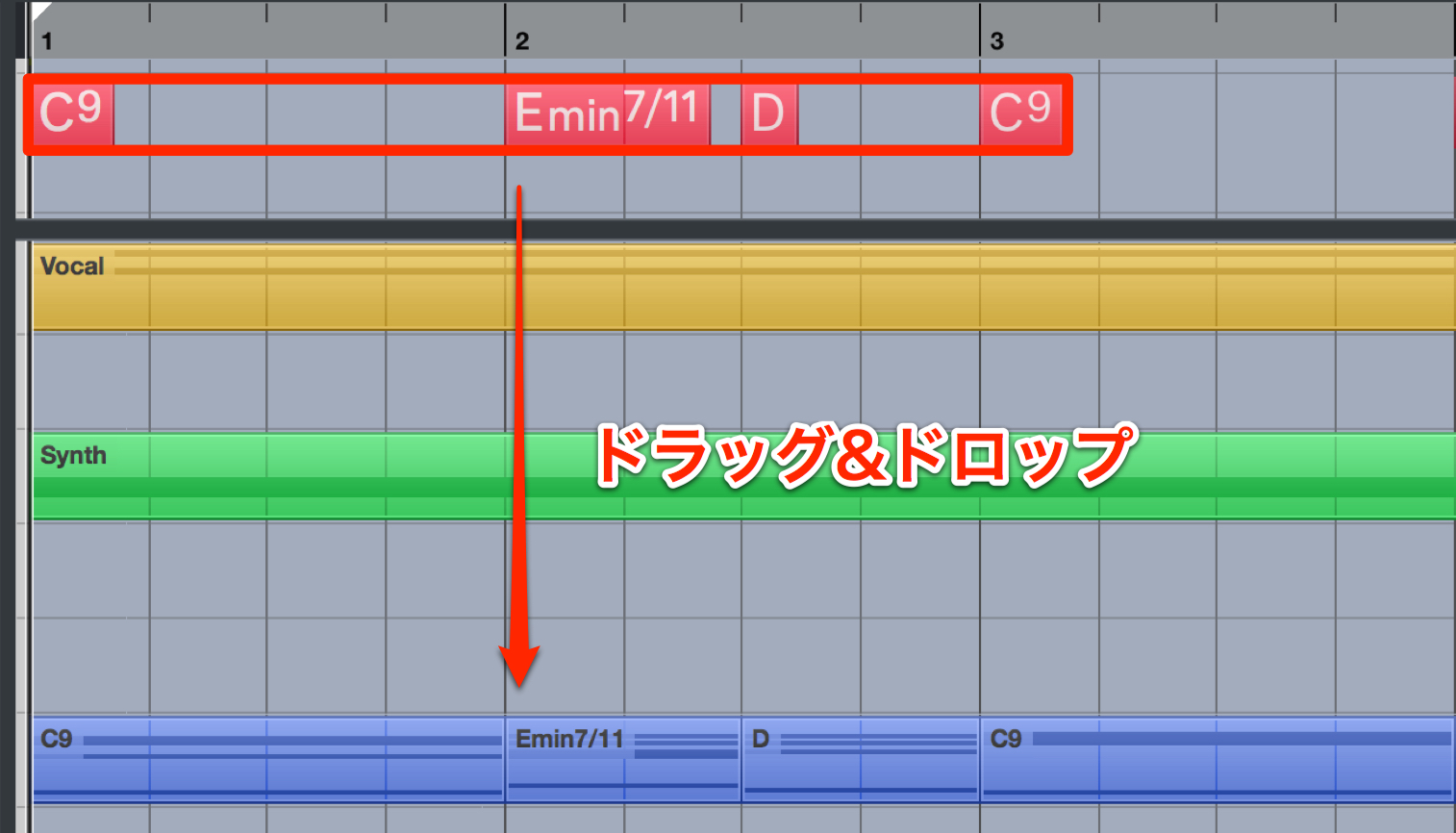
Another useful feature is that dragging and dropping a chord name onto the desired track instantly creates the corresponding MIDI notes.
Club music tends to use relatively little variation in its chord progressions.
This track also loops a similar chord progression throughout.
Extended Chords and Voicings
Once we have chosen the sound and entered the chords, we will look at chord extensions and voicings.
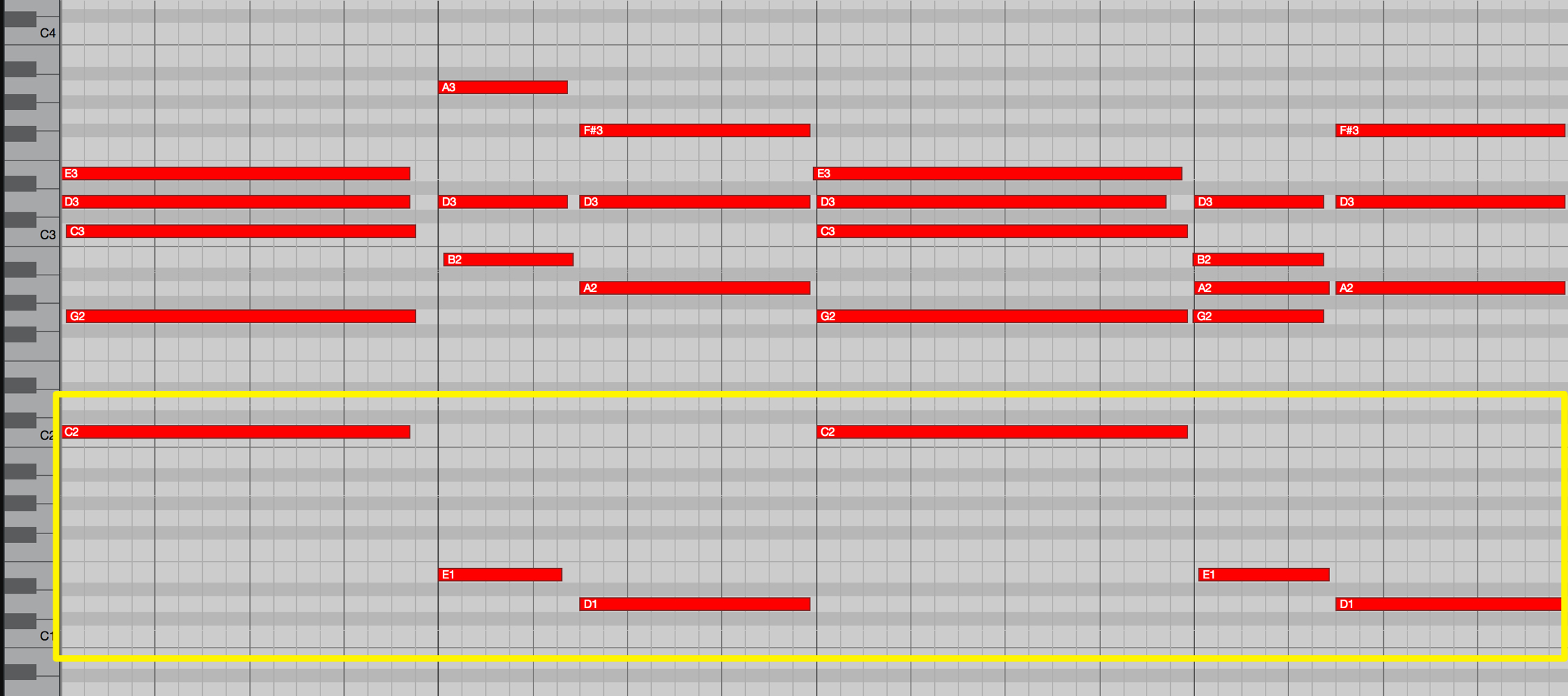
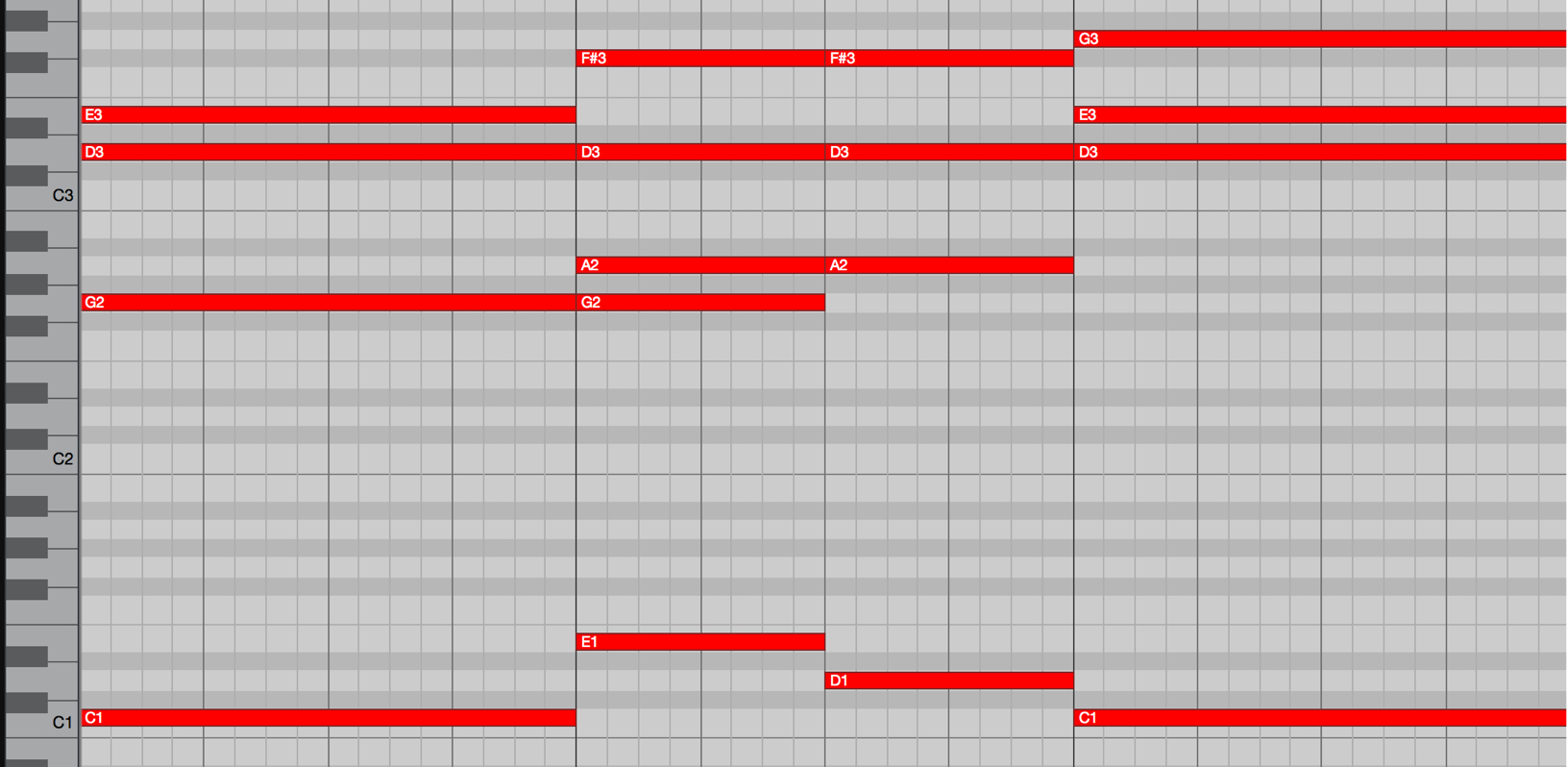
On tracks that play chords, such as this piano and the pluck sound we will discuss later, it is common to add a supporting root note below the chord to give the sound more weight.
We have done the same on this piano track.
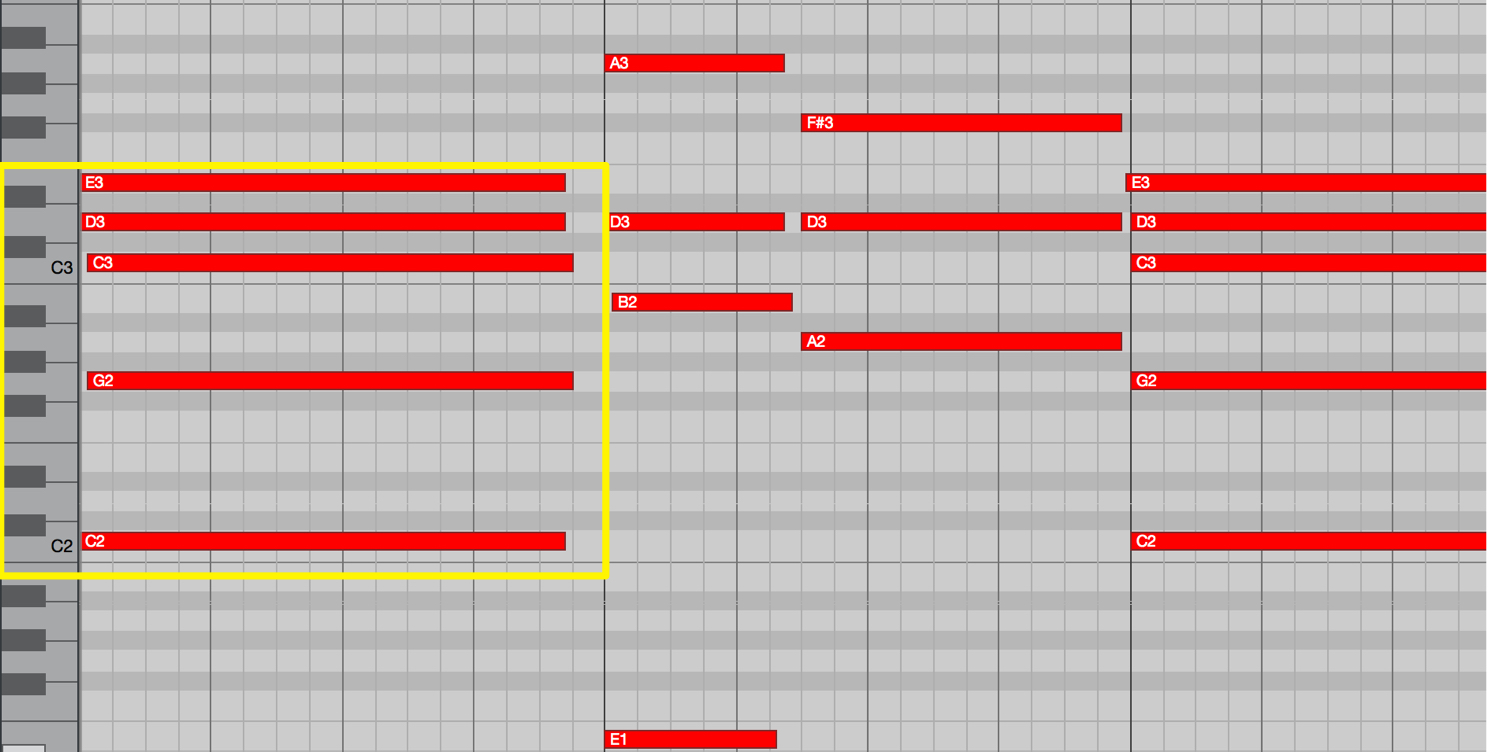
For the first chord, we enter the root note C in a lower register.
Above it, we stack the fifth, root, ninth, and third to form a Cadd9 chord.
For the piano, another point to note is the use of close voicing, with relatively small intervals between the notes, to suit the instrument.
Incorporating chord extensions in this way can give your track a distinctive character.
- Close voicing: arrange the chord tones within one octave.
- Open voicing: spread the chord tones across an octave or more.
Close and Open Voicings
After creating the basic chord progression, make a habit of adding notes and listening to how they change the sound. This can help you create more original music.
For example, an added ninth is often used on the major IV chord. Look for patterns in the music you enjoy.
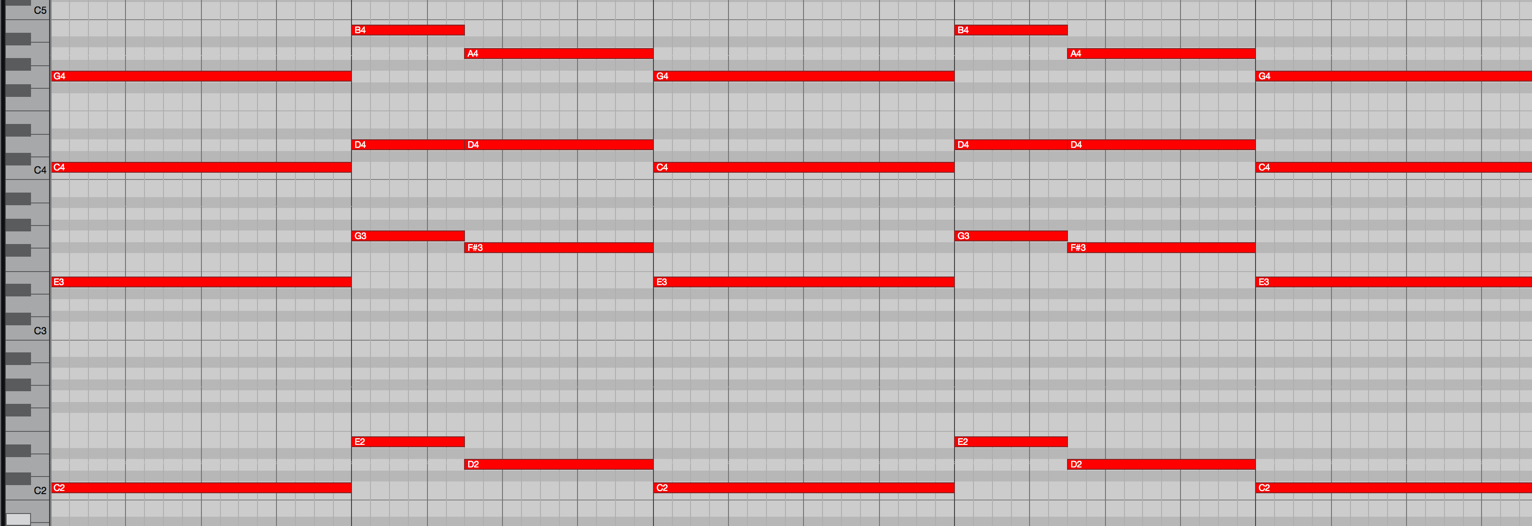
Synth pluck, pad, and string tracks also often use open voicings like this, with wider intervals between the notes.
When several chord-playing instruments overlap, try layering tracks with open and close voicings to add depth while avoiding too many notes in the same register.
Steinberg Distributor —Resources from Yamaha Music Japan Co., Ltd.
- Yamaha Music Japan MPP (YouTube) https://www.youtube.com/user/SteinbergJapan
- MPP (Twitter) https://twitter.com/SteinbergJP
- Sound Roster Music Production Show (Fresh!) https://freshlive.tv/ymjsoundroster

Product Page: https://japan.steinberg.net/jp/products/cubase/start
Frequently Asked Questions
Q1. How do I use Cubase's Chord Track?
After entering chord names, simply drag and drop them onto the desired track to generate MIDI notes automatically. The Chord Track makes progressions easier to follow and speeds up production, making it a useful feature for beginners as well.
Q2. When should I use close or open voicings?
Use close voicings for instruments such as piano when you want a fuller, more compact sound, and open voicings for synth pads or strings when you want a more spacious sound. Combining both across multiple tracks can create greater depth and richness.
Q3. What characterizes chord progressions in club music?
Club-influenced pop commonly loops a relatively simple chord progression. Adding chord extensions, such as an added ninth, can give a simple progression a distinctive character.
NEW ARTICLES
Latest English Articles


























































































































































































































































































