
Arturia V Collection 6’s DX7 V can produce expressive sounds beyond the original hardware through its modulation and effects sections. The ENVELOPES section offers three envelope modes—DX7, DADSR, and MSEG—for detailed control over volume, pitch, and modulation. The MODS section combines envelopes, LFOs, and sequencers to create dynamic changes in tone. The FX section lets you arrange up to four effects in series or parallel for a polished sound, making this a versatile sound-design environment for EDM, pop, and other genres.
Add movement to your sound for more expressive performances
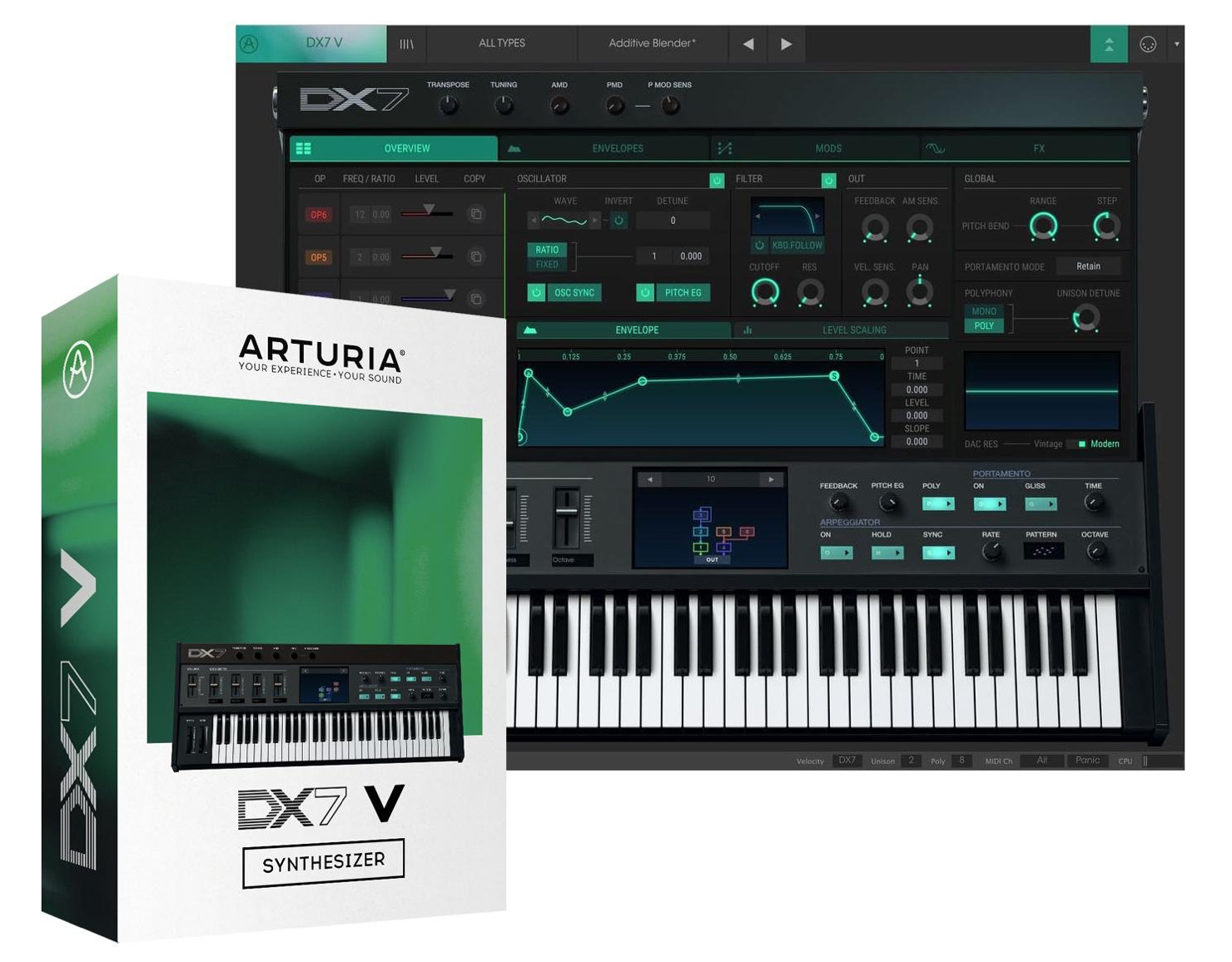
“DX7 V,” included in Arturia V Collection 6.
This is the final installment of our series.
Here we will explore modulation and effects for more expressive sounds.
Its flexible editing goes beyond the original hardware and supports sound design for a wide range of genres, including EDM and pop.
DX7 V Controls: Video Tutorial
- 1V Collection 6: Analog Lab 3
- 2V Collection 6: DX7 V Overview and Operators
- 3V Collection 6: Controlling DX7 V Parameters
- 4V Collection 6: DX7 V Modulation and Effects
- 5V Collection 7: Overview of Mellotron V and CZ V
- 6V Collection 7: Synthi V, B-3 V2 and Analog Lab 4
- 7V Collection 8: New Instruments and Vocoder V
Product URL: https://bit.ly/2J7BPjU
Purchase the product here
Contact: Korg / KID Customer Support Tel: 0570-666-569 (Japan)
Questions and Answers from YouTube

Hello, I have a question. How can I delete points on an envelope curve on a Mac?

Right-click a point to delete it. Thank you.
Sorry, this is unrelated, but I accidentally used Time Warp in Cubase and changed the tempo in one section. I cannot work out how to undo it. I would really appreciate your help.
Shift-click a Time Warp marker point to delete it.
ENVELOPES Section
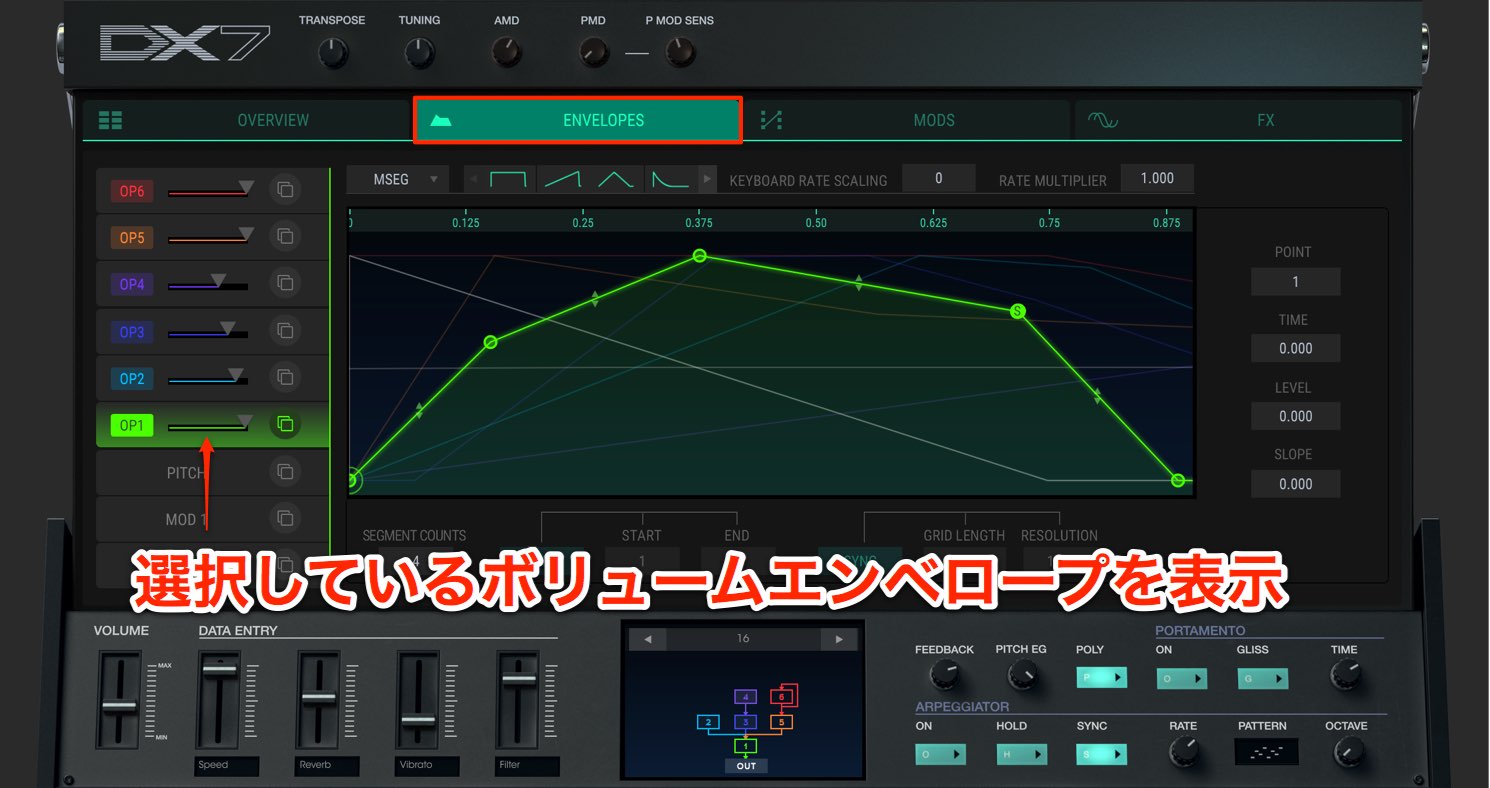
The ENVELOPES section gives you detailed control over volume, pitch, and modulation for each operator.
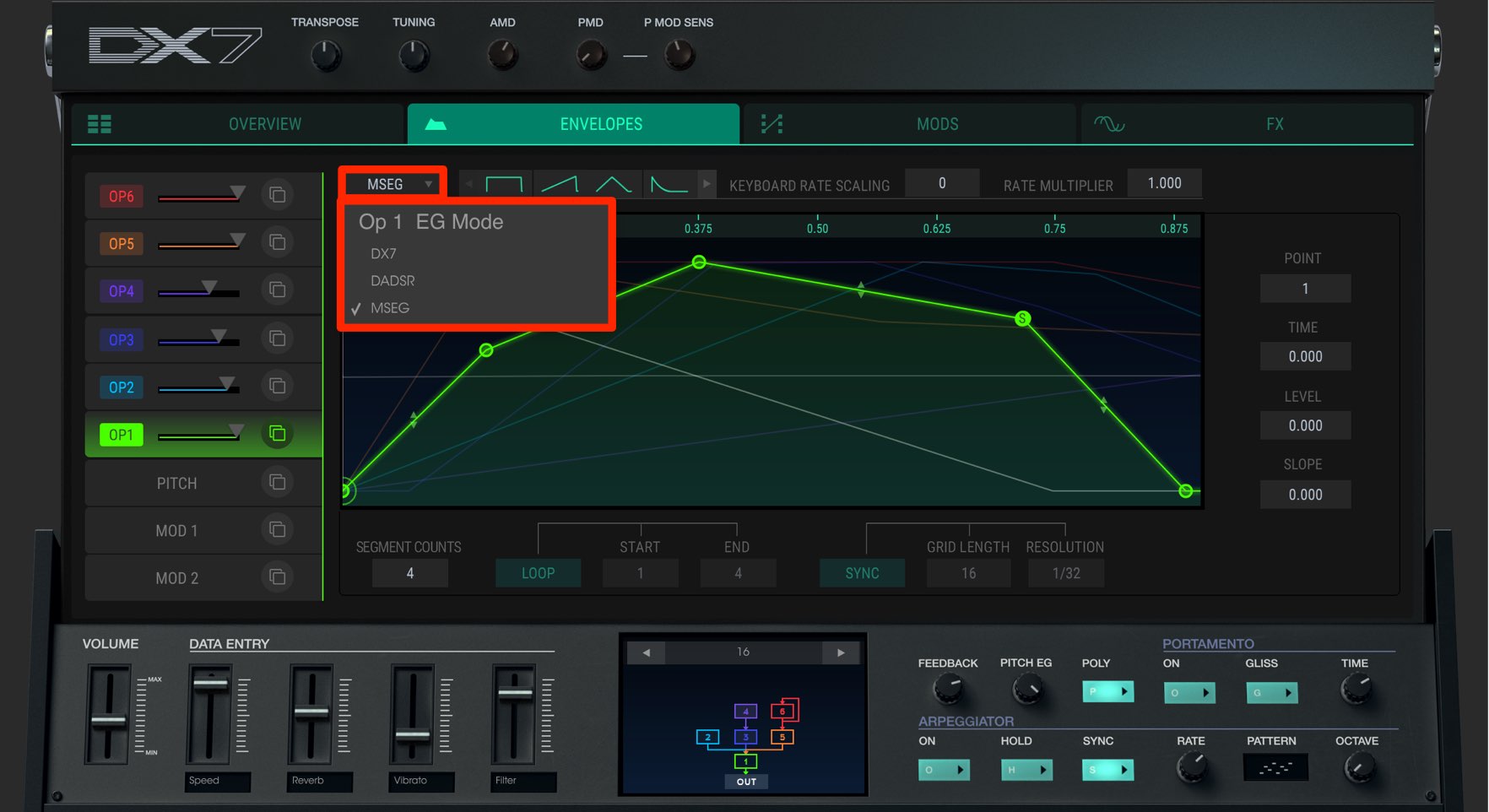
There are three editing modes:
- DX7: An envelope modeled on the original hardware
- DADSR: A six-point envelope (delay, attack, peak, decay, sustain, release)
- MSEG: A freely editable envelope with up to 16 points, curve adjustment, loops, and more
Here we have selected “MSEG.”
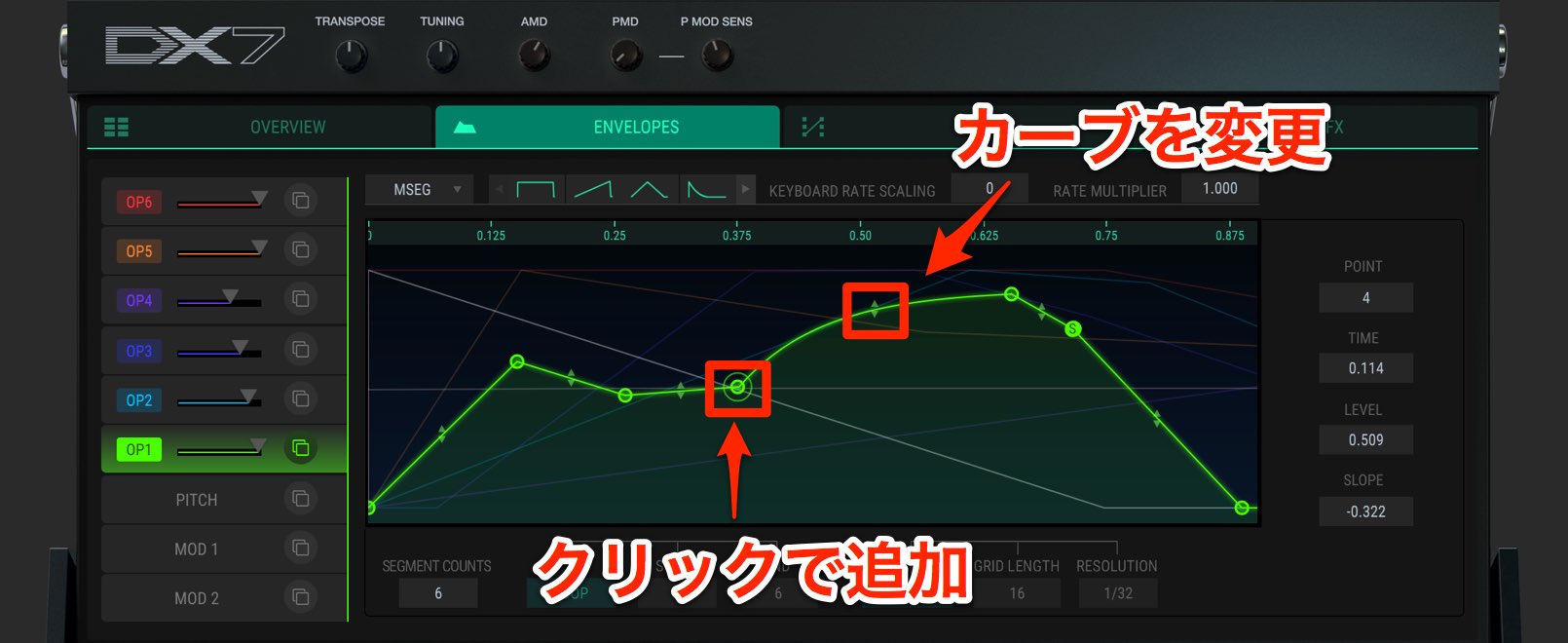
Click to add points and draw a curve.
Right-click any unwanted point to delete it.
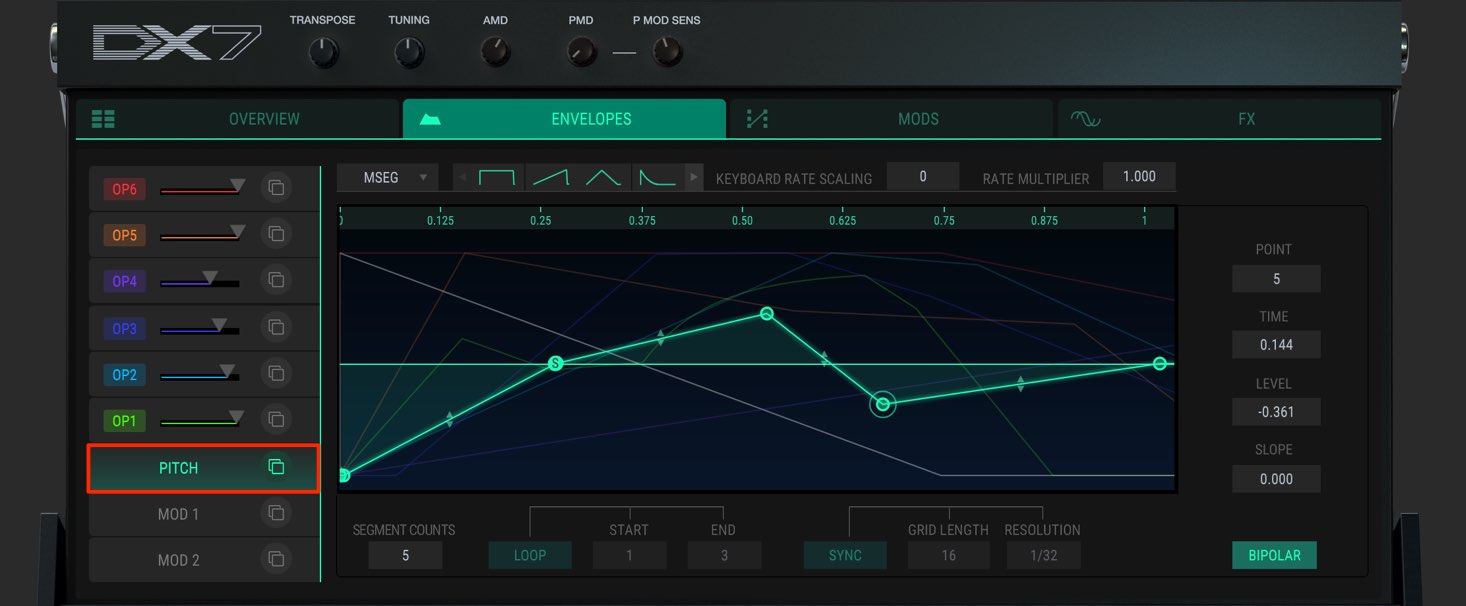
You can also set a “PITCH” envelope in the same way.
There is one PITCH envelope, shared by all operators.
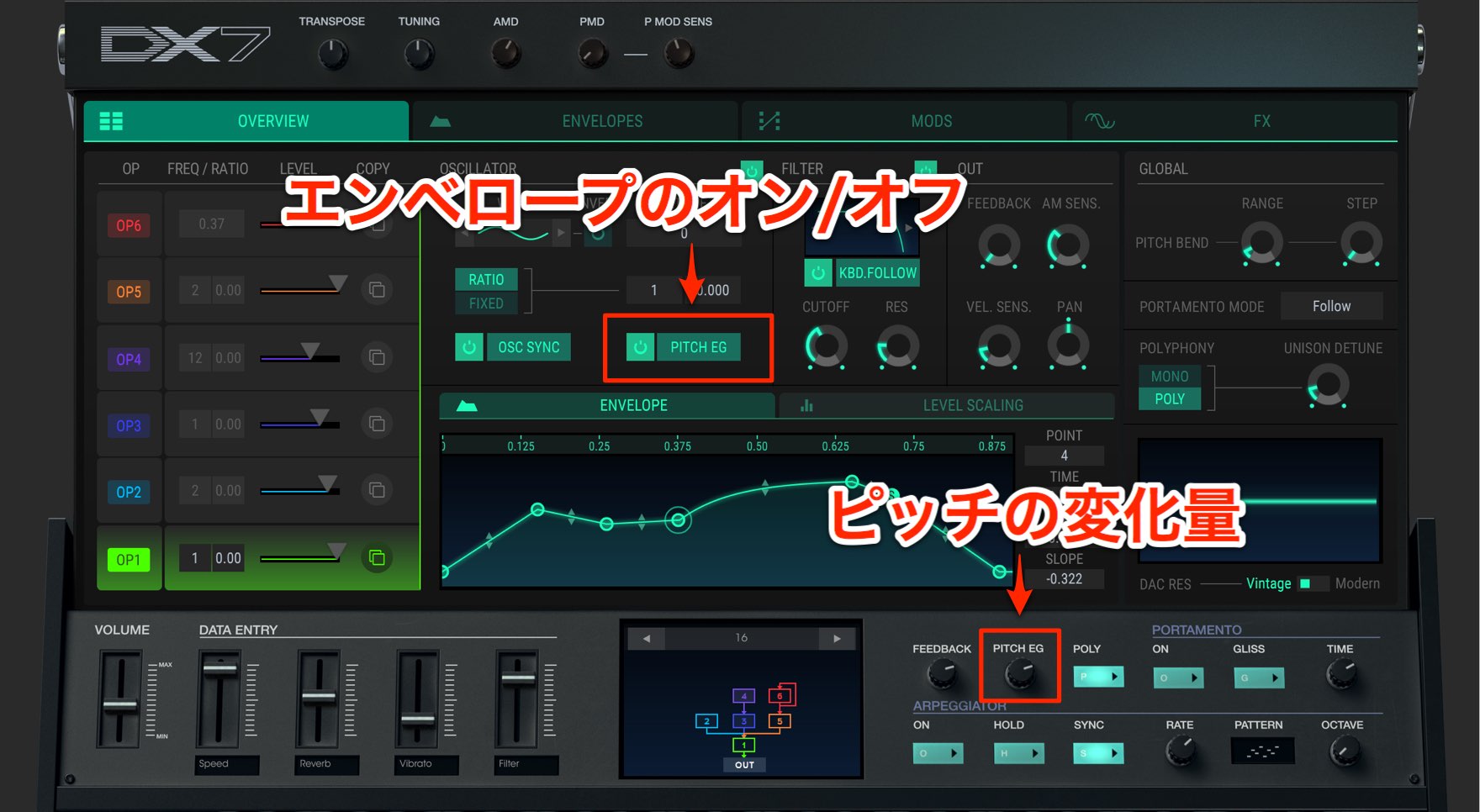
If you do not want it to affect a particular operator, disable that operator’s “PITCH EG.”
Adjust the amount of pitch change using “PITCH EG.”
Higher values produce a greater pitch change, so set it to achieve the desired effect.
MODS Section
The MODS section lets you use envelopes, LFOs, and sequencers to add movement to selected parameters.
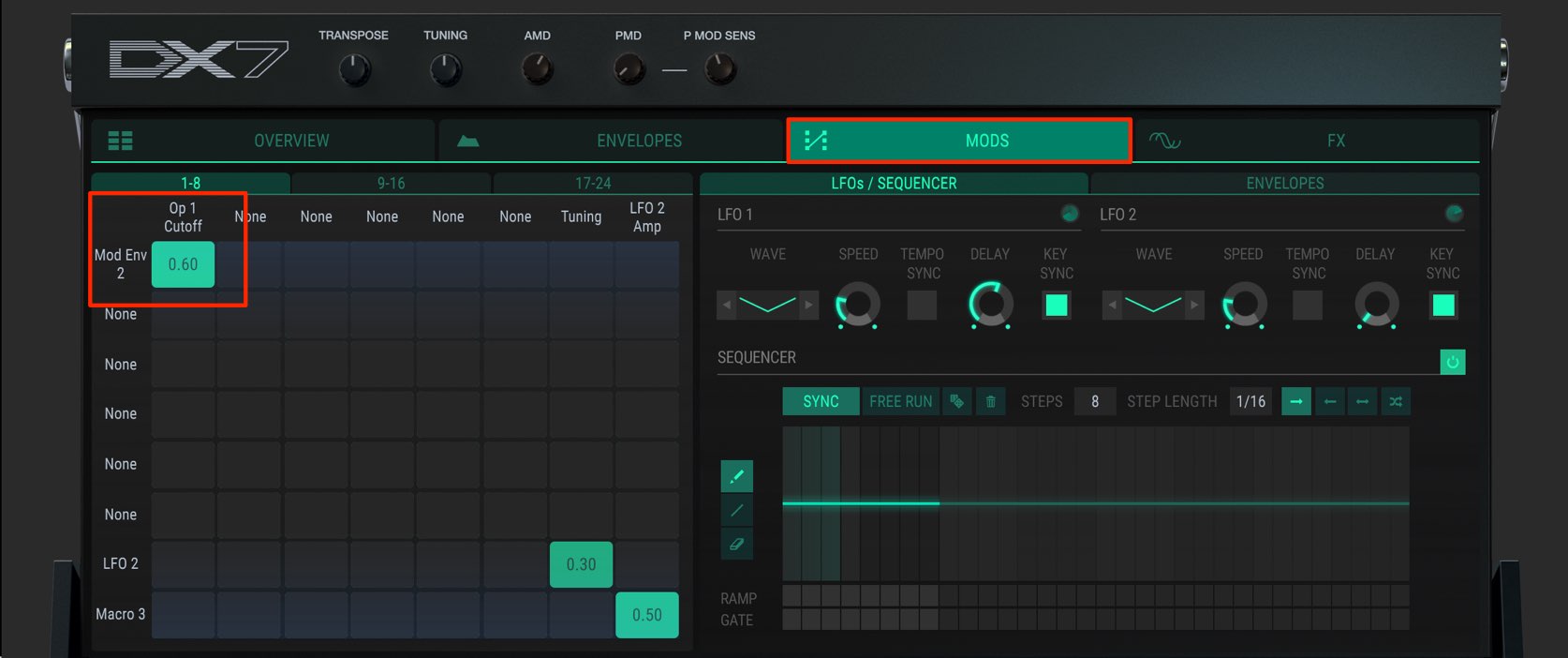
- Horizontal cells: which parameter
- Vertical cells: which modulation source
That is the basic layout.
The image shows envelope 2 modulating the cutoff parameter of operator 1’s filter.
The value shown in each cell is the amount of change; “0” means no change.
The closer the value gets to “1” or “-1” from zero, the greater the modulation amount.
You can also double-click a value to clear and disable it.
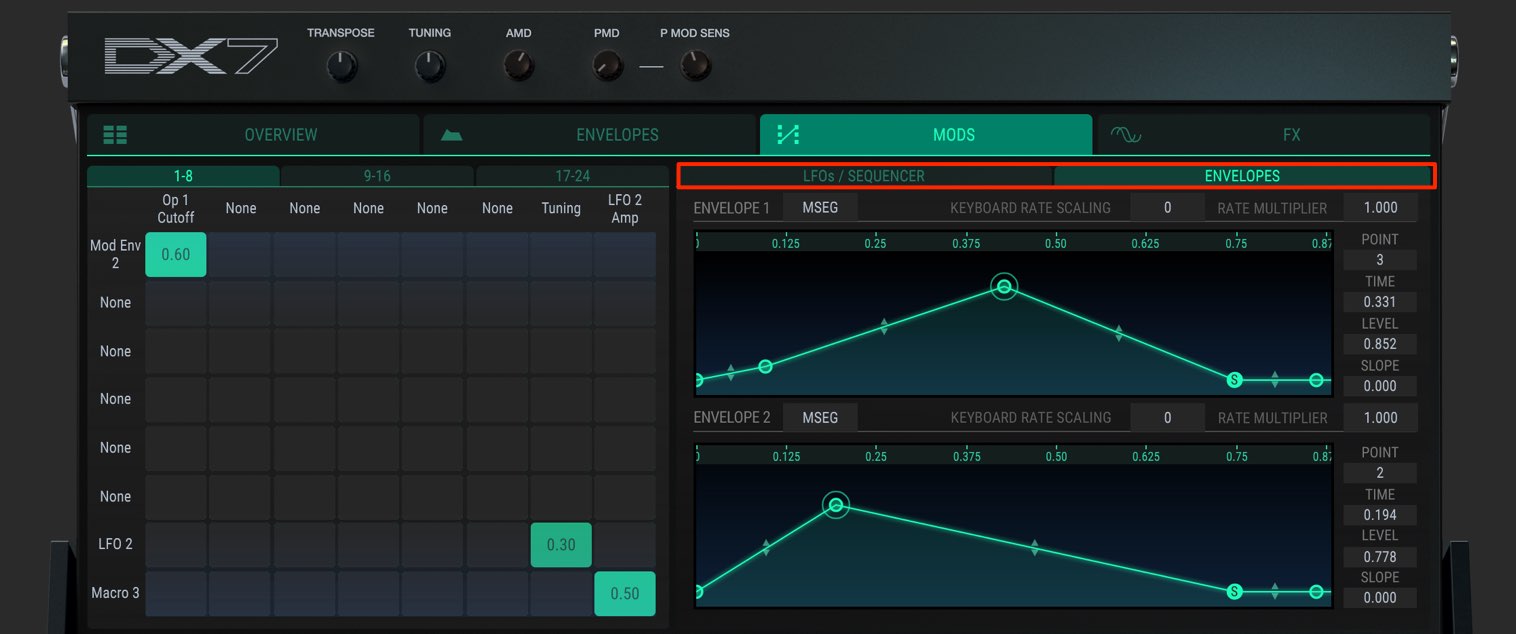
Set up the envelopes, LFOs, and sequencer in the window on the right.
FX Section
The FX section applies effects to the sound you have created.
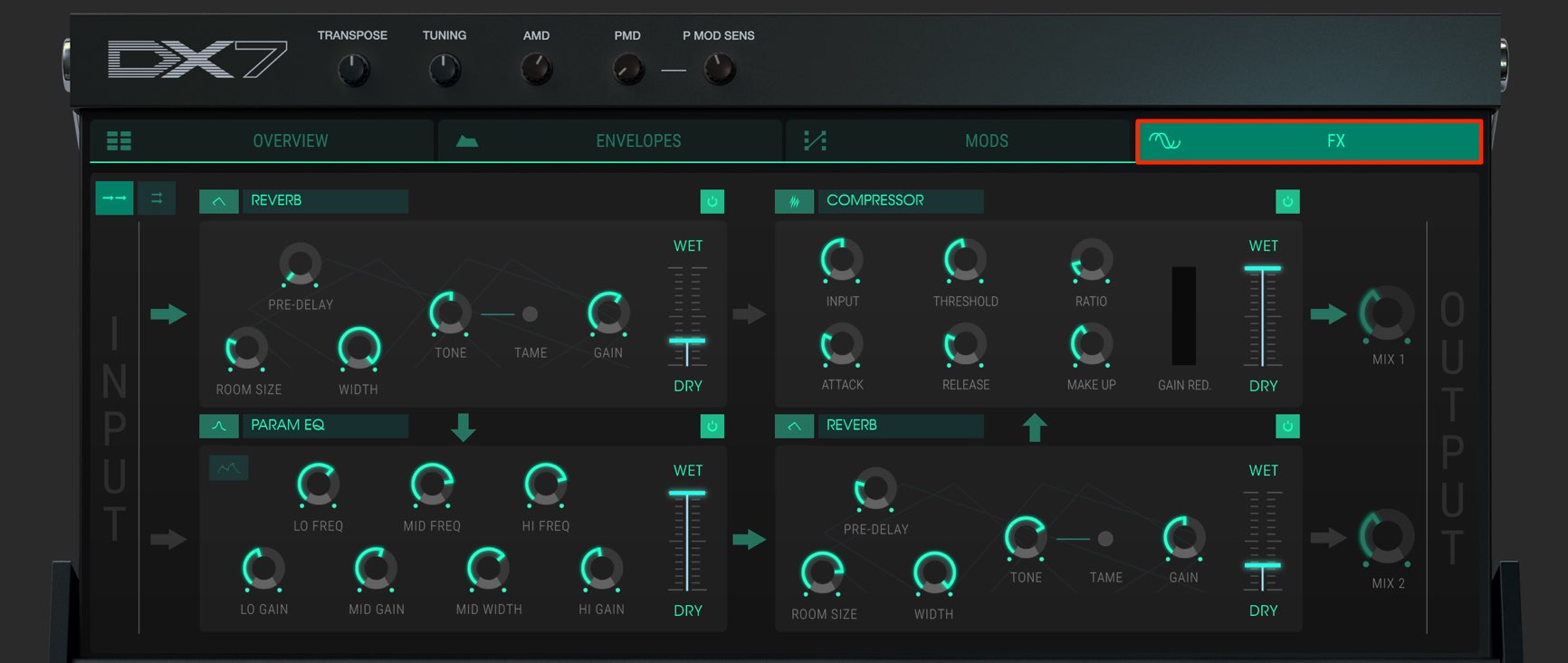
You can load up to four effects.
The effects can be routed in series or parallel.
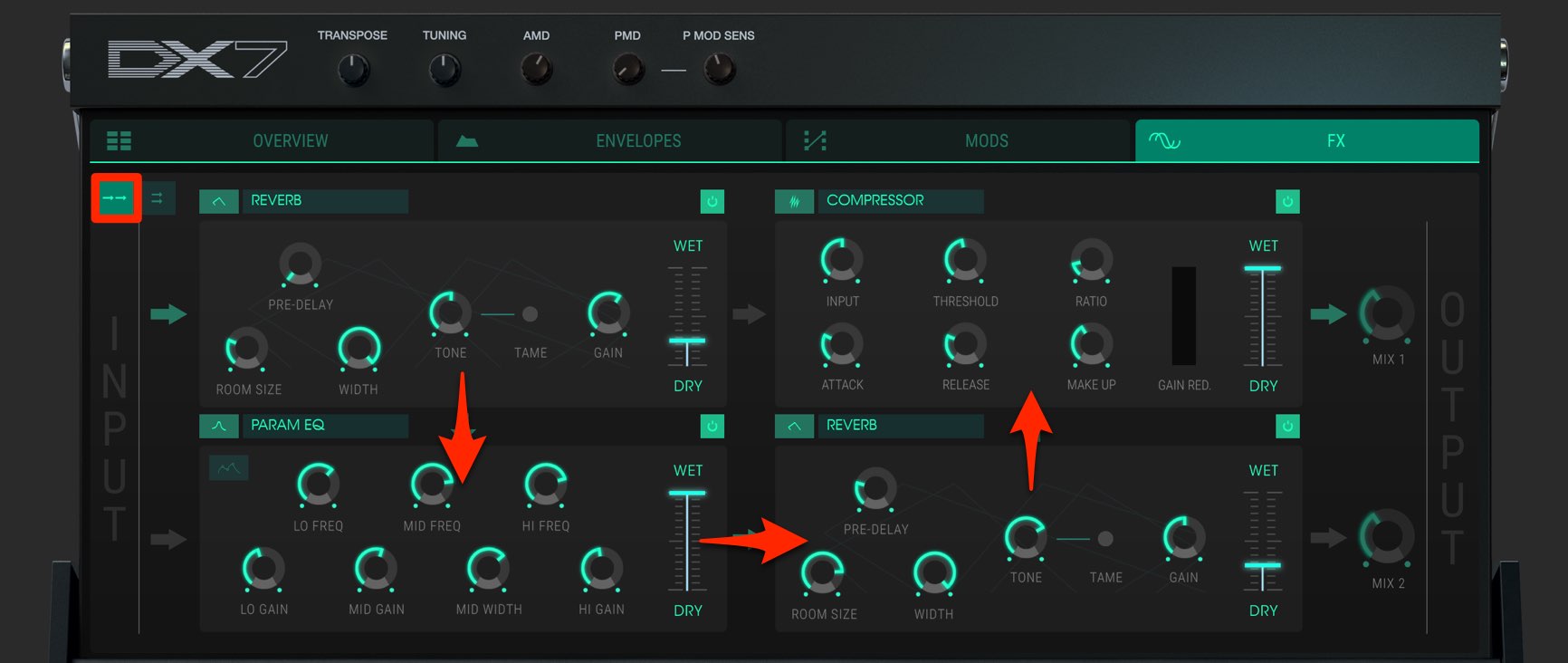
In series, the sound passes through every effect in the direction of the arrows.
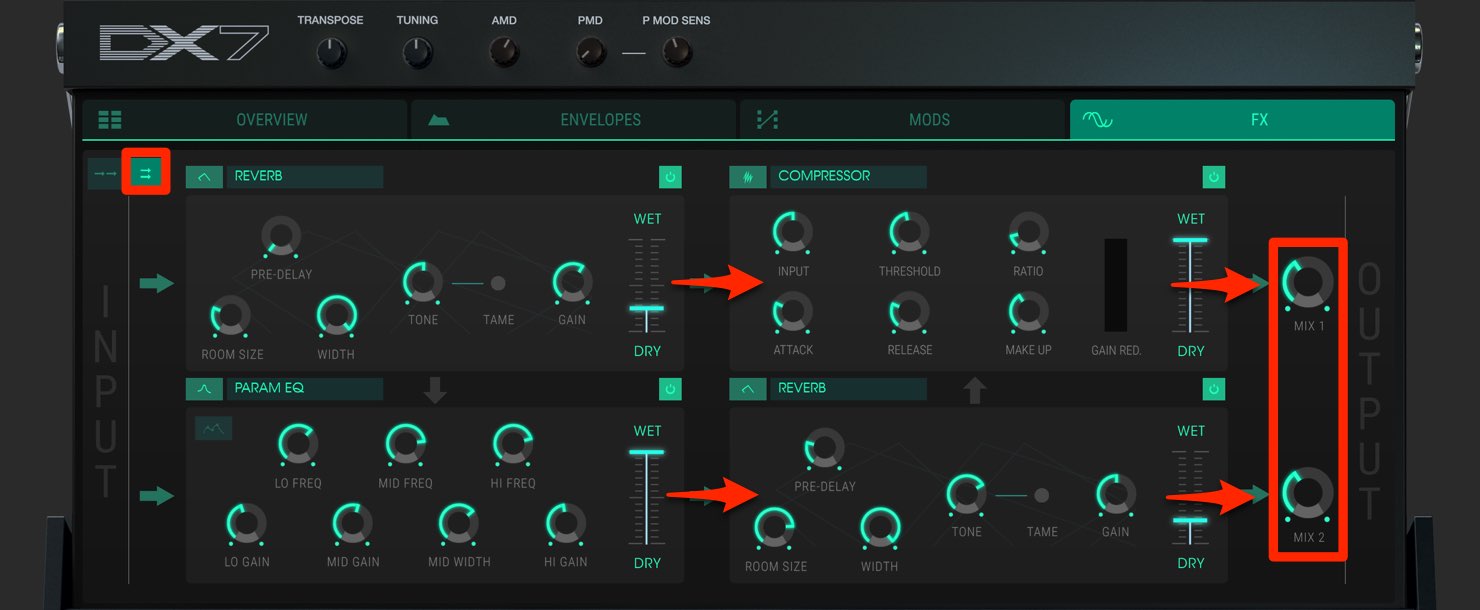
In parallel, the sound splits into two paths, allowing different effects to be applied.
Set the balance with “MIX.”
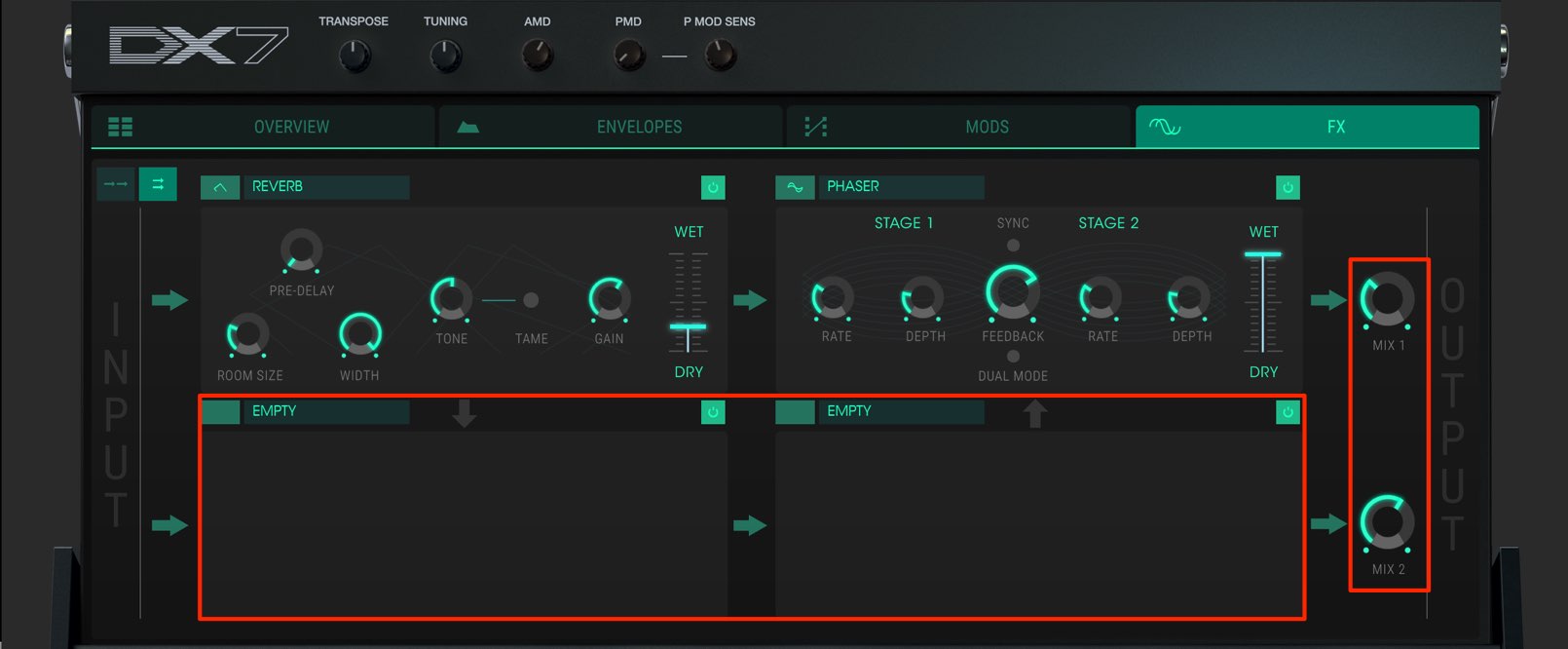
For example, by leaving the lower row without effects, you can make dry/wet adjustments similar to a send-return setup.
How did you find the series?
There are more features than we could cover here, but DX7 V retains the character and sound of the original hardware while offering much greater flexibility.
We hope you enjoy exploring it and find these tips useful when controlling the instrument.
- 1V Collection 6: Analog Lab 3
- 2V Collection 6: DX7 V Overview and Operators
- 3V Collection 6: Controlling DX7 V Parameters
- 4V Collection 6: DX7 V Modulation and Effects
- 5V Collection 7: Overview of Mellotron V and CZ V
- 6V Collection 7: Synthi V, B-3 V2 and Analog Lab 4
- 7V Collection 8: New Instruments and Vocoder V
Product URL: https://bit.ly/2J7BPjU
Purchase the product here
Contact: Korg / KID Customer Support Tel: 0570-666-569 (Japan)
Frequently Asked Questions
Q1. Which envelope mode should I choose in DX7 V?
Choose DX7 mode for a sound close to the original hardware, DADSR for natural changes in harmonics, or MSEG for complex, freely shaped changes. Pick the mode that suits your goal.
Q2. What happens when a value is set to “-1” in the MODS section?
At “-1,” modulation from an envelope or LFO acts in the opposite direction. For example, filter cutoff can move downward, allowing more expressive sound editing.
Q3. When should I use series or parallel routing in the FX section?
Series routing passes the sound through each effect in order, making it useful for complex processing. Parallel routing applies different effects simultaneously, allowing you to balance dry and wet sound for a natural result.
NEW ARTICLES
Latest English Articles























































































































































































































































































































