
Part 2 of our SYNTHWAVE production series in Cubase Pro 10.5 explores practical ways to build a chord progression and bass track. We use ii minor → IV → vi minor → V in E-flat major, keeping the progression consistent to make effective use of looped phrases in a dance-music arrangement. The bass uses Retrologue, starting with a simple phrase built around sustained notes. We then shape its space with reverb and mid/side processing, and reinforce the low end with sub-bass. These concrete sound-design techniques are suitable for beginners to try themselves.
Simple Tracks with Thoughtful Details
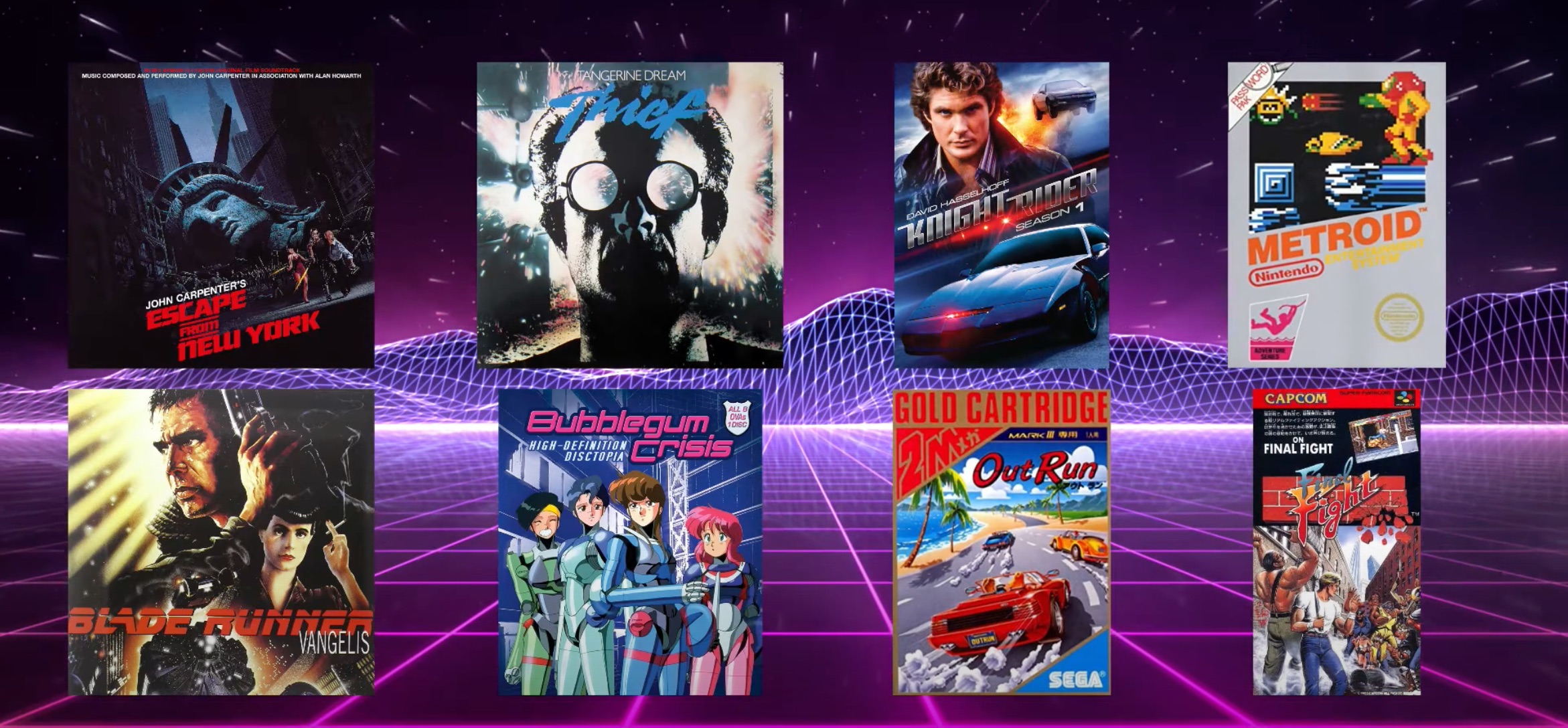
In Part 2 of our SYNTHWAVE production series in Cubase Pro 10.5, we will explore chord progressions and bass phrases.
The chord progression and bass track in this example are very simple, but they incorporate a variety of arrangement choices and sound-editing ideas.
Keep an eye out for those details as you watch the tutorial.
SYNTHWAVE Chord Progression and Bass Track: Video Tutorial
- 1Rhythm Track
- 2Chord Progression and Bass Track
- 3Synthesizer Tracks
- 4Mixing the Tracks
- 5Processing the Vocal Track
The Chord Progression

The song has three main sections: a verse, a pre-chorus, and a chorus. We want to use the same chord progression in every section.
Keeping the progression consistent rather than changing it between sections makes it easier to use looped phrases. Many hit songs, especially in dance music, take this approach.
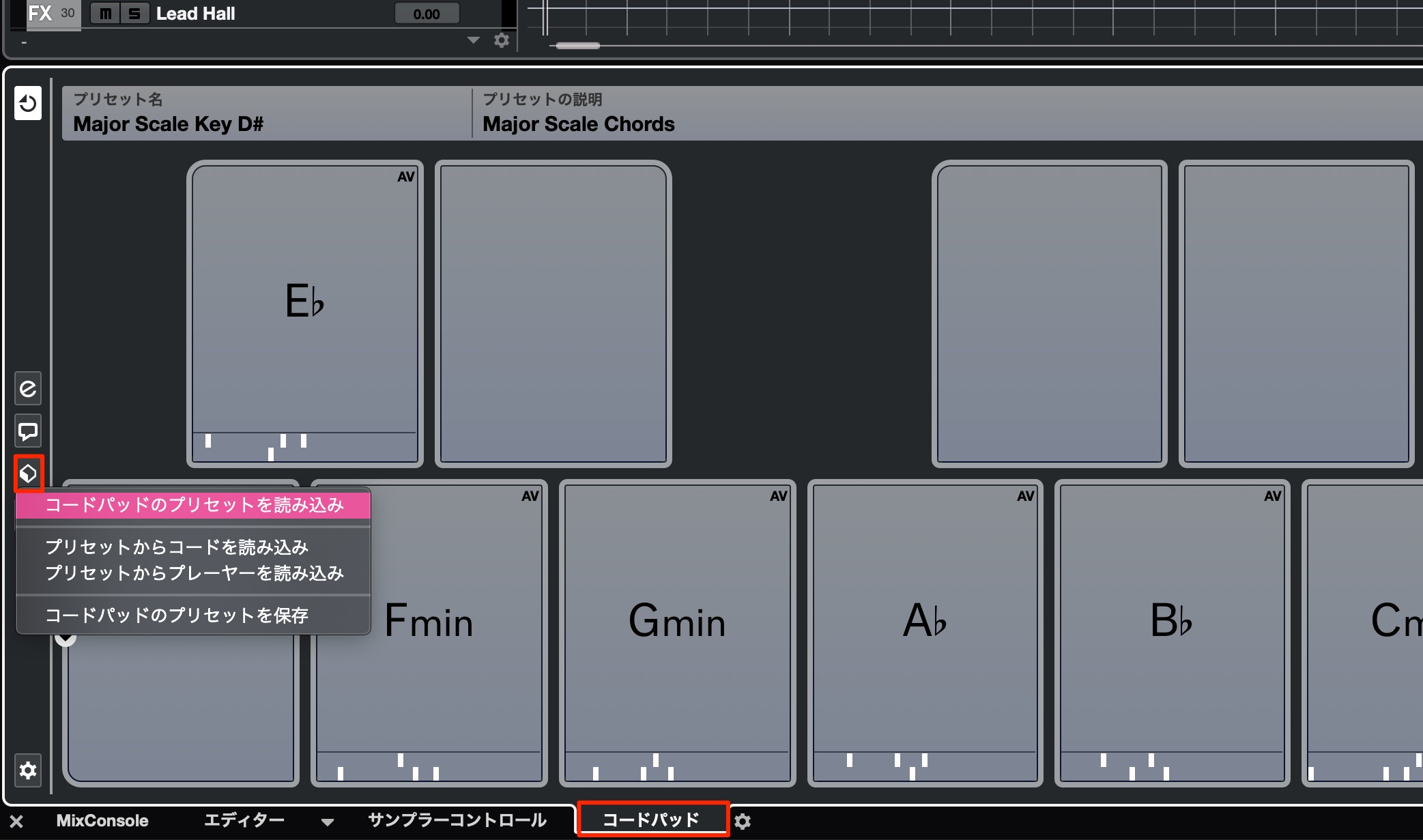
We will explore possible progressions using these Chord Pads.
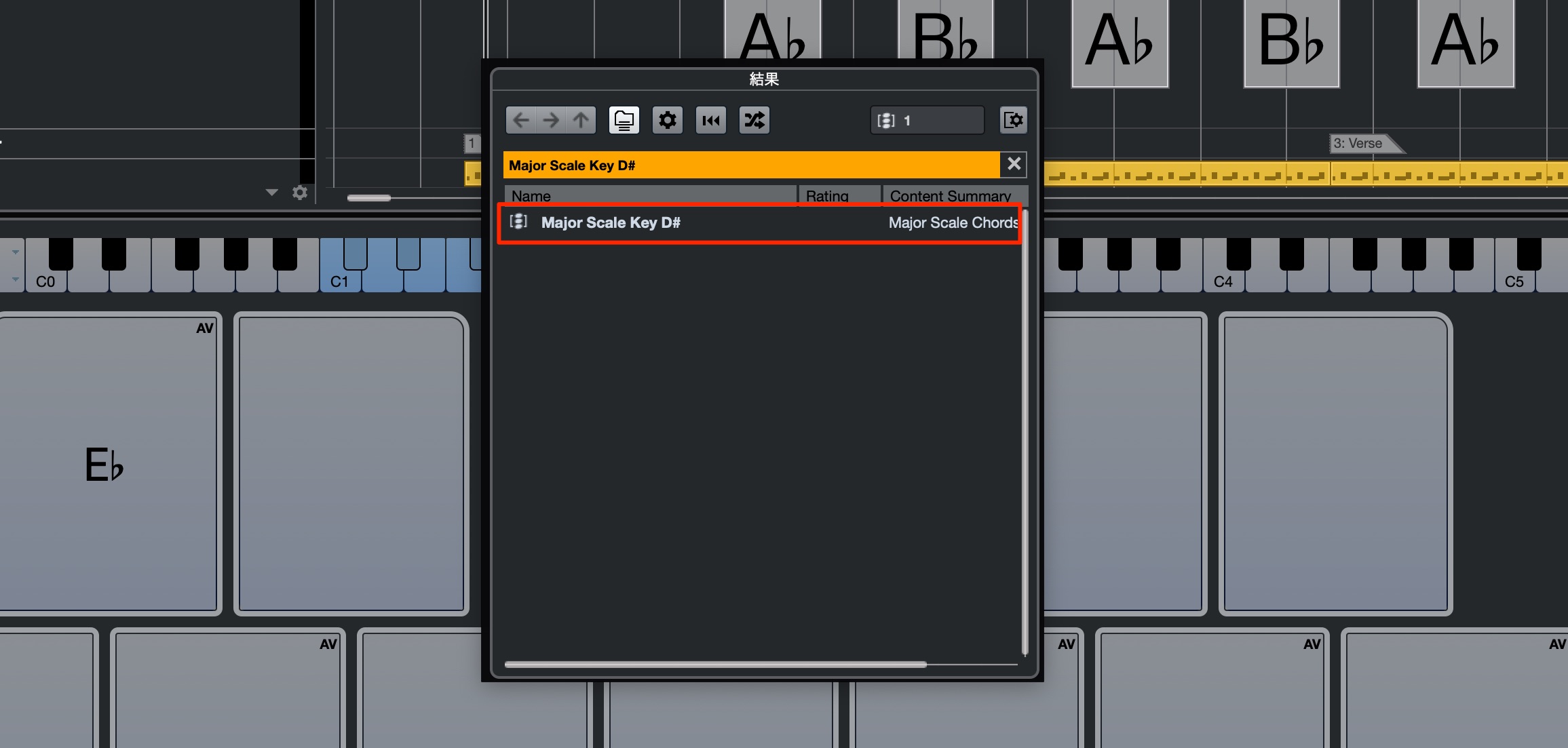
I want to write the song in E-flat major.
Load the “Major Scale Key D#” preset in Chord Pads. D-sharp and E-flat refer to the same keyboard pitch here.
The sounds of 1980s culture that I associate with vivid neon colors and cyberpunk felt colorful, but also slightly dark.
With that in mind, we will use a progression that has a minor flavor without becoming too dark.
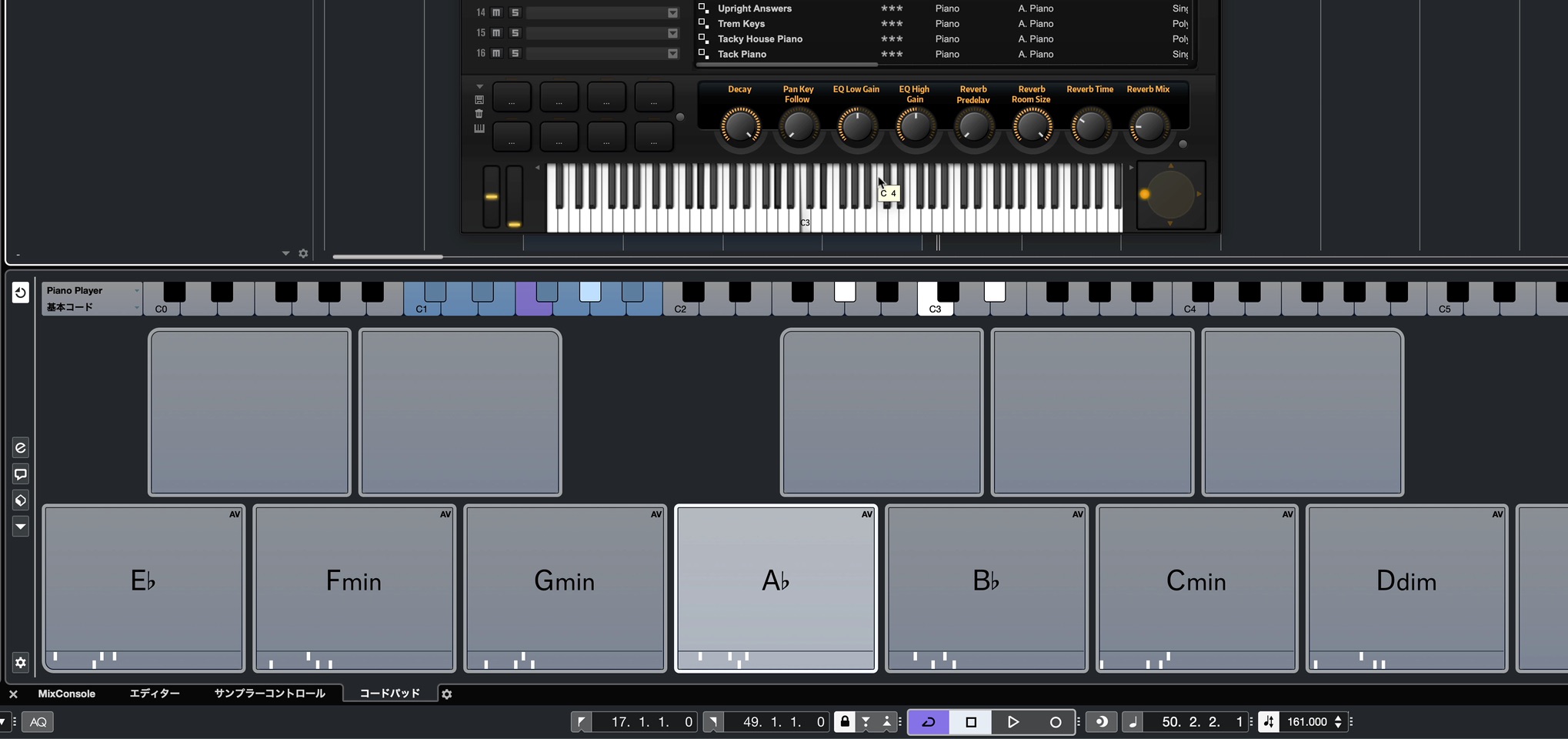
After trying several familiar progressions, the one that came closest to the intended mood used the major key’s diatonic chords in this order: ii minor → IV → vi minor → V.
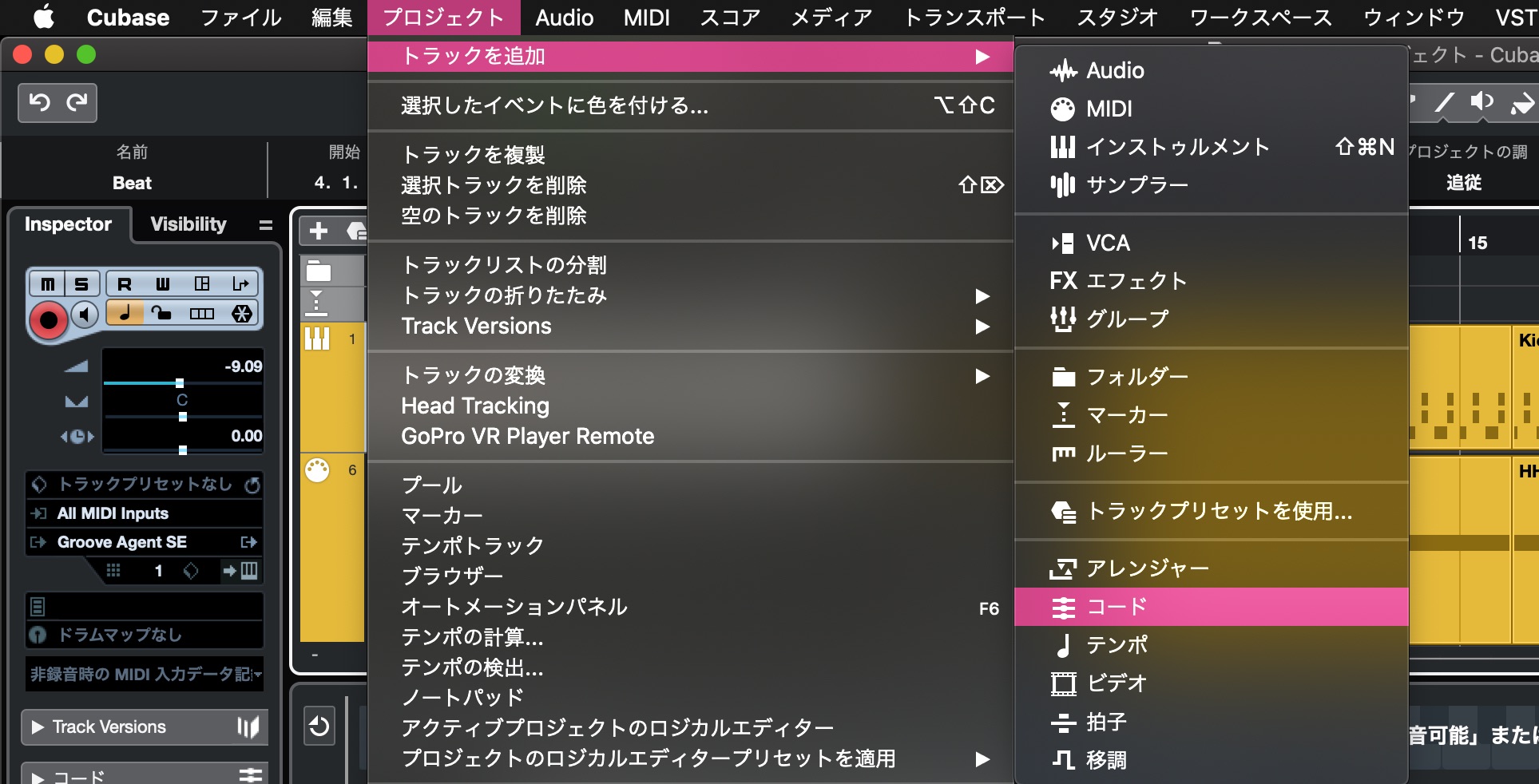
Once you have chosen the chords, create a new Chord Track.
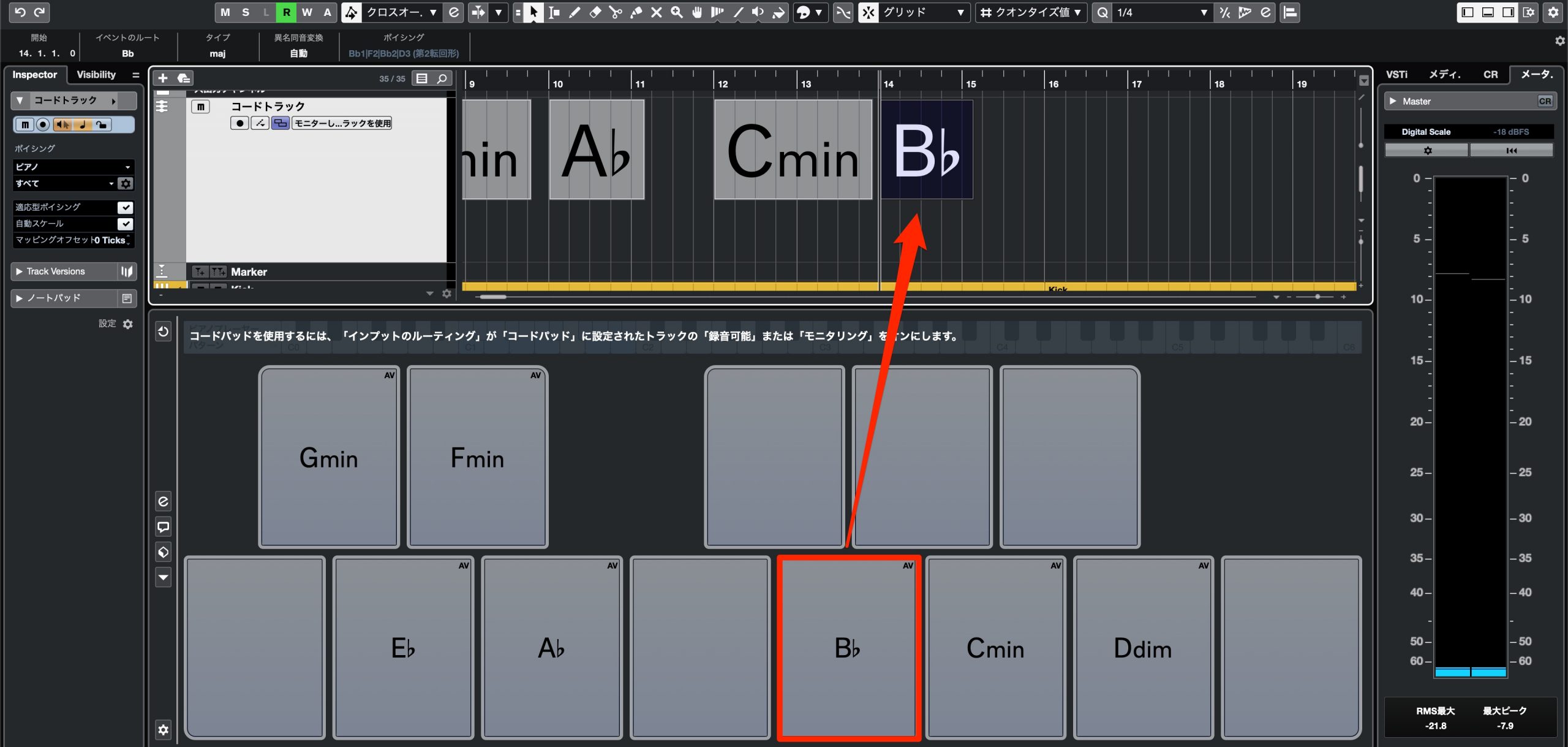
Drag the desired chords from Chord Pads and arrange them one at a time.
This helps you keep track of the progression as production continues.
The Bass Track
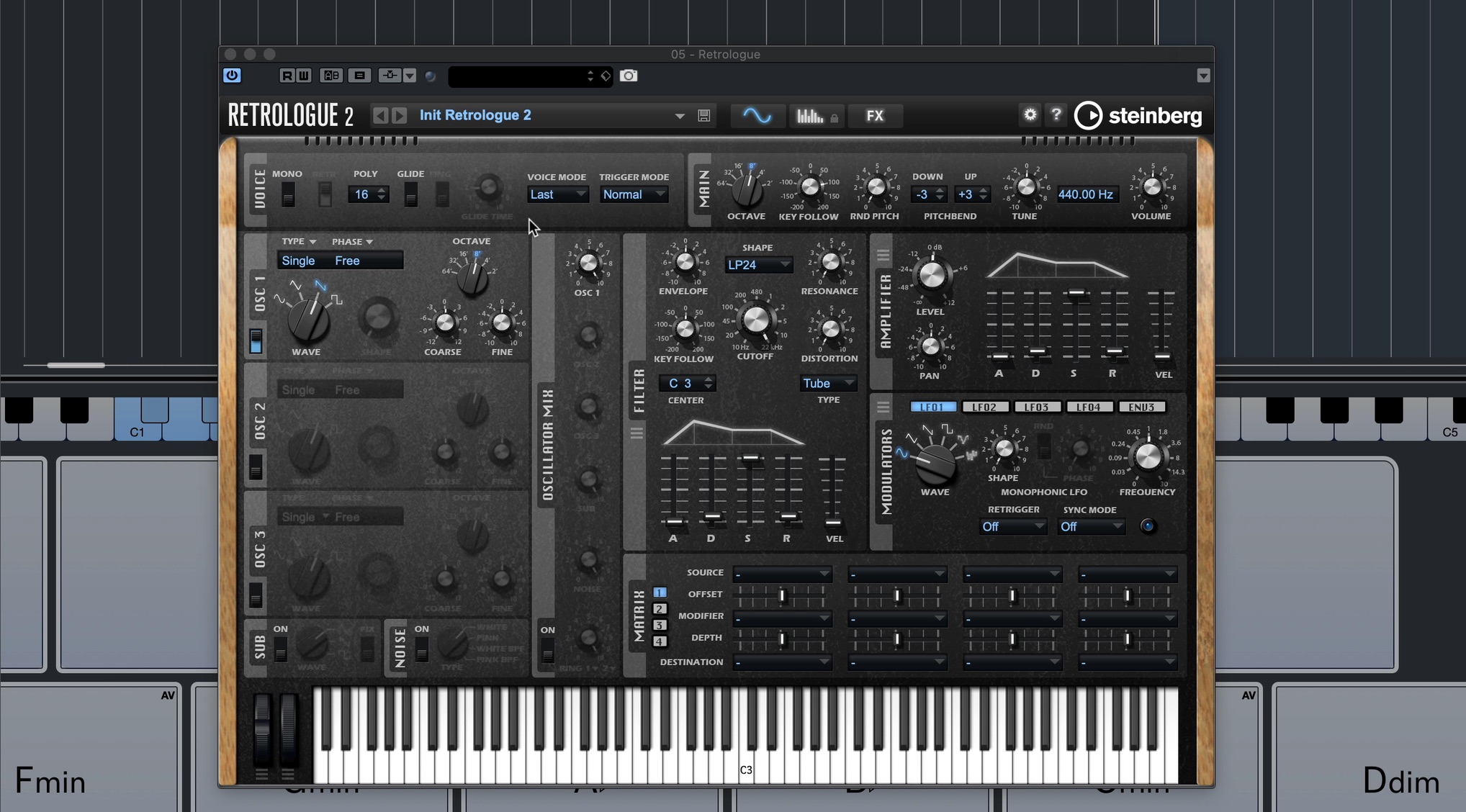
Synth bass is common in SYNTHWAVE, so we will open Retrologue, a virtual analog synthesizer.
The 1980s also saw digital synthesizers become widely established, driven in part by the popularity of the Yamaha DX7.
Warm analog synths and brilliant digital synths both contributed to the sound of the era.
Many songs combined the two, so I chose the analog-style Retrologue to reflect that aspect of the sound.
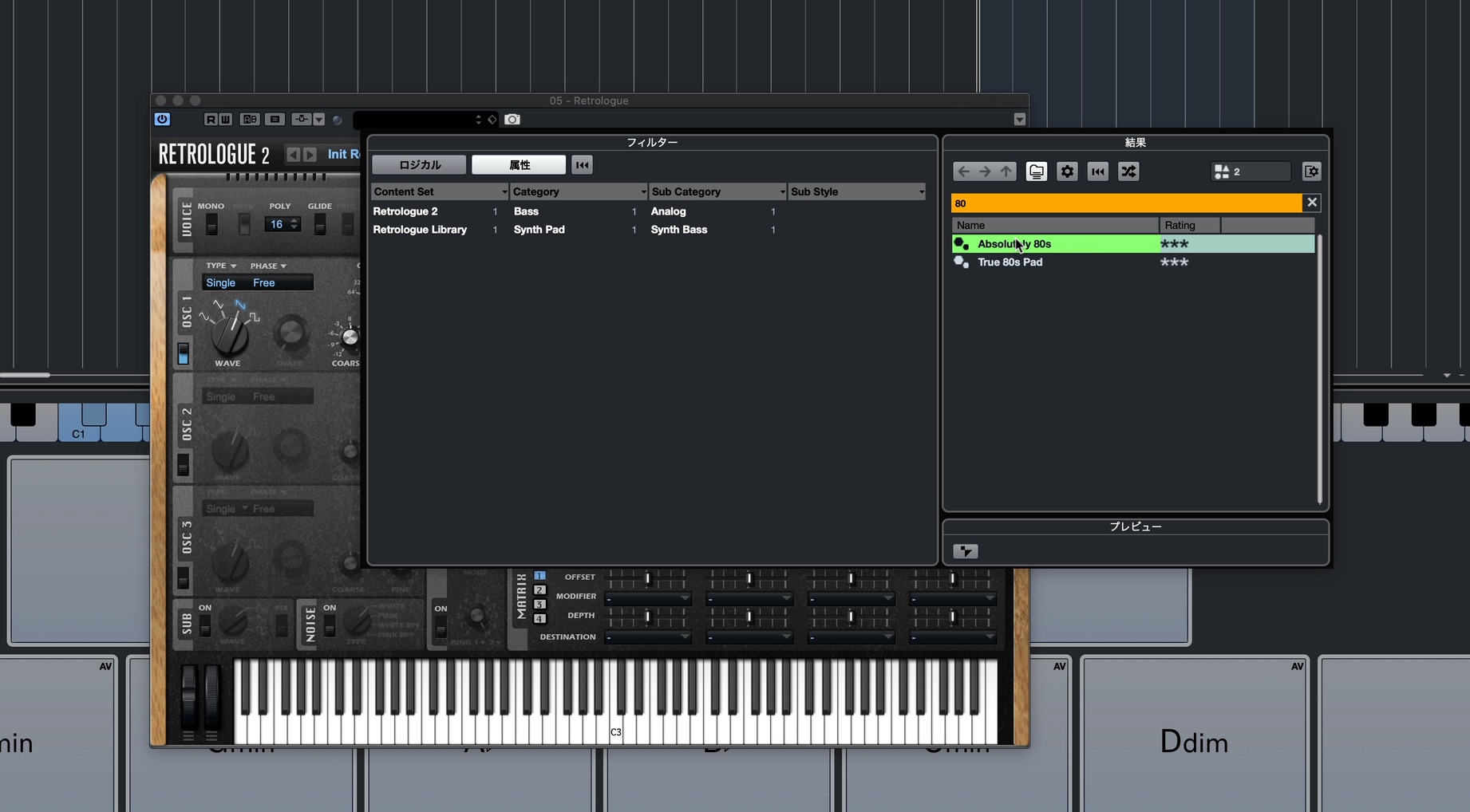
First, type “80” into the preset browser’s search box to find presets with a 1980s theme.
Choose “Absolutely 80s” from the list.
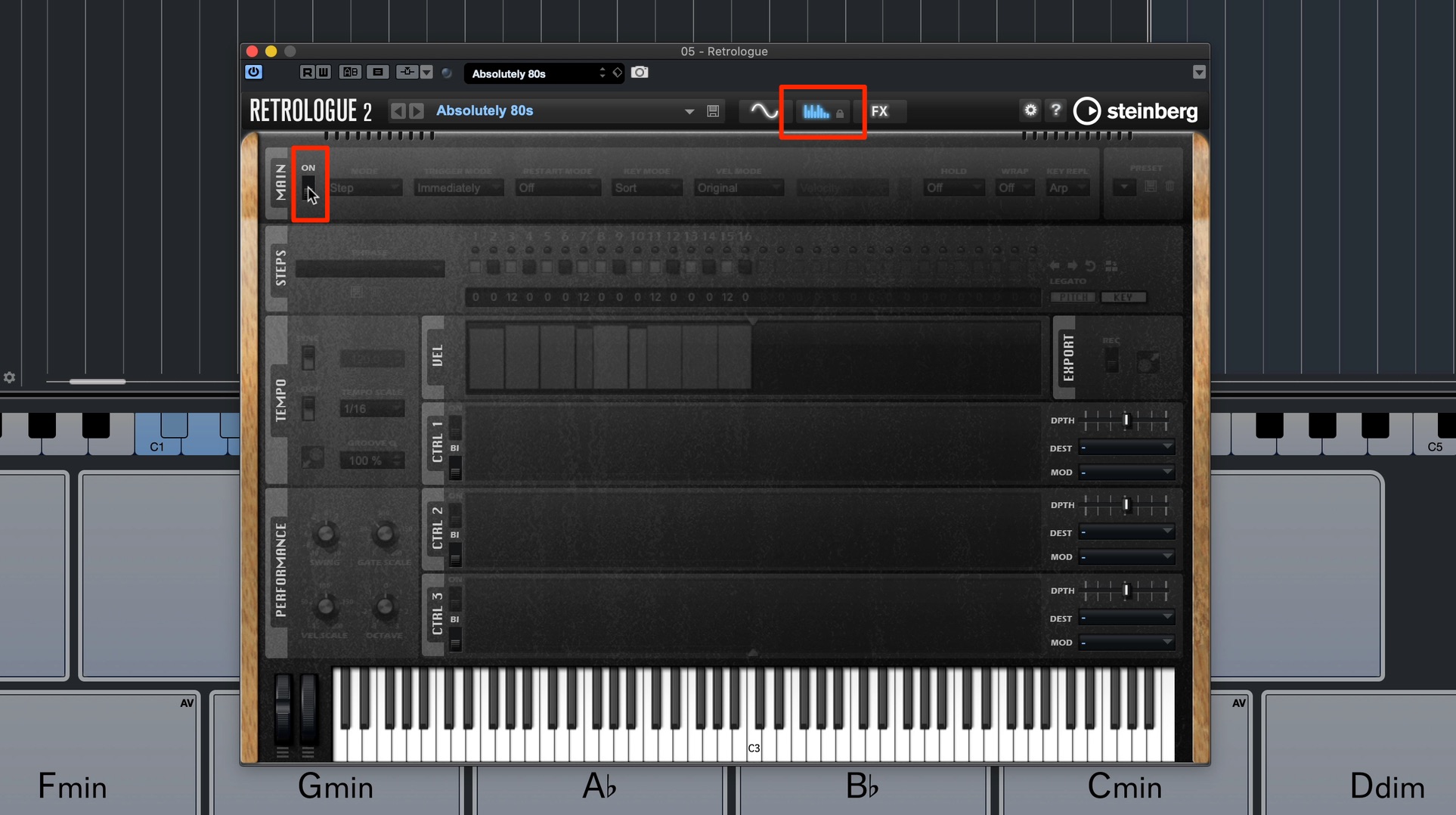
We do not need the arpeggiator, so click “Show Arp Page” and turn it off.
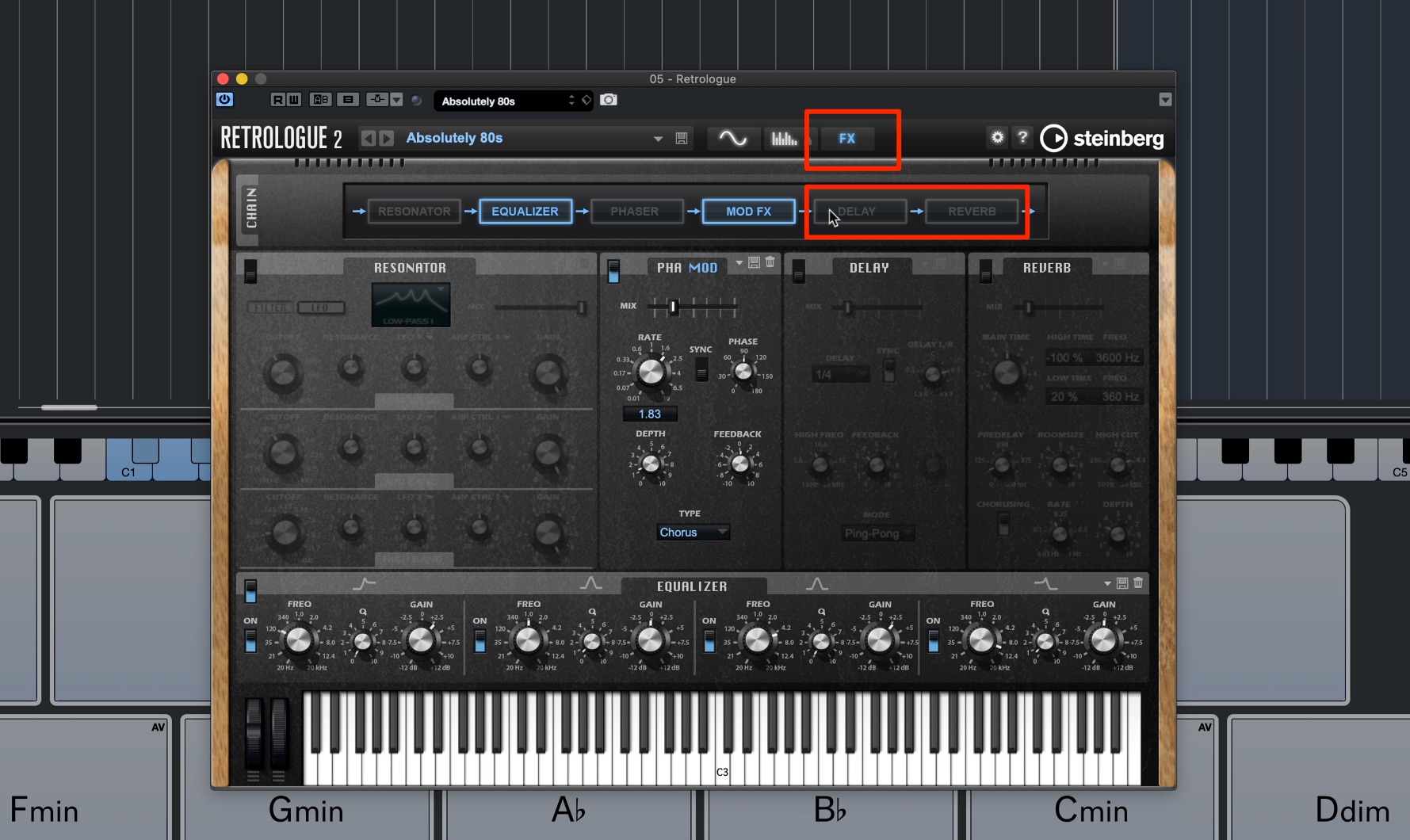
The preset also has quite strong spatial effects. Open “Show FX Page” and turn off the reverb and delay.
Now that the sound is ready, let’s create the bass phrase for the chorus.
Entering the Bass Phrase
The concept for this song is to let the vocal melody come through clearly.
Since the bass already has a strong presence, I want to keep its phrase simple, with relatively few notes.
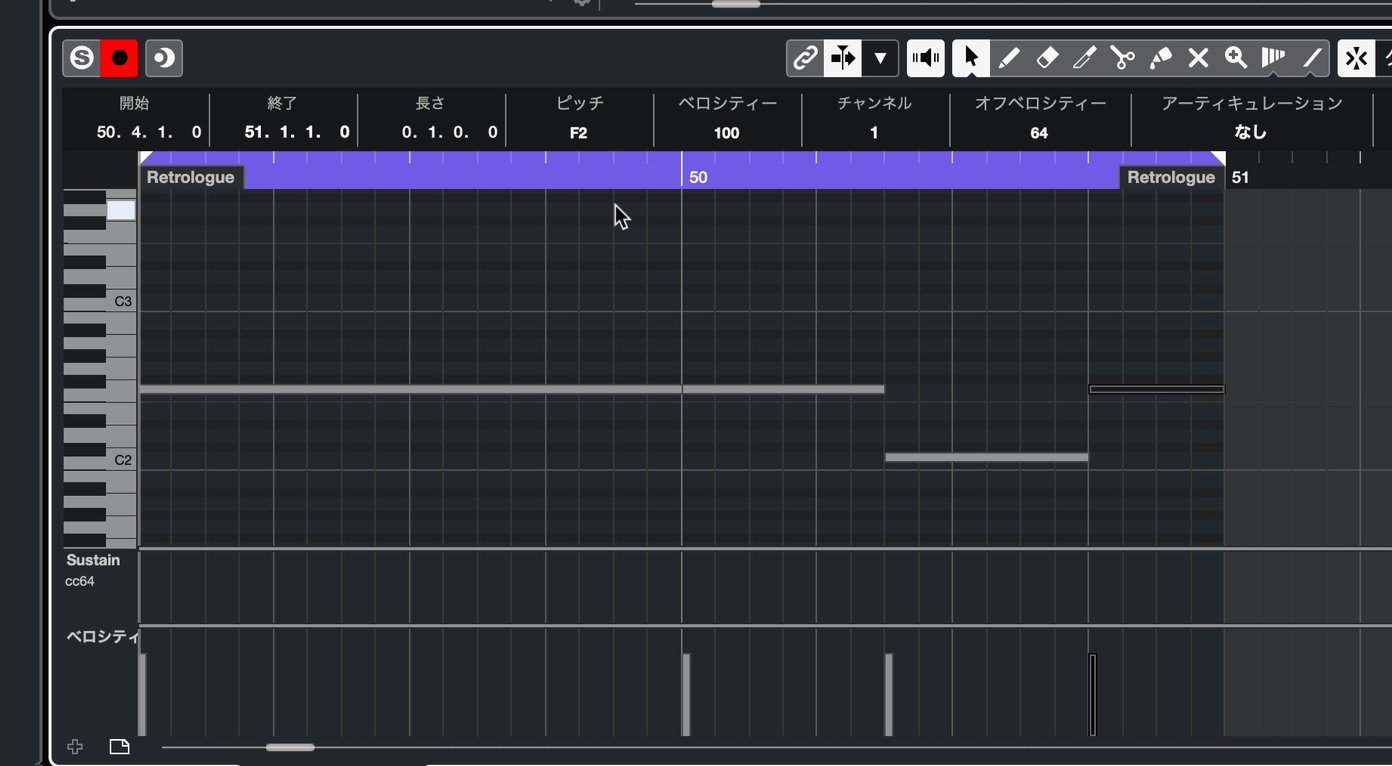
Start by sustaining the root note.
Bass notes often follow the timing of the kick, but here their main role is to support the chord roots. Where some movement is needed, add a phrase that comes to mind, as though filling the gaps.
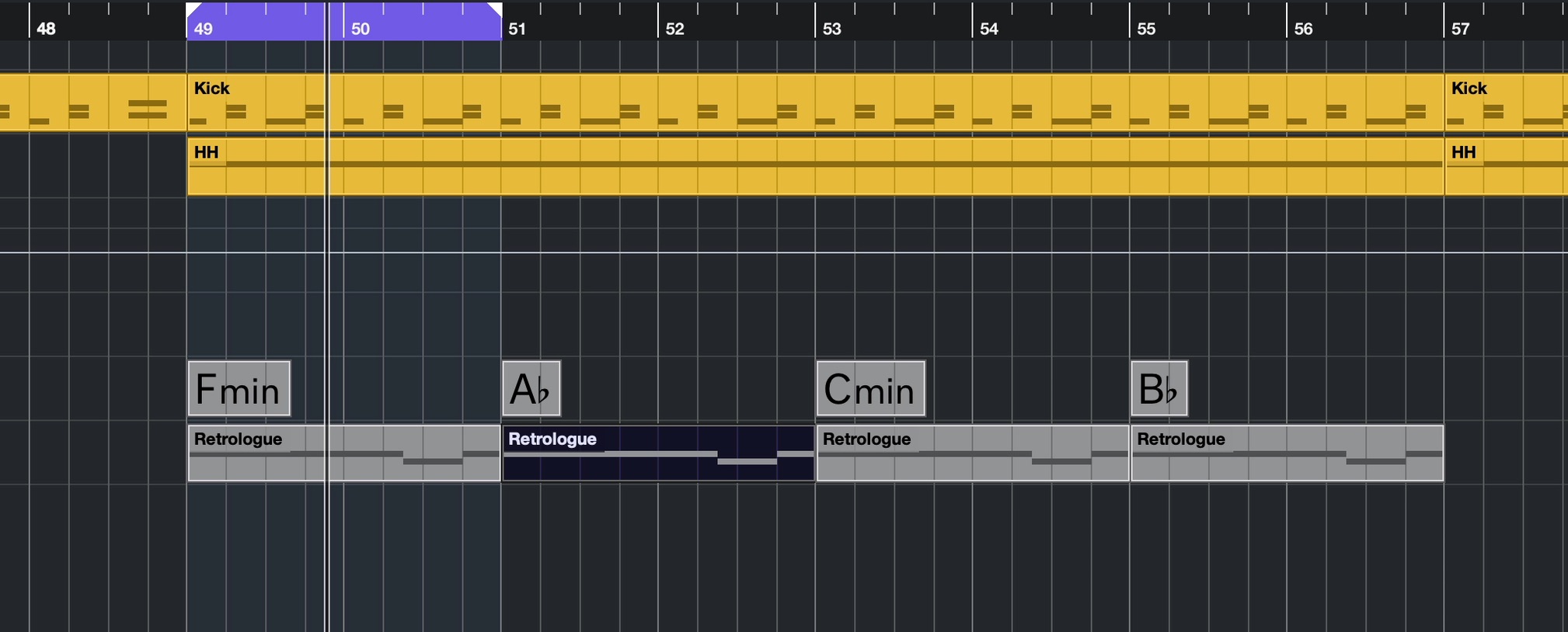
Once the phrase for one chord is finished, duplicate the event so there are four instances in total.
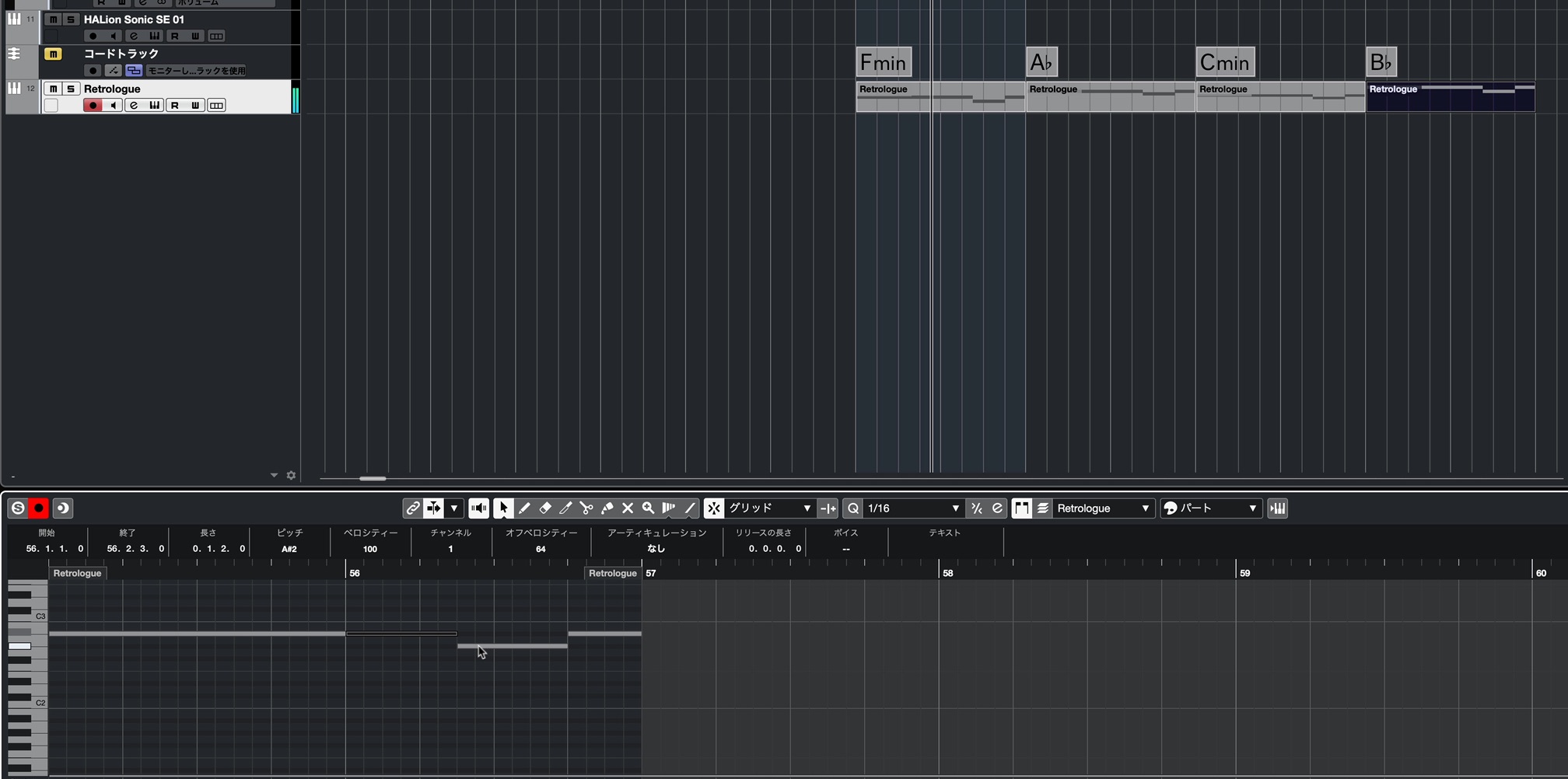
Then move the notes in each event to fit its chord.
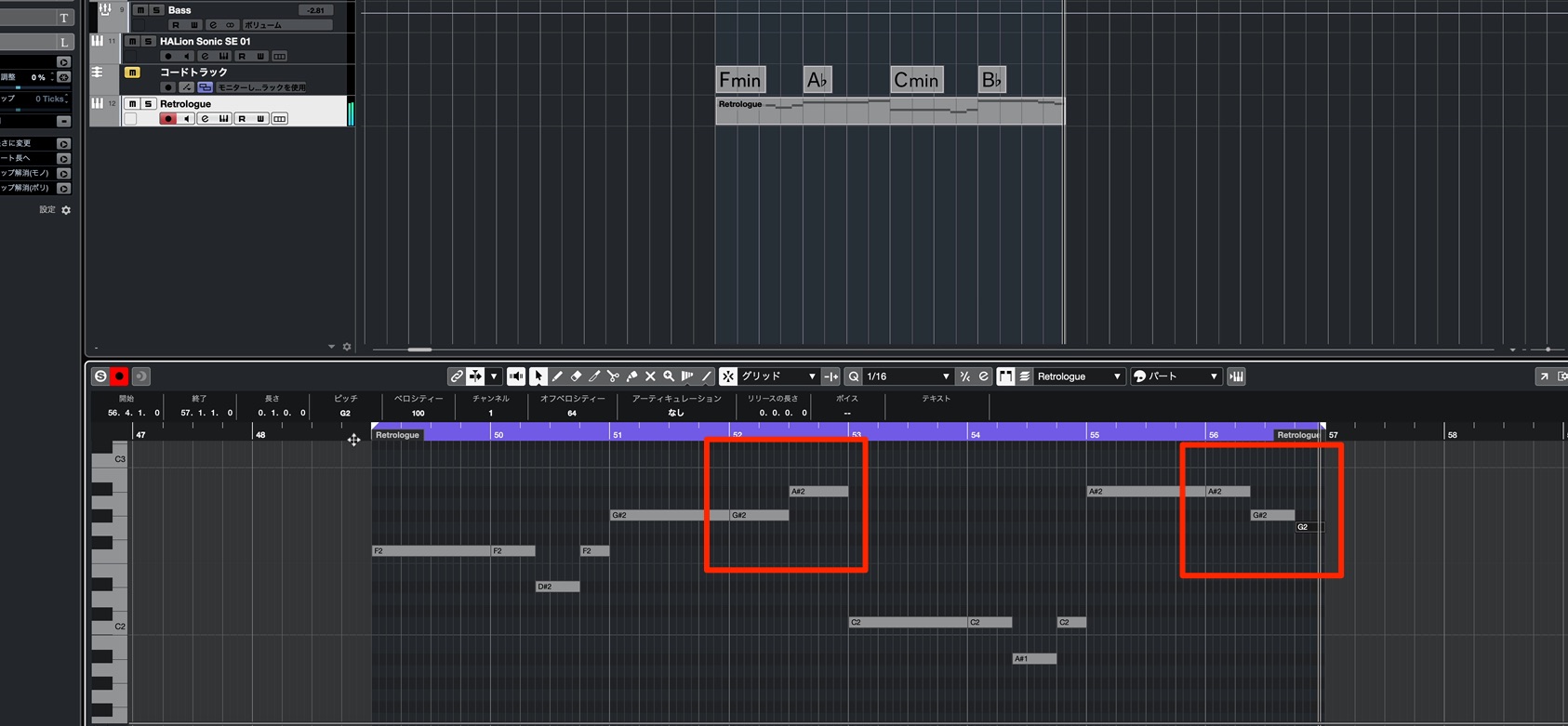
Repeating exactly the same pattern can become a little uninteresting, so vary the content every other phrase.
Even a small change to the notes can prevent the line from becoming monotonous.
Polishing the Bass Sound
Finally, add a little reverb from the FX page to give the bass a sense of enveloping the rest of the song.
Reverb is not something I often use on bass because it can change the groove and make note lengths less distinct.
Here, however, the line mainly uses sustained notes rather than a strongly rhythmic pattern, so I felt this processing worked well.
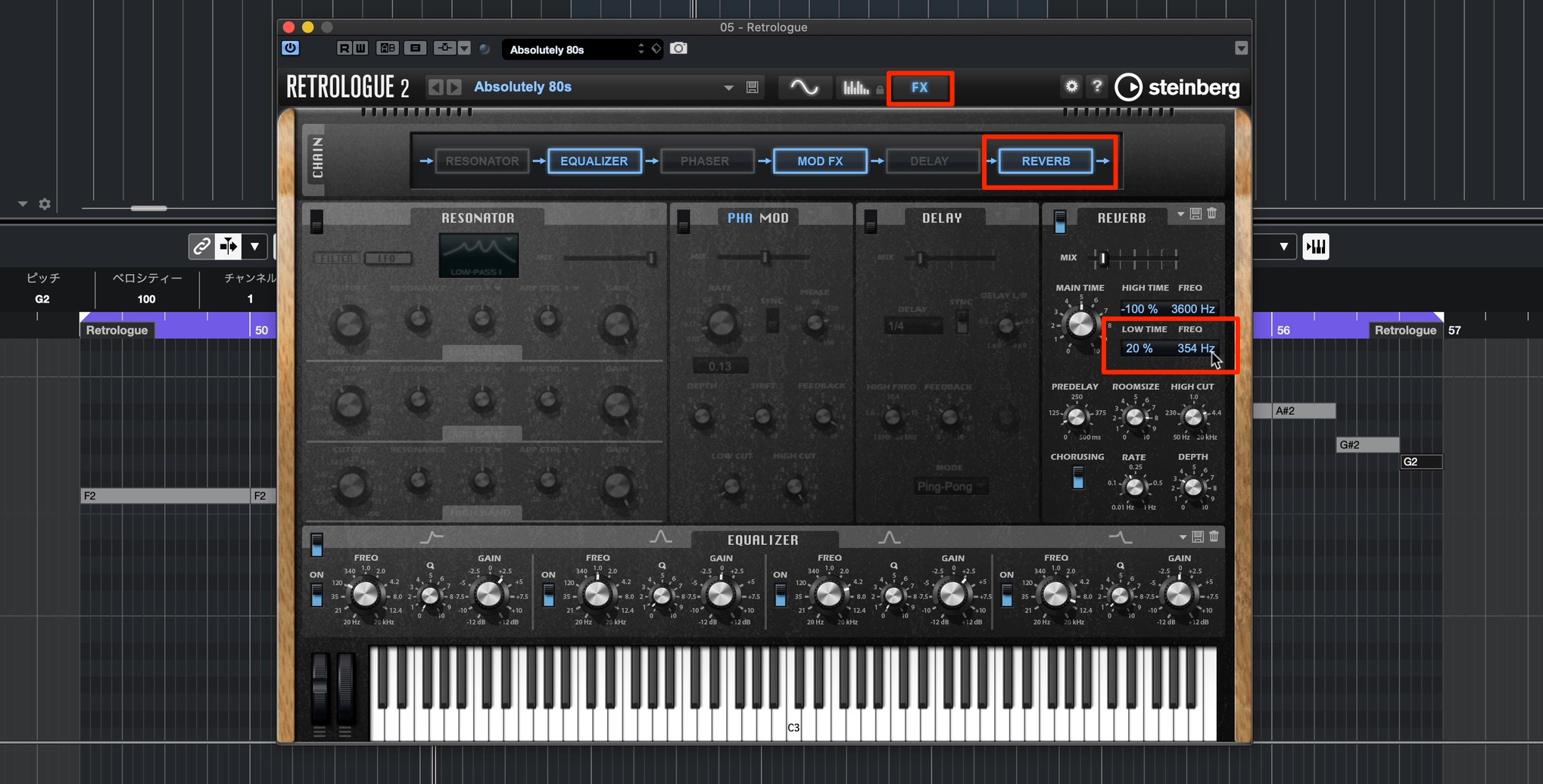
The key is to reduce low-frequency reverberation to avoid muddiness, setting the low-frequency “Freq” control to around 300 Hz as shown.
Another option is to shorten the reverb time in this range with “Low Time.”
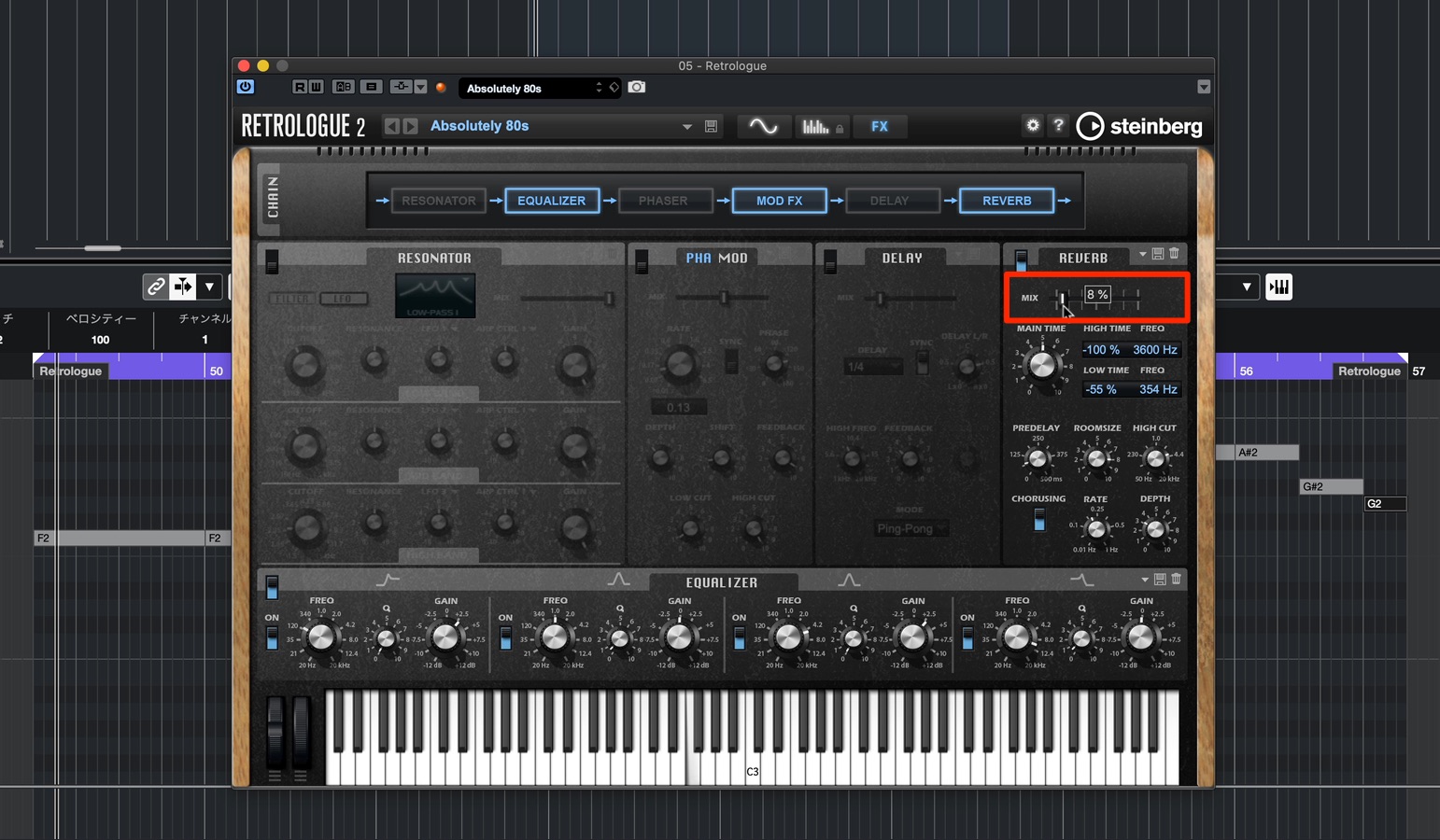
“Mix” controls the balance between the original sound and the reverb.
We only want a faint shadow around the bass sound, so keep the value low.
You should hear a little more width and depth.
With the bass spread wider, its relationship with the kick becomes weaker and the rhythmic outline feels less clear.
In this situation, use mid/side processing to cut low frequencies from the Side signal for better results.
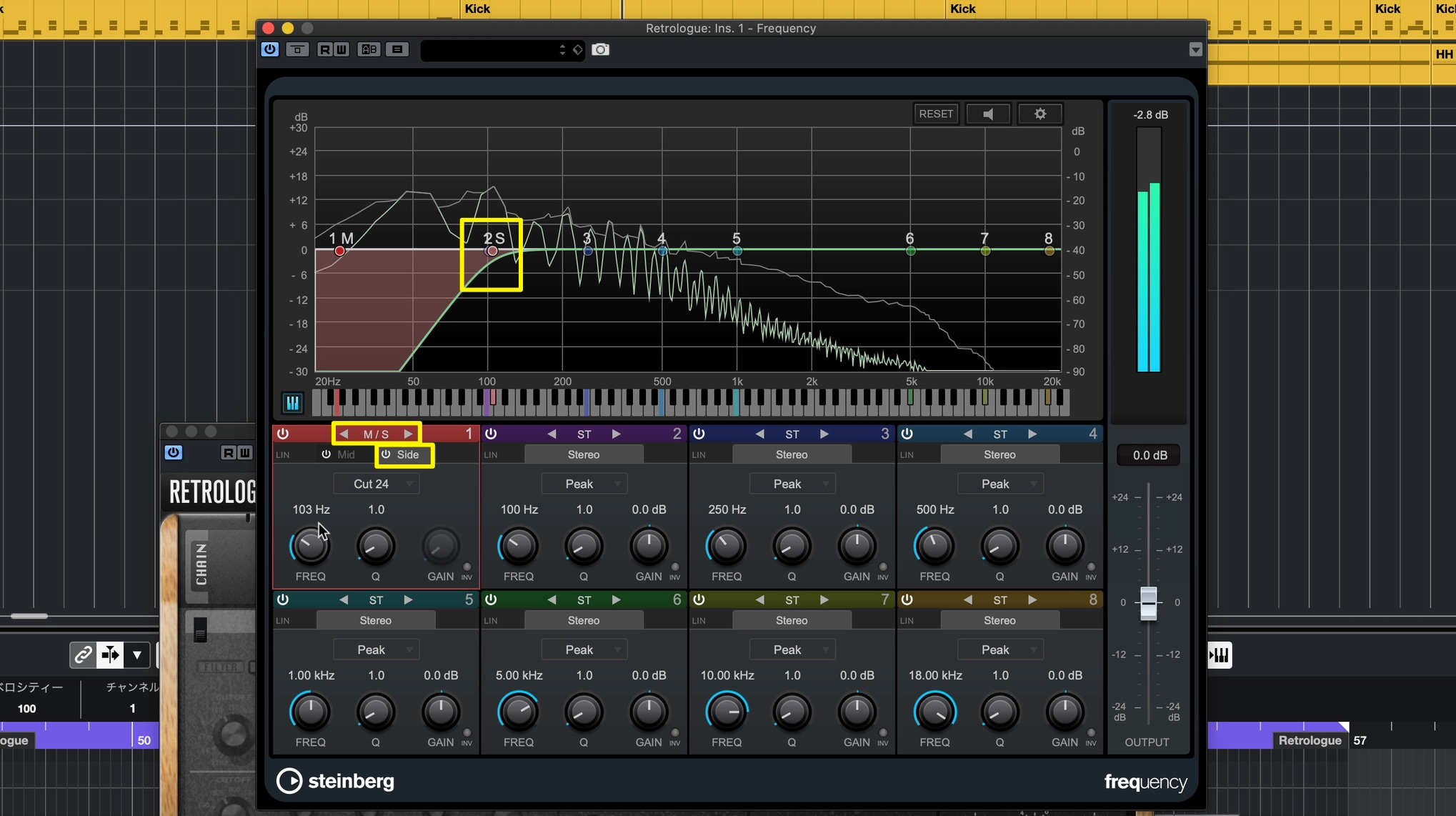
Switch the first band of Frequency to M/S mode and cut the low frequencies from the Side signal only.
Play the kick together with the bass, listening carefully to find the right setting.
To finish this installment, create another track and add sub-bass.
Its purpose is to reinforce the low end.
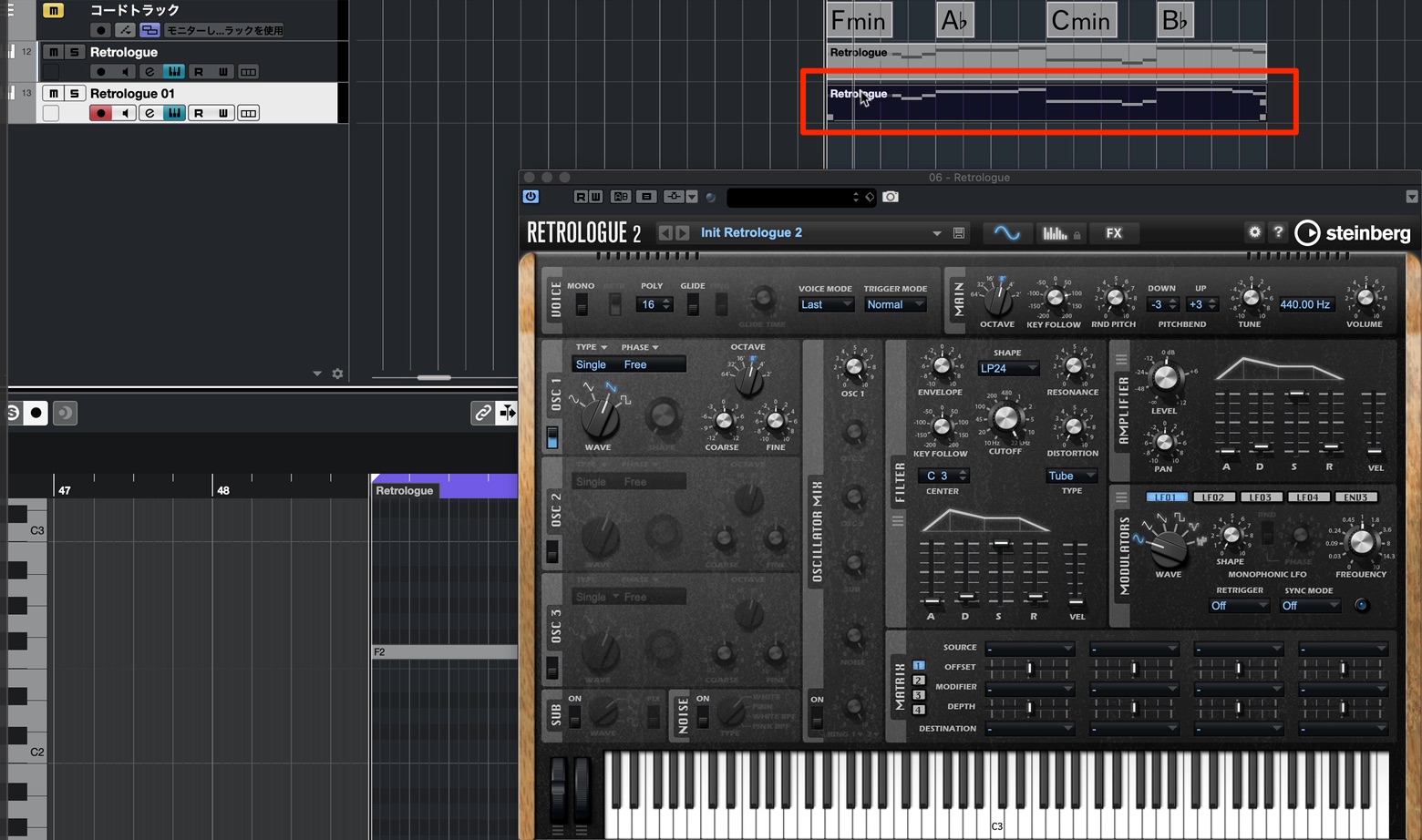
Open another instance of Retrologue and copy the bass phrase to its track.
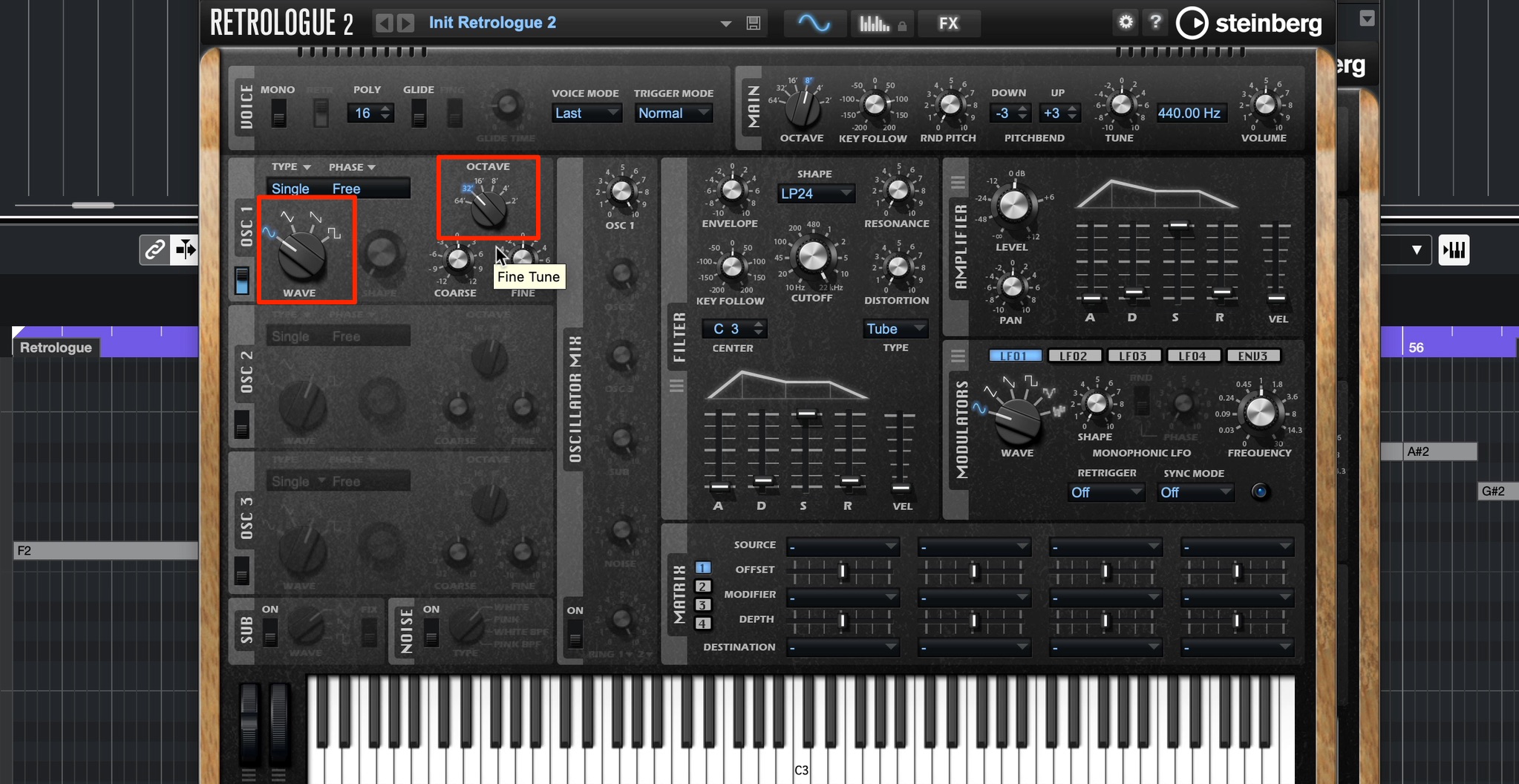
For the sub-bass oscillator, choose a sine wave, which has no upper harmonics.
Lower the pitch by one octave to extend the low-frequency range.
That completes the drum and bass tracks.
What did you think?
I hope this shows how much editing and refinement are possible even when you start from a preset.
In the next installment, we will create synth chord backing and lead tracks.
How to Make Synthwave, Part 2: Chord Progression and Bass Track
The tutorial uses Cubase’s included synthesizers and features, so music-production beginners can follow along and learn by doing.
The original post also refers to the song’s project file on the website. ✨
🎥 YouTube: https://t.co/9W2pQ4esSG📝 Website: https://t.co/ZPN7N5rVei pic.twitter.com/mkTFCssnFk
— SLEEP FREAKS (@SLEEPFREAKS_DTM) June 6, 2020
Frequently Asked Questions
Q1. Is there a standard chord progression for SYNTHWAVE?
There is no fixed progression, but simple progressions that are easy to repeat work well in a dance-music context. To express a colorful yet slightly dark 1980s atmosphere, this article uses ii minor → IV → vi minor → V from a major key’s diatonic chords.
Q2. What is the first step in creating a chord progression in Cubase?
Open Chord Pads and load a preset for the song’s key, such as “Major Scale Key D#” in this example. Create a Chord Track and drag the desired chords onto it so that you can keep track of the progression while working.
Q3. What should I watch out for when adding reverb to bass?
Reverb can change the bass groove. To avoid a muddy low end, reduce low-frequency reverberation with “Freq” set to around 300 Hz. Cutting low frequencies from the Side signal with M/S processing can also help clarify the relationship with the kick.
NEW ARTICLES
Latest English Articles


































































































































































































