
In this 2020 guide, we look at why I chose Ableton Live Suite. Its integrated Max for Live visual programming environment makes it easy to build connections between tracks and work flexibly with MIDI effects, going beyond a typical VST plug-in workflow. The comparison here also covers 21 additional audio effects, including Amp & Cabinet, Echo, and Convolution Reverb. Using the Japanese prices quoted below, upgrading from Standard to Suite cost ¥11,000 more than adding Max for Live alone, bringing extra instruments and effects that made Suite an attractive option for distinctive sound design.
Max for Live and Effects: What Makes Suite Stand Out
This is Tomoki Miyakawa from Sleepfreaks, continuing my look at why I chose Ableton Live Suite.
In Part 2, we will explore Max for Live and audio/MIDI effects in detail.
Max for Live was the biggest reason I upgraded from Standard to Suite, and I see it as a key feature that sets Live apart from other DAWs.
It offers extensive possibilities beyond a conventional VST plug-in workflow, so let’s take a closer look.
Why I Choose Ableton Live Suite, Part 2
Product website: https://bit.ly/2Hp4Ar4
Introducing Max for Live
As mentioned above, Max for Live is one of the features that really defines Suite.
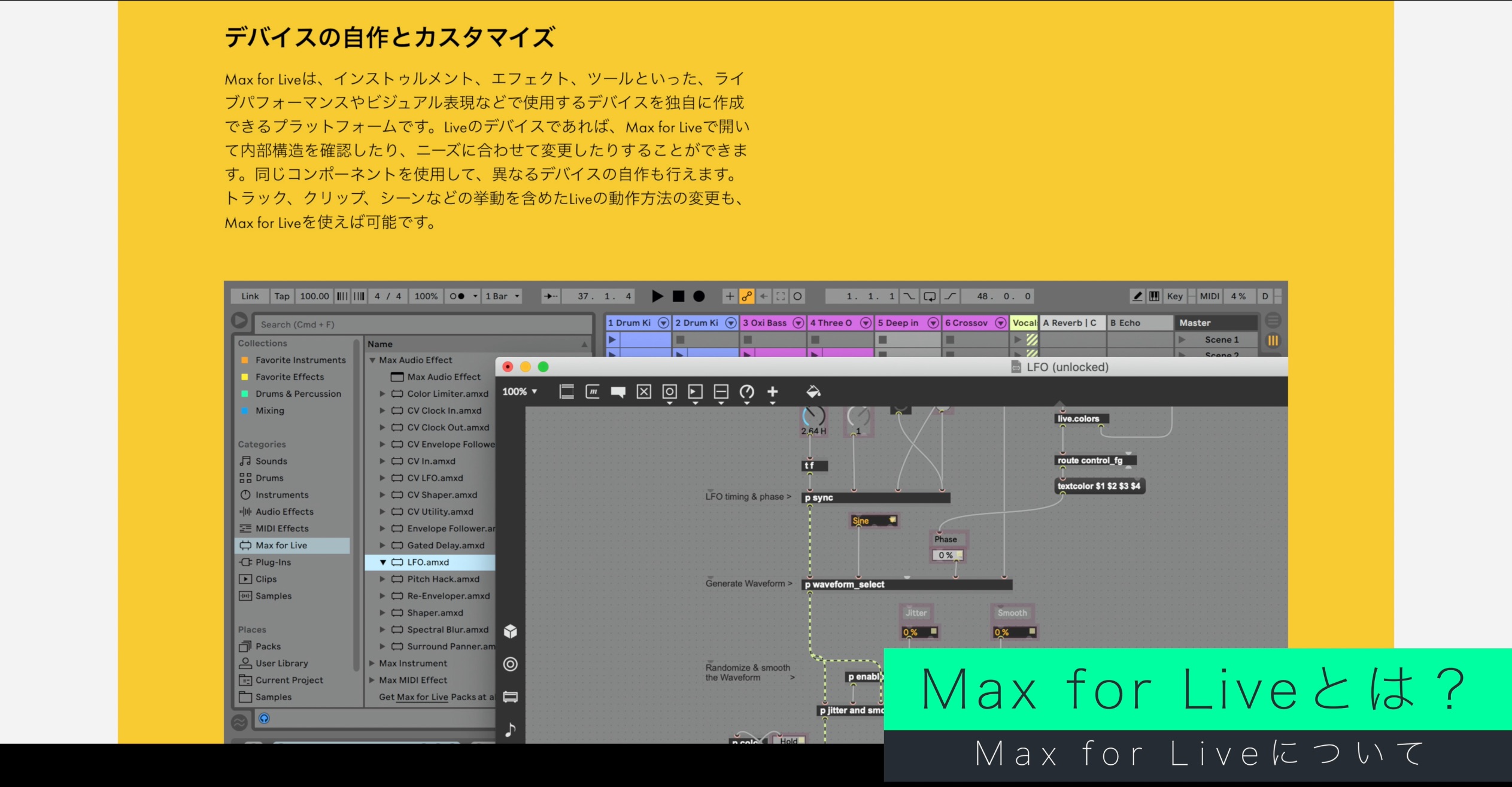
It integrates Max, a visual programming environment popular with artists working in electronica and experimental music, into Live. Put simply, it lets you create your own effects and instruments.
Building your own devices might sound challenging, but plenty of ready-made devices are also available, both paid and free.
Website: https://maxforlive.com/
Two notable strengths of Max for Live’s integration, compared with a conventional VST workflow, are:
- Creating interactions across different tracks
- Working with MIDI effect devices directly in Live’s device chain
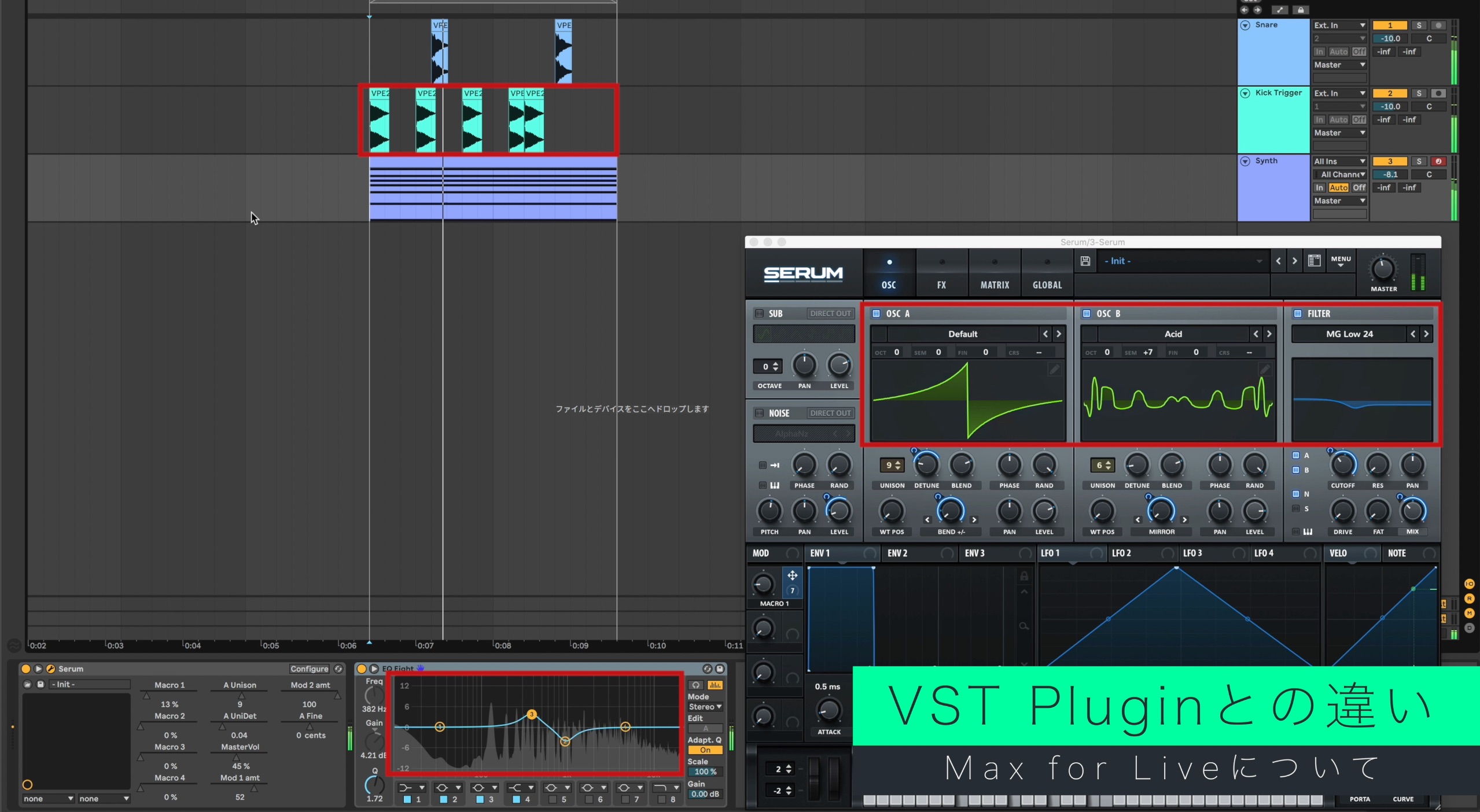
For example, you can use a kick track to control synthesizer parameters or effects on another track, or create the rhythmic volume movement often heard in electronic music.
You could program these movements with track automation, but Max for Live makes them very easy to set up.
You can also assign these modulations to automatable parameters in native devices and third-party plug-ins.
Combining several devices lets you build a complex processing setup within a single track.
At the Japanese prices quoted when this article was published in 2020, adding Max for Live to Standard cost ¥21,800, while upgrading from Standard to Suite cost ¥32,800.
The extra ¥11,000 brought additional instruments and effects, which made the Suite upgrade good value. These are historical Japanese prices, not a current or worldwide offer.
Audio Effects from Practical Tools to Distinctive Sound Design
Next, let’s look at the effects.
In the edition comparison covered by this 2020 article, Suite added 21 audio effects over Standard.
Here are three versatile examples.
Amp & Cabinet
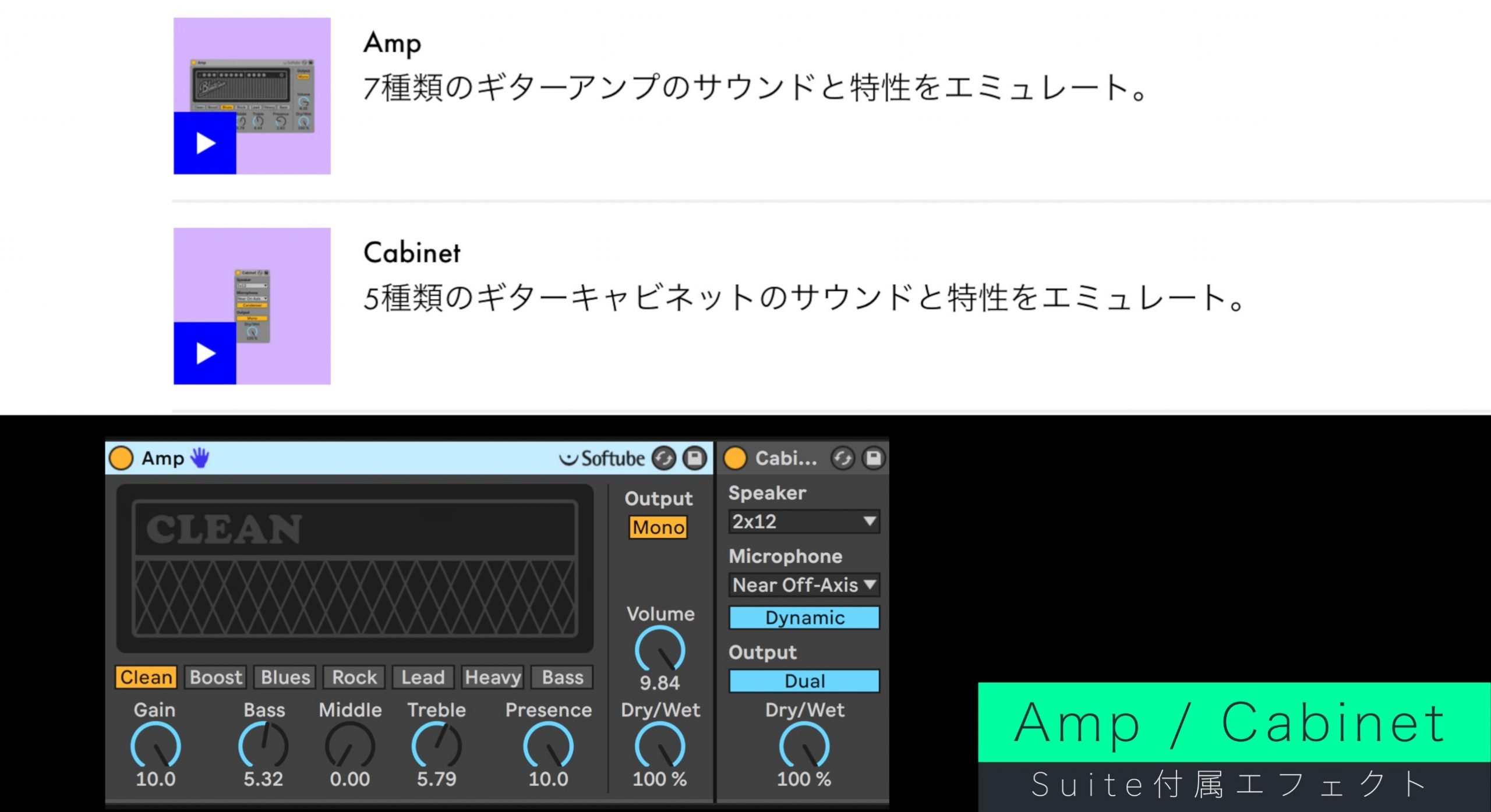
If you play electric guitar or bass, an amp effect is an essential tool.
There are many amp simulators, both paid and free. Amp & Cabinet were developed with Softube, the company behind amp simulation products such as Vintage Amp Room.
That pedigree makes them a reassuring option, with the quality you would expect from a dedicated third-party product.
Echo
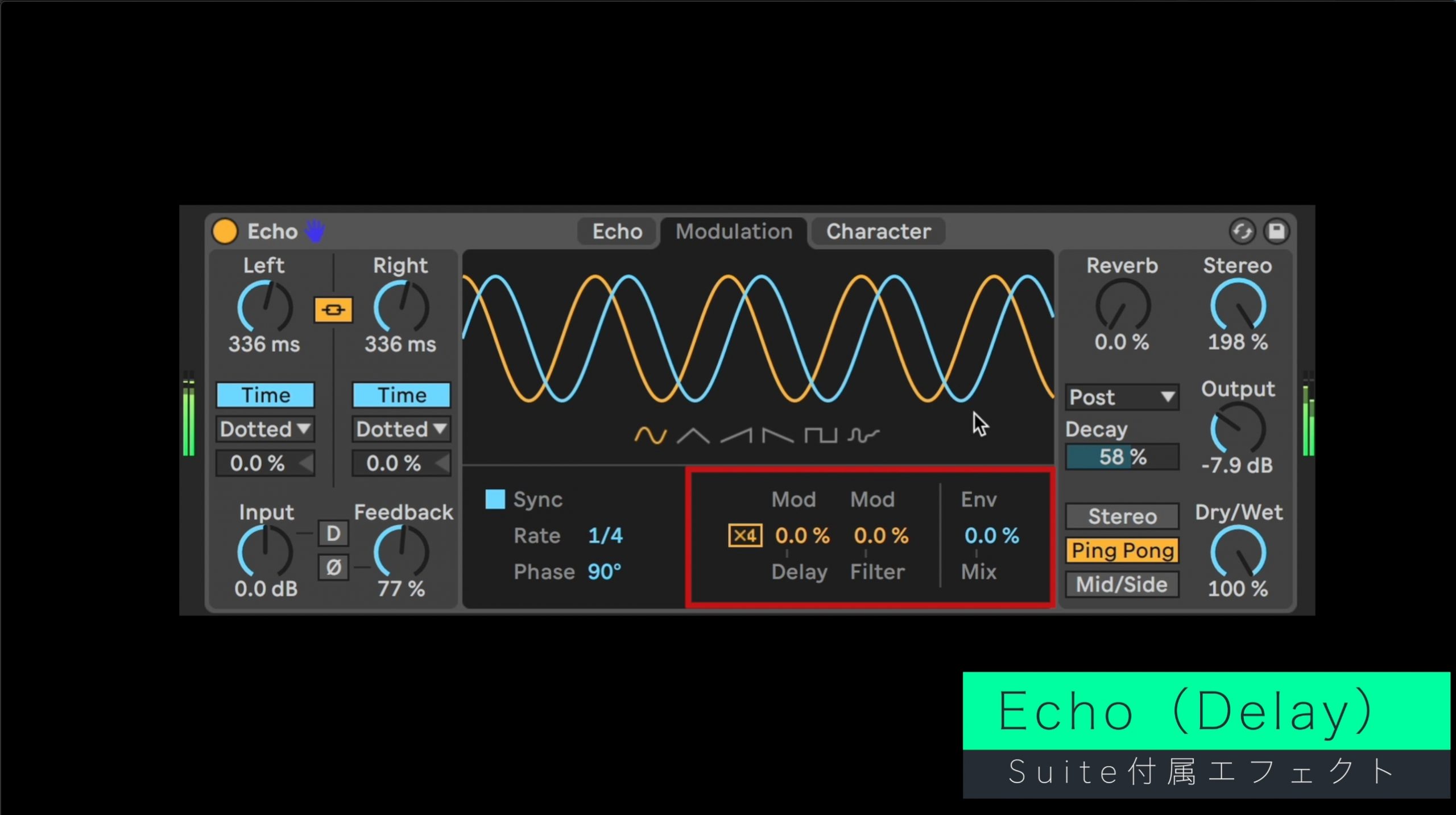
Echo is a highly capable delay with a wealth of creative features.
Pitch changes associated with analog-style delay-time adjustments, along with filter modulation using an LFO or envelope, bring movement to the repeats.
Its Reverb and Character features take it beyond conventional delay, opening up unusual, psychedelic sounds.
Convolution Reverb
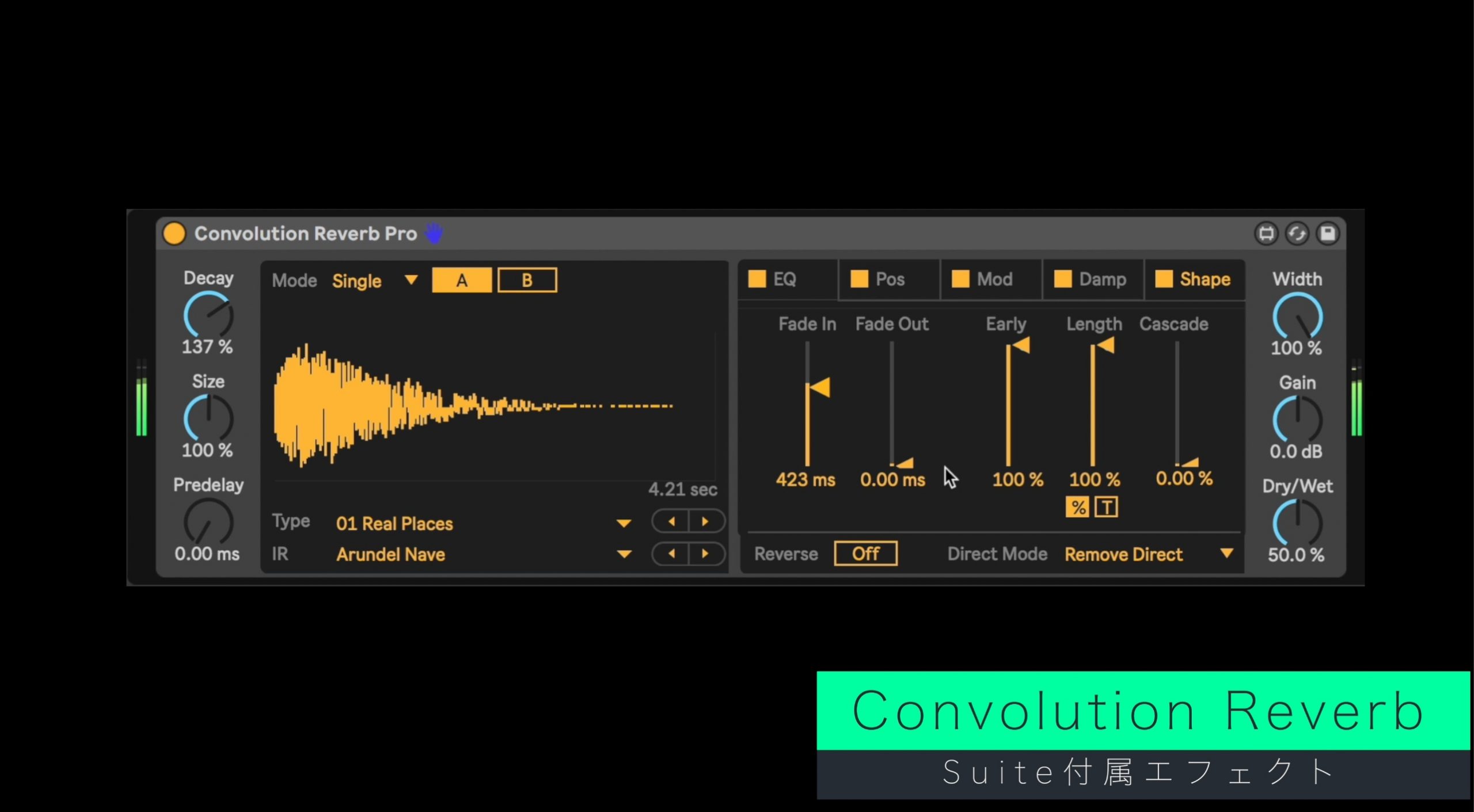
Also called IR reverb or sampling reverb, this type of effect uses impulse response data. The spaces or hardware represented by those IRs determine the range of reverbs it can recreate.
The collection described here includes impulse responses from units such as the Bricasti Design M7, a modern digital reverb, and the classic EMT 250. This makes it a versatile reverb option for many kinds of music.
The Convolution Reverb collection, including its Pro device, offers controls such as reverb time, EQ, modulation, damping, and Shape, covering many of the functions you need to shape a reverb.
MIDI Effects
Effects may make you think of audio processing, but Live also includes a wide range of MIDI effects.

VST MIDI effects also exist. Depending on the host and plug-in, however, chaining MIDI effects with an instrument may require additional tracks or more complex routing.
Live’s MIDI effects can sit together with an instrument on the same MIDI track, making them particularly easy to try out.
In the video example, we combine MIDI effects to create a device chain that turns a single note into chordal accompaniment.
By combining multiple devices in this way, MIDI effects can help you create fresh phrases that go beyond your habitual playing patterns.
Final Thoughts
I hope this overview has given you some ideas.
Across these two articles, we have explored what makes Live Suite appealing.
Suite gives you access to the included features discussed here without buying each one separately.
It is an edition I strongly recommend if you want to build up your collection of instruments and effects, or are looking for distinctive sounds and a workflow of your own.
A trial is available if you would like to explore what it can do.
Product website: https://bit.ly/2Hp4Ar4
Frequently Asked Questions
Q1. Is Max for Live included with every edition of Ableton Live?
No. It is included with Suite and is available as an additional purchase for Standard. In the Japanese pricing quoted in this 2020 article, the add-on cost ¥21,800 and the Standard-to-Suite upgrade cost ¥32,800. For the ¥11,000 difference, Suite also included other instruments and effects, making it good value in that comparison. These are historical prices, not a current offer.
Q2. What are some practical uses for Max for Live?
You can link a synthesizer parameter on one track to the performance of a kick on another, create rhythmic volume changes, or generate chordal accompaniment from a single note. Combining devices makes it easier to build complex modulation setups.
Q3. What is distinctive about Suite’s Convolution Reverb?
It uses impulse responses to recreate spaces and hardware. The collection described in this article includes IRs from units such as the Bricasti M7 and EMT 250. Its devices, including Convolution Reverb Pro, offer controls such as reverb time, EQ, and modulation, providing a broad range of modern and classic reverb sounds.
NEW ARTICLES
Latest English Articles















































































































































































