
Ableton Live 10.1 is a substantial update that brings long-awaited support for the VST3 format. Along with improved CPU efficiency and plug-in compatibility through VST3, it adds practical features such as importing your own waveforms into the Wavetable synth, new Channel EQ and Delay effects, enhanced automation, more efficient zoom controls, and the ability to freeze tracks with sidechain processing. The update is free for Live 10 users and offers major workflow improvements for genres ranging from electronic music to pop.
Long-Awaited VST3 Support and Practical Workflow Improvements
The new features in Ableton Live 10.1 have been announced.
As this is a minor version update, Live 10 users can update for free.
VST3 support, new effects, enhanced automation, and zoom controls for editing are among the additions.
This is a generous update packed with new features.
Download it here (login required).
Let’s take a look at the new features in Ableton Live 10.1.
Ableton Live 10.1 New Features — Video
An Excerpt from the YouTube Q&A

Hello. In Ableton Live, is it possible to send MIDI data from a software synth’s arpeggiator or built-in sequencer on MIDI Track 1, for example, to another track or an external synthesizer? I would appreciate your advice. Thank you.

Yes, it is possible. We will create and publish an article about it soon. Please bear with us until it is published.
Download it here (login required).
Full Support for VST3
You can now use VST3 plug-ins in Live.
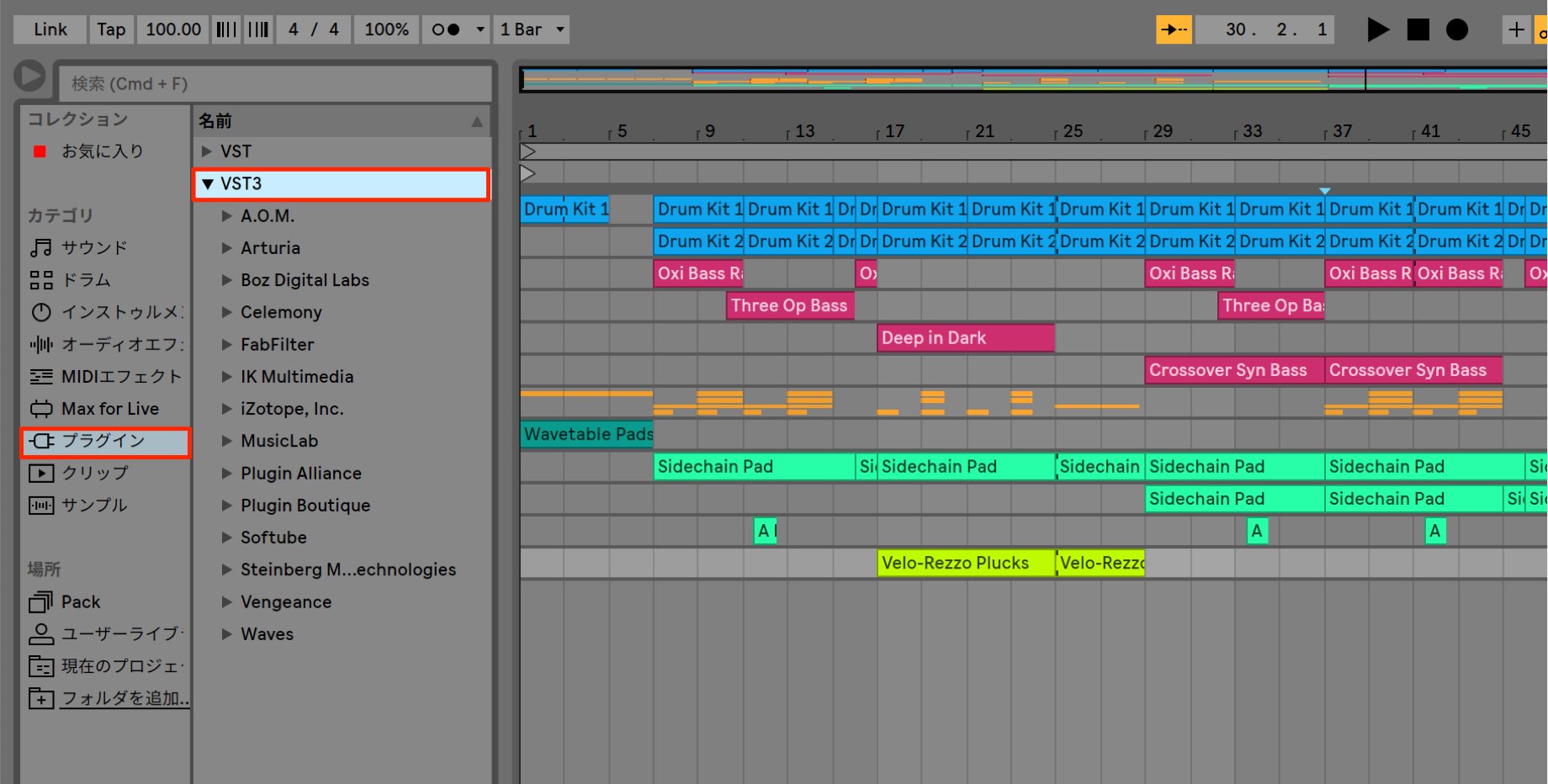
Compared with the VST2 format used up to this point, VST3 offers benefits such as more efficient CPU usage and more detailed automation data.
Some plug-ins are now available only in VST3 format, so this is great news if you previously had to give up on using them.
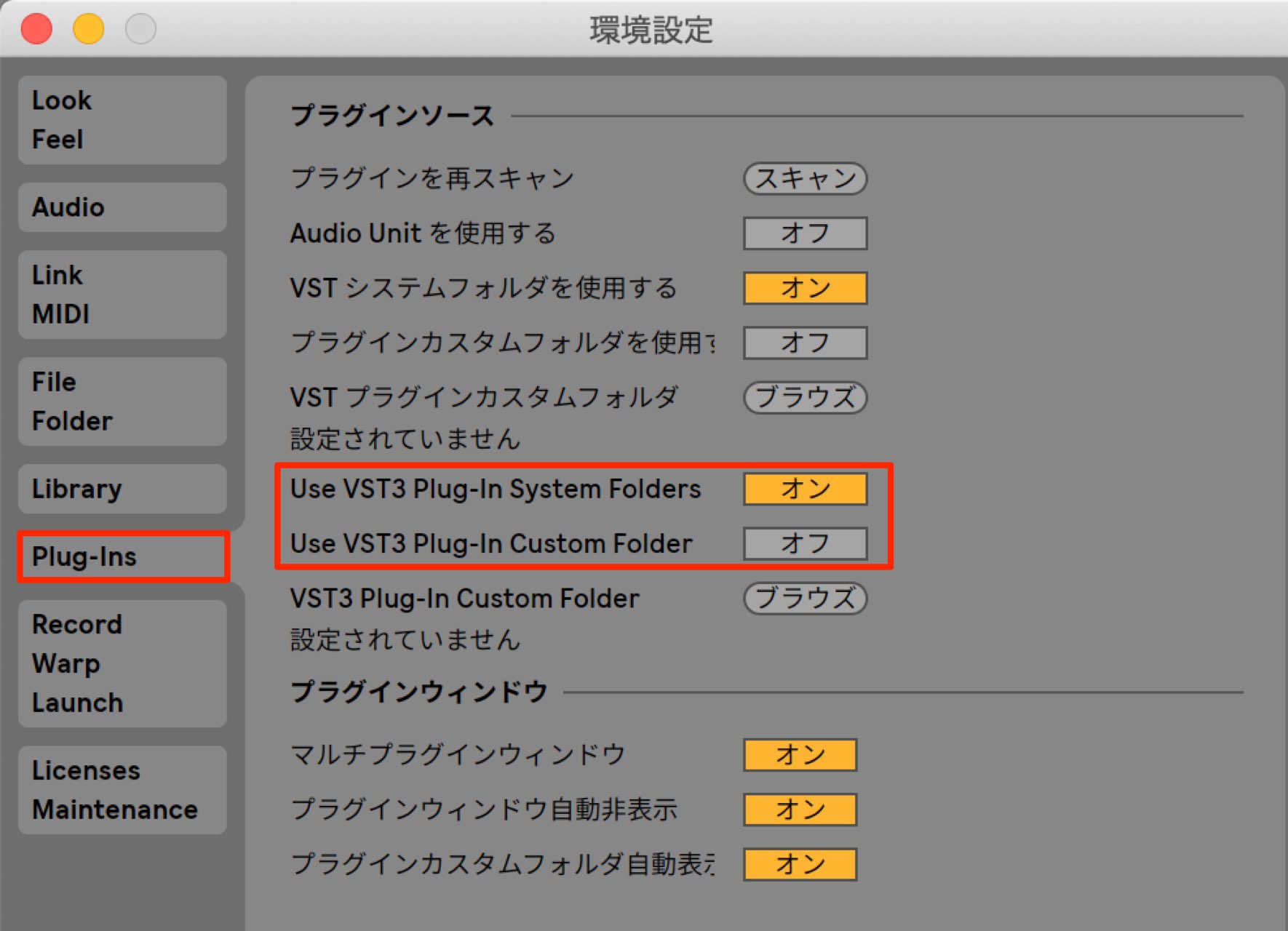
You can also specify the VST3 folder in Preferences, as shown here.
Import Your Own Waveforms into the Wavetable Synth
The Wavetable synth was introduced in Live 10.
You can now import your own samples into its oscillator section.
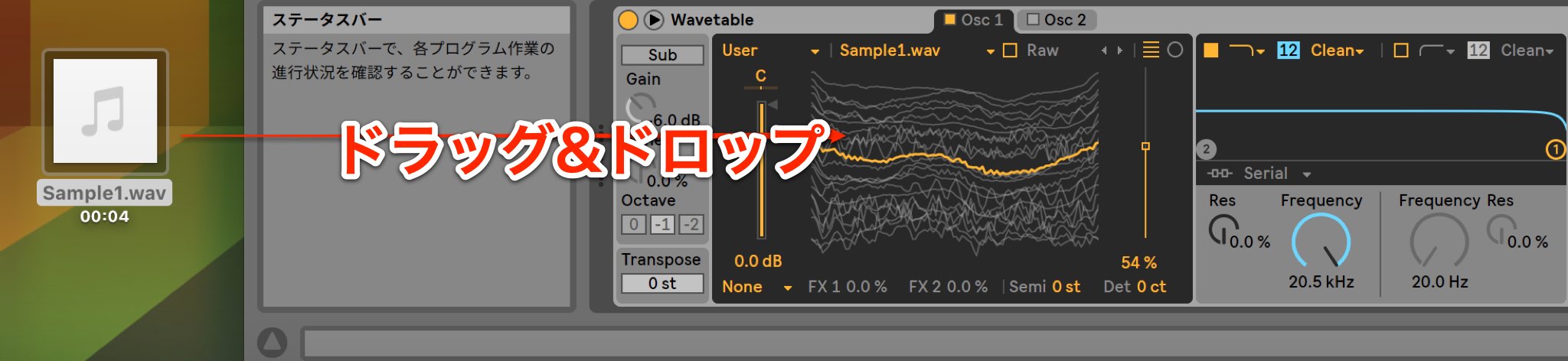
This greatly expands your sound-design possibilities.
The New Channel EQ
A flexible, straightforward Channel EQ has been added to the effects.
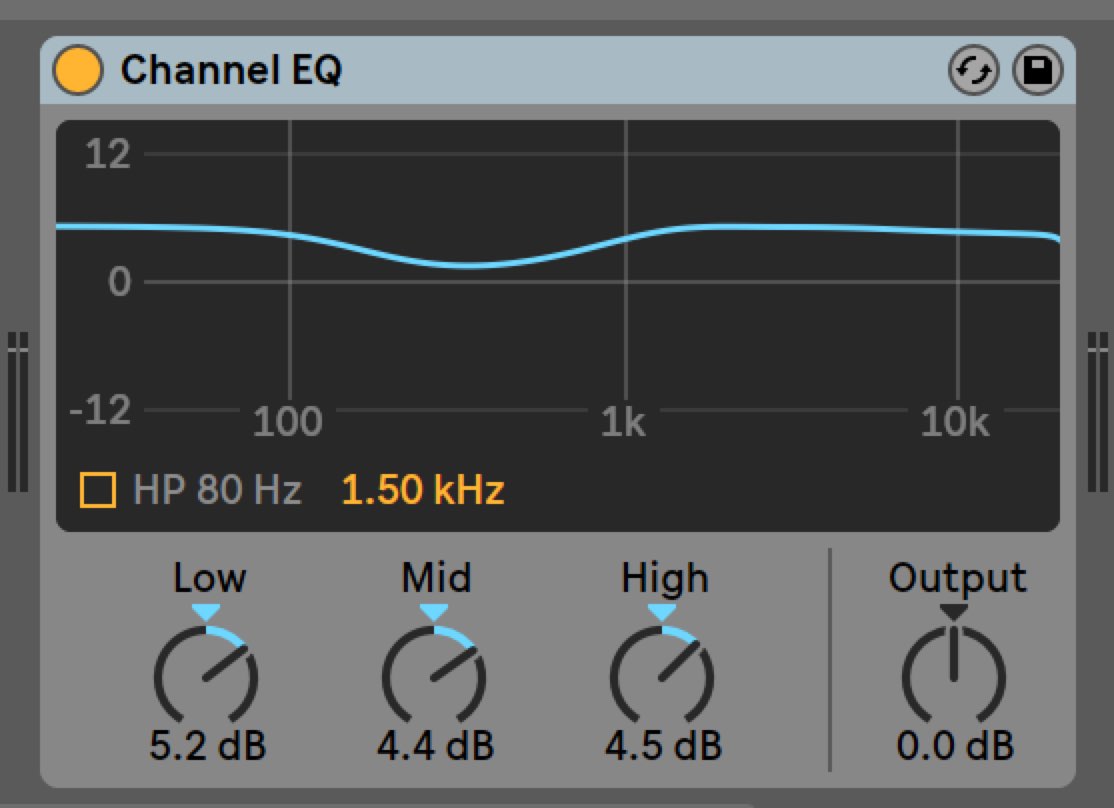
Its three EQ bands let you shape a sound quickly.
It also includes a filter.
The New Delay
The new Delay combines the previous Simple Delay and Ping Pong Delay into one effect.
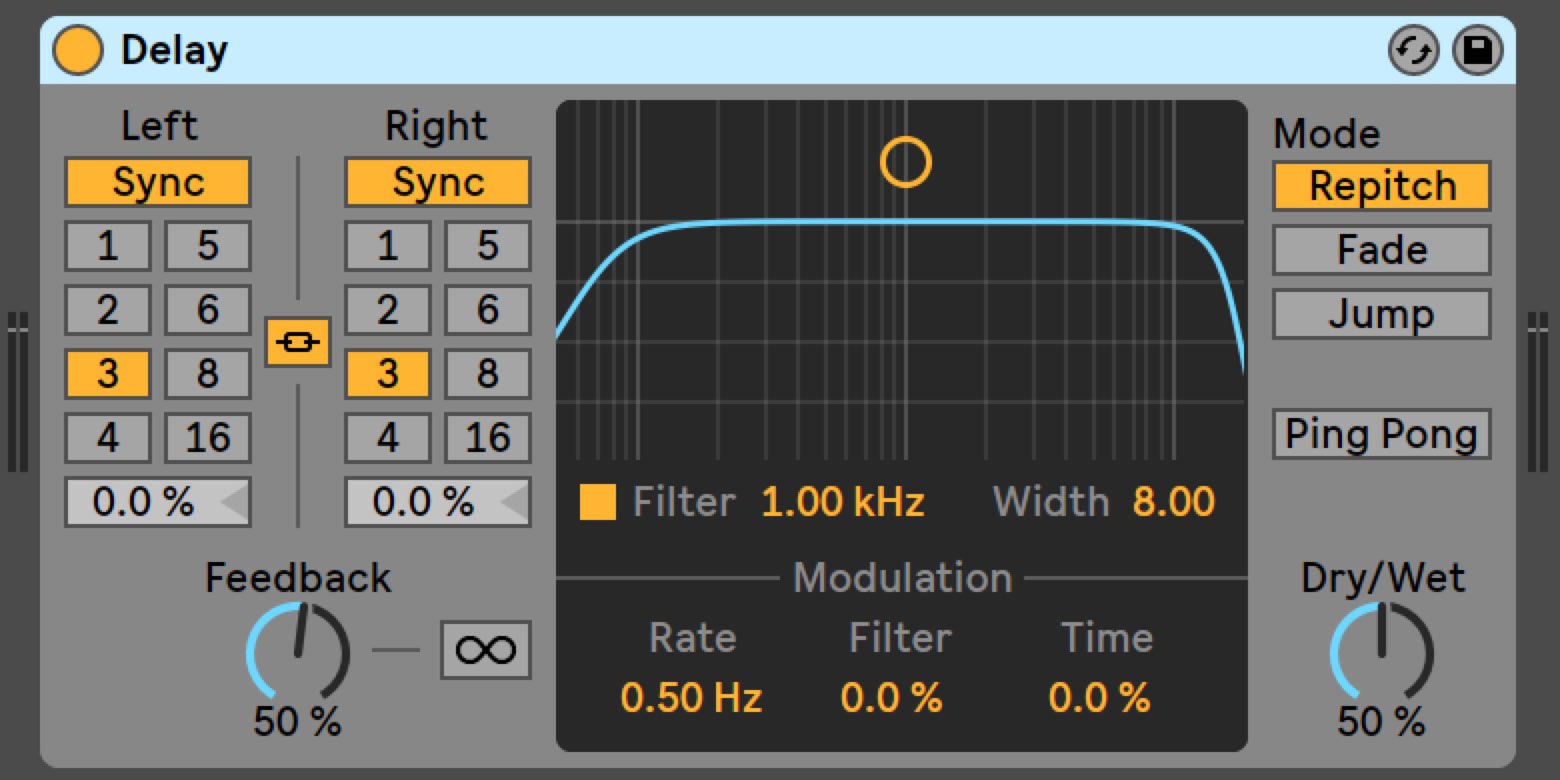
You can quickly switch between stereo and ping-pong operation, and select distinctive modes such as Jump, Fade-In, and RePitch from the front panel.
Enhanced Automation
Automation, used frequently in modern music production, has also been improved.
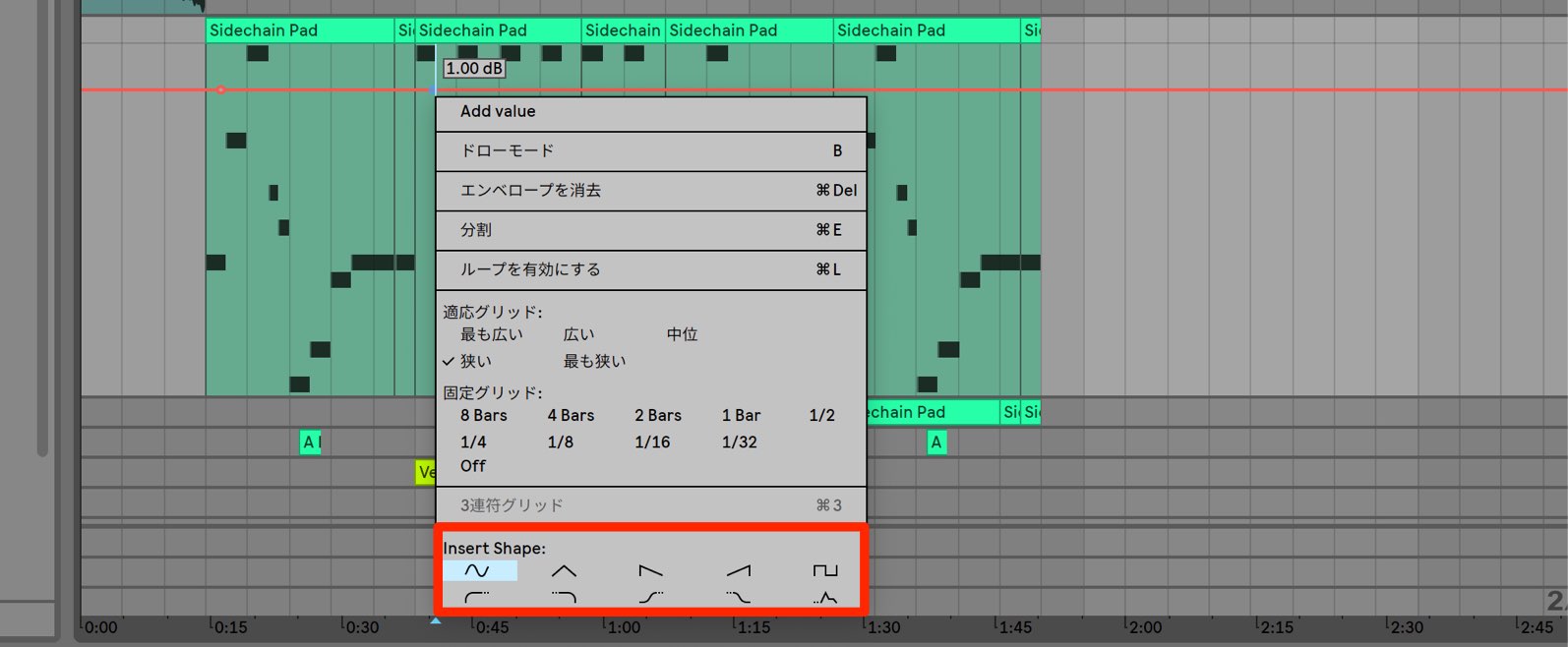
The right-click menu now includes a palette of automation shapes, allowing you to insert the curve you need.
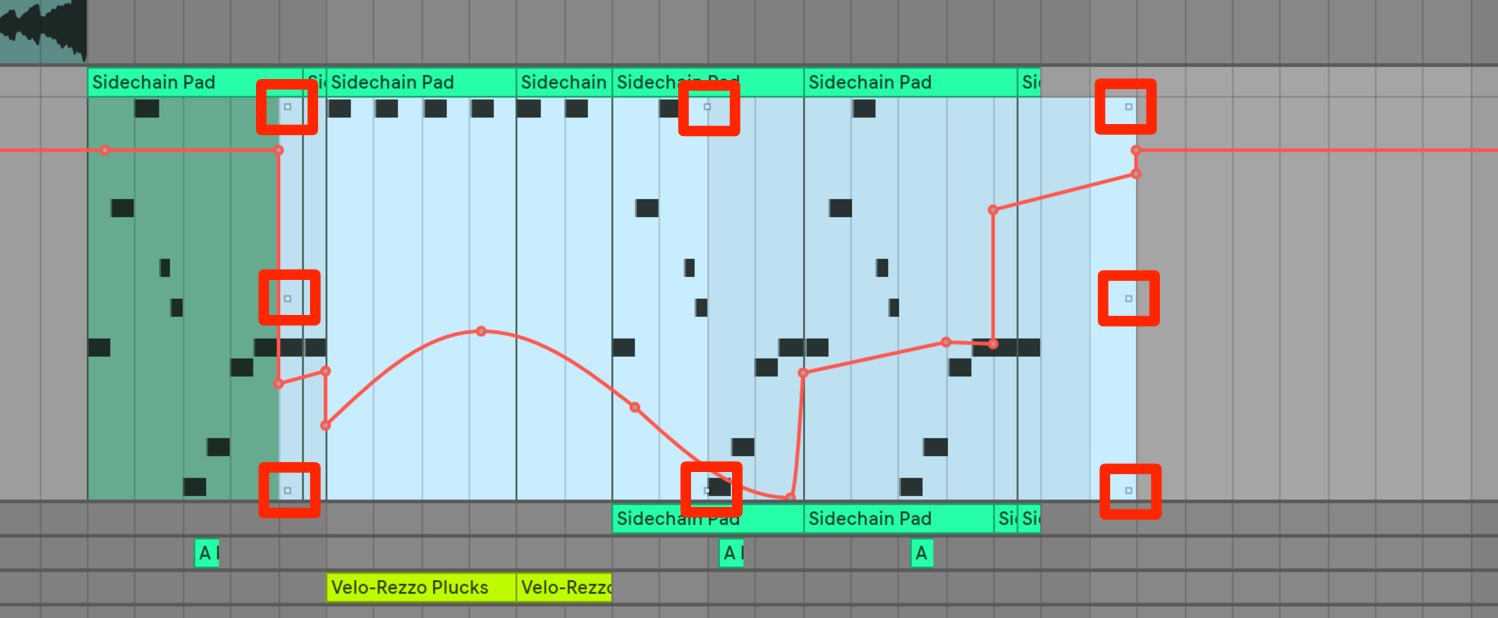
Adjust stretching and slope.
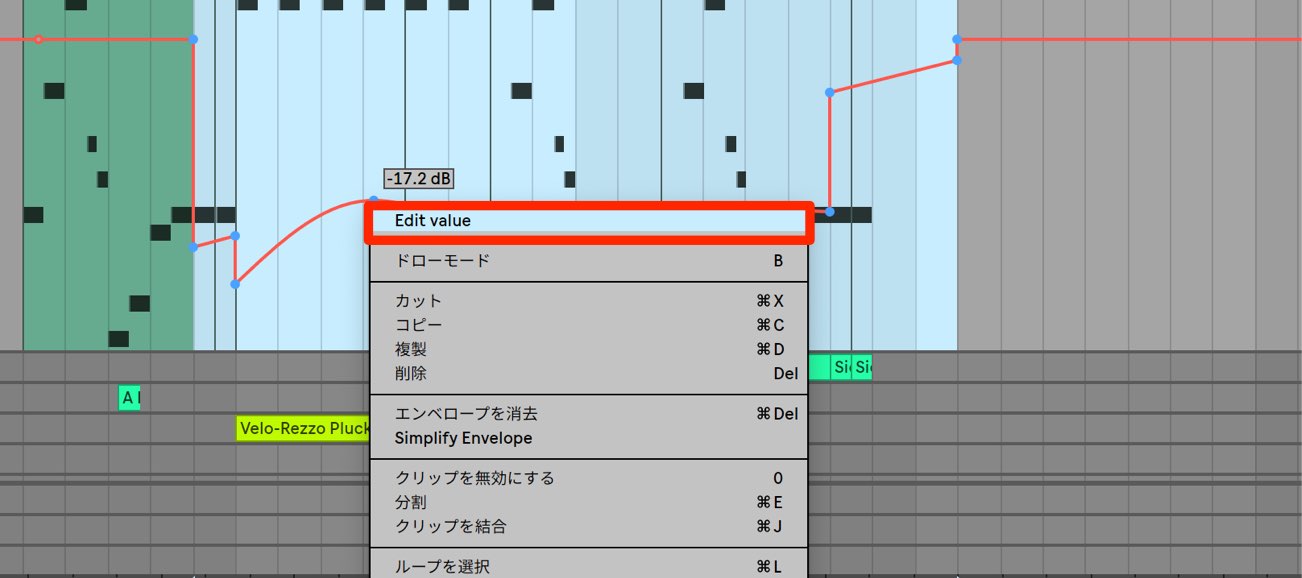
Choose Edit Value from the right-click menu
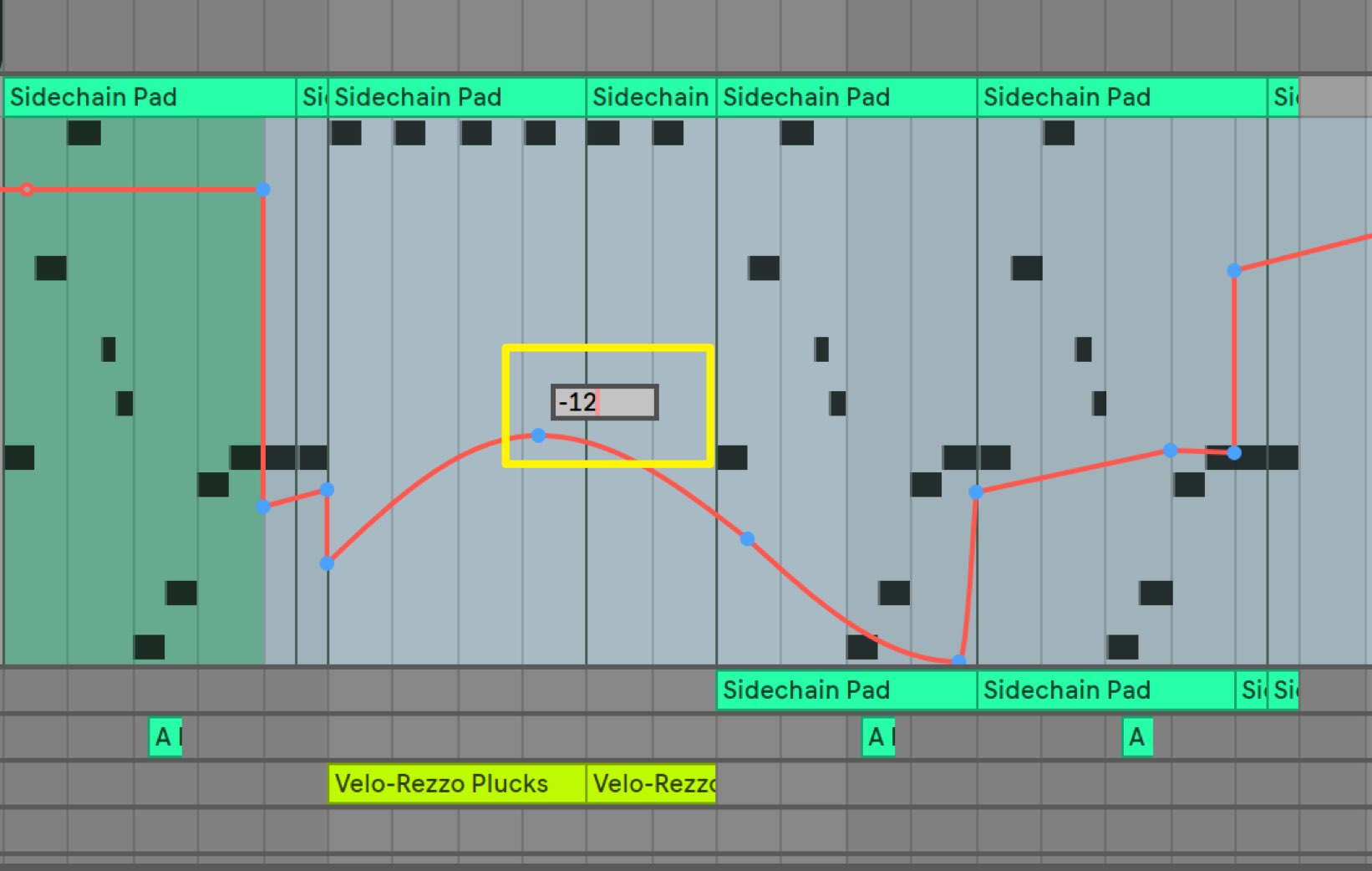
to enter precise values with the number keys.
7. Automation, Part 1 — Ableton Live
Automation is an essential tool for music production in Ableton Live. This article explains how to make knobs, faders, and other parameters change automatically over time…

Ableton Live 9 New Features: Session Automation
Session Automation in Ableton Live 9 lets you add automation directly to clips, greatly expanding your creative options. This article covers MIDI…
Improved Zooming and Scrolling
Zooming in and out of specific areas is a routine part of editing. Keyboard shortcuts have now been assigned to these zoom operations.
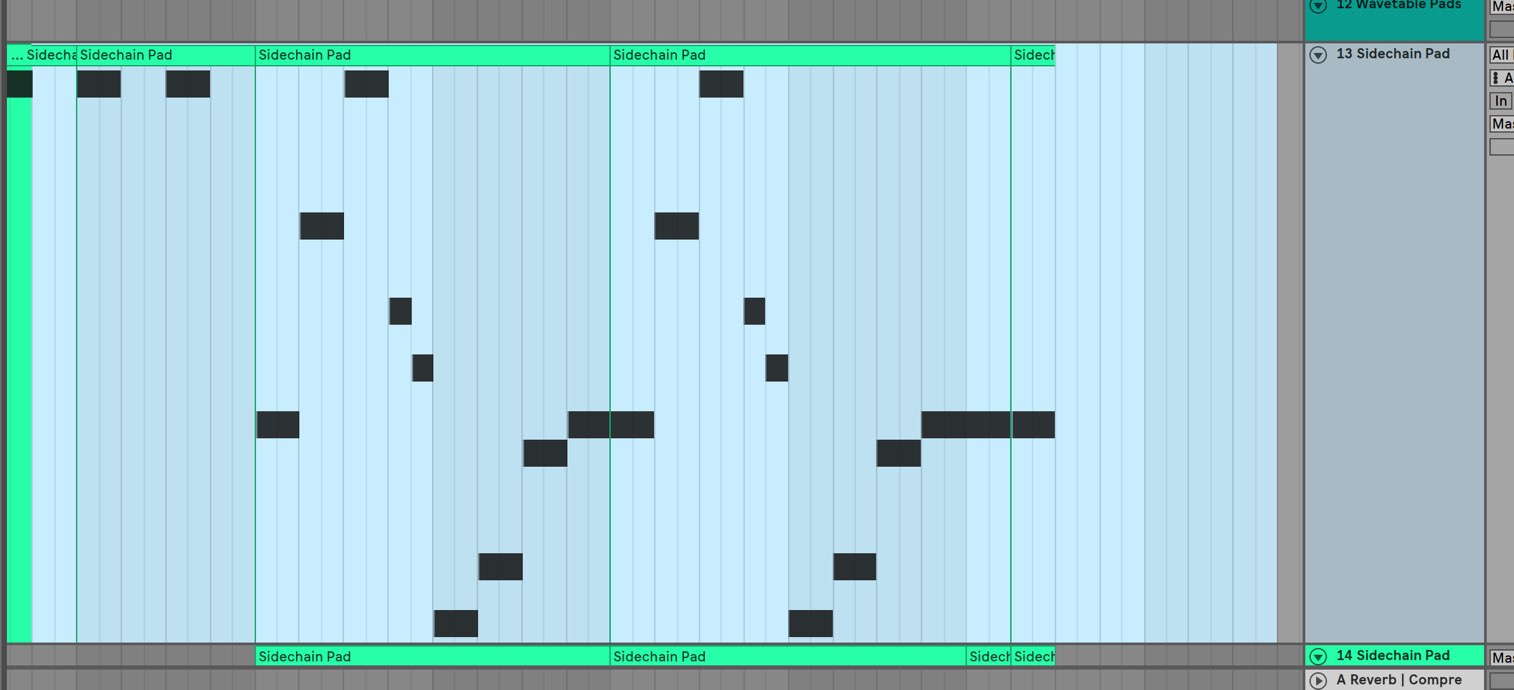
Select the area you want to work on, then use these shortcuts:
- Z: Zoom to the selection.
- X: Return to the previous zoom level.
- H: Expand or reduce the track heights.
- W: Show the entire song or restore the previous zoom level.
These are some of the available shortcuts.
Using them helps you work more efficiently.

You can also change the zoom level with a pinch gesture on a trackpad.
Freeze Tracks with Sidechain Processing
Sidechain processing is frequently used in electronic music.
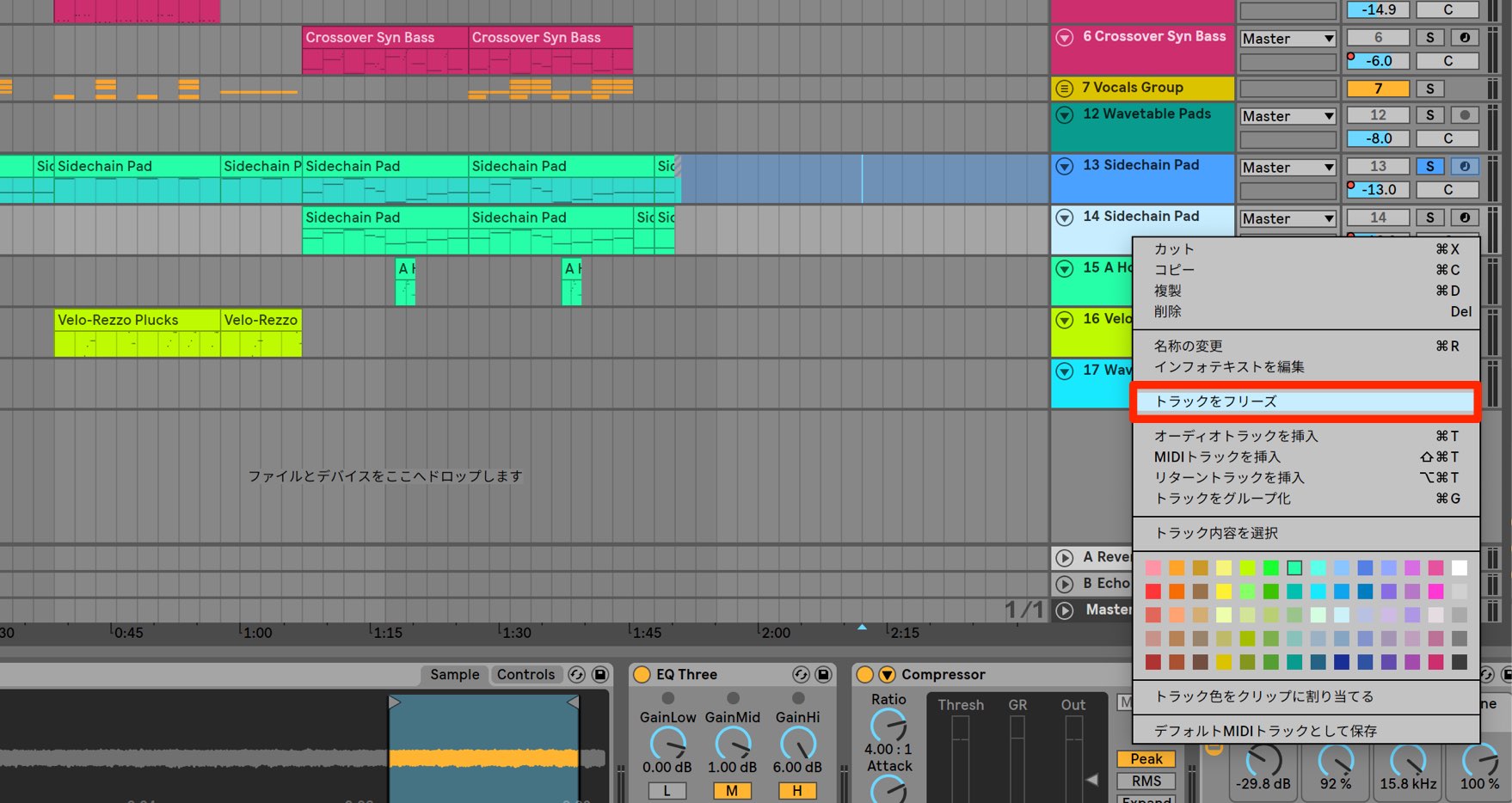
You can now freeze the resulting sound of this sidechain processing.
This is a welcome improvement for anyone who uses it.

18. Using Sidechain Processing — Ableton Live
Sidechain processing in Ableton Live lets you create the pumping sound that is a staple of club music. In time with the kick drum, the bass…
12. Reduce CPU Load with Track Freeze — Ableton Live
Track Freeze in Ableton Live is an important feature for reducing CPU load as the number of tracks and effects grows. Freeze completed tracks or tracks you do not plan to edit…
Include Return and Master Effects When Exporting Individual Tracks
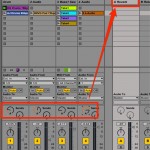
When exporting tracks or group tracks as audio, you can now include the effects applied by return tracks and the master track.
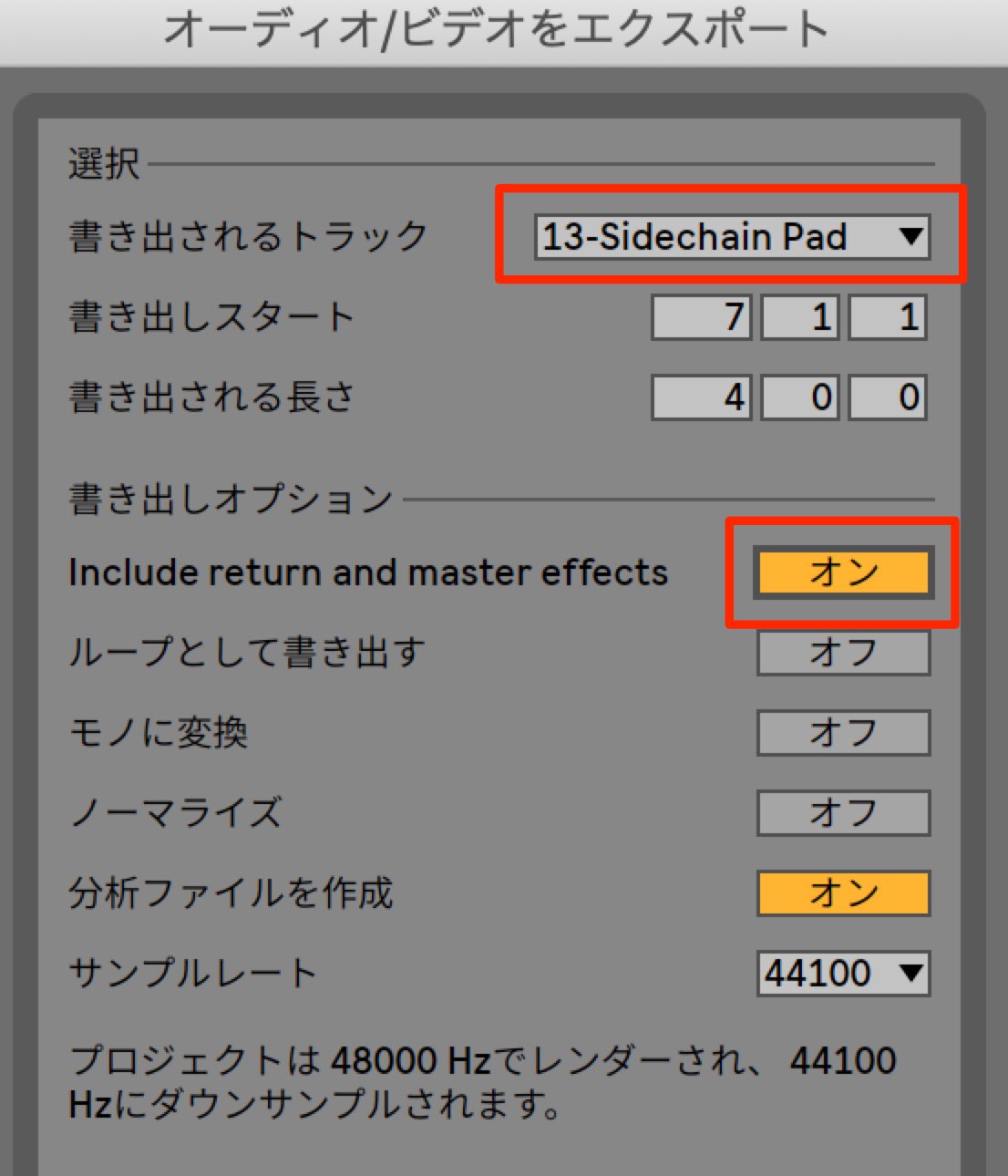
For example, you can export a waveform with reverb included and then slice it for editing.
This makes detailed, elaborate editing easier.
What do you think?
All of these features are immediately useful and make a real difference.
VST3 support in particular is something many users have been waiting for.
Be sure to try them out!
Download it here (login required).
[News] Long-awaited VST3 plug-in support! Ableton Live 10.1 is coming soon, with numerous new features including user wavetables and freezing tracks with sidechain processing.
All Live 10 users can update for free.
Beta testing is currently underway!
More details: https://t.co/ku0AH7ws3s — @Ableton @AbletonJP— SLEEP FREAKS (@SLEEPFREAKS_DTM) February 6, 2019
Frequently Asked Questions
Q1. Is the Live 10.1 update free for Live 10 users?
Yes. All Live 10 users can update for free. As this is a minor version update, there is no additional charge.
Q2. What are the specific benefits of VST3 support?
Compared with VST2, it offers more efficient CPU usage and access to more detailed automation data. You can also use plug-ins that are available only in VST3 format.
Q3. What is the benefit of importing your own waveforms into Wavetable?
Importing your own samples or waveforms into the oscillator section greatly expands your sound-design options and lets you create distinctive synthesized sounds.
Q4. How can I use the ability to freeze sidechain processing?
You can render the sidechain effects often used in electronic music into a frozen track, reducing processing load and making further editing more efficient.
Q5. How has automation been improved?
The right-click menu now includes a palette of automation shapes, making it easy to insert the curve you need. You can also enter precise values with the number keys.
NEW ARTICLES
Latest English Articles














































































































































































































































































