
Native Instruments Expansions are collections of sounds and presets for products such as Maschine, Battery, Massive, and Reaktor instruments. Organized by genre and purpose, they offer a range of production-ready sounds at accessible prices. This guide explains the workflow covered in our June 2021 article: installing Expansions with Native Access, browsing them in Komplete Kontrol inside a DAW, and using previews and tags to find and customize sounds efficiently.
Genre-focused presets for Battery and Massive, too
Native Instruments offers Expansions.
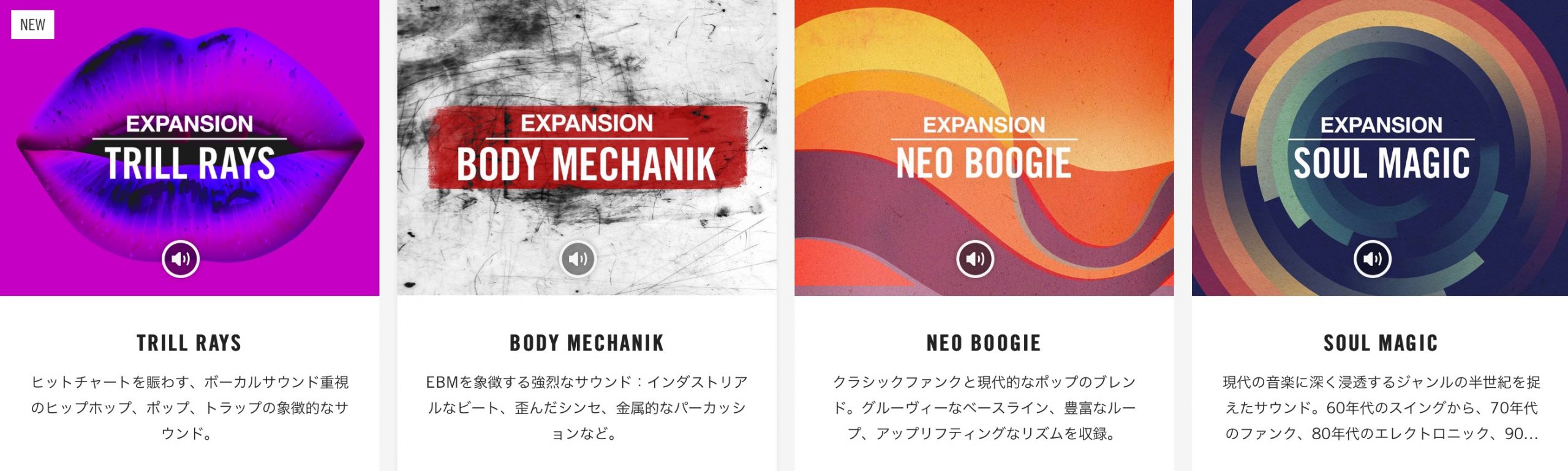
We often receive questions about these packs during lessons and by email. They are comprehensive sound packages containing content and presets for Maschine, Battery, Massive, and Reaktor synthesizers, making it easy to find production-ready sounds for the genre you want to create.
Here, we explain what Expansions are and how to use them. Product bundles and software availability described below reflect the original June 2021 guide.
Video guide to NI Expansions
Selected questions and answers from the YouTube video

Sorry for asking an unrelated beginner question, but when I open Massive I see the message 'massive dose not support this samplerate!' and get no sound. What does this mean? Some other plugins make a brief clicking sound and then that particular synth stops producing sound. Please help!

Is your DAW's sample rate set to 44,100 or 48,000 Hz? If not, try changing it and check the behavior. Changing the sample rate can cause problems if your song uses audio files. Before making any change, back up the entire project, including all of its audio files.
Does buying these sounds give the buyer ownership of the copyright? Could using these or other commercially sold samples cause problems elsewhere?
For details, search for Native Instruments' support article 'Can I Use Native Instruments Sounds for Commercial Music Production?' The manufacturer's explanation cited in the original reply can be summarized as follows: NI samples, instruments, and presets may be used in commercial music and compositions without additional permission. Some included content belongs to third-party vendors, whose license and copyright terms remain binding; although those licenses vary, commercial music production is also permitted without further permission. Using NI sounds, whether individually, combined, or modified, to create sample CDs, loop collections, sound-preset collections, or equivalent products is strictly prohibited. The sounds themselves must not be traded, lent, rented, reissued, redistributed, or resold under any circumstances.
Product link: https://bit.ly/3wNvm0O
What are Expansions?
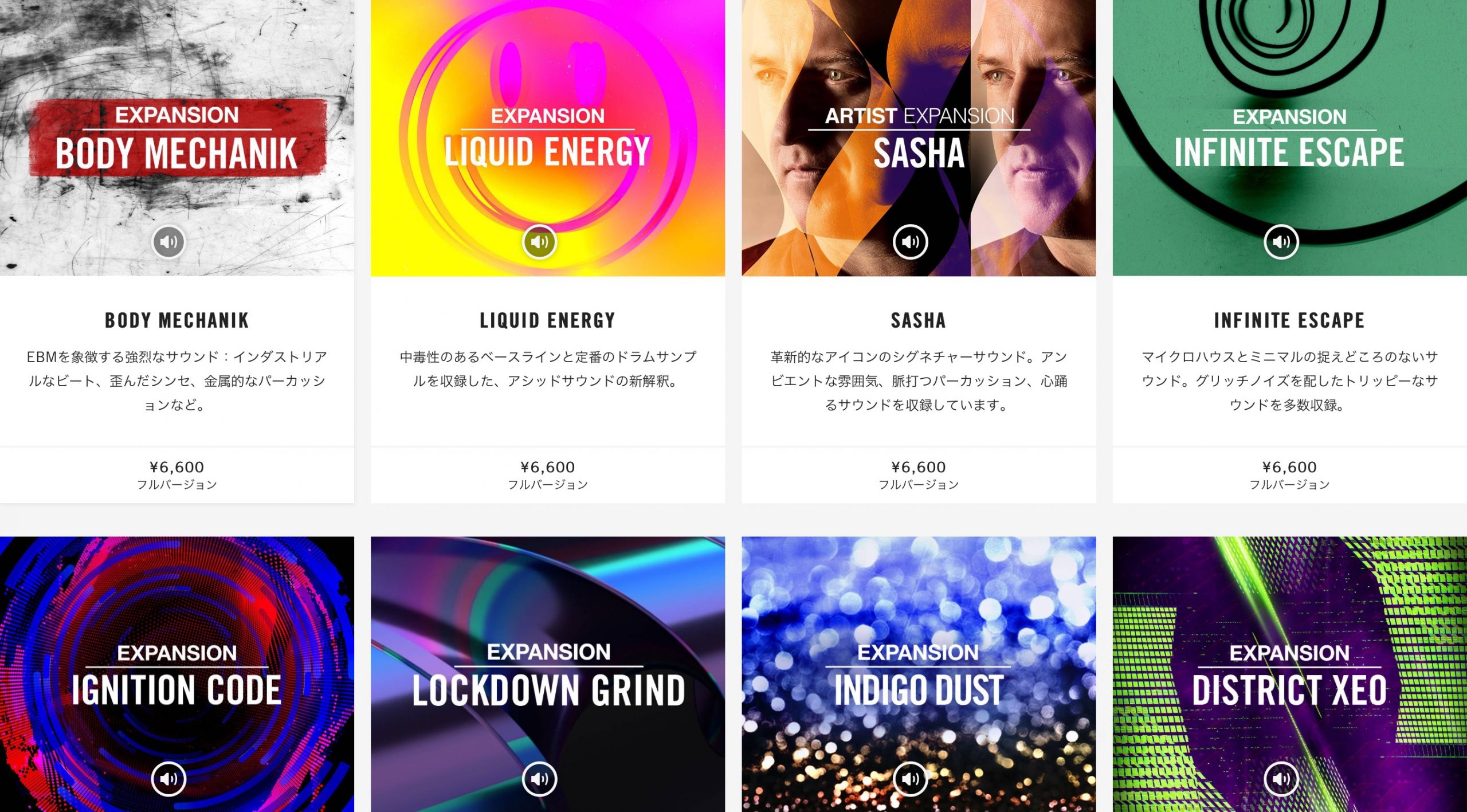
Expansions are sound and preset collections for Native Instruments products. They are organized by genre or purpose and can be purchased individually.
They were originally sold as expansion libraries specifically for Maschine. By the time of this 2021 guide, they also included content such as presets for Battery, Massive, and Reaktor synthesizers, allowing the sounds to be used across a wider range of products.

The main Expansions page lets you preview music made with the included presets.
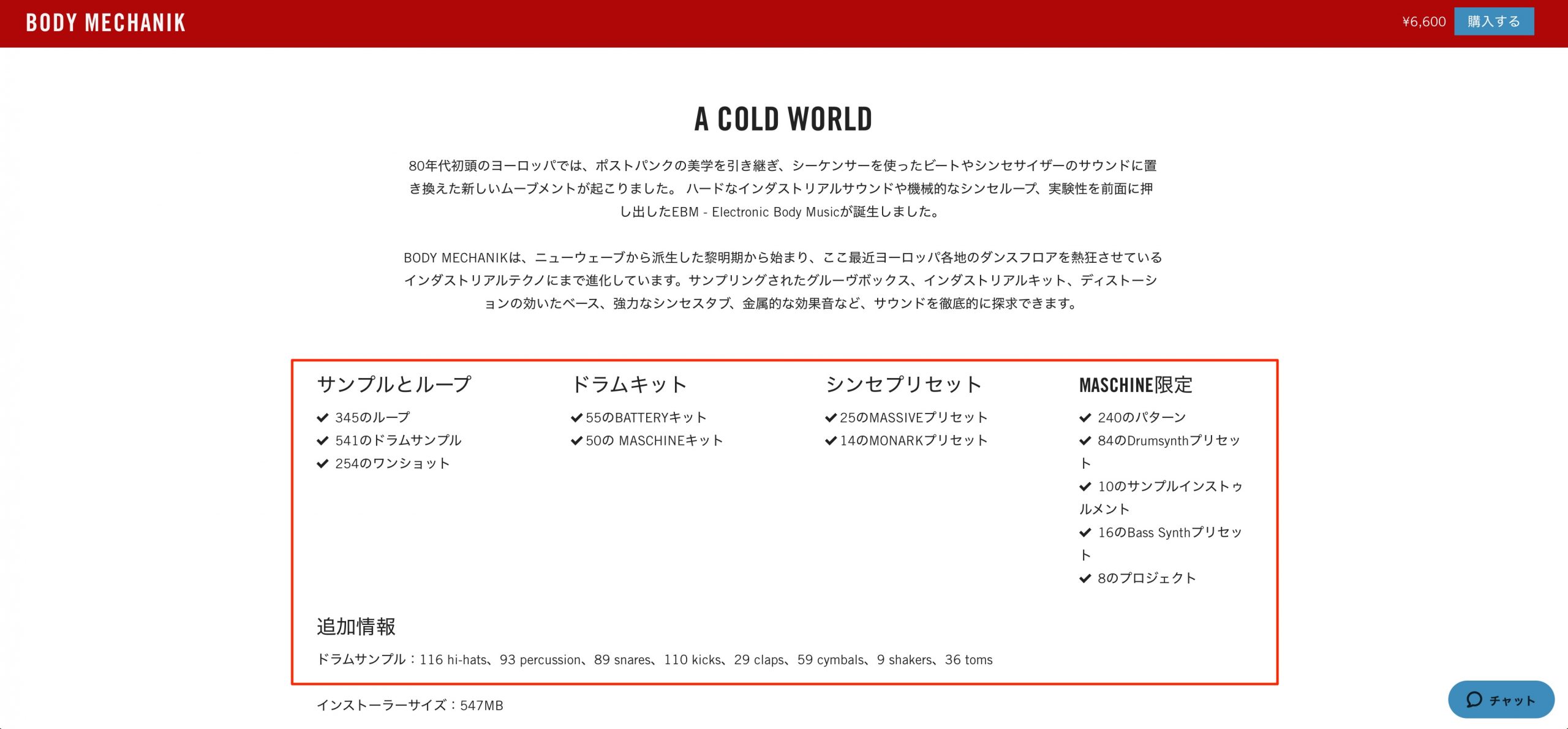
Click a product to open its details page, where you can read its description and see which presets and other content it includes.
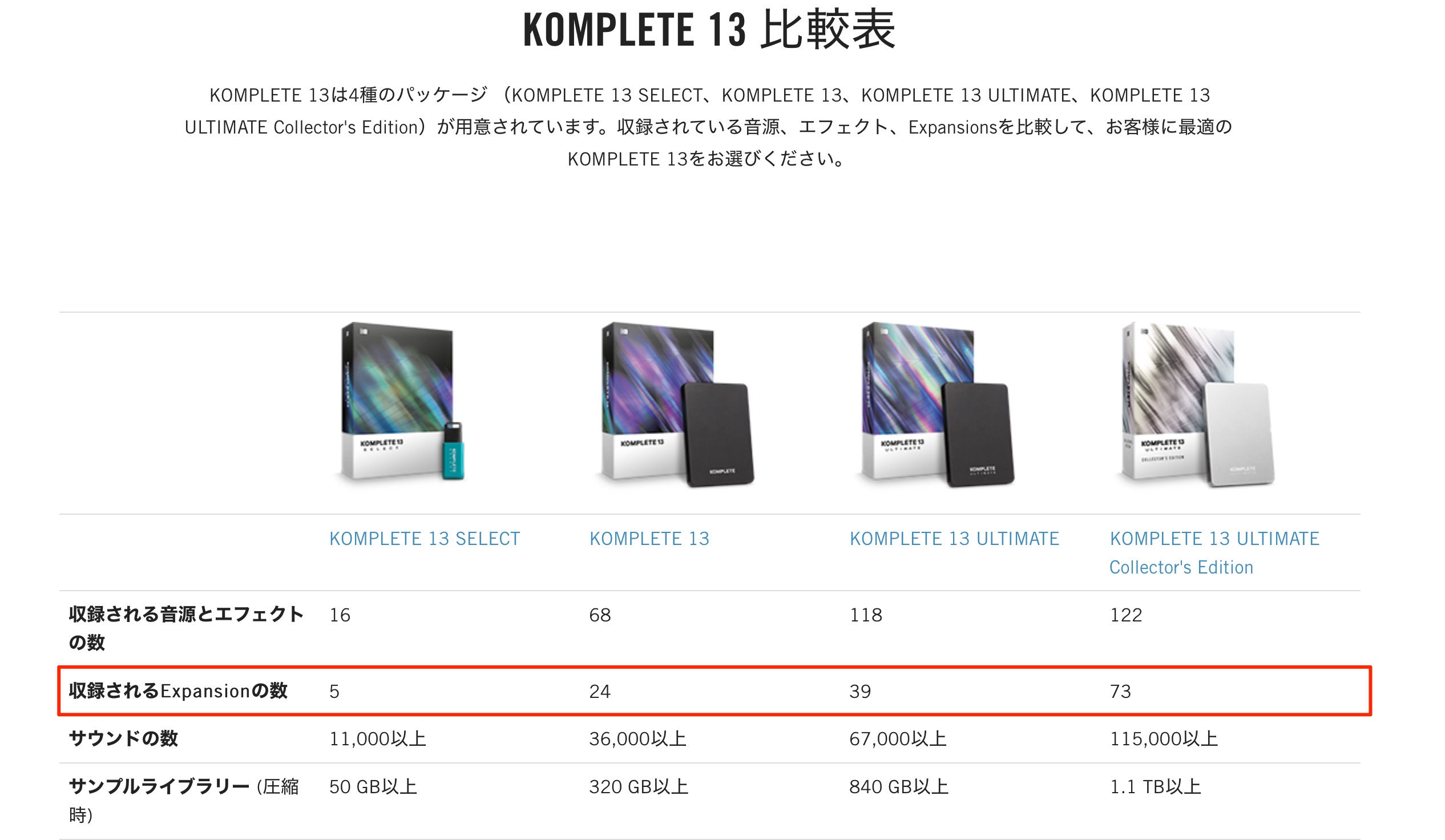
Expansions were also included in the popular Komplete bundles, with the number of packs varying by edition.
Higher editions offered a lower effective price per included Expansion.
Downloading and installing Expansions
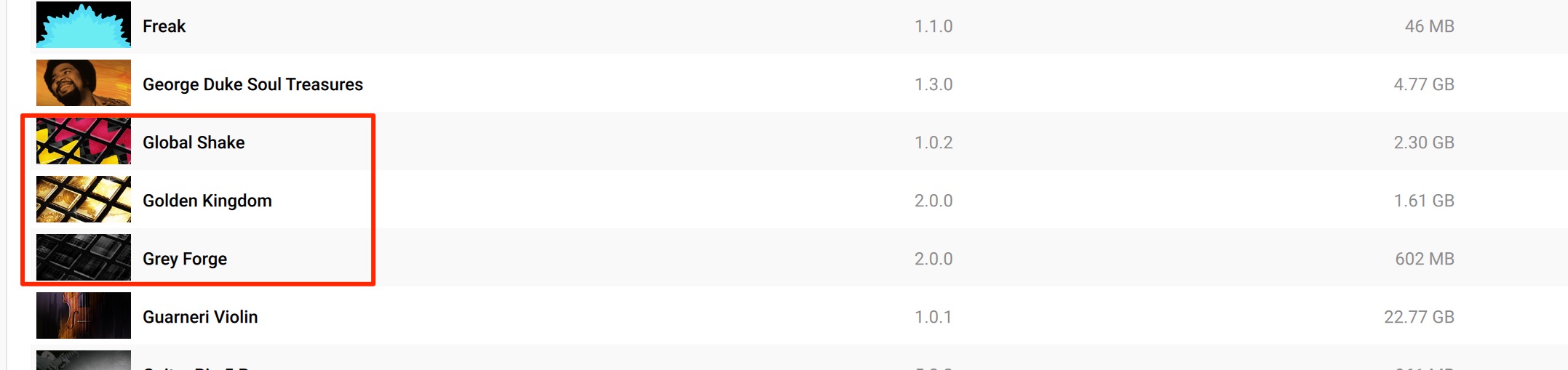
After purchase, the Expansion appears in your account. Download and install it with Native Access to start using it.
https://sleepfreaks-dtm.com/dtm-trouble/native-access/
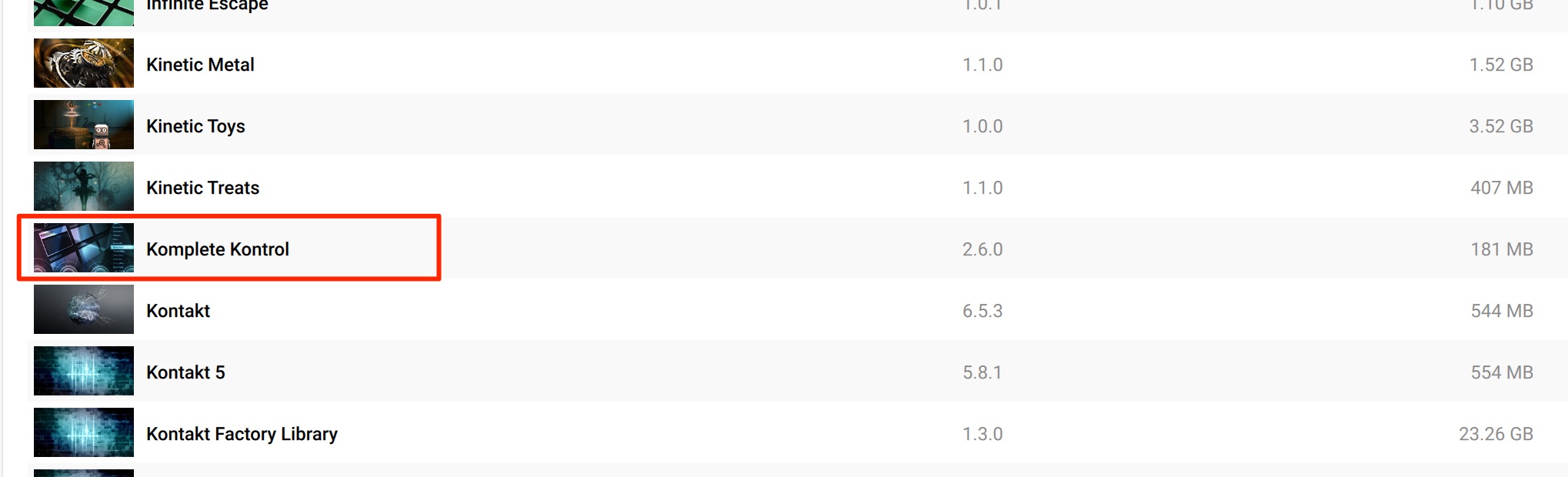
We recommend installing Komplete Kontrol to browse and use your purchased Expansion presets conveniently.
Komplete Kontrol was developed to work with NI's MIDI keyboards, but you can also use it as a plugin in your DAW without owning one of those keyboards.
In addition, Komplete Kontrol was included in the free KOMPLETE START package in the setup described here.
This let users access the Komplete Kontrol plugin free of charge even without a Komplete Kontrol hardware keyboard or a Komplete bundle.

Using Expansions in your DAW
Once you have installed your Expansions, let's try the included sounds and presets in your DAW.
As mentioned above, we will demonstrate each product's presets through Komplete Kontrol, whose browser makes them easy to find.
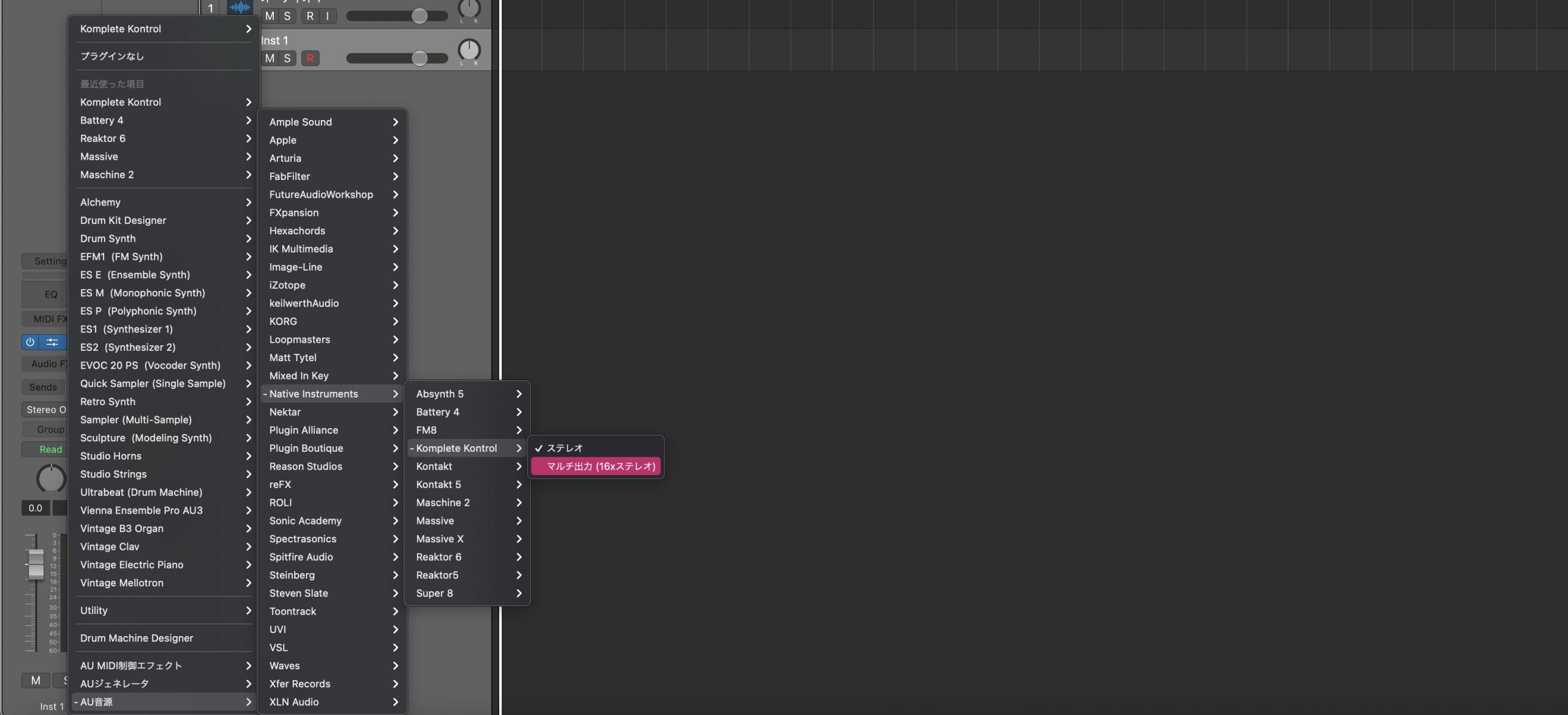
Load Komplete Kontrol on an ordinary software-instrument track.
Battery 4
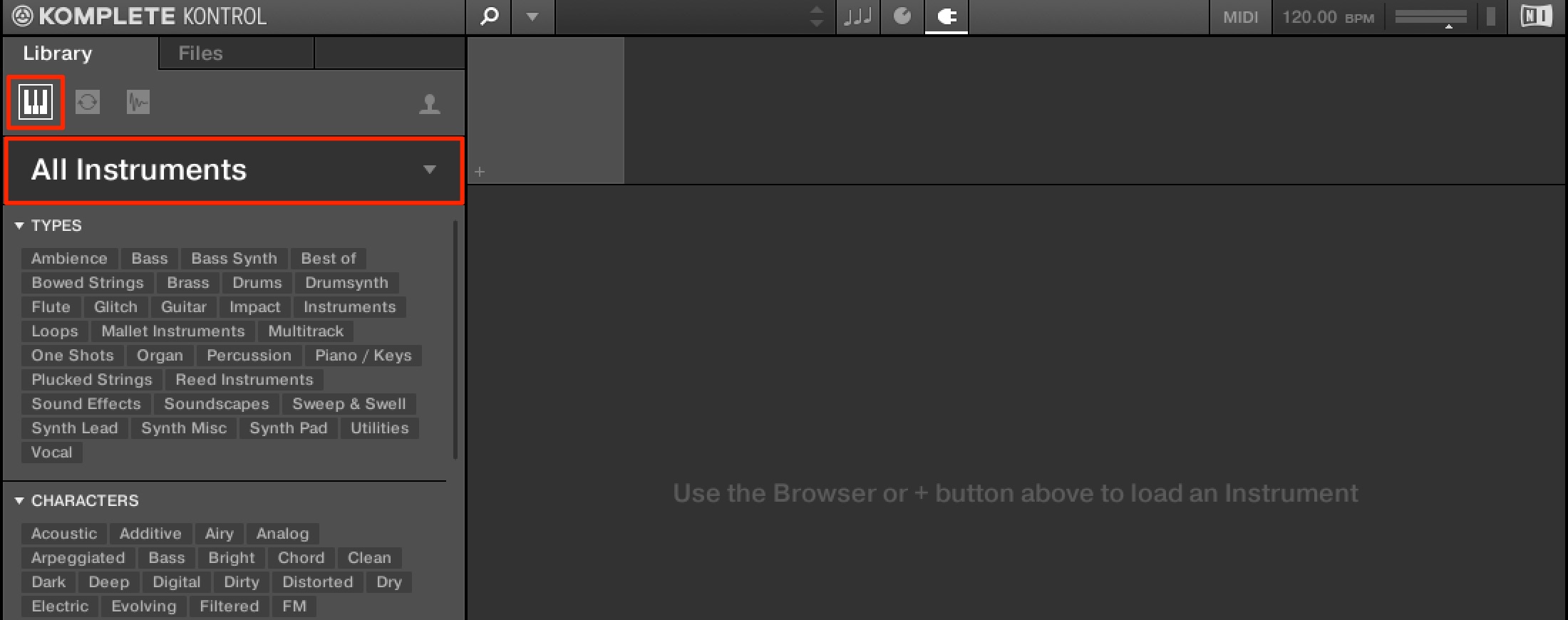
Click the Instruments button, then choose All Instruments.
Select Battery from the products shown.
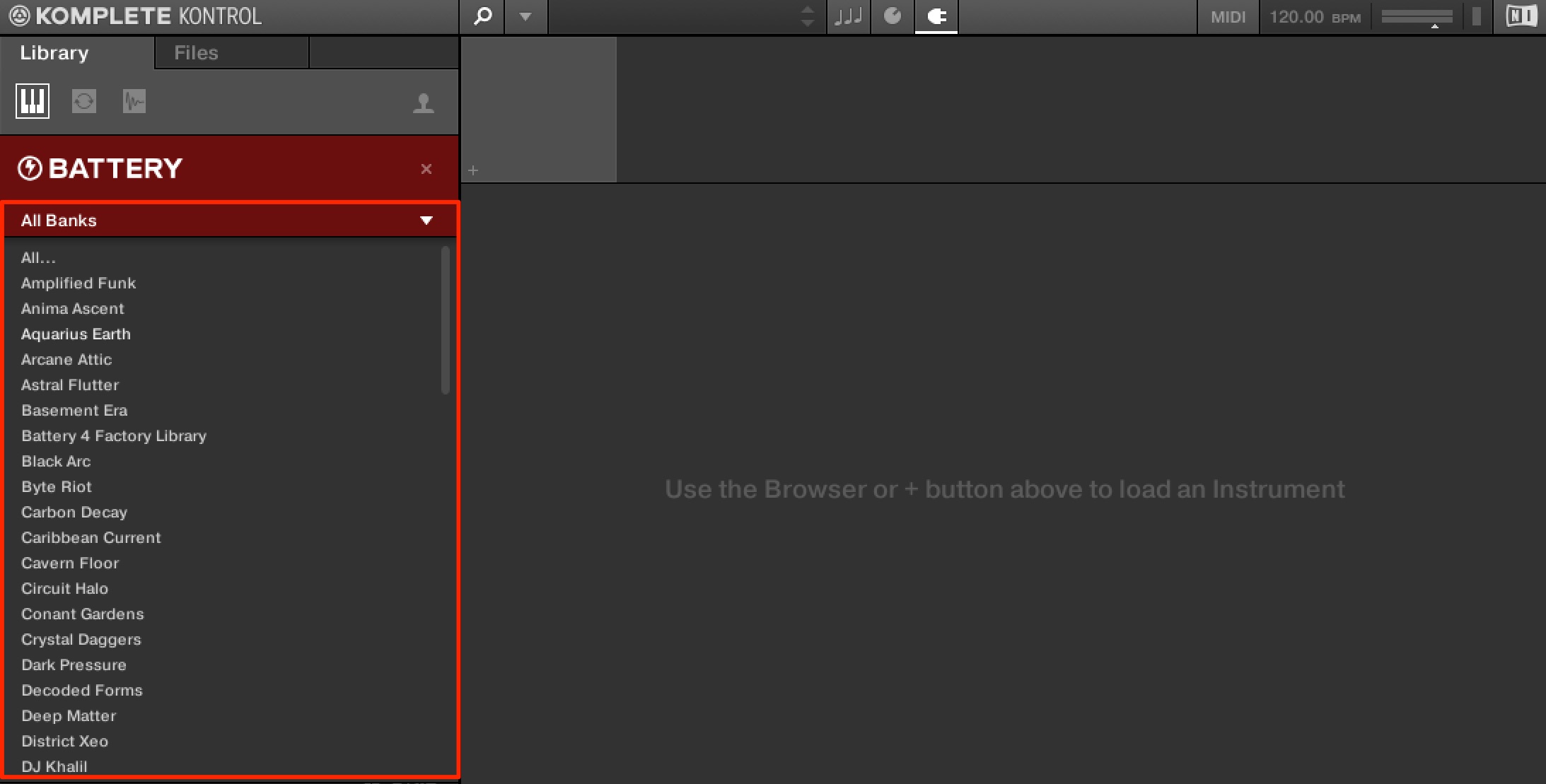
Click All Banks to display the installed Expansions, then select the pack you want.
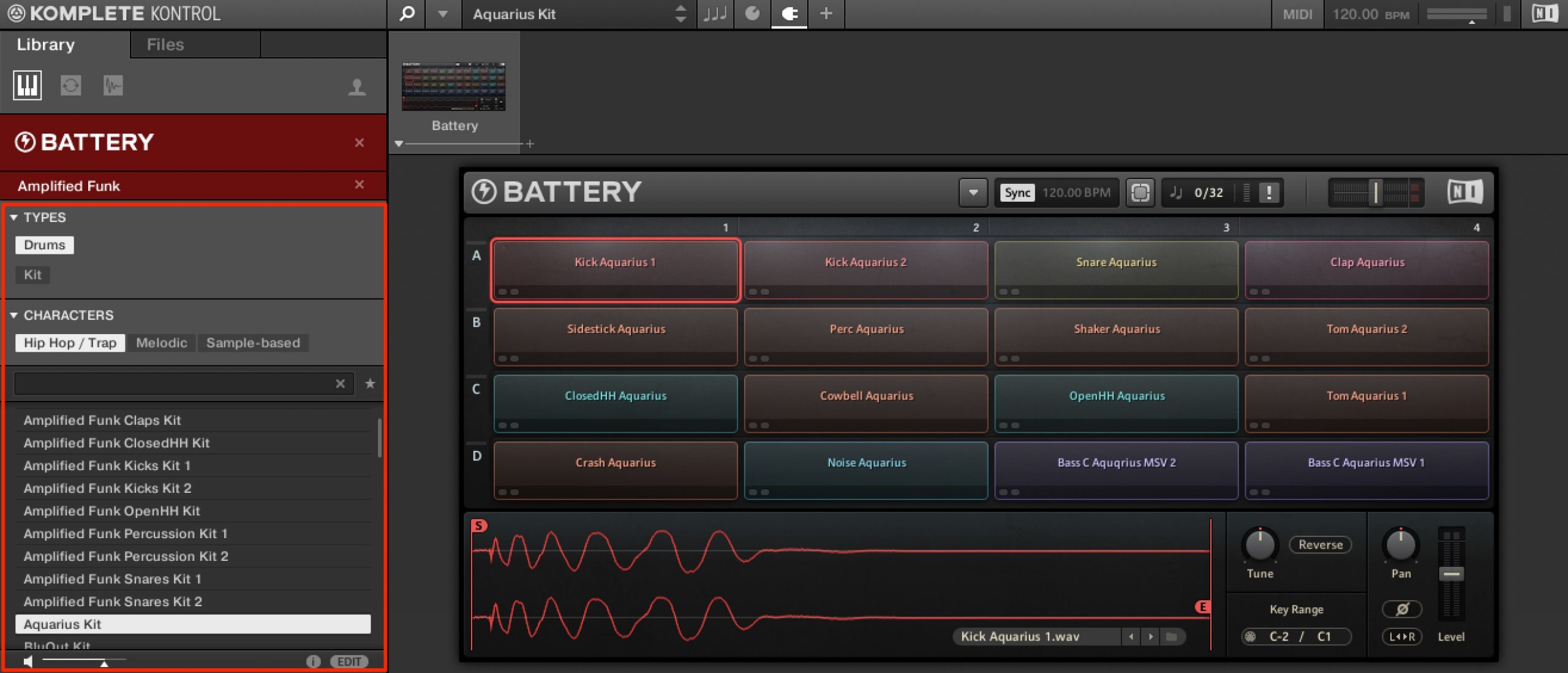
The presets included in that pack appear.
You can narrow the preset search by kit type or genre.
Double-click a kit in the list at the bottom to load Battery with that preset.
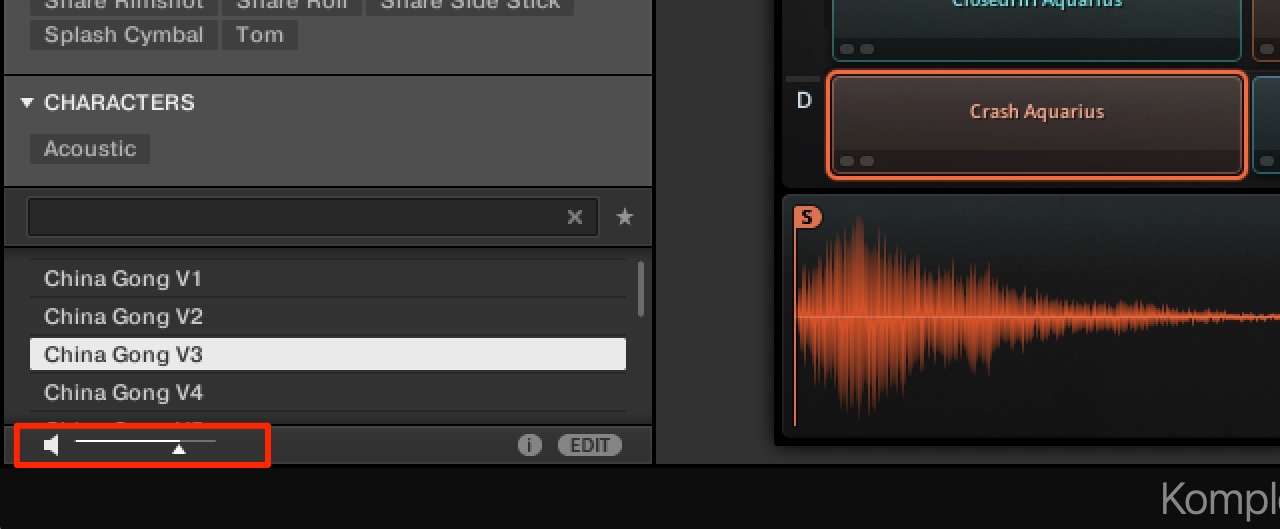
Enable the preview icon at the bottom of the window to audition kits and samples before loading them—a very useful way to browse.
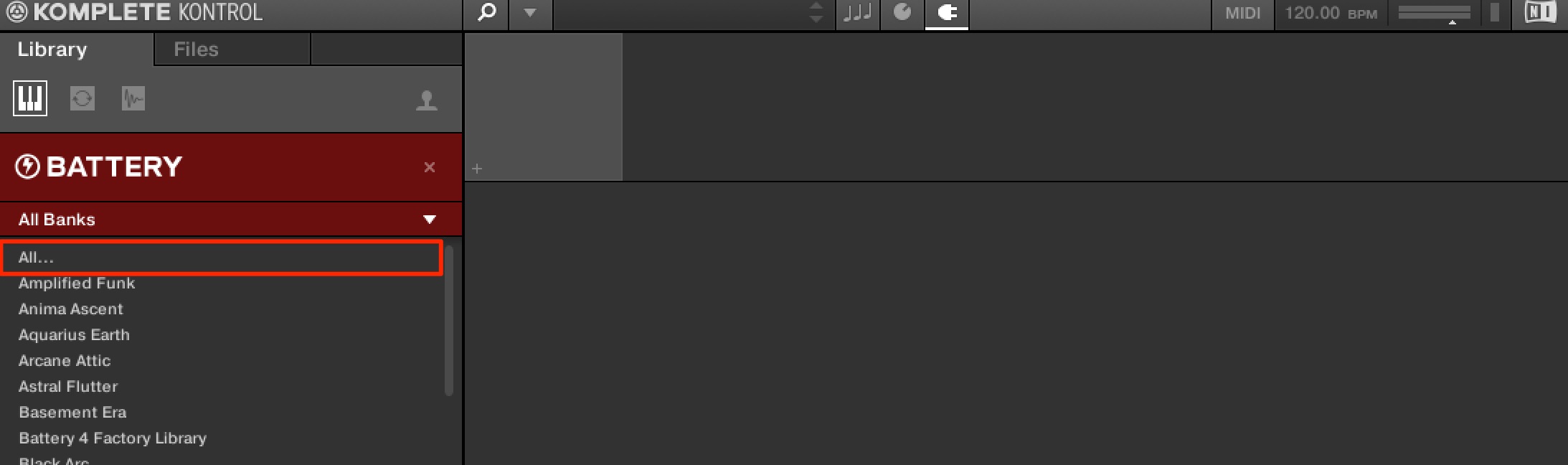
Setting All Banks to All lets you search presets across all of your Expansions.
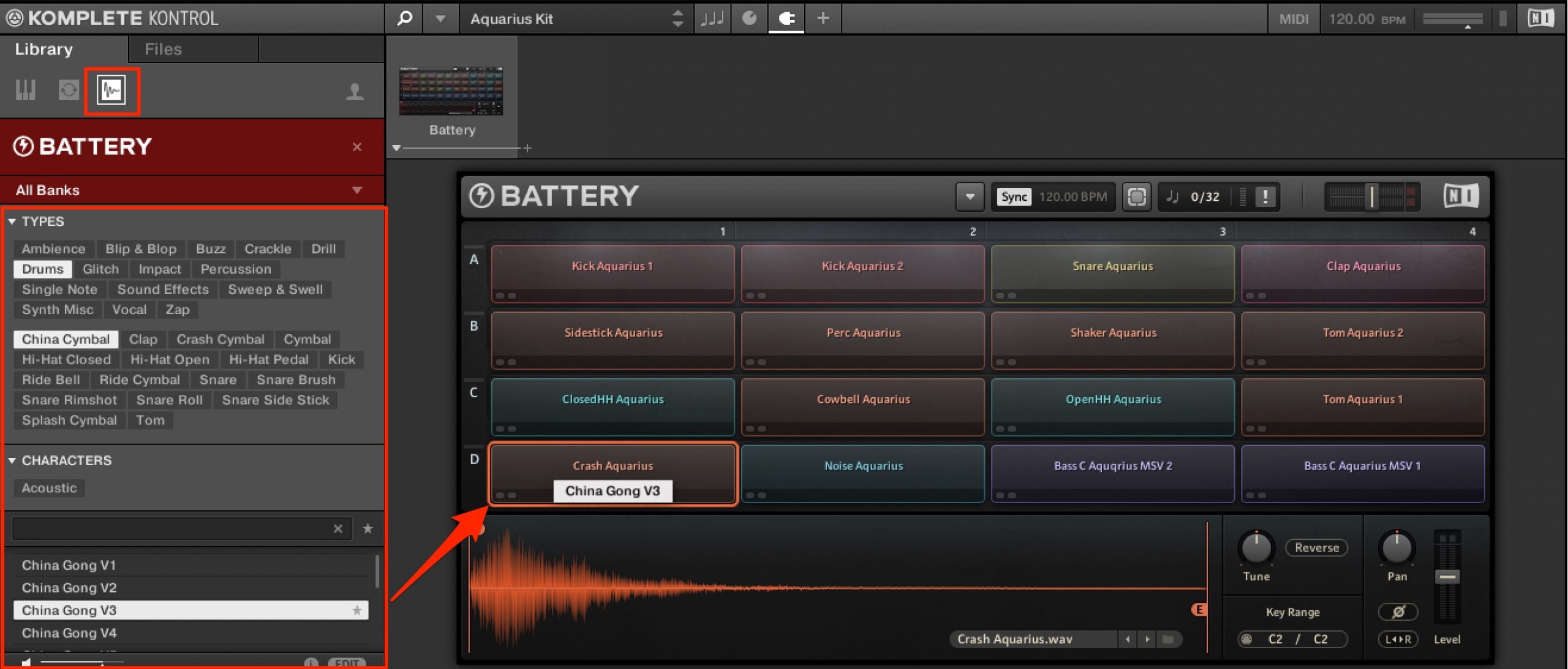
Individual one-shot samples are also available. Use tags to find suitable samples efficiently.
Drag a sample you like onto a cell to add it directly to the kit in Battery.
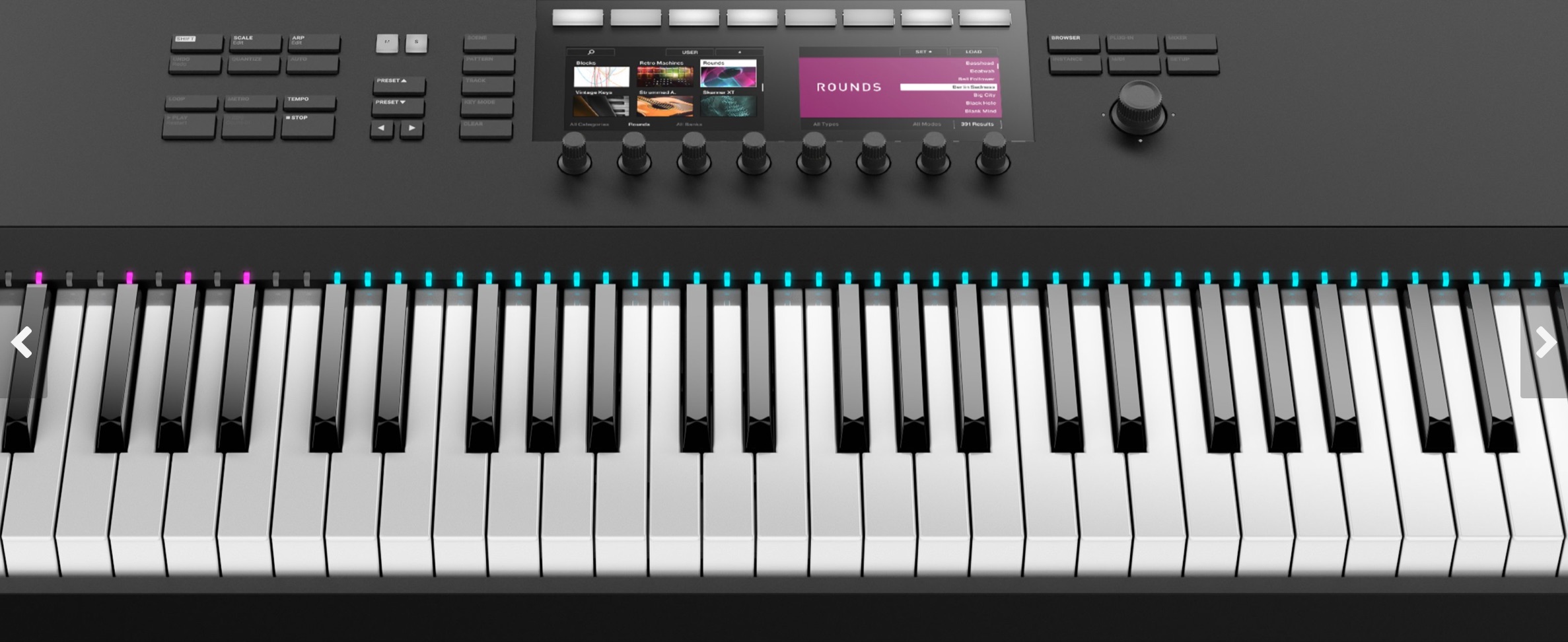
If you use a Komplete Kontrol S-series keyboard, its Light Guide indicates the different kit categories.
This makes the kit's contents easier to understand visually, too.
That is the basic preset-loading workflow. You can use the same procedure with the other instruments below.
Massive
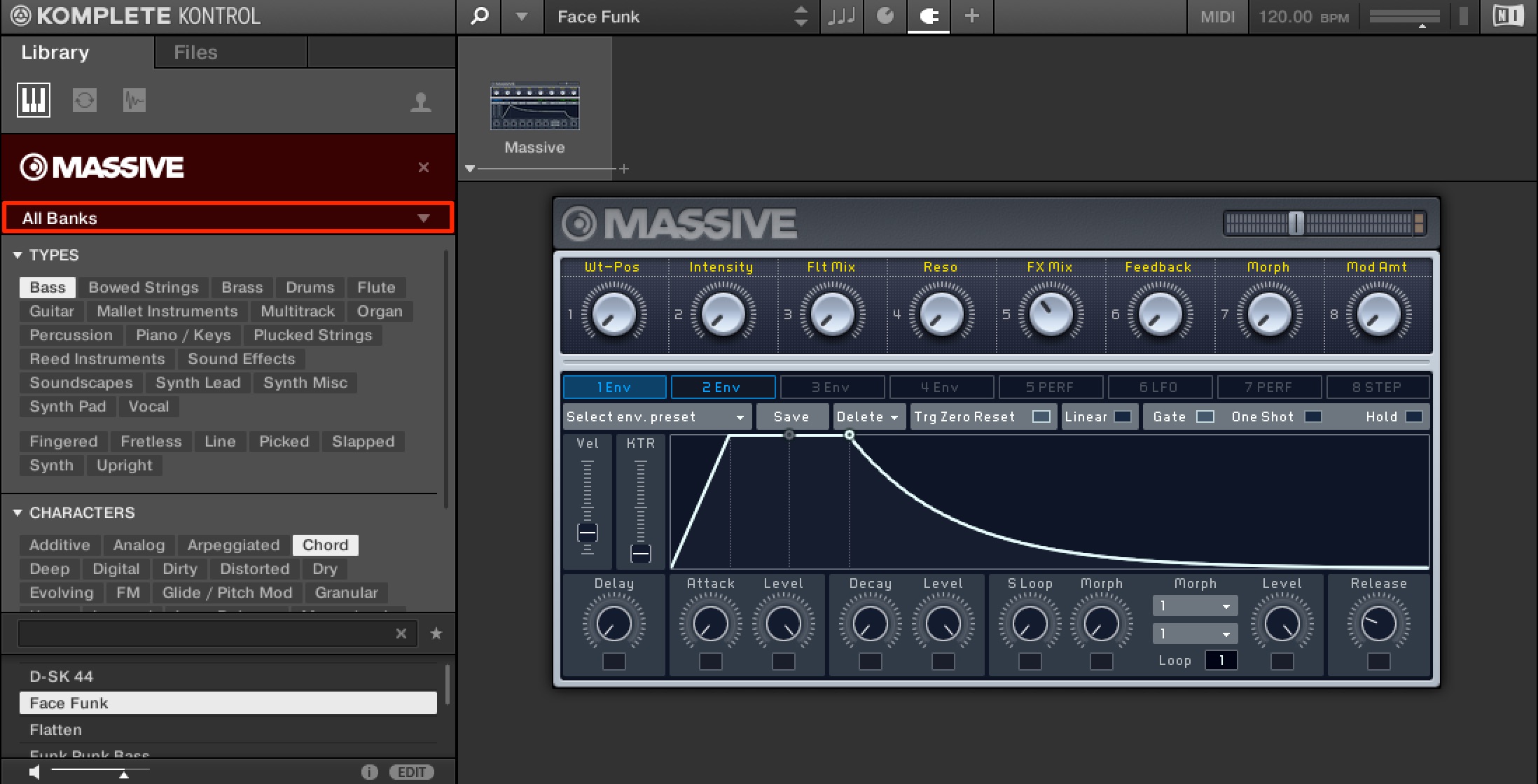
Load Massive presets from All Banks in the same way.
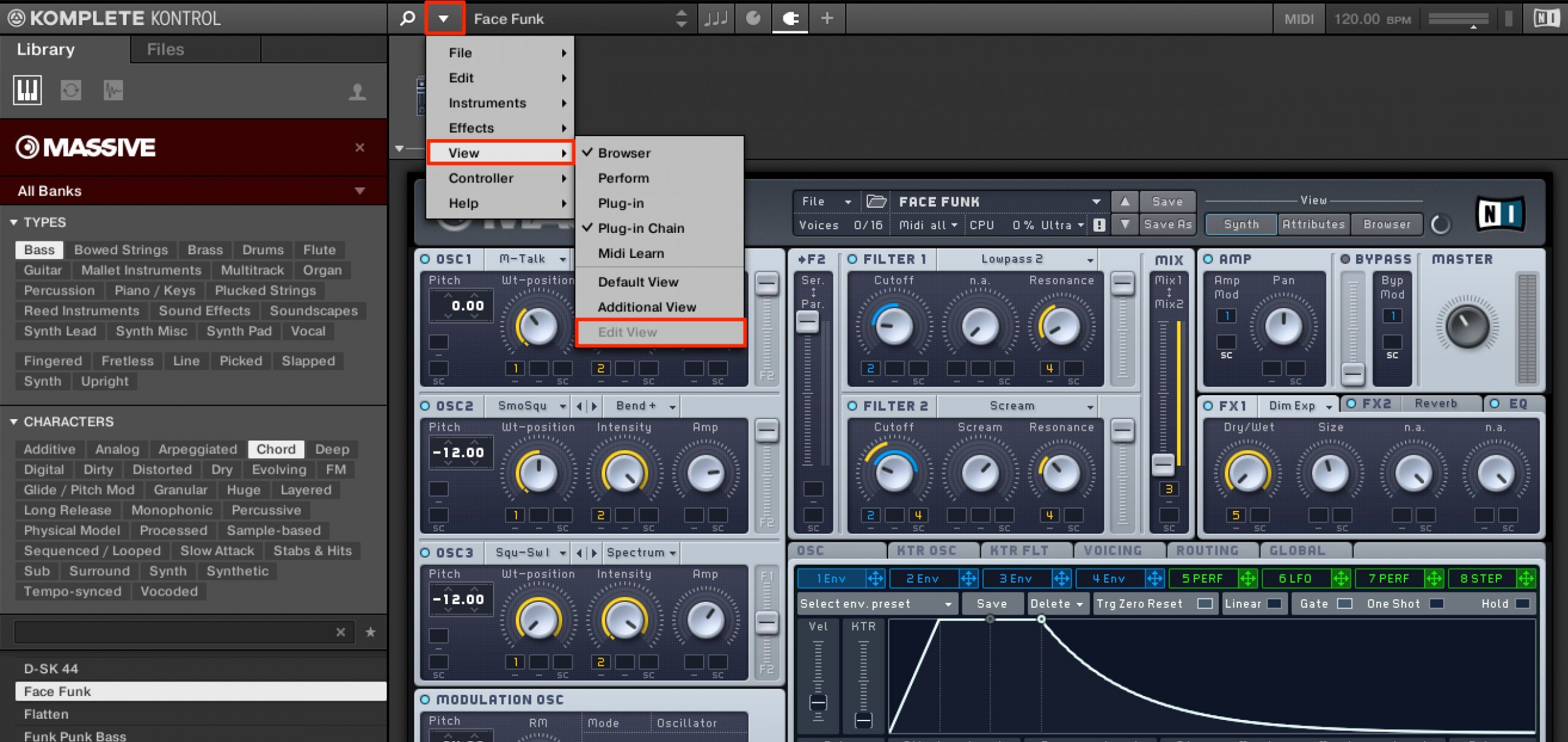
To access the instrument's detailed controls, open the settings menu and select View > Edit View.
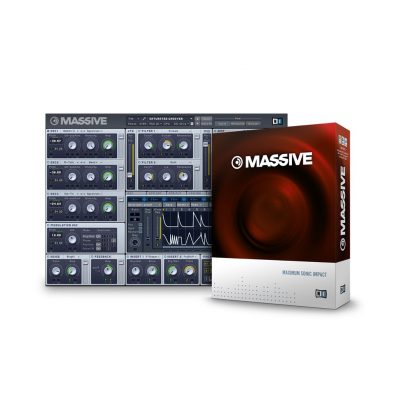
MONARK / REAKTOR PRISM
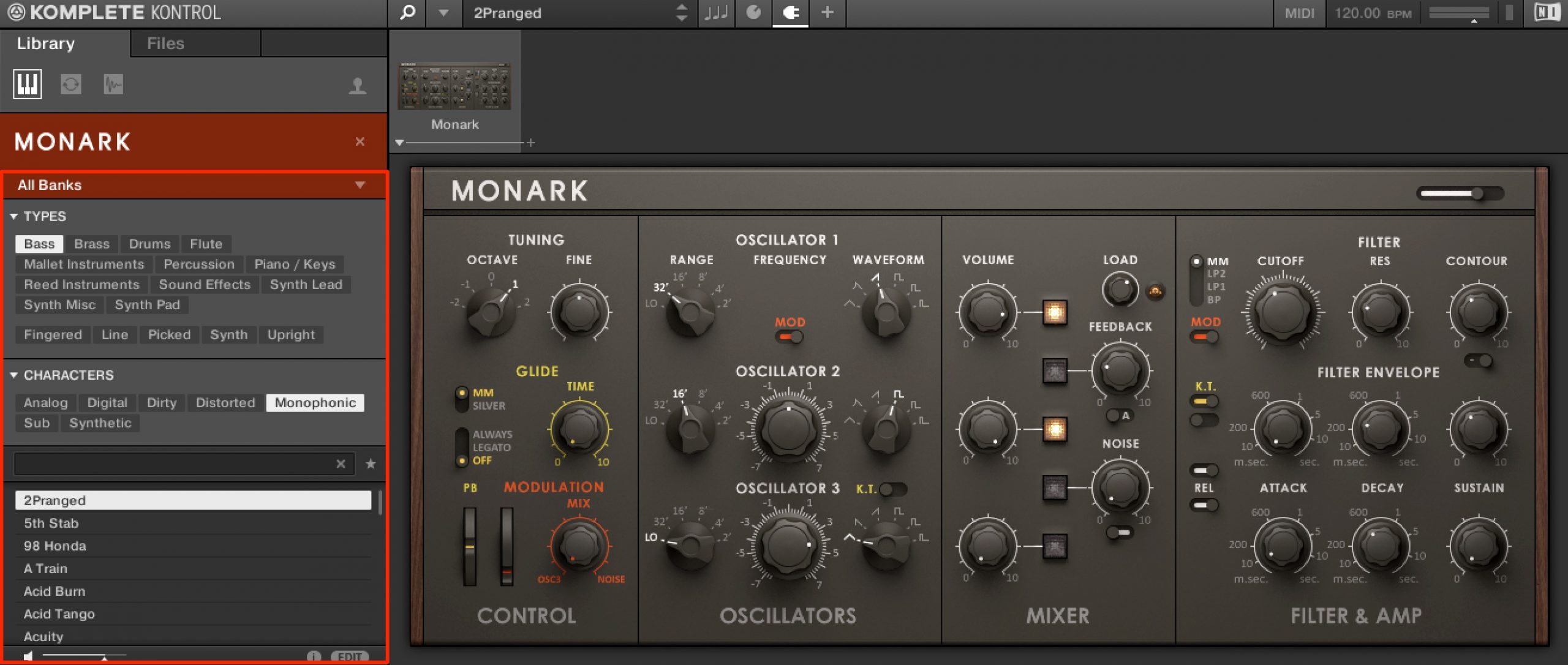
Monark and REAKTOR PRISM work in the same way as Massive.
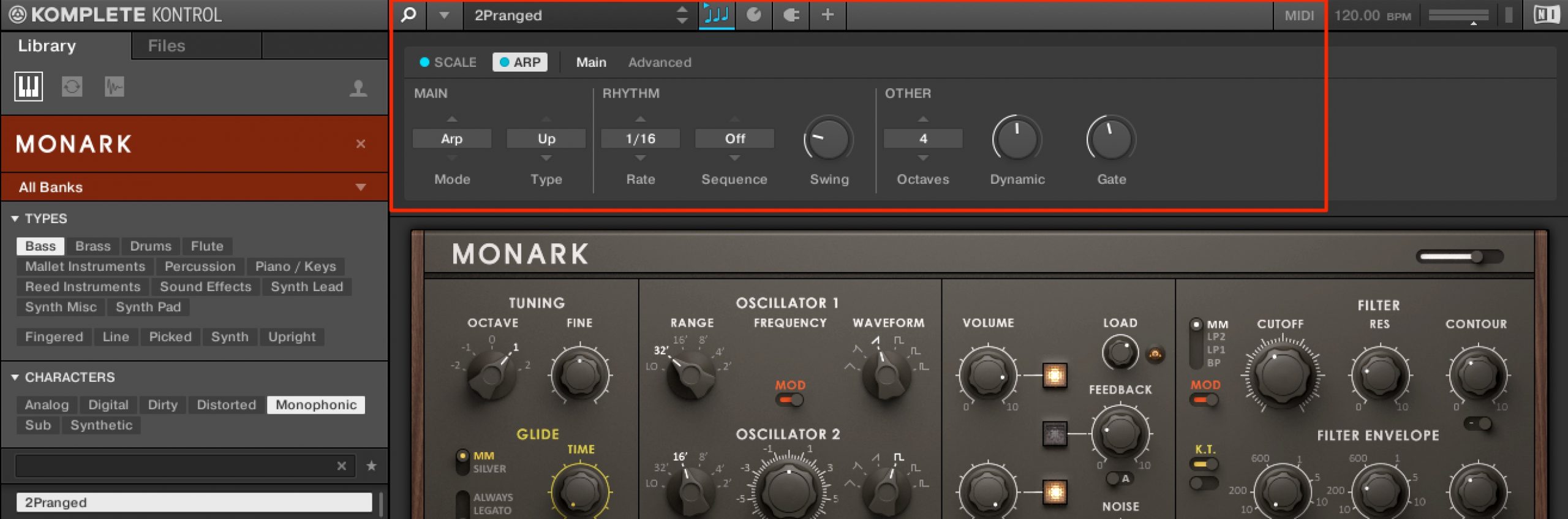
Another benefit of using Komplete Kontrol is access to its built-in scale, chord, and arpeggiator functions.
The linked videos and articles below explain these features, so take a look alongside this guide.
KOMPLETE KONTROL Part 4: Scale functions
KOMPLETE KONTROL's scale functions help users who are less confident on a keyboard create phrases that fit a song. Choose the song key and a scale such as major or minor…
KOMPLETE KONTROL Part 5: Chord functions
KOMPLETE KONTROL's chord functions let you build chord progressions intuitively, even without music-theory knowledge. They work with the scale functions to follow the selected key and scale…
KOMPLETE KONTROL Part 6: Arpeggiator functions
The KOMPLETE KONTROL arpeggiator works with the scale functions covered previously to generate more creative arpeggio patterns…
KOMPLETE KONTROL Part 7: Automation and MIDI mode
The final KOMPLETE KONTROL tutorial covers two important workflows: automation and MIDI mode. Automation lets you control parameters in your DAW…
Maschine
Expansions were originally sold as expansion libraries for Maschine.
As a result, they also include song projects that demonstrate the presets in use.
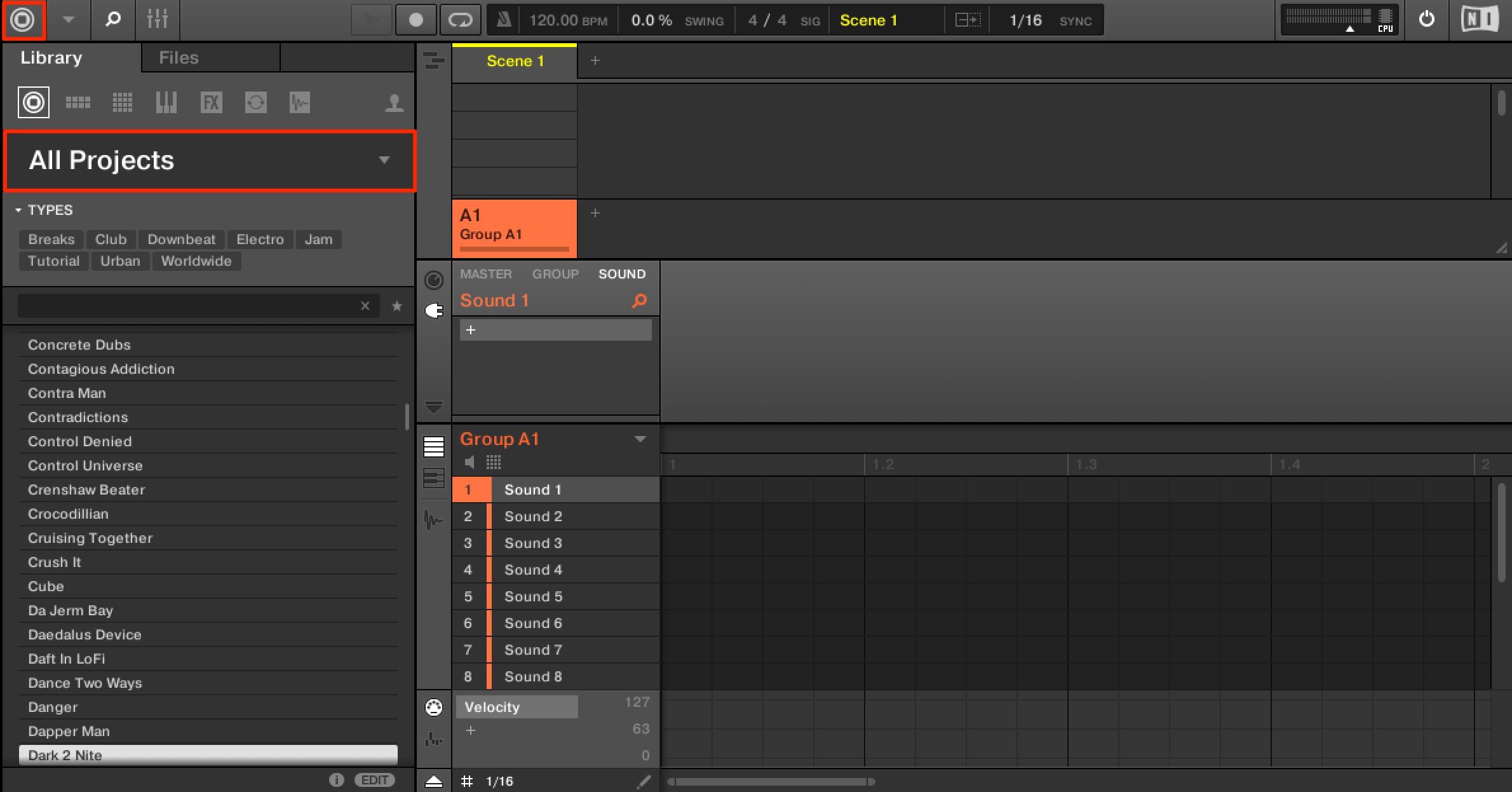
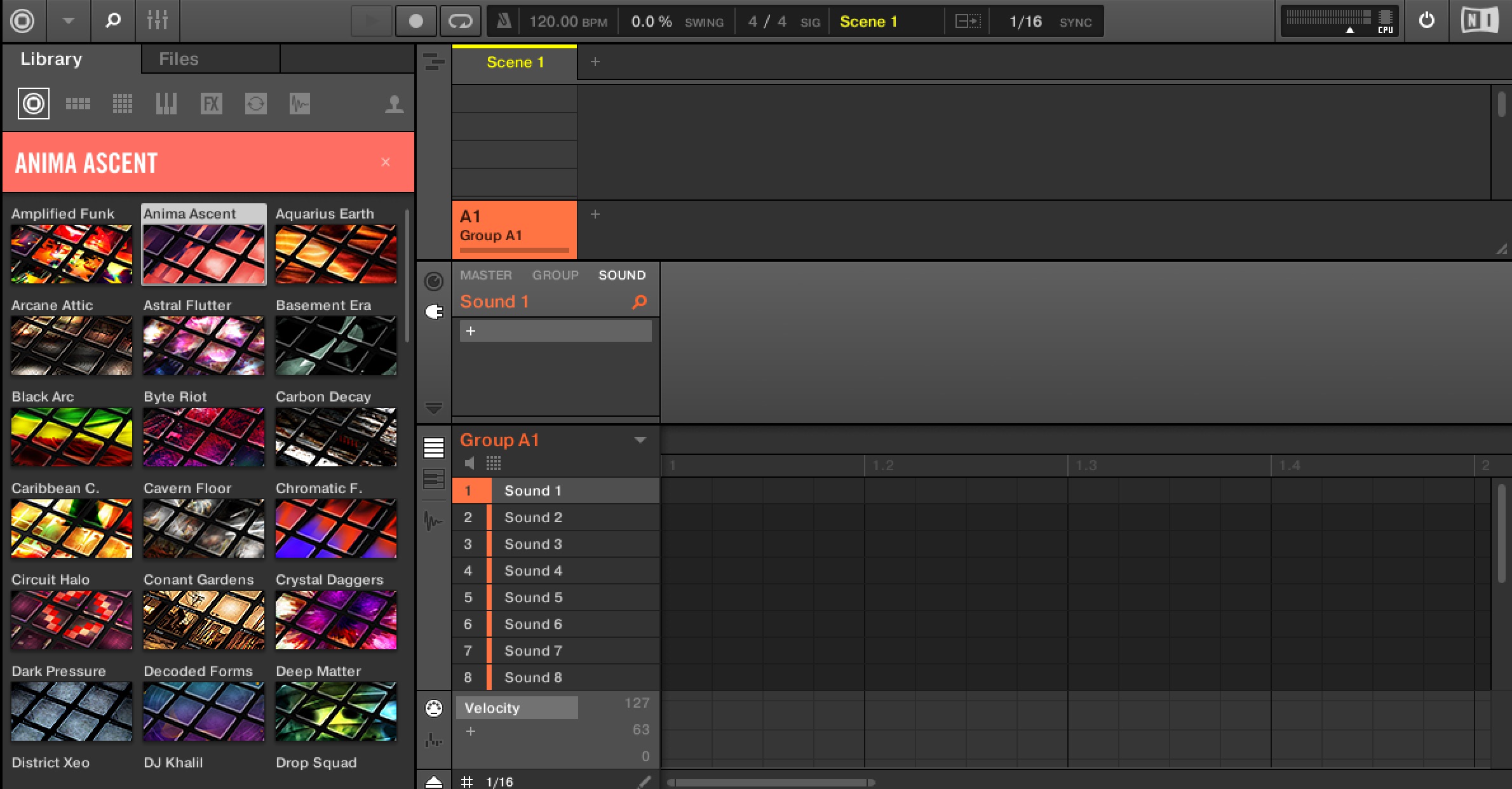
Your Expansions appear in a list as shown here.
Select the product you want.
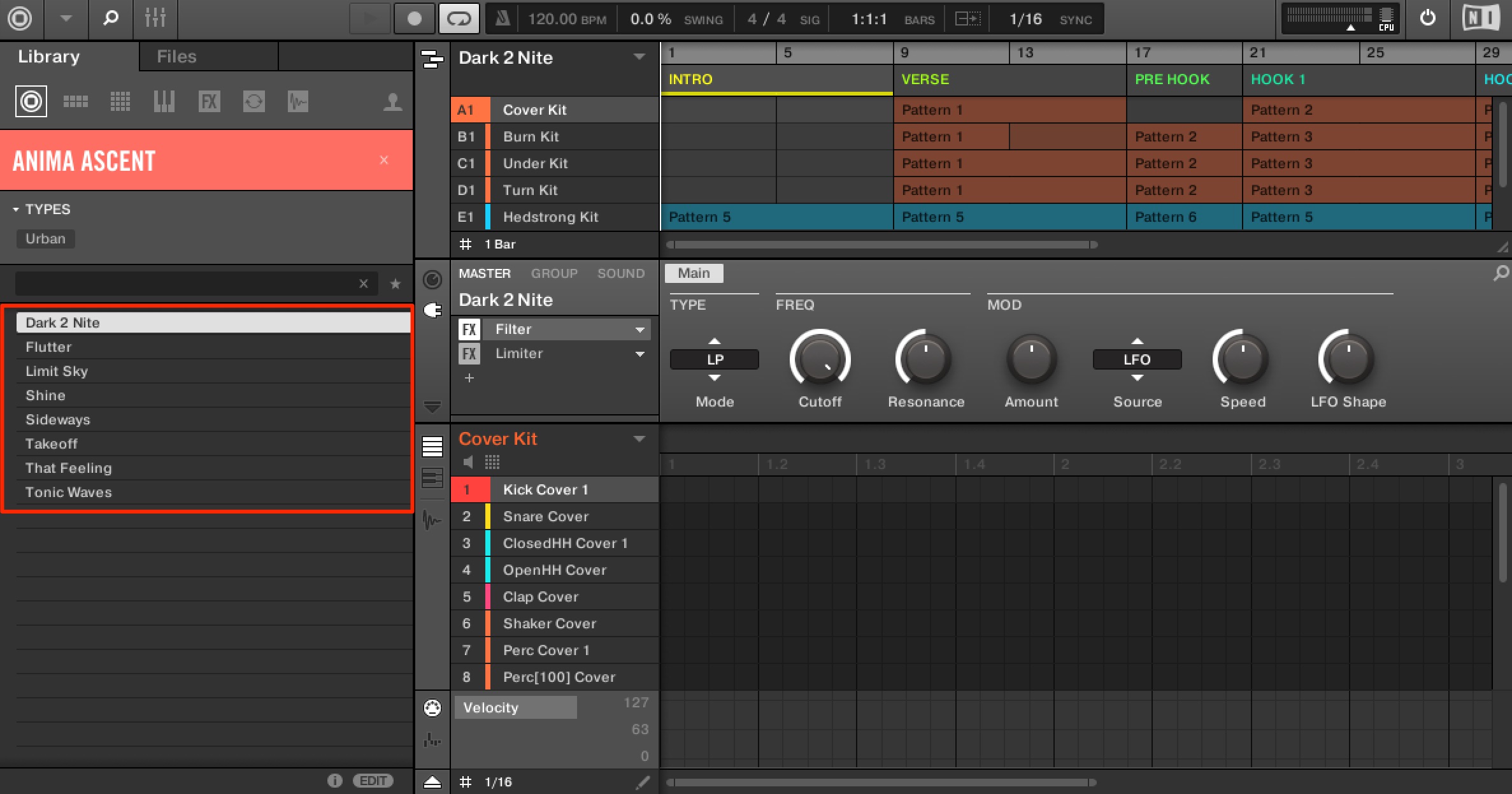
Choose a song project and double-click it to load it.
You can examine the programming and processing on every track in these projects, making them useful for learning production techniques and approaches.
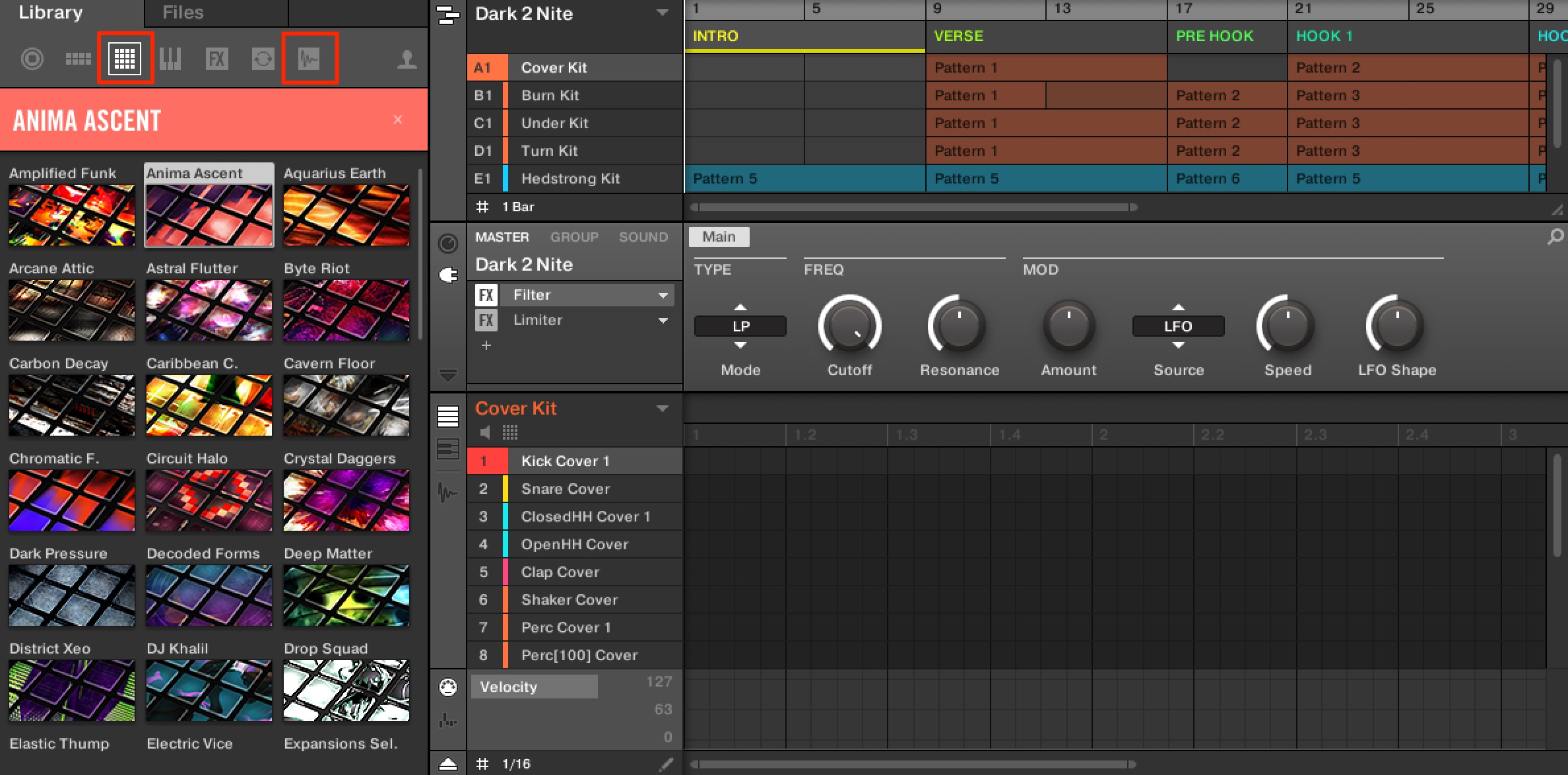
You can also use rhythm kits and individual one-shot samples in the same way.
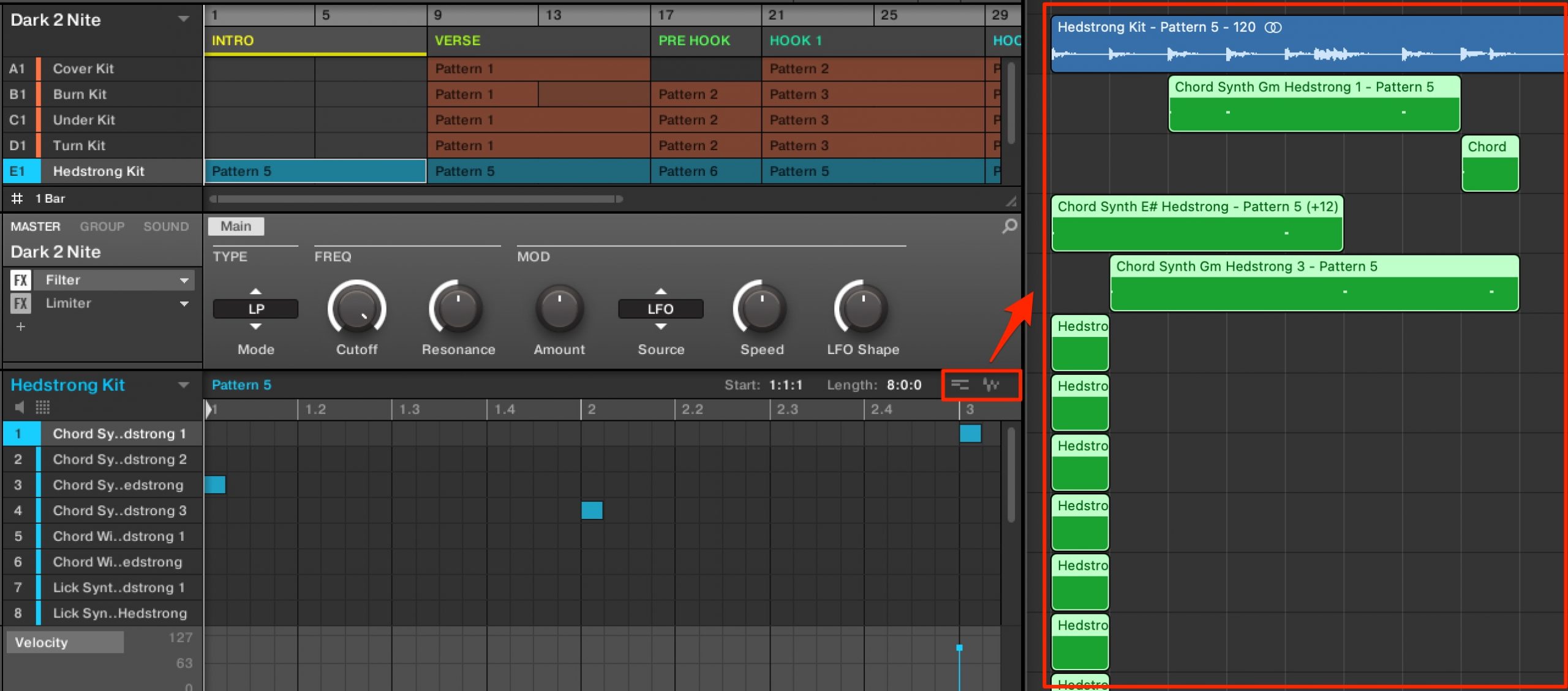
Maschine sounds and MIDI can be exported to your DAW, opening up more production possibilities.
You can also connect its tracks and groups with tracks in your DAW.
The linked guide below explains the details.
Expansions offer affordable access to sounds tailored to the genre you want to make.
If you already own Komplete, you may have had some of these packs without realizing it.
The integration between products makes for a smooth production workflow.
Take a look and see which packs suit your music!
Product link: https://bit.ly/3wNvm0O
Music-production basics: What are Expansions?
They were also included in Native Instruments' popular Komplete bundles, so you may already have owned some without realizing it. Put them to work in your music!
Details: https://t.co/R8w5H9dl7w #DTM @Tokyo_NI pic.twitter.com/AhcdupwoWI— SLEEP FREAKS (@SLEEPFREAKS_DTM) June 12, 2021
Frequently asked questions
Q1. Which products can use Expansions?
They provide content for several Native Instruments instruments and drum products, including Maschine, Battery, Massive, Reaktor, Monark, and REAKTOR PRISM. Packs can be purchased separately. In the Komplete bundles discussed in this 2021 guide, higher editions included more Expansions at a lower effective price per pack.
Q2. Can I use an Expansion immediately after buying it?
After purchase, download and install it through Native Access. For convenient browsing and use, this guide recommends installing Komplete Kontrol, which was available free in the setup described here.
Q3. Can I use Expansions loaded in Maschine with my DAW?
Yes. You can export sounds and MIDI data from Maschine to your DAW, or link its tracks with DAW tracks to expand your production workflow.
NEW ARTICLES
Latest English Articles





















































































































































