
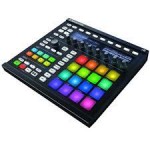
Native Instruments’ MASCHINE 2 is a music production system with a MIDI controller and software. It improved performance through multicore support and introduced a more accessible workflow. Its features include adding preset sounds, a file type selector, recording and pattern editing, step input, audio and MIDI export, effects, a mixer, and automation. It can also be used with a DAW. At the time of the original article, KOMPLETE SELECT with 10 products was included with eligible MASCHINE purchases; bundle contents can change.
MASCHINE 2: Further Evolution

MASCHINE is a MIDI controller from Native Instruments.
We previously covered MASCHINE 1 in our tutorials.
This version offers:
- Faster performance through multicore support
- A broad range of sounds integrated from other products
- A more user-friendly interface
Here we explore MASCHINE 2 and its improved workflow.
At the time of this article, purchasing a MASCHINE series product also included
10 products bundled free as KOMPLETE SELECT; bundle contents and eligibility may have changed.
1. Adding Preset Sounds
Selected Questions and Answers from the YouTube Video

I bought a MASCHINE MK2. I have KOMPLETE KONTROL software on my desktop with lots of sounds I like that aren’t in the MASCHINE software. How can I use those sounds to program parts in MASCHINE? Thank you.

Yes, you can. Check that the instruments appear in the area shown below. https://app.box.com/s/x2n0x4930fc5xa9ymycft5axcsnezlxq If they don’t appear, rescan the two items in Preferences and they should show up. https://app.box.com/s/2kk94idqvaw7m9mrkn3w3dxb5ozvxleh
What should I do if they still don’t appear after rescanning?
Is a preset selected as shown in the image? https://app.box.com/s/wfv8n2sc85mv5nvy0i5gnaw4hr9rkbqc If they still don’t appear, use Native Access to check that the software is up to date.
2. File Type Selector
3. Recording and Pattern Editing
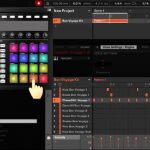
4. Step Input and Track Adjustment
5. Exporting Audio and MIDI
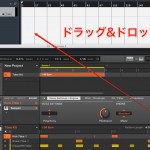
6. Effects and the Mixer Window

7. Automation and Using MASCHINE as a MIDI Controller
8. Working with a DAW
Frequently Asked Questions
Q1. What are the main differences between MASCHINE 2 and MASCHINE 1?
MASCHINE 2 improved performance with multicore support and made the interface easier to use. It also brought together a broad sound library from other products for a more intuitive workflow.
Q2. What was included with MASCHINE 2?
The original article stated that eligible MASCHINE series purchases included KOMPLETE SELECT with 10 products at no extra cost, adding plug-ins and sounds. Current bundles and eligibility may differ; check the official store for the offer that applies to your purchase.
Q3. Can MASCHINE 2 work with an existing DAW?
Yes. MASCHINE 2 supports DAW integration with applications such as Ableton Live, Logic Pro and Cubase, helping streamline the workflow.
NEW ARTICLES
Latest English Articles










































































































































































































































































































































































































































































































































































