
Roland GO:MIXER STUDIO is a compact audio interface and mixer for streaming, DAW recording, and video production. It works with both computers and iPhone/iPad, offering a wide range of connections including XLR microphone inputs, instrument inputs, and MIDI ports in a highly portable unit. Its hardware DSP provides effects such as EQ, compression, and reverb, letting you shape your sound without adding much load to the computer used for streaming. With USB bus power, an AC adapter or a mobile battery, plus tripod mounting, it is designed for settings ranging from the studio to outdoor streaming.
A compact audio interface for both computers and iPhone/iPad
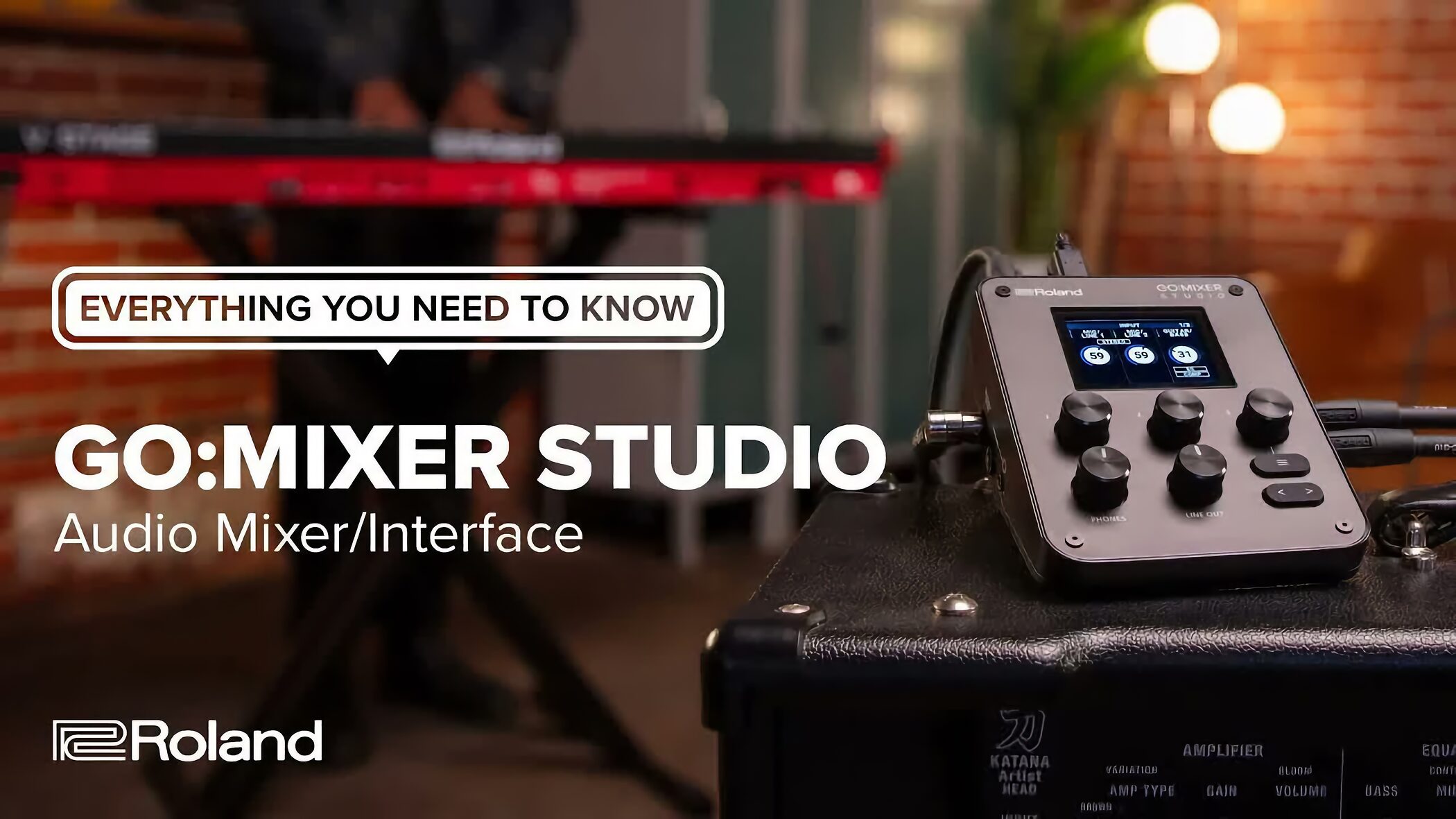
As you add more sound sources and equipment for live streaming, singer-songwriter recording, podcasts, or video production, it becomes harder to balance portability with enough inputs and outputs.
Roland designed GO:MIXER STUDIO to address those needs in a single unit. It is acompact yet capable audio interface and mixeryou can take almost anywhere.
It supports both iPhone/iPad and Mac/Windows computers, covering music production, streaming, and video recording.
Its main highlights include:
- Flexible power options: USB bus power, an AC adapter, or a mobile battery
- Extensive I/O, including two XLR-type MIC/LINE inputs, instrument connections, MIDI, and a headset connection
- Built-in hardware DSP effects (EQ, compression, and reverb) and 16 scene memories
- High-resolution audio up to 192 kHz/24-bit, with 32-bit float internal processing
Roland GO:MIXER STUDIO video review
Selected questions and answers from the YouTube video

Is there a big difference in sound quality between the Focusrite Scarlett and Clarett+? I'm thinking about replacing an earlier Clarett, but I need four channels, so I'm torn between upgrading and moving up to something like the MT 48.

Compared with Scarlett, Clarett+ offers improved sound quality, and I think its quality is already sufficient for many uses. If you want a further step up, I would look beyond the midrange to a high-end unit. Depending on your setup, though, investing in your sound sources or monitors may do more for the quality of your work.
Antelope's ZEN is so full of bugs that I can barely use it, though.
I used it for a while to prepare for this feature, and it seemed much more stable and improved. I had no problems in my setup.
What about the APOGEE Duet 3? 😅
I own one, but I had only covered it in a sale announcement, so I left it out this time.
In the video, Apollo Twin Gen 2 seemed to score higher for sound quality than the RME Babyface Pro FS. Is it really better in that respect? I'm considering buying one and would appreciate your advice.
I've heard both Gen 1 and Gen 2 Apollo units, and Gen 2 was a major improvement. I think its quality is very high. At this level, however, musical genre and personal taste matter a lot, so trying one through a rental or another opportunity would be reassuring. This is entirely subjective, but I preferred Babyface for electronic music and Apollo for rock and acoustic material ❤️
What about MOTU?
Sorry. Quite some time has passed since my review, and I no longer had the unit on hand, so I left it out this time.
What would be a good upgrade from the UA-4FX2?
It depends on your budget, but the Yamaha URX22 has loopback and effects. For an all-around balance, a Focusrite Scarlett is also an approachable option.
I was thinking of getting an SSL, but this makes it seem like it may not be a great buy.
This assessment included more than sound quality: built-in effects, the mixer screen, and streaming features also counted. That is why it ended up in a position like the one shown on the whiteboard. If you do not need those features, I think it is a simple and very good product—I use one myself. Its design and controls are excellent, and its sound is around average or a little above in my view, making it good value.
I always enjoy your videos. I still use a Fireface UCX. Is there a substantial difference compared with the MT 48? I would appreciate your thoughts if you have time.
I also own a UCX and think it has a wonderfully clear sound. At this level, preference is a major factor, but my frank impression is that the MT 48 sounds better. On the other hand, I think the UCX may have the edge in stability and the flexibility of its mixer app.
Portable design, flexible power, and tripod mounting
GO:MIXER STUDIO is designed for a wide range of settings, from an indoor studio to outdoor streaming and mobile recording.
Being able to choose its power source and mounting method to suit the situationis a strength for mobile use.
Flexible power options
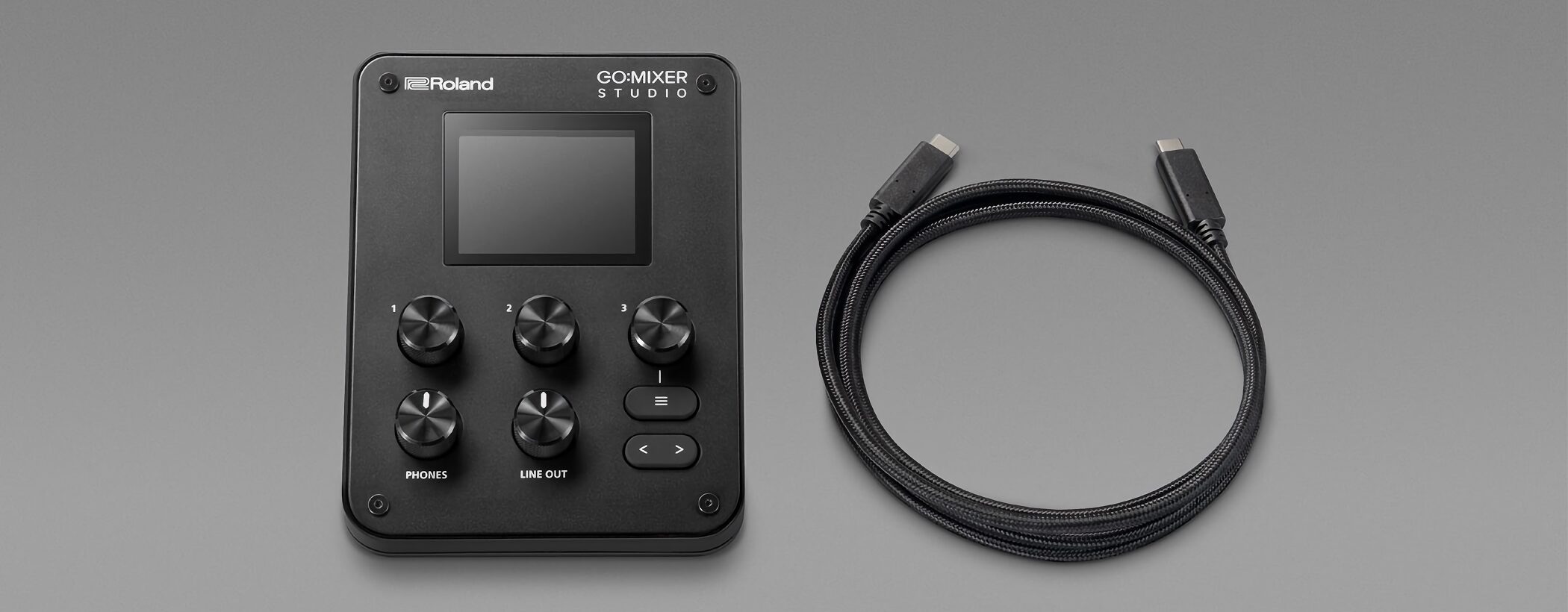
Alongside USB bus power from a computer or iPhone, it can run from a commercially available USB AC adapter or mobile battery.
You can power it from a computer in the studio and from a mobile battery outdoors, making iteasy to use in many environmentswithout changing your basic setup.
With a USB-C iPhone and a USB-PD AC adapter rated at 30 W or higher, you can alsokeep the connected iPhone poweredthrough long streams or recording sessions.
Note: A Lightning-equipped iPhone connects through a separately sold Lightning to USB camera adapter. According to the manual, this setup cannot power the iPhone even with an AC adapter rated at 30 W or higher.
Tripod mounting
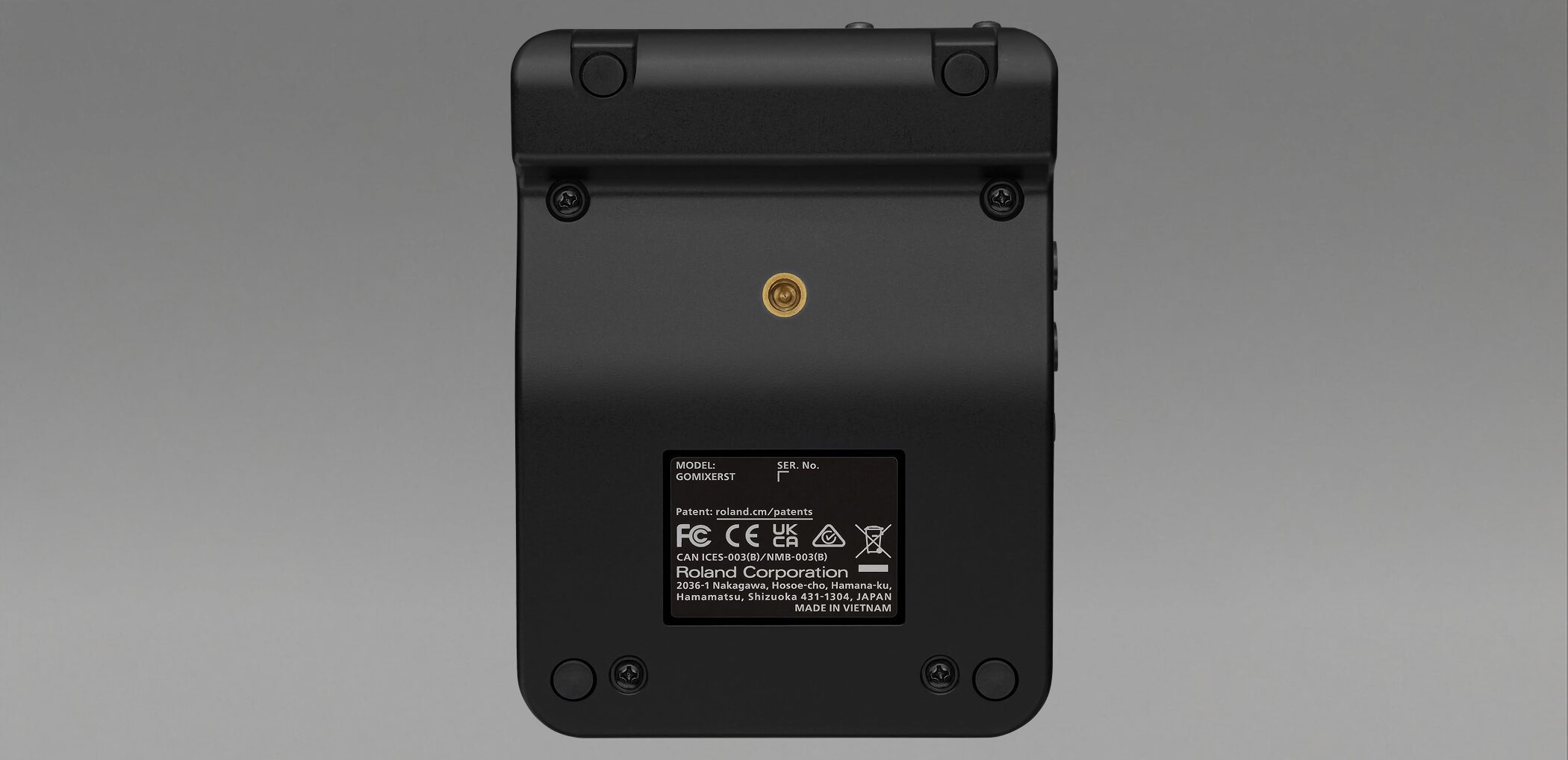
A threaded socket on the underside lets you attach the unit to a camera tripod.
This makes tripod-based streaming setups easier and keeps the layout tidy even when space is limited.
Plenty of I/O to bring your equipment together
Microphones, instruments, headsets, iPhone/iPad, and MIDI equipment can all be connected, letting youbring your audio inputs and outputs together in one unitwith fewer separate devices.
Connect microphones and instruments at the same time
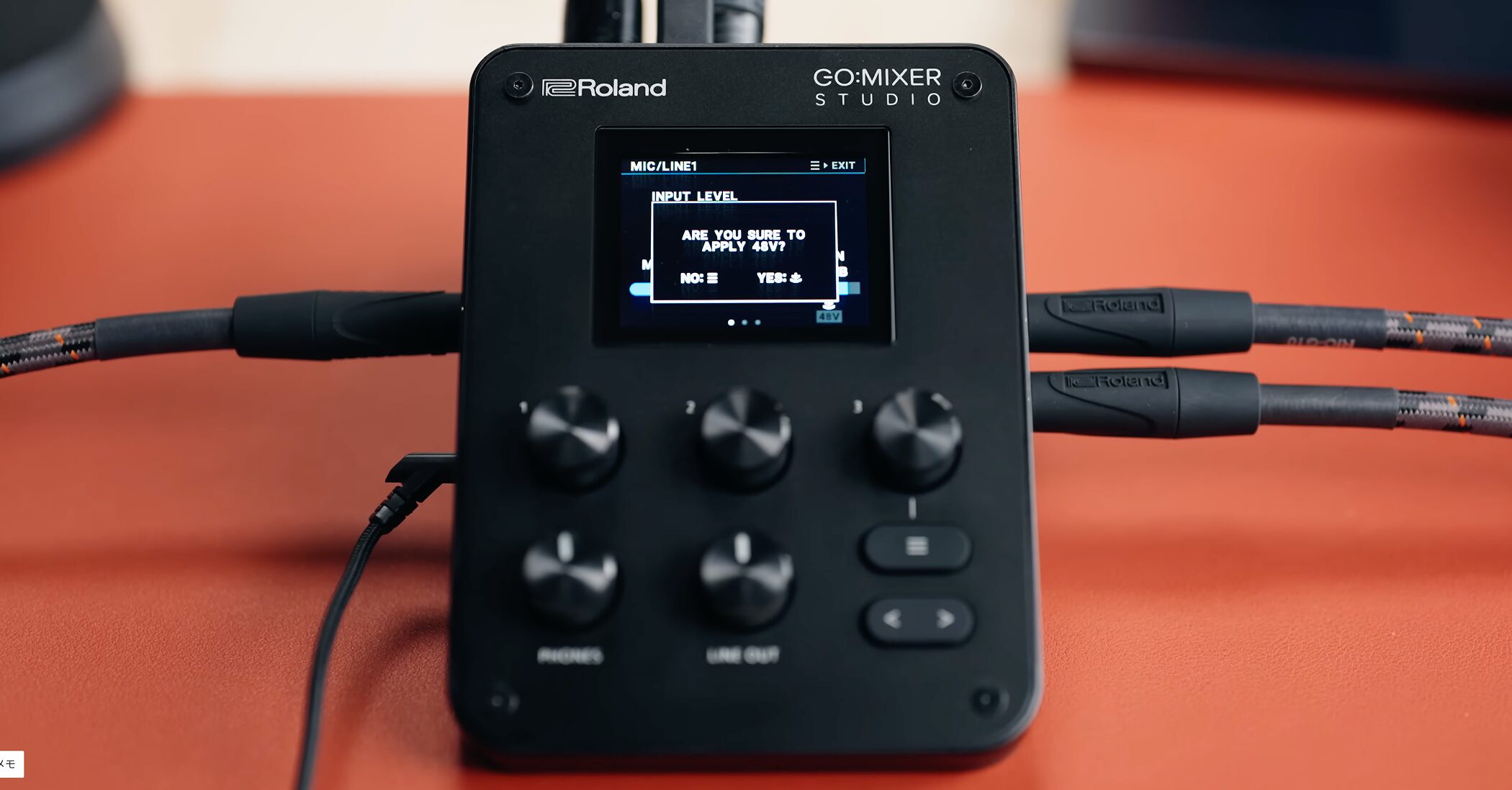
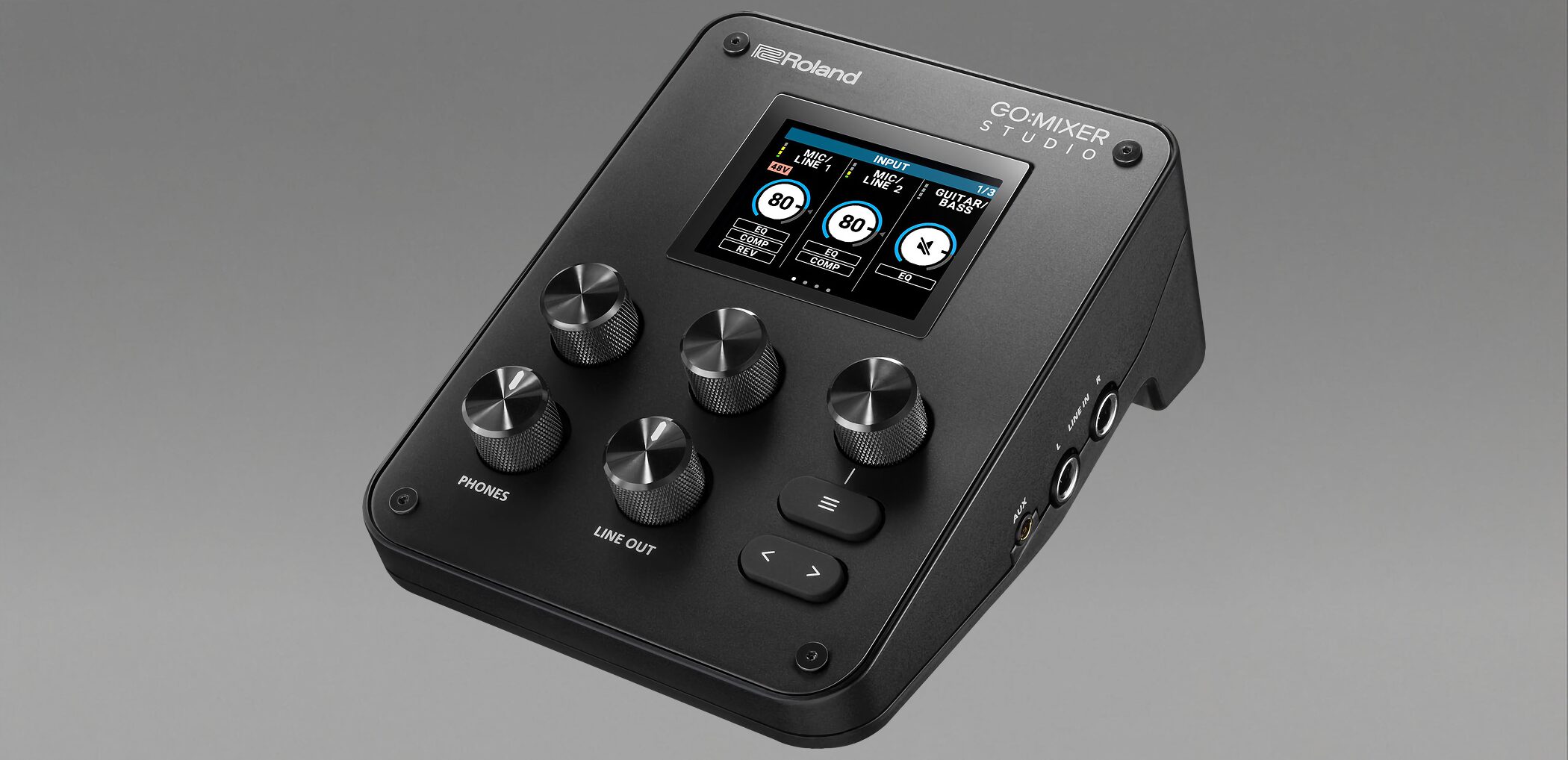
There are two XLR-type MIC/LINE inputs with +48 V phantom power, so you can also connect condenser microphones.
A dedicated high-impedance guitar/bass input and stereo LINE IN for a keyboard or similar instrument are provided as well.
The mic preamps offer up to +75 dB of gain, enough to record microphones with low output at a usable level.
Headset and AUX connections
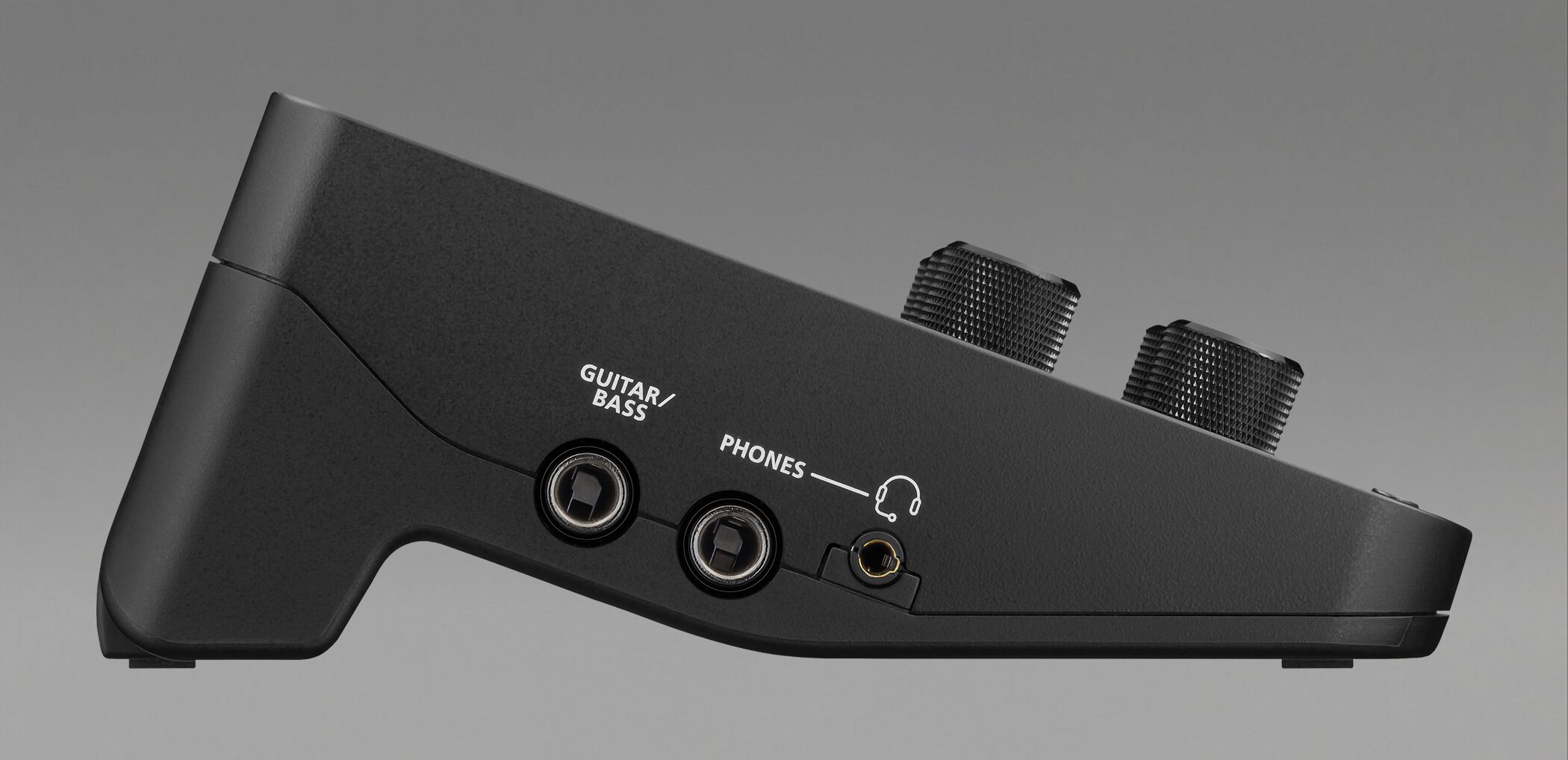
Along with a stereo 1/4-inch headphone output, there is a 3.5 mm connection for a headset microphone.
With a 3.5 mm CTIA-compatible headset, you canplug it in directlywithout a separate adapter.
A four-pole AUX connection also supports outputting a mono mix to a mobile device such as a smartphone.
MIDI IN/OUT included
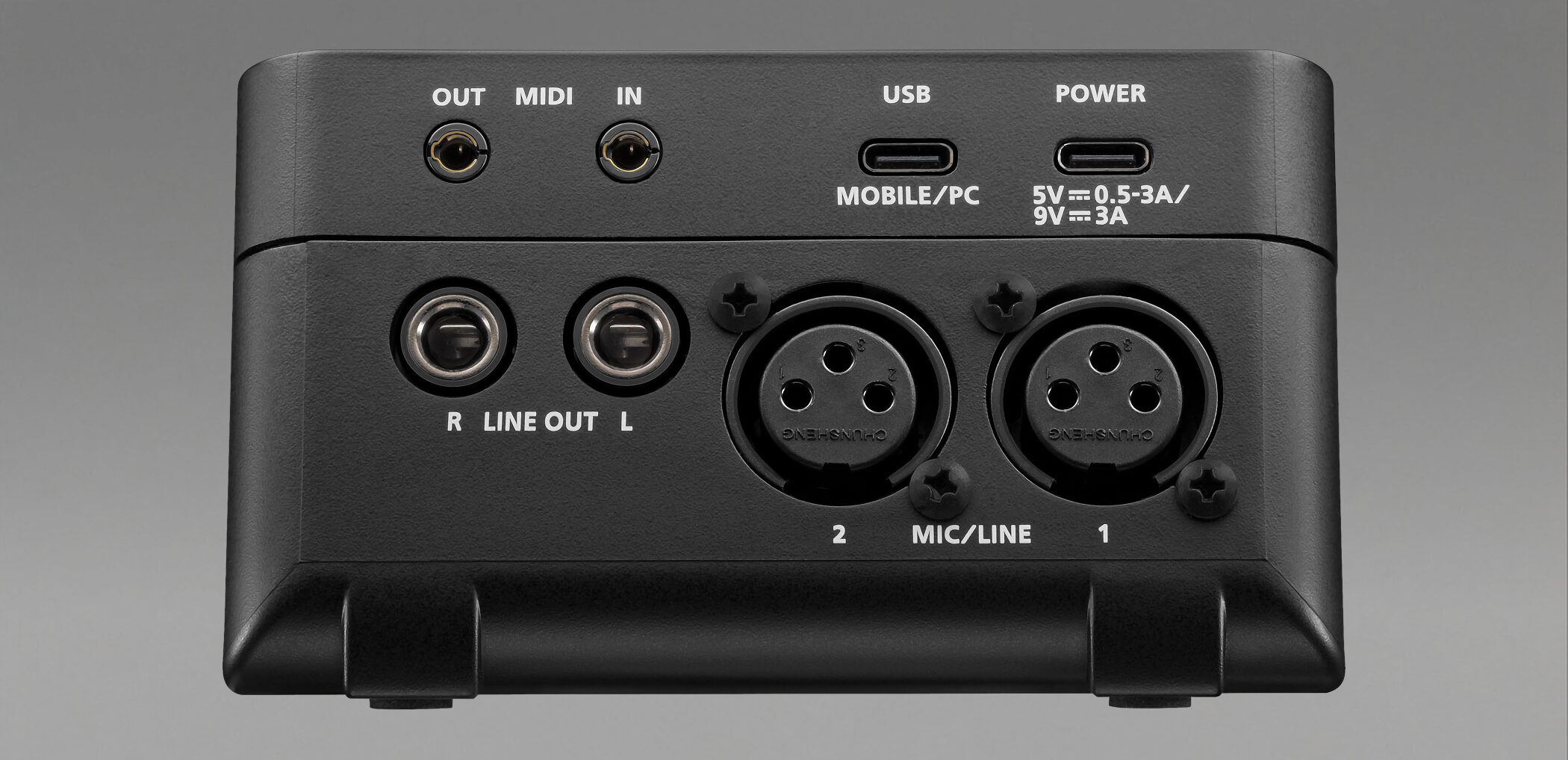
MIDI IN and OUT ports let you connect external MIDI equipment.
The unit handles more than audio: it alsofunctions as a MIDI interfacefor sessions with hardware synths and controllers.
Note: The MIDI ports use mini-TRS connectors. A separately sold TRS-to-MIDI adapter cable is required for equipment with five-pin DIN MIDI connectors.
Useful features for streaming and DAW recording
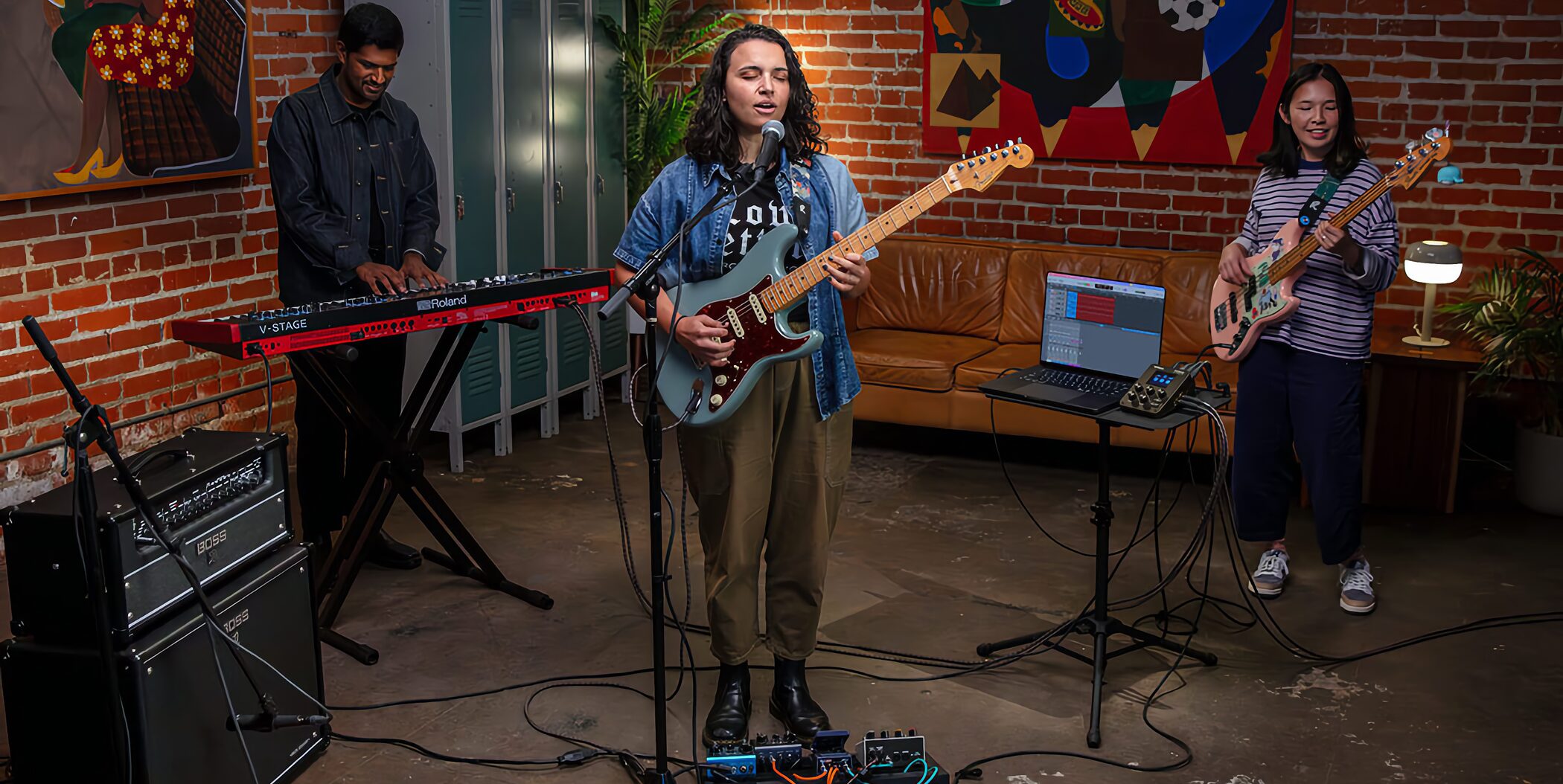
GO:MIXER STUDIO has been thoughtfully designed around USB use for both streaming and multitrack recording.
You can switch between a stereo two-channel mode for streaming andMULTI-CH mode (up to 12 inputs and 6 outputs)for multitrack recording in a DAW.
It supports sample rates up to 192 kHz, 24-bit A/D and D/A conversion, and 32-bit float internal processing, making it easy to edit individual tracks later.
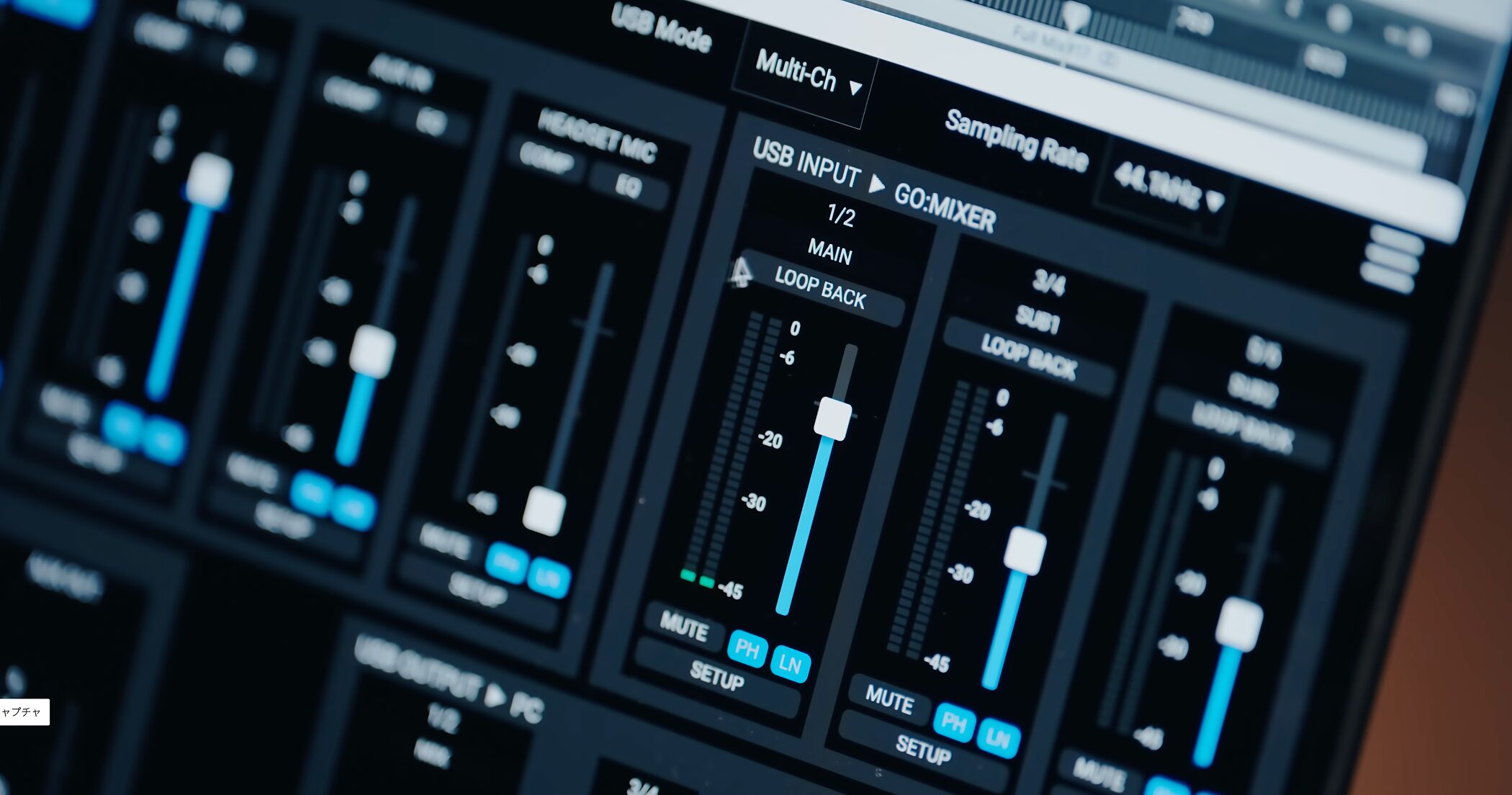
The unit also offersloopbackto mix BGM or sound effects playing on the computer with microphone or instrument input and send the mix back to the computer or streaming app.
It is easy to switch on and off, and is suited to game streaming, commentary, and live singer-songwriter performances.
Built-in hardware DSP effects
One of the unit's main attractions is itsbuilt-in effects, which do not load the CPU of your computer, iPhone, or iPadfor effects processing.
Hardware DSP inside the unit processes EQ, compression, and reverb, allowing stable sound shaping regardless of the streaming computer's specifications.
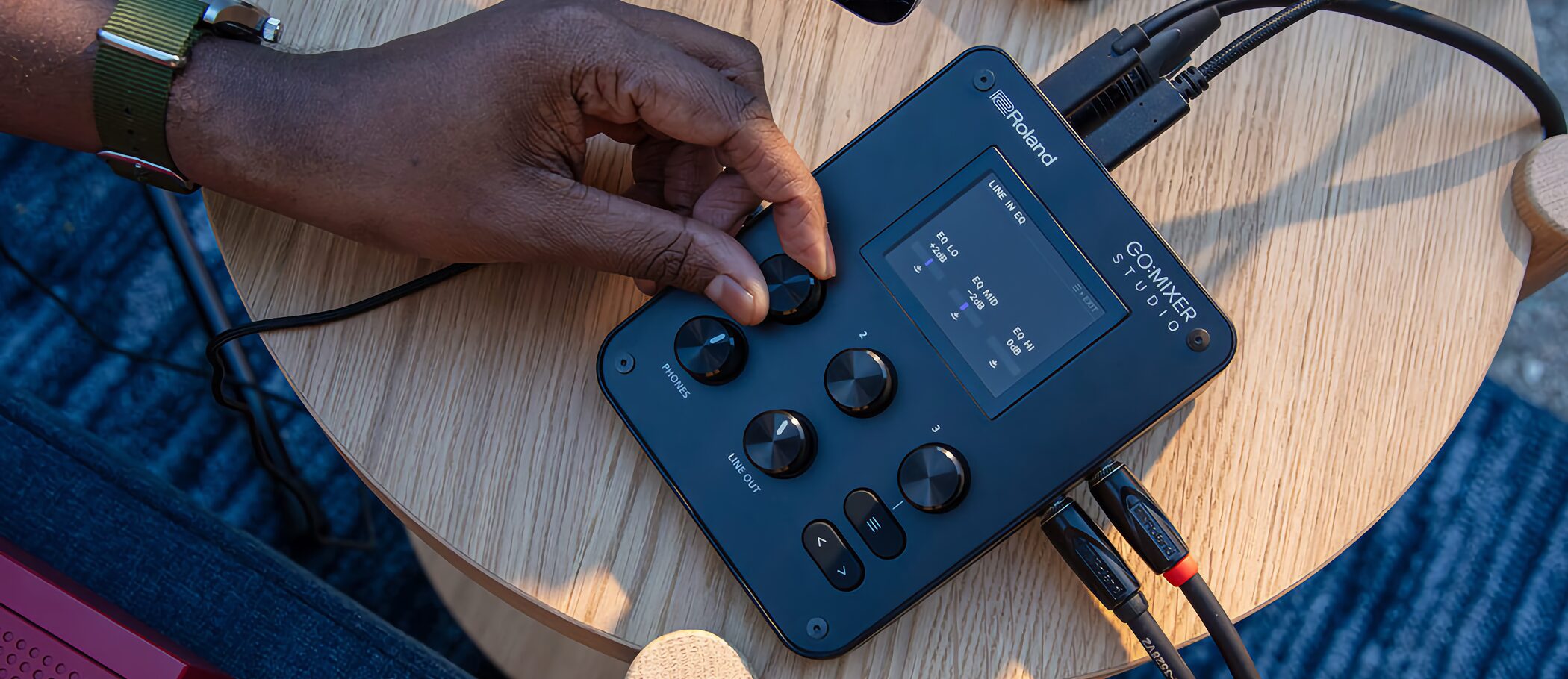
Each channel has adjustableEQ and compressionthat let you tailor the sound to its input source.
MIC/LINE and GUITAR/BASS channels also havereverbwith Room, Hall, or Plate character for a studio-like sense of space, even in a home recording setup.
The compressor offers three models based on familiar studio equipment:
- CHCP-4K: models a compressor with an expander found on professional mixers and other equipment
- OPTCP-2A: the smooth character of an optical compressor
- FETCP-76: the fast response of a FET-style compressor
Switch between them to suit vocals, guitar, bass, or another input source.
Note: Effect availability has limits. Compression and reverb cannot be used at 192 kHz. At 96 kHz, compression is unavailable for GUITAR/BASS, LINE IN, AUX, and HEADSET MIC (MIC/LINE compression remains available). Reverb is available only for MIC/LINE and GUITAR/BASS, not for LINE IN, AUX, or HEADSET MIC.
Intuitive controls with a color screen and scene memories
Small mixers can be awkward to operate, but GO:MIXER STUDIO offersintuitive control through its display and three knobsfor straightforward adjustments.
Easy-to-read color graphic LCD
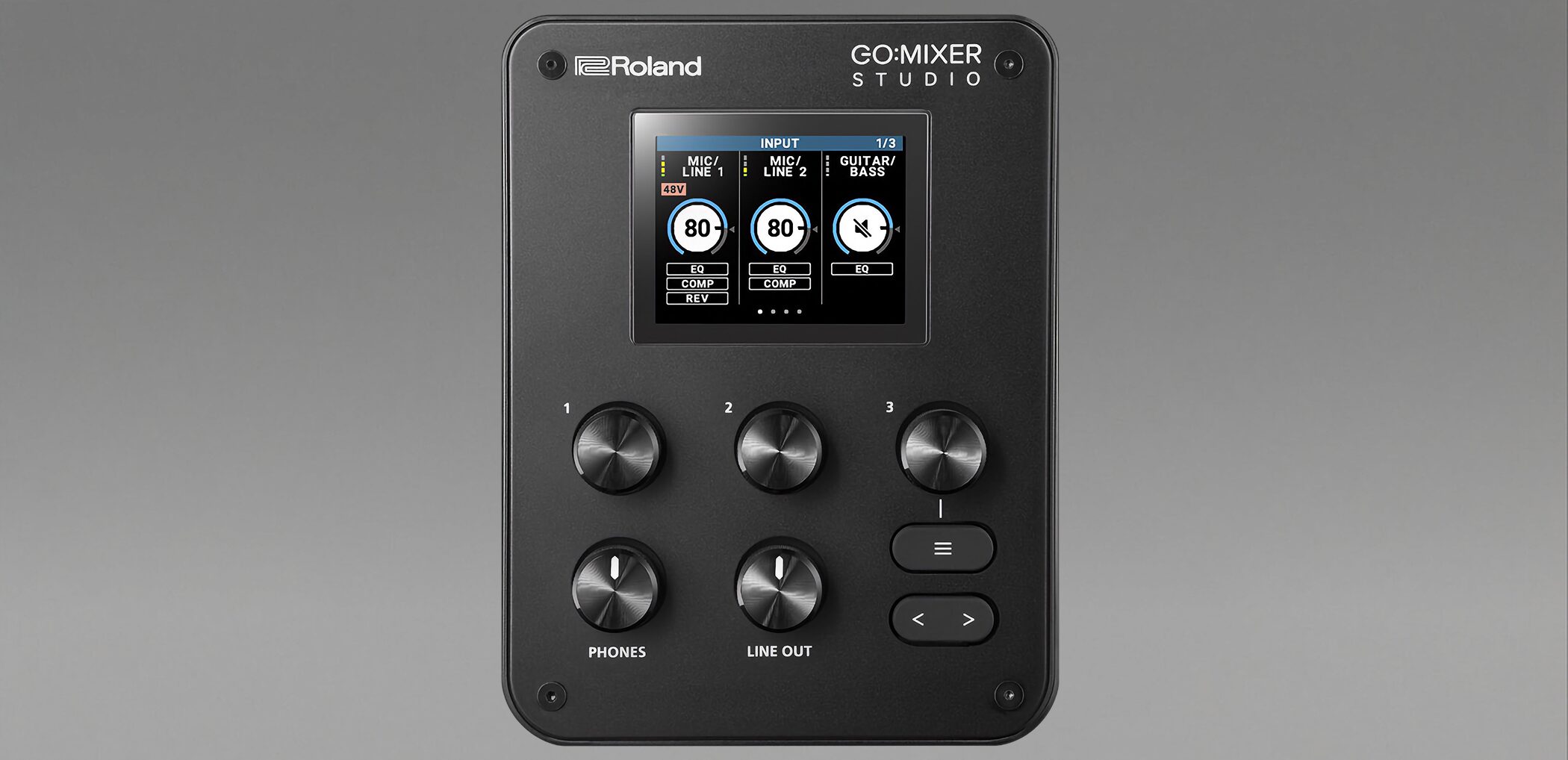
A 320 × 240-pixel color graphic LCD shows each channel's input and output levels and effect status at a glance.
Turn or press the three knobs while watching the screen to makequick adjustments during a live streamas you stream.
16 scene memories
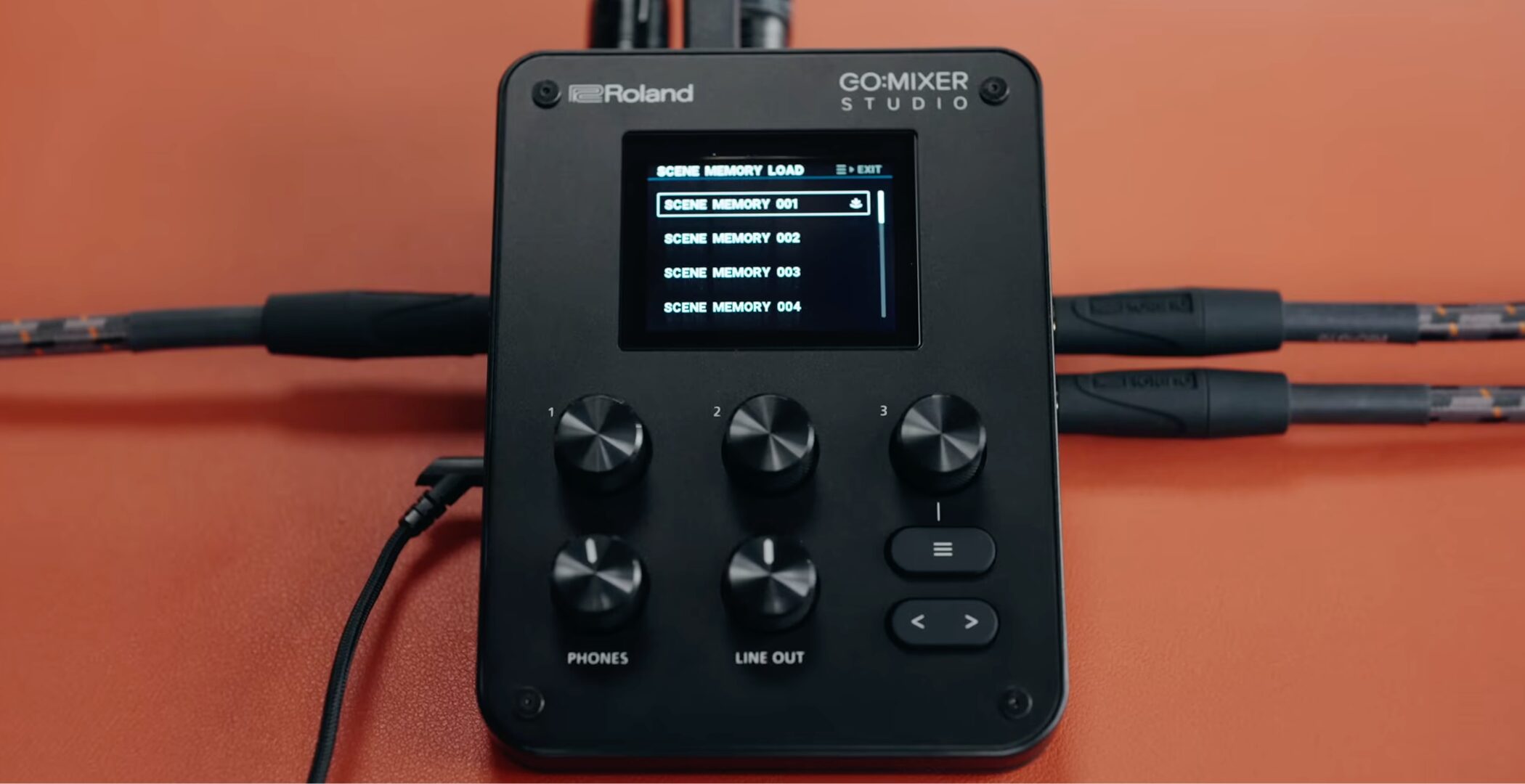
Save up to 16 mixer setups and effect states as scenes on the unit, then recall one with a single action.
Switch between setups for streaming, singer-songwriter performance, or podcastingwith one actionwhenever you need them.
More possibilities through companion apps
Companion apps let you use GO:MIXER STUDIO in ways that go beyond its standalone controls.
GO:MIXER Cam (iOS/iPadOS)
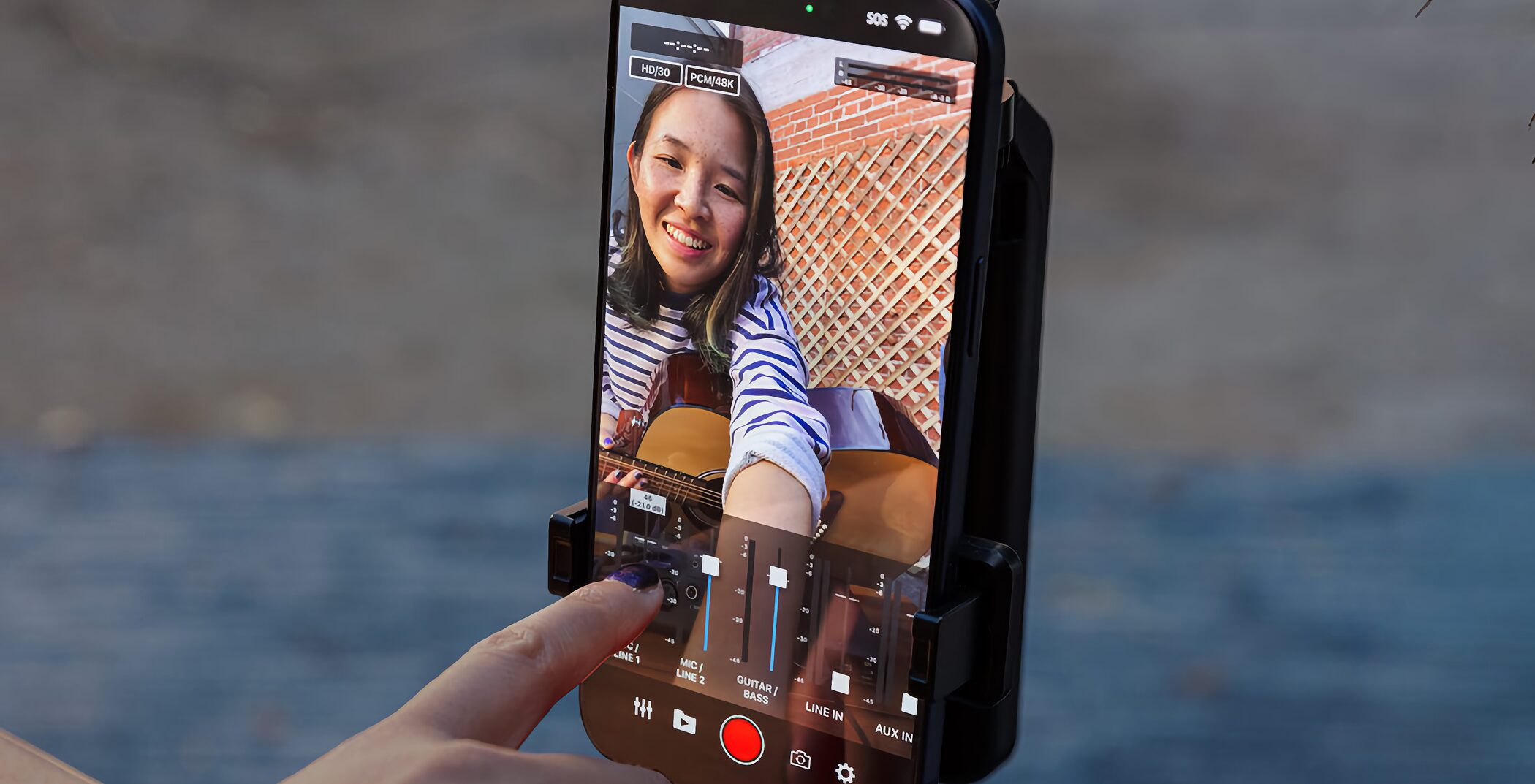
With GO:MIXER Cam for iOS/iPadOS, you can later adjust the guitar, vocal, and other instrument levels in a recorded video, thenexport a remixed version with the new balancewithout recording again.
Being able to adjust the balance after filming is a major advantage if you could not get it just right while recording.
GO:MIXER Editor (Windows/Mac)
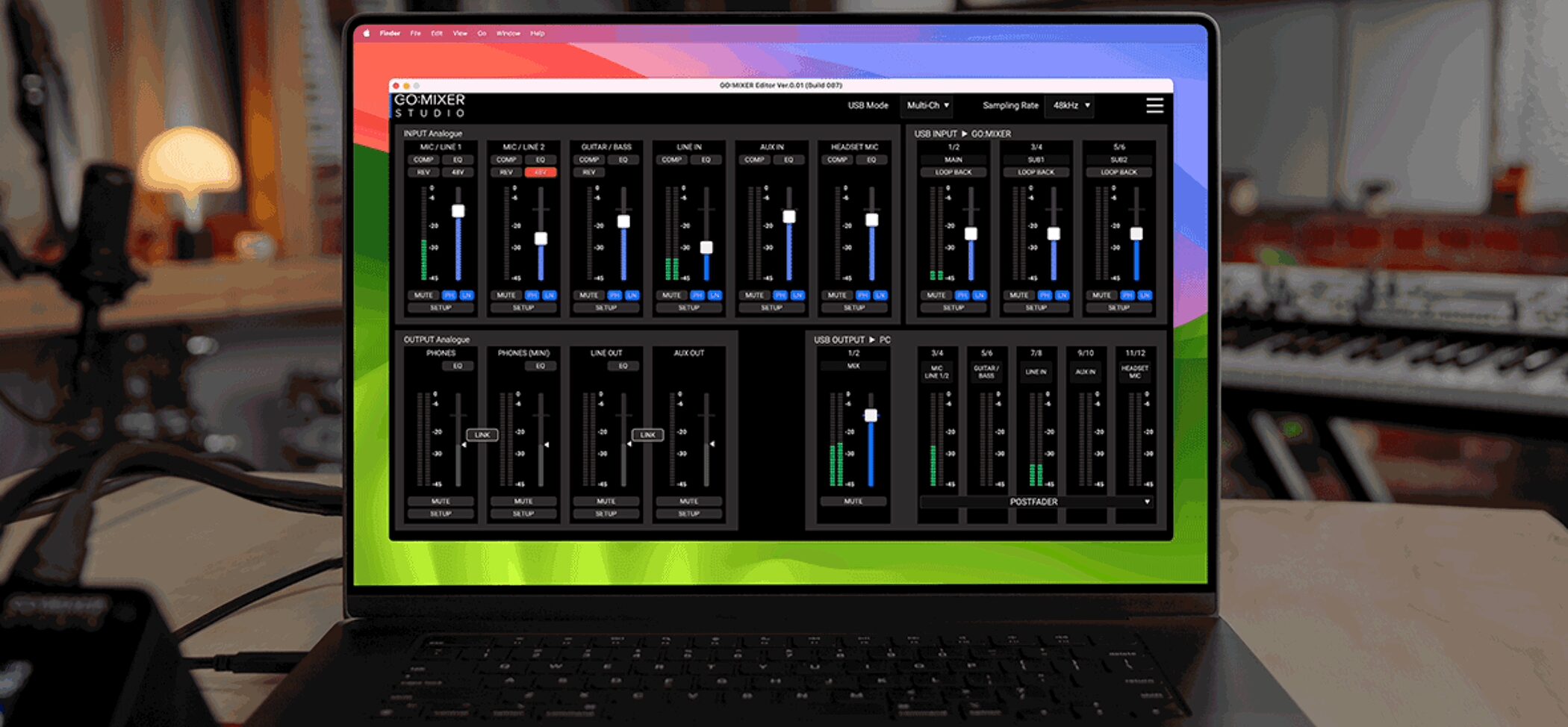
On a computer, GO:MIXER Editor gives you detailed mixer and effect settings plus backup and restore for the unit's settings.
A single screen shows the channel faders, input/output levels, and effect states, makingdetailed sound shaping and fine adjustmentseasier than on the unit's LCD.
It is useful when you want to take your time shaping sound on a larger screen.
Key specifications
| Item | Specification |
|---|---|
| Sample rates | 44.1 kHz / 48 kHz / 96 kHz / 192 kHz |
| Bit depth | 24-bit (32-bit float internal processing) |
| USB channel count | Up to 12 inputs / 6 outputs (at 192 kHz: 8 inputs / 4 outputs) |
| Microphone inputs | Two XLR-type MIC/LINE inputs, +48 V phantom power, up to +75 dB gain |
| Instrument inputs | High-impedance guitar/bass input, stereo LINE IN |
| Headphones/headset | Stereo 1/4-inch headphone output, 3.5 mm headset connection |
| AUX connection | Four-pole connection (supports mobile devices) |
| MIDI | IN/OUT (mini-TRS) |
| Display | Color graphic LCD (320 × 240) |
| Scene memory | Up to 16 scenes |
| Power | USB bus power / USB-PD-compatible mobile battery / AC adapter (DC 5 V 0.5–3 A or DC 9 V 3 A) |
| Dimensions | 110 mm wide × 156 mm deep × 65 mm high |
| Weight | 440 g |
| Included items | USB Type-C to Type-C cable (1.5 m); Getting Started leaflet (includes warranty information) |
System requirements
Windows
OS: Windows 11
Mac
OS: macOS 15 or later
iOS/iPadOS
OS: iOS/iPadOS 18 or later
Direct connection to models with USB-C
Models with Lightning require a separately sold Lightning to USB camera adapter
Common requirements
Connection: USB Type-C
Compatible software: GO:MIXER Editor (Windows/Mac), GO:MIXER Cam (iOS/iPadOS)
Price
The following was the typical retail price of GO:MIXER STUDIO in Japan:
GO:MIXER STUDIO:¥44,000(including tax)
Price information is from April 2026. Check with a retailer for the latest price.
Conclusion
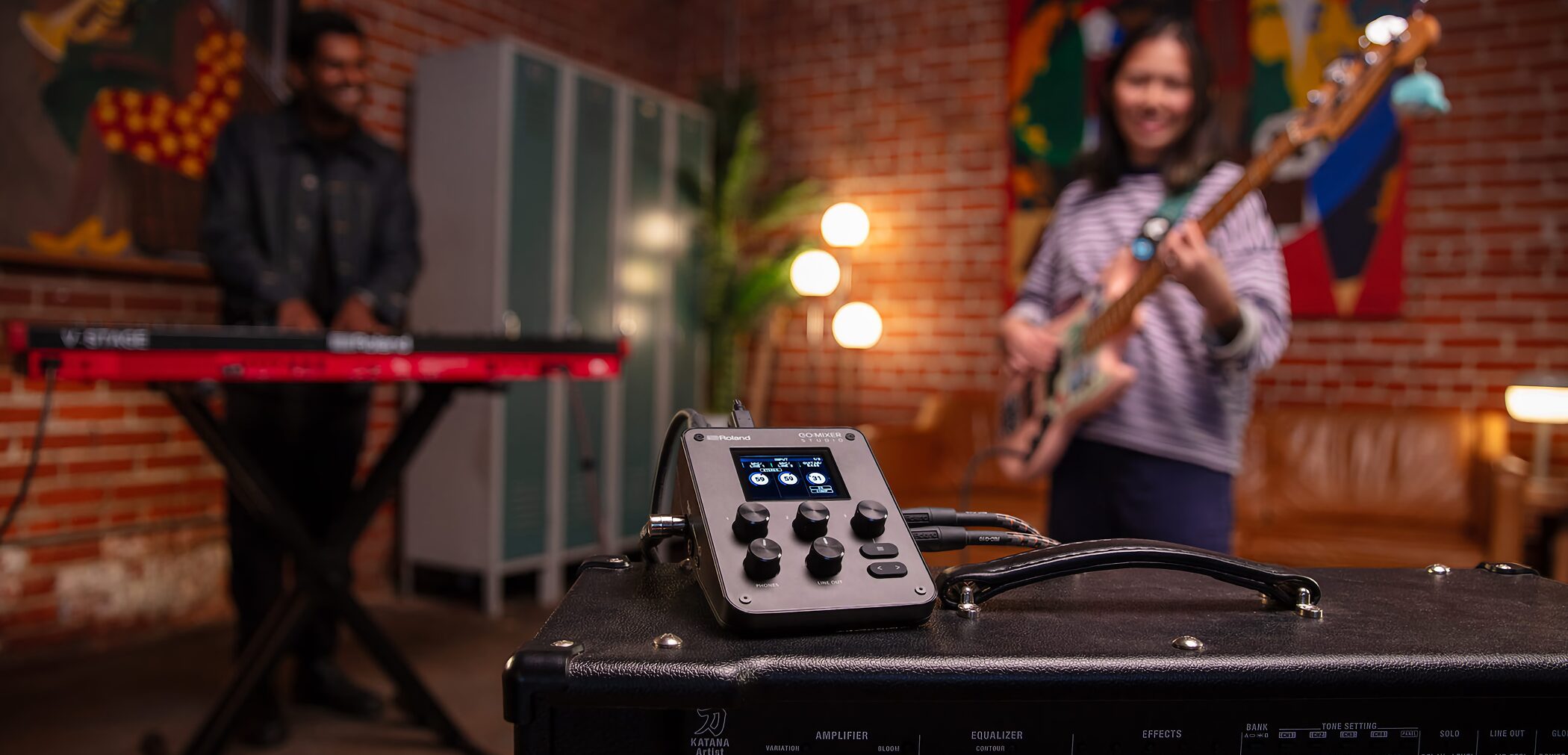
GO:MIXER STUDIO is a compact all-in-one unit that brings audio I/O together for usein a wide range of settings, from the studio to outdoorswhile keeping the hardware compact.
It is particularly well suited to people who:
- stream singer-songwriter performances or produce podcasts
- want high-quality recording in a mobile setup
- make music on a computer or iPhone/iPad using multiple instruments and microphones
- want one unit for video filming and audio capture
Take a look if those uses match your needs.
Frequently asked questions
Q1. Can I use GO:MIXER STUDIO with an iPhone?
Yes. It supports iPhone 15 and later models with USB-C. A Lightning-equipped iPhone requires a separately sold Lightning to USB camera adapter. With a USB-PD AC adapter rated at 30 W or higher, the unit can also power a connected iPhone.
Q2. Can I connect and record a microphone and instrument at the same time?
Yes. It has two XLR MIC/LINE inputs with phantom power, a dedicated high-impedance guitar/bass input, and stereo LINE IN. You can connect multiple sound sources and mix their inputs simultaneously.
Q3. How many tracks can I record at once in a DAW?
In MULTI-CH mode, the unit supports up to 12 inputs and 6 outputs. It also offers sample rates up to 192 kHz, 24-bit A/D and D/A conversion, and 32-bit float internal processing for high-quality recording.
Q4. Can I mix background music and sound effects during a stream?
Yes. Loopback lets you mix background music and sound effects playing on your computer with microphone and instrument inputs, then send the result to your streaming app. This works for game streams, commentary, and live singer-songwriter streams, among other uses.
Q5. How much power does it consume, and how long will it run from a mobile battery?
The article does not give a specific power-consumption figure. The unit supports USB bus power, so it can be operated with a commercially available mobile battery. Consult the manufacturer's specifications for details of continuous operating time.
NEW ARTICLES
Latest English Articles










