
FL Studio 2024 introduced year-based naming and a major set of updates, available to existing users through Lifetime Free Updates. Expanded FL Cloud integration brought access to a plan-dependent selection of over 65 plug-ins, a substantial sound library, and AI-powered mastering. The AI-powered Chord Progression Tool also moved out of beta, helping users develop ideas and streamline composition. Together, these features offered workflow improvements for beginners and experienced producers alike. This article describes the 2024 release; subscription benefits and trial terms reflect the original review, rather than current offers.
A Guide to the Major Updates That Improve Production Efficiency
FL Studio 2024 was released as a new version of the DAW.
Moving on from the previous FL Studio 21 name, it adopted a year-based naming system.
The update added numerous features intended to encourage creativity and make music production smoother.
Under FL Studio's Lifetime Free Updates policy, existing licensed users could update to the new version free of charge.
Here, we explain the main features added in FL Studio 2024 and how to use them.
FL Studio 2024: New Features Explained in a Livestream
FL Cloud: Integrated Production Tools and Benefits
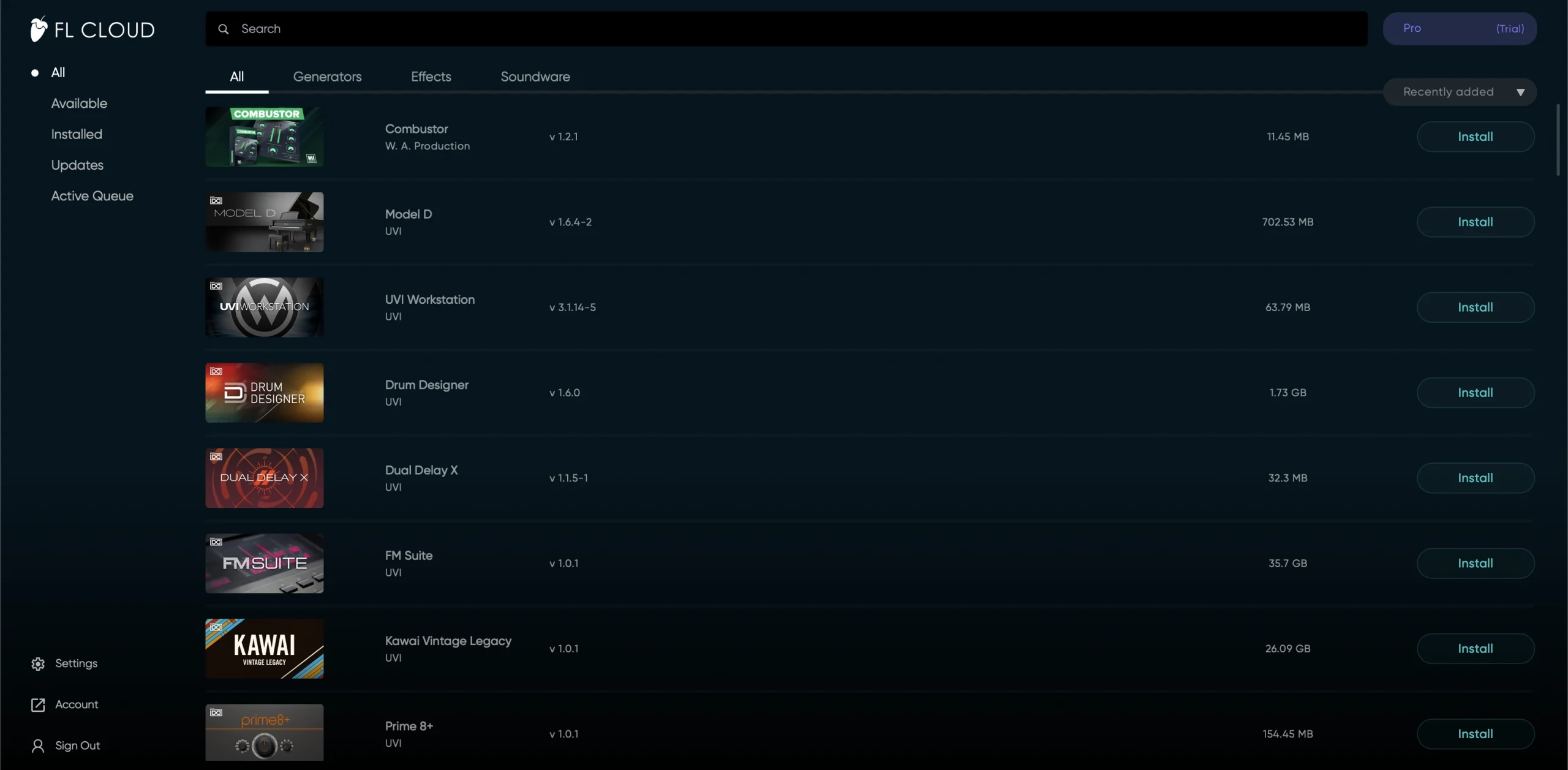
One of FL Studio 2024's most notable developments was expanded FL Cloud integration.
FL Cloud is an online service that extends FL Studio's capabilities, with basic functionality available for free.
Its more advanced features are offered through subscriptions.
In this release, direct integration with the DAW made music production significantly more convenient.
FL Cloud covers several areas, including third-party plug-ins, audio samples, and AI mastering. Let's look at each in turn.
A Wide Range of Plug-ins
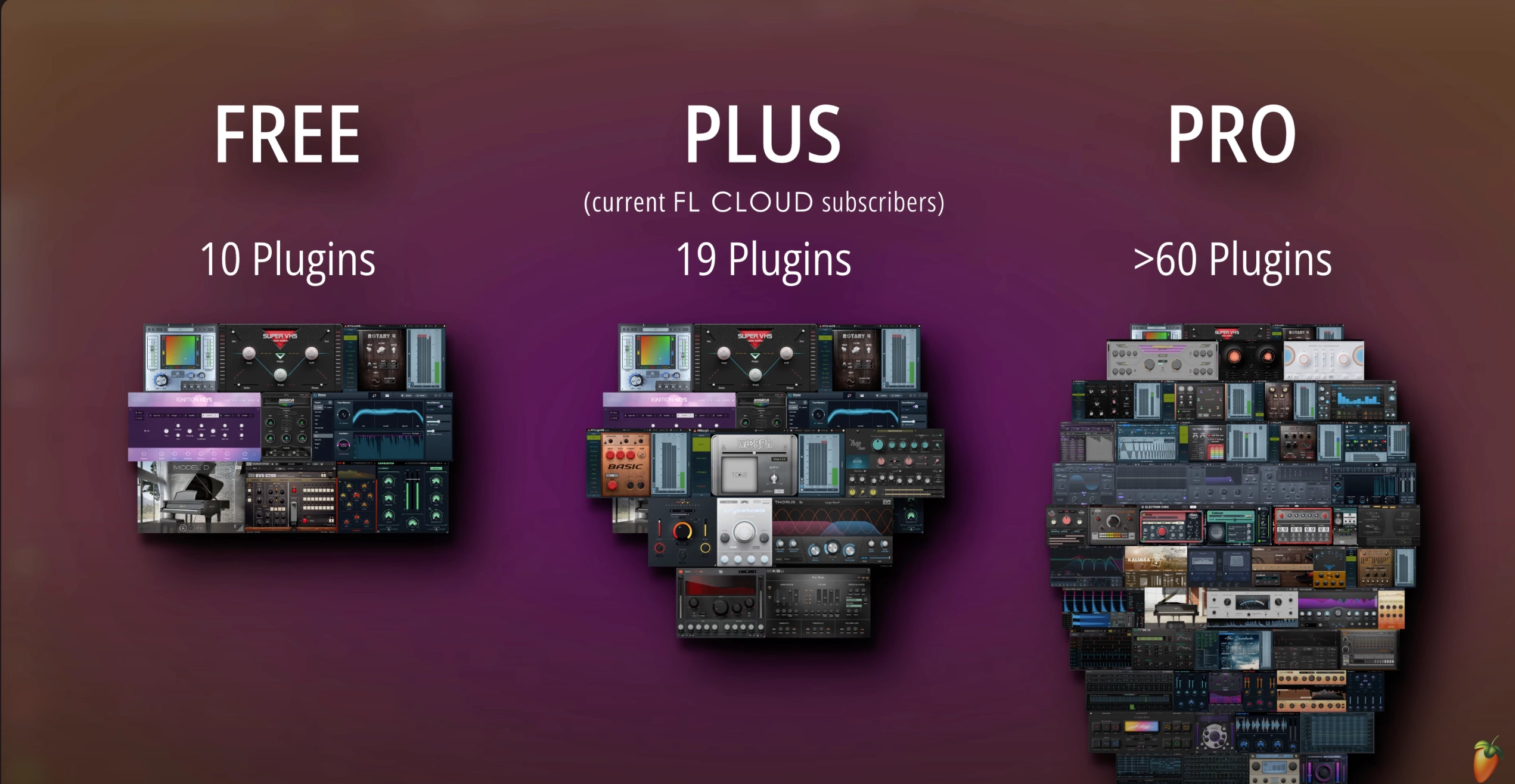
Depending on the FL Cloud plan, users could access a selection of over 65 additional plug-ins, opening up more production possibilities in the lineup described at launch.
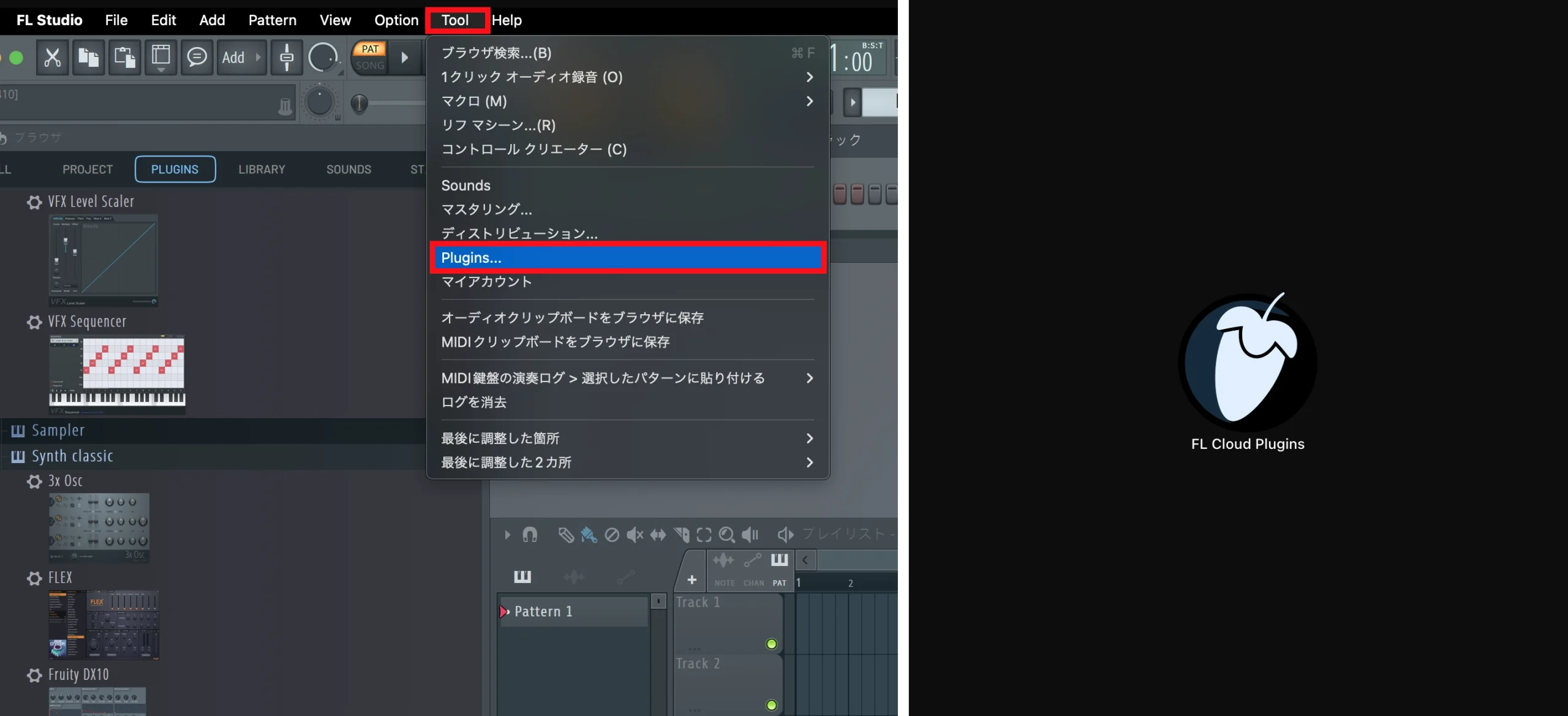
From the menu at the top of FL Studio, open Tools and select Plugins….
You can also open the same window from the FL Cloud Plugins application.
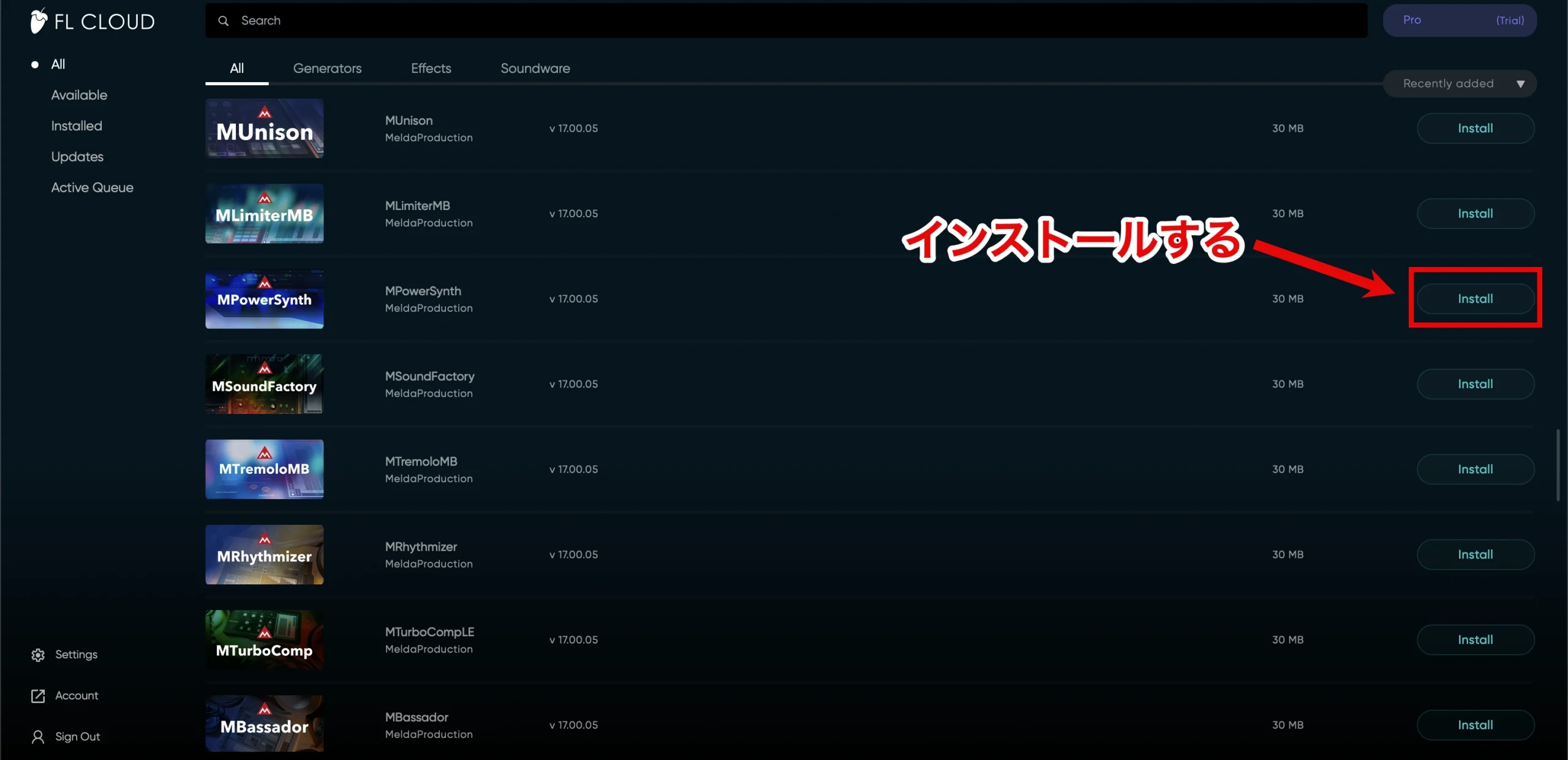
In the plug-in list, click Install beside the plug-in you want.
The download begins, and the status changes from Install to Installed when it finishes.
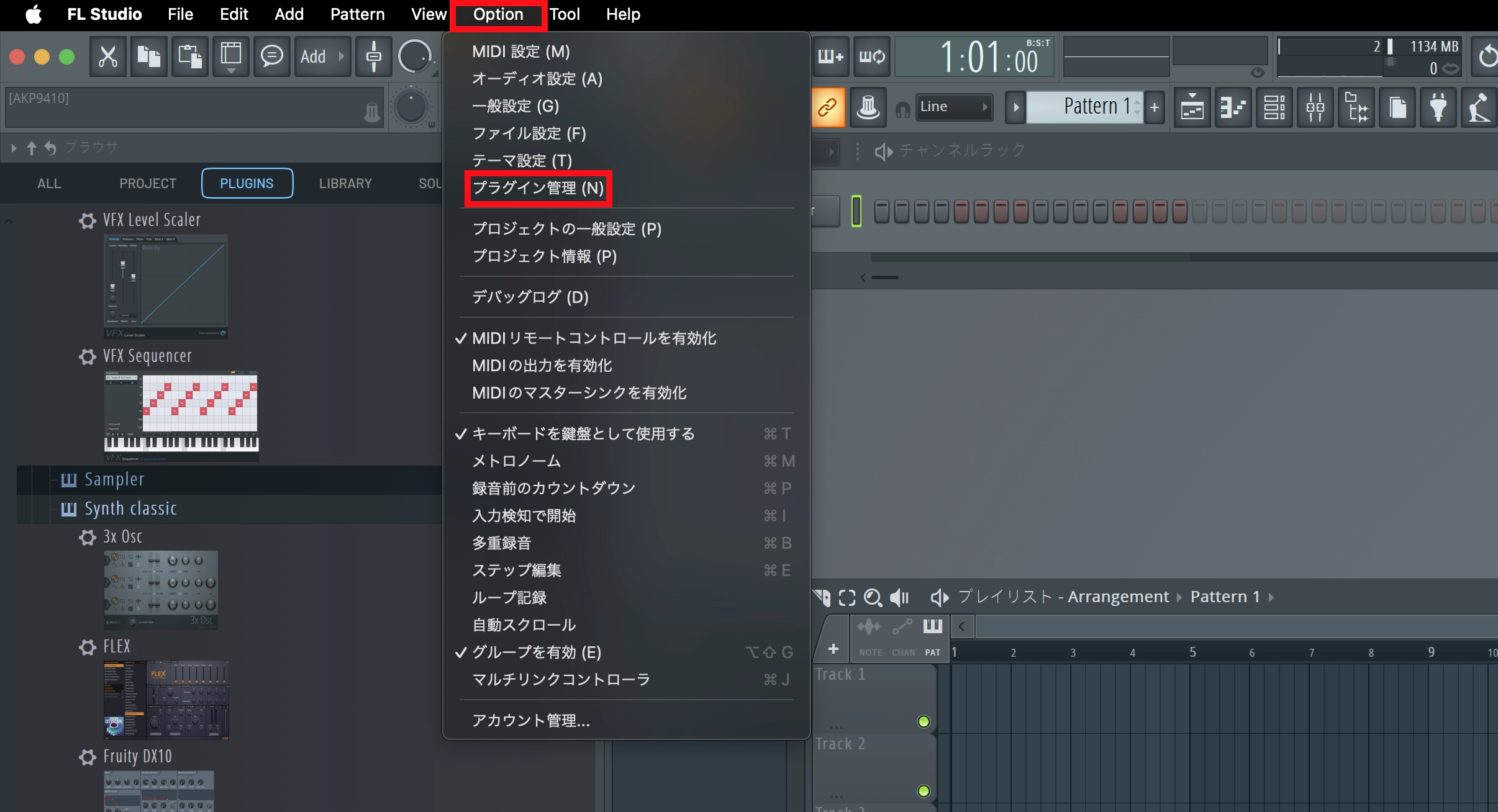
From FL Studio's top menu, open Options and choose Manage plugins.
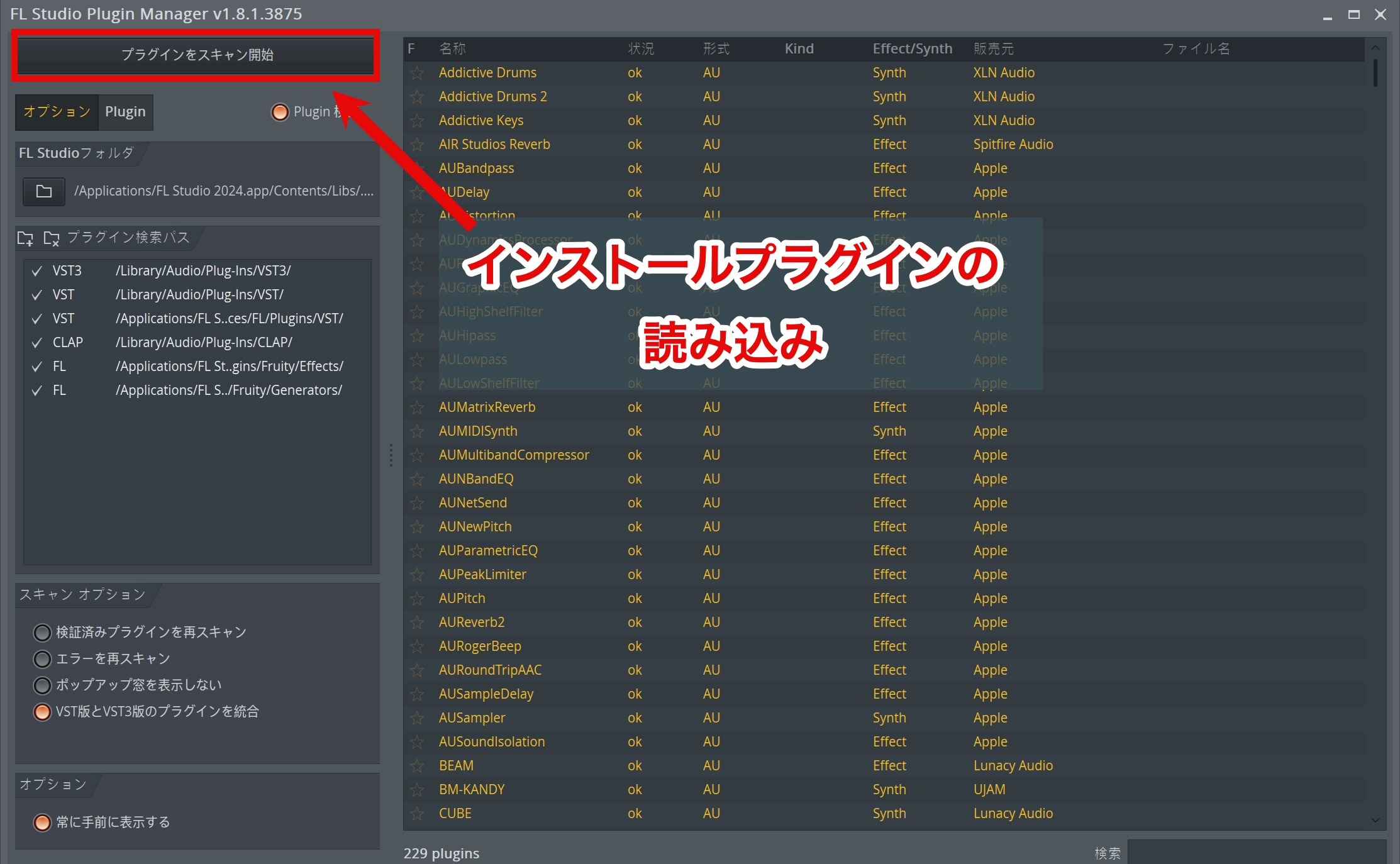
Click Find installed plugins to scan for the newly installed plug-ins.
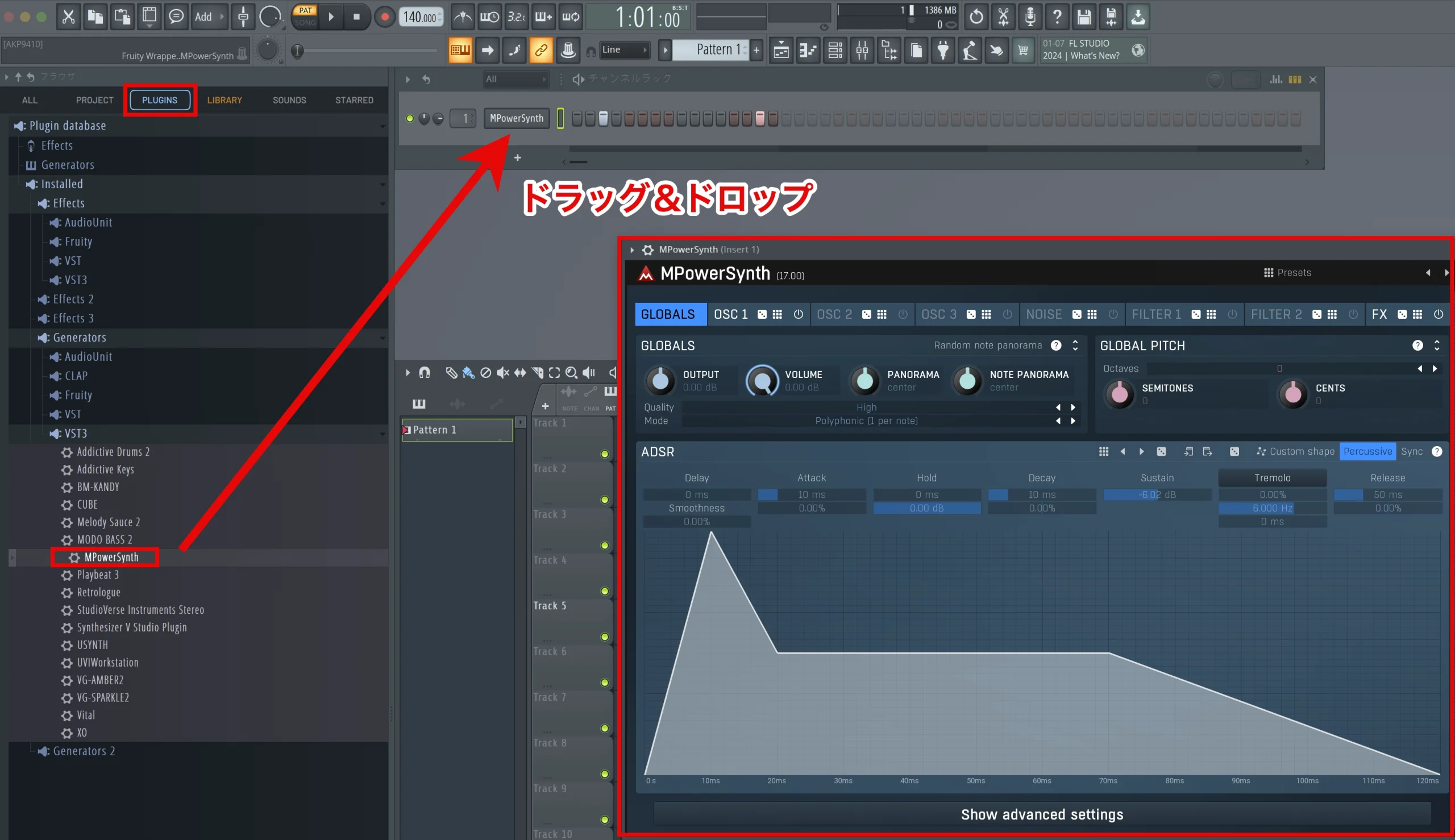
Once the scan is complete, find the plug-in under PLUGINS in the Browser.
Drag it into the Channel Rack to launch it.
An Extensive Sound Library
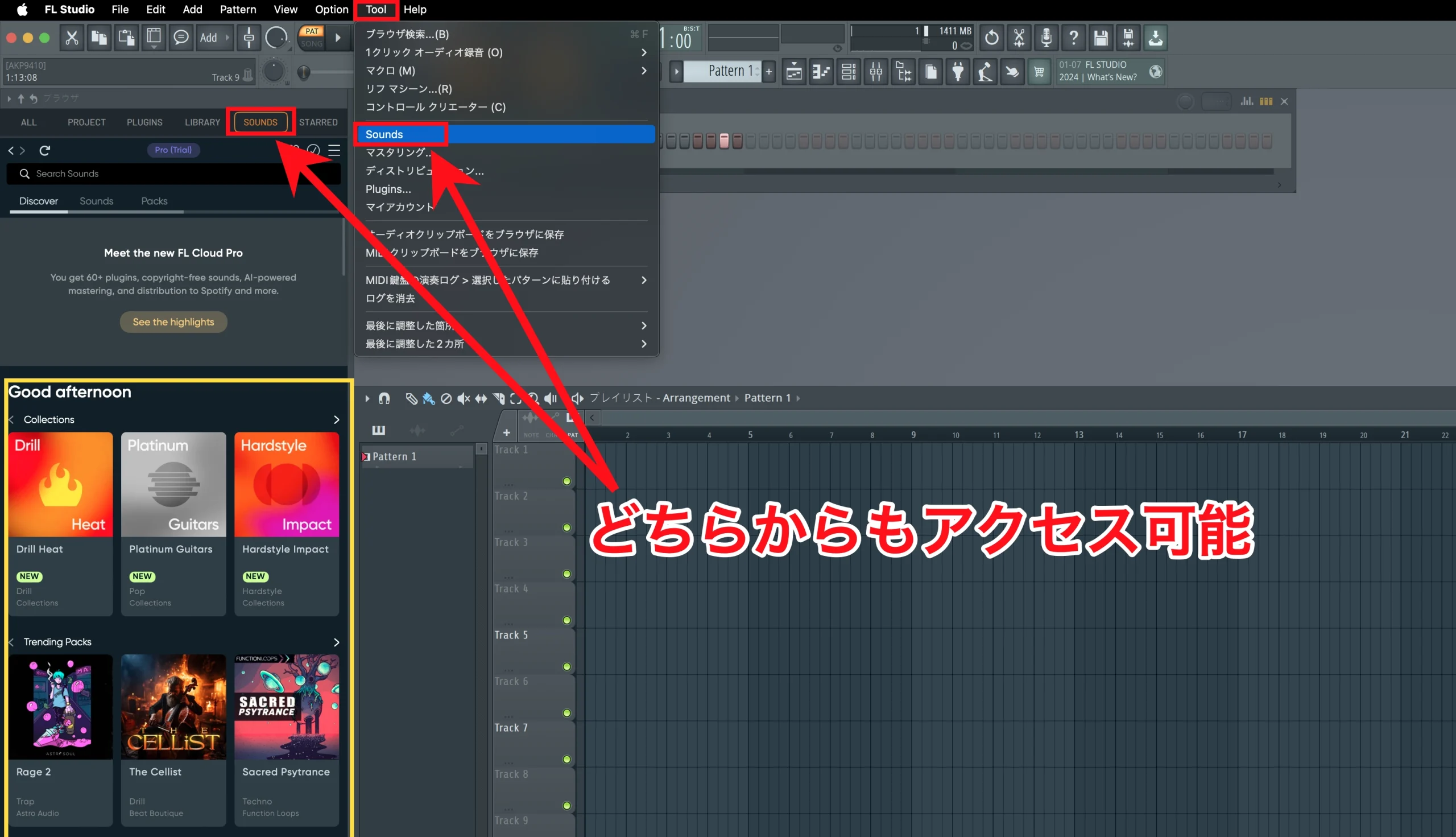
FL Cloud also provides an extensive sound library.
From the top menu, open Tools and choose Sounds.
You can also access it from SOUNDS in the Browser.
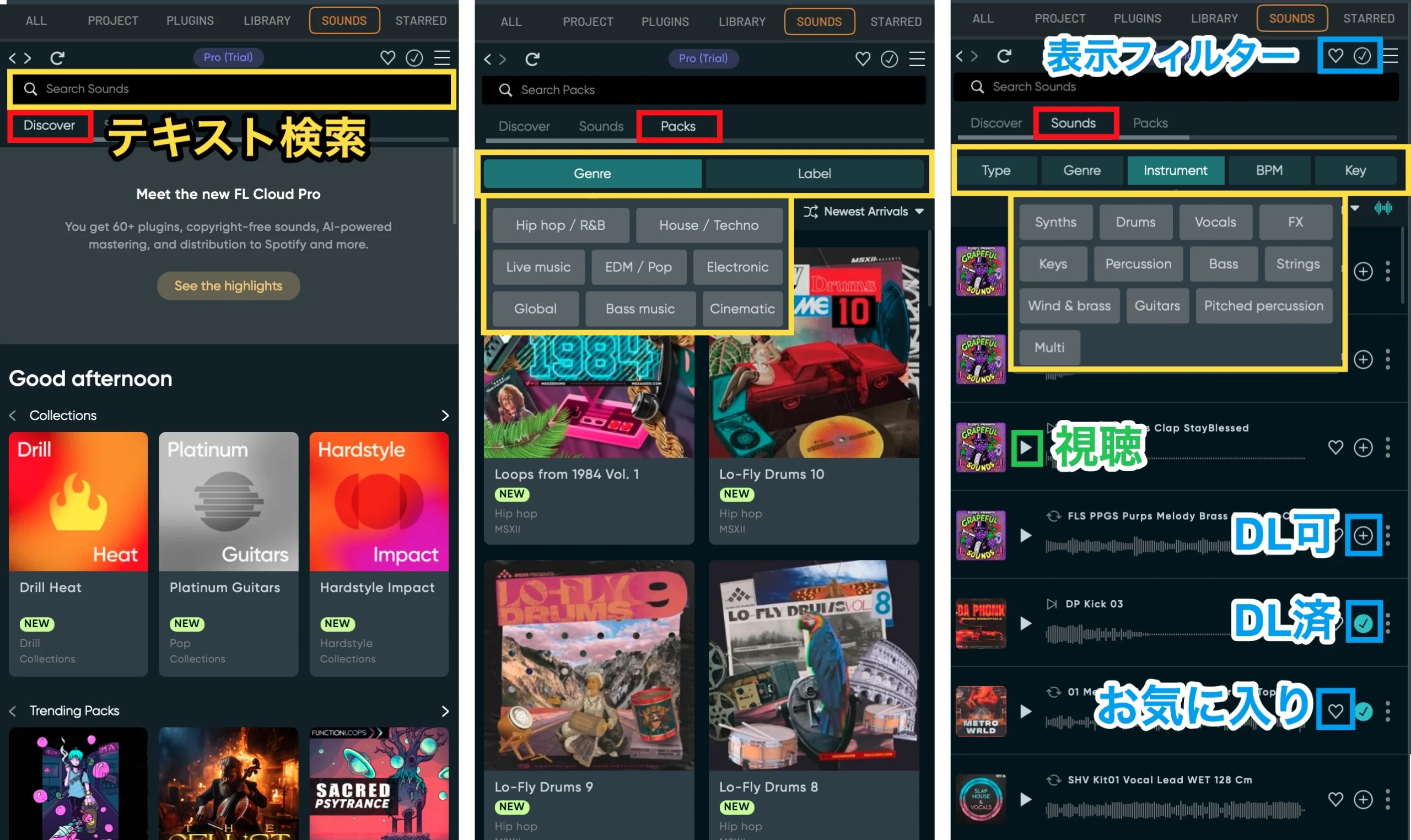
The sound library offers Discover, Sounds, and Packs views, each with text search.
In Sounds and Packs, filters help narrow the selection by genre or intended use.
You can easily preview each sound, then download it or add it to your favorites.
The matching icons above the text-search field let you filter the results by downloaded or favorited sounds.
Right-click a sound and open the Open/Edit in… menu to bring it into the project in several different ways.
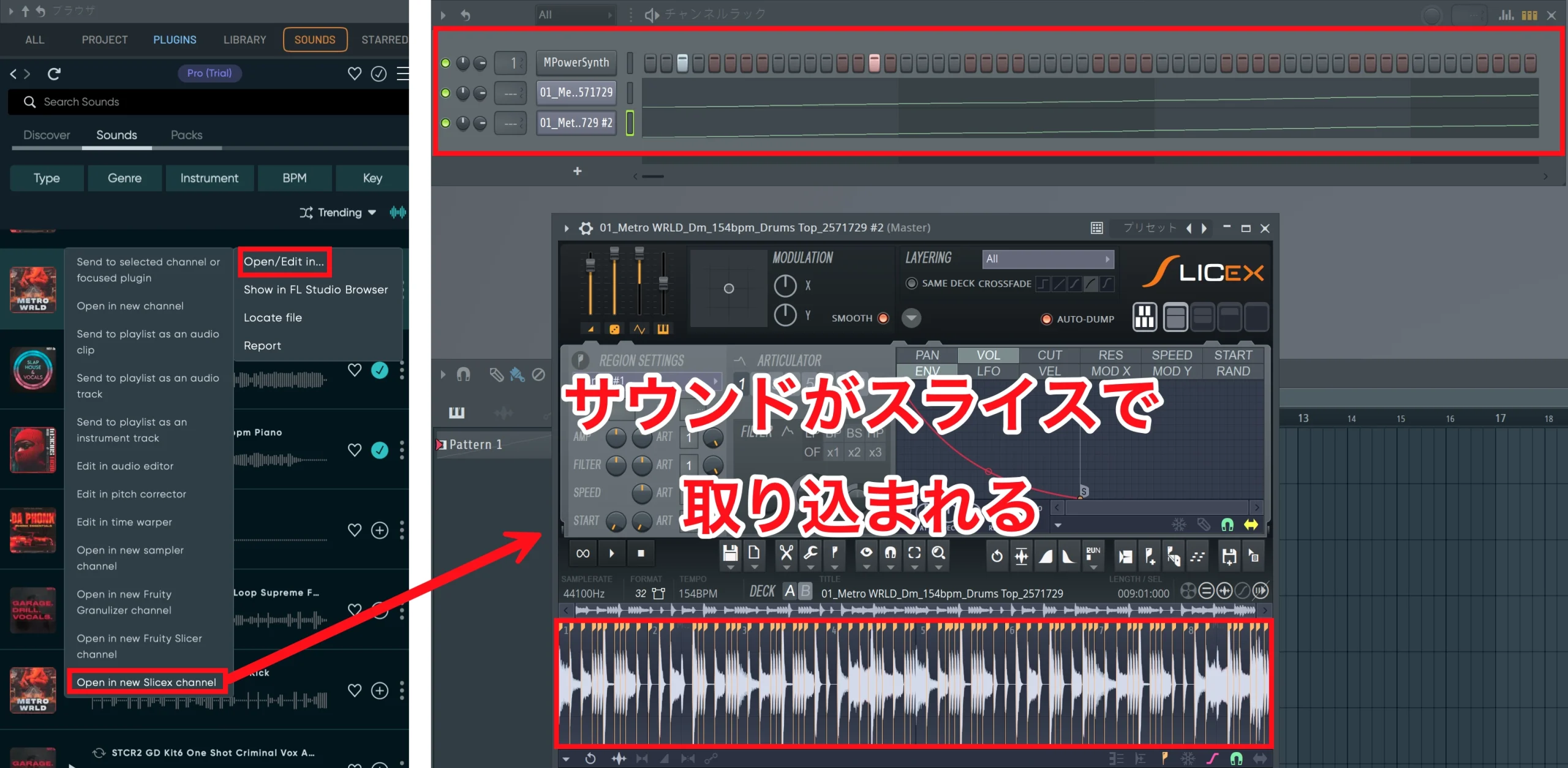
Choose Open/Edit in…, then select Open in new Slicex channel from the next menu to slice the sound.
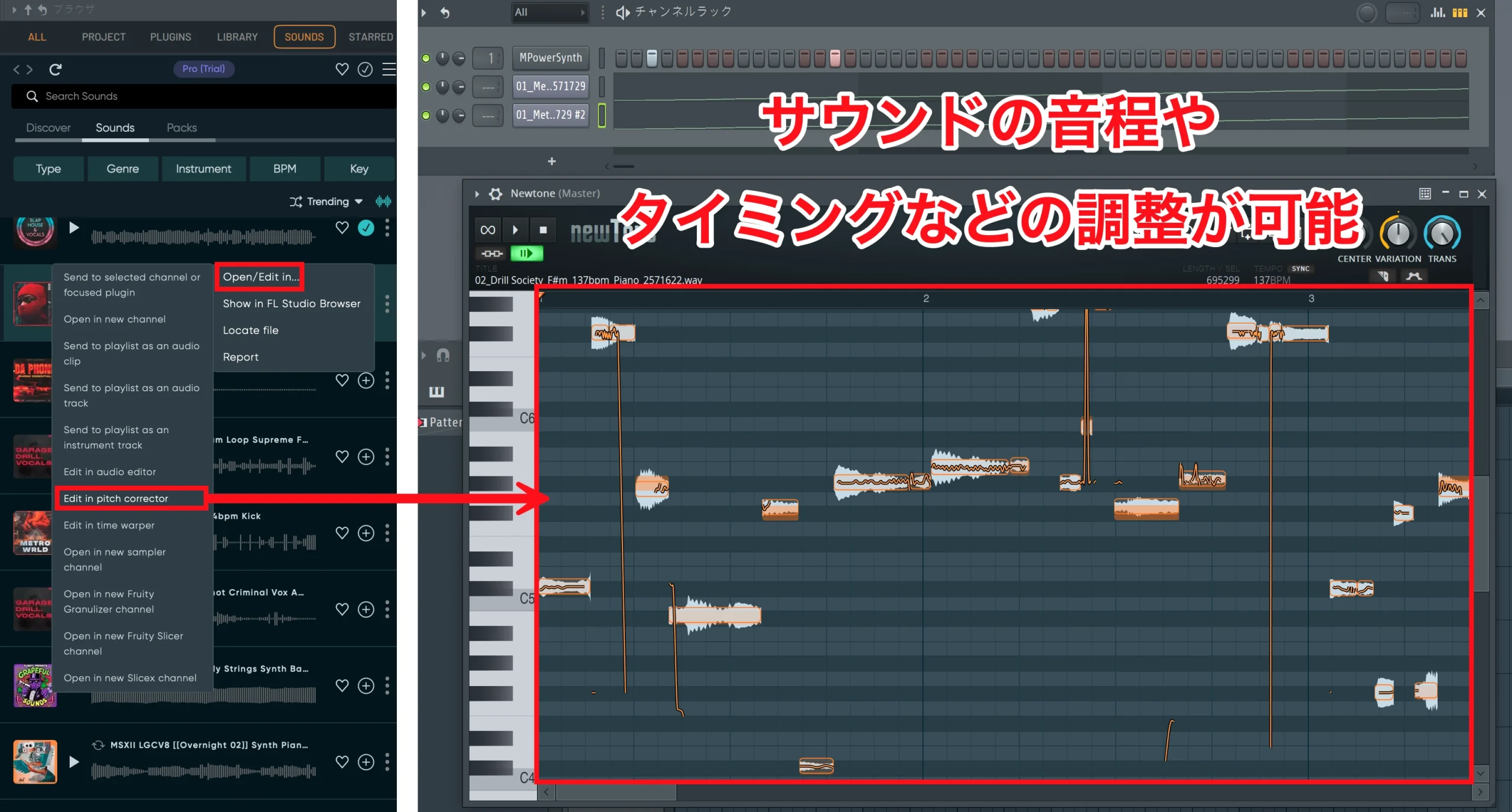
Choose Open/Edit in…, then select Edit in pitch corrector to adjust the sound's pitch, timing, and other details.
This is useful for changing the pitch of vocals or instruments.
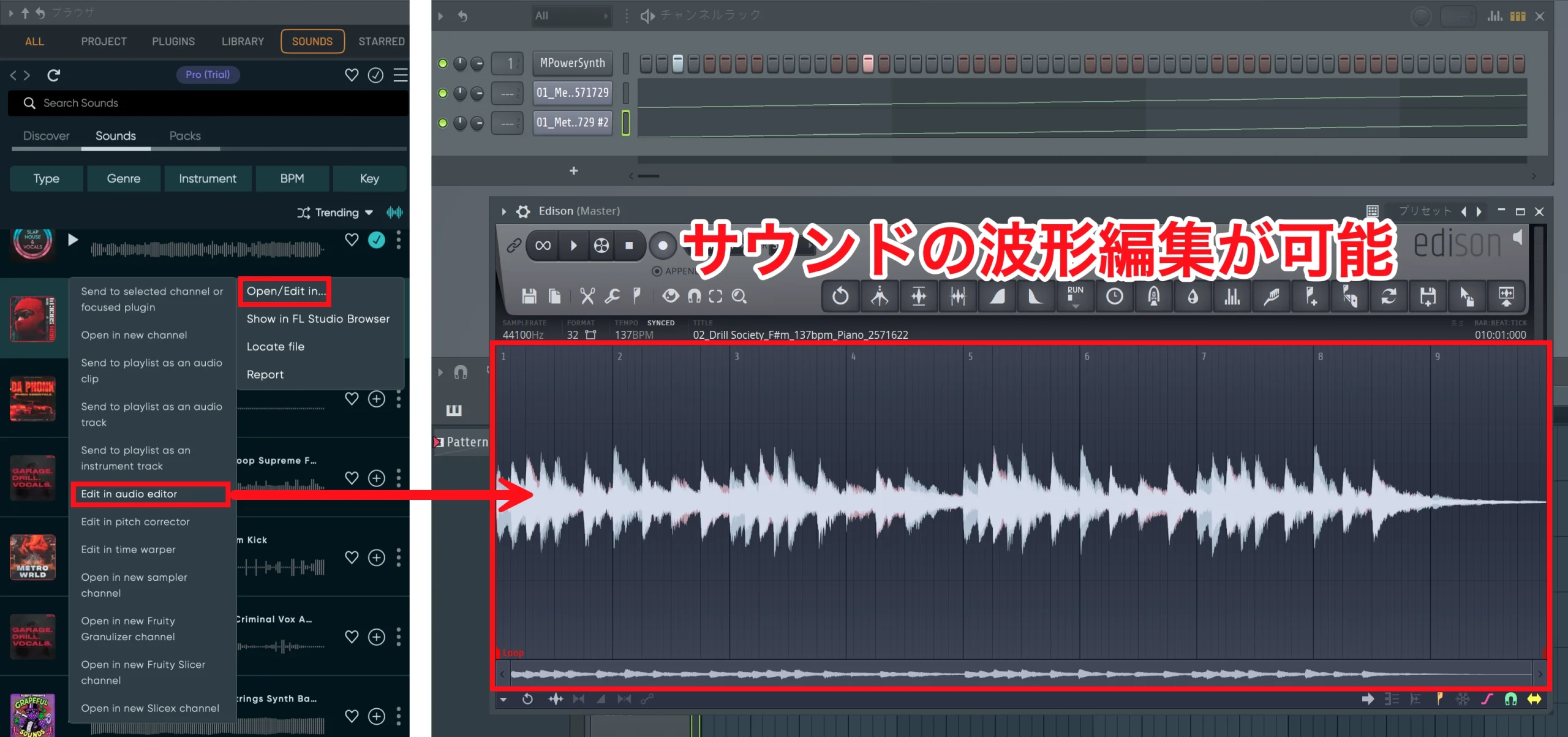
Choose Open/Edit in…, then select Edit in audio editor to edit the audio waveform.
Available operations include cutting, copying, pasting, applying effects, and reducing noise.
These are some of the main import options. Choosing the right one for your task can streamline production and help turn ideas into music more quickly.
FL Cloud Plans
FL Cloud offered three subscription tiers in the lineup described in this article, with different benefits intended to expand what you could do within FL Studio.
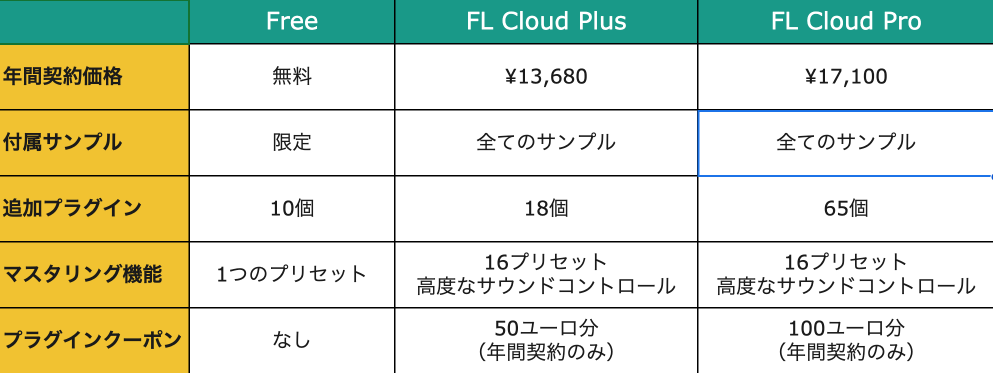
At the time of the review, paid features could be tried free for one month. Check the current plan details and trial conditions before subscribing.
AI-Powered Mastering
The update fully integrated AI-powered mastering into FL Cloud, giving users more flexibility when finishing tracks.
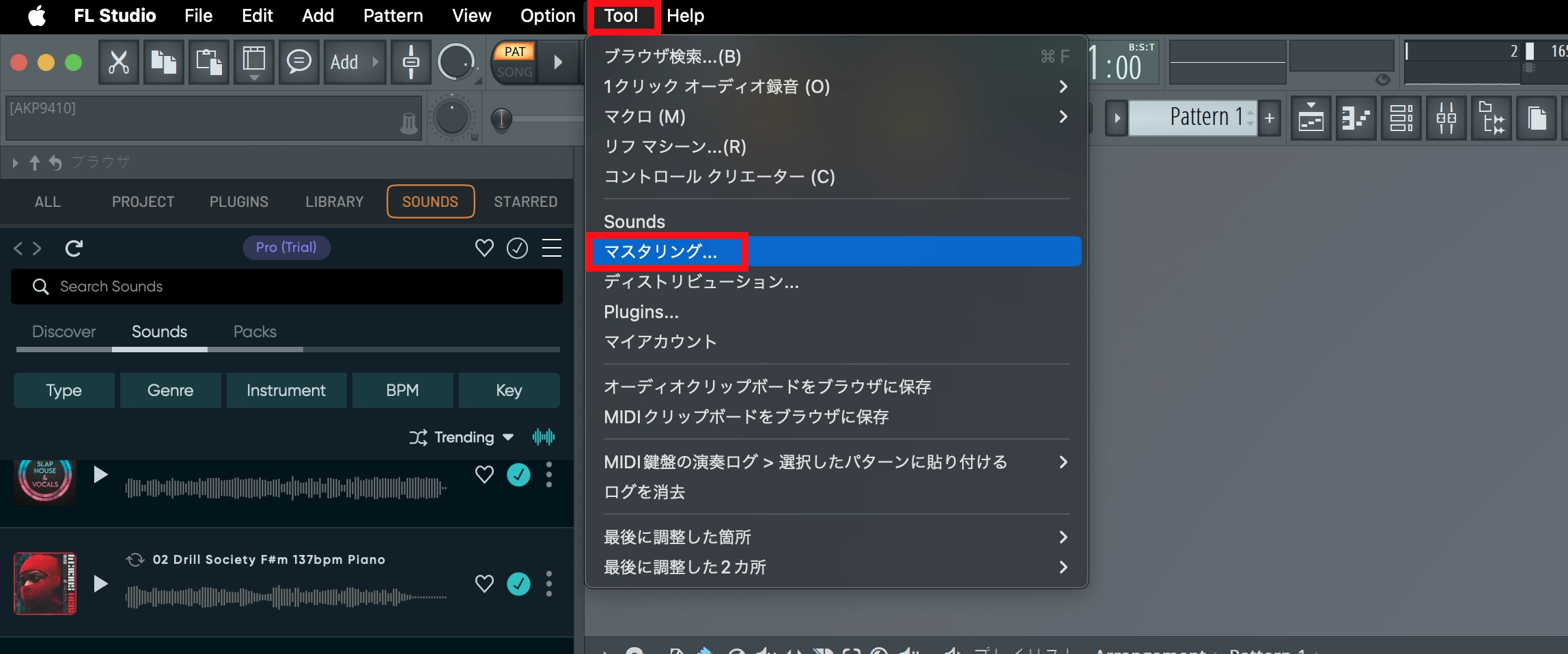
From the top menu, open Tools and choose Mastering….
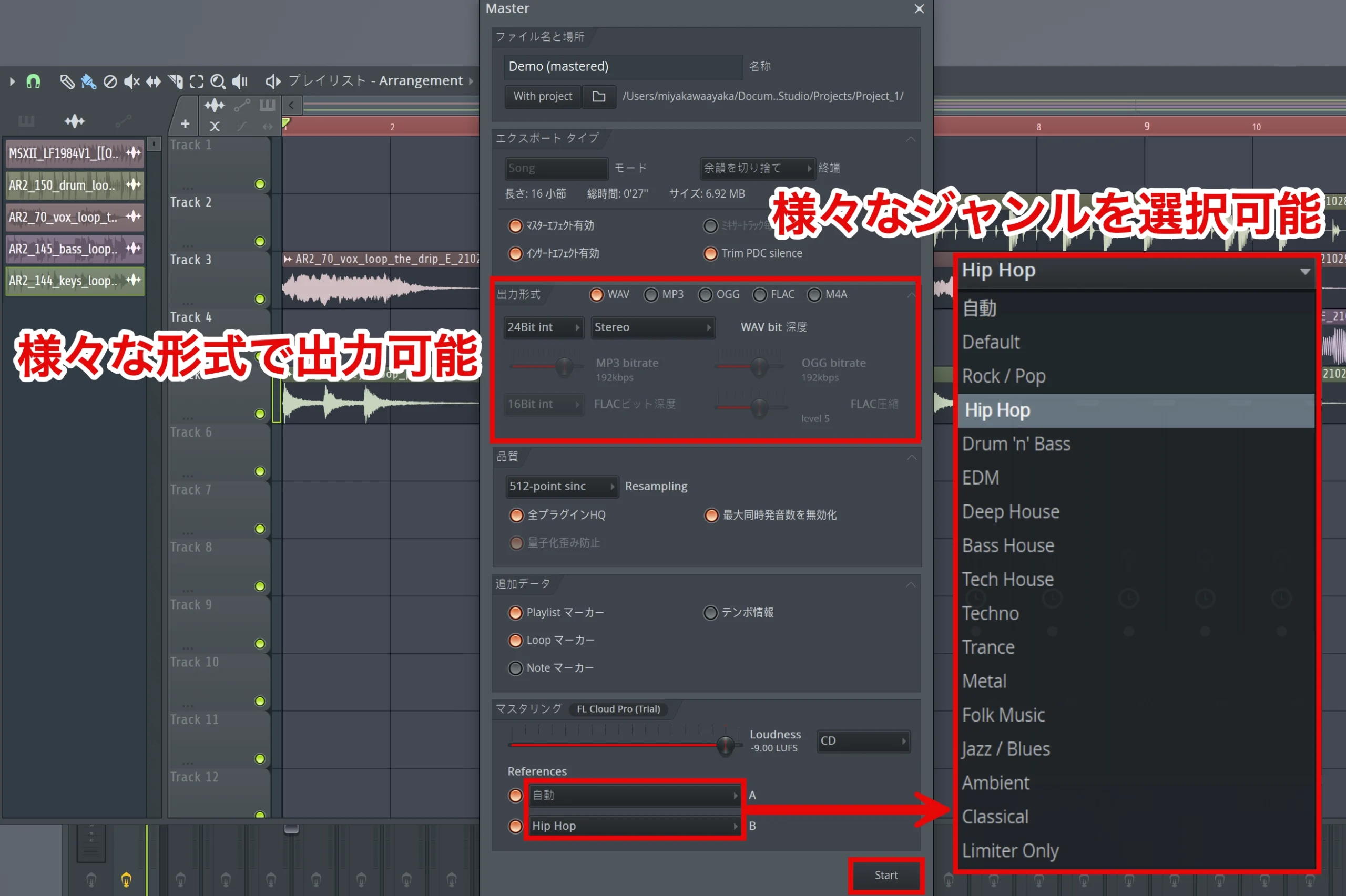
In the resulting window, configure settings such as the destination folder and output format for the master.
The update expanded mastering output options, allowing more flexible settings for different purposes.
Under References in the mastering window, tracks A and B can be assigned genre presets.
Suitable mastering settings for a particular genre are automatically applied, letting you compare mastering settings and sounds.
Once you have configured everything, click Start to begin mastering.
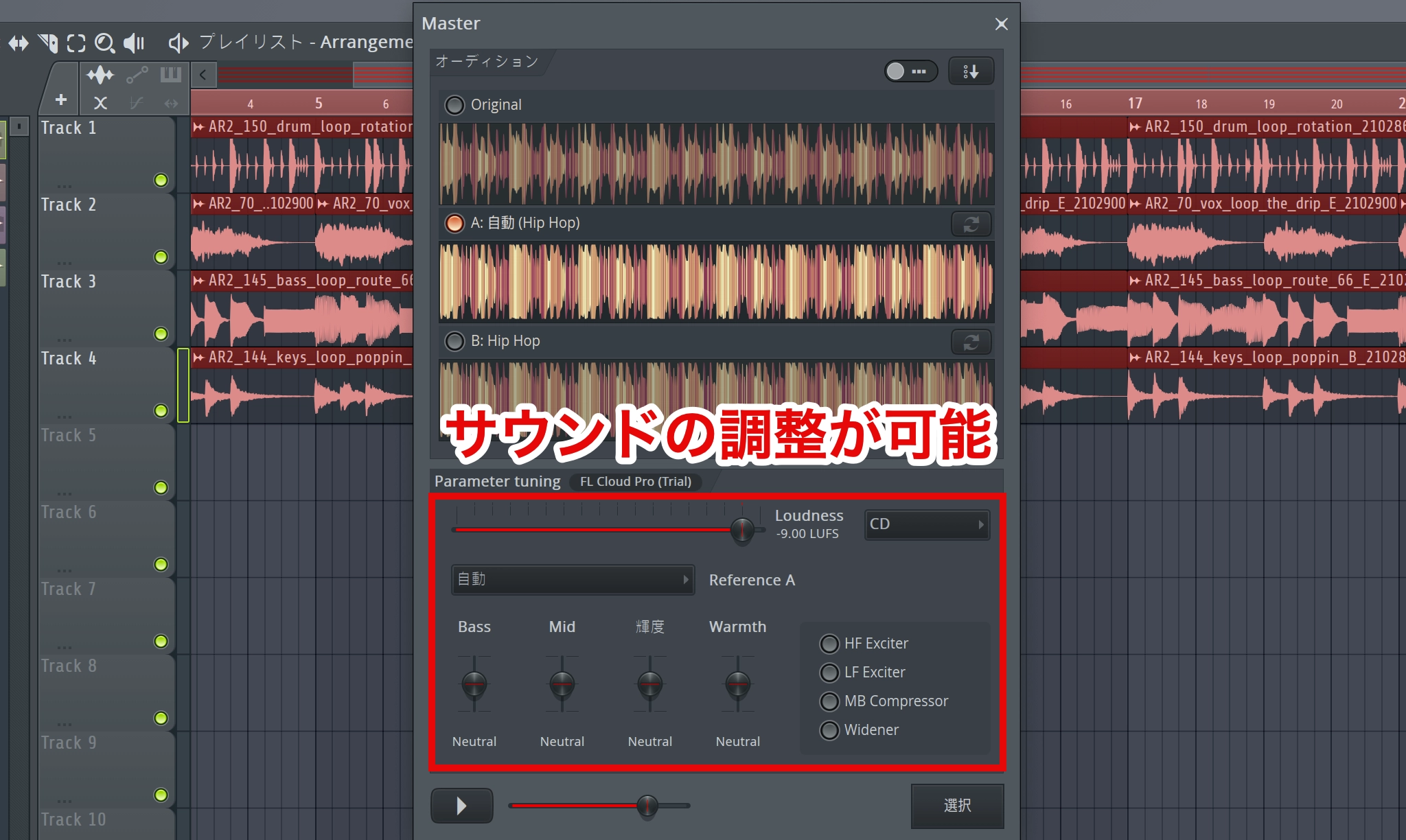
The release added advanced customization options, including warmth, brightness, low- and high-frequency excitation, stereo widening, and multiband dynamics, for more detailed adjustments.
New Composition Possibilities: The AI-Powered Chord Progression Tool
Previously available only in beta, the Chord Progression Tool officially launched in this update and became available to users in the standard release.
Chord Progression Tools in Beta: Video Demonstration from 12:23
Selected Questions and Answers from the YouTube Video

Can I drop chord progressions and phrases created in Scaler 2 into FL Studio's Channel Rack?

Yes. You can drag and drop them into either the Channel Rack or the Piano Roll. With PERFORM enabled in Scaler, the output includes phrases such as arpeggios. To transfer several chords at once, select multiple chord pads in Scaler before dragging them into FL Studio.
Of the tools in this comparison, was Scaler 2 the only one that could automatically assign chords to a melody?
Yes—according to the answer given for the tools and beta versions shown in that comparison at the time, this was available only in Scaler 2. This is not a claim about all current versions of these tools.
Relevant video segment: 12:23 (743 seconds).
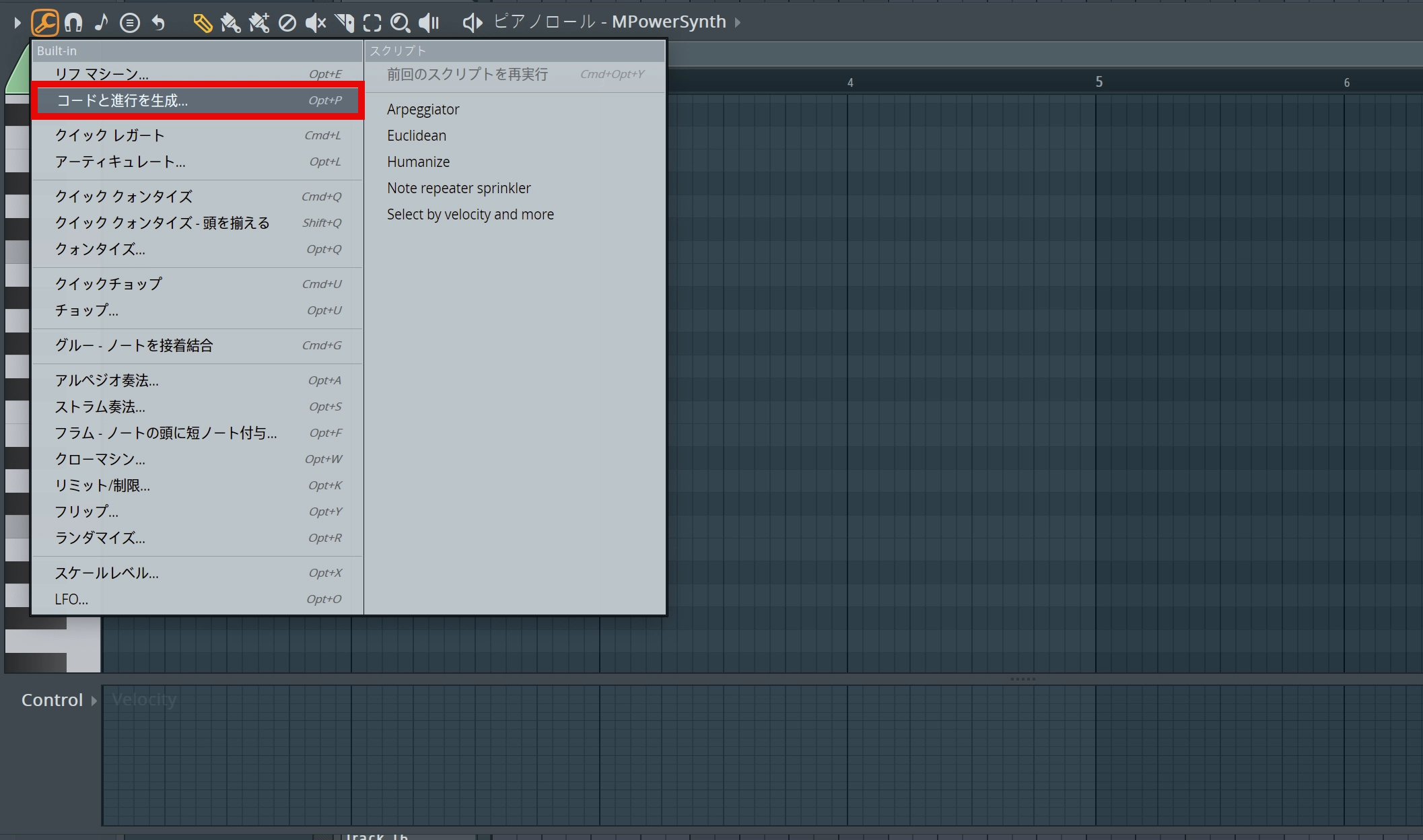
From the Piano Roll's Tools button, choose Generate chord progression….
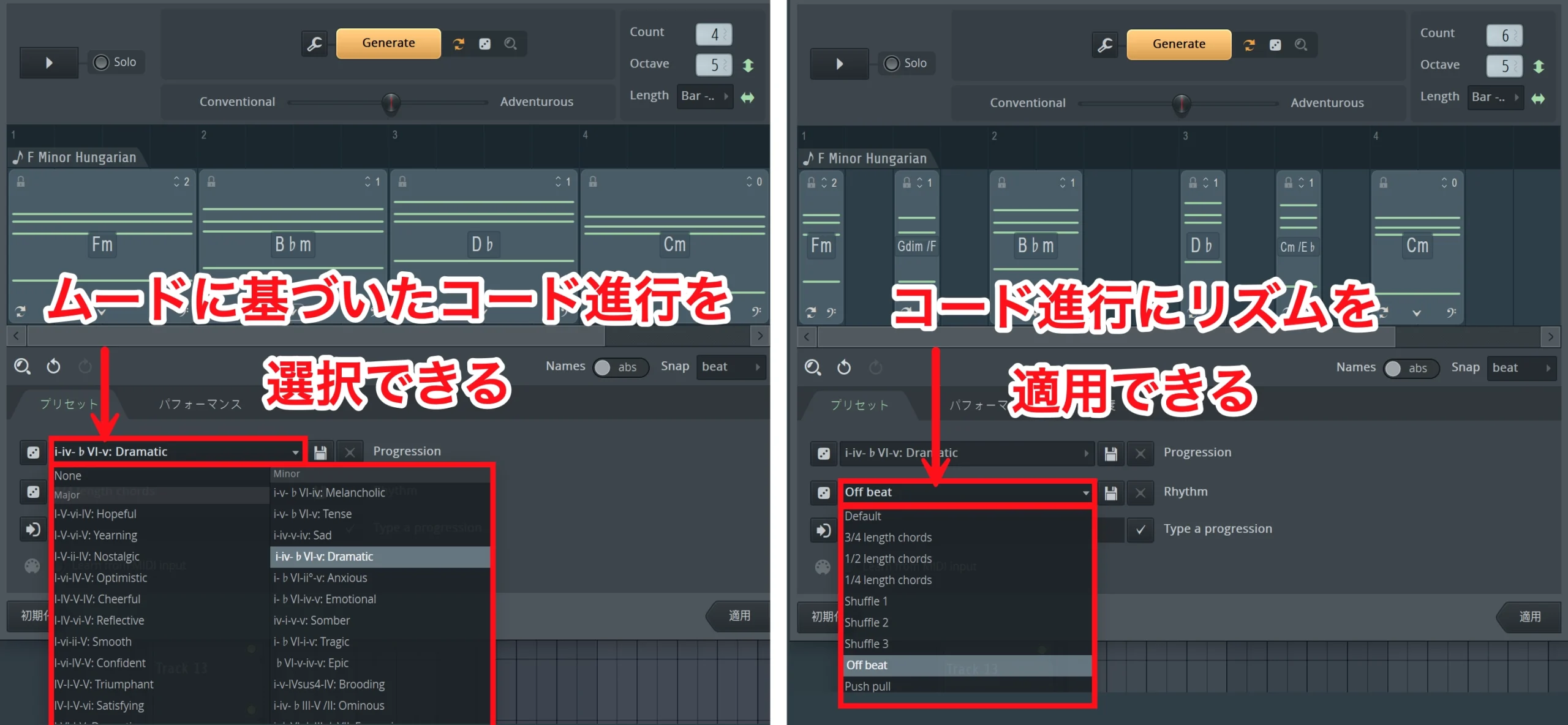
The Progression controls let you select chord progressions to suit different moods.
The Rhythm controls let you add rhythm to a chord progression as well.
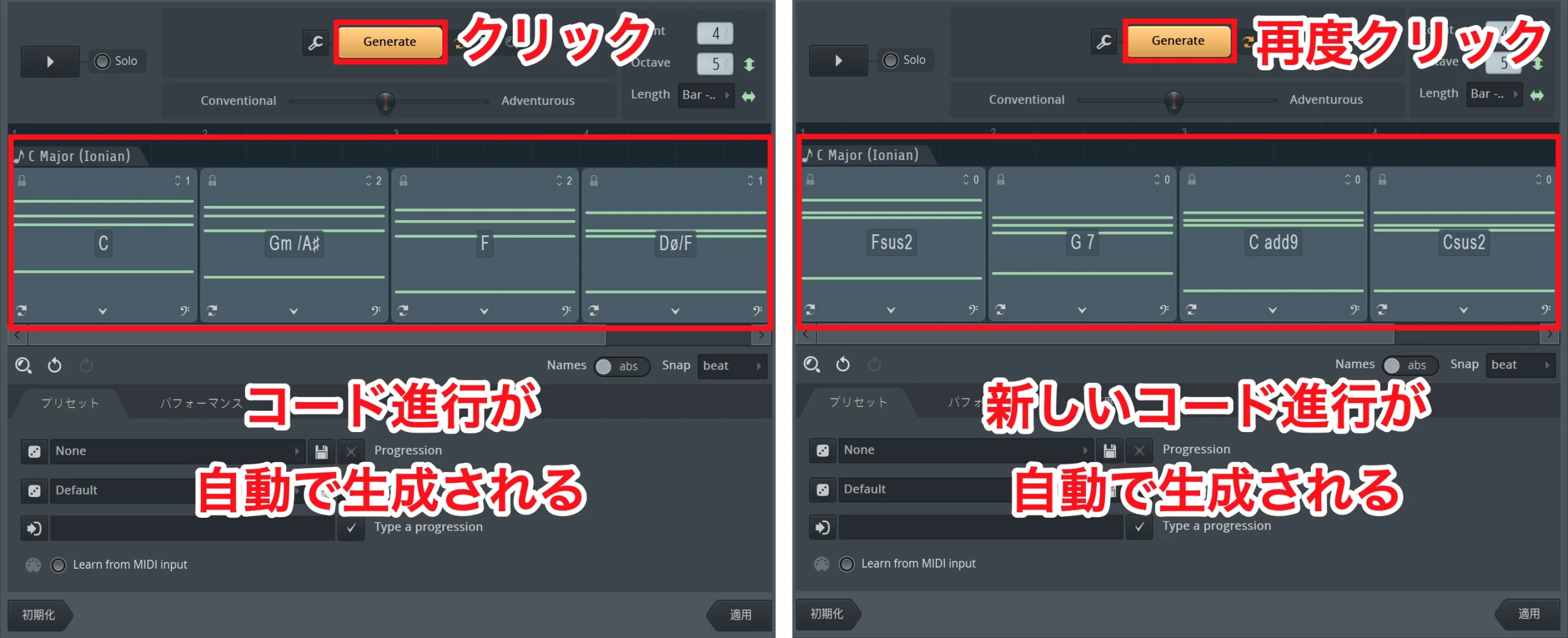
Click Generate to have the AI create a chord progression automatically.
Each click produces a new progression.
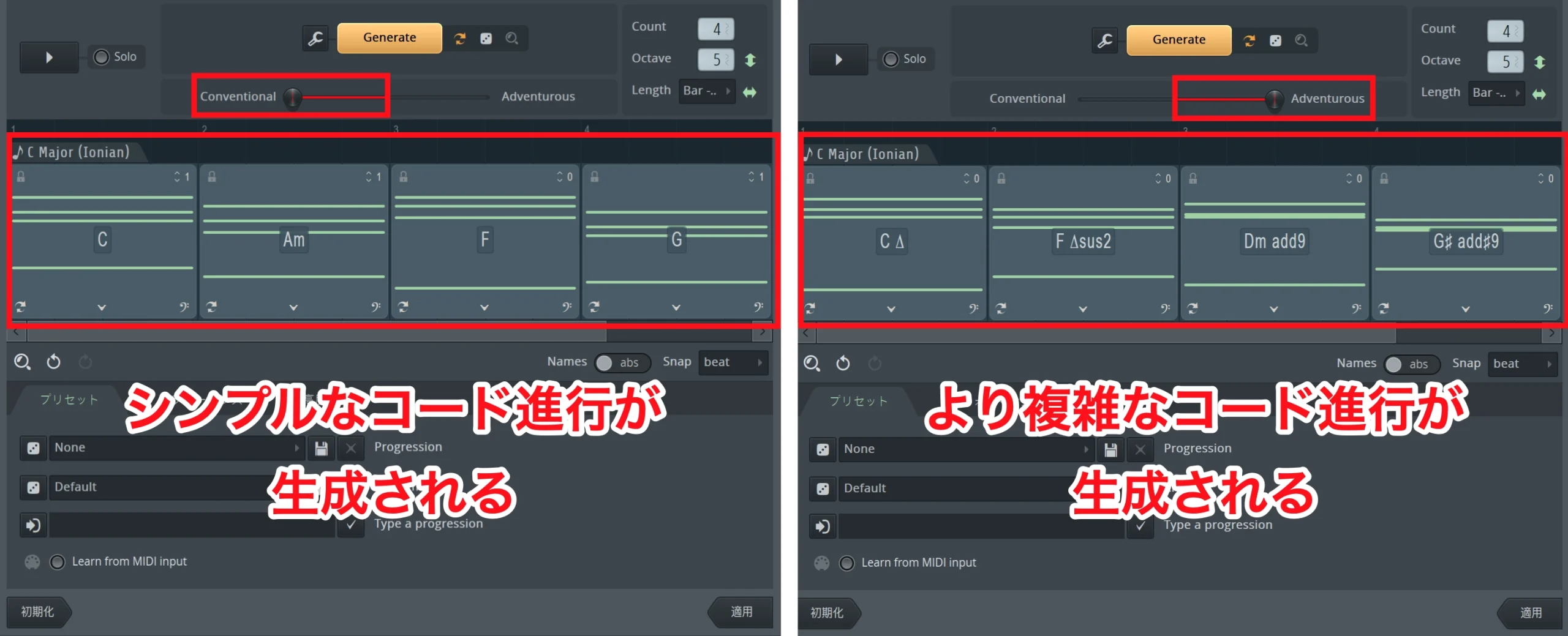
The Conventional–Adventurous control lets you set the complexity of the generated progression.
Moving toward Conventional produces simpler, familiar progressions; moving toward Adventurous creates more complex, experimental progressions with unexpected developments.
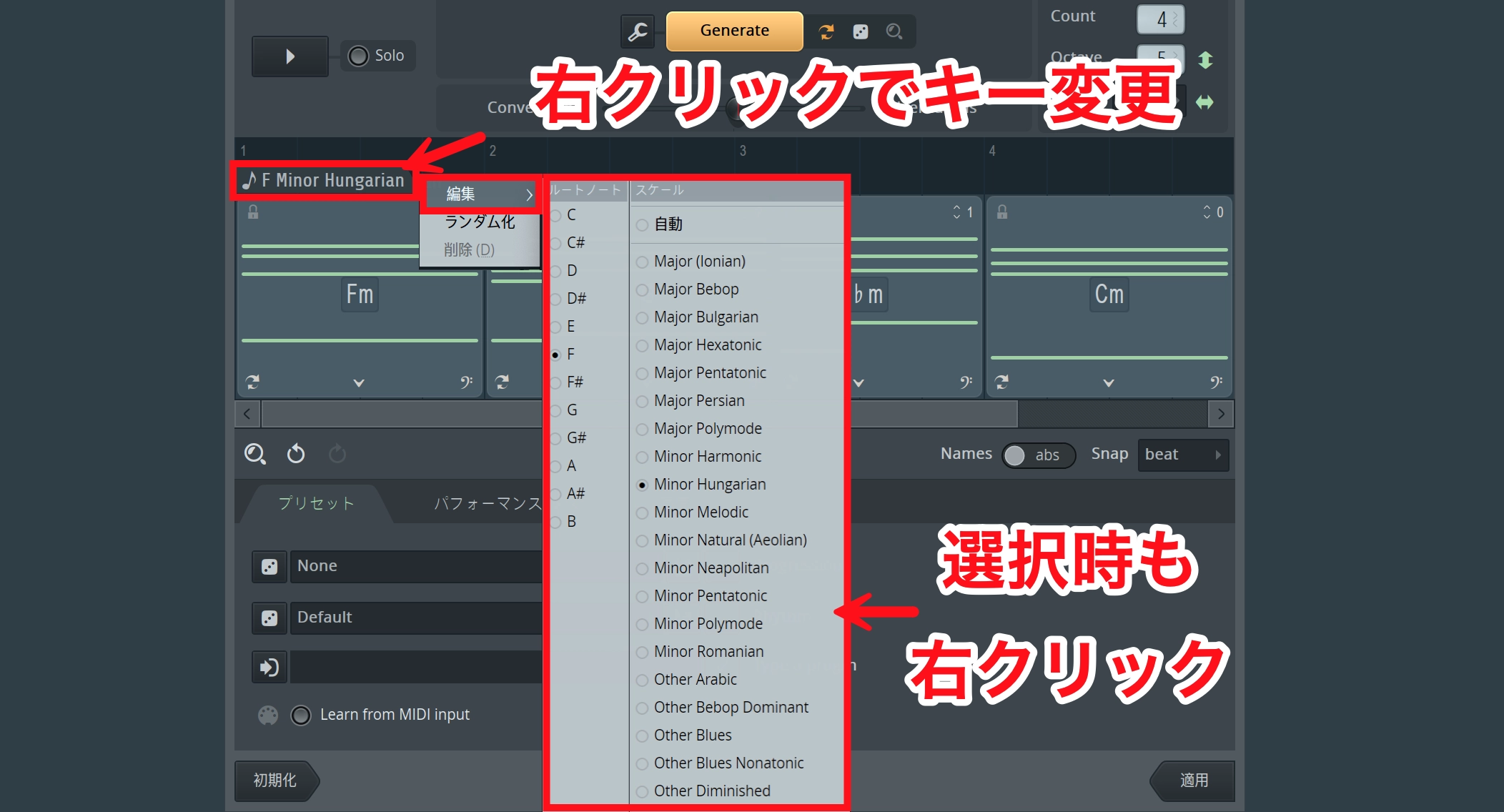
Right-click the displayed scale name and choose Edit to change the key and scale.
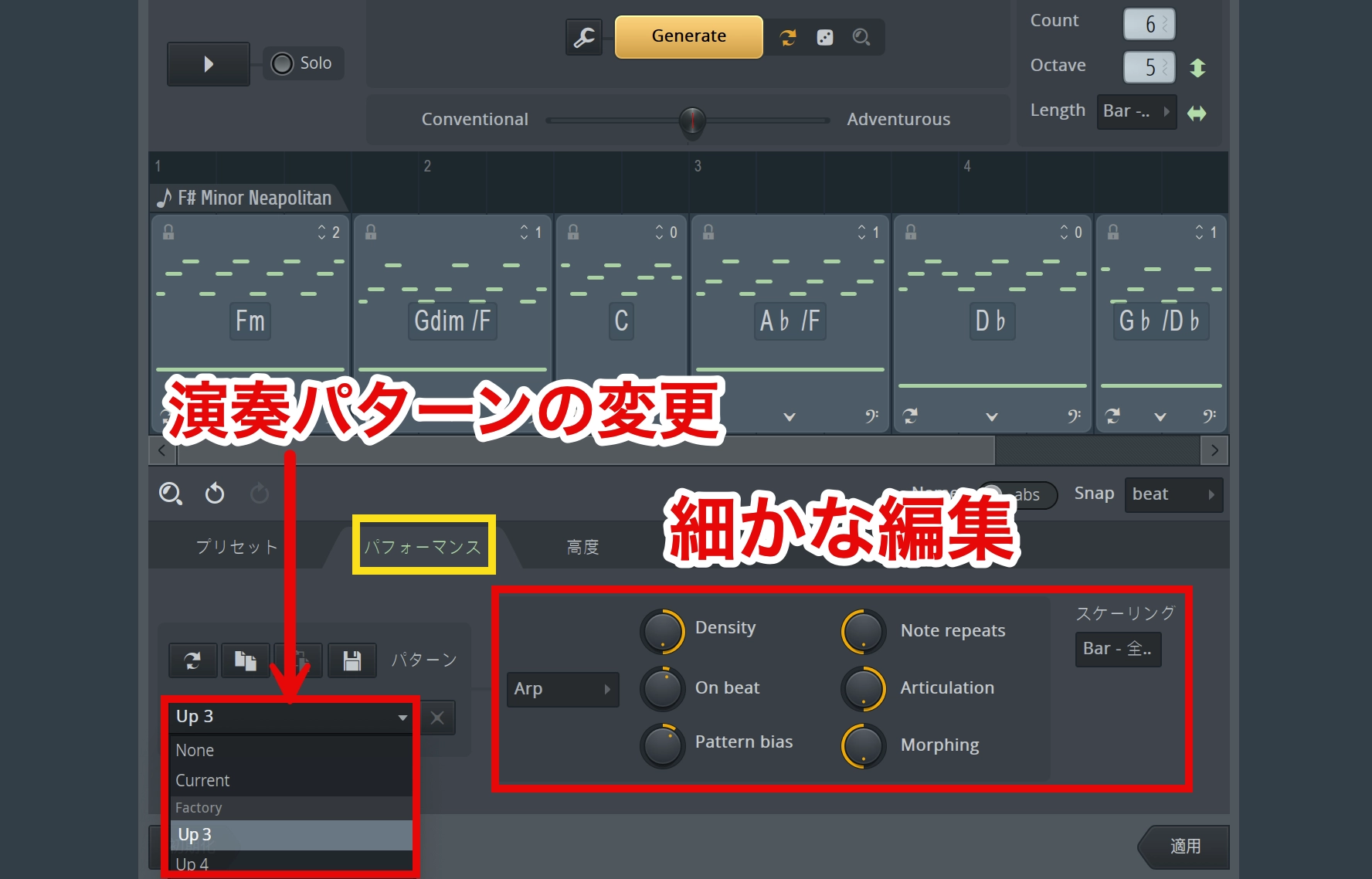
The Performance section lets you choose playing patterns, including arpeggios, and make further detailed adjustments.
Creative Repetition: Note Repeats
Repeat controls were added to the Piano Roll and Step Sequencer.
Repeating selected notes or steps makes it easy to create complex rhythmic patterns such as stutters.
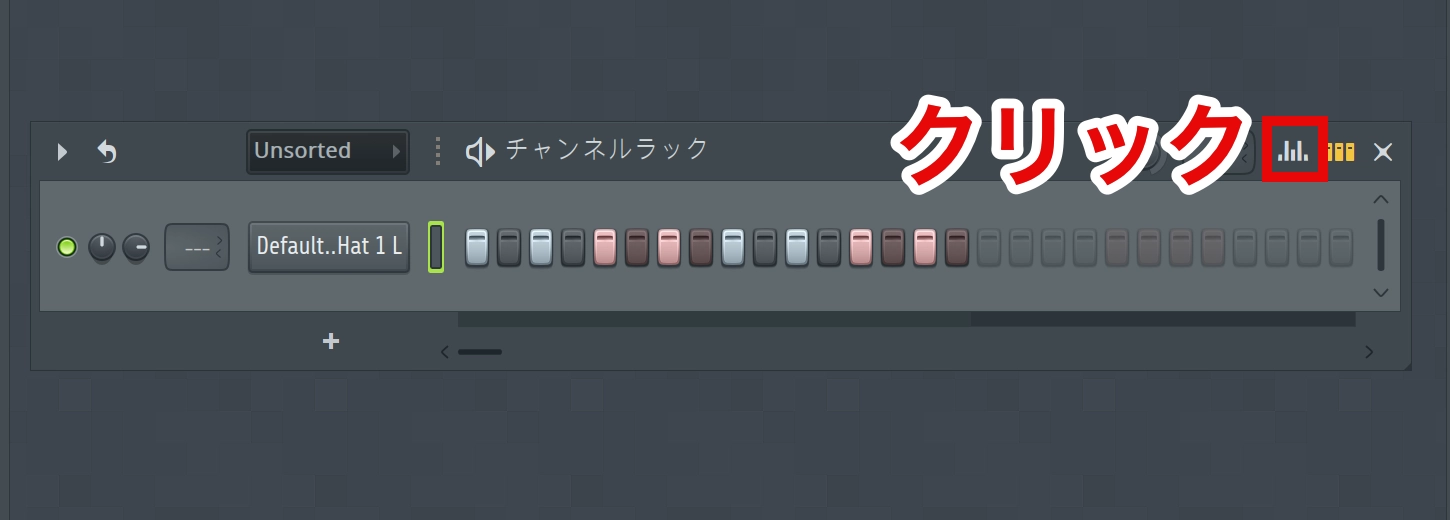
In the Step Sequencer, click the Graph Editor button at the upper right.
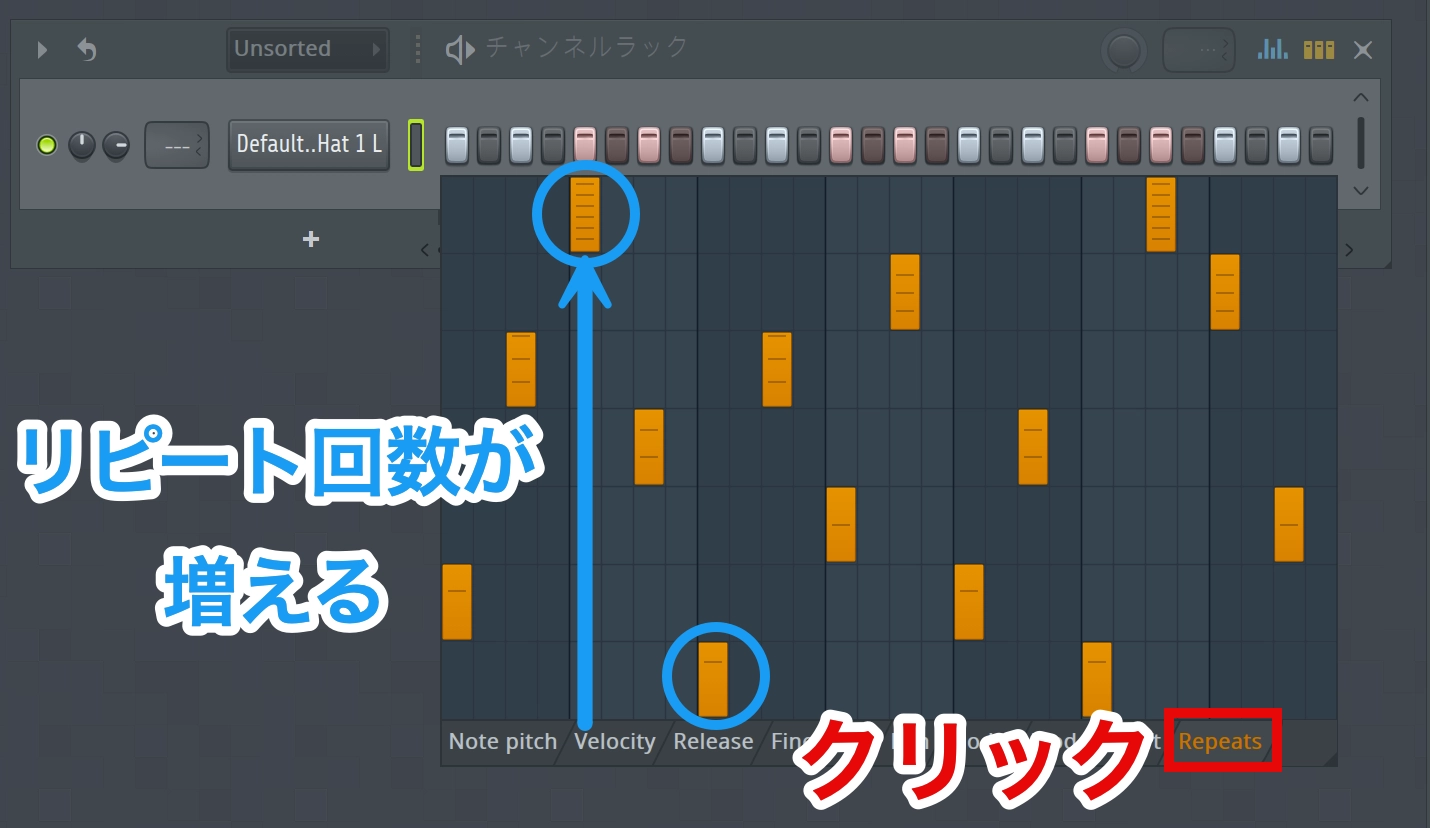
Select Repeats and adjust the steps you want to repeat.
Higher values increase the number of repeats.
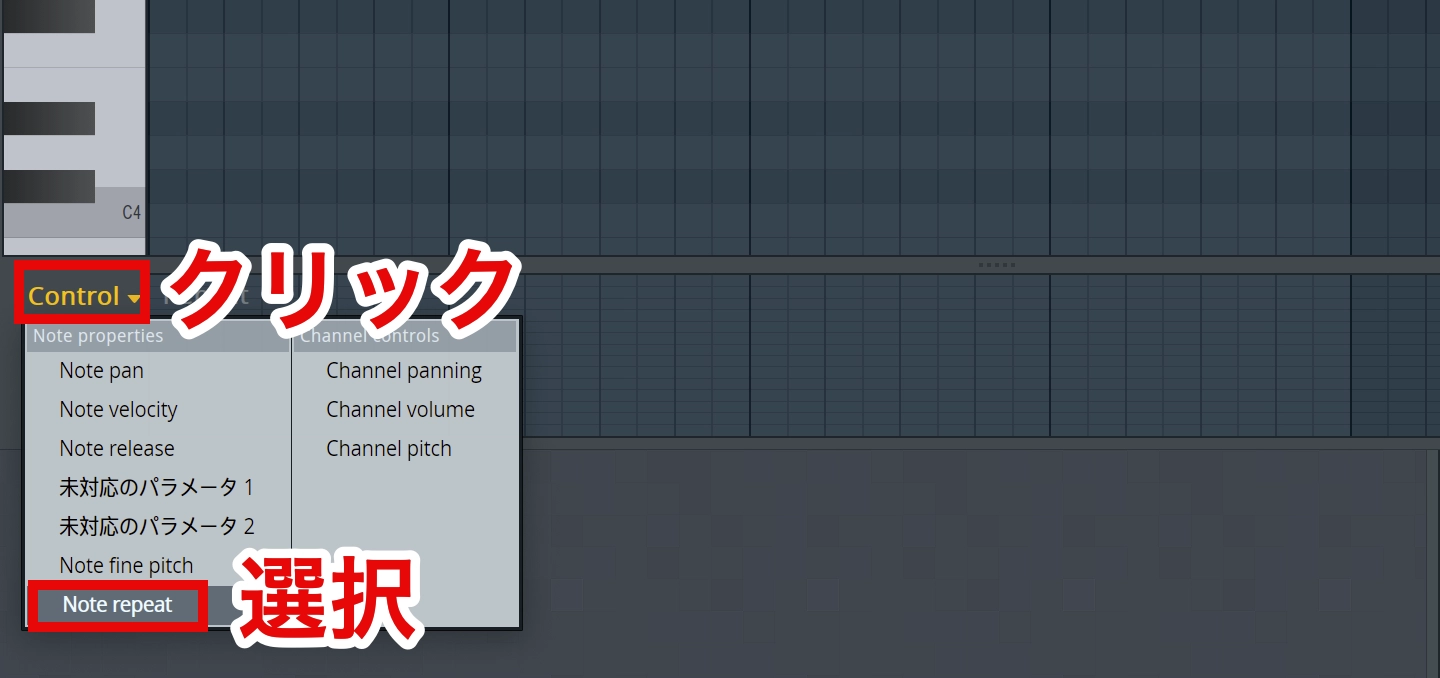
In the Piano Roll, click Control at the lower left and choose Note repeat.
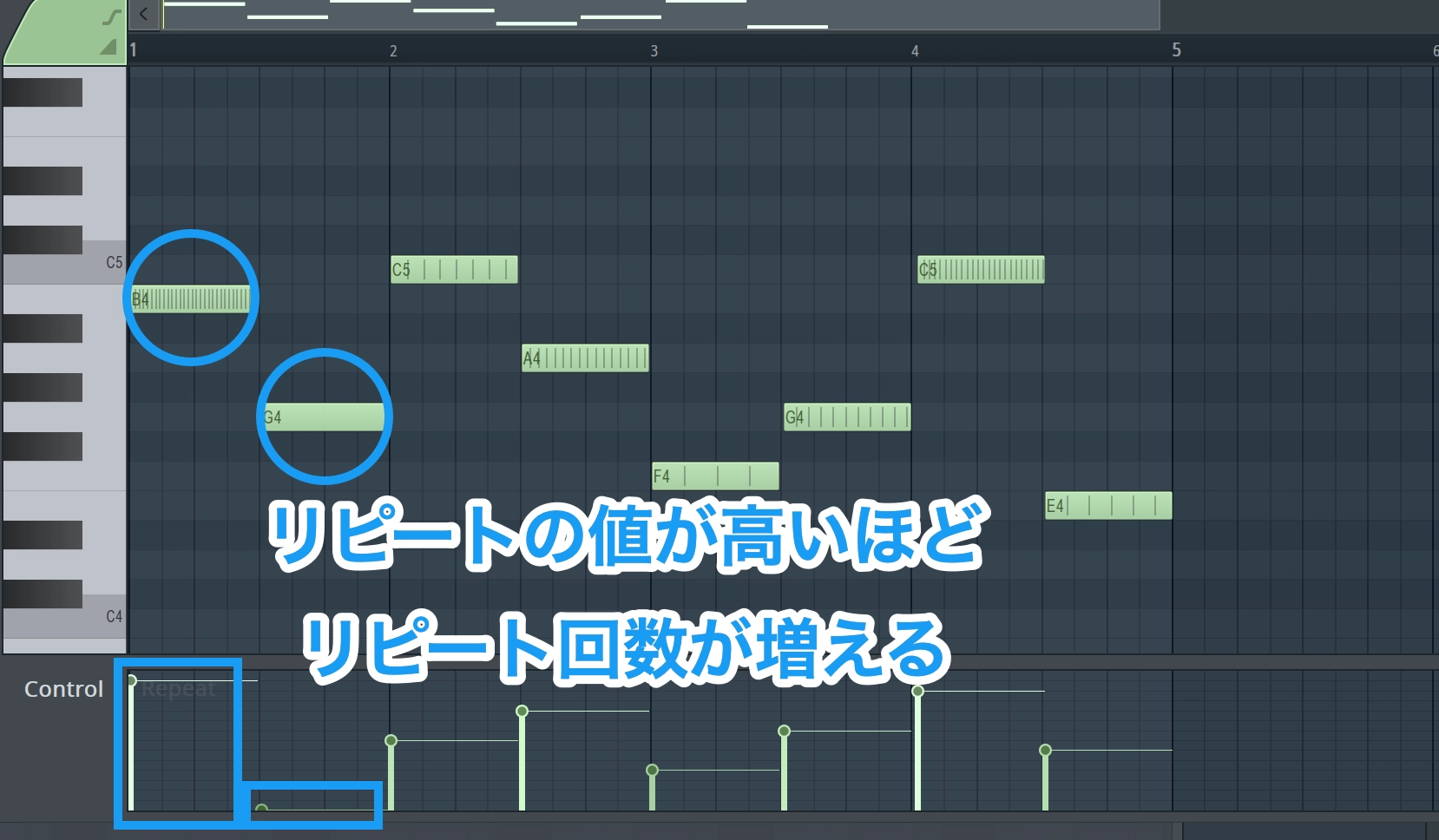
Higher Repeat values produce more repeats.
New Plug-ins
The FL Studio 2024 update also introduced several new plug-ins.
Kepler Exo
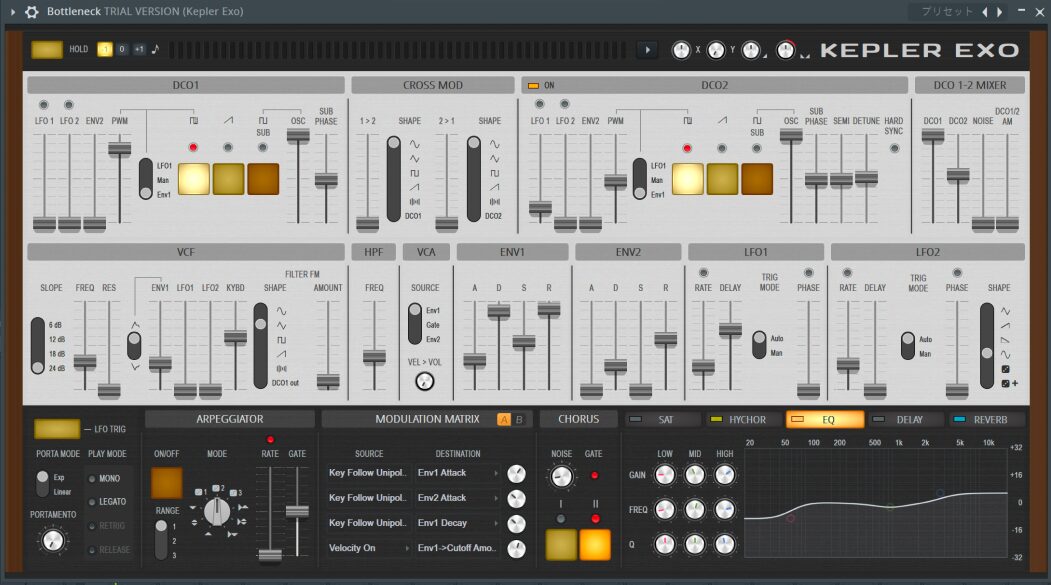
Kepler Exo reimagines the appeal of vintage synthesizers in a modern plug-in.
Inspired by legendary instruments such as the JUNO-6™ and Jupiter-8™, it combines warm analog-style sound with flexible sound design through a modulation matrix.
Kepler Exo preset: Arp
Kepler Exo preset: Pad
It captures the warmth associated with classic analog synthesizers.
Presets also cater to styles such as synthwave, cyberpunk, and retrowave.
In the 2024 lineup described here, Kepler Exo was included in All Plugins Edition. Users of Signature or lower editions could add it through a separate purchase.
Low Lifter
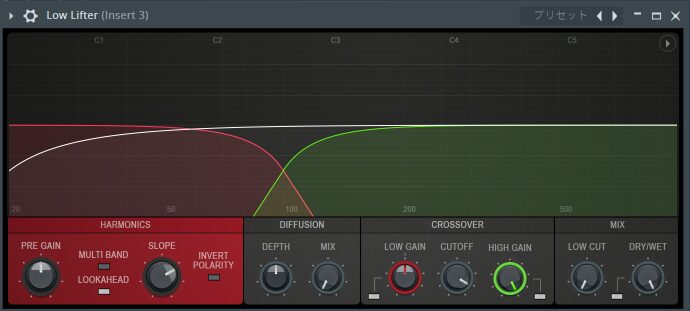
Low Lifter adds harmonics to low-frequency sounds.
Those added harmonics can help make bass perceptible on devices with limited low-frequency reproduction, such as smartphone speakers.
Spreader
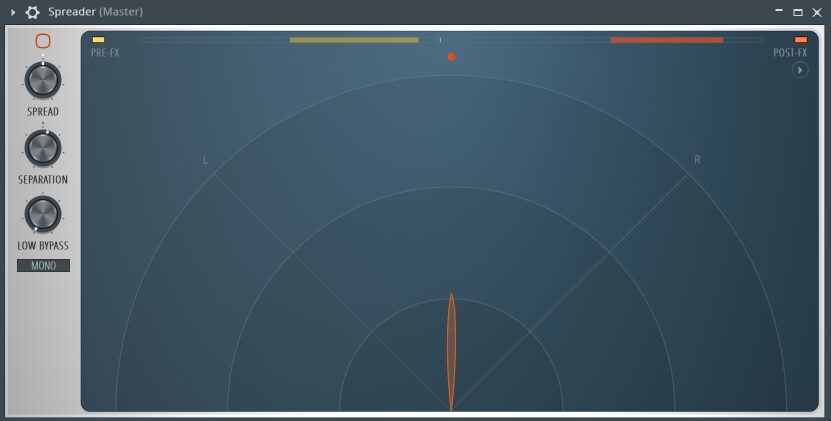
Spreader is a stereo-enhancement plug-in that increases the sense of width.
It can add stereo width even to mono sources, providing a natural sense of space without destructively editing the source audio.
Its LOW BYPASS function lets you widen a sound while leaving the low frequencies more focused, making it suitable for material such as bass.
What did you think?
With AI-assisted features and cloud-service integration, FL Studio 2024 expanded the tools available to help creators develop their ideas.
In our hands-on test, we found the convenience of a sample library integrated directly into the DAW especially appealing.
FL Cloud included a free tier in the lineup described here. Check the current service details if you would like to try it.
Frequently Asked Questions
Q1. Could existing users update to FL Studio 2024 for free?
Yes. Under FL Studio's Lifetime Free Updates policy, existing licensed users could update without purchasing the DAW again. FL Cloud subscriptions and separately sold plug-ins are distinct from that DAW update policy.
Q2. Could users try FL Cloud before subscribing?
Yes. The original review described a one-month free trial of paid features, allowing users to test them before subscribing. Check the current trial conditions and the features included in each plan.
Q3. How customizable were the AI mastering output options?
The update expanded output options for different purposes. It also provided genre presets and more detailed sound adjustments, including warmth and brightness.
Q4. What kinds of musical ideas can the AI-powered Chord Progression Tool support?
You can choose progressions for different moods and adjust their complexity between Conventional and Adventurous. Each click of Generate produces a new progression.
NEW ARTICLES
Latest English Articles








































































