Cubase’s event mute function lets you silence individual events instead of muting an entire track. Use Shift+M to mute and Shift+U to unmute. You can also apply these shortcuts to MIDI notes, making it easy to try different arrangements and programmed parts while preserving your work. This gives you finer control than track-level muting and can make mixing more efficient and creative.
Mute individual sections independently of the track
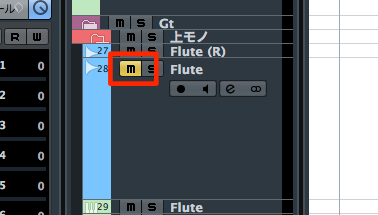
The mute function, which temporarily silences a track,
is used frequently during production.
However, this method silences every event on the track.
This is where event mute comes in.
Instead of muting the entire track, you can mute selected events,
which is useful for testing arrangements—for example, to hear what happens when an instrument drops out partway through.
Video tutorial
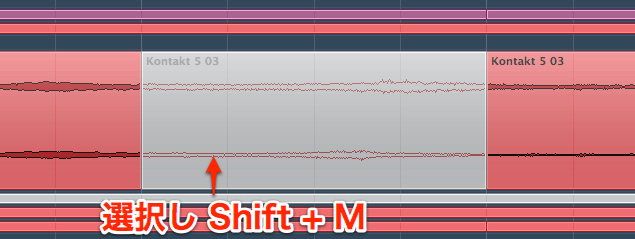
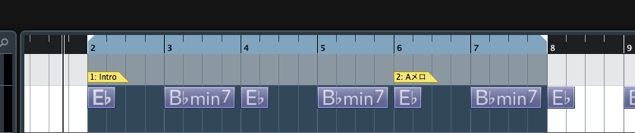
↑ Select the event you want to mute.
- Mac and Windows: Shift + M
The event turns gray to show that it is muted.
Only this section is silenced.
To unmute it,
select the muted event and press:
- Mac and Windows: Shift + U
The event is now unmuted.
You can also mute MIDI notes
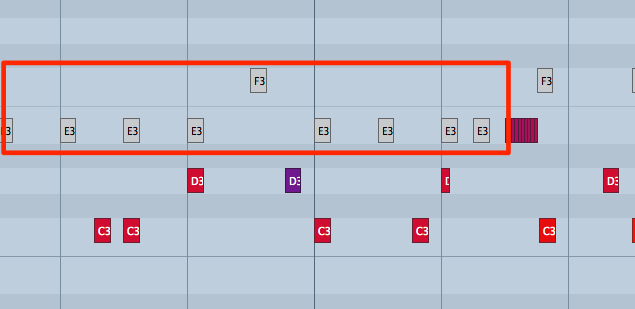
This method can also be used on individual MIDI notes
in the Key Editor.
This lets you try different programmed parts while keeping your work intact.
Frequently Asked Questions
Q1. What is the difference between event mute and track mute?
Track mute silences the entire track, while event mute silences only selected events on that track. This lets you make changes to individual sections, such as dropping an instrument out partway through.
Q2. How do I mute a MIDI note?
In the Key Editor, select the MIDI note and press Shift+M to mute that note.
Q3. How do I unmute an event?
Select the muted event and press Shift+U. The event will be unmuted and audible again.
NEW ARTICLES
Latest English Articles