
The highlight of FL Studio 20.5 was the addition of FLEX, a new synthesizer included free in every edition. Its powerful engine combines several synthesis methods, including subtractive and wavetable synthesis. Starting from a preset, you can shape sounds intuitively, making FLEX approachable even for beginners. The update also added a performance monitor, more keyboard shortcuts and improved template features, providing practical ways to work more efficiently when producing music.
A New Synth and Plenty of Workflow Improvements
FL Studio was recently updated to version 20.5.
The update adds a powerful synthesizer and a range of features that make the software easier to use.
Here, we have selected the features we found particularly appealing.
Let's take a closer look at each one.
FL Studio 20.5 New Features — Video Tutorial
Selected Questions and Answers from the YouTube Video

Sorry to bother you in the comments. I want to use FLEX on my Mac, but the packs on the left aren't showing up, so I can't download them. Where can I download them? 😢

In the version discussed in this reply, the area on the left of FLEX previously labeled INSTALLED PACKS has changed to LIBRARY and STORE. To add sounds, open STORE to display the pack list, then scroll until you see packs with download buttons. You can download them from there.
I have a question about FL Studio. Is there a way to insert an effect plug-in into several mixer tracks at once, like Cubase's Q-Link feature?
You cannot insert a plug-in into multiple tracks simultaneously, but you can drag each FX to copy its effect settings to a slot on another channel.
FLEX: A Powerful, Beginner-Friendly Synthesizer
The biggest addition in this update is FLEX, a synthesizer included free with every edition of FL Studio.
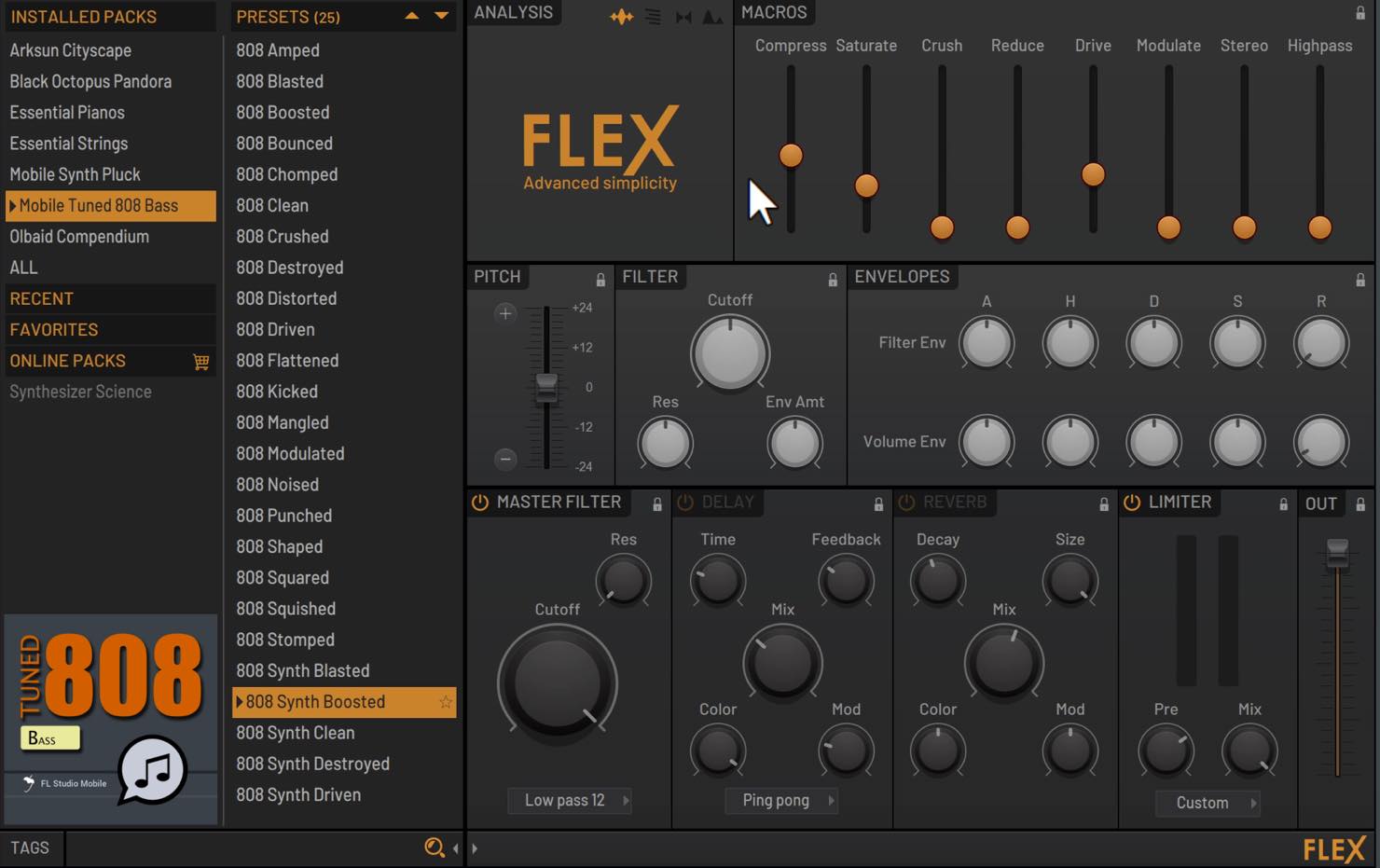
FLEX is a preset-based synthesizer, but its internal engine combines subtractive, wavetable, multisample, FM and AM synthesis. It includes many sounds ready to use in modern electronic music production.
Although detailed editing is limited, envelopes, filters and macro controls assigned to each preset make sound design easy and intuitive.
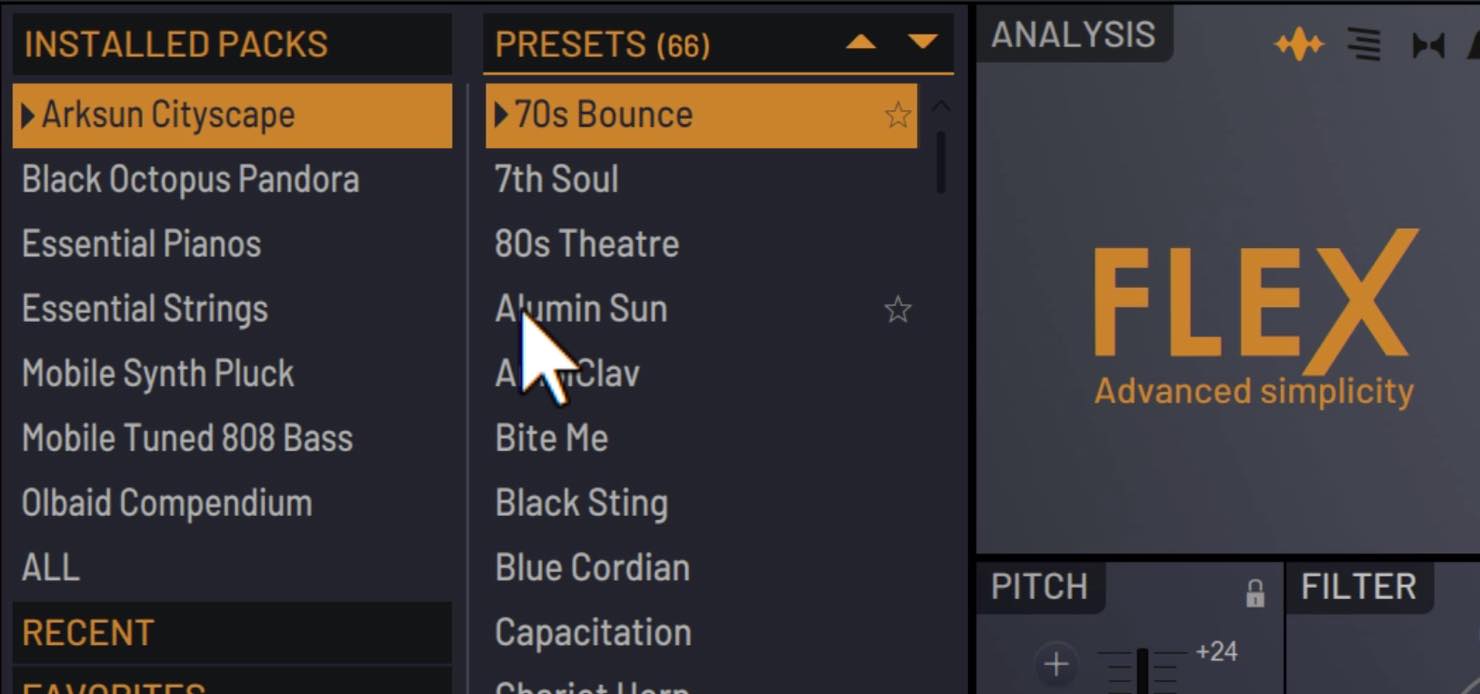
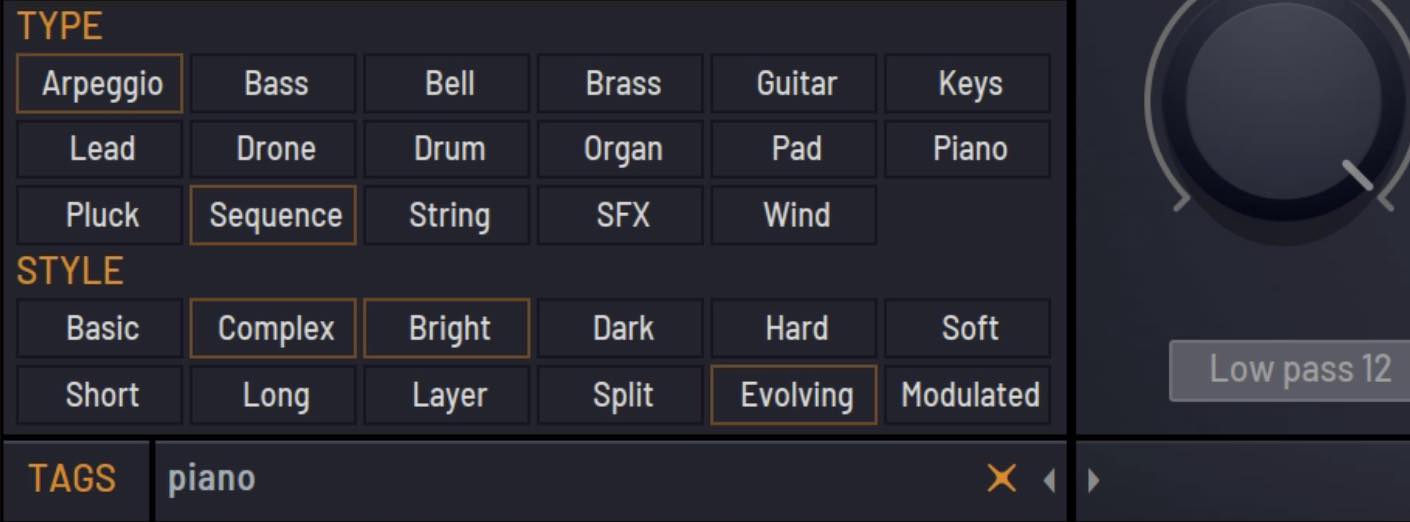
You can browse FLEX's extensive sound collection by selecting presets within each pack, or find presets using tags or text searches.
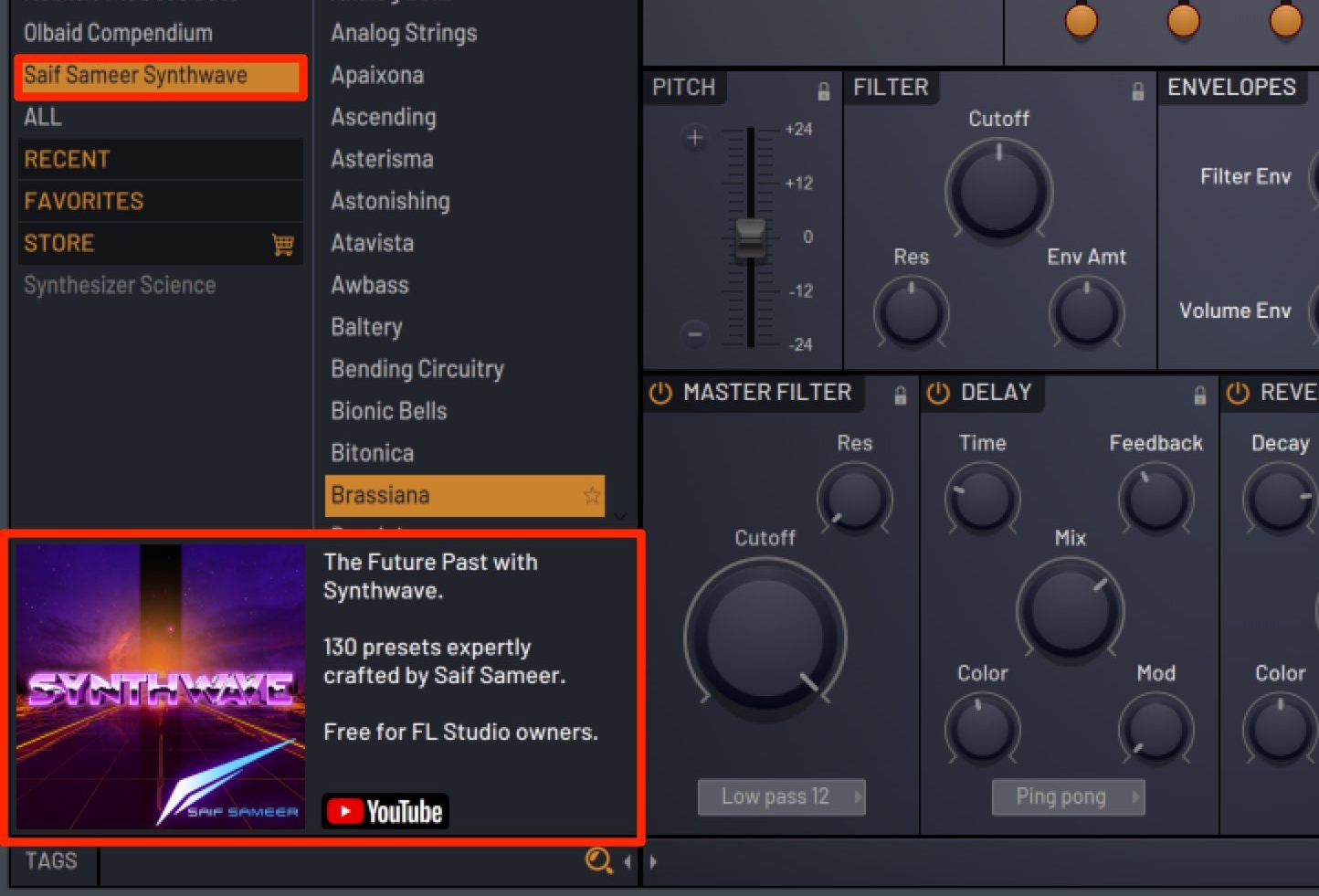
Note: Version 20.5.1 added the Saif Sameer Synthwave pack, containing 130 presets.
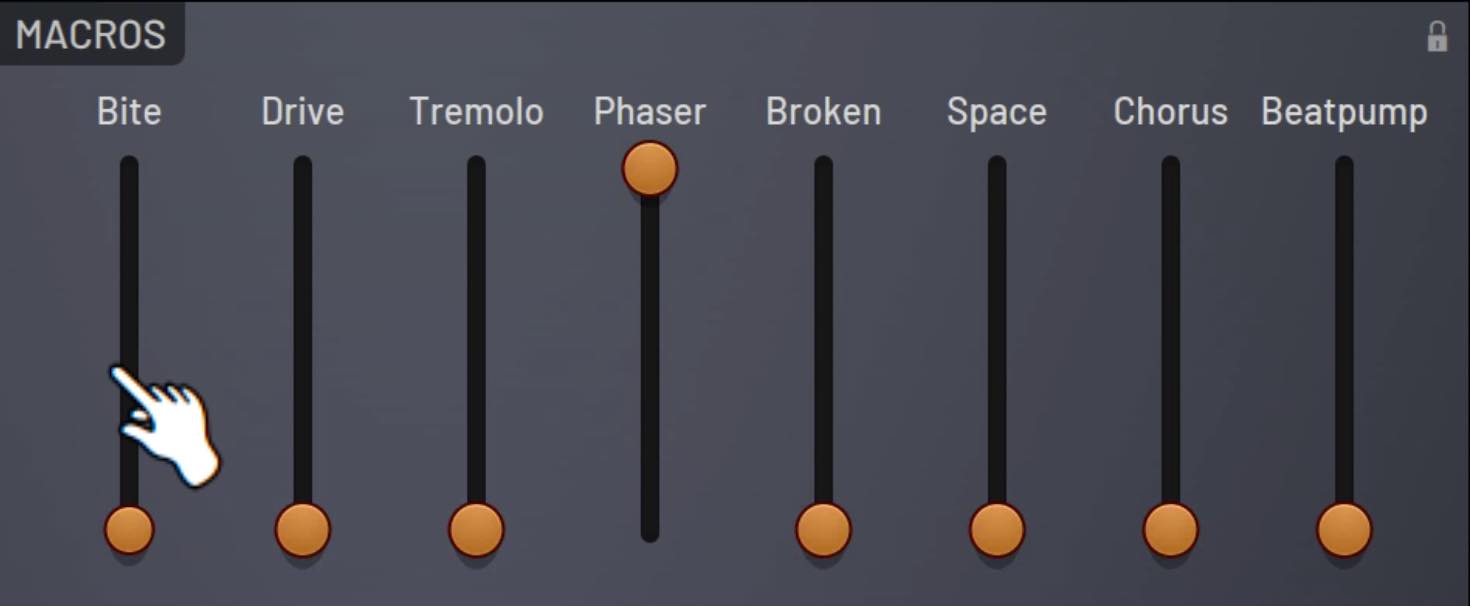
The Macros section provides eight sliders for editing the sound, with different parameters assigned to each preset.
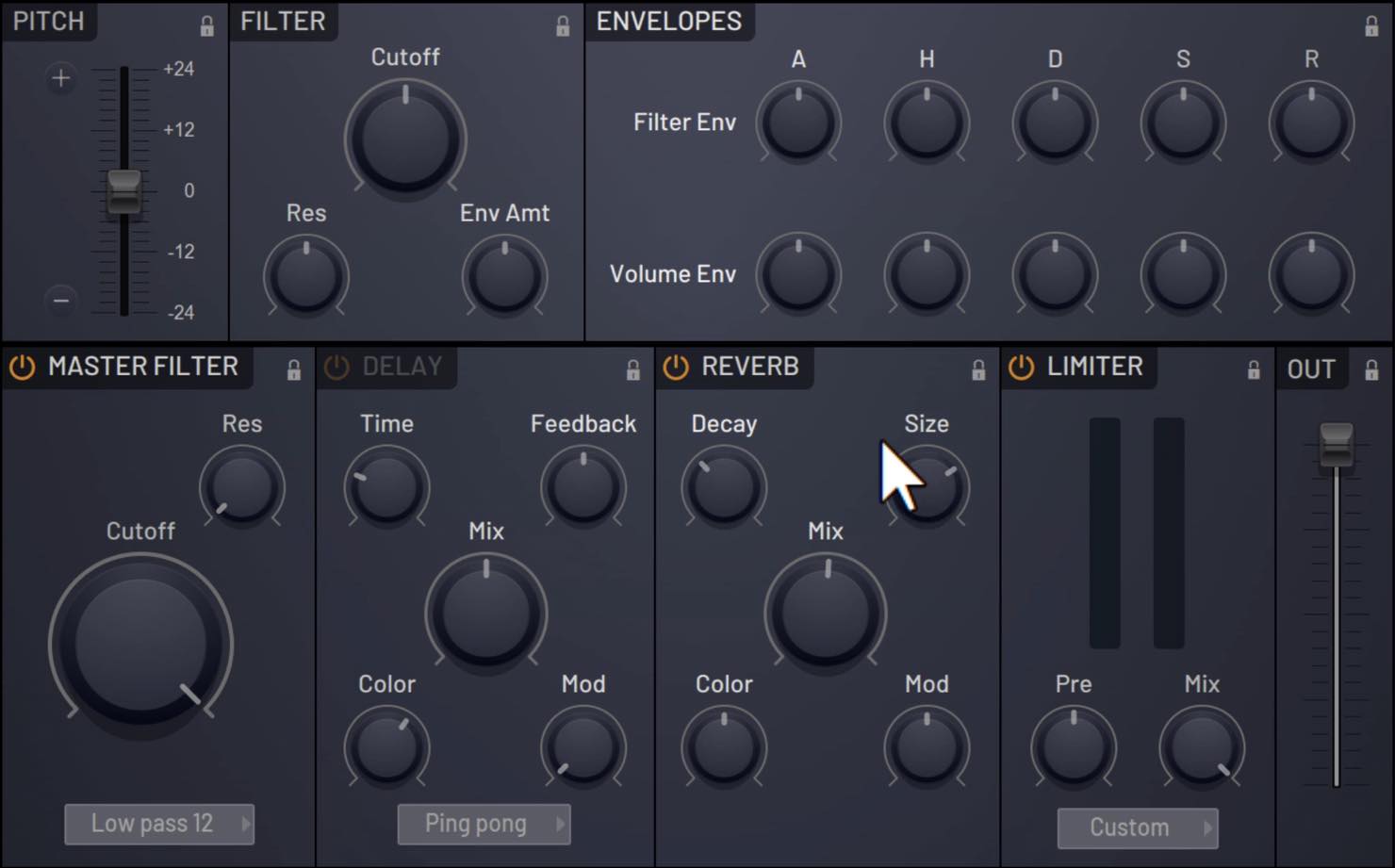
Pitch, Filter, Envelopes and the effects along the bottom are common to all presets. Adjust these parameters to tailor a preset to your taste.
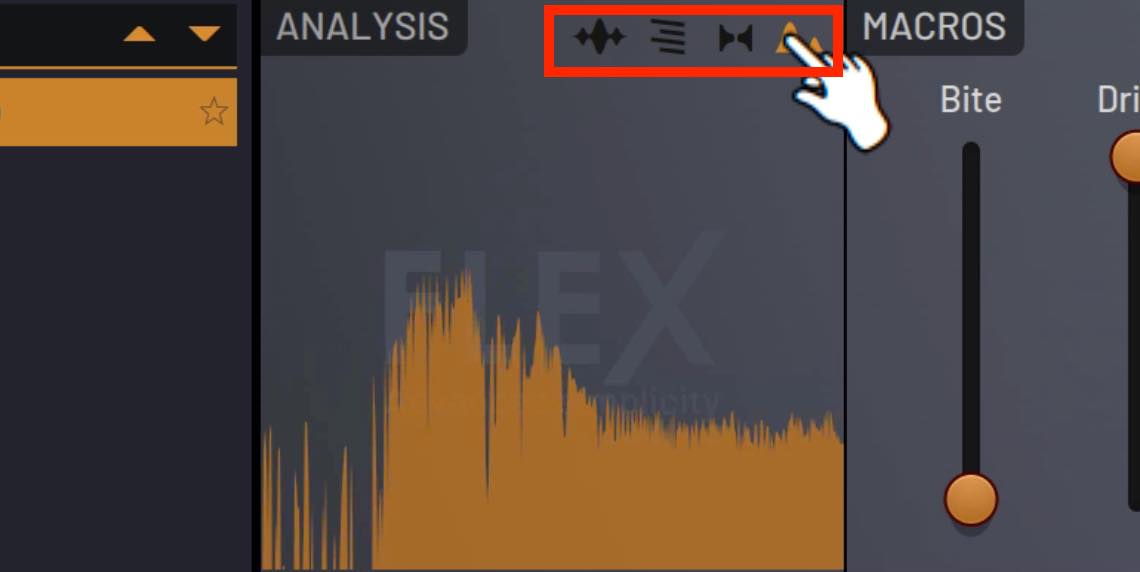
One distinctive feature is Analysis, which offers an oscilloscope, spectrum display, vectorscope and spectrogram so you can examine a sound visually.
You can purchase and add presets through Online Packs.
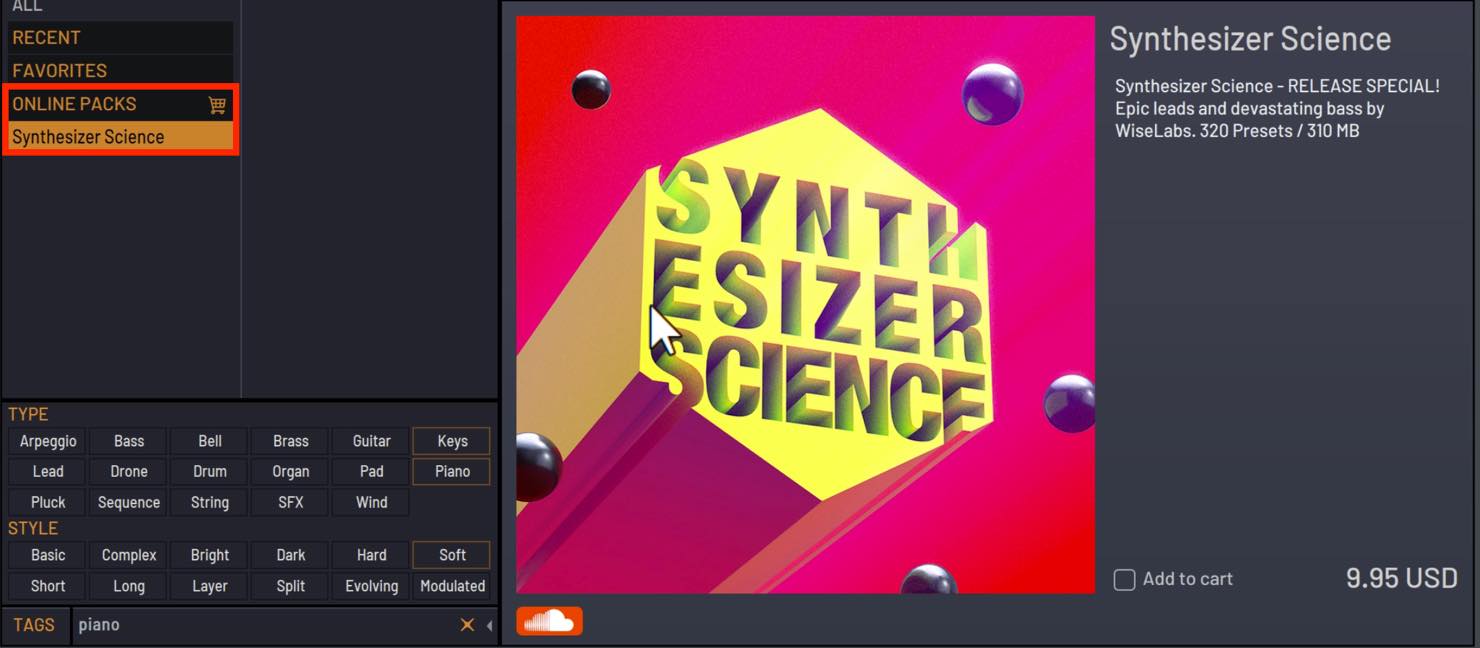
Because FLEX lets you shape sounds starting from presets, it is easy to approach even if synthesizers are not your strong point.
Performance Monitor
A new Performance Monitor lets you check the processing load of active plug-ins.
Open it from VIEW > Plugin performance monitor.
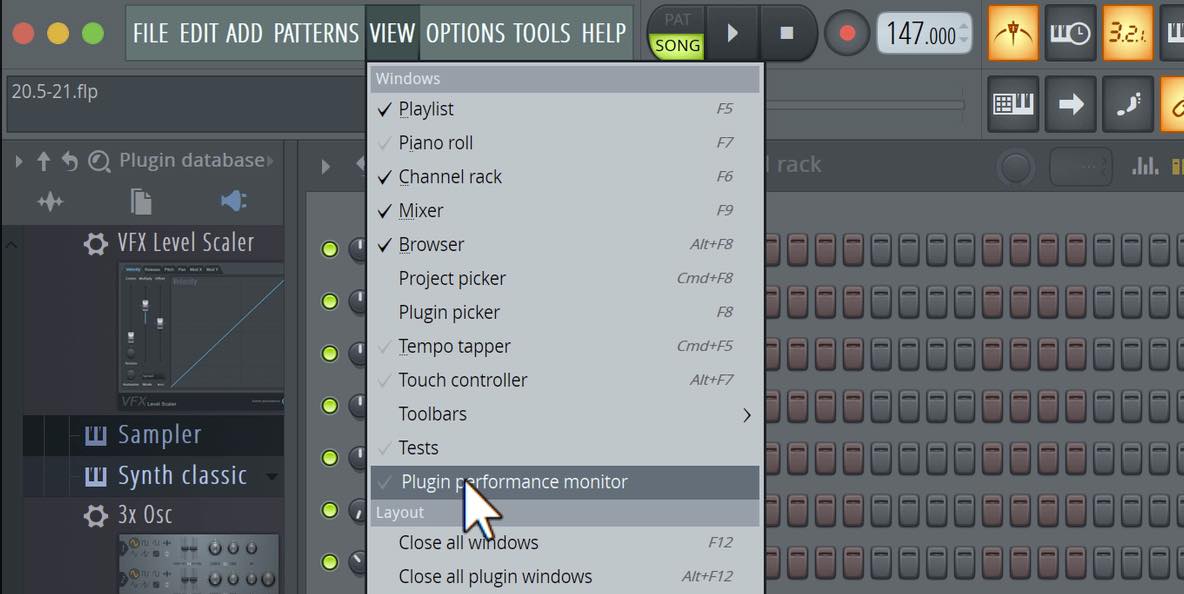
If a heavy CPU load causes dropouts during playback, you can identify which plug-in is responsible.
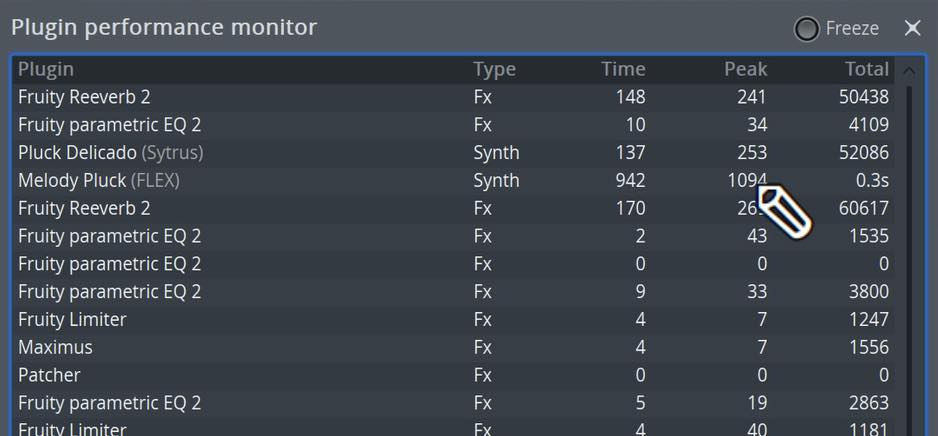
You can also monitor individual plug-in CPU usage inside Patcher, which hosts multiple instruments and effects within one plug-in.
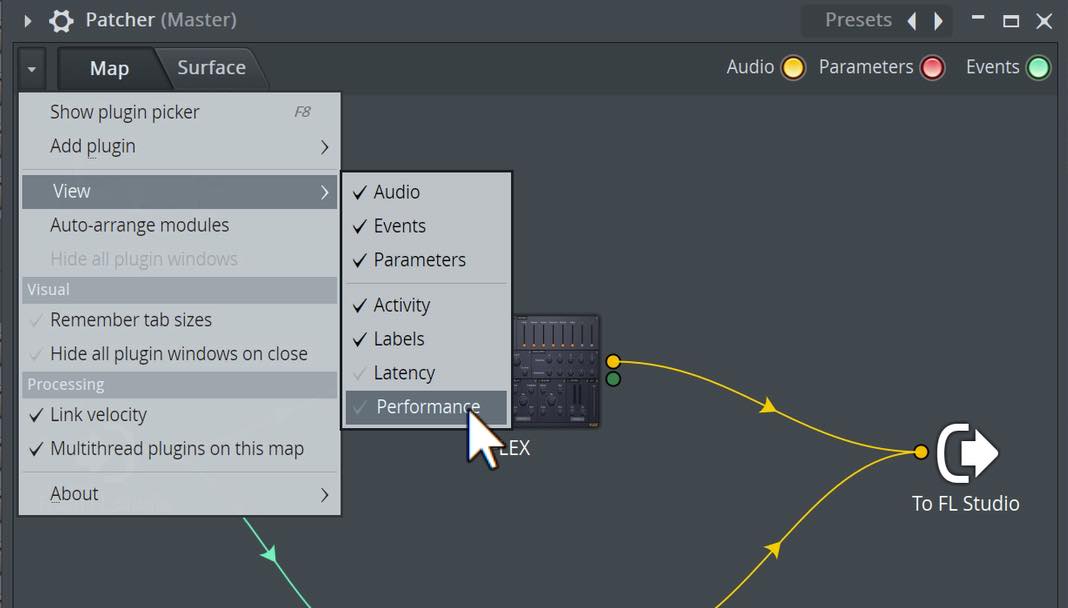
Choose Workspace (▼) > View > Performance
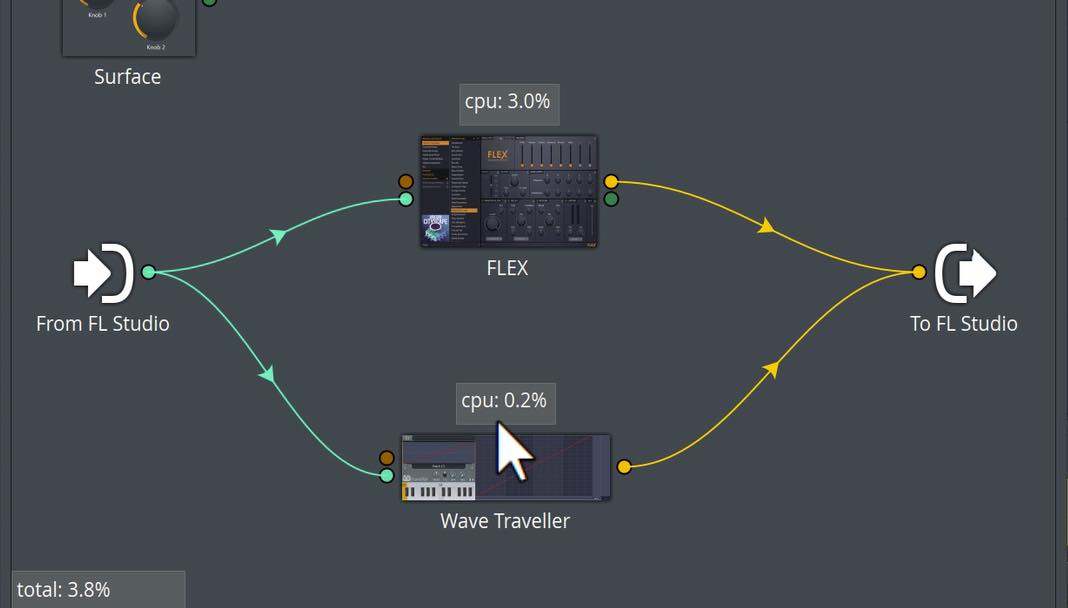
to display the information as shown here.
New Browser Features
When previewing a sample in the Browser, you can now use Alt + left-click (Option + left-click on Mac) to play it all the way through.
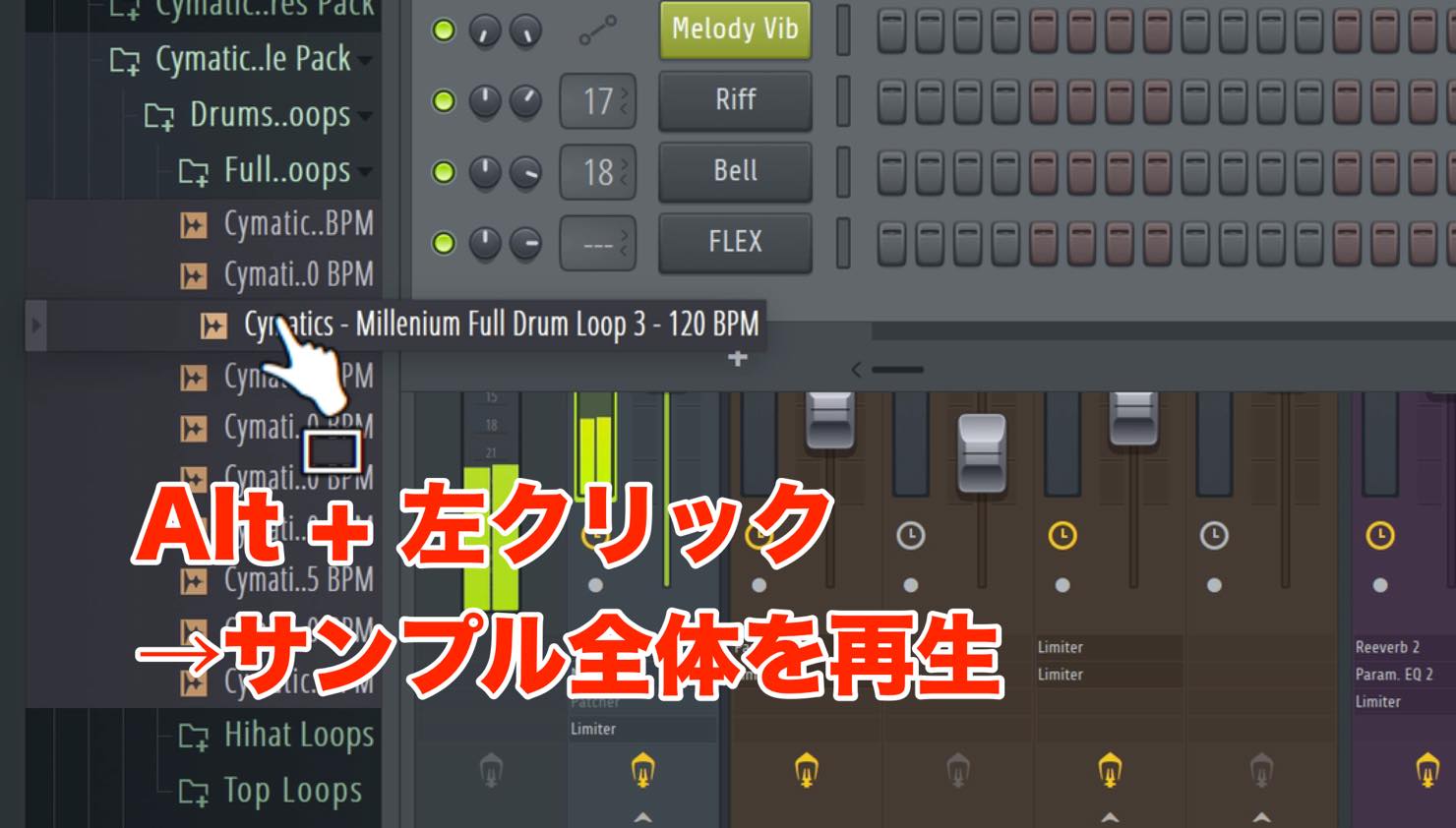
A regular left-click previews a maximum of five seconds.
To stop the preview early, click Stop in the transport, or press the Space bar twice to start and then stop playback.
New Keyboard Shortcuts
After selecting notes or patterns, press Alt + M (Option + M on Mac) to mute them, or Alt + Shift + M (Option + Shift + M on Mac) to unmute them.

You could already do this with the Mute tool, but these shortcuts let you mute quickly without switching tools, helping you work more efficiently.
Choose How Many Backups to Keep
You can now specify the number of autosave backups to retain.
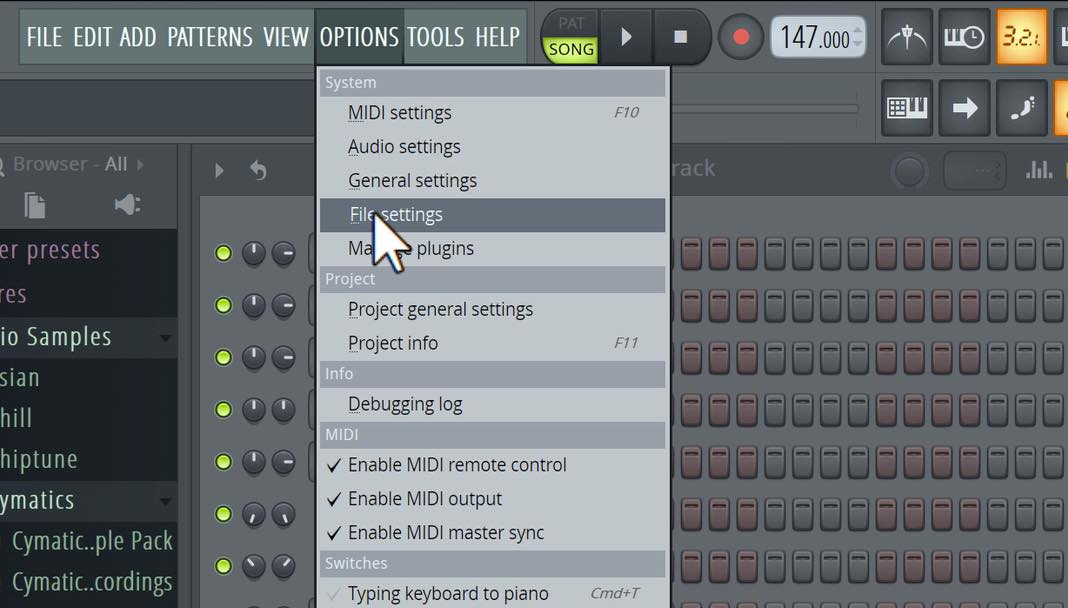
Open Option > File Settings and change the Maximum value to set the maximum number of backups.
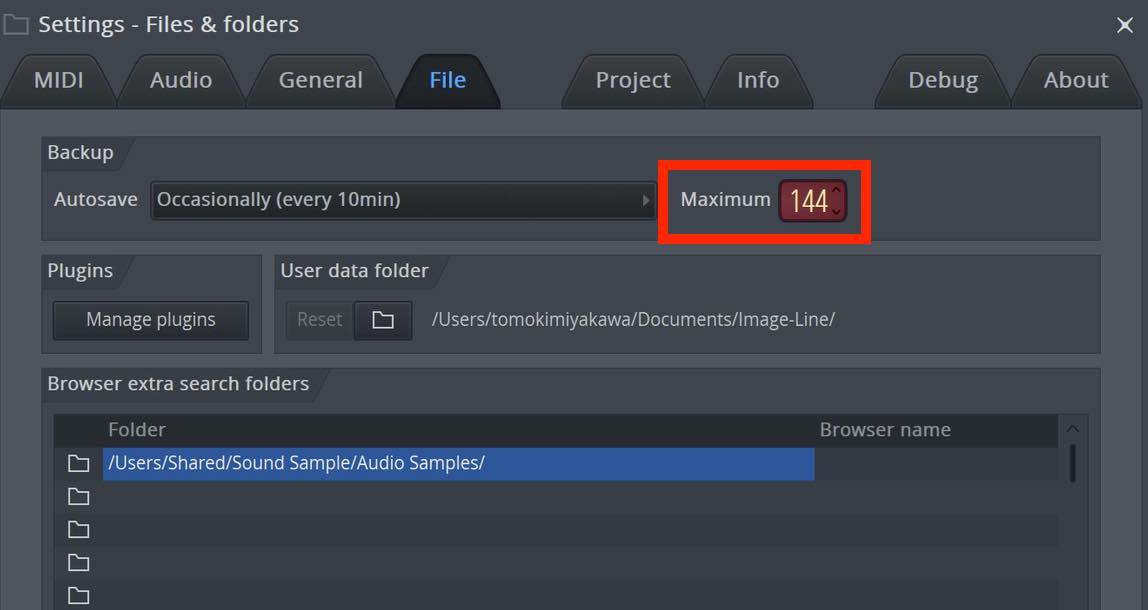
You can find saved backups in Documents\Image-Line\FL Studio\Projects\Backups.
Manage Favorite Plug-ins
A favorites feature has been added to Manage Plugins.
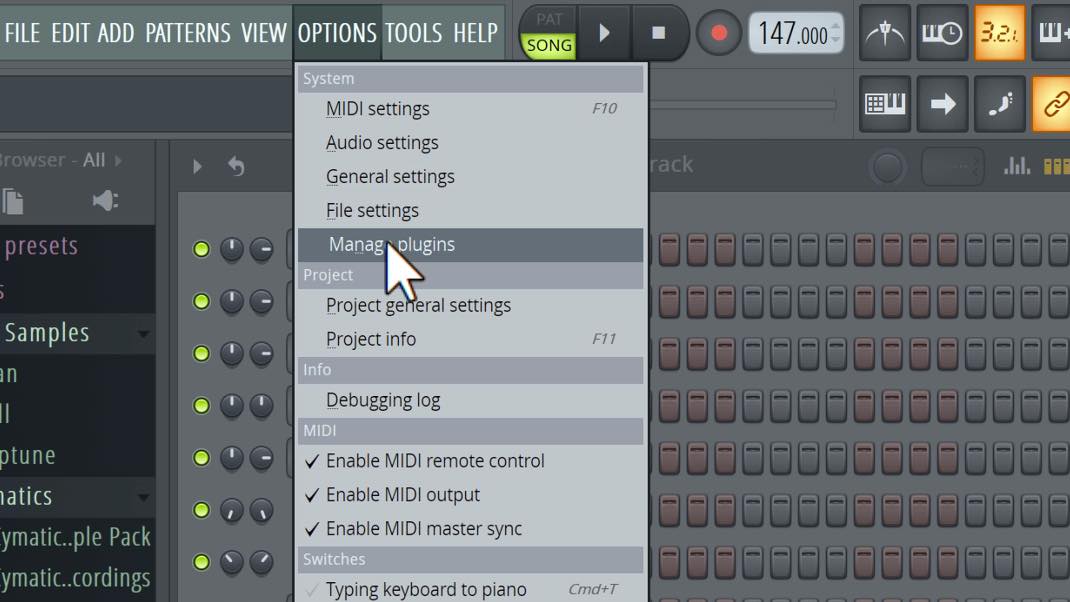
In Option > Manage Plugins, select the star to the left of a plug-in in the list to add it to your favorites.
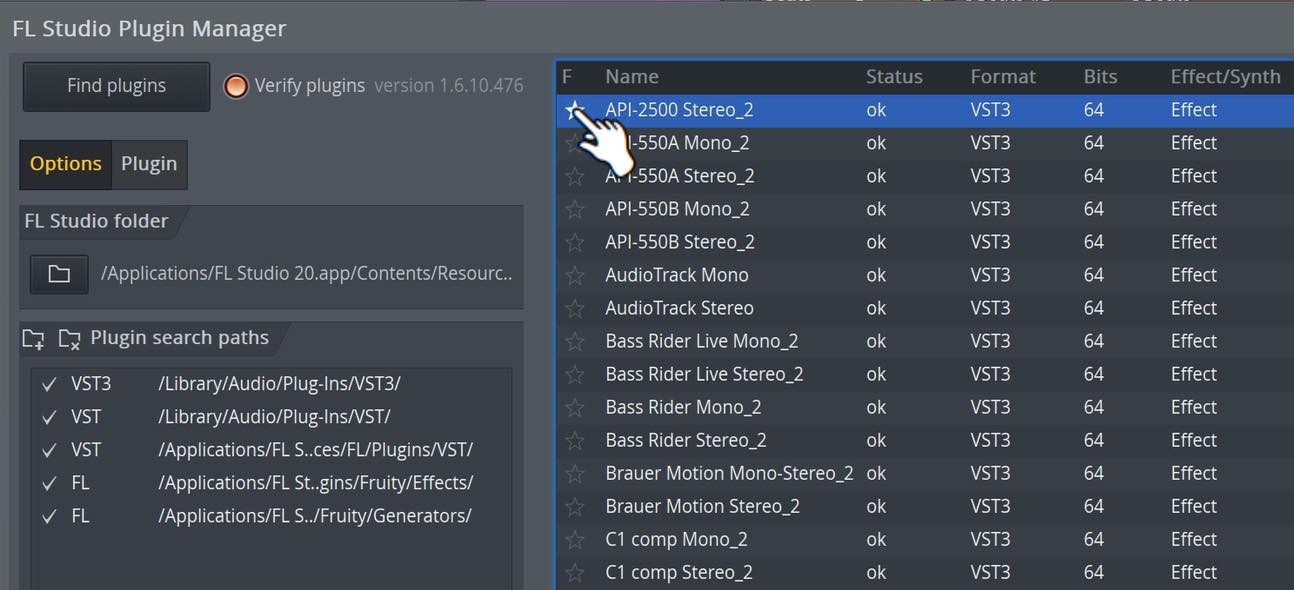
Favorite instruments appear when adding a new track from the Channel Rack, while favorite effects appear when adding a plug-in from an effect slot.
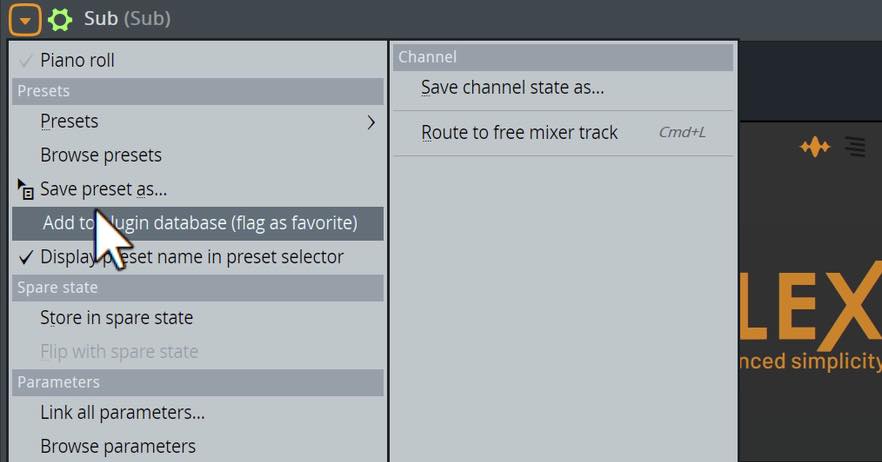
You can also add a plug-in to your favorites from its own menu while it is open.
New Template Features
You can now choose the template that opens when you create a new song.
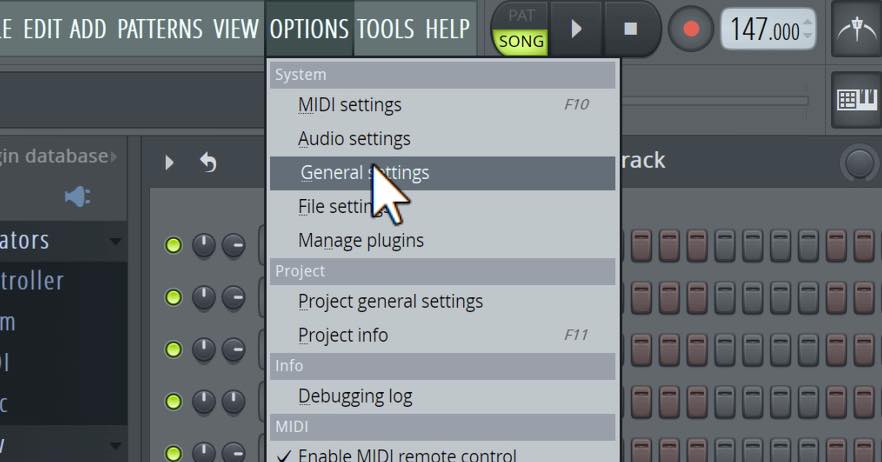
Choose Option > General Settings, then select the template you want from the field at the bottom right of the window.
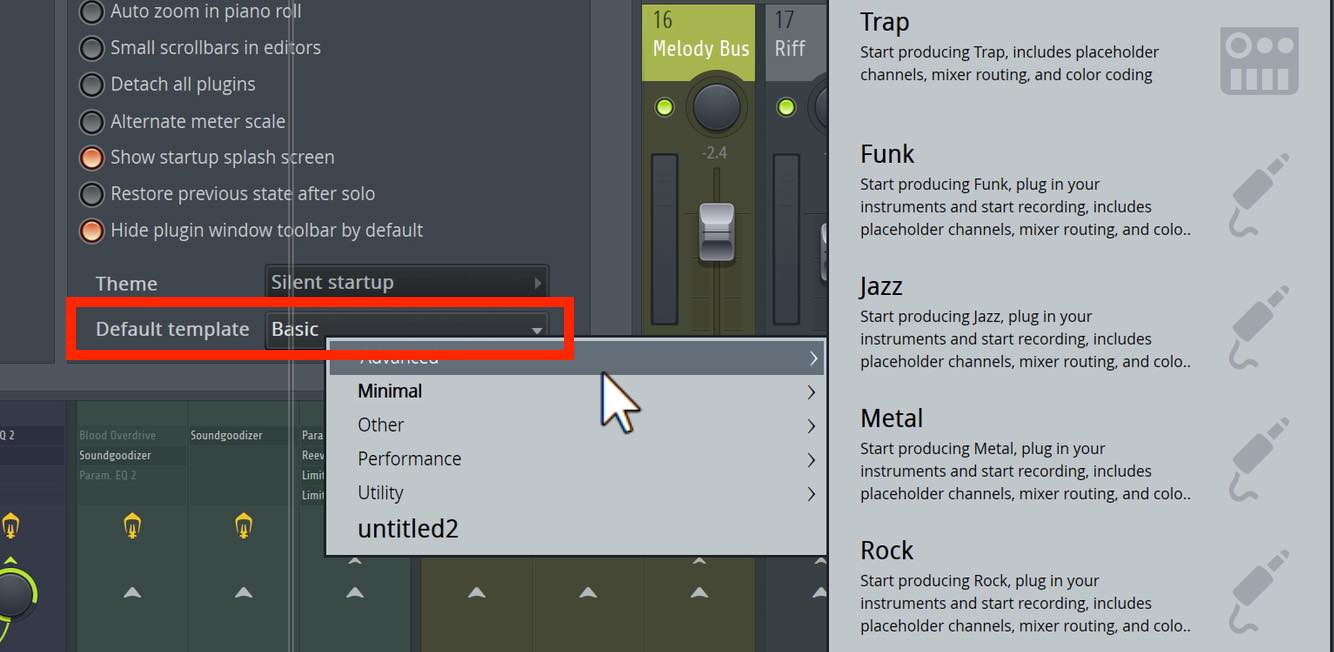
You can also add your own project files to this list by saving them in the following locations.
- Windows example path given in the original article (FL Studio 12): C:\Program Files (x86)\Image-Line\FL Studio 12\Data\Projects\Templates
- Mac: Open the application's package contents, then go to Contents > Resources > FL > Data > Templates.
Save a custom template with your frequently used tracks and sound routing already set up to get a head start on your next production.
More Plug-ins Available on macOS
Wave Traveller and Fruity Scratcher, previously available only on Windows, are now supported on macOS.
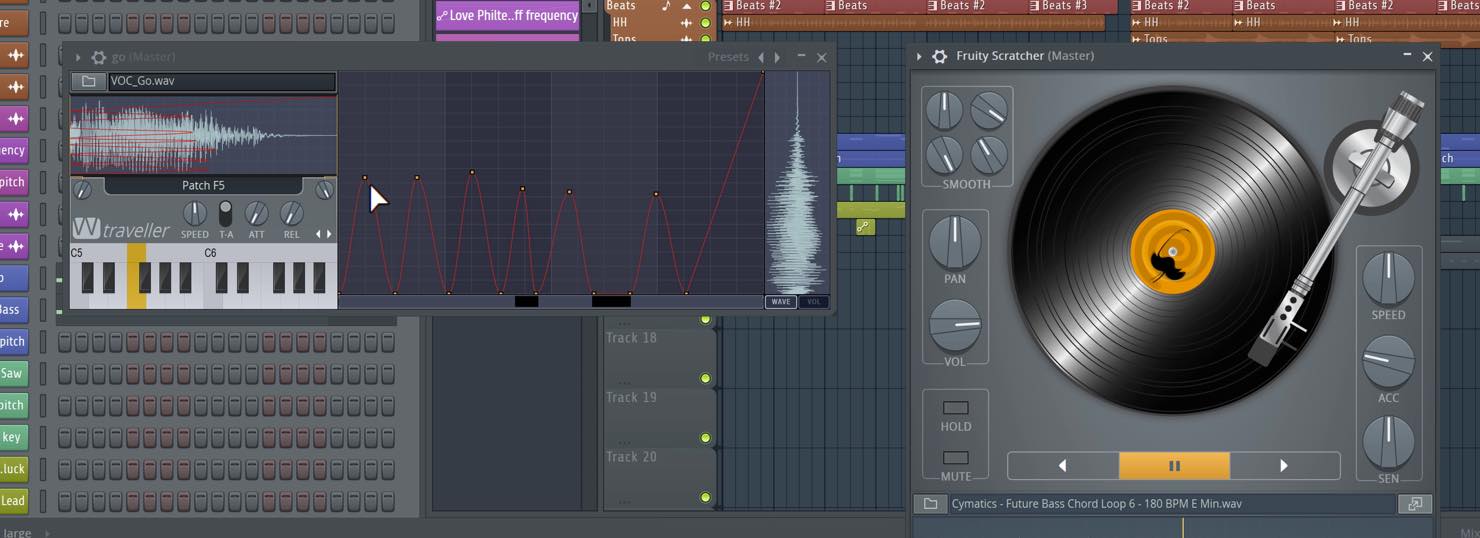
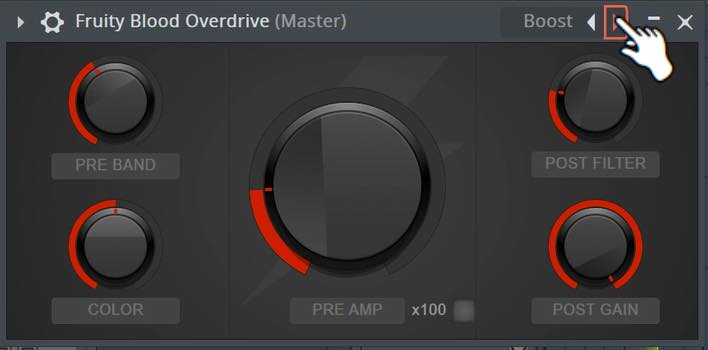
Fruity Blood Overdrive also gains macOS support. Both the Windows and Mac versions have a redesigned interface that is easier to read.
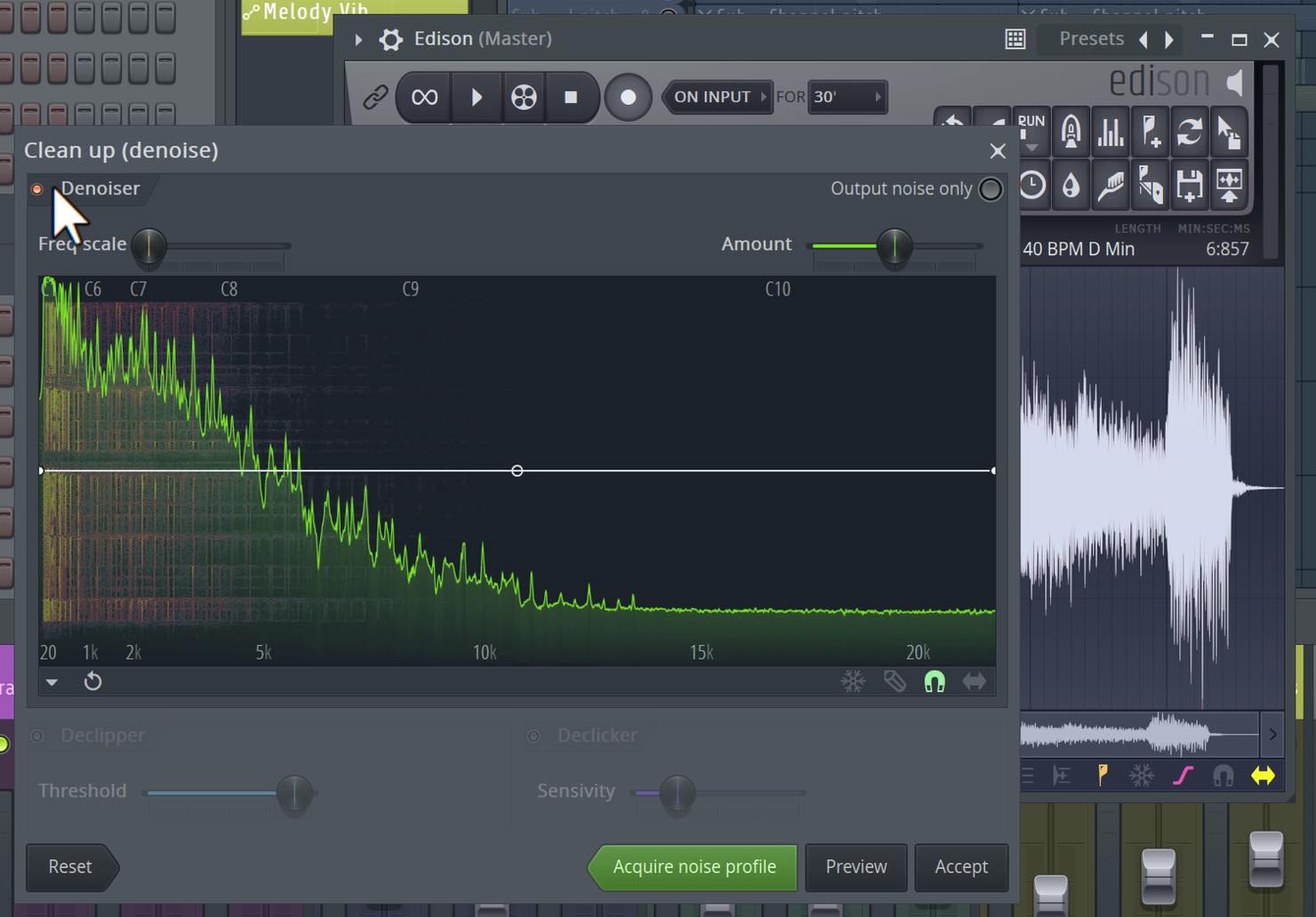
Another smaller update brings the Denoise Tool, the noise-removal feature in the included Edison audio editor, to macOS.
New Presets
New presets have been added to Harmless and Sytrus.
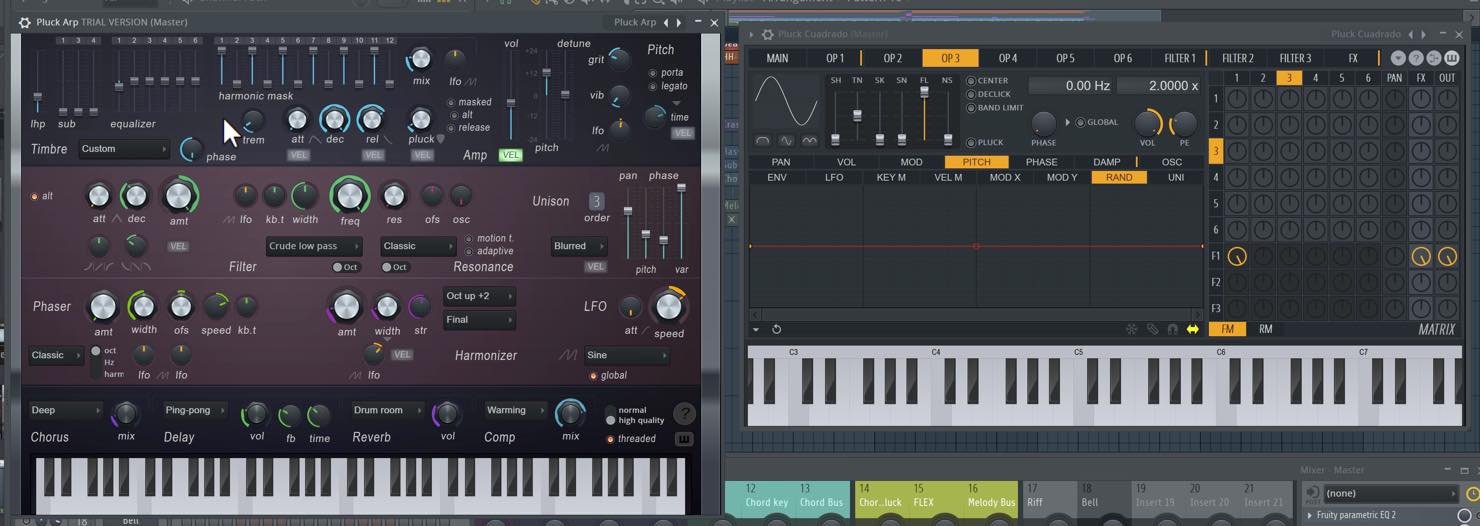
These appealing sounds are ready to use in your productions. You can hear them in the video above, so take a listen.
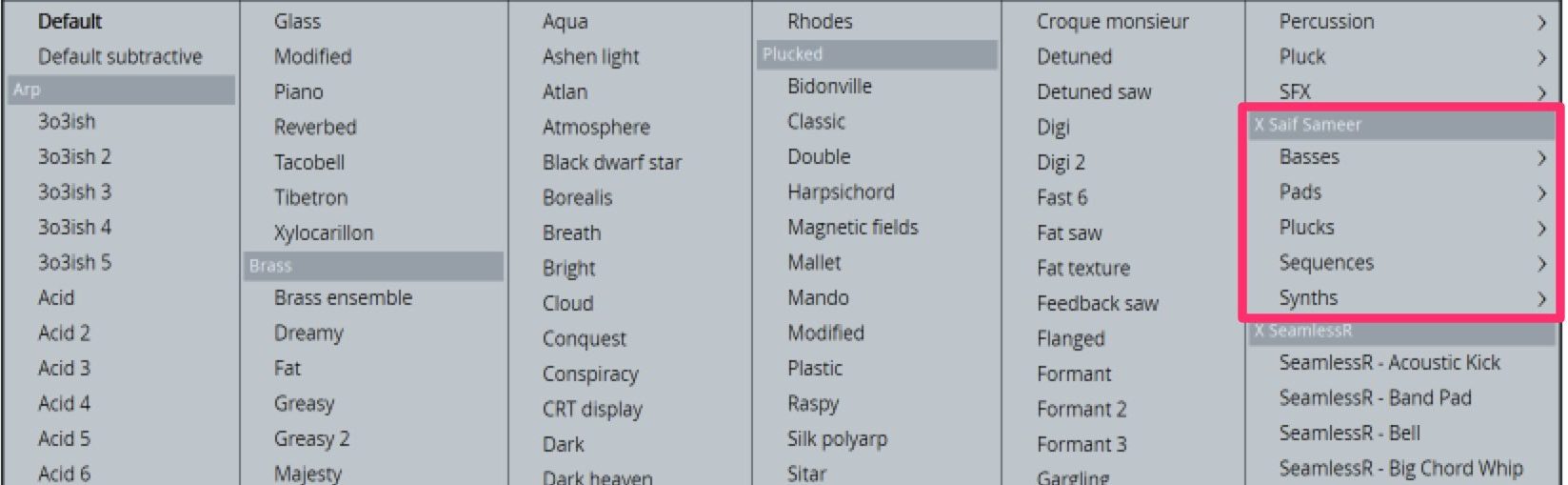
Note: The version 20.5.1 update added 60 X Saif Sameer presets to Sytrus.
That concludes our selection of new features in version 20.5.
Each offers a useful refinement that addresses everyday production needs.
With FL Studio's Lifetime Free Updates, why not try this improved, easier-to-use version?

New features in FL Studio 20.5 🆕
FLEX, a powerful synth that is approachable for beginners, has been added! 🎹
We also introduce a selection of other features we found particularly appealing.🎥 YouTube: https://t.co/5ULTzQedqF
📝 Article: https://t.co/R1goTgYm2O @Image_Line @HookUp_Official pic.twitter.com/Ra0swSjqnd
— SLEEP FREAKS (@SLEEPFREAKS_DTM) August 11, 2019
Frequently Asked Questions
Q1. What kind of synthesizer is FLEX, introduced in FL Studio 20.5?
FLEX combines subtractive, wavetable, multisample, FM and AM synthesis. You begin with a preset, then use envelopes, filters and macro controls to shape it intuitively. This makes it approachable for beginners.
Q2. What is the Performance Monitor mainly used for?
The Performance Monitor shows the CPU load of active plug-ins. It helps identify which plug-in is causing audio dropouts, and you can also monitor the load inside Patcher to help keep playback running smoothly.
Q3. How do I create and register a custom template?
Save a project containing your frequently used tracks and sound routing in the templates folder to make it appear in the template list. The original article gives this Windows example path for FL Studio 12: C:\Program Files (x86)\Image-Line\FL Studio 12\Data\Projects\Templates. On Mac, the location is Contents > Resources > FL > Data > Templates inside the application package.
NEW ARTICLES
Latest English Articles



















































































































































































































































