
Reharmonization replaces the existing chords beneath a melody, opening up new possibilities for musical expression. This article explains how to prepare for reharmonization using Finale notation software, from creating a score template with the Setup Wizard to entering a melody efficiently with a MIDI keyboard and numeric keypad. The practical steps help beginner and intermediate musicians develop both their understanding of music theory and their production skills.
What is reharmonization?
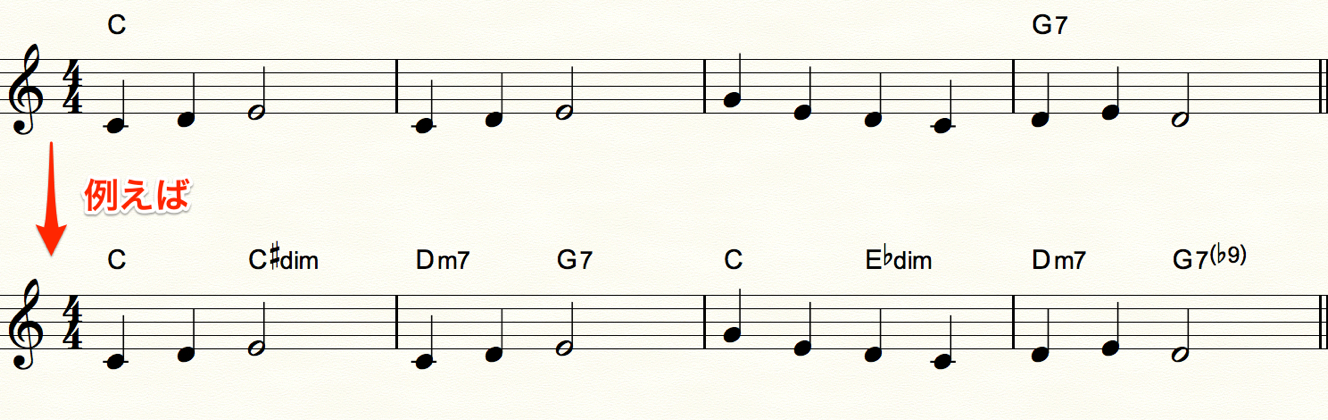
Reharmonization, or “re + harmonize,”
is the technique of taking a melody or phrase
and replacing its existing chords with new ones.
Video tutorial
Prepare a melody for reharmonization in notation software
We will use the notation software Finale
for the reharmonization process.
First, let’s go through the steps for entering a melody on the staff.
The video uses Finale 2012,
but this article uses Finale 2014, the latest version at the time of writing.
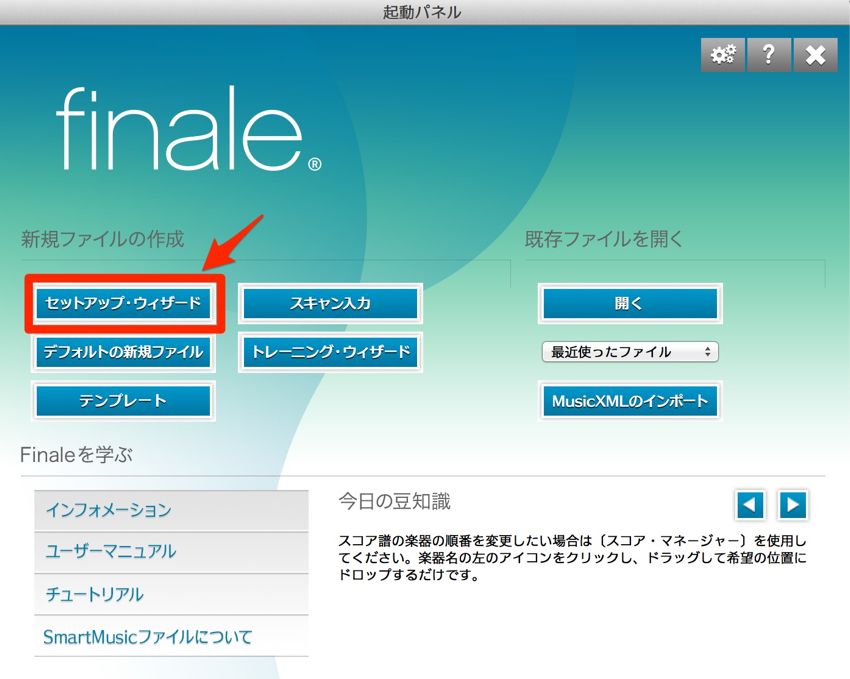
The Setup Wizard lets you define the basic layout of the score.
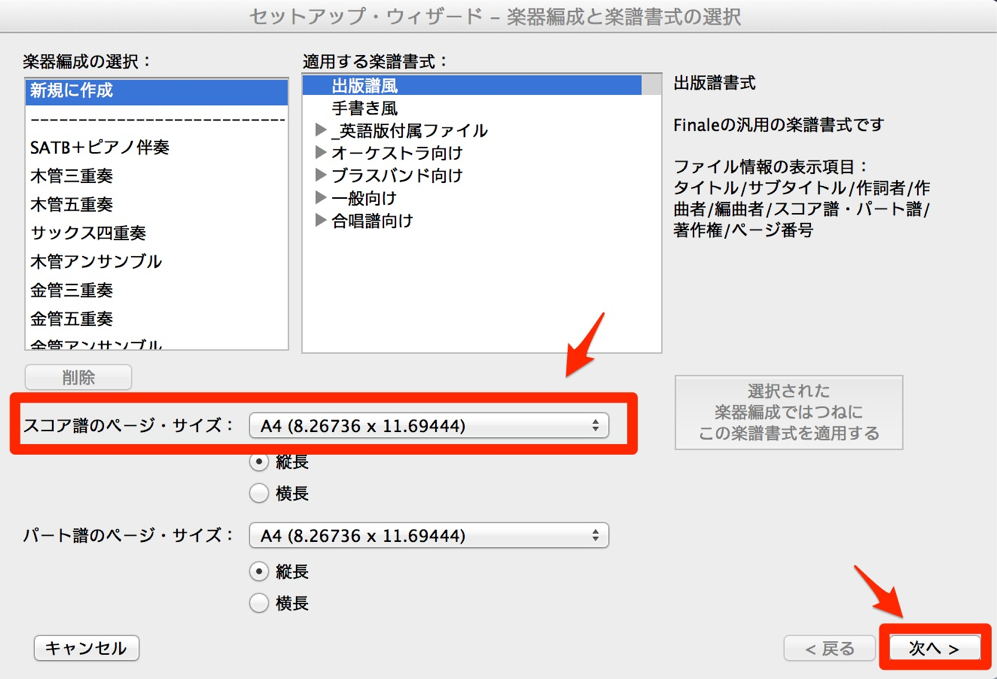
Select A4 paper size, then continue.
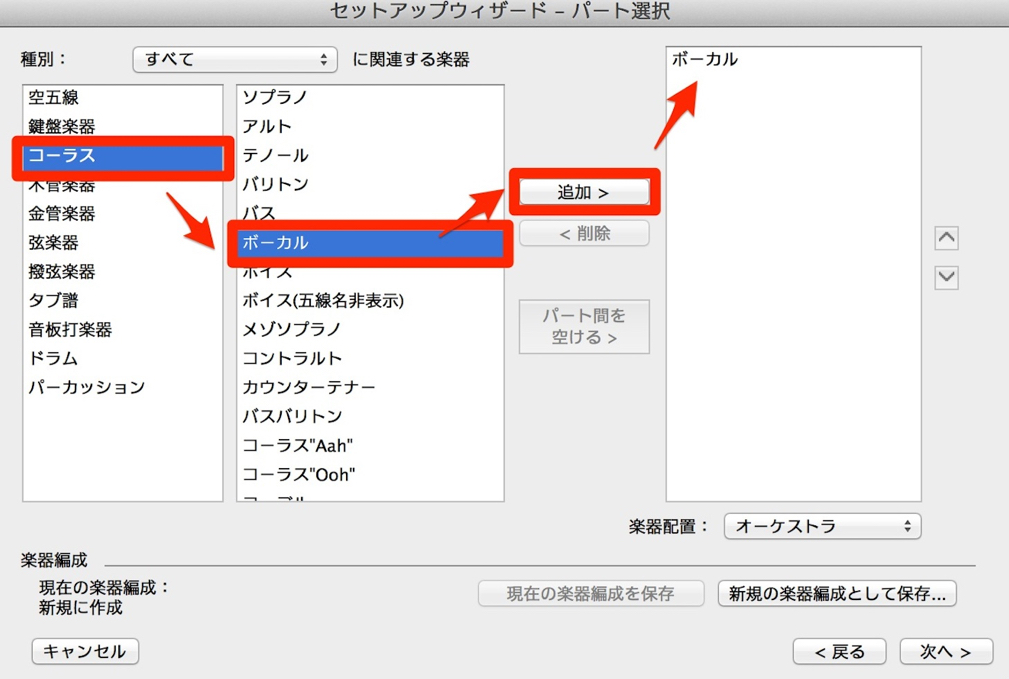
On the instrument selection screen, add a vocal part.
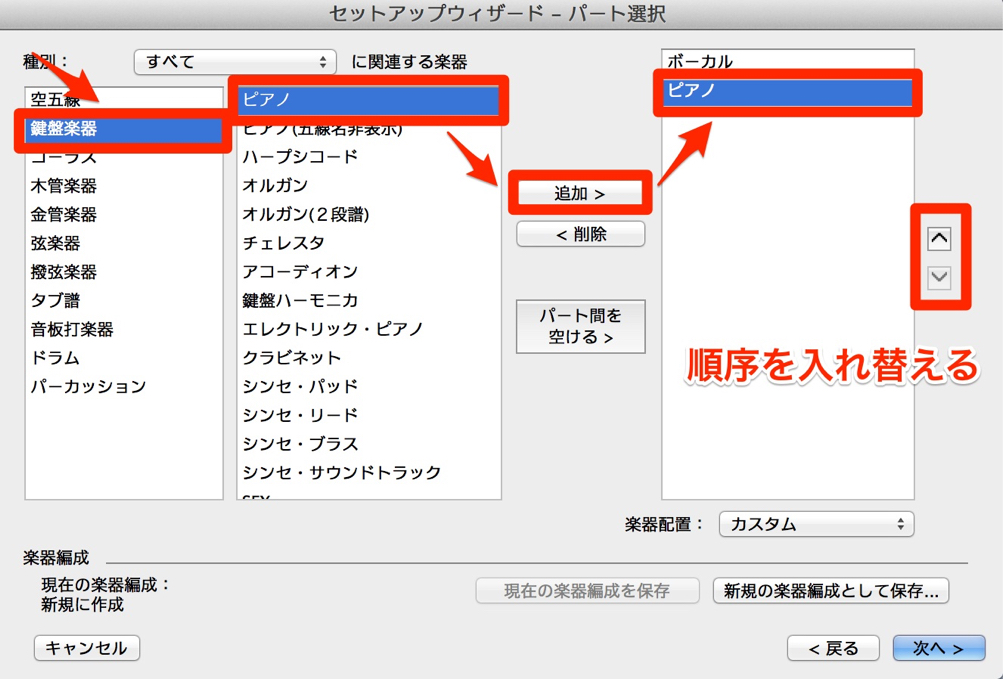
Add a piano part as well, then use the up and down arrows on the right to move the piano down.
This places the piano below the vocal staff.
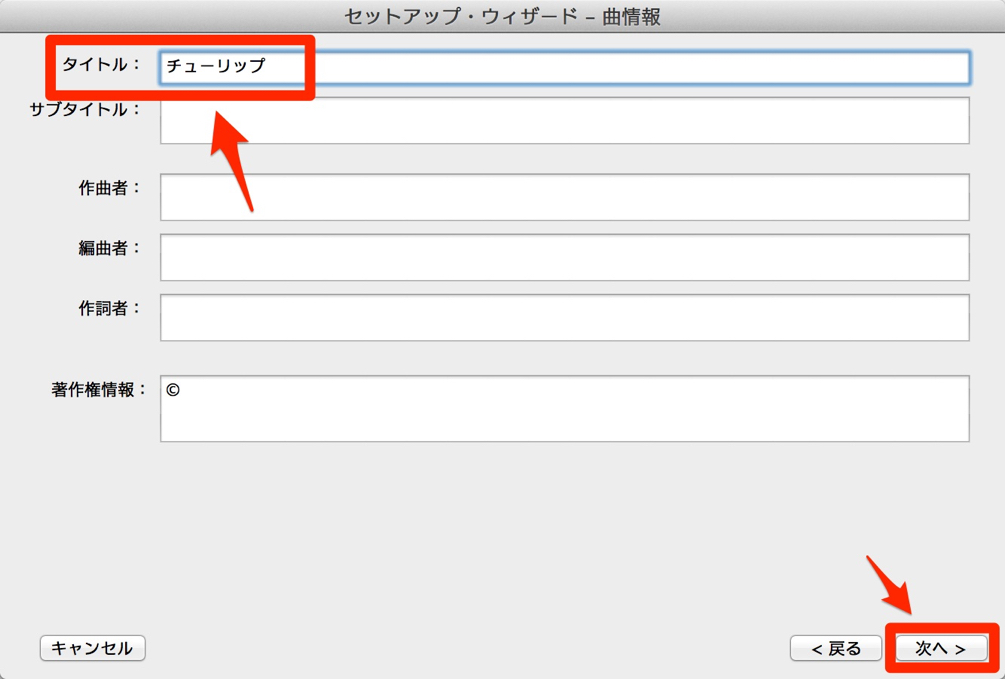
For this example, enter only the title “Tulip.”
The title, composer’s name, and other details can be changed later.
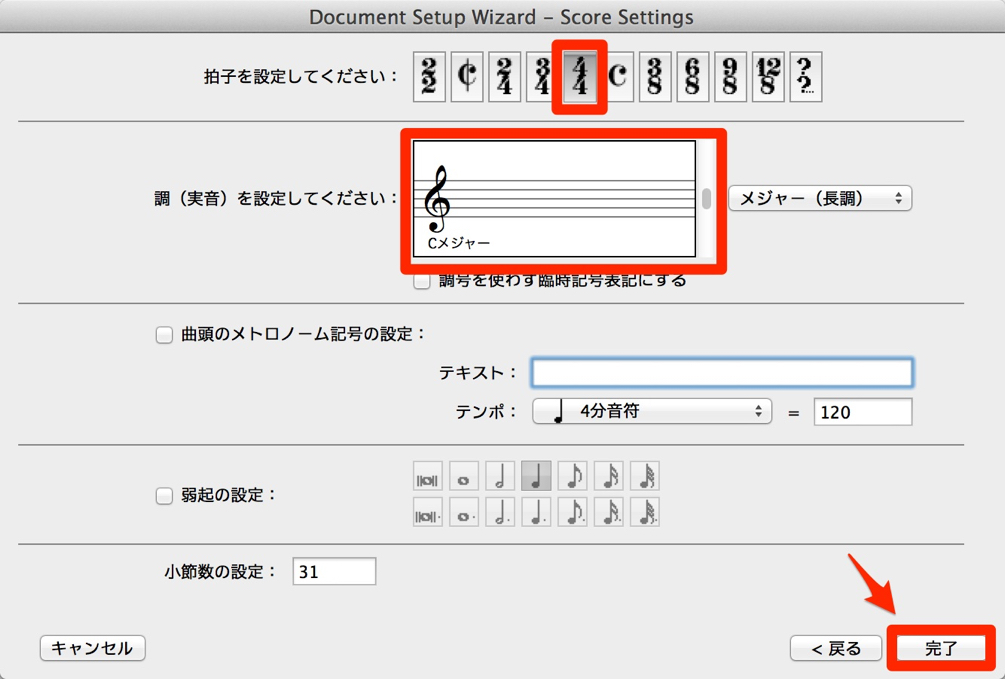
Here we will use 4/4 time and the key of C major.
Leave these settings as they are and click Finish.
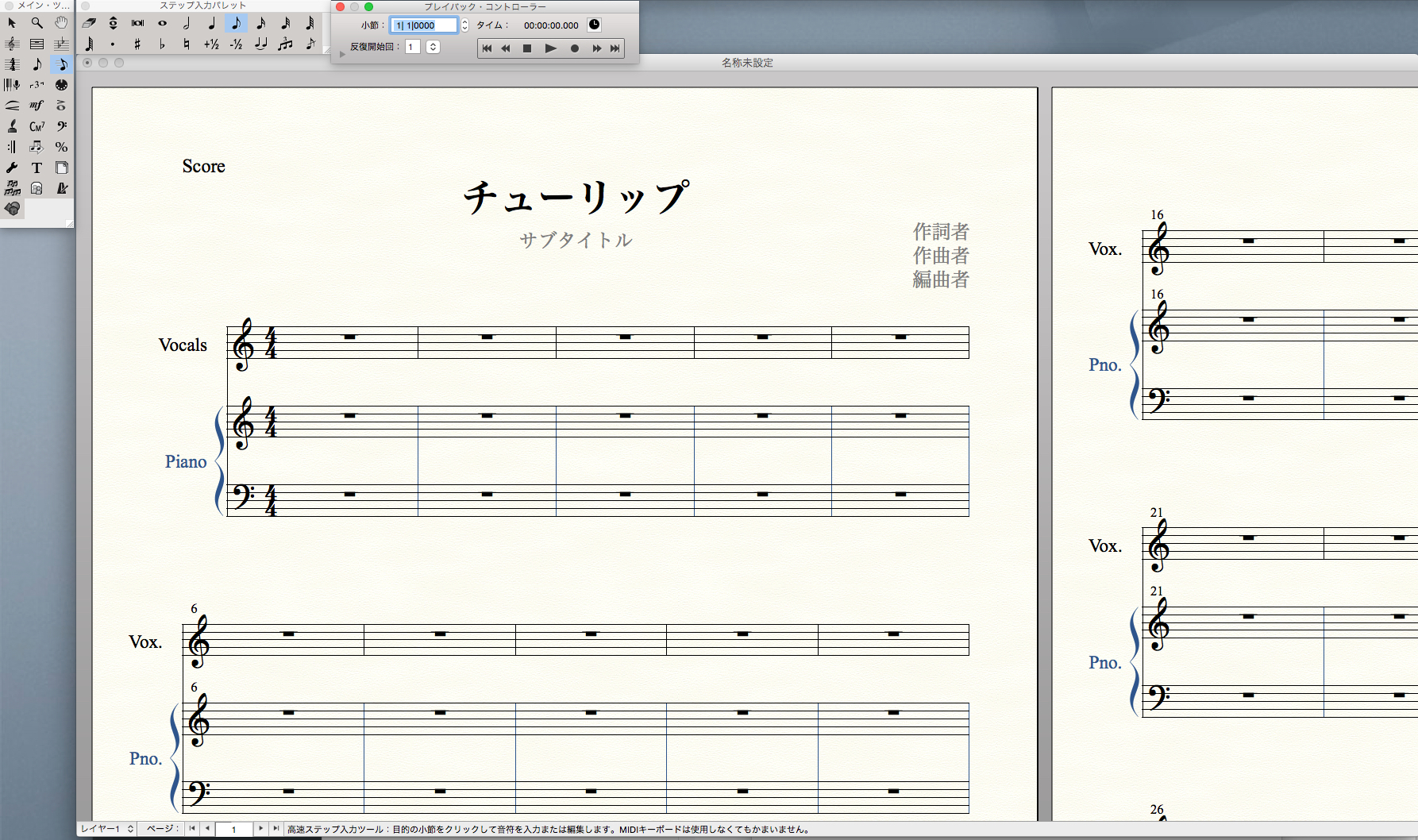
A blank score is now ready.
The Setup Wizard is covered in more detail
in our Finale tutorials; please refer to them as well.
Enter the melody
You can enter notes intuitively with the mouse using Simple Entry,
but here we will explain Speedy Entry, which combines a MIDI keyboard and a numeric keypad.
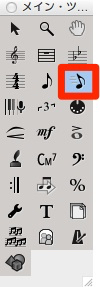
Select the Speedy Entry tool from the Main Tool Palette.
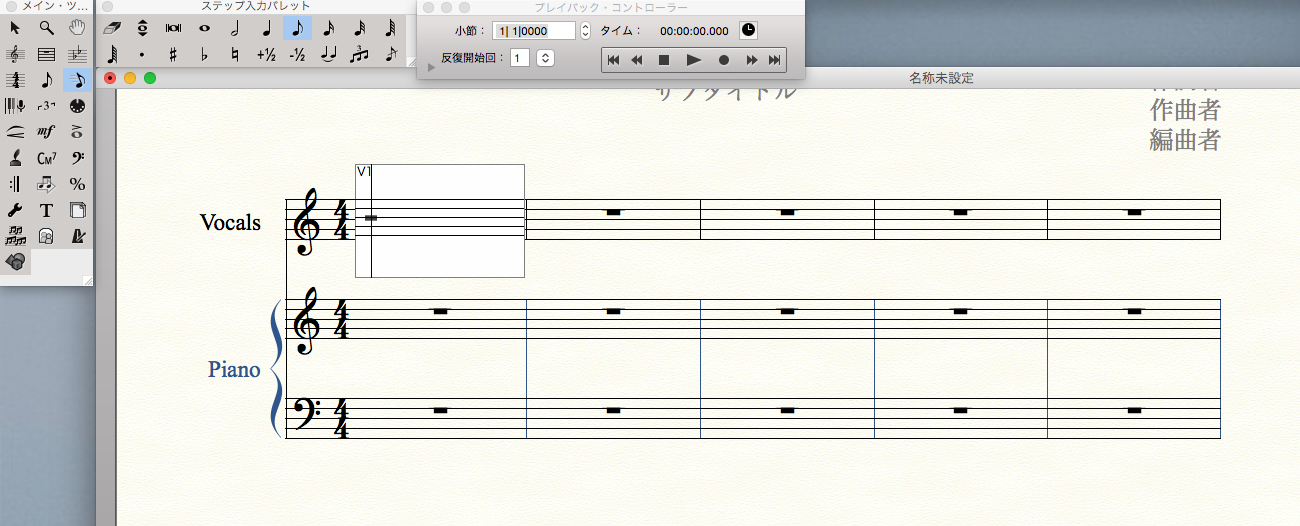
Click inside the staff where you want to enter notes to display the entry frame.
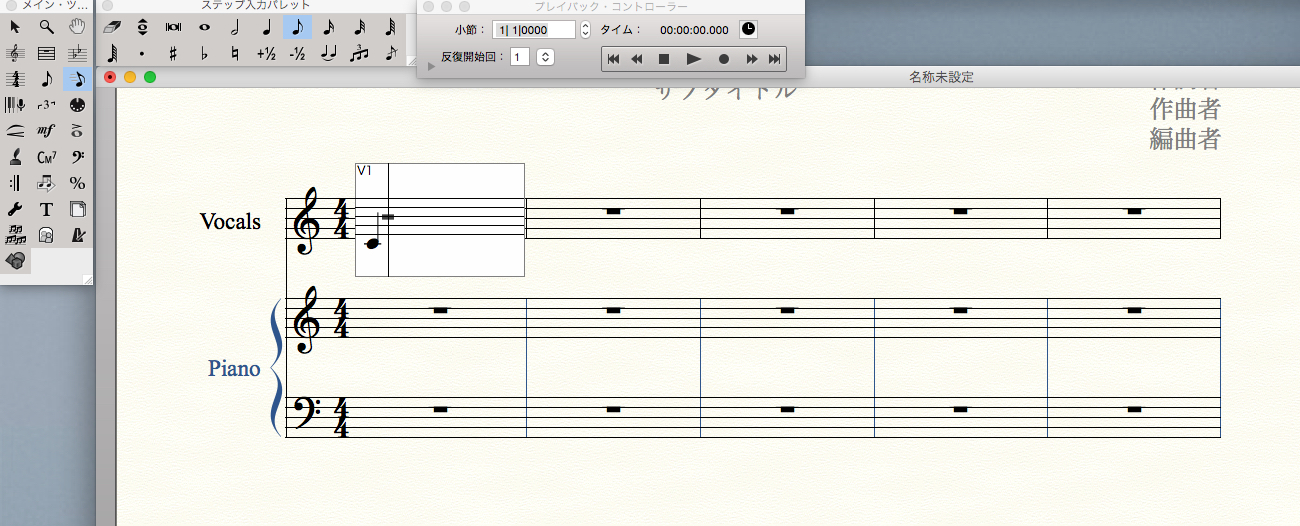
Choose a pitch on the MIDI keyboard and hold down the key,
then type a number on the numeric keypad to enter a note.
Here, play C on the MIDI keyboard
and press 5 on the keypad to enter a quarter note.
Each higher keypad number doubles the note value.
For example, 6 enters a half note,
and 7 enters a whole note.
Conversely, each lower number halves the note value:
4 enters an eighth note,
and 3 enters a sixteenth note, and so on.
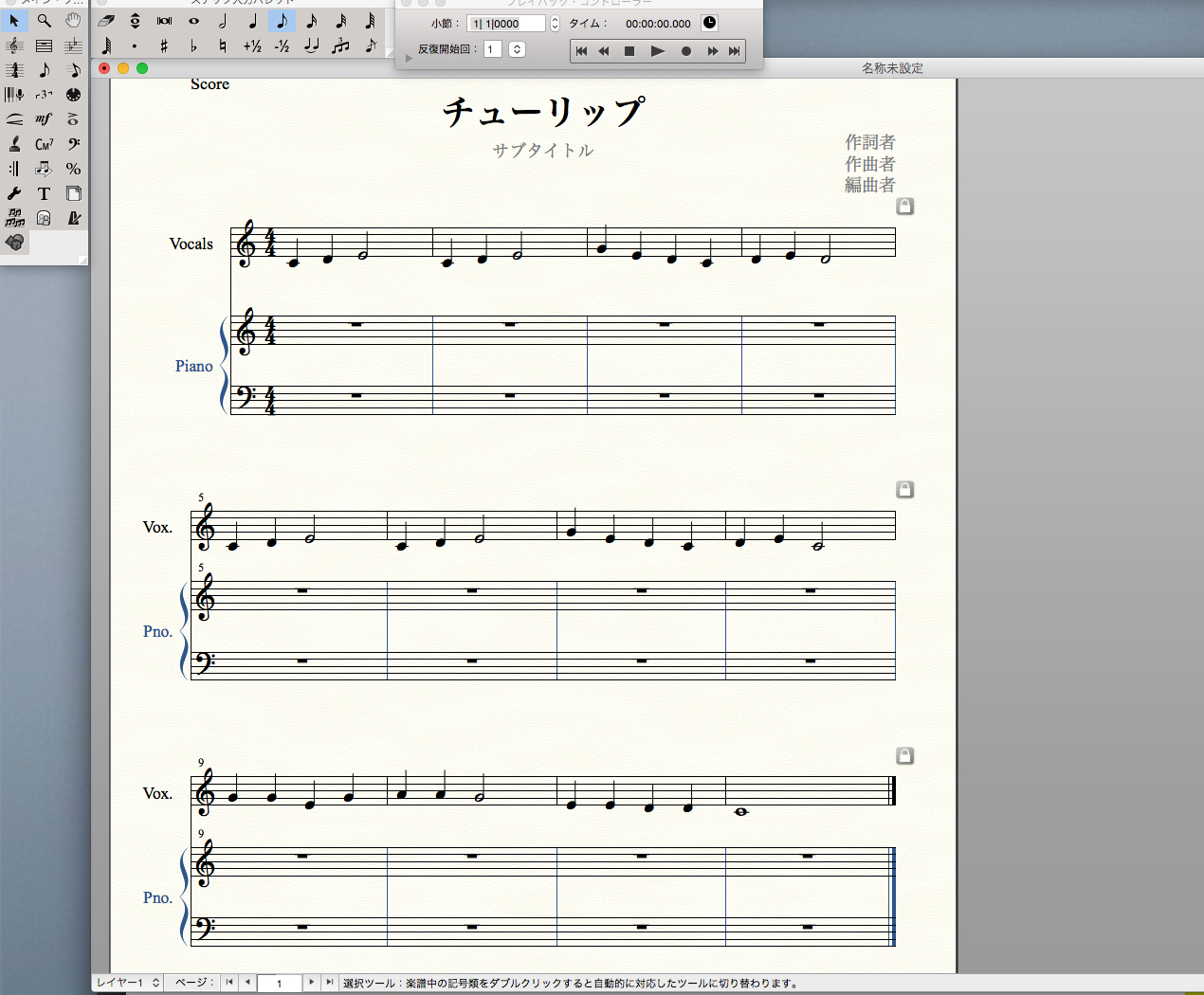
Use this method to enter and complete the melody.
For more detailed explanations of Finale’s individual functions,
please also see our Finale tutorials.
How to Use Finale
Frequently Asked Questions
Q1. How does reharmonization differ from composing a new piece?
Reharmonization changes the chord progression beneath an existing melody. In contrast, composing a new piece involves creating the melody and chord progression from scratch. Giving an existing melody new chords can add a different character and depth to the music.
Q2. When should I use Finale’s Speedy Entry?
Speedy Entry combines a MIDI keyboard and numeric keypad, allowing you to enter melodies faster and more accurately than mouse-only Simple Entry. It can greatly improve efficiency for complex melodies and long phrases, making it useful in a production workflow.
Q3. Why does a higher keypad number double the note value?
Finale maps keypad numbers to note durations for intuitive entry. Higher numbers select longer notes (quarter, half, then whole notes), while lower numbers select shorter notes (eighth, then sixteenth notes).
NEW ARTICLES
Latest English Articles












































































































































































































































































































































































































































































































































































































