

NotebookLM is a free AI service from Google that can help organize information and bridge language gaps in music production learning. Add sources such as websites, YouTube videos, and PDFs, then ask questions in a chat or generate summaries. Because its answers are grounded in the sources you select, you can check the underlying material and learn from English-language content. Audio Overviews also let you listen on the go. This guide explores practical uses such as troubleshooting, comparing products, and adapting techniques.
Break Through the Language Barrier: A Free AI Tool for Music Production Learning
There is now a huge amount of music production learning content in videos and articles.
That makes it time-consuming to choose what is useful to you and revisit the information you have collected.
Perhaps you have experienced some of these problems:
- You bookmark something interesting but never find time to return to it.
- Translating information in English feels like extra work.
- An explanation is too advanced for your current skill level.
- Different sources disagree, making it hard to know which one to trust.
This article introduces NotebookLM, a service that can lower those barriers to learning.
Visit the NotebookLM page→
What Is NotebookLM?
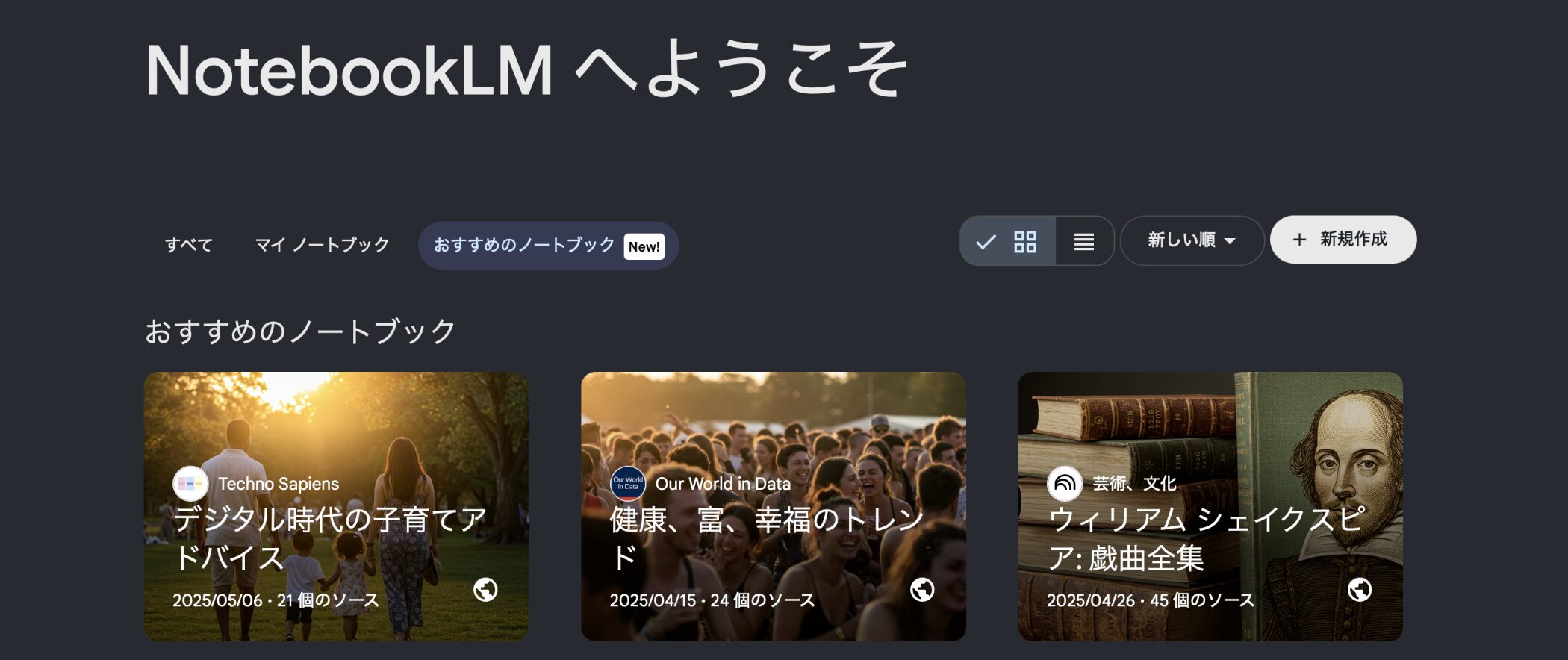
NotebookLM is a free AI service from Google.
You can add websites, YouTube videos, PDFs, text files, and other materials as sources. It can summarize them in a chat-style interface and answer questions about their contents.
General AI chat services such as ChatGPT can do similar things, but NotebookLM has an important difference.
The key difference is that it generally bases its answers on the sources you select for your notebook.
This makes the underlying information easier to inspect and can be especially useful when learning music production.
Getting Started
Using NotebookLM is straightforward.
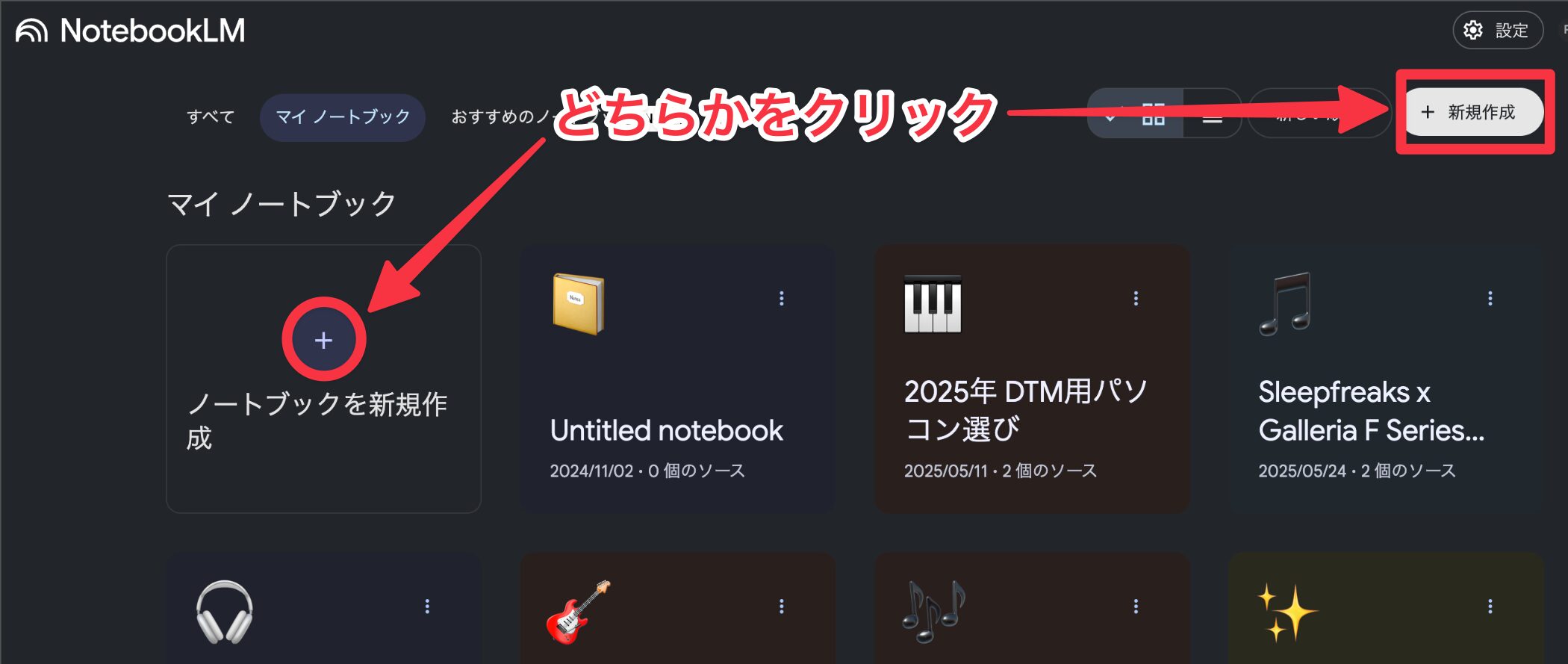
First, open the official website, then click the plus button to create a new notebook.
You need a Google account to use it.
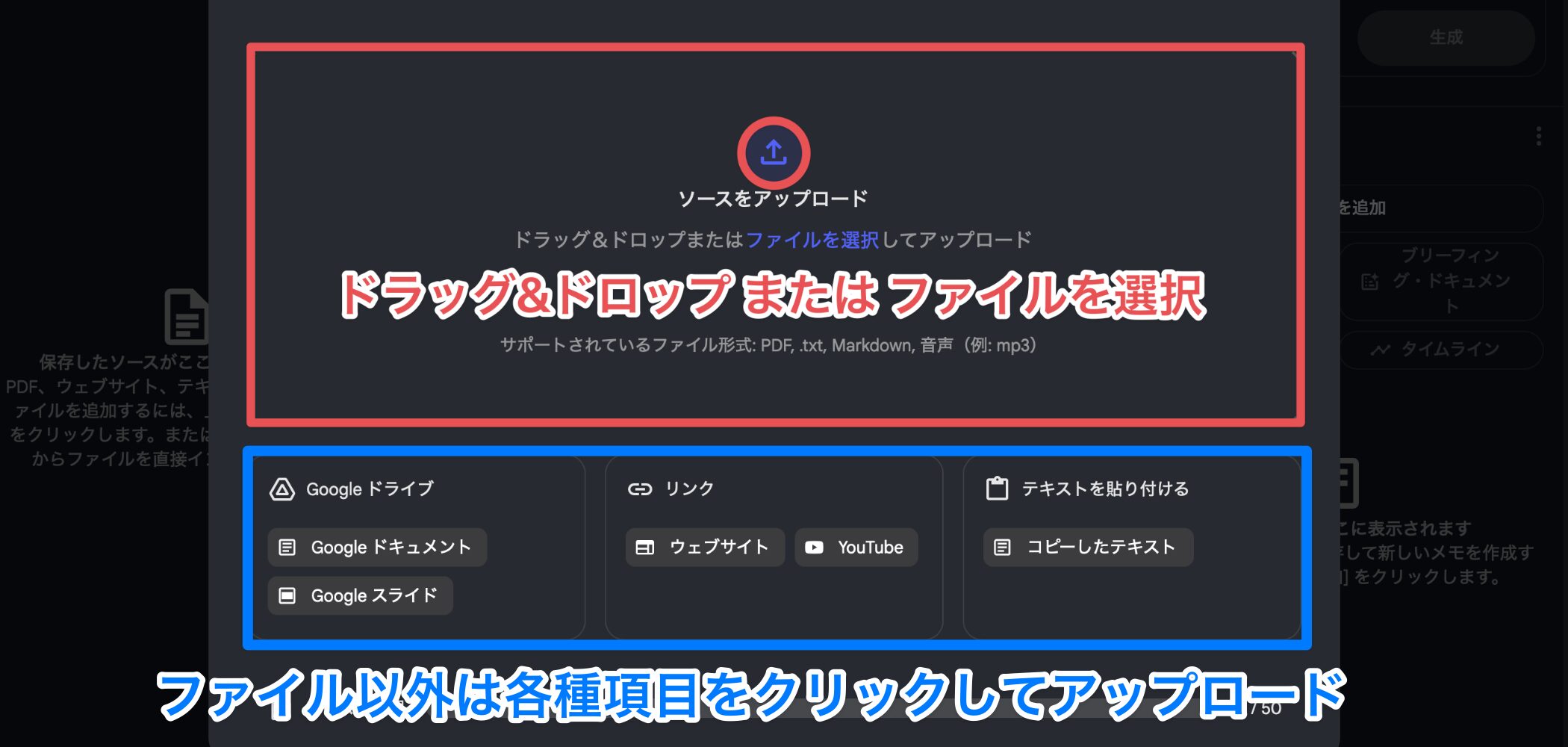
Next, add the sources you want to analyze, such as website URLs, YouTube videos, or PDFs.
You can add multiple sources to a notebook.
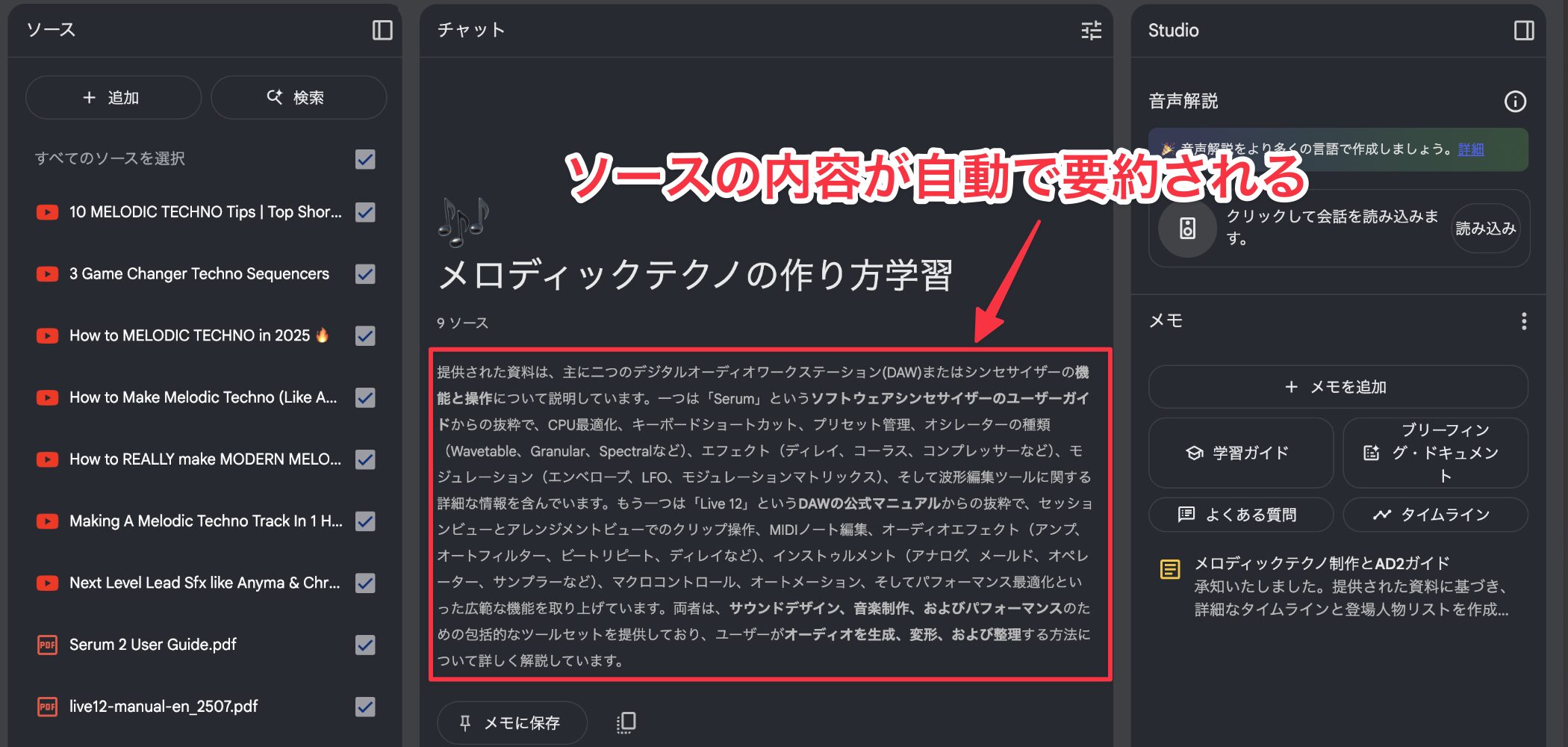
Once the sources have loaded, NotebookLM automatically shows a summary in the center of the screen.
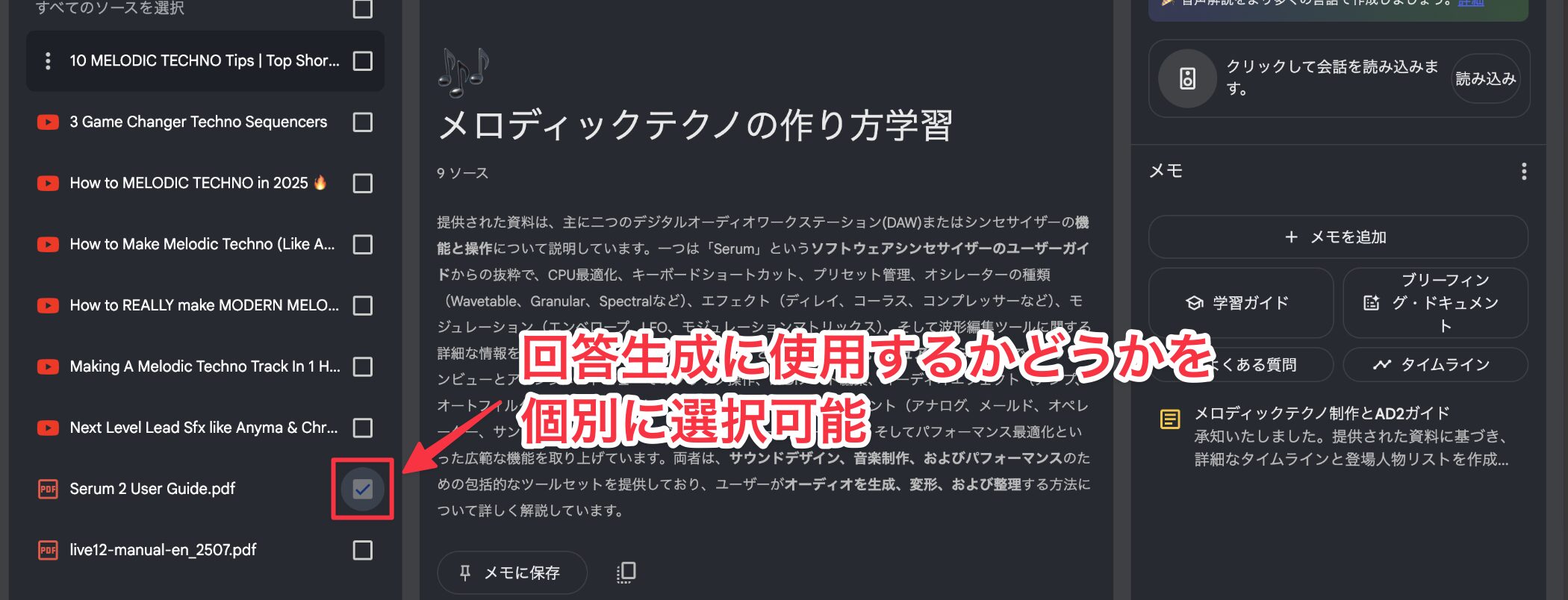
The source list appears on the left, where you can choose which sources to use for an individual answer.
For example, if you need exact operating steps while learning sound design, select only the product manual as the source.
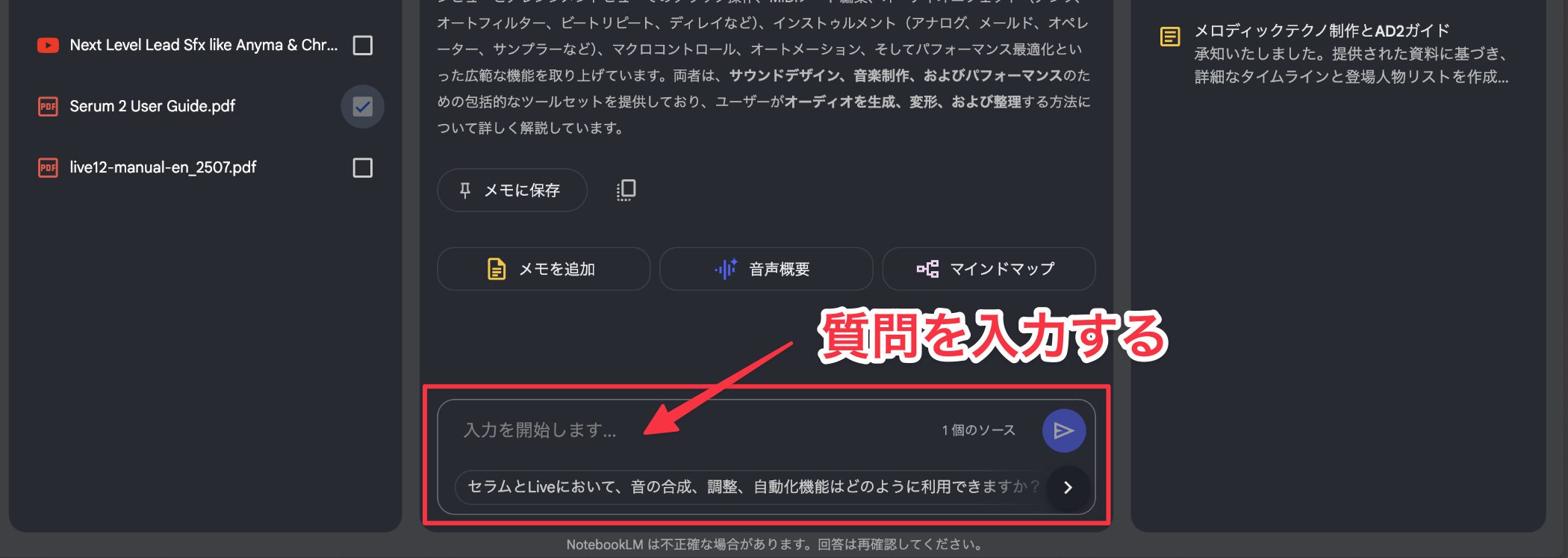
Enter a question in the chat box at the bottom to get an answer based on the selected sources.
Check the source behind an answer
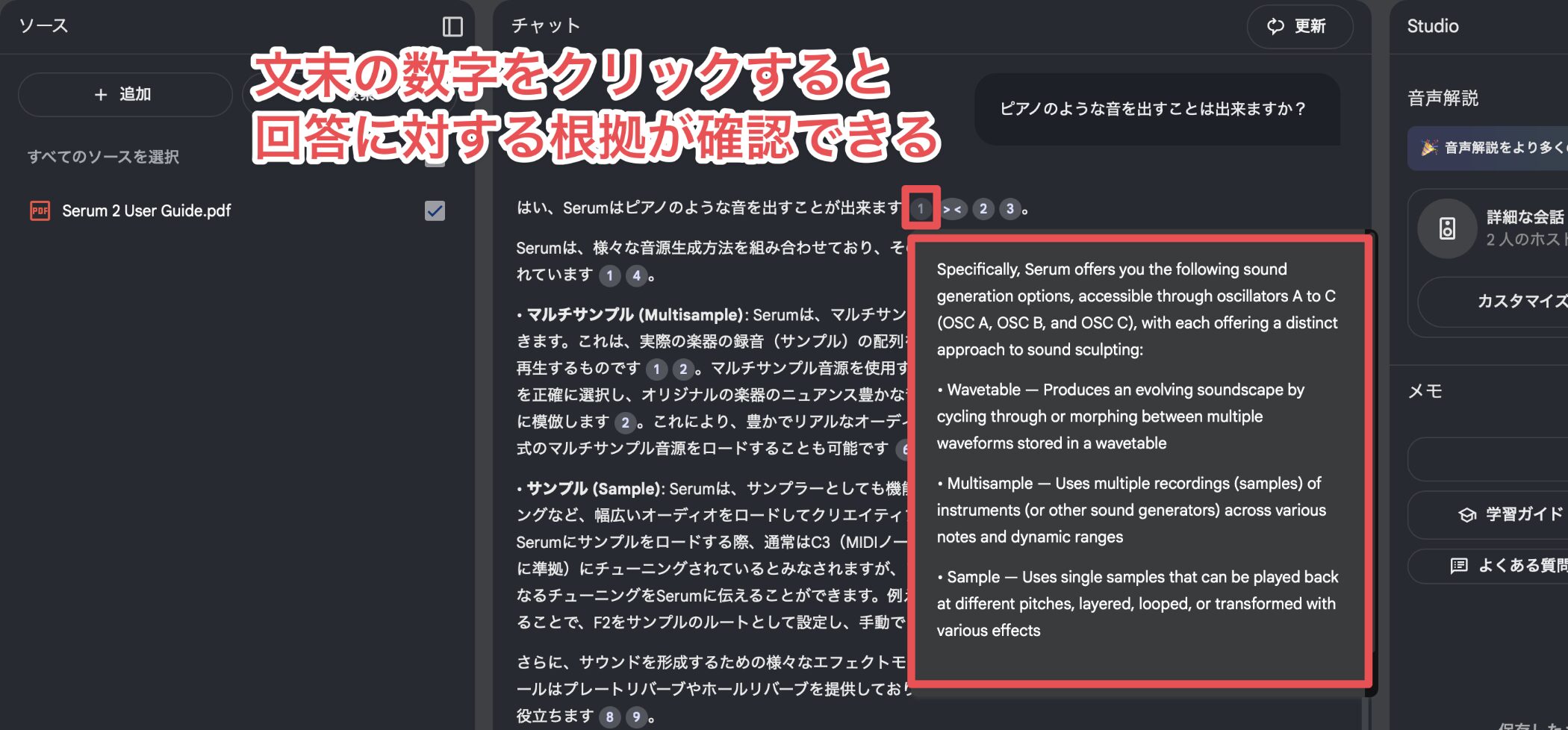
Each answer includes numbered citations that you can click to inspect the original source.
That helps you spot a common problem with AI chat services: “hallucinations,” or information the model invents. Checking the cited source is an important part of using the answer reliably.
Learn across language barriers
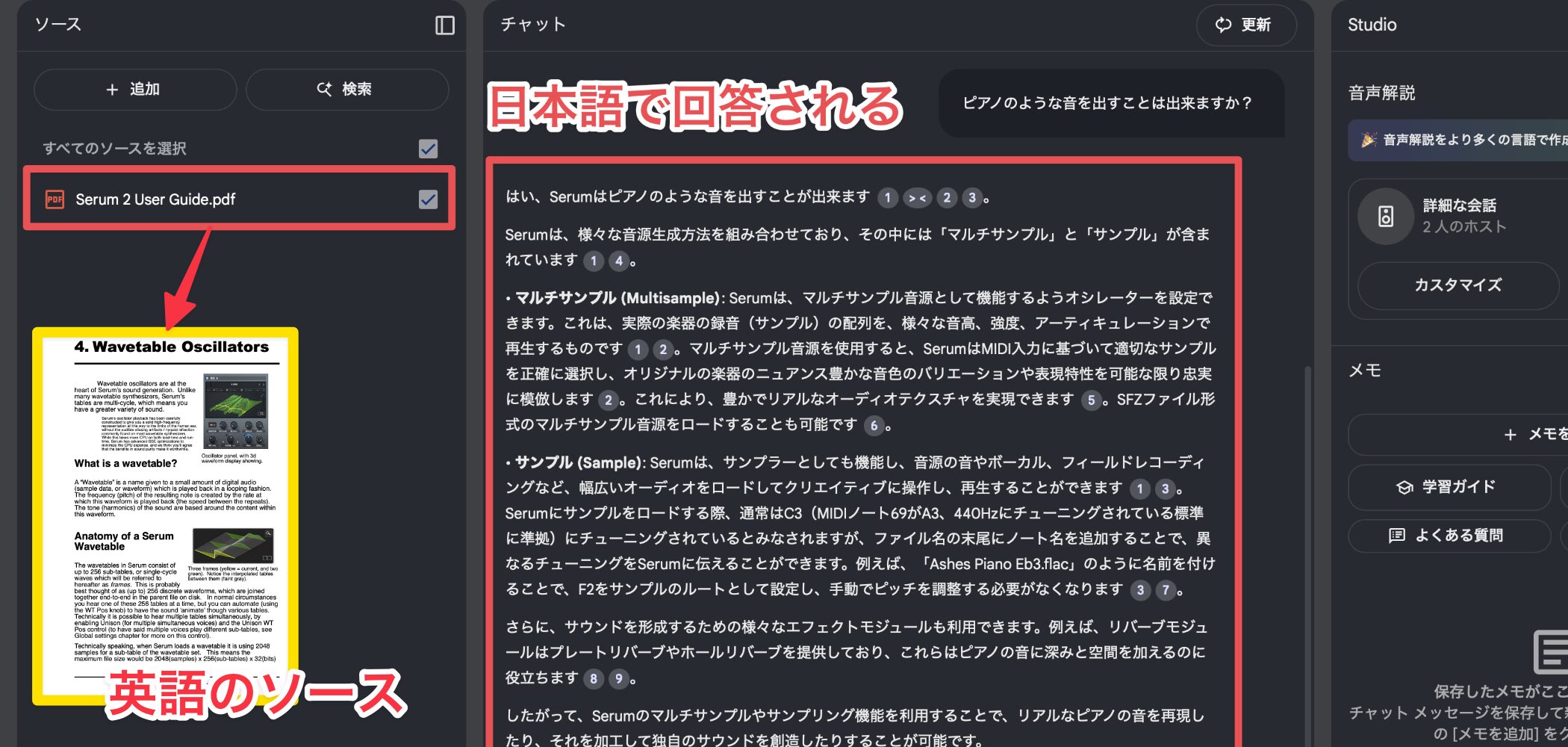
Even when your sources are in English, you can ask NotebookLM a question in Japanese and receive a Japanese answer.
Many music production resources come from English-speaking countries, so this helps you use high-quality international content that language barriers may once have kept out of reach.
Use Audio Overviews
NotebookLM also offers Audio Overviews, which can turn uploaded material into a spoken conversation between two hosts that is easy to listen to.
First, listen to an example.
The generated speech sounds remarkably natural and easy to follow.
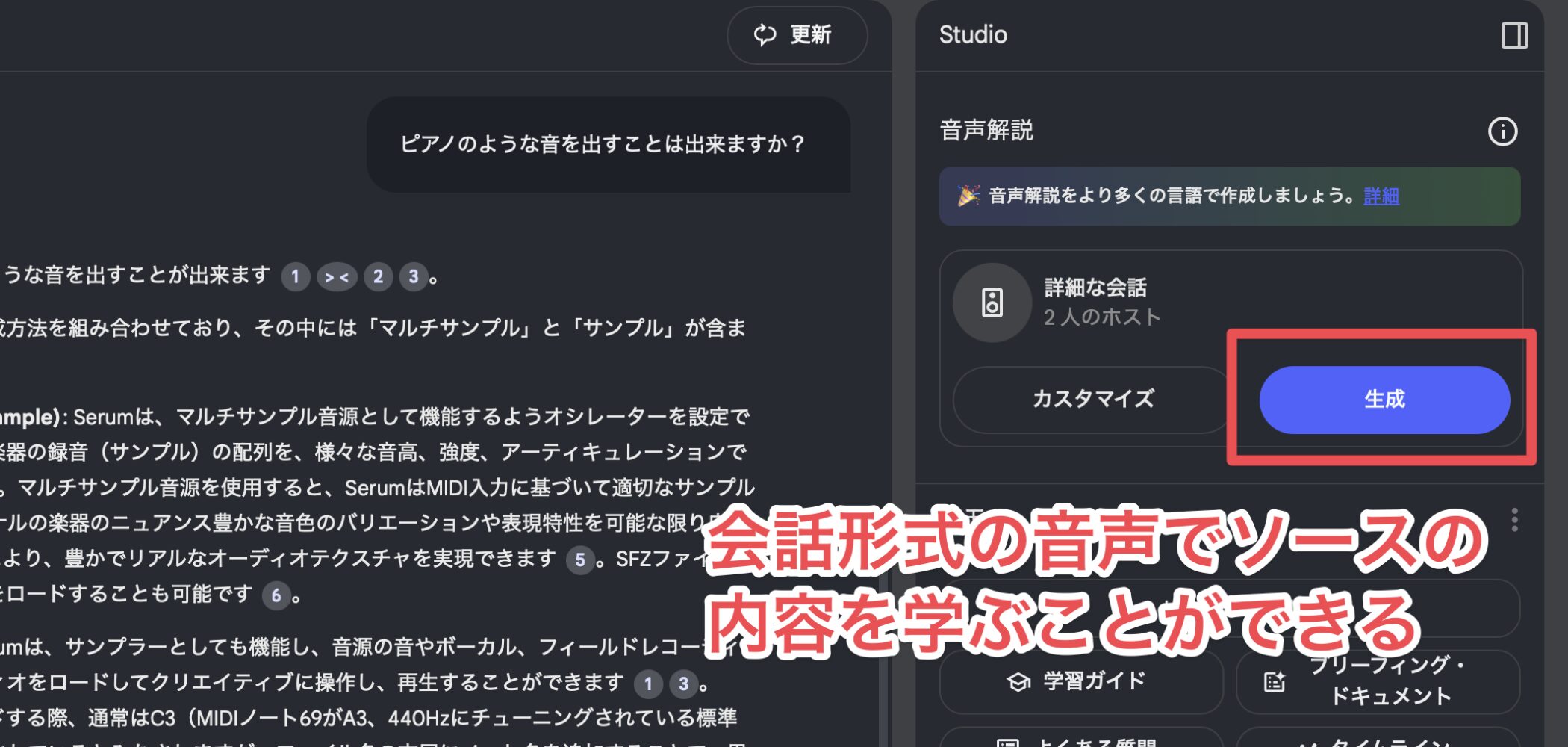
To generate an Audio Overview, click Generate on the right side of the screen.
This can be especially helpful when written explanations do not convey the nuance you need.
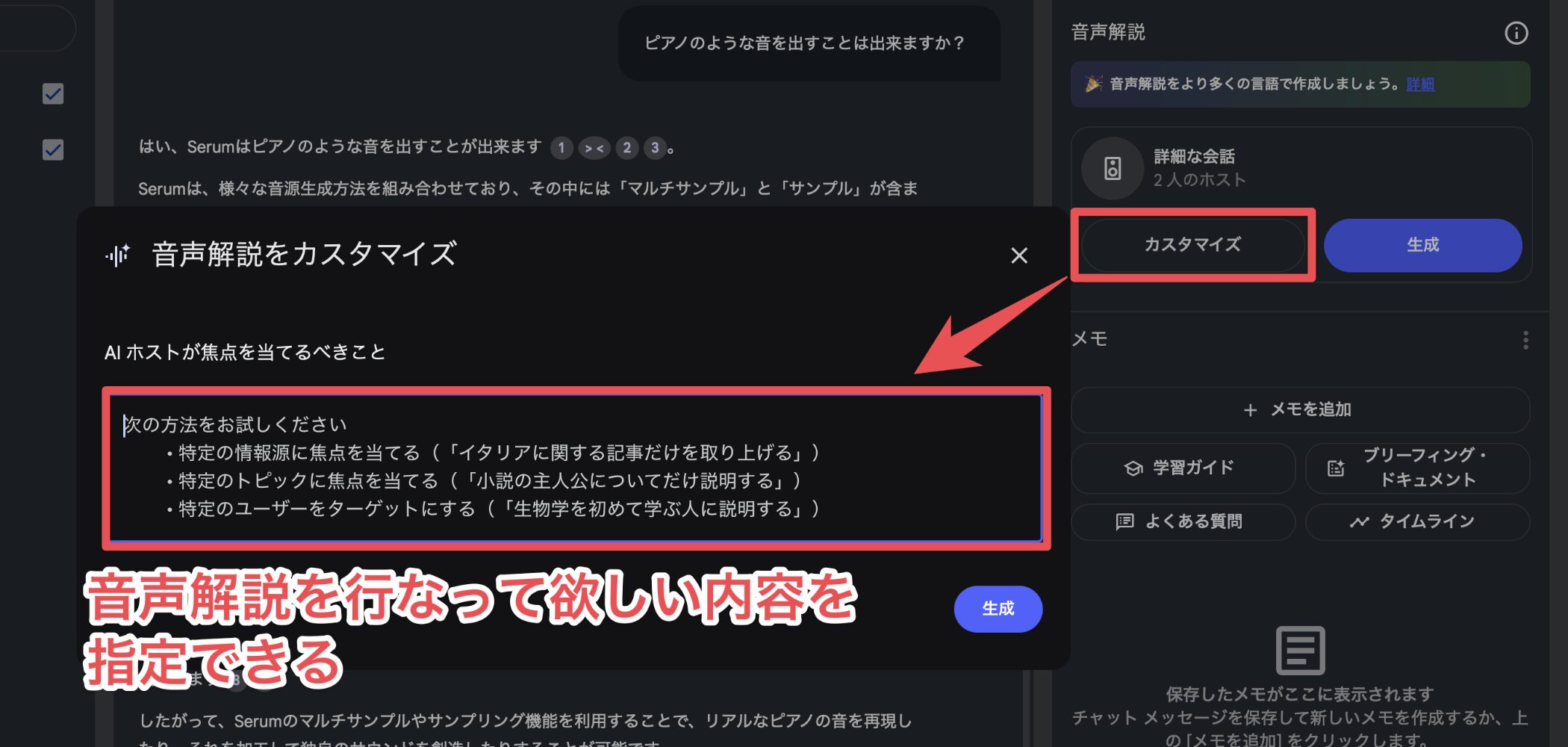
If a source contains a lot of information and you only want to hear about one topic, the Customize option lets you specify the scope of the overview to focus on that topic.
You can then learn during otherwise unused time, such as while traveling or doing routine work.
Practical Ways to Use It
Here are some ways to use NotebookLM in music production learning.
Troubleshoot a problem
When something goes wrong in your DAW or hardware, you may not know which search terms to use.
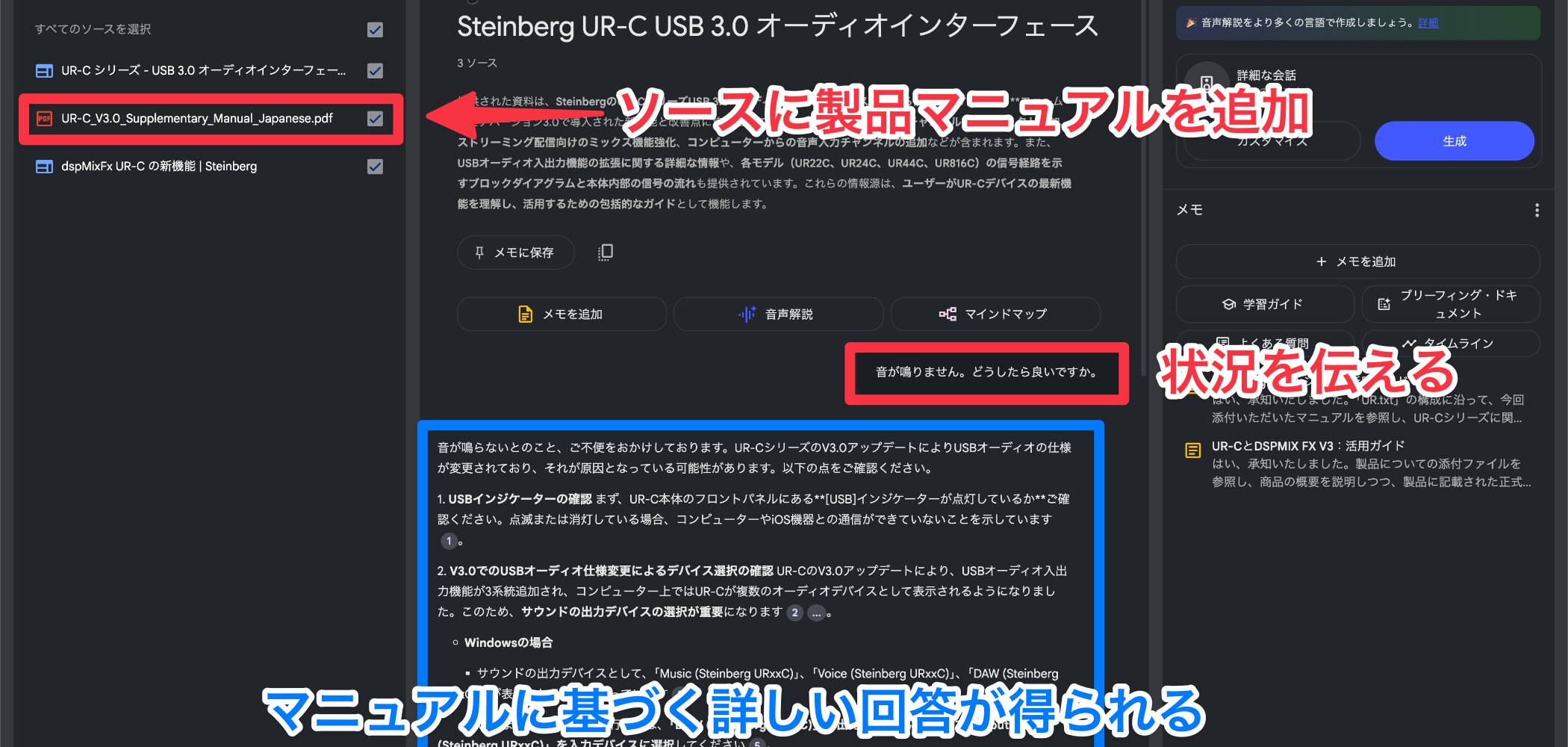
Add the manual for the product you use and ask a direct question, such as “I cannot hear any sound. What might be causing this?” NotebookLM can help you find relevant steps.
It can feel like having someone knowledgeable alongside you as you learn.
Compare products
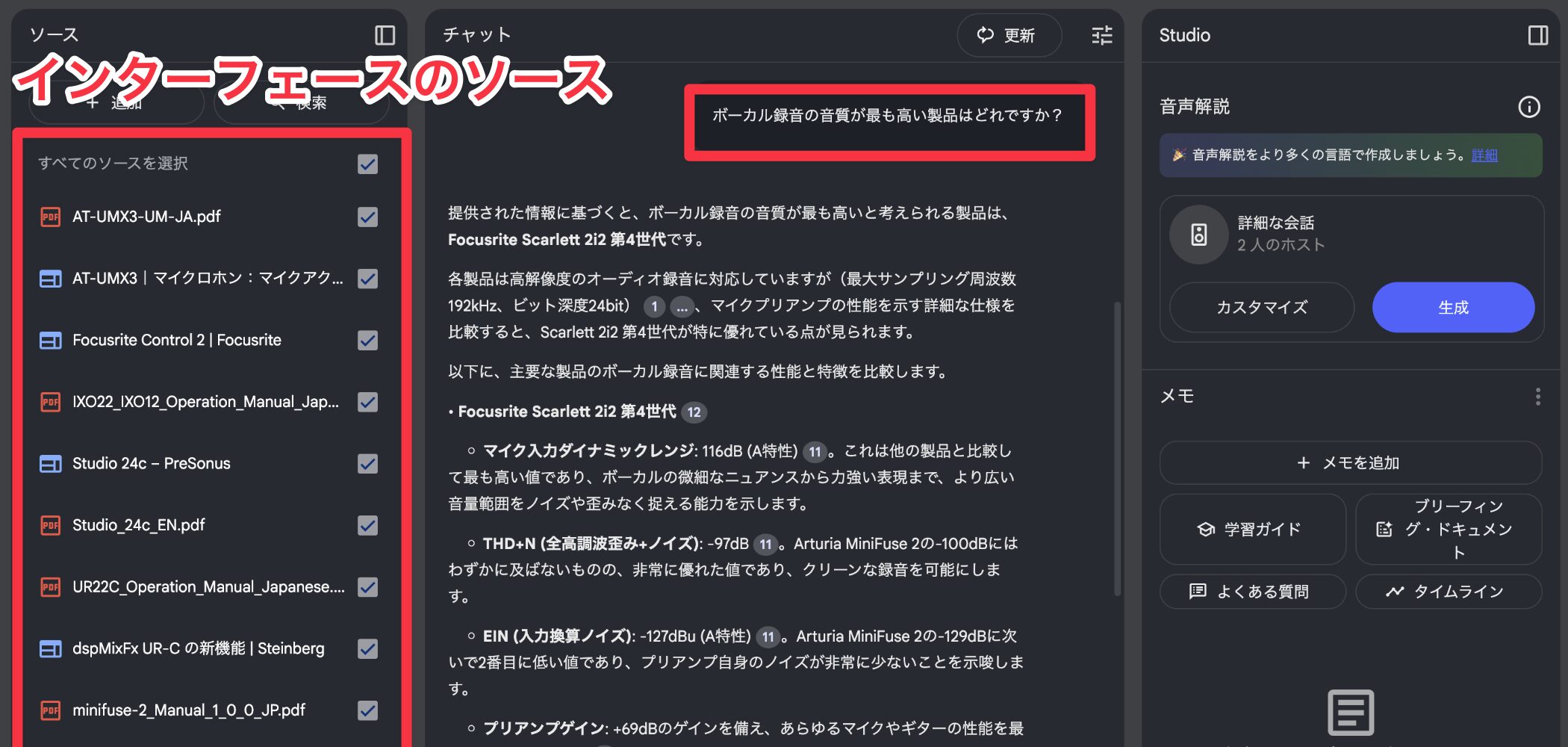
Add official websites or manuals for several products you are considering, then describe what matters to you to compare them more quickly.
For example, ask which product's specifications best suit vocal recording or which guitar instrument makes programmed strumming easier. Comparing documented features can help you narrow down the options.
Apply what you have learned
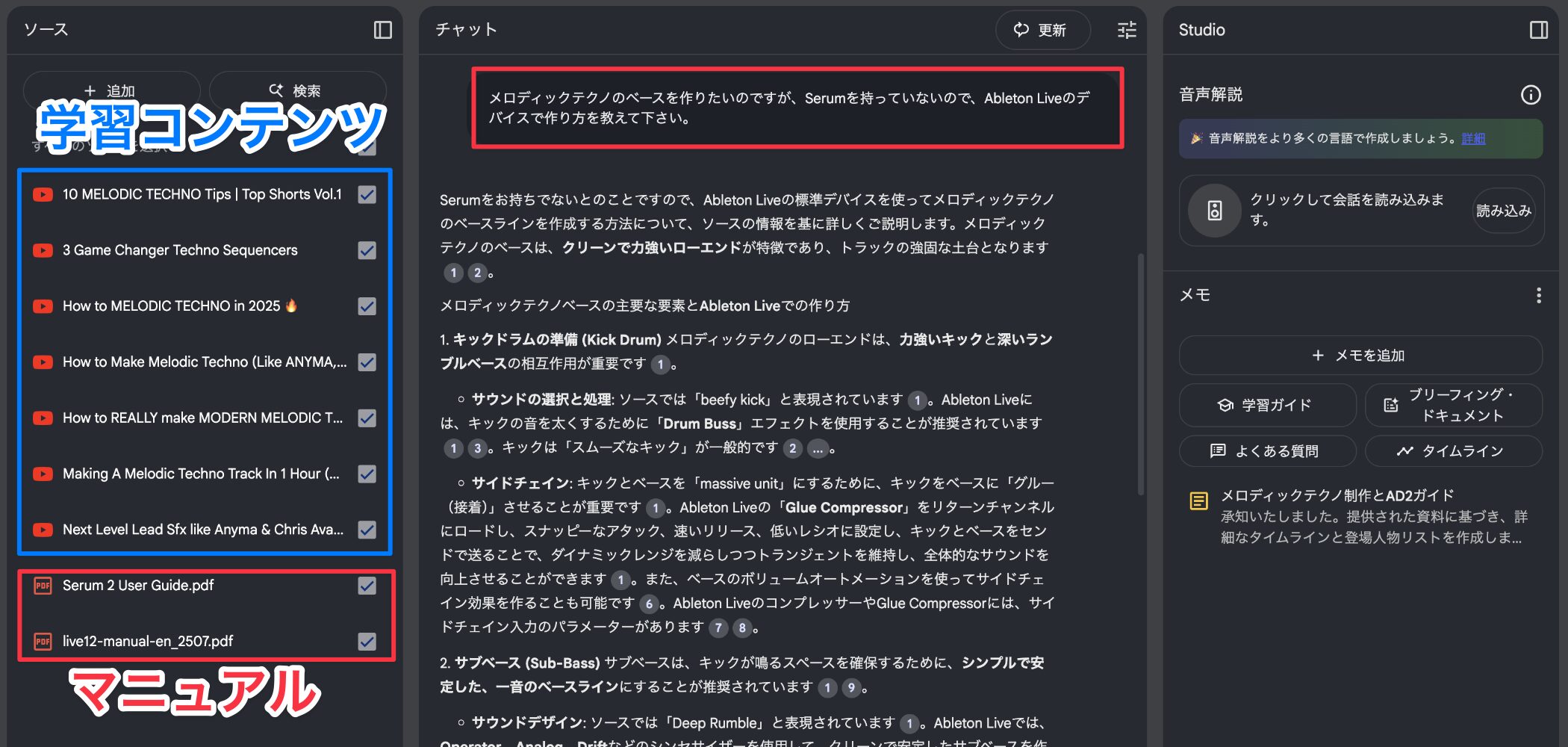
A tutorial may be useful but use a different tool from the one you own.
Add both the tutorial and the manual for your product, then ask, “How can I recreate this technique in [product name]?”
Share a notebook
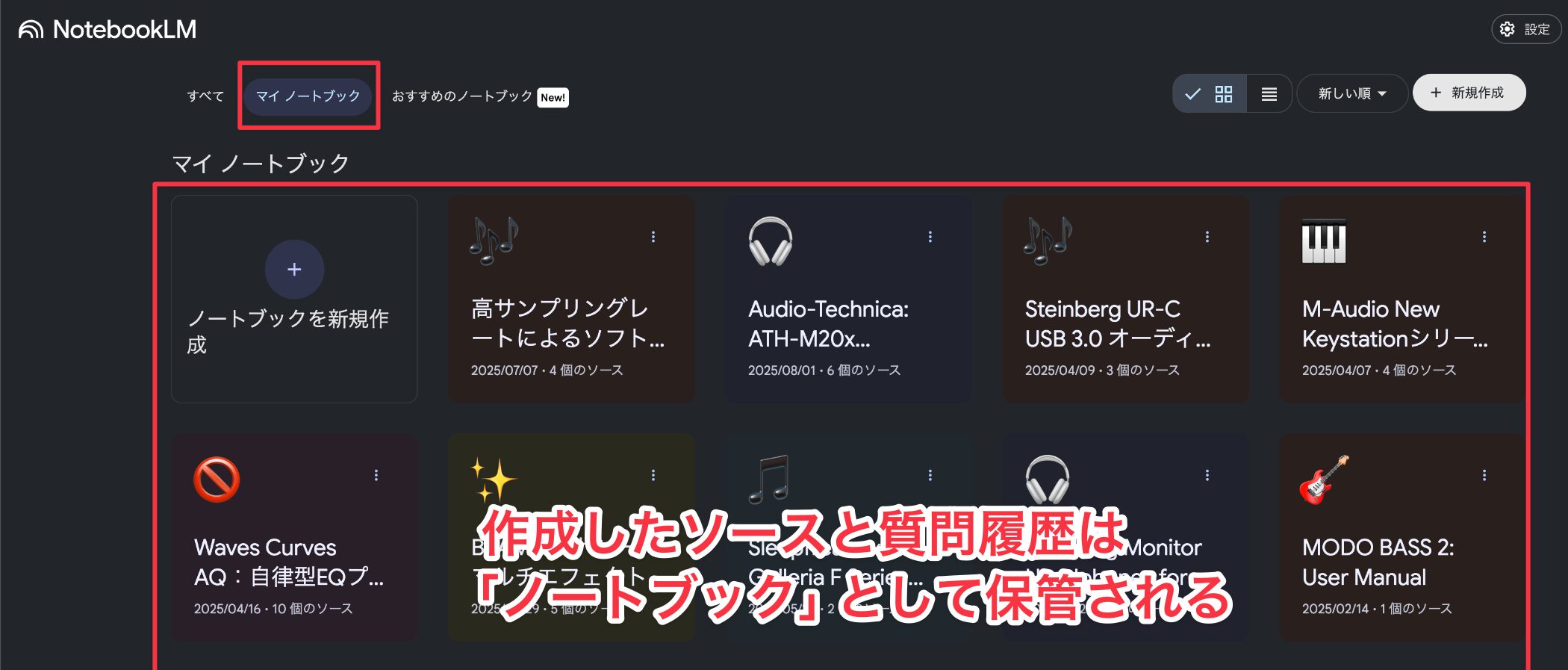
NotebookLM stores each group of sources in a notebook.
You can share a notebook with other users.
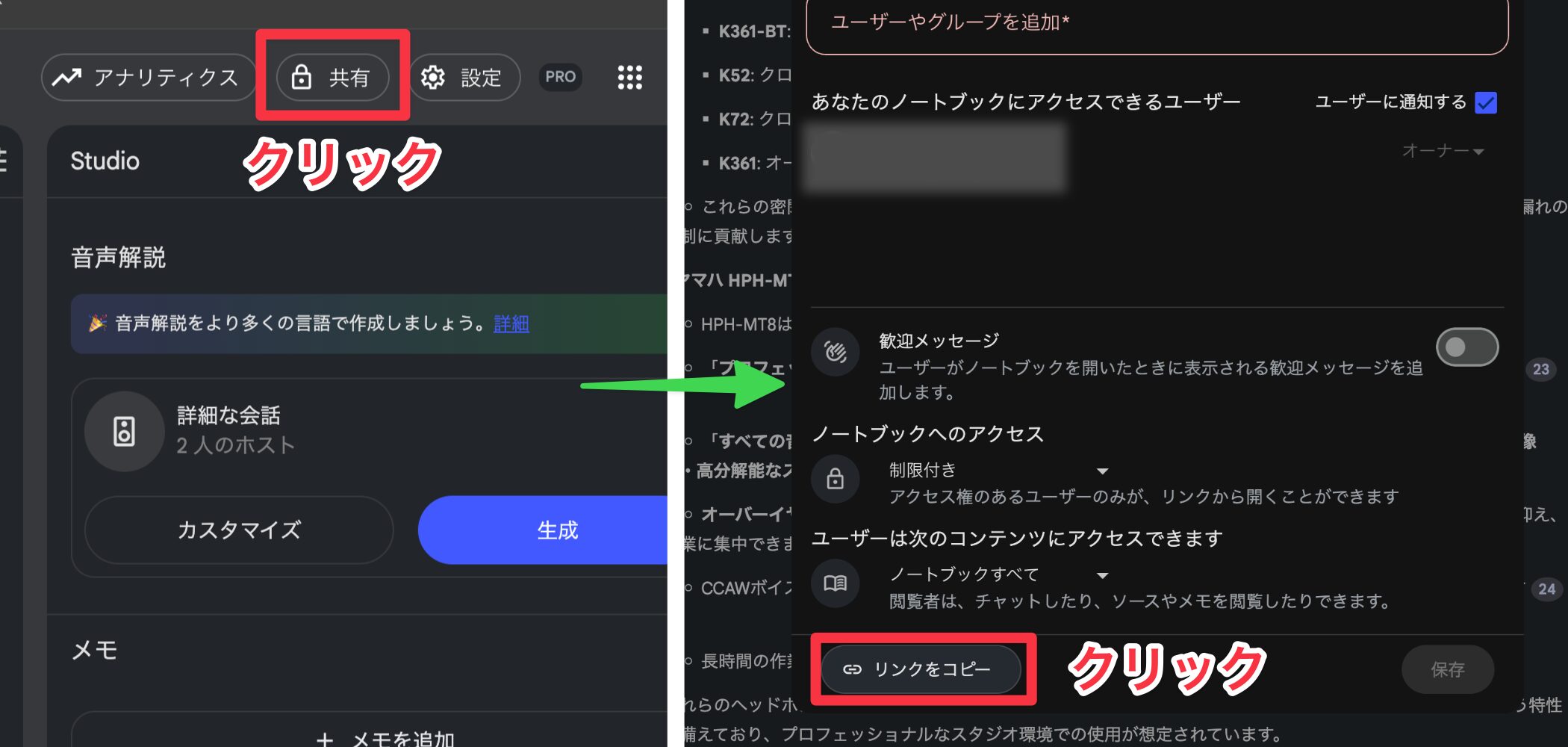
Use Share at the top of the screen and Copy link to share a knowledge base you created, or open a useful notebook someone else has shared.
However, pay close attention to copyright when sharing. Check that the notebook does not contain paid content or other material you are not allowed to redistribute.
Compare NotebookLM Plans
NotebookLM has a free basic plan and a paid NotebookLM Plus plan with higher limits and more features.
At the time of this article, Plus was included in Google One AI Premium at ¥2,900 per month, with substantially higher usage limits.
| NotebookLM (Free) | NotebookLM Plus (Paid) | |
|---|---|---|
| Number of notebooks | Up to 100 | Up to 500 (five times the free plan) |
| Sources per notebook | Up to 50 | Up to 300 (more than five times the free plan) |
| Limit per source | Up to 500,000 words Up to 200 MB |
Up to 500,000 words Up to 200 MB |
| Chat queries per day | Up to 50 | Up to 500 (ten times the free plan) |
| Audio generations per day | Up to 3 | Up to 20 (more than six times the free plan) |
| Audio Overview generation | Basic features only | • Customization • Interactive mode |
| Collaboration features | Basic sharing only | Advanced sharing and collaboration |
| Price | Free | ¥2,900 per month (Google One AI Premium) |
For most music production learning, the free plan may be enough. If you manage many resources or ask questions frequently, the paid plan may be worth considering. These figures reflect the plans described when the Japanese article was written.
Important Considerations
A useful tool still requires thoughtful use.
Organize your notebooks
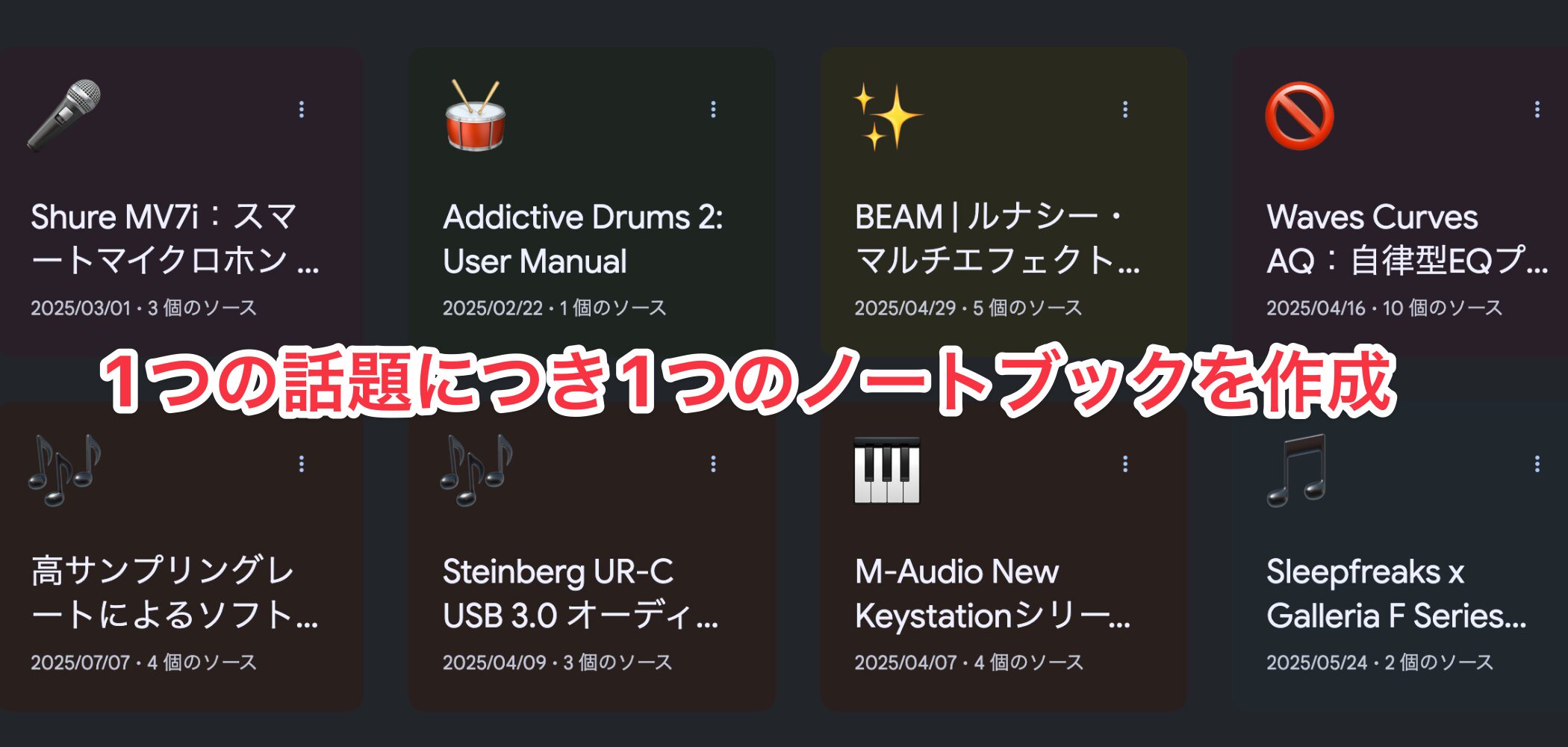
For effective use, create one notebook per topic so its sources stay focused.
Mixing unrelated topics can reduce the relevance of the answers.
Source Limits and Splitting Files
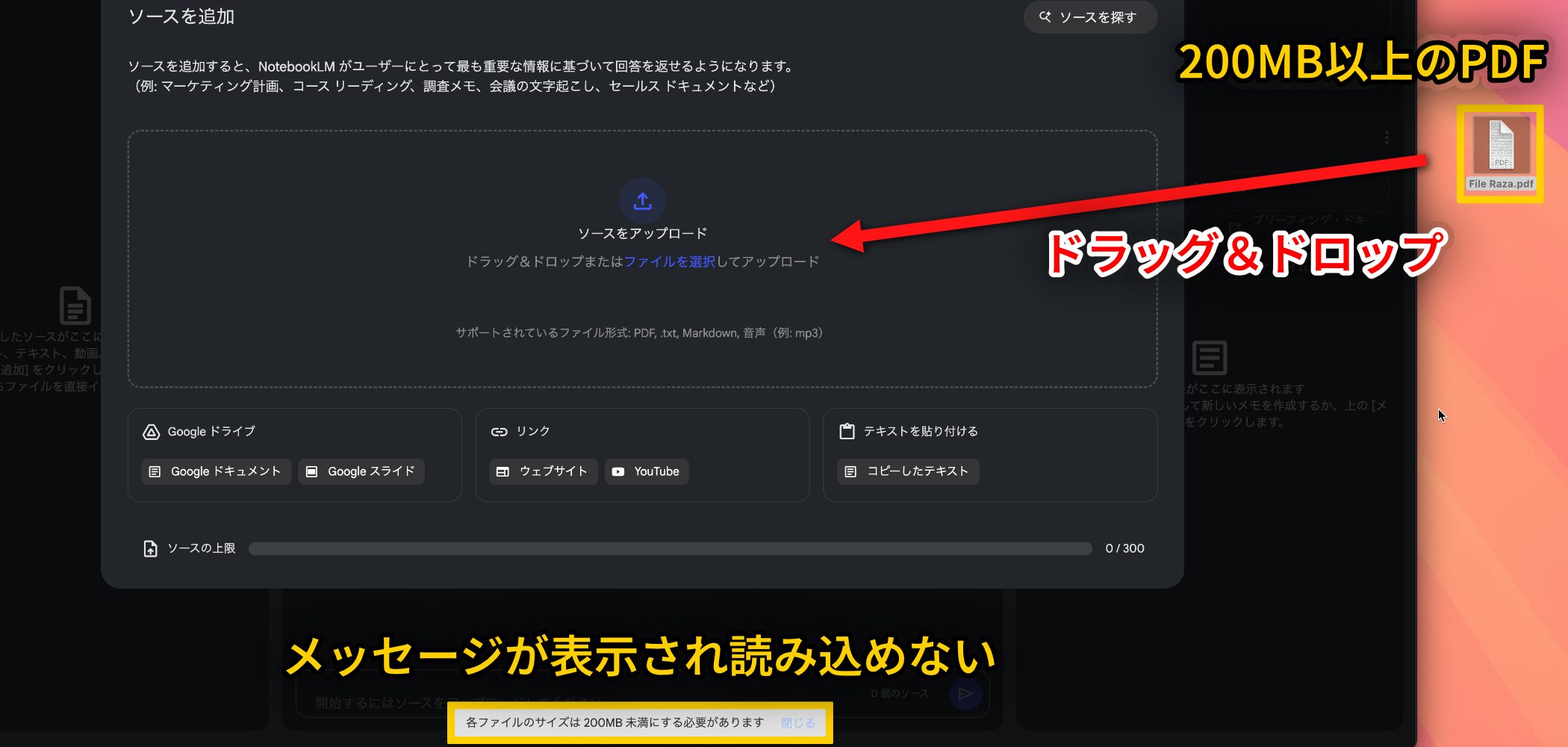
As shown in the plan comparison, NotebookLM has source limits. A source exceeding either the word limit (up to 500,000 words) or file-size limit (up to 200 MB) cannot be loaded.
If an upload shows an error, try splitting the file:
- Use a free online tool such as Smallpdf or PDF24, or the splitting feature of paid Adobe Acrobat.
- Split by page count or file size.
- Upload the resulting files separately to NotebookLM.
NotebookLM can refer across multiple sources, so splitting a file need not undermine your learning.
Try to split at chapter or section boundaries, not in the middle of a sentence or passage to keep each part coherent.
For PDFs with many images, you can also use an online compression tool such as Smallpdf to reduce its file size before uploading.
Removing sections that are not relevant to learning, such as indexes, ads, or reference lists, may also help.
Respect Copyright
Pay close attention to copyright when using and sharing sources.
Keep these points in mind:
- Publicly available content, including YouTube videos, is still protected by copyright; use it within the bounds of personal use.
- Use caution with purchased courses and books.
- Consider the original source's copyright before sharing generated answers.
- Even for personal use, take care before scanning a purchased book into a PDF.
- Take extra care with commercial use.
For details on data handling and privacy, please read the official NotebookLM privacy policy before using the service.
A Feature Planned for the Future
In addition to Audio Overviews, NotebookLM was expected to add a Video Overviews feature at the time this article was written.
The proposed feature would automatically extract images and charts from uploaded materials and have AI hosts create an explanatory video.
At the time of publication, an early rollout had begun outside Japan, while a Japan launch date had not been announced. If introduced, it could offer another way to learn from your sources.
What did you think?
NotebookLM offered free access, multilingual support, and Audio Overviews—features that could make learning much more efficient.
The planned Video Overviews feature was also one to watch.
As noted above, respect copyright and use these tools appropriately to make the most of your limited music production study time.
Frequently Asked Questions
Q1. What do I need to use NotebookLM?
Anyone with a Google account can use the free service. No special software installation is needed; just visit the official website.
Q2. Can I ask questions in Japanese about an English manual or video?
Yes. You can ask in Japanese about an English-language source and receive an answer in Japanese, making it easier to study the many English music production resources available.
Q3. Can NotebookLM still produce invented or incorrect information?
NotebookLM bases its answers on the sources you select, which reduces the risk of invented information. Each answer includes numbered citations so you can check the original material. Always verify important details.
Q4. Is the NotebookLM Plus paid plan worth it?
The free version may be enough, but Plus can be useful if you organize many resources. At the time of this article, it was included in Google One AI Premium at ¥2,900 per month, with much higher notebook and source limits.
Q5. What should I watch for when sharing a notebook?
Pay close attention to copyright. Before sharing, check that it does not include paid content or copyrighted material you do not have permission to redistribute.
NEW ARTICLES
Latest English Articles































