
Superior Drummer 3 combines a library of over 200 GB of drum sounds with powerful tools for finding and using rhythm patterns. Search and filter in the GROOVES tab, play a beat to find similar patterns with Tap2Find, and use Song Creator to develop an arrangement. Edit Play Style and Grid Editor provide further control, helping even beginners build polished rhythm tracks efficiently.
An extensive drum library exceeding 200 GB
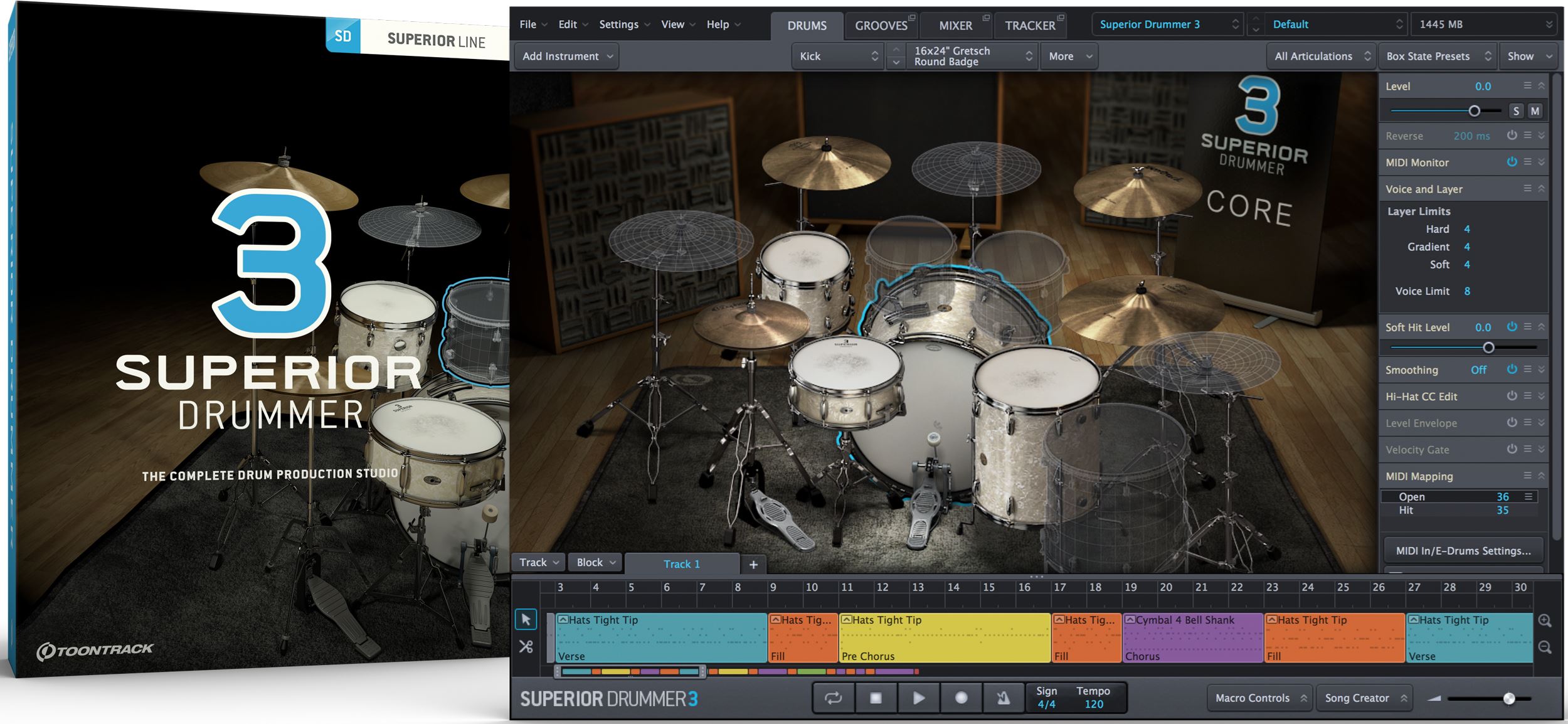
Here we explore how to use and edit Superior Drummer 3’s powerful rhythm patterns.
If programming drums is difficult for you, do not worry.
You can easily bring ready-to-use preset patterns into your song to suit your genre and taste.
The new rhythm editor also lets you create original beats intuitively.
Let’s get started.
Video: Controlling patterns with Superior Drummer 3’s groove features
Purchase the product here
Finding patterns in the GROOVES tab
Access and edit rhythm patterns from the GROOVES tab.
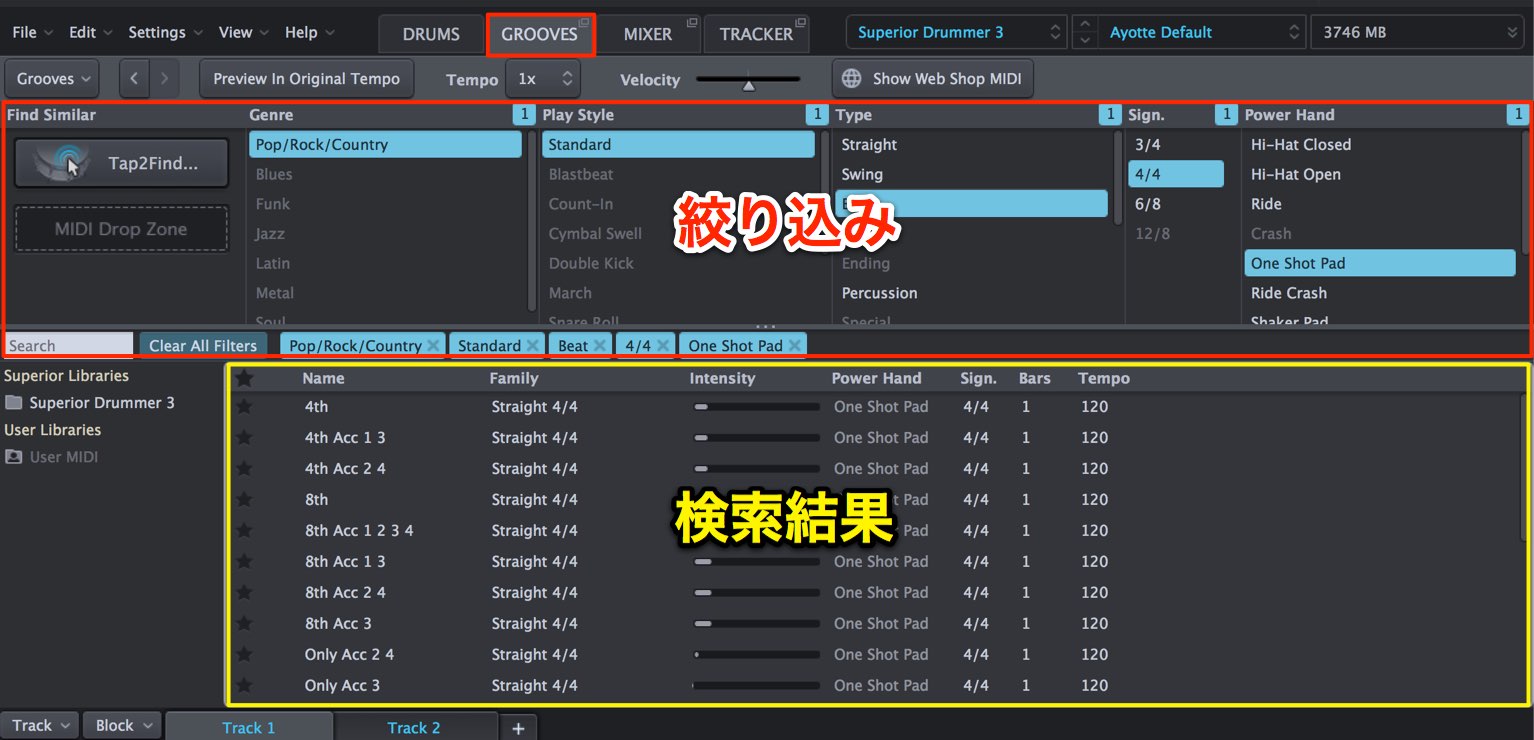
Because there are many patterns, you can narrow the criteria to search efficiently.
Use the Filter section (shown in red); the results update in real time.
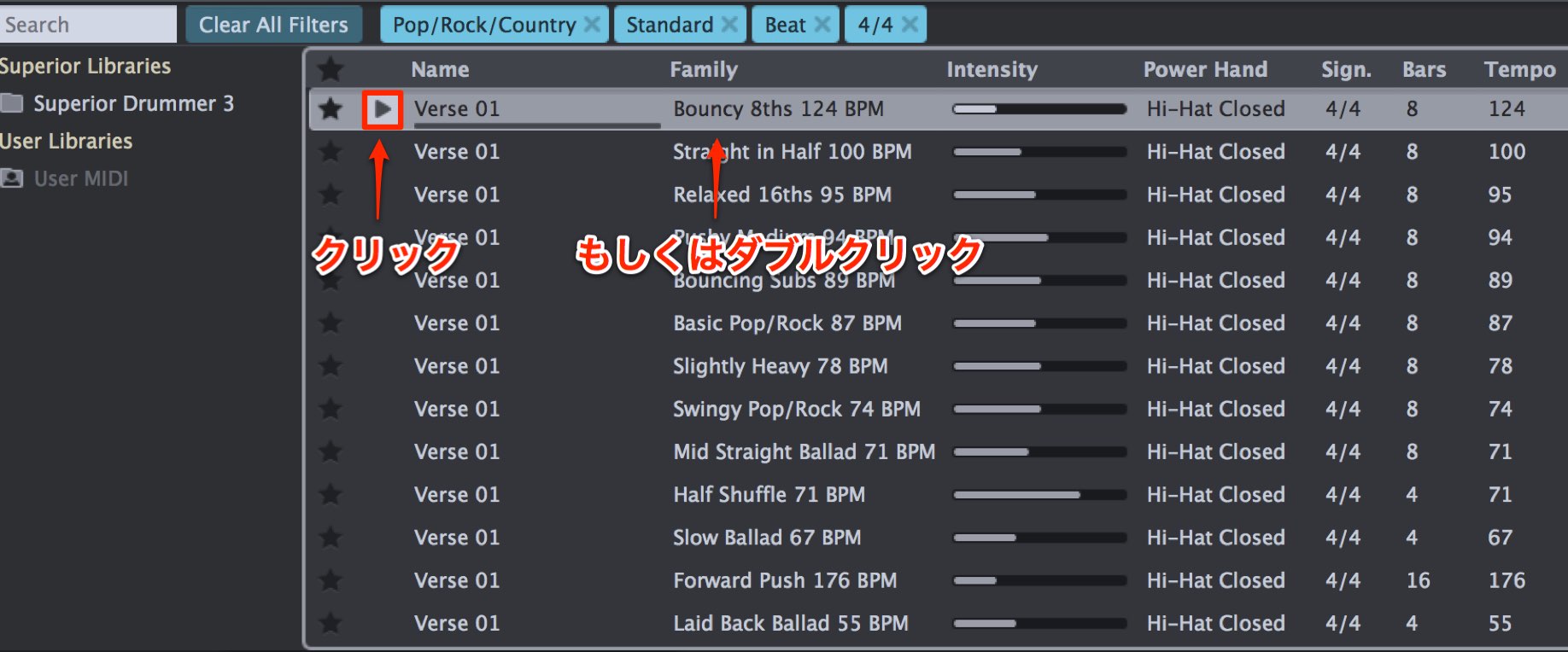
Click the play button or double-click a pattern to audition it.
The play button loops the pattern, while a double-click plays it once.
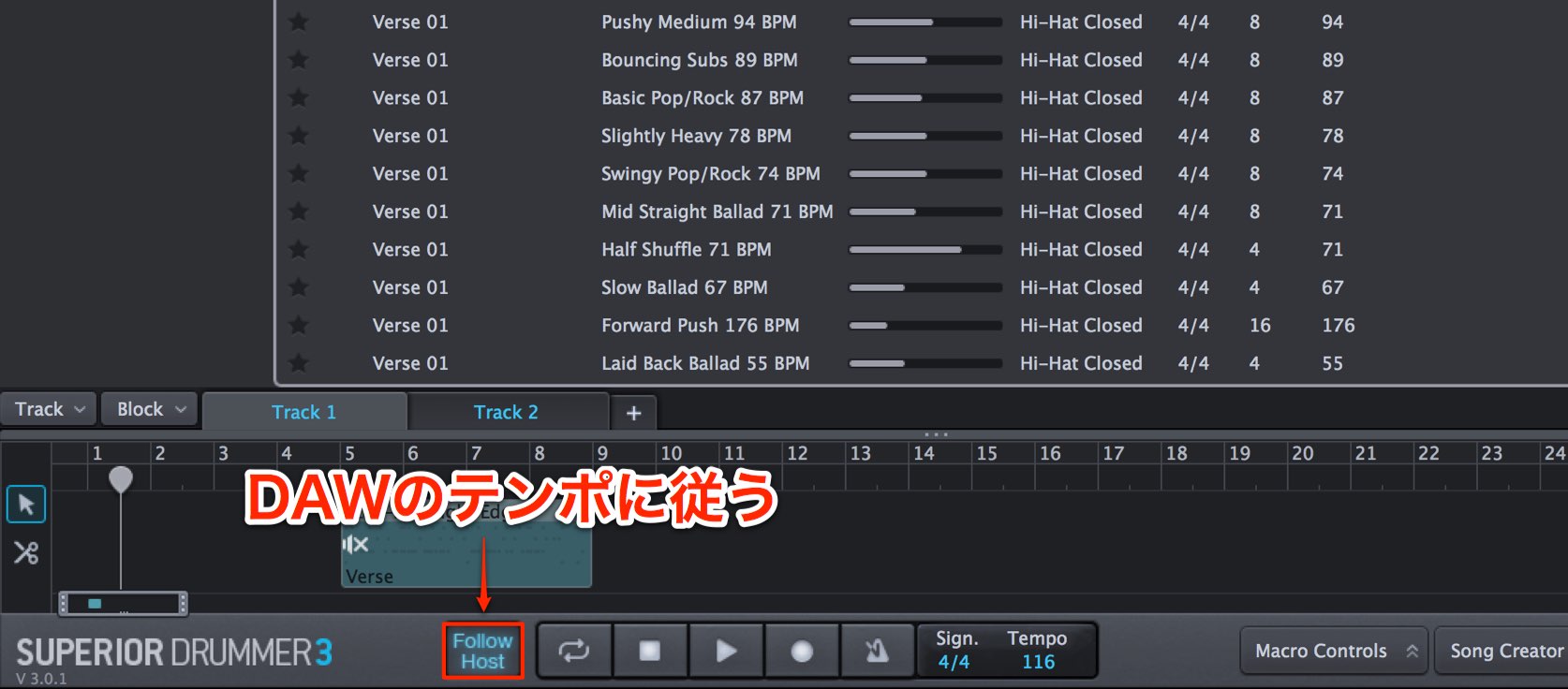
Turn on Follow Host to synchronize pattern playback to the DAW tempo.

With Follow Host off, you can set the tempo within the software.
Find a beat close to your idea with Tap2Find
Tap2Find is useful when you already have a pattern in mind.
Play the pattern and similar beats are displayed.
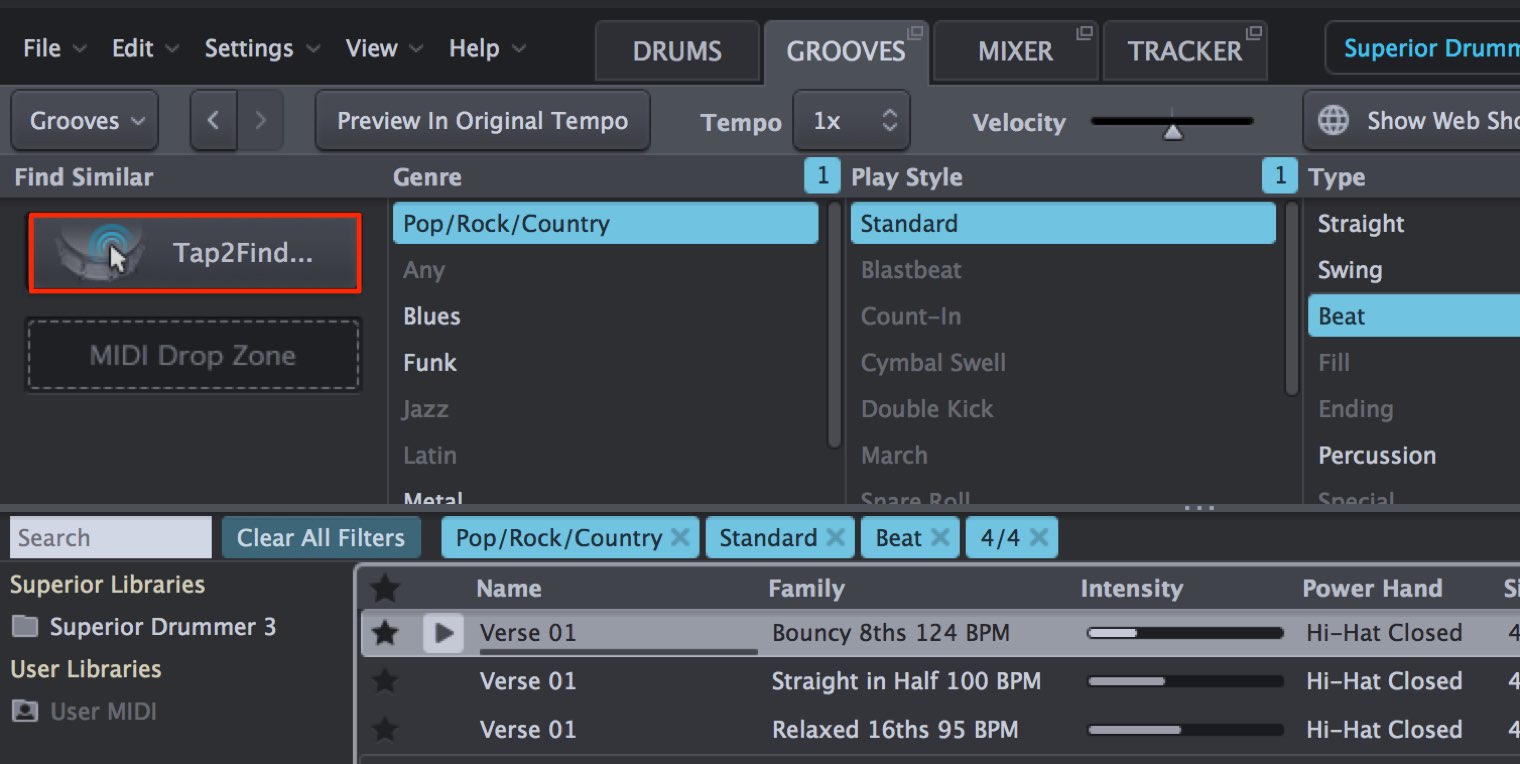
Click Tap2Find.
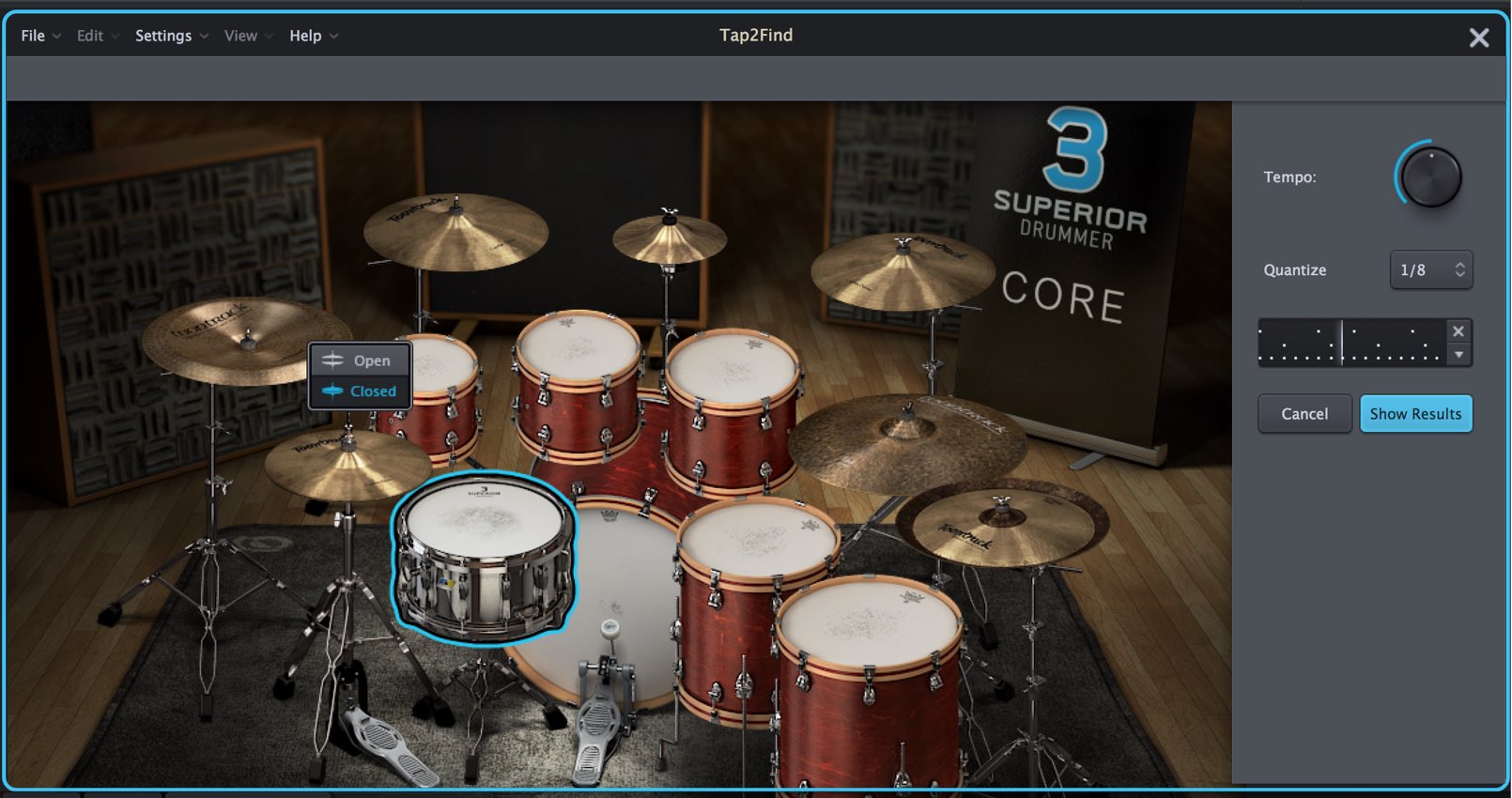
The window changes and a metronome plays. Perform your desired beat in time with it.
Click the kit to record your performance, or use a MIDI keyboard.
Adjust Tempo to suit your idea and use Quantize to correct the timing.
When finished, click Show Results.
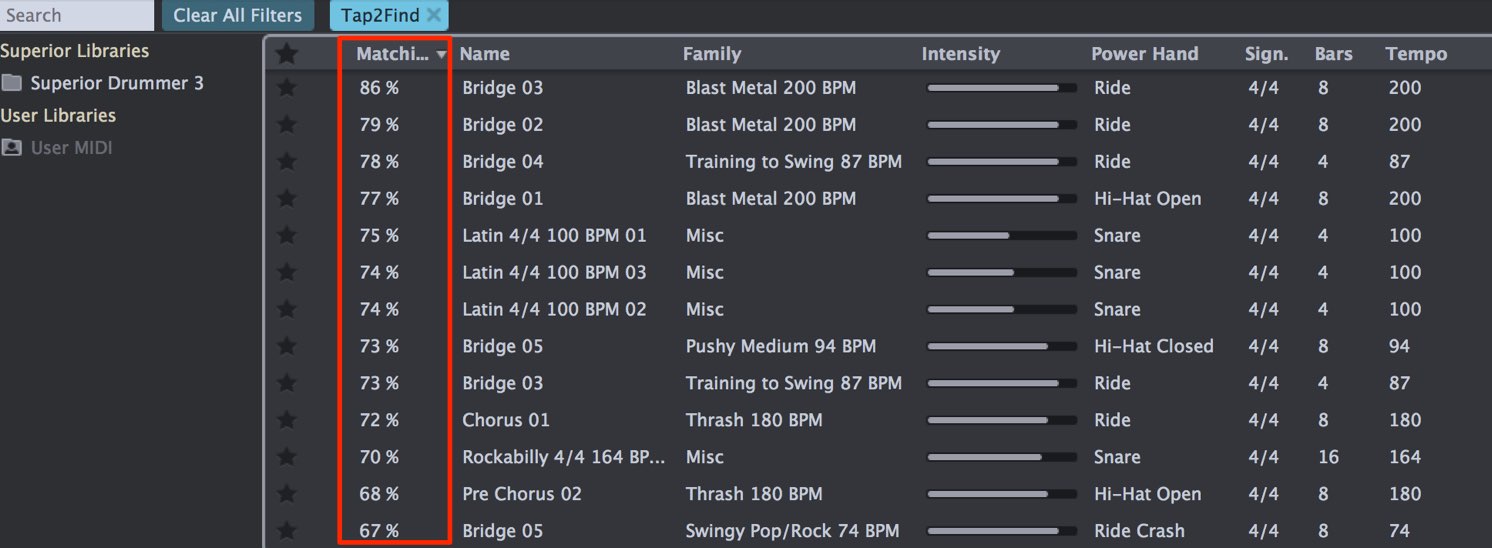
Patterns similar to your performance are selected.
A higher Matching value indicates a closer match.
You can also import a drum pattern from the DAW into Tap2Find and search for similar patterns.
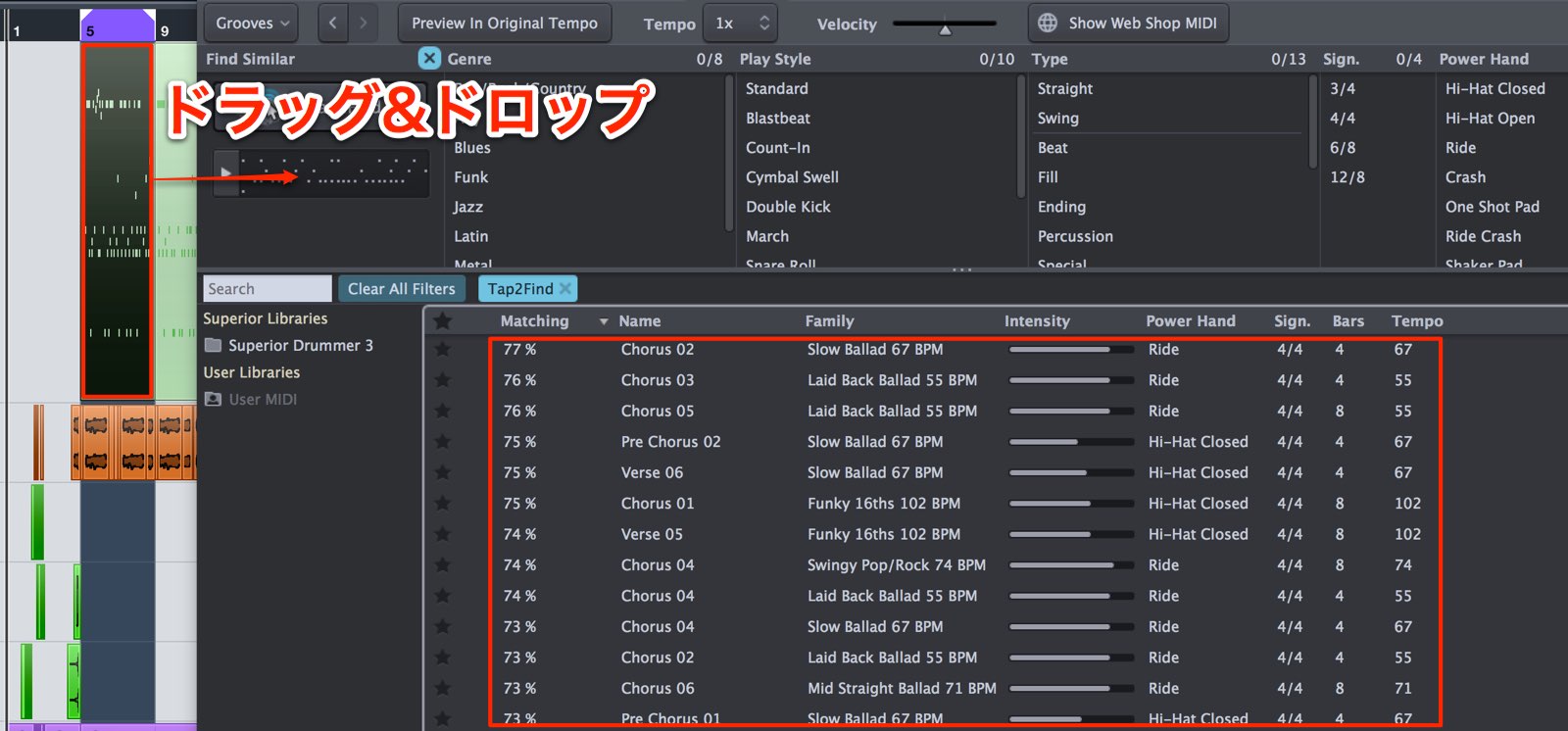
Drag and drop the desired pattern from the DAW sequence into Tap2Find.
Similar patterns appear in the results.
Bringing a beat into your DAW
Once you find a beat you like, you can bring it into the DAW.
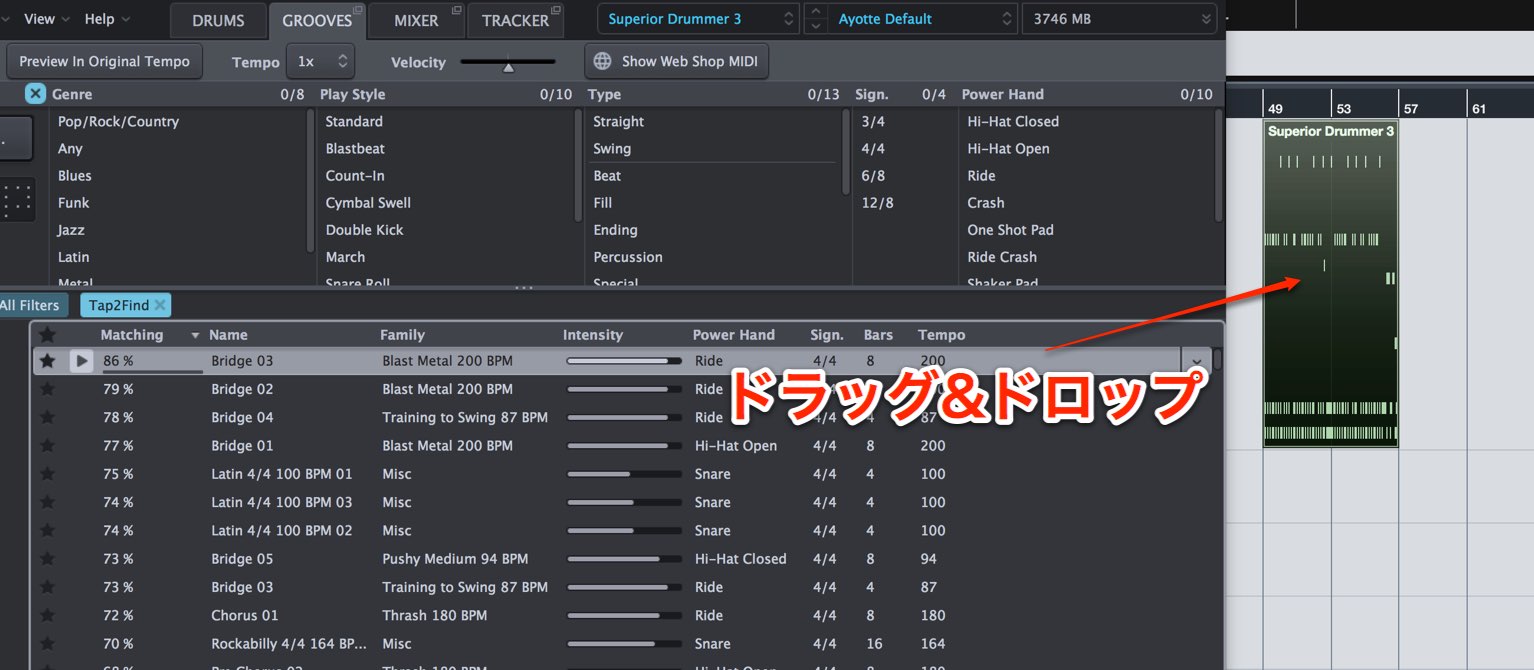
Simply drag and drop the pattern onto the sequence.
Building a sequence inside Superior Drummer 3
Superior Drummer 3 also includes a sequencer where you can combine patterns into a song, much like in a DAW.
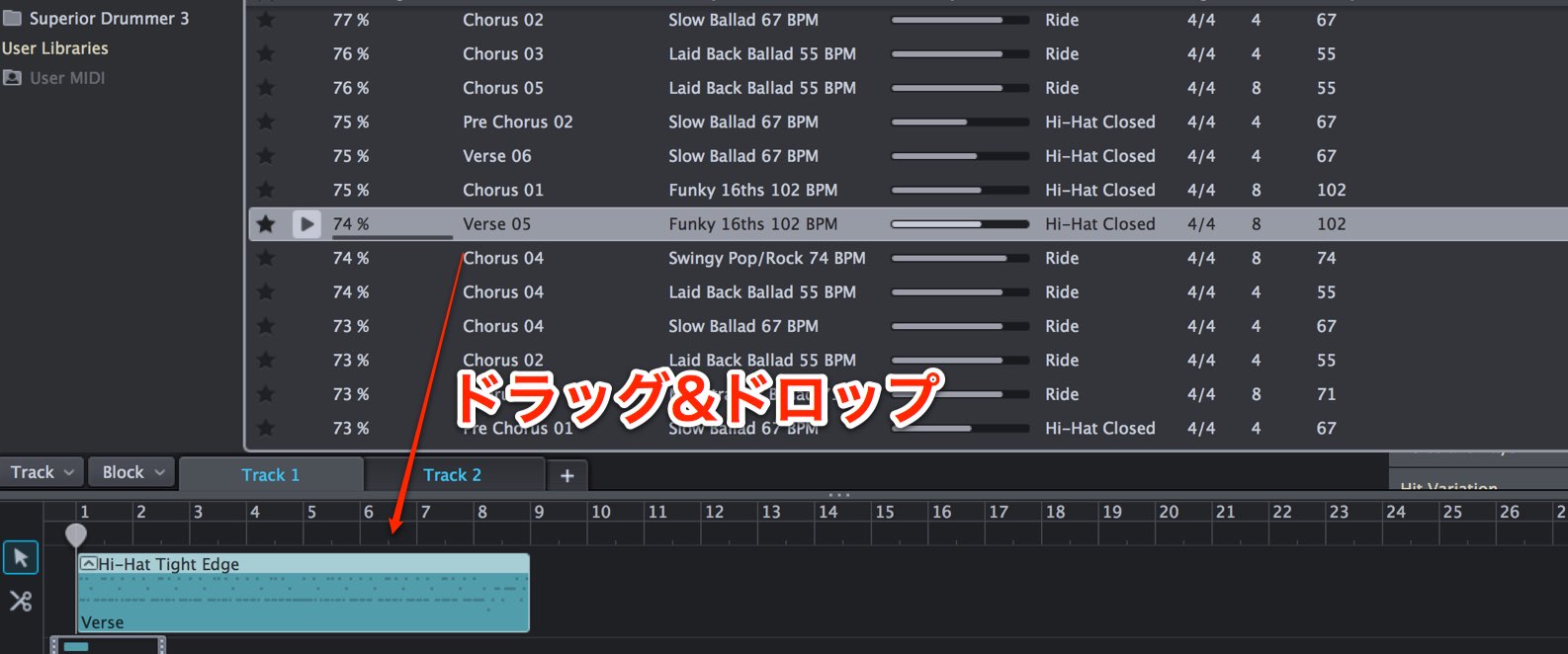
Drag and drop patterns into the sequencer at the bottom of the window.
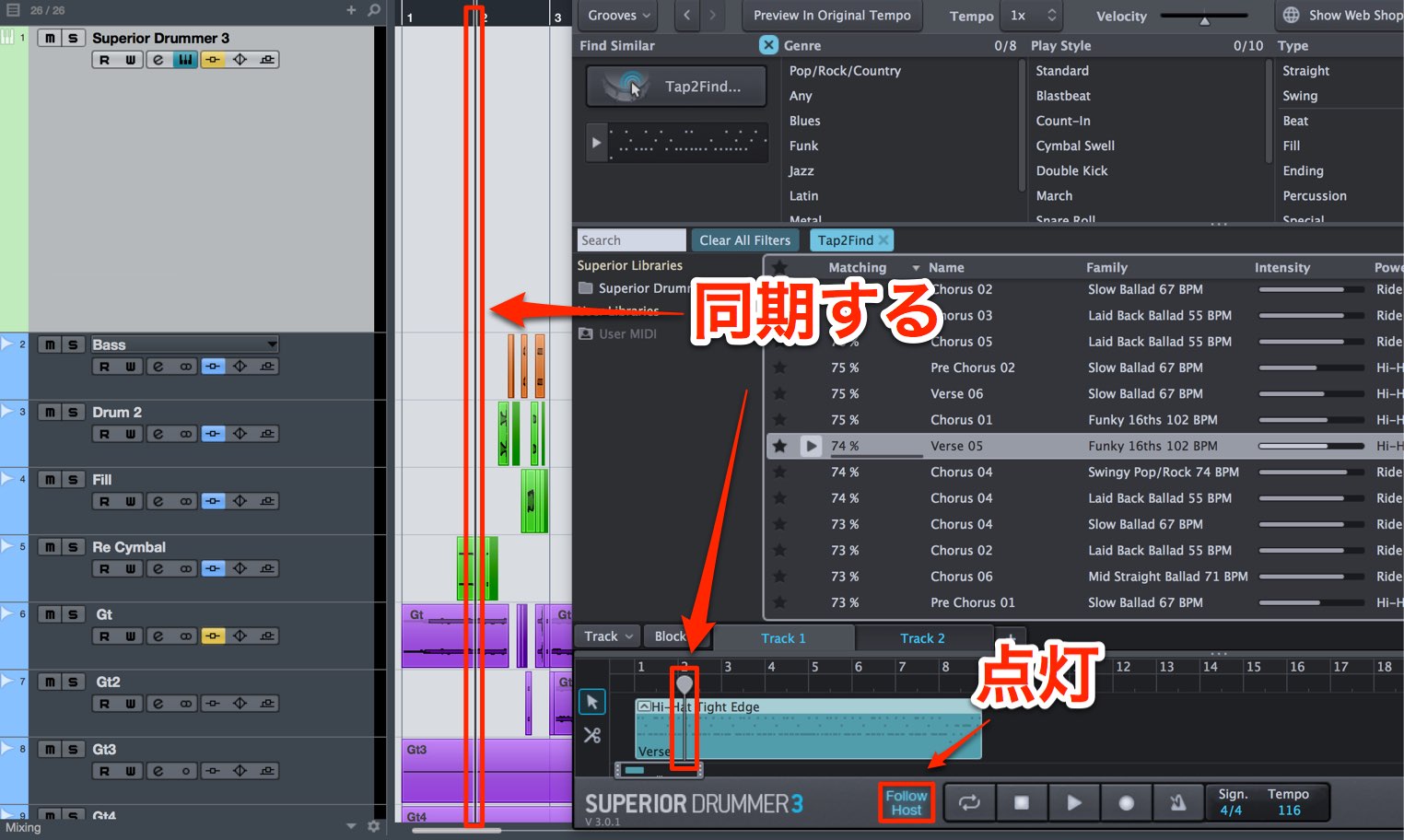
Enable Follow Host so the Superior Drummer 3 sequence follows the bar played in the DAW.
This lets you program drums in Superior Drummer 3 while keeping the other tracks in the DAW.
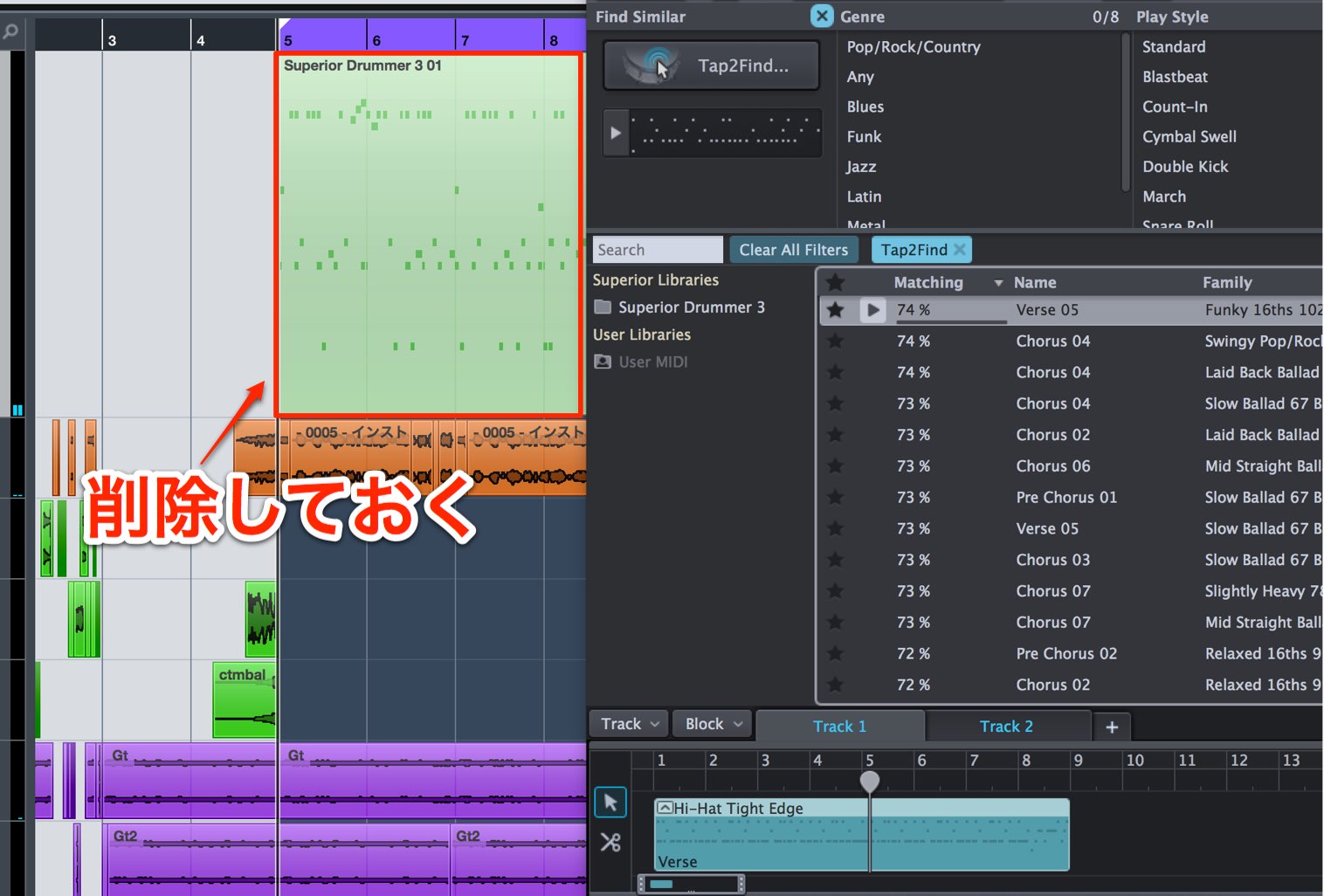
If the same pattern also exists in the DAW, both it and the Superior Drummer 3 sequence will play together.
Delete one of the duplicates.
One advantage of the Superior Drummer 3 sequencer is flexible pattern editing.
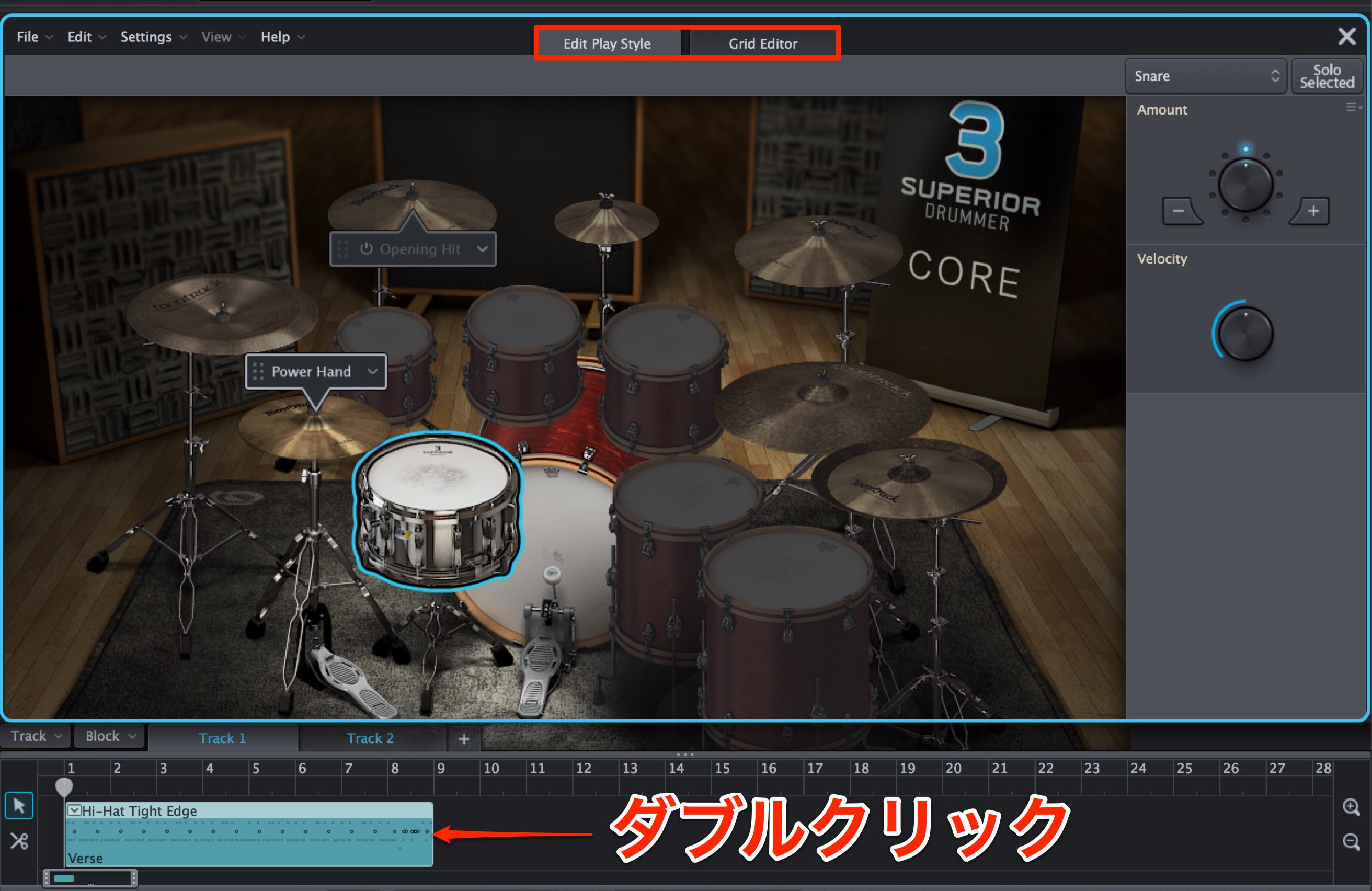
Double-click a pattern to open the editor.
Edit using the Edit Play Style or Grid Editor tab.
Editing with Edit Play Style
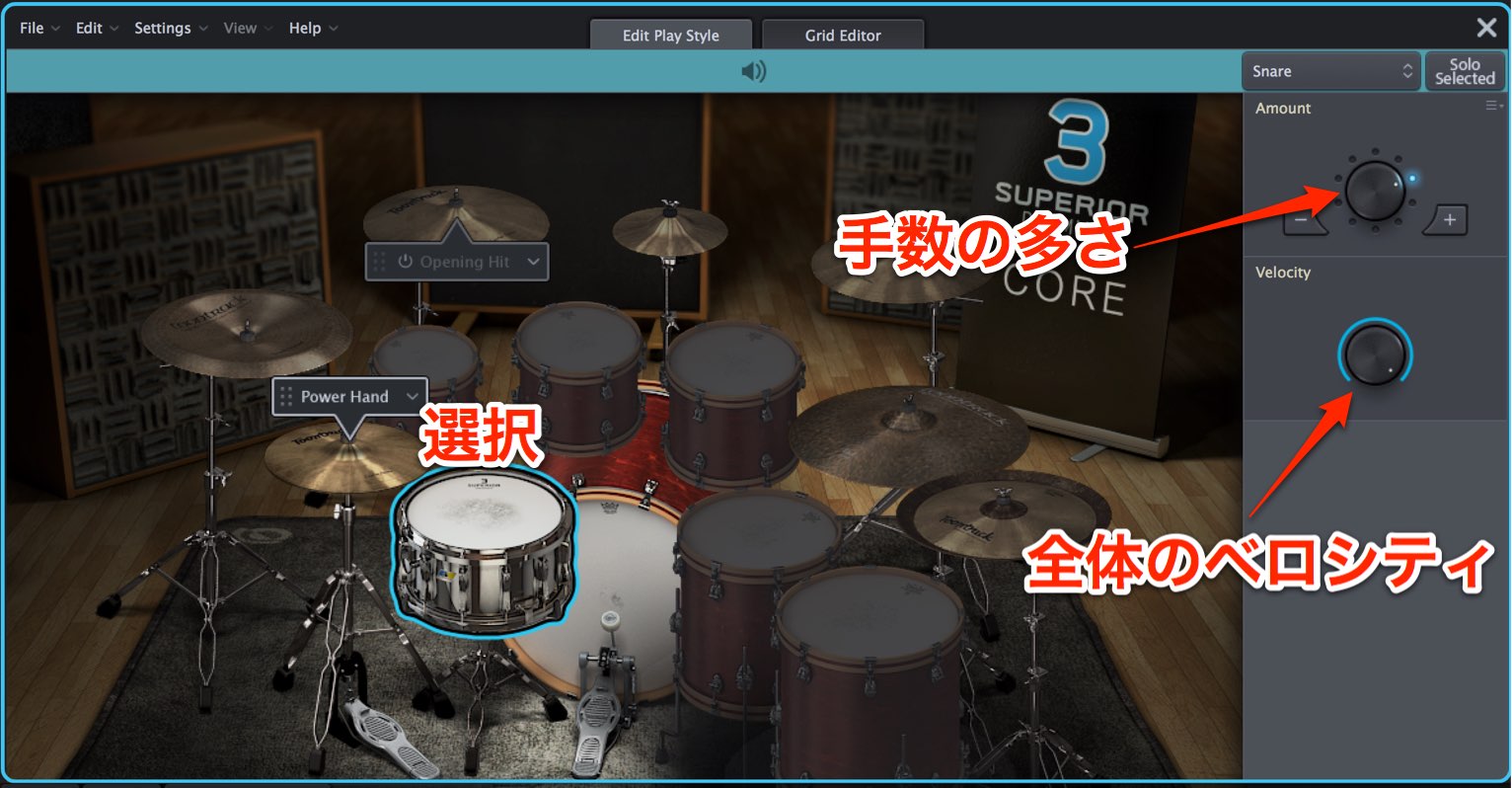
Select the kit piece you want to edit.
- Amount sets the number of hits. Turn it right for more hits and a busier phrase.
- Velocity controls playing strength across the selection. Turn it right for a louder, more forceful sound.
Editing with Grid Editor
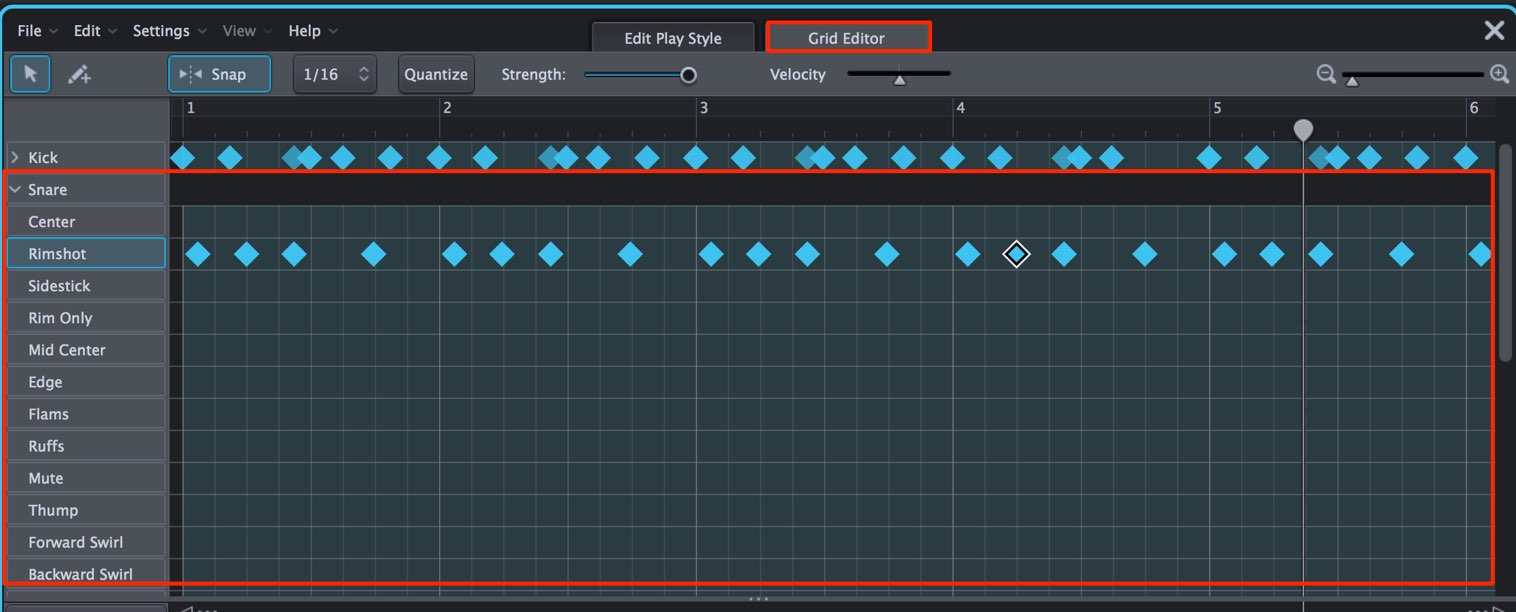
You can edit a pattern one note at a time.
It works much like a DAW MIDI editor, but also lets you program while seeing the articulations for each kit piece, which can otherwise be complex to navigate.
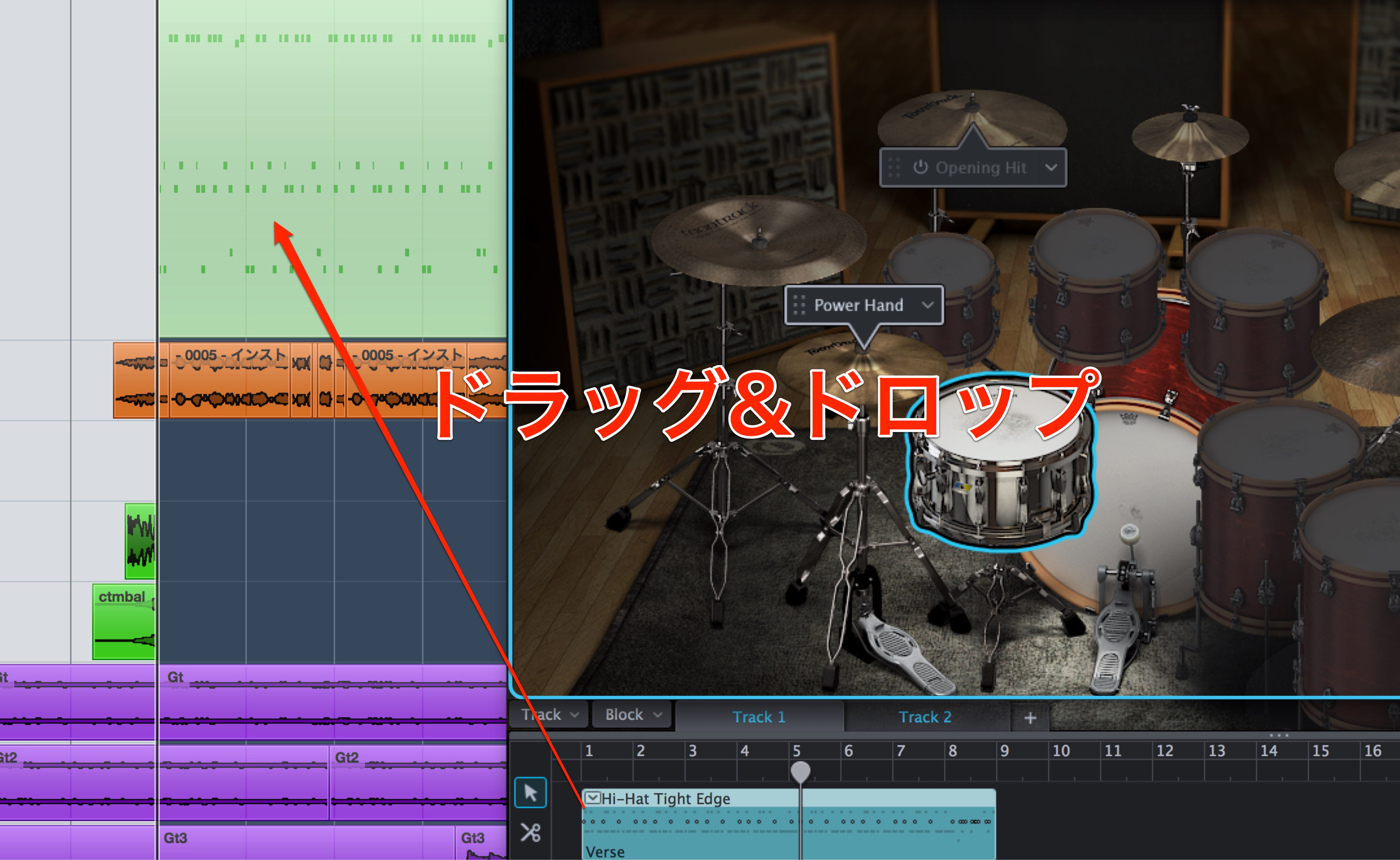
You can bring a pattern edited here back into your DAW.
If you get stuck editing a rhythm, try moving a pattern from the DAW into Superior Drummer 3, editing it there,
and returning the result to the DAW.
Building a song arrangement with Song Creator
You may have a rhythm pattern you like but be unsure what to play for the other sections of a song.
You may find yourself in that situation.
Song Creator can help.
Specify a pattern, and it suggests related patterns for sections such as intro, verse, chorus and interlude.
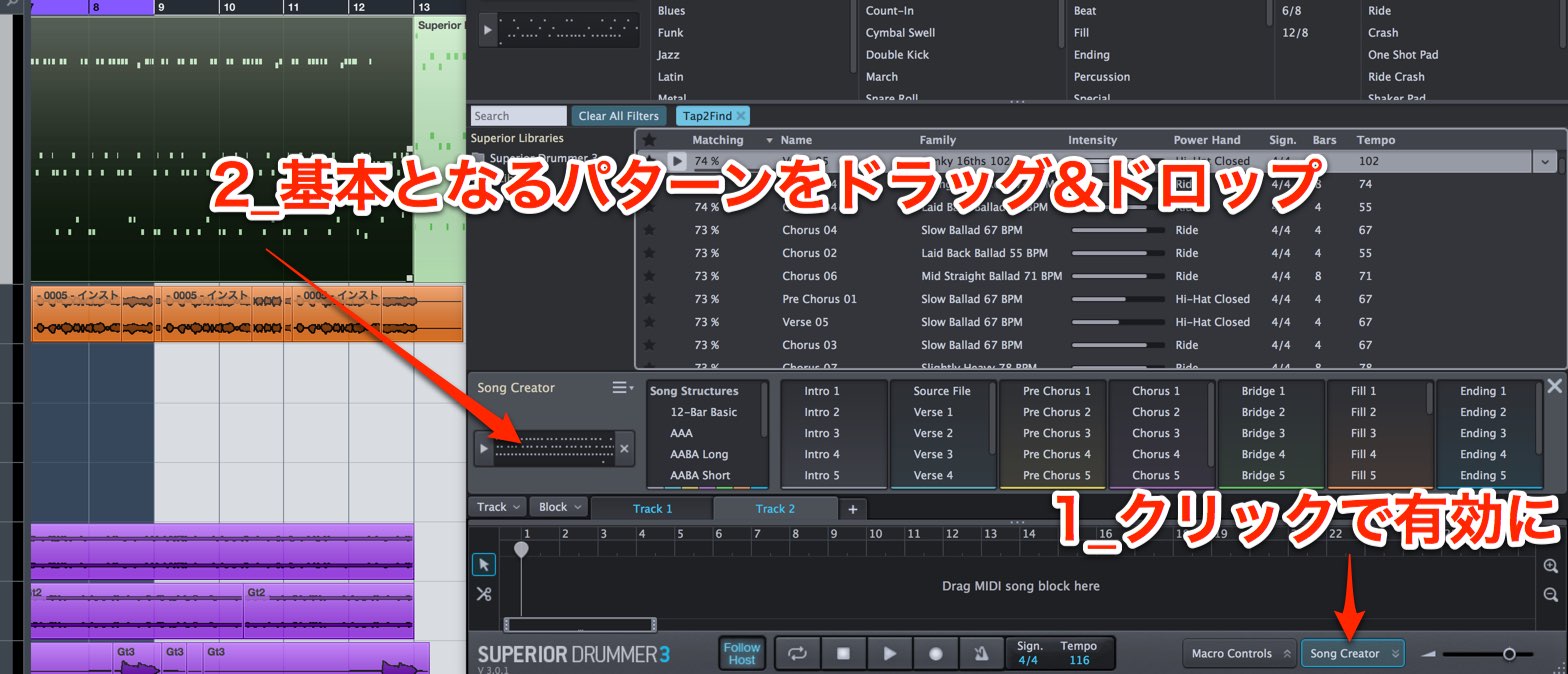
Click Song Creator to enable it, then drag and drop in the pattern you want to use as the basis.
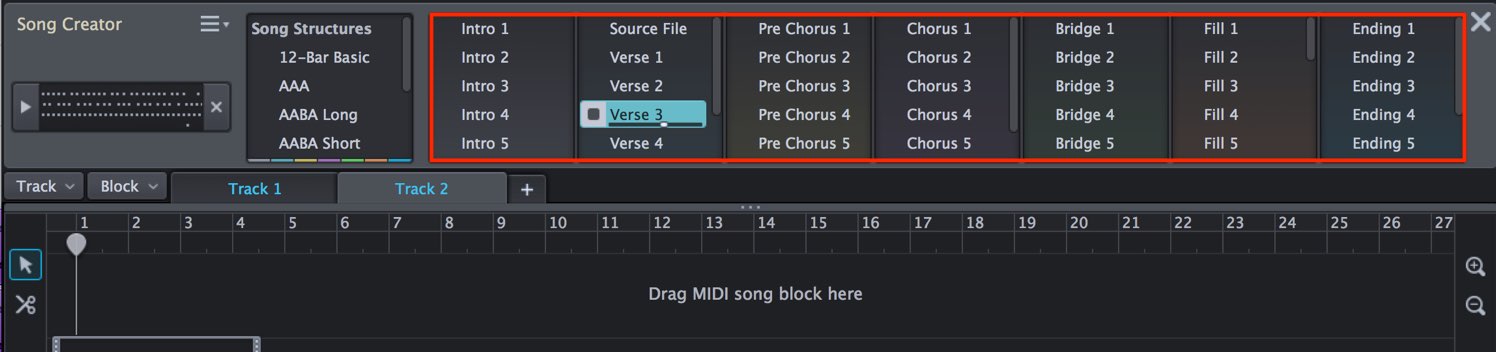
Several patterns for different sections are suggested from that starting pattern.
Click a pattern to audition it.
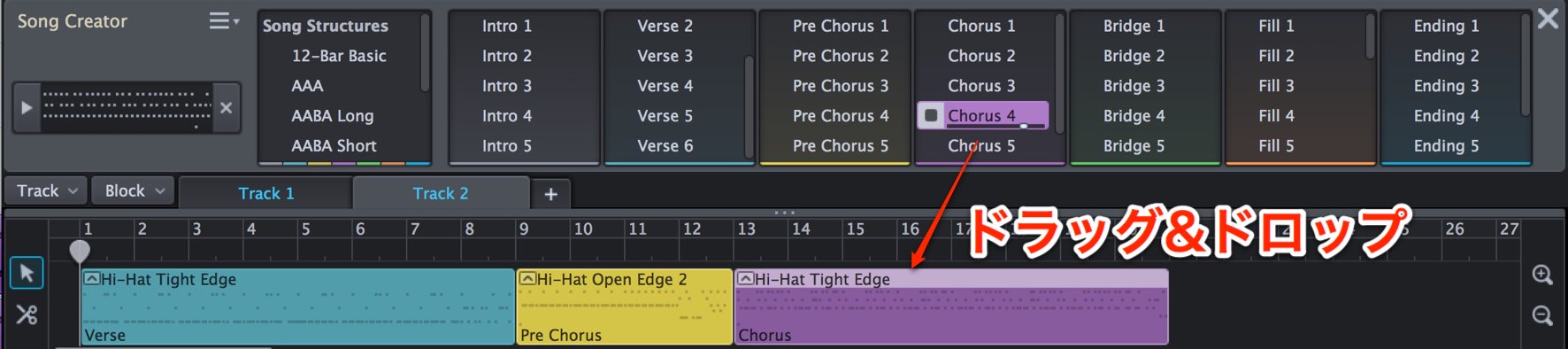
Place the patterns at the appropriate bars in your song.
You can also drag and drop them directly into the DAW sequence.
What did you think?
Although the library contains a vast number of patterns, these features help you reach the one you want quickly.
Try the editing tools as well to create a polished rhythm track.
Purchase the product here
Frequently asked questions
Q1. Can Superior Drummer 3 help if I struggle to program drum patterns?
Yes. Search its extensive preset patterns by genre or preference in GROOVES and drag them into your DAW. Even without drum-programming experience, beginners can immediately use professional-level patterns.
Q2. How do I use Tap2Find?
Play the beat you imagine in time with the metronome and the software searches for similar patterns. You can also play with a MIDI keyboard or drag in a drum pattern from your DAW.
Q3. What is the benefit of Song Creator?
Give it a starting pattern and it suggests several related patterns for song sections such as intro, verse, chorus and interlude, helping you build an arrangement more quickly.
Q4. Can I use both the Superior Drummer 3 sequencer and DAW patterns?
Follow Host synchronizes playback, but overlapping copies play at the same time. Remove one duplicate to avoid doubling.
Q5. Can I return a pattern edited in Grid Editor to my DAW?
Yes. You can bring a pattern edited in Superior Drummer 3 into your DAW and work between the two for more detailed rhythm adjustments.
NEW ARTICLES
Latest English Articles














































































































































































































































































































































