
This article explains how to use Ableton Live’s Fold button to enter chords more efficiently. By setting up the diatonic scale for a song’s key, even beginners can more easily find suitable chords without extensive music theory knowledge. Used alongside clip labels, this also helps keep chord and bass information organized and saves time during production.
A Time-Saving Technique for Entering Chords

Entering chords can be a time-consuming task.
If you are just starting out in music production,
you may need to look up which notes are the third and fifth.
In Ableton Live, the Fold button can help you
find chords that fit your song’s key.
Let’s see how it works.
Ableton Live Tips: Easy Chord Entry with the Fold Button
View product details

Enter the Notes of Your Song’s Key
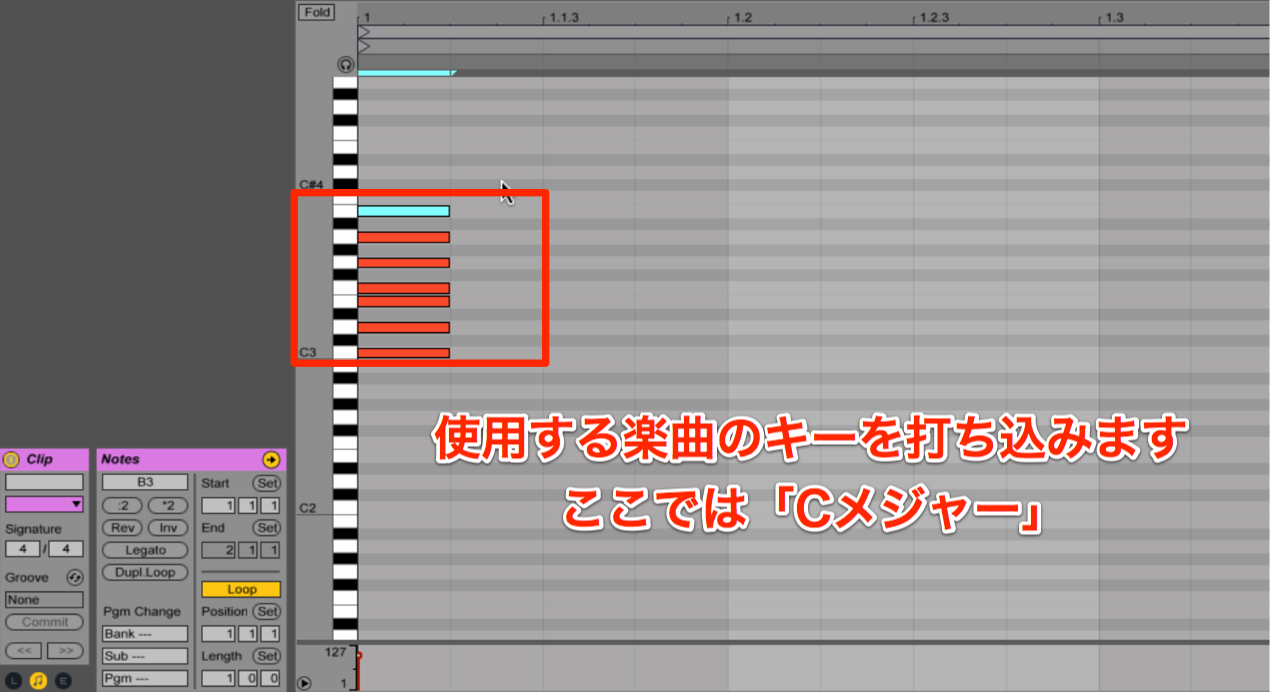
First, identify the key used in your song.
For this example, we’ll use the C major diatonic scale.
Use the Draw tool to enter notes at C, D, E, F, G, A and B.
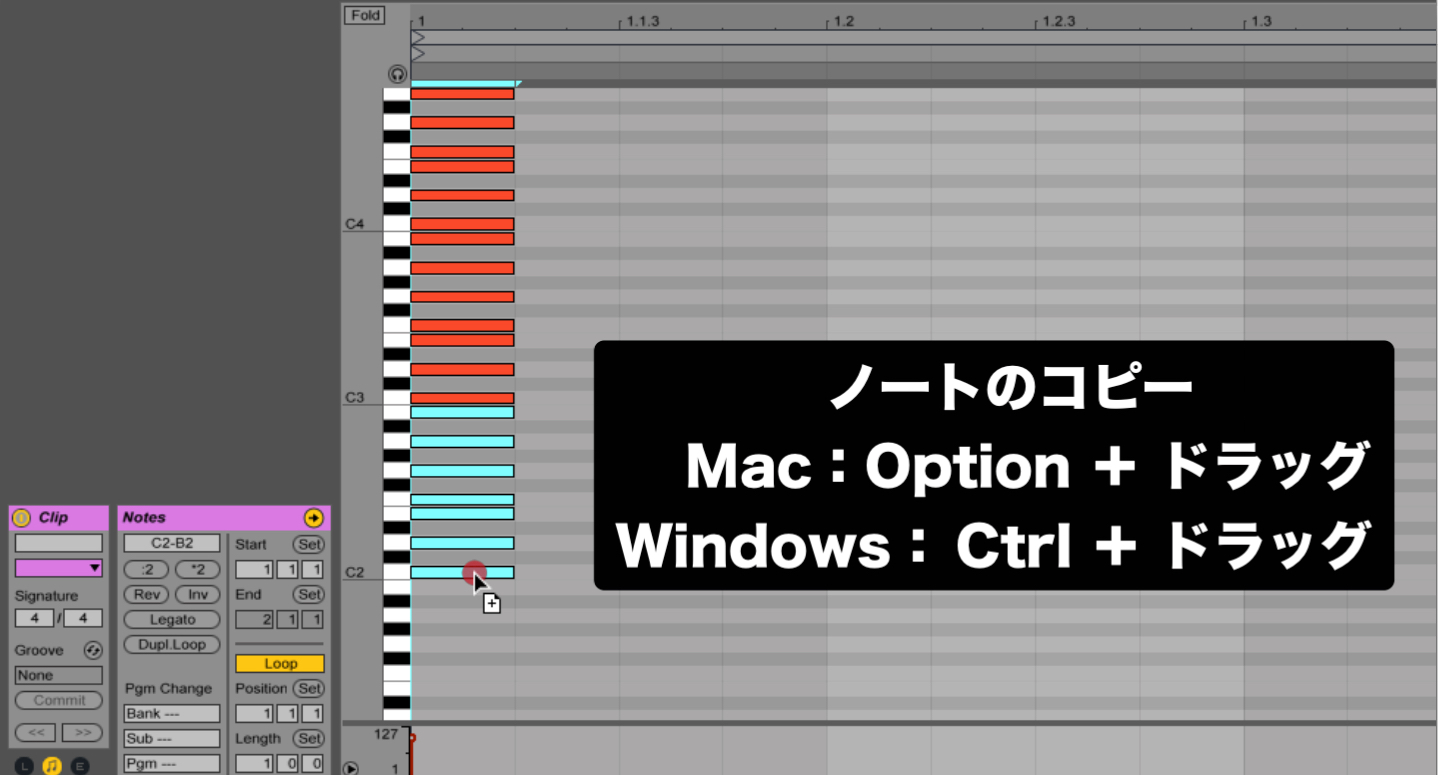
Next, copy the notes an octave above and below.
- Mac: Option + drag
- Windows: Ctrl + drag
You now have notes from C2 to C4.
Use the Fold Button
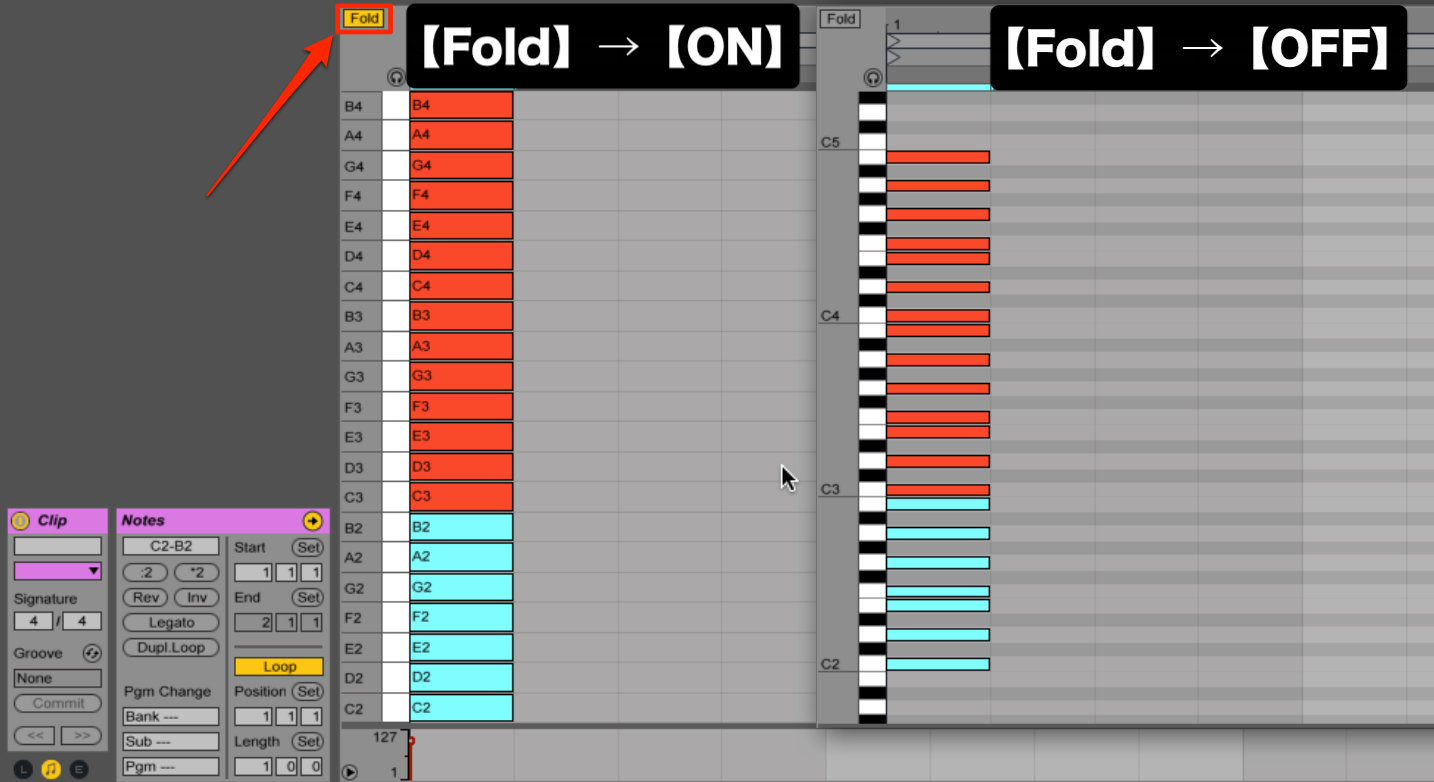
Now turn on the Fold button.
As shown above, only the pitches you entered will be displayed.
(For the C major diatonic scale, the white-key pitches are shown and the black-key pitches are hidden.)
However, if you leave the notes where they are, they will all play back.
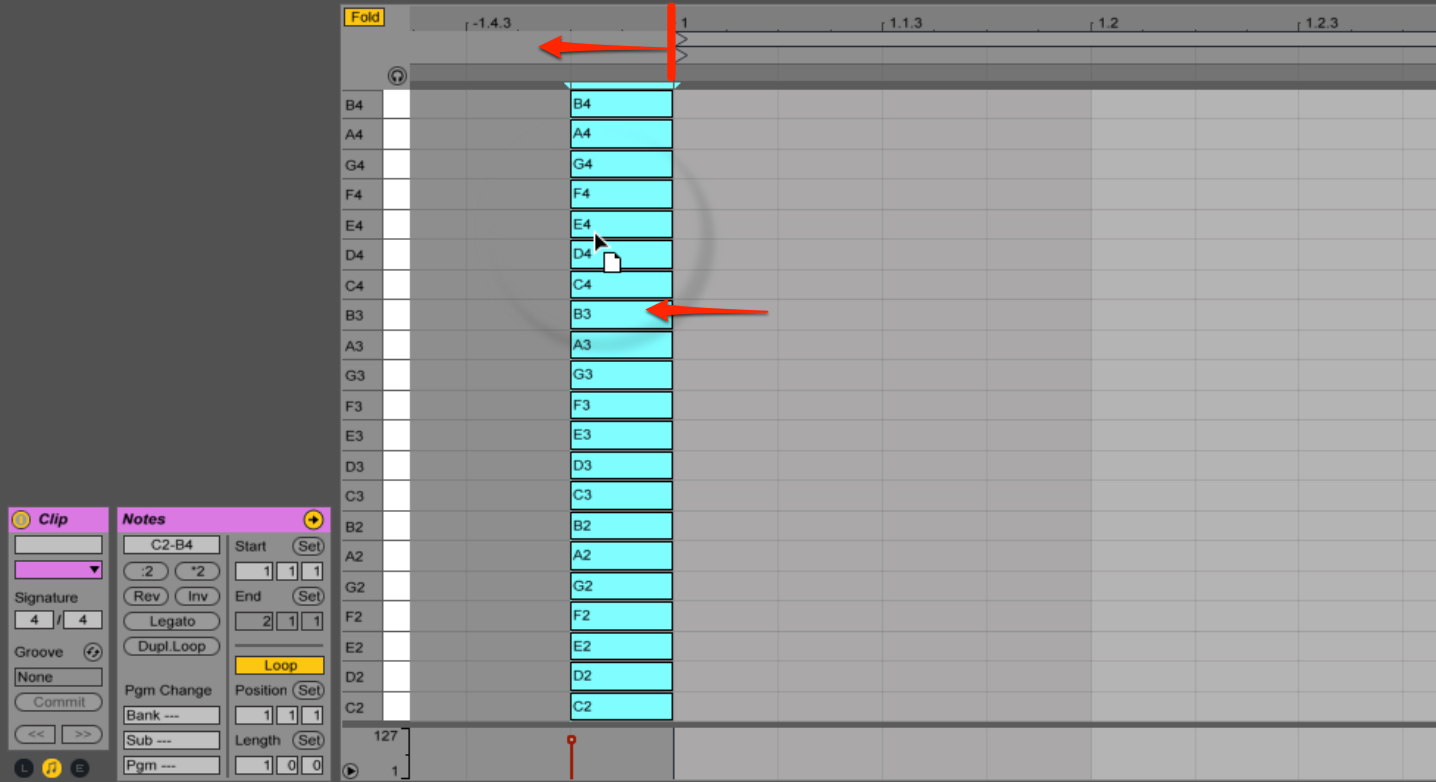
To prevent this, first select all the notes.
- Mac: Command + A
- Windows: Ctrl + A
Then drag all the notes to the left, outside the clip.
(Place them before the first beat of the bar, on the negative side.)
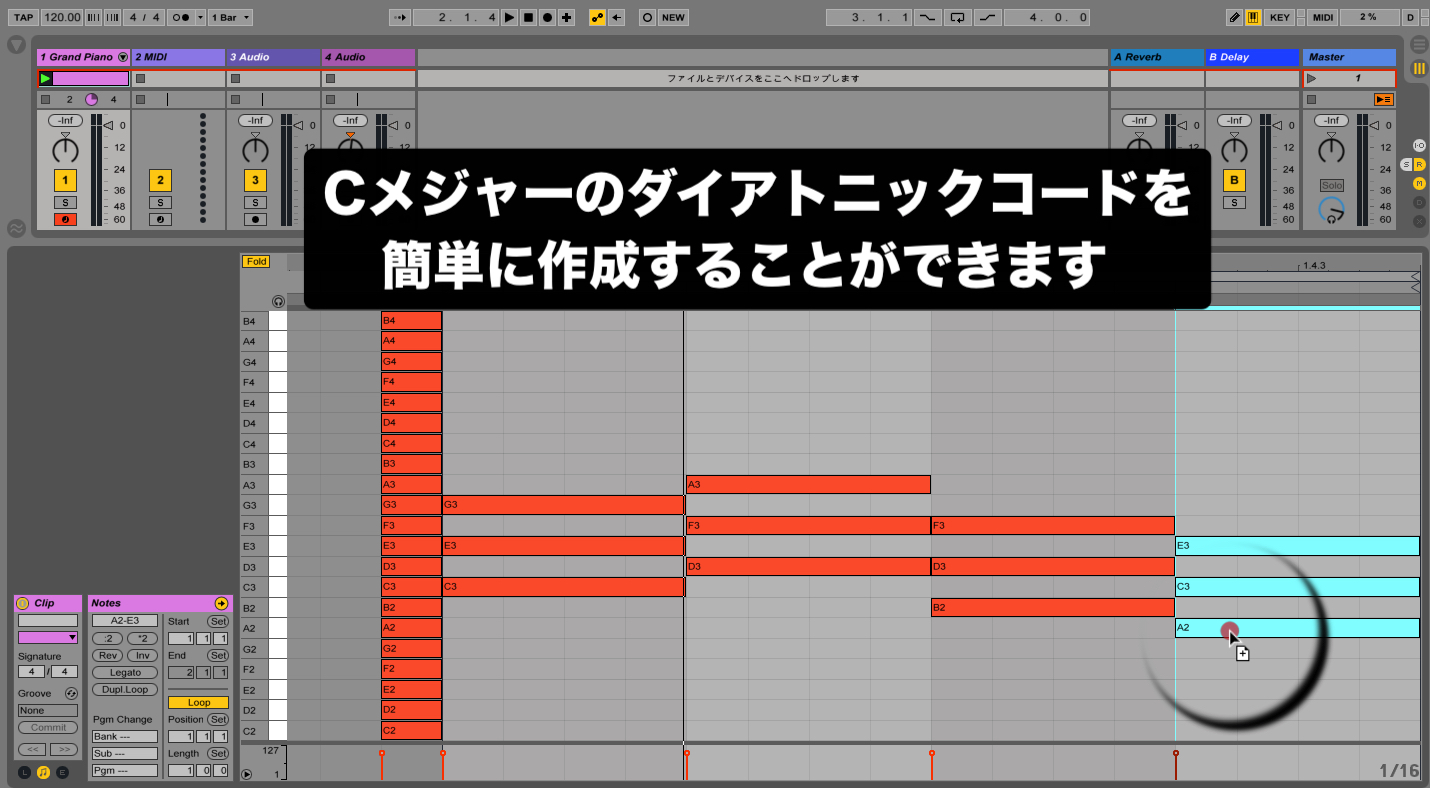
Now enter your chords.
With only the scale notes displayed, you can build triads by selecting every other note,
making them very simple to enter.
Keep Track of Chords and Bass in a Clip
As an extra tip, let’s look at another way to use clips.
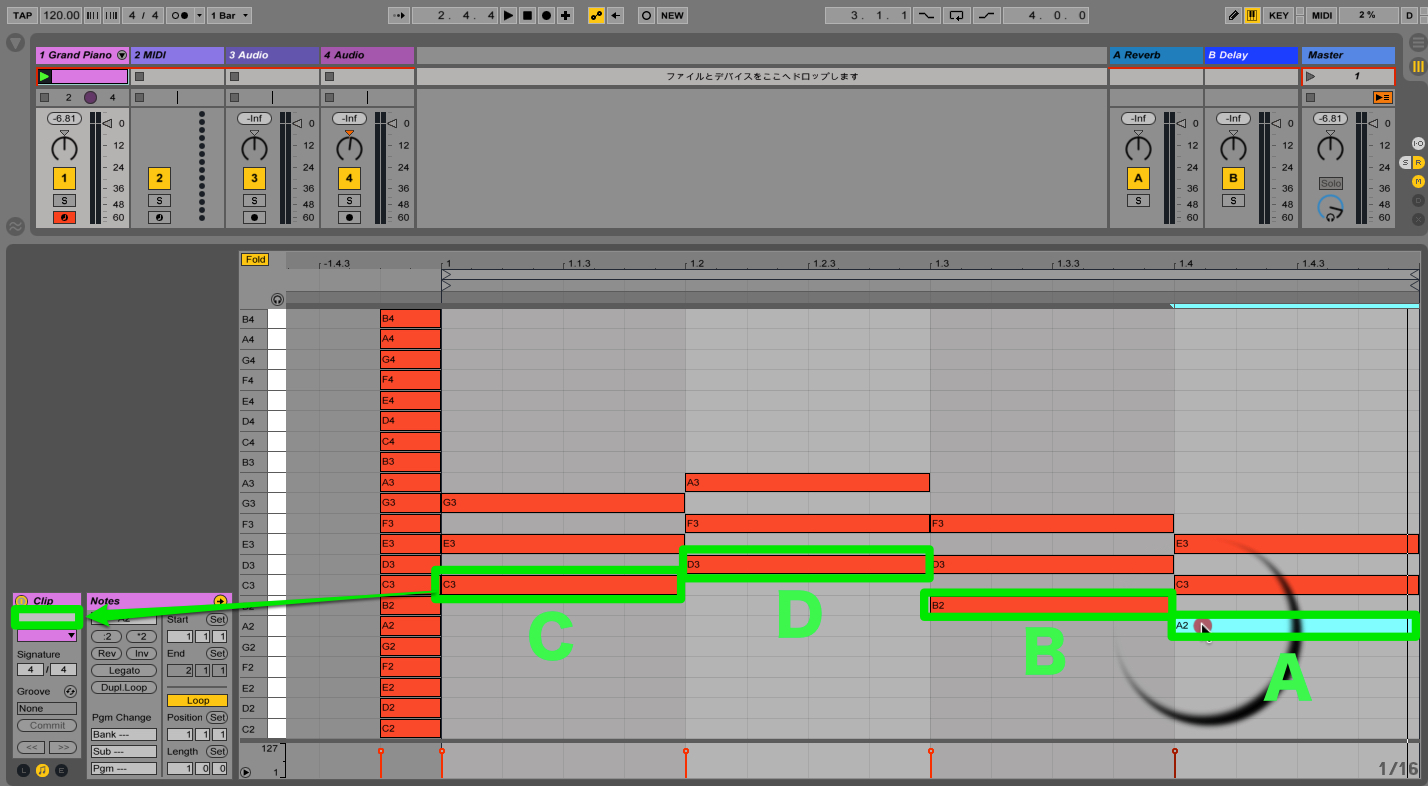
When programming a bass line, you can check the chord track for the root note,
but doing that each time can be cumbersome.
Instead, enter the chord or bass information in the blank field below the clip.
It will then appear directly on the clip, as shown below.
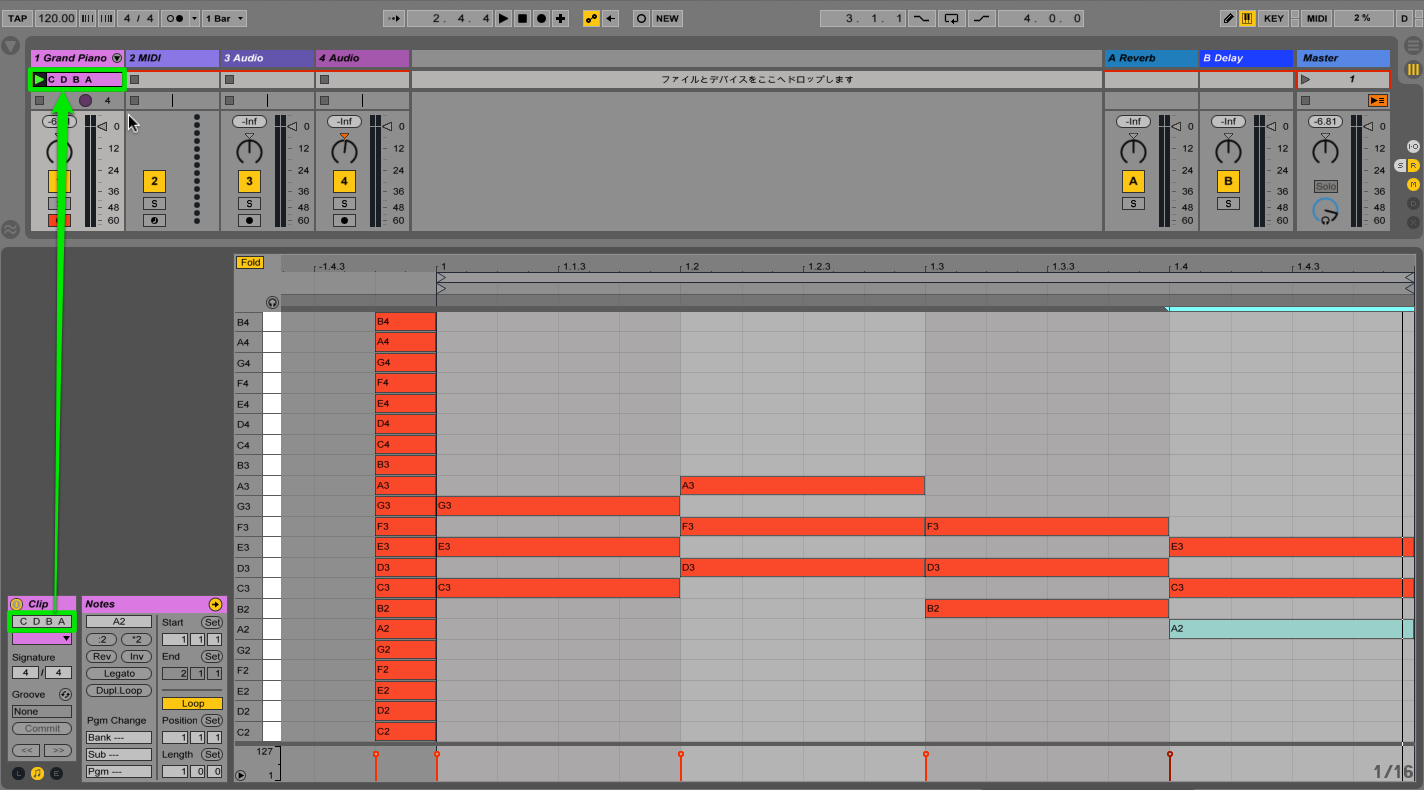
How did you find this tip?
If you program your chords,
try using features like these to make your workflow more efficient.
View product details
Frequently Asked Questions
Q1. What does the Fold button in Ableton Live do?
Fold displays only pitches that have notes in the clip and hides the others. In this example, entering the notes of the key’s diatonic scale makes the available pitches easier to see when building chords.
Q2. Can beginners create chords easily with this method?
Yes. Once Fold displays the scale notes, you can select and place notes that fit the key without extensive theory knowledge. For a triad, select every other displayed scale note.
Q3. Can I avoid checking the chords every time I enter a bass line?
Yes. Enter chord information in the blank field below the clip so it appears on the clip itself. This makes the chord information easier to refer to when entering bass notes.
NEW ARTICLES
Latest English Articles

































































































































































































































































































































































































































































