
This beginner’s guide explains the basics of MIDI and how programmed performances work. MIDI carries performance information such as pitch, velocity and note duration; it does not contain sound itself. Combine it with a sound source to hear music, and learn how inputs, outputs and channels route a performance to the intended instrument.
Understanding MIDI: The Basis of MIDI Programming
An essential part of music production is understanding the basics of MIDI.
The term “programming” often refers to making music using MIDI.
In this series, we’ll explain MIDI fundamentals over several articles.
MIDI Basics Tutorial Video
- 1MIDI Basics
- 2MIDI Parameters and Values
- 3Software Synths and Plug-ins: DAW Format Compatibility
- 4Choosing an Audio Interface
- 5Samplers 1: Create Rhythm Instruments from Samples
- 6Samplers 2: Create Pitched Instruments from Samples
- 7Reading the Piano Roll and Rhythm, Part 1
- 8Reading the Piano Roll and Rhythm, Part 2
- 9Reading the Piano Roll and Rhythm, Part 3
- 10The Importance of a Common Tuning Reference
- 11Tuplets
Selected Questions and Answers from the YouTube Video

Is this software paid?

The software used here is Cubase and KONTAKT, both paid products. The original answer also notes that KONTAKT Player is available free without the full paid instrument library, and recommended Studio One Prime as a free DAW at the time. Availability and included sounds may have changed.
What Is MIDI?
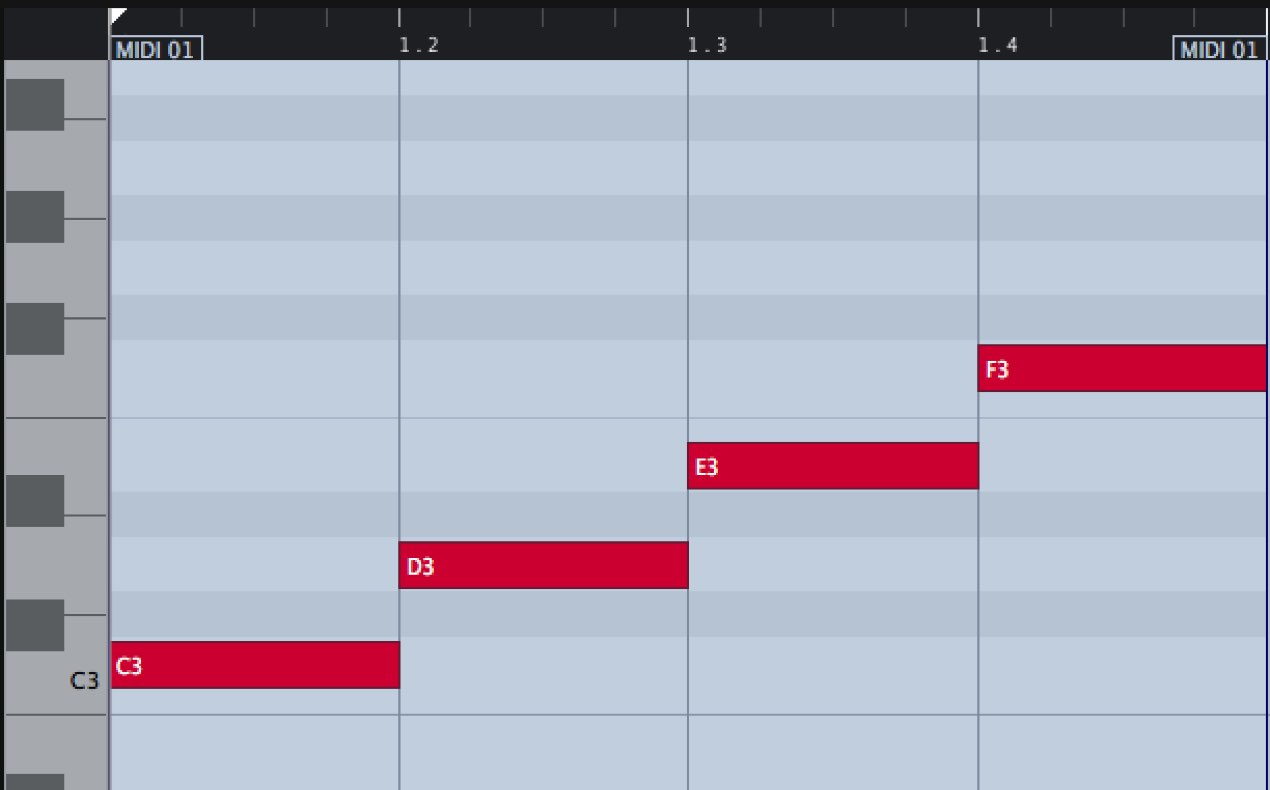
MIDI is information used to play a sound source.
It can convey performance details such as pitch, velocity and note duration.
The important point is that MIDI itself contains no sound.
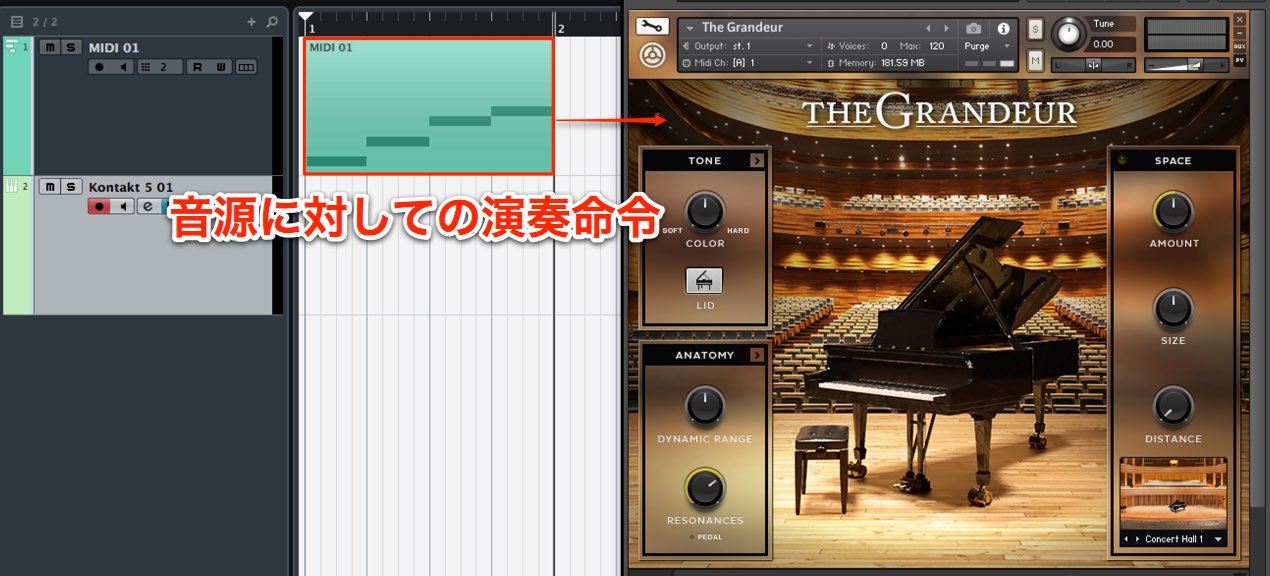
A sound source interprets the MIDI information to produce the performance.
MIDI Inputs and Outputs
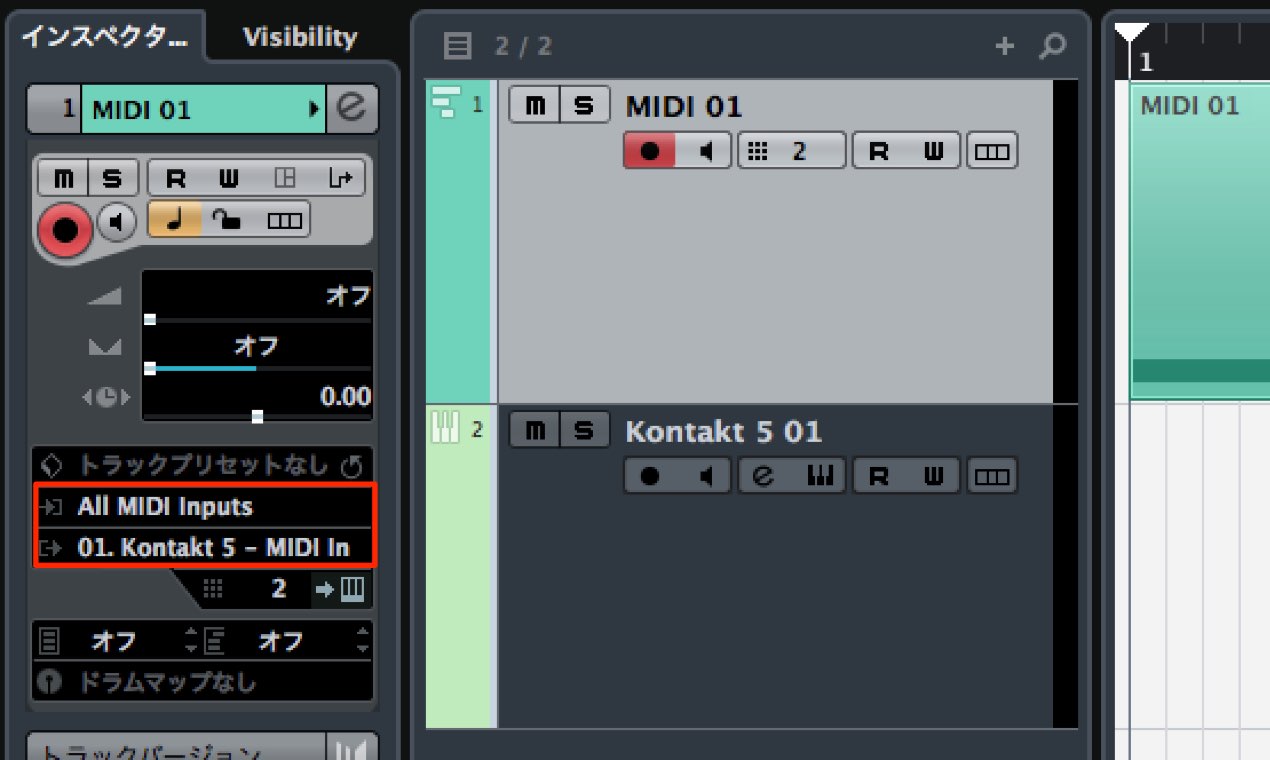
MIDI tracks have input and output routing.
- In: Used to receive MIDI information.
Select your input device, such as a MIDI keyboard. - Out: Specifies which sound source receives and plays the programmed MIDI information.
An incorrect output setting can result in no sound.
MIDI Channels
MIDI 1.0 provides channels numbered 1 through 16.
You can think of them a little like TV channels.
Some sound sources can play multiple instruments at once.
Their parts can be assigned to different MIDI channels.
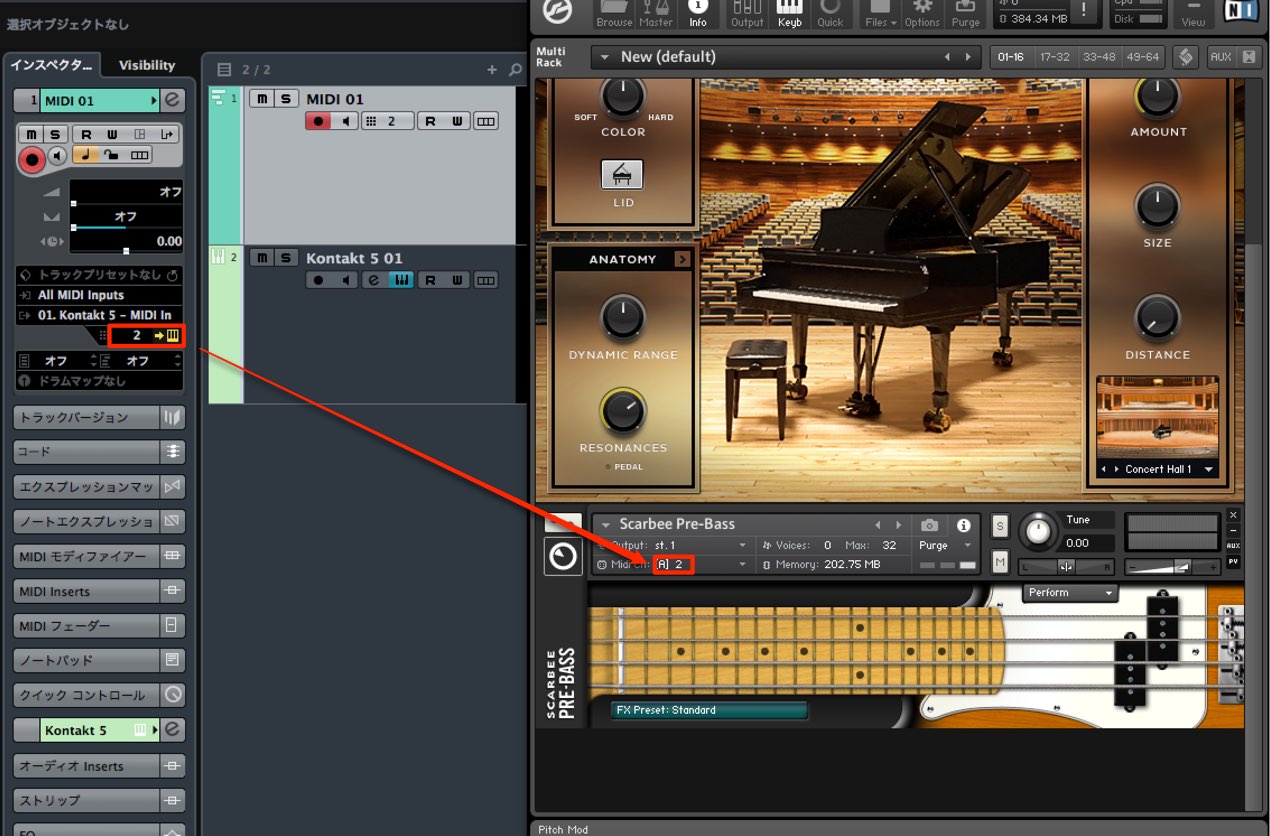
Match the MIDI track’s channel to the receiving part’s channel
to send the programmed performance to the intended instrument.
Frequently Asked Questions
Q1. Can MIDI alone produce sound?
No. MIDI carries performance information, but no audio of its own. It needs a sound source, such as a synthesizer or sampler, to produce sound.
Q2. What happens if a MIDI track’s output is set incorrectly?
The MIDI data may not reach the intended sound source, which can result in no sound. Check the output routing if you cannot hear the intended instrument.
Q3. Why are MIDI channels numbered 1 through 16?
The MIDI 1.0 protocol defines 16 channels per MIDI connection. A compatible multitimbral sound source may use these channels to control different instrument parts independently; the number of parts it supports depends on the device.
NEW ARTICLES
Latest English Articles

























































































































































































































































































































































































































































































