Native Instruments’ DrumLab combines acoustic and electronic drums in one instrument. Its simple interface, preset patterns, and sound presets make it approachable even without extensive drum-programming experience. You can customize the acoustic/electronic balance and effects for each kit piece, route sounds to separate outputs, and bring MIDI patterns into your DAW.
A Blend of Acoustic and Electronic Drums
The concept behind DrumLab is combining acoustic and electronic drums.
Mixing their distinctive characteristics creates a wide range of sounds.
If ordinary drum sounds leave you wanting more, give it a try.
The editing interface is straightforward, and there are plenty of presets included.
Even if you are unfamiliar with drums, you can enjoy creating sounds.
Video: Using Preset Patterns
Using Preset Patterns
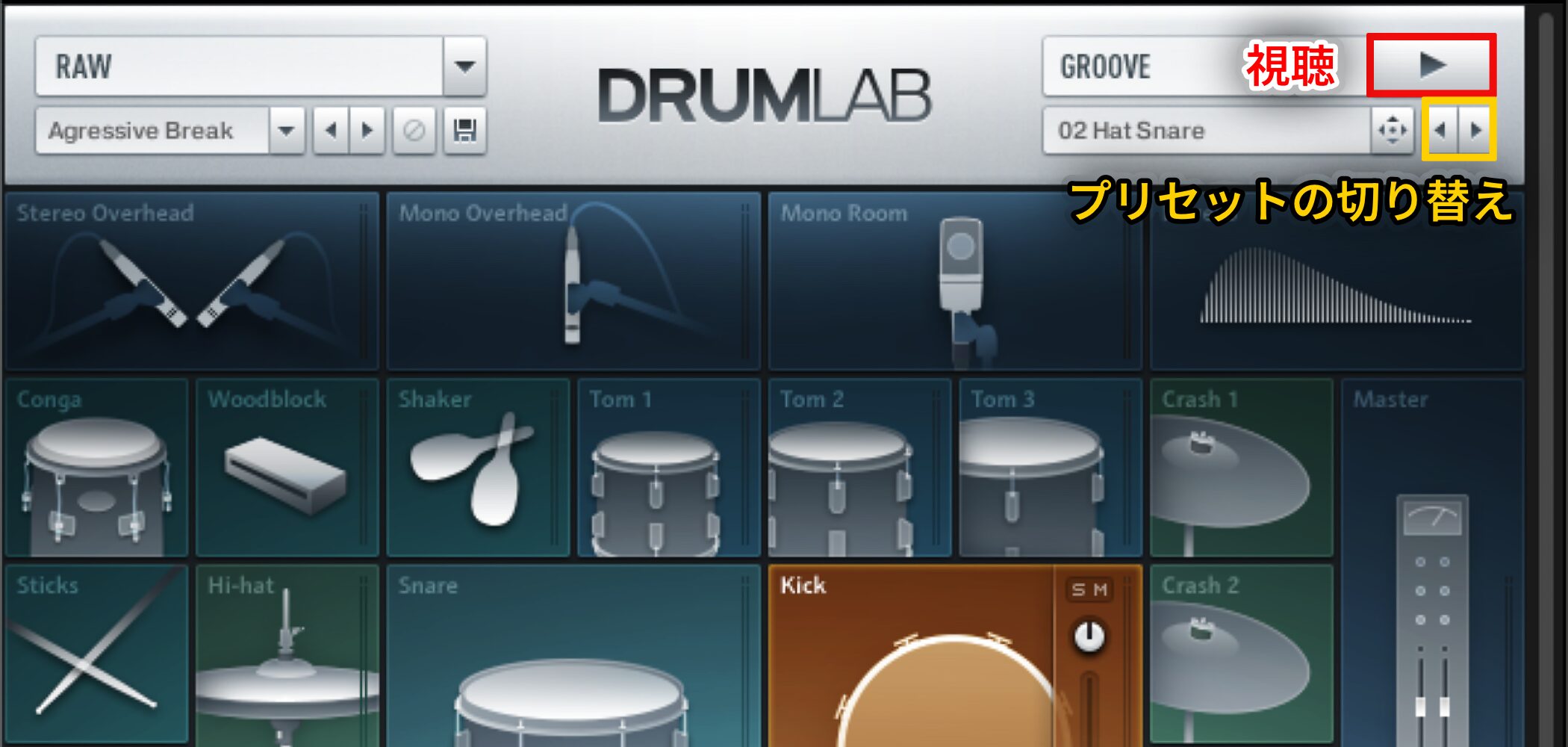
You can audition the patterns included in DrumLab.
Use the left and right arrows below to switch between preset patterns.
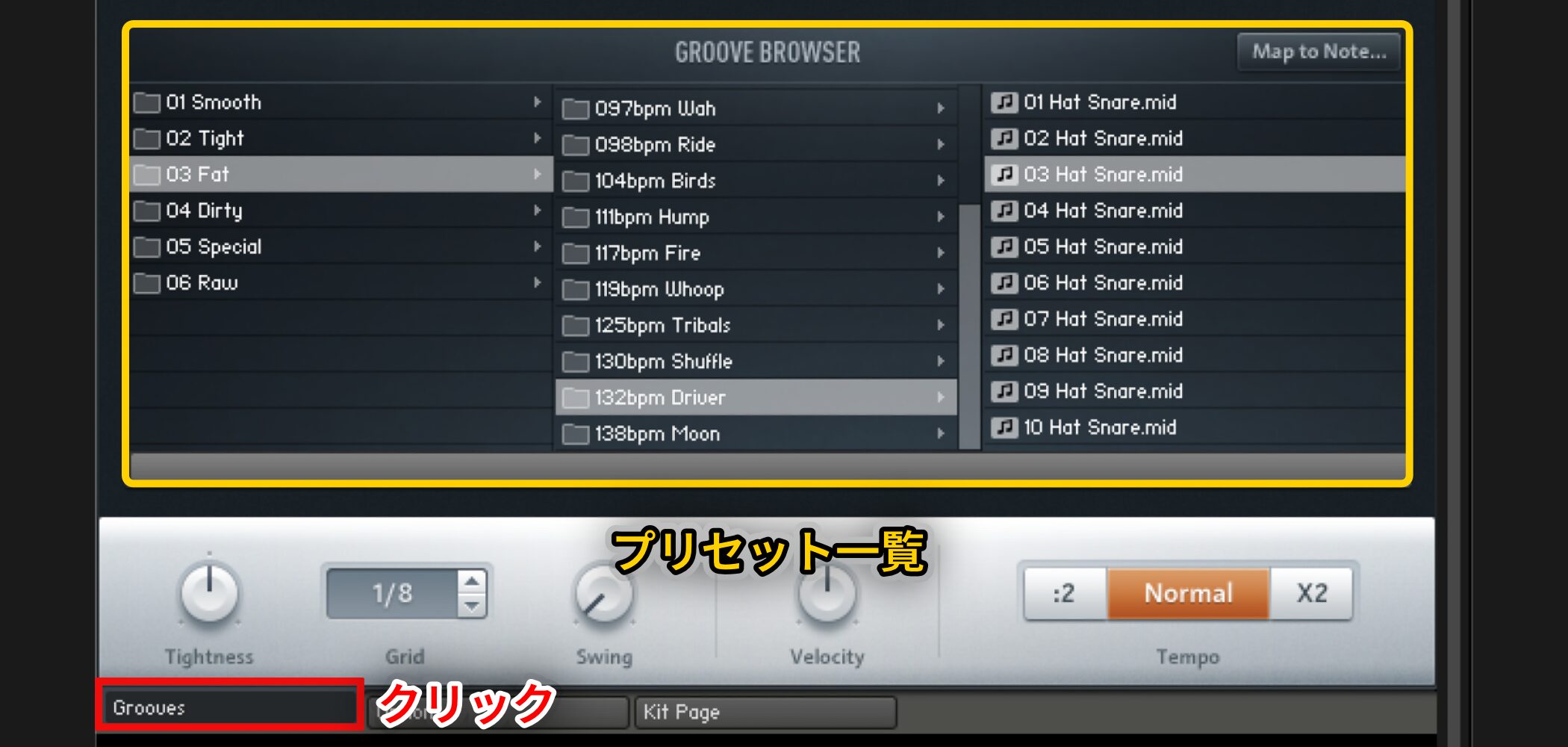
Open Grooves at the bottom to browse and load presets.
Select a category and find a pattern you like.
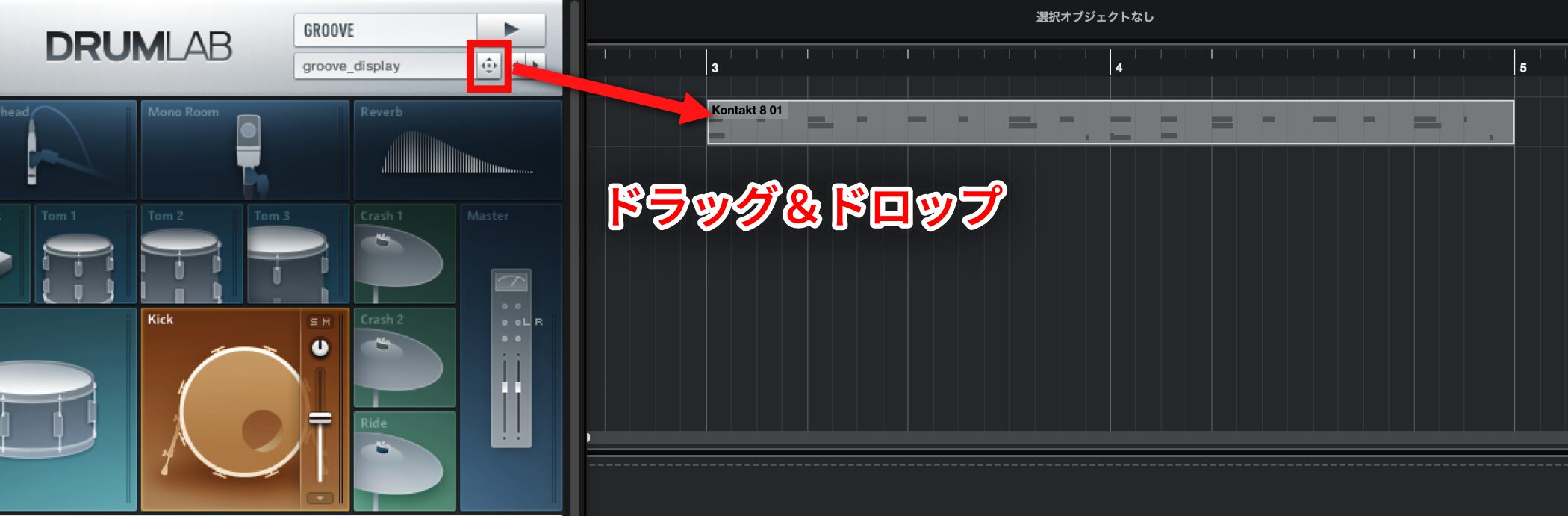
After selecting a pattern, drag the cross-shaped cursor in the red outline into your DAW to import it as a MIDI pattern.
Using Sound Presets
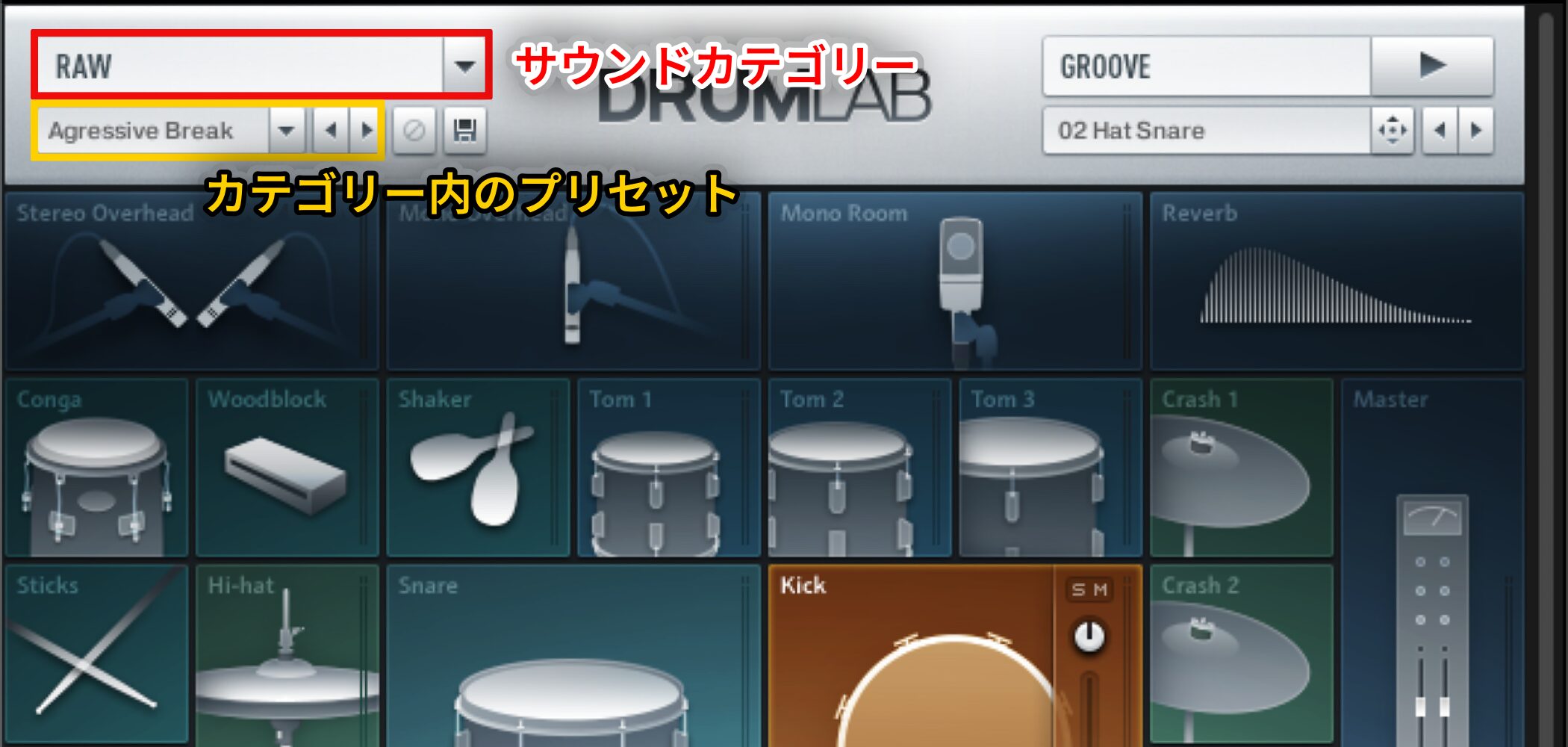
DrumLab also includes ready-to-use sound presets.
Combining these with the patterns above can yield a polished drum sound.
Choose a sound category in the red-outlined area, then select a preset within that category in the yellow-outlined area below.
Controlling the Character of Each Kit Piece
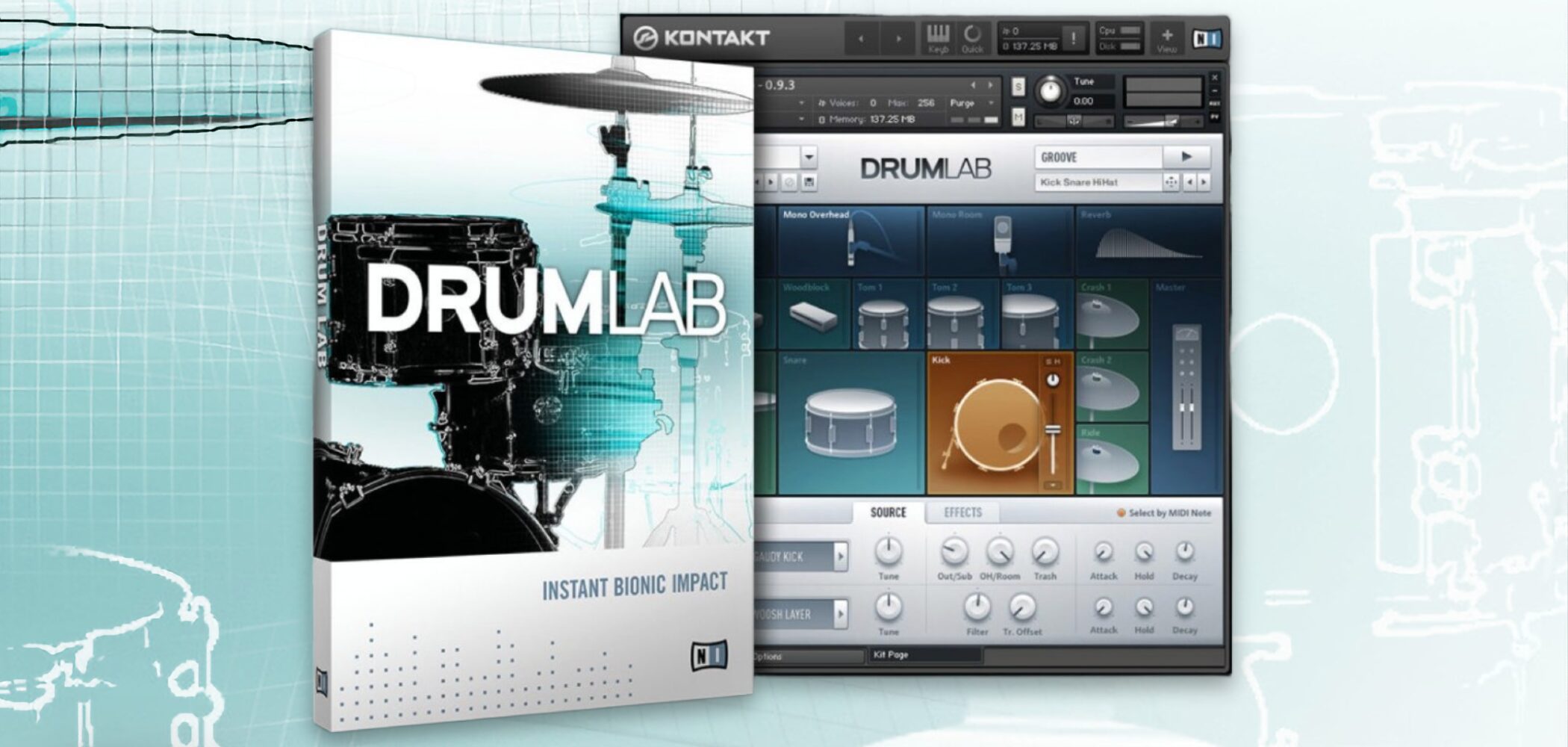
Next, let’s edit individual kit-piece sounds.
Simple controls let you adjust the acoustic/electronic balance, apply effects, and more.
Customize them to suit your track.
Video: Adjusting Individual Kit Pieces
Editing Kit Pieces
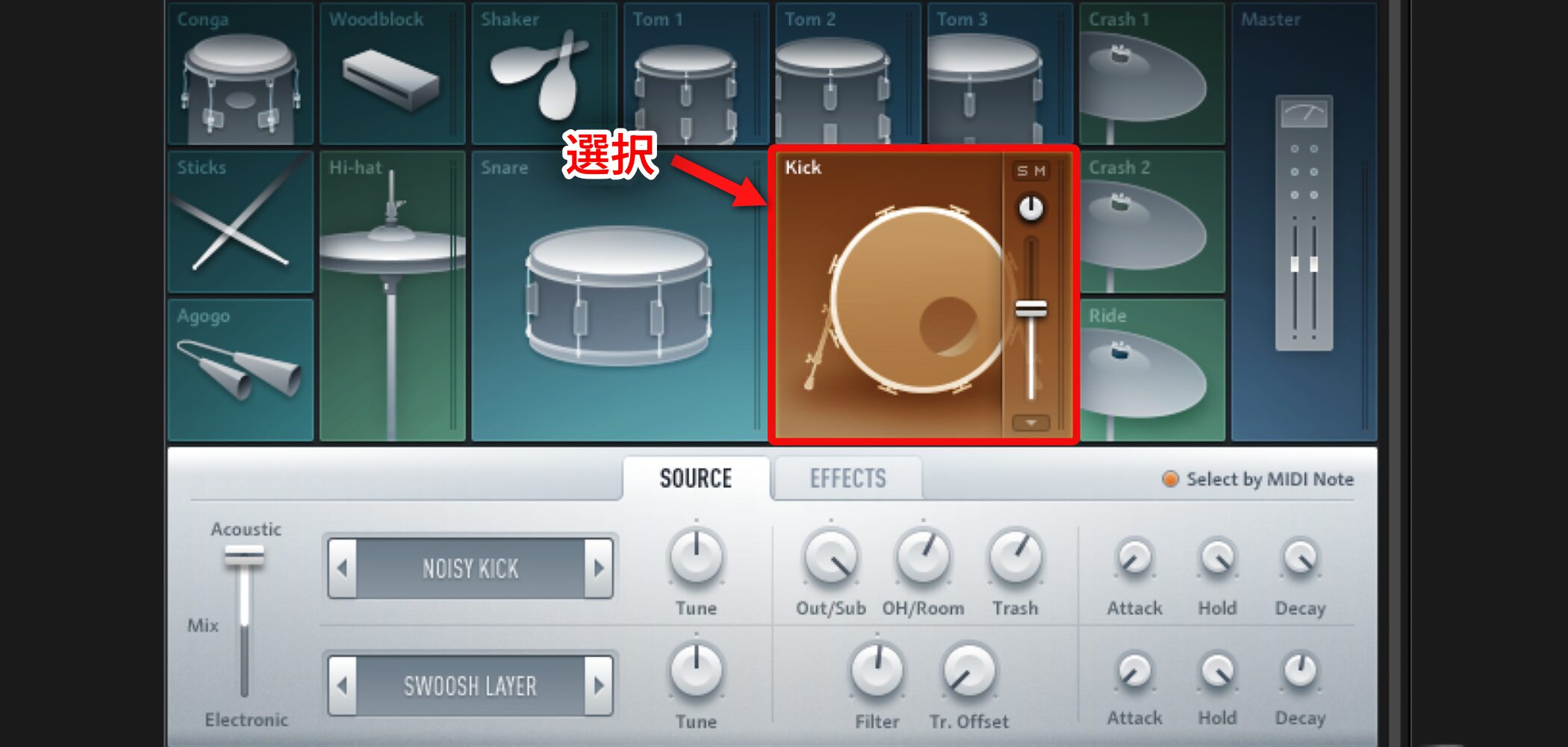
Select the kit piece you want to edit.
Its settings appear below.
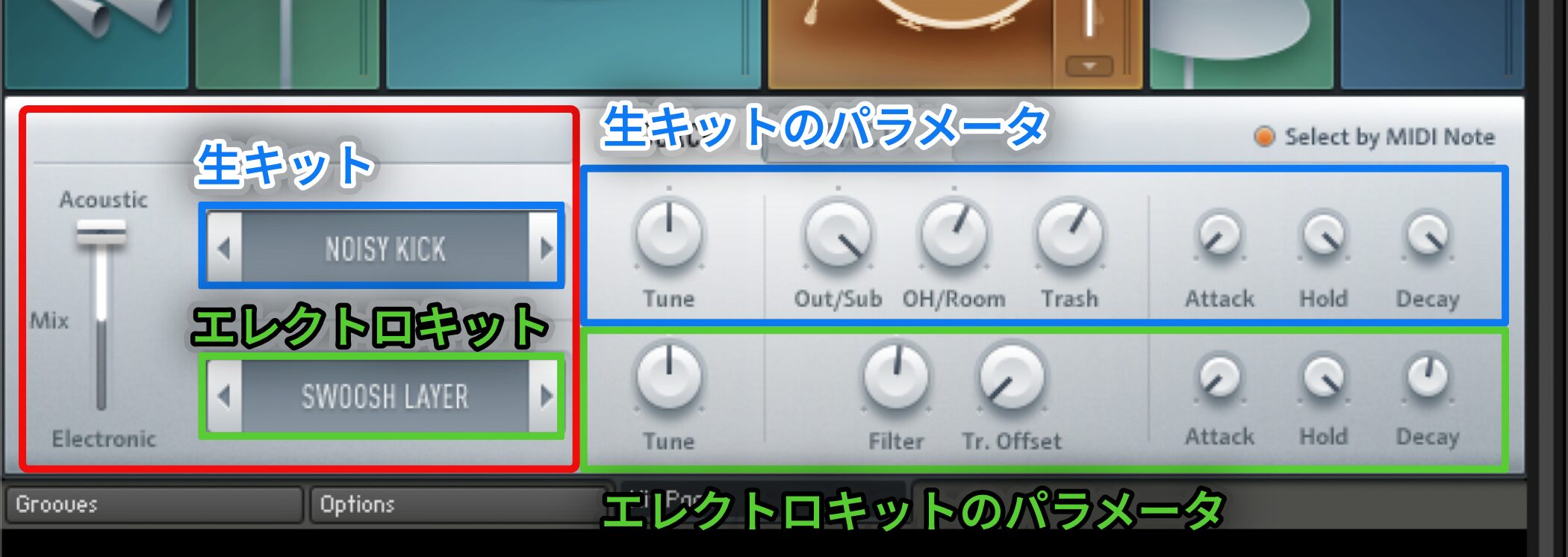
First, choose the kit in the red-outlined area.
The acoustic kit is above and the electronic kit below; use the slider on the left to balance their levels.
This balance alone can change the sound dramatically.
The blue-outlined controls adjust the acoustic kit, while the green-outlined controls below adjust the electronic kit.
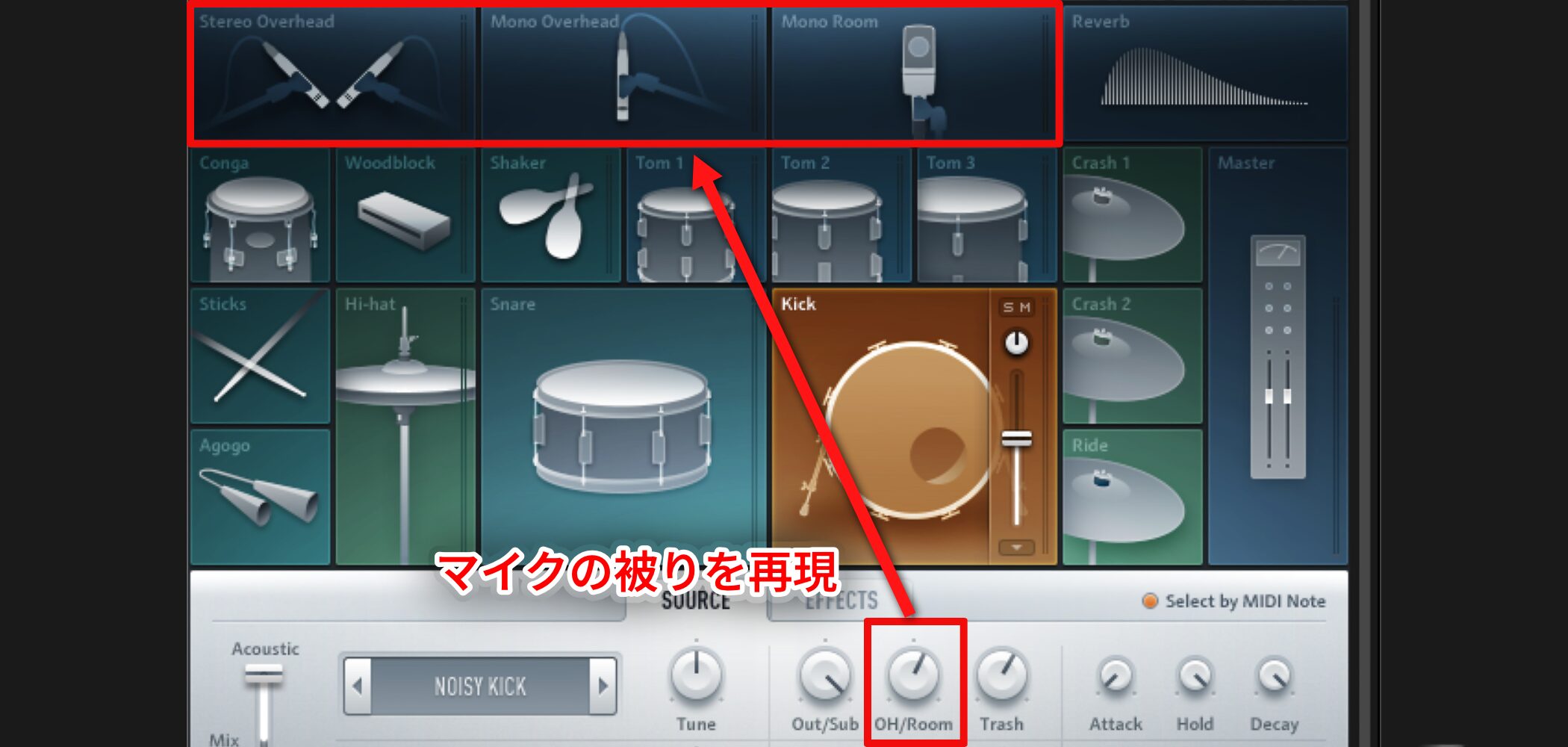
The acoustic drum controls can recreate microphone bleed.
This adds a distinctive sense of space and can help the kit pieces blend together.
Applying Effects
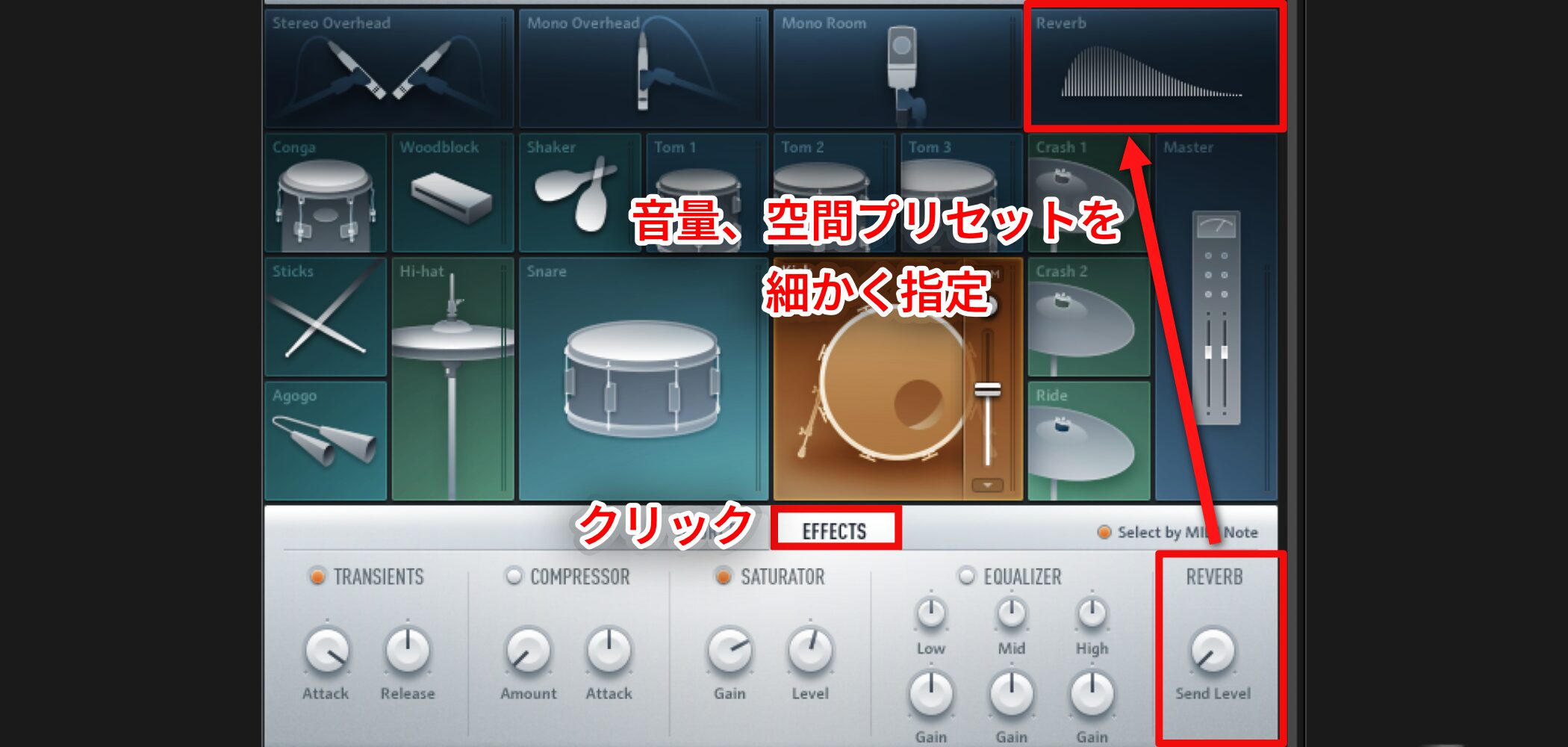
Use EFFECTS to apply different effects to individual kit pieces.
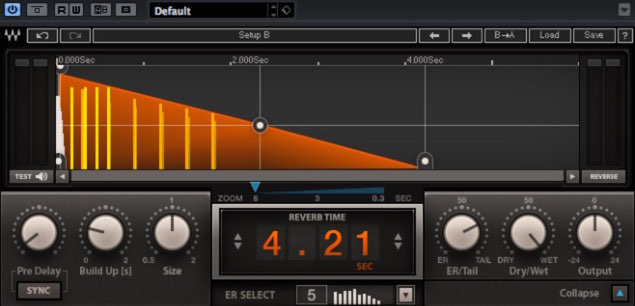
Reverb has its own dedicated parameters, allowing detailed control of level and room presets.
Level and Separate Outputs
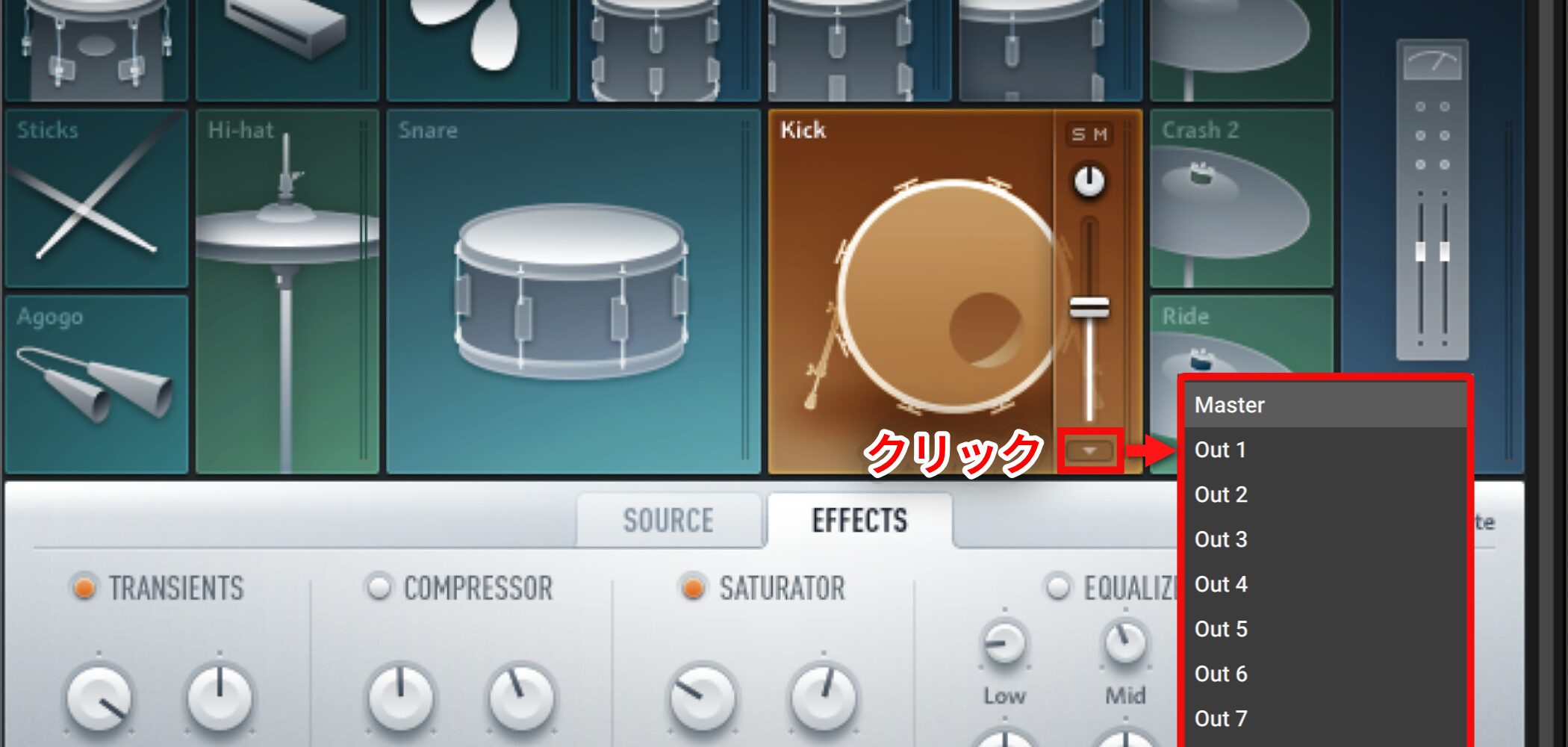
Each kit piece has individual pan and level controls, and the red-outlined section also lets you configure separate outputs.
For Kontakt output routing, see the video below.
Video: Routing Separate Outputs in Kontakt
Frequently Asked Questions
Q1. Can beginners use DrumLab?
Yes. Its simple editing interface and broad selection of presets make it approachable. You can choose a preset and create a polished drum sound even without much prior drum knowledge.
Q2. How do I balance the acoustic and electronic drums?
Use the slider in the red-outlined kit editing area to adjust the levels of the acoustic and electronic kits. Changing this balance alone can greatly alter the sound.
Q3. Can I use DrumLab patterns in my DAW?
Yes. Drag and drop the cross-shaped cursor for a preset pattern into your DAW to import it as MIDI.
Q4. Can I apply different effects to each drum kit piece?
Yes. Use EFFECTS to apply different effects to individual kit pieces. Reverb has dedicated controls for more detailed settings.
NEW ARTICLES
Latest English Articles