
Kontakt 5 is a powerful sampler from Native Instruments, and many developers offer compatible instruments. This guide explains how to load and organize free and purchased Kontakt-format instruments using its Database feature. Registering instrument folders makes presets easier to find and load. Keep registered folders in their original locations and avoid renaming them so Kontakt can continue to locate the files.
Set up Kontakt-compatible presets for quick access
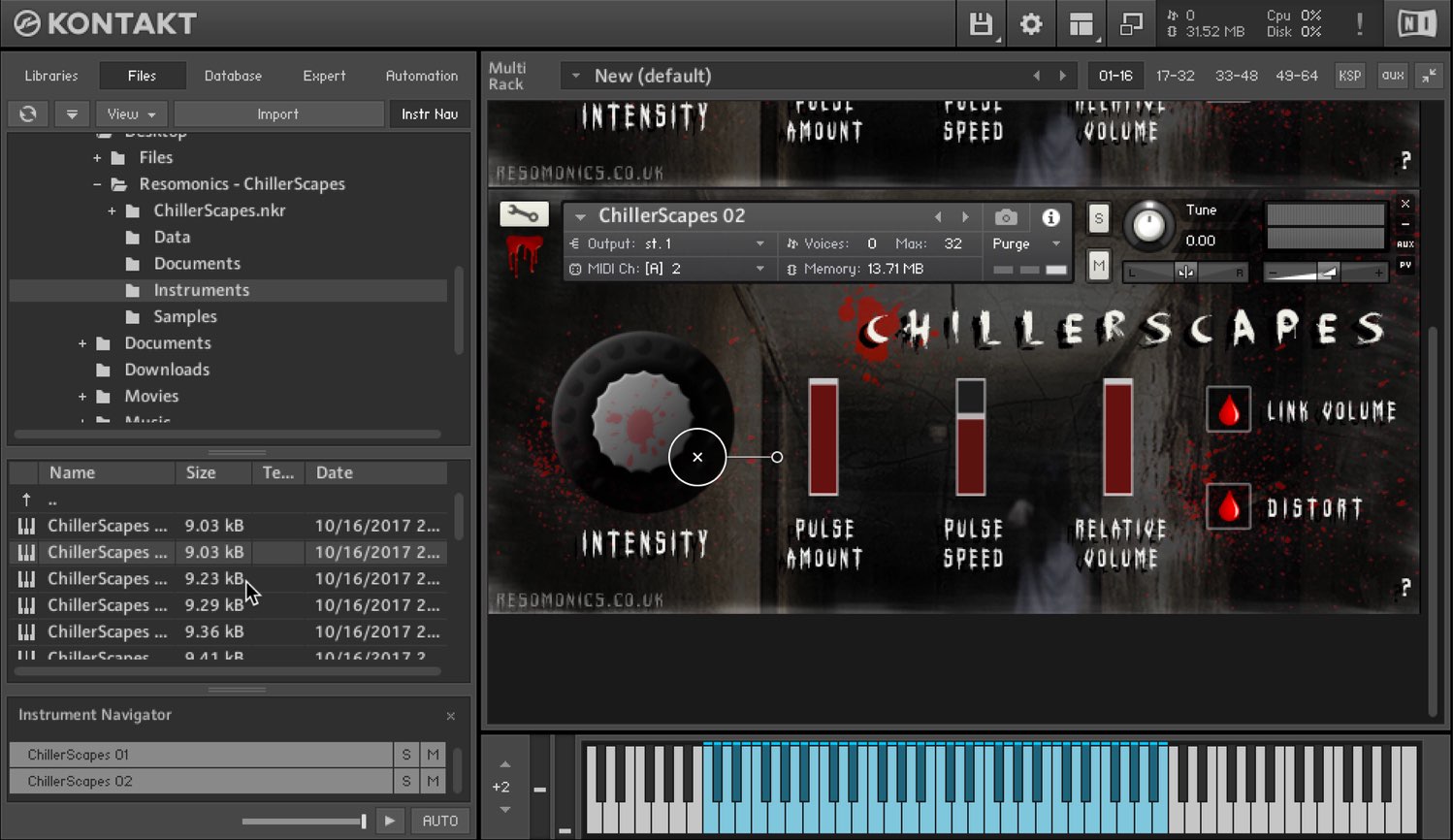
Kontakt 5 is a sampler from Native Instruments.
Its capable interface supports instruments sold or distributed by many developers.
Here we explain how to load those instruments and what to watch out for, as the process can be confusing.
Many free instruments are also prepared for use in Kontakt, and this method can help you organize them efficiently.
Video: Loading and managing Kontakt samples and free instruments
Selected questions and answers from the YouTube video

Hello, I compose in FL Studio. Kontakt was taking a long time to load, so I used Batch Resave. MIDI still responds, but there is no sound. I did not understand the process and forgot to make a backup. Could samples be missing? Please let me know if there is a solution.

We looked into this and found that a backup should always be made before Batch Resave. The documentation we found says it cannot be undone, so downloading the instrument library again from the beginning may be necessary.
Thank you for your helpful videos. I use KONTAKT 6 (6.0.2) with Cubase Pro 10 on Windows 10, but the Database button is missing. I cannot find a Database item in Options either. My free libraries are stored in C:\Users\Public\Documents\KontaktLibraries, and I open third-party libraries directly each time. I could not find the same issue on the NI site and am unsure how to ask support. Is there a setting I should change?
Could you try specifying the folder in the Database preferences?https://app.box.com/s/h4f4f2x3ht7iwntfmjy4ks1p131uzodr
Thank you for the excellent videos. I purchased a third-party Kontakt instrument in NKI format, but I cannot play chords. Is there a way to enable chord playing? Thank you for your help.
Try increasing the Voice count in the Kontakt instrument interface; this can enable chord playing.https://app.box.com/s/uary8on5lpdpy2wlpu81s0uqwxldvvu9
I am a beginner using GarageBand on a Mac. This is a very basic question, but I do not know how to open the Kontakt window. I have already downloaded the instrument files. What should I do?
In GarageBand, create a software instrument track. At the bottom of the screen, select Track and then Plug-ins; the default is Vintage Electric Piano. Click and hold it, then select AU Instruments → Native Instruments → Kontakt. See the link below.https://support.apple.com/kb/PH25047?viewlocale=ja_JP&locale=ja_JP
Managing instruments with Database
Register the instrument folder in Kontakt’s Database feature.
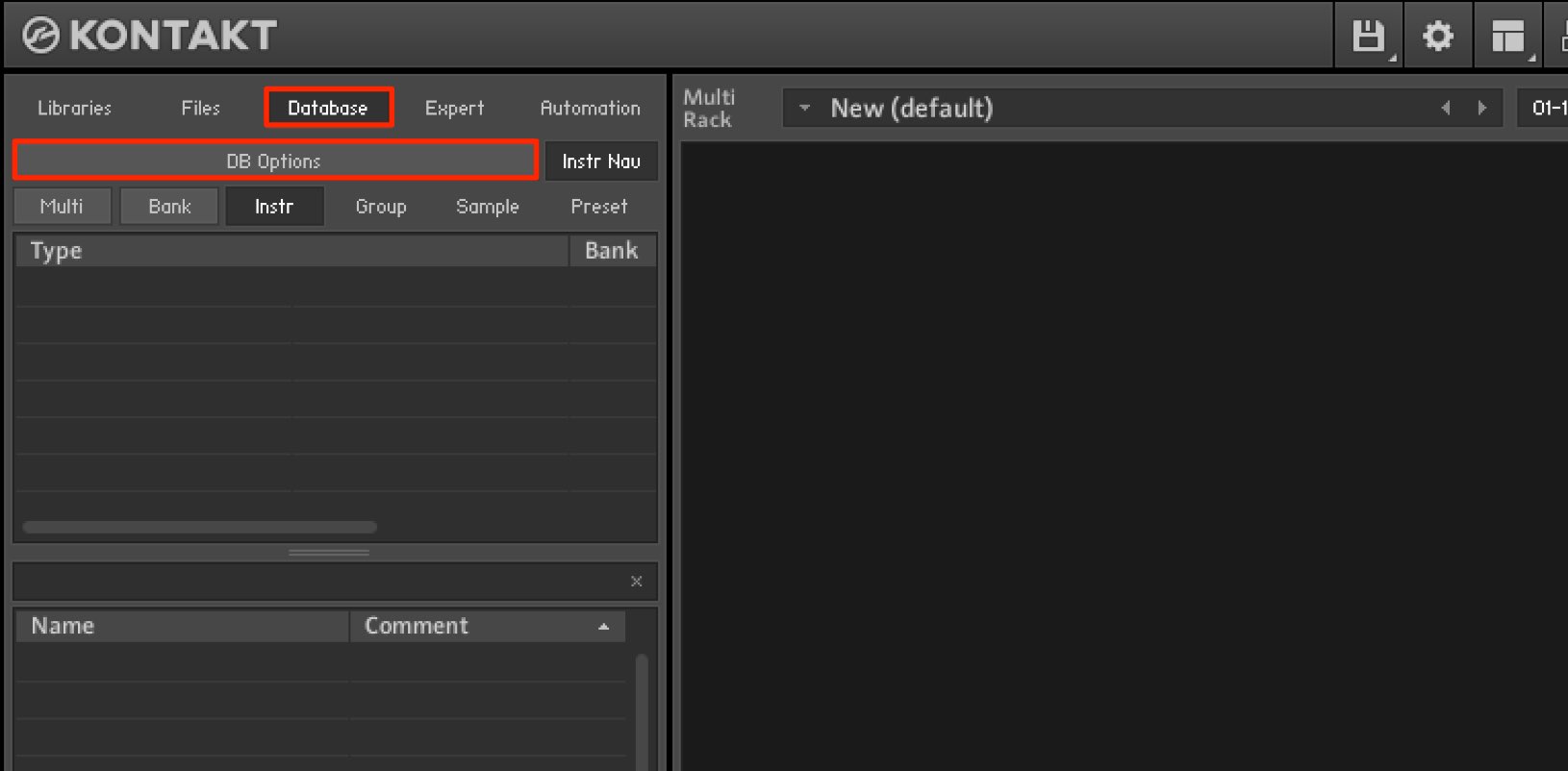
Select the Database tab and click DB Options.
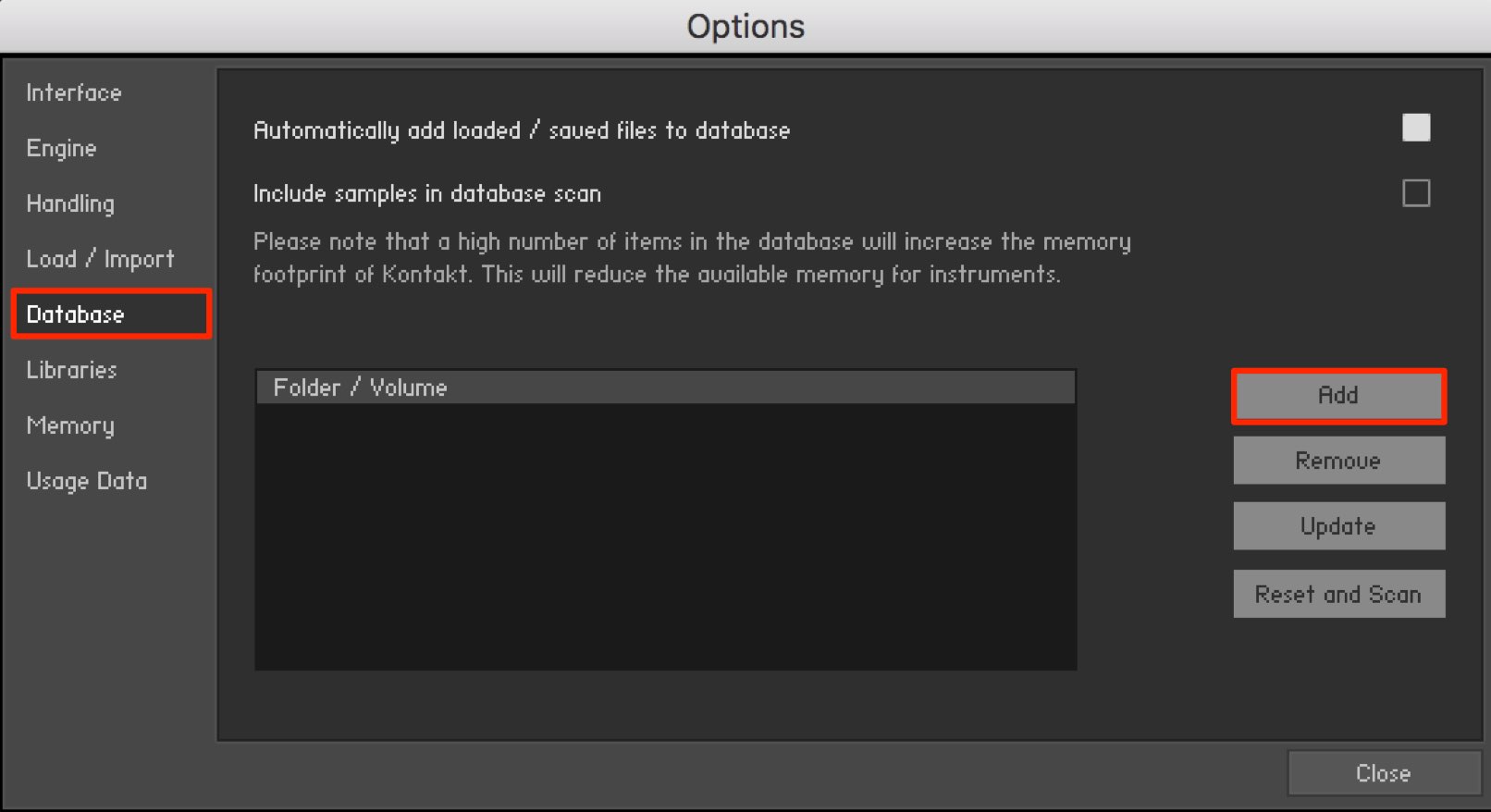
Click Add.
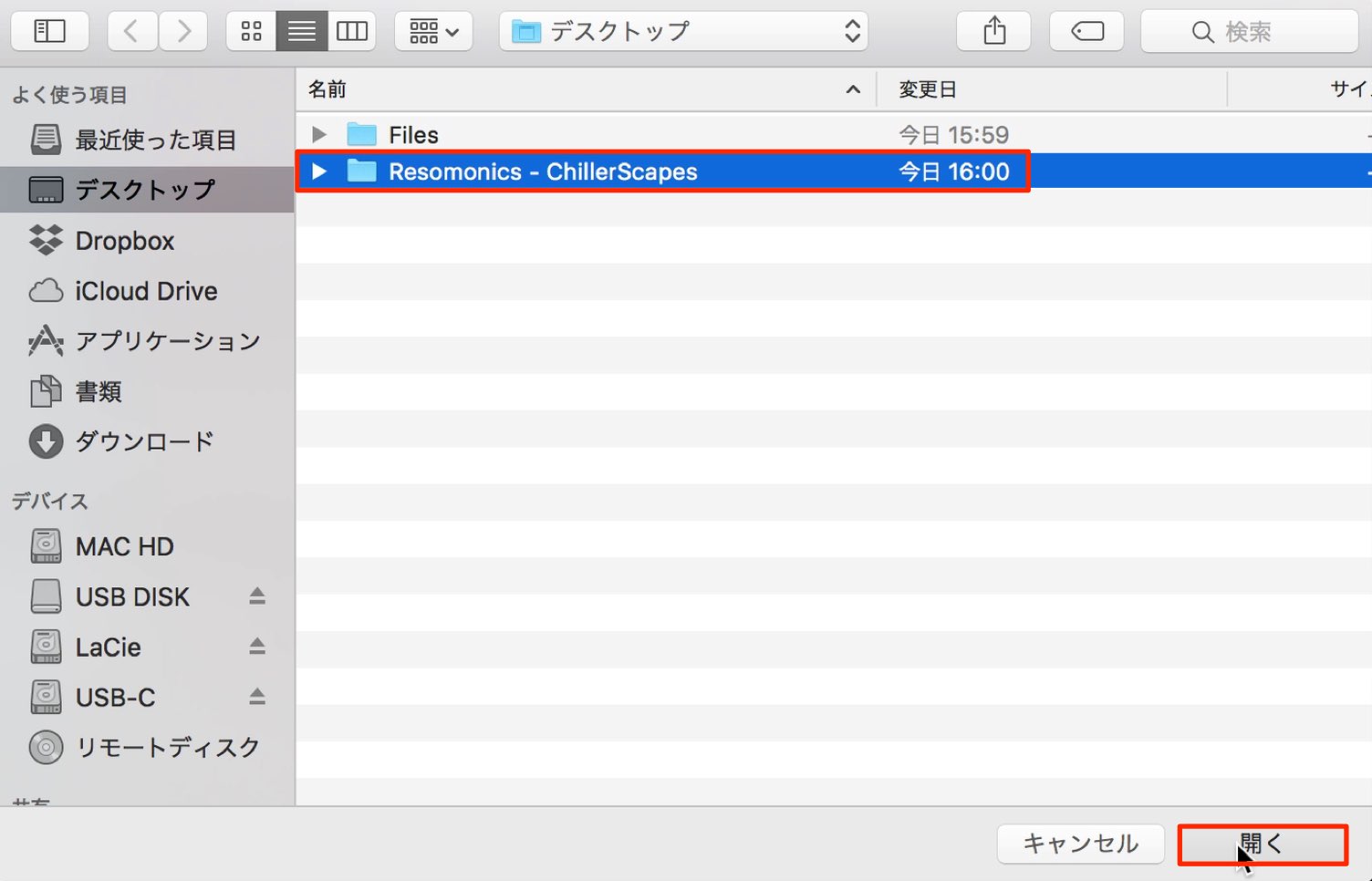
Select the desired instrument folder and click Open.
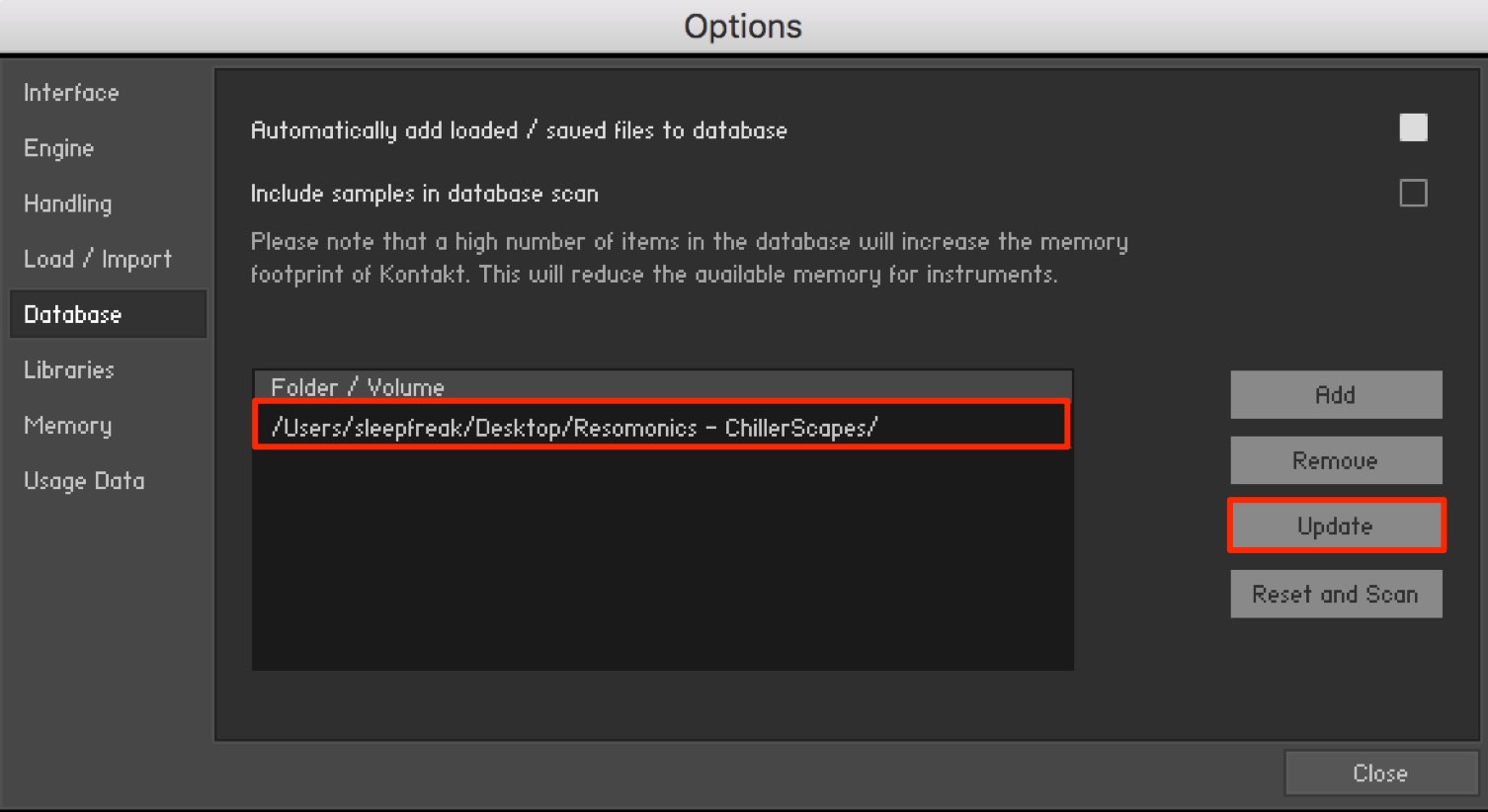
The selected folder appears as shown.
Click Update to scan its contents.
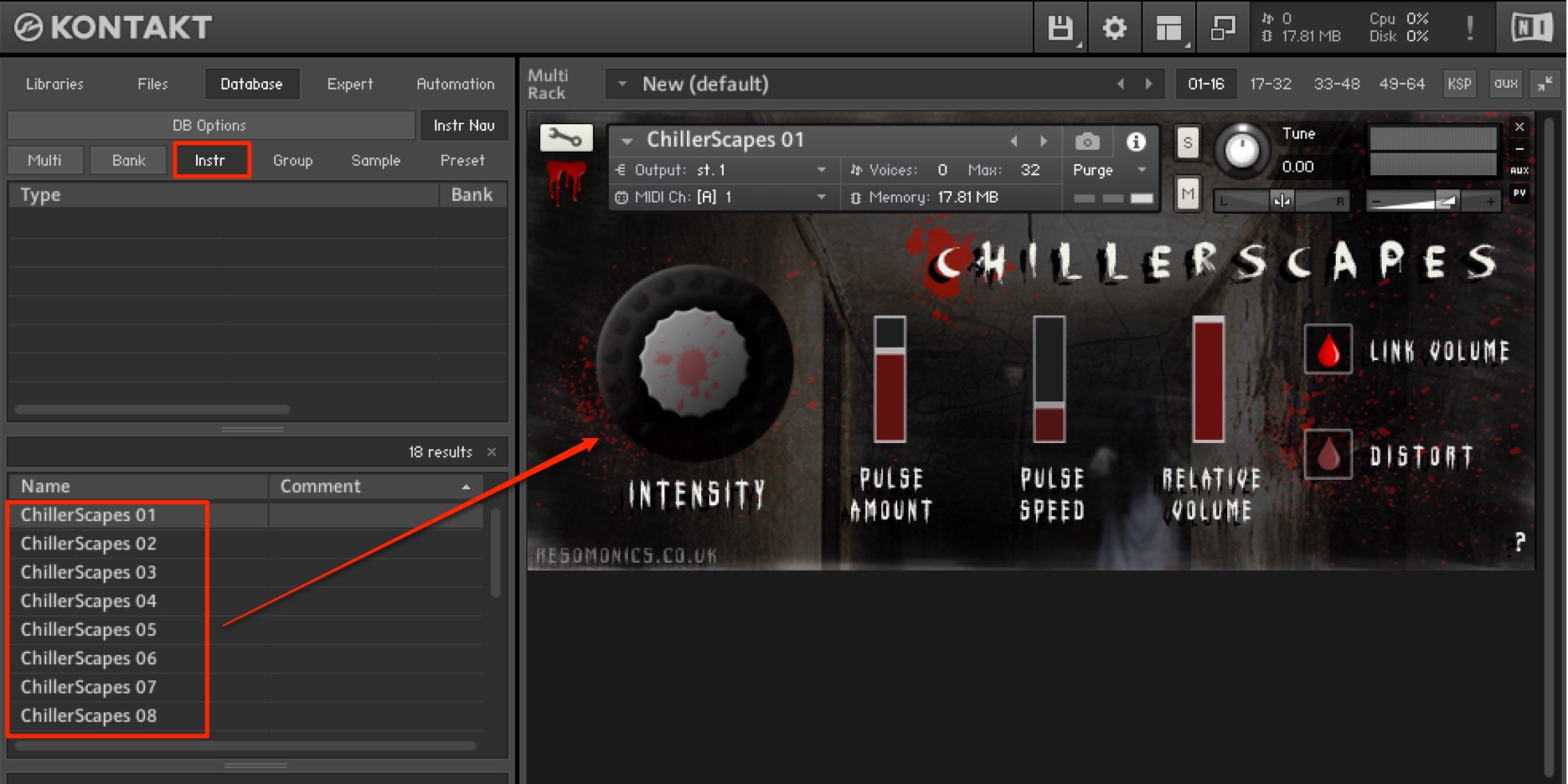
Select the Instr tab to display the instruments Kontakt can use. From here, use them as you would other instruments.
Drag and drop the preset you want to load.
Important points when registering and using instruments
The key precaution when working with Kontakt is to keep instrument folders in their original locations and avoid renaming them.
Do not move them to the Trash either.
Otherwise, Kontakt can lose track of the files and fail to load them.
One recommended way to organize instruments is to
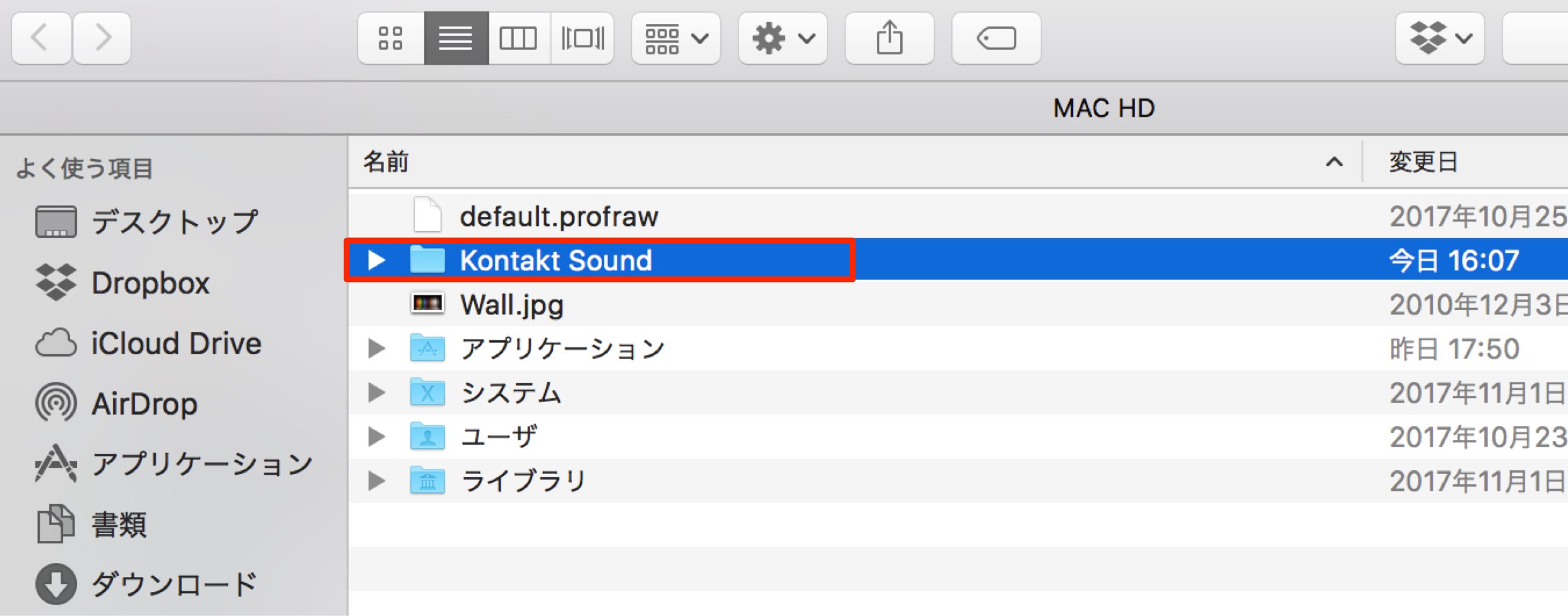
keep all the Kontakt instruments you want to use together in a location of your choice, such as an internal or external drive.
This reduces the risk of losing track of a folder or accidentally deleting an instrument.
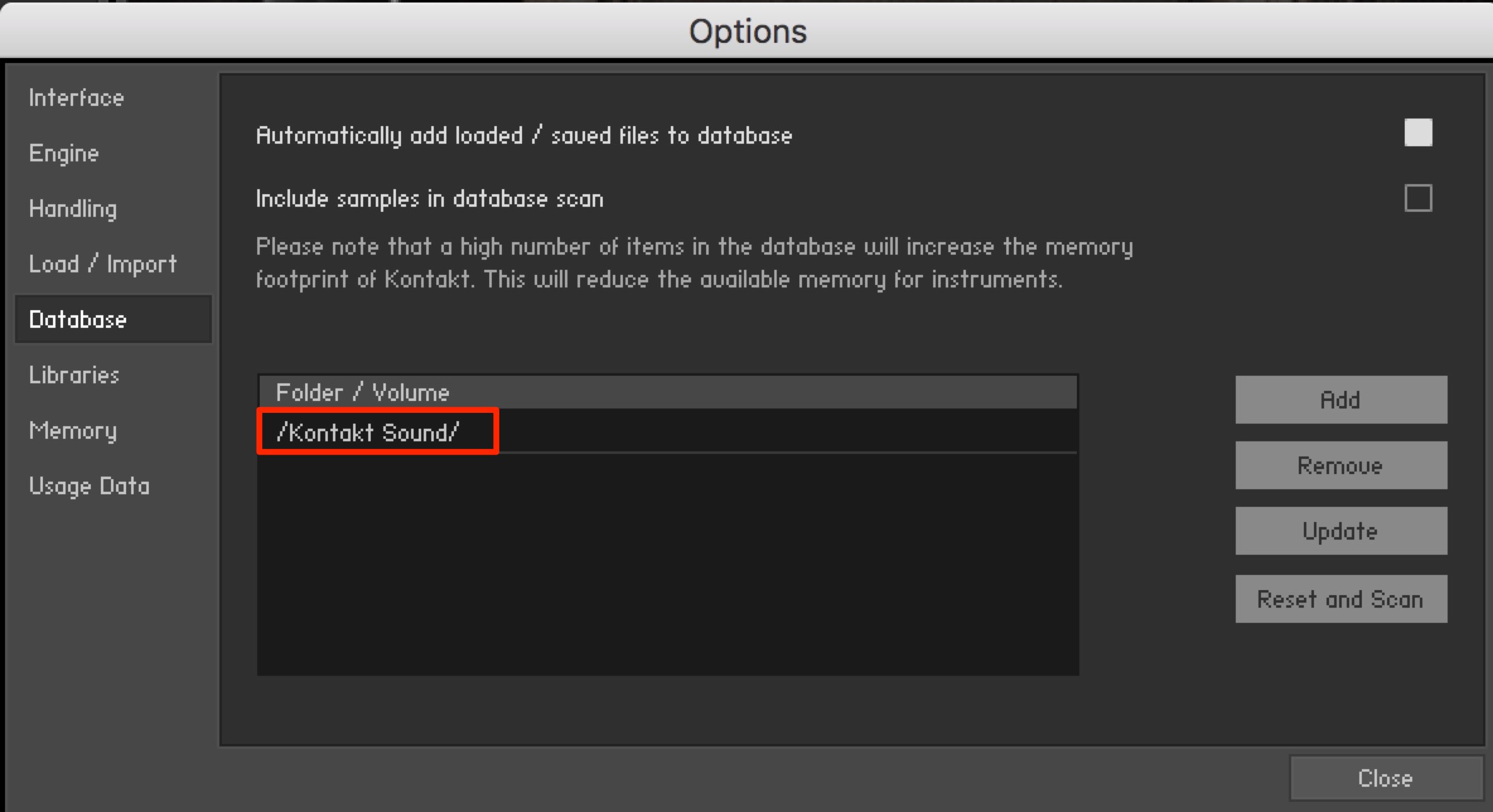
After collecting instruments under one folder, use Add to register that folder with Database.
When you add new instruments to the folder, remember to click Update.
This lets you add, use and organize instruments easily in Kontakt. If you have not used this feature, give it a try.
Frequently asked questions
Q1. How do I load free instruments into Kontakt?
Add their folder using Database and click Update to scan it. Then drag and drop the instrument shown in the Instr tab to load it.
Q2. What should I watch out for when organizing Kontakt instruments?
Keep the registered instrument folders in their original locations and do not rename them: otherwise Kontakt may not be able to find the files. Keeping instruments together under one folder can make them easier to manage.
Q3. What should I do after adding a new instrument to a folder?
Click Update in Database to scan it. The newly added instrument can then appear in the Instr tab.
NEW ARTICLES
Latest English Articles












































































































































































































































































































































