
Ableton Live's automation features can add expression to your productions. This article explains how to record automation in real time by moving controls: enable Automation Arm and the recording button, then adjust a parameter during playback to capture its movement. Fine-tuning and temporarily overriding automation can help you work more efficiently and create more detailed arrangements.
Recording by moving a control
In the previous article, we covered the basics of writing automation.
This time, we'll build on that with real-time recording.
You can record automation by moving a parameter in Live directly.
Product details

Selected questions and answers from YouTube

What does the envelope's Amount control change?

The original answer describes the filter plug-in's LFO Amount: it sets how much the LFO moves the filter cutoff, with higher values producing greater movement. If the question refers to Auto Filter's Envelope Amount, that is a separate control that sets how much the envelope affects the filter frequency.
How to record automation
The process is straightforward.

Turn on the Automation Arm button,
then turn on the recording button and start playback.
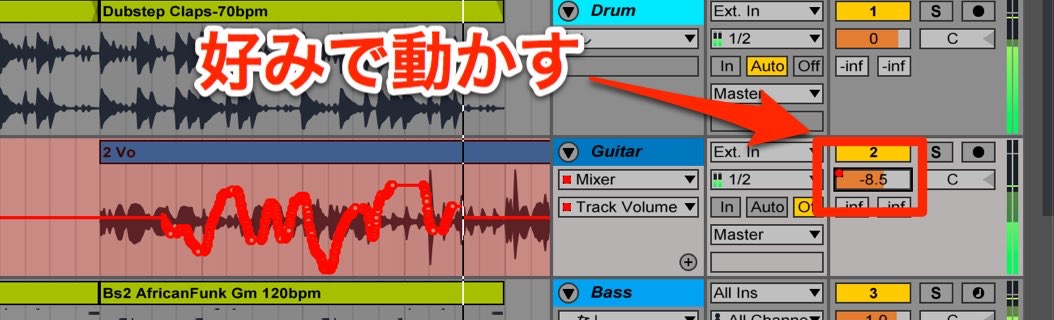
Then simply move the parameter you want to automate.
The movements are recorded, as shown above.
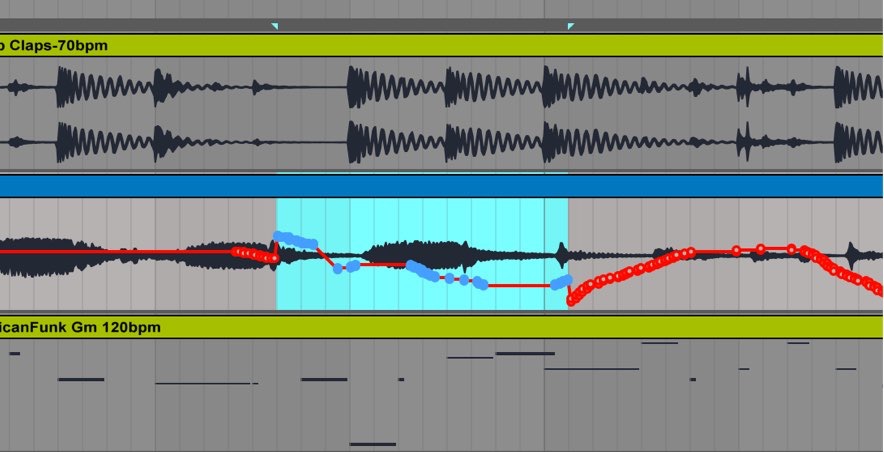
When you're done, you can fine-tune the automation using the method described in the previous article.
A precaution when recording
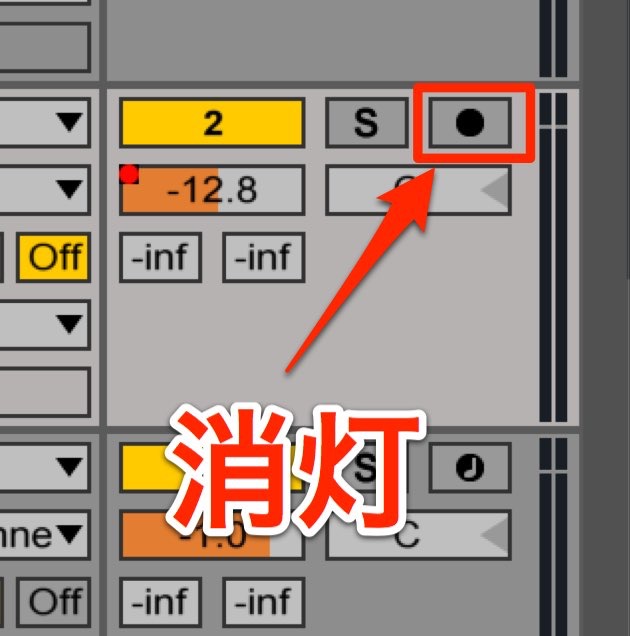
Make sure the record-arm button on each track is off.
Recording with a track armed can overwrite existing performance data.
Temporarily overriding recorded automation
You can leave the recorded automation in place and temporarily override it.
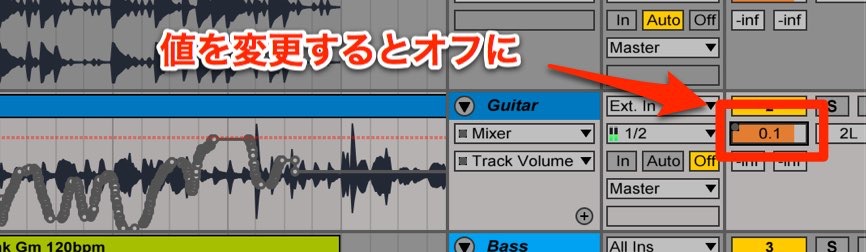
- 1. Moving an automated control while not recording overrides its automation.
- 2. To restore overridden automation, click the relevant re-enable control. The original refers to Back to Arrangement; in newer Live versions, use Re-Enable Automation.
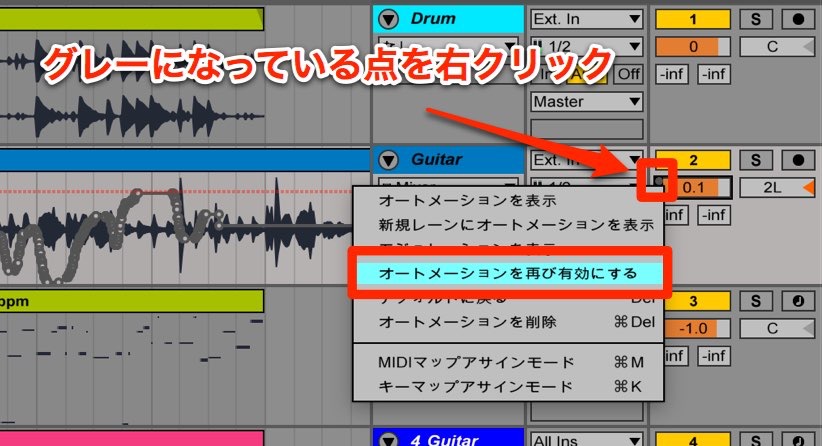
To re-enable automation for an individual parameter,
right-click the inactive control and choose Re-Enable Automation.
Frequently asked questions
Q1. How do I record automation in Ableton Live?
Turn on Automation Arm and the recording button, then start playback. Move the parameter you want to record in real time to capture its movements.
Q2. What should I do if a track's performance data is overwritten while recording automation?
Check whether the track's record-arm button is lit. Recording on an armed track can overwrite performance data, so turn off track arming when recording automation without recording new performance data.
Q3. Can I temporarily override recorded automation and turn it back on?
Yes. Moving an automated control while not recording overrides its automation. To restore it for that parameter, right-click the inactive control and select Re-Enable Automation.
NEW ARTICLES
Latest English Articles









































































































































































































































































































































































































































































































































































































































