
Orb Producer Suite 2.0 brought new AI-assisted composition features to this music-production plug-in suite. As covered in this November 2020 article, the update added MIDI-file import, velocity controls, real-time chord input, and a note editor for customizing generated phrases. The included synthesizer was also expanded. These additions give you more control over generated material, whether you need an idea to get past writer’s block or want to develop a phrase into something that fits your track.
AI-Assisted Composition: Exploring the New Features
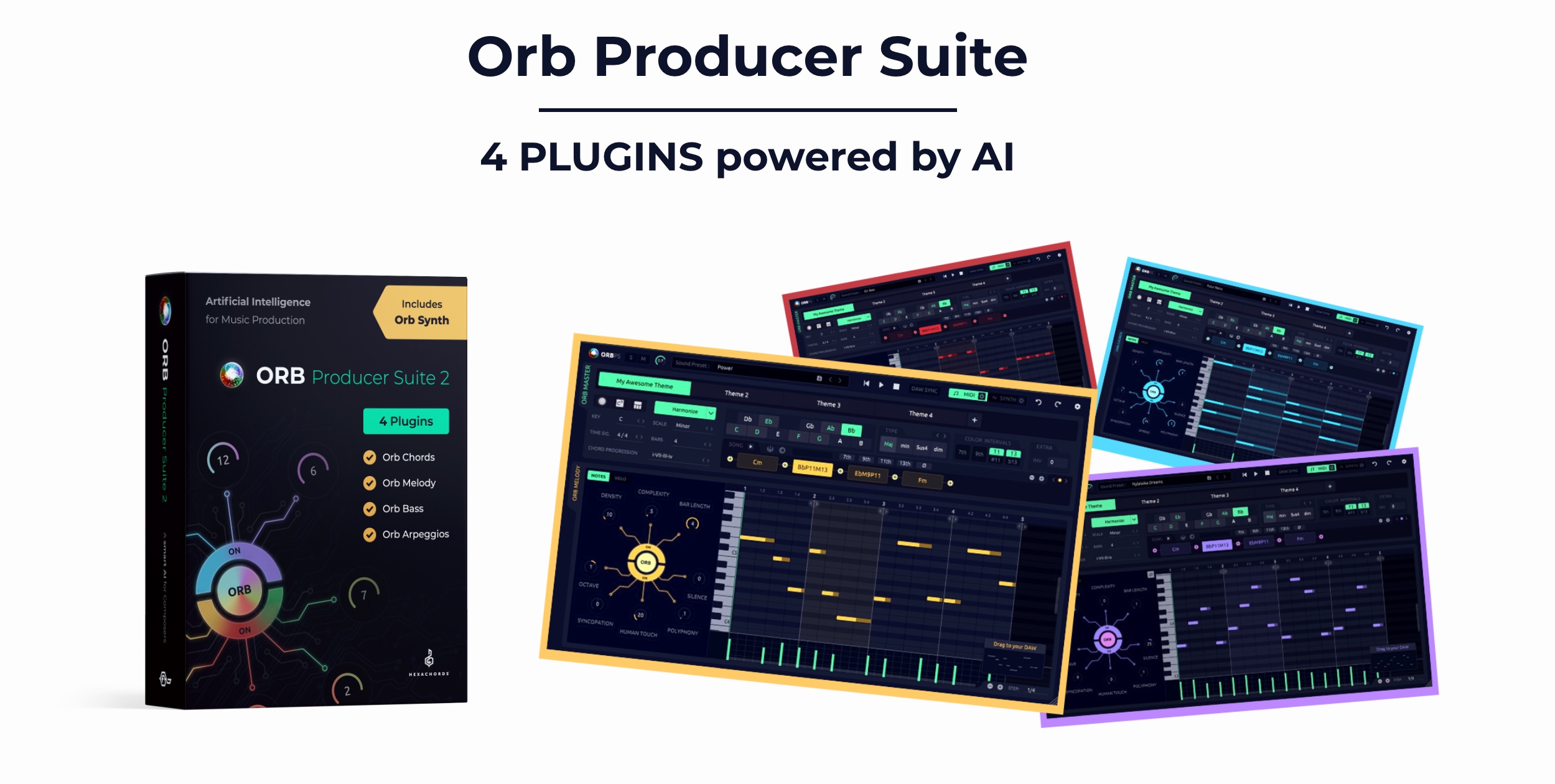
The phrase-generating plug-in suite Orb Producer Suite was updated to version 2.0 in 2020.
Alongside improvements to its AI engine, the update introduced:
- Importing your own MIDI files
- Velocity controls
- Real-time chord input
- Editing generated phrases in the note editor
- Additional features for the included synthesizer
These additions give you more freedom when producing music.
In this tutorial, we will explain how to use them.
For the basic workflow, see our earlier guide below.

Orb Producer Suite 2.0 Video Tutorial
ORB COMPOSER website: https://www.orb-composer.com
Importing Your Own MIDI Files
You can build phrases around a MIDI file of your own, using it to establish a chord progression.
This is available from any of the Orb Producer Suite plug-ins.
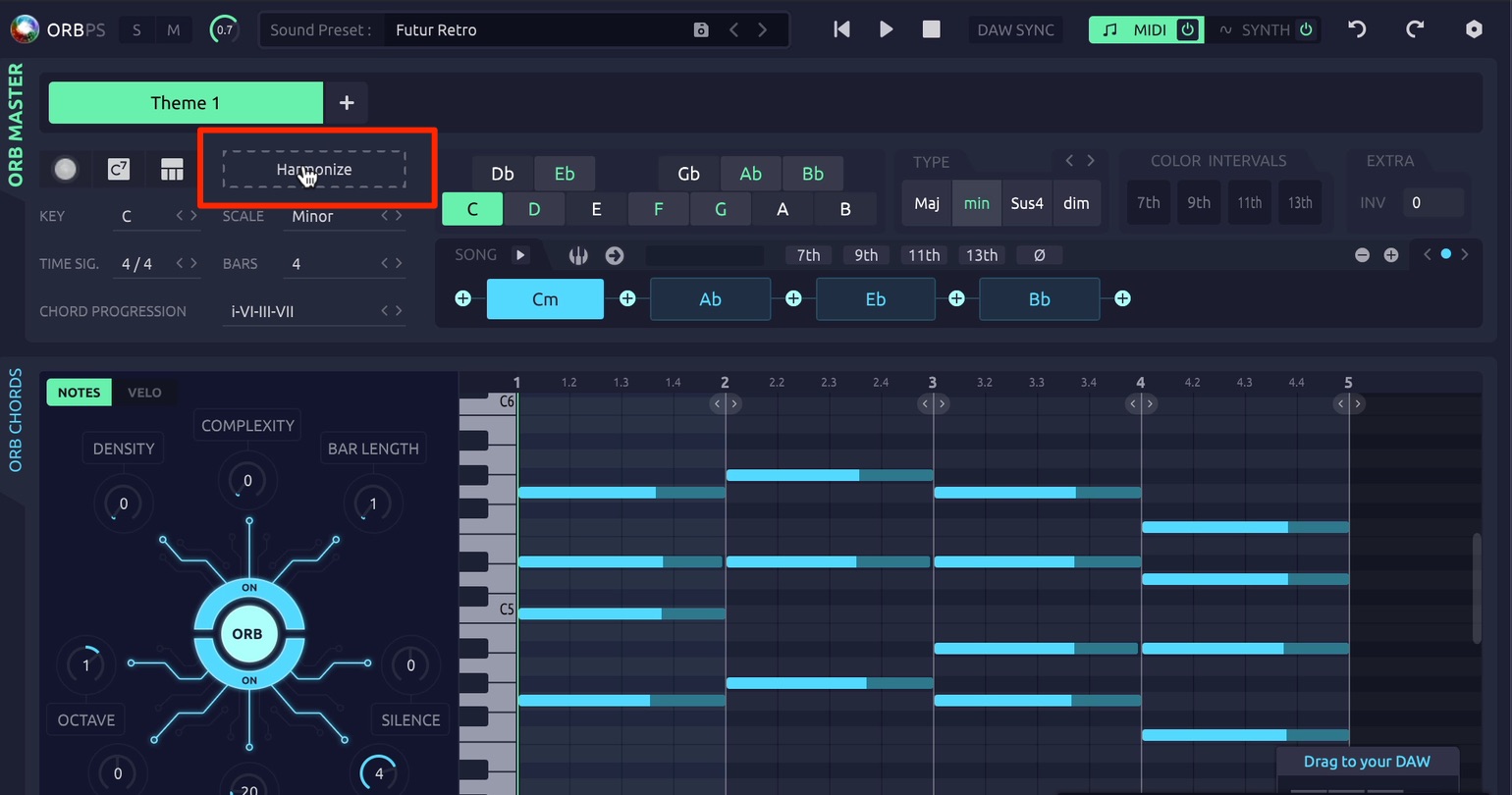
Click Harmonize inside the plug-in, then choose the MIDI file you have prepared.
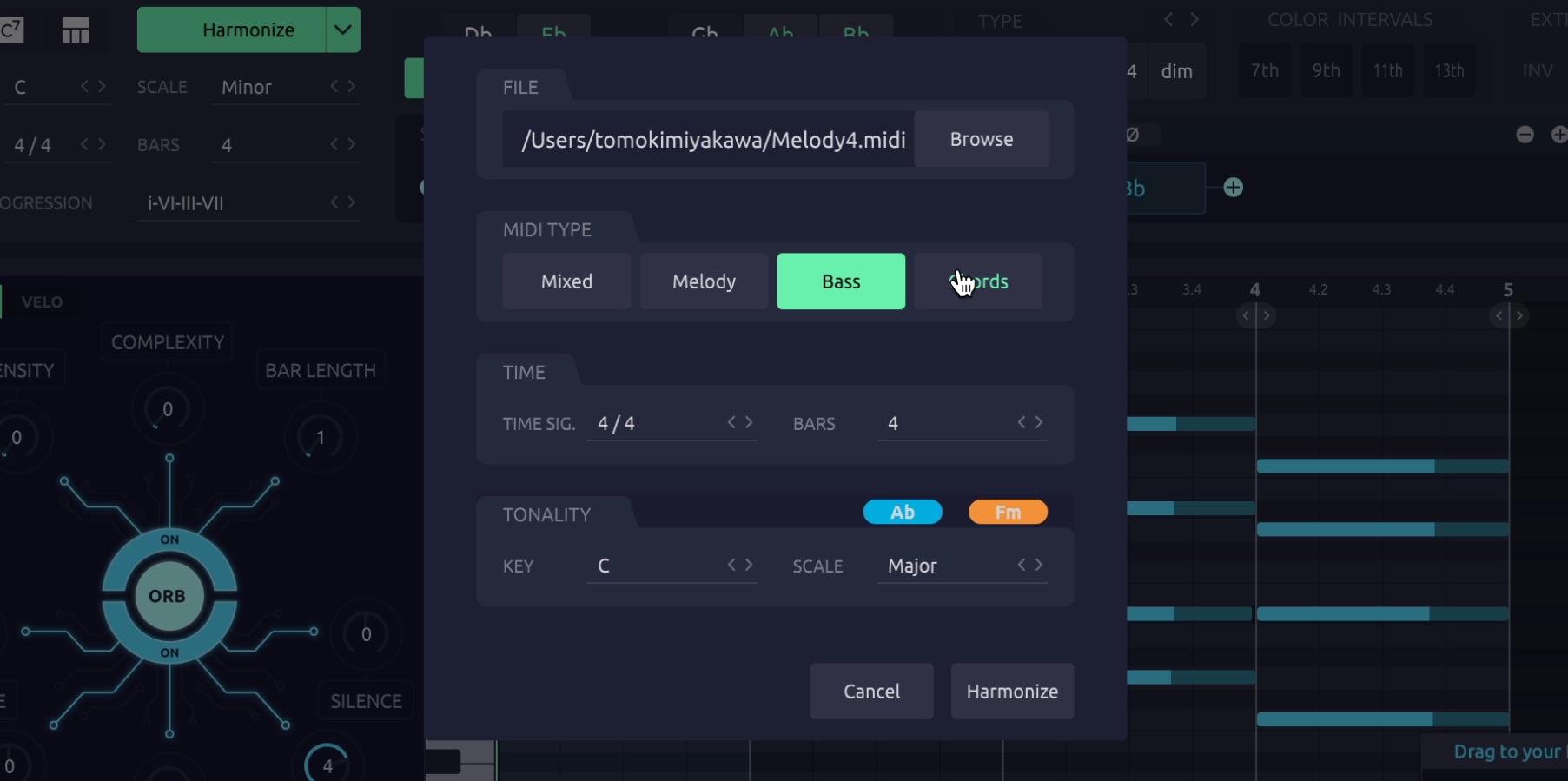
- MIDI TYPE: Specify the type of musical part contained in the MIDI file.
- TIME: Set the phrase’s time signature and number of bars.
- TONALITY: Set the key and scale of the phrase.
The imported MIDI notes also provide suggestions for the key.
Orb then automatically generates phrases that follow the MIDI file’s chord progression.
Velocity Controls
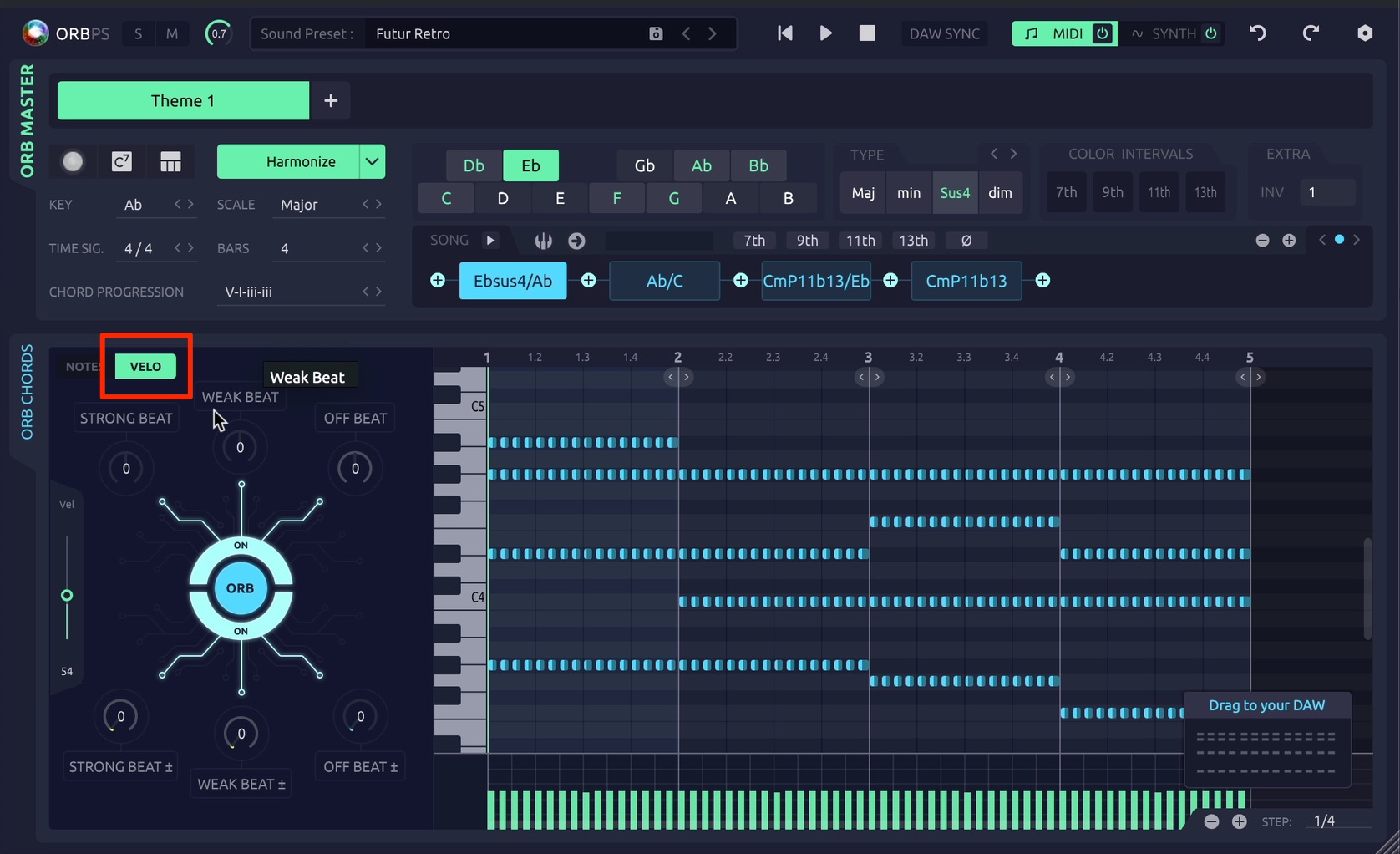
The new VELO tab lets you change the velocities of a phrase.
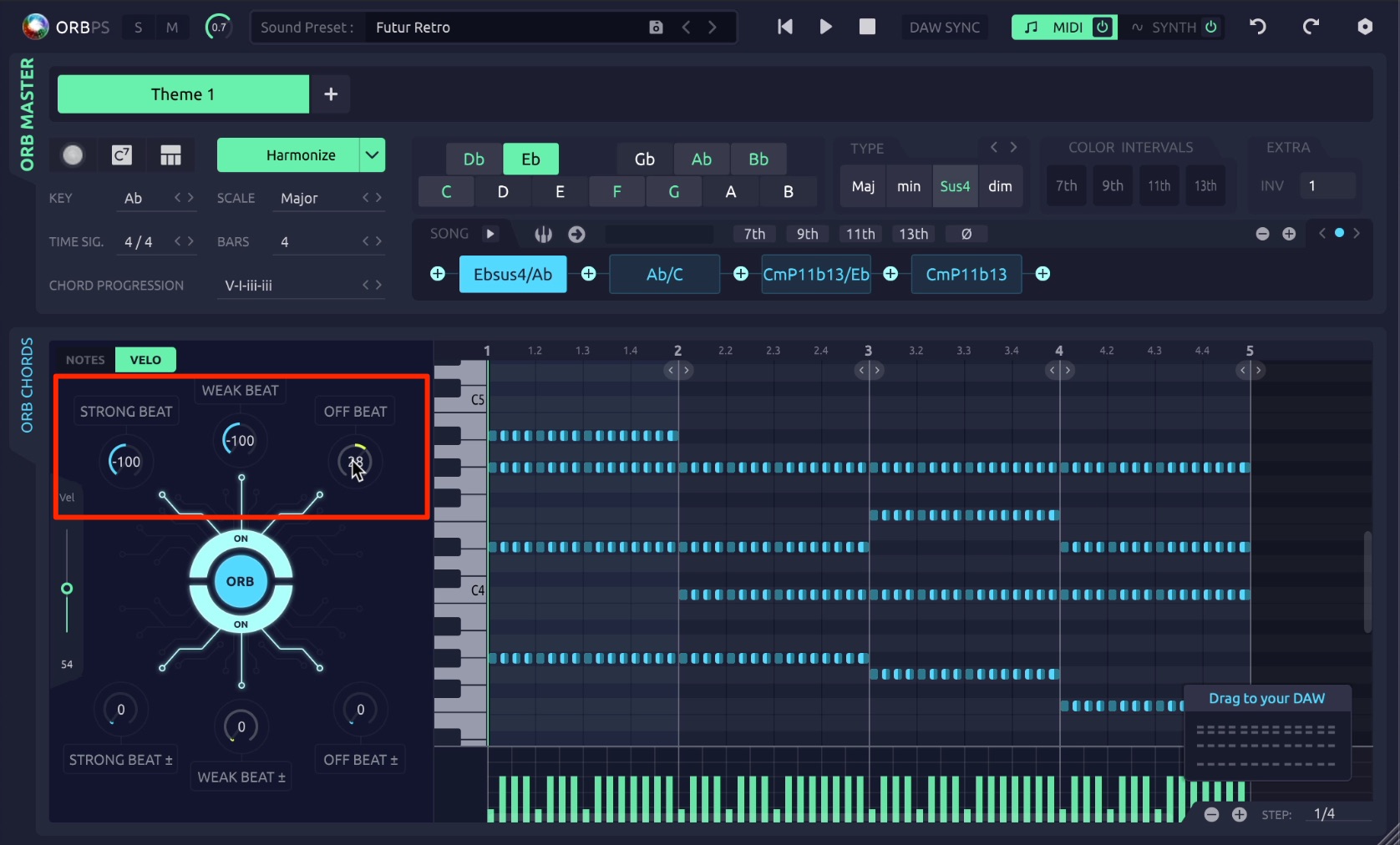
The three controls at the top adjust the velocities of notes at particular rhythmic positions together. In the example described here:
- STRONG BEAT: Adjust the strong beats, beats 1 and 3, together.
- WEAK BEAT: Adjust beat 2 together.
- OFF BEAT: Adjust the remaining notes together.
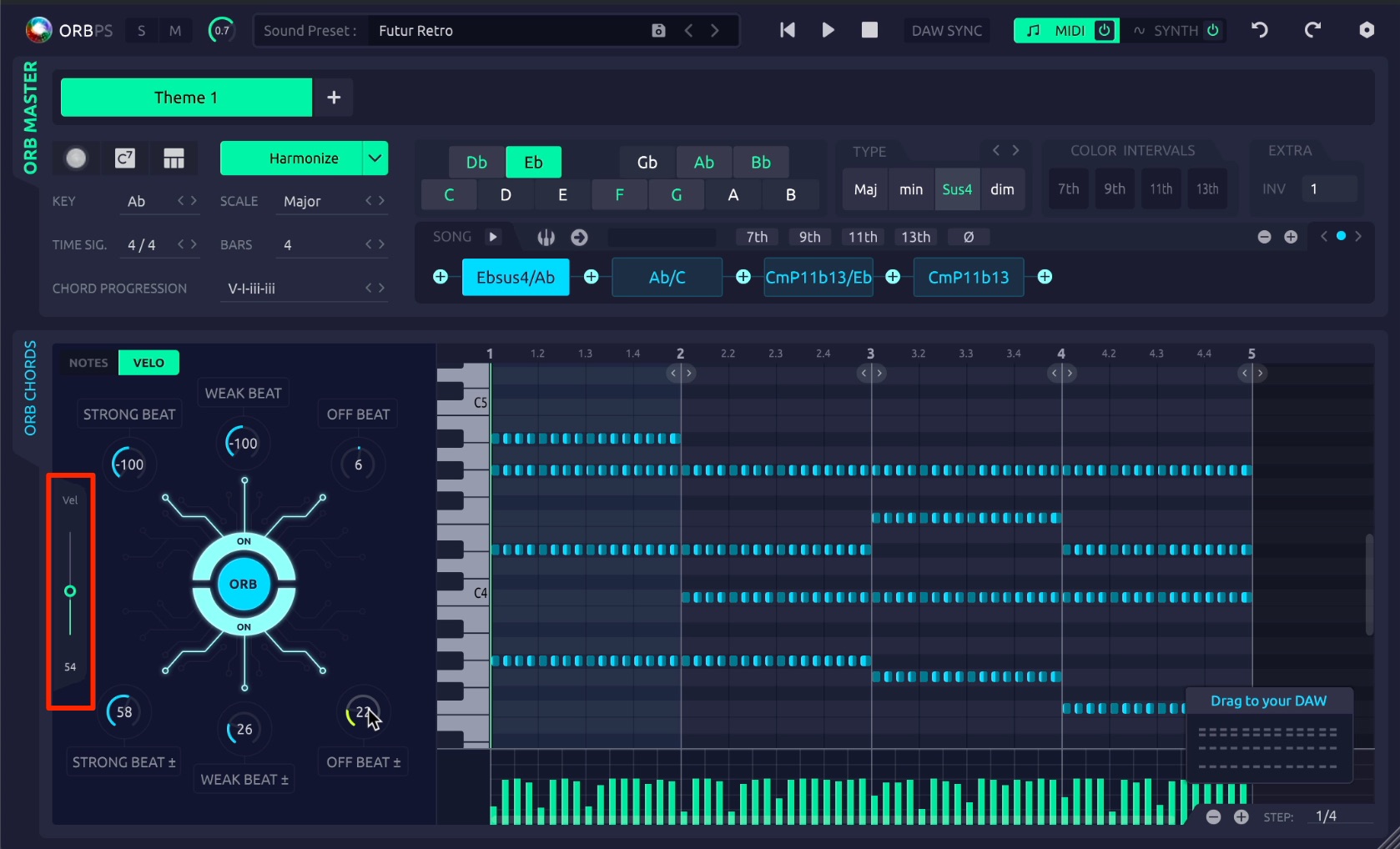
The slider on the left adjusts the velocities of the entire phrase at once.
Randomization (Humanization) Controls
The three controls at the bottom randomize the phrase’s velocities. Using the same beat groupings:
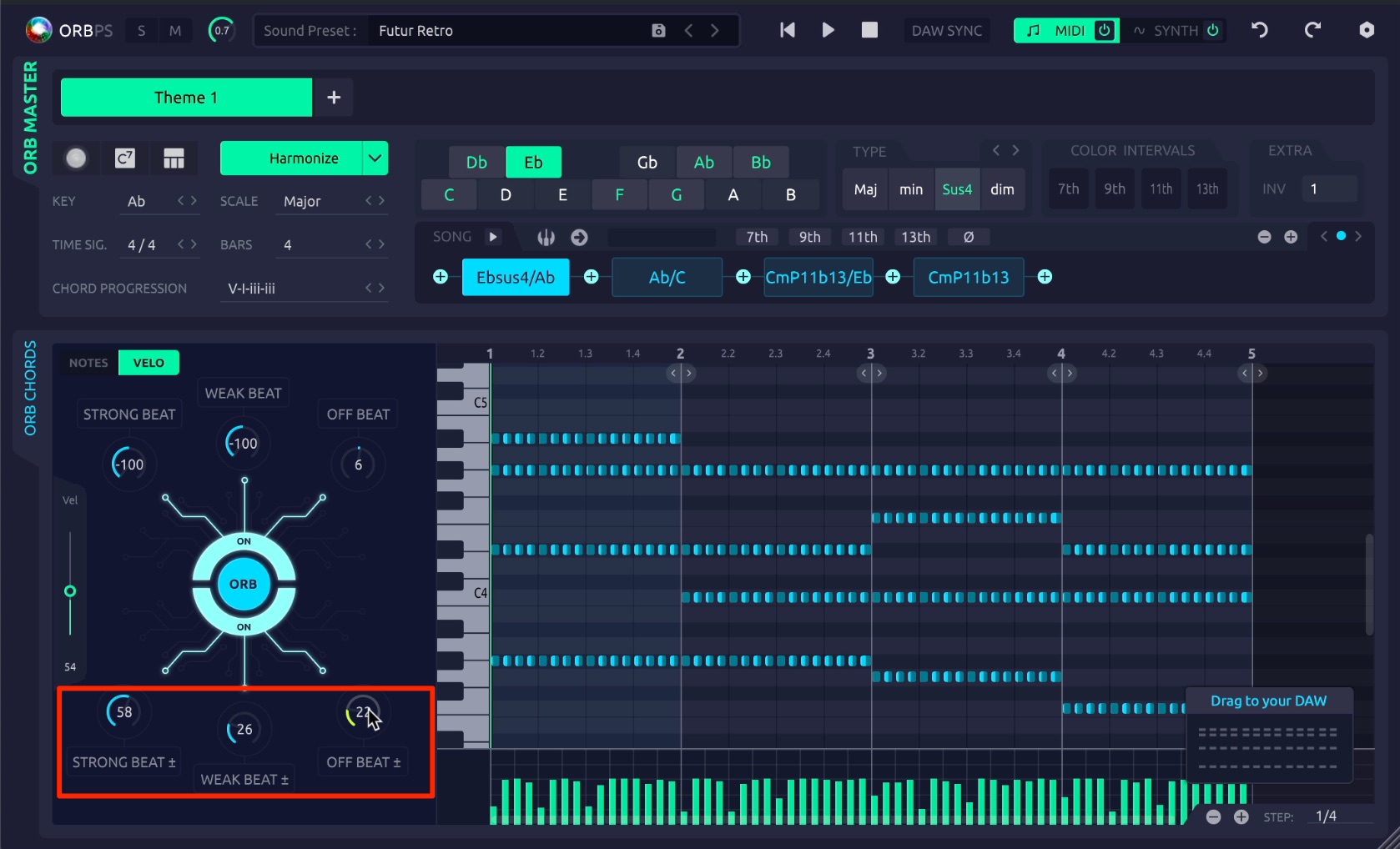
- STRONG BEAT: Randomize the strong beats, beats 1 and 3.
- WEAK BEAT: Randomize beat 2.
- OFF BEAT: Randomize the remaining notes.
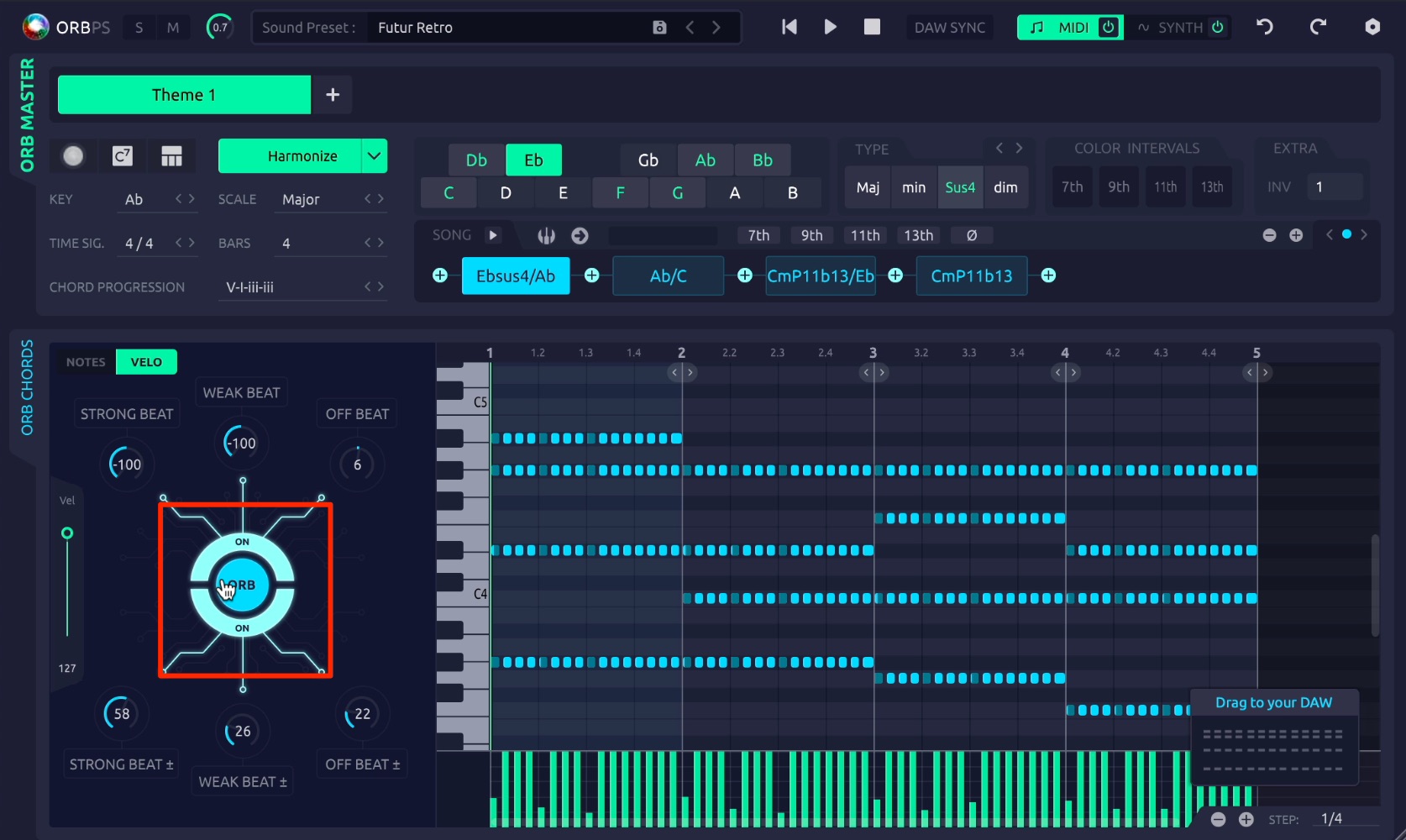
The central ORB button changes the velocity and randomization settings above together.
Entering Chords from a MIDI Keyboard
You can now enter chords quickly by playing your MIDI keyboard.
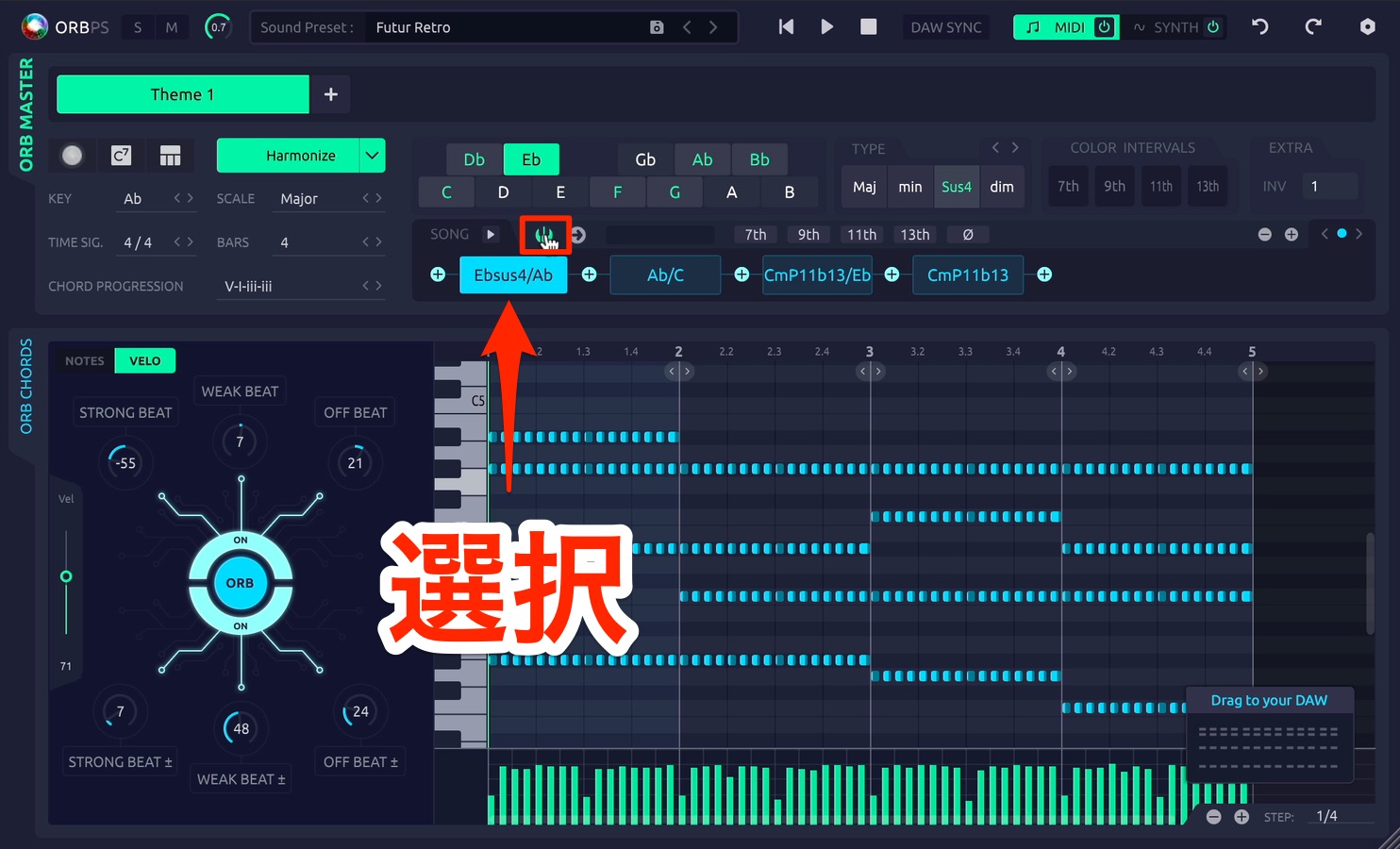
Select the chord you want to change, then click the keyboard icon so that it lights up.
With this enabled, playing your MIDI keyboard changes the selected chord to match the notes you play.
Editing MIDI Notes
The new note editor lets you customize generated phrases.
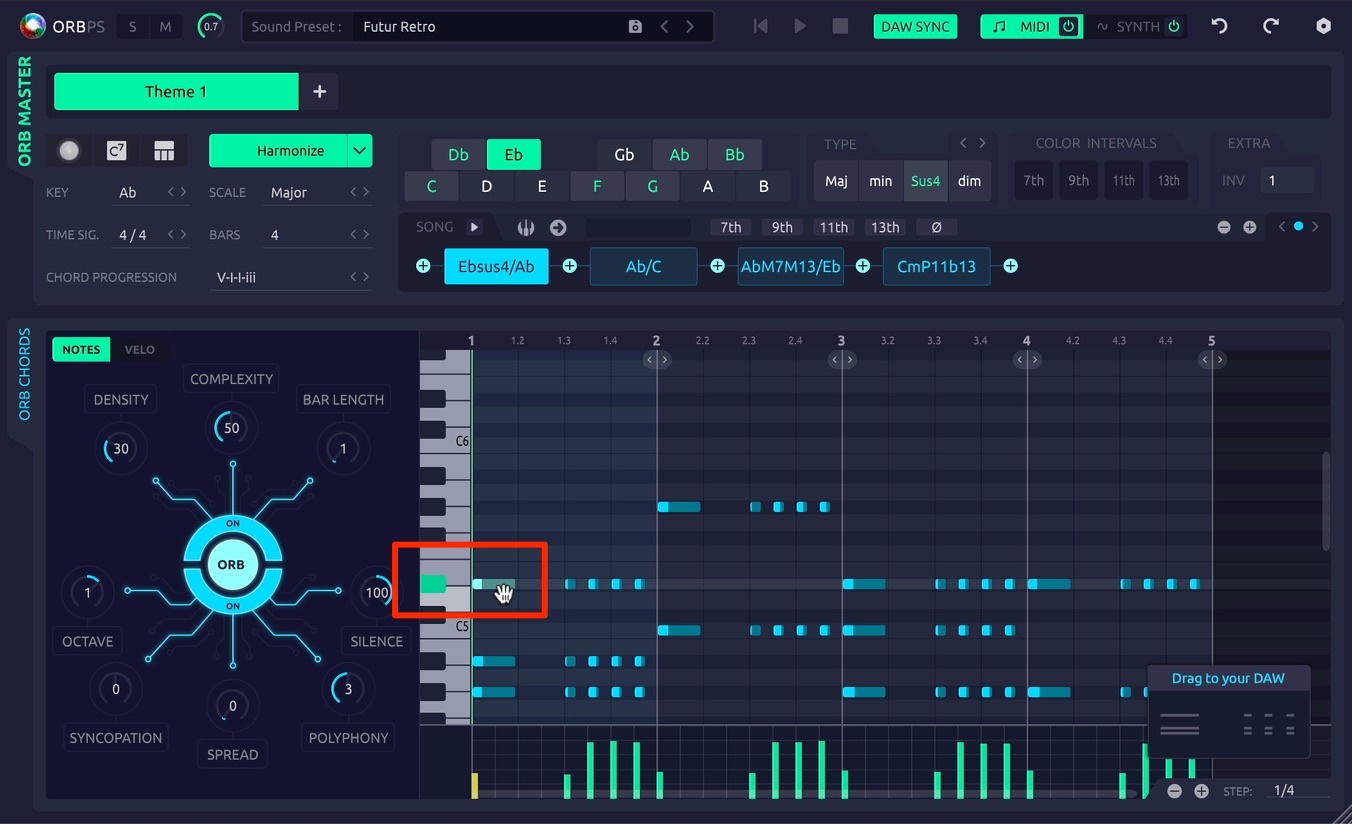
It works much like the piano roll in a DAW.
Drag notes to change their pitch or length.
To remove a note, select it and press Delete. Double-click to add a note.
Improvements to the Included Synthesizer
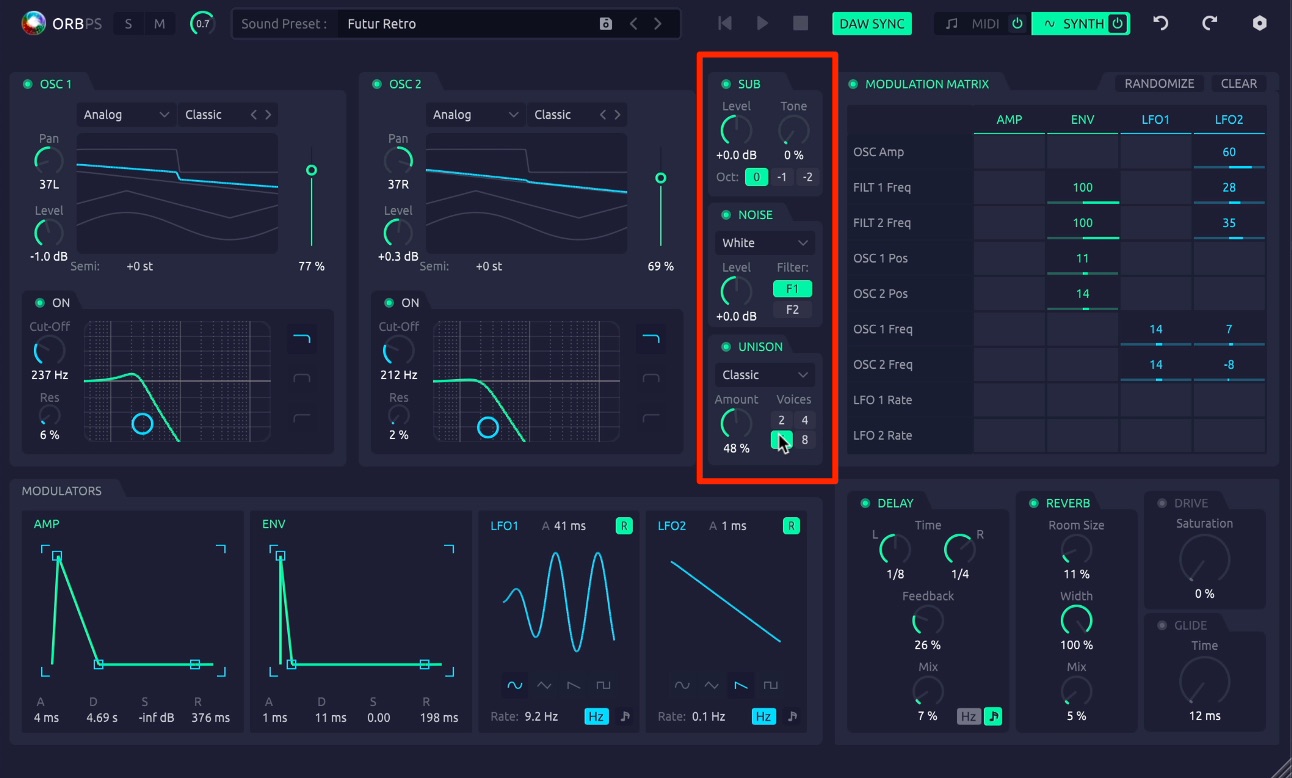
The included synthesizer was also expanded in version 2.0.
It gained a sub oscillator, a noise oscillator, and unison.
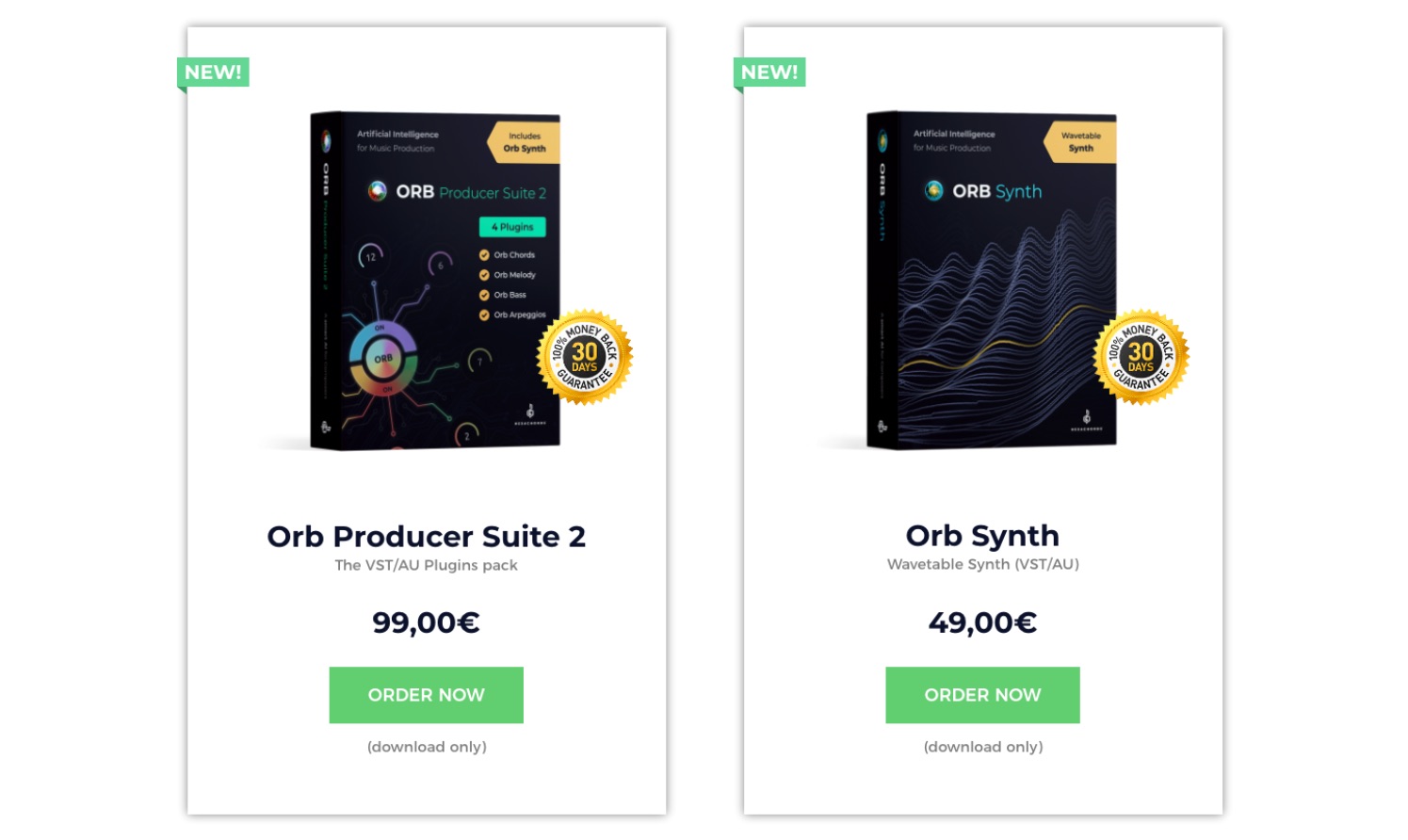
At the time of this 2020 article, the synthesizer had also become available to purchase separately.
What do you think of the update?
Orb Producer Suite 2.0 improves the workflow with these additions.
Being able to edit generated phrases to suit your preferences opens up many more ways to use them.
Try these features when you get stuck writing a phrase or want a fresh musical idea.
ORB COMPOSER website: https://www.orb-composer.com
NEW ARTICLES
Latest English Articles









































































































































































