Native Instruments’ BRASS COLLECTION is an orchestral brass library with more than 100 articulations. It offers BRASS ENSEMBLE and BRASS SOLO instruments that can be loaded in Kontakt or Komplete Kontrol. Switch articulations in real time, control dynamics with the modulation wheel, and balance four microphones to shape the sense of distance. Separate microphone outputs also allow flexible mixing with individual effects.
An orchestral brass library for expressive performances

SYMPHONY SERIES – BRASS COLLECTION is an orchestral library devoted to brass.
More than 100 articulations of high-quality recorded brass can be quickly incorporated into your music.
BRASS COLLECTION offers two types of instrument:
- BRASS ENSEMBLE
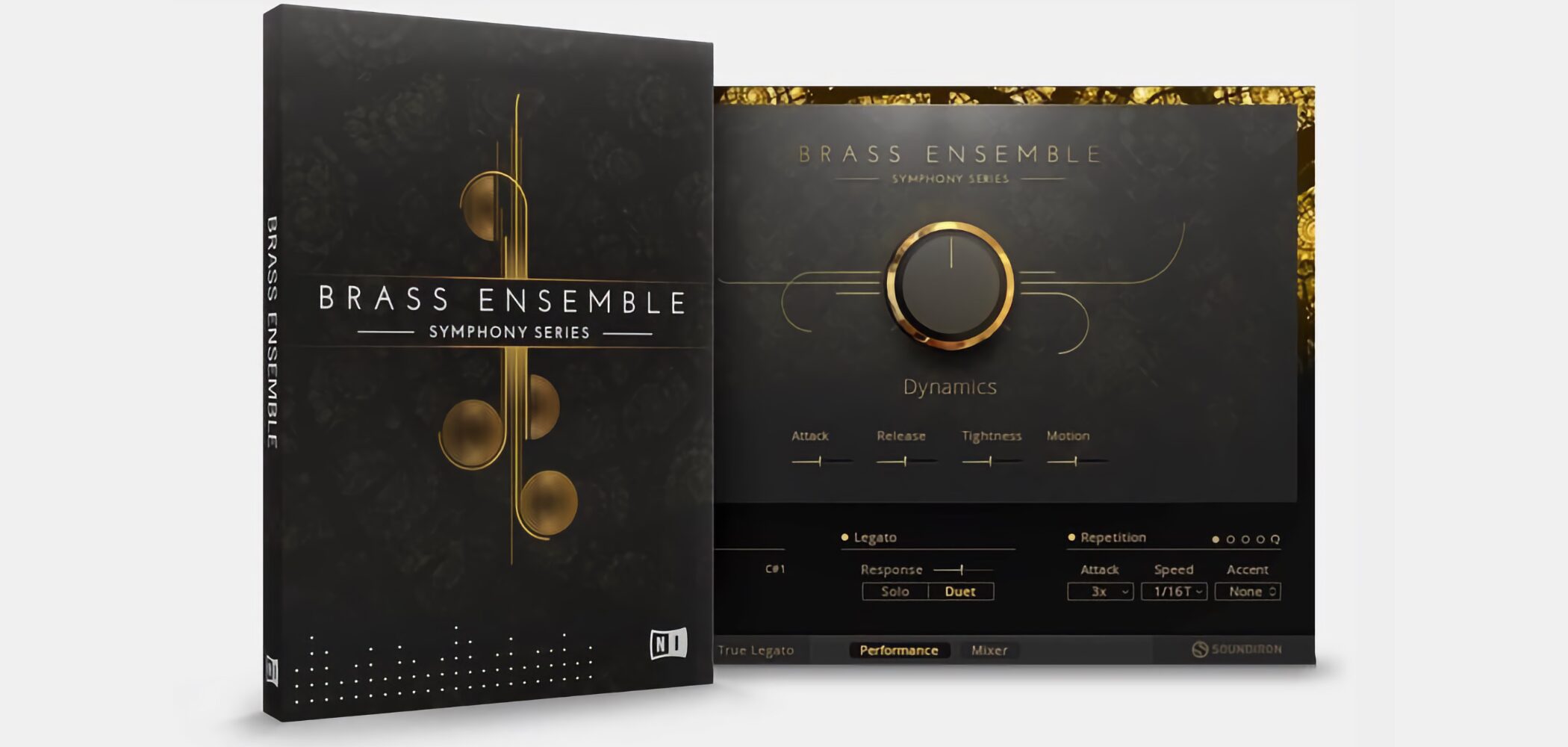
Trumpets, trombones, horns, and bass brass (tuba and euphonium).
Each section features eight players for a powerful sound.
- BRASS SOLO
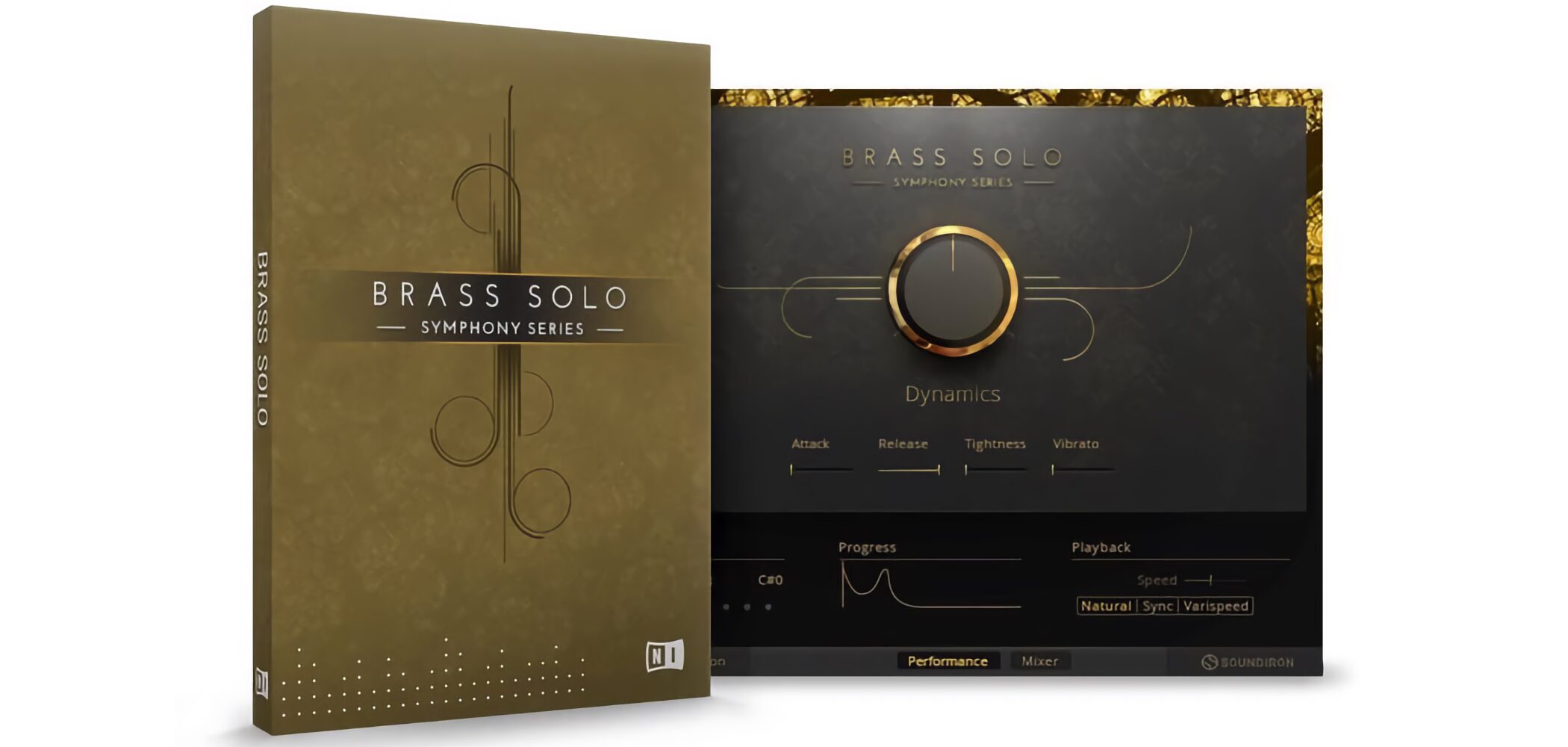
Solo trumpet, trombone, first horn, second horn, and tuba.
A proprietary algorithm enables a more natural performance.
These can also be purchased separately to suit your needs.
Here we cover the core features: the basic overview and performance expression.
Video: Overview and performance expression
Launching BRASS COLLECTION
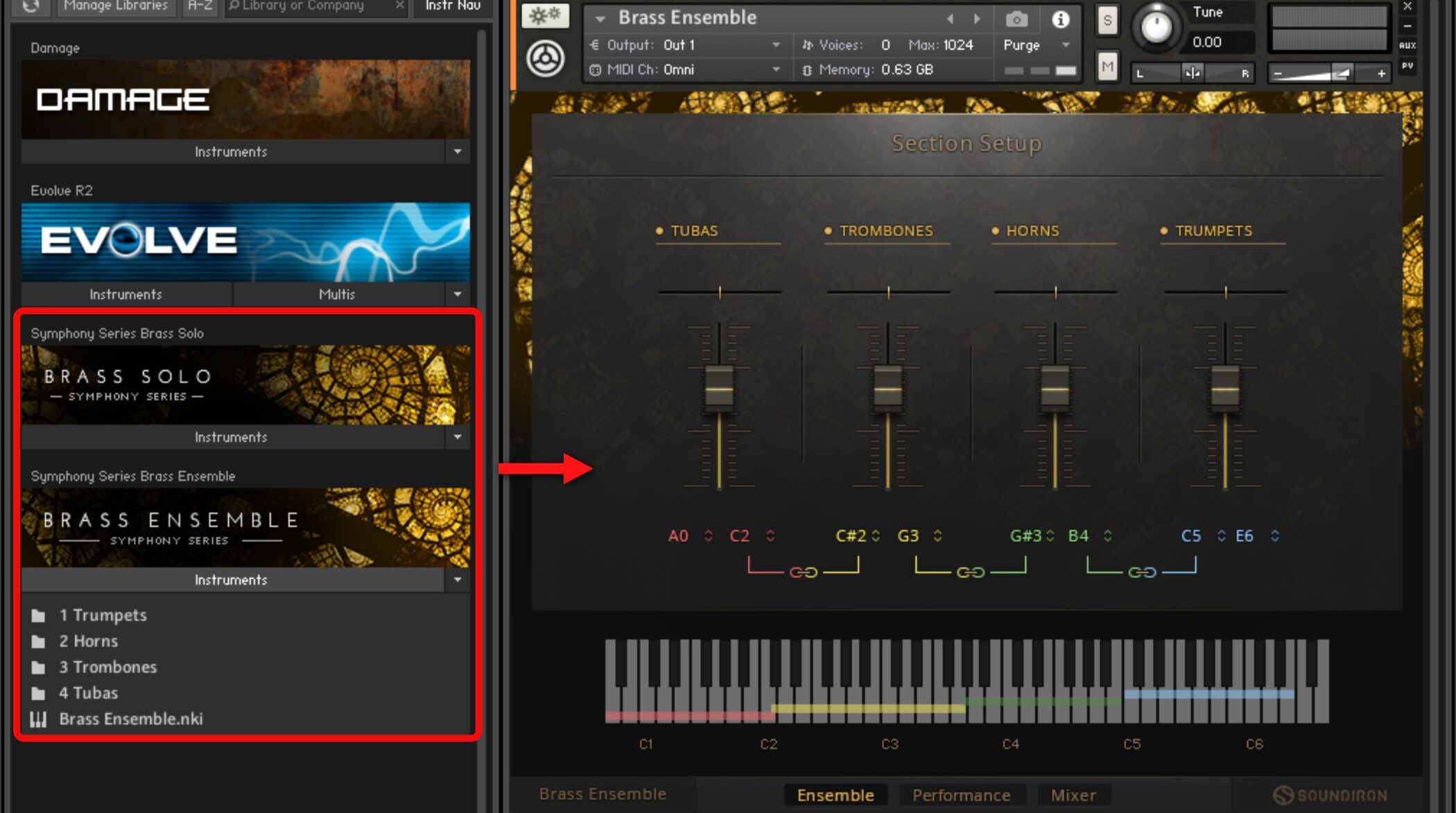
Load BRASS COLLECTION using Kontakt.
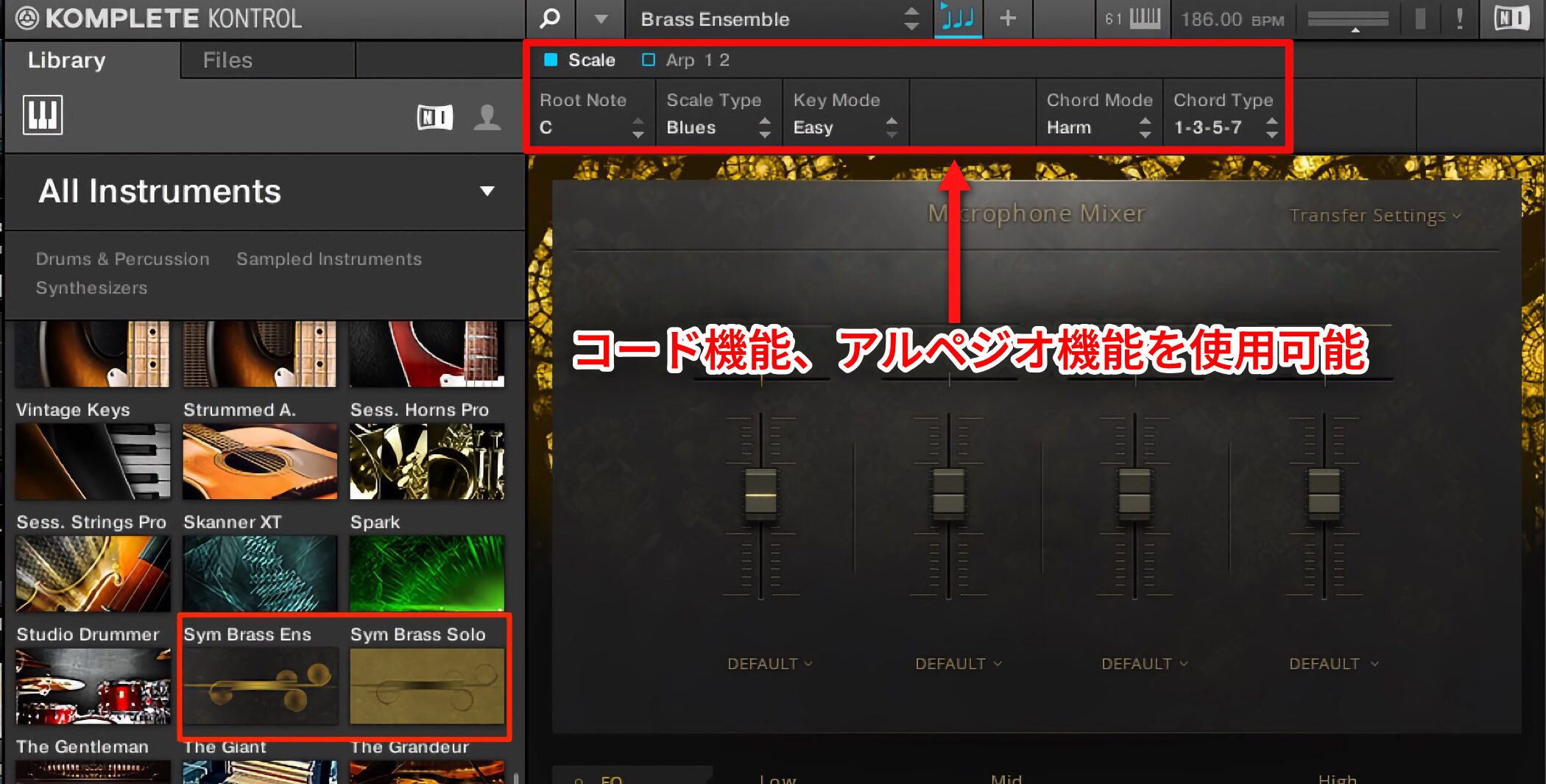
It can also be launched from Komplete Kontrol.
This lets you use its chord and arpeggiator functions as well.
Even if you do not own Komplete Kontrol hardware,
the original article notes that Komplete 9/10 users could download and use it free of charge.
Understanding presets
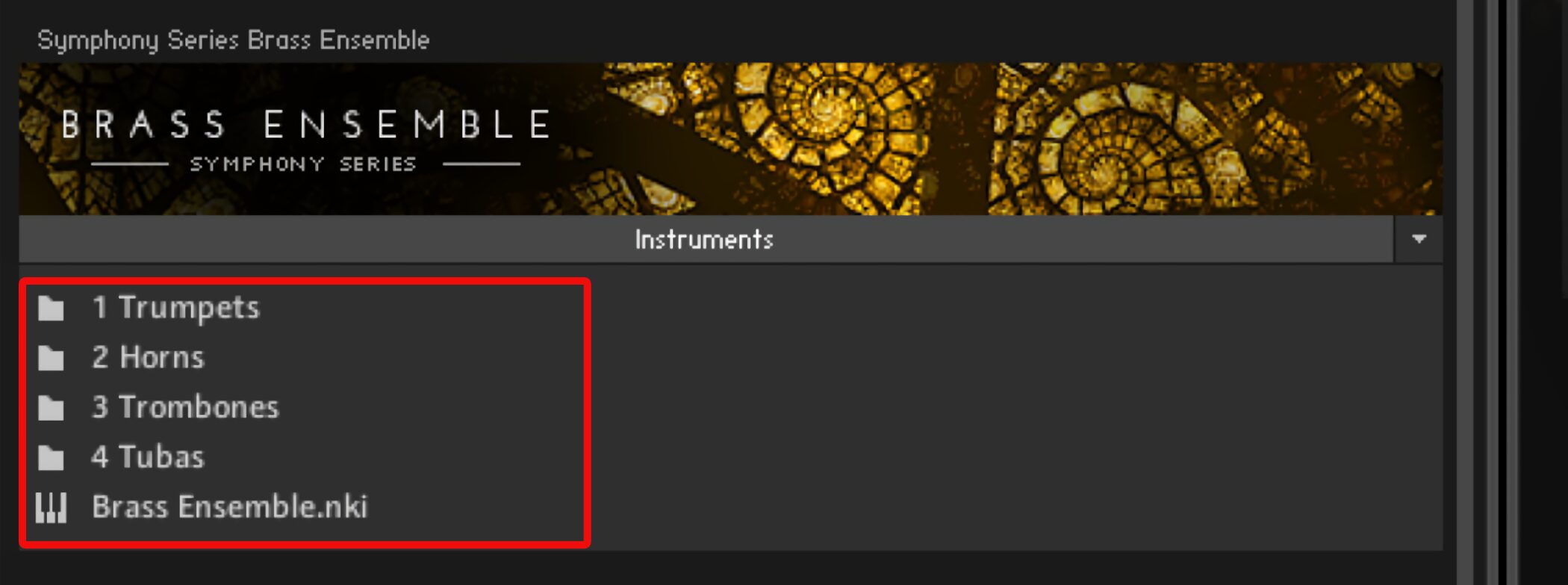
Instruments are organized into separate folders.
The “Brass Ensemble” entry at the bottom lets you play all instruments in a single instrument.
Open an individual instrument folder.
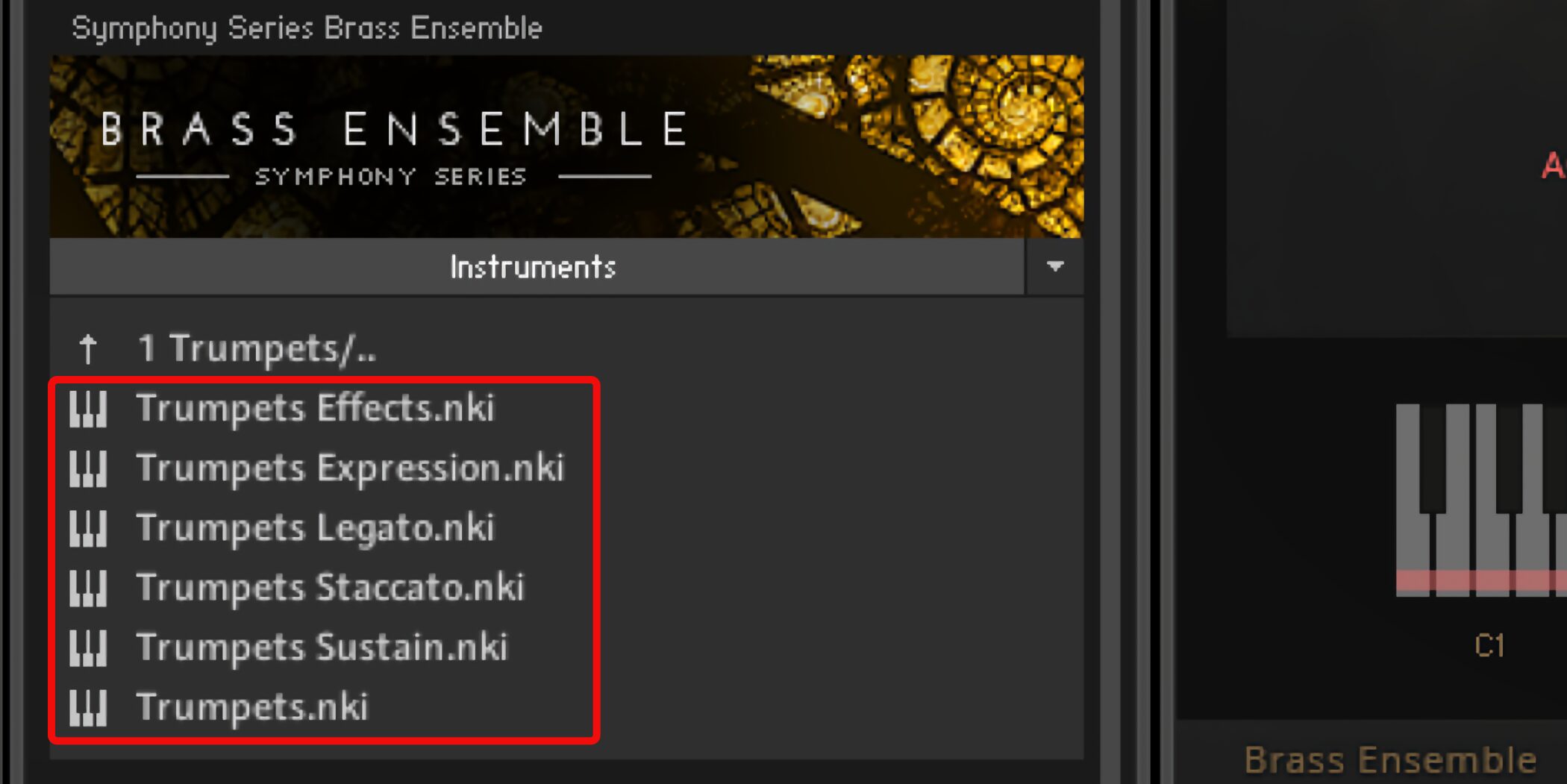
Here we are looking at the Trumpets folder.
Labels such as “Effects” or “Legato” appear beside the instrument name.
These indicate the articulation, allowing you to play using that specific technique.
With these presets, you cannot switch to the other articulations.
The unlabelled “Trumpets” preset at the bottom lets you switch between all articulations.
Select it if you want to switch freely between Effects, Legato, and other techniques within a song.
Control volume with the modulation wheel
We will use Brass Ensemble as our example.
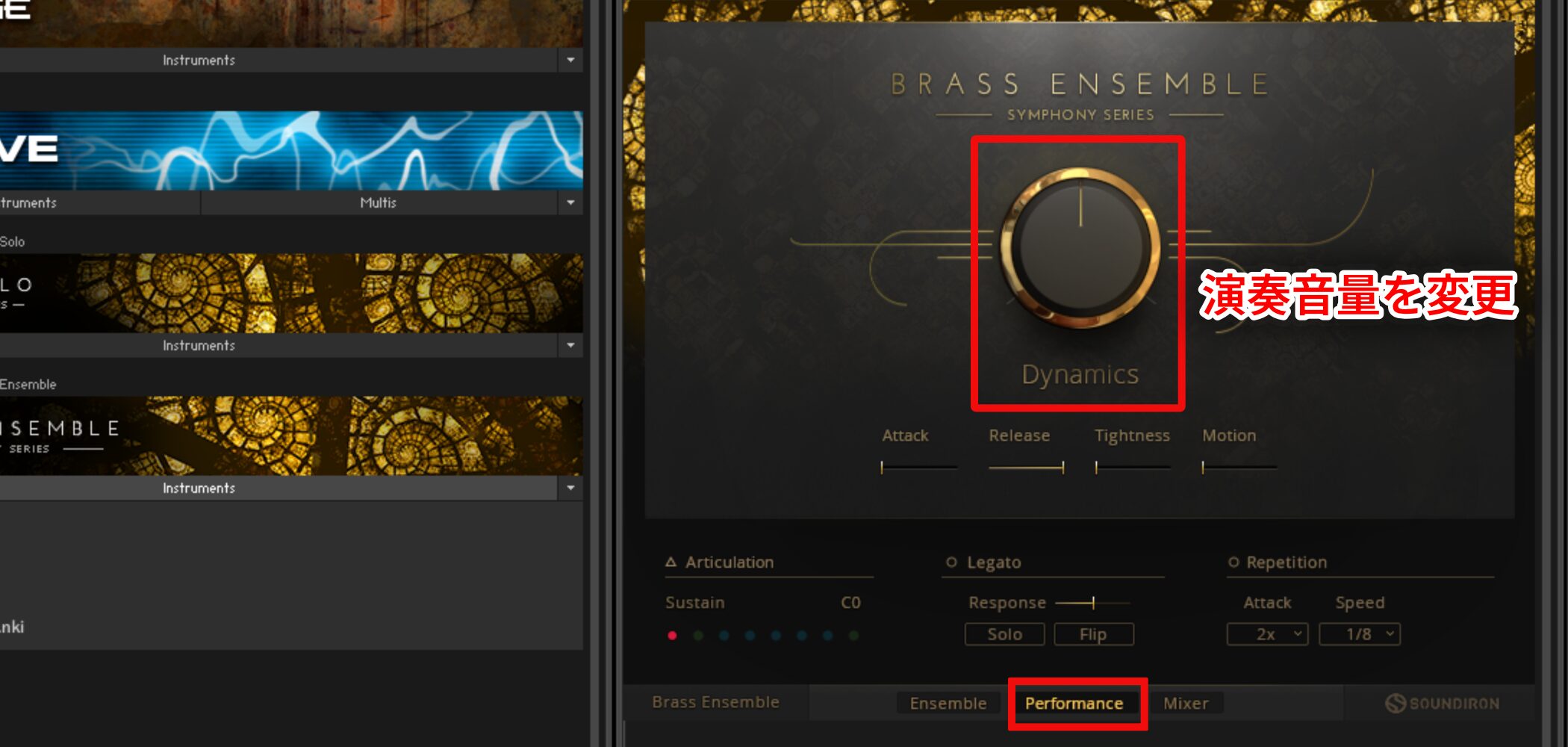
The Dynamics control in the Performance tab changes the performance volume.
This can add more expressive dynamics to a phrase.
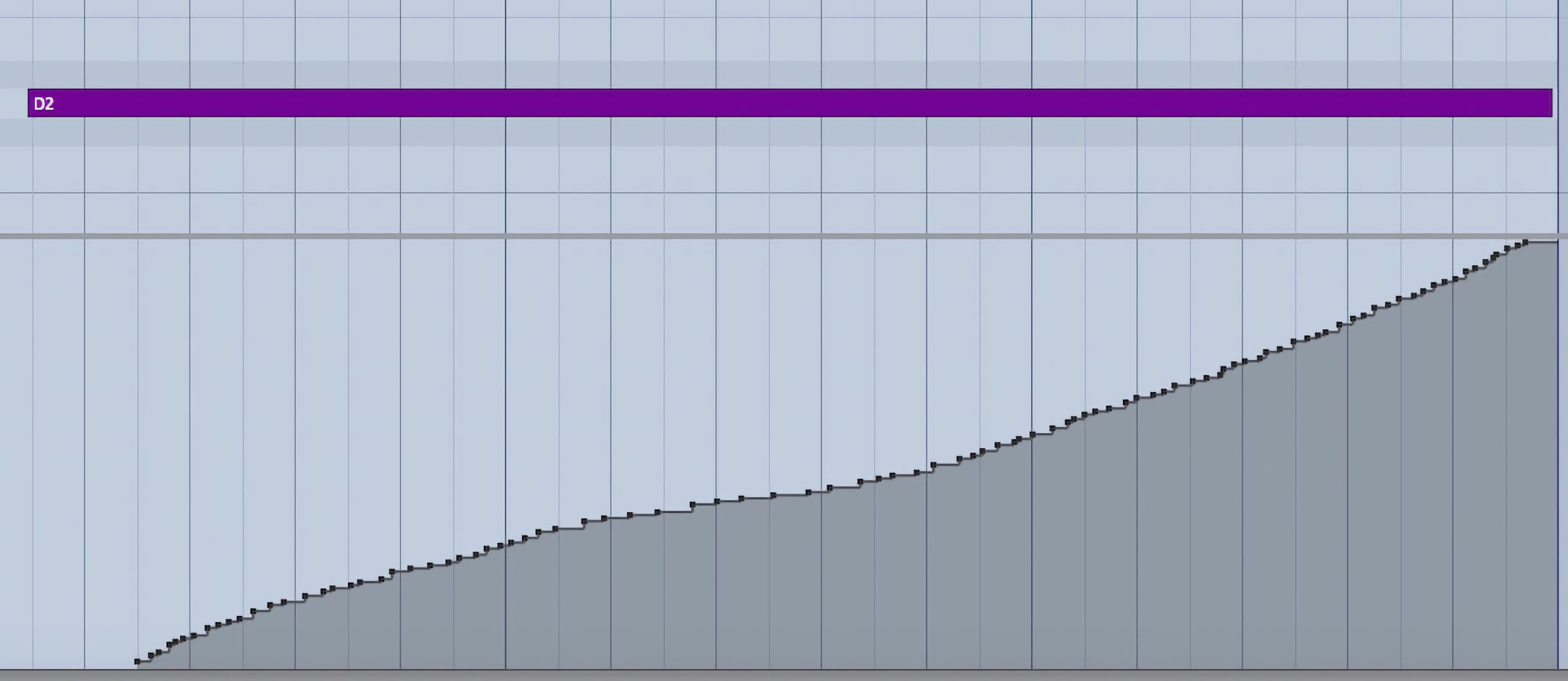
Dynamics also responds to the modulation wheel on your MIDI keyboard.
This lets you flexibly create the volume expression you want.
Change playing techniques with articulations
BRASS COLLECTION lets you choose from various playing techniques, or articulations, for each instrument.
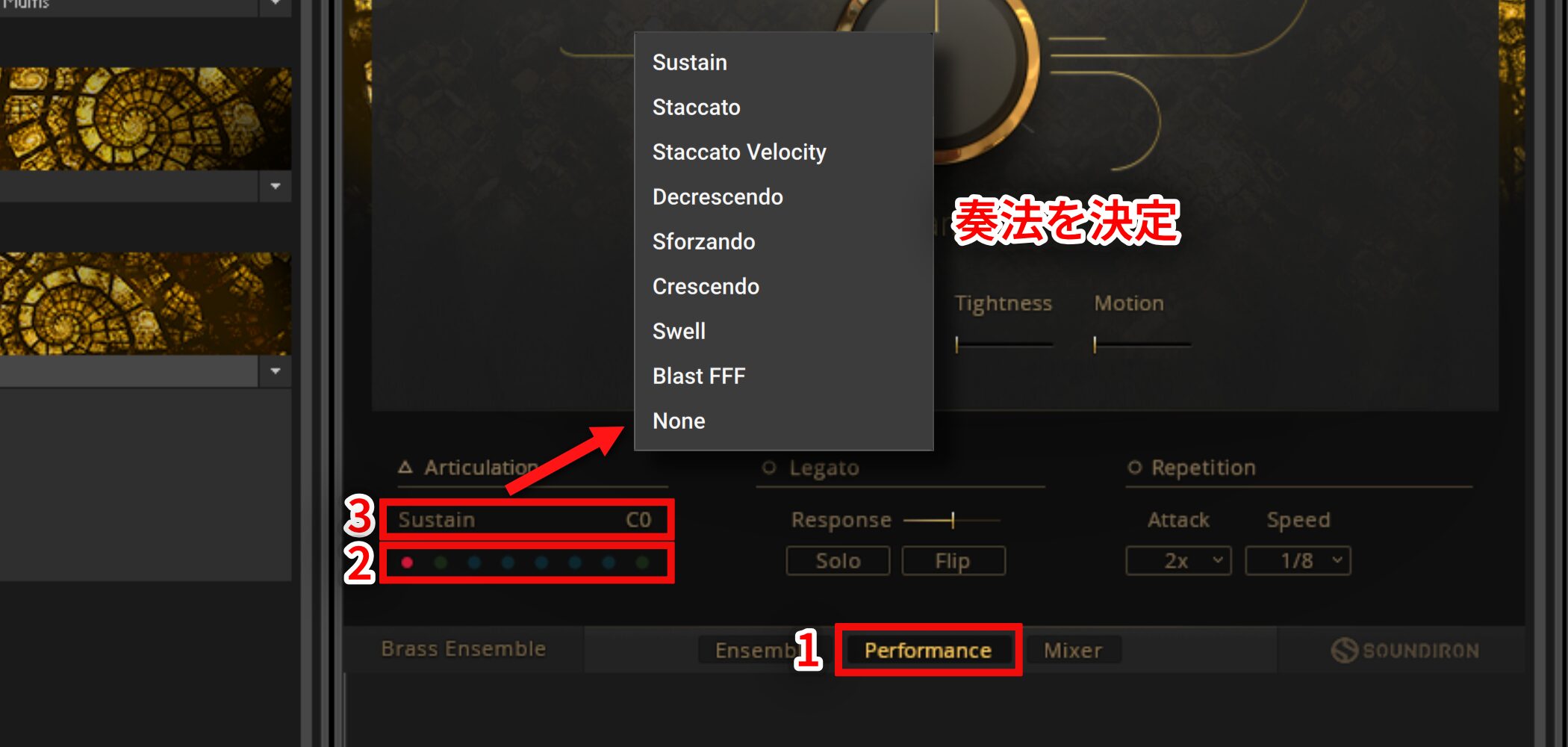
- 1. Select Performance.
- 2. You can assign up to eight articulations.
Click the slot you want to assign so that it lights up. - 3. Click to choose the articulation.
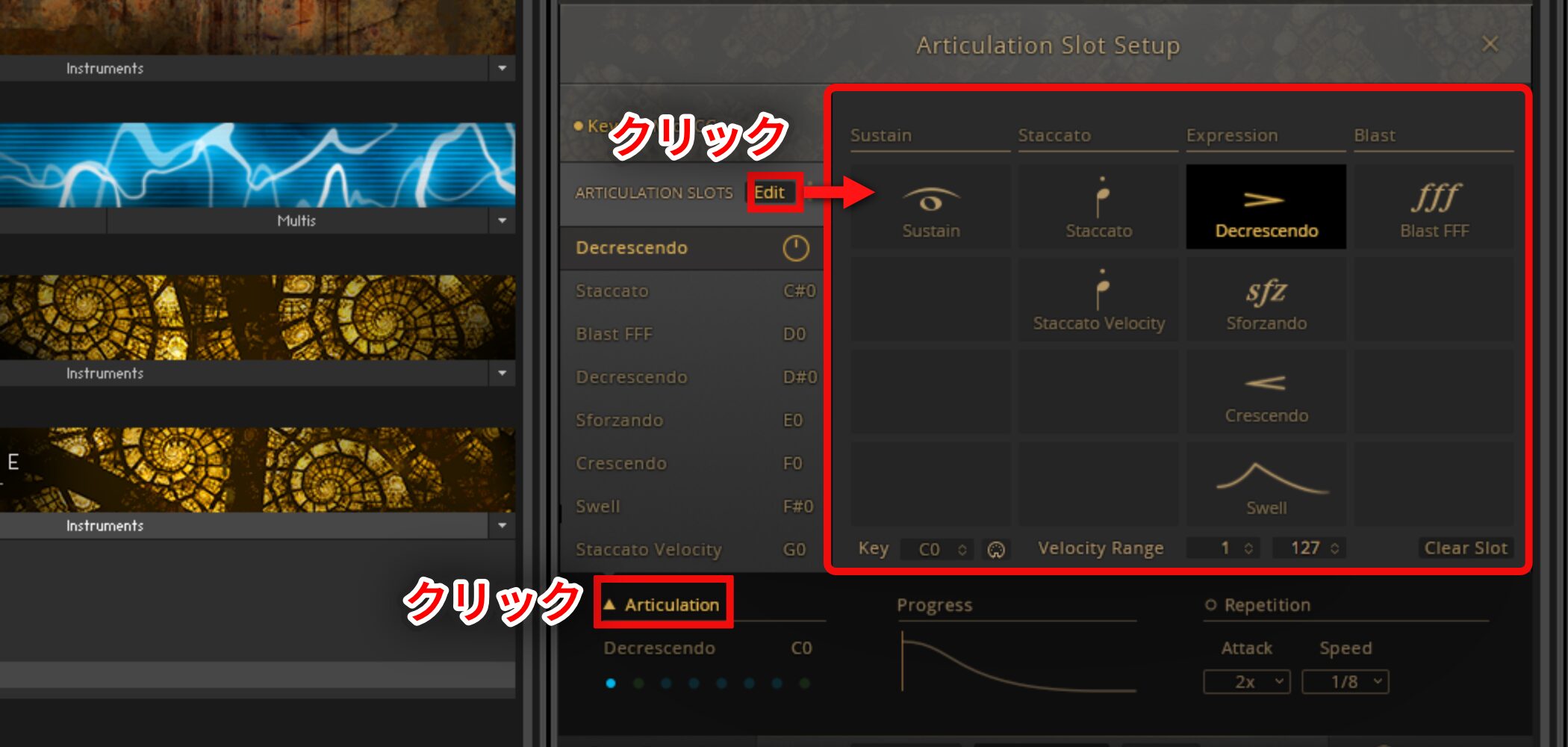
Click Articulation and select Edit to specify the playing technique in greater detail.
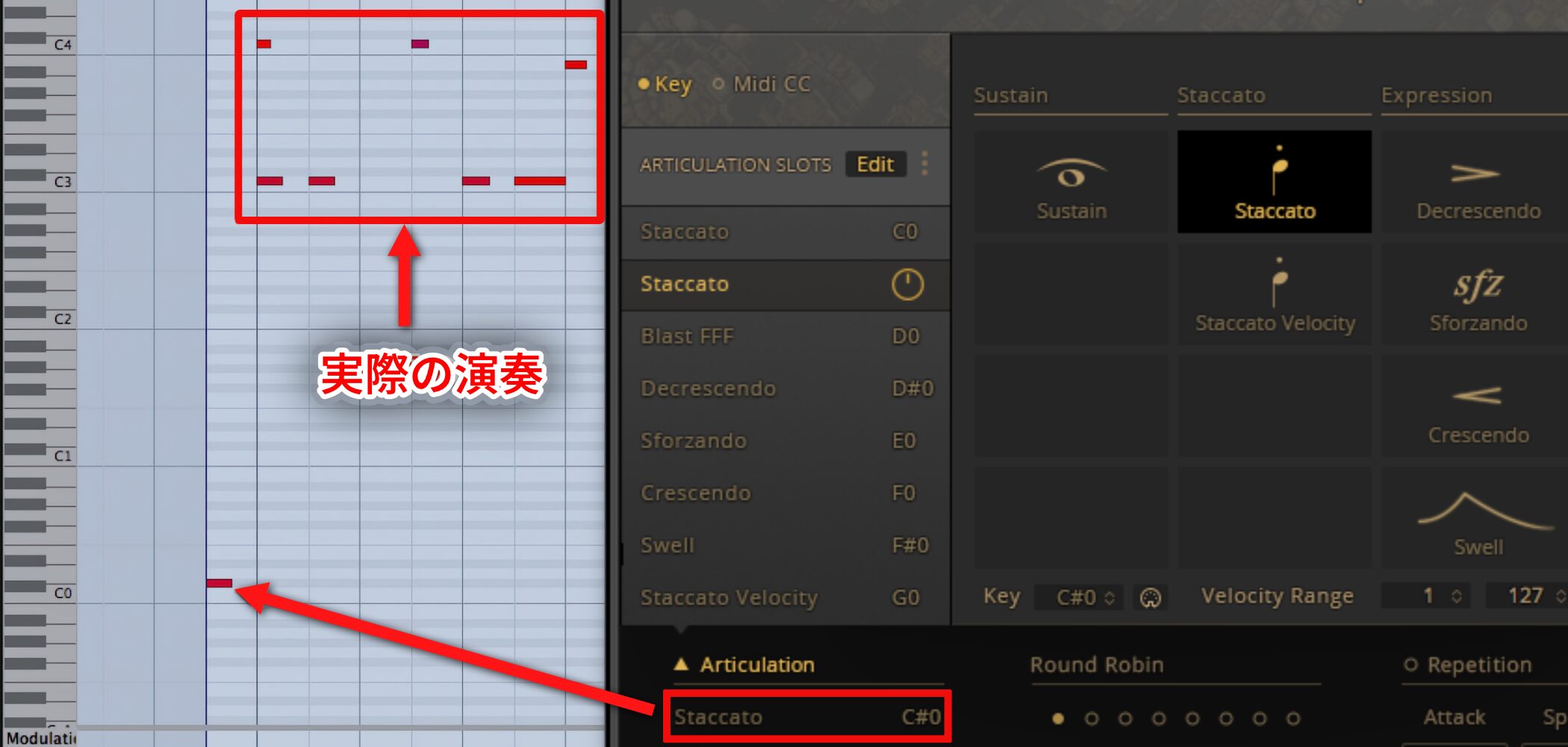
Use key switches to change articulations during a song.
Check the key for the desired articulation and enter that note before the played passage.
This lets you select and switch articulations in real time.
Control performance nuance and shape the sound with the mixer
Next, let’s refine the programmed performance.
BRASS COLLECTION allows detailed adjustment of performance nuance.
You can also balance four microphones placed at different positions to fine-tune the perceived distance of the sound.
Let’s look at how this works.
Video: Sound control
Adjusting performance nuance
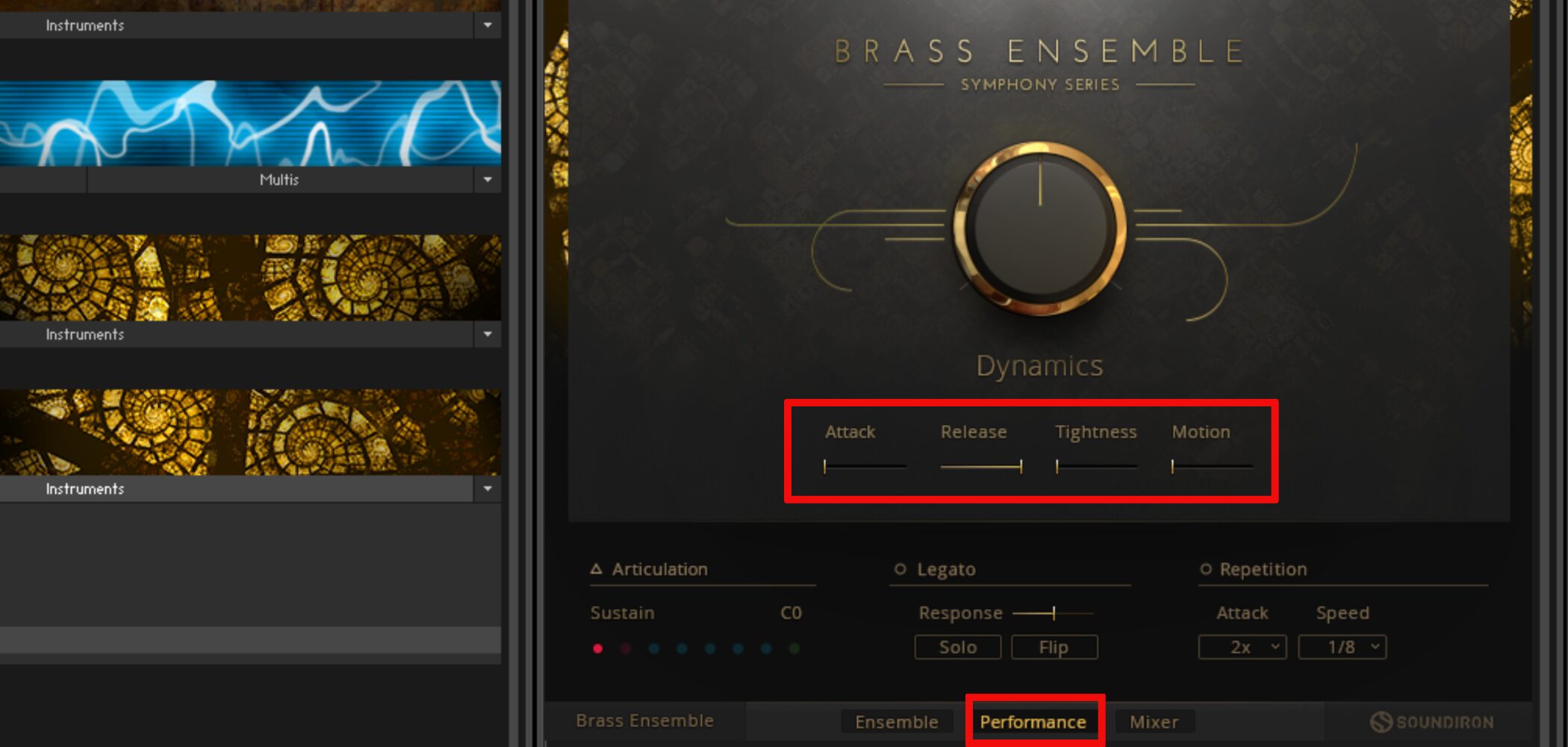
Use the parameters in the center of the Performance tab to adjust the performance nuance.
- Attack: Sets the time from the MIDI note’s onset until the sound reaches its peak volume.
You can also create a dramatic fade-in effect. - Release: Controls the sound’s decay after the note ends.
Shortening it produces a crisper sound with a closer sense of distance. - Tightness: Shifts the starting position of the sound
to control its attack character. - Motion: Applies vibrato to the sound.
The mixer
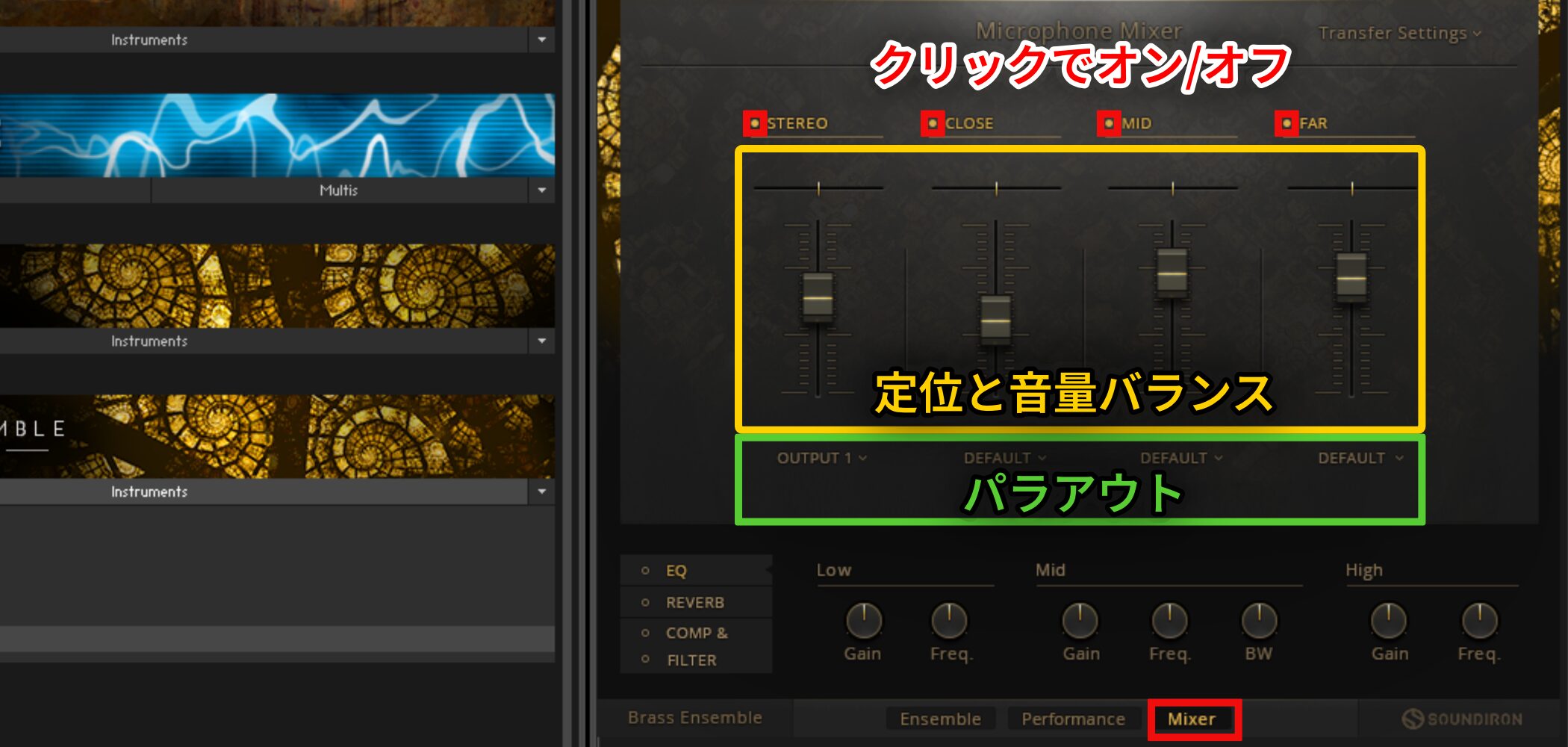
Balance the four microphones to shape the tone and sense of distance.
- CLOSE: A nearby microphone 1.5 m away, with relatively narrow stereo width.
- MID: A microphone 8 m away, with more stereo width.
- FAR: A distant microphone 23 m away, with a wider stereo image.
Each microphone can be routed to a separate DAW output, allowing flexible mixing with individual effects.
See the video below for how to set up separate outputs in Kontakt.
Video: Separate outputs in Kontakt

Separate output setup for each DAW
 Logic
Logic Cubase
 Ableton Live
 Studio One
 FL Studio
A solo brass library with a variety of articulations
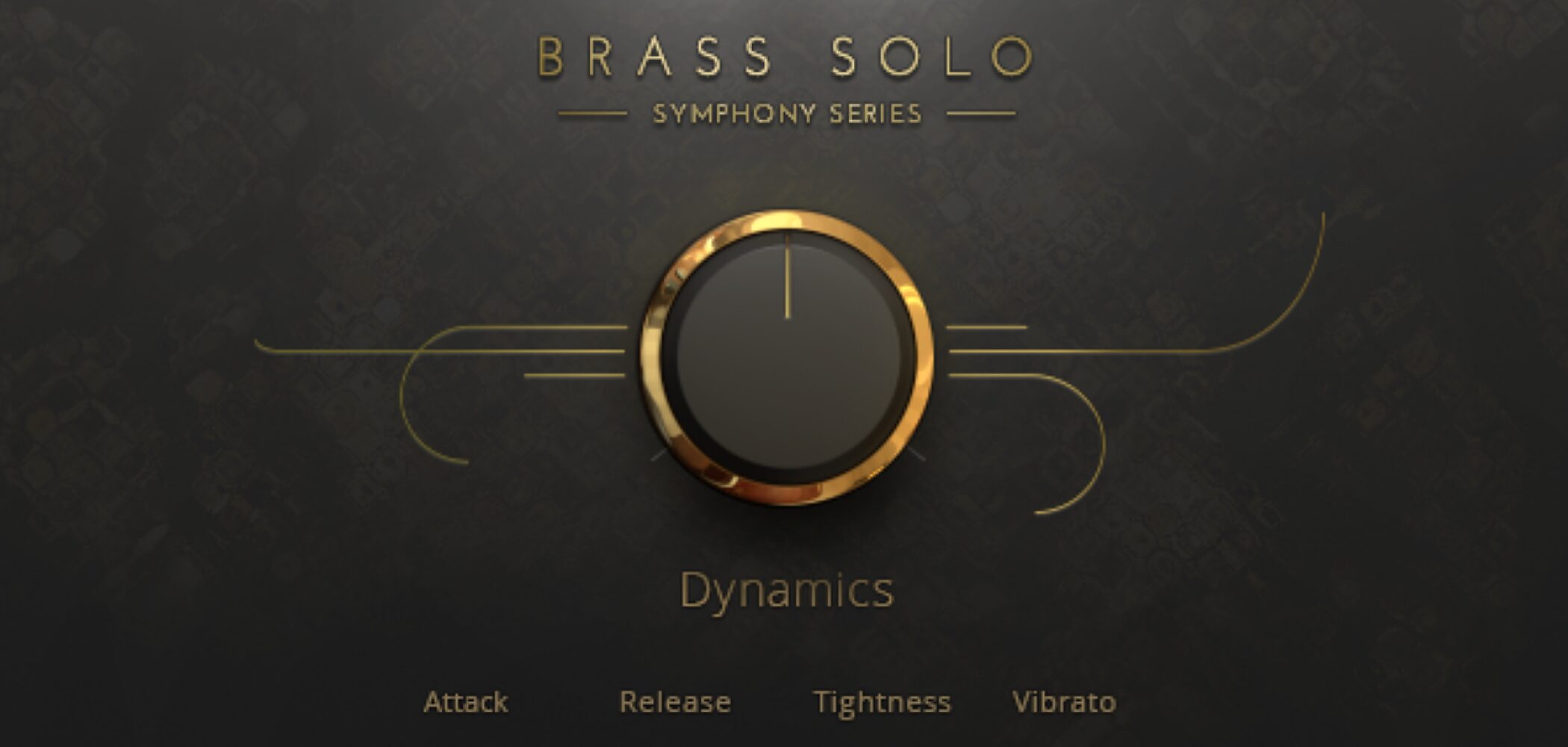
Following BRASS ENSEMBLE, let’s look at BRASS SOLO.
This library features individual brass players and can reproduce techniques that are difficult to program naturally, with high-quality sound.
We will combine BRASS SOLO with the example already programmed using BRASS ENSEMBLE.
Video: Solo section
Loading sounds
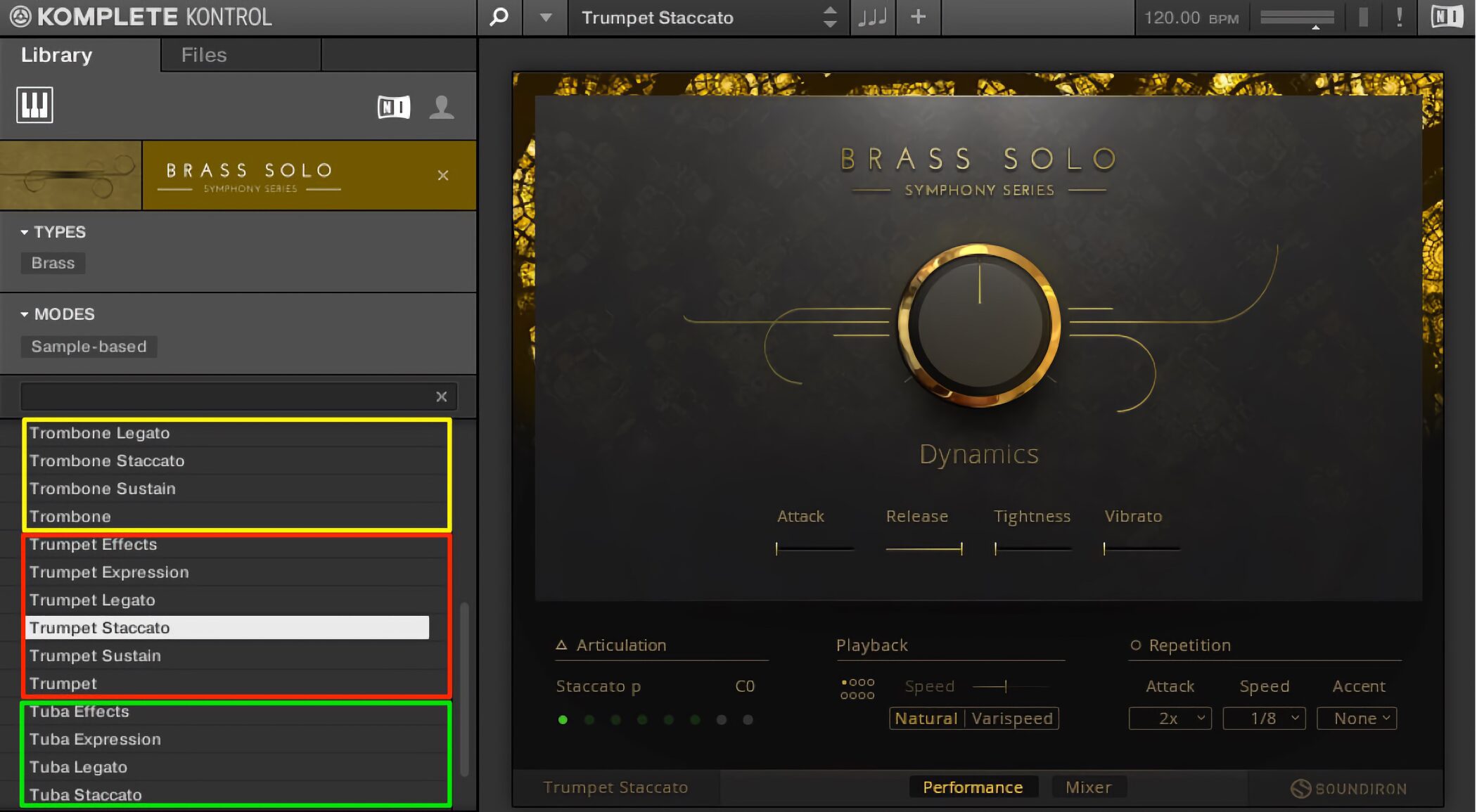
Like BRASS ENSEMBLE, the product can be loaded in Kontakt or Komplete Kontrol.
Horn, Trombone, Trumpet, and Tuba are available, with presets dedicated to individual articulations.
Selecting one of these presets allows finer adjustment of performance nuance.
Switching articulations
As with BRASS COLLECTION, you can specify a variety of articulations.
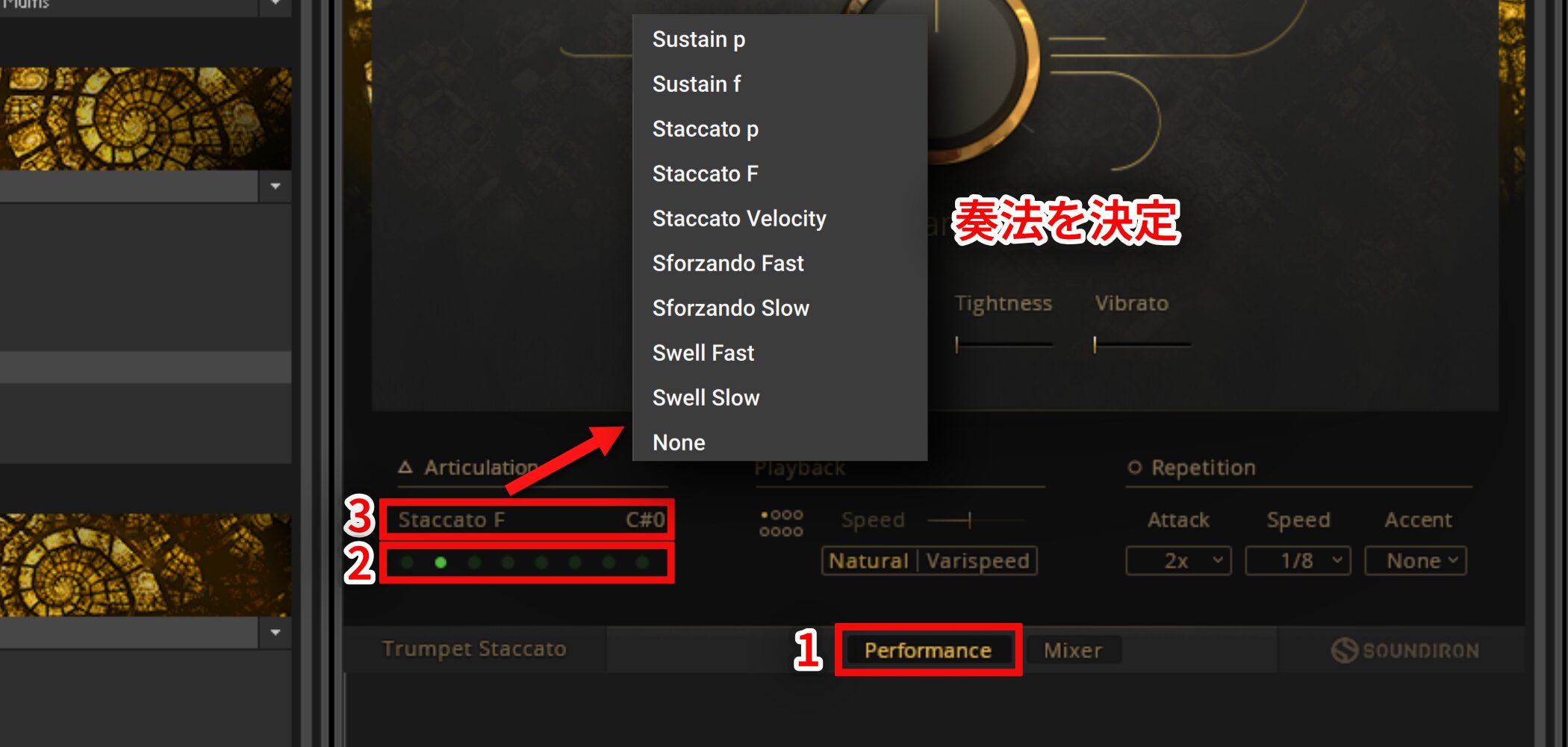
- 1. Select Performance.
- 2. You can assign up to eight articulations.
Click the slot you want to assign so that it lights up. - 3. Click to choose the articulation.
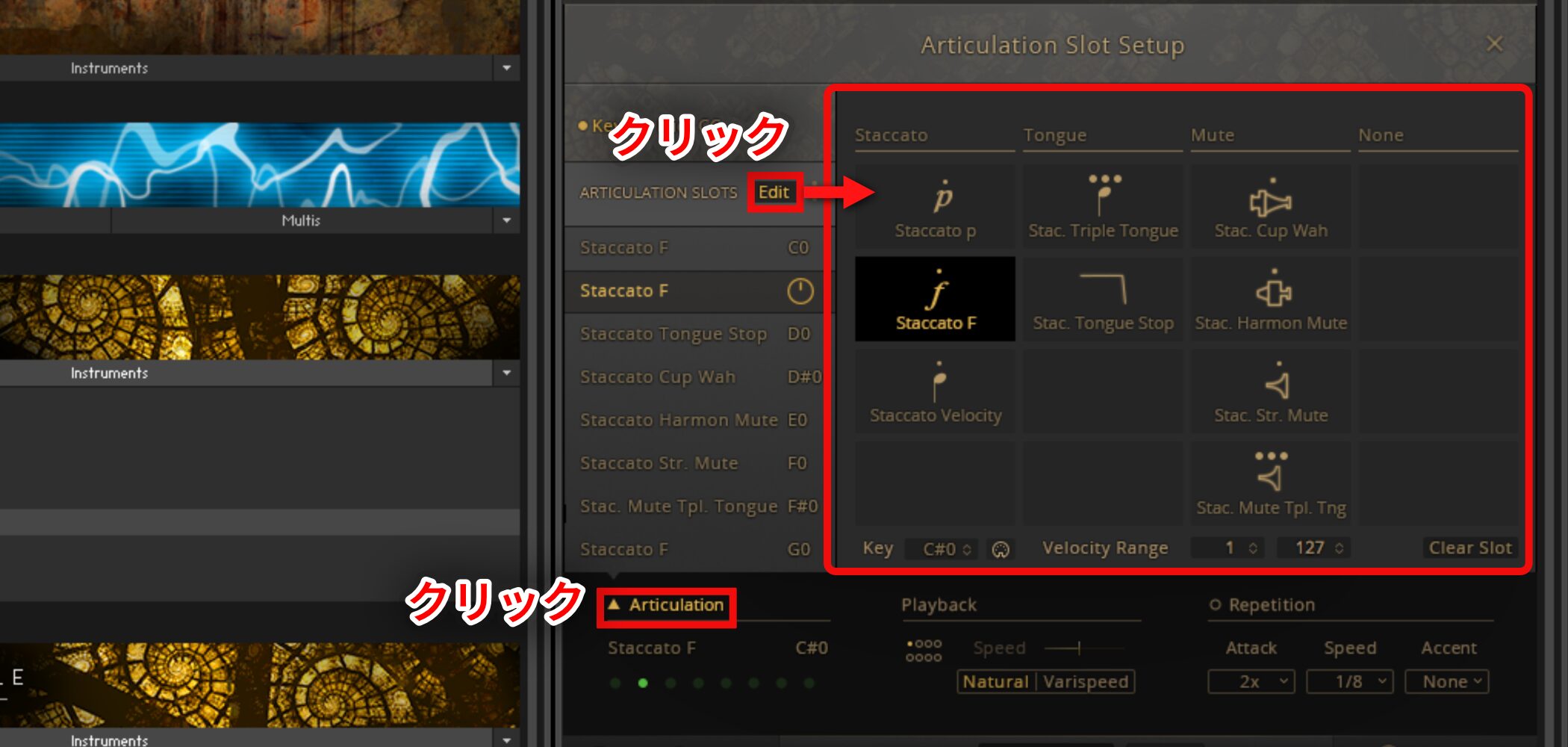
Click Articulation and select Edit to specify the playing technique in greater detail.
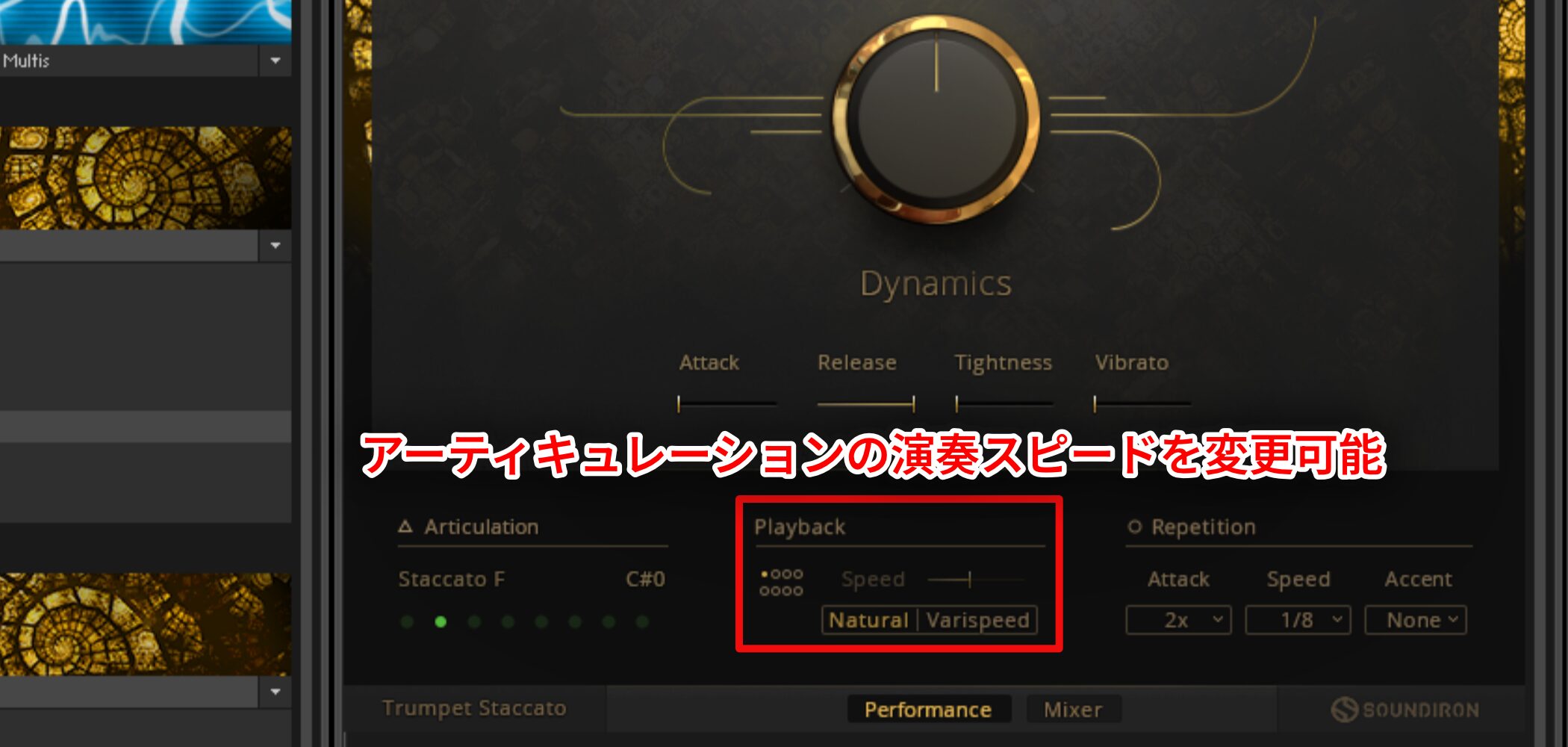
Under Playback, you can change the speed of the selected articulation.
Natural uses the speed at which it was recorded; select Varispeed and use the slider above to change the playback speed.
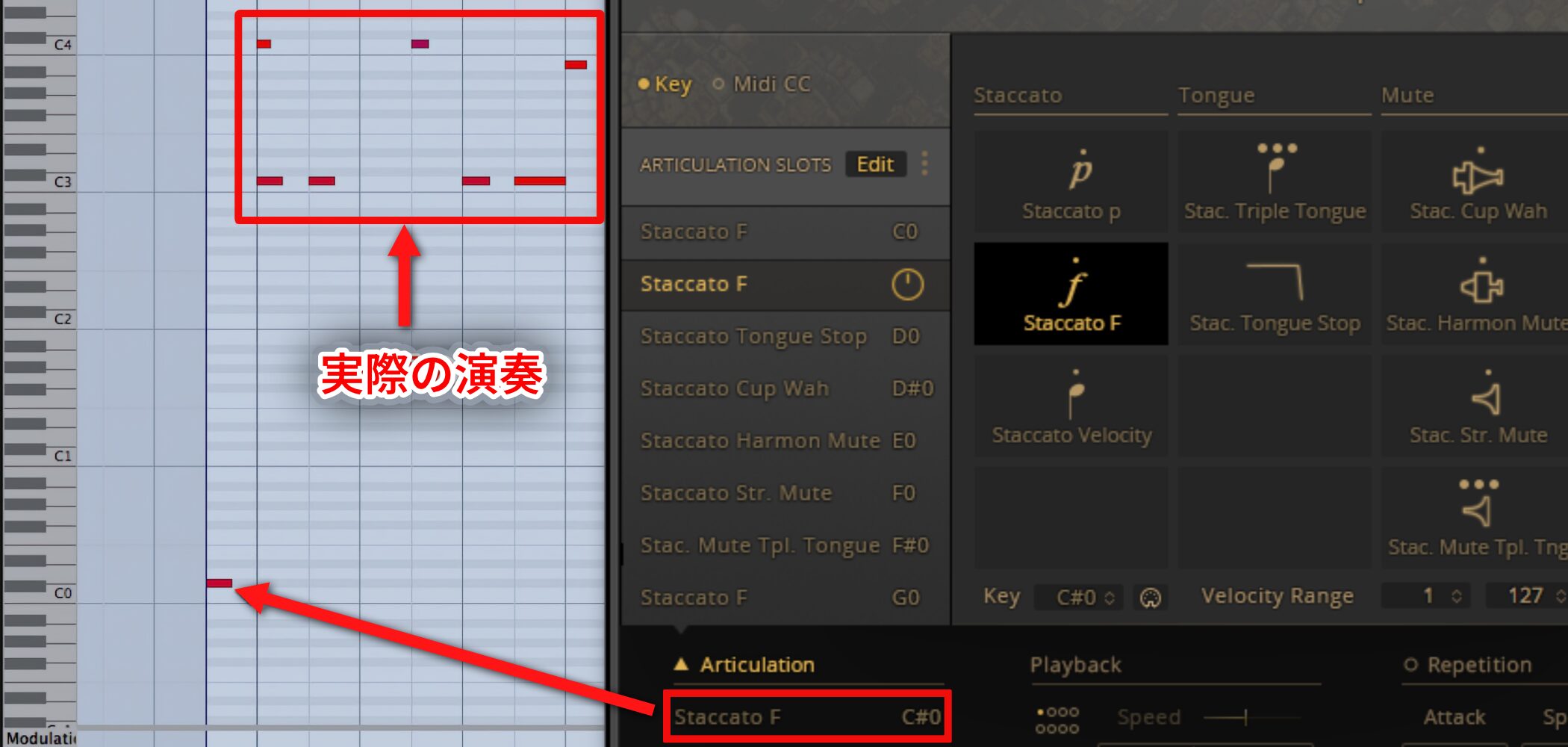
Use key switches to change articulations during a song.
Check the key for the desired articulation and enter that note before the played passage.
This lets you select and switch articulations in real time.
Frequently Asked Questions
Q1. What software do I need to use BRASS COLLECTION?
You can load it in Kontakt or Komplete Kontrol. The original article notes that Komplete 9/10 users could download and use Komplete Kontrol free even without the hardware.
Q2. Can I switch articulations during a song with key switches?
Yes. Check the key for the desired articulation and enter the note before the played passage to select and switch techniques in real time.
Q3. Can I adjust the perceived distance using microphone positions?
Yes. Balance the four microphones to shape tone and distance. The article lists CLOSE at 1.5 m, MID at 8 m, and FAR at 23 m.
Q4. Can I apply individual effects in my DAW?
Yes. Each microphone output can be routed separately to the DAW, allowing flexible mixing with individual effects.
NEW ARTICLES
Latest English Articles