Ableton Live’s Audio Effect Rack offers more than the basics: it can also be used to control the amount of an effect in detail. This article explains how to create an equivalent control for an effect without a Dry/Wet parameter by creating two chains and using a Macro control. This technique allows more flexible, creative sound design and can help improve your audio production skills.
Advanced Audio Effect Rack Techniques

The previous article explained the basics of the Audio Effect Rack.
Here, we will explore an advanced application.
Audio Effect Rack, Part 2
Visit the product information page

Control the Effect Amount with an Audio Effect Rack
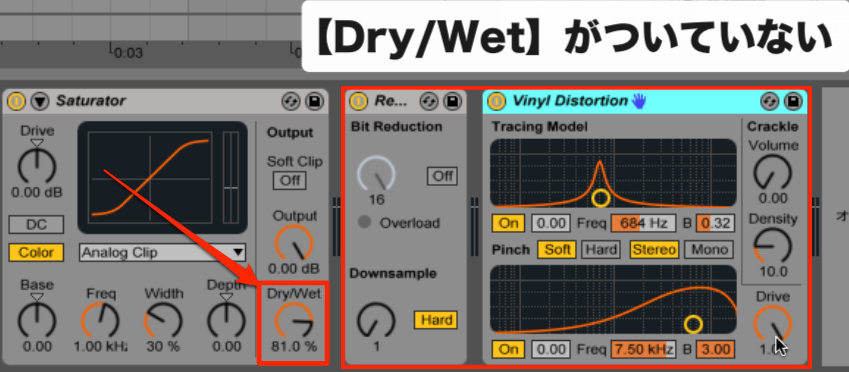
Effects often have a Dry/Wet parameter that controls how much effect is applied.
(The sound before processing is called dry; the processed sound is called wet.)
Some effects do not have a Dry/Wet control.
This time, we will use an Audio Effect Rack to create a similar parameter.
How to Set It Up
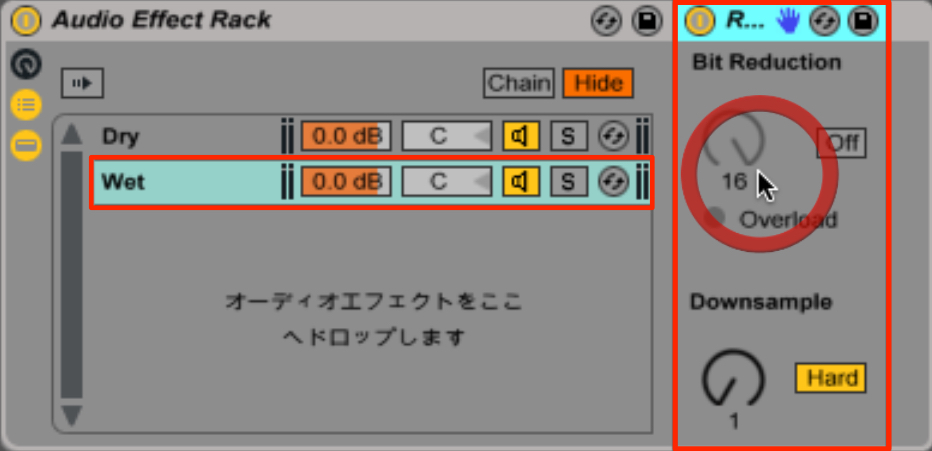
Create two chains and apply the effect to one of them (the wet chain in this example).
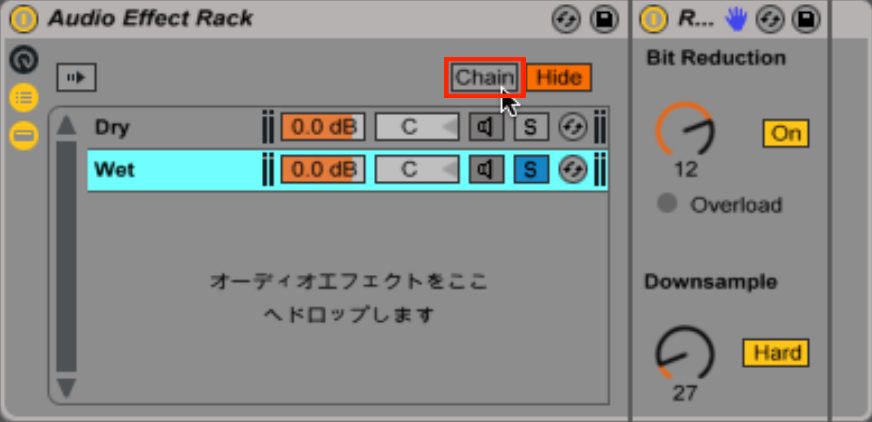
Click Chain on the Audio Effect Rack.
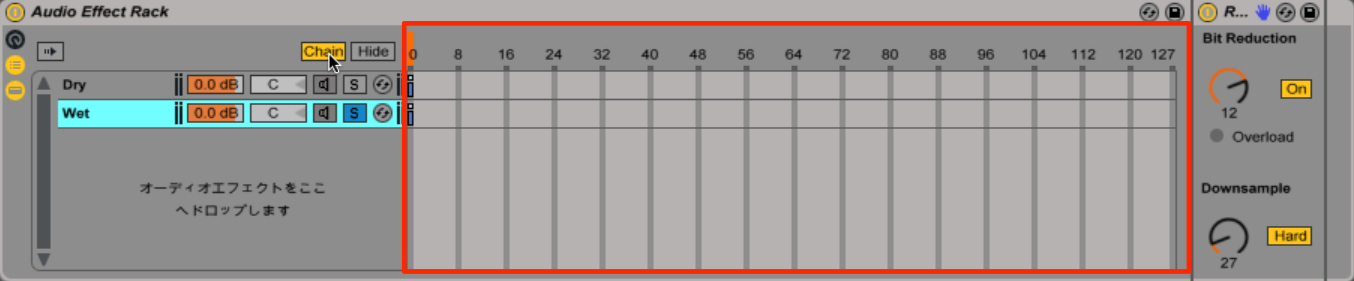
The Chain Select Editor appears.
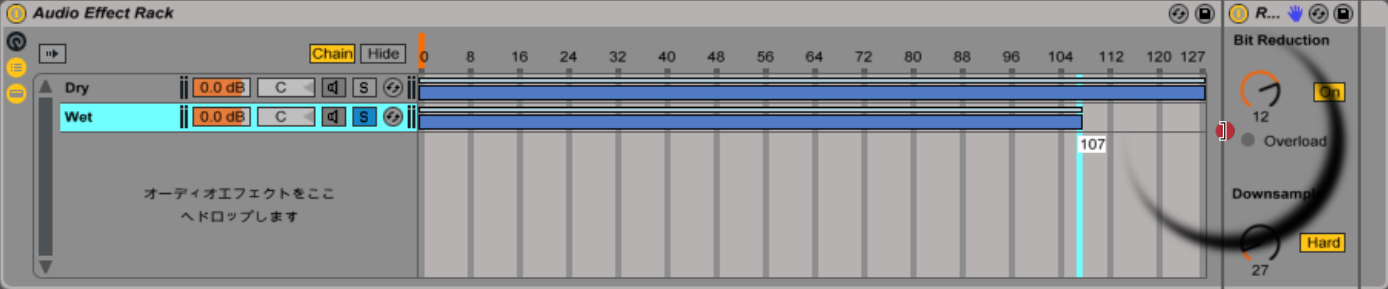
First, extend the blue areas from 0 to 127.
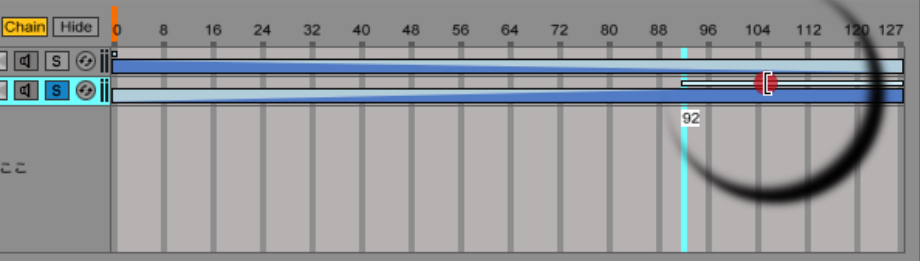
Next, extend the light blue ranges above them so that the two chains fade in opposite directions.
Using a Macro Control

Now use the Macro control introduced in the previous article.
Assign the parameter called the Chain Select Ruler
to an available Macro using Map.
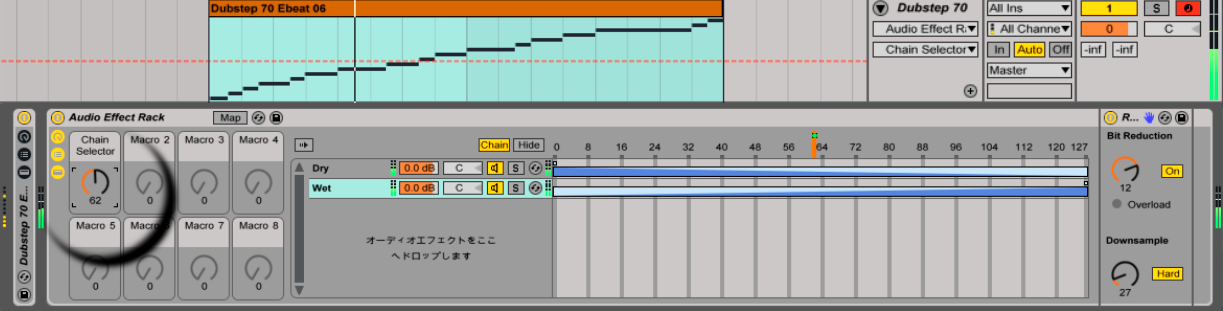
Turning the assigned Macro gives you an effect similar to a Dry/Wet control.
Frequently Asked Questions
Q1. What is the main benefit of creating a Dry/Wet control with an Audio Effect Rack?
You can control the effect amount from 0 to 100% even for effects that lack their own Dry/Wet parameter. This gives you finer control over the sound and mix.
Q2. How do I set up the Chain Select Editor?
Extend the blue areas from 0 to 127 and adjust the light blue ranges at the top in opposite directions for the two chains. This makes one chain’s volume rise as the other falls.
Q3. How are the Macro control and Chain Select Ruler related?
Assign the Chain Select Ruler to an available Macro to control the Dry/Wet blend with one Macro knob. This makes the adjustment simple and intuitive.
NEW ARTICLES
Latest English Articles