
Microphone setup has a major effect on the quality of vocals recorded at home. This article explains five practical points: microphone height, distance, pop filters, reflection filters, and input gain. Taking care with these settings can help you capture cleaner, more polished vocals and reduce the work needed afterward. We also cover avoiding digital clipping, an issue beginners can easily overlook, so you can put these ideas into practice in your recording setup.
Recording Clear Vocals at Home
Here, we explain key microphone setup points for recording vocals in your DAW.
Keeping these points in mind can help you capture higher-quality vocal tracks.
Point 1: Microphone Height
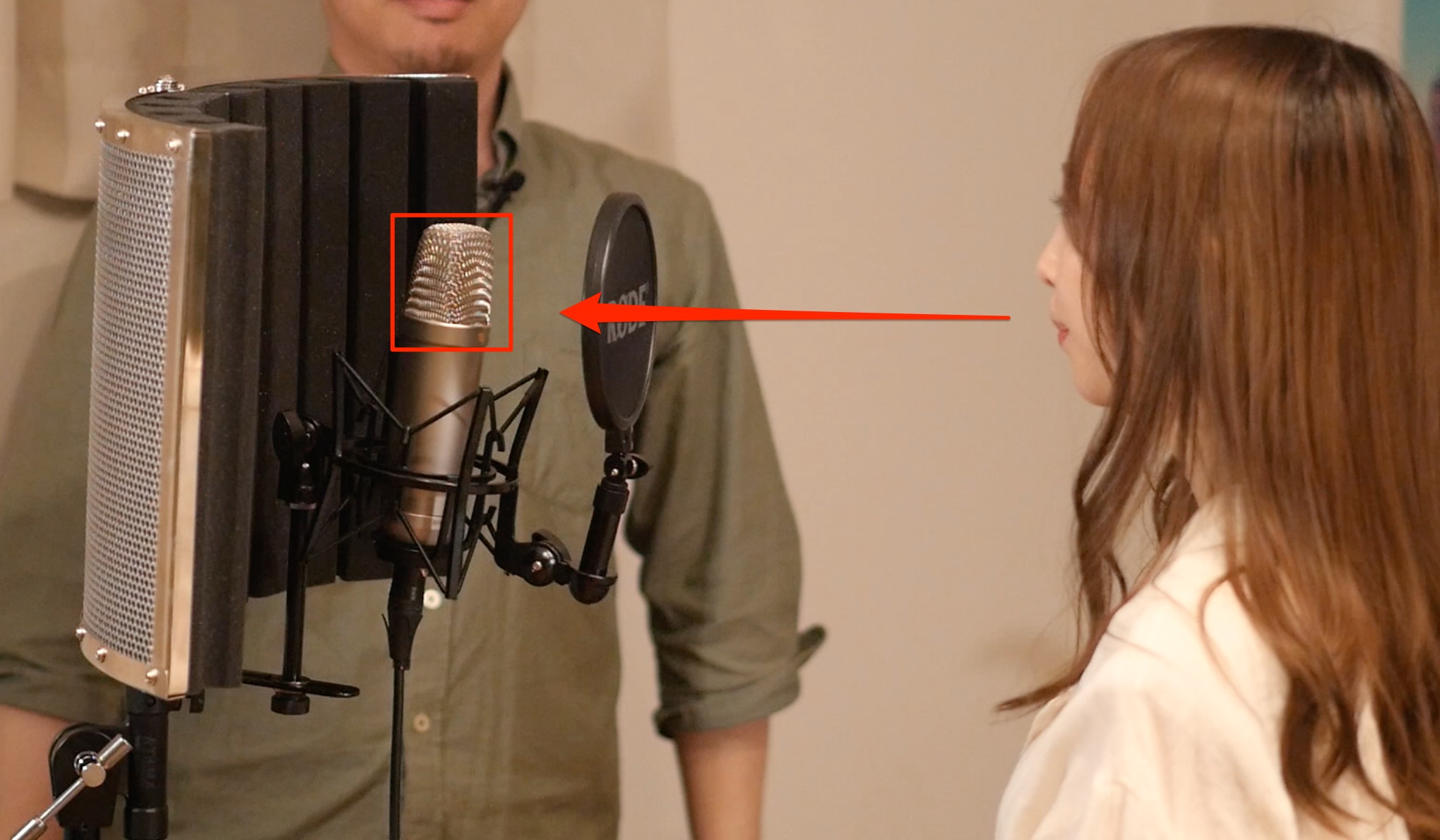
Position the microphone’s grille at the vocalist’s mouth height.
A different height changes the frequency balance of the recording and may keep you from getting the sound you expect from the microphone.
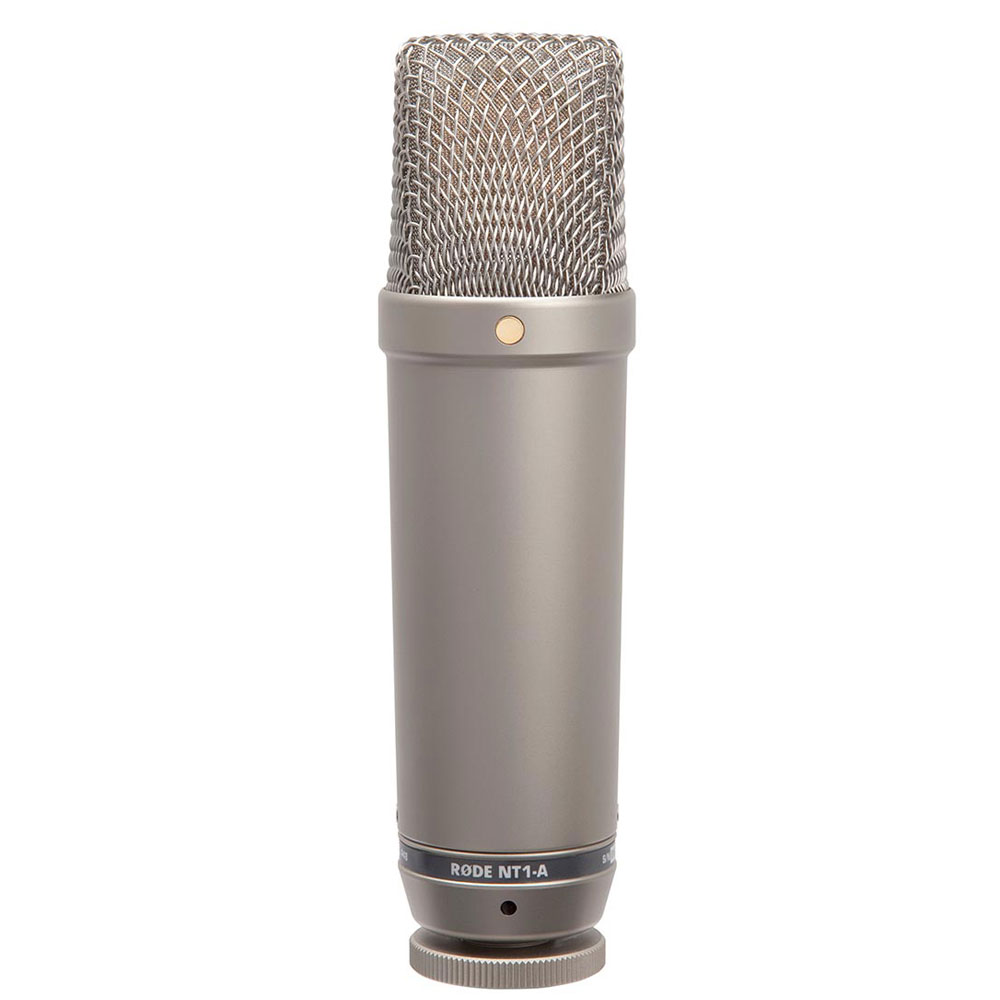
Microphones have a correct pickup orientation. Depending on the model, the front is often marked with the logo or model name.
Recording into the wrong side can produce poor results.
Always check the correct orientation before recording.
Point 2: Distance from the Microphone
Moving closer to a directional microphone generally increases bass through proximity effect.
It also tends to make the vocal sound more intimate, so adjust the distance to suit the song.
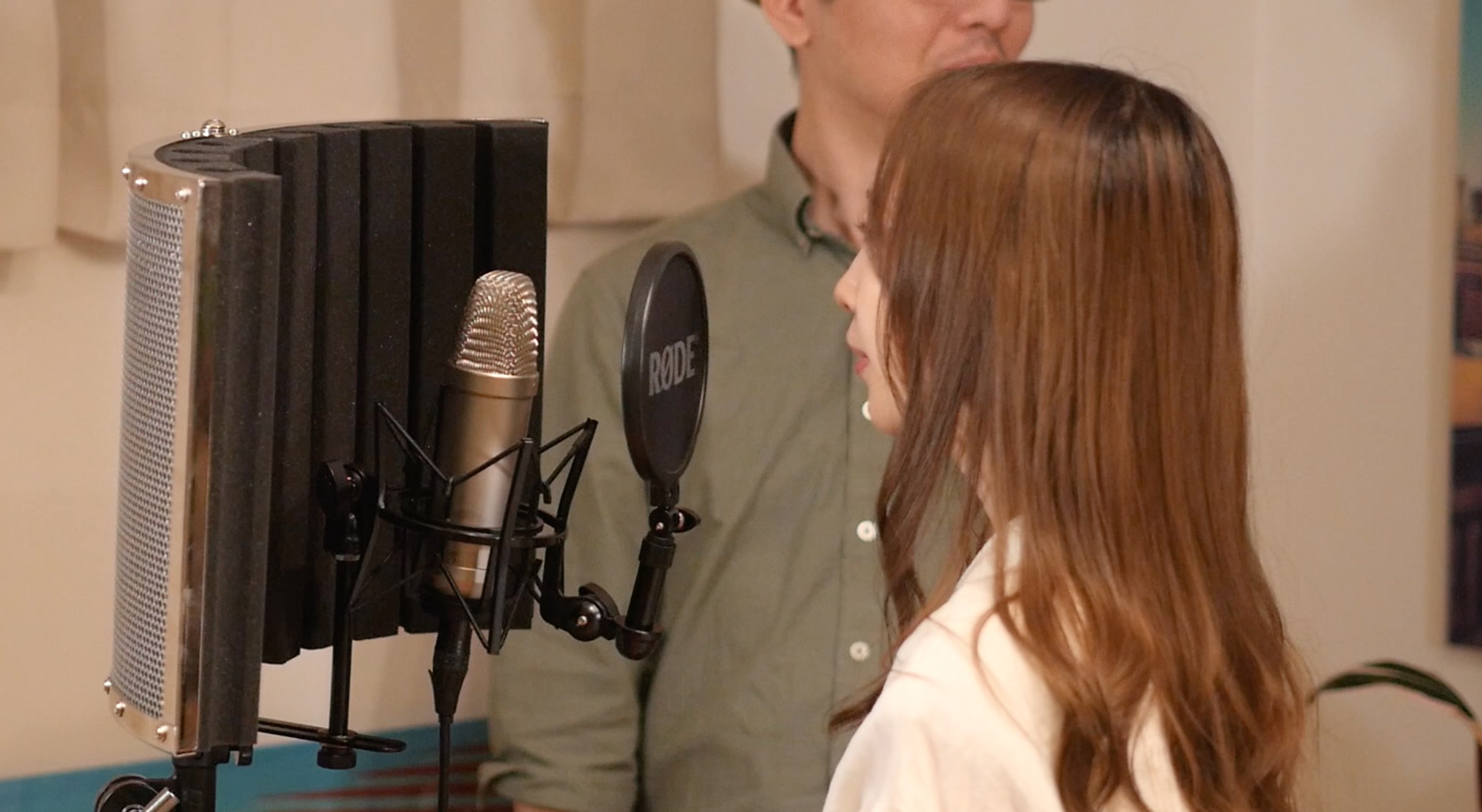
Start around 20–30 cm from the microphone and adjust from there.
Before the main take, make test recordings at different distances to find the sound you want.
Point 3: Use a Pop Filter
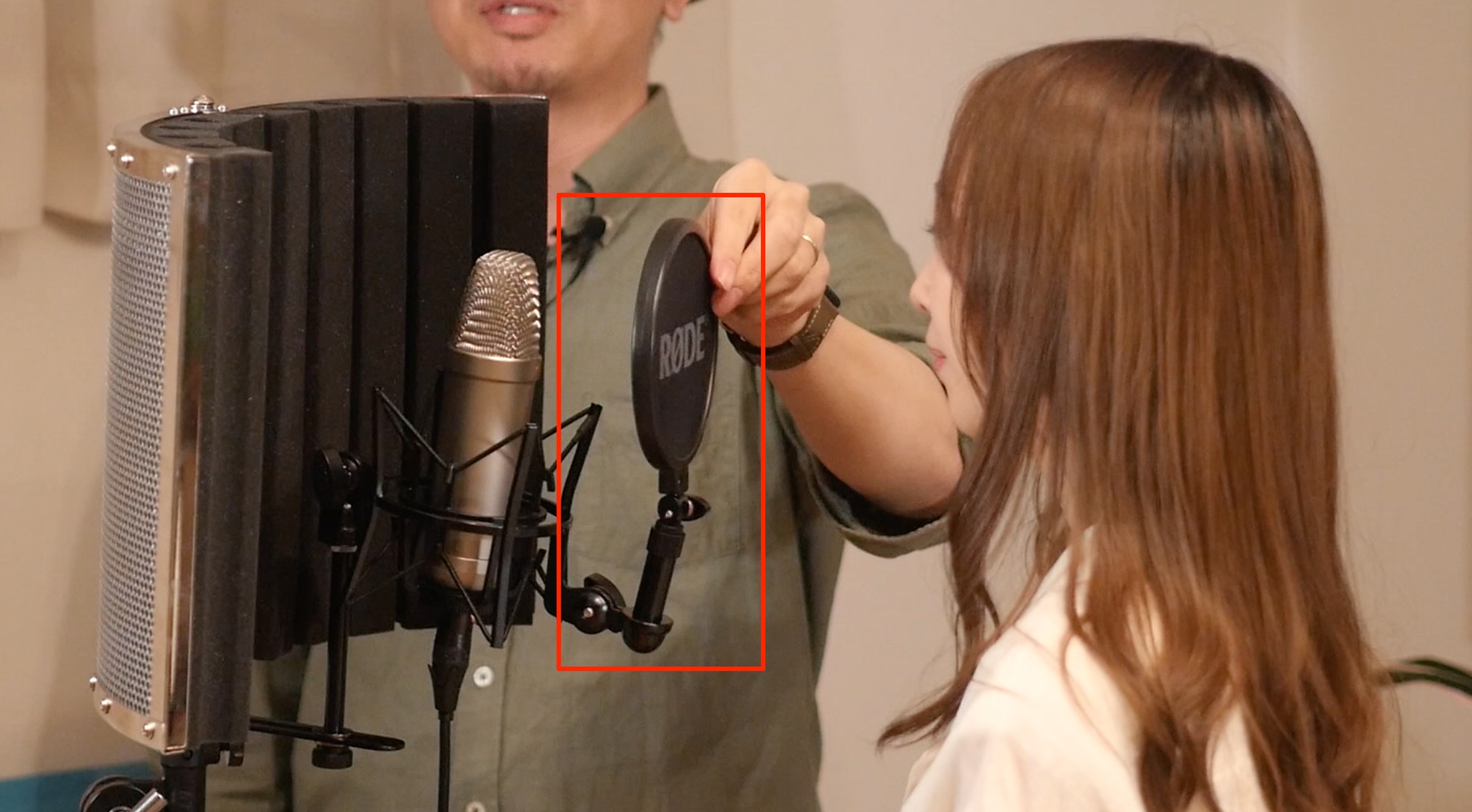
A pop filter helps reduce breath blasts and plosive noise from the singer.
These noises can be especially noticeable with condenser microphones, so be sure to use a pop filter when recording vocals with one.
Point 4: Use a Reflection Filter
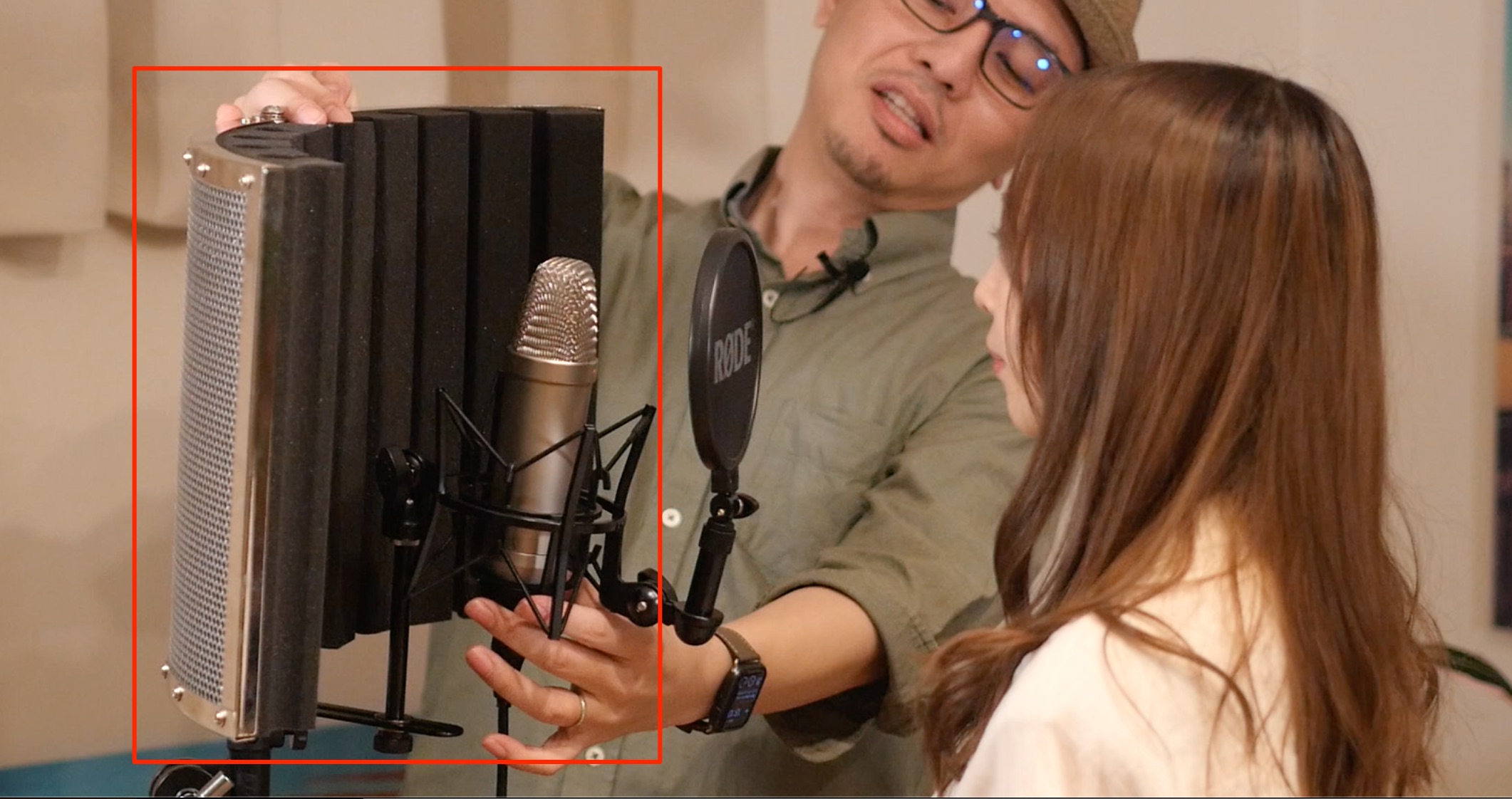
A reflection filter is an accessory that can help reduce room reflections reaching the microphone.
Unwanted reflections in a recording can make later effects processing more difficult and make the vocal harder to blend with the backing track.
It can be a useful addition to a home vocal setup, so consider trying one and checking the difference in your room.
Point 5: Adjust Recording Level and Gain
Once the setup above is complete, adjust your audio interface’s input gain to capture an appropriate recording level.
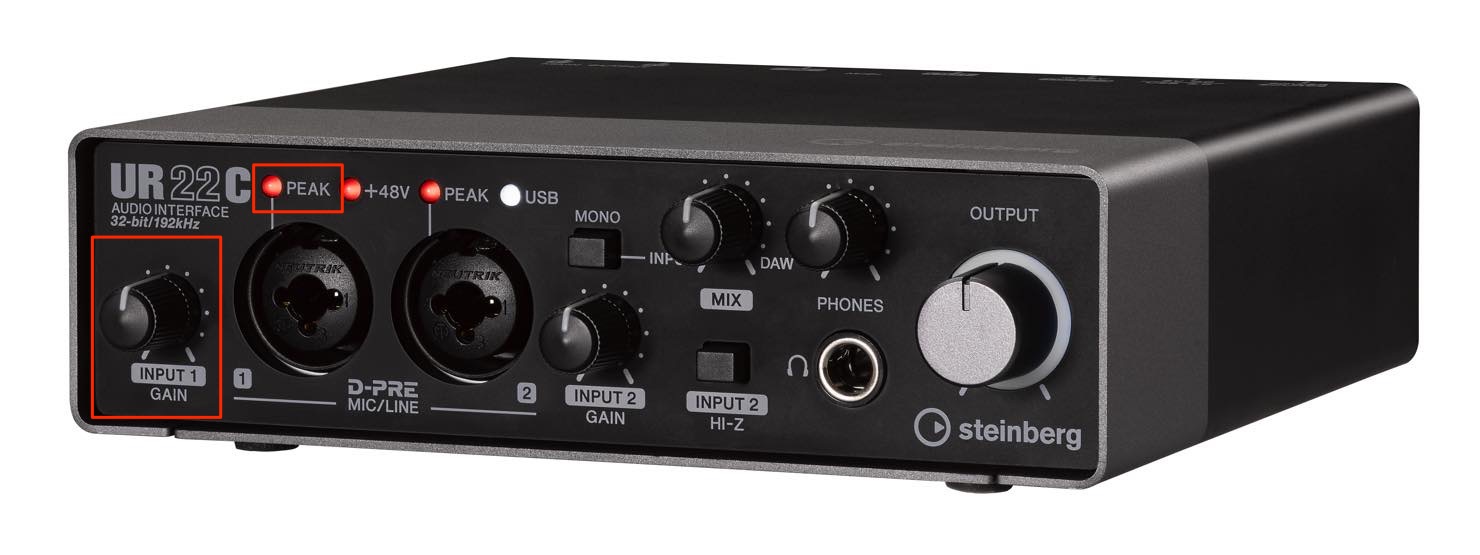
When recording, avoid digital clipping: distortion caused by an input signal that is too loud.
If the interface’s PEAK indicator lights to warn of overload, reduce the input gain.
As with microphone distance, record a test performance of the entire song and check that no digital clipping occurs.
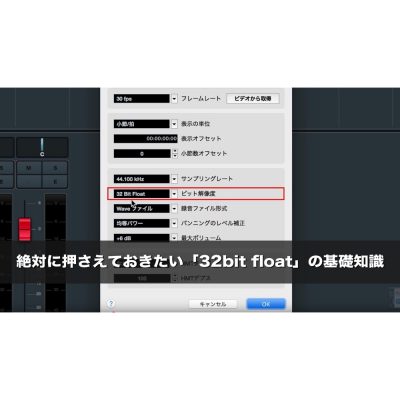
The original guide also recommends enabling 32-bit float recording if your DAW supports it. This provides additional file-format headroom, but selecting it in the DAW cannot repair distortion already caused by an overloaded microphone, preamp, or converter. Keep the hardware input level within its limits.
32-Bit Float Explained on Video
You May Also Like

Mixing Home-Recorded Vocals: The Basic Processing Workflow
Home vocal recordings can contain room noise and reflections, but suitable mixing can improve the result. This article covers the basic processing steps for creating polished home-recorded vocals…
A Practical Guide to Vocal Recording
A detailed look at home vocal recording points that beginners should learn and experienced users may want to revisit.
A Practical Guide to Vocal Recording, Part 2: Taking the Next Step
A guide to equipment choices and techniques for taking home vocal recording further, including external microphone preamps and the tonal character of tube microphones…
Frequently Asked Questions
Q1. How far should I stand from the microphone when recording vocals?
Start at around 20–30 cm and adjust. This is a useful starting point for balancing proximity-effect bass boost and the perceived closeness of the vocal. Make test recordings to find the distance that suits the song and your microphone.
Q2. Do I really need a pop filter?
A pop filter is especially important when recording vocals with a condenser microphone. It reduces breath blasts and plosive noise, helping you capture a cleaner vocal track.
Q3. What are the benefits of a reflection filter?
It can reduce some room reflections captured with the vocal, making effects processing and blending the vocal with the backing track easier. It can be useful at home, though its effect depends on placement and the room; it does not eliminate all environmental noise.
Q4. How can I prevent digital clipping?
Adjust your audio interface’s input gain and lower it if the PEAK indicator warns of overload. Make a test recording first. If supported, 32-bit float recording adds file-format headroom, but it does not undo clipping that has already occurred in the microphone, preamp, or converter.
NEW ARTICLES
Latest English Articles














































































































































































