
Tau Compressor is a compressor plug-in developed by A.O.M. Its modes adapt to different sound sources, helping everyone from beginners to intermediate and advanced users achieve high-quality compression without complex controls. This article explains the basic compressor principles of Threshold Level, Ratio, and Gain Reduction, then demonstrates practical settings for kick, percussion, bass, and vocals to show how the modes suit each source and streamline the workflow.
A compressor with source-specific modes for quick results
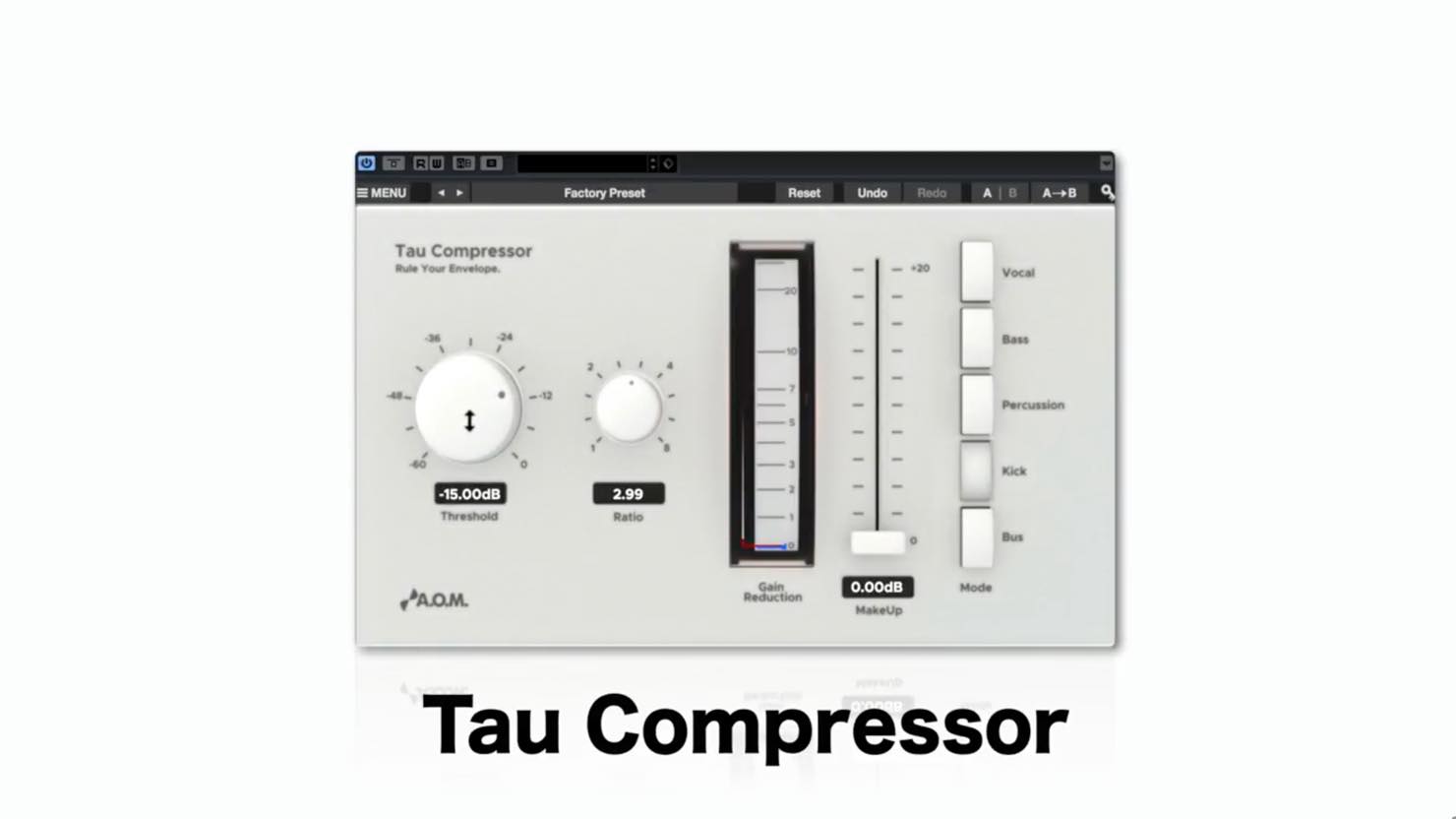
This article introduces Tau Compressor, one of A.O.M.’s plug-ins offered with eligible Steinberg products during a promotion that ended on August 31, 2017.
Tau Compressor is a compressor designed to deliver suitable results for different sources while keeping complicated controls to a minimum, making it a recommendation for beginners and for intermediate or advanced users looking to work more efficiently.

During the promotion, buying a UR series product bearing this campaign sticker
or a Cubase series product
came with four plug-ins from A.O.M., a company known for its many high-quality plug-ins.
The download deadline was extended by one month to August 31, 2017. The promotion has ended.
The products could be used with 64-bit versions of the Cubase series.
Tau Compressor video tutorial
- 1How to Use Invisible Limiter Nano and Optimize Track Loudness
- 2How to Use Tau Compressor
- 3Using Wave Shredder Nano for Glitch Effects
- 4How to Use 009VU (VU Meter)
- Promotion organizers’ websites
A.O.M.: http://aom-factory.jp/ja/
Steinberg: http://japan.steinberg.net/ - A.O.M. plug-in effects giveaway campaign announcement
https://japan.steinberg.net/jp/shop/aom_plugins_campaign.html
How a compressor works
Before looking at Tau Compressor, let’s review how compression works.
The diagram below shows a simplified audio waveform.
The size of each part represents its level; think of it as containing sounds at a variety of levels.
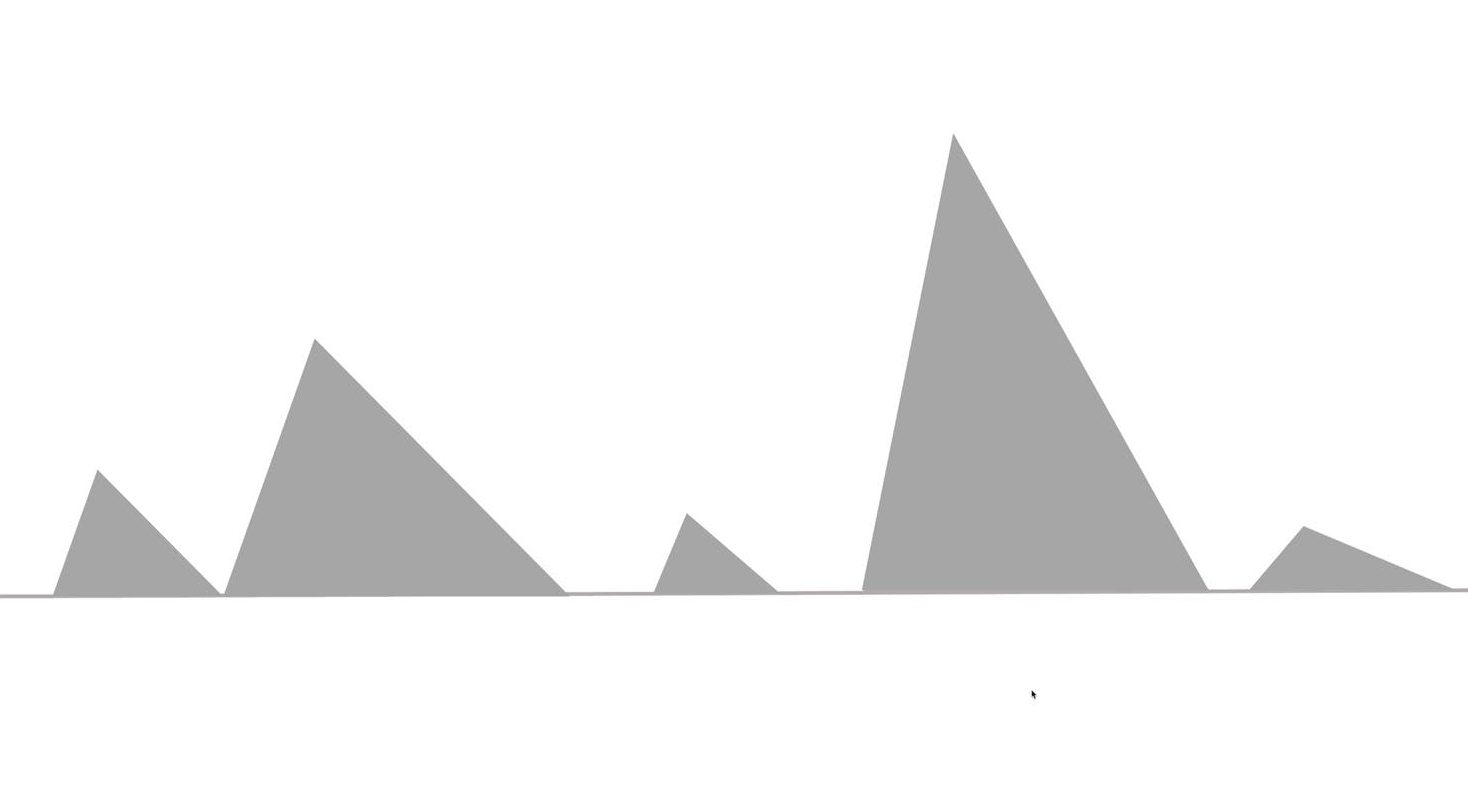
Below is the result of applying compression to the loudest sounds.
Take a look alongside the names of the main compressor controls.
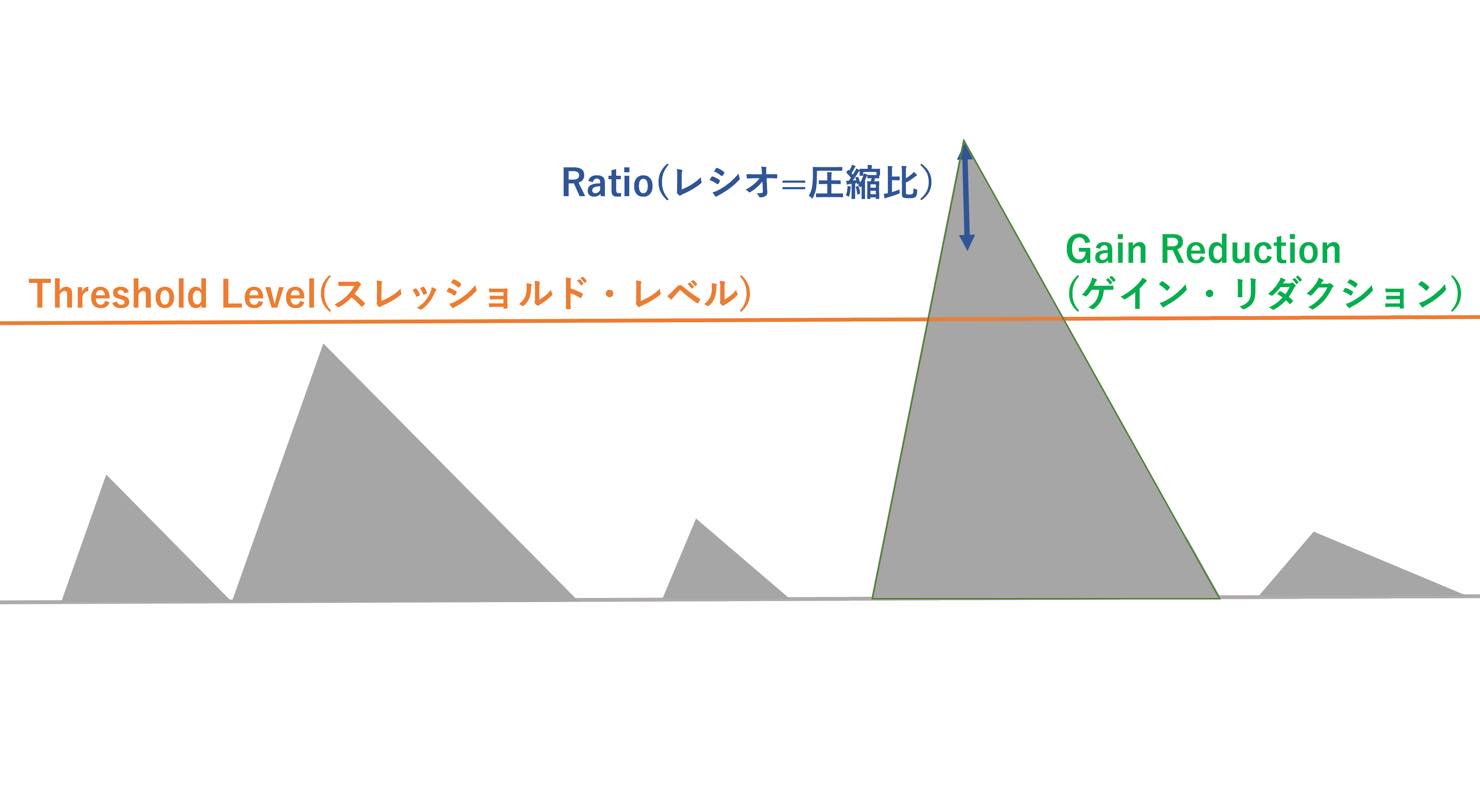
- Threshold Level: Compression is applied to the portions that exceed this level.
- Ratio: Determines the compression ratio.
- Gain Reduction: Shows how much the level has been reduced by compression.
Ordinary compressors also have parameters such as Attack and Release, but Tau Compressor does not provide these controls.
Instead, it offers modes tailored to different sound sources, which we will explore below.
Basic operation: applying it to a kick
Let’s apply it to a track, using a kick as an example.
First, use the mode function described above.
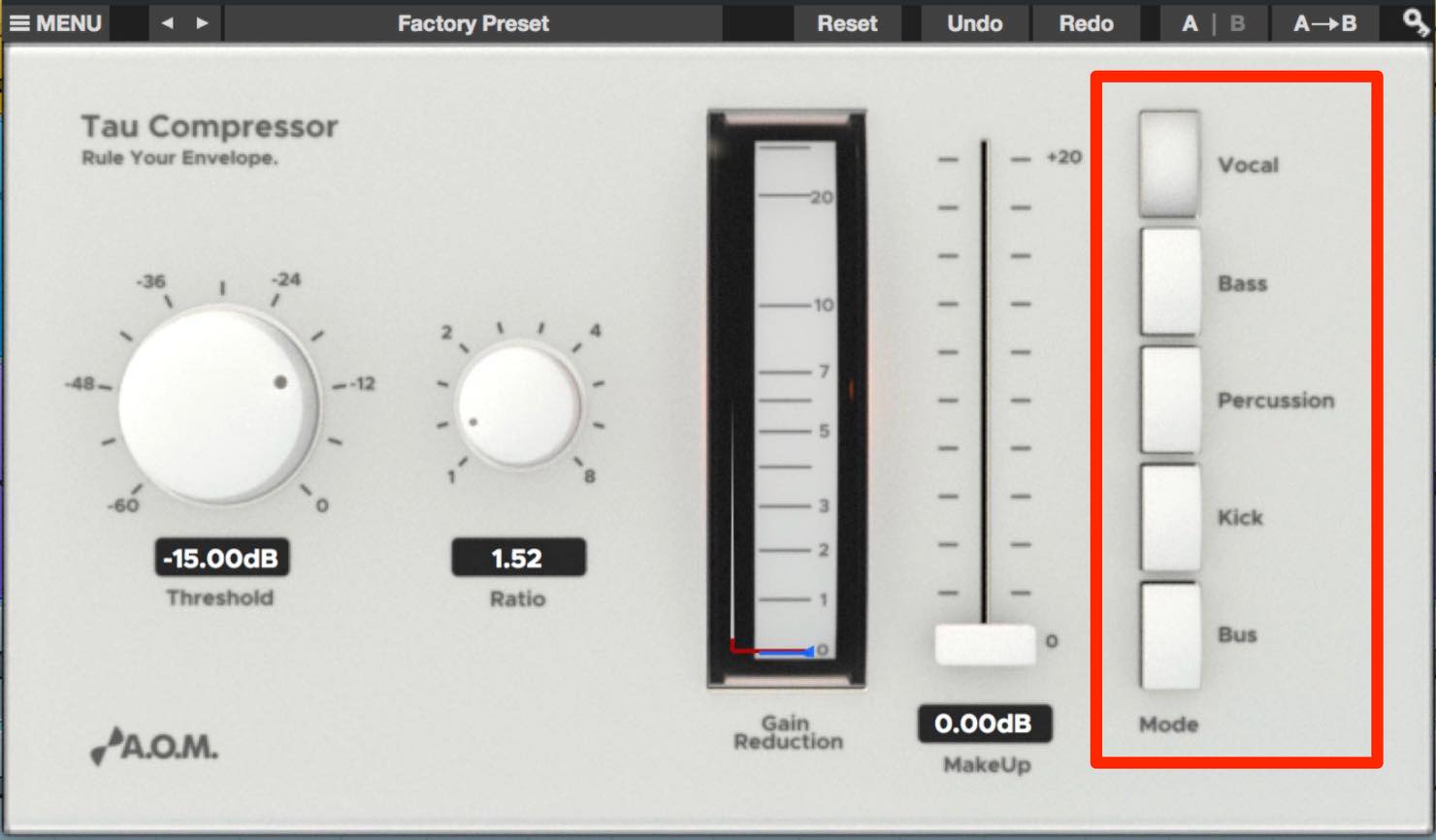
The buttons on the right side of the panel are the mode switches, labeled with common track and instrument types. The default is Vocal, so switch it to Kick.
Next, set the Ratio and lower the Threshold Level until the Gain Reduction meter responds.
The appropriate kick Ratio depends on the desired sound, but we will start at around 3.
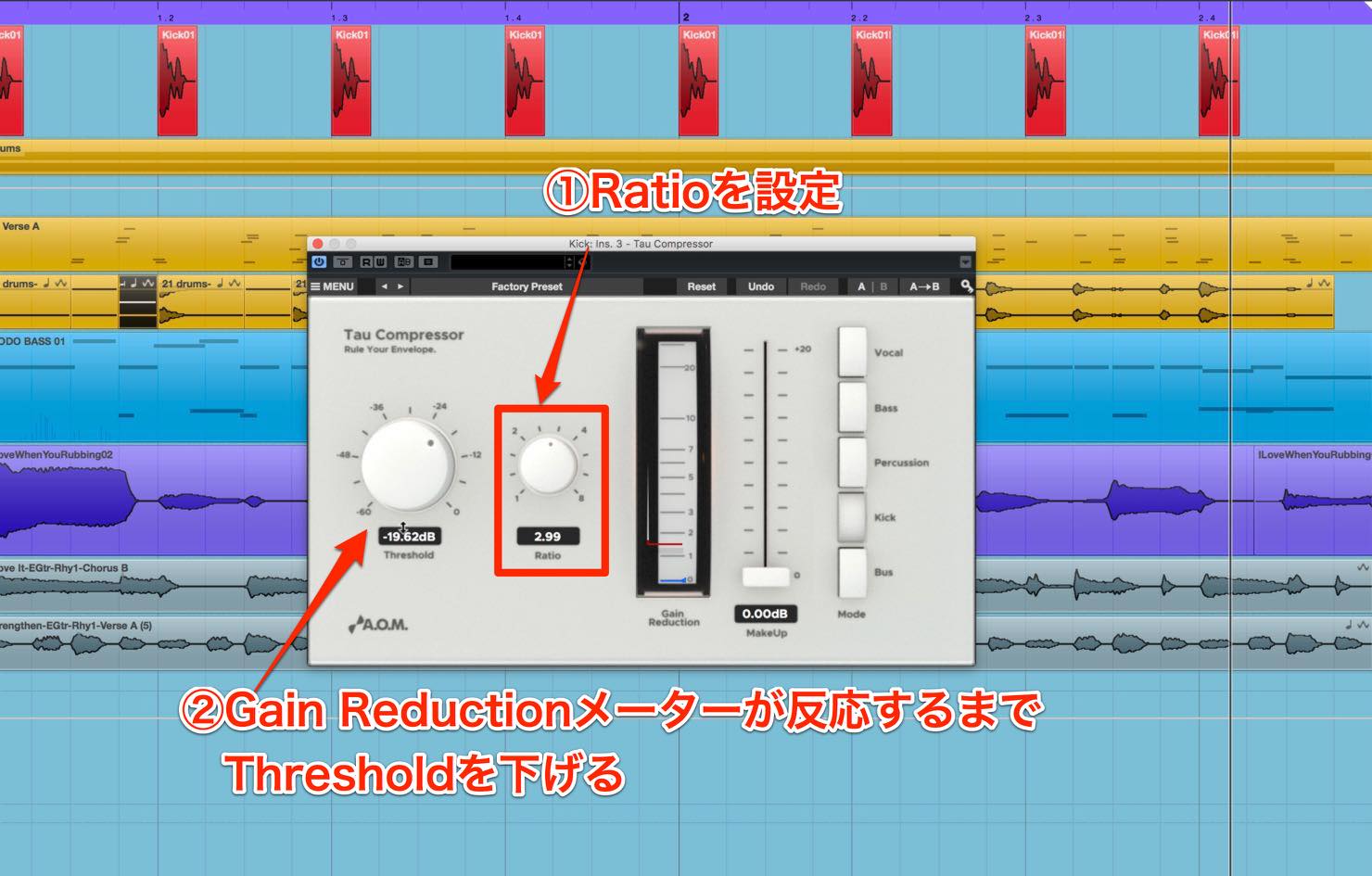
As a guide, set the Threshold so that Gain Reduction returns to zero between kick hits.
Finally, adjust Make Up so the blue line sits between the midpoint and the upper end of the Gain Reduction meter’s range.
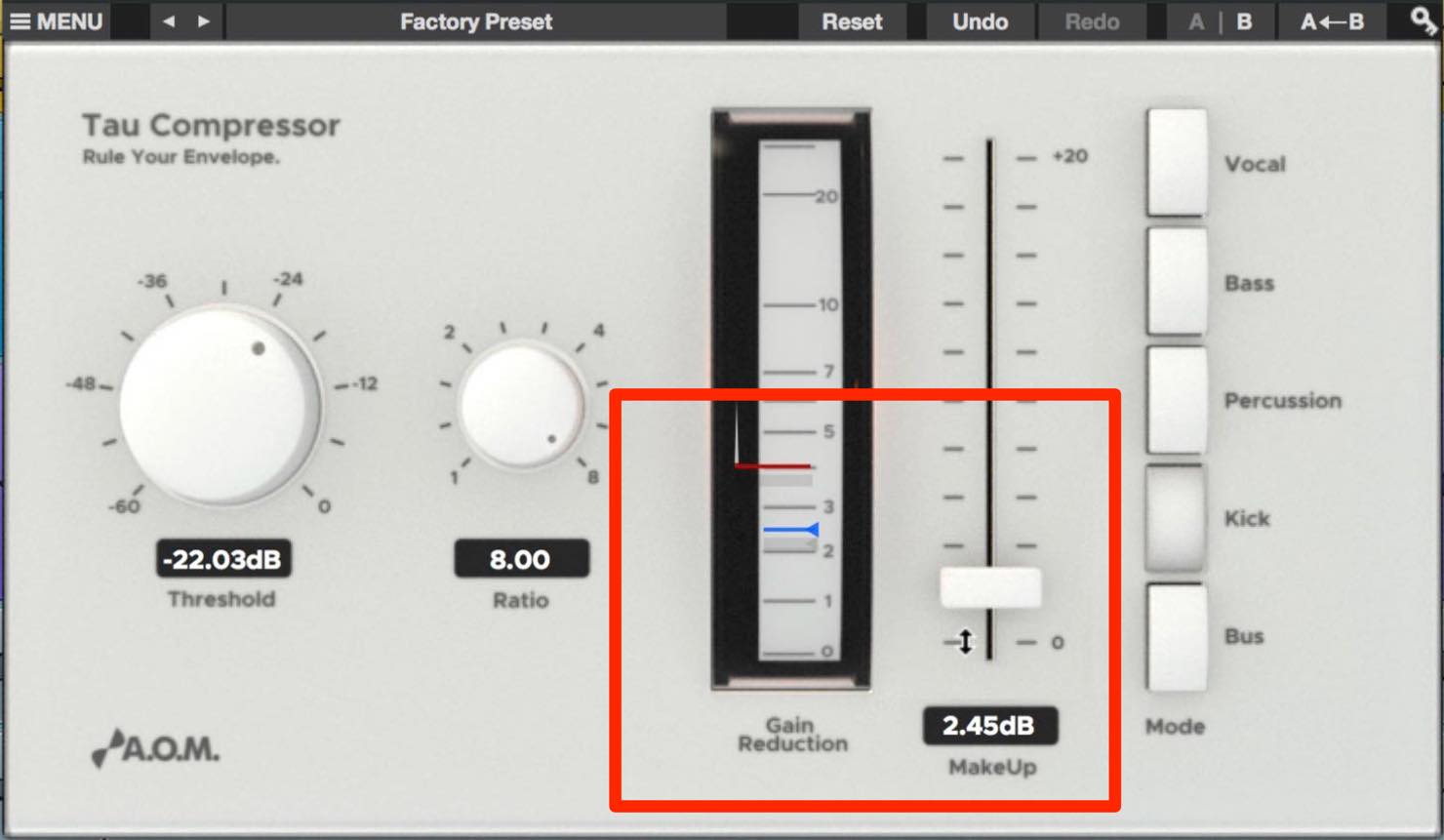
This makes the average level before and after compression roughly equal, making the effect easier to judge.
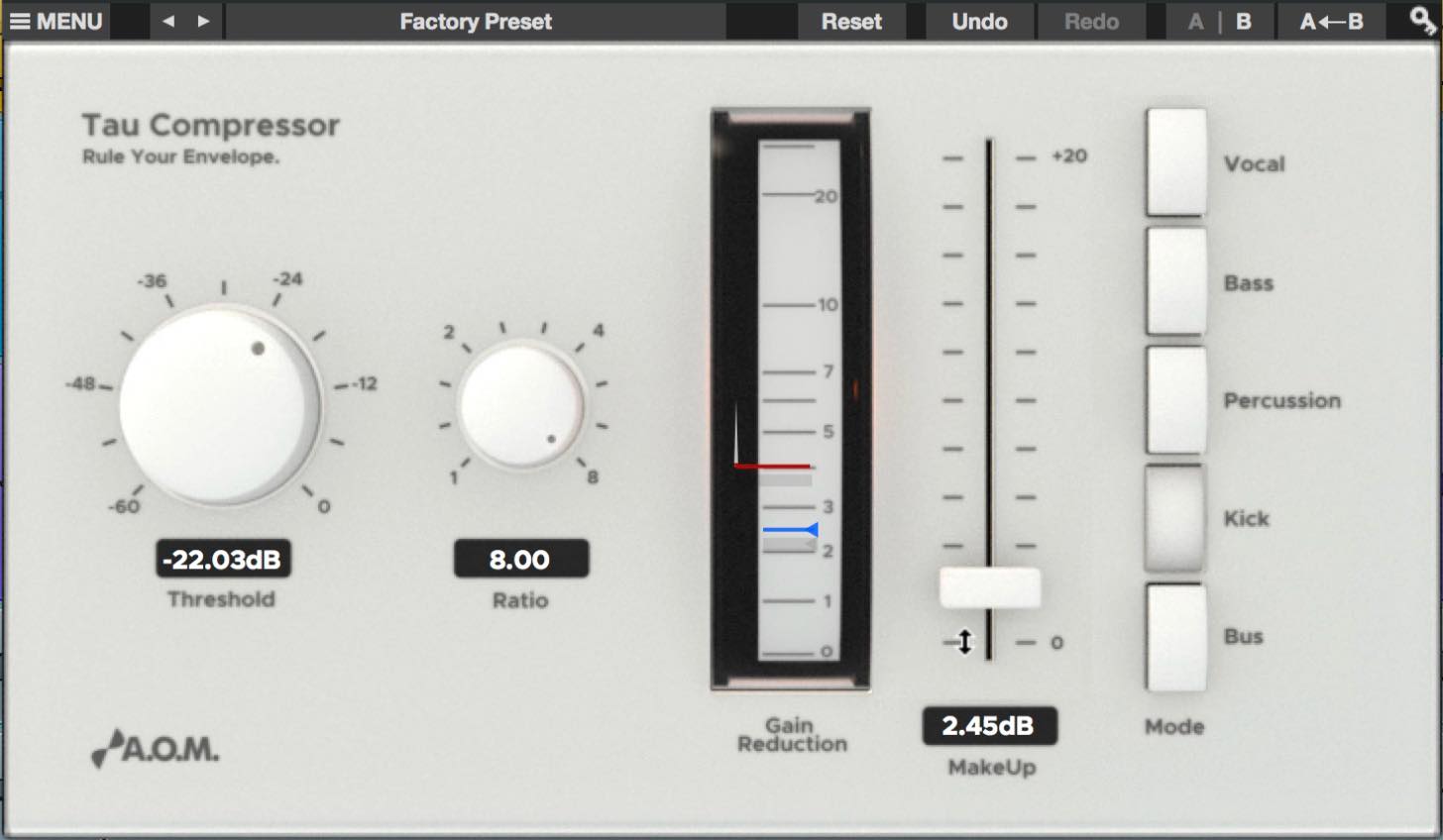
Compare it with bypass: the kick should sound tighter than the original, with more impact in its attack.
A higher Ratio, combined with more Make Up to compensate for the increased Gain Reduction, can produce an even cleaner, harder-sounding kick.
Examples on other tracks
Percussion
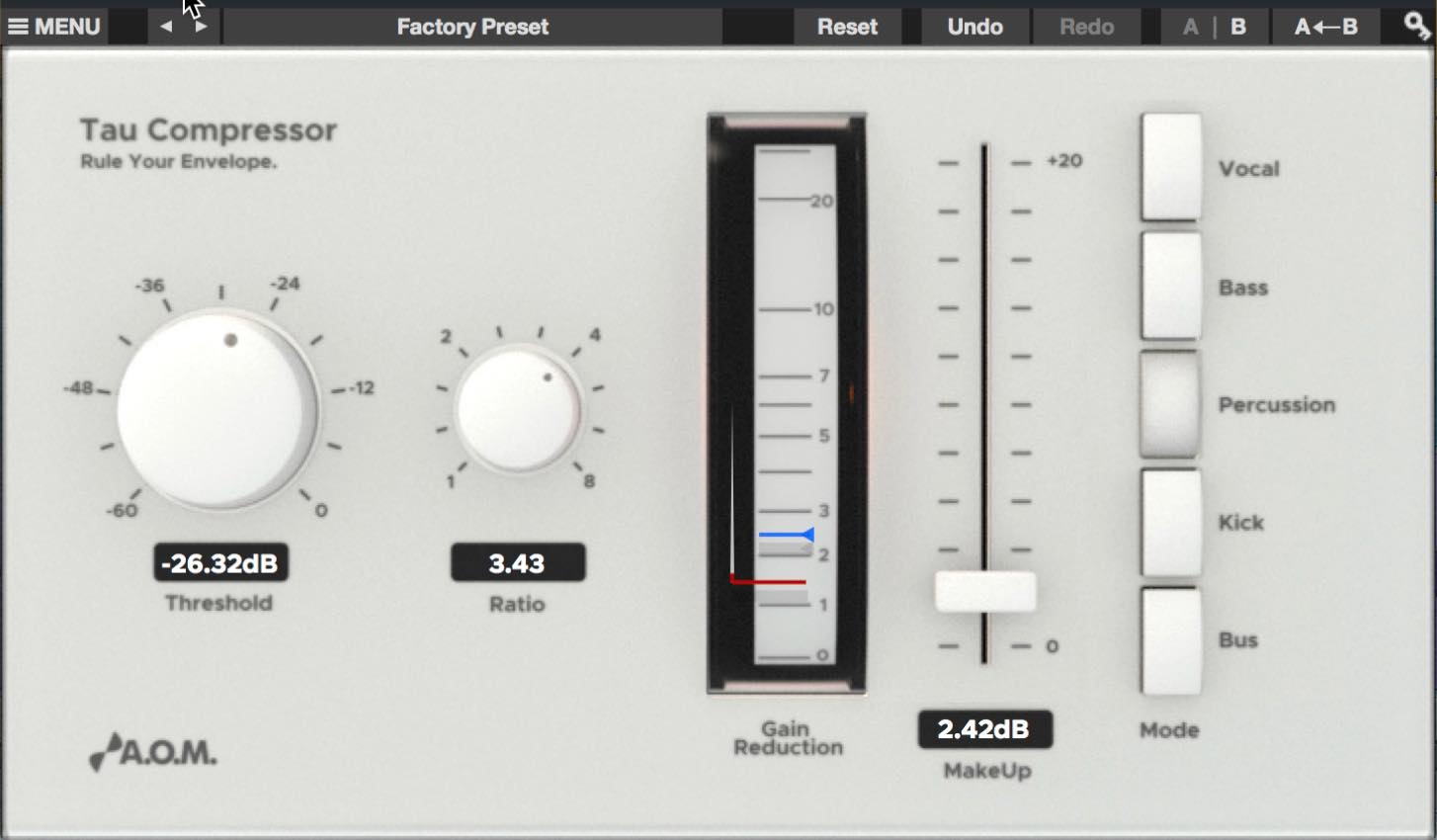
Percussion mode suits a variety of percussion tracks, including snares and hi-hats as well as kick.
In this example, we applied it to a loop centered on hi-hat and snare, setting it to tame the snare peaks and bring out the hi-hat. The key was setting Make Up slightly higher than the amount of Gain Reduction.
Use your ears and adjust flexibly to suit the dynamics of the source.
Bass
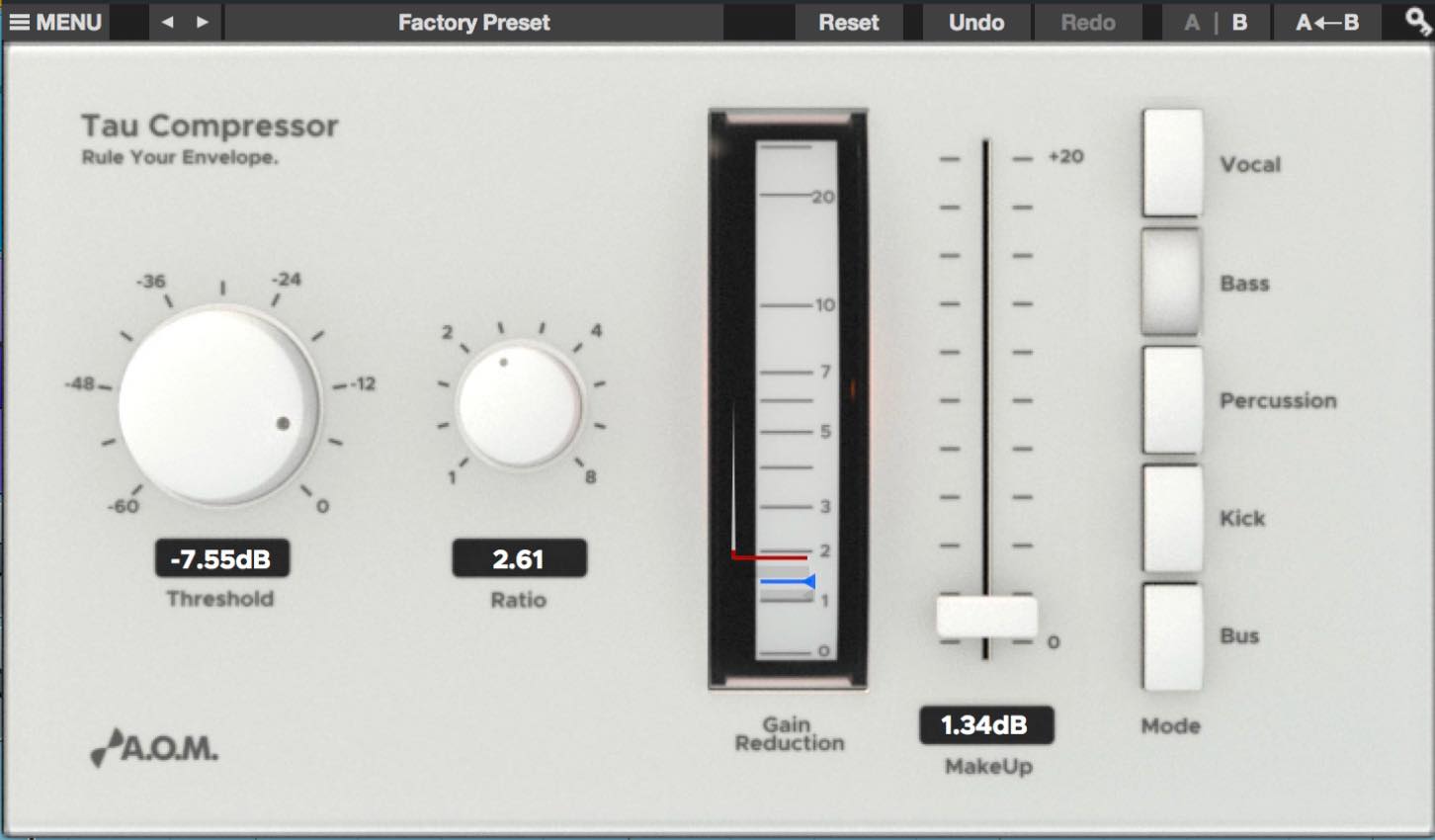
Bass mode has a relatively fast release, allowing quieter sounds after louder ones to come through.
On bass and other sources, Tau Compressor operates very smoothly even with little Gain Reduction, so a gentle Ratio can produce subtle compression.
This makes it useful when you want a natural, steady result.
Vocals
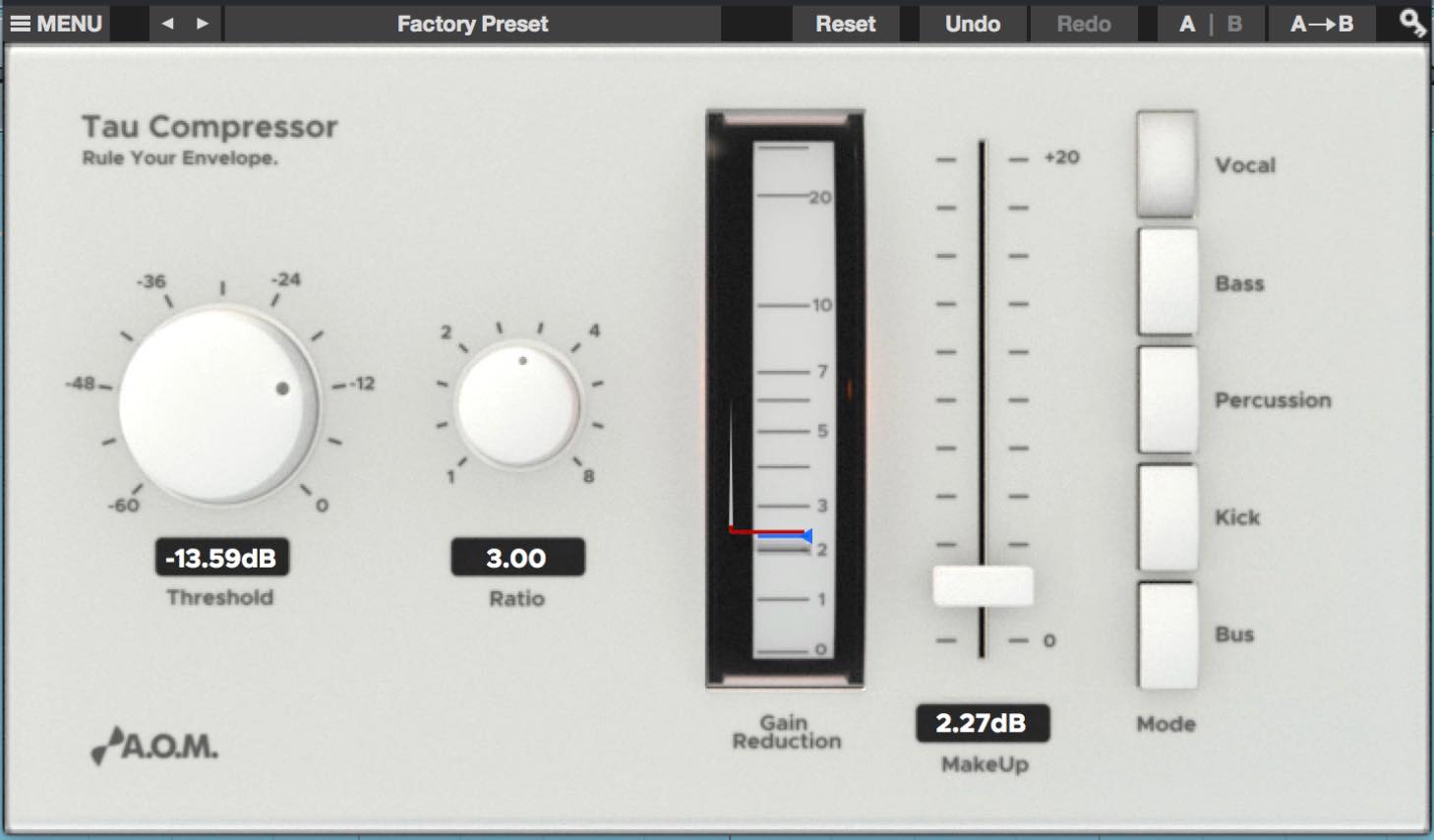
Vocal mode has a relatively fast attack to handle sudden level changes, yet it is tuned to sound natural.
On a vocal track with large level differences, raising Make Up close to the peak Gain Reduction can help bring the vocal clearly forward.
How did you find it?
We found Tau Compressor’s modes not only easy to use, but also very well suited to their respective sources.
It is less suited to detailed fine-tuning, but can also be useful for applying gentle compression as a starting point.
At the time of the original article, the promotion offered an opportunity to try it; that 2017 promotion has since ended.
- Promotion organizers’ websites
A.O.M.: http://aom-factory.jp/ja/
Steinberg: http://japan.steinberg.net/ - A.O.M. plug-in effects giveaway campaign announcement
https://japan.steinberg.net/jp/shop/aom_plugins_campaign.html
Frequently Asked Questions
Q1. What is Tau Compressor’s main feature?
Instead of separate Attack and Release controls, it provides modes for sources such as Vocal, Kick, Bass, and Percussion, delivering suitable compression without complicated adjustments.
Q2. Is it suitable for beginners?
Yes. It offers high-quality results with minimal complex operation, making it suitable for beginners in music production. It is also recommended for intermediate and advanced users who value an efficient workflow.
Q3. What are the basic settings for a kick?
Select Kick mode, set the Ratio to around 3, lower the Threshold Level until the Gain Reduction meter responds, and adjust Make Up to balance the level.
Q4. Which DAW can it be used with?
The plug-ins could be used with 64-bit versions of Cubase. The A.O.M. plug-in set was offered with eligible Steinberg products during the 2017 promotion, which has ended.
NEW ARTICLES
Latest English Articles




























































































































































































































































































































































