
Super Saw is an essential sound in modern EDM and dance music. Layering several sawtooth waveforms creates rich harmonics and a thick texture. This guide shows four steps for making one with the free synth Vital: enable multiple oscillators, set unison voices (16 on Oscillator 1 and around 8 on Oscillators 2 and 3), add a noise oscillator, then apply compression and reverb. The versatile result can be adapted to many kinds of music.
What Is a Super Saw? The Versatile Sound Behind EDM

Super Saw is a staple sound in modern EDM and dance music.
By layering several sawtooth waveforms, it creates rich harmonics and a thick texture.
This sound is extremely versatile and appears in tracks across many genres, making it an excellent starting point for sound design.
Here is what it sounds like.
Step 1: Choose the Waveforms
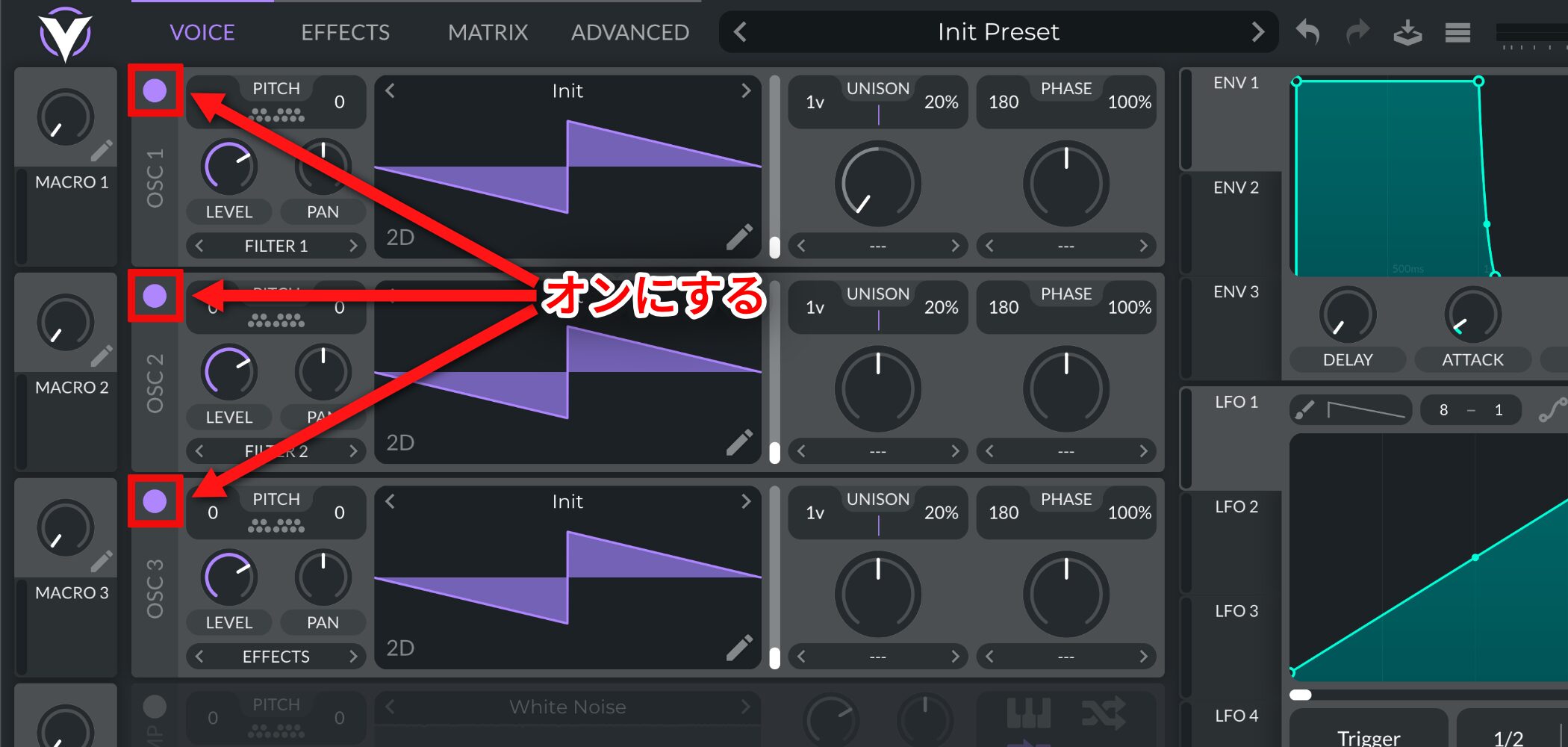
First, turn on all three oscillators.
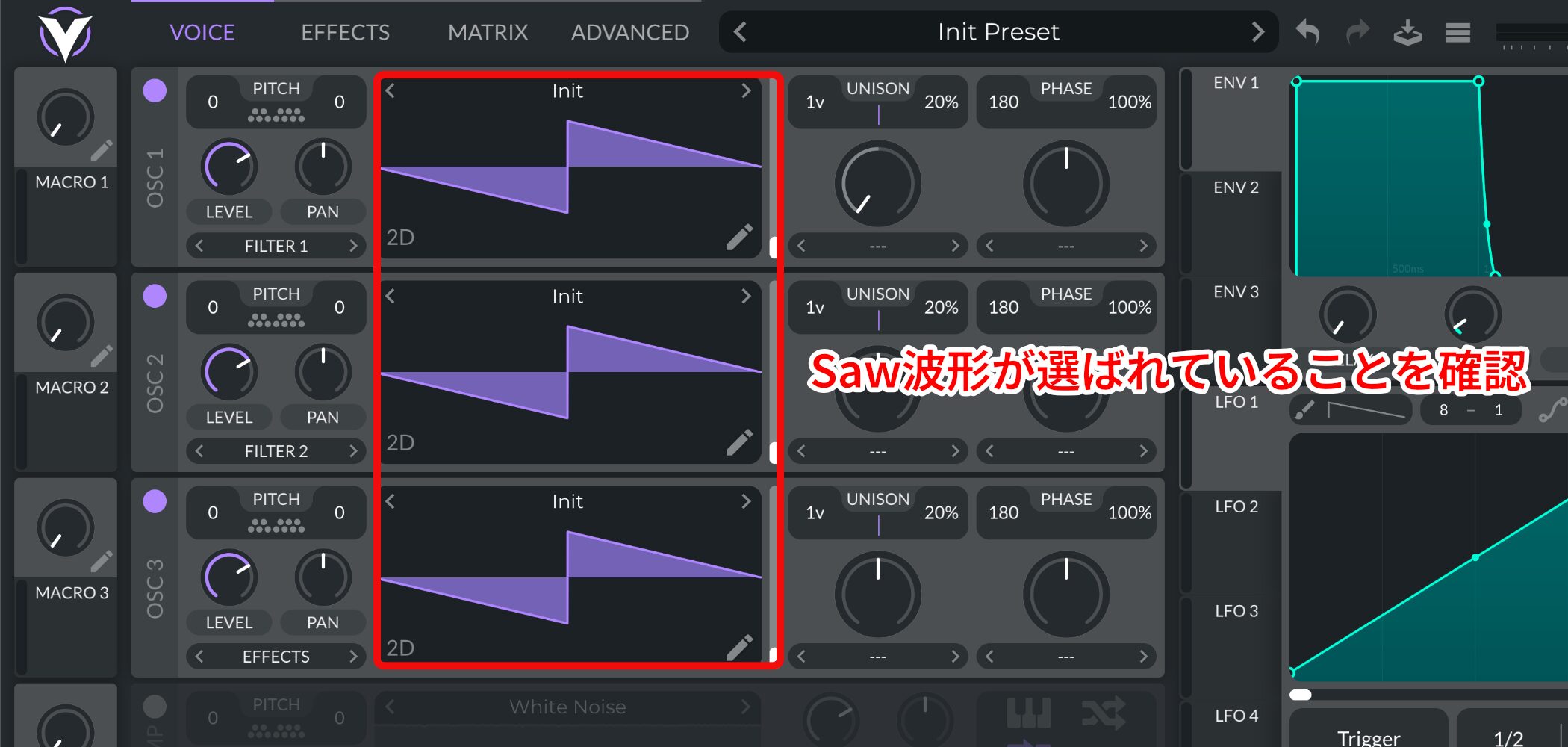
The default waveform is already a sawtooth, so keep it as it is.
Step 2: Apply Unison
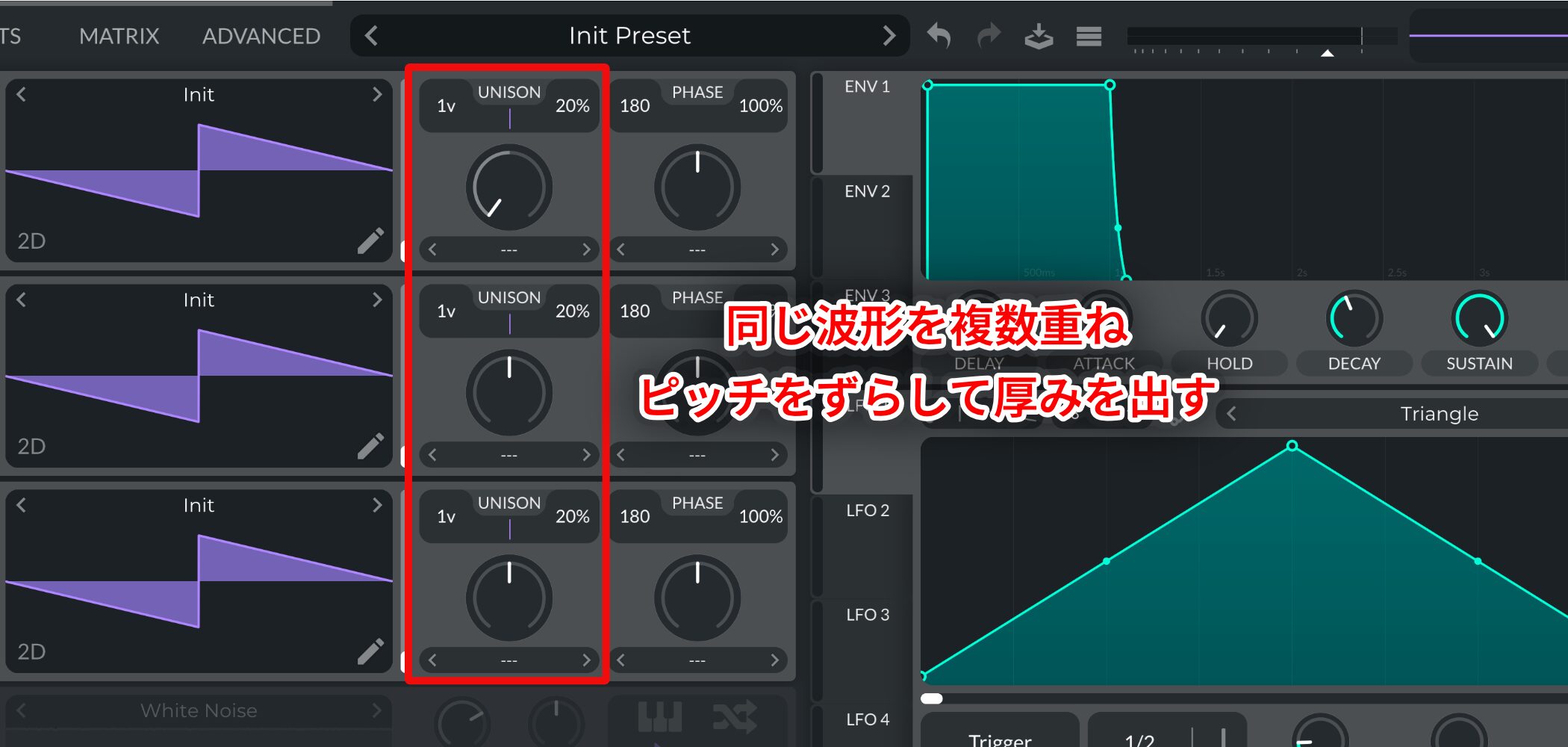
Next, set the unison voices.
Unison layers multiple copies of the same waveform and detunes them to add thickness.
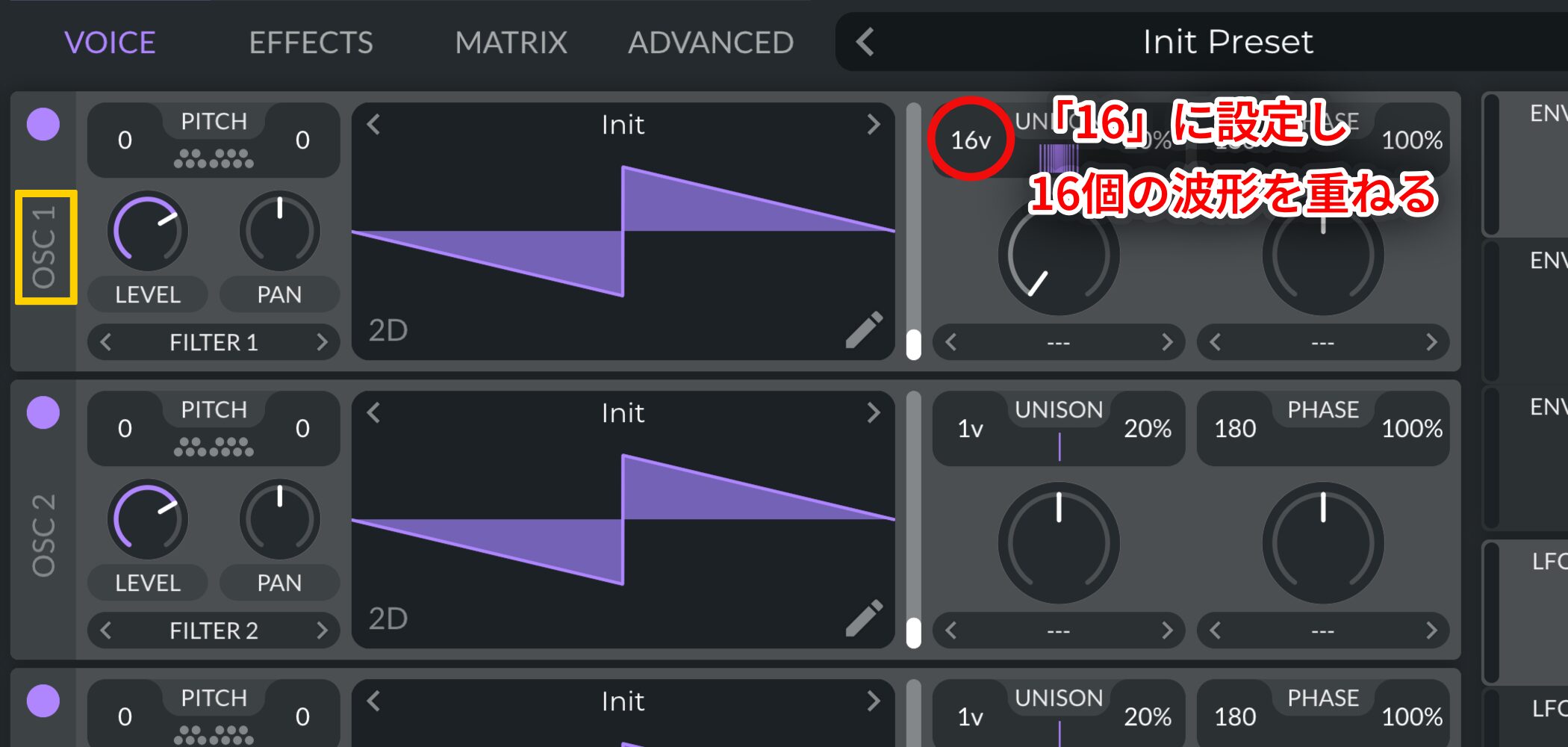
For Oscillator 1's UNISON, set the value to 16.
This layers 16 waveforms for a very rich sound.
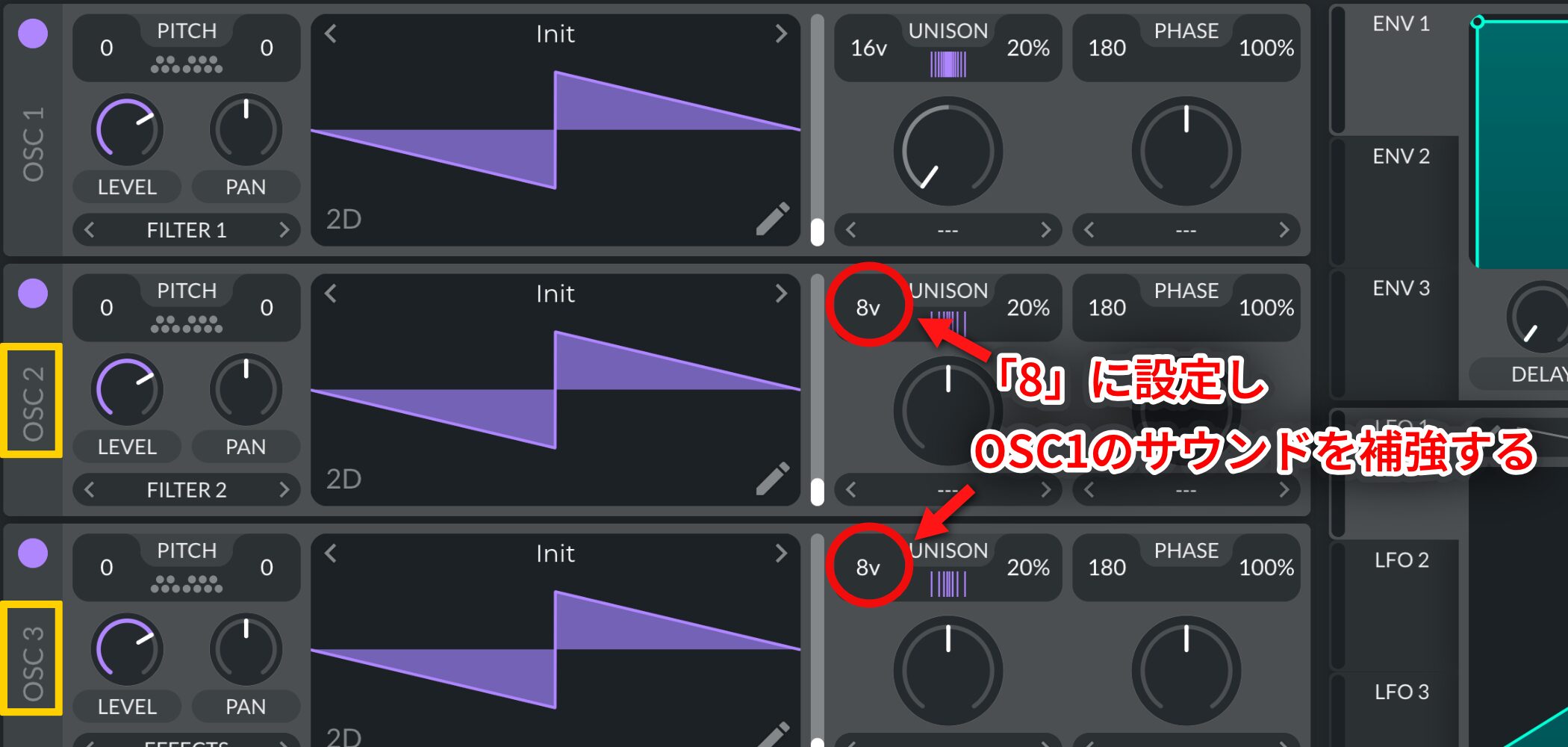
Set the UNISON of Oscillators 2 and 3 to around 8 to reinforce Oscillator 1.
At this point, the sound becomes much fuller and the basic character is clear.
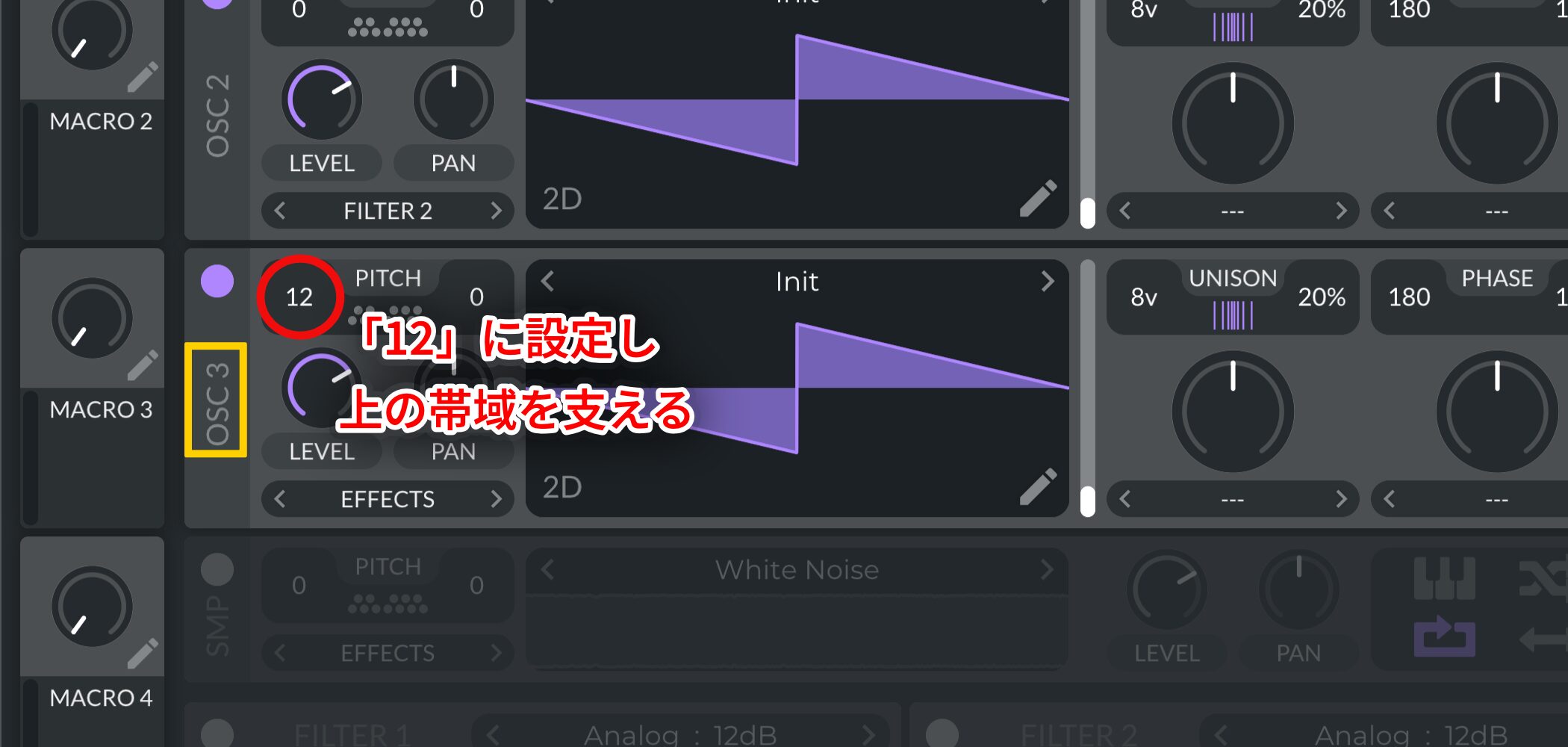
Raise Oscillator 3's PITCH by one octave to support the upper frequencies.
This makes the sound brighter and more expansive.
Step 3: Add the Noise Oscillator
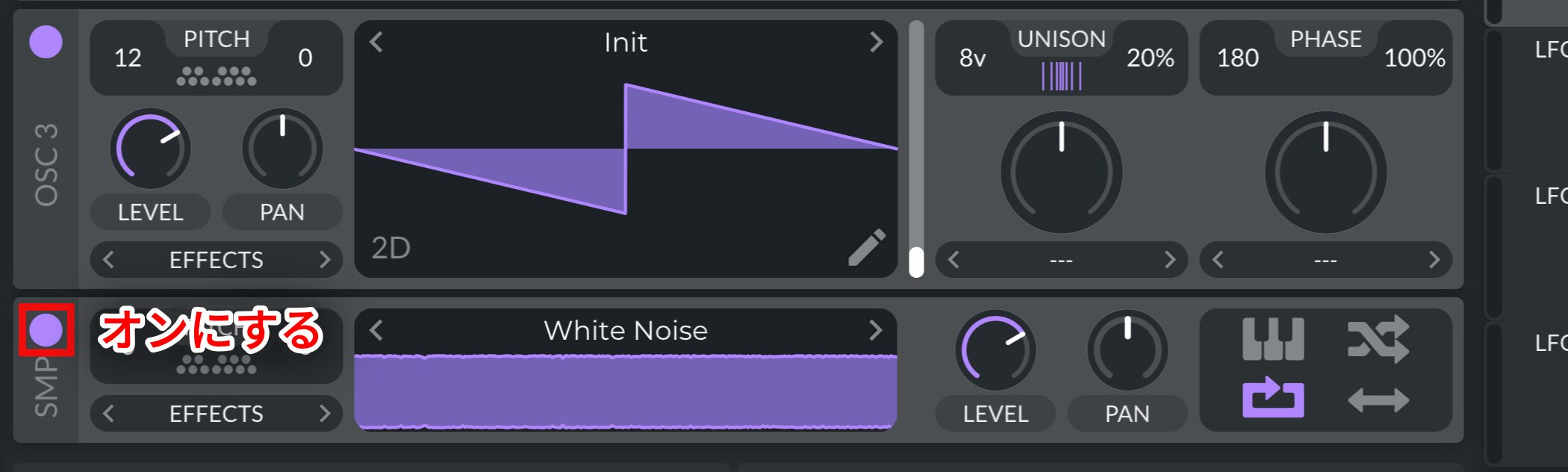
Next, turn on the noise oscillator to add air and texture to the sound.
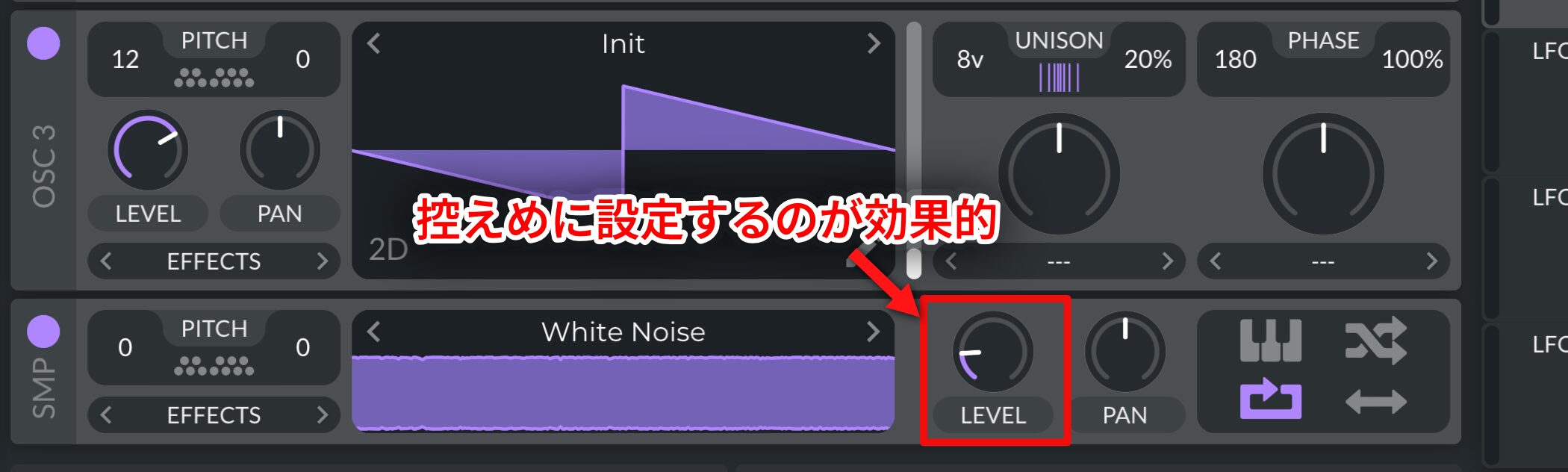
Keep LEVEL fairly low—ideally just high enough to be barely audible.
Step 4: Apply Effects
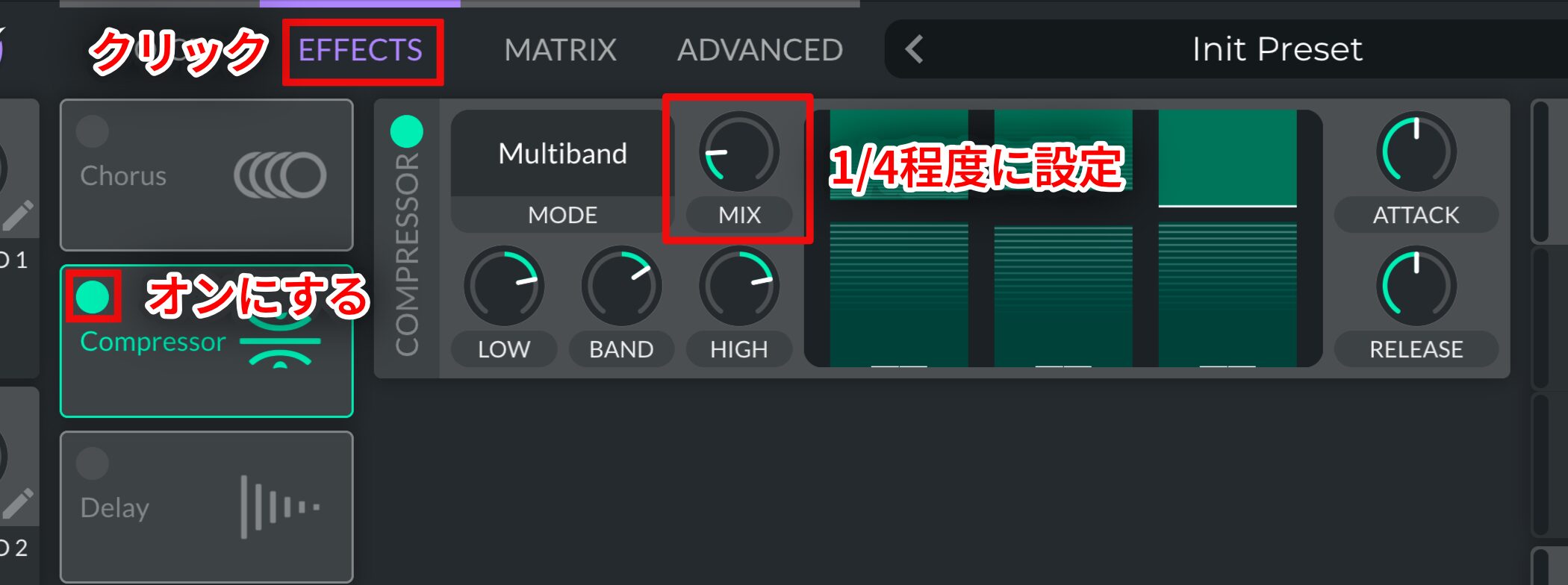
For the finishing touch, turn on Compressor and set MIX to about one-quarter.
This helps the layers sound more cohesive.
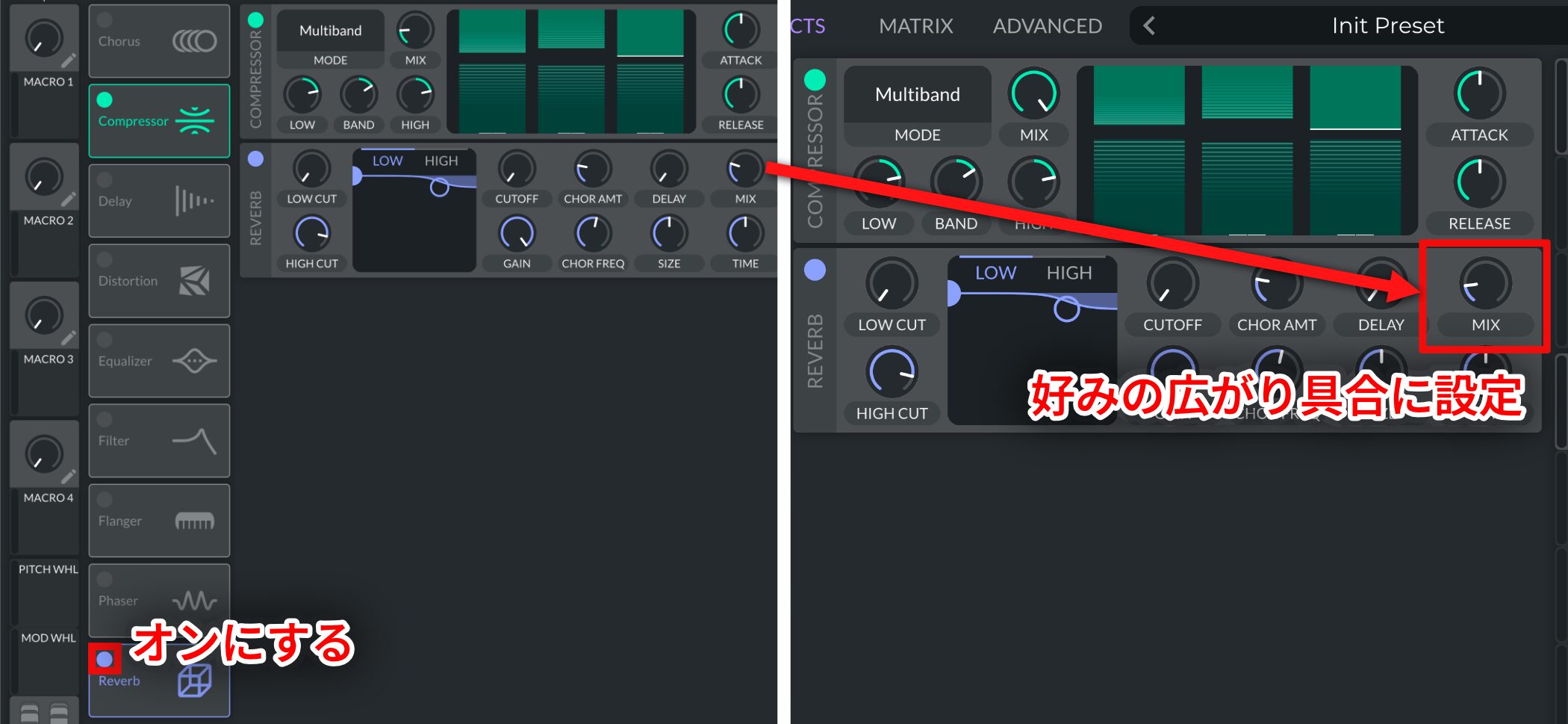
Then turn on Reverb and adjust it to add as much sense of space as you like.
Your Super Saw is complete.
Super Saw is an important sound you can adapt for many types of sound design.
Try learning this recipe to expand the range of sounds you can make in your tracks.
Here is a recommended playlist of songs featuring Super Saw for more examples.
Recommended Playlist: Hear Super Saw
Frequently Asked Questions
Q1. What kinds of music can use a Super Saw?
Super Saw is versatile. Beyond EDM and dance music, it can work in pop, house, trance, and many other genres. Many producers use it as a foundation for sound design.
Q2. Is Vital really free to use?
Yes. Vital has a free version with enough features for beginners and experienced producers to make a full Super Saw sound.
Q3. What happens if I change the number of unison voices?
More unison voices create a thicker, fuller sound. Setting Oscillator 1 to 16 layers produces rich harmonics and a more striking Super Saw.
Q4. How loud should I set the noise oscillator?
Keep the noise quiet, just barely audible. Too much can muddy the sound, so adjust it by ear until it fits.
NEW ARTICLES
Latest English Articles



































