
Ableton Live’s return tracks let you add spatial effects such as reverb and delay to important parts, including lead synths, while keeping the original signal separate. An insert’s Dry/Wet control blends the two signals and may reduce the dry component depending on the effect and its setting. With a send and return, you can adjust the effect level independently. Set the return effect fully wet for this approach, and monitor the combined level.
Use Return Tracks for a Clearer Sound
When applying spatial effects to a lead synth or similar part,
the sound can sometimes lose definition.
Here we’ll use Ableton Live’s return tracks
to explore a clearer approach.
Ableton Live Tips: Making the Most of Return Tracks
View product details

Inserts and Return Tracks: What’s the Difference?
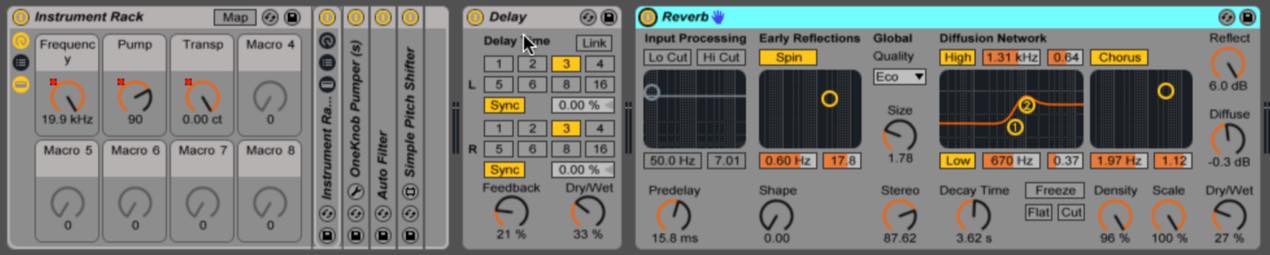
When you insert a delay or reverb directly on a track,
the effect blends the dry (original) and wet (processed) signals according to its Dry/Wet setting.
Depending on the effect and setting, this can reduce the dry component.
The diagram below shows the signal flow.
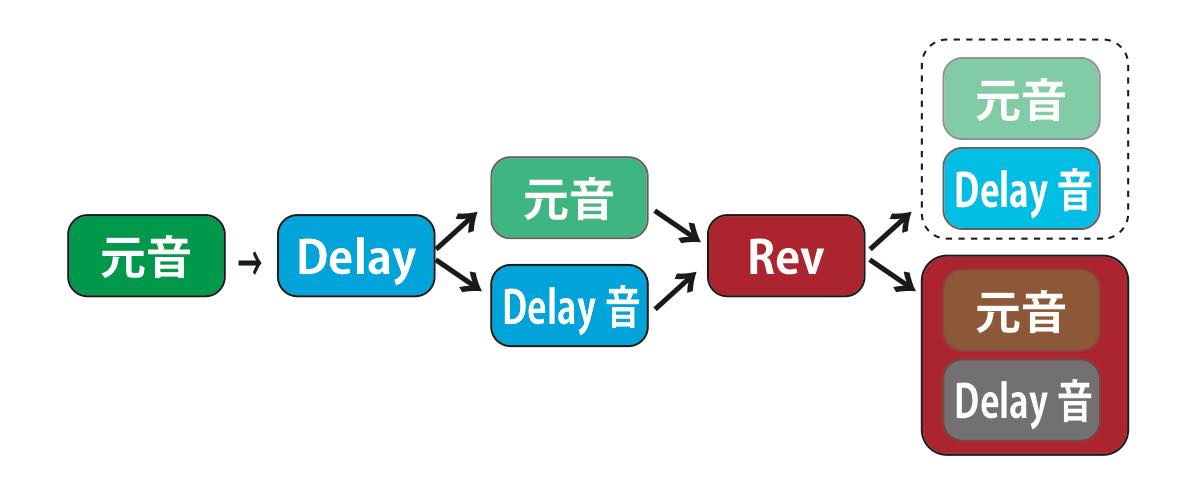
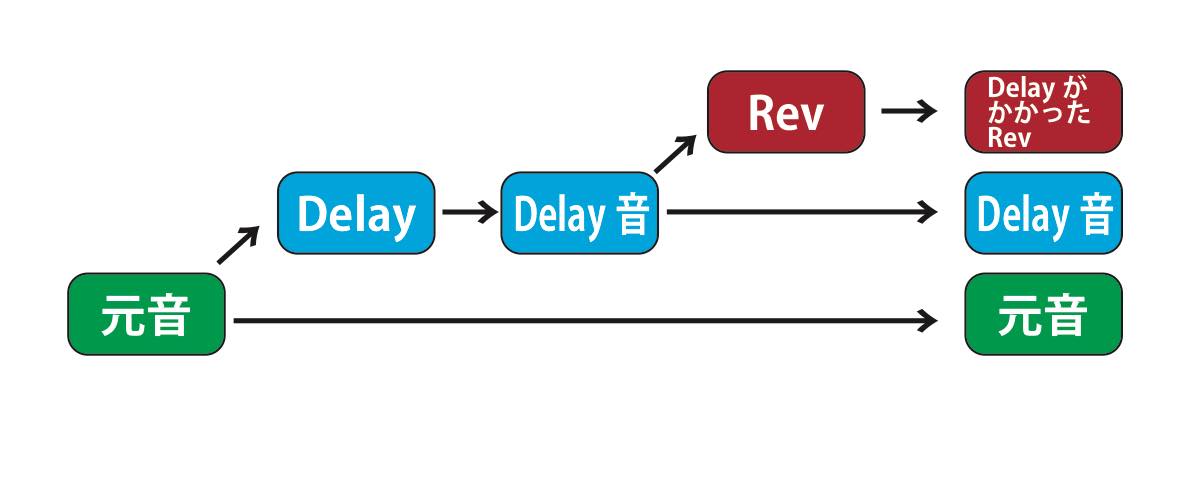
If you want to avoid this, a return track lets you
add reverb or delay while leaving the original track’s level unchanged. Set the return effect to 100% wet and watch the combined output level.
How to Use a Return Track
In this example, we’ll apply the effect to the track named “Melo 2.”
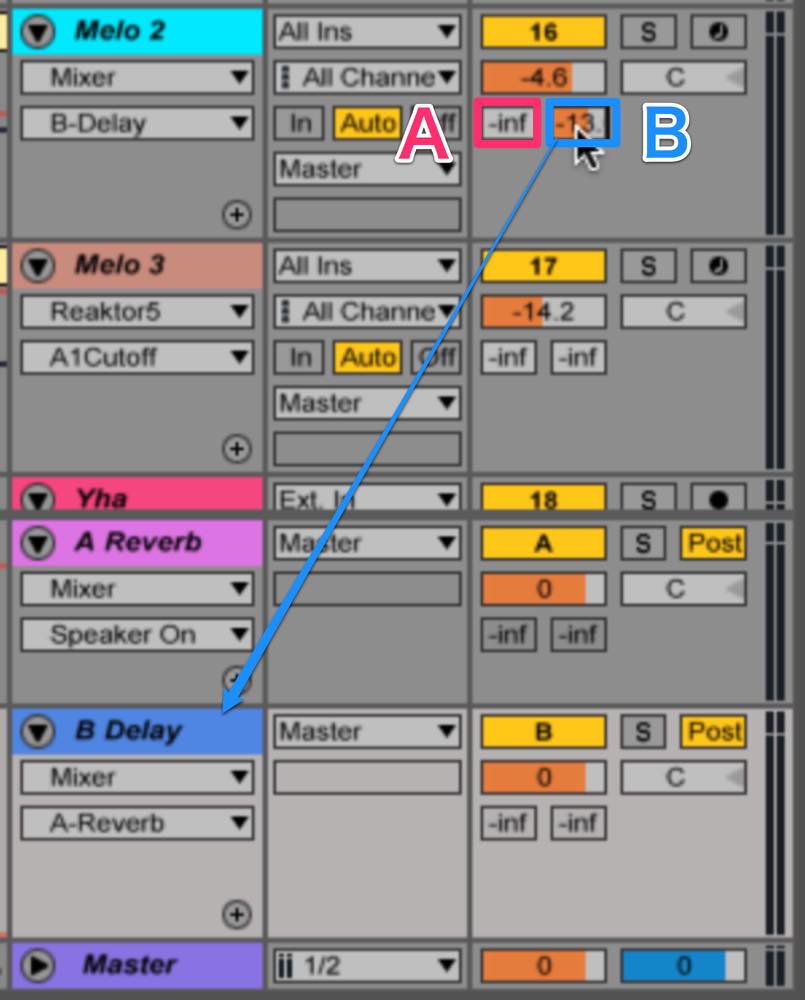
There are two send controls below its volume control, both initially marked “-inf.”
The left send goes to Return A (reverb), and the right send goes to Return B (delay).
These are the routing assignments used in this example.
First, drag the right-hand B send to around -13 dB to add delay.
Next, move to the delay return track.
To send the delay to the reverb on Return A, adjust its left-hand Send A.
Try setting it to around -17 dB.
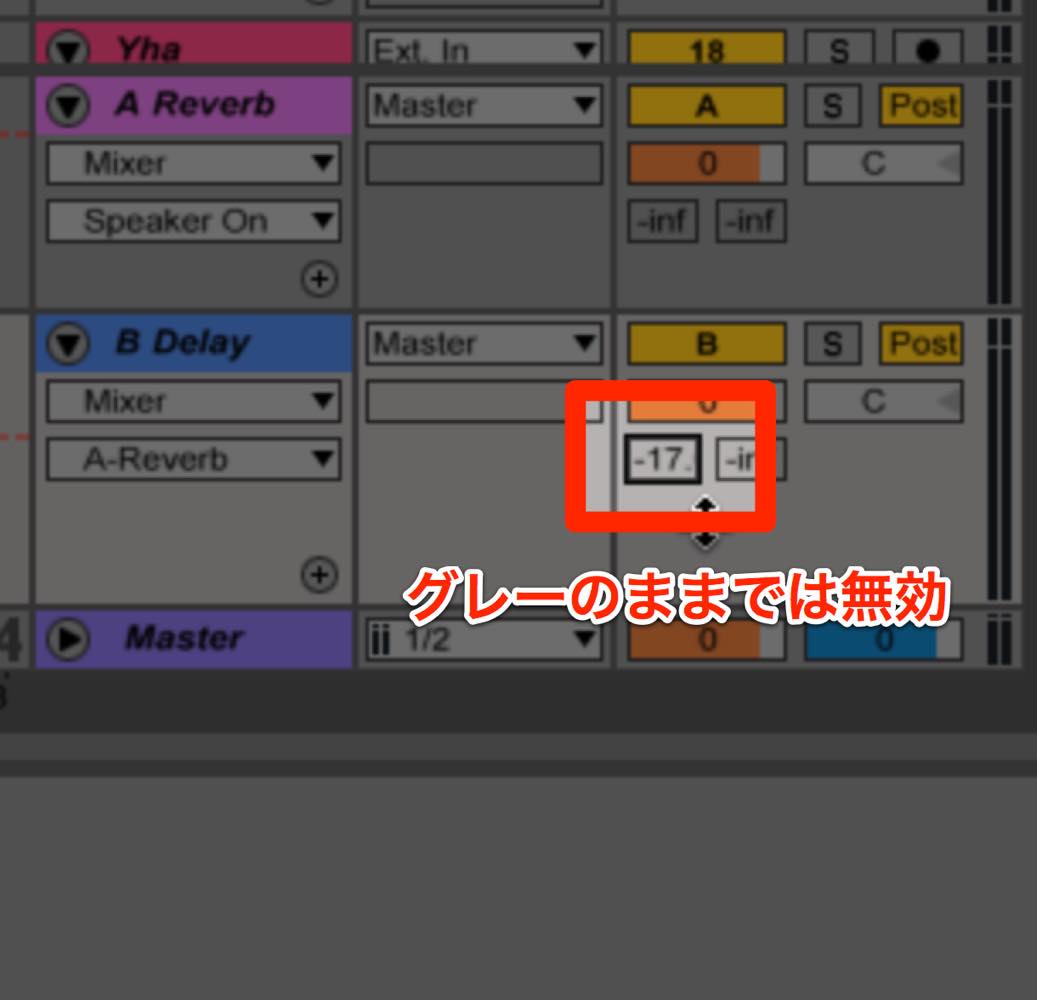
This time, however, the orange indicator does not appear.
That indicates the send is not yet enabled.
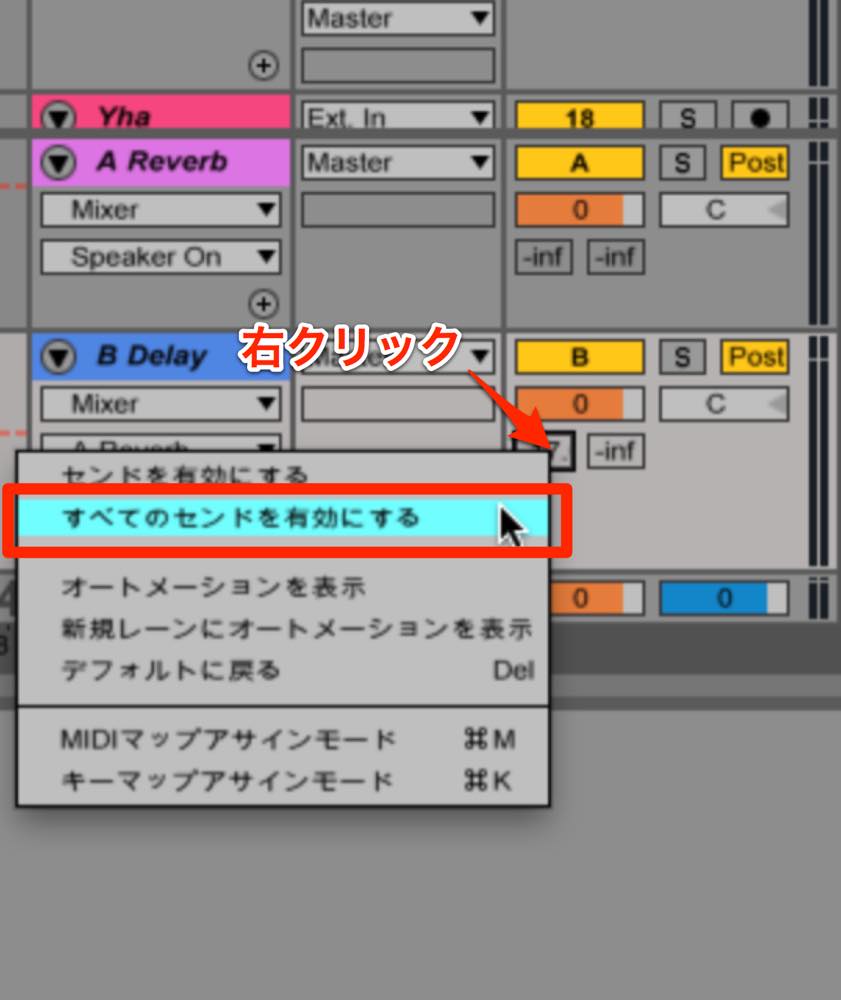
To enable it, right-click and choose
“Enable All Sends” from the menu.
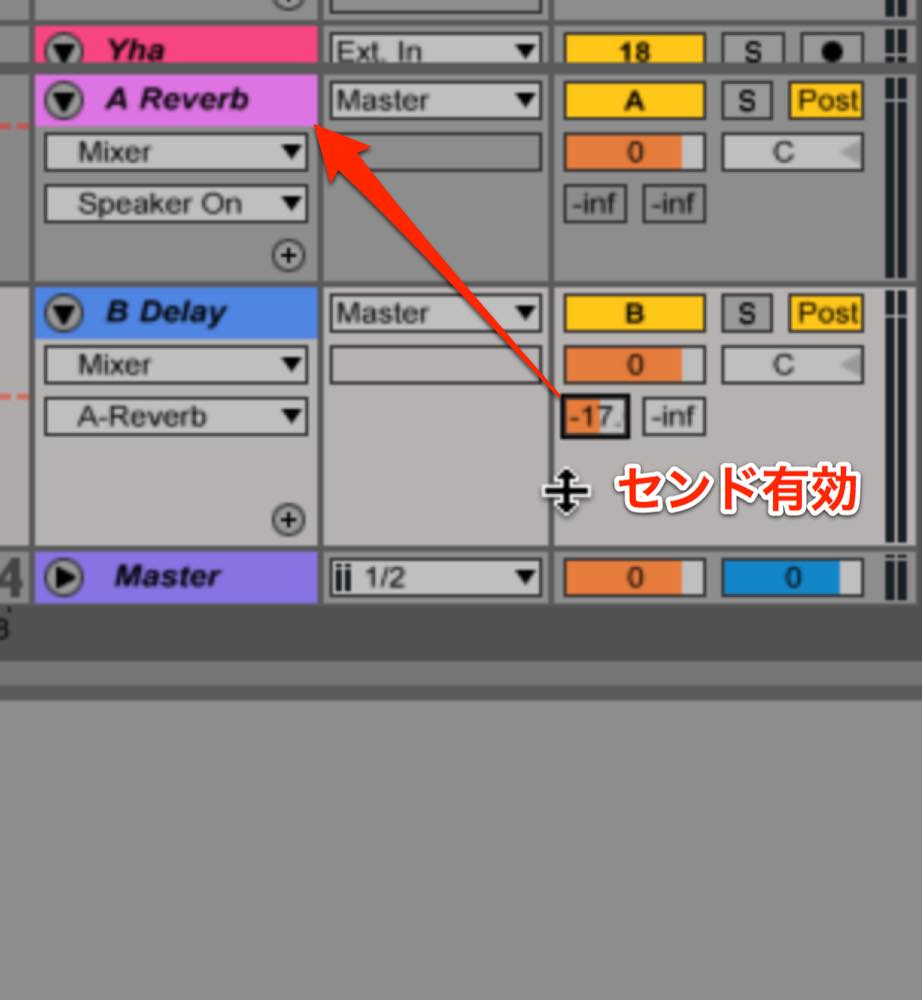
The indicator turns orange and the send is enabled.
Compare the result of these settings with
applying the effect directly as an insert.
A return can help maintain the clarity of prominent parts such as leads.
Conversely, an insert can be useful when you want a more blended sound or a greater sense of depth. The result depends on the effect and its settings.
Try both approaches as you refine your mix.
View product details
Frequently Asked Questions
Q1. How do return tracks differ from insert effects?
An insert processes the track directly and blends dry and wet according to the effect’s settings; the dry component may be reduced. A send routes a copy to a return track, allowing you to add a separately controlled effect signal while leaving the original track level unchanged. Set the return effect to 100% wet and check the combined level.
Q2. What if a send on a return track is not enabled?
Right-click the send control and choose “Enable All Sends” from the menu. In the version shown, an orange indicator shows that the send is enabled.
Q3. When should I use an insert or a return track?
A return can help keep a lead or other prominent part clear while adding ambience. An insert may be useful for a more blended or distant sound. Choose by listening: either approach can work depending on the effect and its settings.
NEW ARTICLES
Latest English Articles






























































































































































































































































































































































































































































