Ableton Live 9 introduced the ability to convert audio tracks into MIDI data automatically. You can use this feature to turn phrases from sampling CDs into editable material, reduce the work involved in learning phrases by ear, or match the groove of an existing song in another piece. Live analyzes the audio and generates a MIDI clip, which you can then edit freely—for example, by changing chords or adjusting patterns—to streamline your workflow and explore new creative possibilities.
Create MIDI Files Easily
The long-awaited Live 9 was recently released.

One of its most notable new features is
converting audio tracks to MIDI data.
- Reconstruct phrases from sampling CDs
- Save time transcribing by ear and study phrases
- Unify the groove of a song
These are just a few of the possibilities.
Convert Audio to a New MIDI Track: Drums and Harmony
Convert Audio to a New MIDI Track: Melody
Video Highlights: Conversion Steps
The process is very simple.
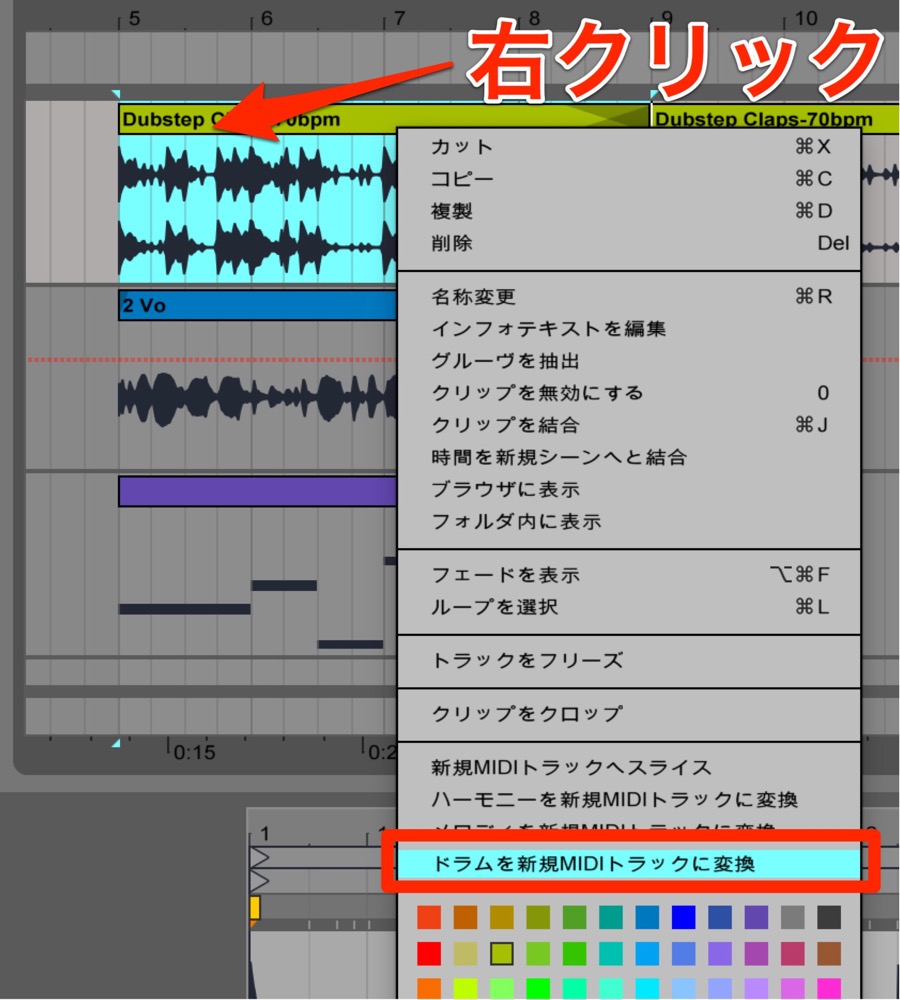
Right-click the audio clip you want to convert.
From the menu, select Convert Drums to New MIDI Track.
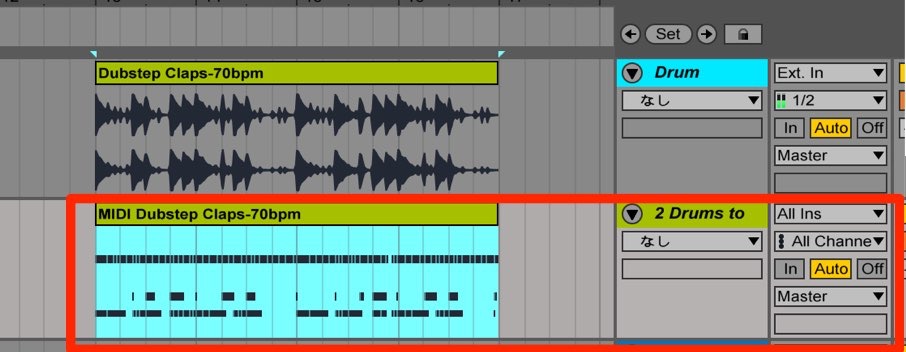
Live starts analyzing the audio and automatically creates a MIDI clip.
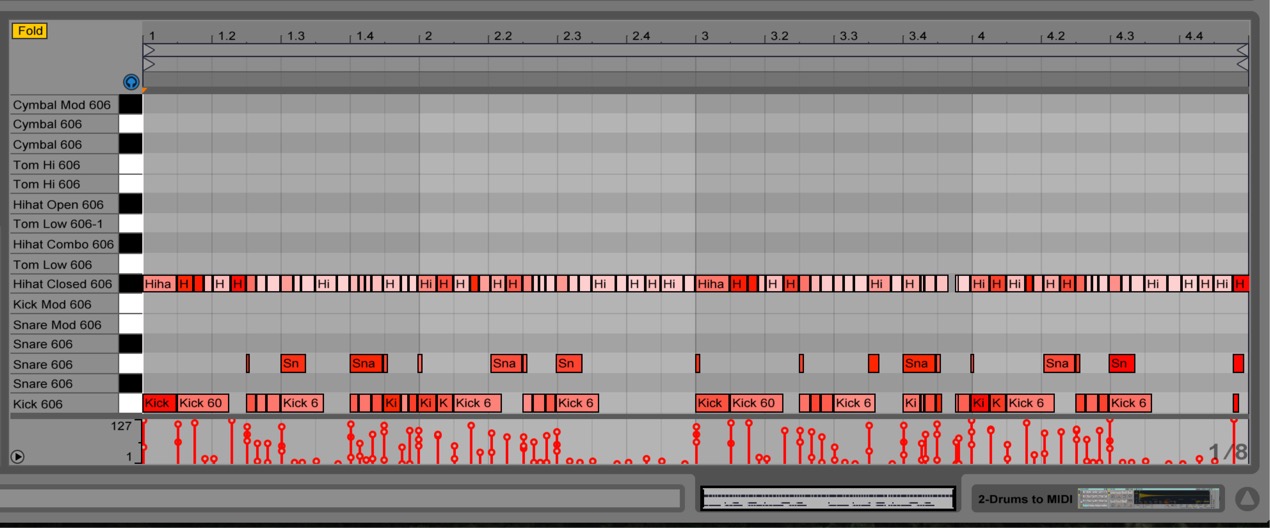
After conversion, you can adapt the result to your song.
Change chords or change the pattern while keeping the groove—these are just some of the adjustments you can make.
Frequently Asked Questions
Q1. How do I convert audio to MIDI in Ableton Live 9?
For drums, right-click the audio clip and select “Convert Drums to New MIDI Track” from the menu. Live begins analyzing the audio and automatically creates a MIDI clip.
Q2. Can this feature be used with drums, melodies and other sources?
Yes. It supports different types of material, including drums, harmony and melody, with a conversion option optimized for each type.
Q3. How freely can I edit the converted MIDI data?
You can edit the converted MIDI data in many ways, including changing chords and adjusting patterns, to suit your production.
NEW ARTICLES
Latest English Articles