Cubase's Dissolve Part function can split a MIDI part by pitch, making programmed drums easier to manage. Separating kick, snare, hi-hat, cymbal, and other kit sounds onto their own tracks makes detailed editing and audio export easier. You can also use it on other material, such as splitting chord notes into separate tracks.
A useful note-splitting function for drum tracks

Splitting a MIDI track by pitch
makes more detailed programming and audio export easier.
This function is particularly effective for MIDI drum tracks.
You can program a track freely, then split it when needed into
separate tracks for kick, snare, hi-hat, cymbals, and other kit sounds.
Video: splitting MIDI tracks
Selected questions and answers from YouTube

Hello, thank you for the detailed explanation! I am a beginner and have a question. I downloaded a backing track to sing over. A friend told me that soloing my recorded vocal track would let me hear only my voice, but I still hear the backing track as well. My friend did not know why. There is no sound leaking from my headphones. What should I do? I would appreciate your advice. Greetings from Osaka.

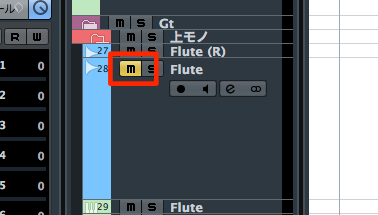
Thank you for using our video. Please check whether the backing track is also soloed and whether Solo Defeat is enabled on it. https://sleepfreaks-dtm.com/for-advance-cubase/solodefeat/
Is there an easy way to separate a piano MIDI track into left and right hands, or split a combined string track by instrument?
One approach would be to split it by pitch as shown in the video, then combine the MIDI events belonging to the left and right hands respectively.
When I split MIDI, the program becomes slow and I cannot do anything. Is there a workaround?
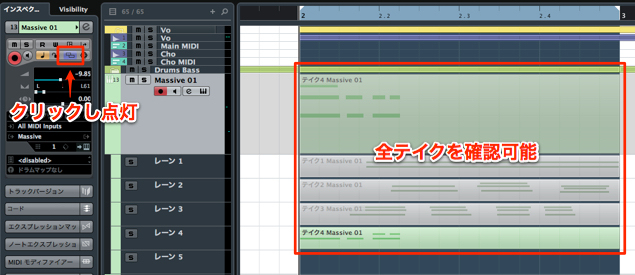
Splitting MIDI can sometimes create an additional instrument for each resulting part. In that situation, using multiple outputs may help. https://sleepfreaks-dtm.com/for-advance-cubase/mix_parallelout-3/
How to split a MIDI track in Cubase
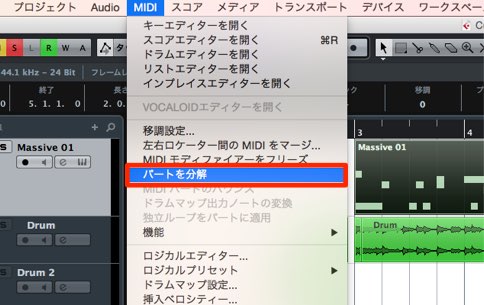
↑ Select the event you want to split,
then choose MIDI → Dissolve Part from the top menu.
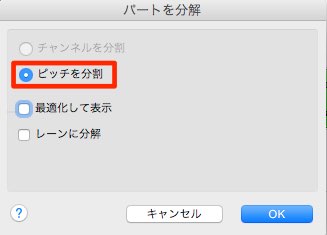
↑ In the dialog, choose ‘Separate Pitches’.
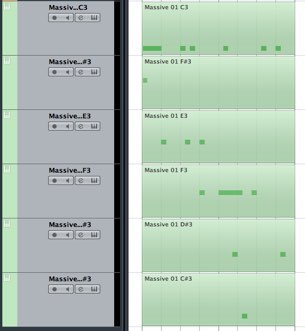
↑ The part is now split as shown.
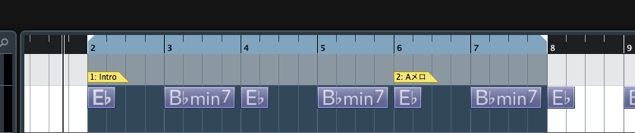
You can also use this technique beyond drums, for example to separate the notes of a chord.
Another option: multiple outputs in Cubase
- Version 7.5/8
- Version 7 and earlier
- Version 7.5/8
- Version 7 and earlier
Frequently asked questions
Q1. How do I split a MIDI drum track by pitch in Cubase?
Select the MIDI event, then choose MIDI → Dissolve Part → Separate Pitches from the menu to split it automatically by pitch.
Q2. Can I use MIDI splitting for material other than drums?
Yes. You can separate chord notes or organize MIDI data containing multiple instruments, among other uses.
Q3. Why export the split tracks as audio?
Exporting each instrument as an individual audio track can make mix processing more efficient and provide more flexibility for volume adjustments and effects.
NEW ARTICLES
Latest English Articles