
Routing a software instrument to separate outputs in Ableton Live is a powerful way to control volume, pan and effects independently for each instrument or drum sound when using several sounds in one plug-in. Setting this up with Live’s built-in drum instruments is straightforward, and compatible third-party instruments can also be routed in a few steps. This gives you more control over each sound and greater flexibility when mixing.
Useful for Multitimbral and Drum Instruments
In the previous article, “Using Multiple Sounds in One Software Instrument,” we explained
how to assign MIDI channels to multiple instruments.
This is a useful approach, but when multiple instruments share one software instrument,
some limitations arise:
- Separate volume and pan control for each instrument
- Separate insert and send effects for each instrument
- Separate solo and mute controls for each instrument
and so on.
These limitations may seem unavoidable when instruments share one plug-in.
But there is a solution:
separate outputs.
You can use them for individual instruments loaded in the same plug-in,
as well as for drum sounds such as kicks and snares.
For each sound, you can configure volume, pan, effects and sends independently,
giving you many more sound-design options.
Separate Outputs
View product details

How to Set Up Separate Outputs
Routing Live’s built-in drum sounds to separate channels is very simple.
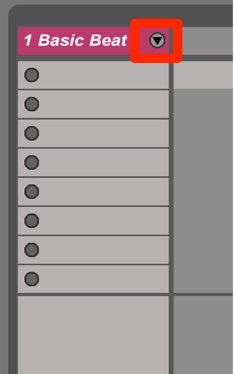
Click the area outlined in red.
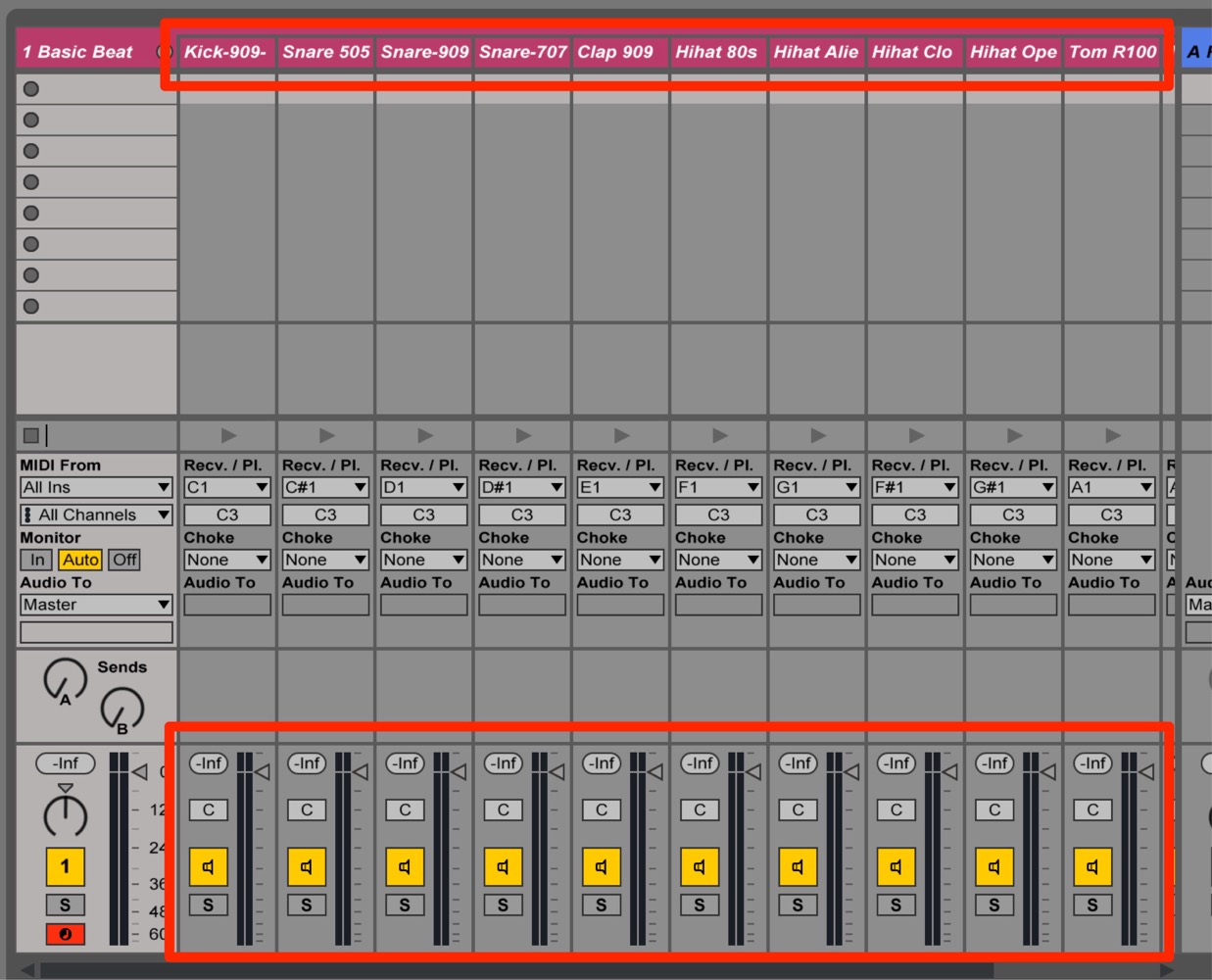
The track expands, allowing you to adjust each kit sound individually.
Separate Outputs for Third-Party Instruments
For instruments other than Live’s own, use the following steps.
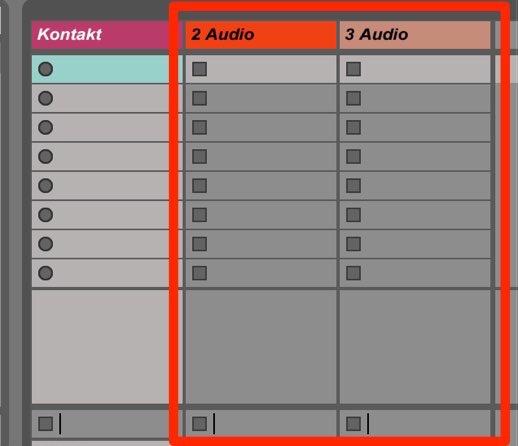
Create an audio track for each kit sound you want to route separately.
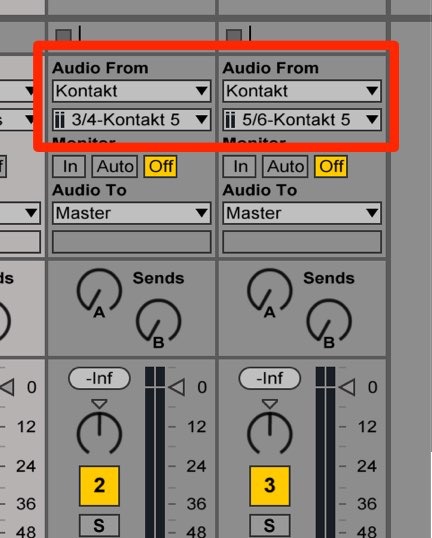
Show the audio track’s I/O controls.
- Upper selector: choose the software instrument you want to hear.
- Lower selector: choose the instrument’s output channel.
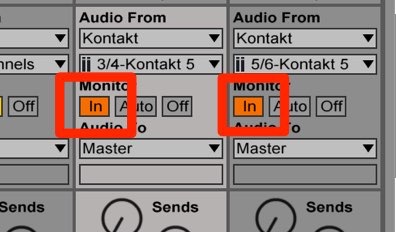
Set the control outlined in red to In.
The setup is now complete.
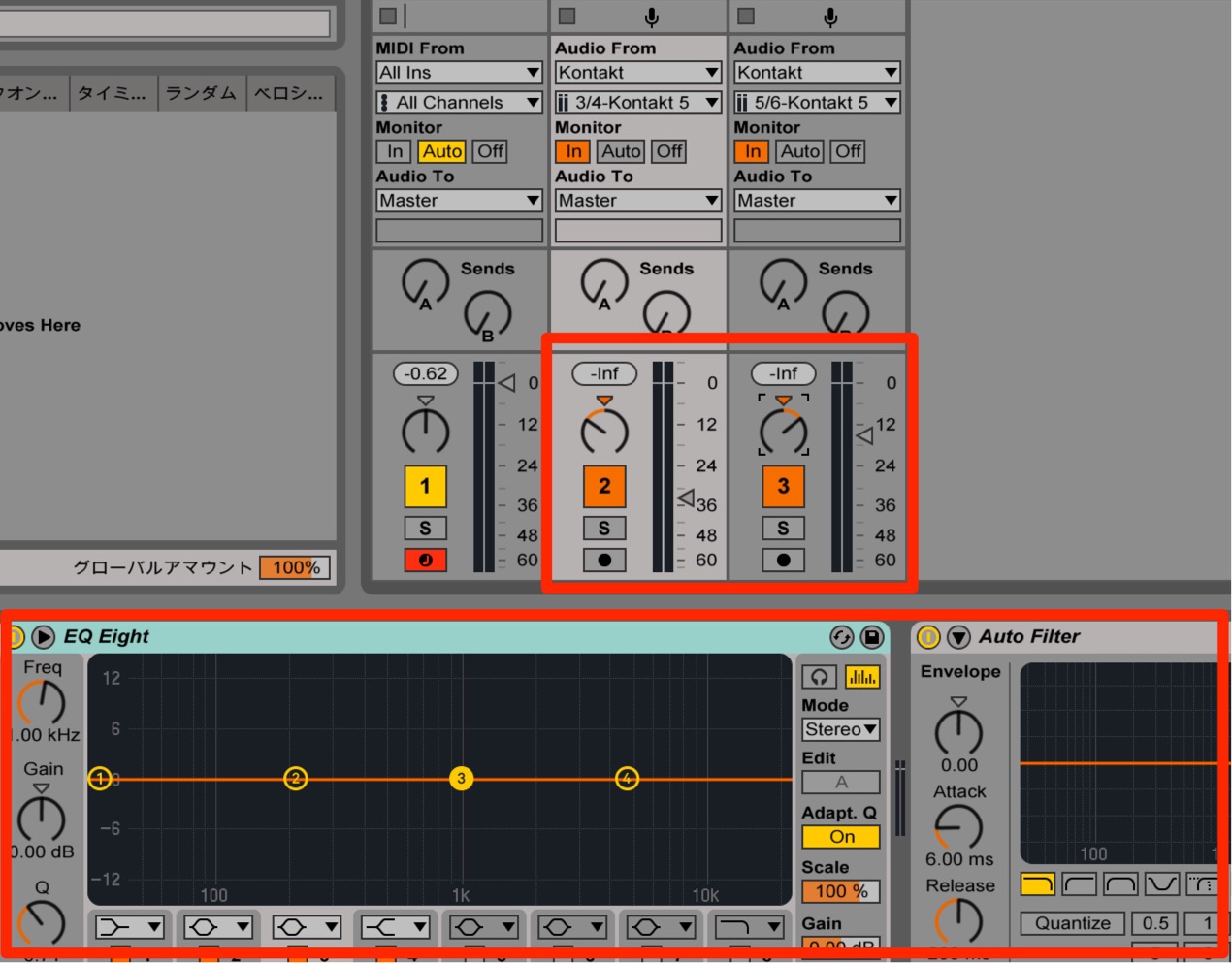
You can now adjust volume, pan and effects separately.
Frequently Asked Questions
Q1. How do separate outputs differ from using separate instrument tracks?
Separate outputs use multiple outputs from one software instrument instance, which can reduce CPU use compared with running several instances. The actual resource savings depend on the instrument and project.
Q2. Can I use separate outputs with instruments other than Live’s built-in drum devices?
Yes, if the instrument supports multiple outputs. Create an audio track, select the instrument and its output channel in the I/O settings, and set monitoring to In. Availability depends on the plug-in.
Q3. Can I apply different effects to each kit sound after routing?
Yes. Once the sounds are routed to separate tracks, you can adjust volume, pan, effects and sends individually.
NEW ARTICLES
Latest English Articles






































































































































































































































































































































































































































































































































































































































