
Create a Custom Voice: Voice Cloner's Features and Uses
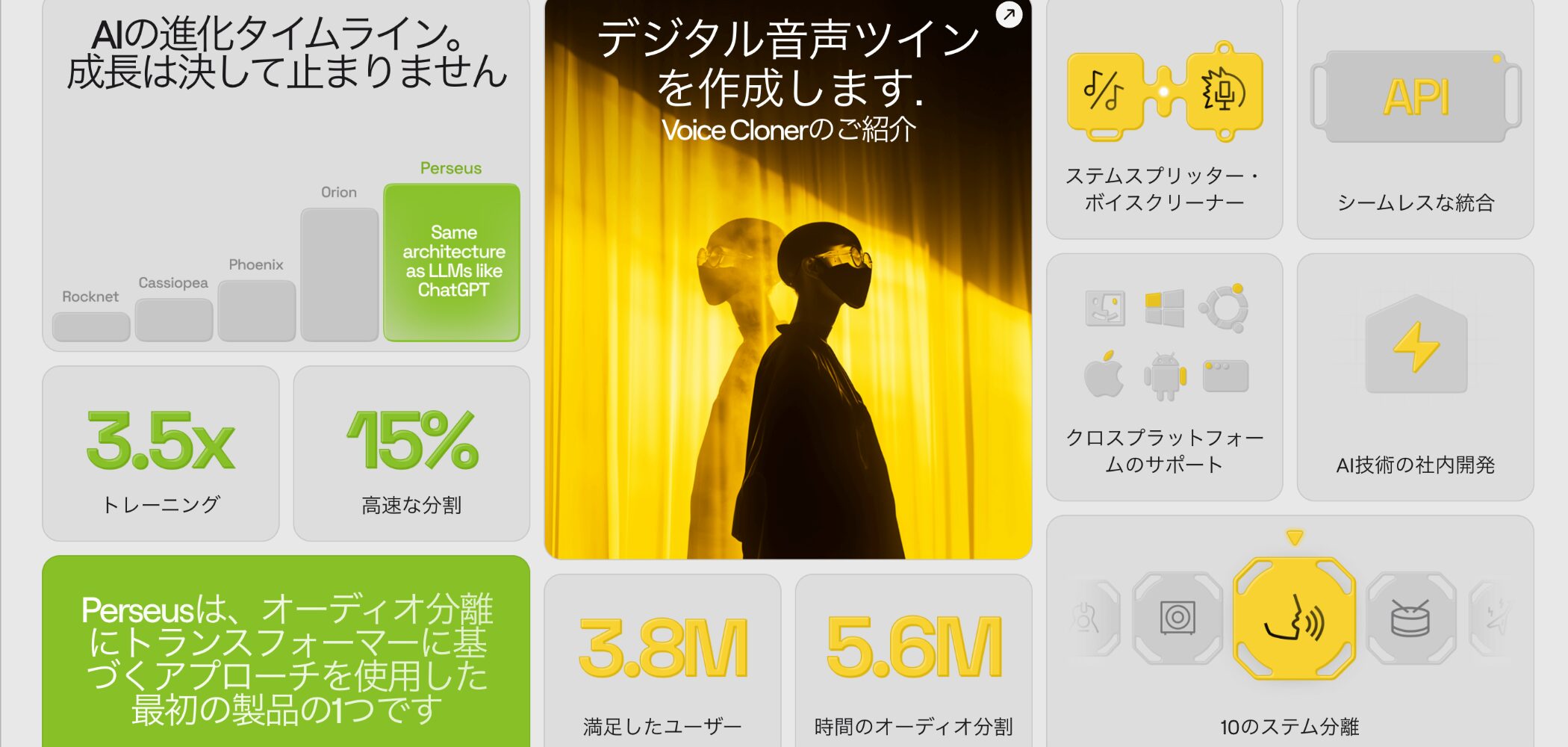
LALAL.AI, known for its audio separation service, has released Voice Cloner, a new feature for creating custom voices by training AI on existing vocals or narration.
This innovative feature opens up new possibilities as an assistant tool for music producers and other creators.
This article explains Voice Cloner's features and walks through how to use it.
LALAL.AI Voice Cloner Video Tutorial
Selected Questions and Answers from the YouTube Video

This music video is wonderful. Is there a way to find out how it was made?

We made it with the video generation services DomoAI and Google Flow. They made it easy to generate videos from text or photos. https://domoai.app/ https://labs.google/flow/
I found this video while searching for a way to have AI sing in my own voice. Looking at the comments, it seems there are no complete beginners like me, so I hesitated to ask, but decided to take the plunge. Thank you for your help. Can I record with my iPhone, save the recording as a file, and import it?
Yes, you can import it without any problem. However, a recording with strong room reflections or a lot of noise may not train well, so keep that in mind when recording.
How is it different from RVC?
The functions are similar, but its main advantage is the convenience of a web app that needs very little setup.
Amazing. Even someone who cannot sing well could make a song. The music video is impressive too—how did you make it?
We used the video generation services DomoAI and Google Flow. They made it easy to generate videos from text or photos. https://domoai.app/ https://labs.google/flow/
For me, the video highlighted how useful Suno AI is more than how impressive LALAL.AI is. Among AI products, SoundID VoiceAI seems preferable because it is a one-time purchase. What does LALAL do better?
LALAL.AI is well suited to cloning a specific voice. If you do not need that, VoiceAI's wider range of features is appealing.
What Is Voice Cloner?

Voice Cloner is a service for creating a natural-sounding voice pack, or voice clone, by training AI on your voice or another specific person's voice.
Combined with the company's Voice Changer, it lets you easily replace the voice in another vocal or narration file with your voice pack.
Possible Uses and Creative Potential

Voice Cloner has potential for a range of creative applications.
For example, it could be used in music production in the following ways.
- More accurate demos: Make guide vocals in the final singer's voice to improve the quality of vocal direction.
- Adding or revising parts: Add harmonies or other parts in the singer's own voice after recording.
- Covering parts outside your range: Use singing from vocal synthesis software to create parts you cannot sing within your own range.
The official website also suggests the following uses.
- Content creation: Efficiently create podcasts, advertising narration, and other content.
- Preserving memories: Create audio keepsakes that preserve meaningful memories in the voices of loved ones, such as family members.
- Custom messages: Create personalized voice messages without repeatedly recording your own voice.
When using a voice other than your own, always obtain that person's permission before creating a voice pack.
How to Create and Use a Voice Pack
To create a voice pack, you need audio files of the source voice.
Prepare your audio files using the following guidelines.
- Audio length: About 10–50 minutes in total. Longer recordings tend to improve accuracy.
- Number of files: You can upload up to five files at once, so recordings can be split across files.
- Audio quality: The AI also learns noise, so use audio that is as clean as possible.
For this example, we recorded around 40 minutes of narration like the sample below.
Source recording used to create the voice pack
1. Log In
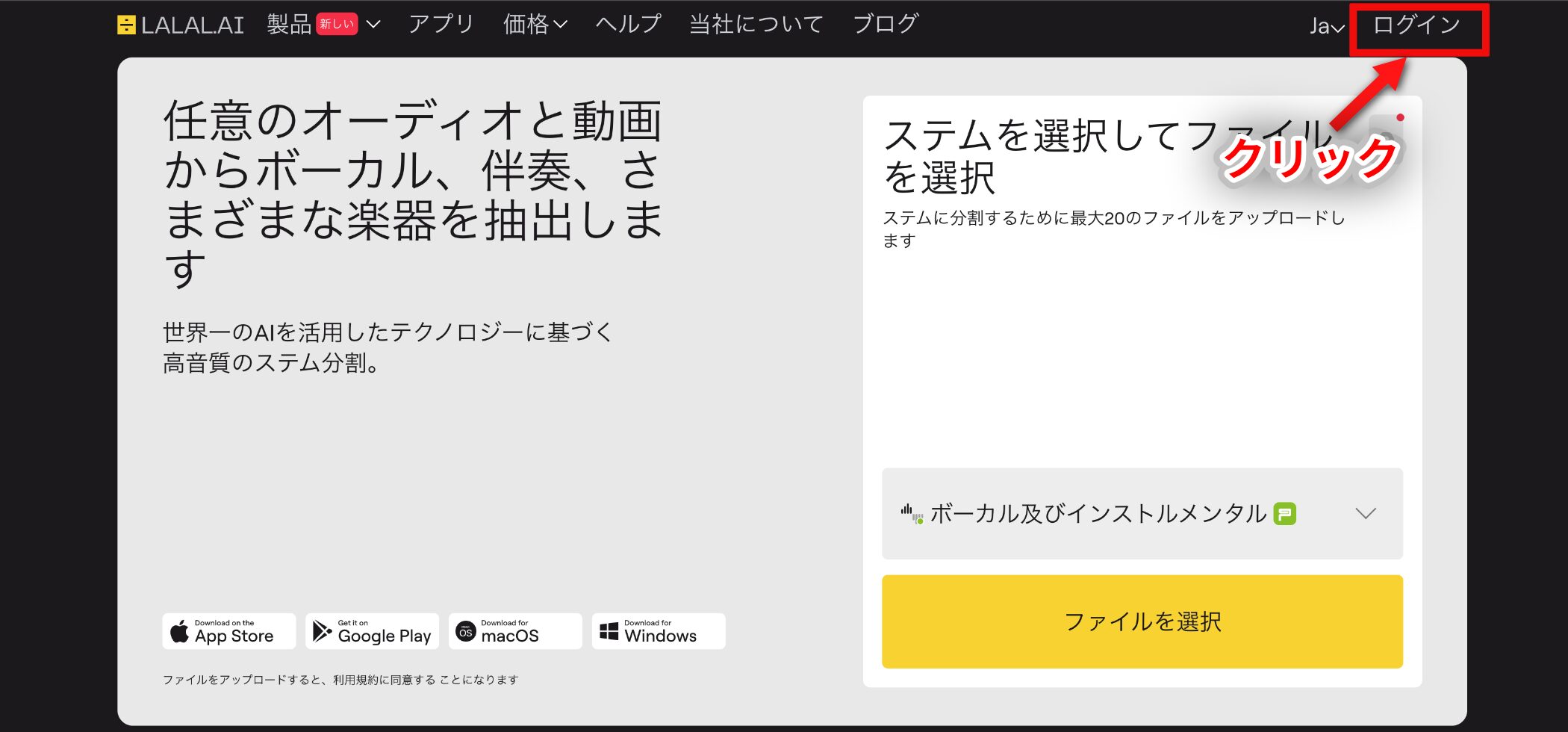
Voice Cloner is a web service rather than a standalone application. Visit the official website below and log in.
LALAL.AI Official Website
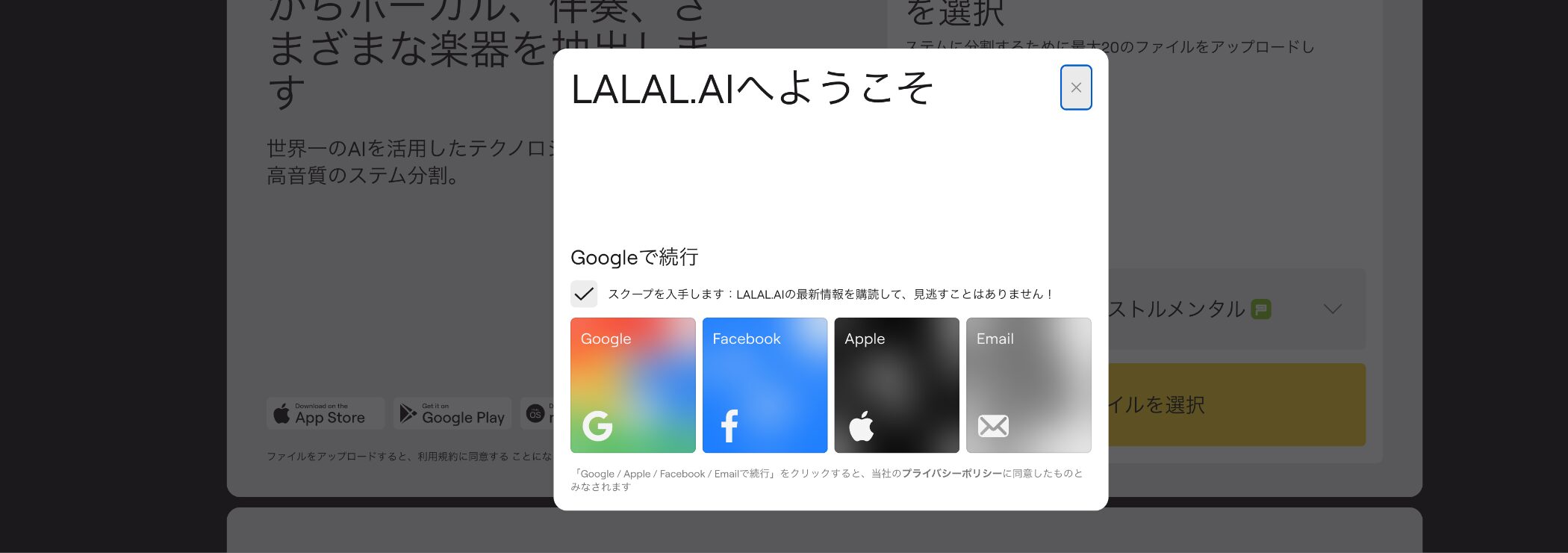
If you do not yet have an account, follow the instructions from the login screen to register easily.
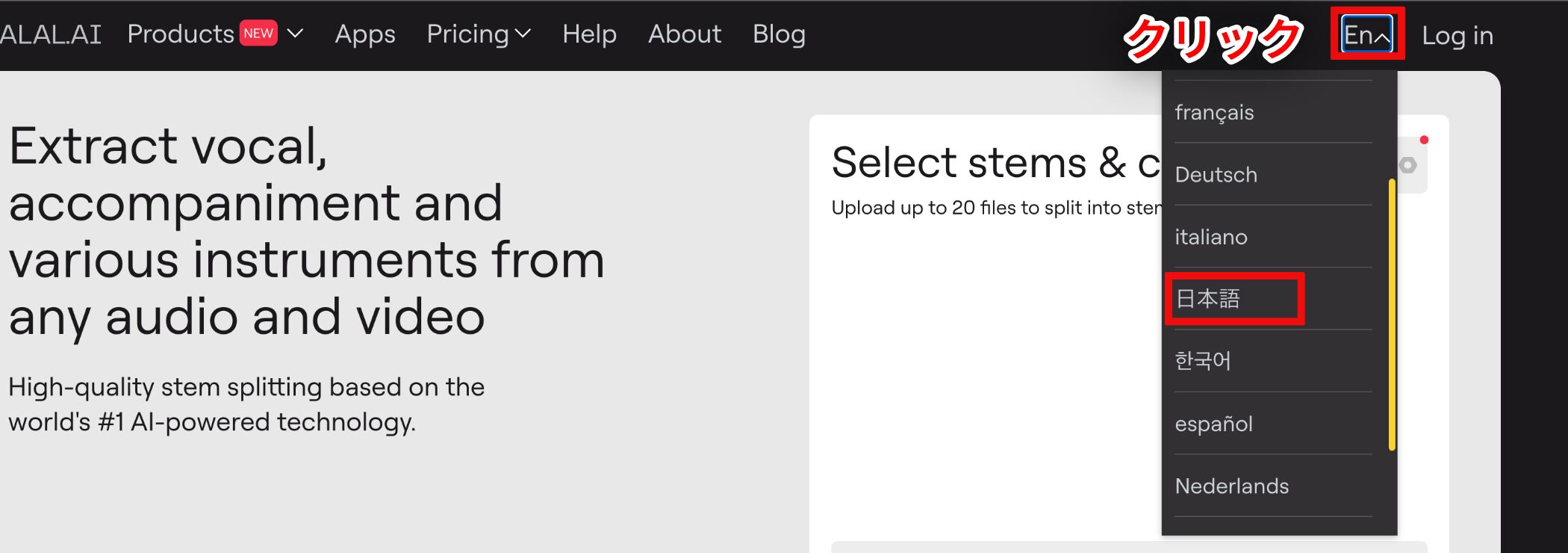
If the interface appears in English, click the red-highlighted area at the top right to switch it to Japanese.
2. Upload and Analyze
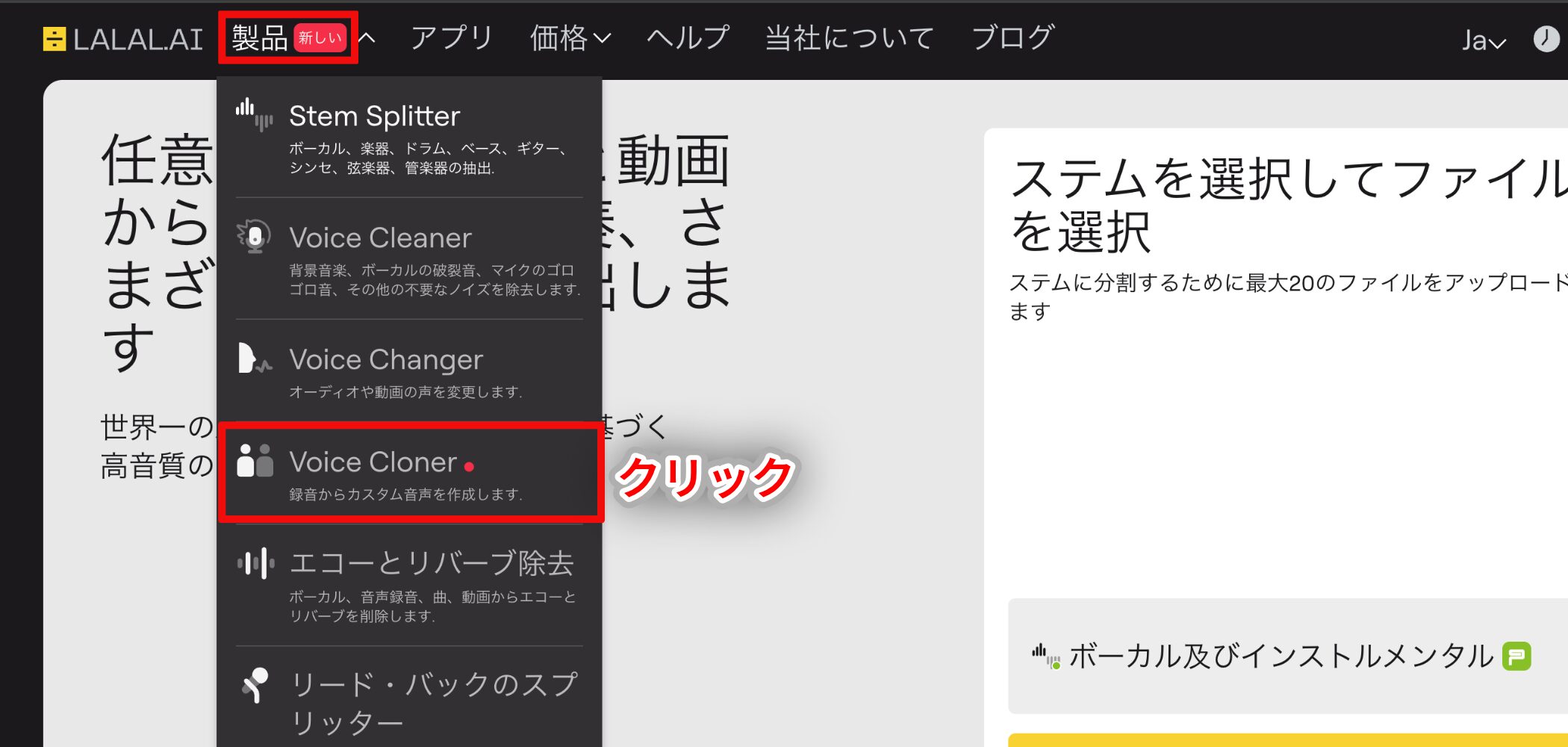
Choose Voice Cloner from the Products menu at the top of the page.
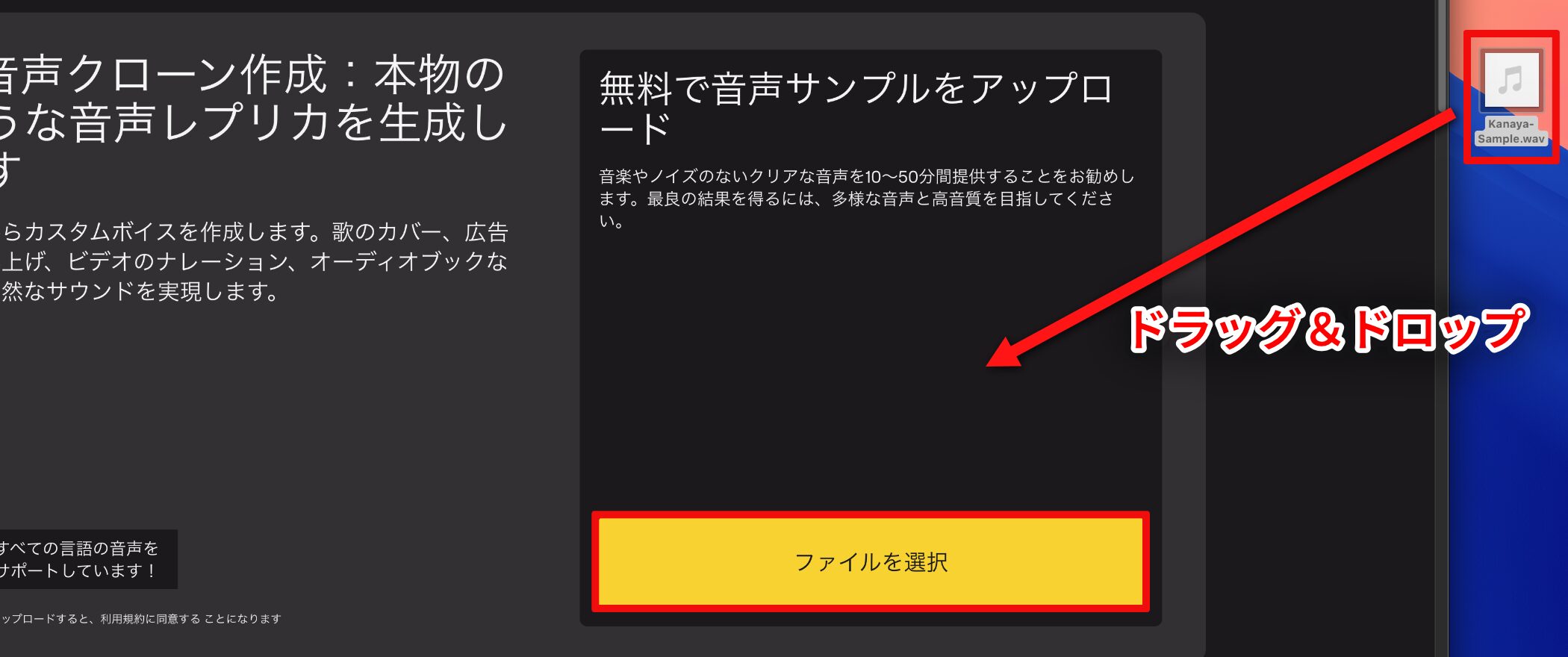
Click Select Files to upload audio files containing the source voice.
You can also upload audio files by dragging and dropping them.
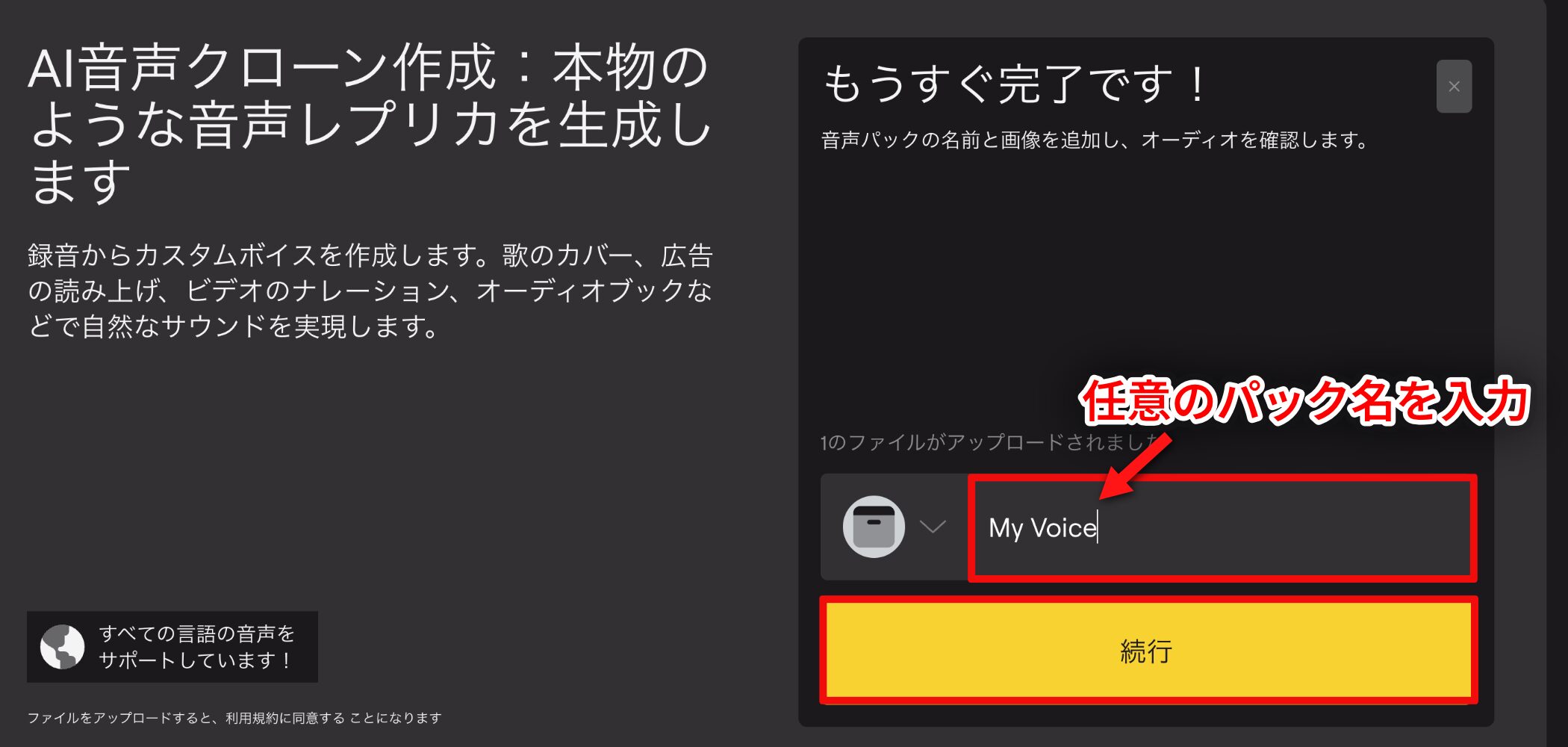
Once the upload is complete, enter a name for your voice pack and click Continue to start analyzing the audio.
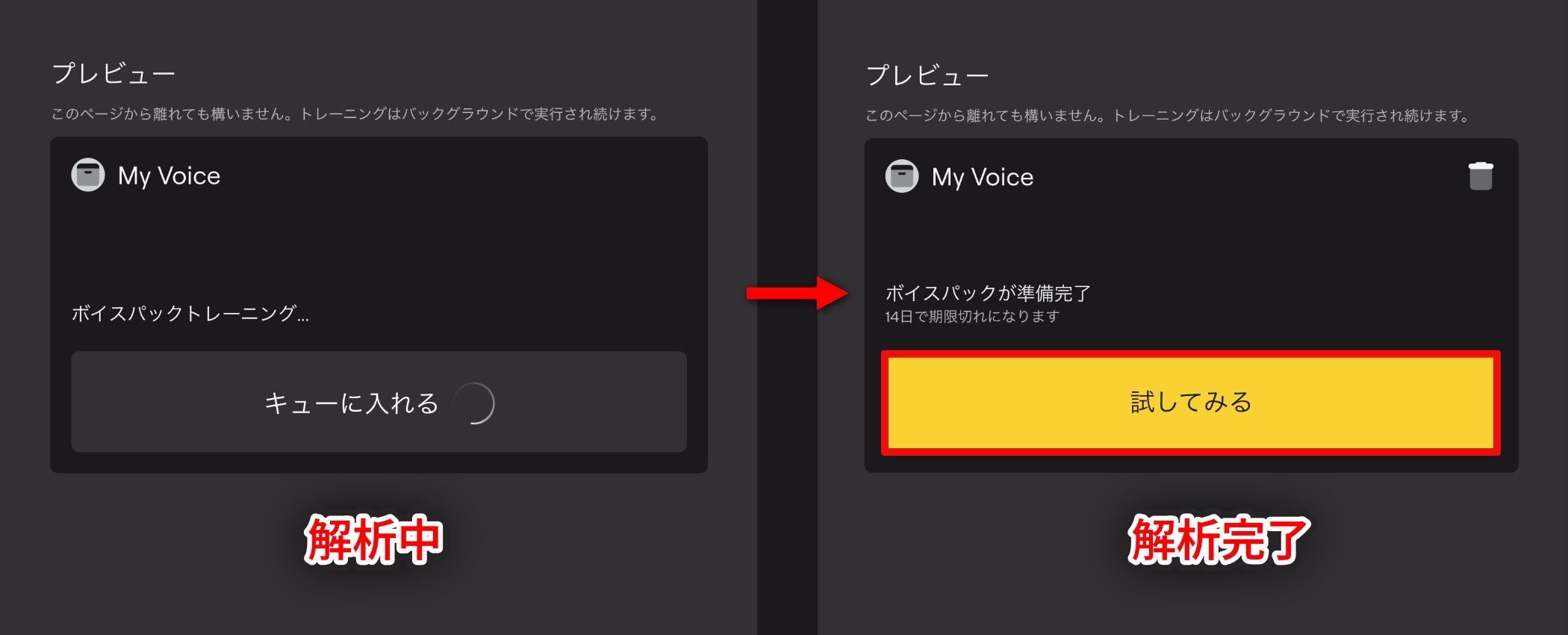
AI audio analysis, or voice pack training, can take time.
The time depends on the recording's length and server load. For example, a 40–50-minute recording may take around one to one and a half hours, so allow plenty of time.
When analysis finishes, a Try It button appears. Click it to continue.
3. Preview and Purchase
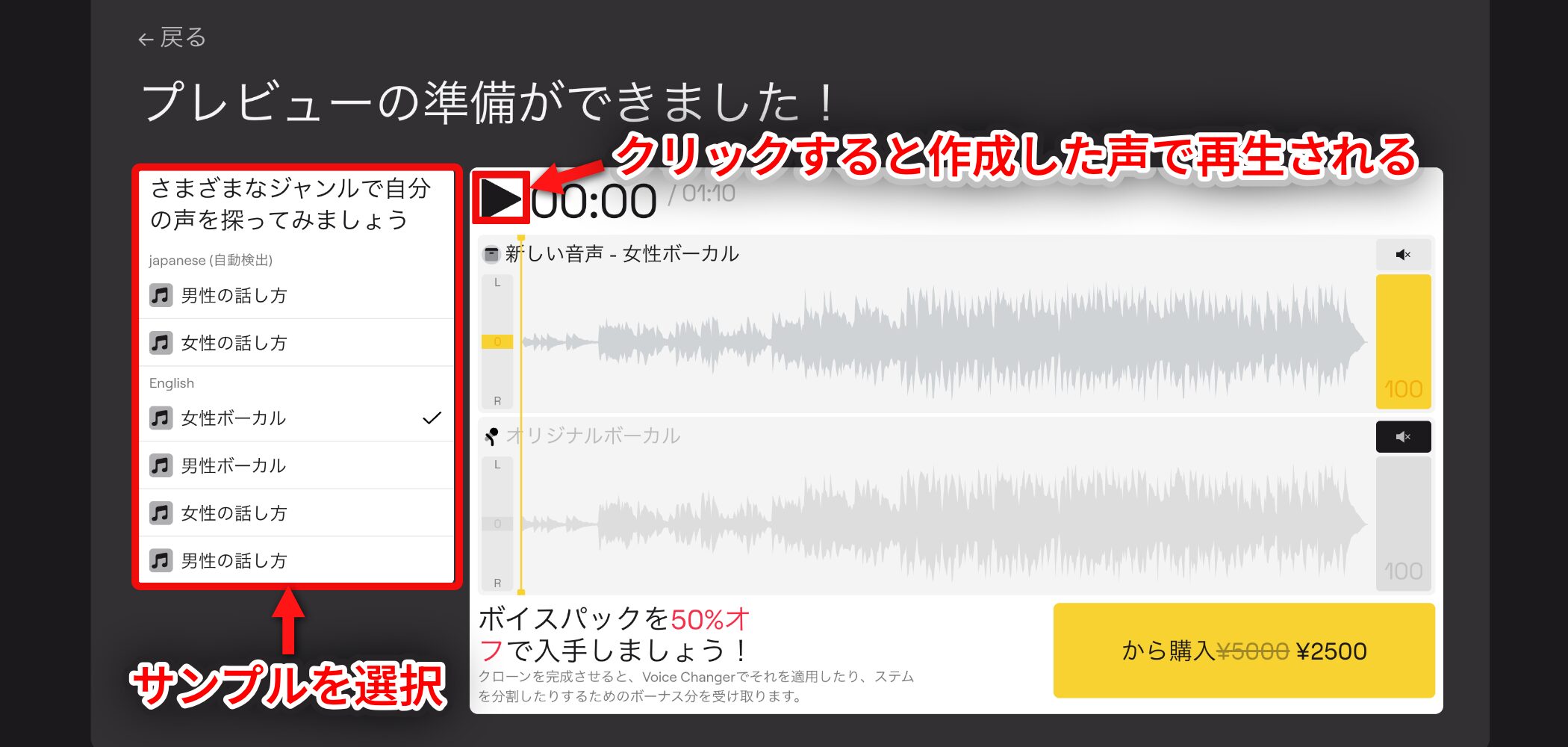
Sample narration and English songs are listed on the left. Select a sample and click Play to hear it in the voice you created.
Once purchased, a voice pack cannot be retrained or modified, so check its accuracy carefully in this preview.
If you are not satisfied, we recommend starting again with a new recording.
(All steps up to this point are free and do not consume credits.)
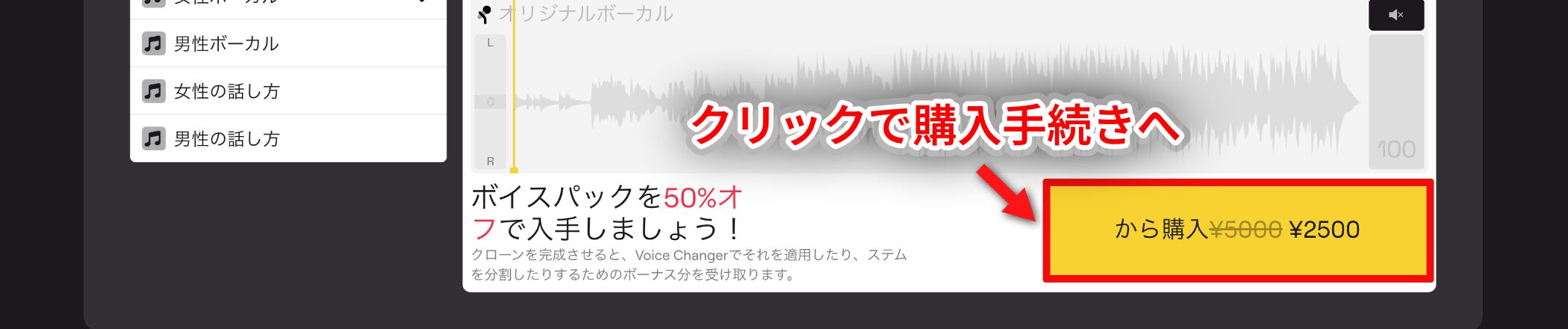
Click Purchase to proceed to the purchase page.
Pricing Plans
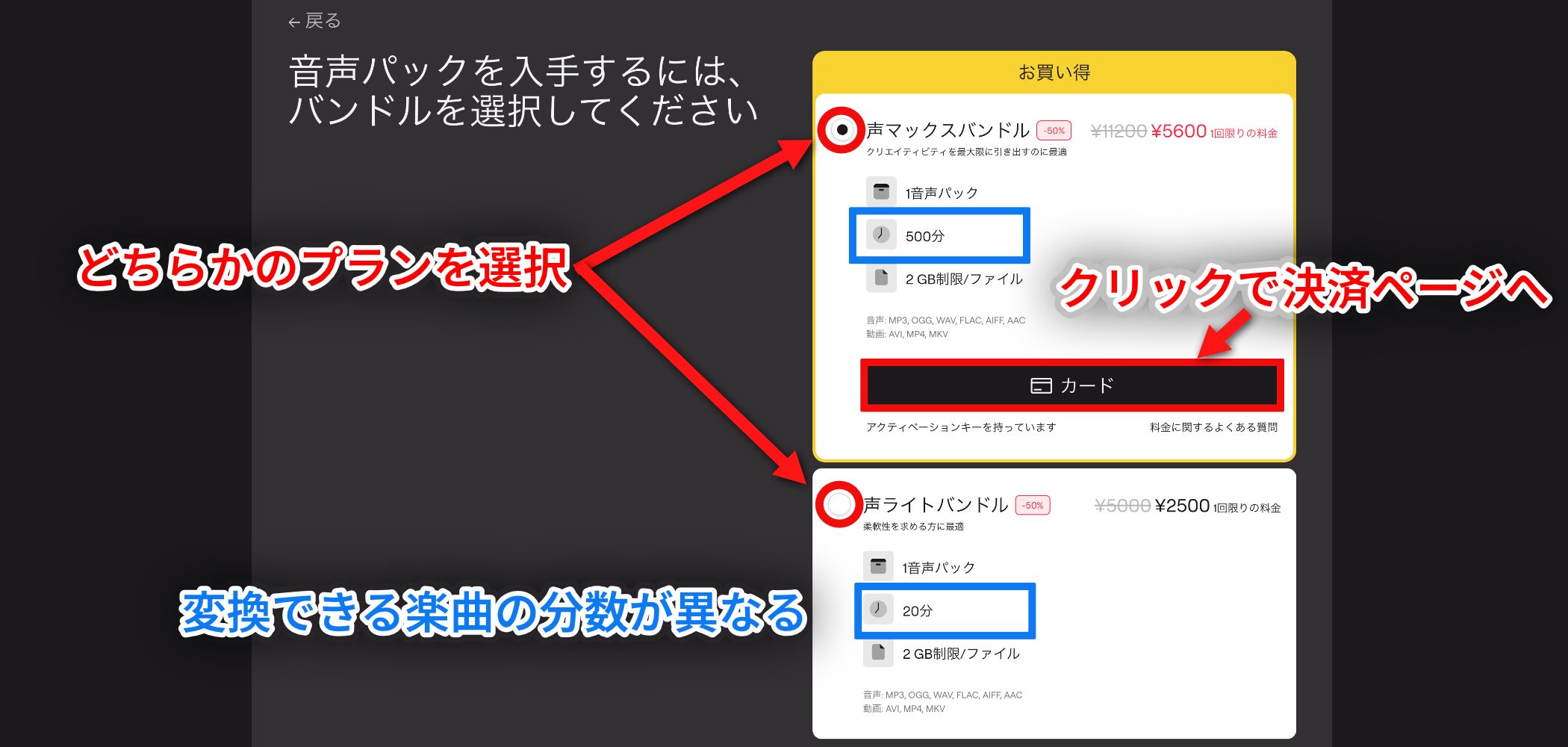
Voice Cloner offers two bundle plans.
Both plans include one voice pack, but provide different numbers of minutes for converting songs.
Select a plan and click Card to proceed to the payment page.
| Vox Lite Bundle | Vox Max Bundle | |
|---|---|---|
| Price | $20 (approx. ¥3,000) | $45 (approx. ¥6,700) |
| Includes | 1 voice pack | 1 voice pack |
| Bonus minutes (available conversion time) | 20 minutes | 500 minutes |
| Recommended uses | Small projects and experimental use | Large projects and ongoing use |
Prices may vary with exchange rates and over time.
4. Replace the Voice
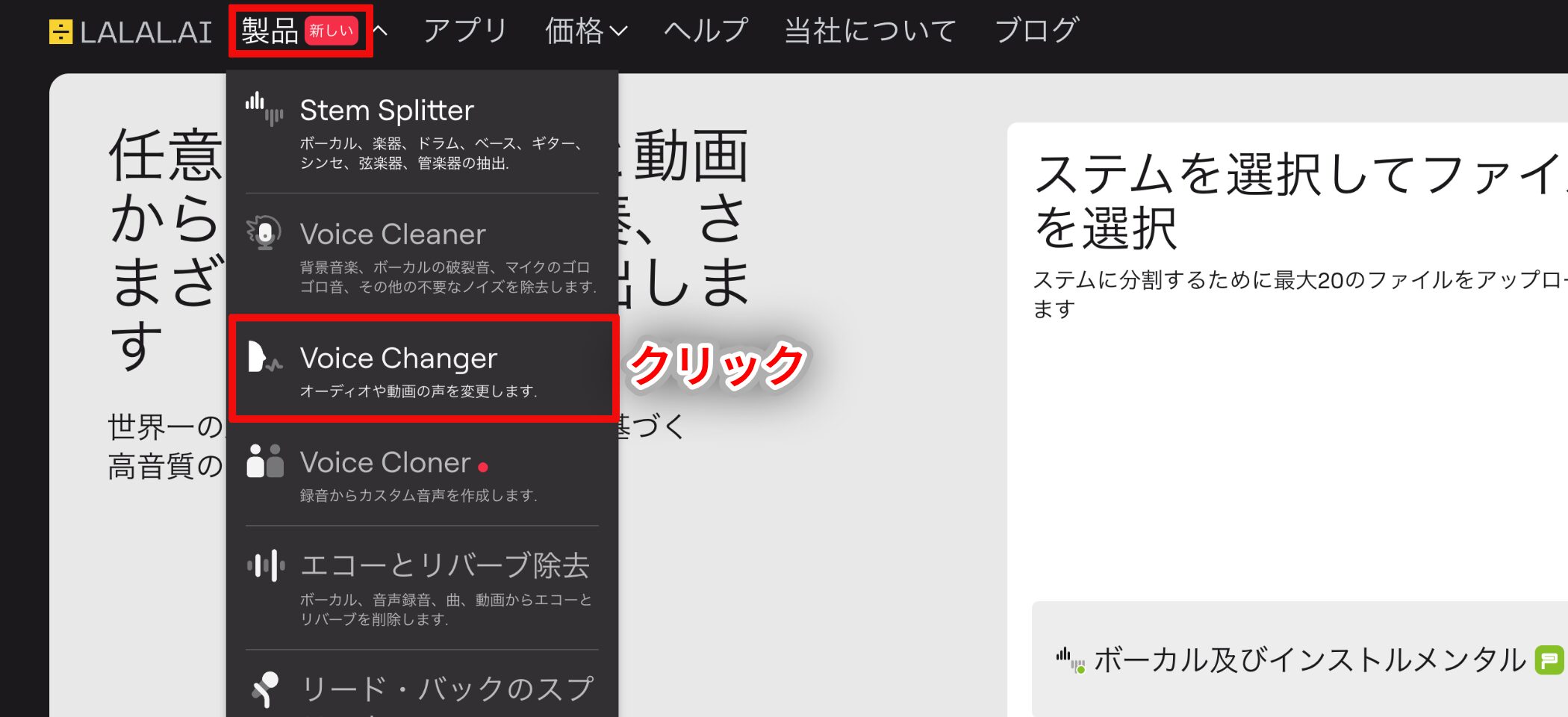
After purchasing your voice pack, you can begin replacing voices in audio.
Choose Voice Changer from the Products menu.
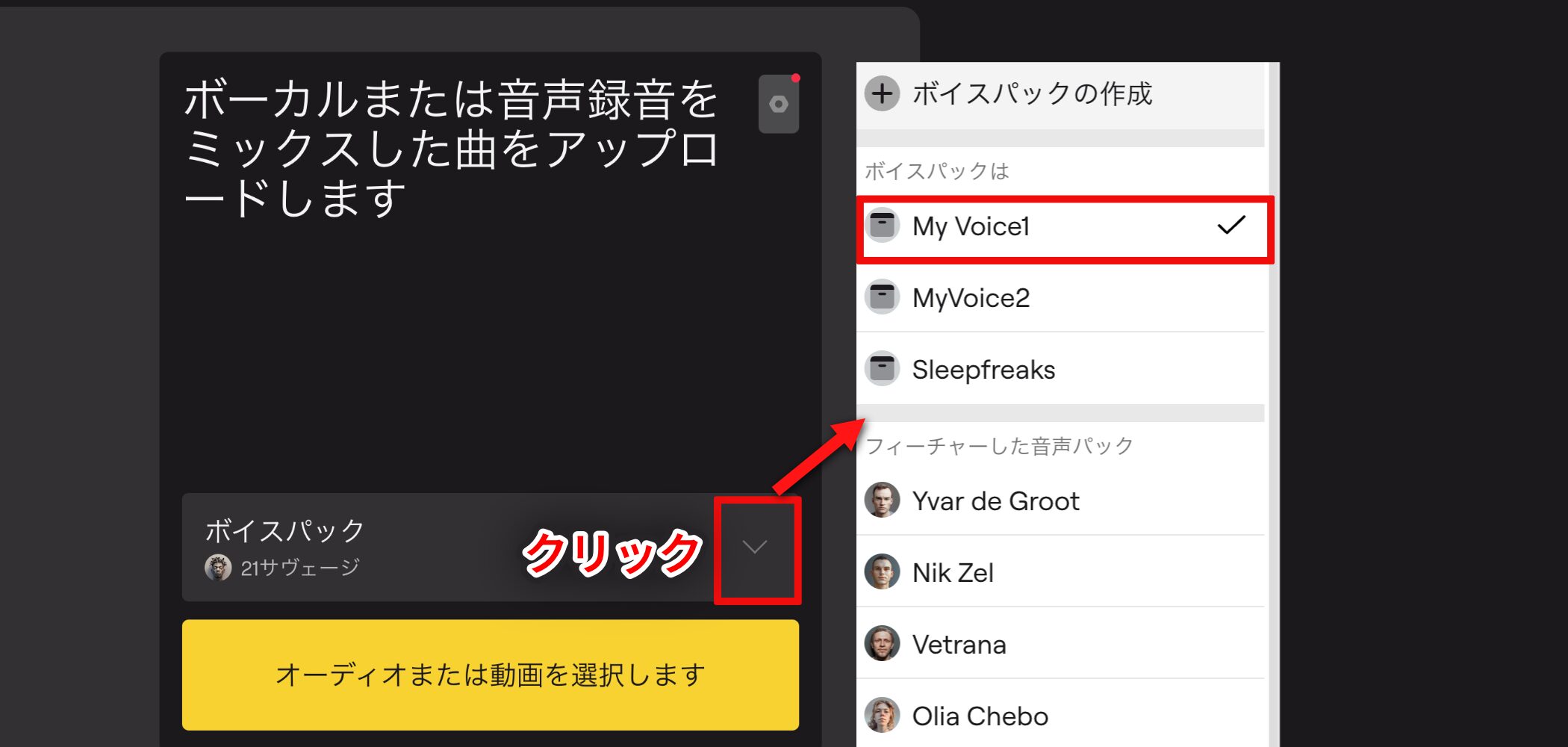
Select the voice you want to use from the list of voice packs. Here, we selected the My Voice pack created earlier.
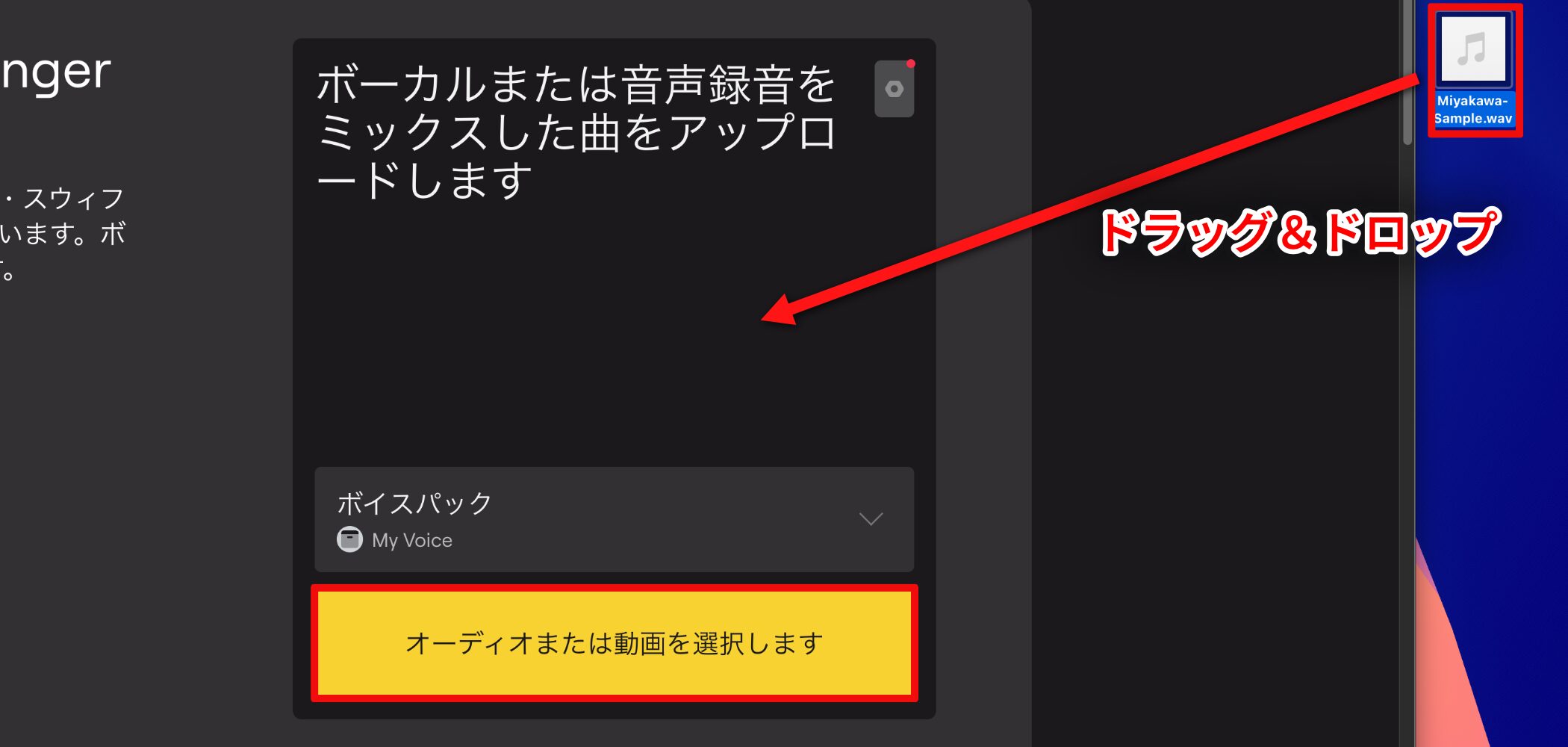
Next, upload the song file or video whose voice you want to replace.
Choose a file using Select Audio or Video, or drag and drop it to upload.
One of LALAL.AI's innovative features is that its AI automatically isolates and replaces the vocals. This means you can upload a finished mix with the vocals and accompaniment still combined—a stereo mix—directly.
5. Preview and Adjust Accent and Pitch
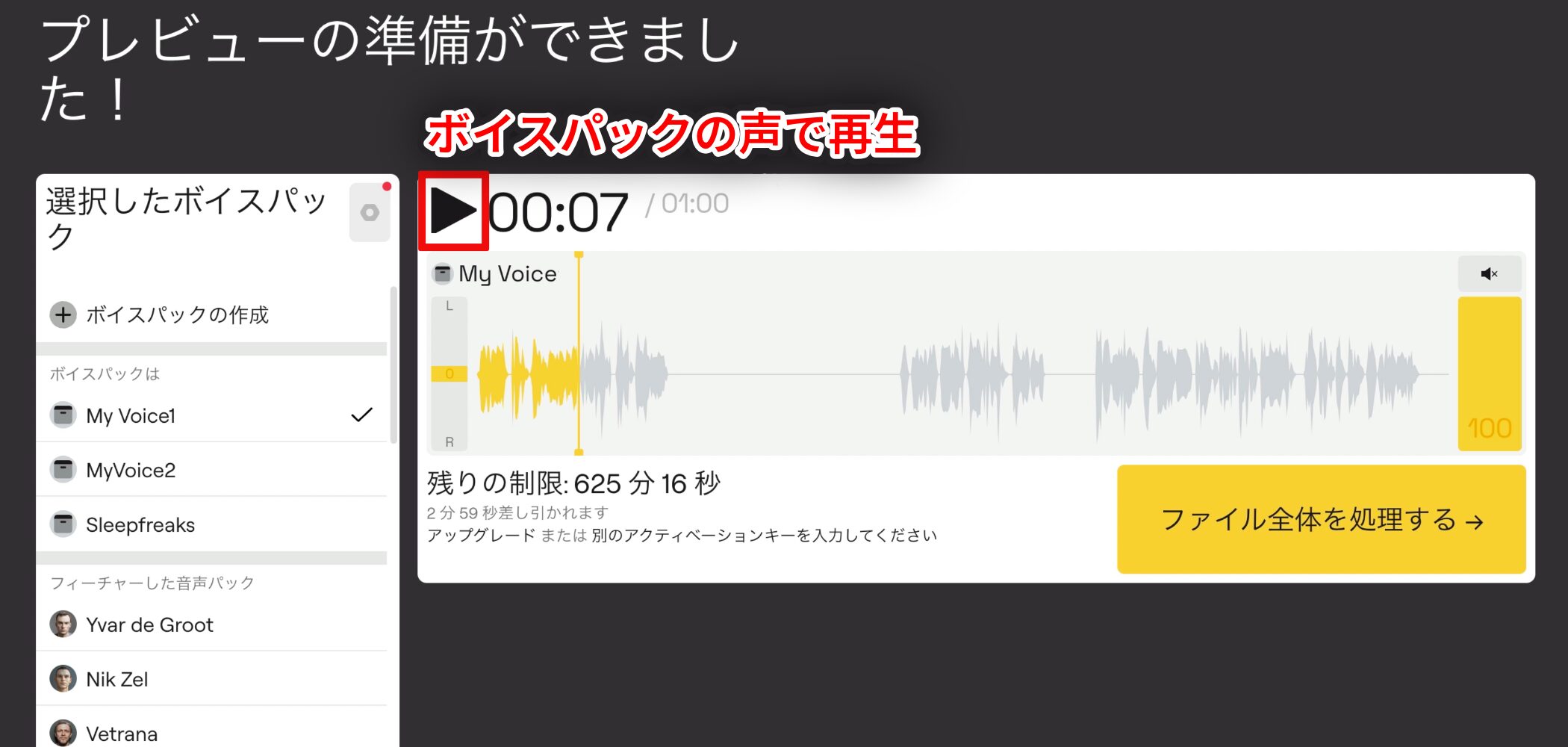
After the audio file has uploaded, the preview screen appears.
Click Play to hear the vocals in the uploaded song replaced by your voice pack.
Narration prepared for voice replacement
The narration above converted with the My Voice pack
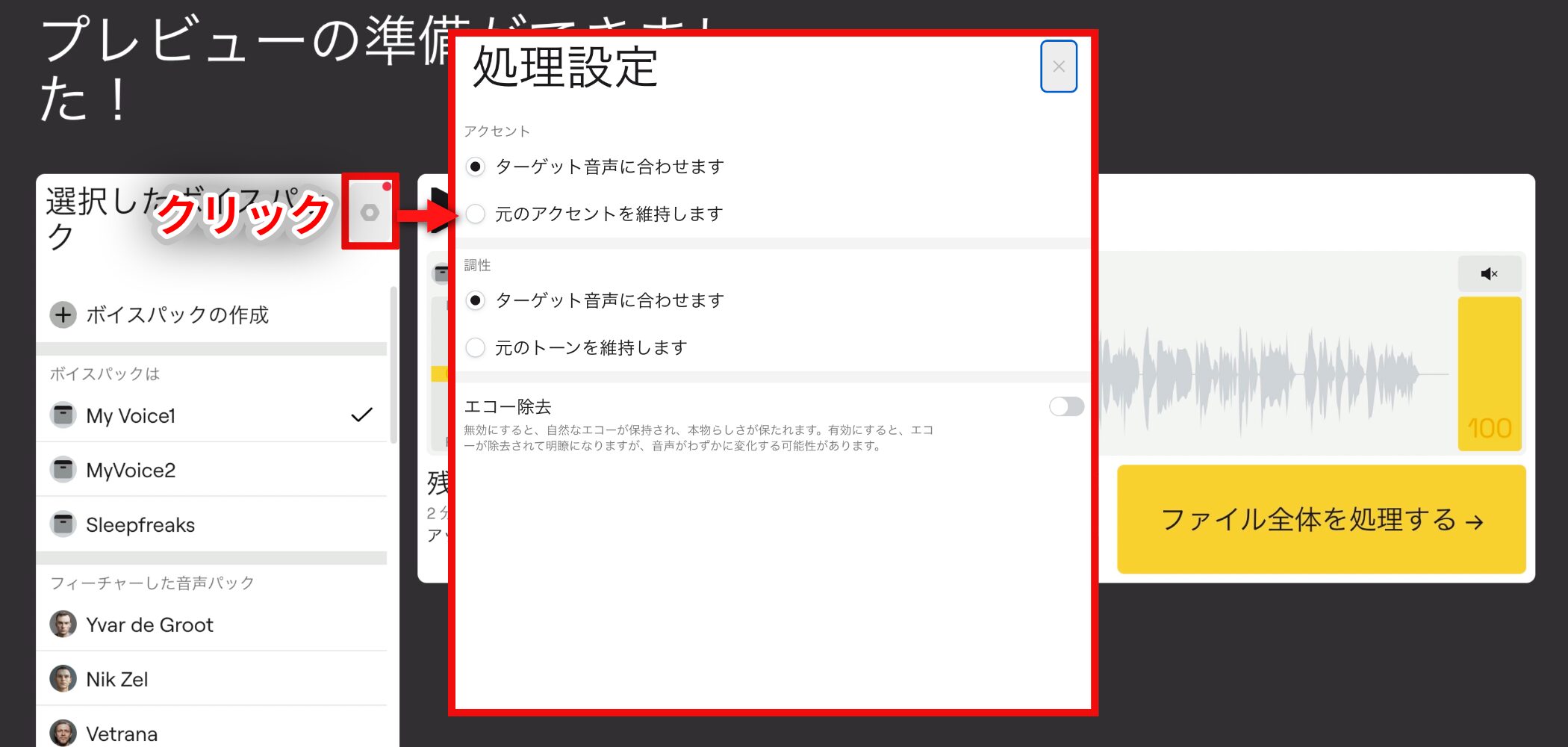
The processing settings under the gear icon let you adjust accent, tonality, and echo.
- Match the target voice: The default setting.
The key of the whole song may change to suit the characteristics of the replacement voice. - Keep the original accent and tone: Retains the key and tone of the uploaded song.
Useful for keeping the original nuances of a rap performance, for example, or avoiding a change of key.
Also, preview playback does not consume credits, so you can try different songs and settings as many times as you like until you are satisfied.
6. Download and Credit Usage
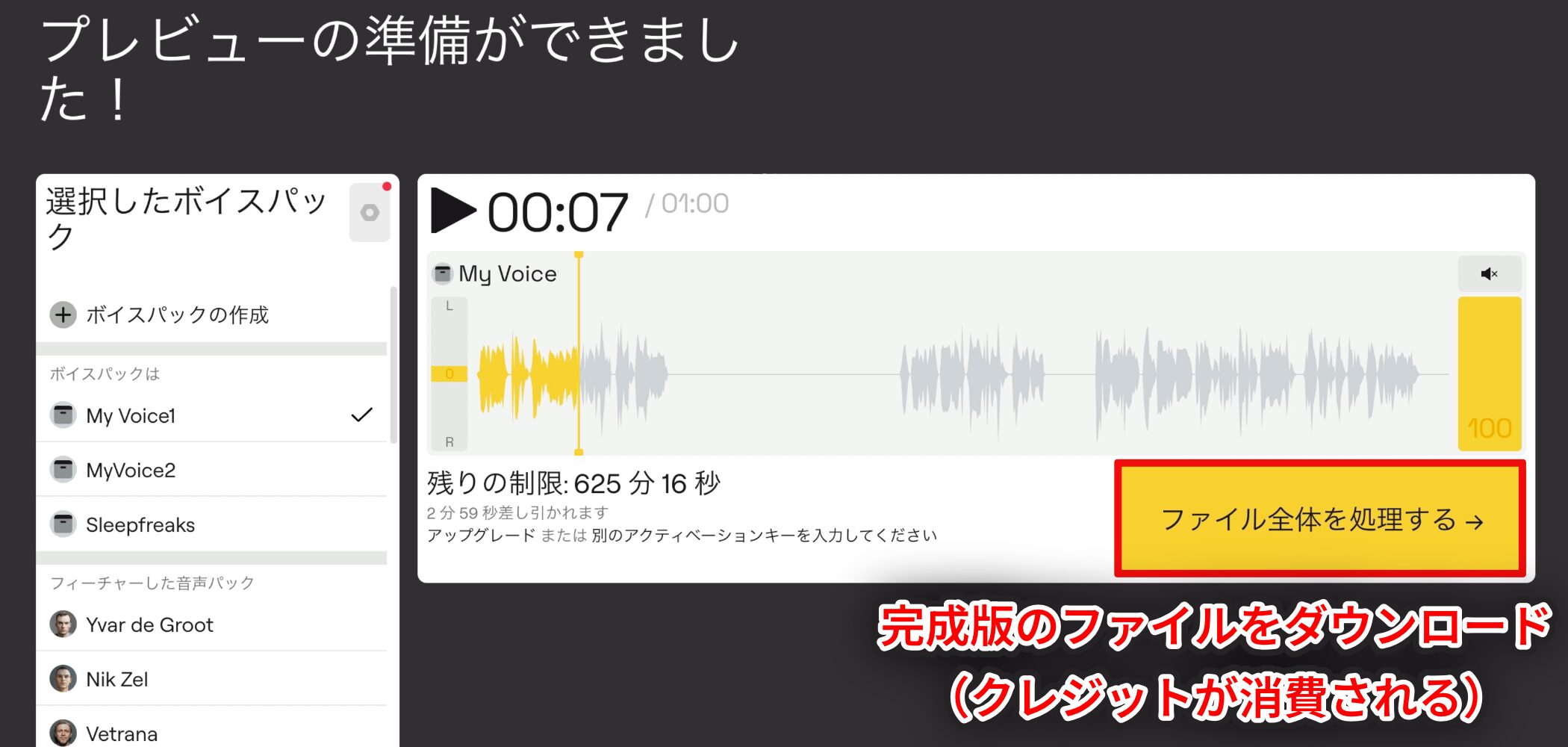
To download, click Process the Entire File.
Credits are only consumed when you download the finished file, based on the song's length.
The download is a single audio track with the vocals replaced, in the same format as the uploaded file. For example, uploading an MP3 produces an MP3, while uploading a WAV produces a WAV.
Audio Examples Using Our Voice Packs
Finally, we prepared two variations by changing the processing settings described above—four examples in total across the different voice packs.
Continuing the AI theme, we also made songs with the music generation service Suno and created simple music videos. Watch and compare the results.
Song Example: City Pop (Kanaya's Voice)
Song created with Suno
Kanaya's voice used to create the voice pack
Music Video: Voice Replaced with Match the Target Voice
Music Video: Voice Replaced with Keep the Original Accent and Tone
Song Example: Hip-Hop (Miyakawa's Voice)
Song created with Suno
Miyakawa's voice used to create the voice pack
Music Video: Voice Replaced with Match the Target Voice
Music Video: Voice Replaced with Keep the Original Accent and Tone
Final Thoughts: Rules You Must Follow
What did you think of the results?
As you heard, LALAL.AI Voice Cloner produces accurate voice packs. With the right ideas, it has considerable potential to save time and inspire creativity.
However, using it comes with responsibility. As with AI technology in general, there are risks of misuse.
When using someone's voice recordings, you must obtain their clear permission, including permission for the intended use.
Explore these new possibilities while respecting the law and proper conduct, taking care not to infringe related rights, portrait rights, publicity rights, or other rights.
Frequently Asked Questions
How did you make the music videos above?
We used the video generation services DomoAI and Google Flow.
They make it easy to generate videos from text or photos.
How is it different from RVC?
The functions are similar, but its main advantage is the convenience of a web app that needs very little setup.
Among AI products, SoundID VoiceAI seems preferable because it is a one-time purchase. What does LALAL do better?
LALAL.AI is well suited to cloning a specific voice. If you do not need that, VoiceAI's wider range of features is appealing.
NEW ARTICLES
Latest English Articles





































