
Melodyne 4 editor and studio are higher-tier editions that greatly extend the basic pitch-editing features. With scale detection and DNA polyphonic editing, editor lets you freely edit phrases in unusual scales, such as Oriental scales, as well as chordal material containing several notes. Studio adds multitrack editing and the Sound Editor, allowing you to work with multiple vocal tracks and intuitively manipulate harmonics and EQ for synthesizer-like timbral changes. These features support professional music production, from vocal correction to improving the quality of an entire song.
Higher-Tier Editions with Innovative Features
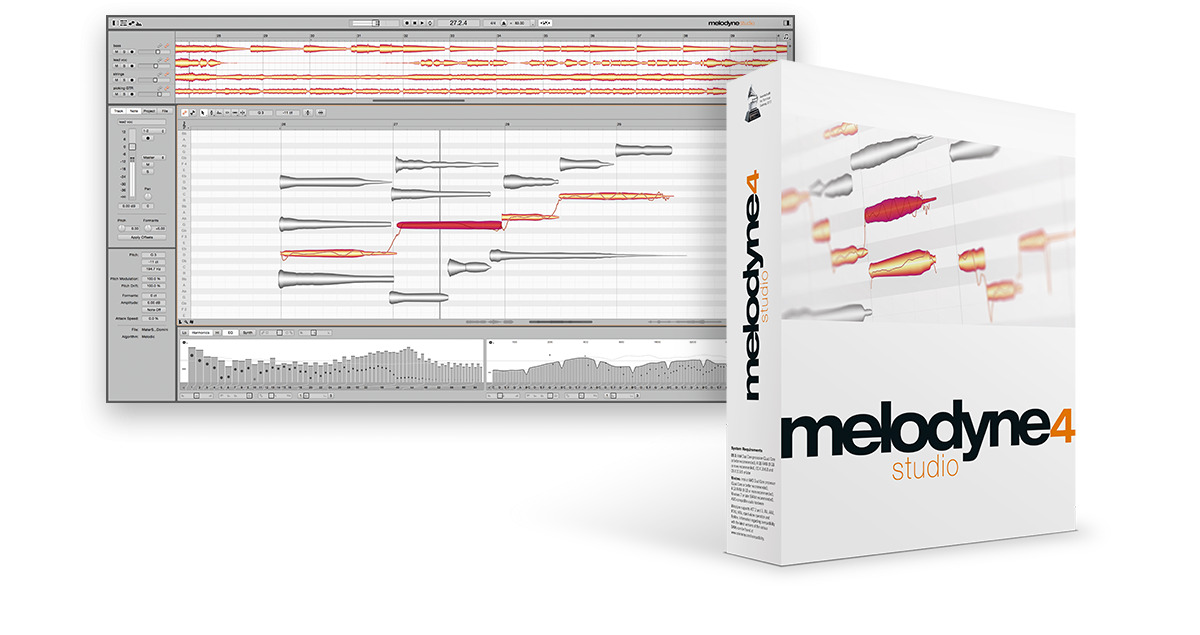
Following on from the previous article, we will continue exploring the features of the different Melodyne 4 editions.
This time, we will look at editor and studio. These editions go beyond the basic functions of pitch-editing software, offering innovative features for more creative editing.
Let's take a look at each one.
Melodyne Edition Features — Video Tutorial
- 1Melodyne 4 essential: Overview and Tutorial
- 2Melodyne 4 assistant: Overview and Tutorial
- 3Melodyne 4 editor and studio: Overview and Tutorial
- 4What's New in Melodyne 5 Pitch-Editing Software
- ◆ Manufacturer's Website: http://urx.space/Rgab
- ◆ Purchase Here (Affiliate Link): http://urx.space/Rgab
Selected Questions and Answers from the YouTube Video

How can I edit two simultaneously recorded double-tracked vocal waveforms together, when the tracks overlap at exactly the same positions?

Do you mean synchronizing the edits so that an edit made on one track is also applied to the other? We tried this in Melodyne studio, but were unable to synchronize the edits.
I'm from overseas, and my Japanese isn't very good, so please forgive me. I understand that you can edit the individual notes of a chord, but when I try it—for example, with electric guitar material—the sound quality deteriorates and sounds strange. I haven't found a solution yet. If the sound quality isn't good, I can't really use it in a song, can I? Could you recommend a good approach? Thank you! 😊
The sound can deteriorate, especially when you make large pitch changes. Sound quality and detection accuracy have been improving, but if we find a way to minimize these artifacts, we will post a comment.
Editor: Support for More Detailed Scales and Polyphonic Editing
Editor includes advanced features unique to Melodyne, such as scale detection and polyphonic editing.
It is recommended for anyone who wants greater freedom and creativity when editing audio.
Scale Detection
This feature analyzes the scale of a performance, enabling you to work with many different types of scales.
For example, it is useful when working with phrases that use an Oriental scale.
Even if you do not know the scale's name, click the Scale Editor depth icon at the far left of the lower area. The analysis display shows the pitches present and their relative importance as a curve.
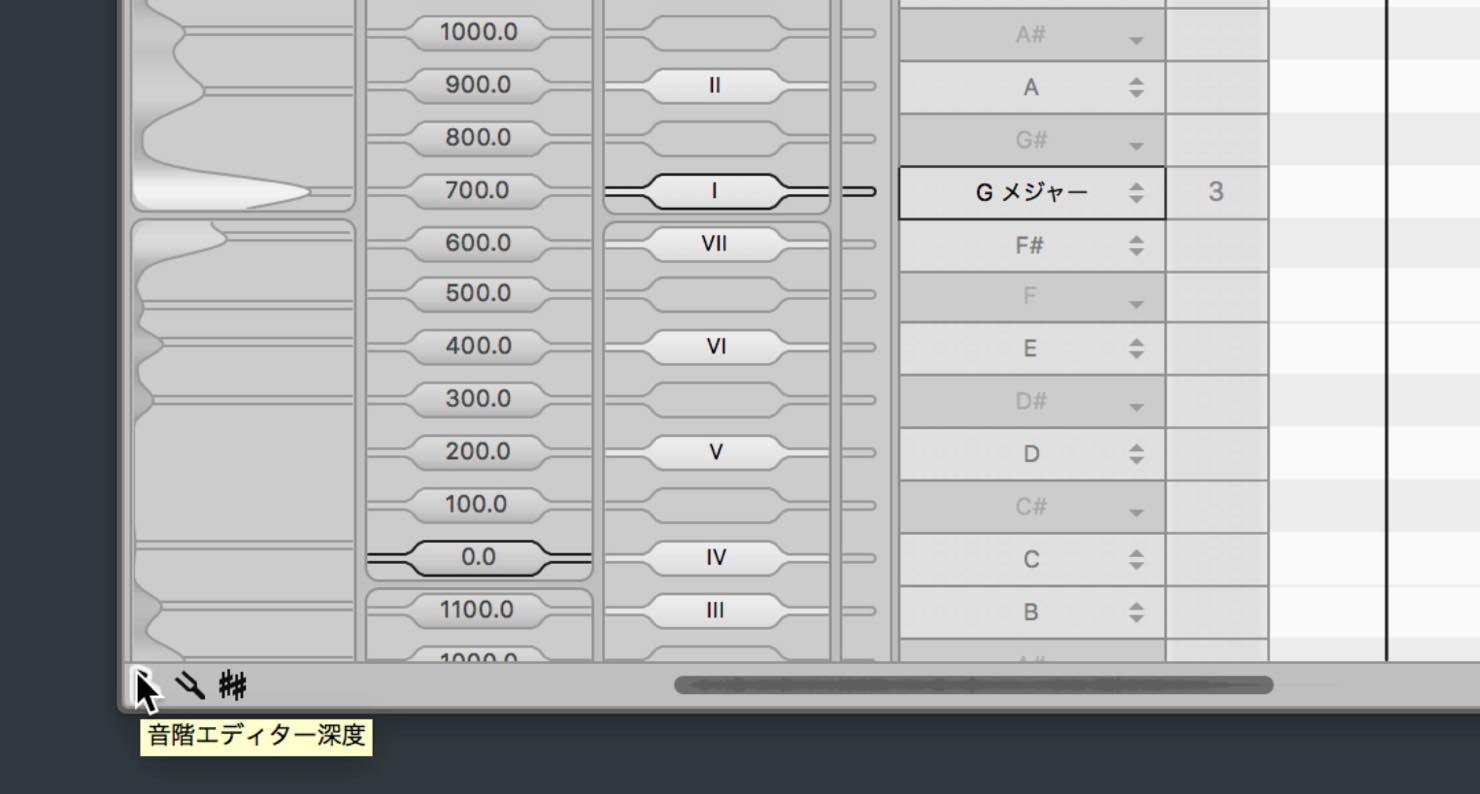
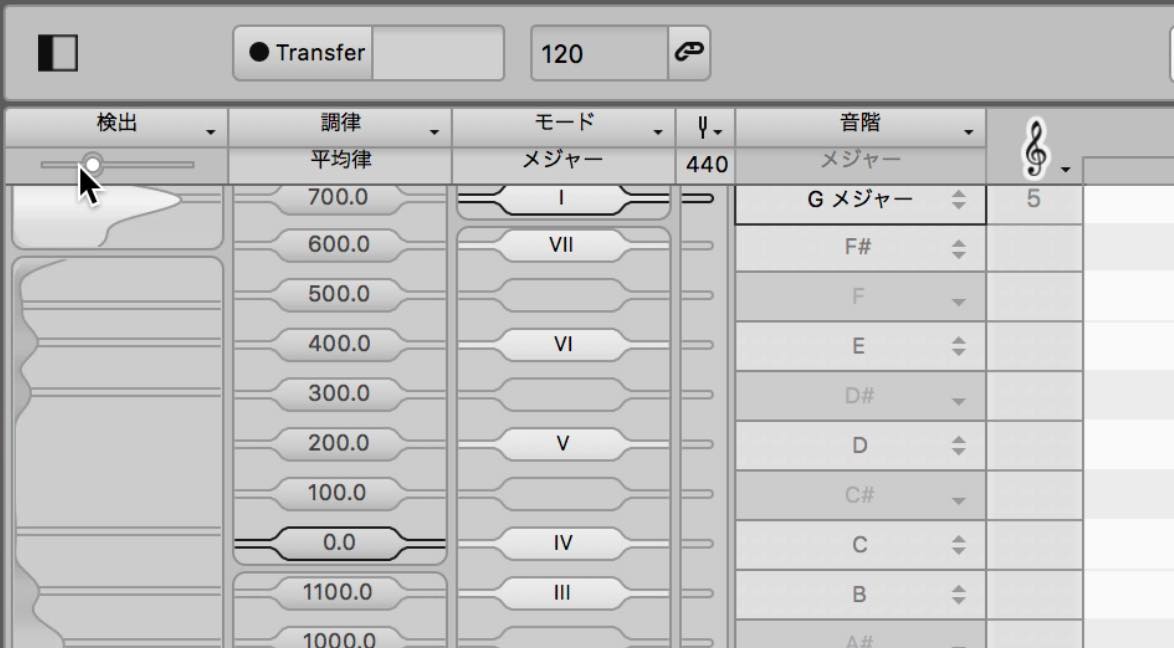
Use the slider above it to set the level of detail in the analysis, adjusting it to match the note positions.
Then right-click anywhere in the analysis display and select Apply Analysis.
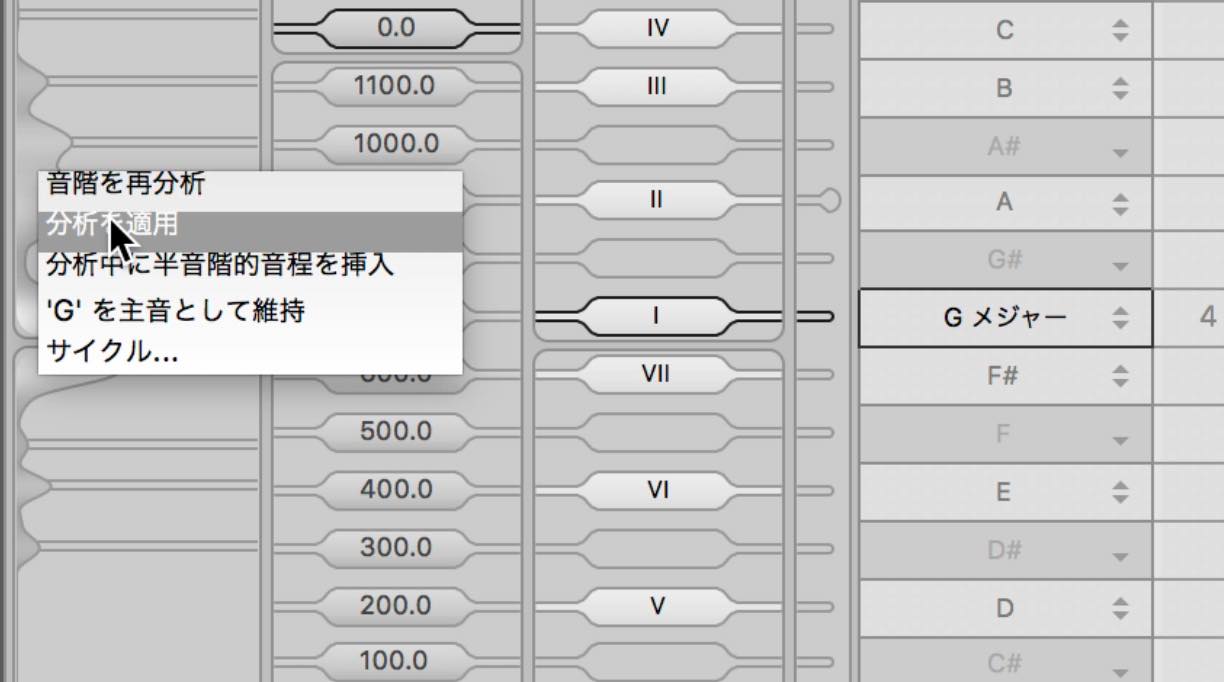
The scale spacing and the arrangement of white and gray areas will change. The tuning is also adjusted to match the actual performance.
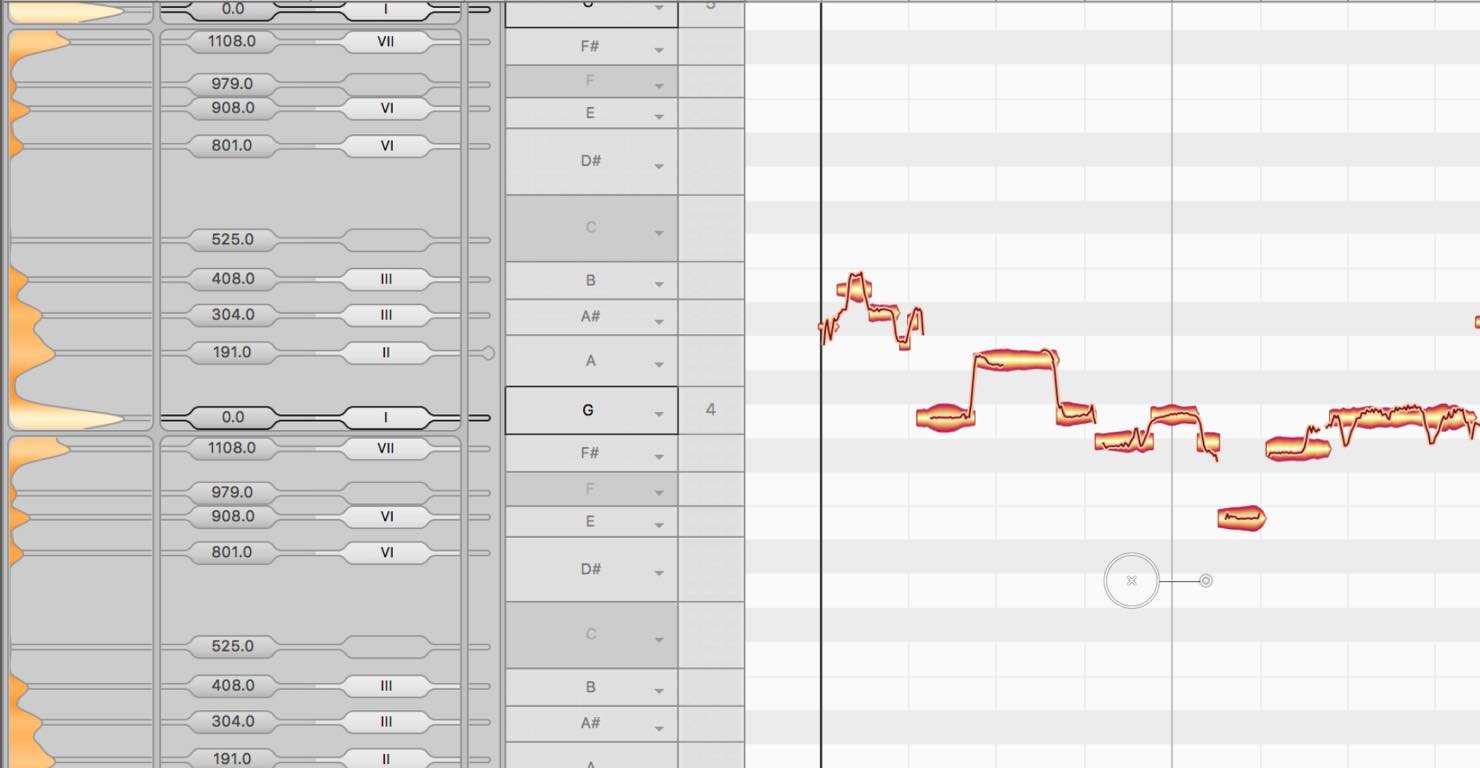
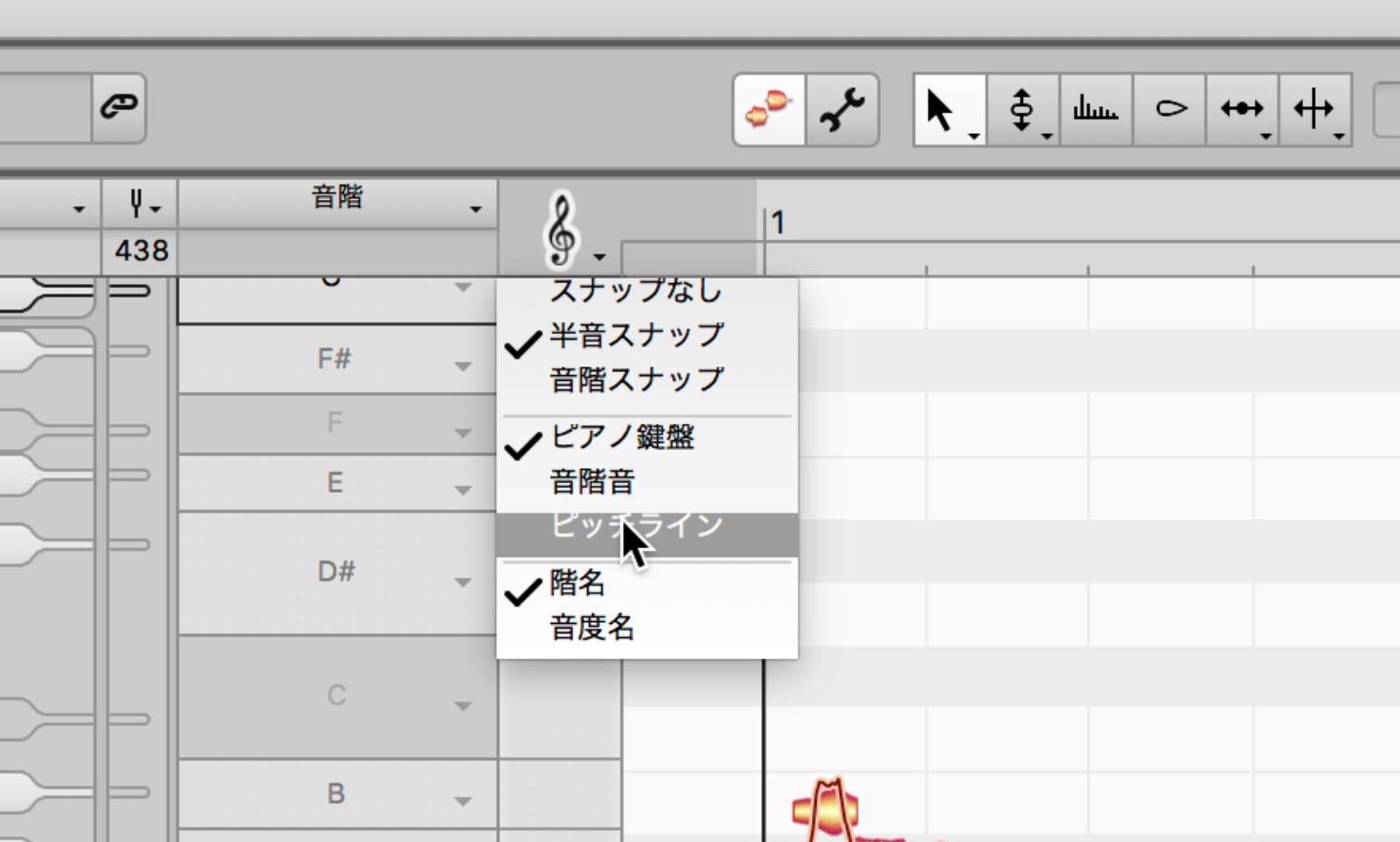
When working with an unusual scale like this, changing the snapping display makes it easier to understand.
Right-click the treble-clef symbol and select Pitch Lines.
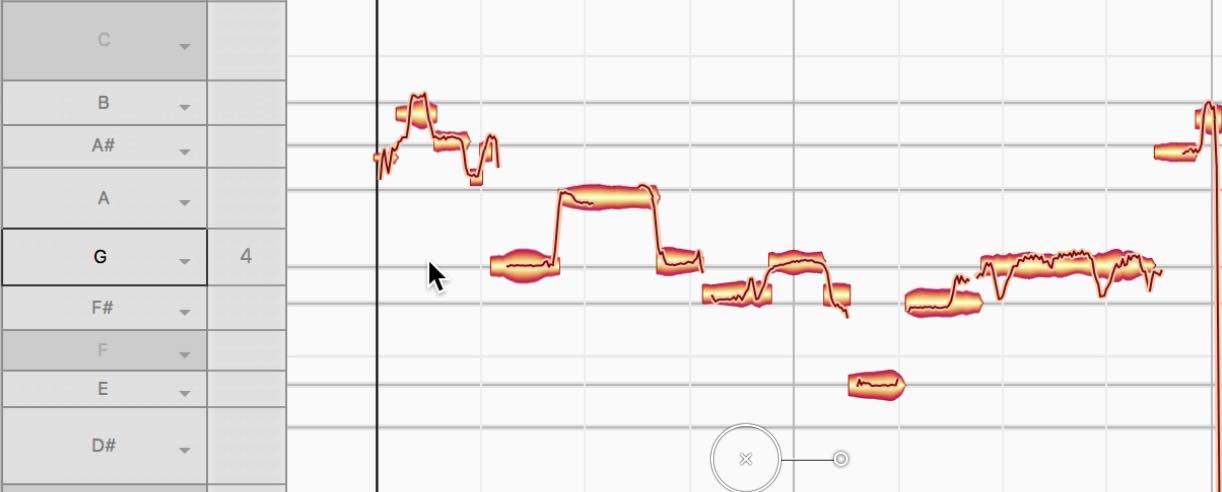
Lines indicating the pitches of the scale notes will appear.
A note is at the correct pitch when the line runs through its center.
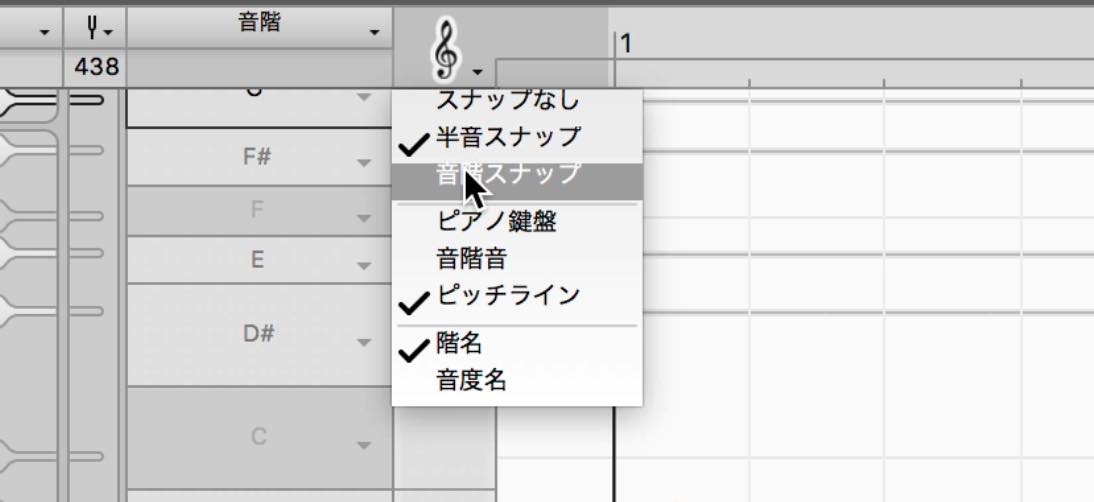
Next, select Scale Snap from the treble-clef menu to snap only to notes within the scale.
When no notes are selected, the analysis covers all notes. If you have selected notes, only those notes are analyzed.
To change which notes are analyzed, select Reanalyze Scale from the Detection menu.
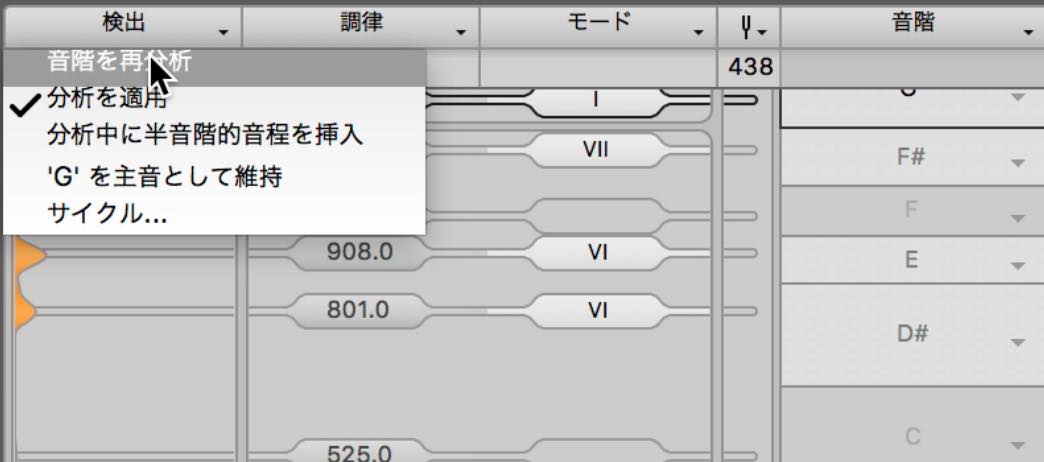
Polyphonic Editing with DNA
DNA is a technology that analyzes polyphonic material and lets you freely edit the pitches of its individual notes.
When you transfer and analyze audio containing chords, it may initially be detected as monophonic material.
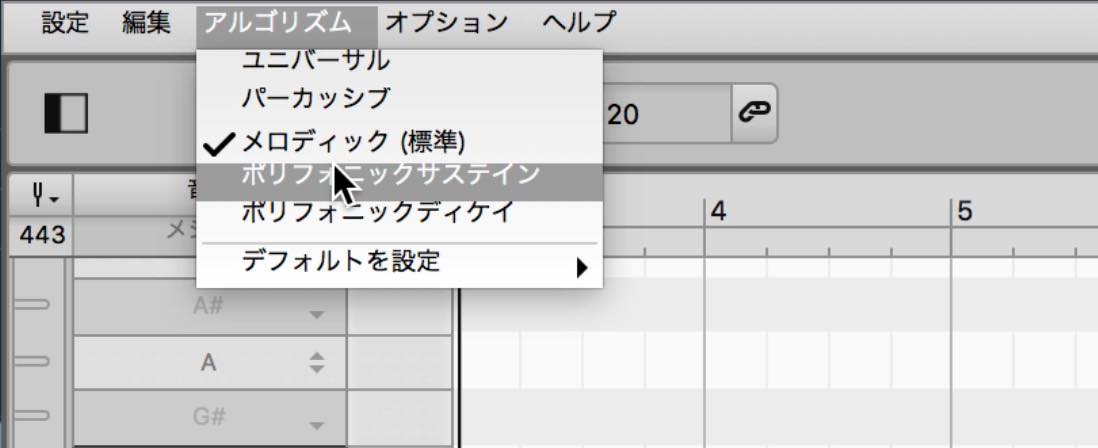
If this happens, try choosing Polyphonic Sustain from the Algorithm menu.
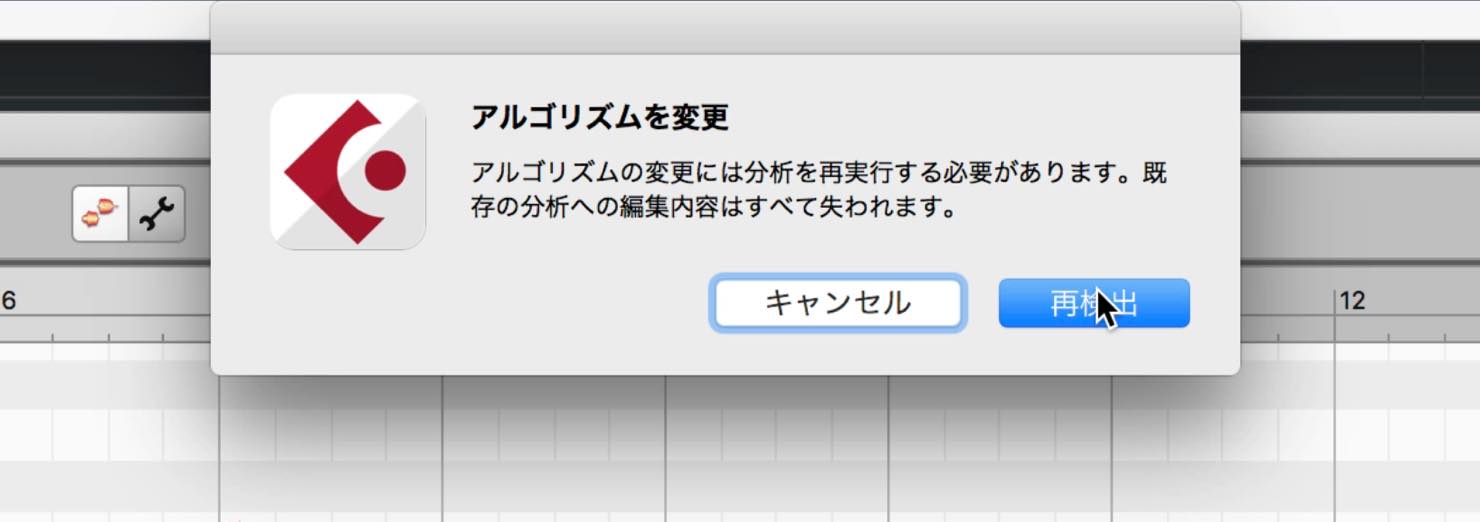
A dialog like the one shown here will appear. Click Redetect.
The material is reanalyzed and displayed as polyphonic notes, as shown here.
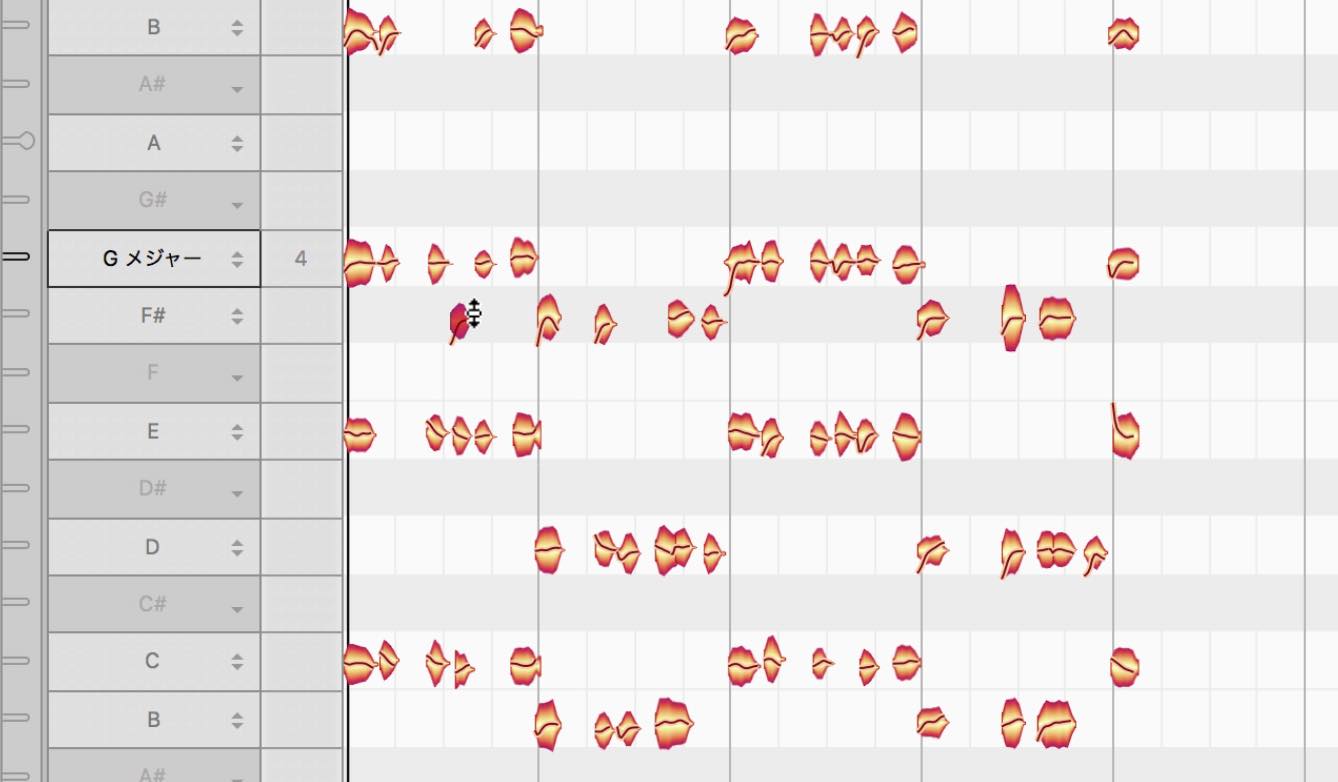
After that, editing works just as it does for monophonic material: you can move the displayed notes.
You can add small variations to a phrase or even change the chord itself. This is particularly useful when a loop does not fit your song.
Studio: Everything Melodyne Has to Offer
Studio adds multitrack editing and the Sound Editor, giving you full access to Melodyne's innovative technology.
It goes beyond pitch editing and can transform the way you produce and mix music.
Multitrack Editing
Multitrack editing is one of the major advances offered by studio.
For example, you may often use Melodyne on several tracks, such as lead vocals and backing vocals.
In this situation, you can display and edit another track from within a single Melodyne window.
Click the Track List button at the upper left to display the tracks on which Melodyne is inserted.
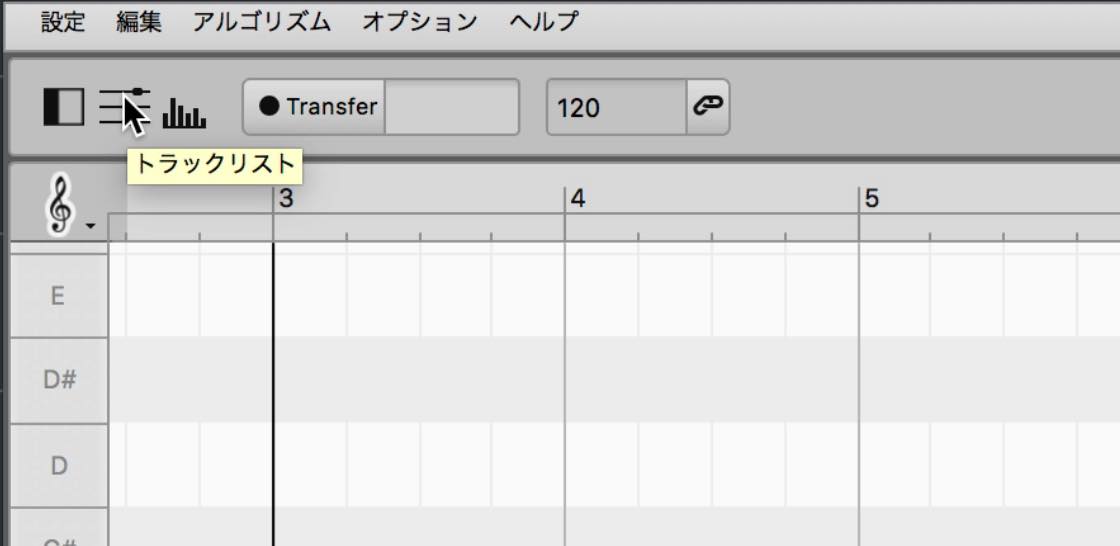
Select the tracks you want to display together.
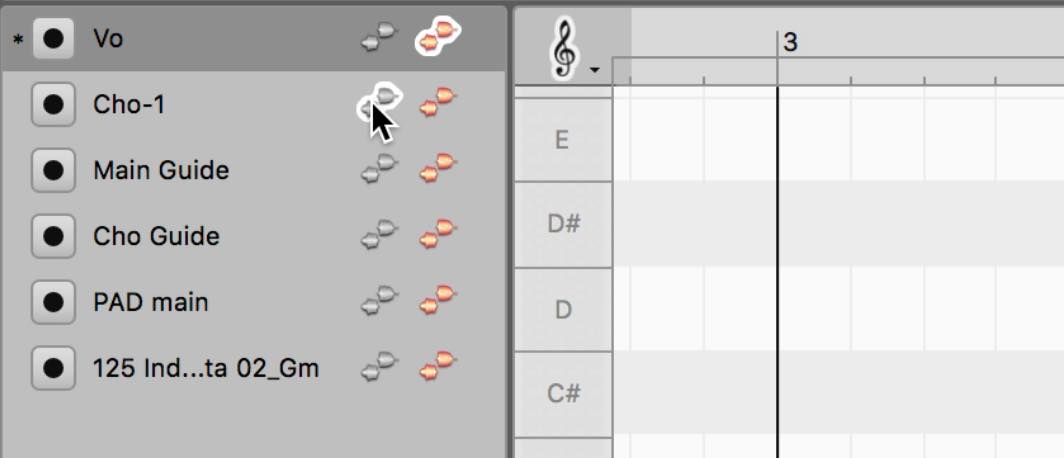
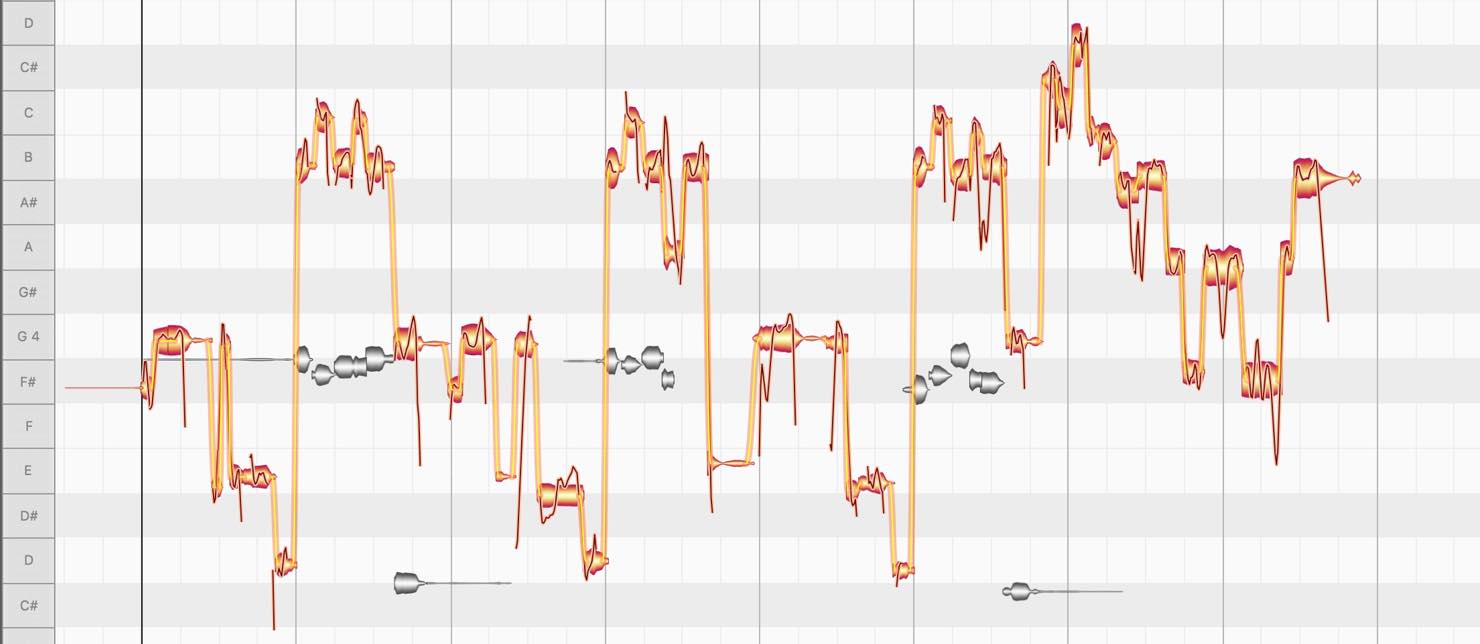
Selecting an orange icon displays a track for editing. Selecting a gray icon displays it in gray as a reference.
Hold Command on Mac or Ctrl on Windows while clicking the orange icons to edit multiple tracks at the same time.
You can also transfer several tracks simultaneously from one window by activating the round buttons on the left.
Here is one practical example: use Melodyne on a guide track so you can quickly identify the correct pitches while editing vocals.
Transfer a guide track created with a piano or synthesizer into Melodyne, then analyze and display its pitches. Show it in gray while editing the vocal track, and use it as a reference for your edits.
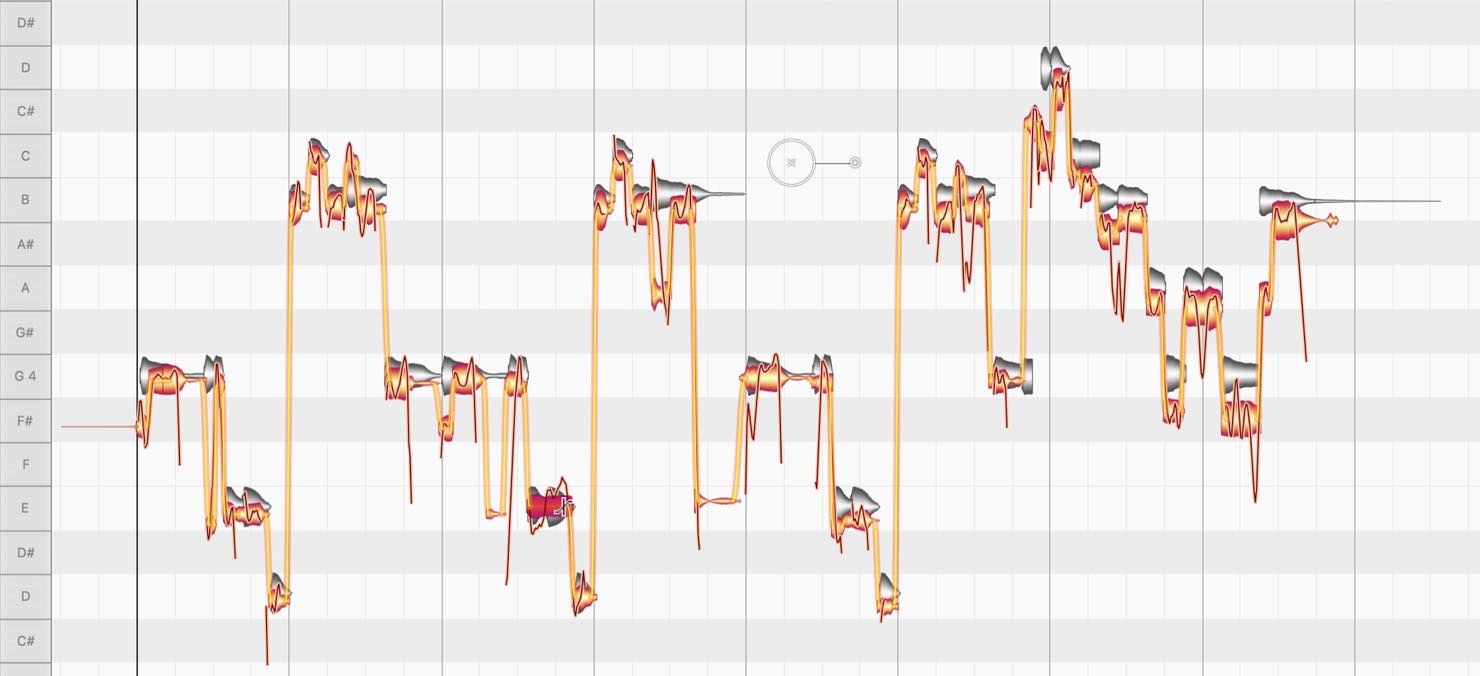
Give this a try in your own workflow.
The Sound Editor
The Sound Editor is another distinctive feature of studio.
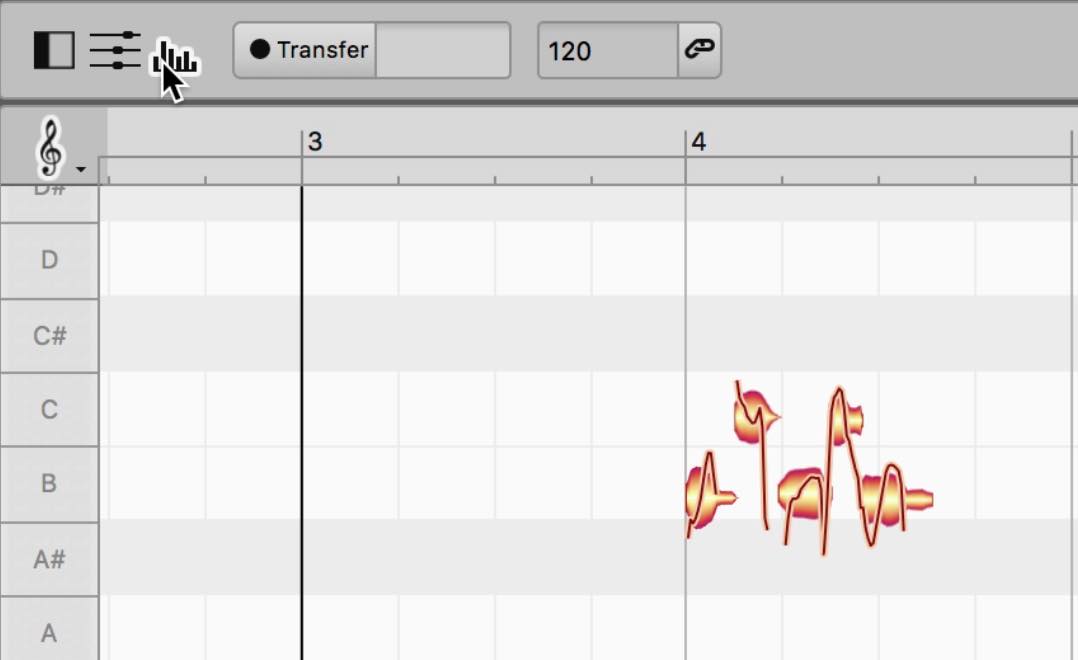
Click the Sound Editor button at the upper left to display a section like this at the bottom of the window.
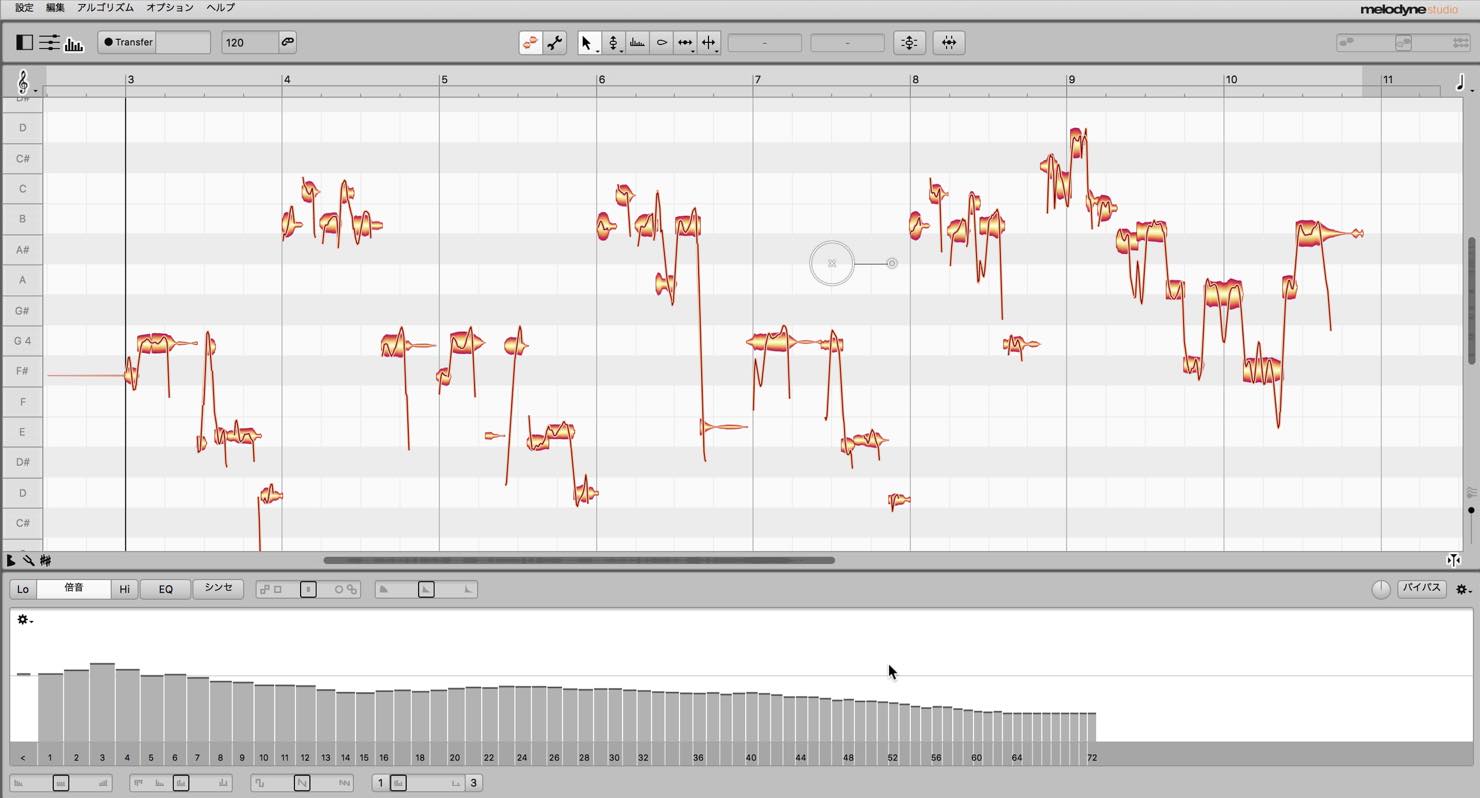
This bar-chart display represents the harmonics.
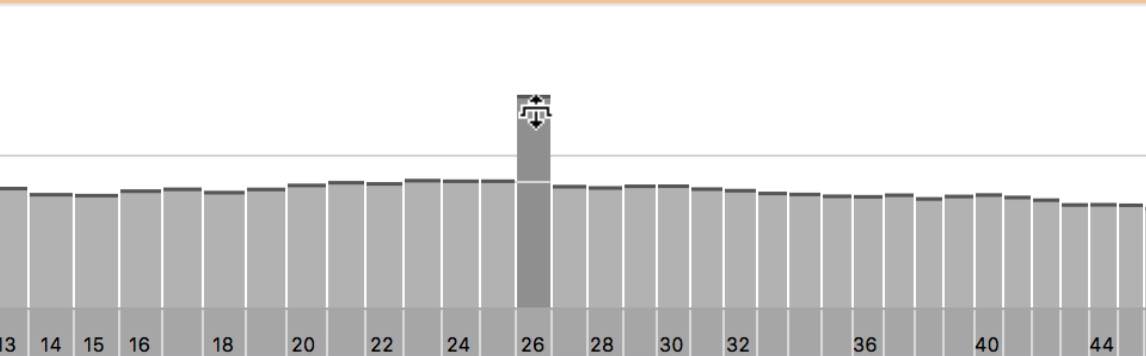
You can raise or lower the level of individual harmonics.
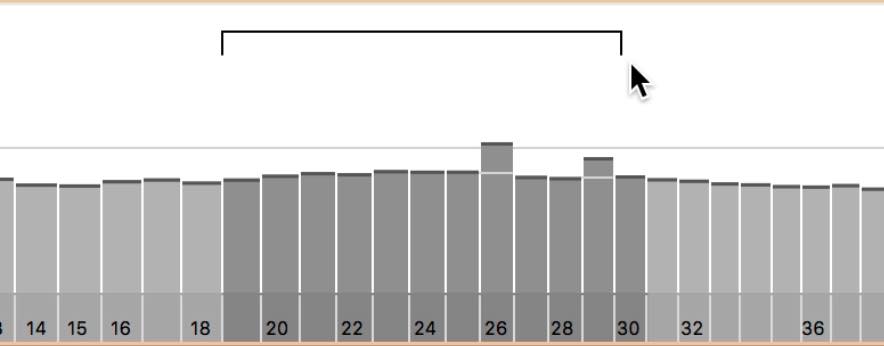
You can also drag horizontally across an empty area to select several harmonics and adjust them together.
The Sound Editor affects all the audio transferred into Melodyne, rather than only the selected notes.
In other words, you can work in terms of harmonics rather than fixed frequencies, even when the notes have different pitches.
This is especially powerful for reducing unwanted harmonics characteristic of a particular voice or instrument.
The macros below are useful for making broader changes to the harmonics.
Moving the Brilliance slider to the right emphasizes higher harmonics and makes the sound brighter. Moving it to the left produces a darker, more muffled sound.
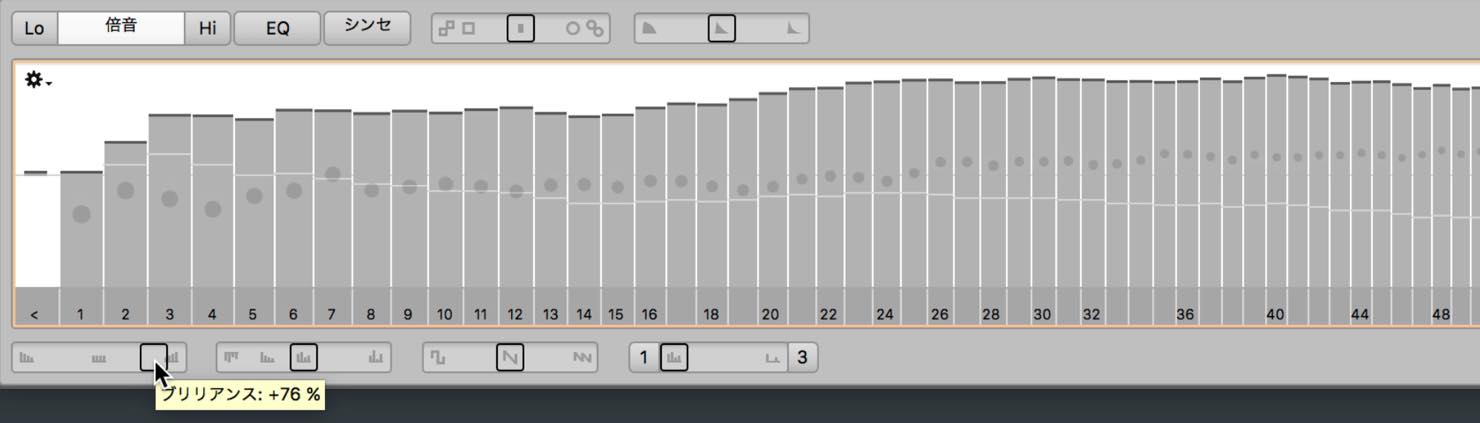
Moving the Contour slider to the right accentuates the peaks and valleys of the harmonic spectrum, emphasizing the voice's character. Moving it to the left flattens the spectrum and makes the sound slightly less distinct. At 200%, you can even invert the peaks and valleys.
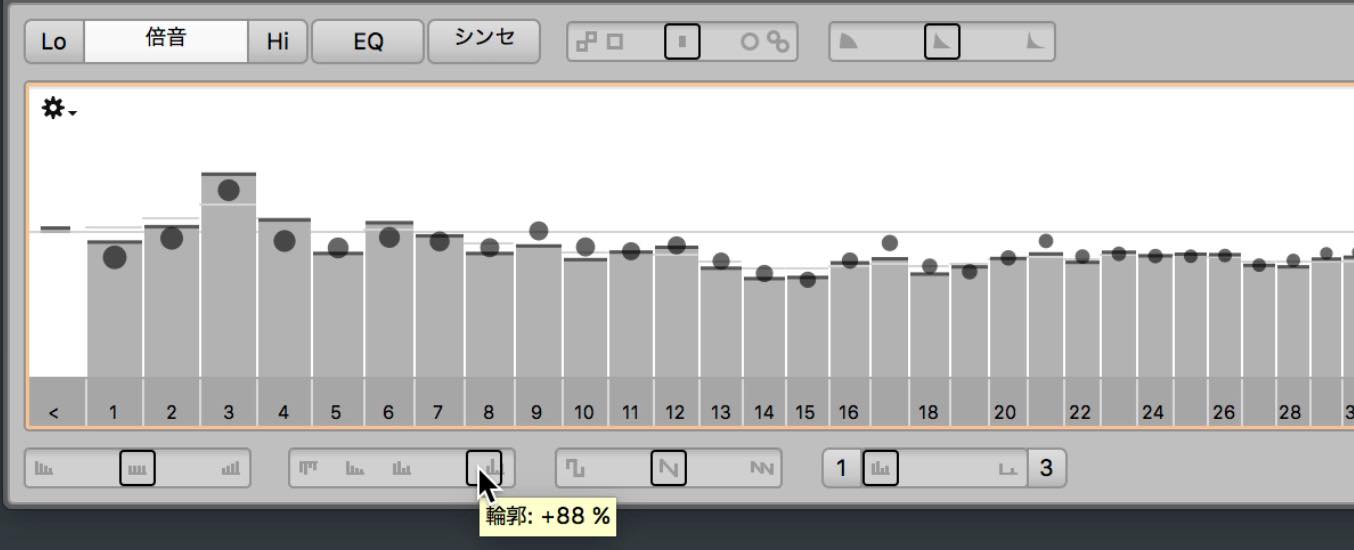
Other macros produce interesting effects, including changing the balance of odd and even harmonics and using Comb to create a more sparse harmonic pattern.
Switch to EQ to work in terms of frequencies instead.
Pitches are displayed below the graph, which is useful when you want to adjust a specific pitch range.
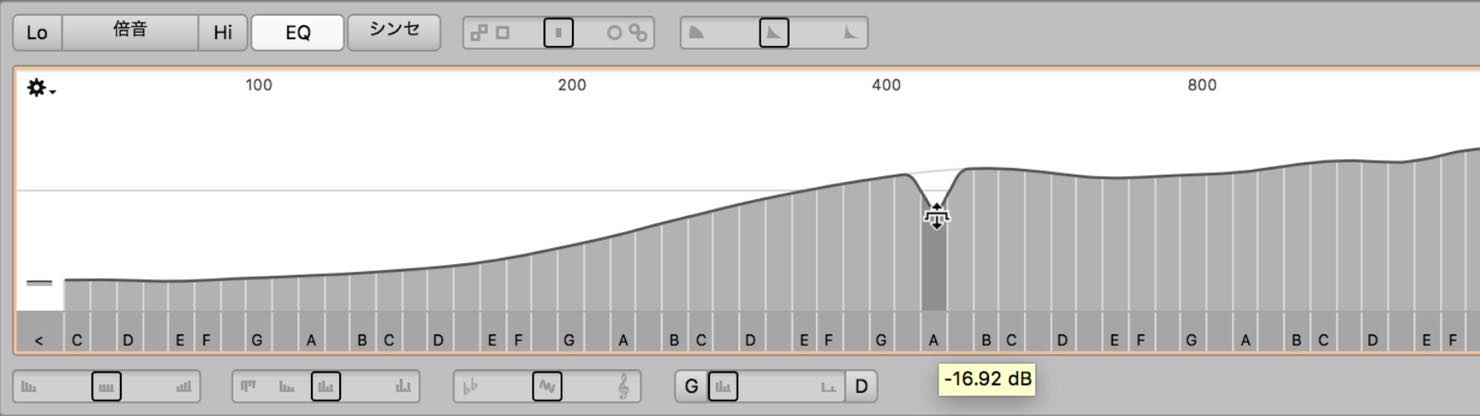
As with harmonics, you can select and move several bands together.
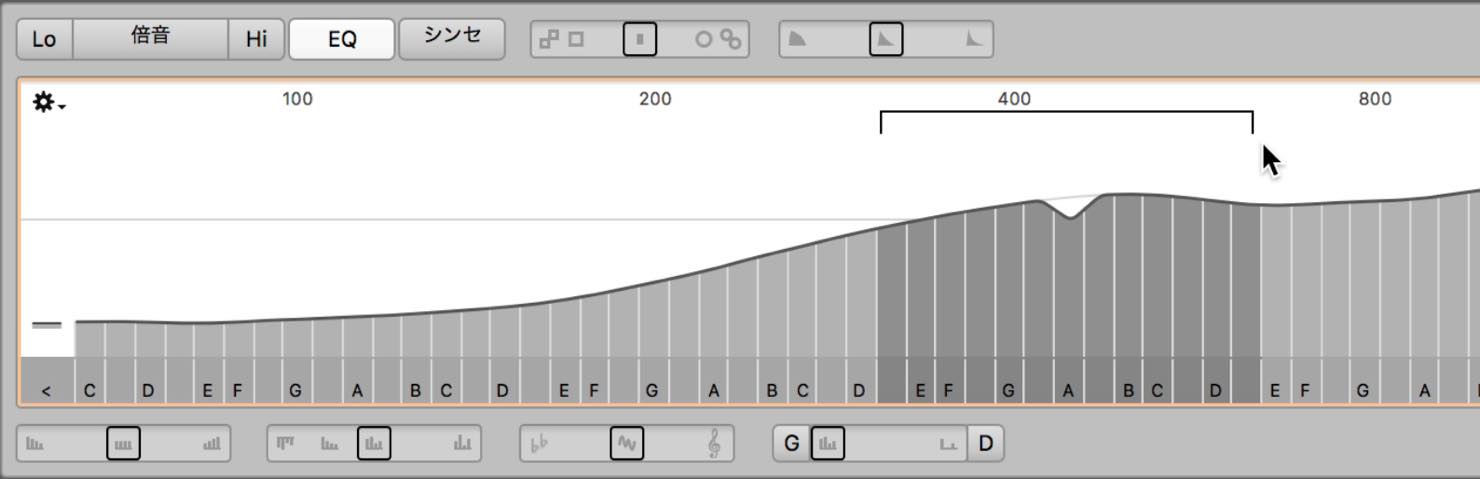
Macros are available here too, so try adjusting them while listening to the result.
In the Synth section, the Spectrum envelope controls the effects set up in Harmonics and EQ. You can also apply envelopes to Formants and Amplitude.

This lets you transform voices and acoustic instruments into a wide variety of sounds, almost as if they were synthesizers.
ARA: Integrating Melodyne with Your DAW
Finally, let's briefly look at ARA, the Melodyne integration technology supported by some DAWs.
In an ARA-compatible DAW, Melodyne becomes an integrated editing feature, rather than requiring you to insert it as a conventional plug-in.
For example, in Studio One, right-click an audio clip and select Edit with Melodyne.
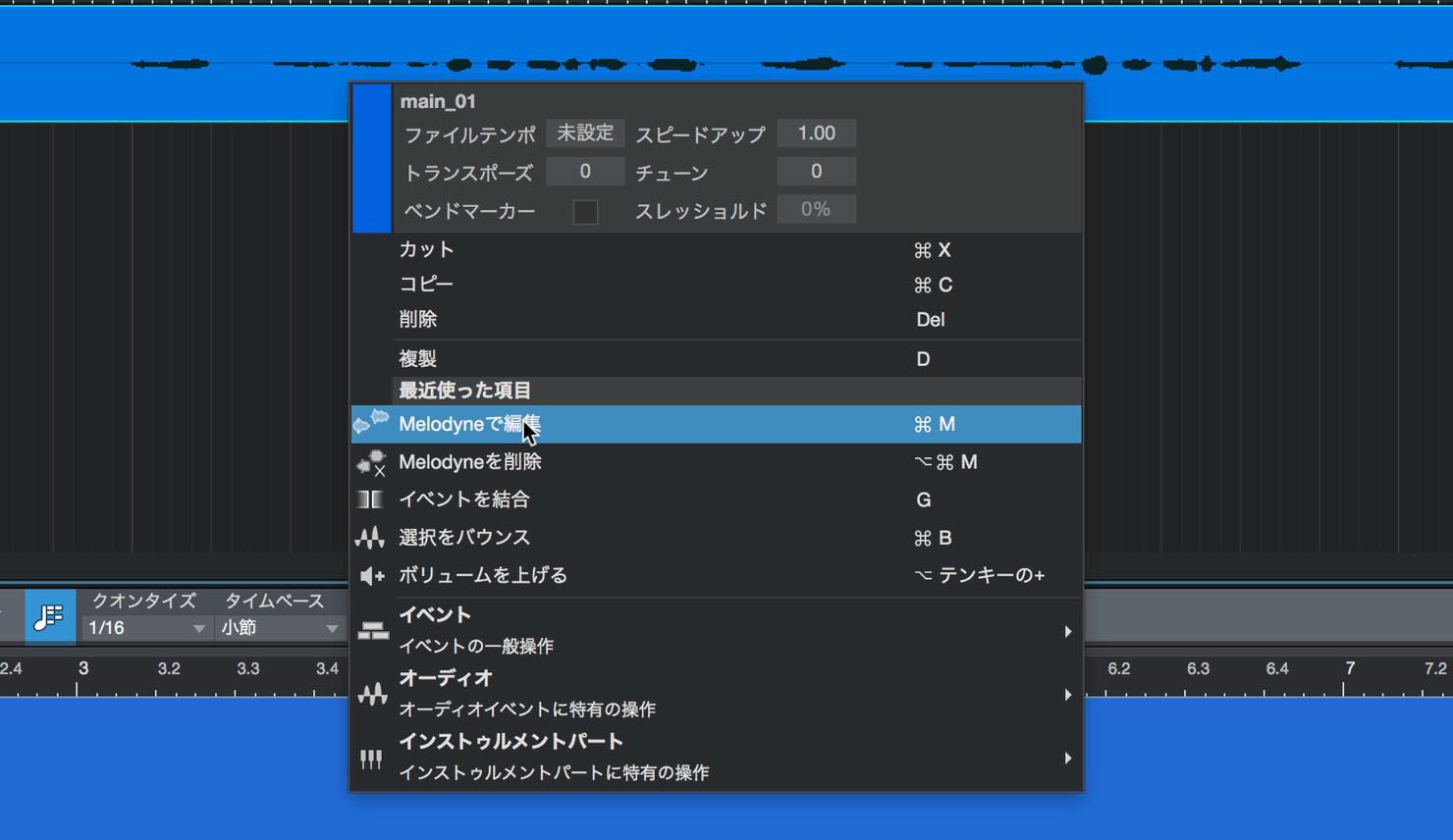
Analysis starts immediately, and the editing window appears as part of the DAW.
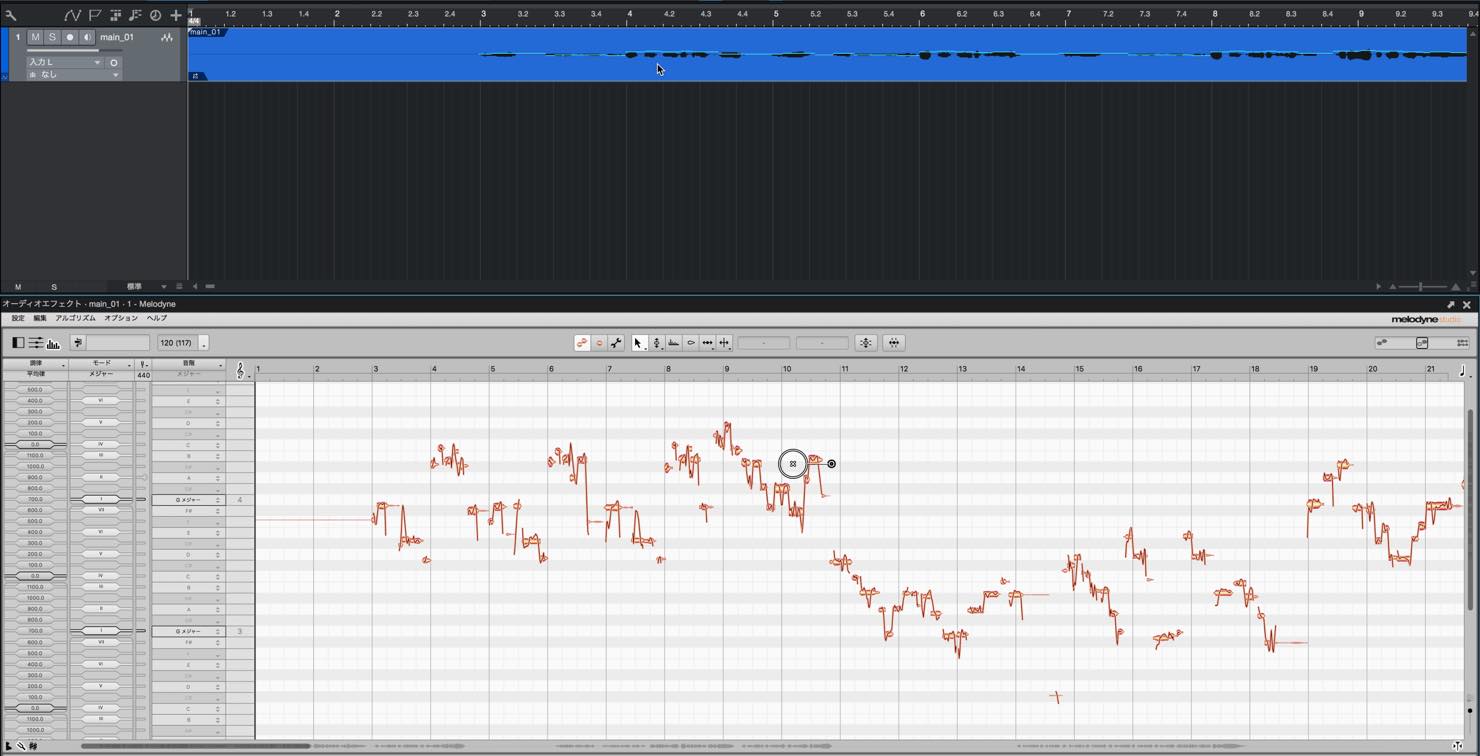
One major advantage of ARA is that no transfer is required. Audio edits made in the DAW are therefore reflected in Melodyne in real time.
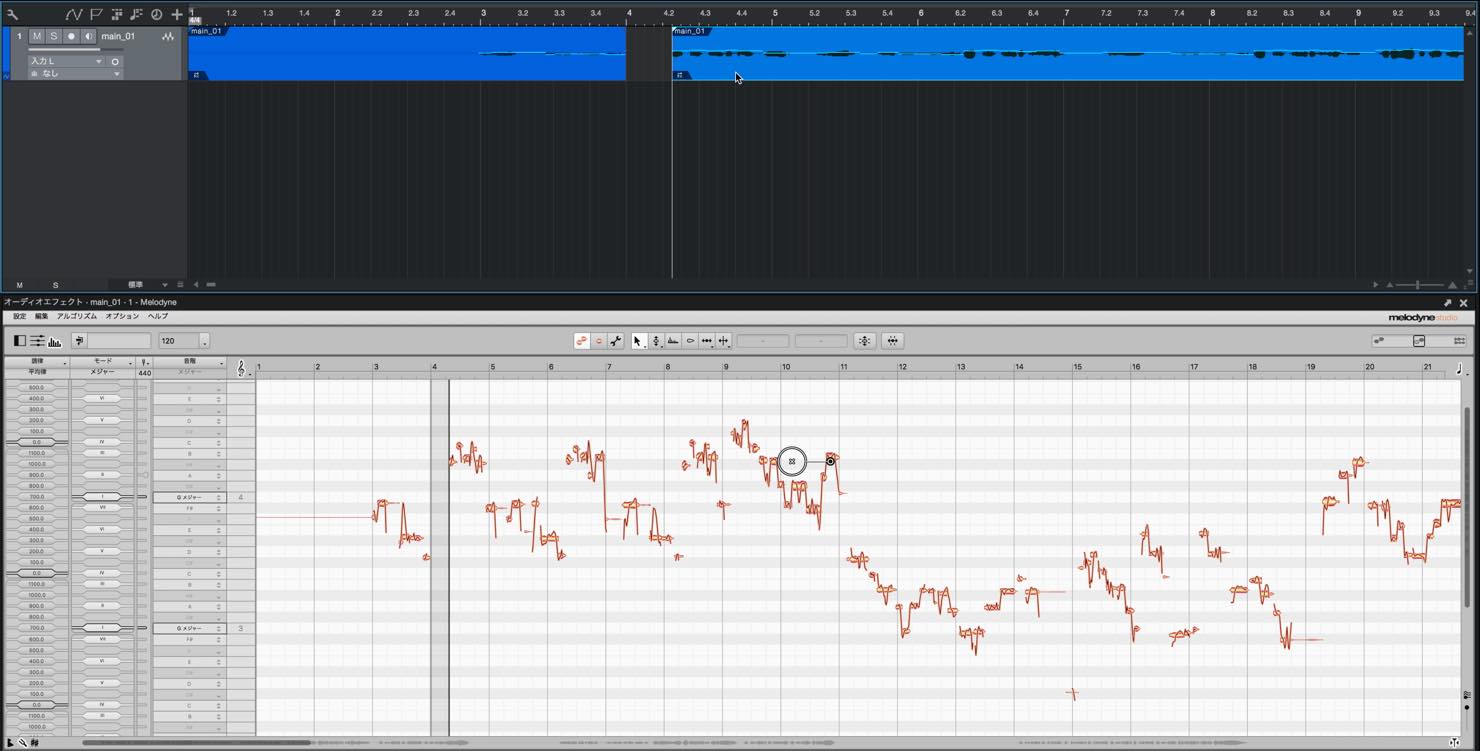
Even when you cut and move audio as shown here, Melodyne follows the changes.
With a conventional insert effect, edits made to the DAW's audio after transferring it are not reflected in the transferred material, so this is a very convenient feature.
Across these three articles, we have explored the features of Melodyne's different editions.
Melodyne has far more potential than pitch correction alone.
Spend some time exploring it and discover what else it can do. It can open up new possibilities for both production and mixing.
- 1Melodyne 4 essential: Overview and Tutorial
- 2Melodyne 4 assistant: Overview and Tutorial
- 3Melodyne 4 editor and studio: Overview and Tutorial
- 4What's New in Melodyne 5 Pitch-Editing Software
- ◆ Manufacturer's Website: http://urx.space/Rgab
- ◆ Purchase Here (Affiliate Link): http://urx.space/Rgab
Frequently Asked Questions
Q1. What is Melodyne editor's scale detection useful for?
It automatically analyzes the scale of a performance, allowing you to work with unusual scales, such as Oriental scales. Even if you do not know a scale's name, the visual analysis helps you understand it. This supports accurate editing across many musical genres.
Q2. Can I edit multiple tracks at once with Melodyne studio's multitrack editing?
Yes. Hold Command on Mac or Ctrl on Windows while clicking the orange icons to edit multiple tracks simultaneously. You can also use tracks such as lead and backing vocals as references for one another.
Q3. When is harmonic editing in the Sound Editor useful?
It is effective for reducing unwanted harmonics characteristic of a voice or instrument. Because you work with harmonics rather than fixed frequencies, you can make consistent tonal adjustments across different pitches and achieve professional sound quality.
NEW ARTICLES
Latest English Articles
































































































































































































































































































