
This article explains how to make effective use of vocal samples in Cubase Pro to produce electronic music. Learn how to use Pitch Correct for harmonizing, turning vocal tracks into rich chord backing, and how to transform a vocal sample into a synth-like vocal lead with a sampler track. These techniques can add musical depth to a song and help you create polished sounds in the electronic styles featured in this 2018 tutorial.

In this installment of our electronic music production series, we will use vocal samples to create chord backing and vocal leads. Alongside adding depth to the song, we will explore ways to make the arrangement sound more musical.
Using a Harmonizer with Vocal Samples — Video Tutorial
Download the Cubase Song Project Here!
If the sampler tracks in the project do not play:
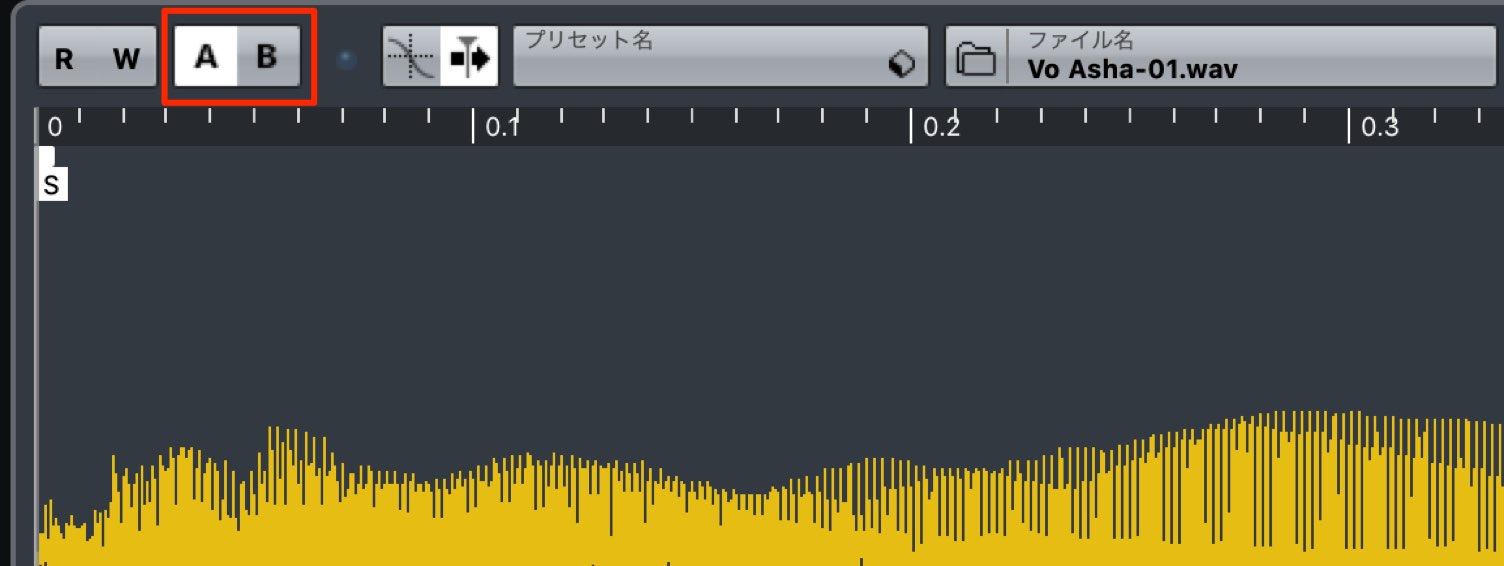
Switch the sampler track's A/B comparison button, then try playback again.
- 1Choosing Drum Sounds and Creating Patterns
- 2Piano Chord Progressions
- 3Bass Sound Design and Phrase Creation
- 4Using a Harmonizer with Vocal Samples
- 5Adding Weight and Impact to the Chorus with Backing Synths
- 6Creating Sound-Effect Tracks to Build Excitement
- 7Applying Effects to the Master Channel
Creating Chord Backing from Vocal Samples
First, we will create chord backing using the vocal as our source material.
Adding harmonies to the main vocal melody will establish the chords.
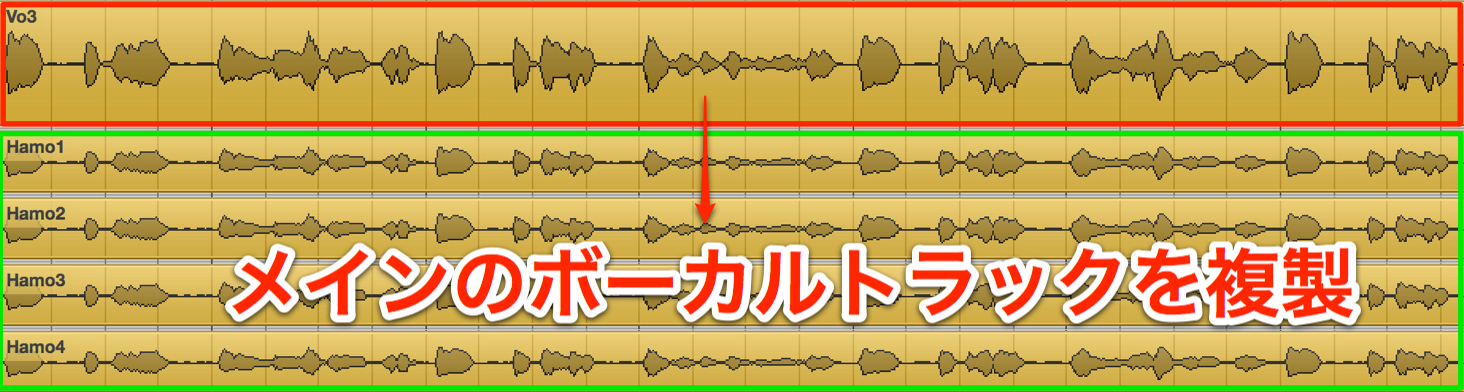
Start by duplicating the vocal track for each harmony voice you want to add.
Here, we want a root-note part plus three harmony voices, so we create four duplicate tracks in total.
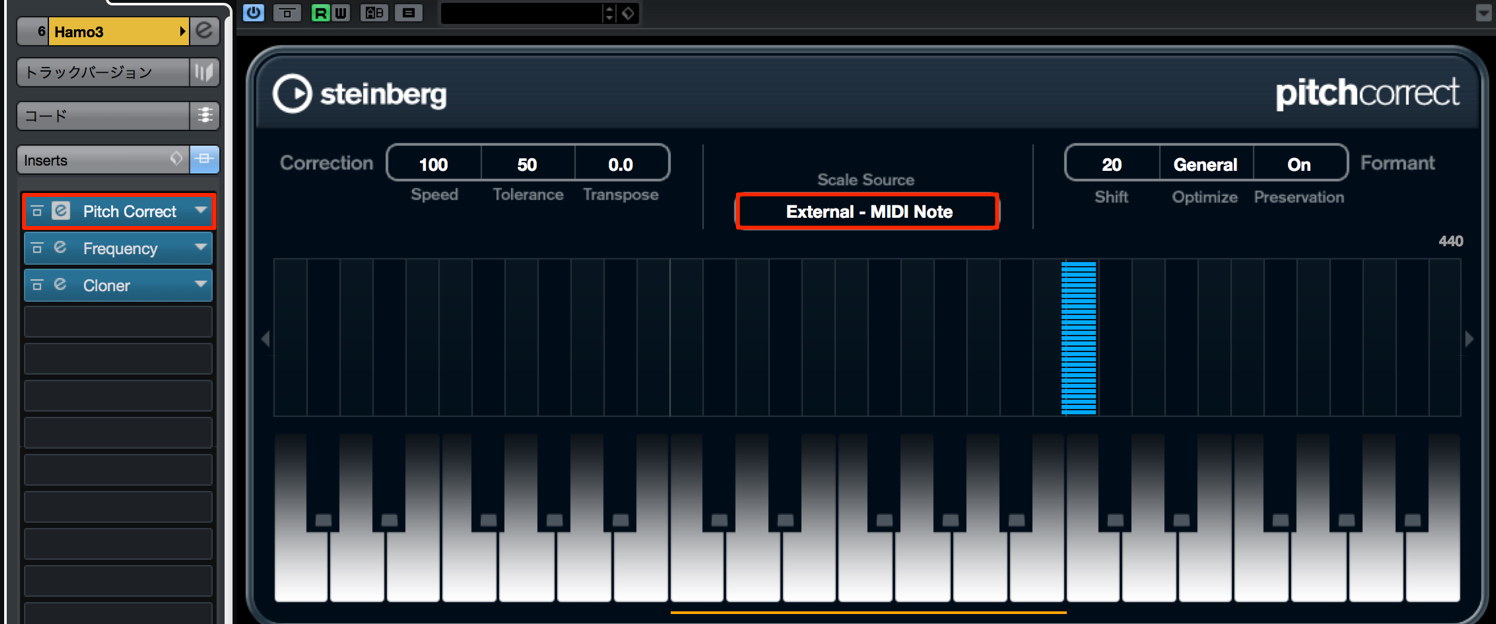
Insert Pitch Correct on each track and set Scale Source to External MIDI Note.
This forces the vocal pitch to follow the pitches of MIDI notes received from outside the plug-in.

Create MIDI tracks and enter the notes you want to play.
When entering the notes, it is important to use pitches lower than the main vocal so that the harmonies do not get in its way.
Here, we keep things simple, entering only chord tones in close voicing.
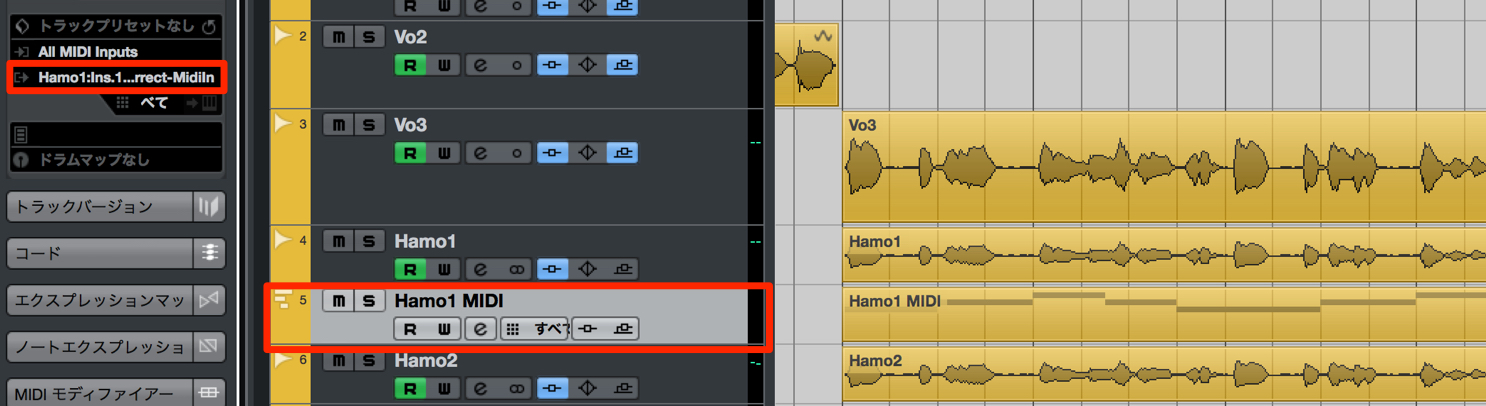
Route each MIDI track containing the notes to the corresponding instance of Pitch Correct.
Each vocal track will now change pitch according to the specified MIDI notes.
Creating a Vocal Lead from a Vocal Sample
Next, we will create a vocal lead: a sound somewhere between a voice and a synth lead, commonly heard in the electronic music of the time.
For this, we will use a sampler track to process a short section of the vocal.
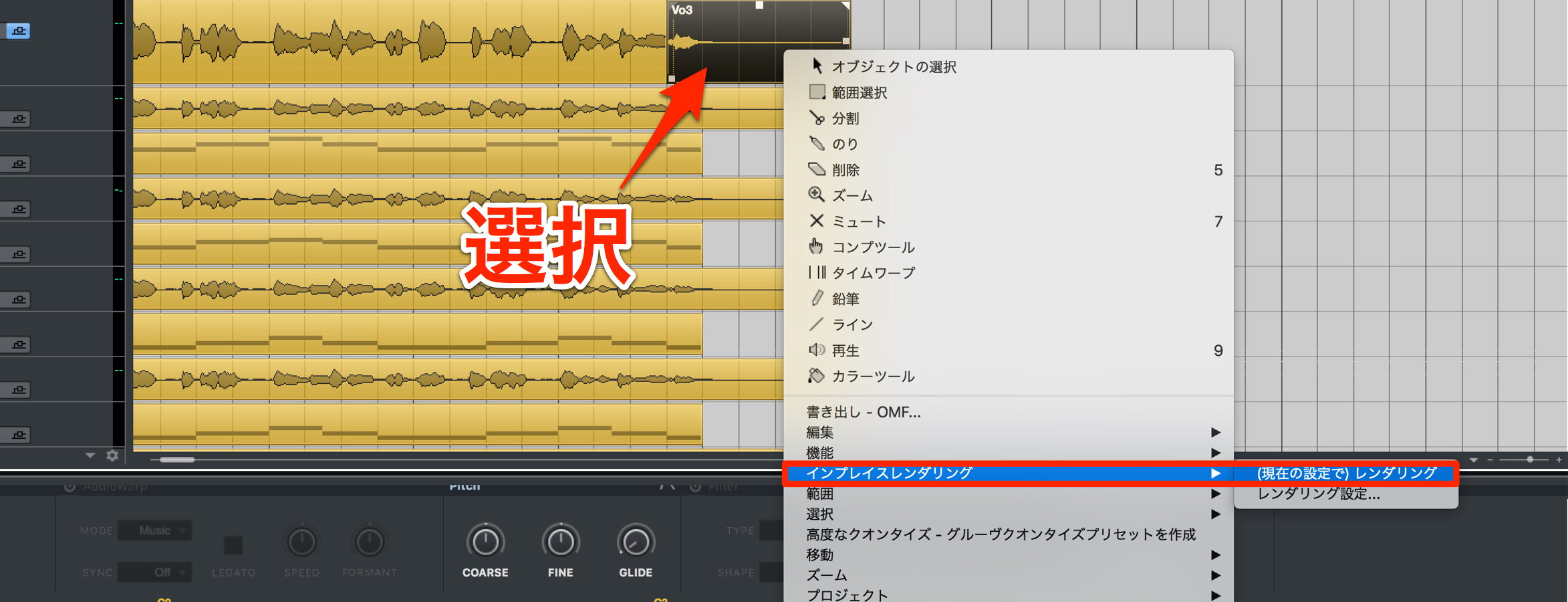
Split off a section of the main vocal track and use Render in Place.
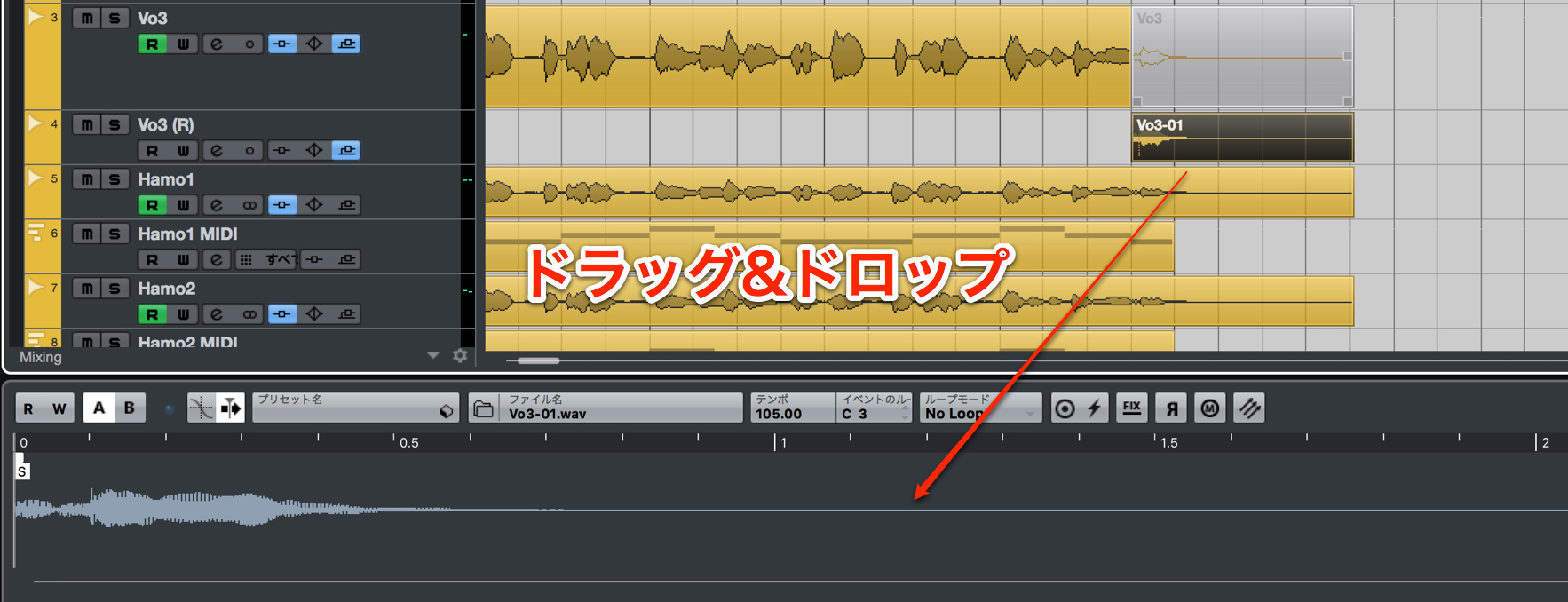
Drag and drop the resulting audio file onto a sampler track.
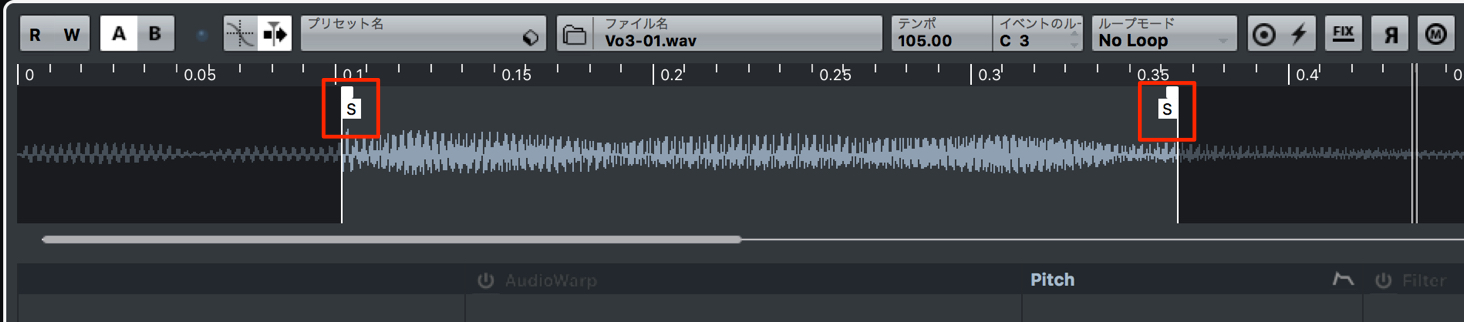
Use the start and end points to specify the portion you want to play.
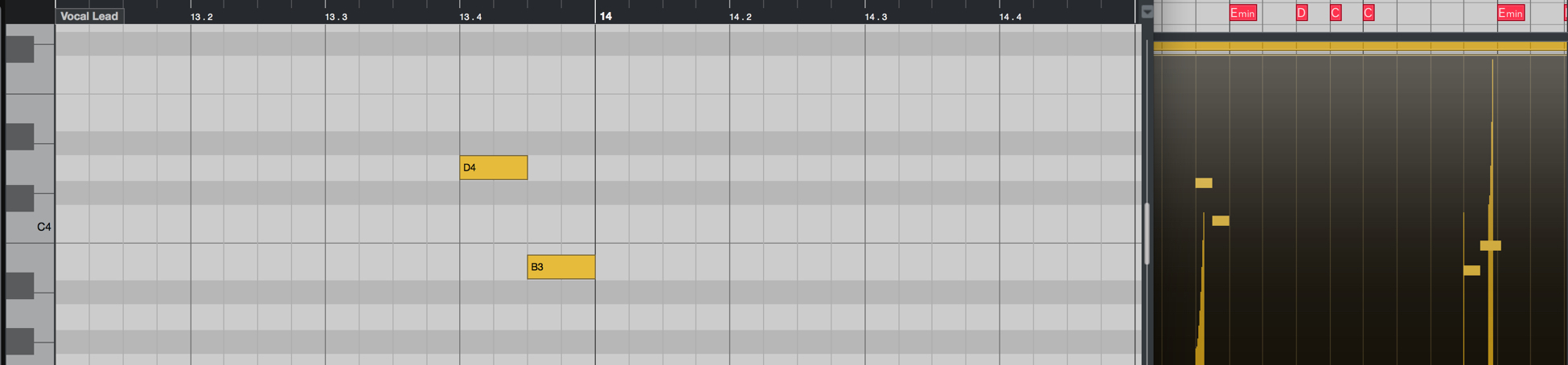
Enter MIDI notes at the desired positions to play the vocal lead.
Playing it at a higher pitch than the original gives it a formant character more like a lead sound.
Matching the Sample's Key
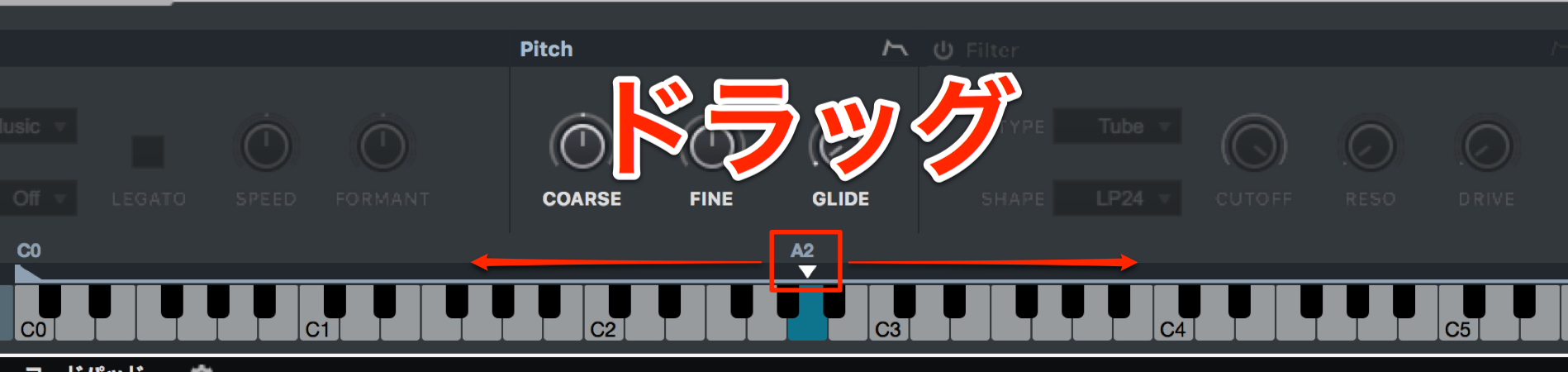
Adjusting the sample's key to suit the song makes it easier to play the part.
Applying Glide
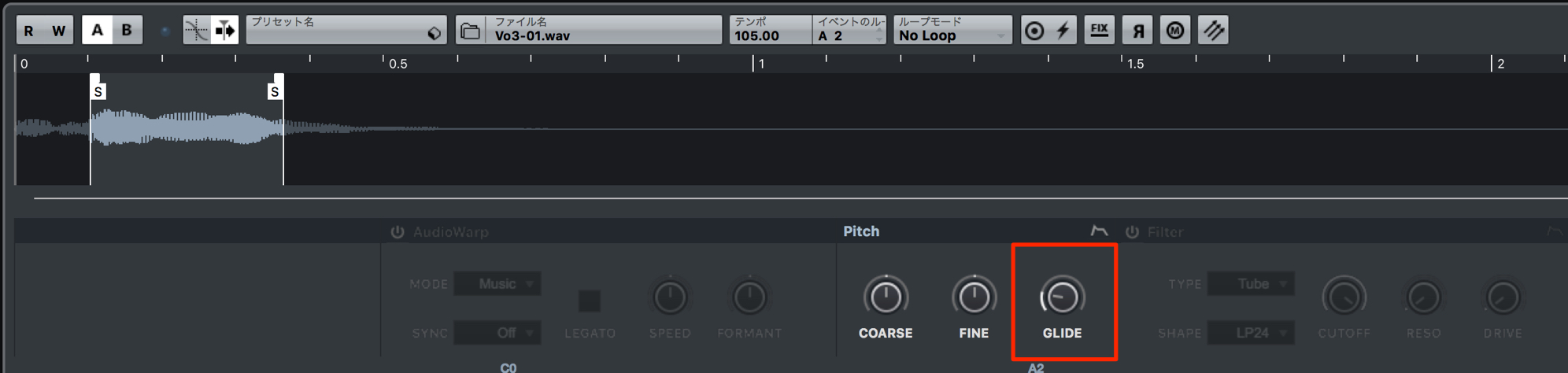
Applying glide lets you create smoother melodic lines.
Steinberg Distributor — Resources from Yamaha Music Japan Co., Ltd.
- Yamaha Music Japan MPP (YouTube) https://www.youtube.com/user/SteinbergJapan
- MPP (Twitter) https://twitter.com/SteinbergJP
- Sound Roster Music Production Show (Fresh!) https://freshlive.tv/ymjsoundroster

Product Page: https://japan.steinberg.net/jp/products/cubase/start
Frequently Asked Questions
Q1. Which plug-in should I configure to create vocal harmonies in Cubase?
Insert Pitch Correct on each track and set Scale Source to External MIDI Note. This forces the vocal pitch to follow the pitches of incoming MIDI notes.
Q2. How many duplicate vocal tracks do I need for chord backing?
It depends on the chord voicing you want to use. As a guide, create three duplicate tracks for a triad consisting of the root, third, and fifth, or four for a four-note voicing that includes the root.
Q3. Why play a vocal lead at a higher pitch?
Playing it higher than the original vocal brings out a distinctive formant character, making it sound like a clearly defined synth lead.
Q4. What are the benefits of using glide on a sampler track?
Glide smooths the pitch transitions between notes, creating a more natural, flowing melodic line and helping give the result a polished finish.
NEW ARTICLES
Latest English Articles




























































































































































































































































































