
This article explains how to use the Flux wavetable synthesizer in Cubase Pro to give an electronic music chorus more weight and impact. Learn practical sound-design techniques, from creating complex harmonics and thickening sounds with unison to sidechain compression, pluck phrasing, and chord voicings. These approaches can also be applied to analog synthesizers. Keeping the other tracks in mind will help you create a balanced, polished arrangement.

In this installment of our electronic music production series, we will explore how backing synths can give the chorus more weight and impact.
Along the way, we will look at using the Flux wavetable synthesizer and creating phrases.
Adding Weight and Impact to the Chorus with Backing Synths — Video Tutorial
Download the Cubase Song Project Here!
If the sampler tracks in the project do not play:
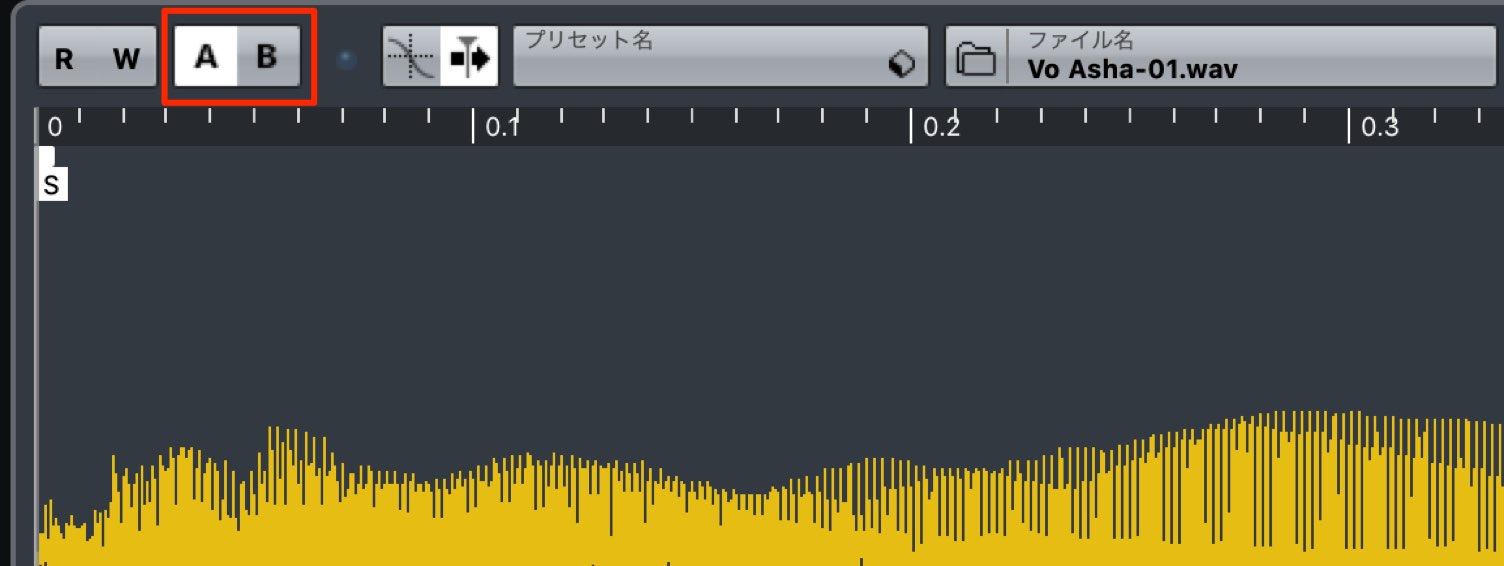
Switch the sampler track's A/B comparison button, then try playback again.
- 1Choosing Drum Sounds and Creating Patterns
- 2Piano Chord Progressions
- 3Bass Sound Design and Phrase Creation
- 4Using a Harmonizer with Vocal Samples
- 5Adding Weight and Impact to the Chorus with Backing Synths
- 6Creating Sound-Effect Tracks to Build Excitement
- 7Applying Effects to the Master Channel
Designing Synth Sounds with Flux
Let's add a chord part to the chorus.
We will create a brighter, more striking sound than in the other sections.
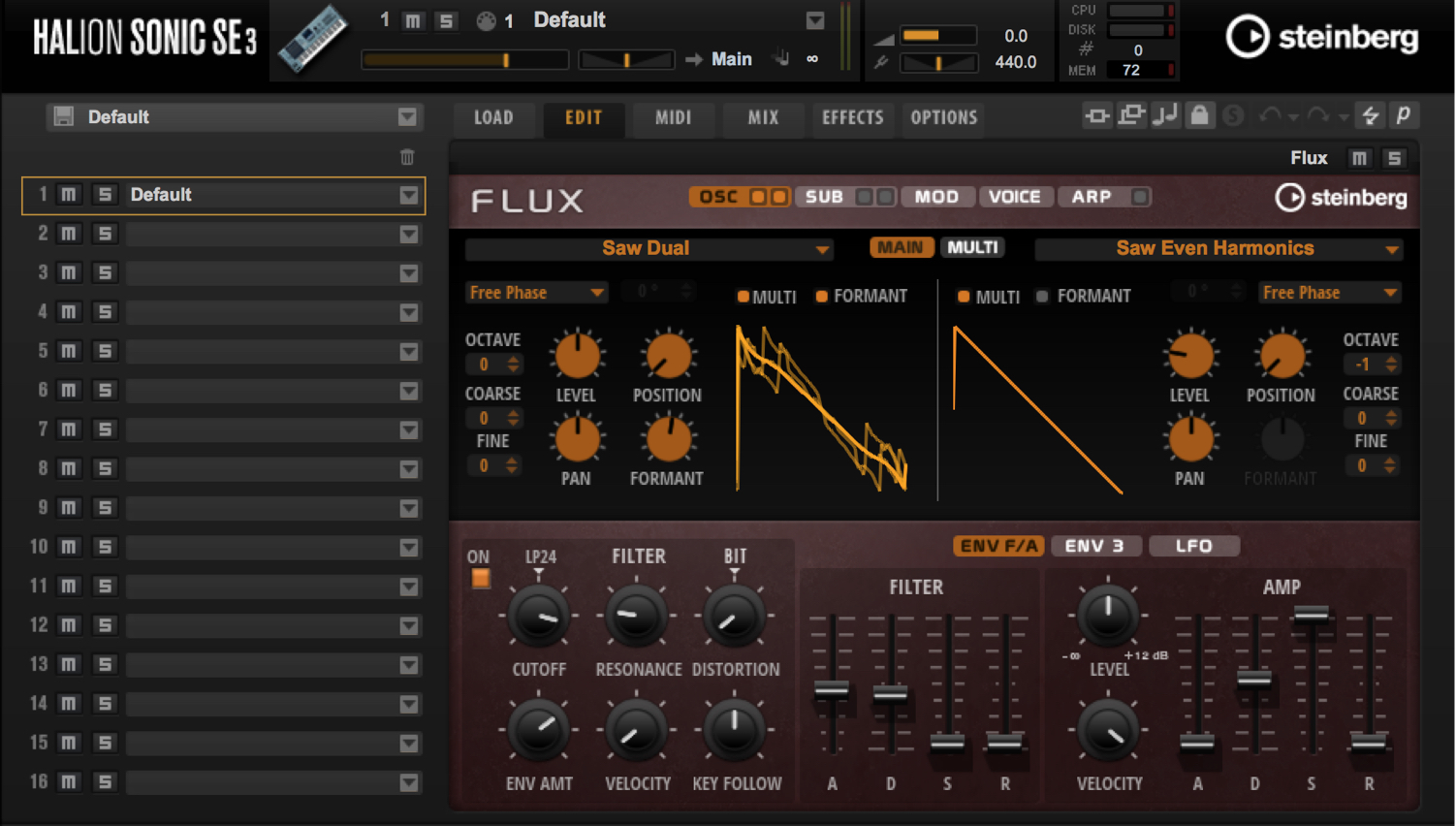
We will use Flux, which makes it easy to create complex harmonics.
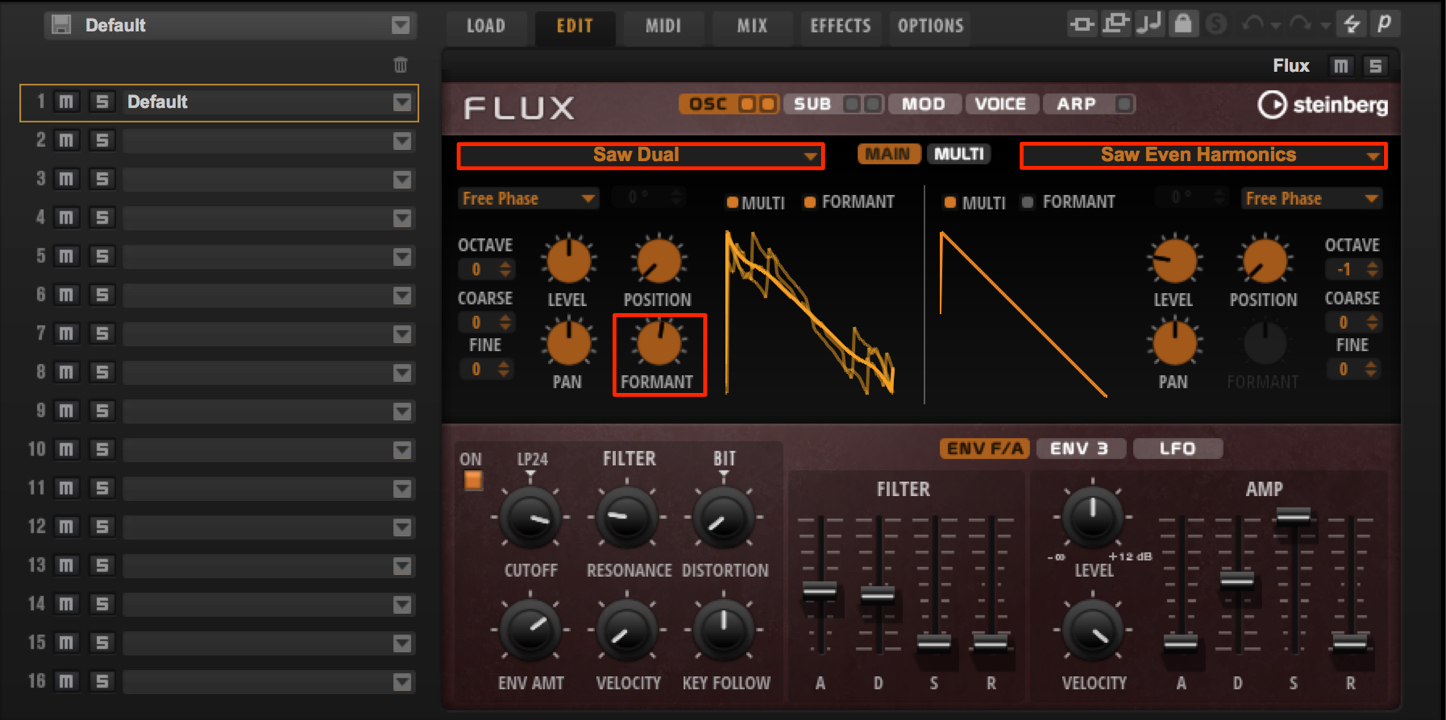
Choose different saw-based waveforms for oscillators A and B, then raise Formant slightly to add harmonics.
Adjusting Formant makes it easy to create the backing sounds often heard in electronic music.
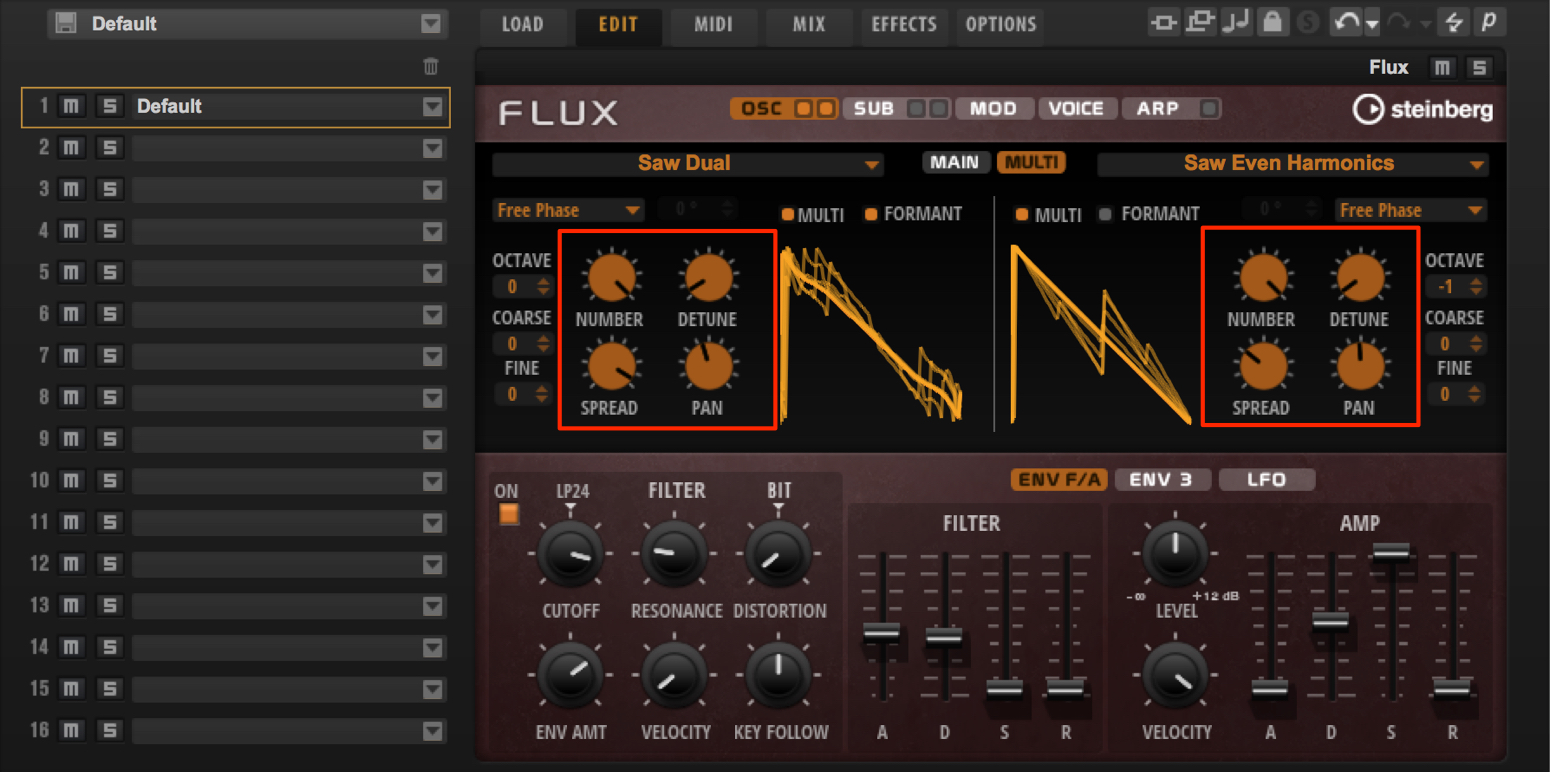
Turn on Multi mode and stack eight unison voices on each of oscillators A and B to thicken the sound.
Use Detune to add width through pitch variation, and Pan to control the stereo spread.
These sound-design techniques can also be applied to analog synthesizers.
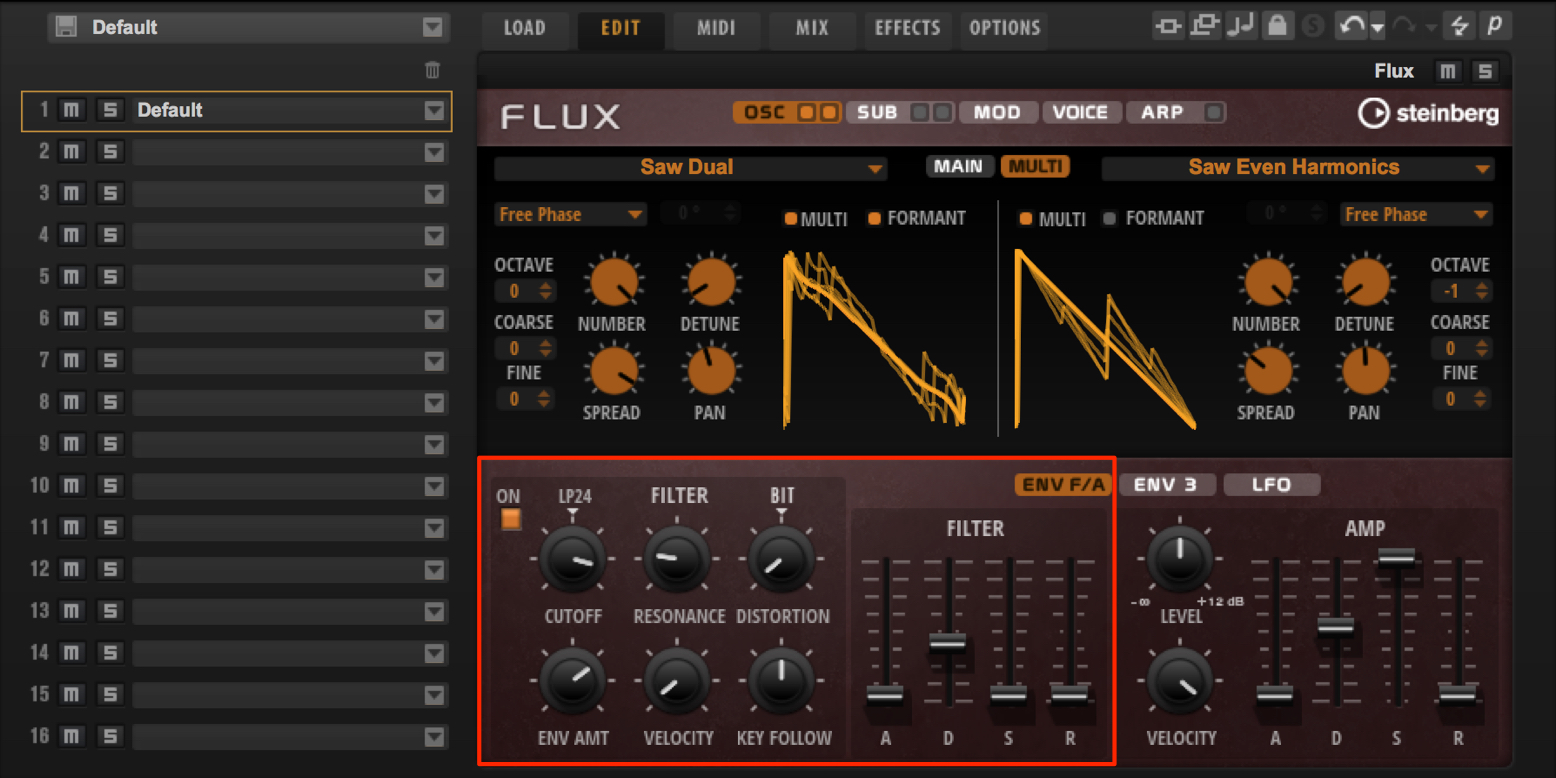
You may sometimes choose to bypass the filter, but here we want a little more attack. Apply some filter-envelope amount, leaving a short decay time in the envelope.
Entering the Phrase
Enter chords that follow the rhythm and bass parts in unison.
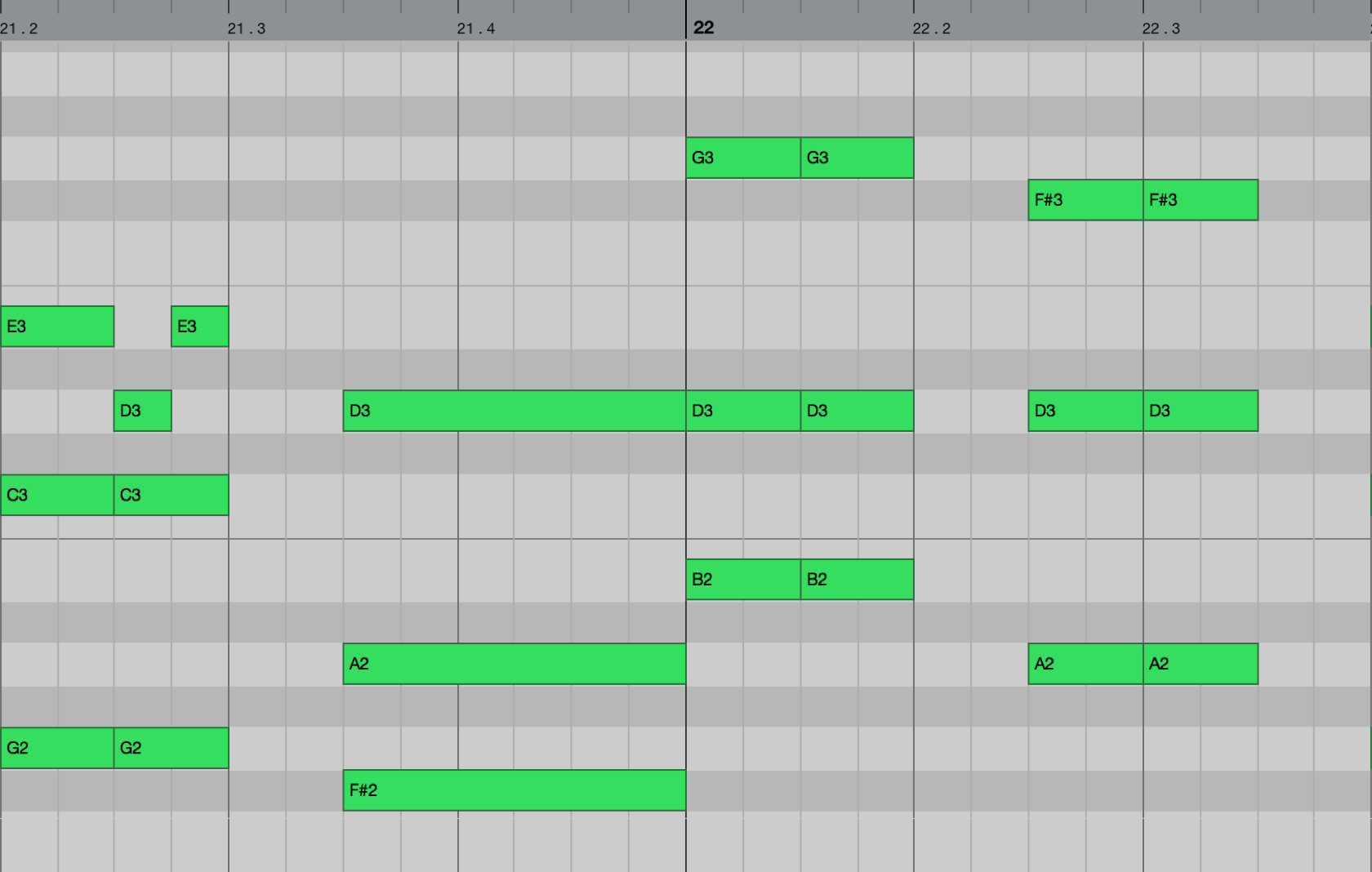
As with the piano, use close voicings to add weight to the overall sound.
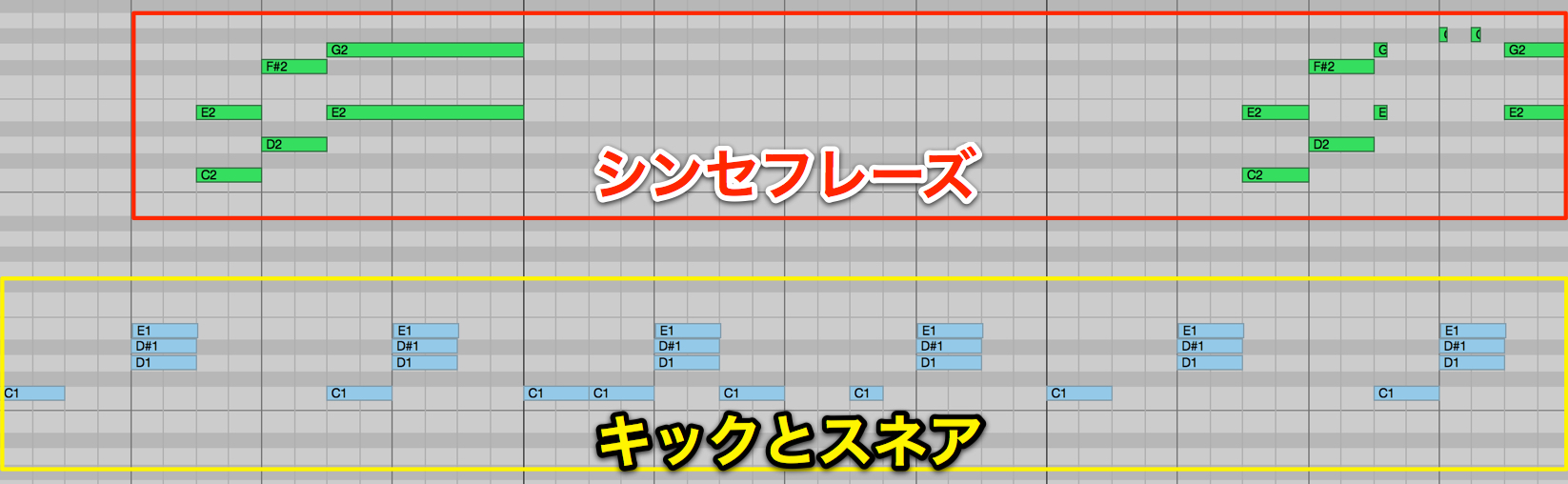
Add answering phrases to fill the gaps in the rhythm.
Enter these as chords to maintain the perceived level and keep the texture consistently full—this is another key point.
Sidechaining the Synth with the Bass as the Trigger
To create a sense of groove in electronic music, sidechain compression can also be used on chord tracks.
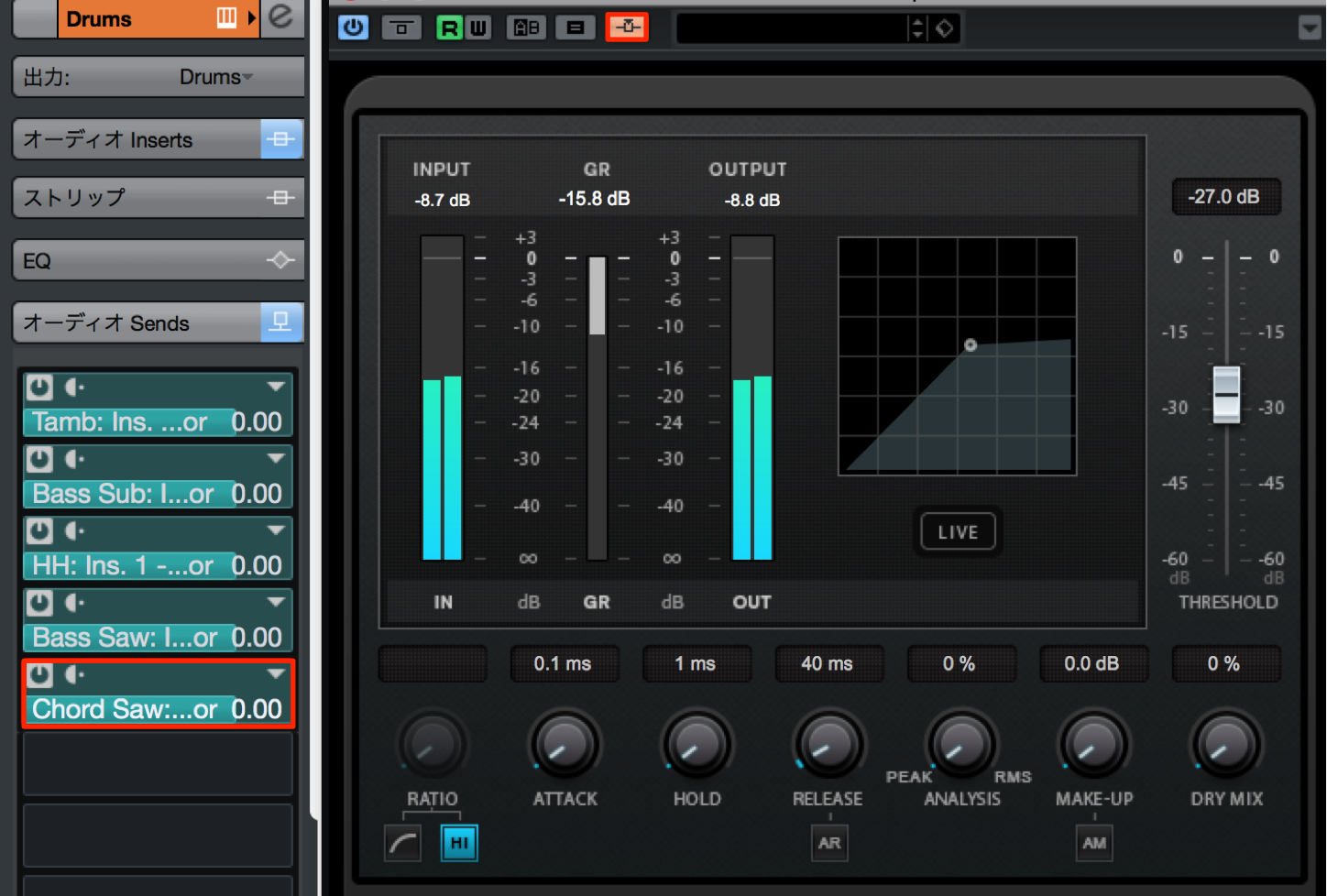
The standard approach is to use the kick as the trigger, as we did with the bass. Here, however, we will use the bass itself as the sidechain trigger.
Designing a Pluck Sound
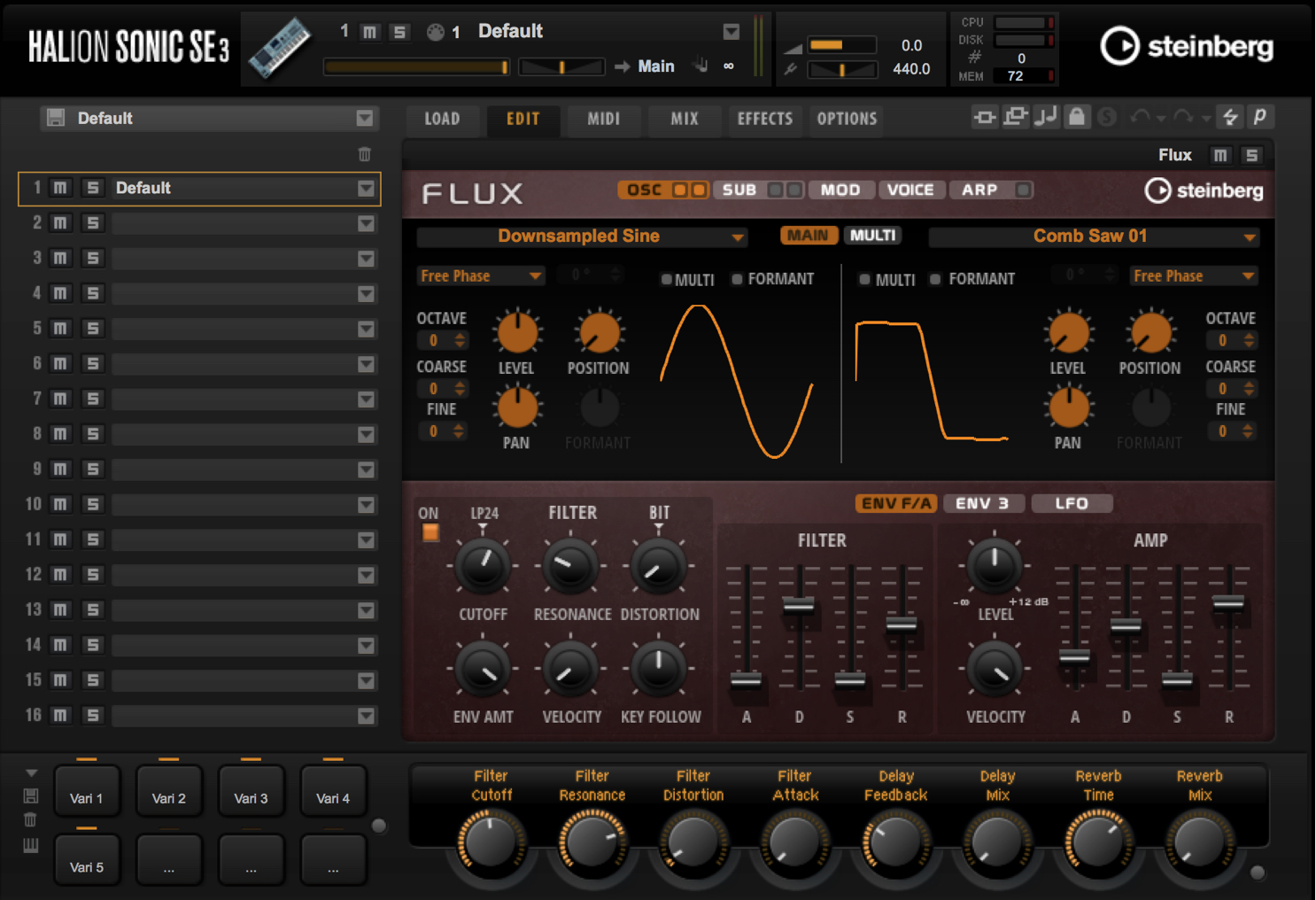
Pluck sounds are frequently used in electronic music, whether to play chords rhythmically or to perform lead lines.
Many songs, including this example, feature a prominent pluck part at the beginning. The key is to design a sound that feels full and wide even when heard on its own.
Adding Attack
An important feature of a pluck sound is a clearly defined attack.
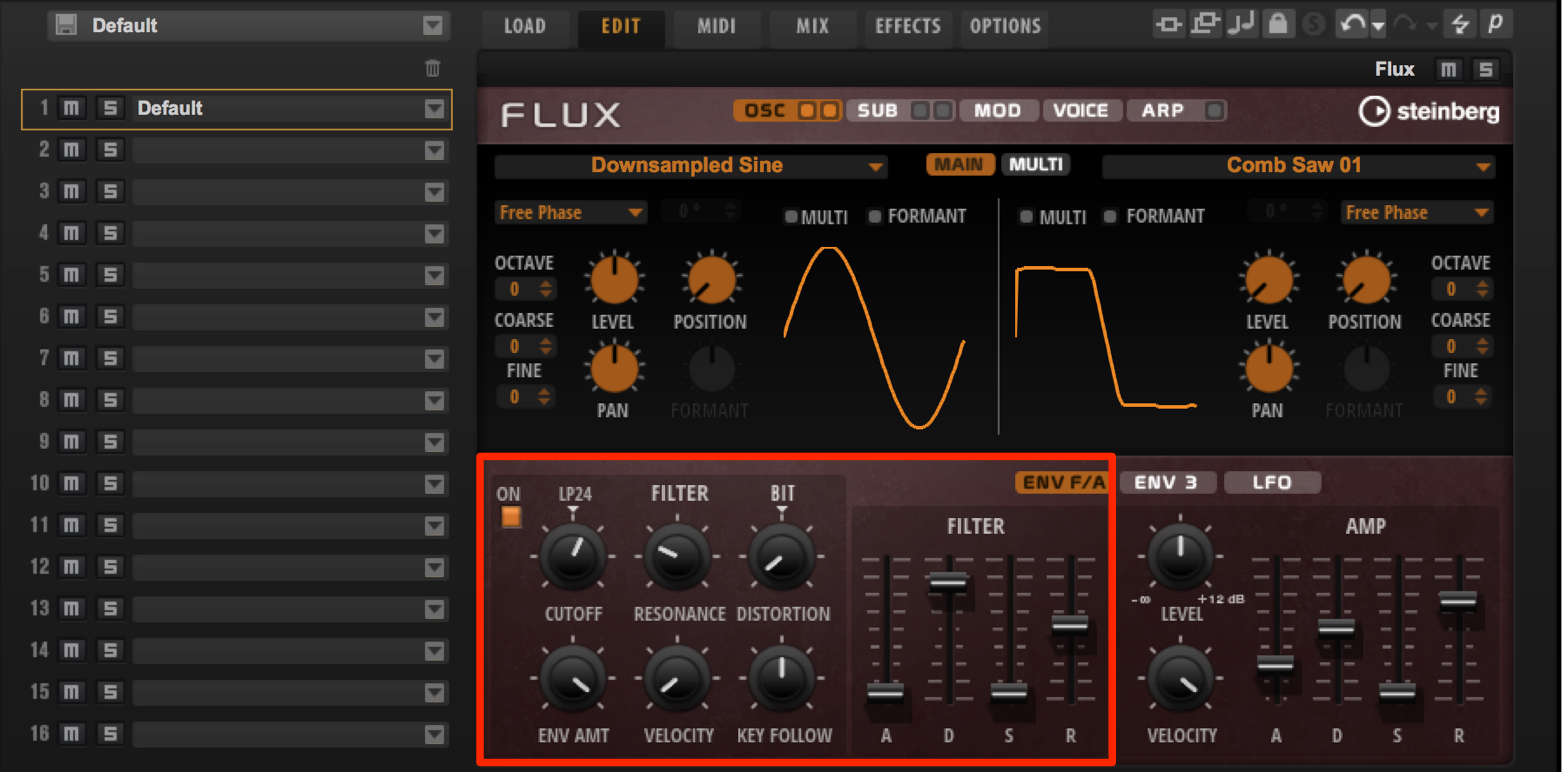
Here, we will apply envelopes to the oscillator pitch and low-pass filter to bring out the attack.
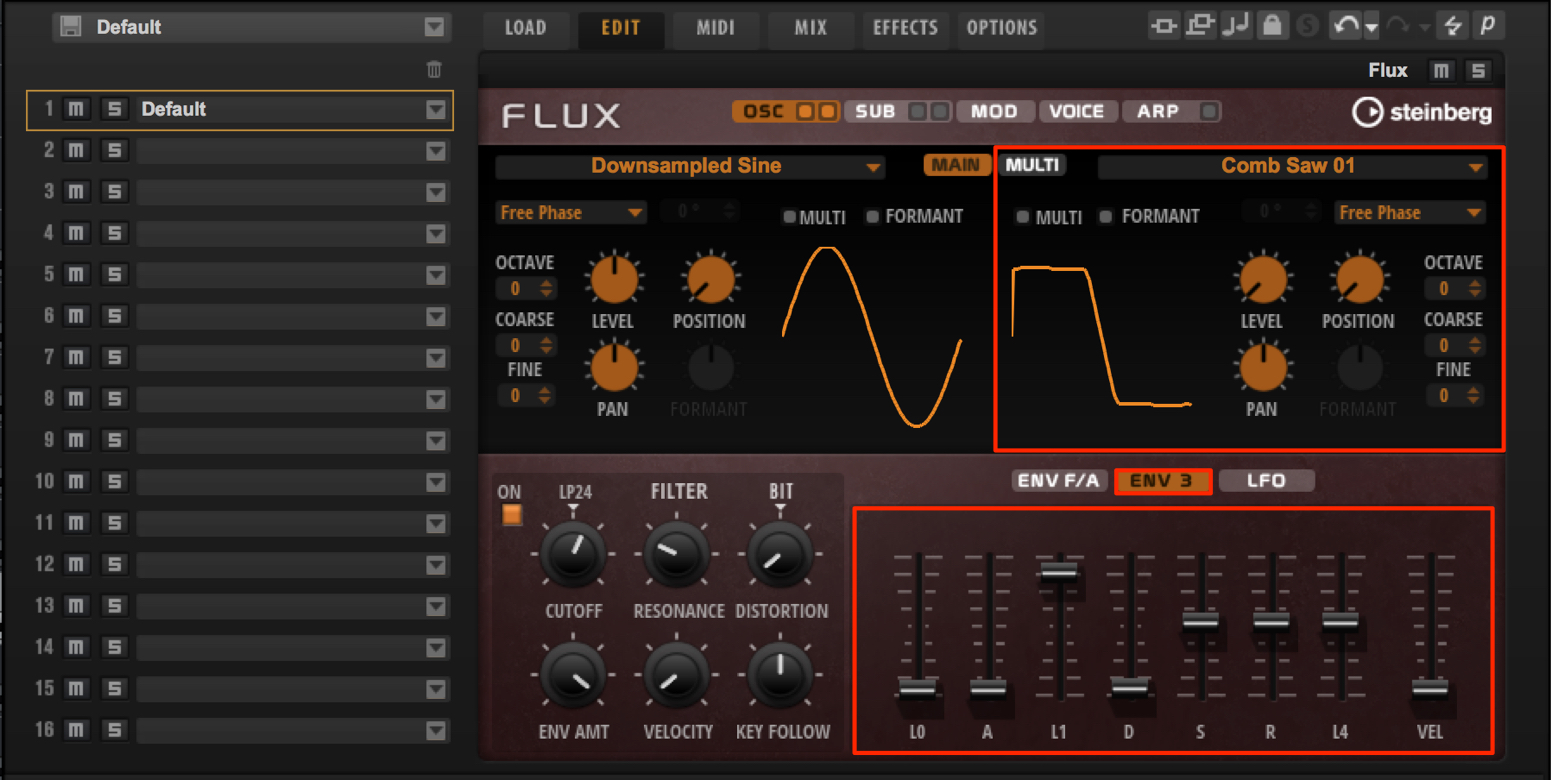
To emphasize the attack further, also control the volume envelope.
Add an oscillator specifically to reinforce the attack, and control its volume with Envelope 3.
This combination makes it easy to give the sound a stronger attack.
Effects Processing
Use delay and reverb to give the pluck sound a sense of space and width.
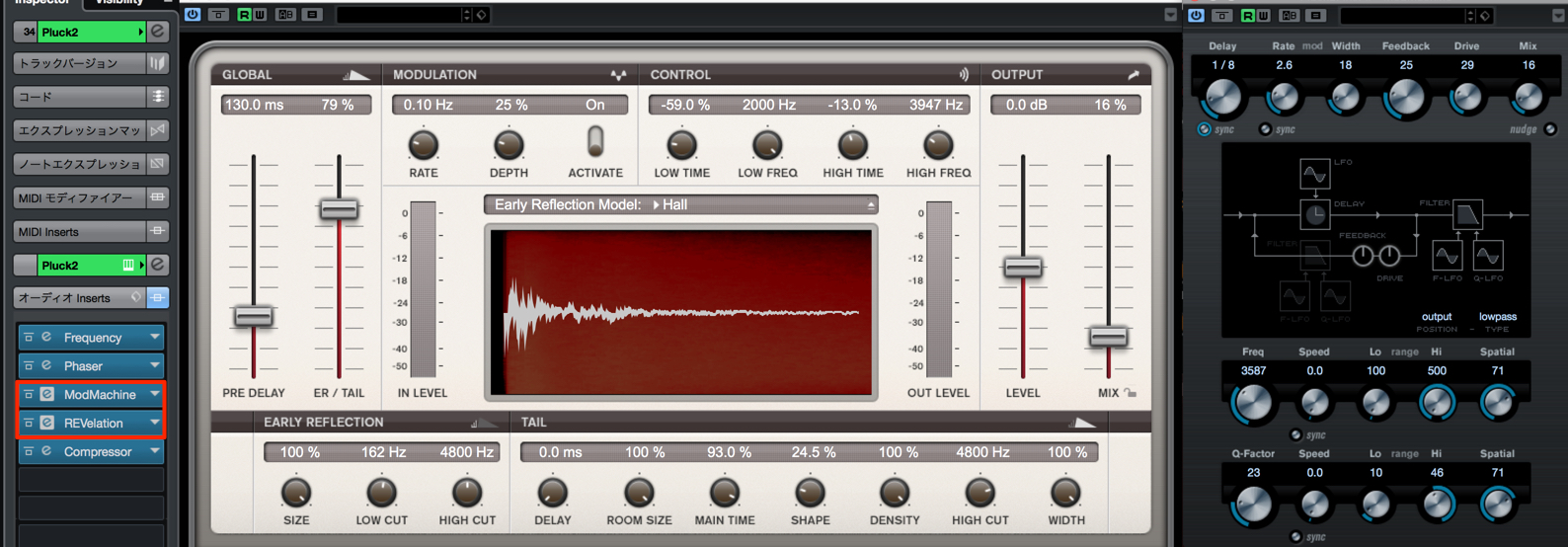
Shape that space to suit the mood of the song.
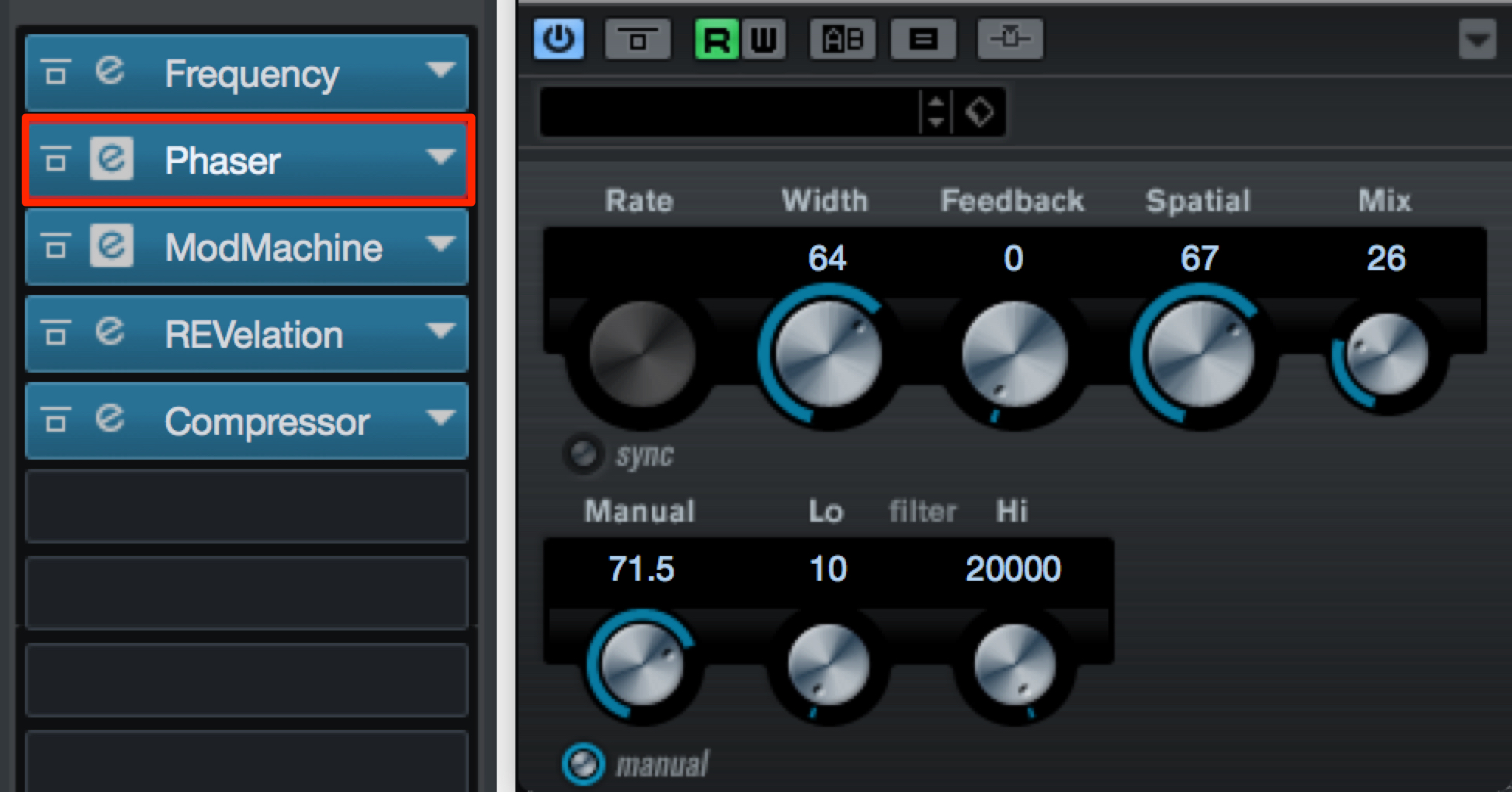
Another effective technique is to use a phaser to add a subtle sense of stereo width.
Pluck Phrasing
Here, we will use a classic pluck pattern:
a dotted-eighth-note rhythm.
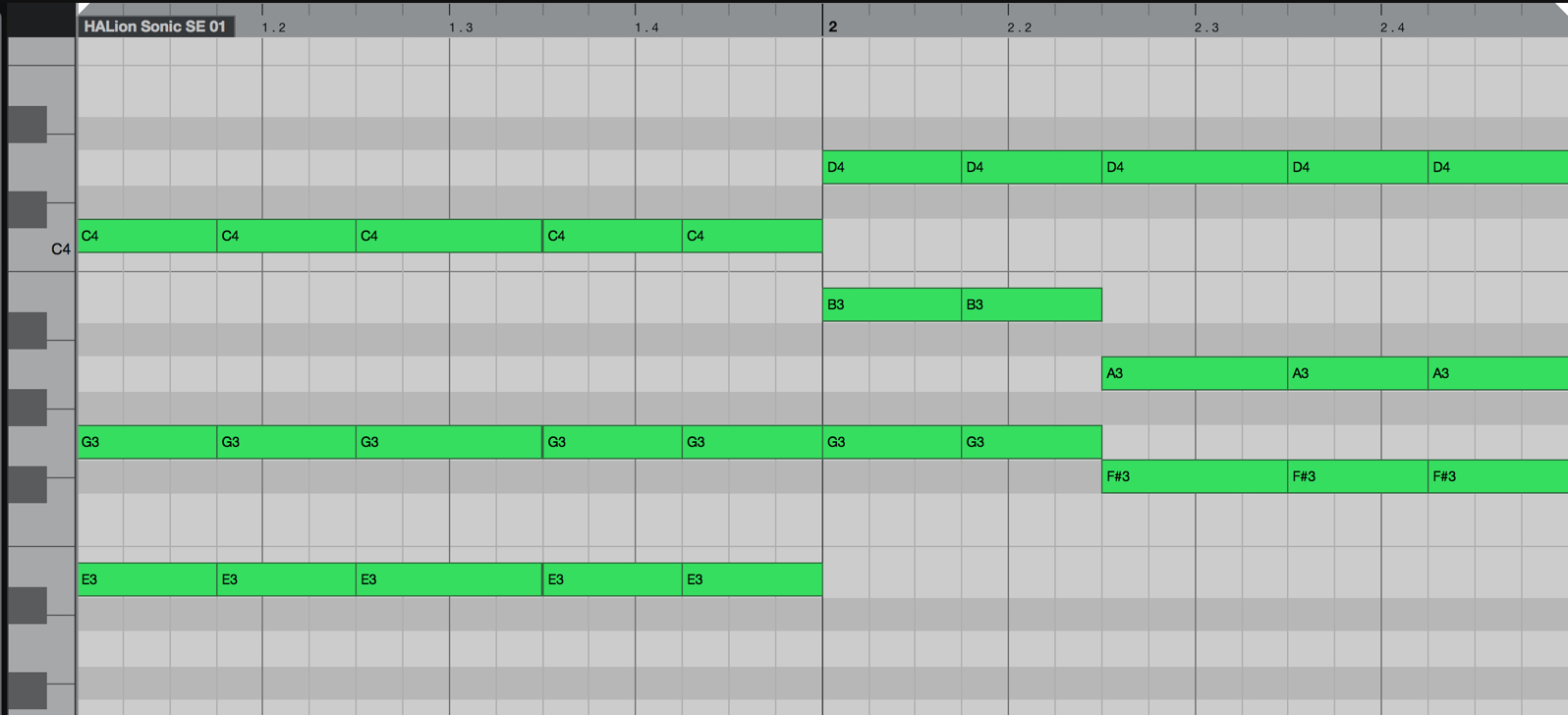
In the intro, the piano plays the chords as long, sustained notes.
I felt that a dotted-eighth-note pluck pattern would work well here to add rhythmic variation.
This dotted-eighth-note pattern is used frequently, so try it in a variety of songs.
Note Voicings
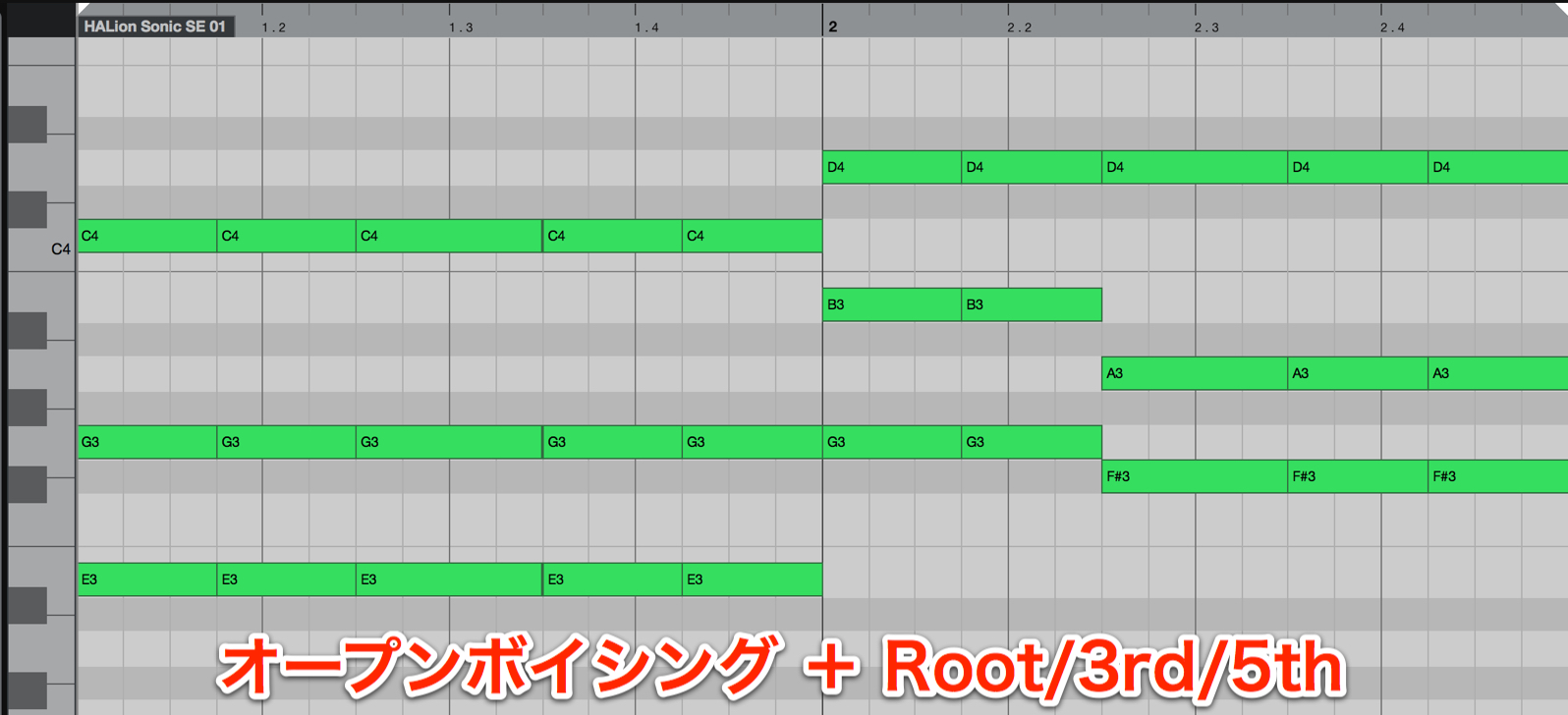
The piano part uses close voicings.
To give the pluck sound more width, use open voicings.
The piano chord voicings include chord extensions.
We want only a subtle amount of the complexity those extensions create, so we enter the pluck chords as triads.
Considering how each part interacts with the other tracks will help you create a well-balanced arrangement.
Steinberg Distributor — Resources from Yamaha Music Japan Co., Ltd.
- Yamaha Music Japan MPP (YouTube) https://www.youtube.com/user/SteinbergJapan
- MPP (Twitter) https://twitter.com/SteinbergJP
- Sound Roster Music Production Show (Fresh!) https://freshlive.tv/ymjsoundroster

Product Page: https://japan.steinberg.net/jp/products/cubase/start
Frequently Asked Questions
Q1. How can I get a thick electronic music sound with Flux?
Use saw-based waveforms at different pitches on oscillators A and B, and raise Formant to add harmonics. Stack eight unison voices in Multi mode to thicken the sound. Detune and Pan are also important for controlling the width.
Q2. Why use sidechain compression on backing synths?
It helps create groove in electronic music. The kick is usually used as the trigger, but using the bass instead can produce a different rhythmic feel.
Q3. How can I emphasize the attack of a pluck sound?
Apply envelopes to the oscillator pitch and low-pass filter. To emphasize it further, add an oscillator to reinforce the attack and control its level with a volume envelope.
Q4. How do the piano and pluck voicings differ?
The piano uses close voicings with chord extensions to add weight. The pluck uses triads in open voicings, creating width while keeping the harmony less complex.
Q5. What phrasing pattern works well for pluck sounds?
A dotted-eighth-note pattern is a classic choice. When the piano plays sustained chords, using dotted eighth notes for the pluck can add effective rhythmic variation. This approach works in many different songs.
NEW ARTICLES
Latest English Articles





























































































































































































































































































