
Studio One’s integration between Songs and mastering Projects streamlines mixing and mastering. A Song file can be added directly to a Project; after making and saving mix changes, update the Project to reflect them. This avoids the usual cycle of manually exporting and reimporting the mix. We also cover clipping and setting the import range.
Bring Song Changes into a Mastering Project
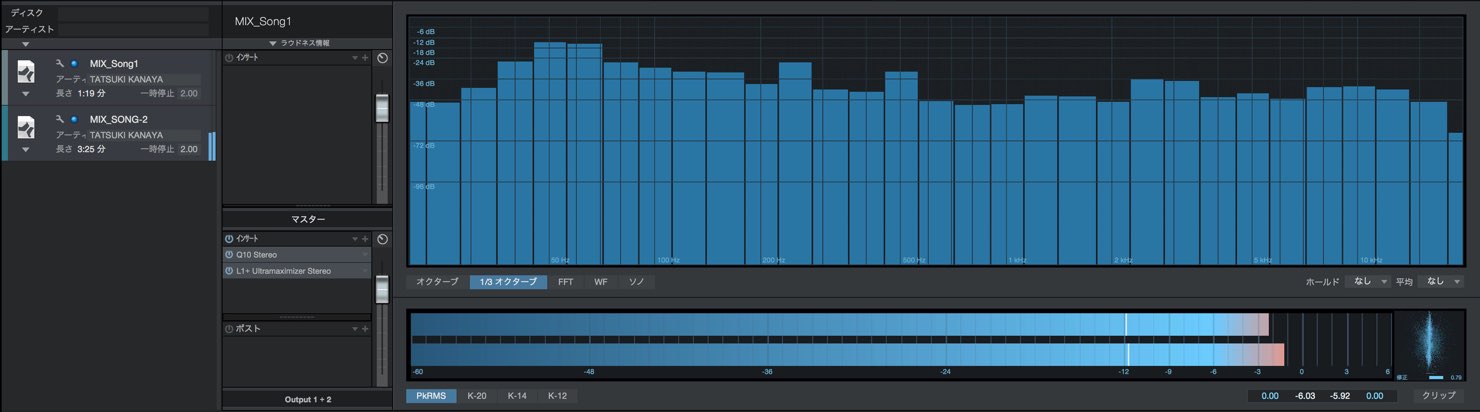
One of Studio One’s strengths is that you can complete mastering within the same application.
The integration between Songs and Projects makes the most of this.
Changes made to a Song can be brought into the mastering Project,
making it efficient to refine the mix while moving between mixing and mastering.
Video: Studio One Song and Project Integration
Questions and Answers from YouTube

I’ve just purchased Studio One 4 Professional. Should I use mastering effects such as a limiter in the Project instead of inserting them on the Song’s master track? In SONAR I used to put a limiter on the master and export the finished mix. I also bought Ozone 8 and Neutron 2: should I use Neutron 2 on the individual tracks and Ozone 8 on the master, or at the final mastering stage?

Yes. A common approach is to remove the mastering effects from the Song’s master bus and apply them during mastering. The effects used in the mix itself can remain where needed.
Thank you for the videos. This is a basic question, but I couldn’t work out how to set the end marker. I was able to add a start marker by clicking the flag icon.
Do you mean a marker like the one in the image? If so, you can move it by dragging it. If that isn’t what you mean, please let us know. https://app.box.com/s/38qul8yk62z2pucyd8aj43v11ibhydc2
Adding a Song to a Project
To master a Song, first add it to a Project.
Mastering commonly uses uncompressed files such as WAV or AIFF,
but Studio One can also import the Song file itself into a Project.
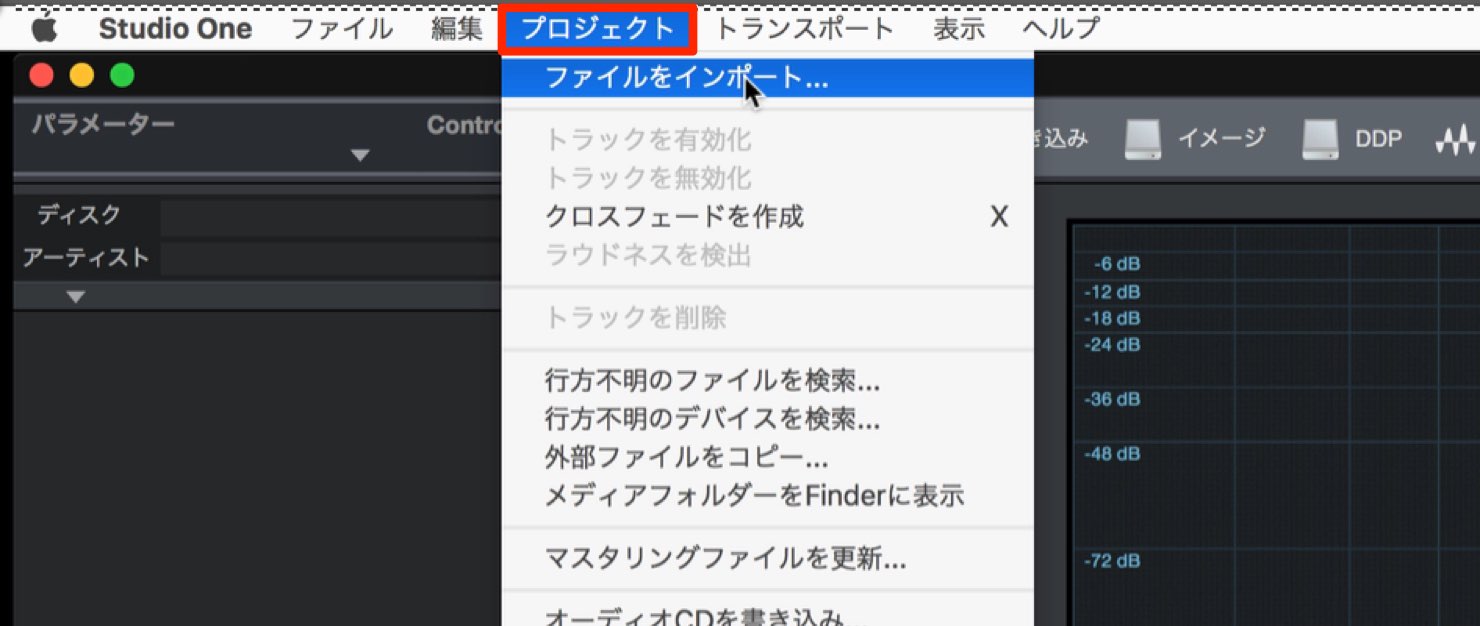
From the Project menu, select Import File.
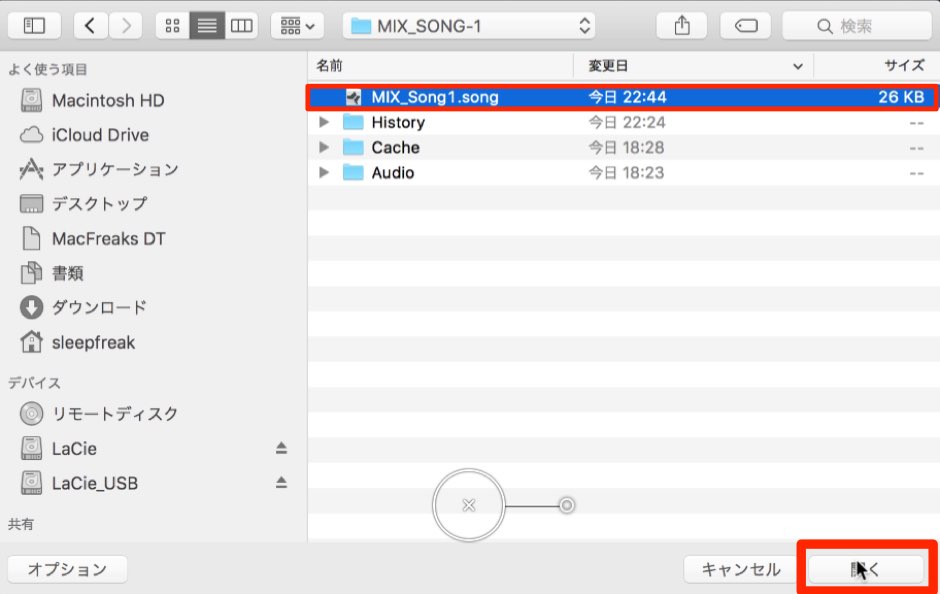
Select the Song you want to master and click Open
to insert it into the Project.
Import Consideration 1: Clipping
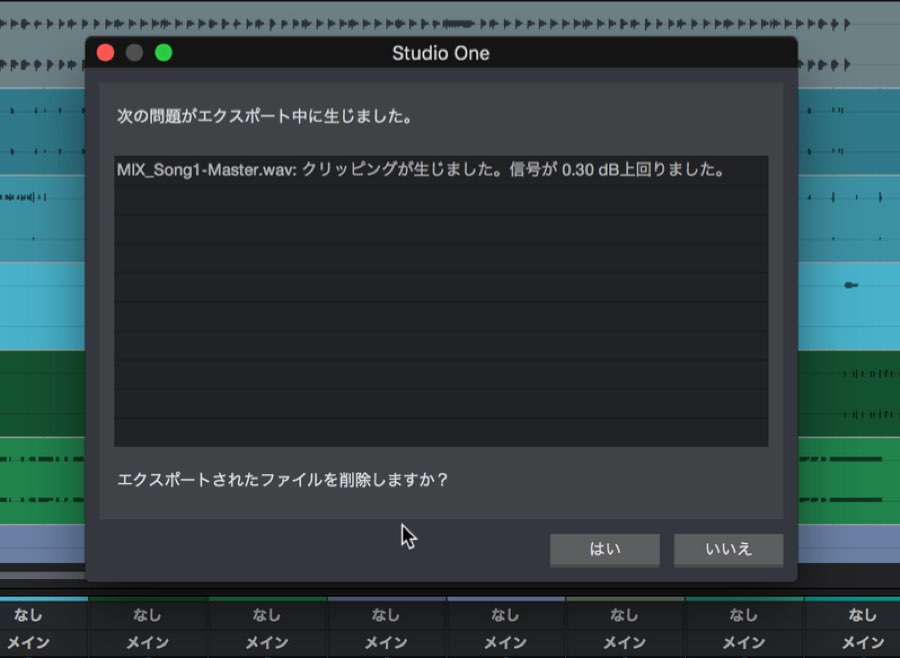
If a dialog like the one above appears during import,
it indicates that the Song’s audio is clipping.
Return to the Song and adjust the overall level to prevent clipping.

Import Consideration 2: Setting the Range
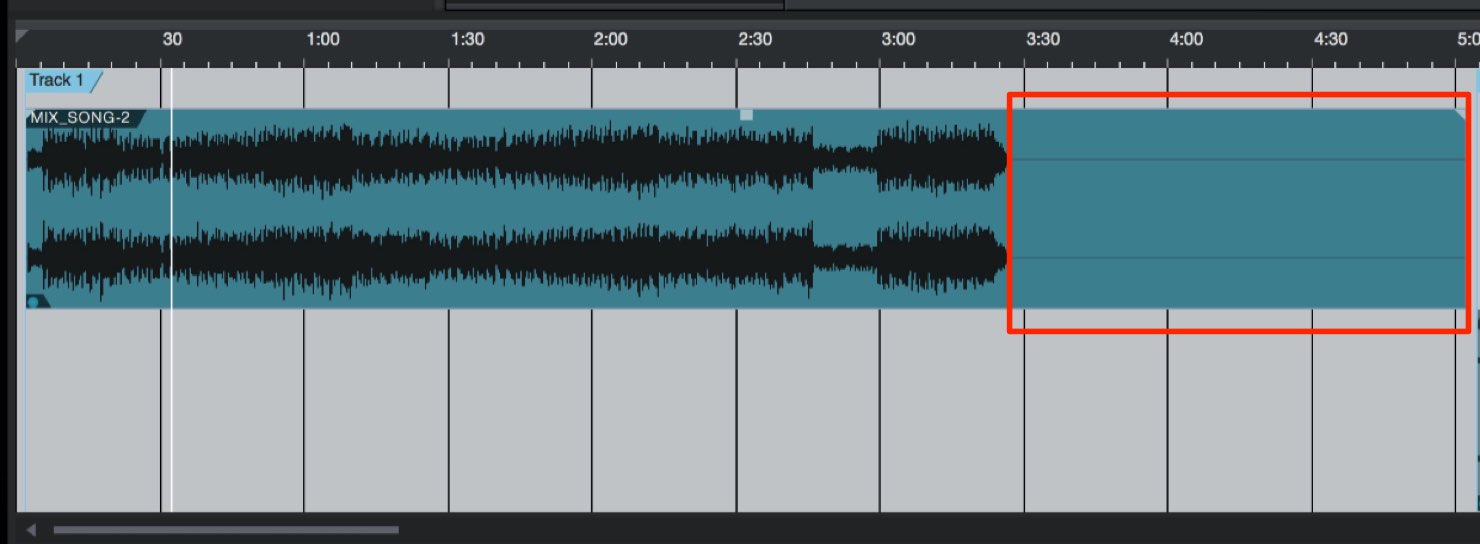
A Song may include unwanted material beyond the desired range.
You can adjust the range in the Project, or specify it in the Song.
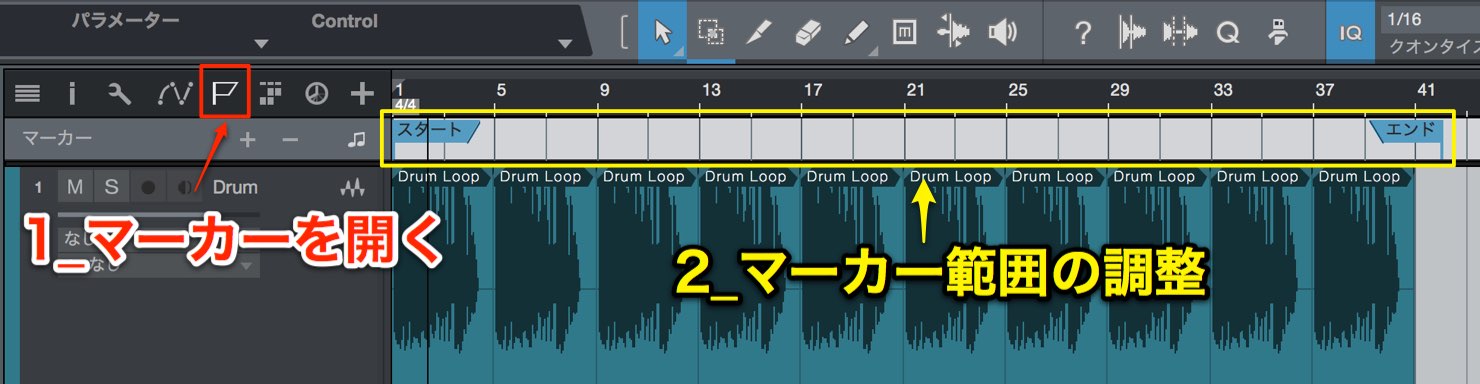
Open the marker track and drag the Start and End markers to match the song’s length.
Only the range between these markers will be imported into the Project.
Using Song and Project Integration
Once the Song has been imported and placed in the Project as described above,
you can use the integration feature.
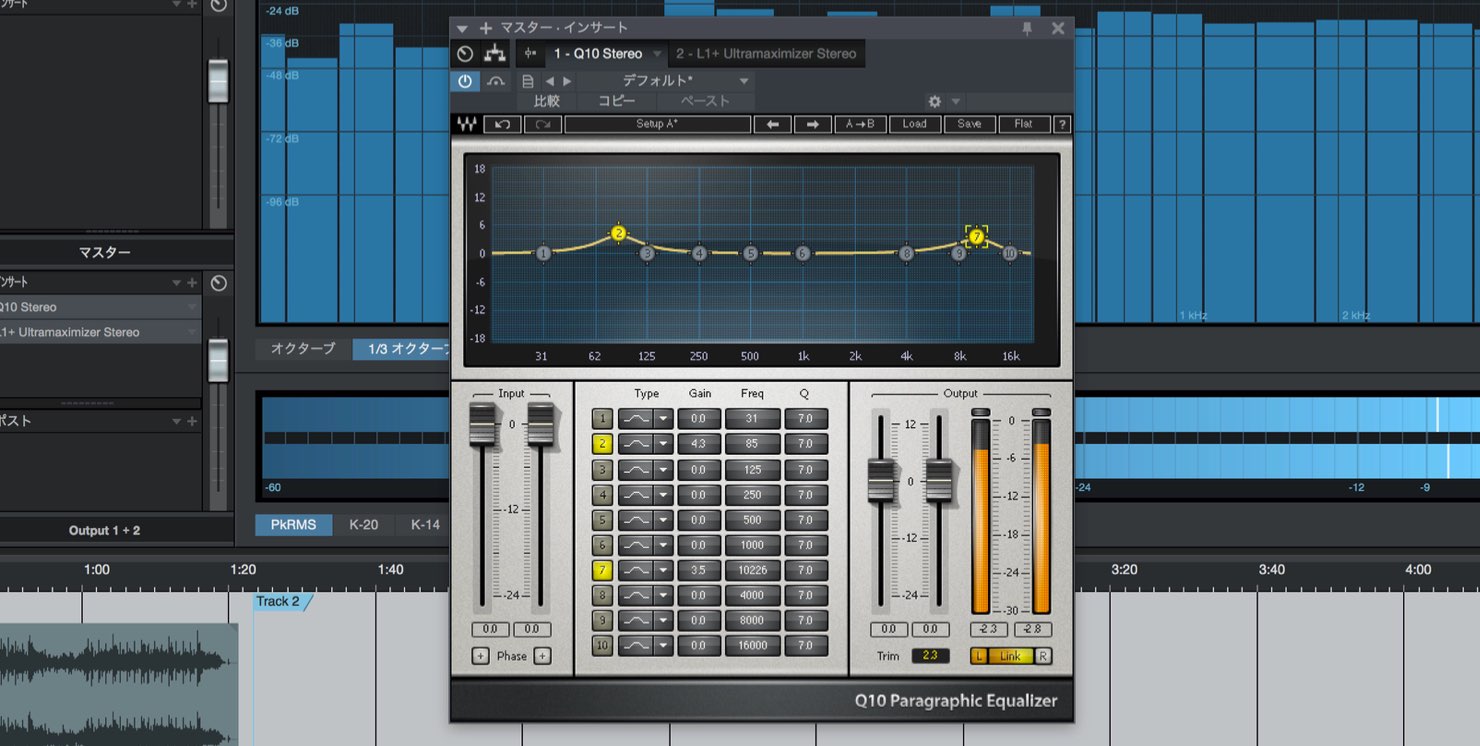
During mastering, effects such as compressors and equalizers shape the sound. While working, however, you may notice details in the mix that need attention:
- The kick is too loud
- The cymbals sound harsh
- The vocal reverb is too deep
- The balance after mid-side processing needs attention
The issues will vary from song to song.
A conventional workflow in this situation is to
return to the Song, adjust the mix, export it, and reimport it into the mastering Project—a time-consuming process.
Integration greatly shortens this workflow.
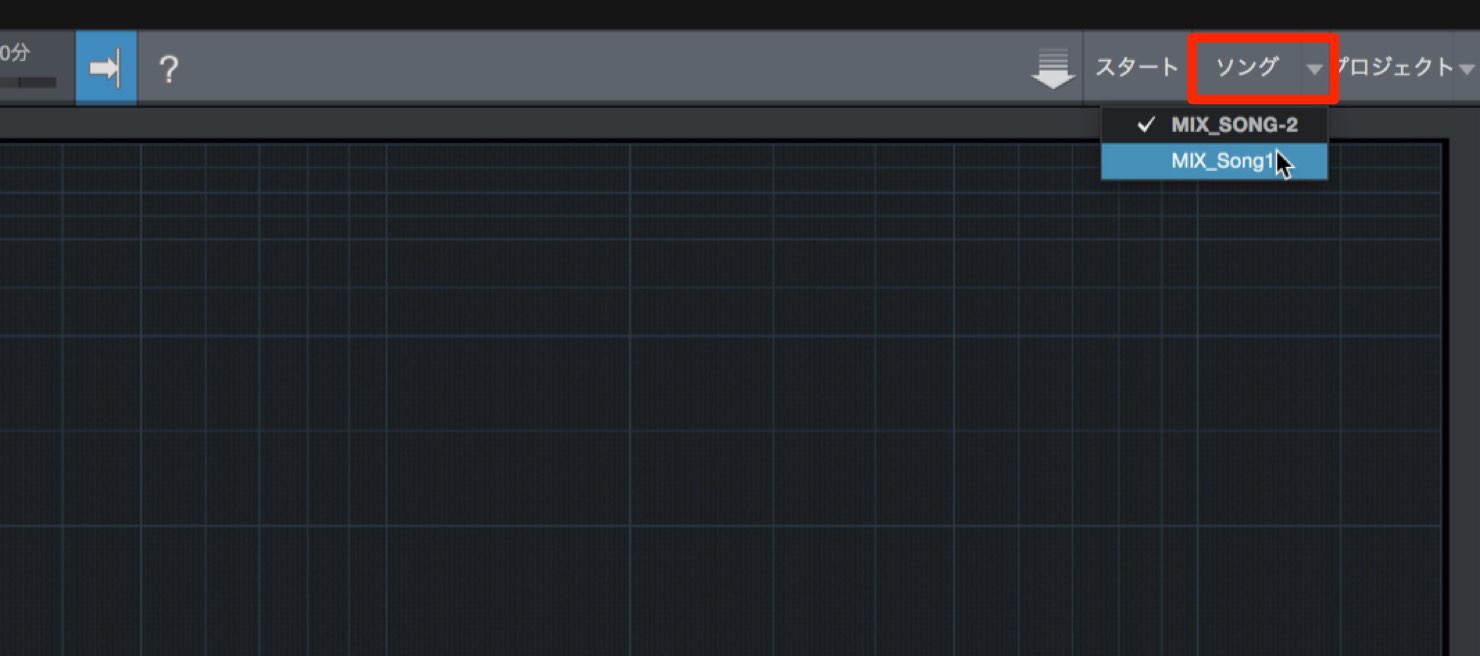
Open the Song you want to change.
You can have multiple Songs open alongside the mastering Project.
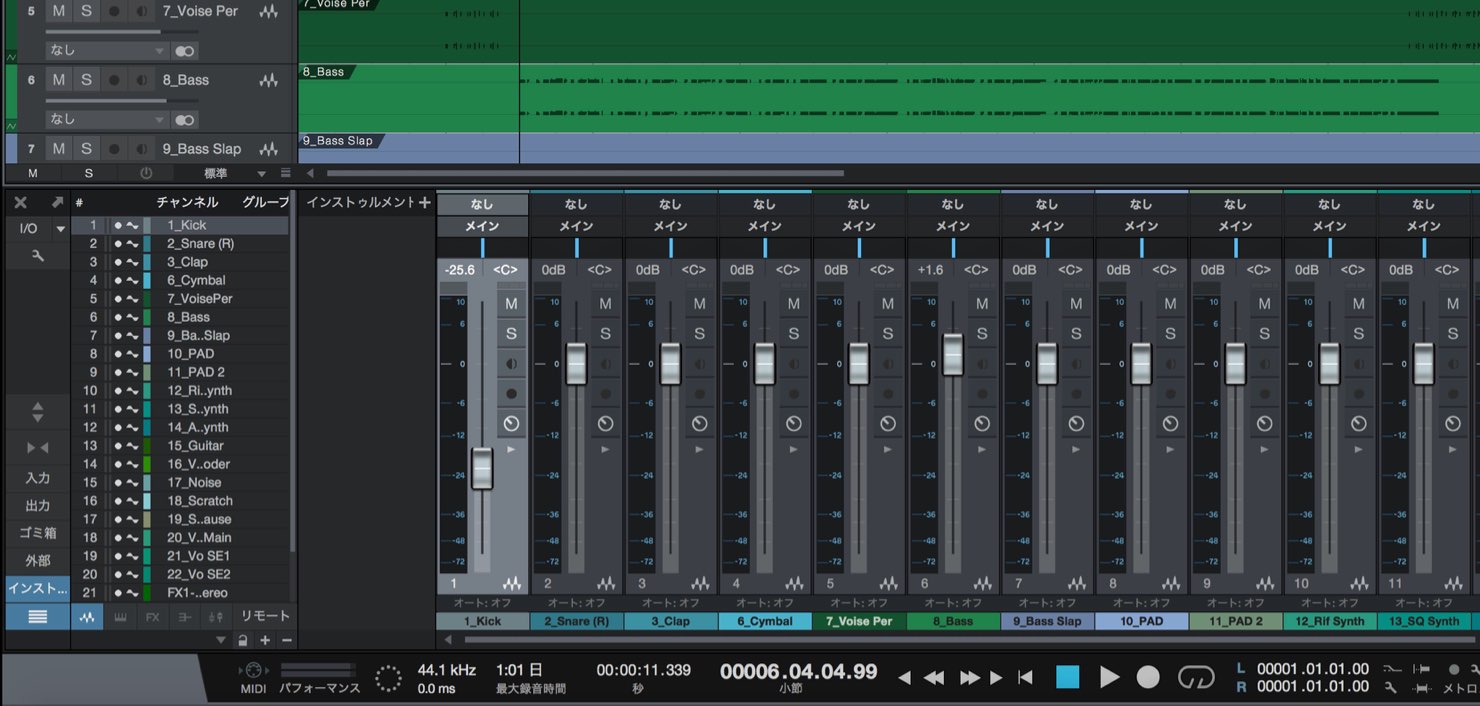
Make the desired changes in the Song.
Be sure to save the Song after making changes.
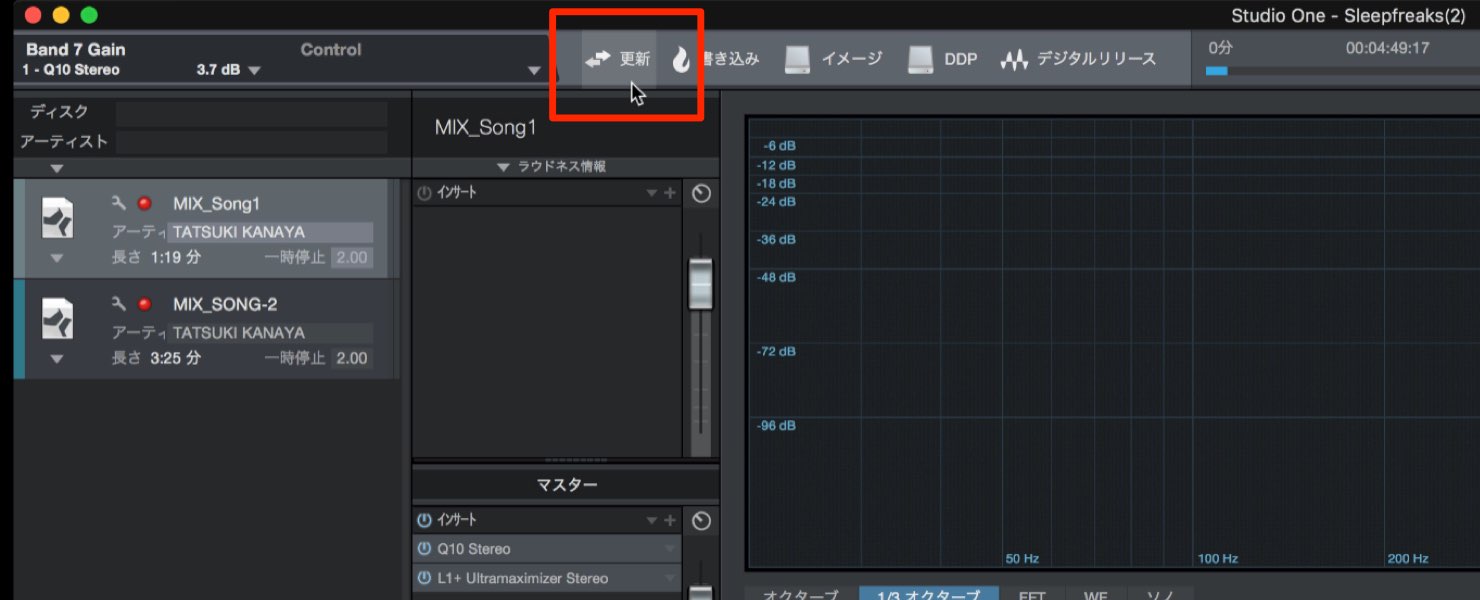
Return to the Project and press Update.
The changes made in the Song are reflected in its event in the Project.
This is a valuable mastering feature,
so give it a try if you use Studio One.

Frequently Asked Questions
Q1. What is Studio One’s Song and Project integration?
It lets you bring changes from a Song into a mastering Project. Save the changes and use Update in the Project to avoid manually exporting and reimporting the mix.
Q2. What should I check when importing a Song for mastering?
Check for clipping and set Start and End markers to avoid importing unwanted sections. If clipping occurs, adjust the overall level in the Song.
Q3. Can I keep the mastering Project open while revising the mix?
Yes. Studio One can open multiple Songs alongside the Project. Save the edited Song, then press Update in the Project to bring in the changes.
Q4. What is the workflow without integration?
When a mix needs changes, you return to the Song, make the changes, export it, and reimport the result into the mastering Project.
NEW ARTICLES
Latest English Articles






























































































































































































































































































































































































