
A drop kick is a kick sound with a thick, extended tail, often used in trance and electronic dance music. This article walks through making one by combining oscillators, envelopes, filters and unison, then finishing the sound with distortion, EQ and compression. Follow each step and adjust the settings to create a powerful kick.
A Drop Kick for EDM and Trance
Here we’ll explain how to make a drop kick
with a thick, sustained tail.
The steps may look lengthy, but the process is surprisingly straightforward.
Give it a try.
How to Create the Sound
Questions and Answers from the YouTube Video

When I use Unisono in the Voicing tab and play eighth notes as in the video, why does the volume or tone change from note to note?

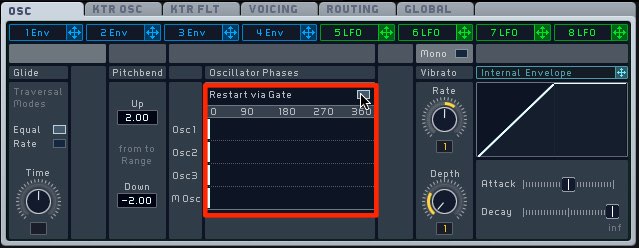
This is likely caused by phase differences each time a note is triggered. Try enabling the setting shown in the image. https://app.box.com/s/7cb6lftl2123l9wke5l8cqjsg22rrzit
Amp Envelope

For 4Env, which is assigned to Amp,
set Attack to its fastest setting, Level to maximum and Sustain to the center.
Leave a little release.
Set Up OSC1 and the Pitch Envelope
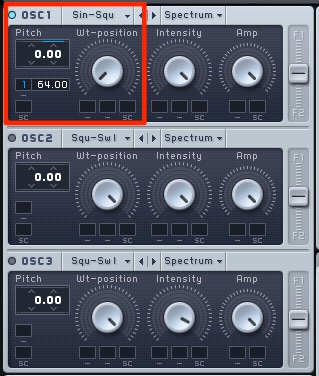
Select a sine wave for OSC1 to produce clean low frequencies.
Apply 1Env to pitch and set its modulation amount to the maximum value of 64.
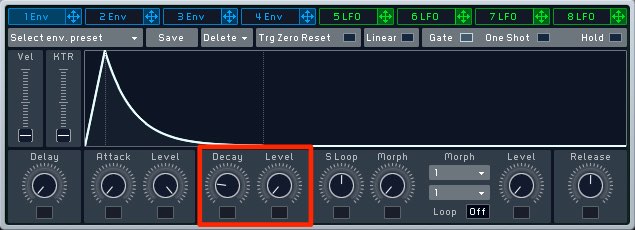
Set the envelope as shown below: turn Level to minimum, then adjust Decay.
Set Up Unison and Restart via Gate
Let’s make the sound more powerful.
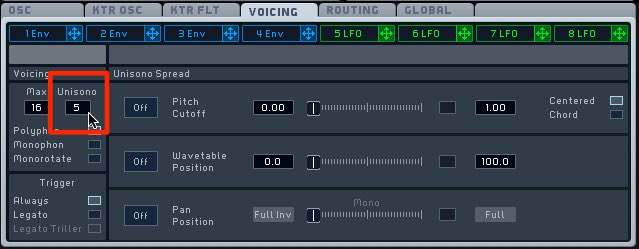
In the Voicing tab, set Unisono to around 5 to layer voices.
Enable Restart via Gate in the OSC tab as shown below
to align their attack timing and add impact.
Apply a Filter to OSC1
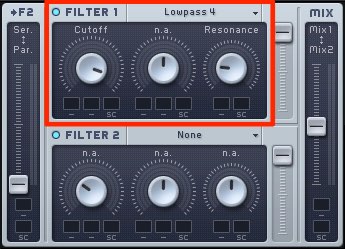
Apply Filter 1 to OSC1, cutting some high frequencies with a low-pass filter and adding resonance.
Add OSC2 and Envelope Modulation
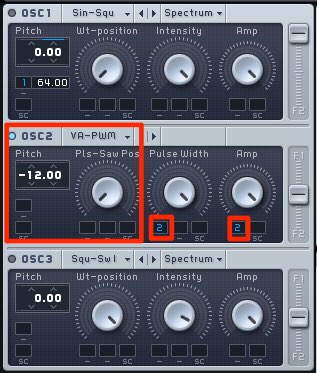
Use a pulse wave one octave lower for OSC2 and assign 2Env to Pulse Width and Amp.
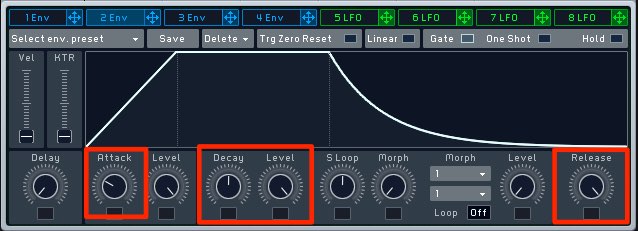
Set 2Env as shown below so that tone and volume change shortly after the attack.
Aim for a tail that swells into a long “doooom.”
Apply a Filter to OSC2
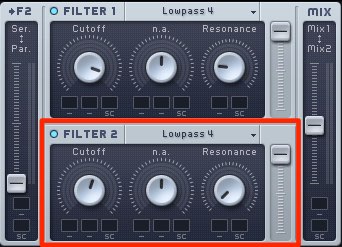
The original heading specifies OSC2, while its accompanying instruction says to apply Filter 2 to OSC1. Check the routing shown in the original example before adjusting the high-frequency cut to taste.
Adjust it to suit the feel of your track.
Finish with Effects
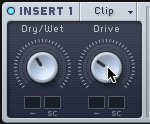
Apply Hard Clipper in the Insert section.
In this example, set Dry/Wet to about 11 o’clock and Drive to about 10 o’clock.
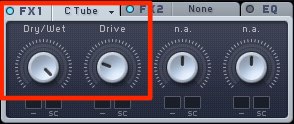
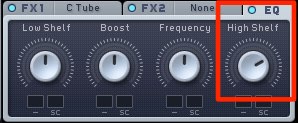
In FX1, select Classic Tube, turn Wet all the way up and adjust Drive.
Then raise the EQ Hi Shelf slightly to emphasize the attack.
Add EQ and compression using inserts in your host DAW.
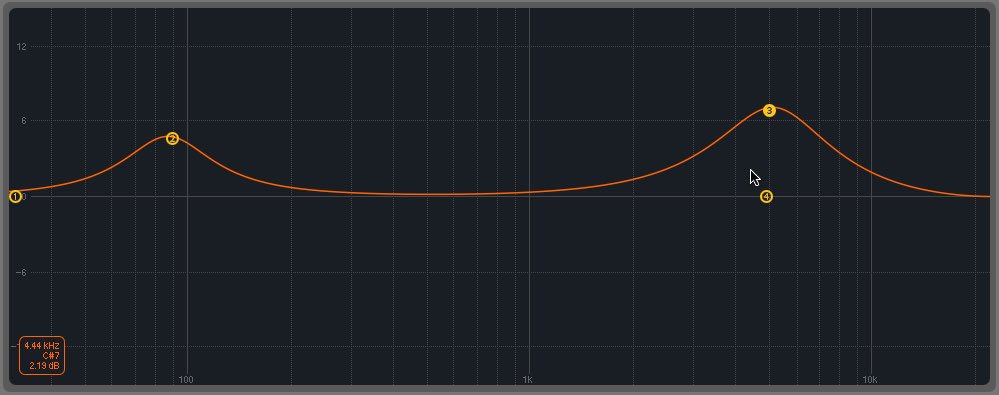
Boost around 5 kHz and 90 Hz to emphasize the attack and low end.
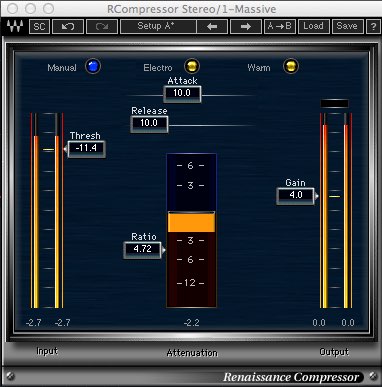
For compression, a relatively fast release helps bring out the tail.
To avoid crushing the attack, choose a suitable ratio, threshold and attack time.
Distortion, EQ and compression can change the character significantly, so adjust them to your taste.
Frequently Asked Questions
Q1. What is a drop kick?
A drop kick is a synthesized kick sound used in EDM and trance, characterized by a strong attack followed by a thick, long tail. Pitch envelopes and filter modulation help create its distinctive “doooom” sound.
Q2. Which settings help make a powerful drop kick?
Unison and Restart via Gate are useful here: they layer voices and align their attack timing, giving the sound more impact.
Q3. What effects can I use on a drop kick?
Use Hard Clipper for distortion, Classic Tube for warmth, and EQ boosts around 5 kHz and 90 Hz to emphasize attack and low end. A fast compressor release can help bring out the tail.
NEW ARTICLES
Latest English Articles



































































































































































































































































































































































































































































