
Arturia’s DX7 V, included in V Collection 6, models Yamaha’s legendary DX7 FM synthesizer, sold from 1983 to 1989. This article introduces the basic controls, including the algorithm window, the roles of the six operators, waveform selection and pitch control. Understanding carriers and modulators opens up a range of FM sound-design possibilities, including sounds with complex harmonic content.
Modeling the legendary DX7
In this installment we explore DX7 V, included in Arturia V Collection 6.
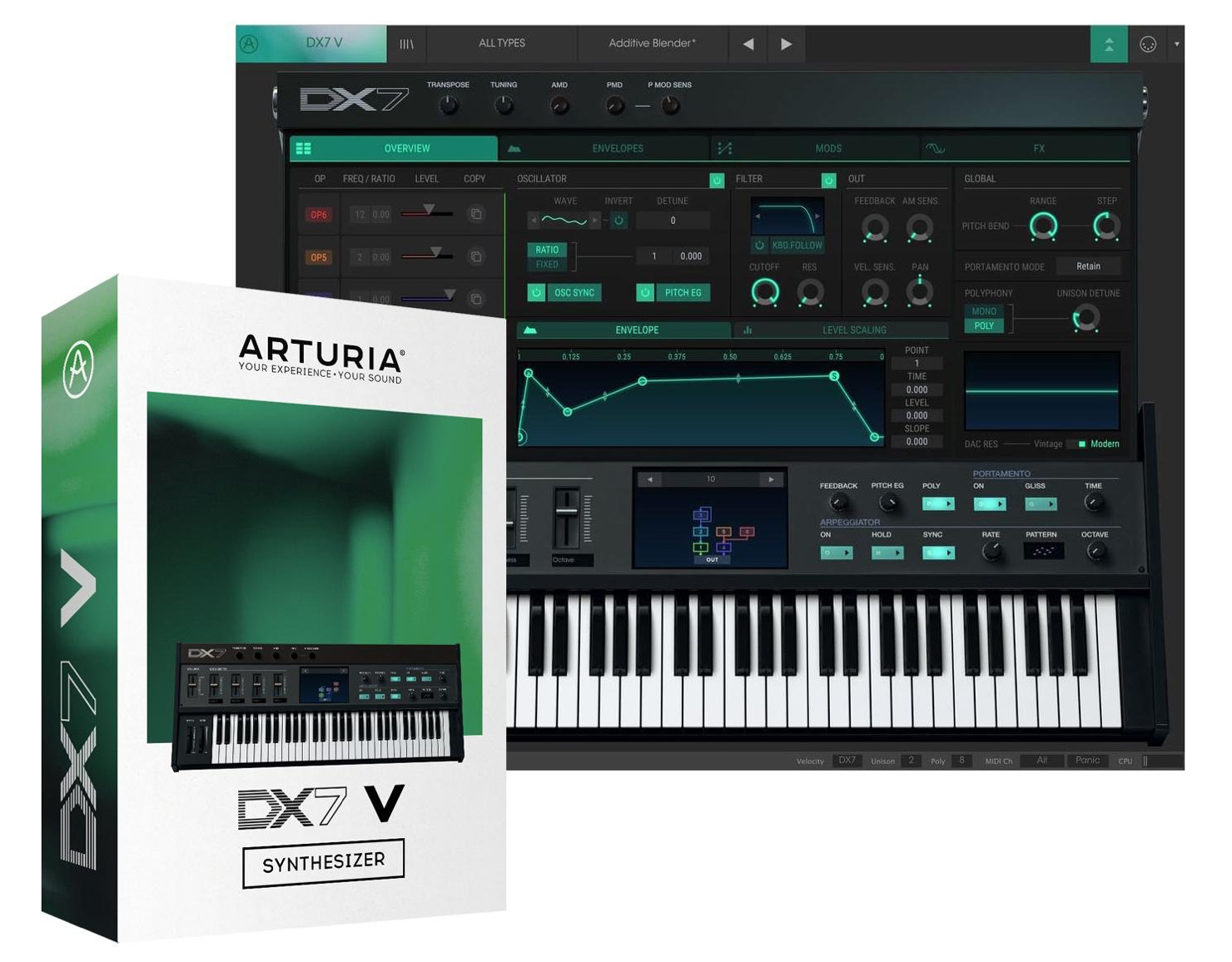
DX7 V models Yamaha’s legendary DX7 FM synthesizer, which was sold from 1983 to 1989.
Its sounds have appeared on many hit records, and the product includes presets based on them.
Alongside the model of the original, it adds features suited to modern sound design: a modulation matrix, sequencer and arpeggiator, effects, and parameter controls that can be assigned to MIDI.
Let’s go over the basics you need to get the most out of DX7 V.
DX7 V Basics: Video Tutorial
- 1V Collection 6: Analog Lab 3
- 2V Collection 6: DX7 V Basics and Operators
- 3V Collection 6: Controlling DX7 V Parameters
- 4V Collection 6: DX7 V Modulation and Effects
- 5V Collection 7: Mellotron V and CZ V Overview
- 6V Collection 7: Synthi V, B-3 V2 and Analog Lab 4
- 7V Collection 8: New Instruments and Vocoder V
Product URL: https://bit.ly/2J7BPjU
Purchase: click here
Contact in Japan: Korg / KID Customer Support · Tel: 0570-666-569
The Algorithm Window
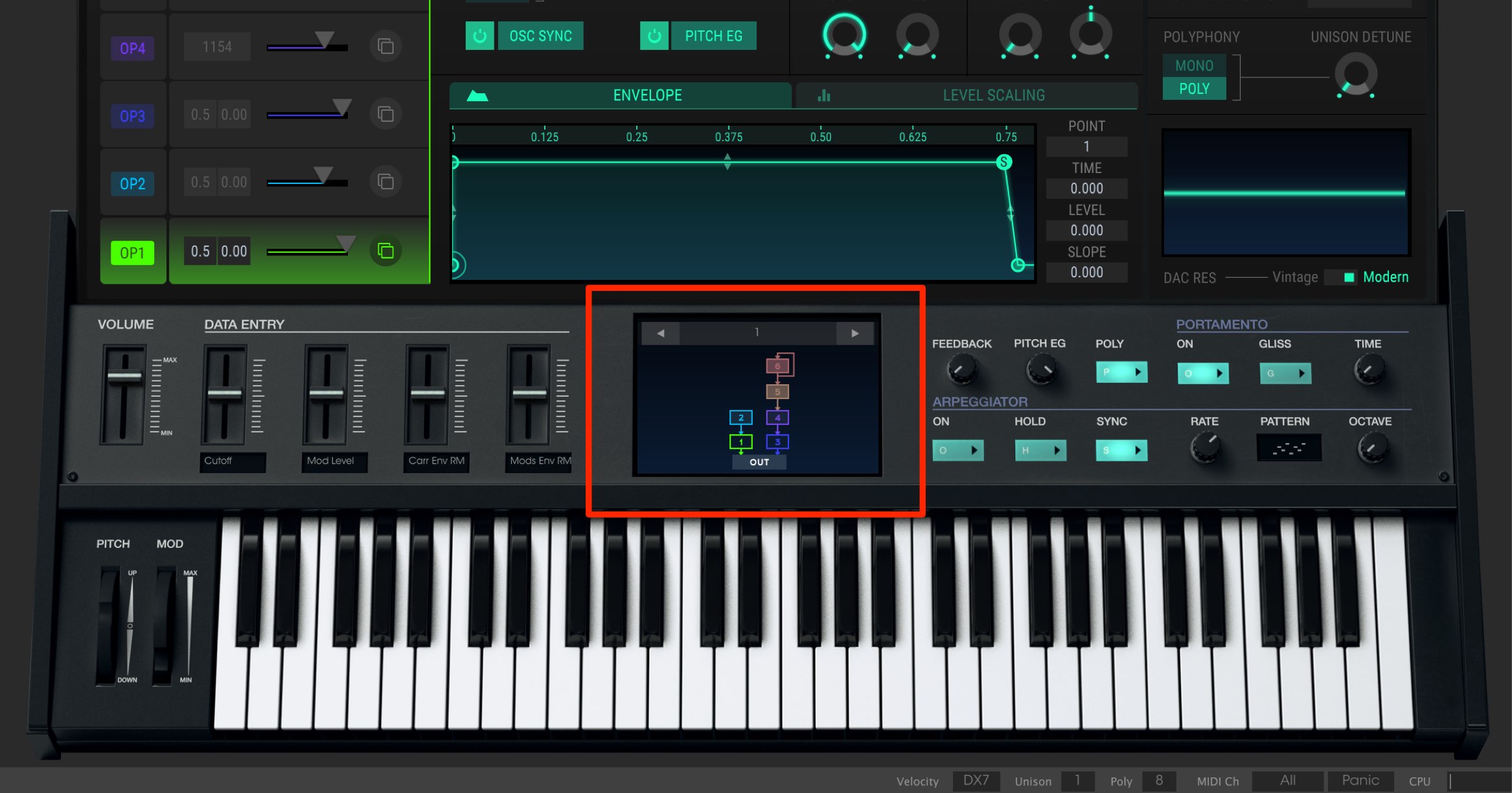
The main feature of this instrument is the algorithm window in the center.
Its 32 operator-routing patterns offer a wide range of sound-design possibilities.
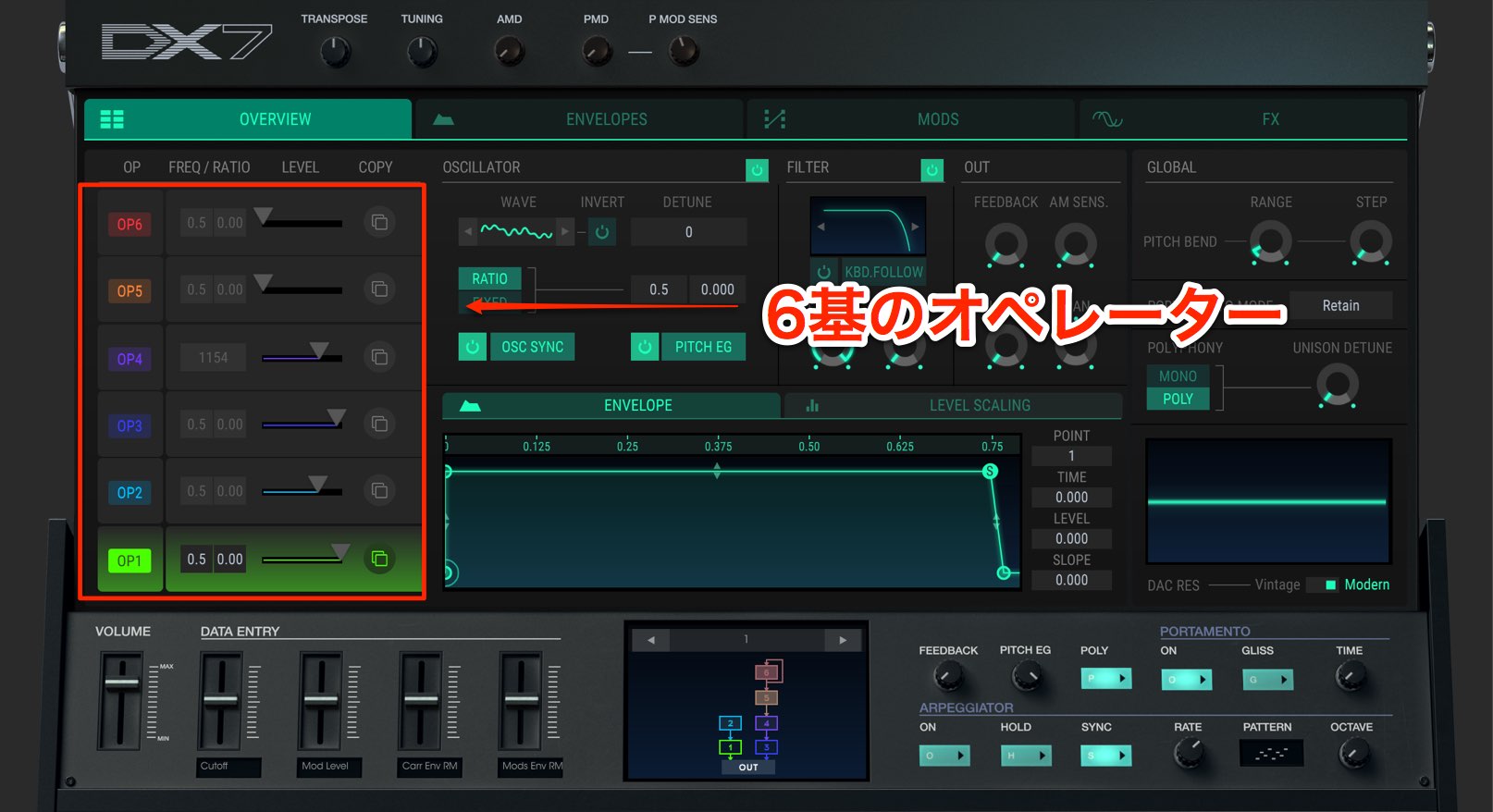
There are six oscillators, called “operators” in the DX7.
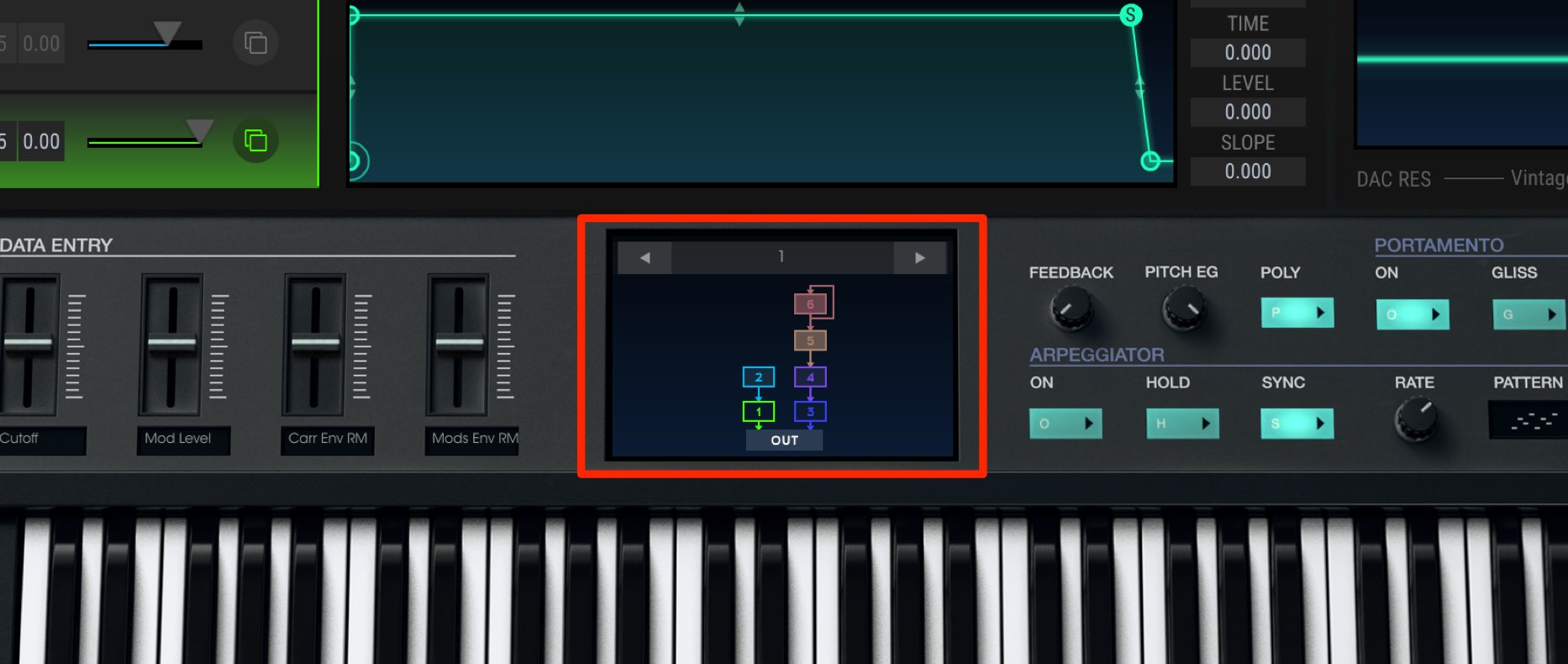
The sound that reaches “OUT” at the bottom of the window is output.
In this pattern, operators 1 and 3 are sent directly to the output.
What, then, do the other operators do?
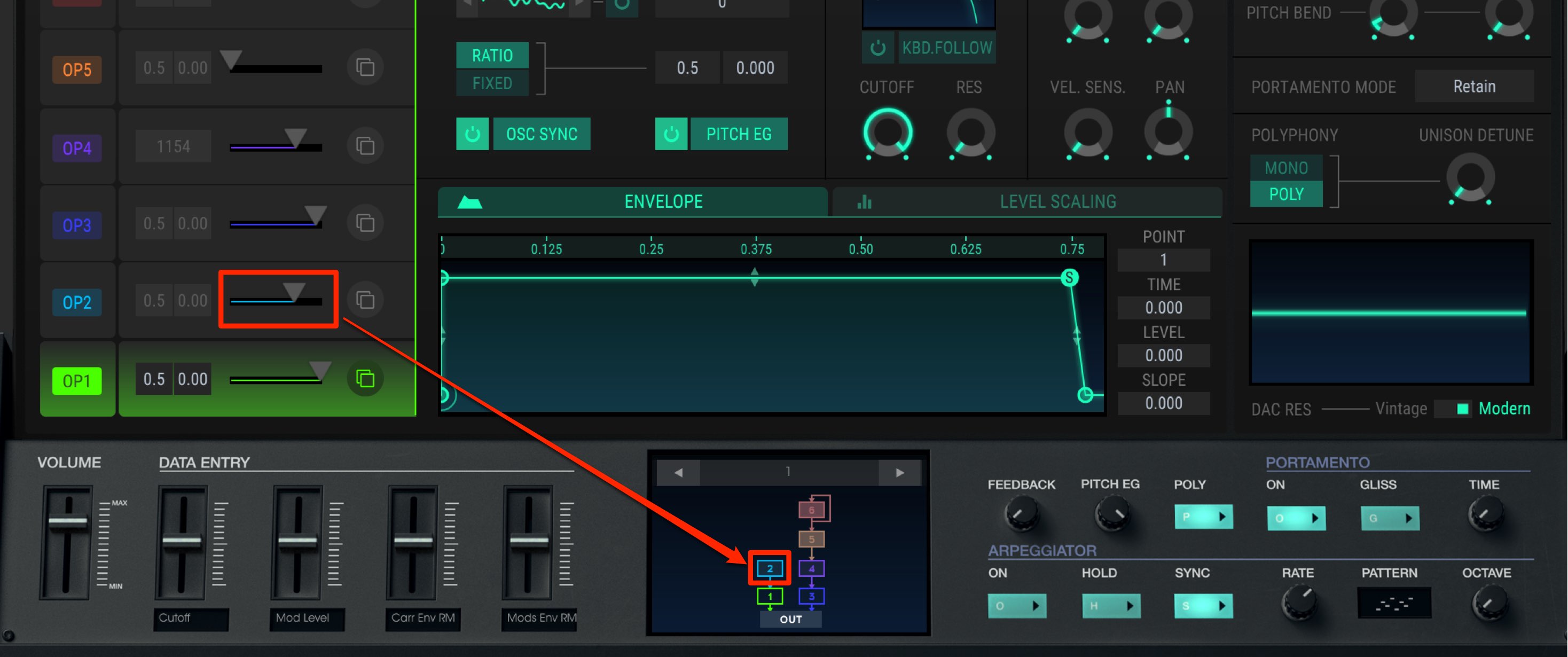
Operator 2 feeds its waveform into operator 1 below it at the specified level.
The higher this level, the greater the change in sound.
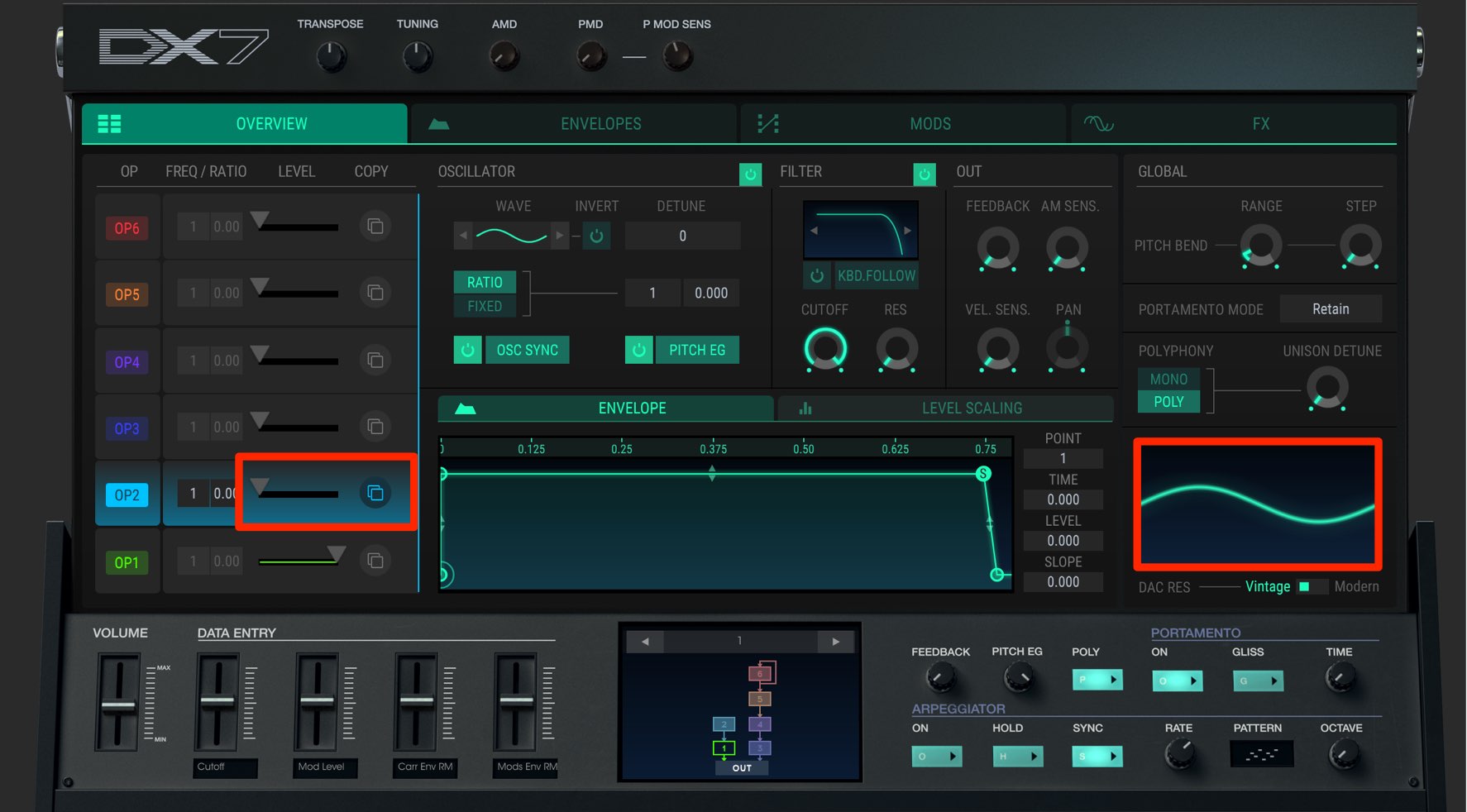
Even when operators 1 and 2 both use sine waves,
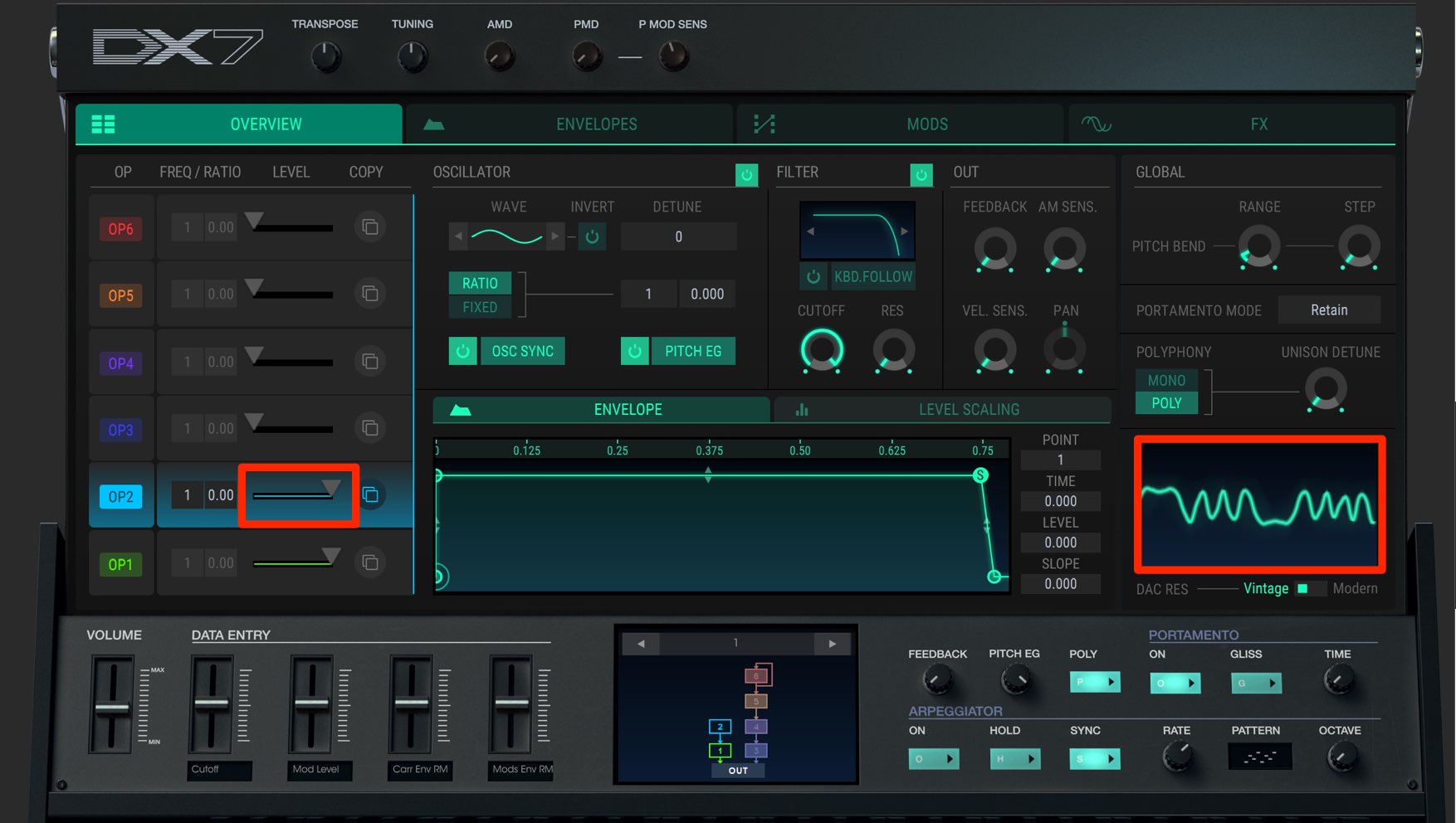
increasing the level (the modulation amount) can produce a sound with very complex harmonics. This is called FM.
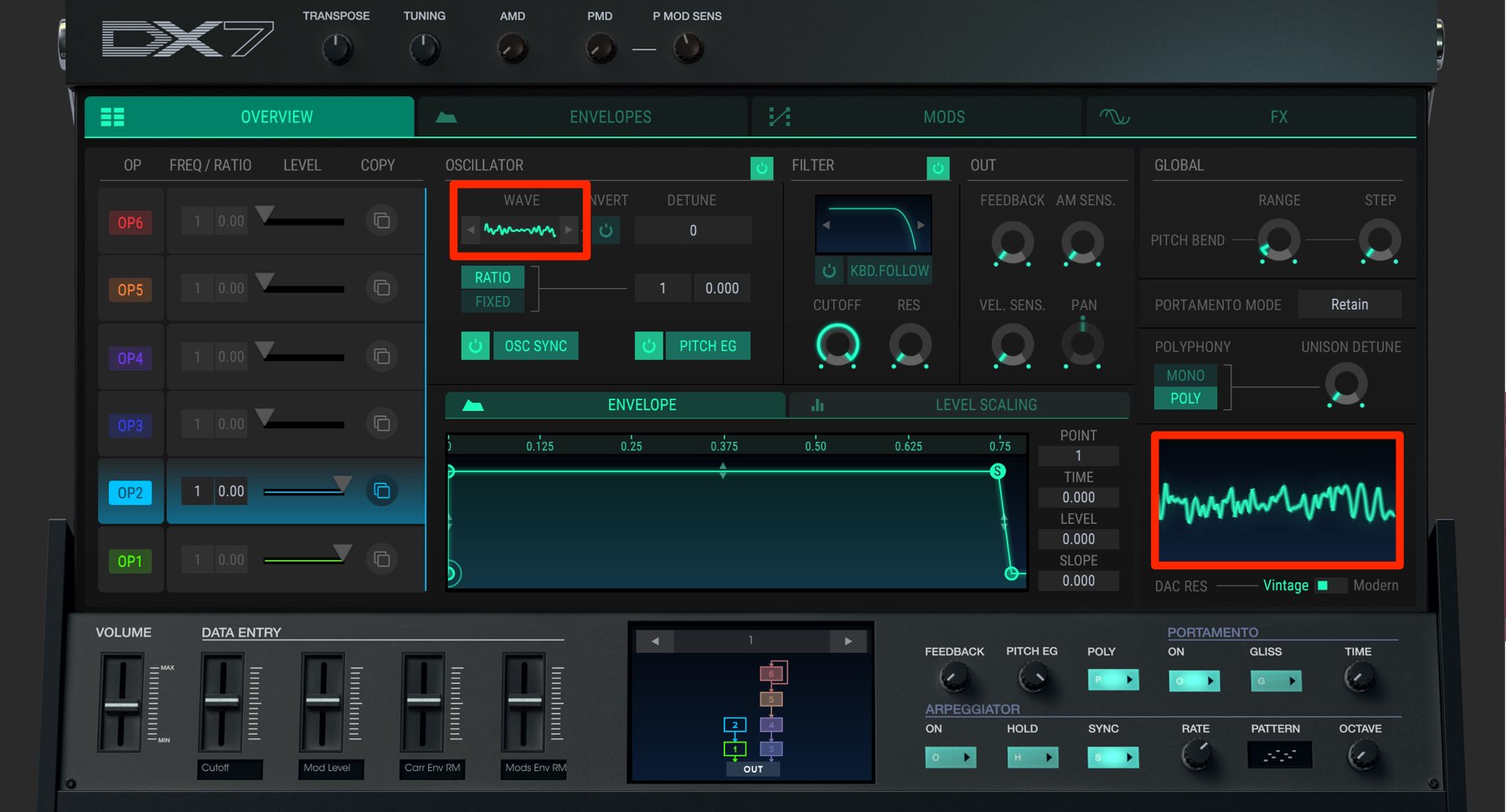
You can freely change the waveform of each operator.
The choice of waveform greatly expands the available sound variations.
Operators are named according to their role:
- Operator sent directly to the output: Carrier
In the example above, these are operators 1 and 3. - Operator that affects a carrier: Modulator
In the example above, these are operators 2, 4, 5 and 6.
Controlling Operators
The parameters on each operator can be controlled independently.
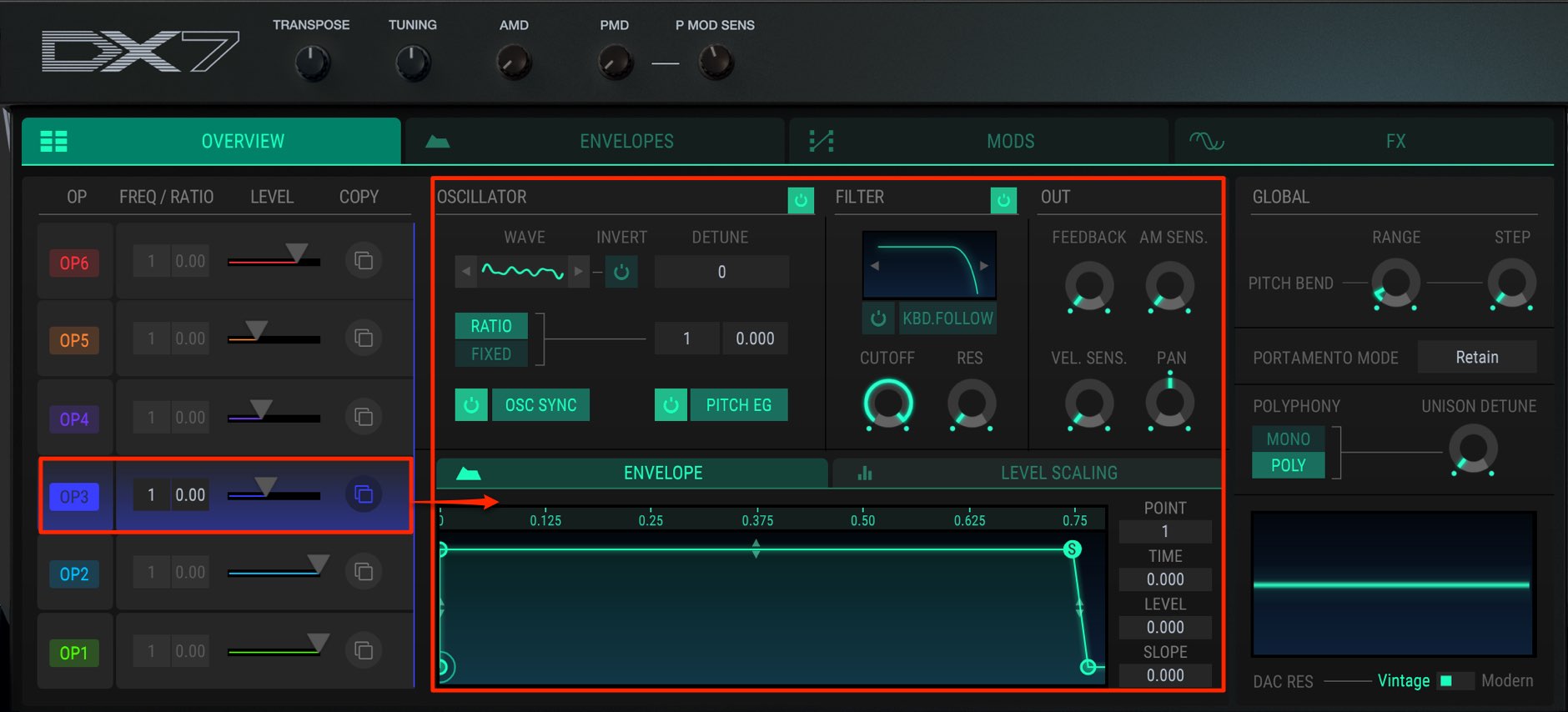
The center window shows the settings for the selected operator.
Here you can adjust the waveform, pitch, filter, envelope and more.
Selecting a Waveform
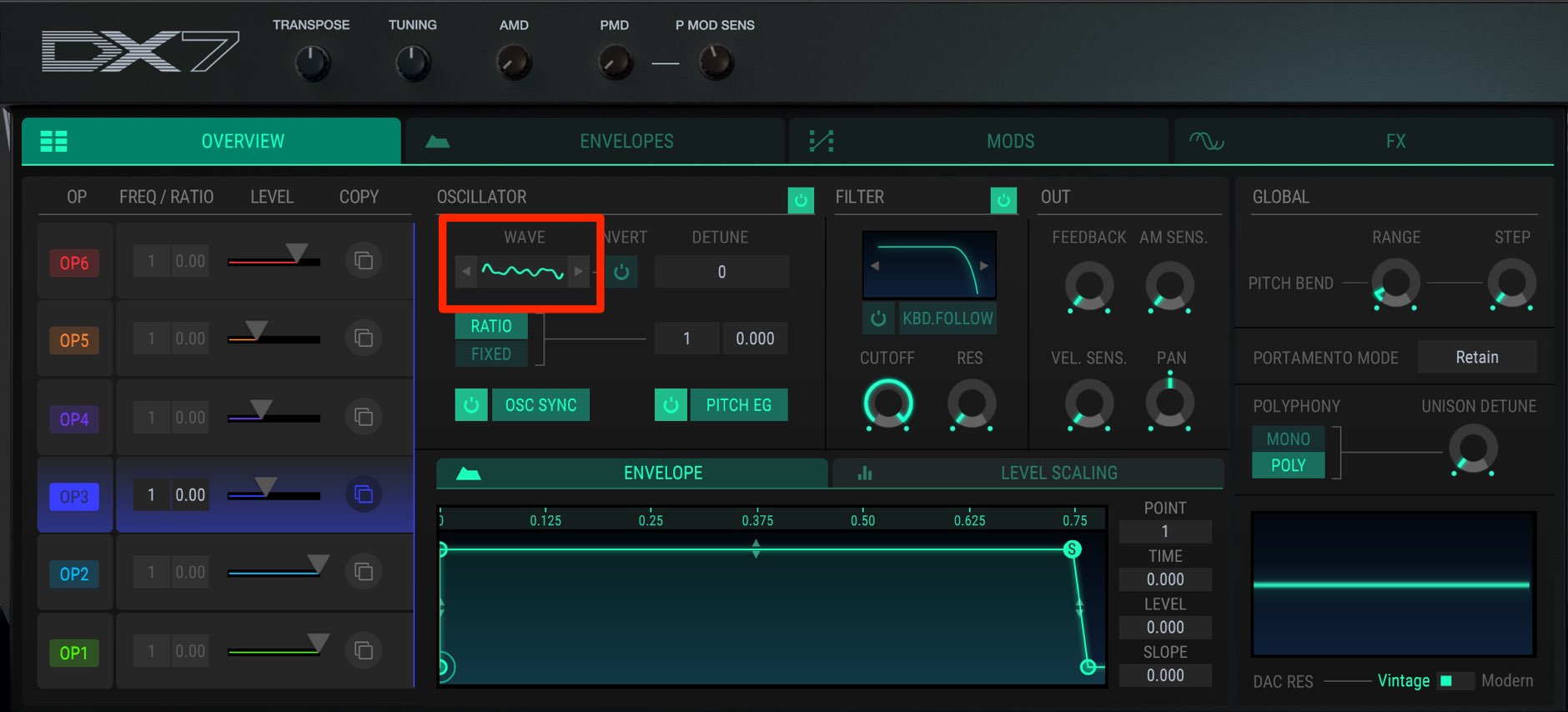
To select an operator waveform, click the waveform display.
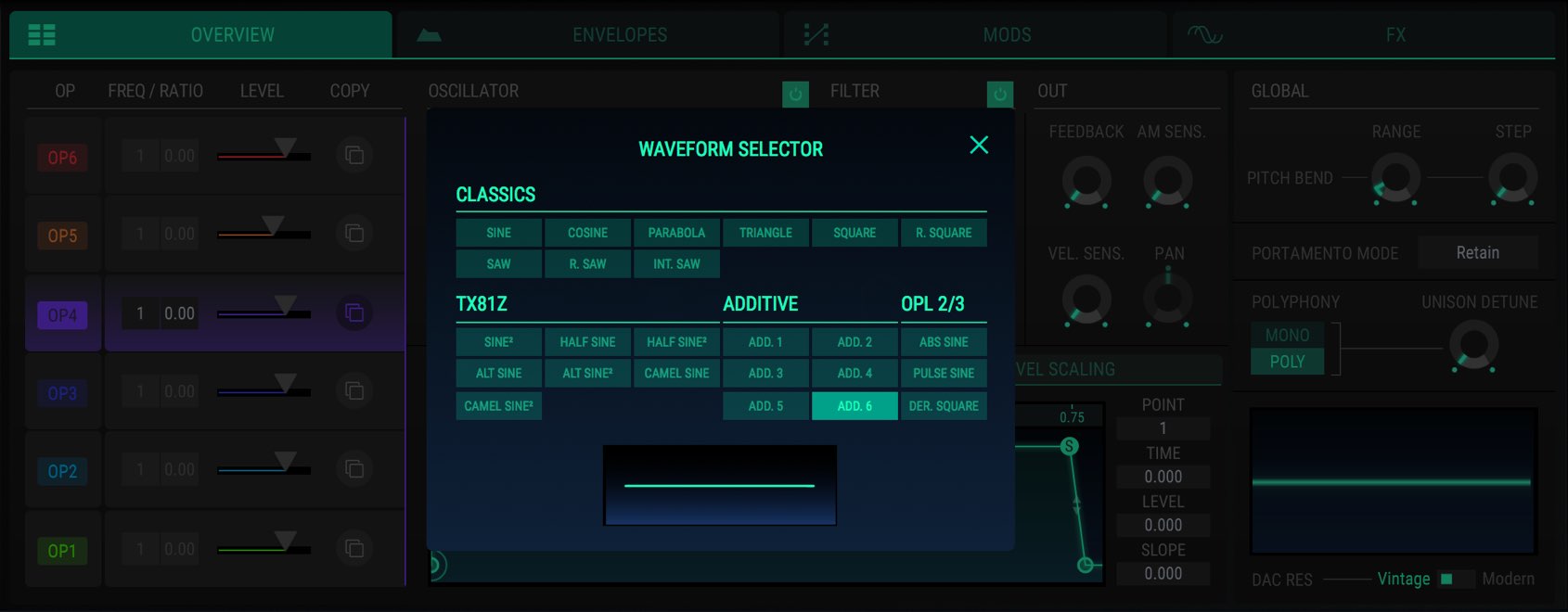
Click the desired waveform to change the operator’s waveform.
Changing Pitch
You can change an oscillator’s pitch to suit a phrase or achieve the desired effect.
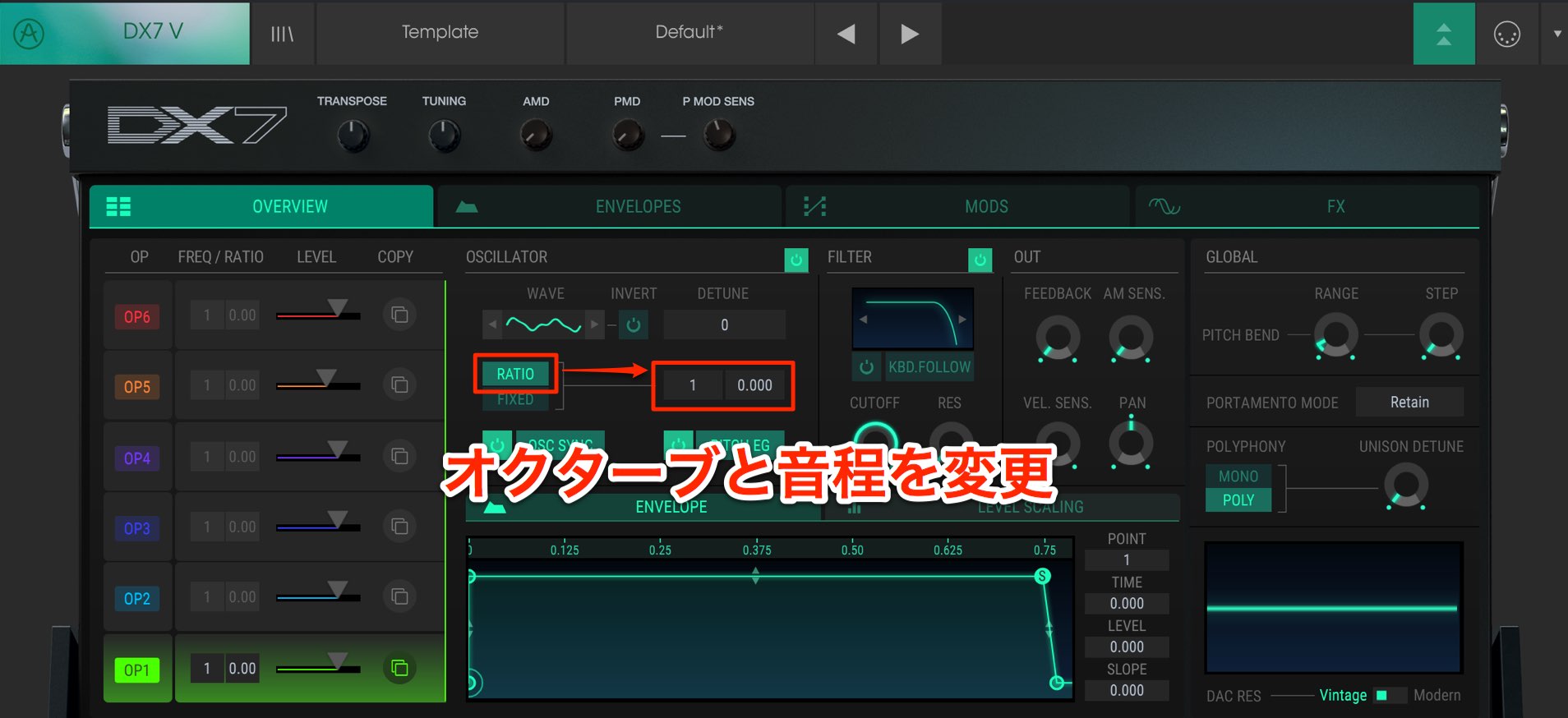
Use “Ratio” for conventional playing, where pitch changes with the key played.
The left control adjusts octaves; the right control fine-tunes the pitch between octaves.
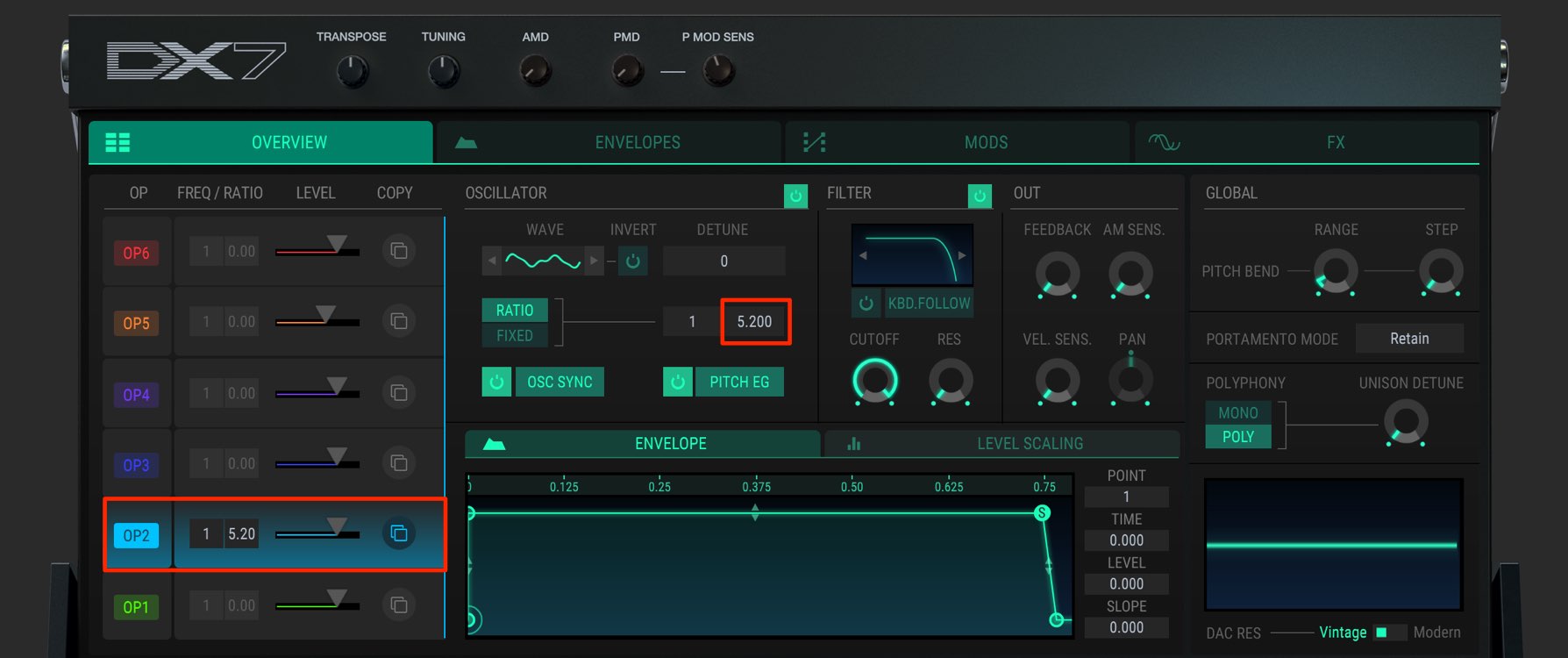
A slight pitch offset on a modulator can add nuance to the sound.
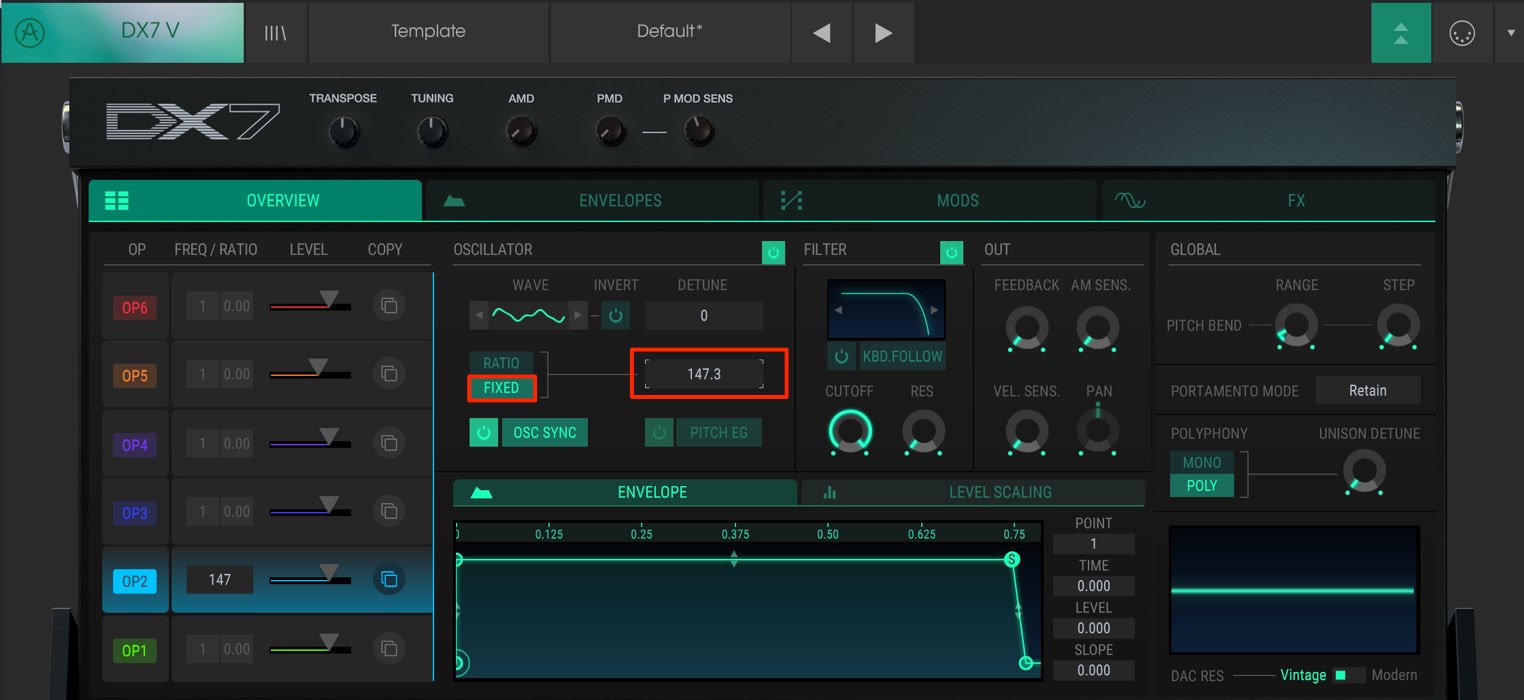
With “FIXED,” specify the pitch by frequency.
The same pitch then sounds across the keyboard.
Fixing the modulator’s pitch as shown can create sound-effect-like tones.
We have now covered the basic layout of DX7 V.
These fundamentals are essential to controlling the instrument, so take time to master them.
Next time we will focus on modulation controls for sound editing.
- 1V Collection 6: Analog Lab 3
- 2V Collection 6: DX7 V Basics and Operators
- 3V Collection 6: Controlling DX7 V Parameters
- 4V Collection 6: DX7 V Modulation and Effects
- 5V Collection 7: Mellotron V and CZ V Overview
- 6V Collection 7: Synthi V, B-3 V2 and Analog Lab 4
- 7V Collection 8: New Instruments and Vocoder V
Product URL: https://bit.ly/2J7BPjU
Purchase: click here
Contact in Japan: Korg / KID Customer Support · Tel: 0570-666-569
Frequently Asked Questions
Q1. What is the difference between a carrier and a modulator in DX7 V?
A carrier is an operator sent directly to the output, while a modulator affects another operator. Adjusting the modulator’s pitch and level can create complex harmonics and rich sounds.
Q2. What is the benefit of the 32 algorithms in DX7 V?
Different operator routings can produce very different sounds even with the same waveforms. The 32 patterns offer many ways to create distinctive tones.
Q3. Why set an operator’s pitch to FIXED?
In FIXED mode the operator uses the same frequency across the keyboard, which can be useful for sound effects, bell tones and experimental sounds such as pads. Ratio mode follows the keyboard for conventional pitched playing.
NEW ARTICLES
Latest English Articles





























































































































































































































































































































