
In Logic Pro X, changing the division used by the Piano Roll differs from the process in Logic 9 and earlier. This guide shows how to customize the control bar and display, select the time signature and division display, and change the division value. Use smaller note values, such as 1/16 or 1/32, when working with finer rhythmic patterns. The screenshots show the version available when this article was published.
Changing the Grid in Logic Pro X
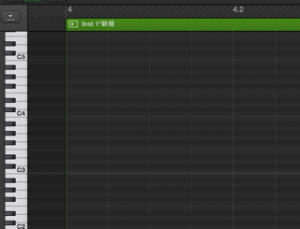
Entering notes in the Piano Roll is an essential part of working in Logic.
In Logic Pro X, however,the way you change the note division differs from Logic 9 and earlier.
If you find this confusing, follow the steps below.
Tutorial Video
How to Change the Grid Division

Right-click an empty area of the transport section.
Choose “Customize Control Bar and Display” from the menu.

Change the section outlined in red to “Custom,”
then select “Time Signature/Division.”

Change the number in this field
to change the Piano Roll’s displayed grid division.
Frequently Asked Questions
Q1. Where can I change the Piano Roll division after moving from Logic 9 to Logic Pro X?
Right-click an empty area of the transport section and choose “Customize Control Bar and Display.” Set the display to Custom, then enable Time Signature/Division. You can then change the division value.
Q2. Does changing the division number change the display?
The division value provides the basis for the editing grid. Change it in the display to use a finer or coarser division; the visible grid and editing behavior can also depend on zoom and Snap settings.
Q3. How can I make frequent grid changes easier?
Keep the Division field visible in the Custom control-bar display so you can adjust it as needed. The Piano Roll’s Snap menu also lets you choose an editing grid. The original article suggests placing multiple division settings on the control bar, but that particular option could not be confirmed.
NEW ARTICLES
Latest English Articles


























































































































































































































































































































































































































































































































































































































