
Heavier7Strings is a seven-string electric guitar instrument focused on deep, low-register sounds and equipped with a wide range of articulations. This article covers settings such as Drop A tuning, tension and resonance, as well as strumming speed, velocity-based playing techniques, modulation-wheel muting and tremolo-arm control. It also shows how to set up MIDI CCs in Cubase to change the sound in real time and create more natural performances.
Features for recreating a wide range of guitar techniques
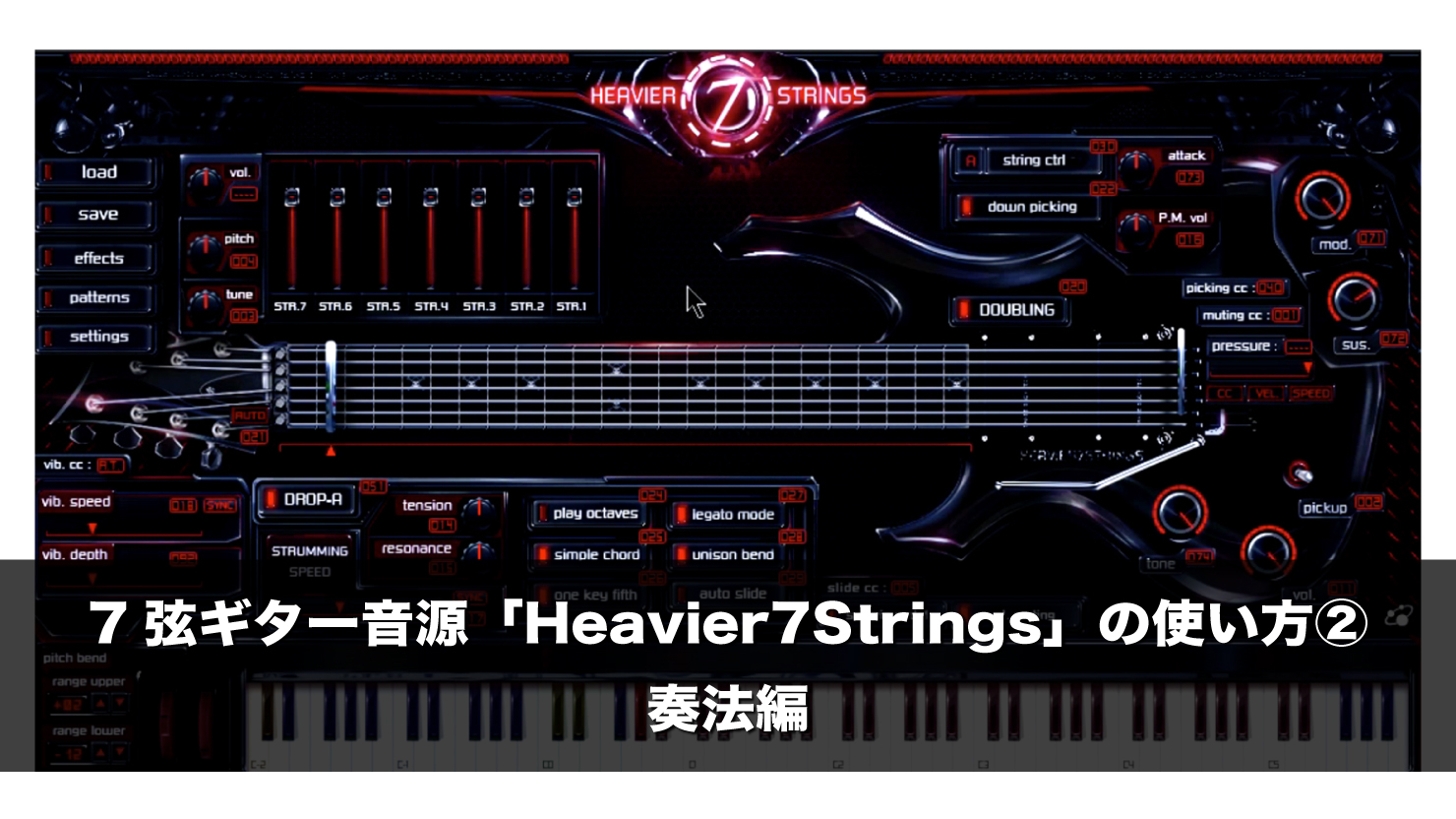
Heavier7Strings is an electric guitar instrument focused on deep low-end sounds.
Last time we covered the basic controls.
In this second installment, we will focus on playing techniques.
Heavier7Strings Tutorial 2: Playing Techniques
- 1Heavier7Strings Tutorial 1: Basic Overview
- 2Heavier7Strings Tutorial 2: Playing Techniques
- 3Heavier7Strings 1.2.1: Installing the Update and Important Notes
Questions and Answers from YouTube

What kinds of songs can I make with this software? Can I use it whenever I want a realistic guitar sound?

Please also see our article for a deeper understanding: Guitar Tone, Part 1: Pickups and Circuits. https://sleepfreaks-dtm.com/produce-recipe/guitar-pickup-circuit/
Purchasing the Product
- Standard version (SONICWIRE product page): http://sonicwire.com/product/A4068
- Demo version: http://forums.threebodytech.com/viewtopic.php?f=12&t=60
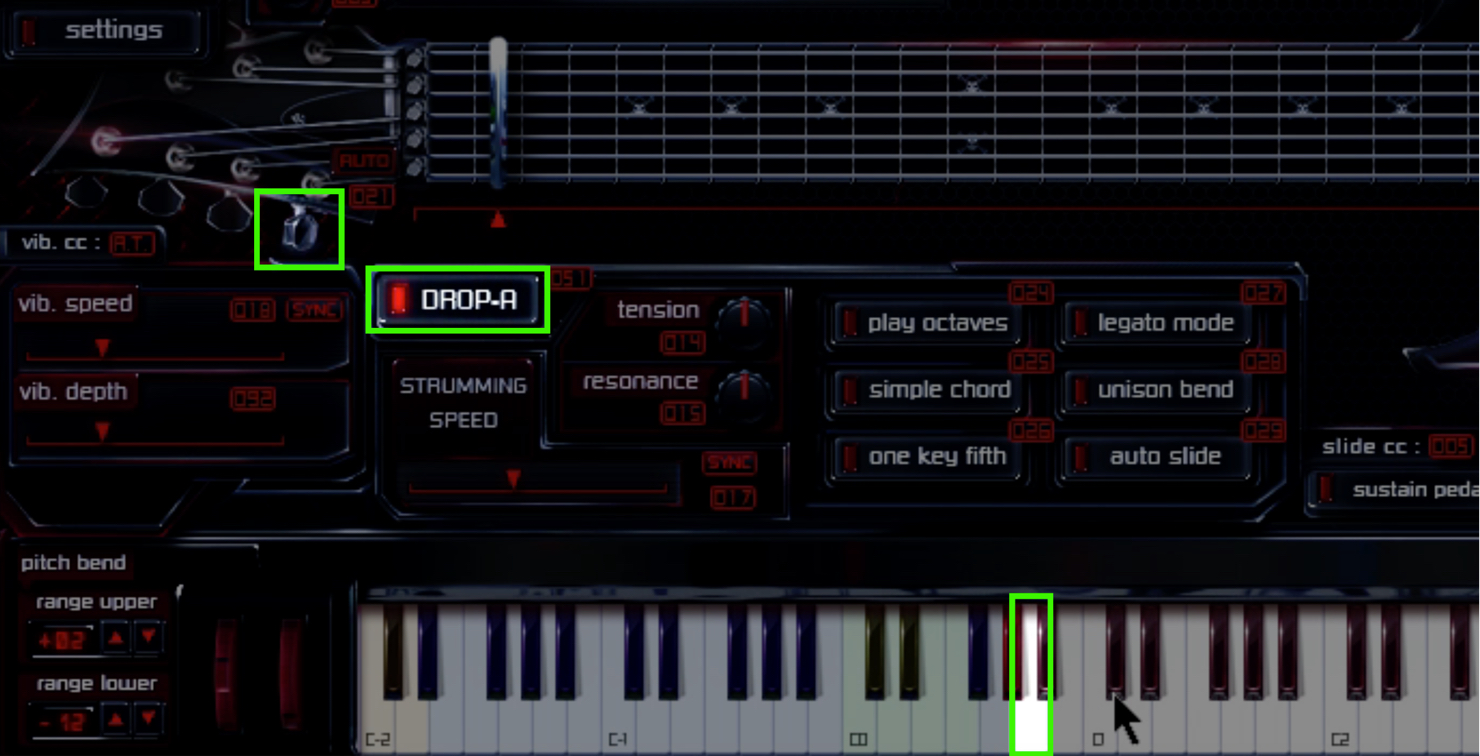
- DROP-A:
Change the seventh string’s lowest note from B0 to A0.
When Drop A is enabled, the seventh-string tuning peg turns and the key changes from gray to white.
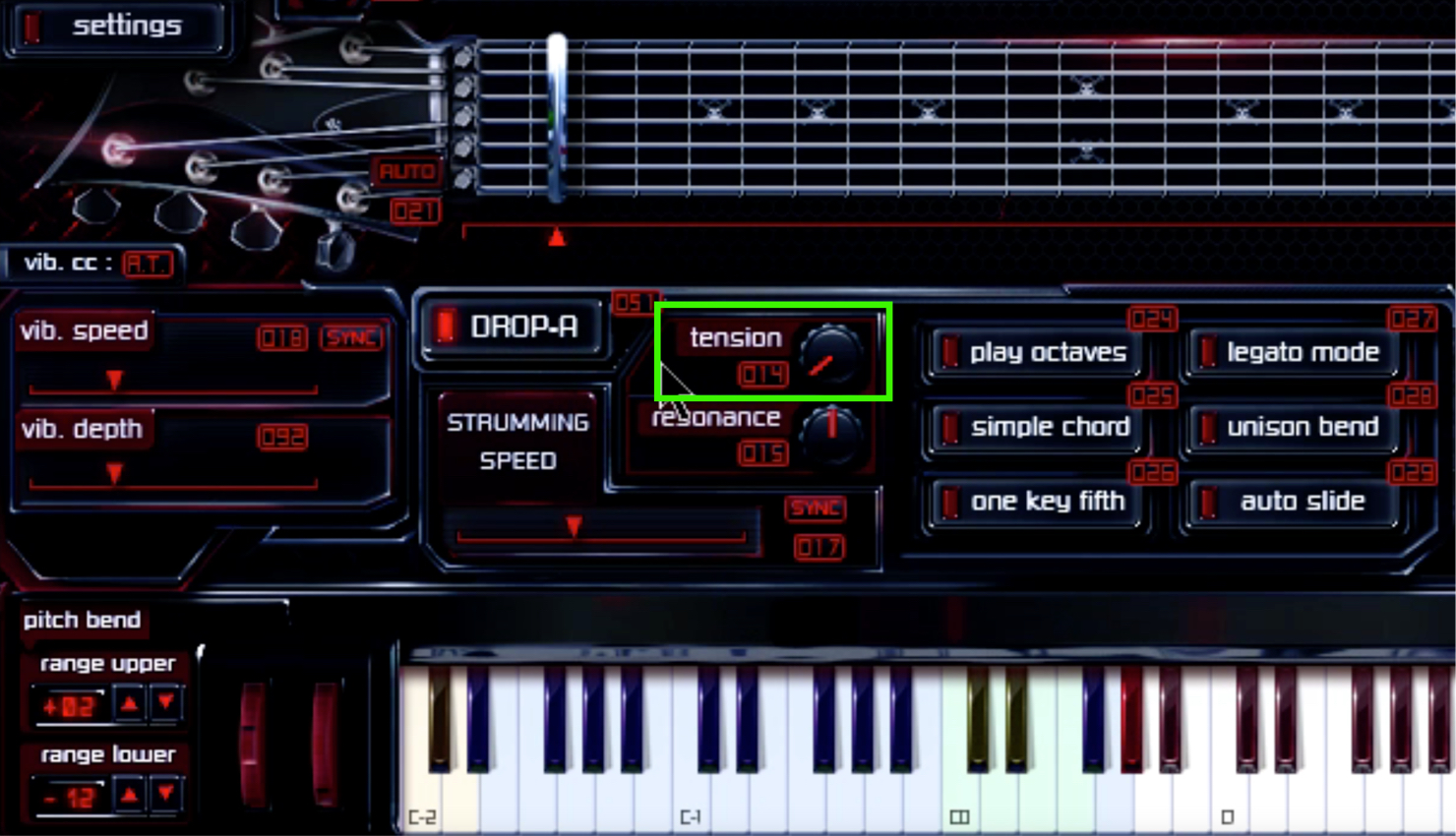
- Tension:
Adjust the tension of the strings. Lower settings give a slack, loose sound; higher settings produce a brighter
sound.
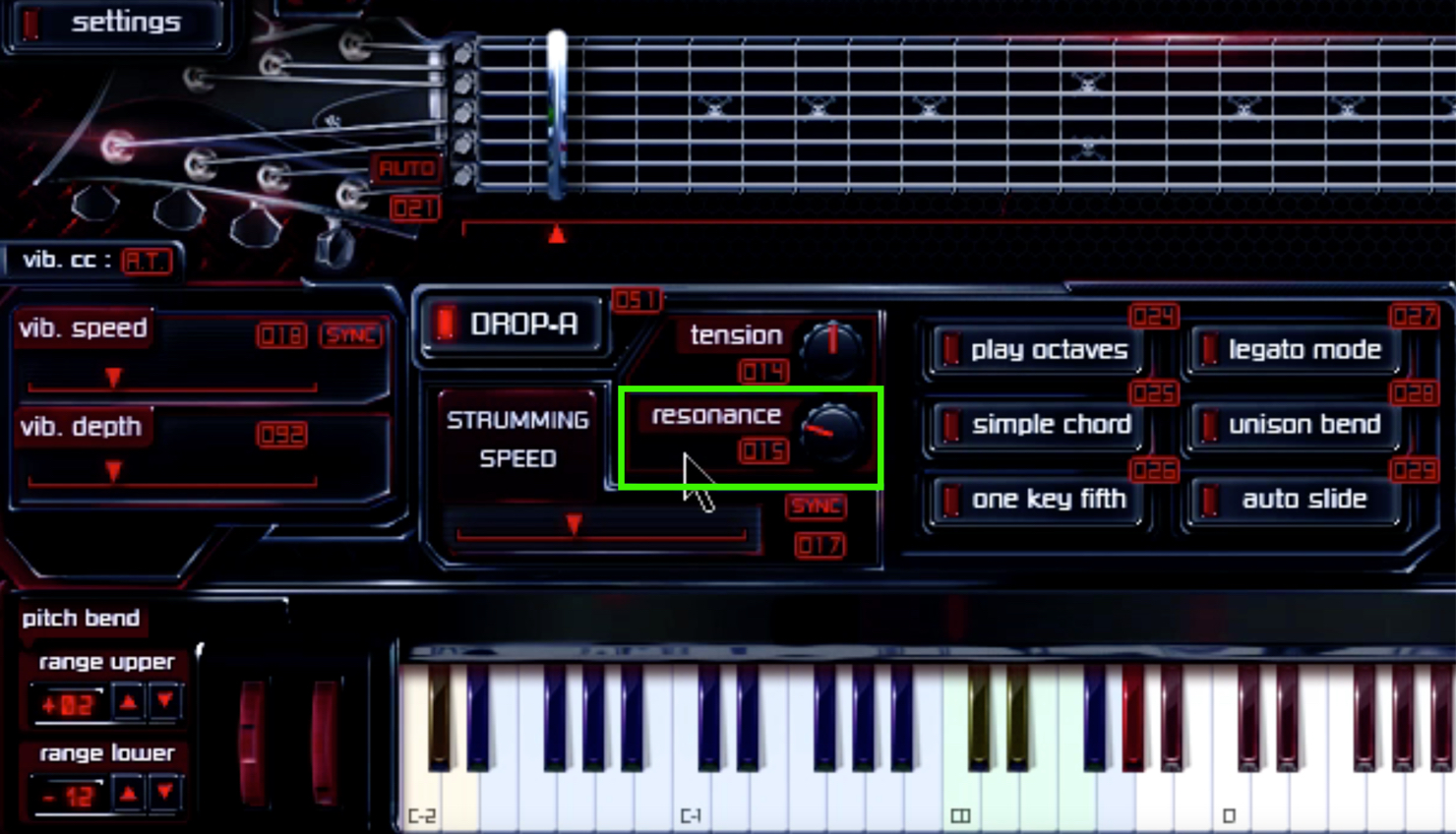
- Resonance:
The amount of sympathetic resonance in the other strings.
Normally, when a string is played, the other strings resonate slightly. Turning the control left removes this resonance for a cleaner sound. Real guitar performances have at least some resonance, but setting it too high can cause excessive resonance and make the performance less clear.
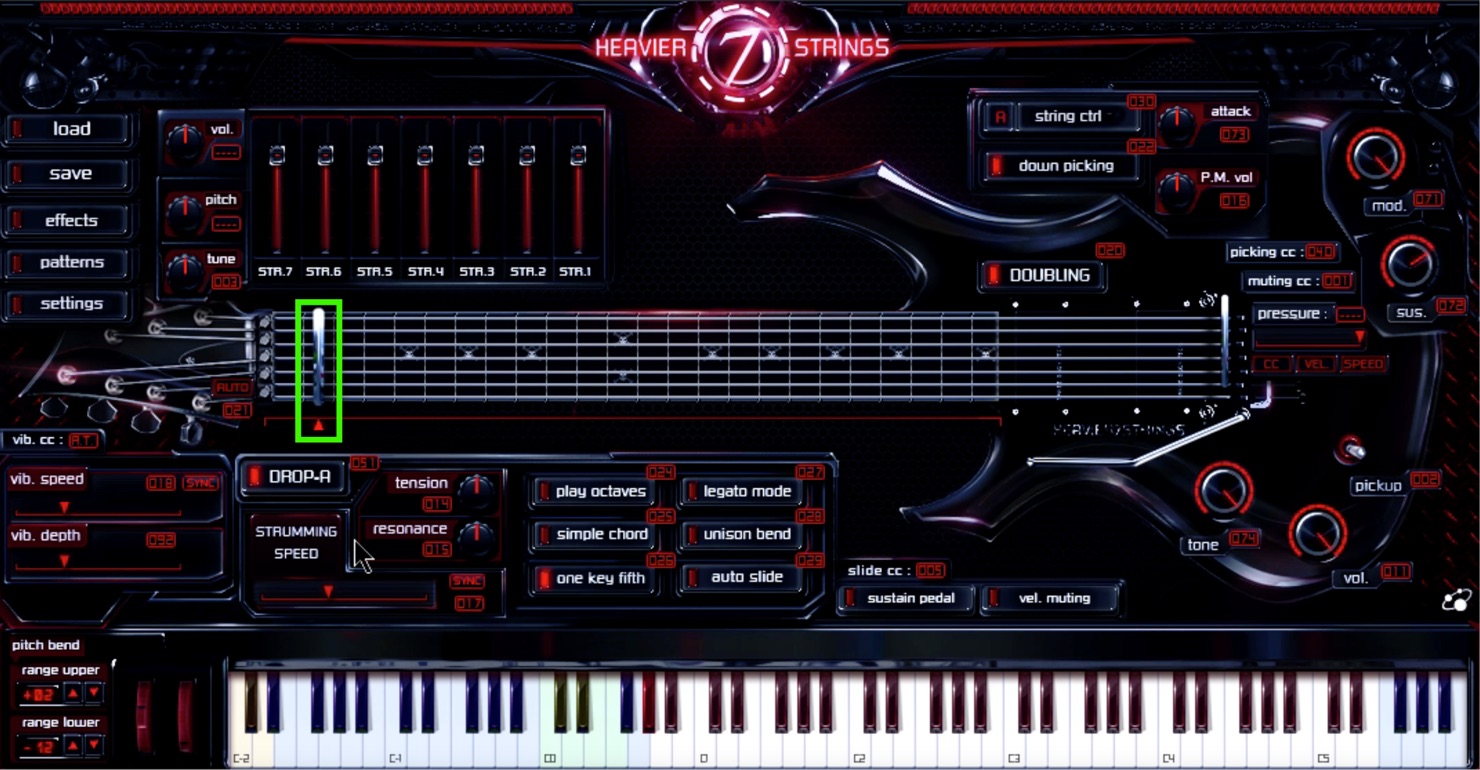
- Capo on the fretboard:
Move the capo to choose the desired fret position.
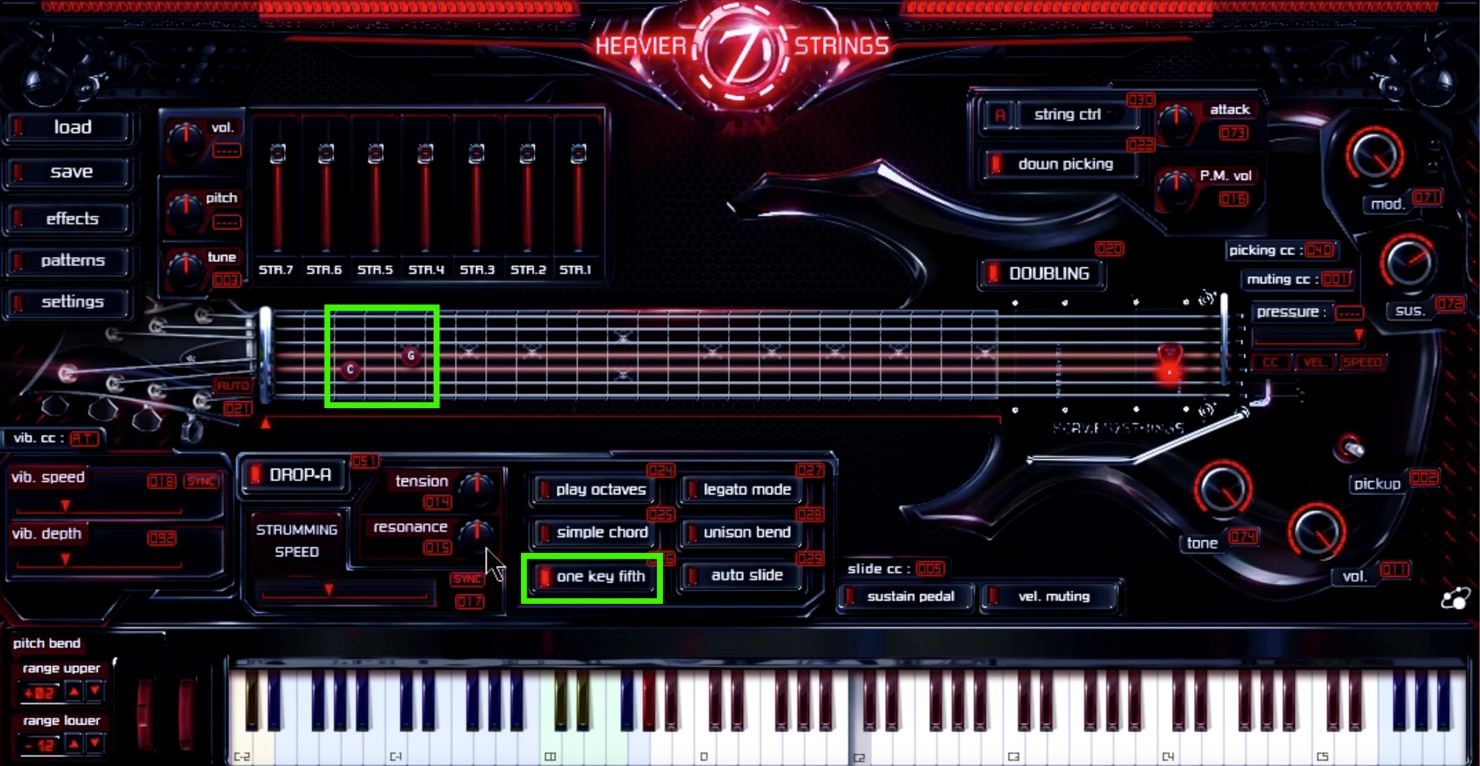
- One Key Fifth:
Turn this on to sound a fifth; turn it off to return to single notes.
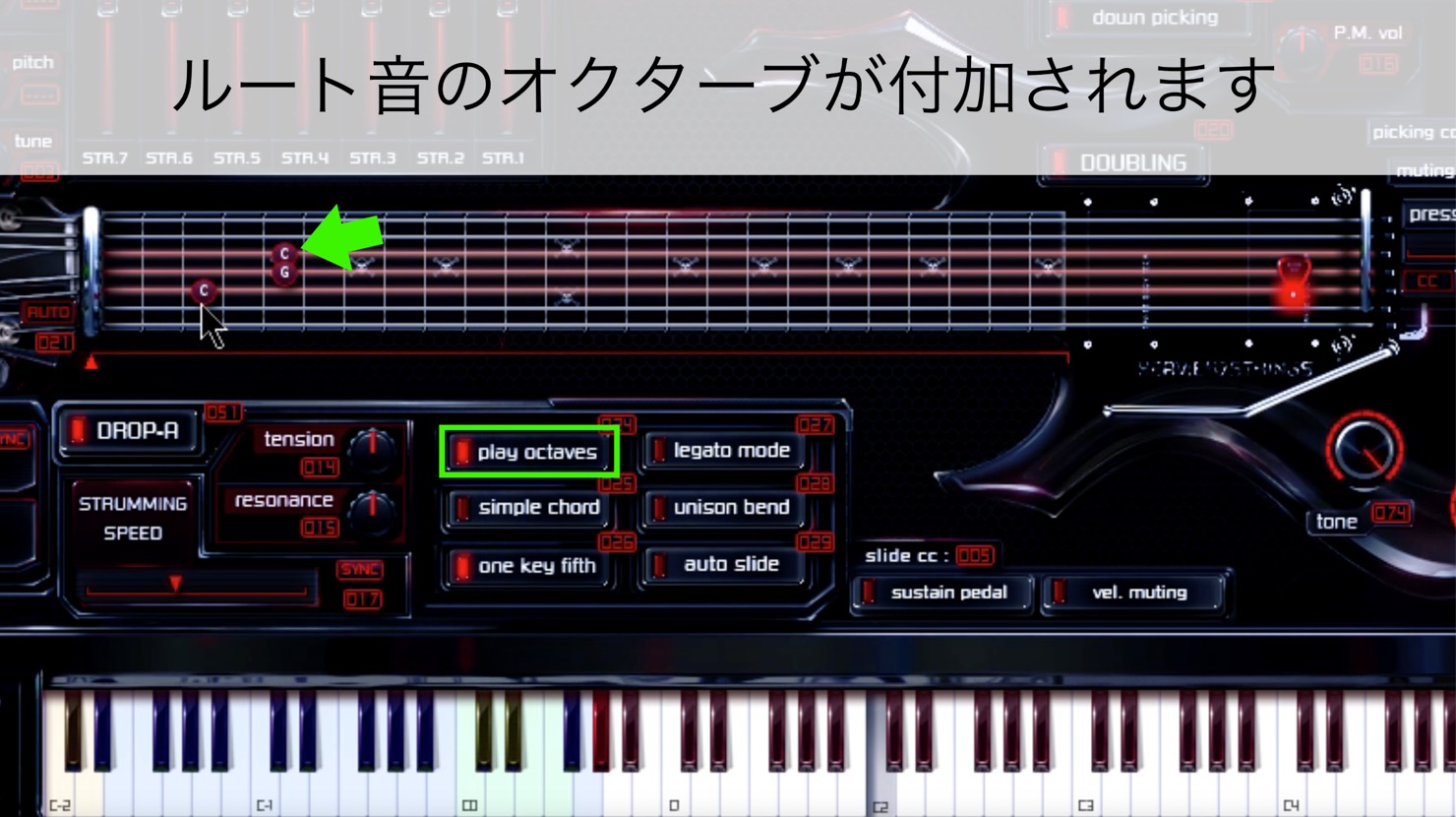
- Play Octaves:
With One Key Fifth enabled, turning on Play Octaves adds an octave of the root note.
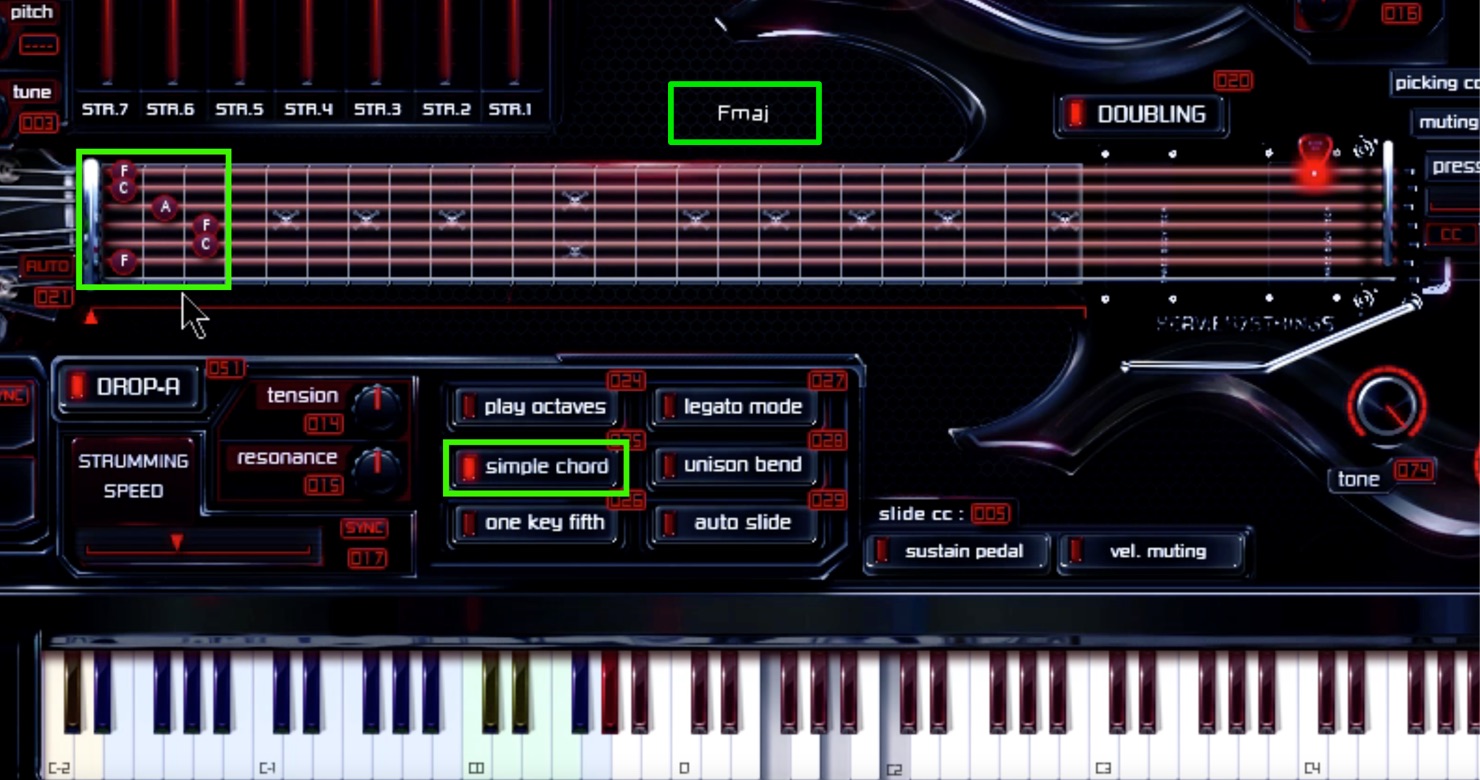
- Simple Chord:
When off, for example, pressing F1 as the root together with A1 and C2 sounds only F on the sixth string’s first fret and the open fifth-string A.
When on, playing the same notes produces an F major chord.
Beginners may find the F major guitar shape difficult, but with Simple Chord on, pressing F1, A1 and C2 together easily produces the sound of that shape.
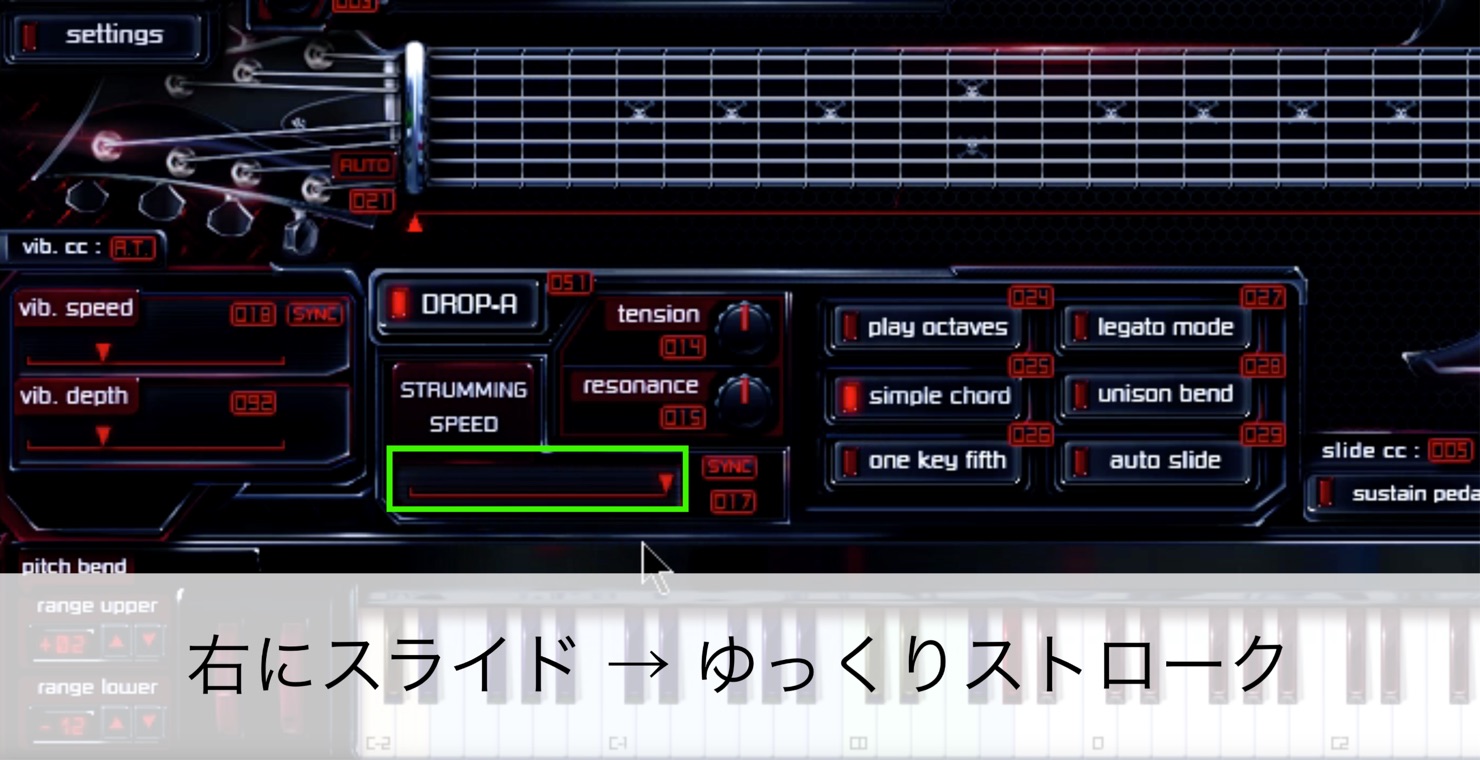
- STRUMMING SPEED:
Slide to the right for a slower downstroke.
Sliding left makes the stroke faster, but if it is too fast it can sound less human, so a somewhat slower setting may work better.
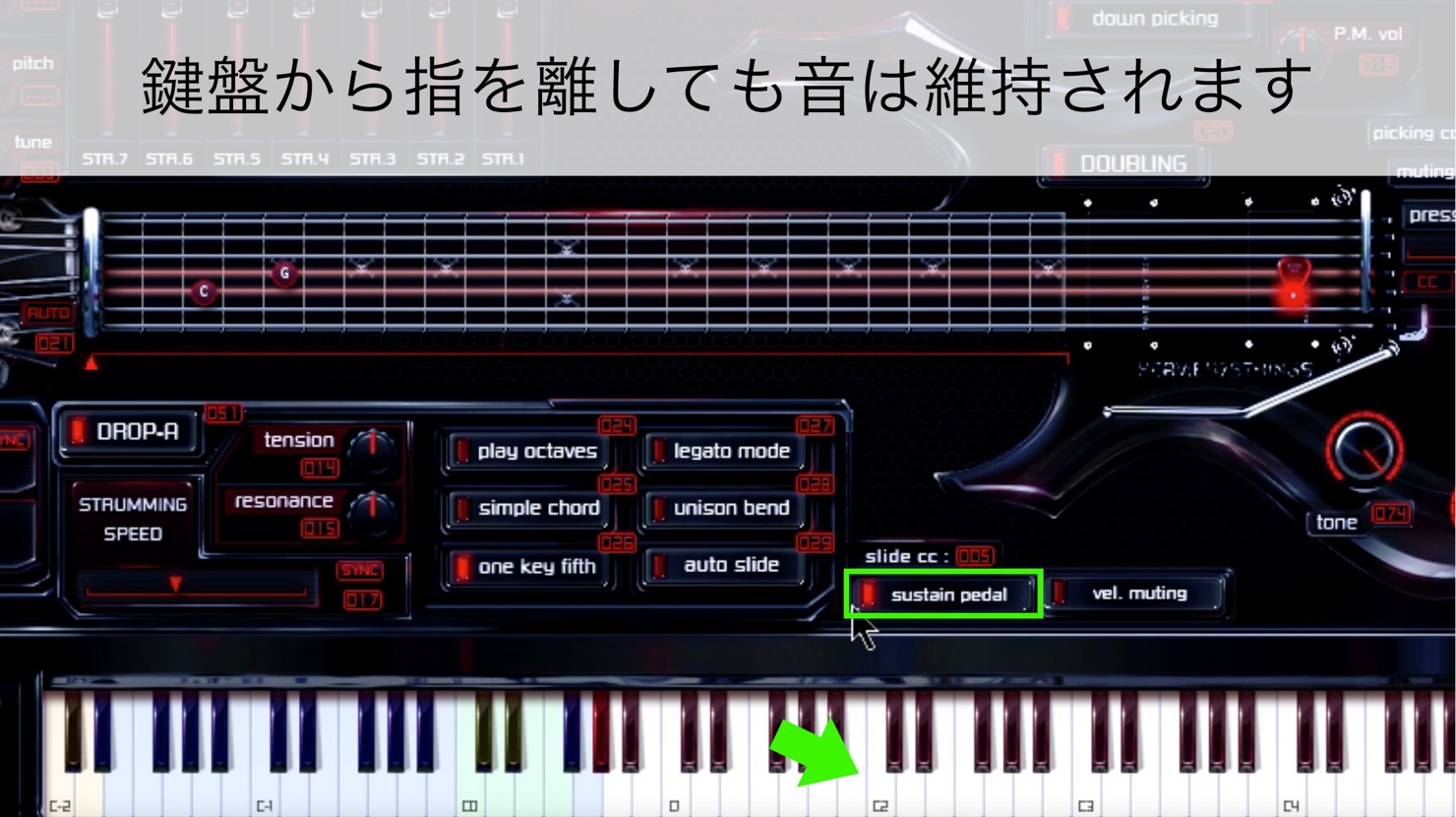
- Sustain Pedal:
When off, notes stop when you release the keys. When on, they continue to sound after you release them.
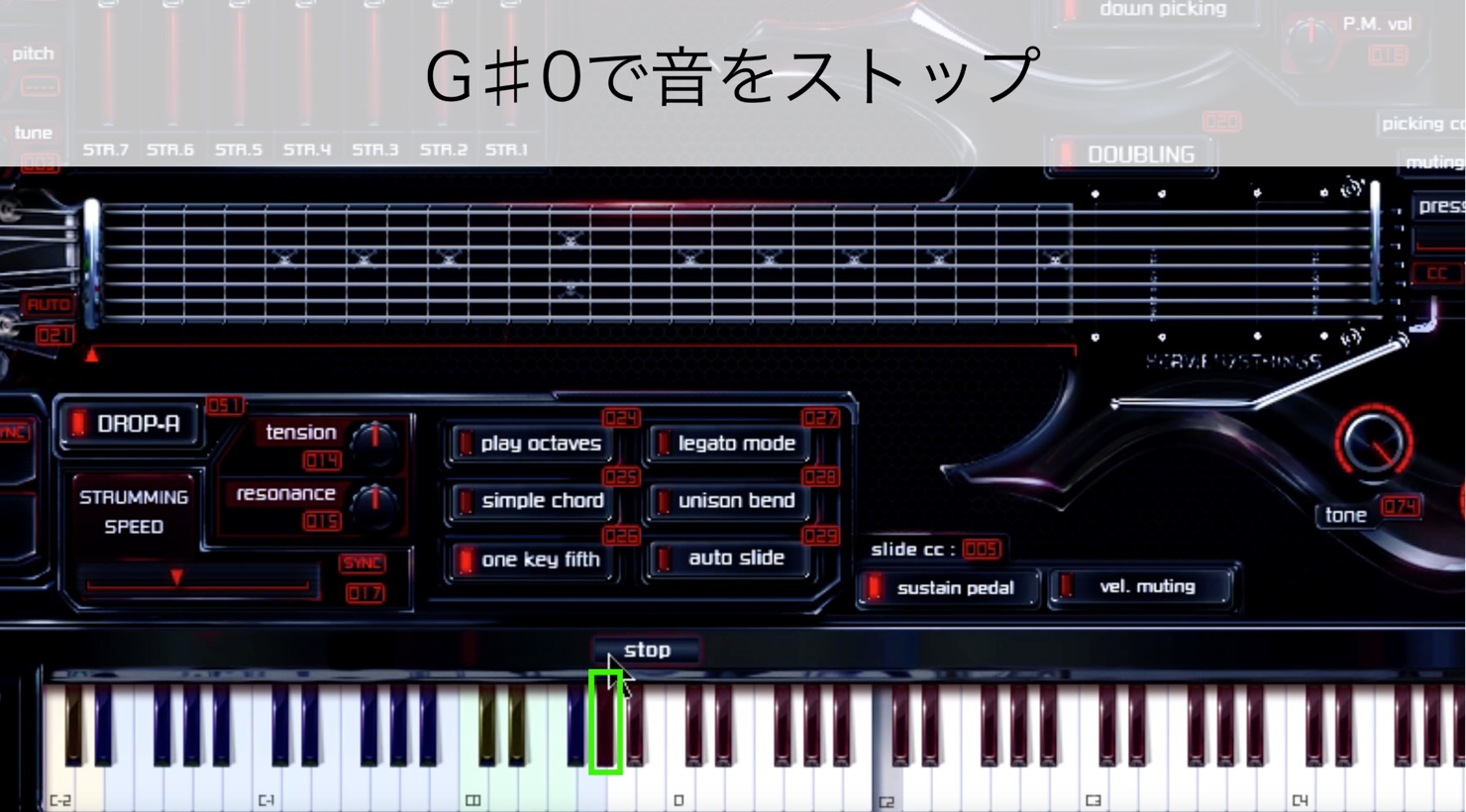
- G♯0:
Stops the sound currently playing.
Playing G♯0 at velocity 127 stops the performance with a slide-off; velocity 60 stops it by fretting-hand muting, while velocity 10 stops it with picking-hand muting.
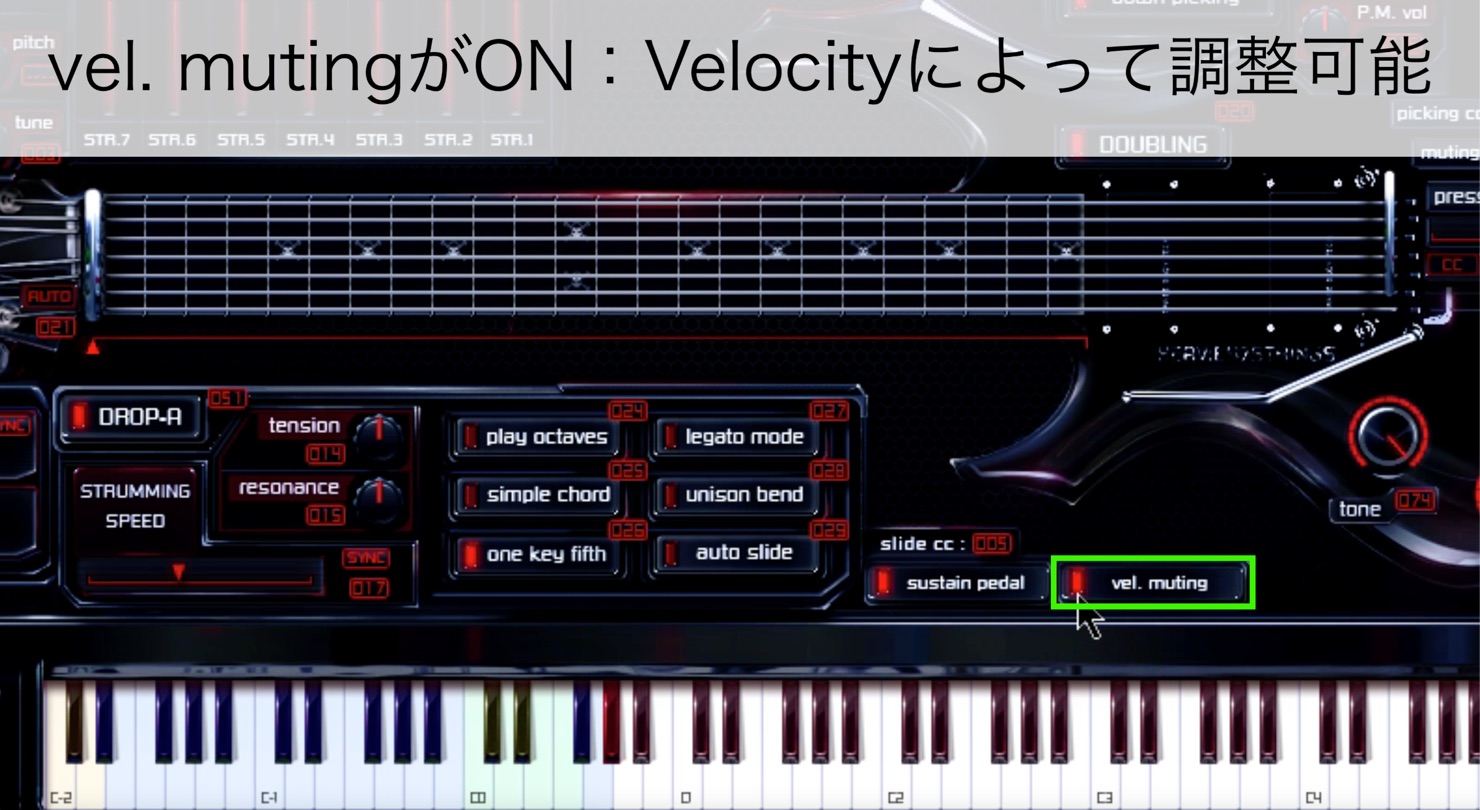
- Vel. Muting:
The playing technique changes according to the velocity value.
1–29: Picking noise
30–83: Muted
84–111: Soft picking
112–126: Hard picking
127: Pinch harmonic
In Japan, pinch harmonics are also known as “picking harmonics.”
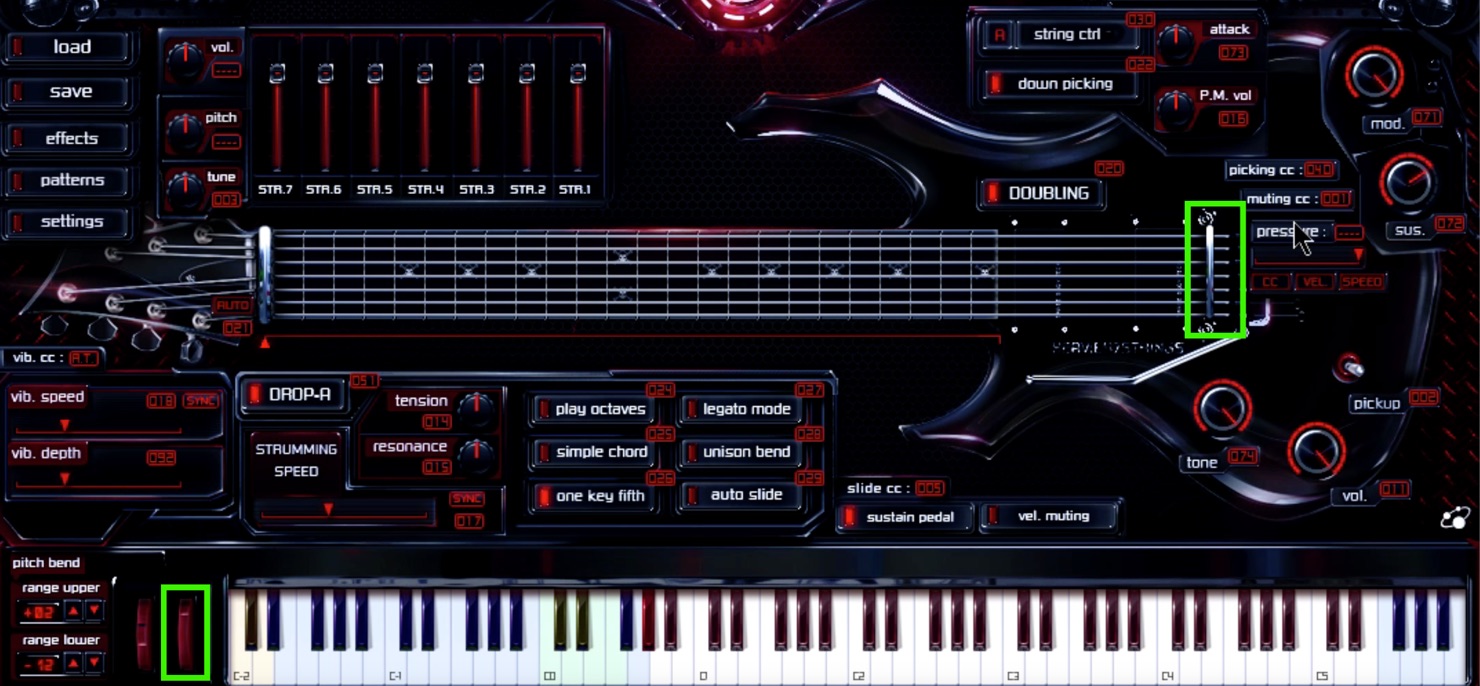
- Muting with the Modulation Wheel:
Moving the wheel up and down also moves the capo at the guitar bridge, letting you see how much pressure is applied to the strings.
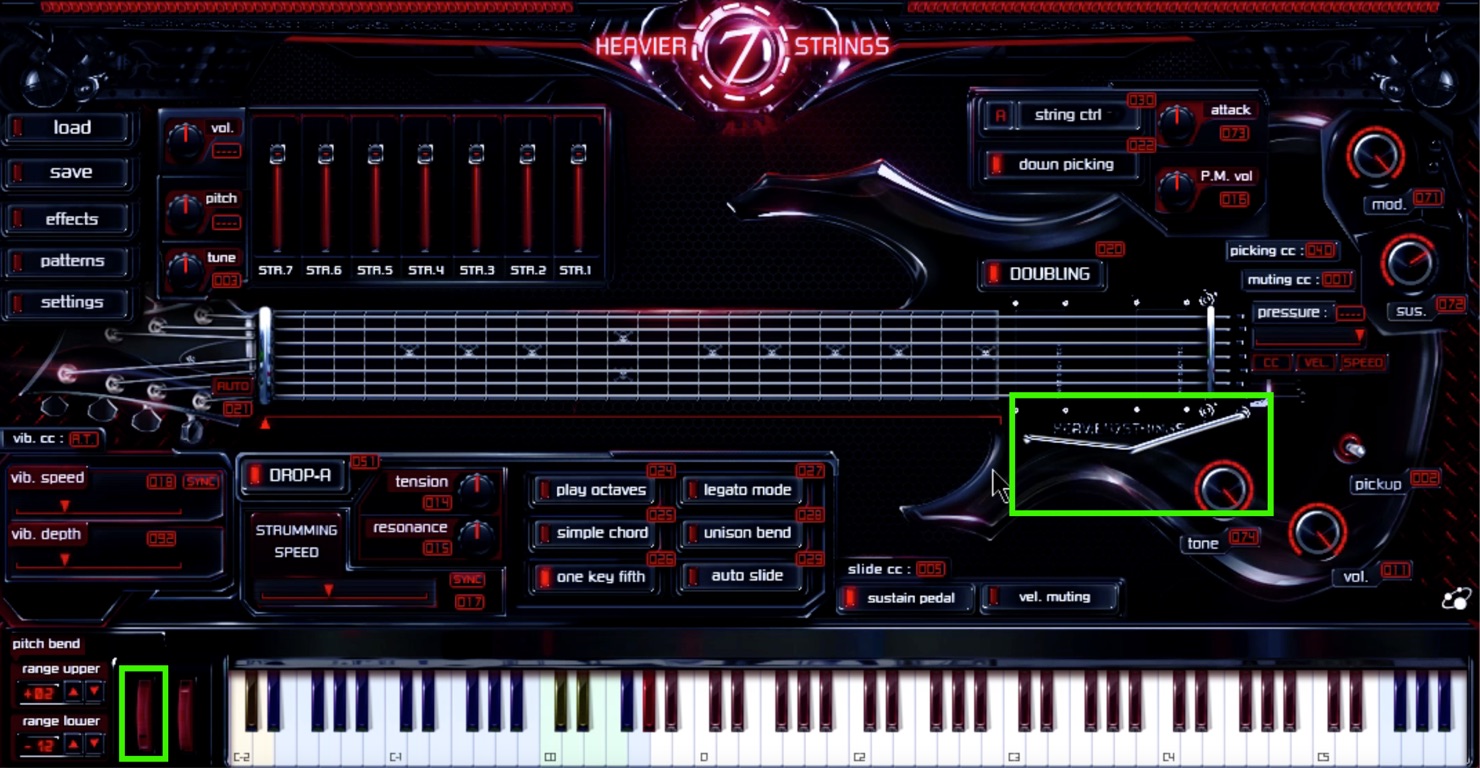
- Tremolo Arm Control with the Wheel:
Moving the wheel up and down also moves the arm on the guitar’s tailpiece.
The arm is mainly used for upward and downward bends and the cricket technique, but small movements during a performance can also create vibrato.
- Performance Technique:
Human performances are not mechanically constant; they are always changing. Adding such variation to a song can make a performance sound more realistic.
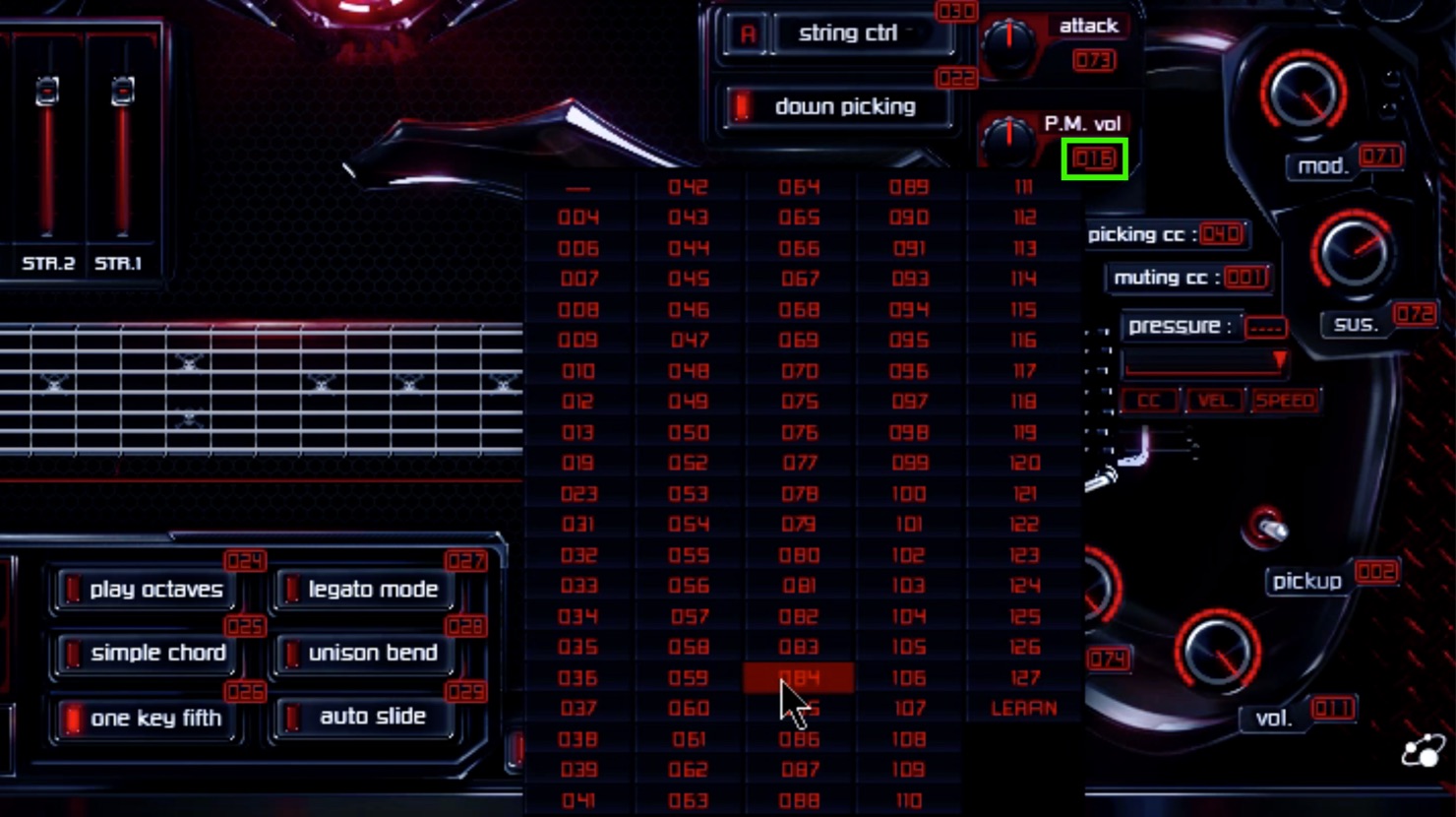
For example, you may want to change P.M.vol in real time during a muted passage.
The number 016 below P.M.vol is its CC (control change) assignment. Click the number to choose a value from 004 to 127.
Setting MIDI CCs
Here P.M.vol is assigned to CC16, so let’s change it in real time in Cubase.
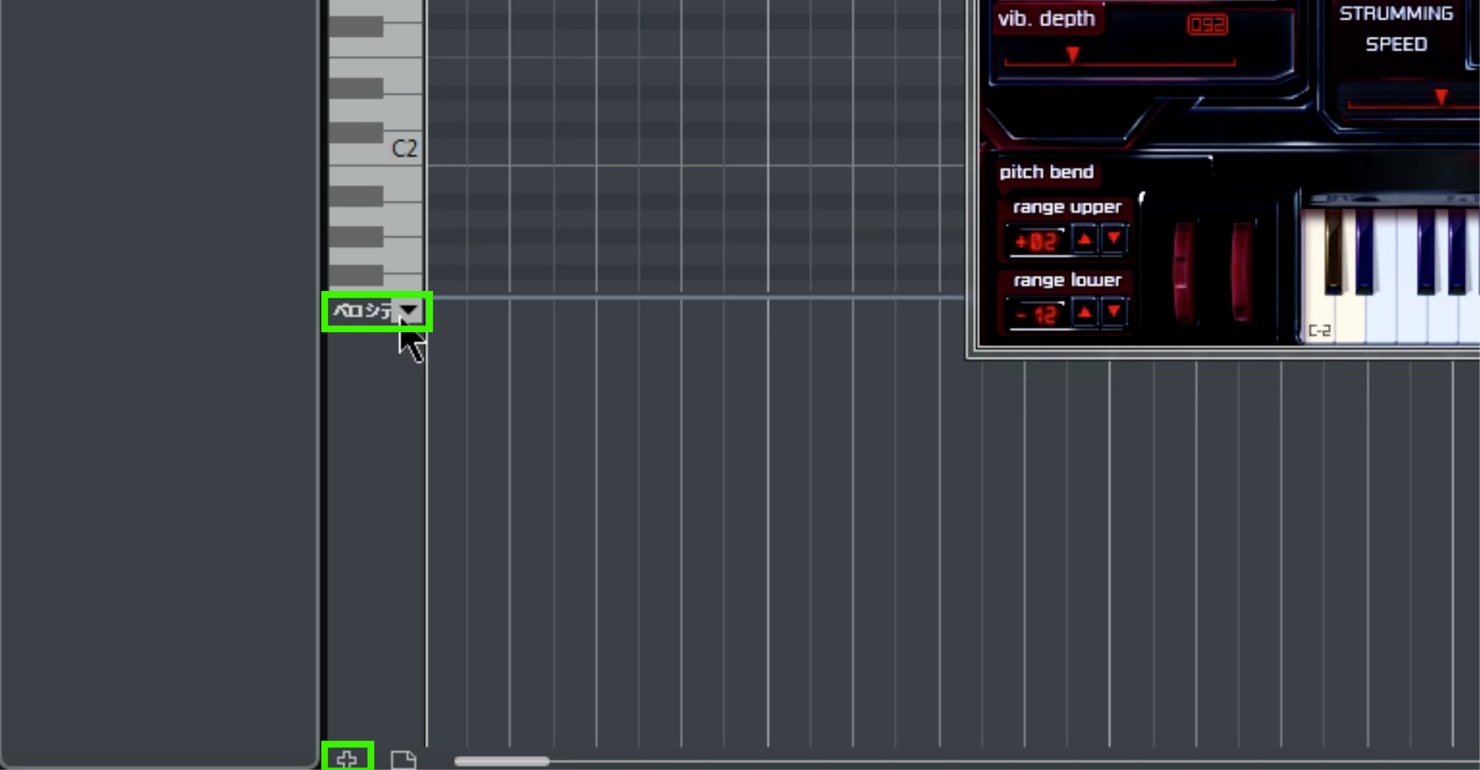
Open the Key Editor, create a controller lane using the “+” icon at the lower left, and click Velocity to display the CC list.
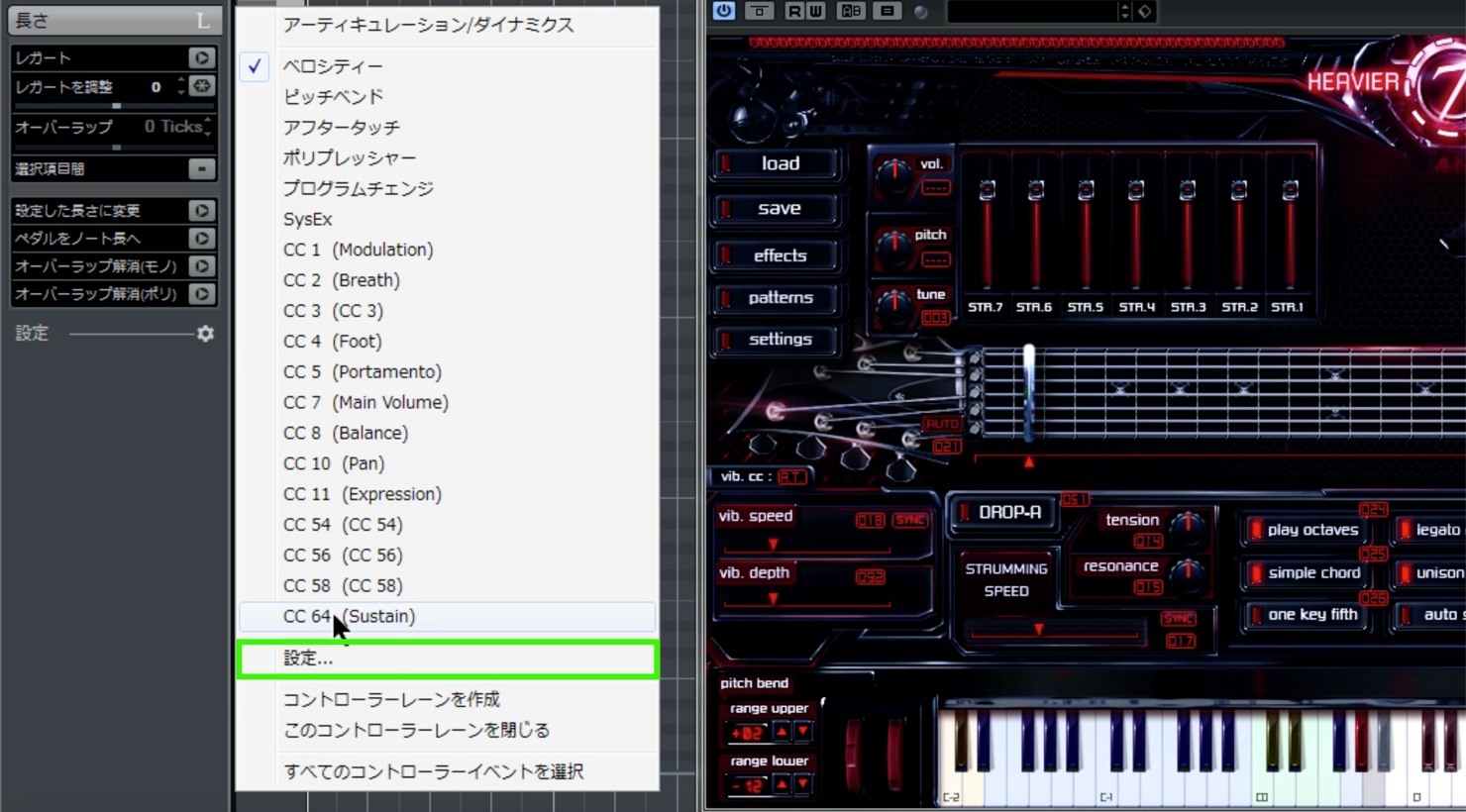
The list starts with CC1 Modulation and jumps from 11 to 54, so the desired CC16 is not shown.
Adding CC16
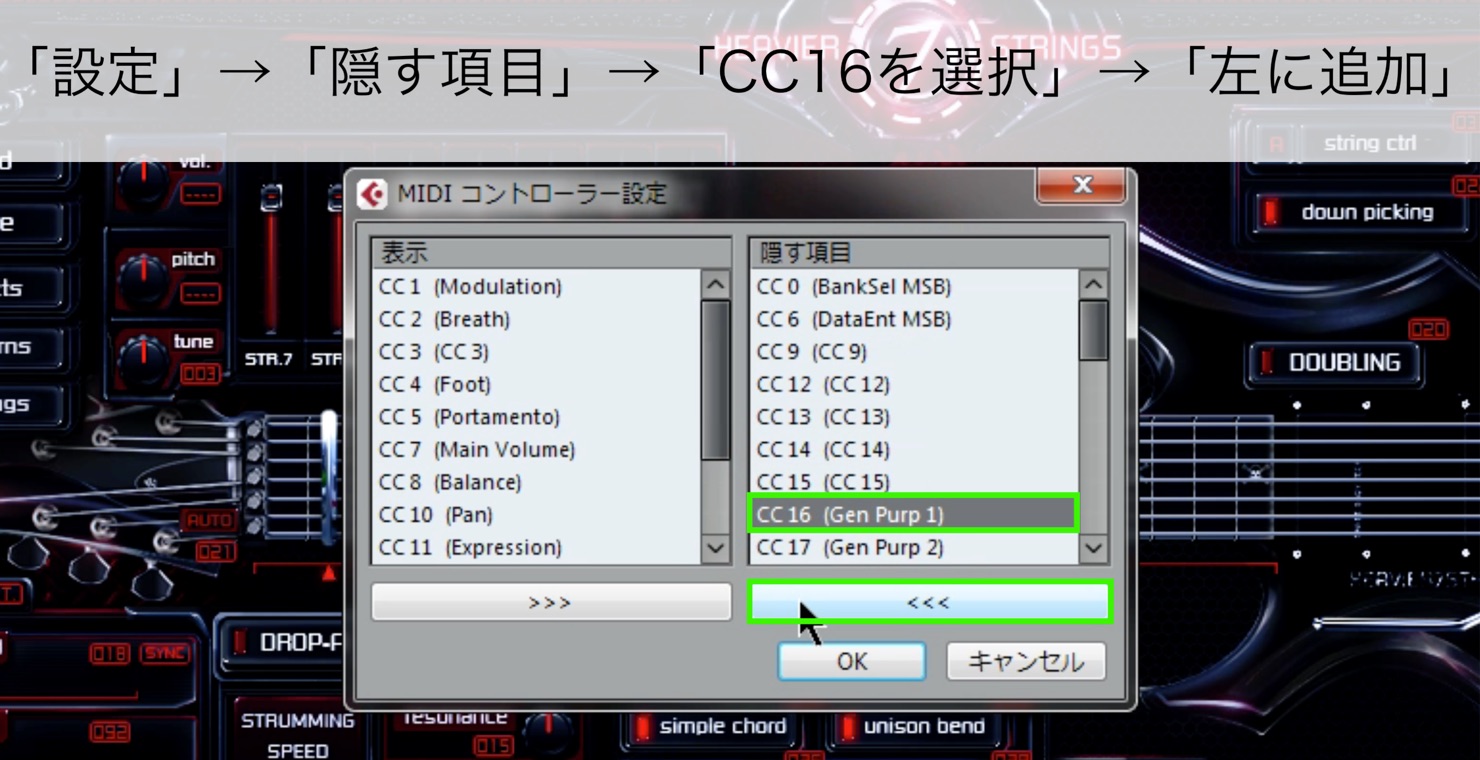
Choose Settings → Hidden Items → select 16 → Add to the left.
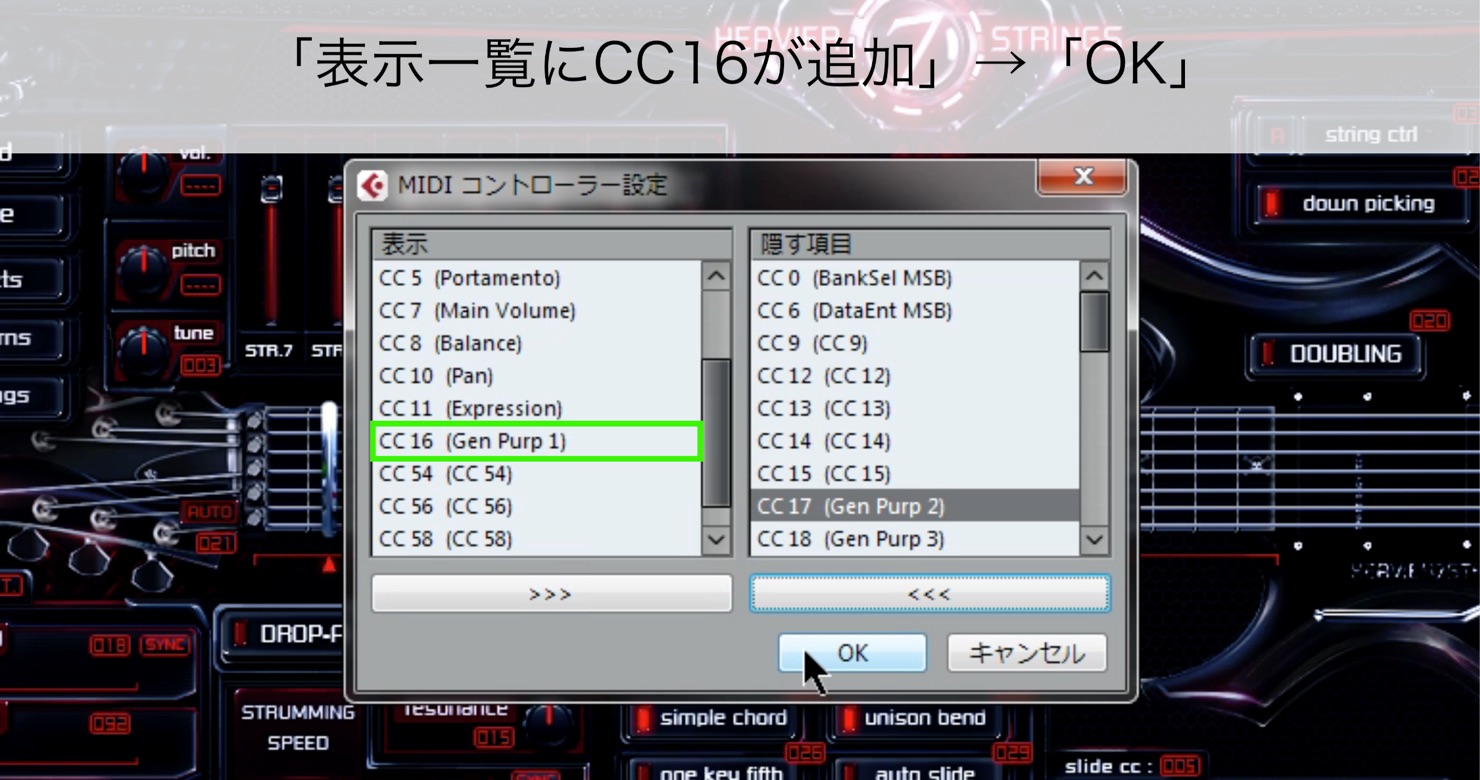
CC16 is added to the displayed list → OK.
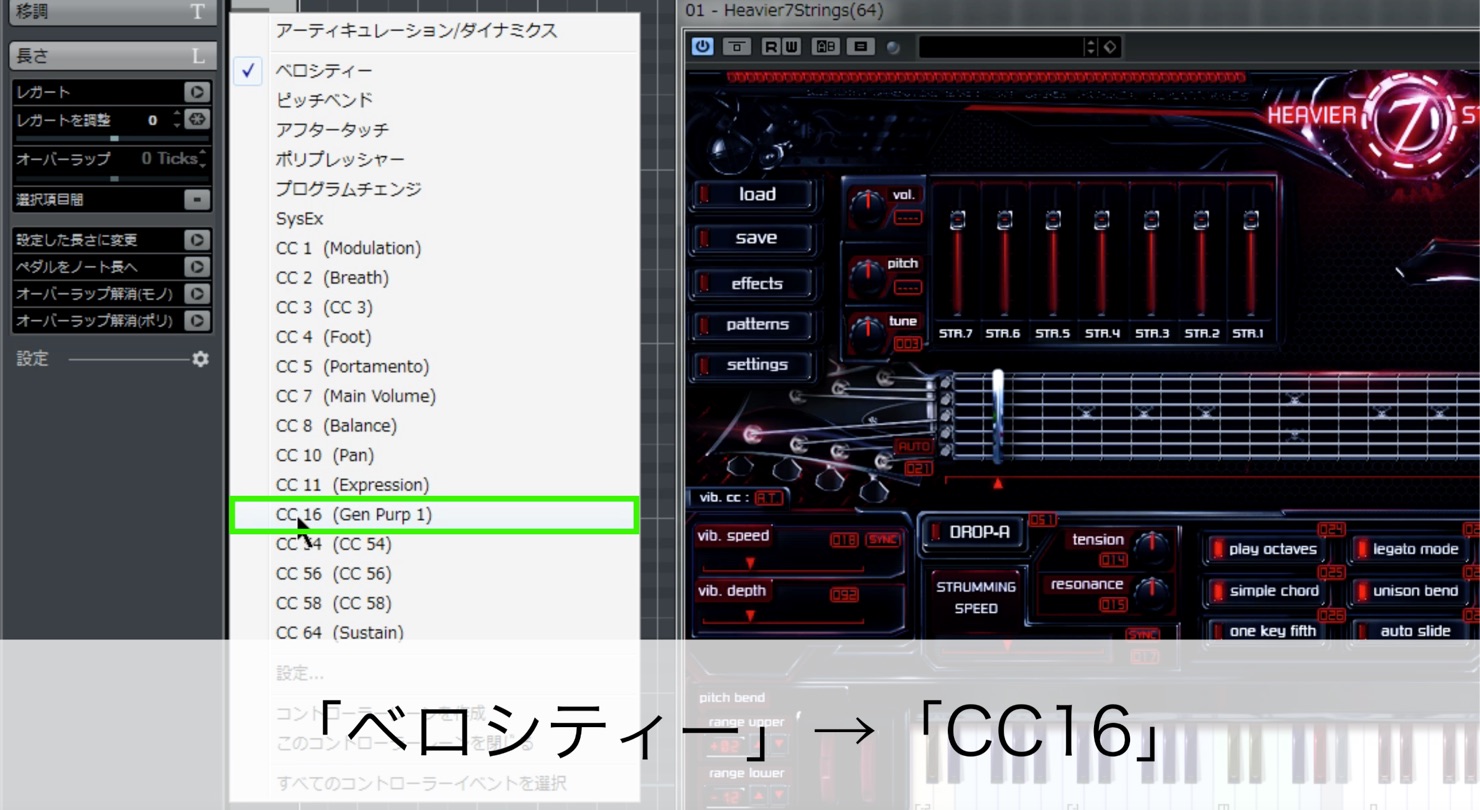
CC16 now appears after CC11 → click CC16.
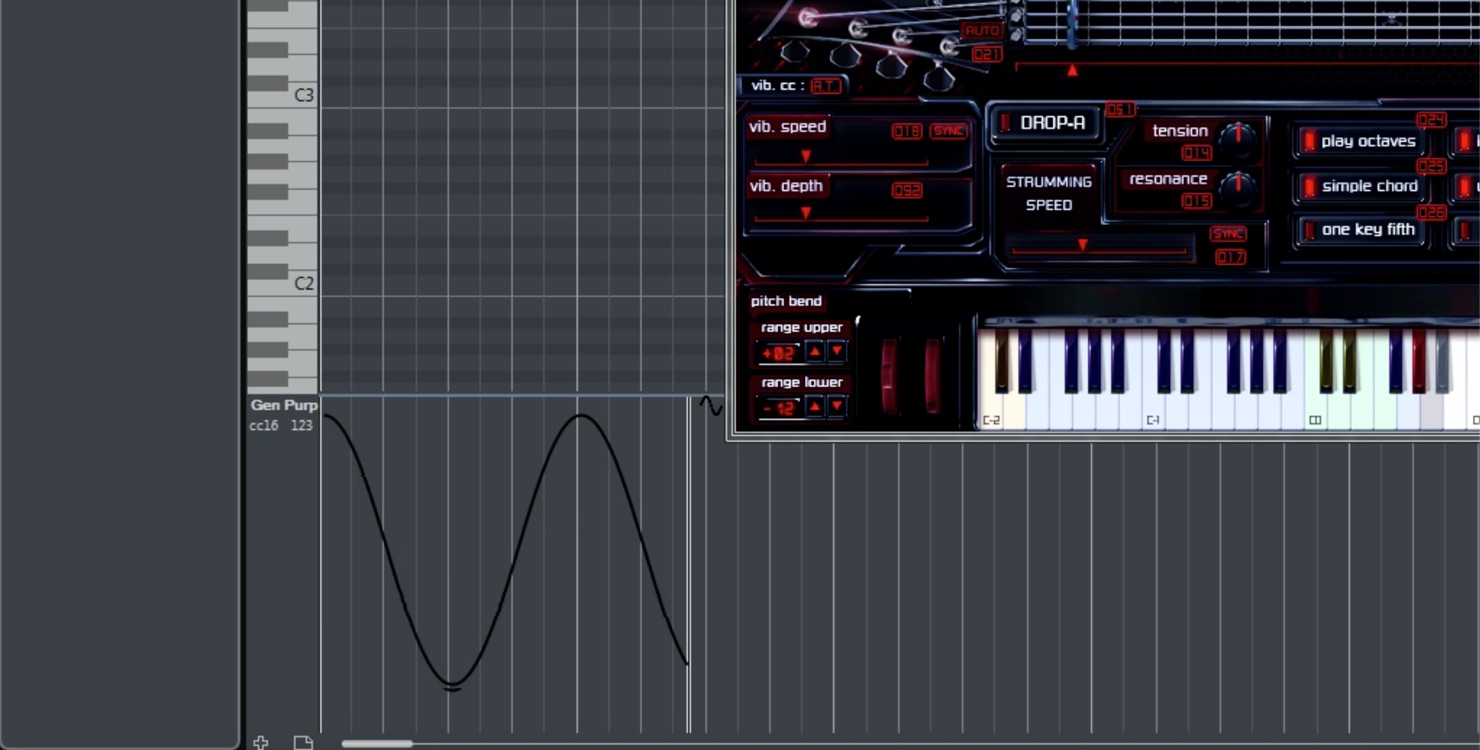
The lane changes from Velocity to CC16. Draw values with the Pencil tool or similar and play back to change P.M.vol in real time.
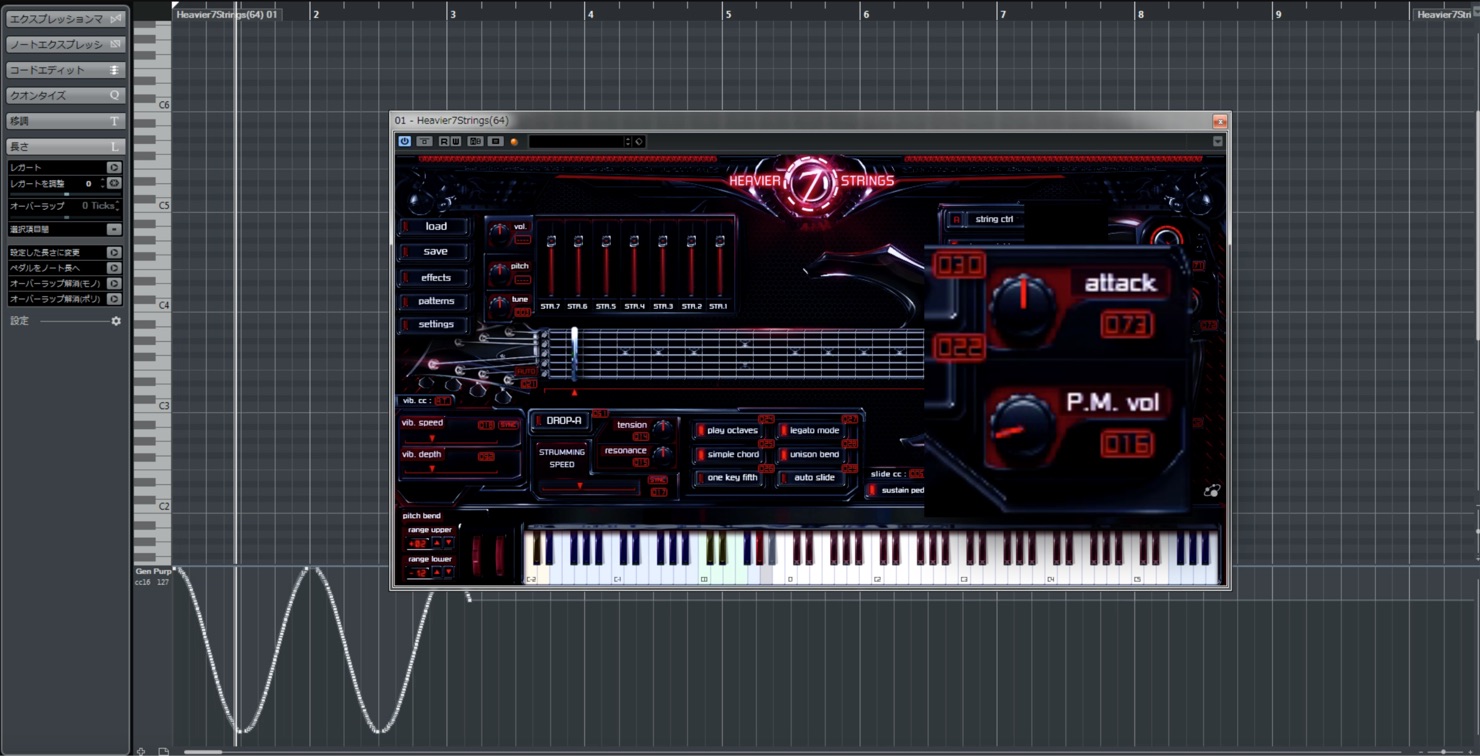
It takes a little effort, but it can be worthwhile.
Try incorporating these elements into your music.
Next time, we will cover articulations for faithful reproduction and sound design, one of the great pleasures of electric guitar.
See you next time!
Article Author
Twitter ID: @k5_stud1o
YouTube: K5 STUDIO
Frequently Asked Questions
Q1. What does Heavier7Strings’ DROP-A feature do?
It changes the lowest note of the seven-string guitar from B0 to A0. When enabled, the tuning peg turns and the key display changes from gray to white, allowing lower notes in your music.
Q2. What does it mean that velocity changes the playing technique?
With Vel. Muting enabled, MIDI velocity selects the technique: 1–29 picking noise, 30–83 muted, 84–111 soft picking, 112–126 hard picking, and 127 pinch harmonic.
Q3. What is the benefit of enabling Simple Chord?
It removes the need to enter a complex guitar chord shape. For example, pressing F1, A1 and C2 together produces an F major sound without manually specifying the fret positions.
Q4. Why set CC16 in Cubase?
To change P.M.vol (palm-mute volume) in real time. Adding a CC lane lets you adjust the muted volume dynamically during the performance for a more human, natural expression.
NEW ARTICLES
Latest English Articles



























































































































































































































































































































