
The third installment of our Skrillex-style wobble bass series uses Native Instruments Massive and its step-based PERFORMER modulation to create dramatic timbral changes. Starting with Modern Talking and Gentle Speech oscillators, we assign PERFORMER to two filters in series, SCREAM and Lowpass4, for complex, aggressive movement. We also explore velocity and glide settings for expressive electronic sounds.
Skrillex-Style Wobble Bass: Part 3
This is the third installment of our answer video series on creating a Skrillex-style wobble bass.
The previous article leads into this one, so we recommend reading it first.
This time we explain how to use PERFORMER to make aggressive changes to the sound.
How to Create the Sound
Massive Settings
OSC and ENV4 Settings
As in part 1 , use Modern Talking and Gentle Speech with similar settings.
This time we do not want the amplitude envelope to change the sound over the held note, so use a steady sustained setting.
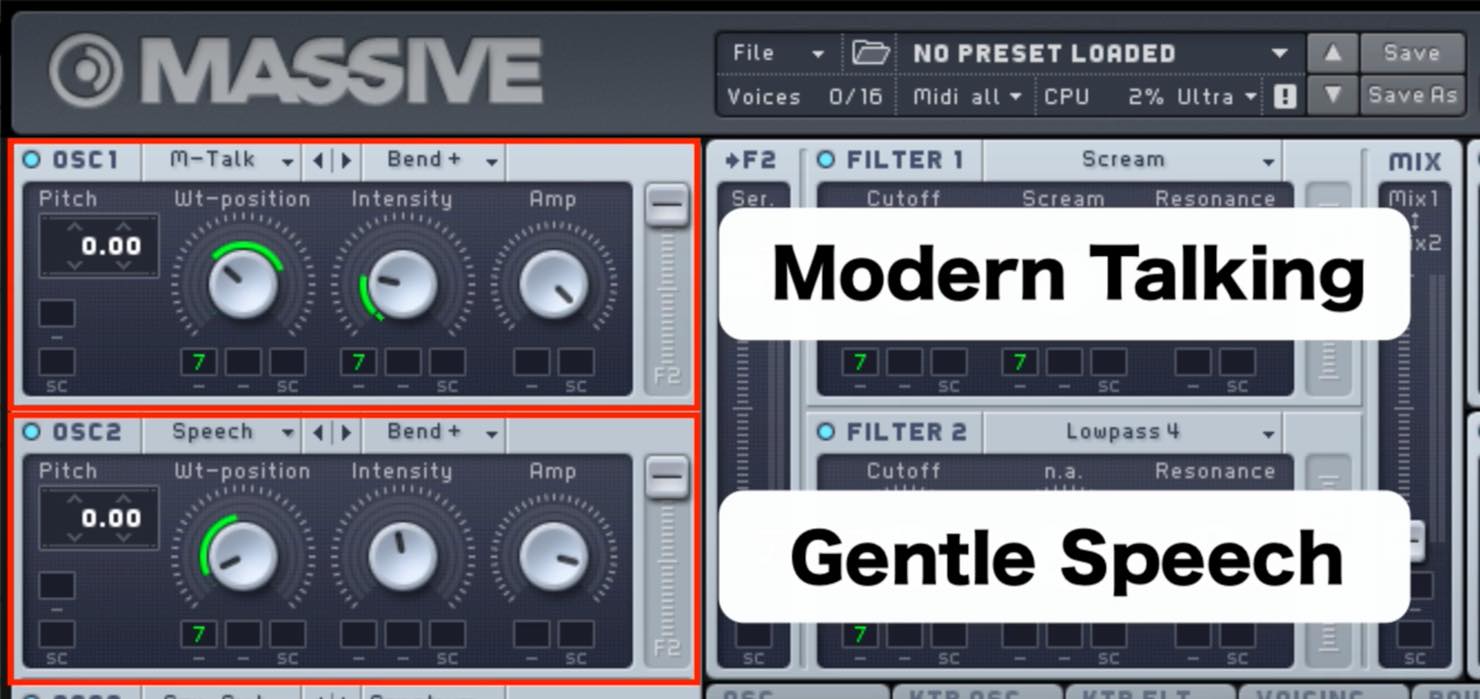
- Set the oscillator mode to “Bend+” for both.
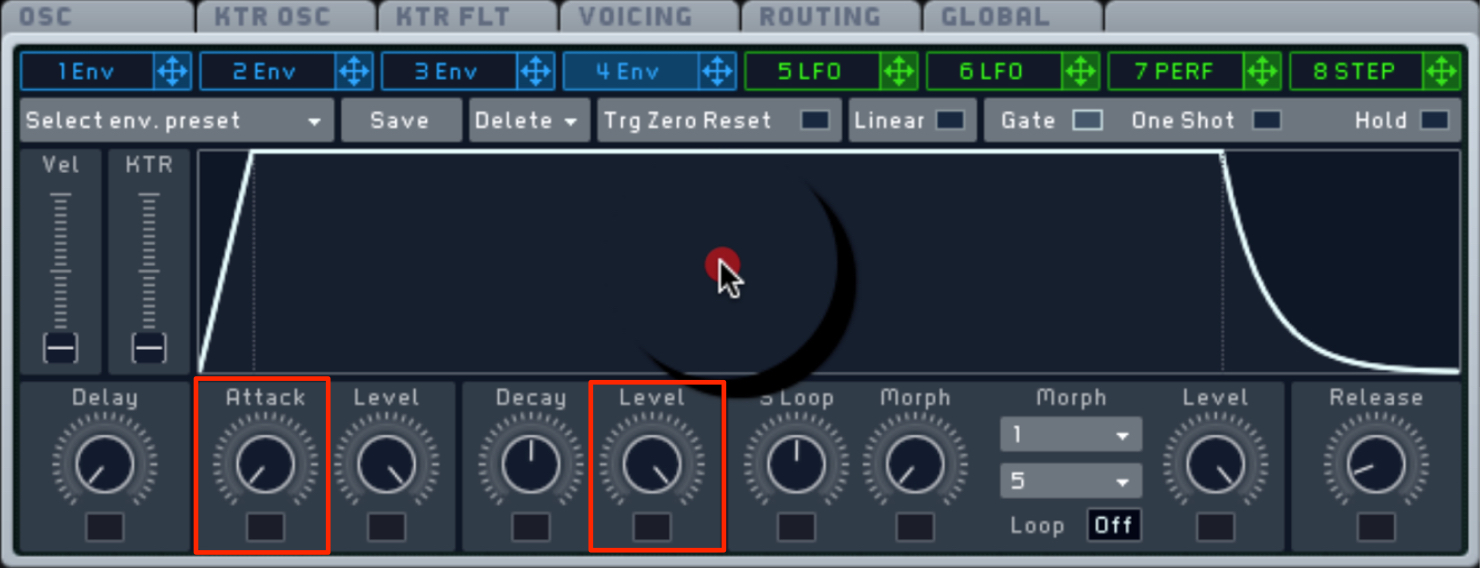
- Set Attack Time to its fastest setting.
- Set Sustain Level to maximum.
VOICING and OSC Tab Settings
These settings should now be familiar: use Unisono to add body and width.
In the OSC tab, set Glide and prevent the attack from weakening.
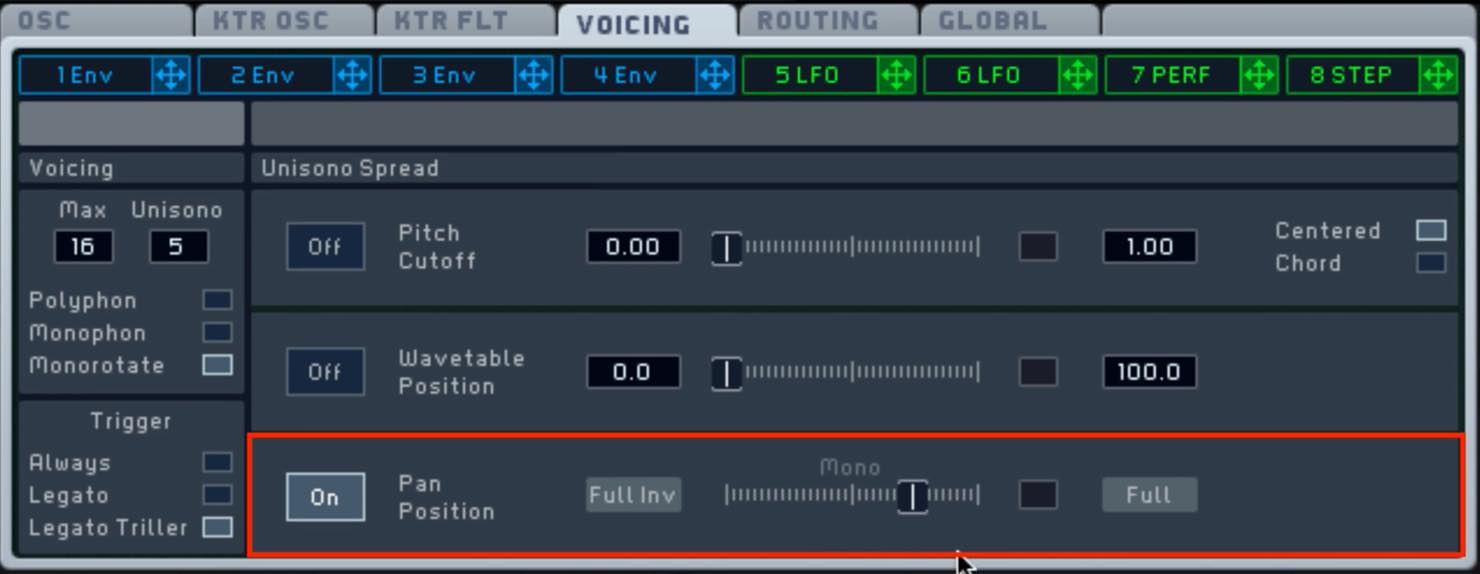
- Set Unisono to 5 and widen Pan Position slightly.
- Enable Monorotate and Legato Triller.
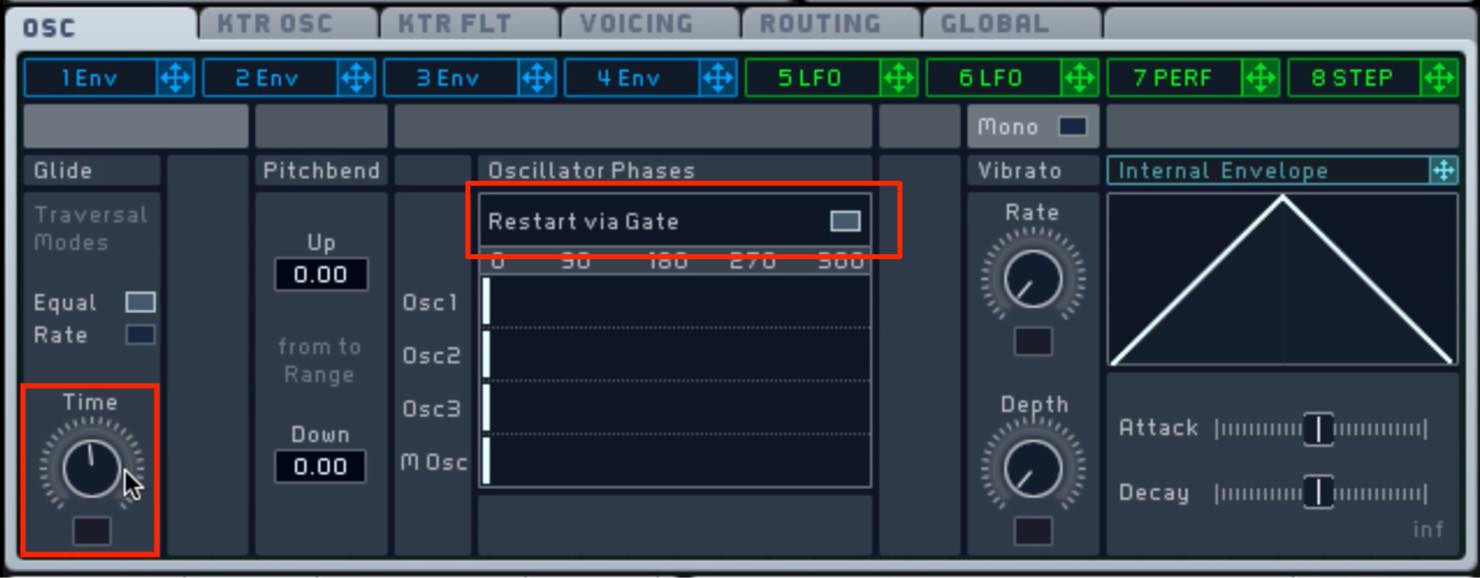
- Apply a little Glide.
- Turn on “Restart via Gate.”
Effects Settings
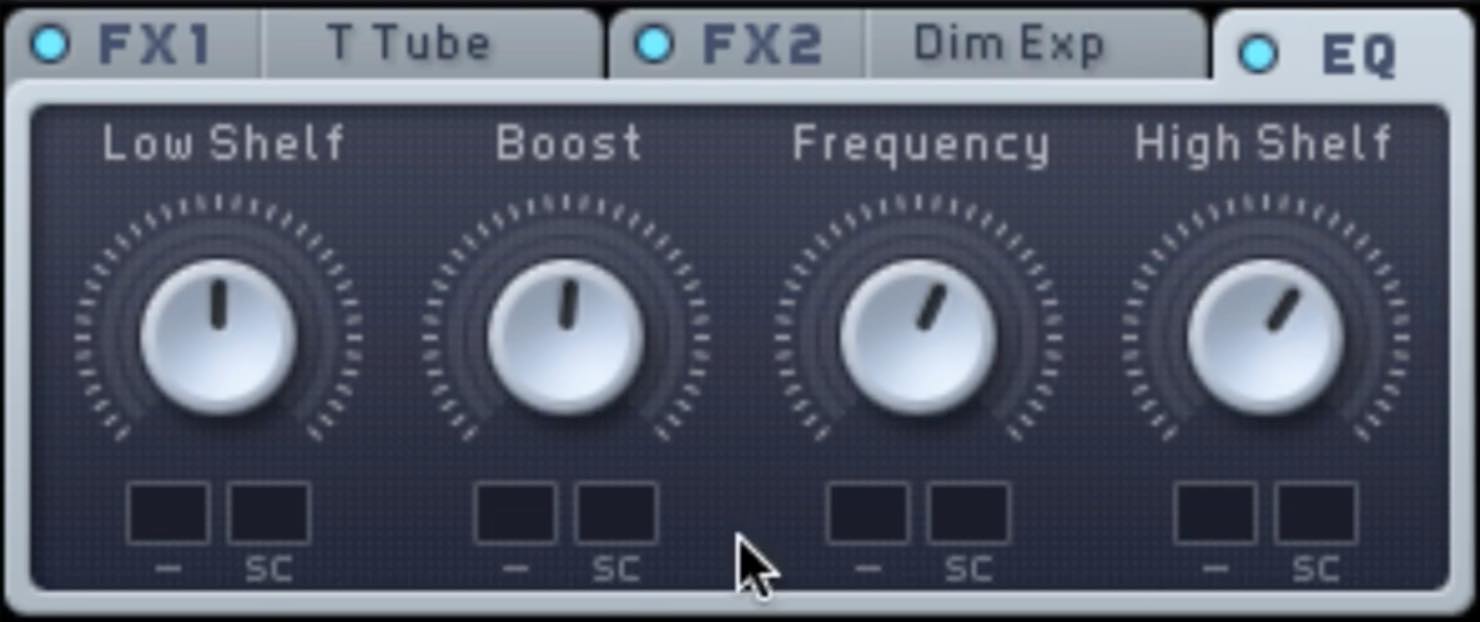
- FX1: “Tele Tube”; FX2: “Dimension Expander.”
Apply a little of each to add body and width. - In EQ, boost Hishelf and the upper mids slightly.
- Use “Hard Clipper” in INSERT1 to add distortion.
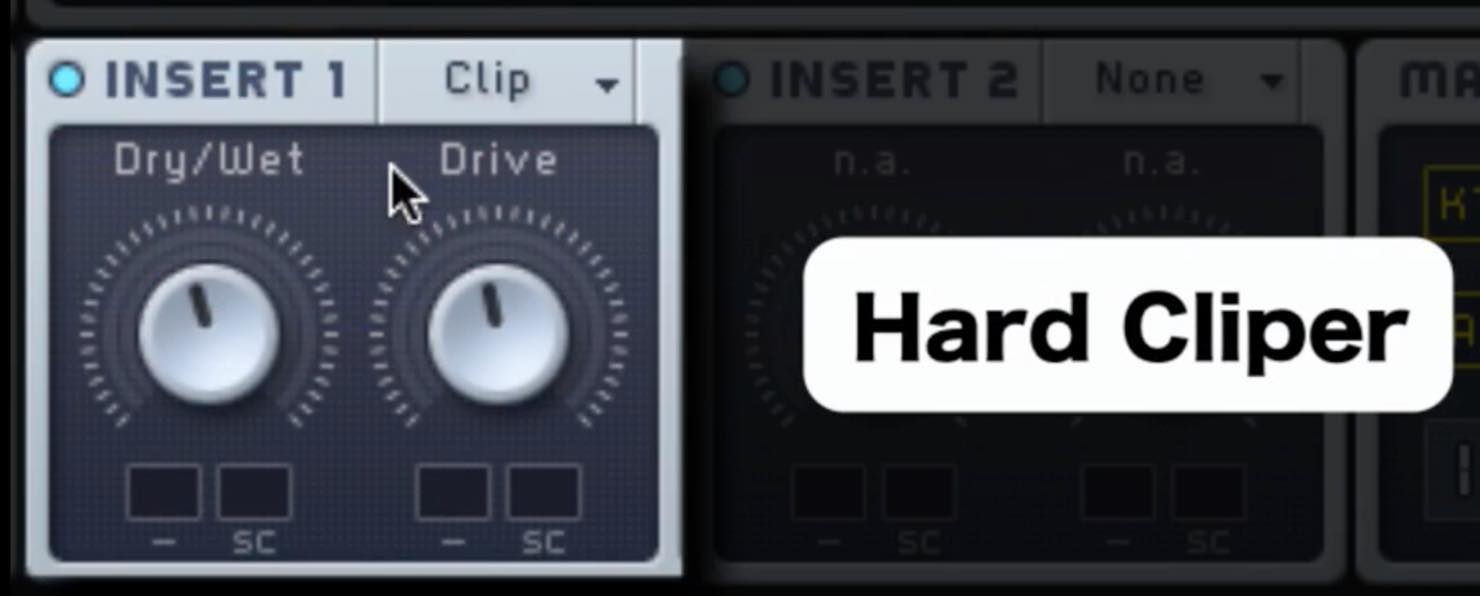
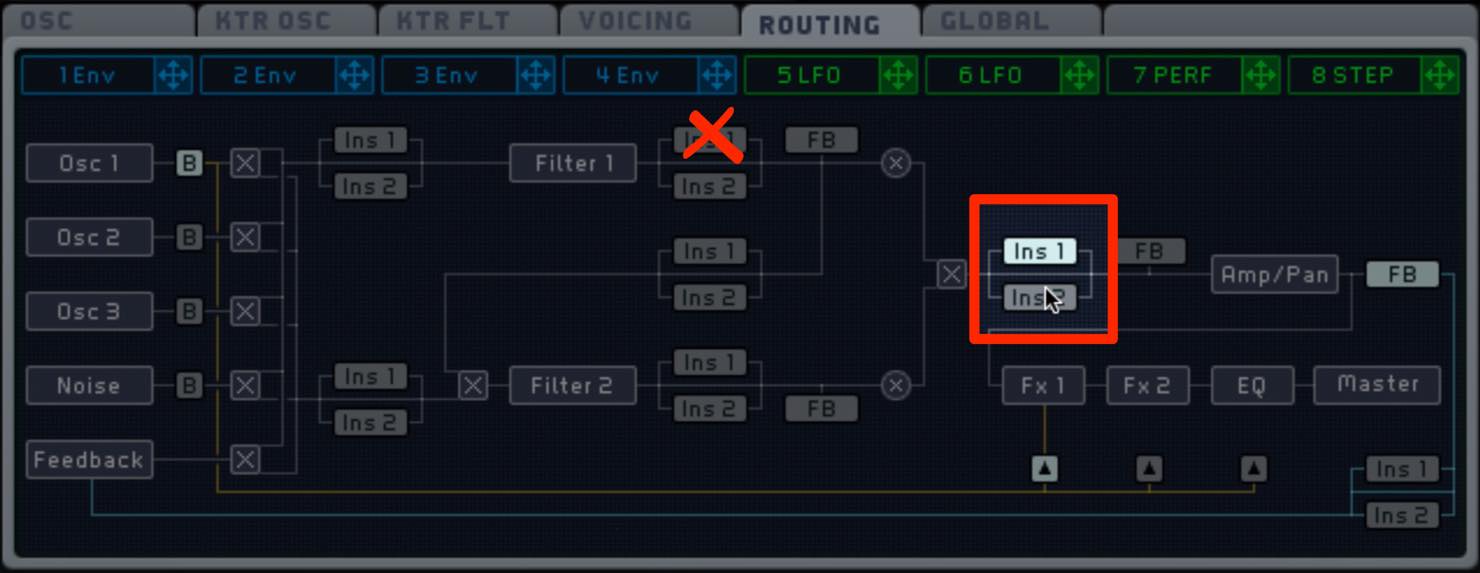
As mentioned last time, pay attention to routing when applying an insert effect.
Here we route the filters in series.
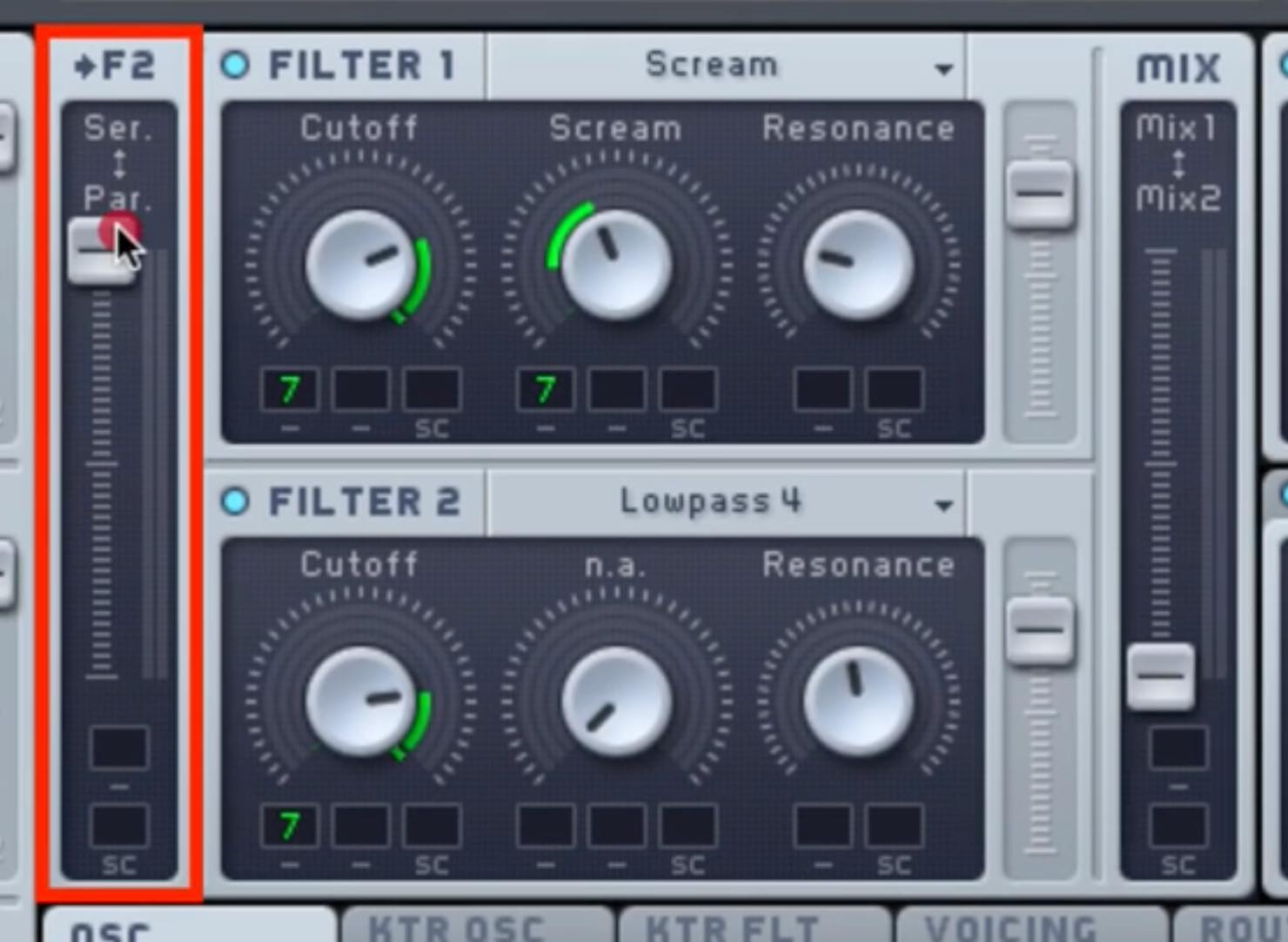
The signal passes through FILTER1 and then FILTER2.
In this case, we want to apply Ins1 after the filters, so set the routing tab as shown below.
Changing the Sound with PERFORMER
This is the key point of the tutorial.
We will use PERFORMER to change the timbre.
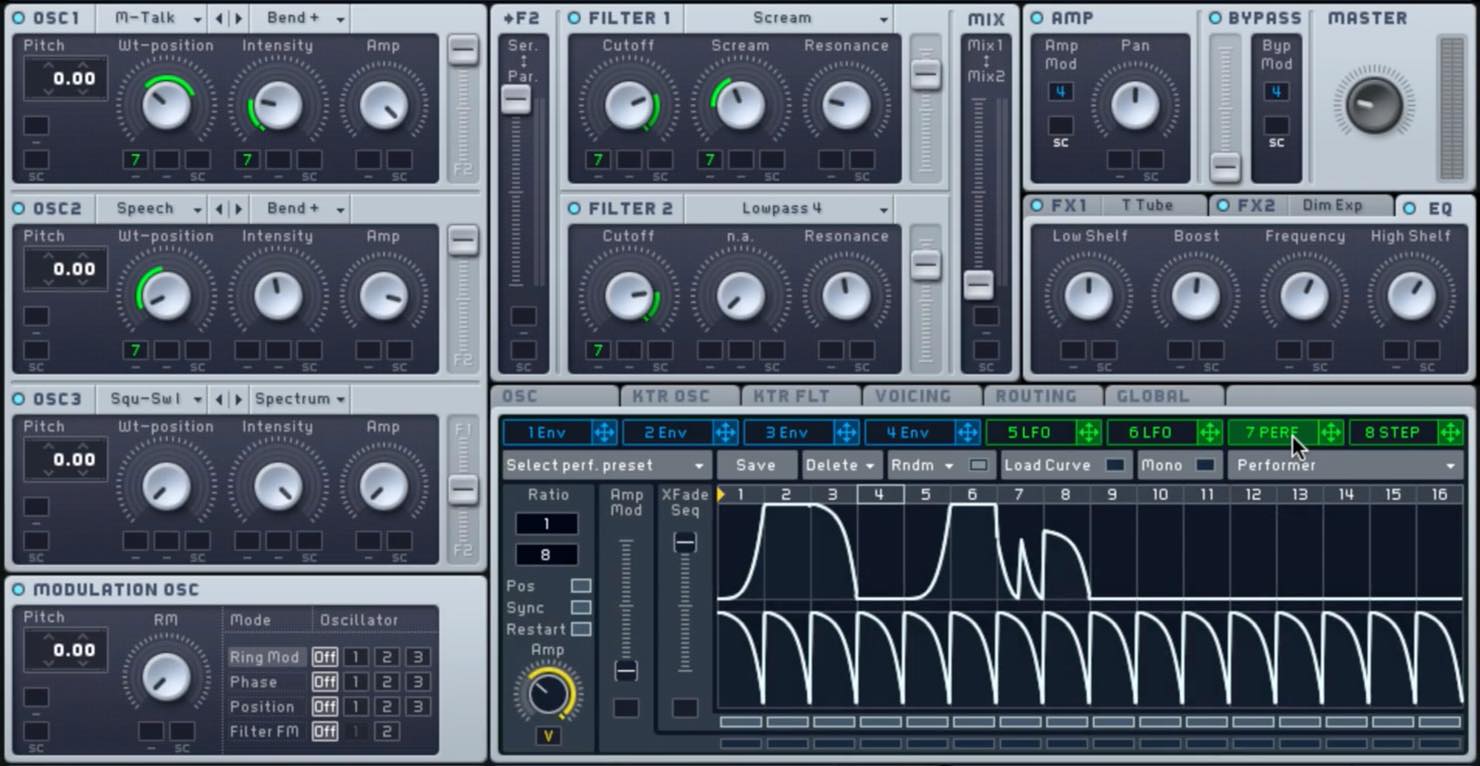
The green lines in the OSC and FILTER sections
indicate PERFORMER assignments.
PERFORMER can create envelope-like changes for each step,
making it useful for both repeating and more intricate movement.
For detailed operation, see this article:
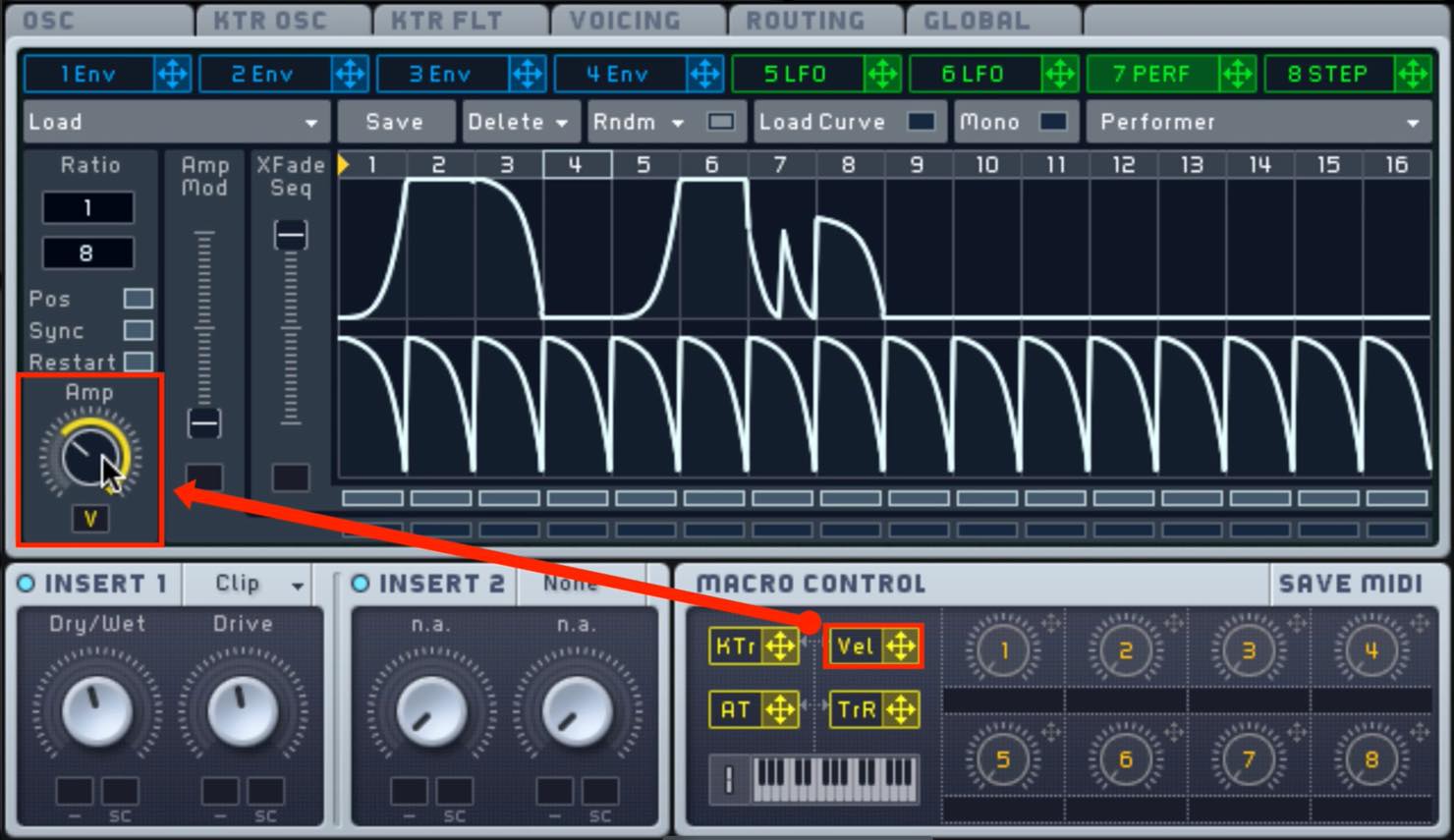
We have also configured a macro
so velocity can control the amount of PERFORMER modulation.
FILTER Settings
As noted above, the filters are connected in series.
This produces complex, aggressive changes.
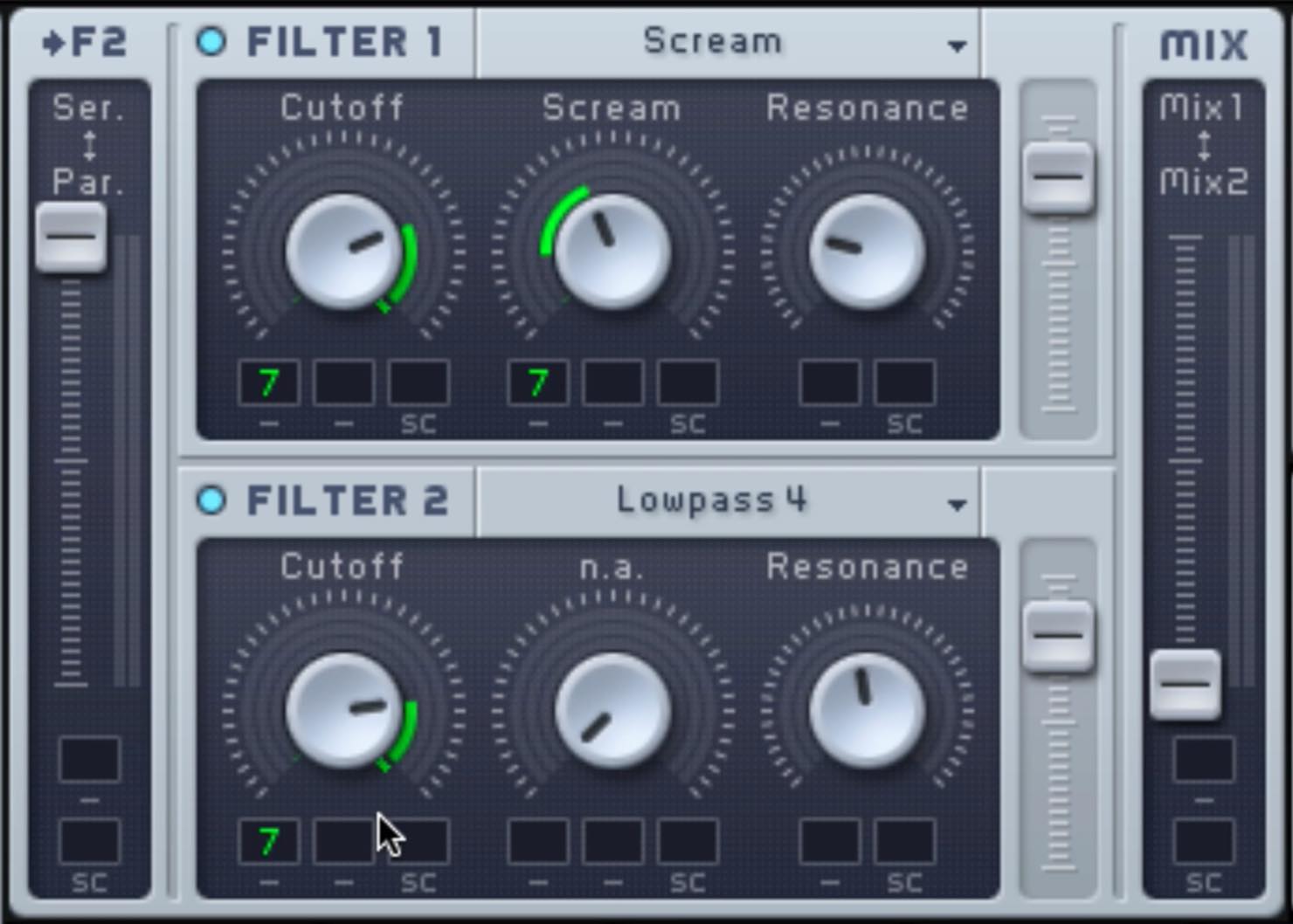
- Set FILTER1 to SCREAM and assign PERFORMER to Cutoff and Scream.
- Set FILTER2 to Lowpass4 and assign PERFORMER to Cutoff.
- For both filters, apply a suitable amount of Resonance.
Programming Tips
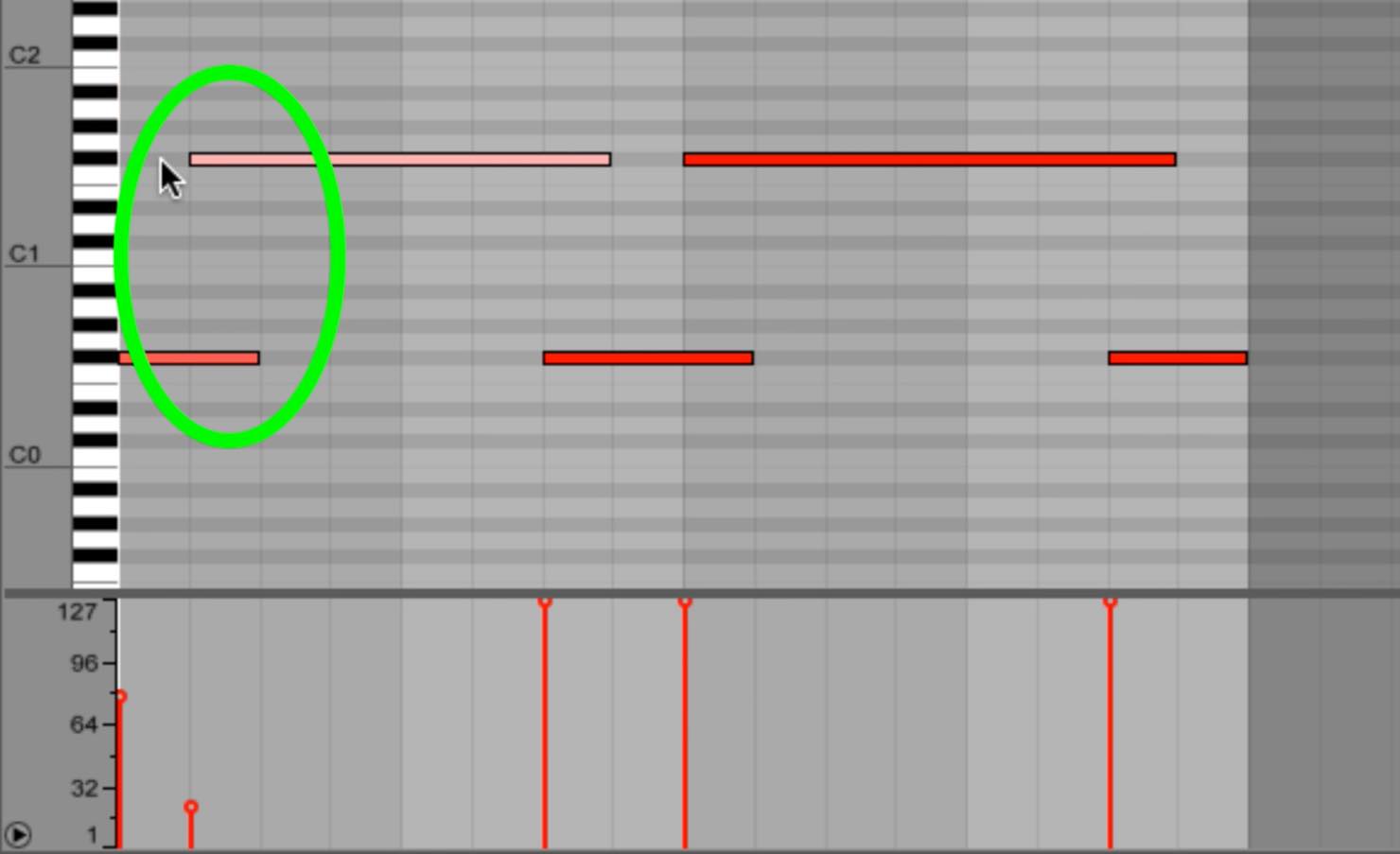
After making these settings, keep the following points in mind when programming:
- Vary note velocities to give the PERFORMER effect a less uniform character.
- Use large pitch intervals to make effective use of glide.
These are useful starting points.
As always, this is not the only possible approach. Use it as a reference
and create your own distinctive sound.
Frequently Asked Questions
Q1. What is PERFORMER?
PERFORMER is a Massive feature that automatically changes parameter values from step to step. It supports a variety of timbral modulation, from repeating envelope-like patterns to varied movement.
Q2. Why connect filters in series?
With a series connection, the signal passes through FILTER1 and then FILTER2. This can create more complex, deeper and more aggressive changes than a single filter.
Q3. Can beginners start with this article?
This is the third installment, so we recommend learning the basic settings in part 1 first. Understanding oscillator settings and effects will make these techniques easier to apply.
Q4. How can I vary velocity for a more random feel?
Deliberately vary note velocities as you program them. This changes the strength of the PERFORMER modulation and creates a more organic, less mechanical feel.
NEW ARTICLES
Latest English Articles


































































































































































































































































































































































































