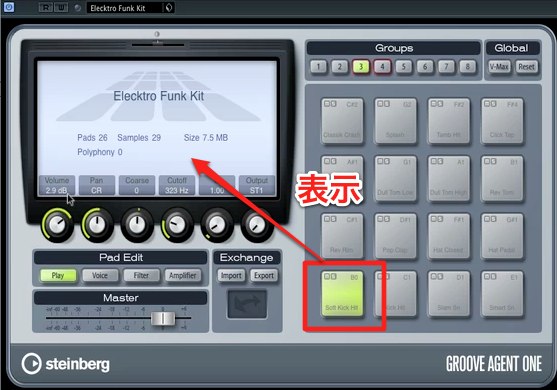
Groove Agent ONE is a drum instrument included with earlier versions of Cubase. In addition to its preset sounds, it lets you import and edit your own samples. Integration with MediaBay makes it easy to build original kits by dragging and dropping samples. This article covers loading kits; the rest of the series explores sound adjustment, patterns, and multiple outputs, providing a starting point for drum production.
Groove Agent ONE: A Drum Instrument Integrated with Cubase
Groove Agent ONE, included with Cubase,
is a powerful drum instrument that lets you import and edit samples you like
as well as use its preset sounds.
Groove Agent ONE Video Tutorial
Selected Questions and Answers from the YouTube Video

For some reason I can't perform this operation in Groove Agent 4. What could be causing it?

If you cannot select any sounds, the preset kits or samples may not have been installed correctly. Reinstalling them might resolve the issue.
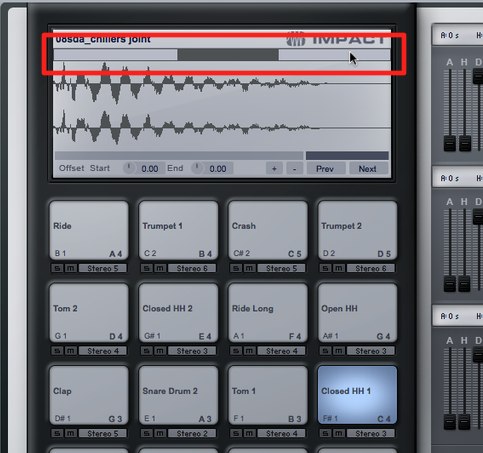
Video Highlights: MediaBay Integration
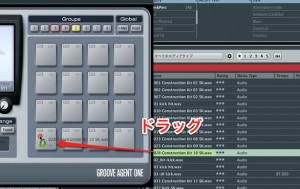
You can drag sounds from MediaBay.
This lets you create your own kits freely.
Frequently Asked Questions
Q1. Can Groove Agent ONE be used without Cubase?
Groove Agent ONE was included with Cubase and required a Cubase licence; it was not sold separately. This article describes the version bundled with older Cubase releases.
Q2. How can I edit samples imported from MediaBay?
After importing samples by drag and drop, you can customize them, including adjusting volume and pitch and applying effects, to build your own drum kit.
Q3. How does Groove Agent ONE differ from other drum instruments such as Battery 4 and BFD3?
Groove Agent ONE integrates closely with Cubase. Battery 4 is known for customization, while BFD3 focuses on realistic acoustic drum sounds. Choose according to your production style and goals.
NEW ARTICLES
Latest English Articles