
Native Instruments REPLIKA XT offers detailed delay controls. Alongside Mix, Delay Time and Feedback, delay intervals can be set to straight, dotted or triplet note values, or specified in milliseconds. Dual mode combines two delay times for complex echoes, while the effects section offers detailed choices including chorus, phaser and filters for flexible sound design.
Master detailed delay and effect settings

Continuing from the previous article, we explore Native Instruments’ REPLIKA XT.
This time we will cover the settings for the repeats at the heart of the delay and the effects section.
In particular, Dual mode offers complex timing setups, while detailed modulation controls
are another distinctive feature.
These principles can also be applied to other delay effects,
so they are useful to understand even beyond this product.
REPLIKA XT tutorial videos
1. Main parameters and controls
2. Delay and effects sections — this article
3. Advanced section
Setting Delay Time and using Dual mode
Basic delay settings
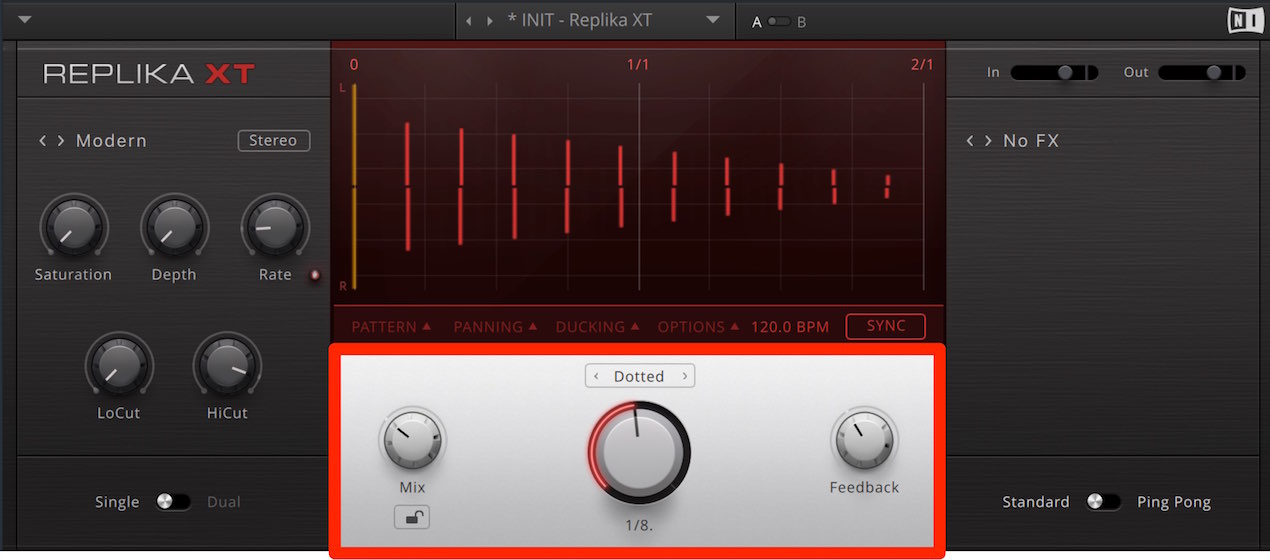
First, let’s review the basic settings in the center panel.
- Mix: Adjusts the balance between the dry sound and delay signal.
At 100% you can audition only the delay signal. - Delay Time: Use the dial to set the interval between repeats.
This is normally synced to the tempo, as explained below. - Feedback: Sets the amount of attenuation for each successive repeat.
This changes the number of echoes: 0% gives one repeat, while 100% repeats indefinitely.
Values above 100% can make the echoes grow louder than the original sound.
Delay Time options
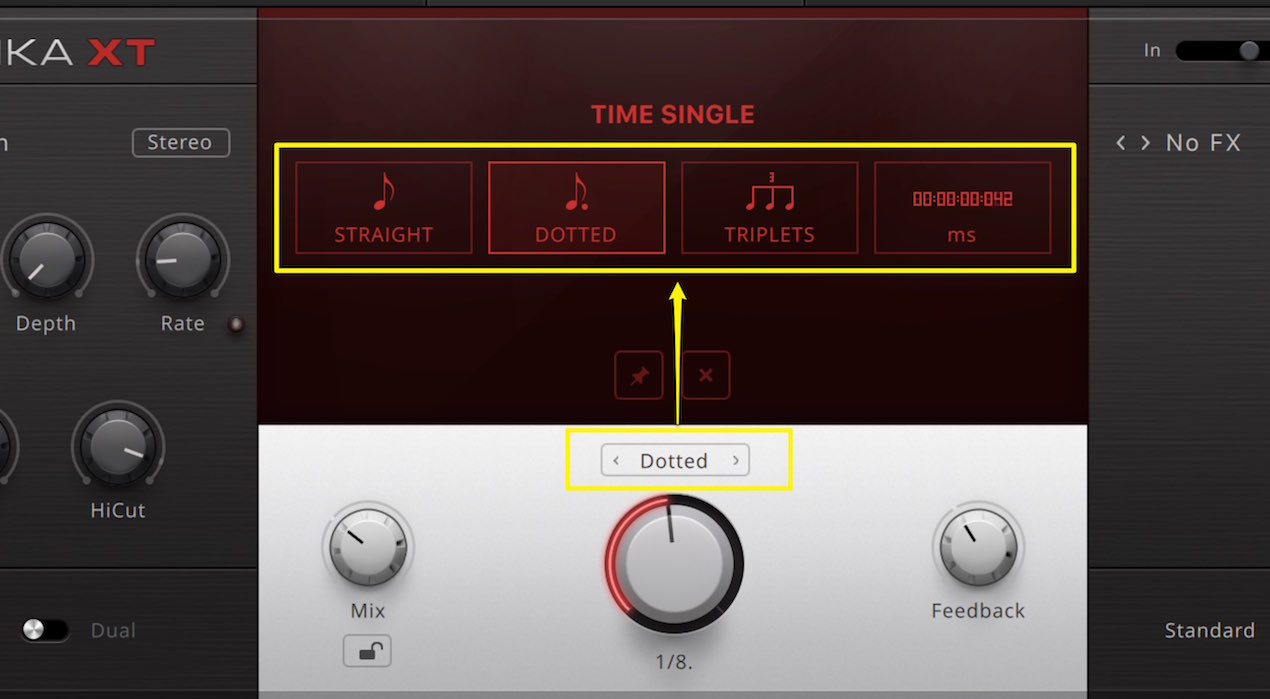
Click the menu above Delay Time
for detailed control over the units used to set the repeat interval.
- STRAIGHT: The interval follows the note value selected with the dial.
- DOTTED: The interval is a dotted note, 1.5 times the selected note length.
- TRIPLETS: Selects a triplet interval. The original article describes this as one third of the selected note length.
- ms: Sets an absolute time in milliseconds, or thousandths of a second.
Dual mode
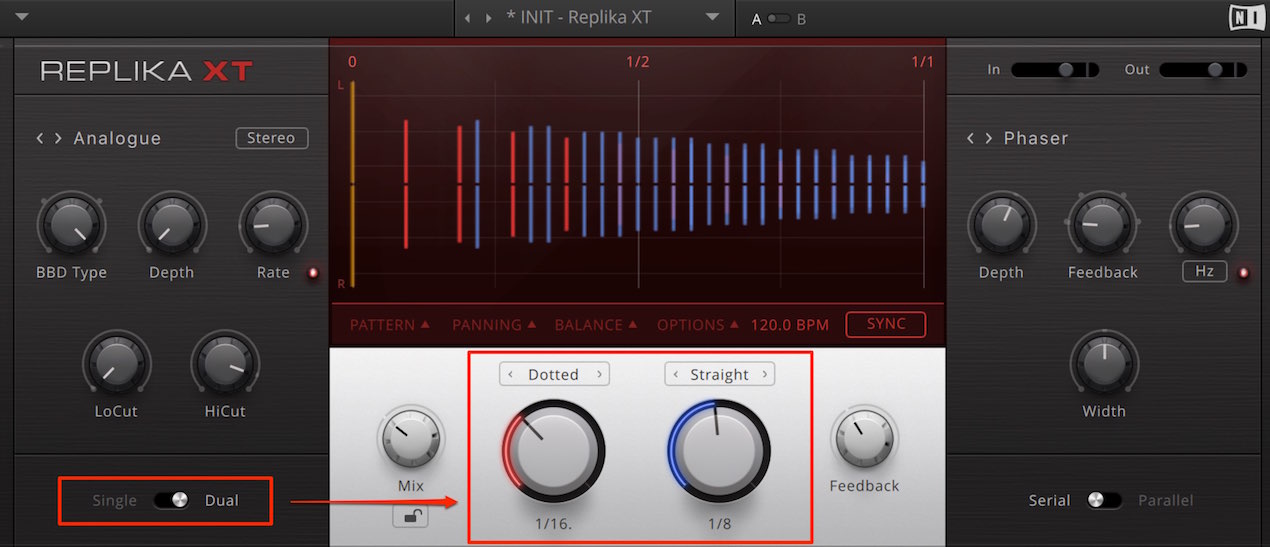
Switch the delay mode to Dual
and you can combine two delay times.
This allows more complex echoes;
combined with the advanced settings, it provides finer control over the delay.
The advanced settings are covered in detail in the next installment.
Flexible effects
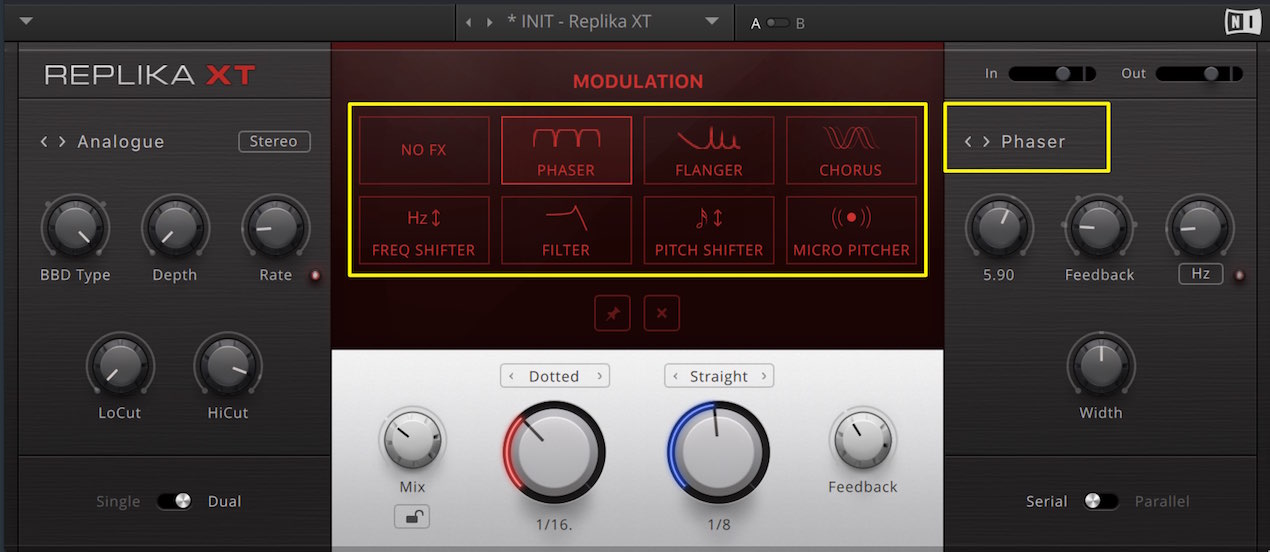
The right-hand section lets you apply effects to the delay signal.
Many delay products include modulation effects,
but REPLIKA stands out for its detailed selection and adjustment of chorus, phaser, filters and more.
Each has its own character, so try listening as you experiment.
For the basics of each effect, see the related video and articles below.
Phaser and chorus explained
Frequently asked questions
Q1. What is the Mix parameter used for?
Mix adjusts the balance between the dry sound and delay signal. At 100%, you can audition the delay alone, which is useful when shaping its tone.
Q2. What is the difference between DOTTED and TRIPLETS in Delay Time?
DOTTED sets the interval to a dotted note, 1.5 times the selected note length. TRIPLETS selects a triplet interval, described in the original article as one third of the selected note length. Choosing between them to suit the tempo and groove can produce complex rhythmic patterns.
Q3. What is the advantage of Dual mode?
It combines two delay times, allowing complex, spacious echoes that a single delay cannot produce. Advanced settings provide even more detailed control.
Q4. Can I apply what I learn about REPLIKA XT’s effects to other plug-ins?
Yes. Knowledge of chorus, phaser, filters and other effects can be applied to other delay and effects plug-ins too.
NEW ARTICLES
Latest English Articles
















































































































































































































































































































































































































